Performance Mod Pro – FPS Profiles, Auto Configure & 10 Languages V1



5/5,
1
votes
Changelog
v1.0 (Beta) – Initial release: 3 profiles + Original Settings, Auto Configure, adaptive FPS governor, 10 languages, Insert hotkey with rebinding, Safe Mode.
Description
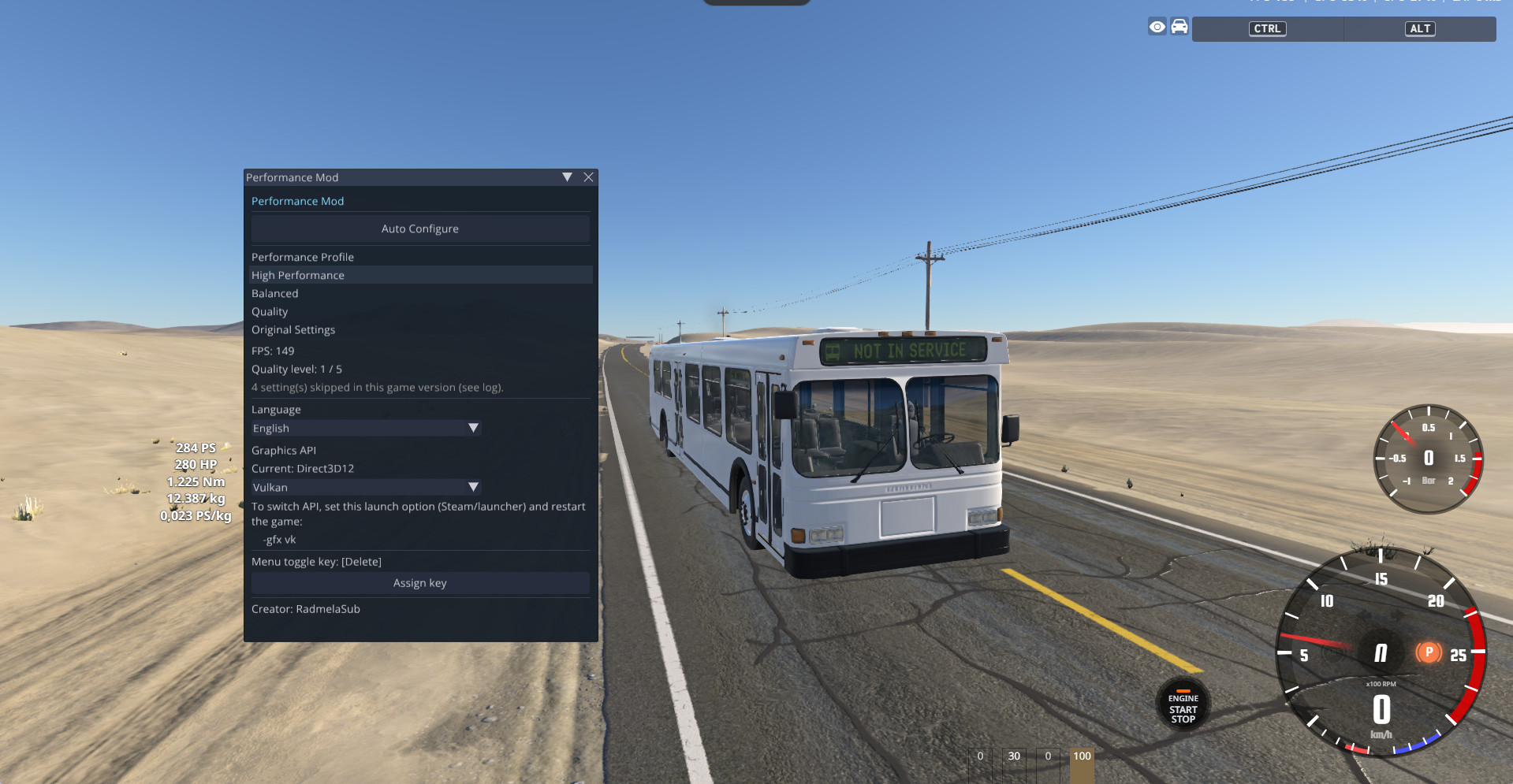
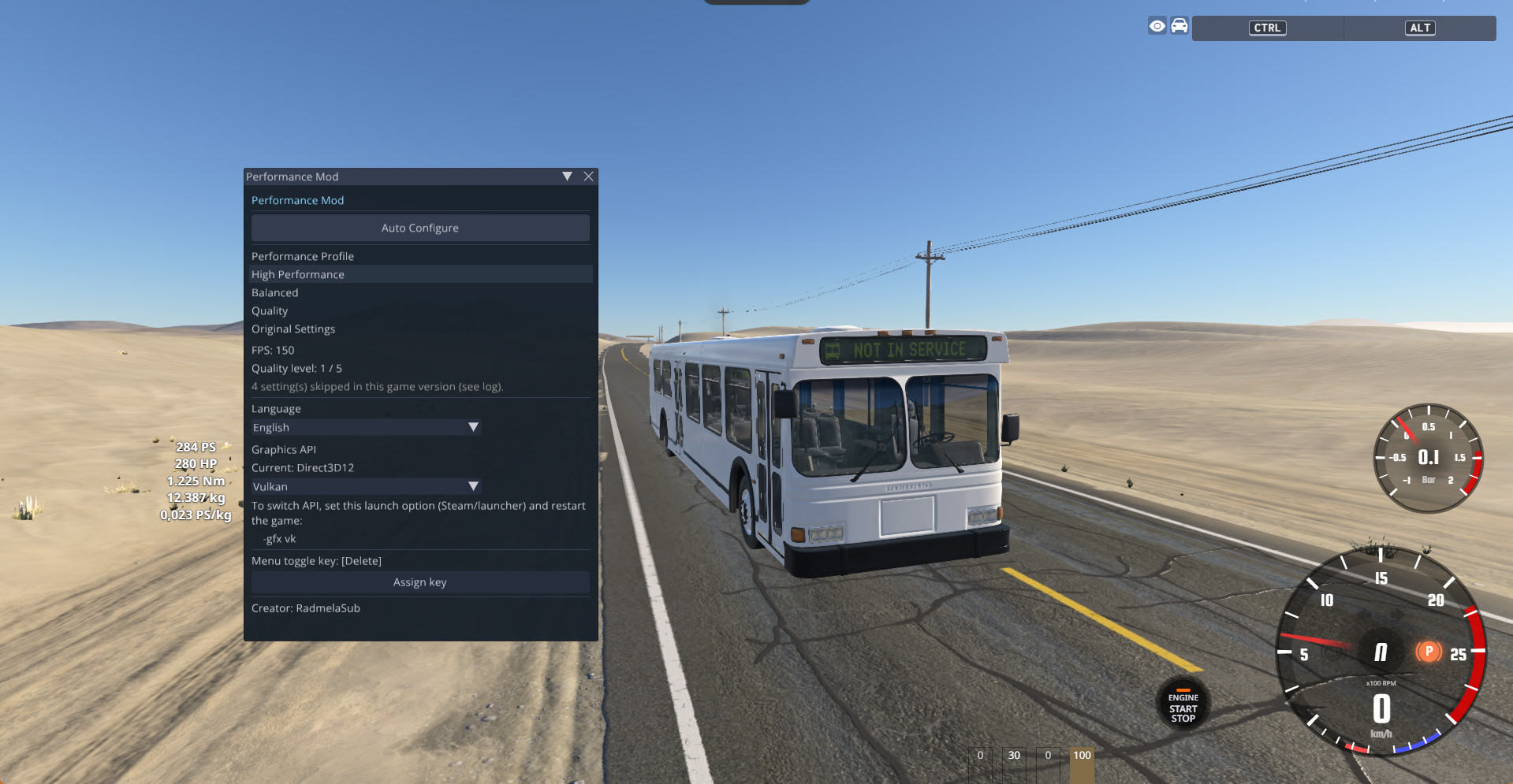
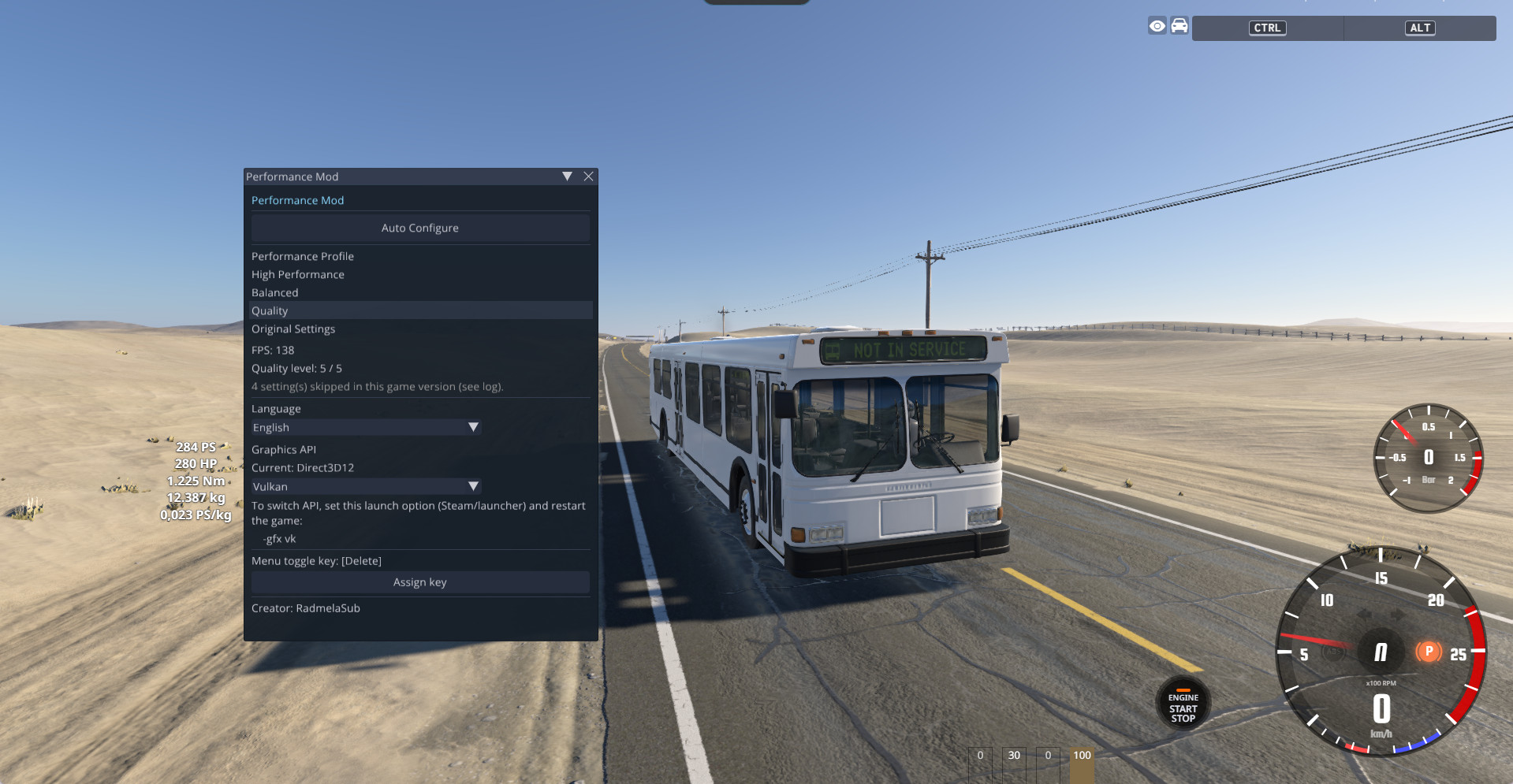
Performance Mod adds a small in-game menu that lets you change BeamNG.drive’s graphics settings with a single click, instead of digging through the options menu. Pick a profile, or let the mod benchmark your PC and choose for you. Everything can be undone with the Original Settings button.
Status: Beta. The mod changes game settings through BeamNG’s settings system. Setting names can differ between game versions, so the mod checks each one first and skips anything it doesn’t recognize instead of forcing it.
Features
- Performance profiles: Includes High Performance (focused on FPS, FXAA + sharpening), Balanced Performance (aims for 45 FPS), and Quality (aims for 60+ FPS).
- Original Settings: Saves your values before changes and allows restoration at any time.
- Auto Configure: Runs a short (~8 seconds) live FPS benchmark to pick a suitable quality level.
- Adaptive FPS governor: Monitors average FPS and adjusts lighting, post-processing, and reflections in real-time while driving.
- Graphics API info: Shows current API and launch options for switching (DirectX 11 or Vulkan).
- 10 languages: Supports English, Turkish, Chinese, Japanese, Russian, German, French, Korean, Italian, and Arabic.
- Custom Hotkey: Press Insert to open/close the menu, with the ability to rebind to other keys.
- Safety systems: Settings are only applied after a level is loaded, uses known-format recognition, and includes a Safe Mode for unexpected crashes.
Installation Instructions
- Download PerformanceMod.zip. Do not extract it.
- Place it in your BeamNG.drive mods folder (%LocalAppData%\BeamNG.drive\\mods).
- Start the game and load any level. Press Insert.
Credits
Created by RadmelaSub.
v1.0 (Beta) – Initial release: 3 profiles + Original Settings, Auto Configure, adaptive FPS governor, 10 languages, Insert hotkey with rebinding, Safe Mode.
Description
Performance Mod adds a small in-game menu that lets you change BeamNG.drive’s graphics settings with a single click, instead of digging through the options menu. Pick a profile, or let the mod benchmark your PC and choose for you. Everything can be undone with the Original Settings button.
Status: Beta. The mod changes game settings through BeamNG’s settings system. Setting names can differ between game versions, so the mod checks each one first and skips anything it doesn’t recognize instead of forcing it.
Features
- Performance profiles: Includes High Performance (focused on FPS, FXAA + sharpening), Balanced Performance (aims for 45 FPS), and Quality (aims for 60+ FPS).
- Original Settings: Saves your values before changes and allows restoration at any time.
- Auto Configure: Runs a short (~8 seconds) live FPS benchmark to pick a suitable quality level.
- Adaptive FPS governor: Monitors average FPS and adjusts lighting, post-processing, and reflections in real-time while driving.
- Graphics API info: Shows current API and launch options for switching (DirectX 11 or Vulkan).
- 10 languages: Supports English, Turkish, Chinese, Japanese, Russian, German, French, Korean, Italian, and Arabic.
- Custom Hotkey: Press Insert to open/close the menu, with the ability to rebind to other keys.
- Safety systems: Settings are only applied after a level is loaded, uses known-format recognition, and includes a Safe Mode for unexpected crashes.
Installation Instructions
- Download PerformanceMod.zip. Do not extract it.
- Place it in your BeamNG.drive mods folder (%LocalAppData%\BeamNG.drive\\mods).
- Start the game and load any level. Press Insert.
Credits
Created by RadmelaSub.
External Download Links:
- Modsfire.com - PerformanceMod.zip [download] [295.5 KB]
About Mod
| Latest Version | V1 |
| Game | BeamNG.drive |
| Category | Other |
| Game Version | 0.40.x |
| Tags | Gameplay |
| Downloads | 112 |
| Created | 6 days ago |








Good mod bro
press insert to open menu