

0/5,
0
votes
Changelog
1.0 – First release.
Description
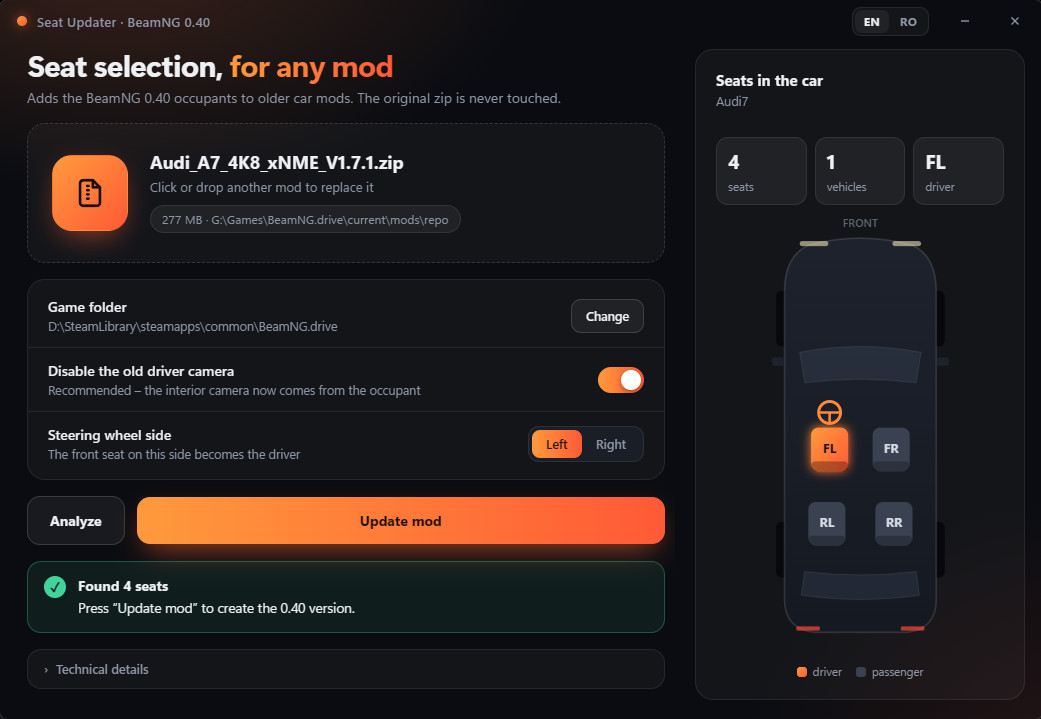
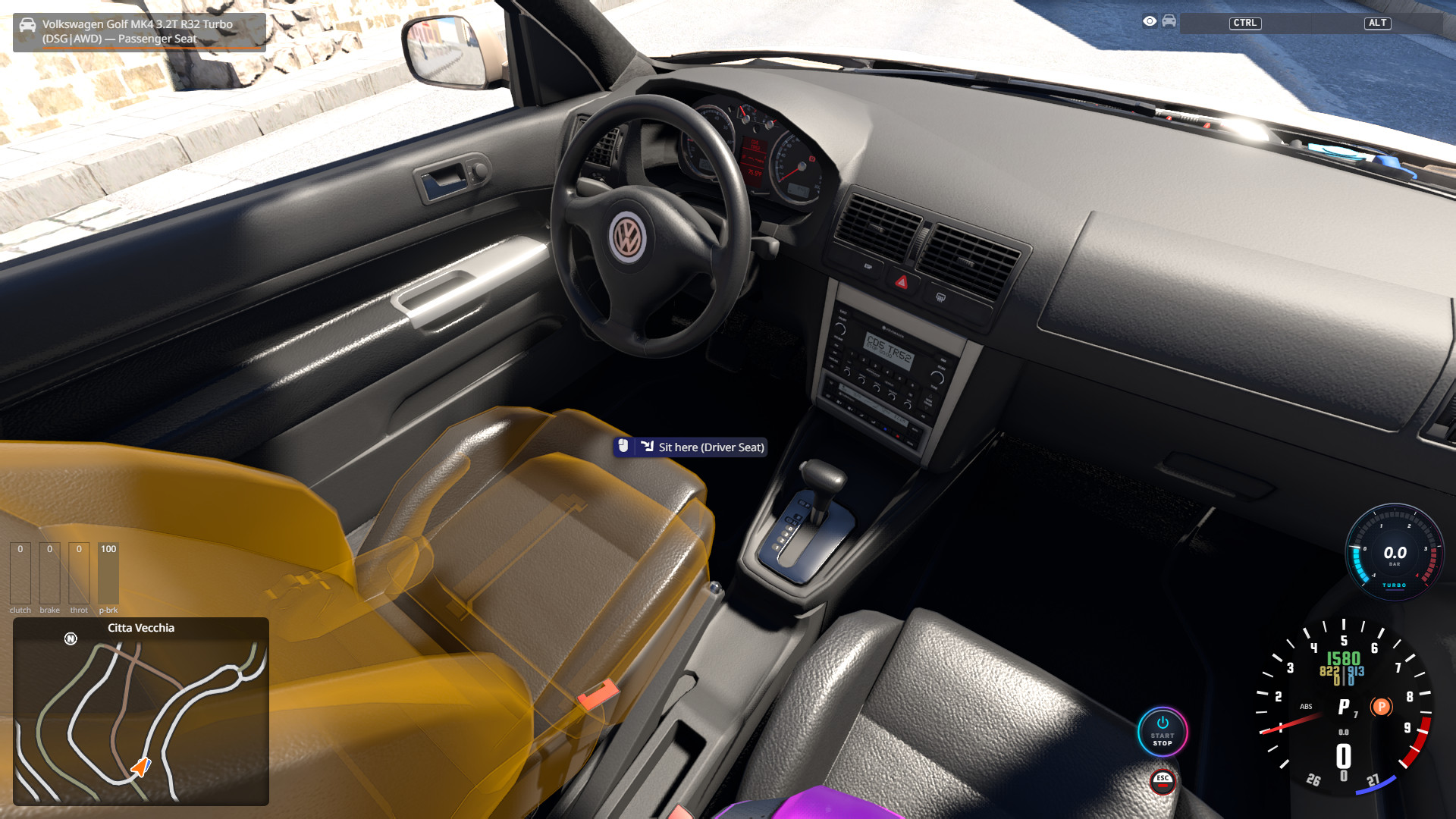
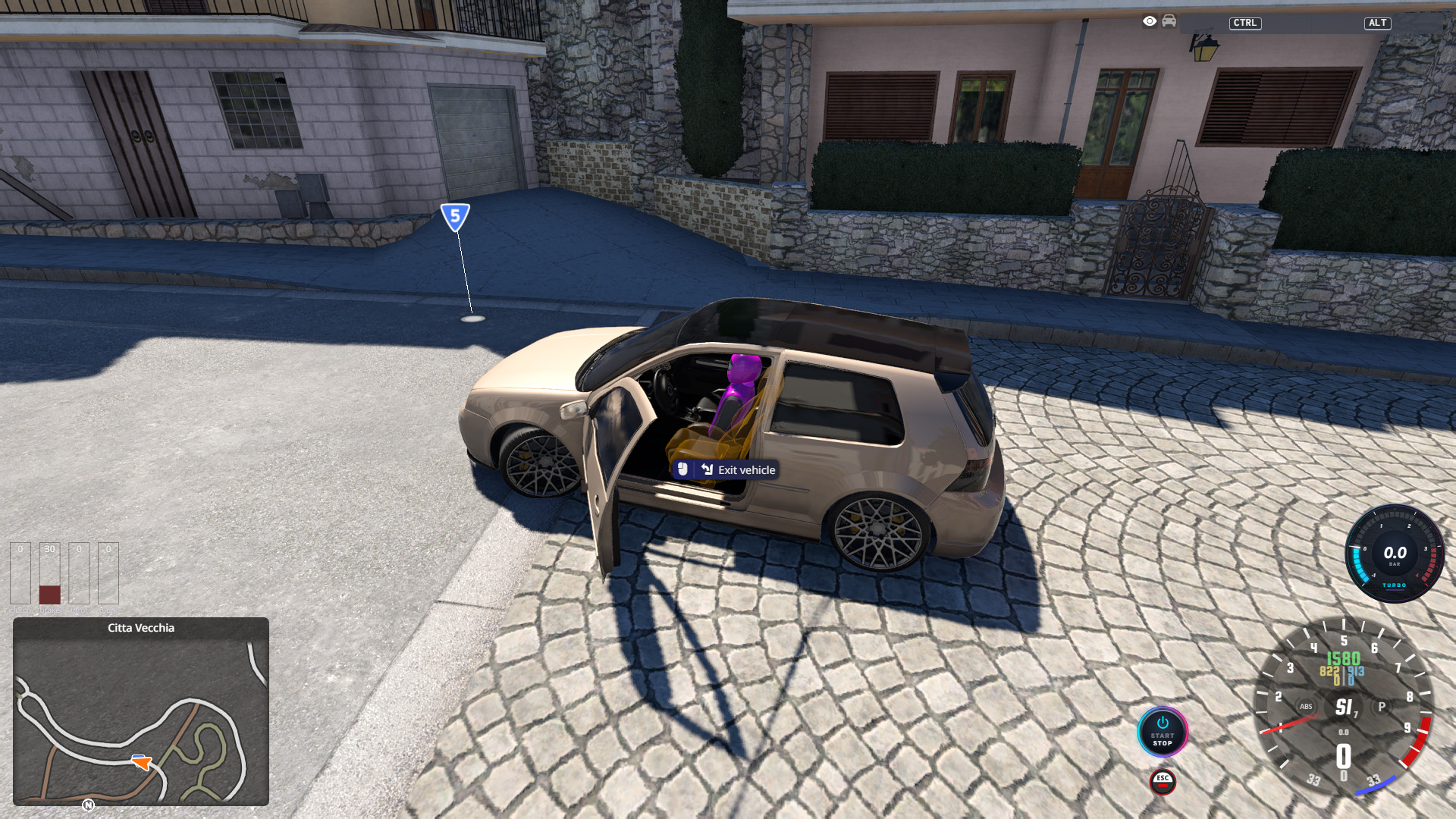
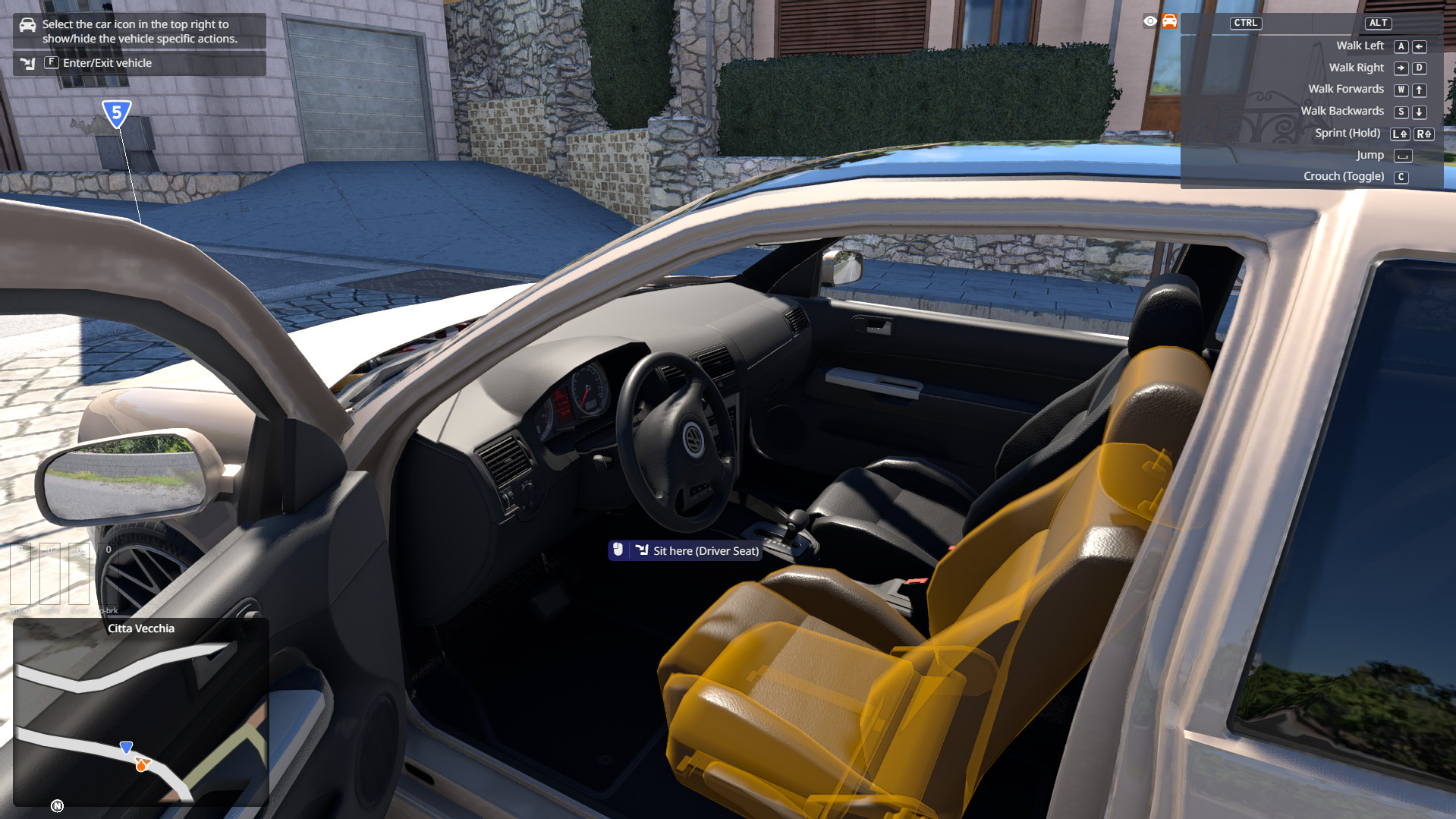
SEAT UPDATER FOR BEAMNG (v1.0) allows you to add the new 0.40 seat selection (occupants) to older car mods in one click. BeamNG.drive 0.40 introduced occupants: you can choose which seat you sit in, switch seats, and every seat has its own passenger with an interior camera. Most car mods were made before 0.40, so they don't support it. Seat Updater reads an old car mod and creates an updated copy that supports the 0.40 seat system, using the same rules as the official BeamNG cars. Your original mod is never modified.
Features
- Enables the 0.40 occupant system on the car.
- Finds the seats automatically (front seats, rear benches, sport/race seats) and adds the official BeamNG occupant to each one (up to 6 seats).
- Places every occupant on its seat with the same proportions as the official cars (position, recline, seat-back stiffening).
- Lines up the driver with the mod's own driver camera (height and steering wheel axis).
- Rear benches that are only a 3D model glued to the body get a seat frame built from the seat's real 3D shape.
- Right-hand-drive interiors (parts named "RHD") get the driver on the right.
- Optionally disables the old interior driver camera.
- Checks its own result before saving; if anything looks wrong, that car is left unchanged.
- Top-down preview of the seats it found.
- Finds your BeamNG.drive installation automatically (all Steam libraries).
- English interface (Romanian available with the EN / RO switch).
Requirements
- Windows 10 or 11 (64-bit)
- Microsoft Edge WebView2 Runtime (already included in Windows 11; on Windows 10 it comes with Microsoft Edge)
- BeamNG.drive 0.40 or newer installed
Options
- Disable the old driver camera (recommended): the old interior camera is turned into a comment so you don't get two almost identical driver cameras.
- Steering wheel side: which front seat becomes the driver (Left = LHD, Right = RHD). Interiors marked "RHD" in the mod are handled automatically.
- EN / RO: interface language.
Good to know / Limitations
- Works on standalone car mods. Part packs that only add parts to another car are skipped on purpose.
- Mods that already support 0.40 are detected and left unchanged.
- A seat that has no structure of its own AND no readable 3D model (.dae in text format) cannot be updated.
- On unusual mods, an occupant may sit a few centimeters off.
- Each occupant adds weight (about 6 kg unseated, 89 kg seated), exactly like in the official cars.
FAQ
Q: Did my original mod change?
A: No. The program only reads it and writes a new "_040" copy.
Q: Windows SmartScreen / my antivirus warns about the .exe.
A: The program is not code-signed, which often triggers this warning for small tools. Click "More info" -> "Run anyway".
Q: The game still shows the old camera / no seat selection.
A: Make sure only the "_040" version is in your mods folder (not the original), then restart the game.
Q: "Game folder – game not found here".
A: Press "Change" and select the folder that contains BeamNG.drive.exe.
Installation Instructions
1. Unzip anywhere and run "Seat Updater for BeamNG.exe" (no installation).
2. Drag the car mod (.zip) into the window, or click the drop area to choose it. You can also drag the .zip directly onto the .exe.
3. Check "Game folder". It is detected automatically for Steam installs; if not, press "Change" and pick the folder that contains BeamNG.drive.exe.
4. Optional: press "Analyze" to preview the seats it will create.
5. Press "Update mod". A new file is created next to the original, with "_040" added to its name (example: mycar.zip -> mycar_040.zip).
6. IMPORTANT: put ONLY the new "_040" file in your mods folder and remove the original mod from it. Both use the same vehicle folder, so if both are installed the game will load only one of them.
7. Start the game and use the seat selection like in the official cars.
1.0 – First release.
Description
SEAT UPDATER FOR BEAMNG (v1.0) allows you to add the new 0.40 seat selection (occupants) to older car mods in one click. BeamNG.drive 0.40 introduced occupants: you can choose which seat you sit in, switch seats, and every seat has its own passenger with an interior camera. Most car mods were made before 0.40, so they don't support it. Seat Updater reads an old car mod and creates an updated copy that supports the 0.40 seat system, using the same rules as the official BeamNG cars. Your original mod is never modified.
Features
- Enables the 0.40 occupant system on the car.
- Finds the seats automatically (front seats, rear benches, sport/race seats) and adds the official BeamNG occupant to each one (up to 6 seats).
- Places every occupant on its seat with the same proportions as the official cars (position, recline, seat-back stiffening).
- Lines up the driver with the mod's own driver camera (height and steering wheel axis).
- Rear benches that are only a 3D model glued to the body get a seat frame built from the seat's real 3D shape.
- Right-hand-drive interiors (parts named "RHD") get the driver on the right.
- Optionally disables the old interior driver camera.
- Checks its own result before saving; if anything looks wrong, that car is left unchanged.
- Top-down preview of the seats it found.
- Finds your BeamNG.drive installation automatically (all Steam libraries).
- English interface (Romanian available with the EN / RO switch).
Requirements
- Windows 10 or 11 (64-bit)
- Microsoft Edge WebView2 Runtime (already included in Windows 11; on Windows 10 it comes with Microsoft Edge)
- BeamNG.drive 0.40 or newer installed
Options
- Disable the old driver camera (recommended): the old interior camera is turned into a comment so you don't get two almost identical driver cameras.
- Steering wheel side: which front seat becomes the driver (Left = LHD, Right = RHD). Interiors marked "RHD" in the mod are handled automatically.
- EN / RO: interface language.
Good to know / Limitations
- Works on standalone car mods. Part packs that only add parts to another car are skipped on purpose.
- Mods that already support 0.40 are detected and left unchanged.
- A seat that has no structure of its own AND no readable 3D model (.dae in text format) cannot be updated.
- On unusual mods, an occupant may sit a few centimeters off.
- Each occupant adds weight (about 6 kg unseated, 89 kg seated), exactly like in the official cars.
FAQ
Q: Did my original mod change?
A: No. The program only reads it and writes a new "_040" copy.
Q: Windows SmartScreen / my antivirus warns about the .exe.
A: The program is not code-signed, which often triggers this warning for small tools. Click "More info" -> "Run anyway".
Q: The game still shows the old camera / no seat selection.
A: Make sure only the "_040" version is in your mods folder (not the original), then restart the game.
Q: "Game folder – game not found here".
A: Press "Change" and select the folder that contains BeamNG.drive.exe.
Installation Instructions
1. Unzip anywhere and run "Seat Updater for BeamNG.exe" (no installation).
2. Drag the car mod (.zip) into the window, or click the drop area to choose it. You can also drag the .zip directly onto the .exe.
3. Check "Game folder". It is detected automatically for Steam installs; if not, press "Change" and pick the folder that contains BeamNG.drive.exe.
4. Optional: press "Analyze" to preview the seats it will create.
5. Press "Update mod". A new file is created next to the original, with "_040" added to its name (example: mycar.zip -> mycar_040.zip).
6. IMPORTANT: put ONLY the new "_040" file in your mods folder and remove the original mod from it. Both use the same vehicle folder, so if both are installed the game will load only one of them.
7. Start the game and use the seat selection like in the official cars.
External Download Links:
About Mod
| Latest Version | 1.0 |
| Game | BeamNG.drive |
| Category | Other |
| Game Version | 0.40.x |
| Tags | Tools |
| Downloads | 9 |
| Created | 13 hours ago |
You Might Also Like »

0 Comments
There are no comments. Be first to comment!