![Mack Anthem / Pinnacle [PACK]](https://temp2.modland.net/i/6aa50a7184eaa/6ab9344368d3b/0_modland.jpg)
5/5,
5
votes
Updates
latest
Version
1.1
· BeamNG.drive
0.38.x
2 months ago
- Gradient smoke: blend the smoke between two colors across the particle's lifetime (Start -> End), with a live gradient preview bar.
- HSV color picker: pick colors with a proper Hue / Saturation / Value slider set instead of raw RGB - much faster to land vivid, exact shades.
- Neon glow: optional additive blending that makes the smoke glow. Looks spectacular at night and with saturated colors.
- Named presets: save your current setup under a name, then load or delete it in one click. Presets persist between sessions.
- Start/End swatch selector so you can edit either gradient color directly.
- Debug logging toggle, plus Diagnose and Repair Smoke buttons for troubleshooting (off by default).
- HSV color picker: pick colors with a proper Hue / Saturation / Value slider set instead of raw RGB - much faster to land vivid, exact shades.
- Neon glow: optional additive blending that makes the smoke glow. Looks spectacular at night and with saturated colors.
- Named presets: save your current setup under a name, then load or delete it in one click. Presets persist between sessions.
- Start/End swatch selector so you can edit either gradient color directly.
- Debug logging toggle, plus Diagnose and Repair Smoke buttons for troubleshooting (off by default).
Description
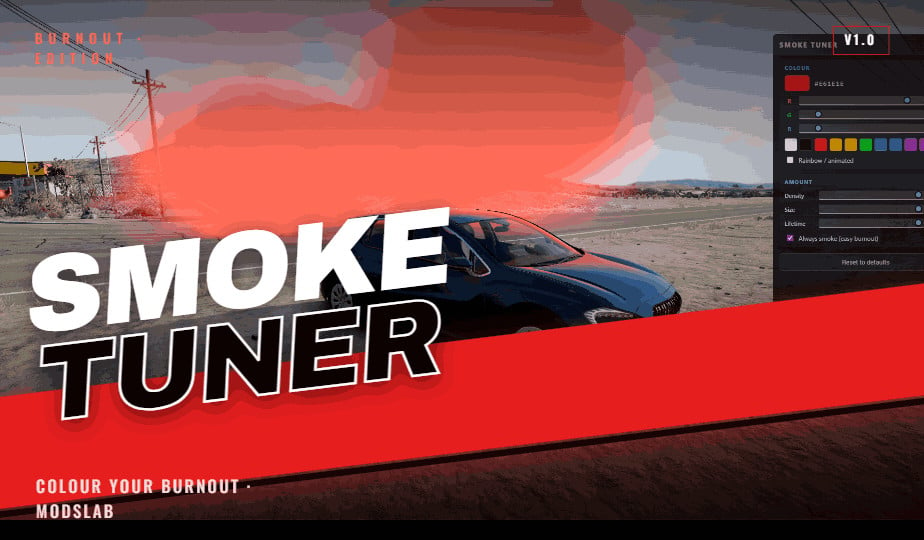
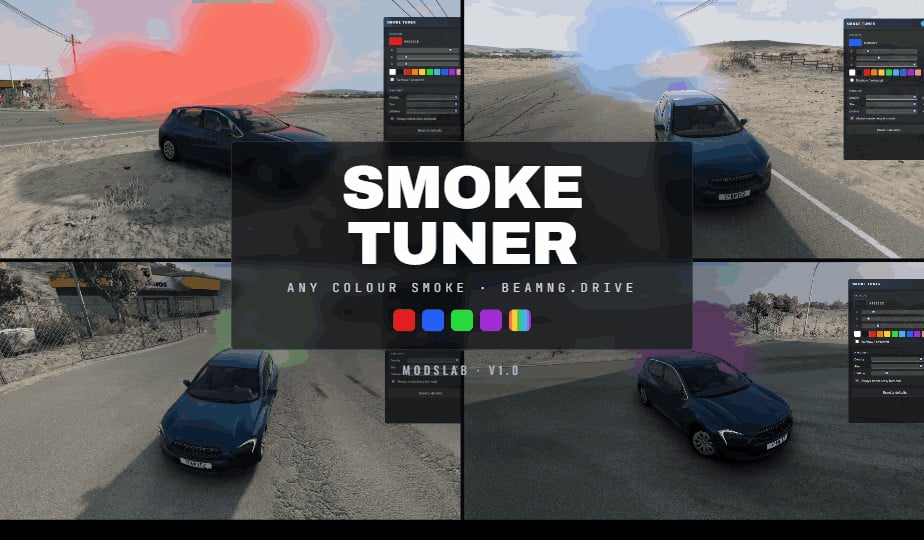
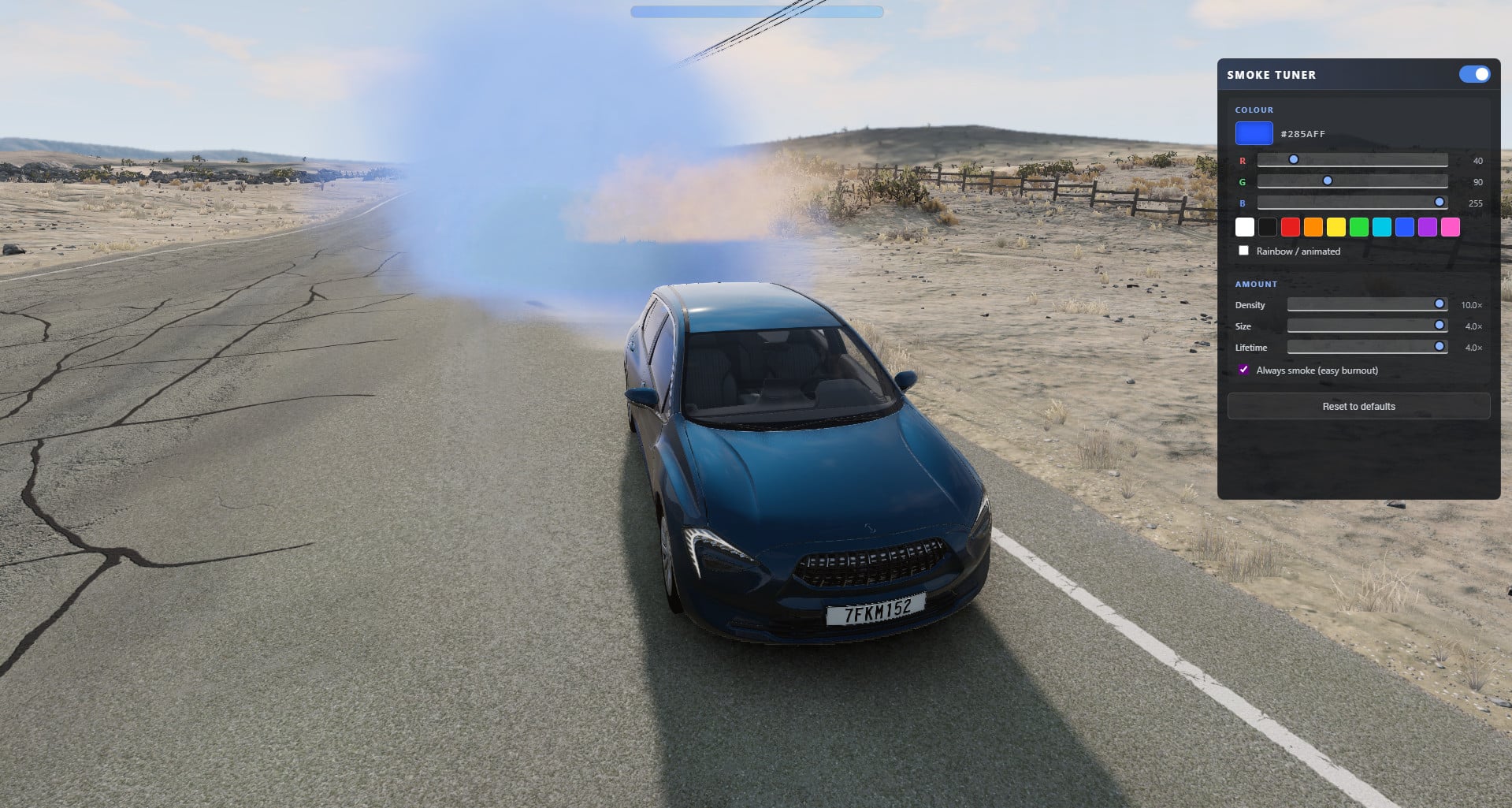
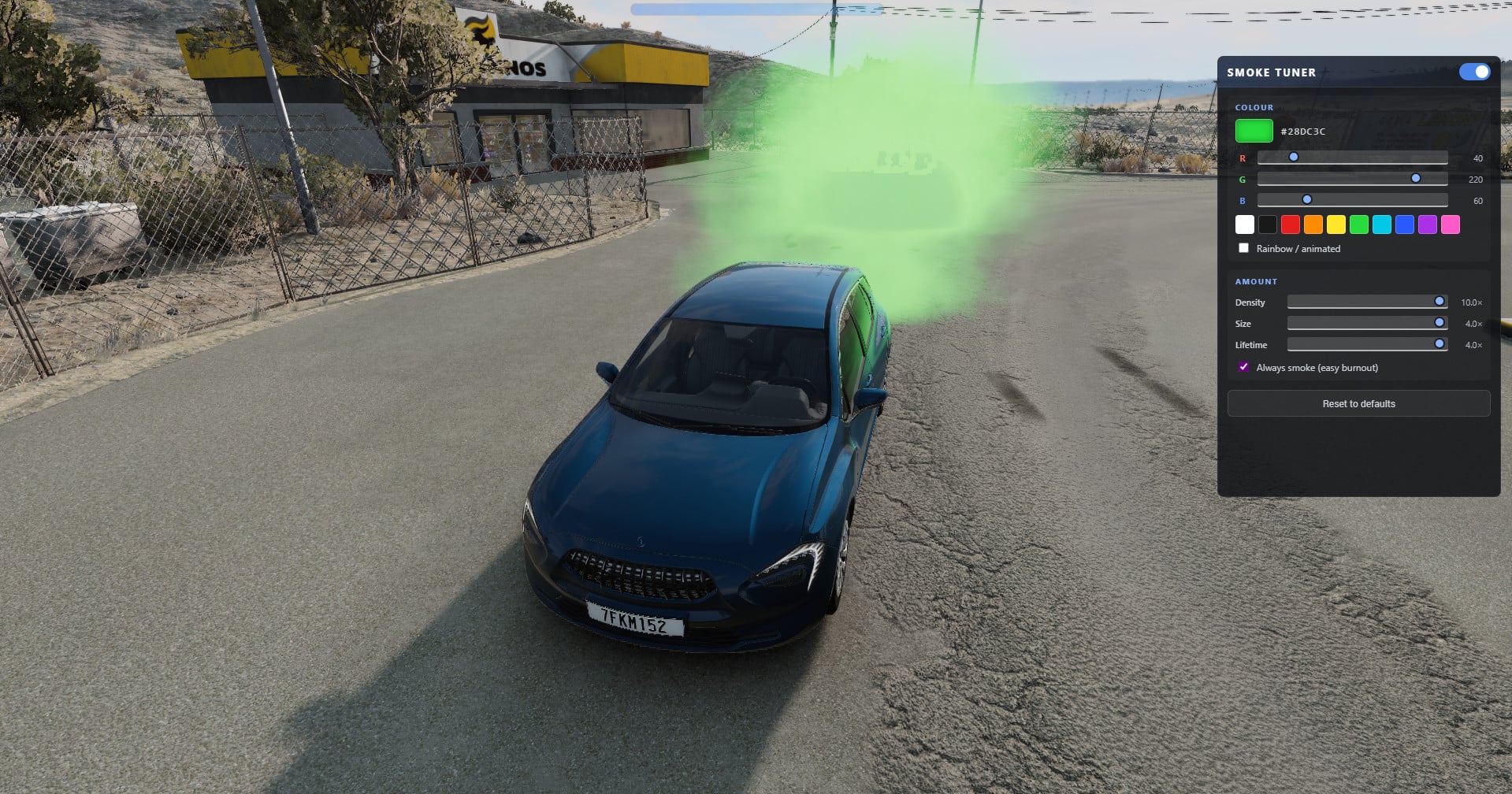
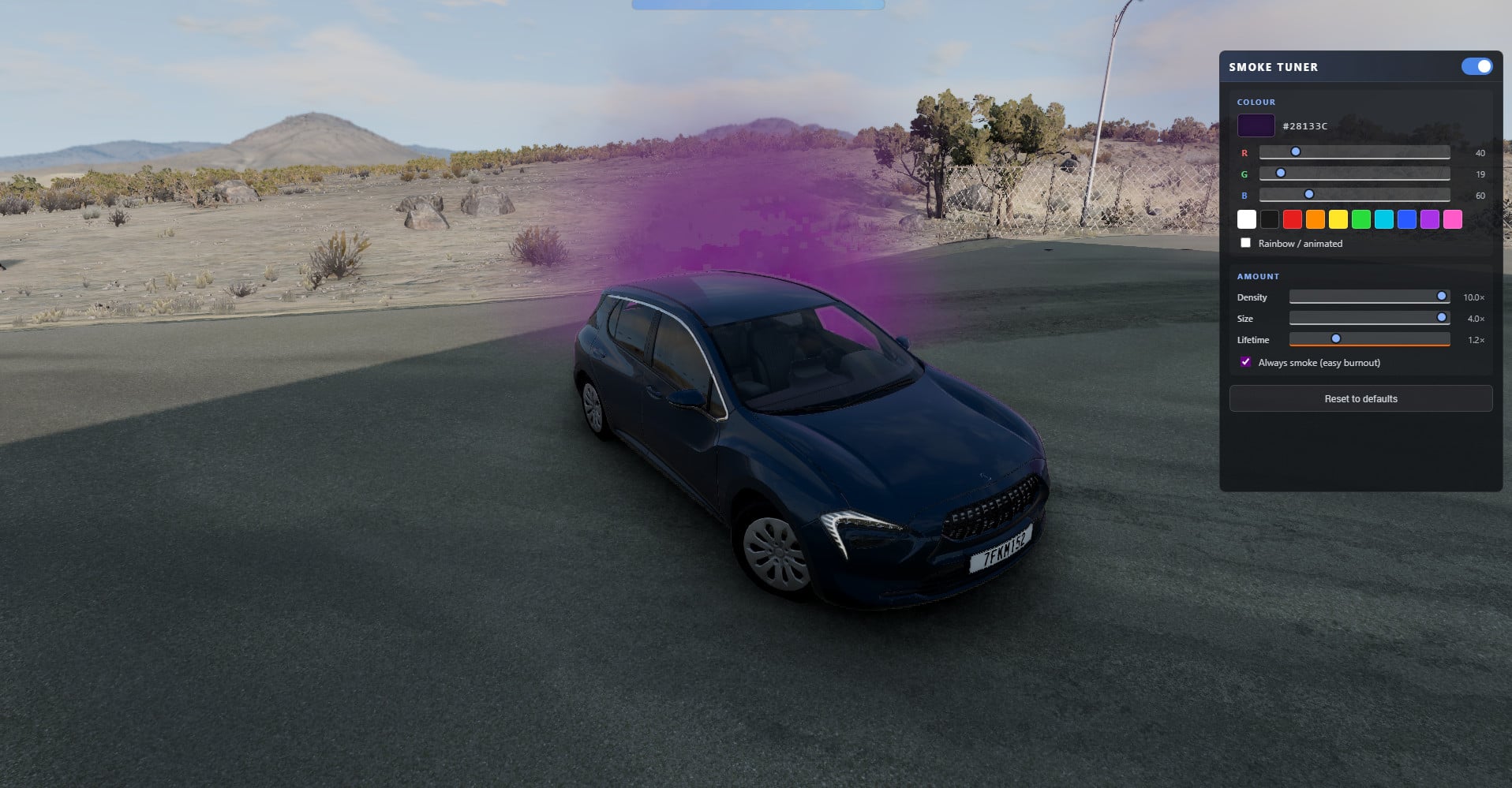
Take full control of your tire smoke. Smoke Tuner lets you customize the smoke your car kicks up during burnouts, drifts and hard cornering. Everything happens live from a clean in-game app, and there are no vehicle edits or per-car setup involved. It just works on every car, on every map.
Features
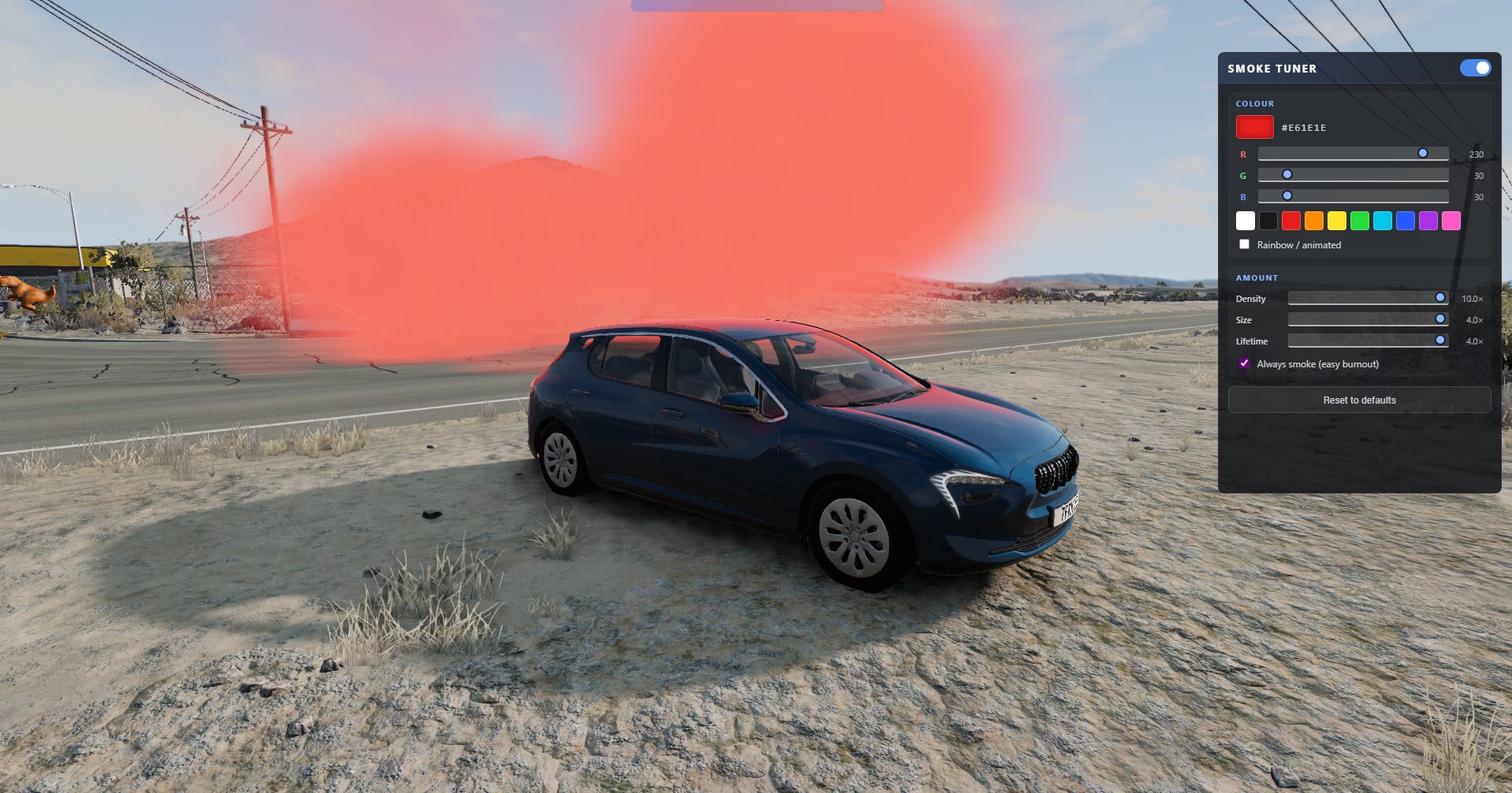
- Amount / Density - scales how much smoke your tires throw, anywhere from light haze to a full screen-filling wall.
- Particle Size - go thin and wispy or big and billowing.
- Lifetime - sets how long the smoke hangs in the air before fading.
- Full RGB color - dial in any color you want with R/G/B sliders, or grab one of 10 quick presets.
- Rainbow mode - smooth animated color cycling for extra flair.
- Always Smoke - drops the slip threshold so smoke kicks in on even the lightest slide.
- One-key master toggle to flip between your custom smoke and stock smoke instantly.
- Settings save automatically and persist after loading.
Controls
- Add the "Smoke Tuner" app to your UI layout (UI Apps editor).
- O - toggles the custom smoke on/off (rebindable under Options > Controls).
How to use
- Open the app layout editor and drop the Smoke Tuner app on your screen.
- Do a burnout or hold a slide, then tweak Density, Size, Lifetime and color in real time.
- Grab a preset, drag the RGB sliders, or switch on Rainbow mode.
Installation Instructions
1. Hit the "Become a patron" button and subscribe to the Patreon.
2. Head back to the Boostylink page and perform the second action if there is one.
3. Go back to the Boostylink page one more time and press the green "Unlock Link" button.
Take full control of your tire smoke. Smoke Tuner lets you customize the smoke your car kicks up during burnouts, drifts and hard cornering. Everything happens live from a clean in-game app, and there are no vehicle edits or per-car setup involved. It just works on every car, on every map.
Features
- Amount / Density - scales how much smoke your tires throw, anywhere from light haze to a full screen-filling wall.
- Particle Size - go thin and wispy or big and billowing.
- Lifetime - sets how long the smoke hangs in the air before fading.
- Full RGB color - dial in any color you want with R/G/B sliders, or grab one of 10 quick presets.
- Rainbow mode - smooth animated color cycling for extra flair.
- Always Smoke - drops the slip threshold so smoke kicks in on even the lightest slide.
- One-key master toggle to flip between your custom smoke and stock smoke instantly.
- Settings save automatically and persist after loading.
Controls
- Add the "Smoke Tuner" app to your UI layout (UI Apps editor).
- O - toggles the custom smoke on/off (rebindable under Options > Controls).
How to use
- Open the app layout editor and drop the Smoke Tuner app on your screen.
- Do a burnout or hold a slide, then tweak Density, Size, Lifetime and color in real time.
- Grab a preset, drag the RGB sliders, or switch on Rainbow mode.
Installation Instructions
1. Hit the "Become a patron" button and subscribe to the Patreon.
2. Head back to the Boostylink page and perform the second action if there is one.
3. Go back to the Boostylink page one more time and press the green "Unlock Link" button.
External Download Links:
About Mod
| Latest Version | 1.1 |
| Game | BeamNG.drive |
| Category | Other |
| Game Version | 0.38.x |
| Downloads | 756 |
| Created | 3 months ago |
| Last Updated | 2 months ago |
Download Latest Version
Version: 1.1Updated: 2 months ago
https://boostylink.com/BGzekzye external download · added 2 months ago

Can you make the ui toggle? The menu is taking up the whole screen can i minimise it somehow?
hella convient n better den manually changing yo particles file
if yall want it, do what it sayss, click upgrade when on patreon, wait a minute and go back to the boosty and it should be unlocked lmao
@modslab thank you kind sir!
@anonymoose thanks, I even added instructions to the description) there's no need to wait a minute, you can just become free patreon.