STARSHOOTER (A shoot'em up inside BeamNG.drive) 1.0

Irizar i8 Integral 6x2 (Touchscreen Tablet, Live Passenger Screens, 38 Liveries)
1643
15
15
6 days ago
by
Nevada Mods
0/5,
0
votes
STARSHOOTER
A shoot'em up inside BeamNG.drive 0.40
Your own car takes off and flies over the map's big roads, against squadrons of flying cars and five bosses.
WHAT IT IS
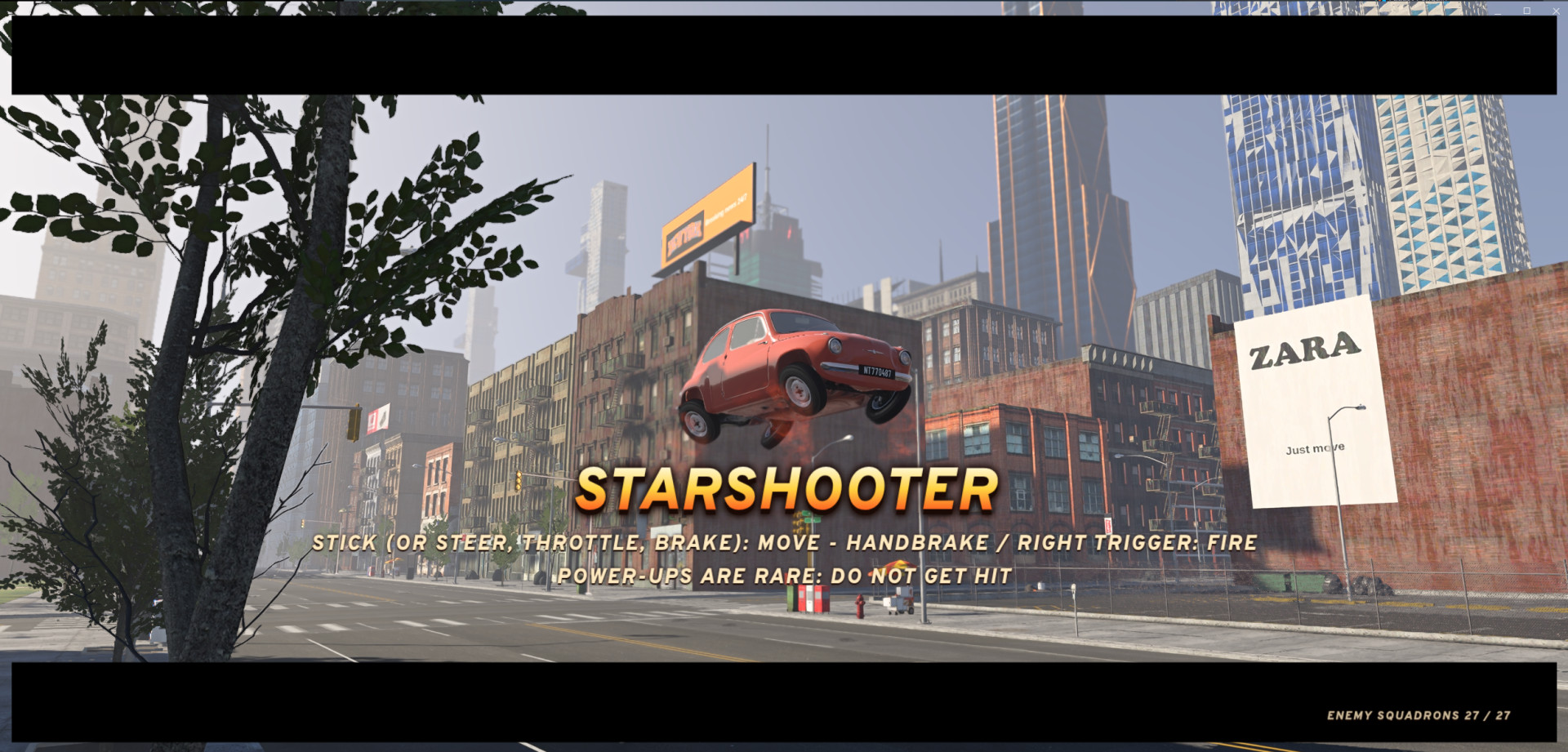
An arcade shoot'em up played in Free Roam, on any map with roads. The car you are driving lifts off like a time
machine (wheels tilting, jets under them), then flies round a loop of the map's big roads, seen from above. The game
scrolls by itself; you move the car on the screen, shoot, and dodge.
The enemies are real cars of the game, flying in formation: Ibishu Pigeons, saloons, vans and pick-ups, Wentward
buses, Gavril MD trucks, the map's own police from behind. Shot down, they blink, fall and crash for real. Every
level has a mid-boss (a Cherrier Percheron lorry) and ends with a boss; the last one is the Hirochi HT-55 dump truck.
Two games:
- Campaign: five levels, each tougher than the last.
- Caravan: a five-minute score attack, the same every time, with a top 10 per map.
GETTING STARTED
1. Drop "starshooter.zip" into your BeamNG mods folder, without unzipping it.
2. Load a map in Free Roam and get in a car.
3. Pause menu > tab "Starshooter" > Start. (Or bind "Starshooter: start / stop" in Options > Controls > Gameplay.)
The enemy cars are spawned behind a loading screen first (about 15 to 25 seconds), then the take-off plays.
The game's own gauges and apps make way for the game's HUD while it runs; won or lost, you are put back on the road
with your interface as it was.
CONTROLS
Gamepad
- Left stick: move the car on the screen (bound by the mod, nothing to set up).
- Right trigger or handbrake: fire.
- Left trigger or clutch: precise mode (slow moves, to slip between the shots).
- Horn: bomb.
Keyboard / wheel
- Steering: left and right. Throttle and brake: up and down the screen.
- Handbrake: fire. Clutch: precise mode. Horn: bomb.
Fire, bomb, precise mode, next weapon and free camera can also be bound to keys of their own in Options > Controls >
Gameplay.
HOW IT PLAYS
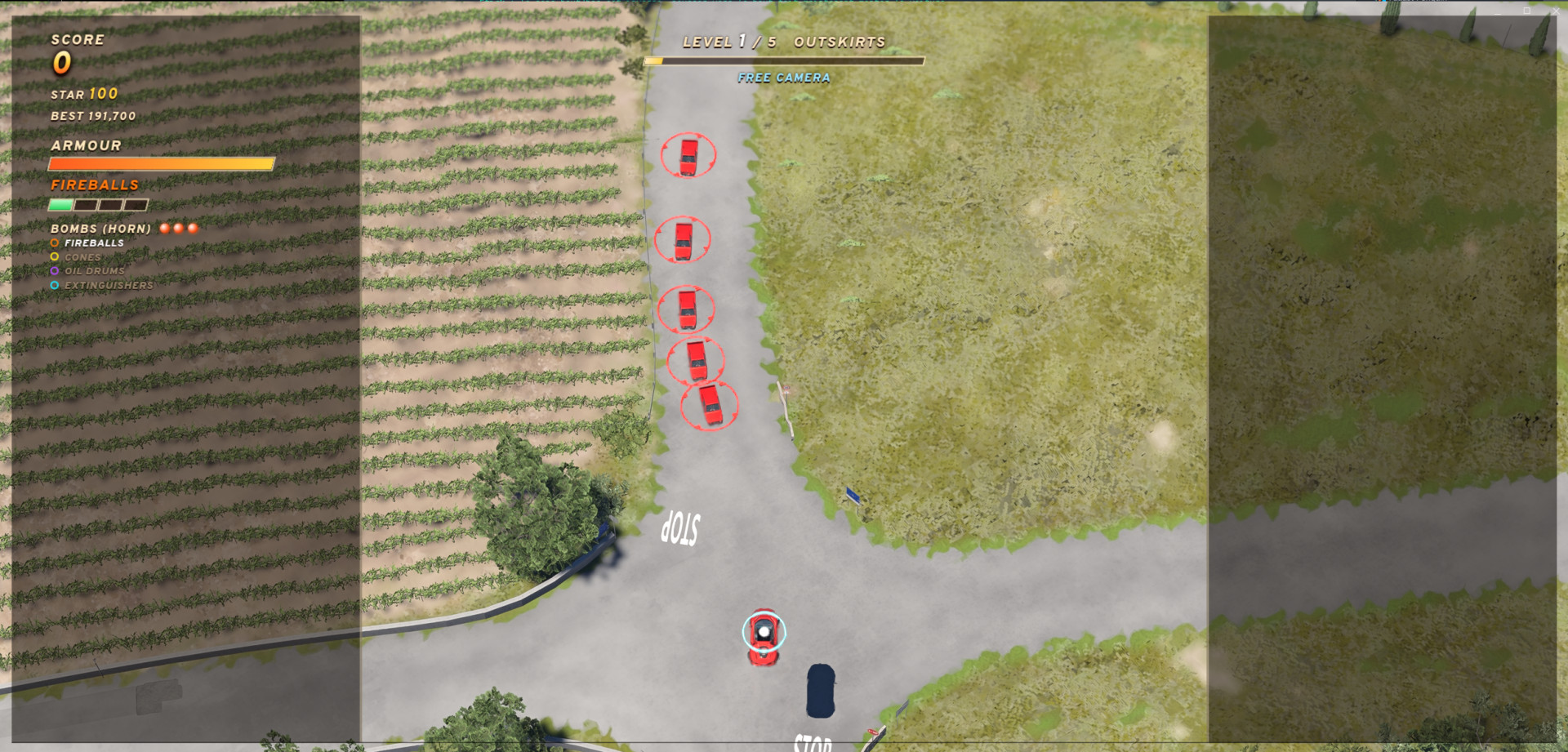
- Your hitbox is the small white dot in a cyan ring over the car, not the whole car.
- Enemies are ringed in red; their shots are pink stars (violet saw blades for a boss).
- Bosses are shielded while their cannons fire: shoot the cannons off first. They come back once.
- The bomb clears every enemy shot on the screen and hurts everything on it. 3 at the start, one more per level.
- Weapons: fireballs, road cones (wide spread), oil drums (blast), fire extinguishers (homing). Each has 4 power
levels. A hit costs you one.
- Power-ups (a green ball) are rare: some tough cars, one whole squadron in three, a boss's last cannon. A new weapon
comes from every second mid-boss: a cage turning through the weapons, take it when it shows the one you want.
- Gold stars fall from what you shoot down. Take them in a row and each is worth more (100 up to 5000); miss one
and the chain starts over.
- Graze: an enemy shot that brushes past your hitbox pays points and holds your multiplier.
- Kills in a row raise a multiplier (up to x16); it wears off after 3 seconds without a kill.
- Armour comes back a little at 300,000 points, then at each doubling. A level without a hit pays a bonus.
- The game reads you: fly well and it gets tougher, get hit and it eases off.
- A bridge or a tunnel mouth over the road ahead can hide an ambush.
OPTIONS (pause menu, tab "Starshooter")
- Game: campaign or caravan.
- View: vertical (the road goes up the screen), horizontal, or isometric. The stick always moves the car the way it
points on the screen.
- Difficulty (50 to 250 %), flight height, speed, zoom.
- Free camera: turn, tilt and zoom the view with the camera controls; it stays as you set it.
- Shot lights, repair between levels, wheel tilt of the hover look.
- Game explosions: off by default (sparks and short flames). On: the game's own fireballs and burning wrecks.
- Follow the map's loop: on by default. The loop is looked for once per map; "look again" if you do not like it.
- Best scores and the caravan board are kept per map.
GOOD TO KNOW
- Free Roam only.
- Needs a map with an AI road network (every official map has one). Without a loop of big roads the game follows
the biggest roads it finds.
- The campaign keeps about 27 extra cars loaded, parked and switched off until they fly: hence the loading time
above. Only the cars on the screen are simulated. All of them are removed when the game ends.
- Your car goes through the enemies (touching one still costs armour) and is put back whole if something knocks it
off the screen.
- Any car works as the player's car. Very big or very soft vehicles fly less tidily.
- No music.
To uninstall, delete the zip from your mods folder. Your scores are in settings/starshooter.json in your user folder.
External Download Links:
- Mods.to - starshooter.zip [179 KB]
About Mod
| Latest Version | 1.0 |
| Game | BeamNG.drive |
| Category | Other |
| Game Version | 0.40.x |
| Tags | Gameplay |
| Downloads | 20 |
| Created | 1 day ago |
You Might Also Like »
0 Comments
There are no comments. Be first to comment!