UI Overhaul (Beta 0.9) by Halcyon Works Beta 0.9
Minis Mega Car Pack V2.6 – The Ultimate 100+ Vehicle Collection for BeamNG
954510
636
214
1 week ago
by
zupermini09
5/5,
1
votes
UI Overhaul (Beta 0.9)
by Halcyon Works
A ground up rebuild of BeamNG.drive's menu system. It keeps the familiar BeamNG look, but every menu has been redesigned to be cleaner, faster to use and a lot more useful, with plenty of features the stock menus don't have.
This is my biggest project so far, and it isn't meant to be just another UI overhaul. It's the foundation for a lot of what's coming next from Halcyon Works.
Halcyon Works is the new name for my projects. Same developer, same mods, same updates. The HUD, Camera Revamp and everything I release from now on will be under Halcyon Works.
Official download
Please only download UI Overhaul from this page. All updates will be posted here. Copies uploaded anywhere else are not official and could contain malicious or harmful content.
Beta notice
This is an early, experimental beta, so expect bugs. Nothing is final yet, including the design of the UI itself. If something breaks or doesn't look right, let me know in the comments or send me a message. Steps to reproduce and a screenshot help a lot.
Because it's experimental, its future depends on how it's received. If enough people enjoy it, I'll keep developing it into a full release. If not, it may be discontinued.
I'd also love to hear what you'd like to see added or changed, whether that's a feature, a layout or how something looks. Your feedback will directly shape where this goes.
UI Overhaul is developed and owned by Halcyon Works. Please don't reupload or redistribute it.
---
What's new
Main Menu
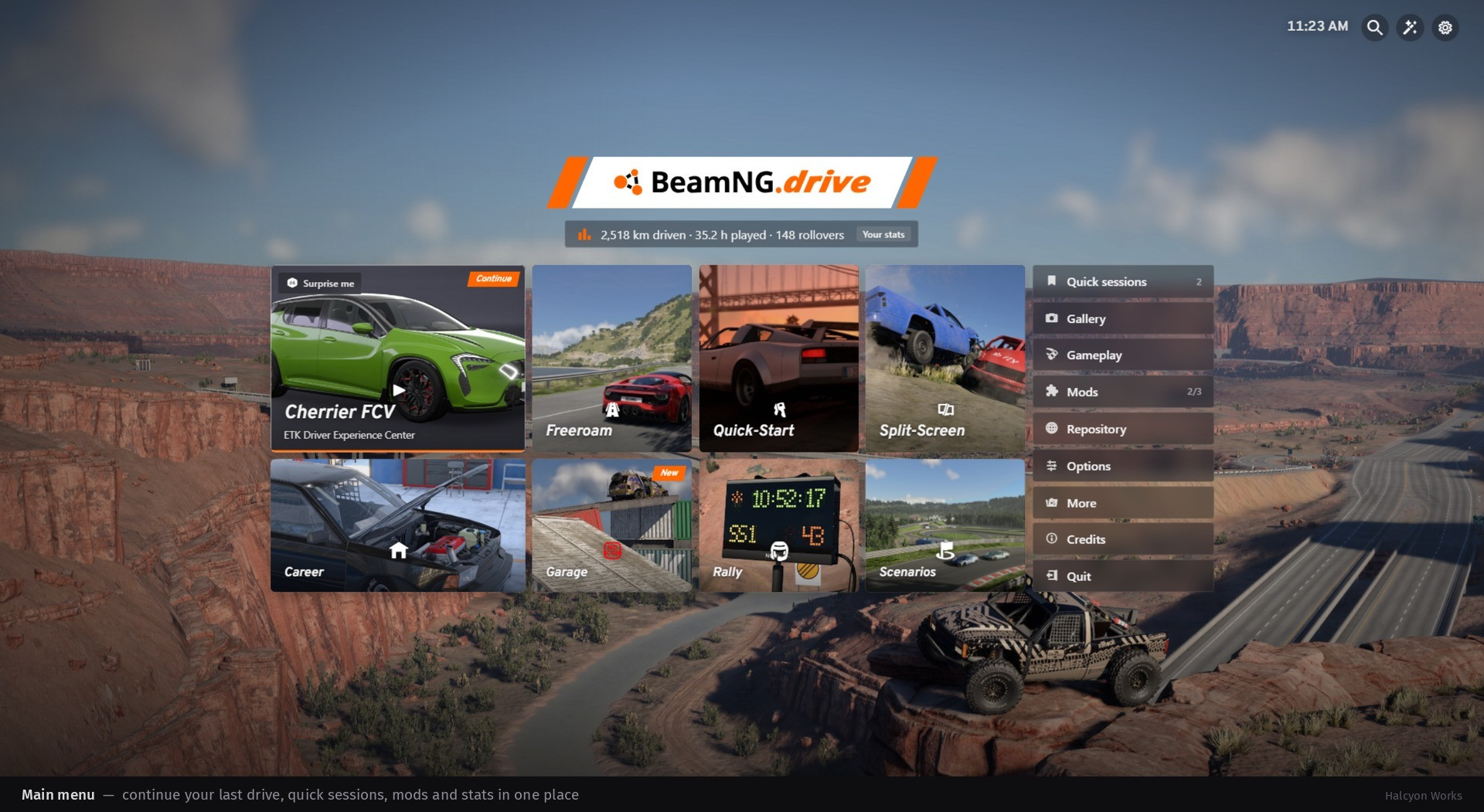
Rebuilt so you can get driving in one click, with the things you use most right in front of you.
- Redesigned layout with large tiles for every mode
- Continue takes you straight back to your last car and map
- Surprise Me loads a random car and map
- Quick Sessions save a drive so you can jump straight back into it later
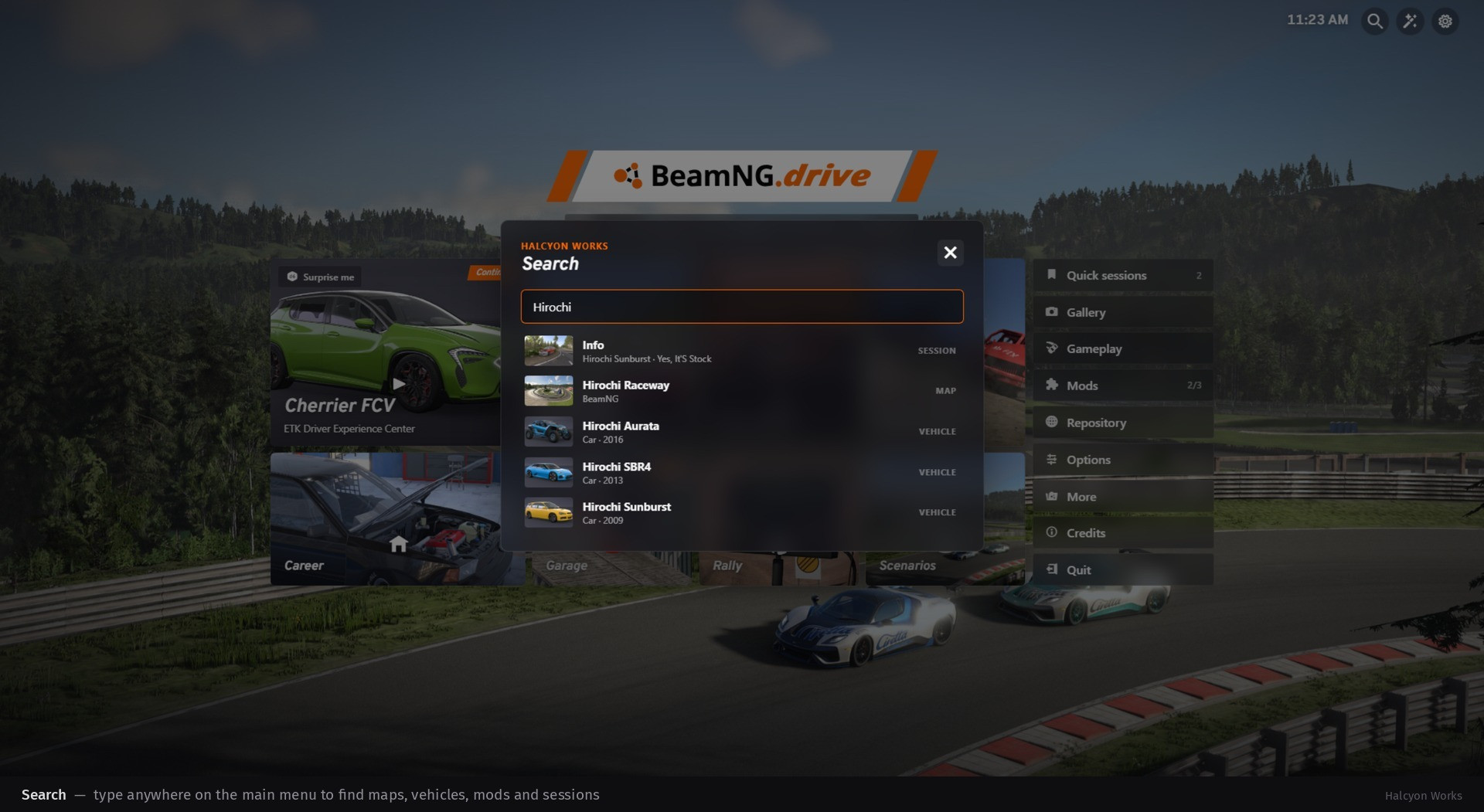
- Search from anywhere. Start typing on the main menu to find maps, vehicles, mods and saved sessions instantly
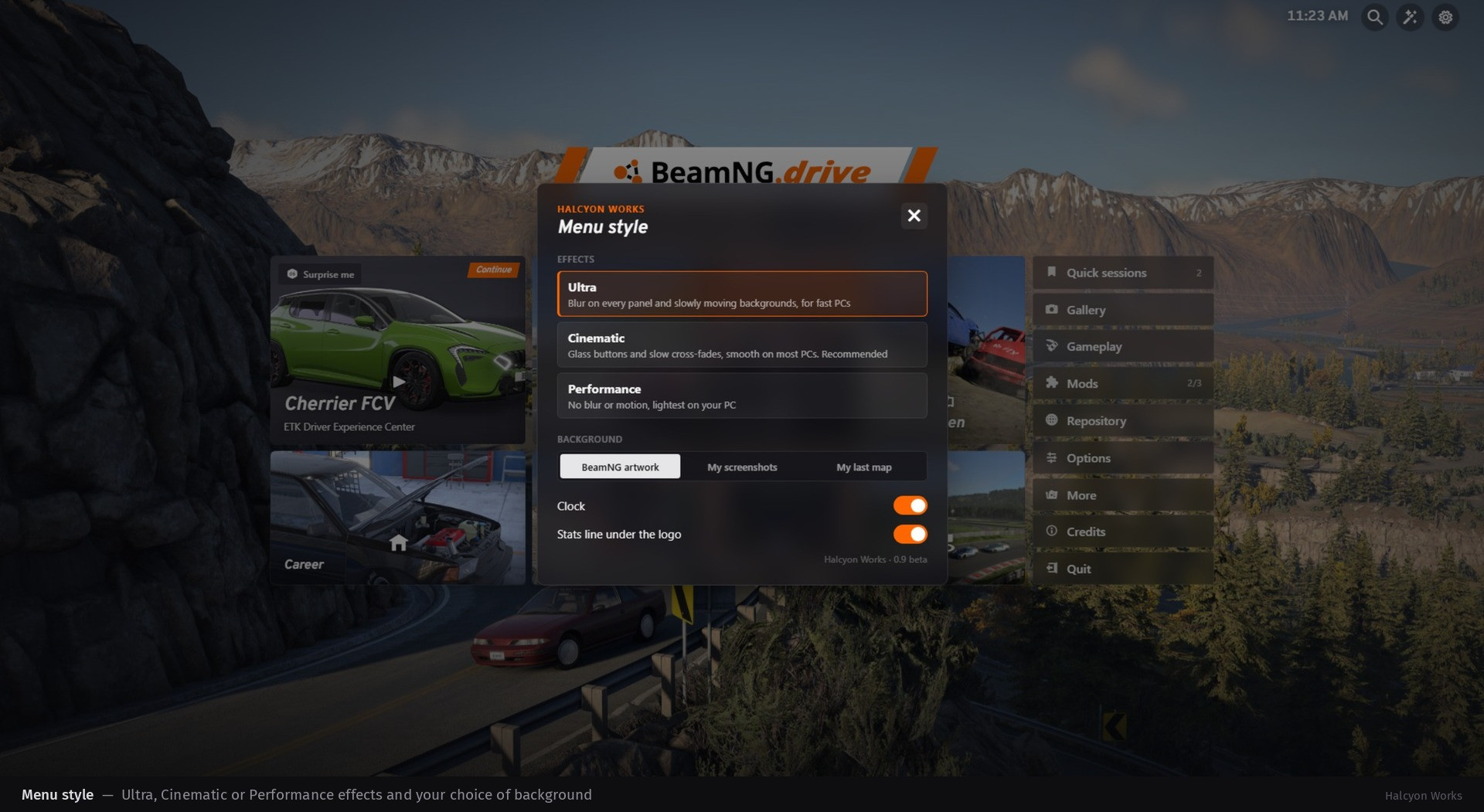
- Driving stats summary under the logo, with distance, playtime and rollovers
- Optional clock
- Indicator when your mods have updates waiting
- Menu Style options:
- Ultra, Cinematic and Performance presets to suit your PC
- Backgrounds from BeamNG artwork, your own screenshots or your last played map
- Clock and stats line can each be turned on or off
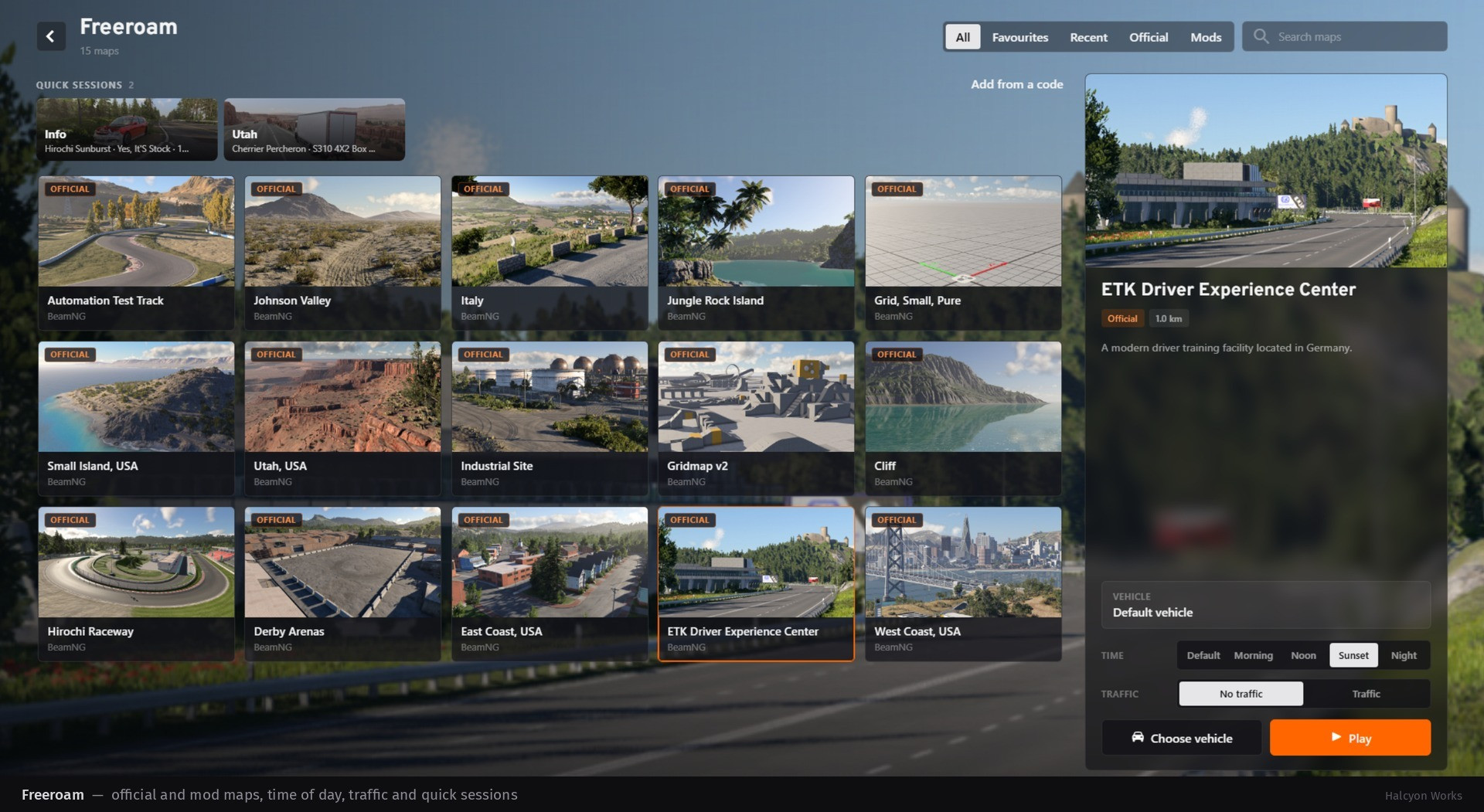
Freeroam
Everything you need to start a drive, on one page.
- Redesigned map browser with every map in one place
- Official and Mod labels and filters, so you can tell them apart at a glance
- Choose time of day and traffic before loading
- Hit Play straight away, or pick a vehicle first
- Quick Sessions remember your map, car, configuration, time of day, traffic and exact spot
- Share codes turn a session into a short code you can send to a friend. If they're missing the map or car, they're told what's missing instead of the load failing
- Clean covers for mod maps and vehicles that come without a picture
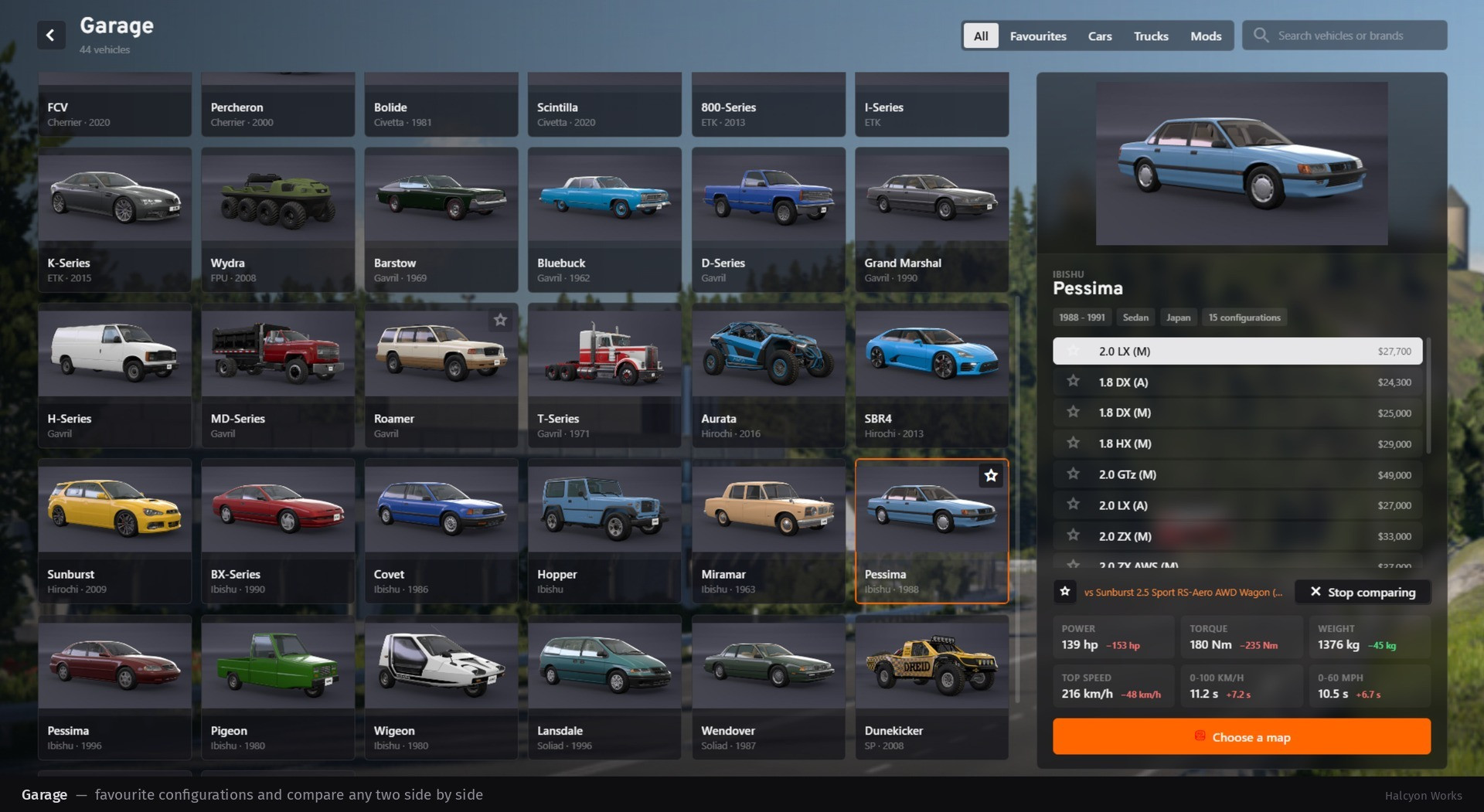
Garage
A vehicle browser built for actually choosing a car.
- Redesigned layout with full specs for every configuration in one place: power, torque, weight, top speed, 0-100 km/h, 0-60 mph and price
- Compare any two configurations side by side, with the exact difference in every stat shown in green and red
- Recent setups to swap back to cars you've just used
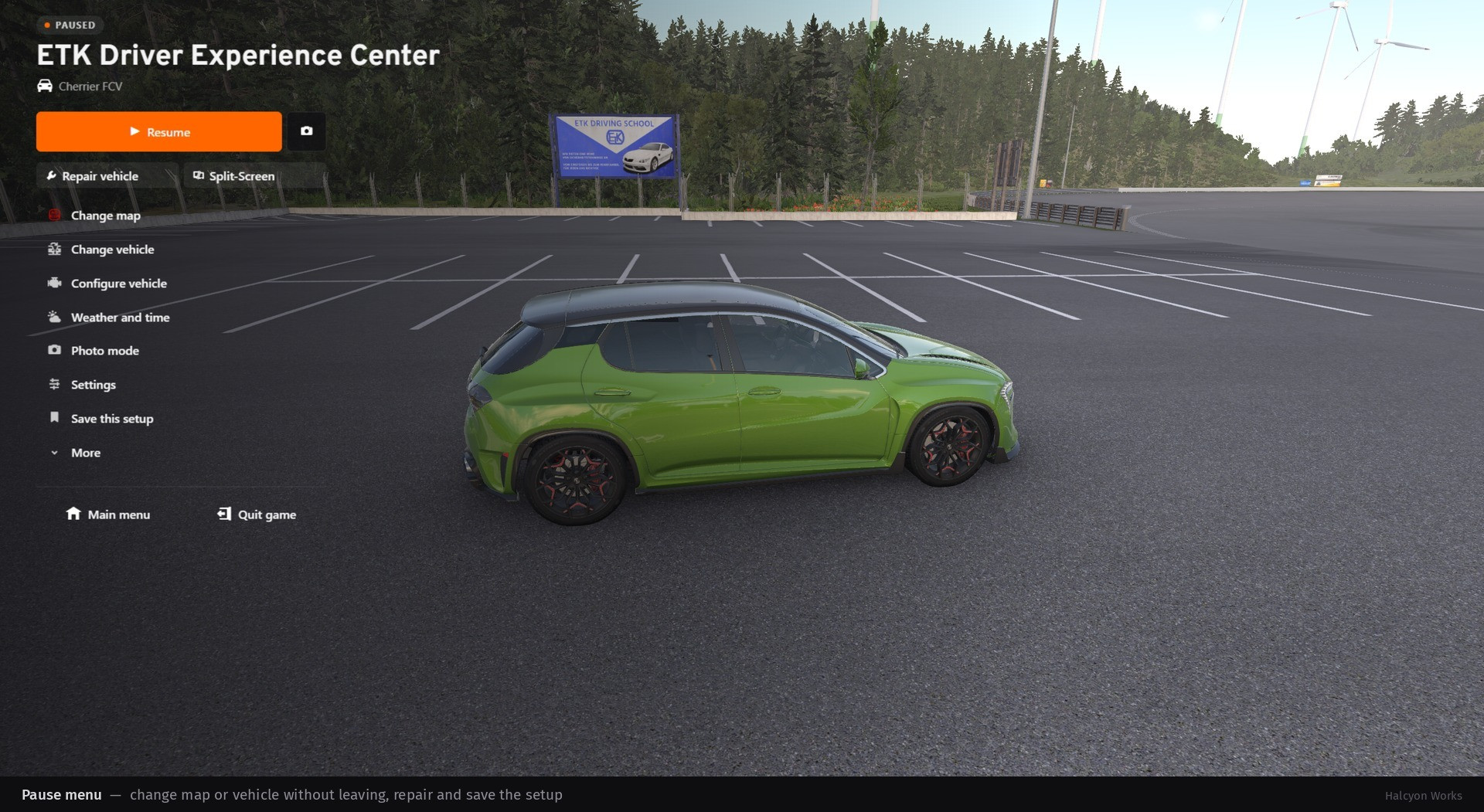
Pause Menu
Cleaner, with the things you use most up front.
- Decluttered layout showing your current map and vehicle
- Change map mid-session without going back to the main menu
- Save This Setup turns your current drive into a Quick Session, including where you're parked
- One-click screenshot button
- Less used tools like Big Map, Replay and HUD Layout tucked under More
- Confirmation before leaving to the main menu or quitting, so you don't lose a drive by accident
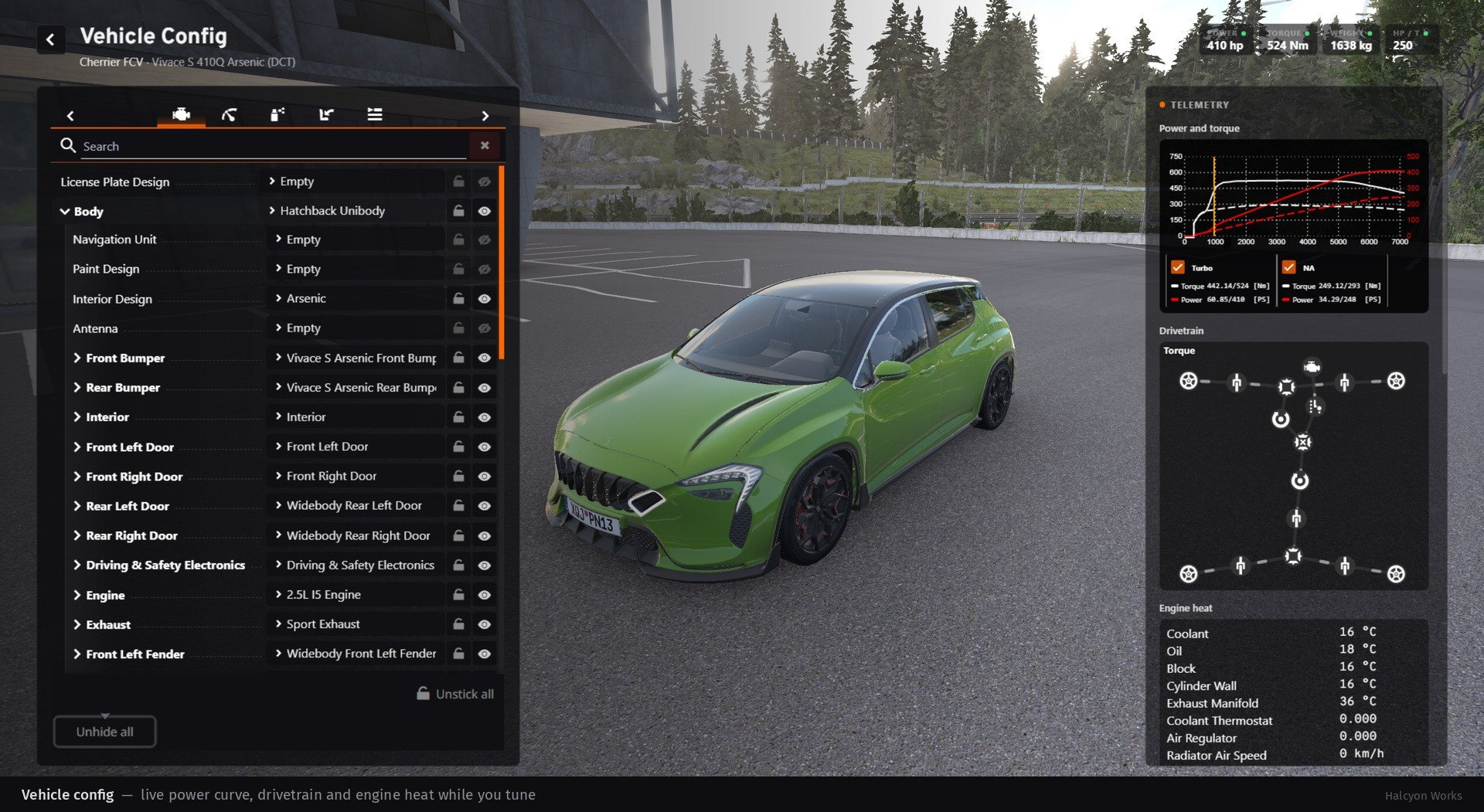
Vehicle Configuration
- Restyled configurator that matches the rest of the menu
- Live power, torque, weight and power-to-weight readout at the top
- Shows the gain or loss from every part you change, for example +40 hp
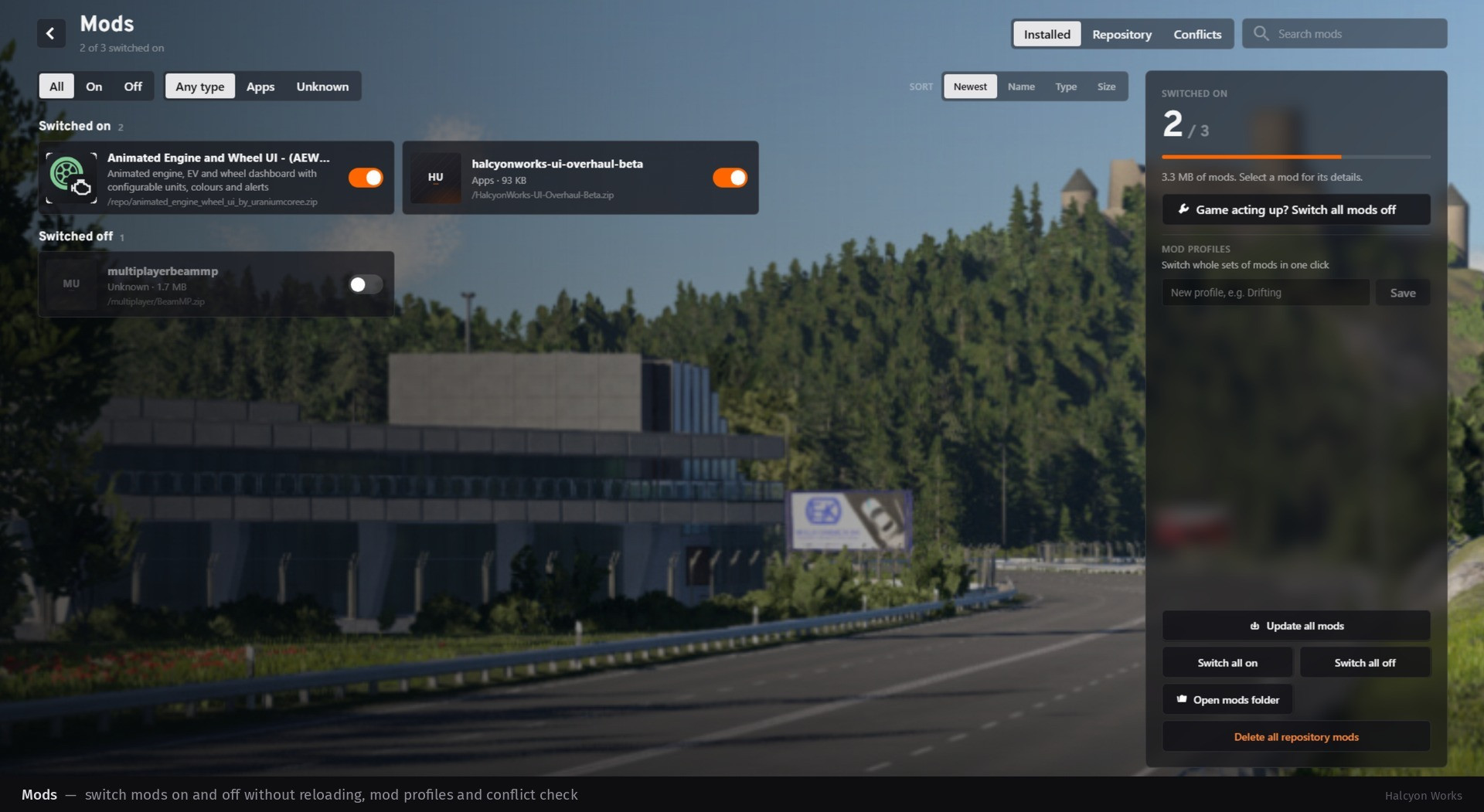
Mods
Tools to keep a big mod folder under control.
- Redesigned mod manager
- Mod Profiles save sets of mods so you can switch between them in one click, for example one for drifting and one for off-road
- Conflict checker finds mods that overwrite each other's files, which is often why a car, map or app looks wrong, and lets you switch one off
- "Game acting up?" switches every mod off for troubleshooting, with one-click undo
Settings
- Redesigned settings page
- Quick Settings for the options people change most, like graphics preset, display mode, frame limit and volume
- Settings Backups let you save your settings and restore them at any time. A backup is also made automatically whenever the game updates, so an update never wipes your setup
Everything else
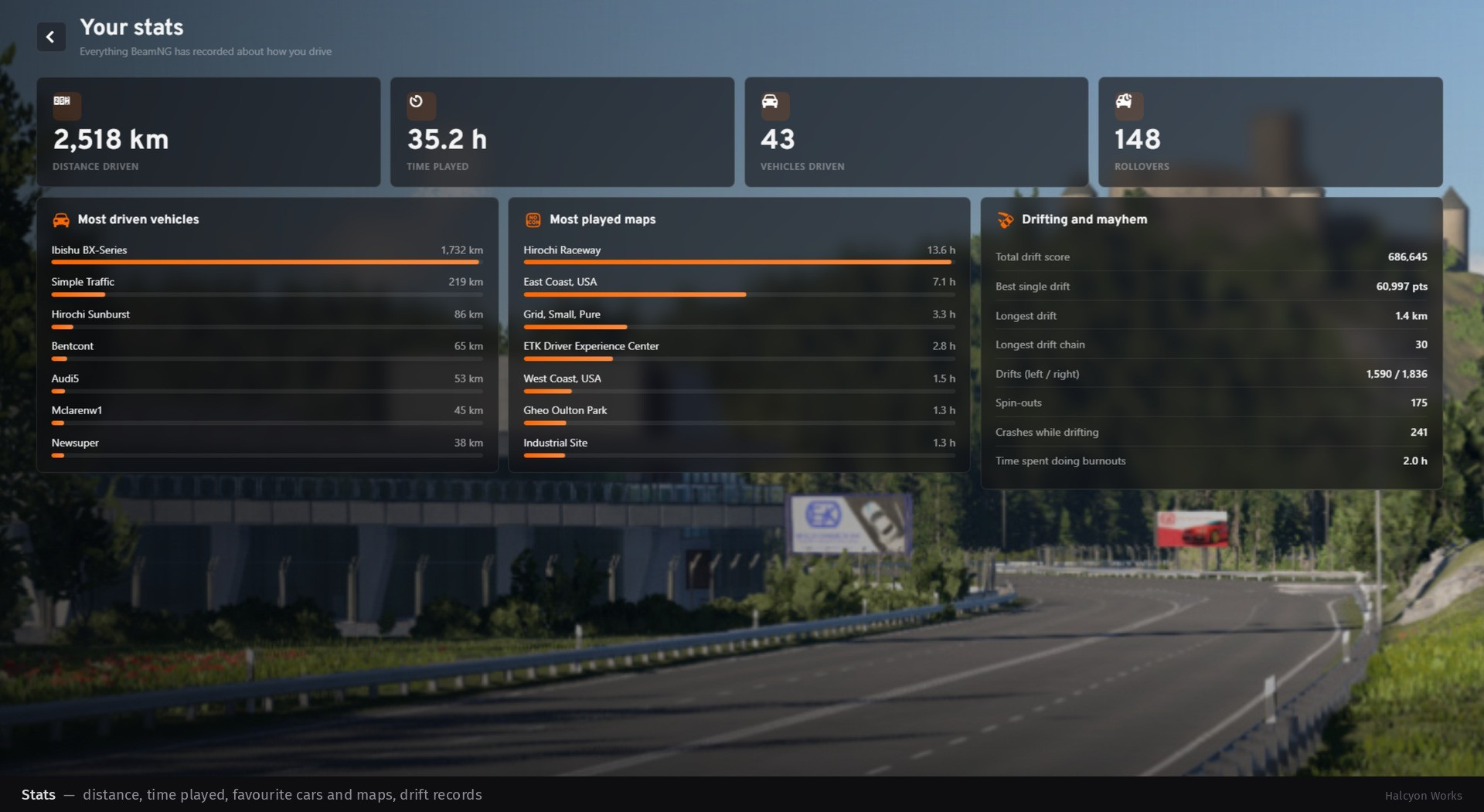
- Your Stats page with distance driven, playtime, rollovers, most driven cars, most played maps and drift records
- In-game screenshot gallery
- Redesigned Gameplay hub
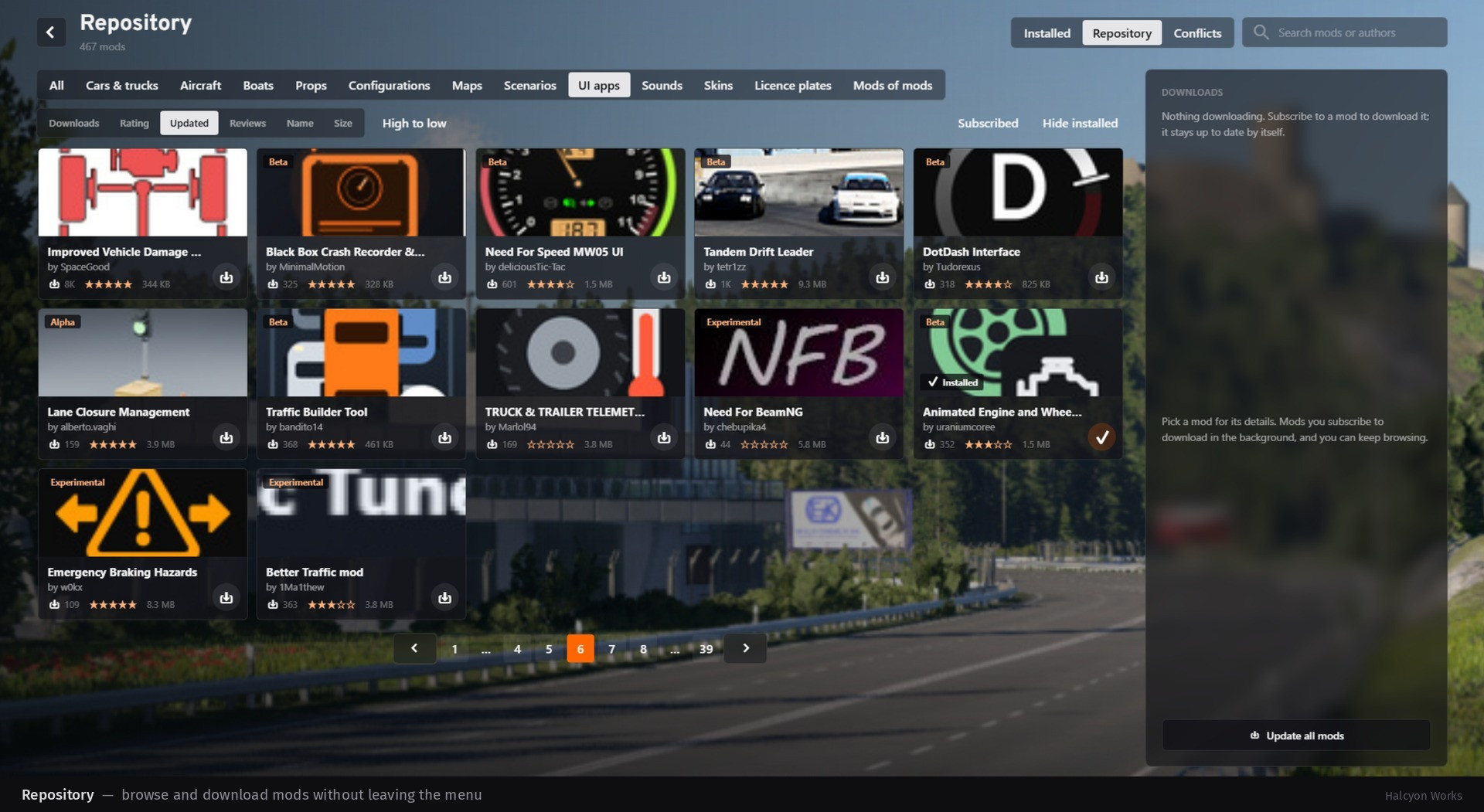
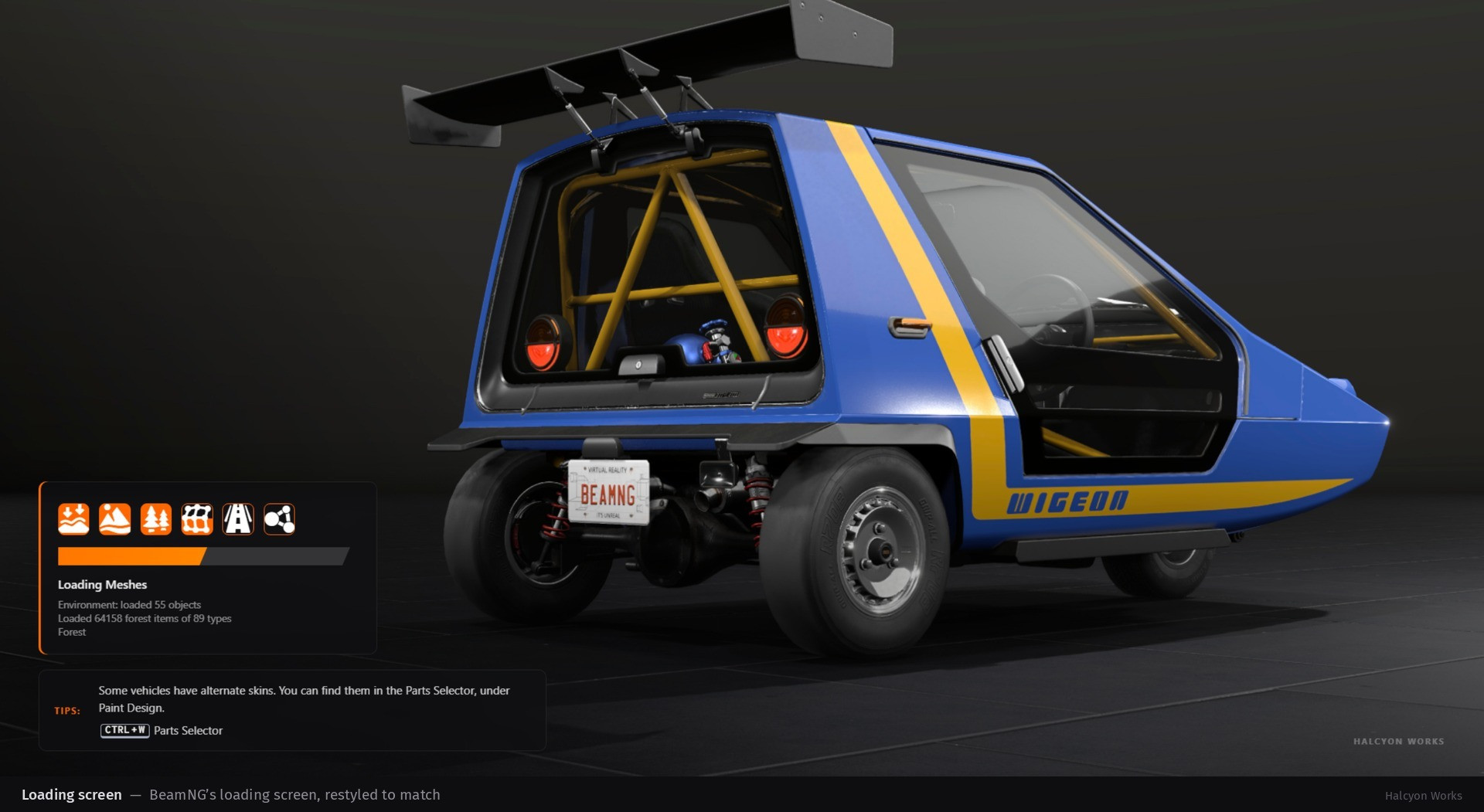
- Restyled photo mode, HUD layout editor, radial menu, loading screen, repository, scenarios and in-game pages, so everything looks consistent
- BeamNG's info bar hidden across every menu for a cleaner screen
- Full controller support across every new page, with button prompts that appear when you pick up a controller
- Lightweight animations, plus a Performance mode for lower-end PCs
---
Is it safe?
Yes, as long as it's downloaded from this page. UI Overhaul only changes the game's menus. It doesn't modify your game files, saves or vehicles, and nothing is downloaded or sent anywhere. Everything runs inside the game.
If you ever want the stock menus back, just disable the mod in the mod manager and everything returns to normal.
---
About the screenshots
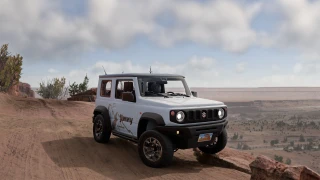
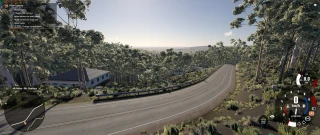
The screenshots only cover the main parts of the mod. There's a lot more inside, but I didn't want to clutter the page by showing everything.
---
What's next
If UI Overhaul is well received, there's a lot planned for it. The menu is built as a base for future Halcyon Works projects, so our own features and mods can plug straight into it without fighting BeamNG's usual restrictions.
That includes deeper integration with Halcyon Works projects, more features across every menu, and better ways for community mods to fit in. Your feedback will decide what comes first.
---
Installation
1. Download UI Overhaul from this page only.
2. Drop the zip into your mods folder without extracting it: AppData/Local/BeamNG/BeamNG.drive/current/mods
3. Launch the game.
To go back to the stock menus, just disable the mod in the mod manager.
Compatibility
Built for BeamNG.drive 0.40. May conflict with other mods that replace the main or pause menu.
Support
Bugs, questions, suggestions and feedback on the design are all welcome in the comments or by message.
Thanks for checking it out.
Halcyon Works
Frequently Asked Questions
How do I go back to the stock menus?
Disable UI Overhaul in the mod manager. Everything returns to normal straight away.
Will it affect my FPS?
It's built to be lightweight. On a lower-end PC, open Menu Style on the main menu and choose Performance, which turns off blur and motion effects.
Does it work with other mods?
Yes, it works with car, map and app mods. It may conflict with other mods that replace the main menu or pause menu.
Does it work with BeamMP?
It hasn't been fully tested with BeamMP yet. If you run into problems, please report them.
Will it delete or change my settings?
No. Settings Backups lets you save your settings and restore them any time, and a backup is made automatically whenever the game updates.
Why is it a beta?
It's an early, experimental release. Nothing is final, including the design. Feedback decides what gets improved and added next.
Will it be updated?
Yes, as long as people enjoy it. All updates will be posted on the official page.
I found a bug. What should I include?
What you were doing, what you expected to happen and what actually happened. A screenshot helps too. If you can, include your BeamNG log file (beamng.log, in your BeamNG user folder).
Can I suggest features or changes?
Yes, please do. Suggestions about features, layout or design are all welcome in the comments or by message.
Can I reupload it or use parts of it in my own mod?
No. UI Overhaul is owned by Halcyon Works and can't be reuploaded, redistributed or reused without permission. Get in touch if you'd like to collaborate.
I make mods. Can my mod be integrated or featured?
Future updates are planned to make it easier for mods to fit into the menu. If you're interested in collaborating, send a message.
I can't see my trailers