Pillar Pod Digital Gauges 1.2.1






0/5,
0
votes
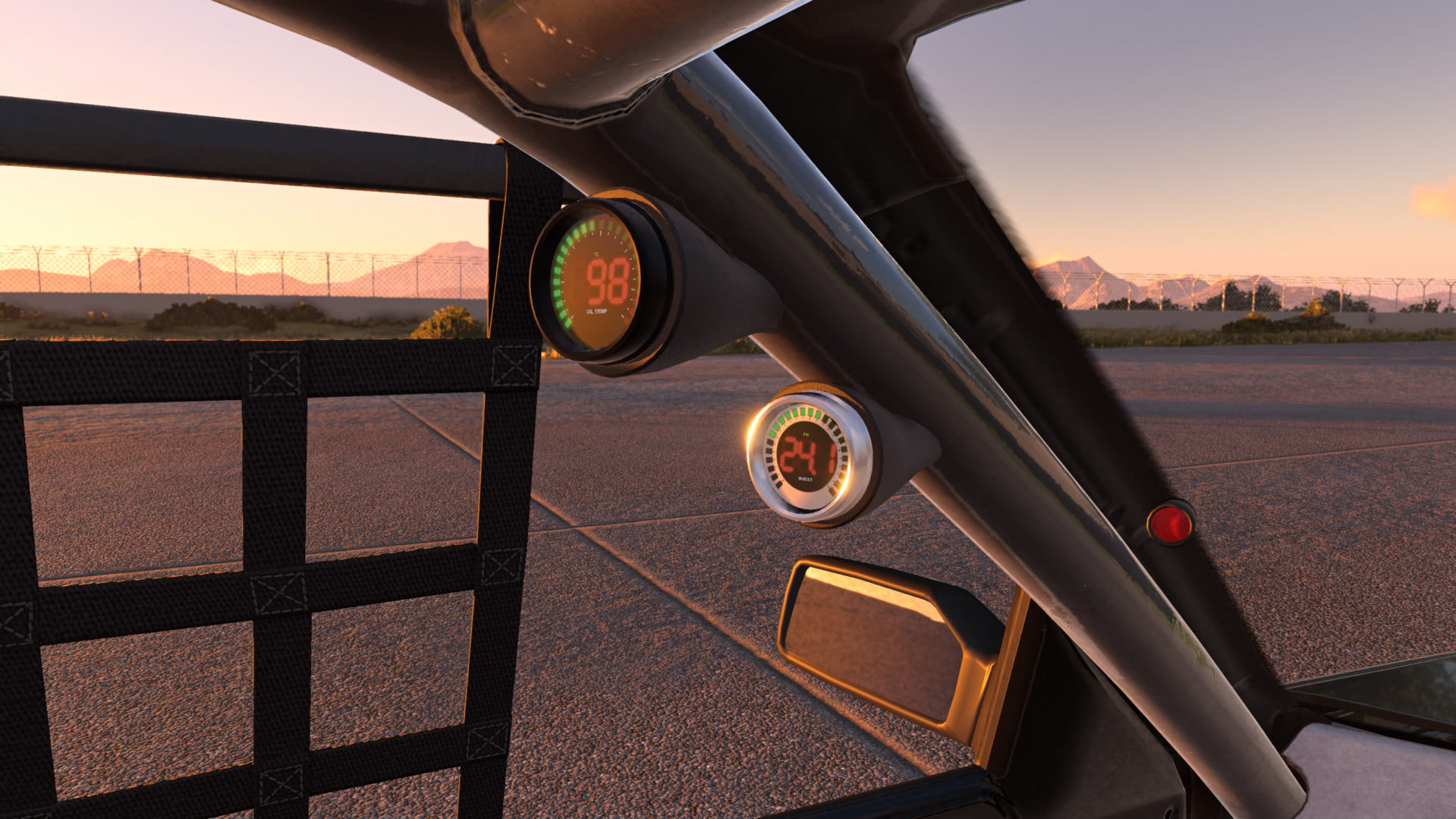
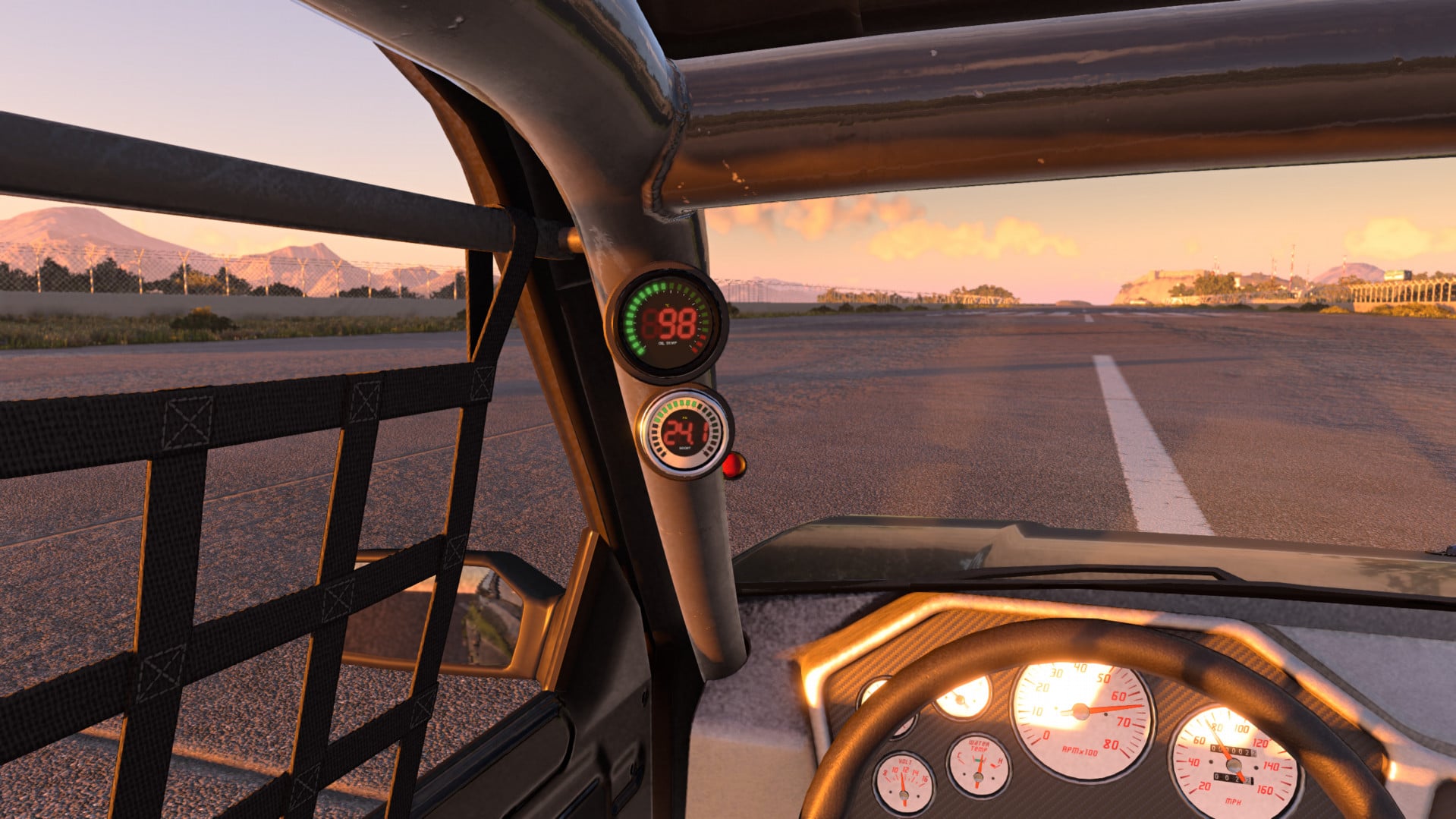
Pillar Pod Digital Gauges adds working digital gauges on an A-pillar pod to the Ibishu Covet. Fit a boost gauge, an oil temperature gauge, or both.
Features
- Digital instrument cluster with bar tachometer, large speed and gear readout, and fuel/coolant bars
- Six display pages: Boost, Tyres, Engine, Brakes, G-Force and Trip
- Boost gauge showing vacuum and boost with an LED ring, automatic scaling based on wastegate pressure, peak hold and recall, overboost warning, and start-up sweep
- Oil temperature gauge with cold-oil indicator and high temperature warning
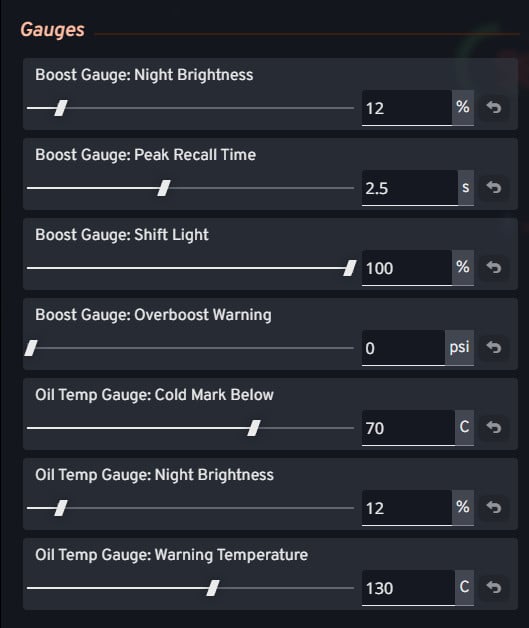
- Customization: Black or silver bezels, automatic dimming at night, and tuning menu sliders for warning points and brightness
- Automatic mounting: Pod moves to suit standard interior, stripped interior, or roll cage (fixed positions and RHD available)
Known limitations
- Covet only for now
- Uses the Covet's Additional Modification slot, so it cannot be fitted together with another mod using the same slot
- Pod may flicker briefly while the parts selector is open when using automatic mounting
Installation Instructions
1. Open the parts selector on a Covet
2. Under Additional Modification pick Digital Pillar Gauges
3. Choose a boost gauge, an oil temperature gauge, or both in the two slots below it
4. Adjust the sliders in the Tuning menu if desired
Credits
likeBloodMoon
Features
- Digital instrument cluster with bar tachometer, large speed and gear readout, and fuel/coolant bars
- Six display pages: Boost, Tyres, Engine, Brakes, G-Force and Trip
- Boost gauge showing vacuum and boost with an LED ring, automatic scaling based on wastegate pressure, peak hold and recall, overboost warning, and start-up sweep
- Oil temperature gauge with cold-oil indicator and high temperature warning
- Customization: Black or silver bezels, automatic dimming at night, and tuning menu sliders for warning points and brightness
- Automatic mounting: Pod moves to suit standard interior, stripped interior, or roll cage (fixed positions and RHD available)
Known limitations
- Covet only for now
- Uses the Covet's Additional Modification slot, so it cannot be fitted together with another mod using the same slot
- Pod may flicker briefly while the parts selector is open when using automatic mounting
Installation Instructions
1. Open the parts selector on a Covet
2. Under Additional Modification pick Digital Pillar Gauges
3. Choose a boost gauge, an oil temperature gauge, or both in the two slots below it
4. Adjust the sliders in the Tuning menu if desired
Credits
likeBloodMoon
Direct Download Links
About Mod
| Latest Version | 1.2.1 |
| Game | BeamNG.drive |
| Category | Other |
| Game Version | 0.40.x |
| Downloads | 185 |
| Created | 1 day ago |
You Might Also Like »










0 Comments
There are no comments. Be first to comment!