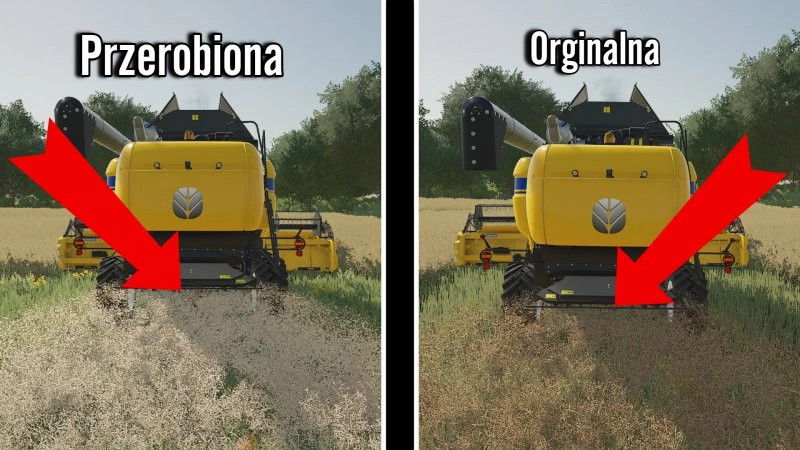
FS22 Lighter rapeseed chaff texture v 1.0

0/5,
0
votes
Description:
Instructions for adding textures:
1. Download and extract the "Rzepak" file
2. Go to the game files (This computer, the drive where you farming ProgramFiles(x86) \Steam\steamapps\common\Farming Simulator 22\data\effects\chopper\canola) (This is the path for farming on steam' ie)(It's similar on the disc but the destination folder is /data/effects/chopper/canola)
3. Swap these 2 textures
4. Close everything and start playing :D
Originator—-Grzesiek2202
Credits:
Jakub_PL
External Download Links:
Direct Download Links
You Might Also Like »


0 Comments
There are no comments. Be first to comment!