How to unlock an encrypted model.

Hello! If you're here, it means you need to extract some resources or replace wheels on a vehicle.
In this guide, I'll explain how to unlock and extract certain resources from a mod, but I want to warn you: using someone else's models, textures, sounds, or other mod components without the author's permission may lead to legal consequences. This guide is created for educational purposes only.
Chapter 1: Simple model opening (unencrypted model)
1. Download the mod. As an example, I'll be using this Porsche 911 GT3 RS.
2. Open the downloaded archive. Inside, you'll find the mod's file structure (see screenshot).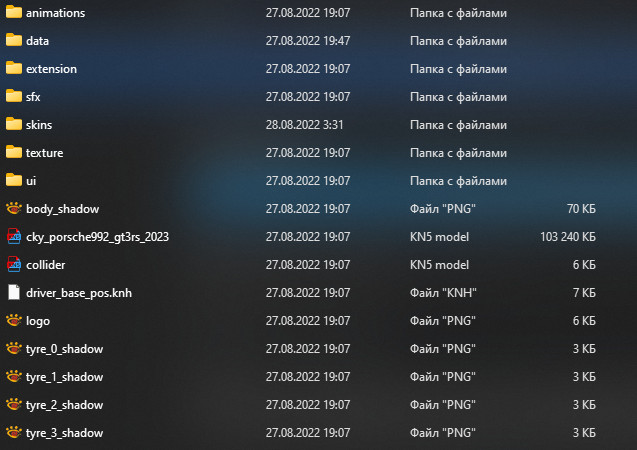 3. The model is located in the largest file with the .kn5 extension. To open it, you'll need to use a special tool (download link) (virus check via Virustotal).
4. Place the kn5conv.exe file in the folder with the .kn5 file and double-click left mouse button on kn5conv.exe. Wait for the file to unpack.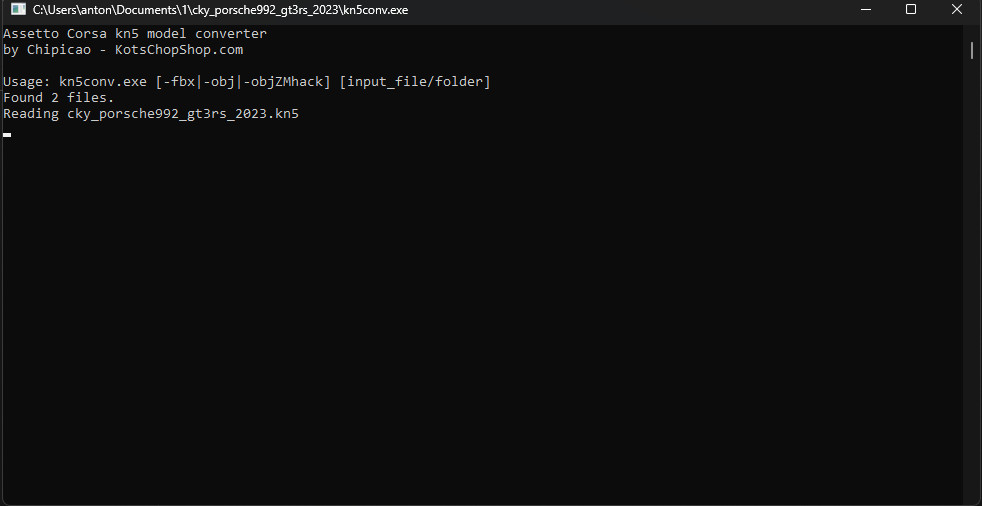 5. Once the unpacking is complete, the window will close automatically (or you may need to close it manually). The files are now unpacked.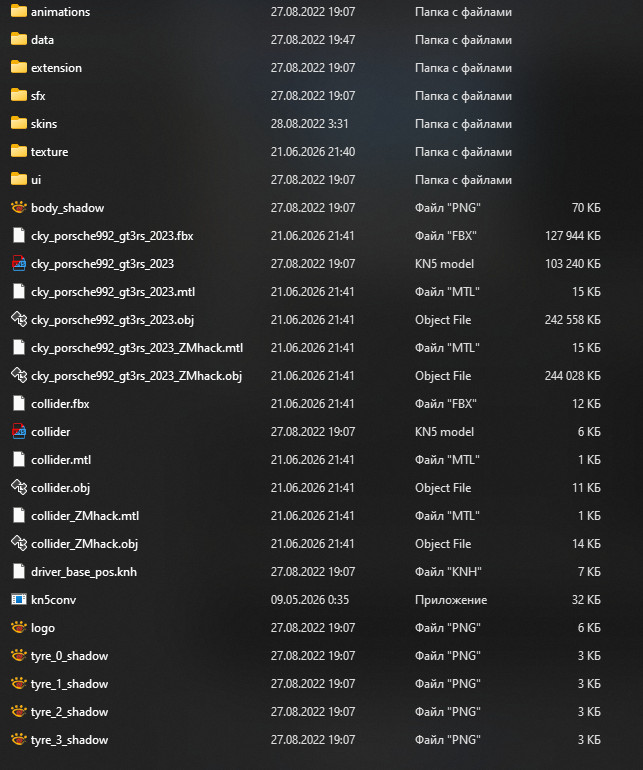
6. Open the .obj file in Blender. If you try to open, for example, a .fbx file, Blender will throw an error.
If the model is not encrypted, it will appear in the scene: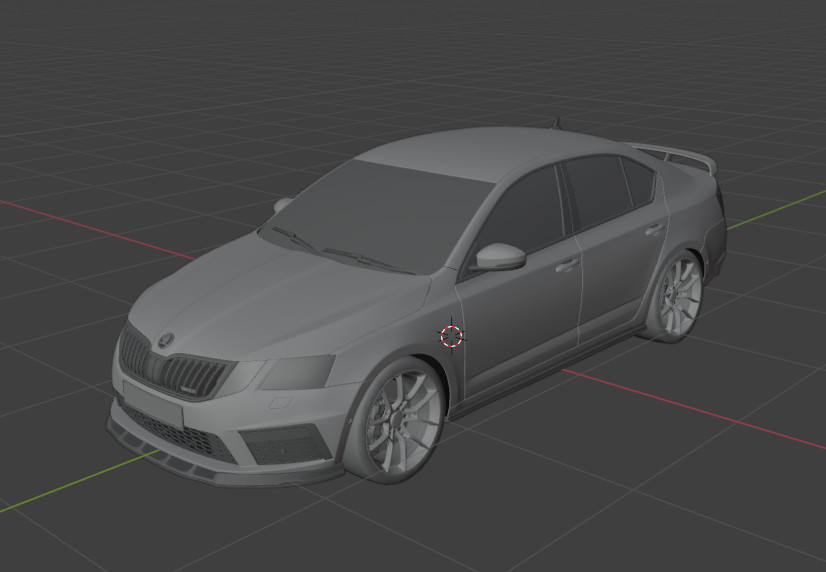
If the model is encrypted, you'll see something like this: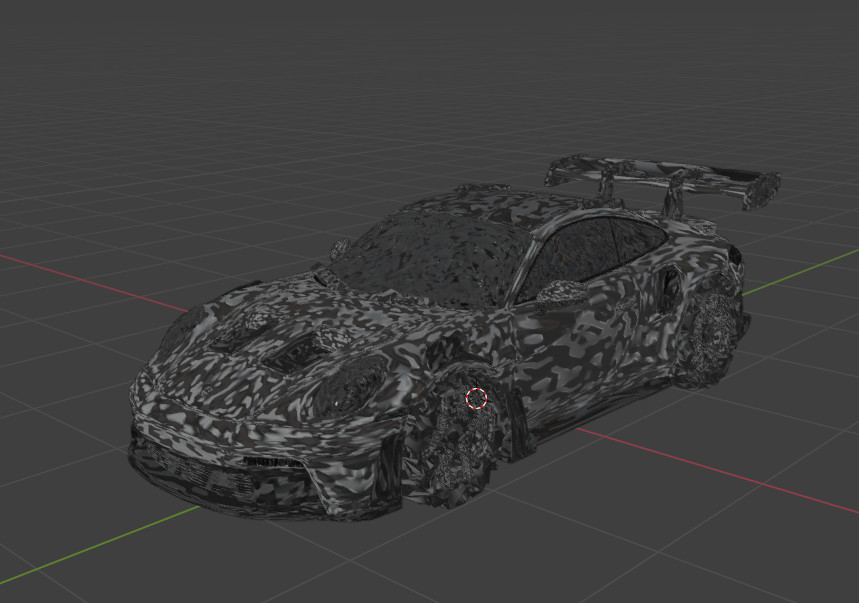
Chapter 2: How to decrypt the model
1. For this step, you need to download and install the original version of Assetto Corsa from Steam, as well as the custom version of Content Manager (download Content Manager) (virus check via VirusTotal).
Installing Content Manager won't take long. Extract the archive to wherever is convenient for you, open "Content Manager.exe", and select the Assetto Corsa installation directory.
Next, open Content Manager and click the "Switch to full version" button. In the field that appears, paste the key: ASSETTO-CENTRALE-FOREVER-ACTIVATED. You can also find it in the "License.txt" file.
Click the ≡ icon in the top right corner and select "Update description keys" from the list. Then go to the About section and click on the version number several times to enable developer mode.
2. Almost done. Now take the downloaded archive and drag it into the Content Manager window. Then click the ≡ icon (this time it will be green). In the menu that opens, your archive will appear. Click the "Install" button and wait for the installation to complete.
After the installation is complete, click the car selection button (garage icon) and select the car from the mods list (MODS).
Open the car in the showroom. Next to the car selection button, there will be a button to view the car in the showroom (icon of a car with arrows around it).
The model should appear in the showroom. Click the "Export DECRYPTED KN5" button, then click YES. Wait a few seconds, and a directory will open with the decrypted model. Inside, there will again be the largest .kn5 file. Take it and repeat all the same steps described in Chapter 1.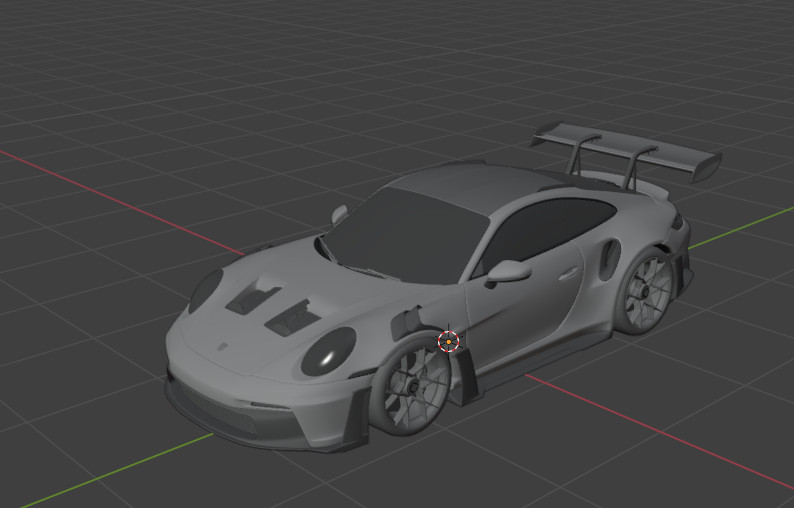
Good luck everyone!
Attention! The article has been translated into English using DeepSeek AI.
By Antonkrd1