In BeamNG.Drive, you can change the temperature. This is very easy to do using the world editor. Below is a simple instruction on how to change the temperature conditions in the game.
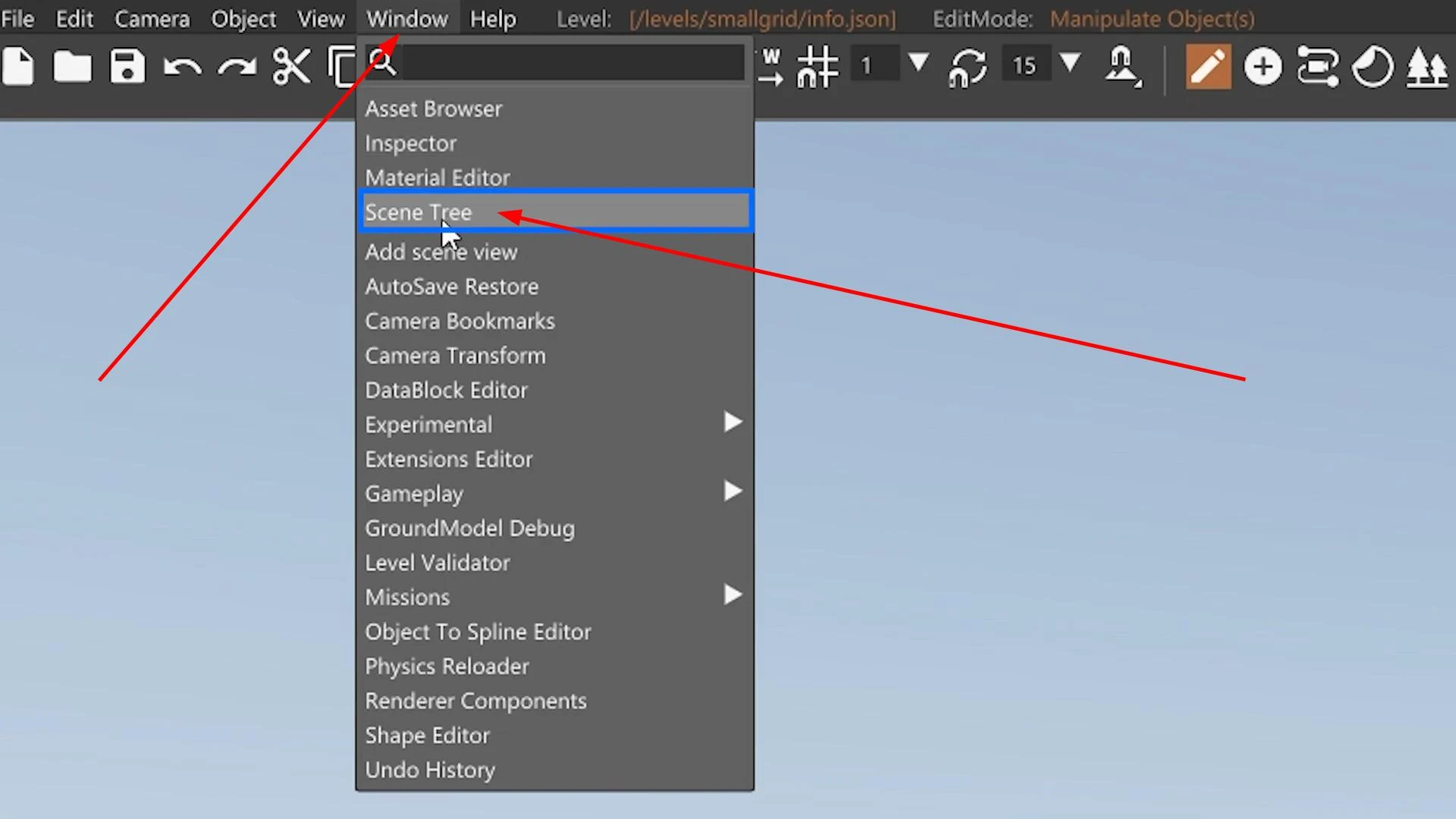
Open World Edit by pressing the F11 key. Then find the “Window” tab in the editor and click on it.
Select “Scene Tree” from the drop-down list.
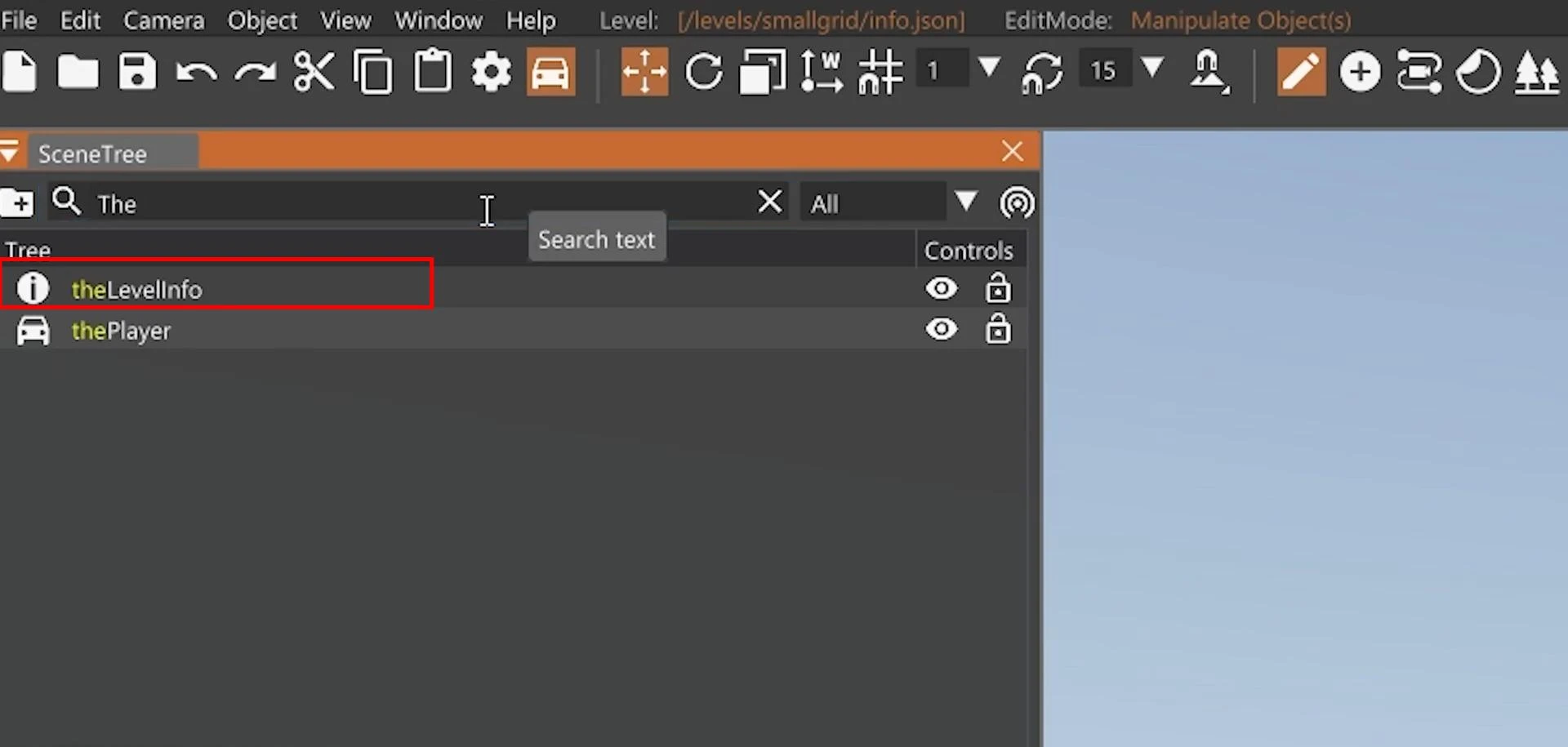
An additional menu will open, where you need to enter “TheLevelinfo” in the search bar and select the appropriate item.
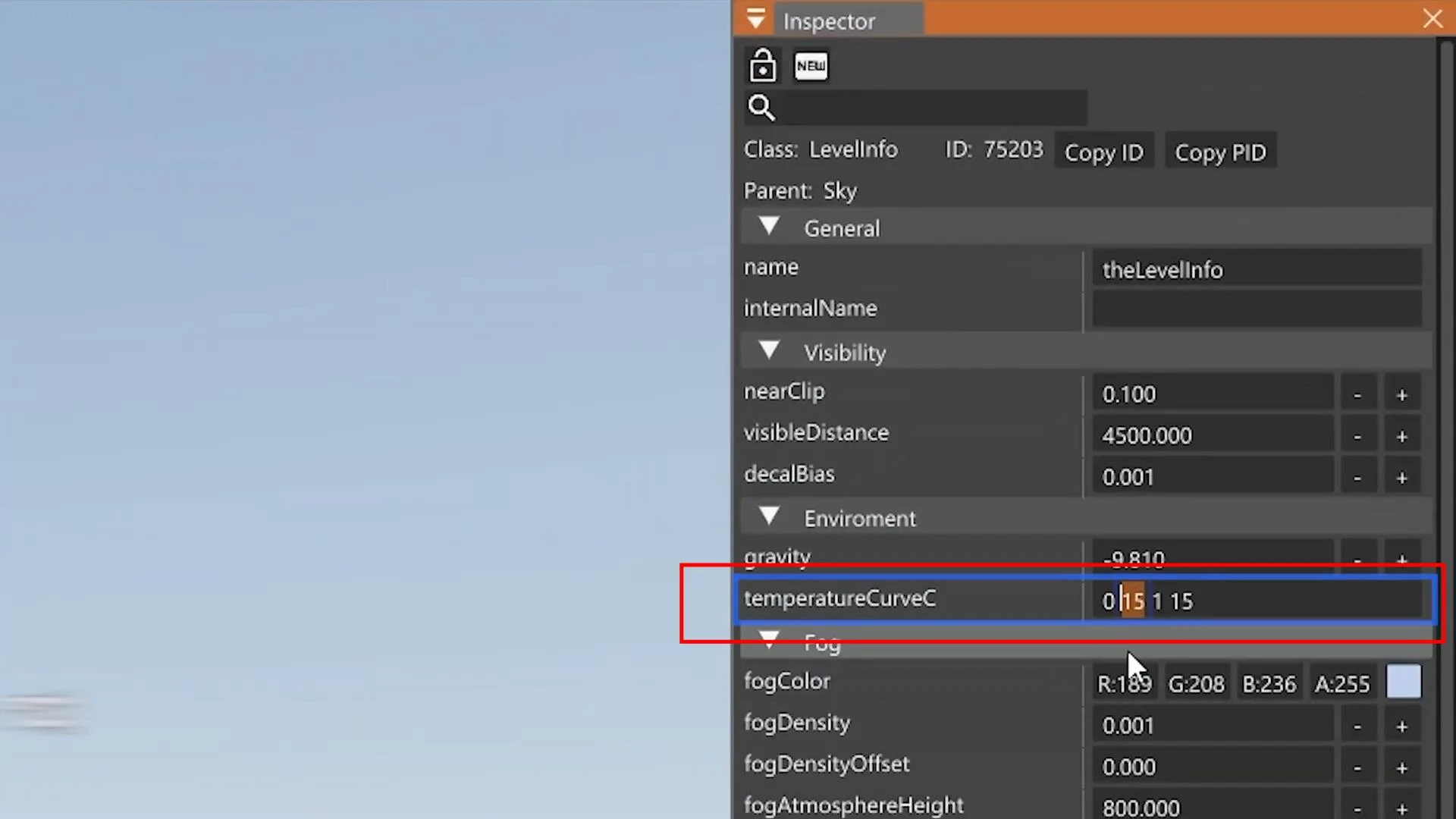
After clicking, you will see a column with settings in the right corner. We are interested in the temperatureCurveC line. This property is responsible for changing the temperature. It is specified in degrees. Enter the desired value (for example, -10) and press Enter.
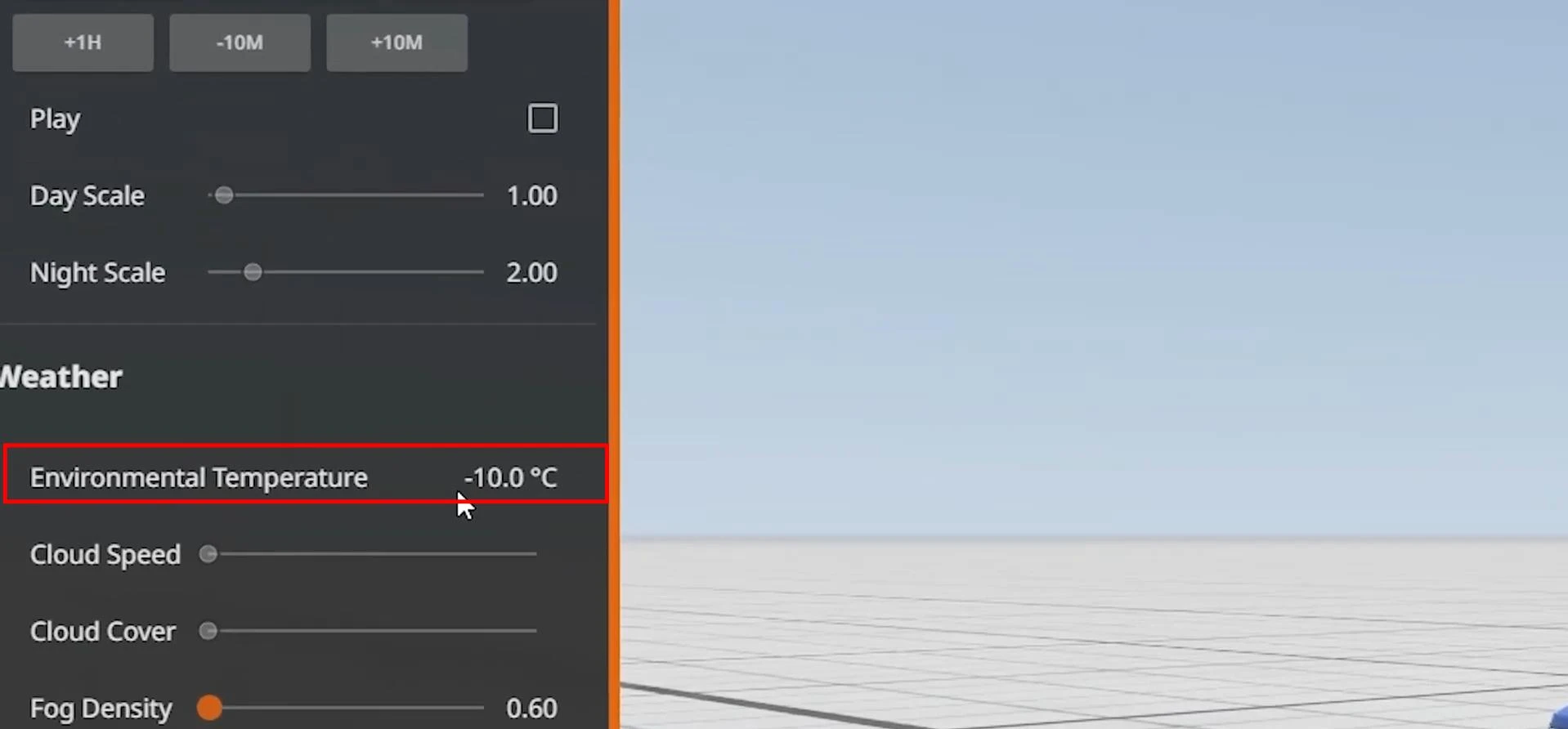
Now you can close the World Editor and go to the BeamNG pause menu. Go to the Environment tab and in the column that opens on the left, you will see the new temperature value in the “Weather” section.
That's it, you have successfully changed the temperature in BeamNG.Drive. Now you can restart the game.
If any of the steps seem unclear, you can watch the video tutorial below, where everything is shown more clearly.