How to Use Replay Mode in BeamNG.Drive
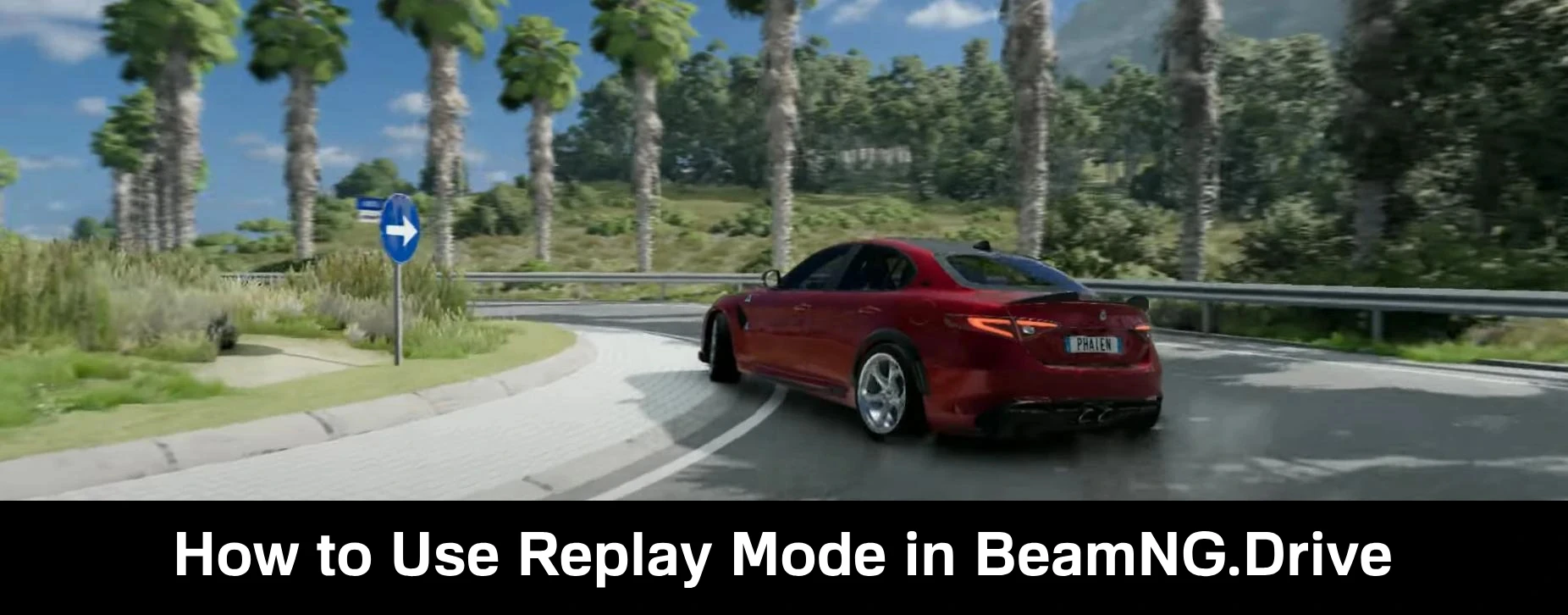
BeamNG.Drive has a Replay mode that allows you to record everything that happens in the game.
But instead of classic video recording, it saves the simulation of physics and actions, allowing you to change camera angles, view collisions from different sides, and use slow motion playback.
Below is a detailed description of how to record and manage replays.
How to start recording a replay
There are special key combinations for recording replays.
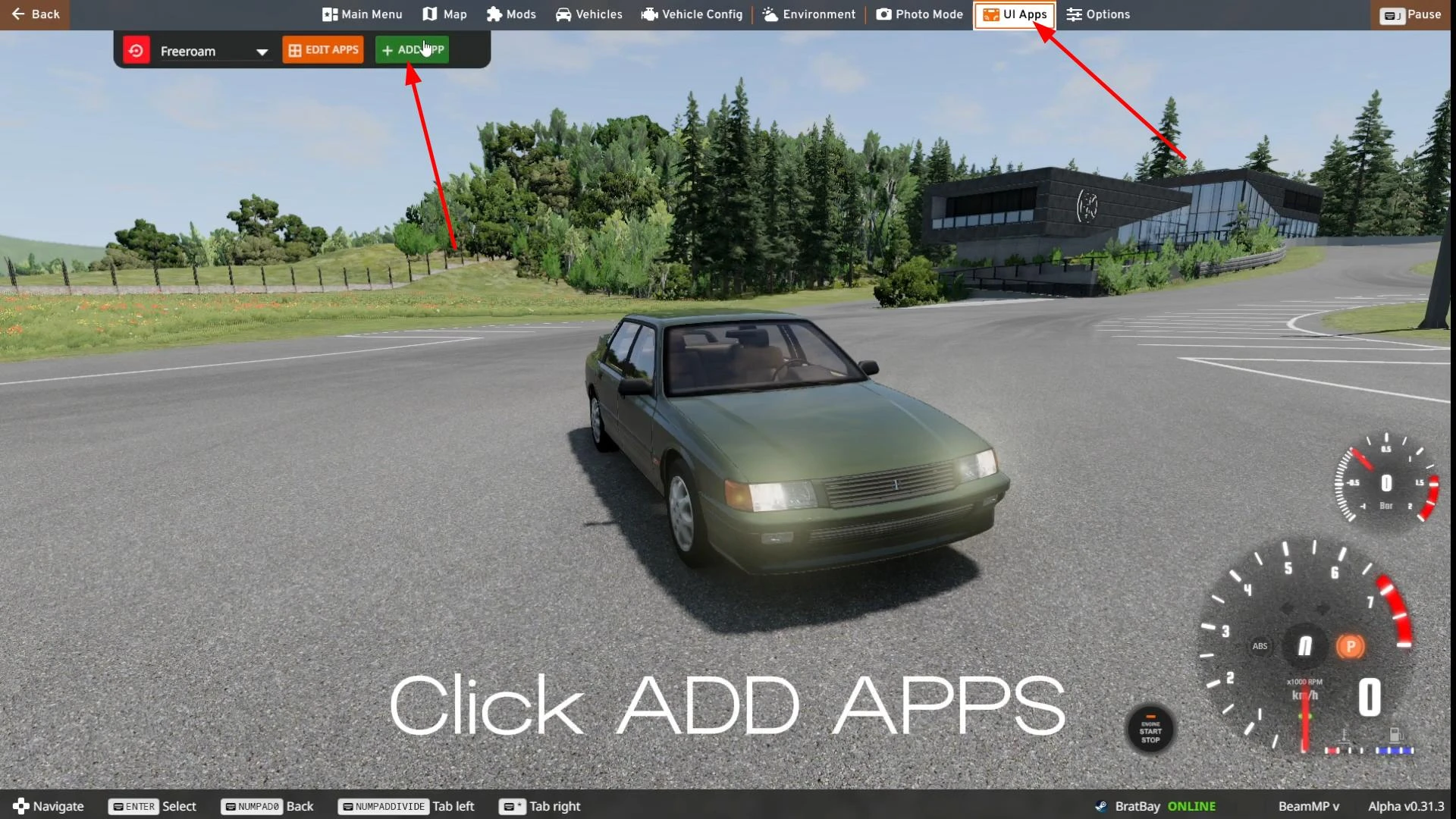
First, pause the game (ESC key). Then open the UI Apps tab and click the “+ Add App” button.
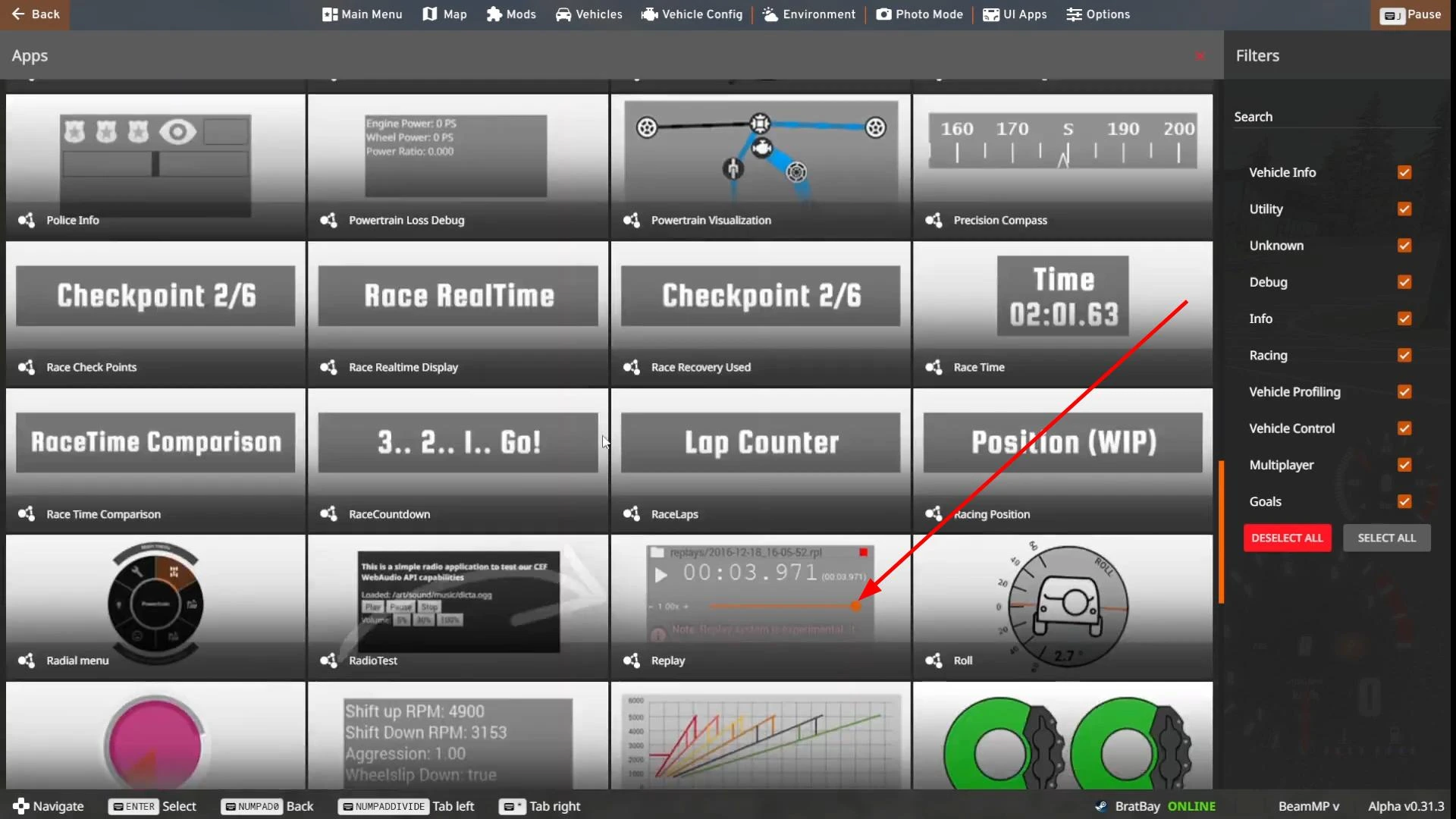
Find “Replay” in the list of applications and select it by clicking on it with the mouse.
The application window will appear on the screen. You can enlarge it and move it to a convenient part of the screen.
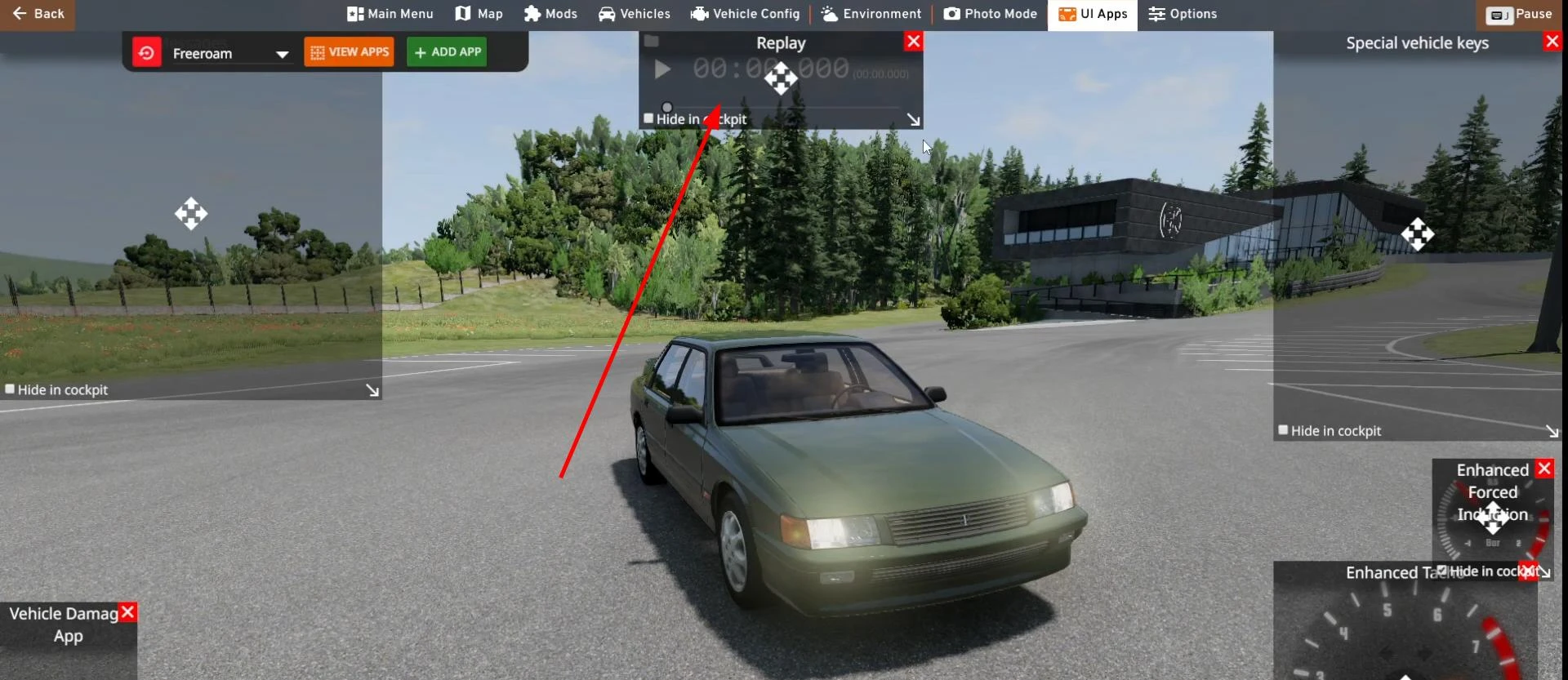
Now you can exit the main menu and press the record button.
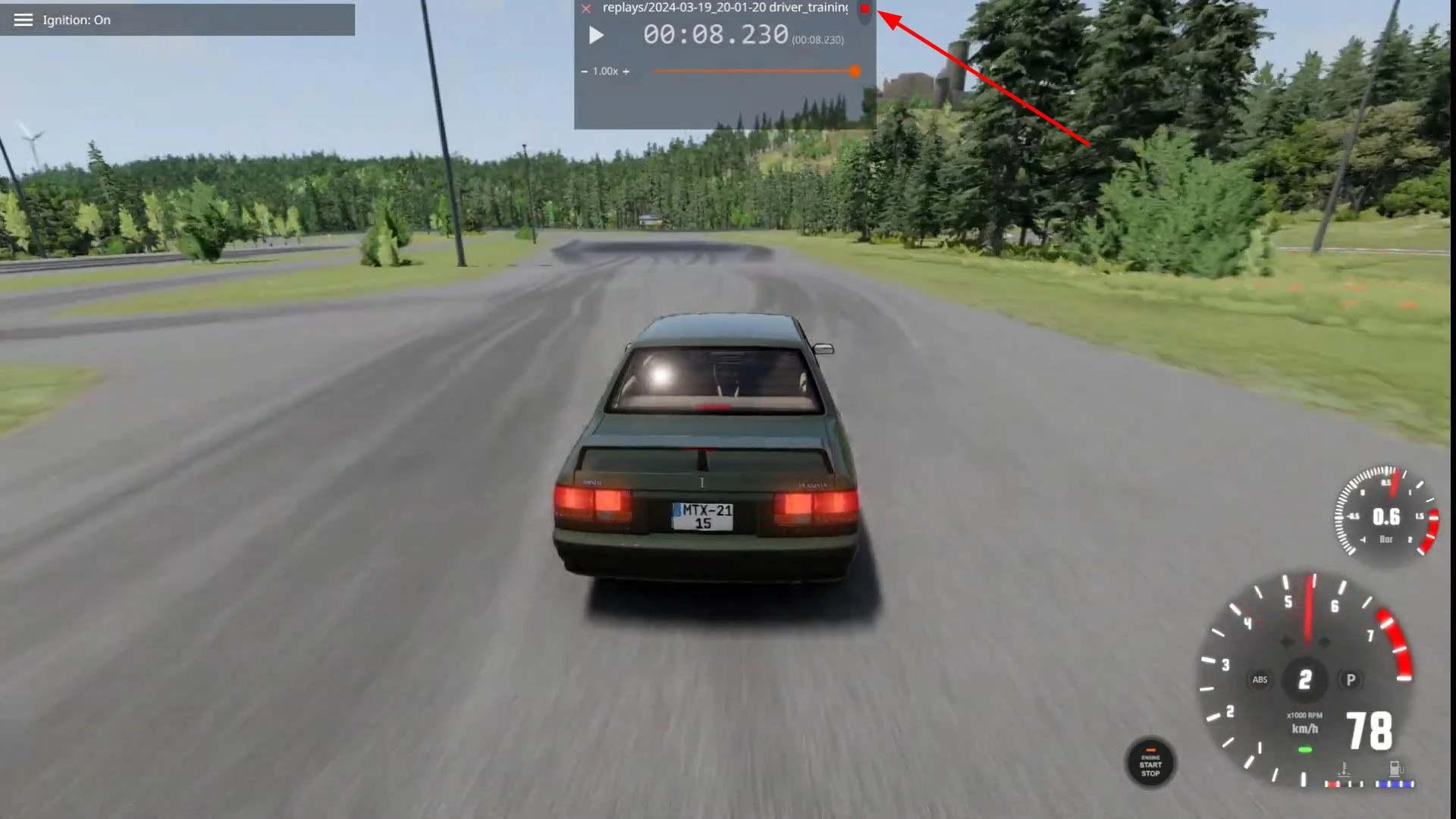
During recording, movement, collisions, acceleration, and other simulation parameters are recorded. After stopping, the recording is automatically saved.
Key combinations for controlling recording:
- Alt + R — start or stop recording and save it
- Alt + Shift + R — cancel recording without saving
If the game “lags” during recording, the replay may be jerky when viewed. In such cases, it is recommended to record in slow motion.
How to convert a replay into a video
.rpl files are not video recordings and cannot be exported directly. To record video, use special programs for recording video from the screen.
Playback and replay control
All saved replays are available through the game's main menu. Go to Main Menu → Replays, select the desired recording, and start it. You can control playback with either the mouse or the keyboard.
Key combinations for viewing control:
- J — pause/play
- → / ← — fast forward or rewind
- ↑ / ↓ — fast forward or rewind
- Alt + arrow keys — adjust playback speed
To stop playback, open the Replay menu again and press the Stop button. If you want to change the key combinations, you can do so via Options → Controls → Bindings by selecting the Replay category.
Features and limitations of the mode
Correct playback is only possible if the game conditions match. If the car in the recording has been replaced or updated, if new mods have been installed, or if you have updated the game version, the replay may play back with errors. It is better to review replays in the same configuration in which they were recorded.