Camera DoF 1.0

0/5,
0
votes
Description:
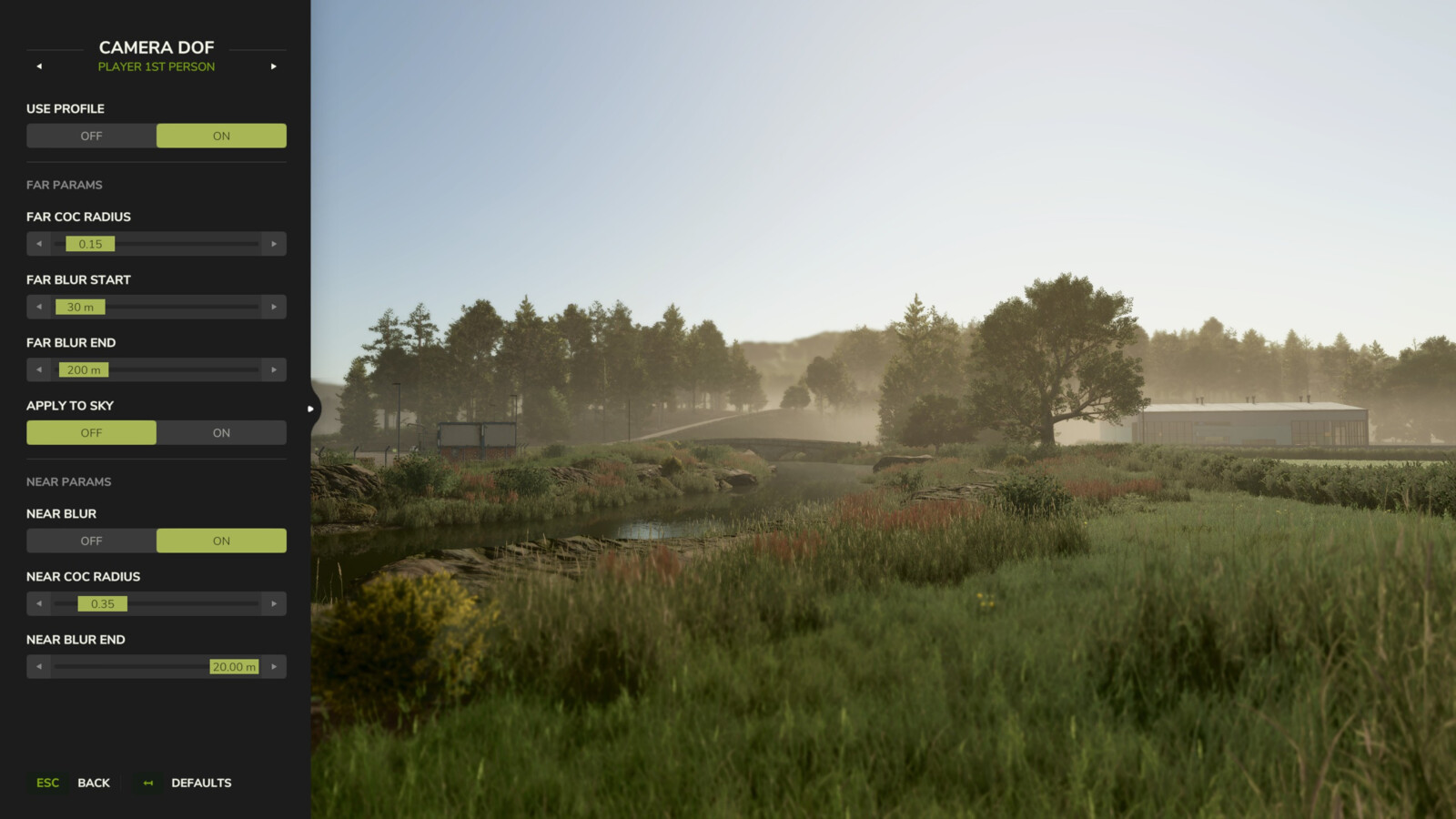
Adds cinematic depth to your gameplay by taking full control over the camera's depth-of-field effect. Instead of relying on the game's default blur settings, you can now fine-tune near and far blur independently for every camera perspective and see the changes in real time.
Features:
- Configure 4 separate blur profiles: Vehicle 1st Person, Vehicle 3rd Person, Player 1st Person, and Player 3rd Person.
- Adjust near and far blur parameters including CoC radius, blur distances, and sky application.
- Enable or disable each profile individually — disabled profiles fall back to the game's default DOF.
- Reset any profile to built-in defaults with a single click. Settings are saved automatically.
Hotkeys:
- Press 'F6' to open the Camera DoF settings dialog.
For more info, bug reports, or to contribute, check out GitHub (modnext/cameraDof).
Credits:
aaw3k
Adds cinematic depth to your gameplay by taking full control over the camera's depth-of-field effect. Instead of relying on the game's default blur settings, you can now fine-tune near and far blur independently for every camera perspective and see the changes in real time.
Features:
- Configure 4 separate blur profiles: Vehicle 1st Person, Vehicle 3rd Person, Player 1st Person, and Player 3rd Person.
- Adjust near and far blur parameters including CoC radius, blur distances, and sky application.
- Enable or disable each profile individually — disabled profiles fall back to the game's default DOF.
- Reset any profile to built-in defaults with a single click. Settings are saved automatically.
Hotkeys:
- Press 'F6' to open the Camera DoF settings dialog.
For more info, bug reports, or to contribute, check out GitHub (modnext/cameraDof).
Credits:
aaw3k
Direct Download Links
Version: 1.0Updated: 2 months ago
Total Size: 110.45 KB FS25_cameraDof_modland.zip direct download · 110.45 KB · added 2 months ago
You Might Also Like »
0 Comments
There are no comments. Be first to comment!