Exhaust Color Configurations 1.0

0/5,
0
votes
Description:
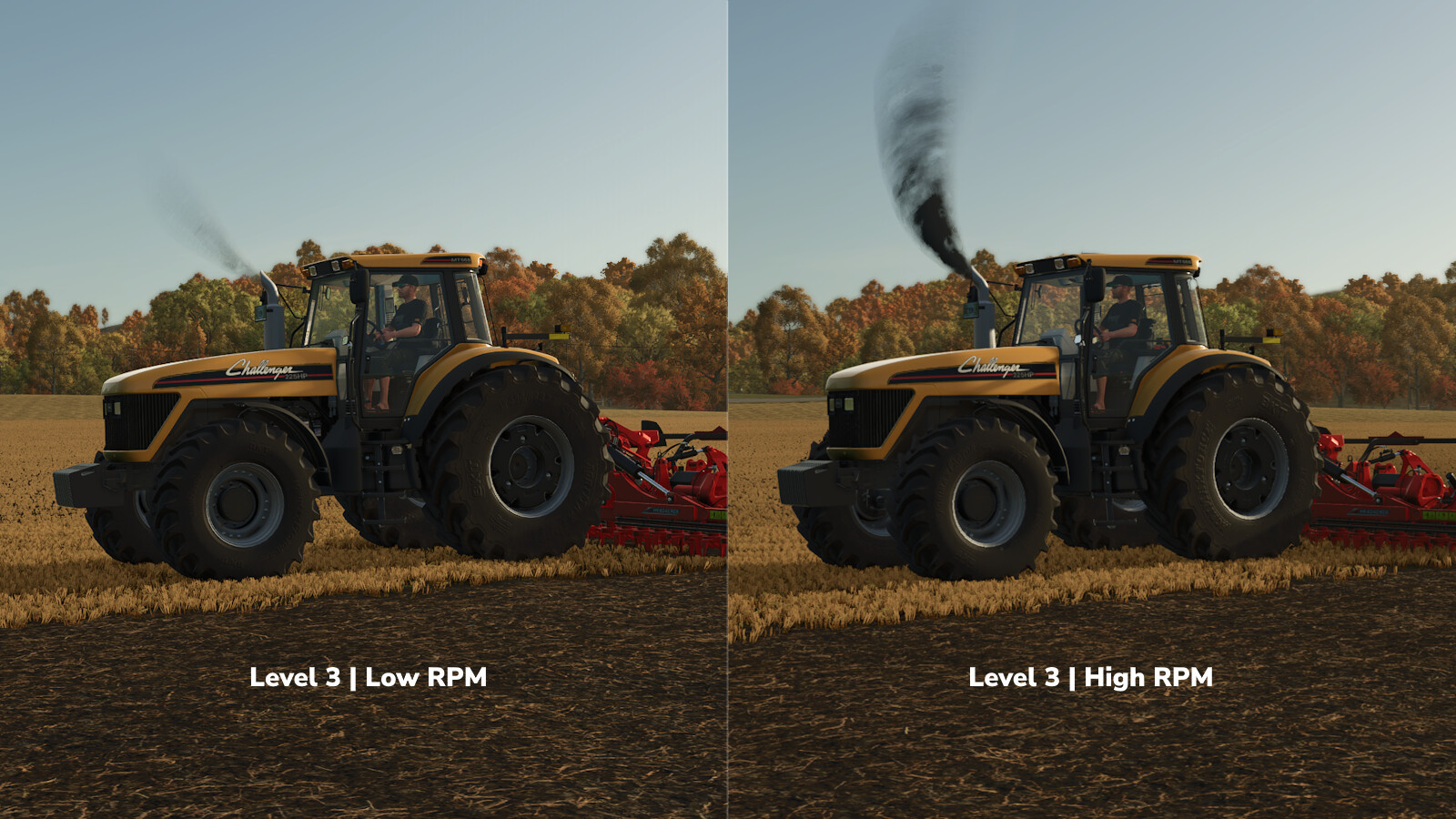
With Exhaust Color Configurations, you can change the exhaust smoke of many vehicles right in the shop or later in the workshop.
Features:
- Standard: Keeps the original exhaust settings.
- Level 1: Darker and stronger.
- Level 2: Adds a little more.
- Level 3: For when you want some serious smoke.
- Custom: Set your own color, transparency, and smoke size.
The three preset levels and up to ten custom slots can be adjusted through the automatically created FS25_exhaustColorConfigurations.xml file located in the corresponding modSettings subfolder. A German/English README with explanations of color, alpha, scale, and the Min/Max behavior is also placed there.
To apply new values to vehicles you already own, select a different exhaust level in the workshop and then select the desired level or Custom again.
Credits:
[Weekend Farmers]
With Exhaust Color Configurations, you can change the exhaust smoke of many vehicles right in the shop or later in the workshop.
Features:
- Standard: Keeps the original exhaust settings.
- Level 1: Darker and stronger.
- Level 2: Adds a little more.
- Level 3: For when you want some serious smoke.
- Custom: Set your own color, transparency, and smoke size.
The three preset levels and up to ten custom slots can be adjusted through the automatically created FS25_exhaustColorConfigurations.xml file located in the corresponding modSettings subfolder. A German/English README with explanations of color, alpha, scale, and the Min/Max behavior is also placed there.
To apply new values to vehicles you already own, select a different exhaust level in the workshop and then select the desired level or Custom again.
Credits:
[Weekend Farmers]
Direct Download Links
Version: 1.0Updated: 1 month ago
Total Size: 89.75 KB FS25_exhaustColorConfigurations_modland.zip direct download · 89.75 KB · added 1 month ago
You Might Also Like »
0 Comments
There are no comments. Be first to comment!