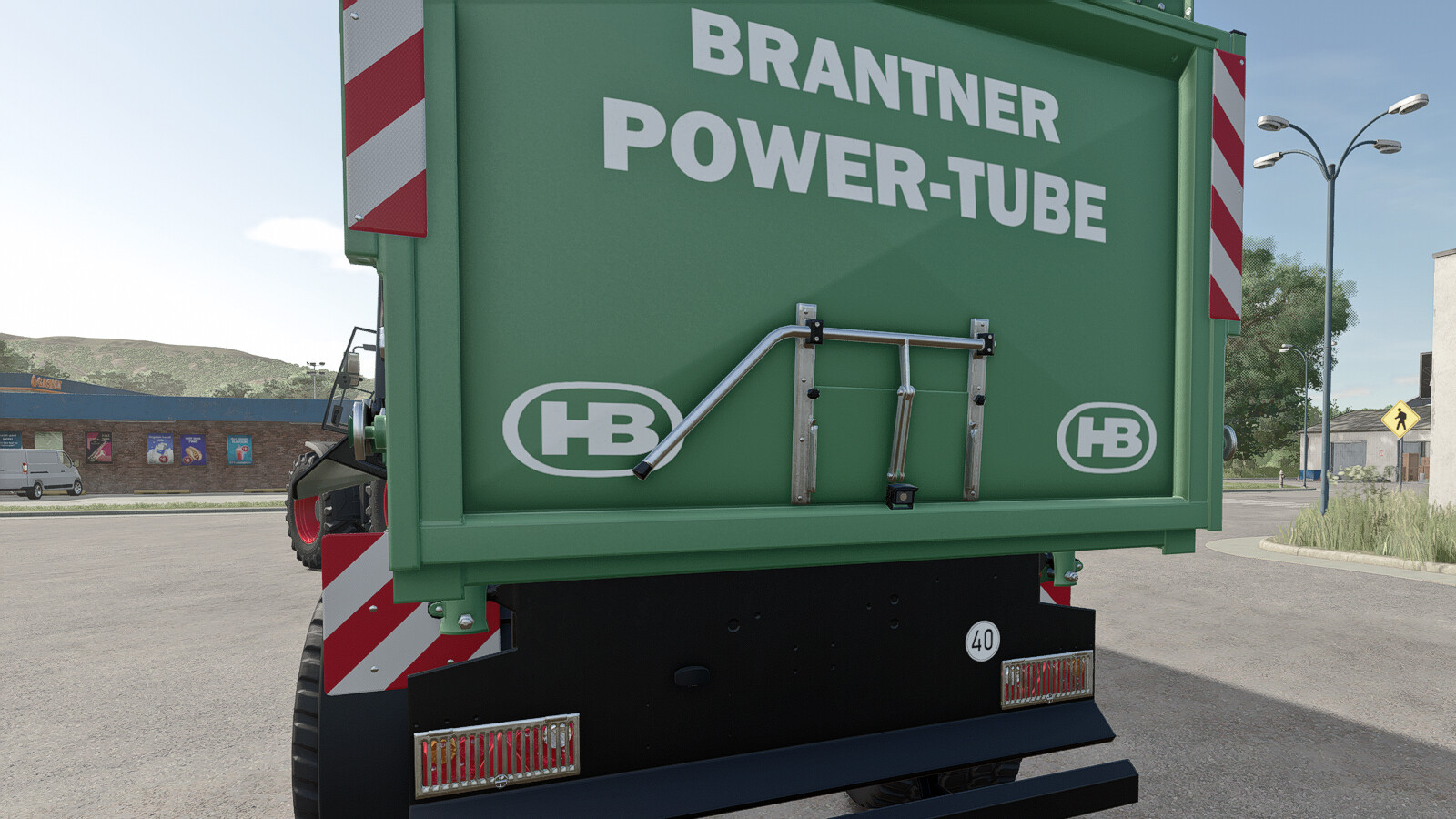
Universal Work Cameras 1.0

0/5,
0
votes
Description:
Universal Work Cameras lets you install and configure work cameras directly in-game on compatible vehicles and implements.
Features:
- Five available camera channels: BACK CAM 1, 2 and 3, plus FRONT CAM 1 and 2.
- Adjustable camera position, rotation, and field of view via the editor with a camera preview.
- Ability to attach cameras to moving vehicle parts.
- Installations are saved with the savegame and synchronized by the server in multiplayer.
- Supports common WorkCam camera connections on compatible Fendt models, particularly Paul's Fendt vehicles.
- Compatibility with Dashboard Live and WorkCameras using supported vehicle camera displays.
- Support for Fendt ONE upper monitors.
Required: Dashboard Live, Interactive Control, and the Mercedes-Benz Trucks Pack DLC (needed to install and preview cameras in the editor).
Recommended for compatible base-game vehicles: MB DLC Work Cameras For All Vehicles and Dashboard Live Vanilla Vehicles. These optional packs add support for compatible in-cab monitors, including the upper Fendt ONE monitor.
Installation Instructions:
1. On foot, approach the vehicle or implement and press ALT+C to open the camera editor.
2. Add a camera, select one of the five channels and adjust its position, rotation and field of view. Select a vehicle attachment point. Save the installation and close the editor.
3. In a compatible vehicle, select the camera group, activate it and switch cameras using the default WorkCameras controls or the existing Interactive Control (IC) buttons.
Credits:
OSK Modding Team
Universal Work Cameras lets you install and configure work cameras directly in-game on compatible vehicles and implements.
Features:
- Five available camera channels: BACK CAM 1, 2 and 3, plus FRONT CAM 1 and 2.
- Adjustable camera position, rotation, and field of view via the editor with a camera preview.
- Ability to attach cameras to moving vehicle parts.
- Installations are saved with the savegame and synchronized by the server in multiplayer.
- Supports common WorkCam camera connections on compatible Fendt models, particularly Paul's Fendt vehicles.
- Compatibility with Dashboard Live and WorkCameras using supported vehicle camera displays.
- Support for Fendt ONE upper monitors.
Required: Dashboard Live, Interactive Control, and the Mercedes-Benz Trucks Pack DLC (needed to install and preview cameras in the editor).
Recommended for compatible base-game vehicles: MB DLC Work Cameras For All Vehicles and Dashboard Live Vanilla Vehicles. These optional packs add support for compatible in-cab monitors, including the upper Fendt ONE monitor.
Installation Instructions:
1. On foot, approach the vehicle or implement and press ALT+C to open the camera editor.
2. Add a camera, select one of the five channels and adjust its position, rotation and field of view. Select a vehicle attachment point. Save the installation and close the editor.
3. In a compatible vehicle, select the camera group, activate it and switch cameras using the default WorkCameras controls or the existing Interactive Control (IC) buttons.
Credits:
OSK Modding Team
Direct Download Links
Version: 1.0Updated: 1 day ago
Total Size: 209.43 KB FS25_UniversalWorkCameras_modland.zip direct download · 209.43 KB · added 1 day ago
You Might Also Like »


0 Comments
There are no comments. Be first to comment!