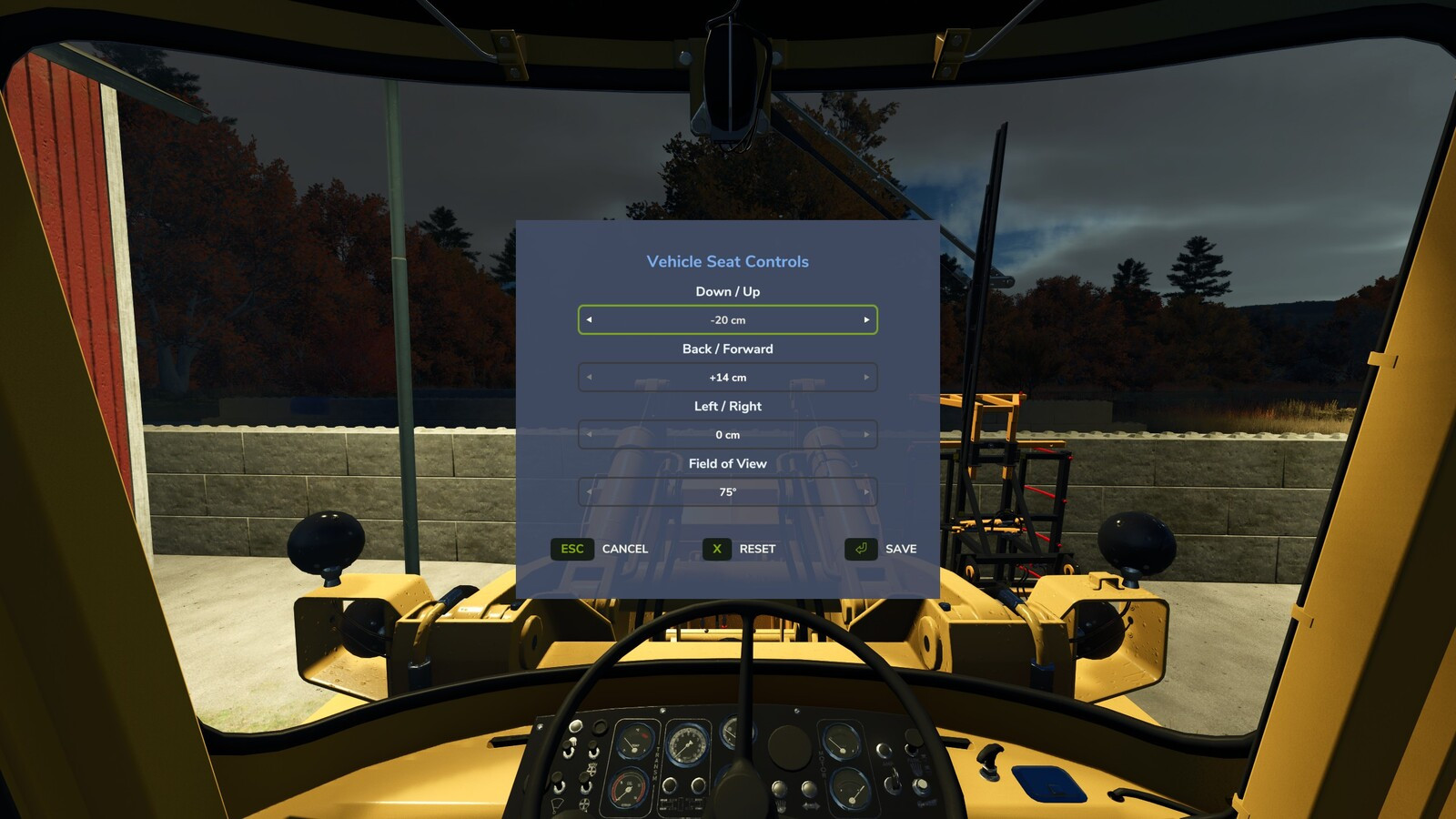
Vehicle Seat Controls 1.0.0.1

5/5,
1
votes
Latest Update
latest
Version
1.0.0.1
3 months ago
1.0.0.1:
- Improved compatibility with other camera mods by using a safer camera update chain.
- Added compatibility fixes for tractors where the menu input did not register correctly.
- Increased the available camera position adjustment range.
- Improved compatibility with other camera mods by using a safer camera update chain.
- Added compatibility fixes for tractors where the menu input did not register correctly.
- Increased the available camera position adjustment range.
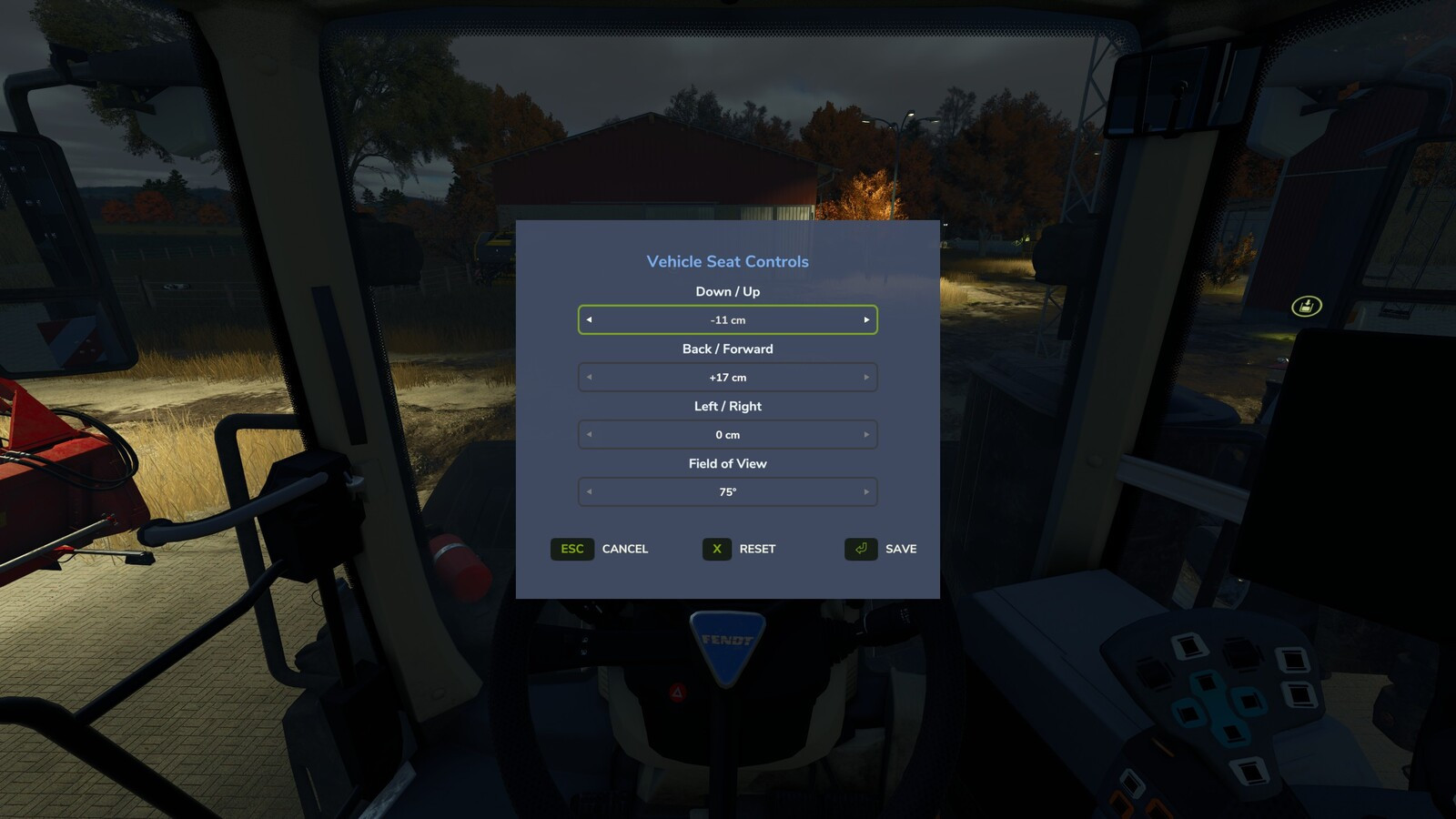
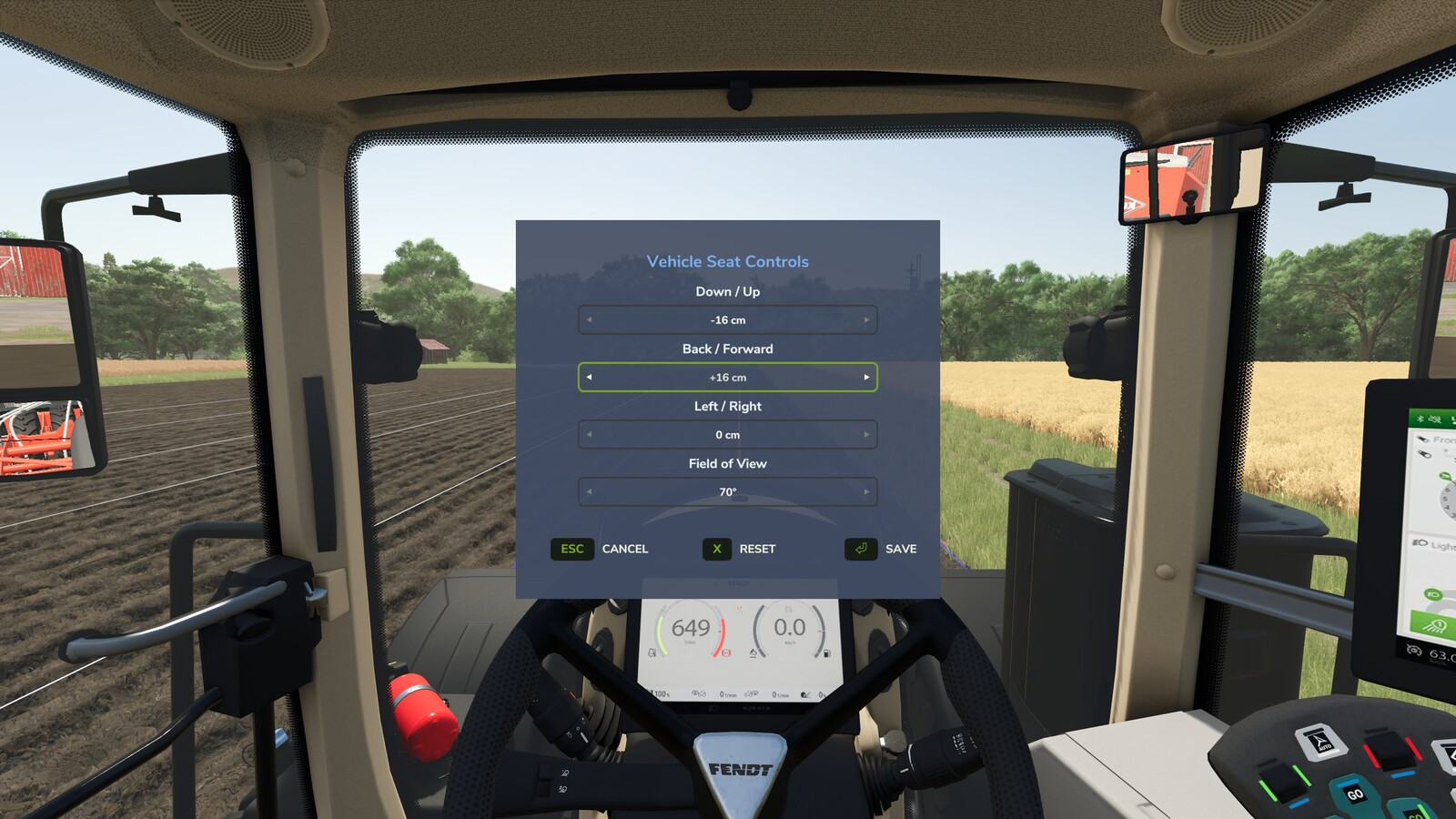
Description:
Adjust the indoor (cab) camera position and field of view of your vehicles.
Features:
- Adjust camera Up / Down, Forward / Back, and Left / Right
- Adjustable Field of View (zoom)
- Live preview of changes in the cab
- Ability to freely glance around the cab while the menu is open
- Settings are saved per player and per vehicle and persist across server restarts
While seated in a vehicle, press Numpad - (rebindable in Settings > Controls) to open the Vehicle Seat Controls window. Use the arrow selectors to set the position and zoom. Press Save to keep changes, Reset to recenter, or Cancel to discard.
Credits:
Magzan
Adjust the indoor (cab) camera position and field of view of your vehicles.
Features:
- Adjust camera Up / Down, Forward / Back, and Left / Right
- Adjustable Field of View (zoom)
- Live preview of changes in the cab
- Ability to freely glance around the cab while the menu is open
- Settings are saved per player and per vehicle and persist across server restarts
While seated in a vehicle, press Numpad - (rebindable in Settings > Controls) to open the Vehicle Seat Controls window. Use the arrow selectors to set the position and zoom. Press Save to keep changes, Reset to recenter, or Cancel to discard.
Credits:
Magzan
Direct Download Links
Version: 1.0.0.1Updated: 3 months ago
Total Size: 86.05 KB FS25_VehicleSeatControls_modland.zip direct download · 86.05 KB · added 3 months ago
You Might Also Like »
0 Comments
There are no comments. Be first to comment!