Wood And Weight Info 1.0.1.0

0/5,
0
votes
Latest Update
latest
Version
1.0.1.0
1 month ago
v1.0.1.0:
- HUD labels now display in your game language (English, German, French)
- Reposition mode text is now localized as well
- Wood volume and piece count box now shows for logs that aren't strapped down, including logs simply resting on a trailer
- Note: wood weight still requires the load to be strapped with tension belts, just like pallets, vehicles, etc.
- Note: autoload trailers may provide inaccurate or unexpected results, and the wood information box will not display for some autoload trailers.
- HUD labels now display in your game language (English, German, French)
- Reposition mode text is now localized as well
- Wood volume and piece count box now shows for logs that aren't strapped down, including logs simply resting on a trailer
- Note: wood weight still requires the load to be strapped with tension belts, just like pallets, vehicles, etc.
- Note: autoload trailers may provide inaccurate or unexpected results, and the wood information box will not display for some autoload trailers.
Description:
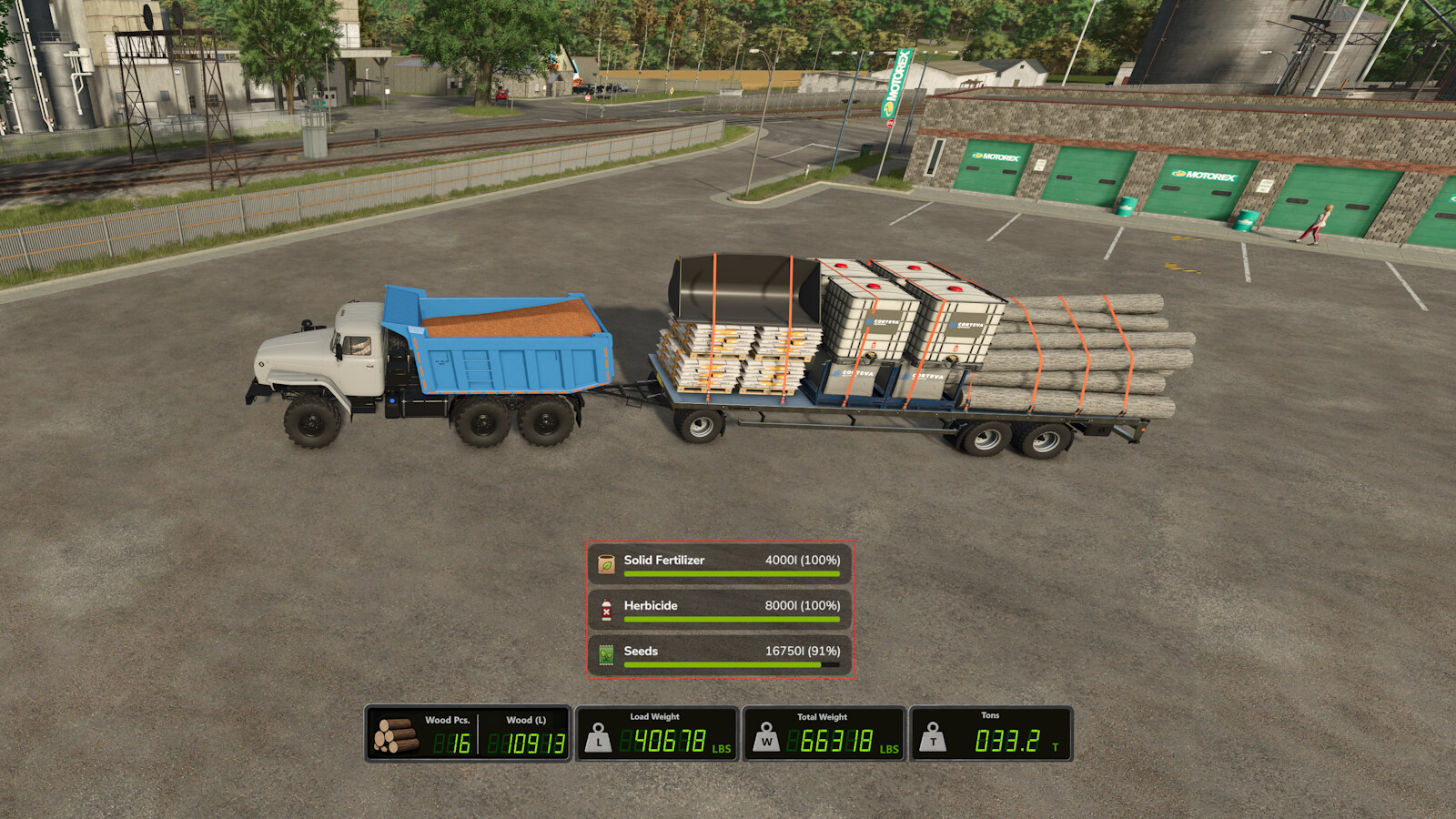
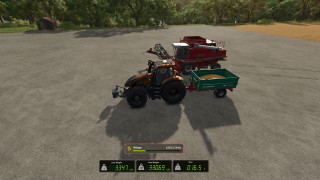
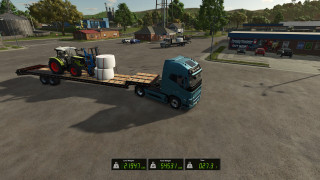
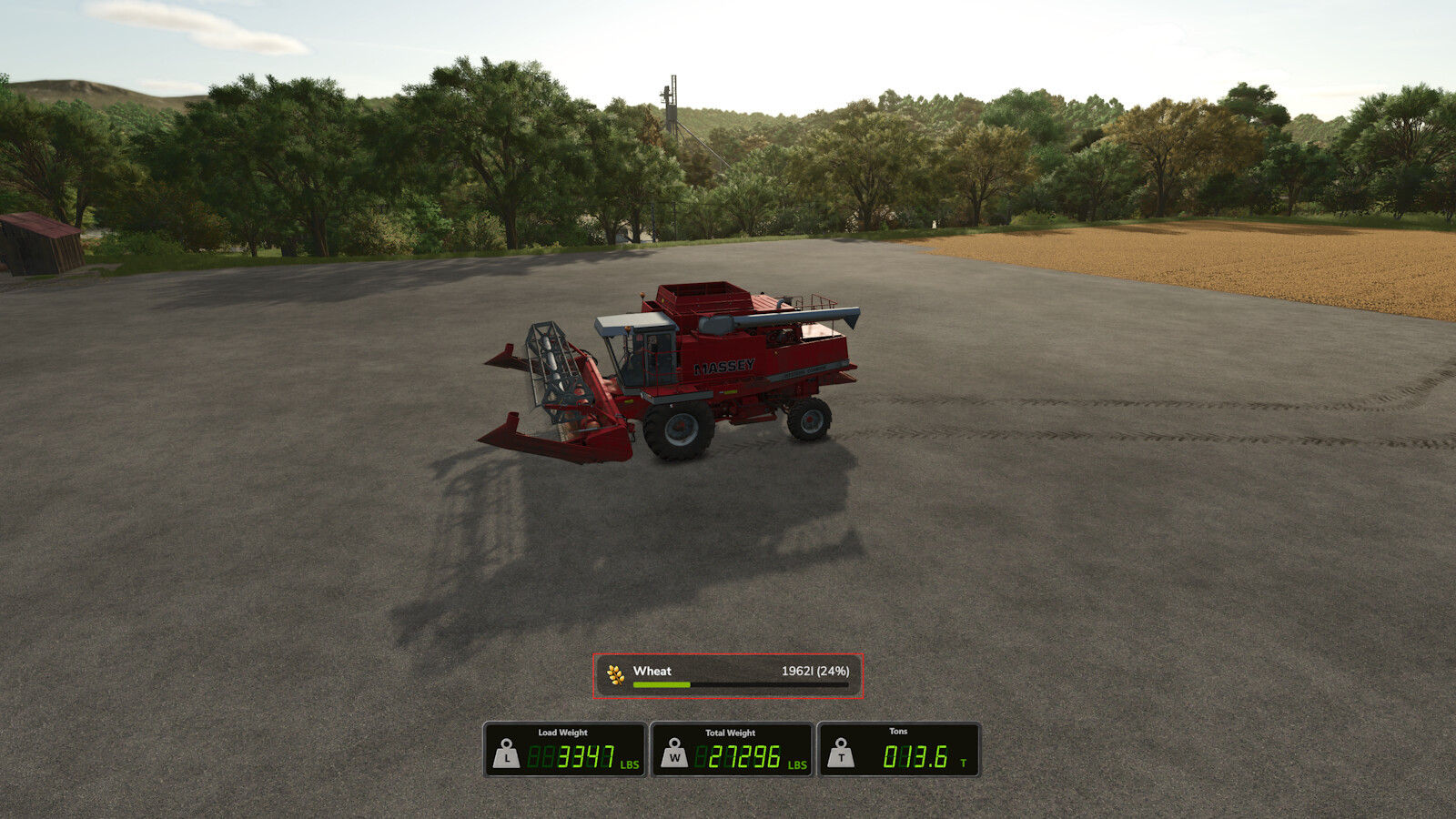
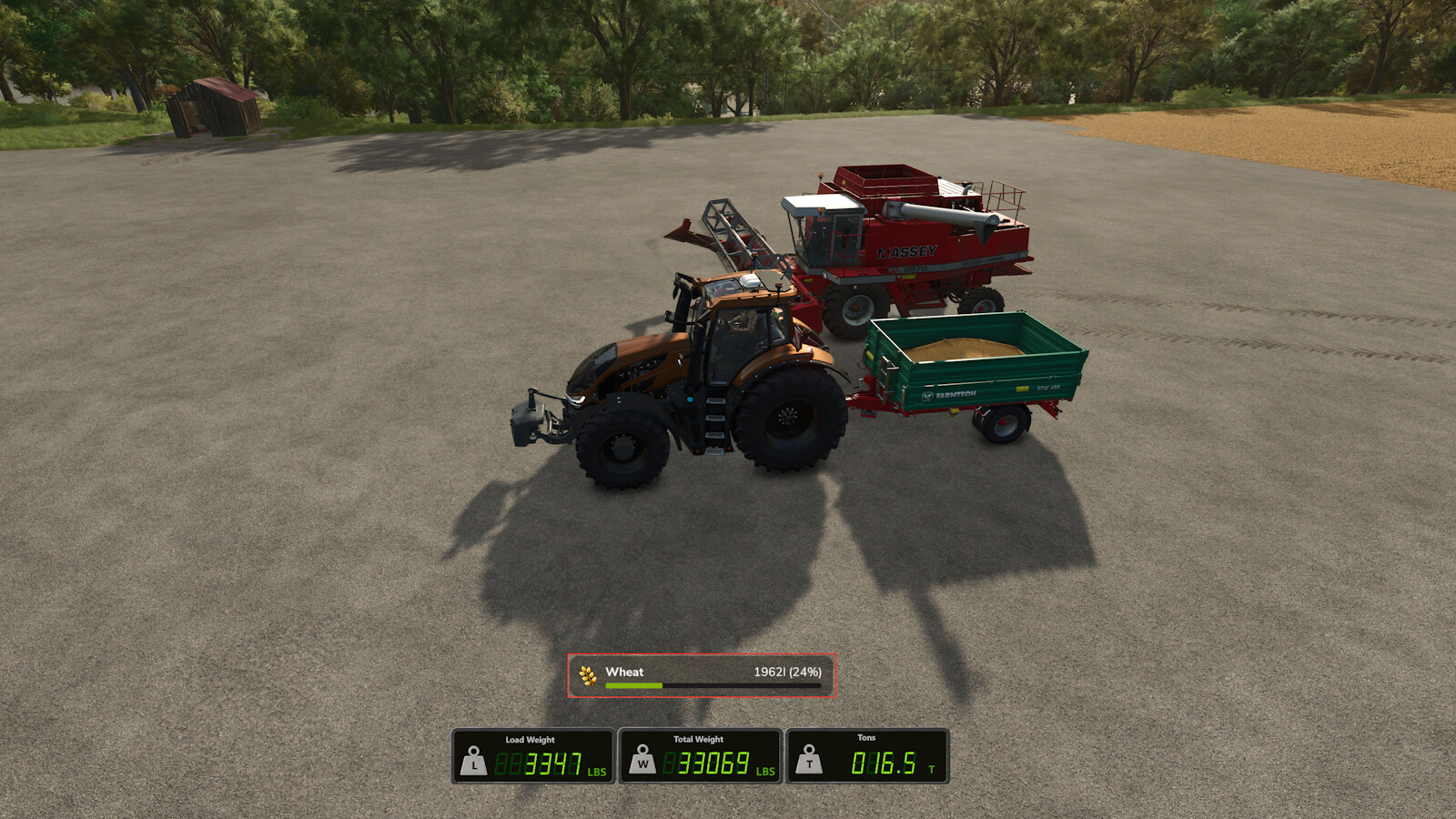
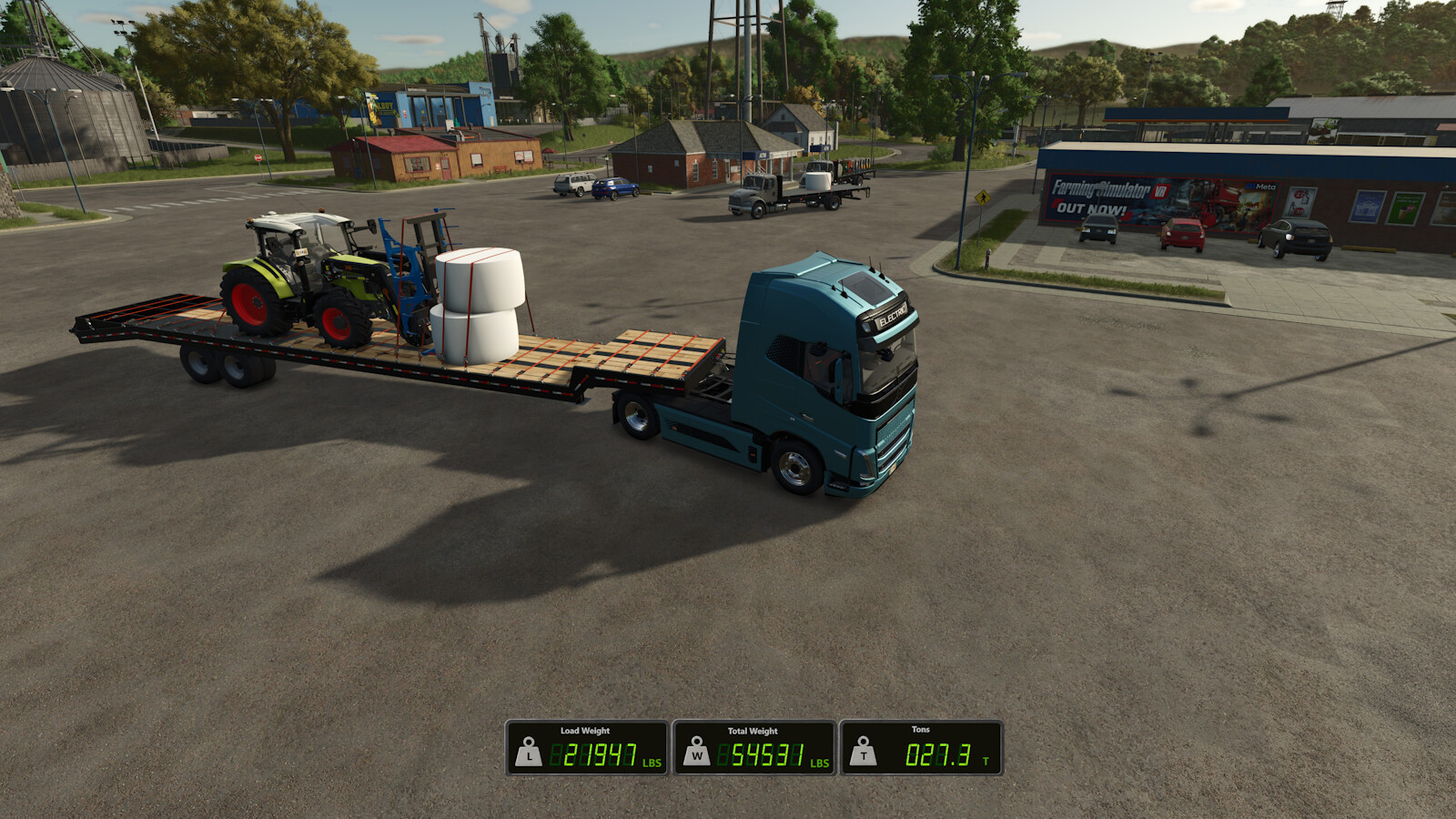
A lightweight HUD overlay built for wood/forestry data and weight information. It shows your strapped wood volume/piece count, as well as any strapped pallets/machinery and bulk materials at a glance while driving, so you always know exactly what you're hauling and how much it weighs.
Features:
- Wood pieces: live count of physically strapped logs
- Wood volume (L): total volume of strapped wood
- Total Weight: Weight of the bare vehicle and attached implements + Load mass
- Load: Current "load/cargo" mass across the entire current vehicle chain (Fill units, and all strapped down vehicle attachments, wood, pallets, vehicles, and more!)
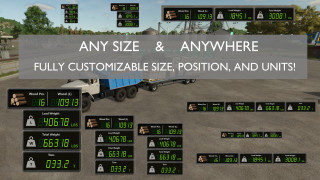
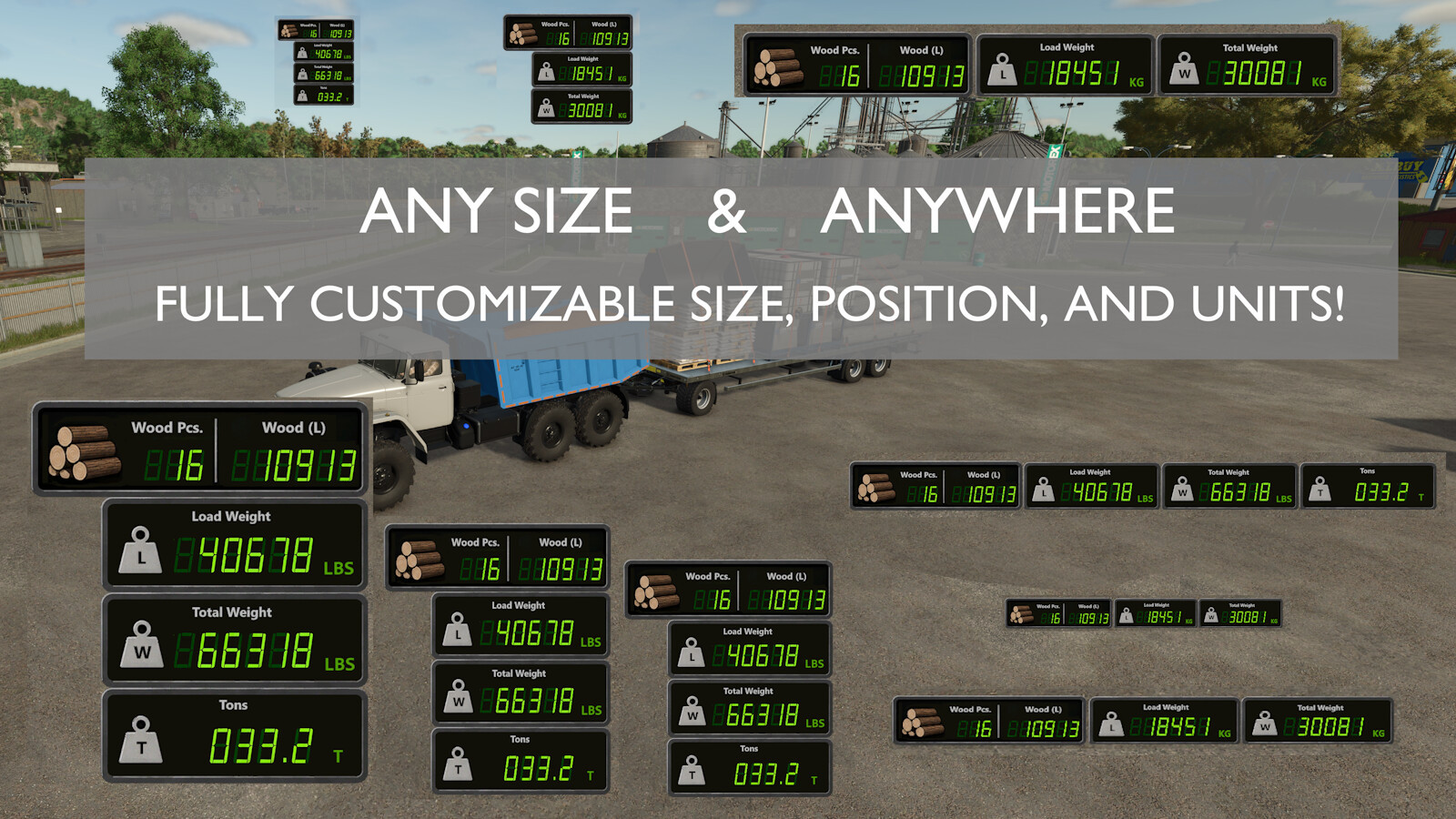
- Customizable: Choose any size and any position using keybinds; switch between vertical and horizontal in the settings menu
- Flexible Units: Weight shown in metric (kg) or imperial (lbs), plus short tons (t) available in imperial
- Automatic HUD: Hides automatically when on foot and can be toggled when in a vehicle
Settings:
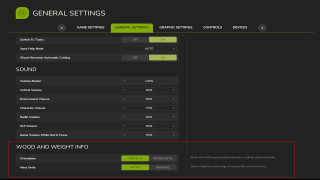
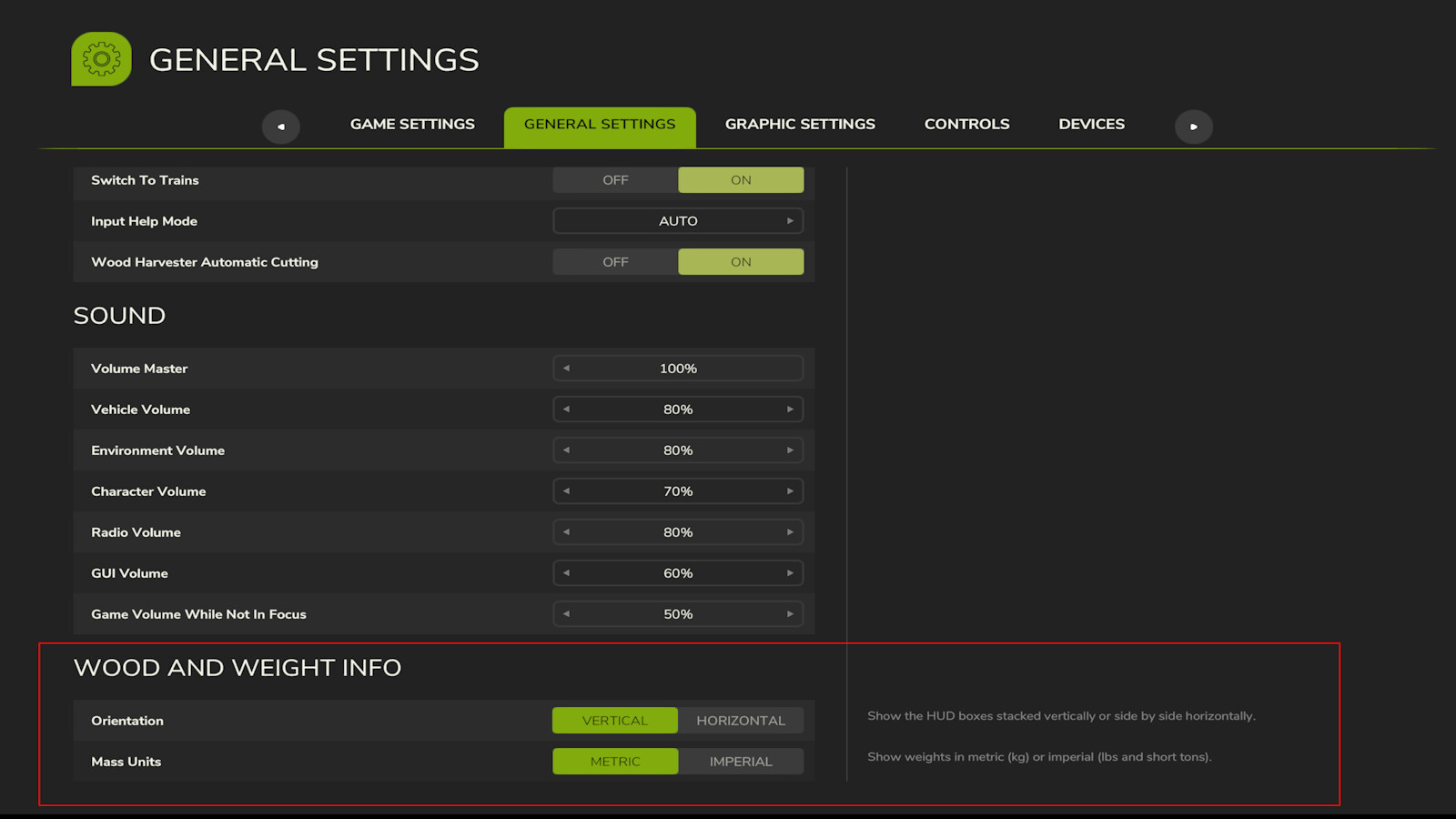
Open the in-game Settings menu and look for the "Wood and Weight Info" section under General Settings:
- Orientation: Show the HUD boxes stacked vertically, or side by side horizontally
- Mass Units: Metric (kg) or Imperial (lbs and short tons)
Keybinds:
- Toggle HUD: Show or hide the overlay
- Reposition HUD: Move the HUD display using the mouse cursor
- Increase HUD Size: Make the HUD larger
- Decrease HUD Size: Make the HUD smaller
All keybinds are unbound by default. Assign them in the in-game Controls menu under "Wood and Weight Info".
HUD Reposition: Press the Reposition HUD key to enter reposition mode. The mouse cursor appears automatically with the reposition box. Move the mouse to place the HUD, then LEFT-CLICK to save.
Note: Total mass numbers may differ with the readout from any in-game scalehouse due to the math GIANTS uses to calculate the mass on the scales. This issue is only apparent in very specific cases and should not be a problem otherwise.
Credits:
mike1000195
A lightweight HUD overlay built for wood/forestry data and weight information. It shows your strapped wood volume/piece count, as well as any strapped pallets/machinery and bulk materials at a glance while driving, so you always know exactly what you're hauling and how much it weighs.
Features:
- Wood pieces: live count of physically strapped logs
- Wood volume (L): total volume of strapped wood
- Total Weight: Weight of the bare vehicle and attached implements + Load mass
- Load: Current "load/cargo" mass across the entire current vehicle chain (Fill units, and all strapped down vehicle attachments, wood, pallets, vehicles, and more!)
- Customizable: Choose any size and any position using keybinds; switch between vertical and horizontal in the settings menu
- Flexible Units: Weight shown in metric (kg) or imperial (lbs), plus short tons (t) available in imperial
- Automatic HUD: Hides automatically when on foot and can be toggled when in a vehicle
Settings:
Open the in-game Settings menu and look for the "Wood and Weight Info" section under General Settings:
- Orientation: Show the HUD boxes stacked vertically, or side by side horizontally
- Mass Units: Metric (kg) or Imperial (lbs and short tons)
Keybinds:
- Toggle HUD: Show or hide the overlay
- Reposition HUD: Move the HUD display using the mouse cursor
- Increase HUD Size: Make the HUD larger
- Decrease HUD Size: Make the HUD smaller
All keybinds are unbound by default. Assign them in the in-game Controls menu under "Wood and Weight Info".
HUD Reposition: Press the Reposition HUD key to enter reposition mode. The mouse cursor appears automatically with the reposition box. Move the mouse to place the HUD, then LEFT-CLICK to save.
Note: Total mass numbers may differ with the readout from any in-game scalehouse due to the math GIANTS uses to calculate the mass on the scales. This issue is only apparent in very specific cases and should not be a problem otherwise.
Credits:
mike1000195
Direct Download Links
Version: 1.0.1.0Updated: 1 month ago
Total Size: 383.88 KB FS25_WoodAndWeightInfo_modland.zip direct download · 383.88 KB · added 1 month ago
You Might Also Like »

0 Comments
There are no comments. Be first to comment!