

5/5,
1
votes
Description
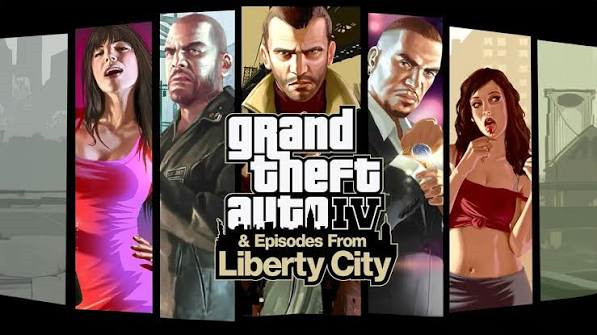
GRAND THEFT AUTO IV is a 3d action adventure open world video game, developed by Rockstar Games in 2008 for different platforms like PC, Xbox & PlayStations. GTA IV does not support mods officially.
Essential Pack is a set of asi plugins that enables mod support. You will be able to modify/add functions like Addon|Replace scripts, Asi Plugins, Graphics, Textures, Interface, player, peds, vehicles, Weapon or more.
Features
- DLC System > "Update" Folder
- Script System > "Scripts" Folder
- Plugins System > "Plugins" Folder
Software Requirements
- Grand Theft Auto IV
- DirectX 9.0
- Graphics Card Updated Driver
- Microsoft Visual C++ All-In-One
- Microsoft Net Framework 4.8 or Above
Installation Instructions
Installation:
1. Install a fresh copy of Grand Theft Auto IV v1.0.7.0 with complete sounds & files
2. Create a folder in Grand Theft Auto IV and rename it to "_BackUp"
3. Copy "xlive.dll and PlayGTAIV.exe" and paste them into the "_Backup" folder
4. Copy all files & folders from "Main Files" (Essential Pack) and paste them into the Grand Theft Auto IV folder
Updating:
1. Download & extract update
2. Copy all files & folders from "Main Files" (Essential Pack) and paste them into the Grand Theft Auto IV folder
GRAND THEFT AUTO IV is a 3d action adventure open world video game, developed by Rockstar Games in 2008 for different platforms like PC, Xbox & PlayStations. GTA IV does not support mods officially.
Essential Pack is a set of asi plugins that enables mod support. You will be able to modify/add functions like Addon|Replace scripts, Asi Plugins, Graphics, Textures, Interface, player, peds, vehicles, Weapon or more.
Features
- DLC System > "Update" Folder
- Script System > "Scripts" Folder
- Plugins System > "Plugins" Folder
Software Requirements
- Grand Theft Auto IV
- DirectX 9.0
- Graphics Card Updated Driver
- Microsoft Visual C++ All-In-One
- Microsoft Net Framework 4.8 or Above
Installation Instructions
Installation:
1. Install a fresh copy of Grand Theft Auto IV v1.0.7.0 with complete sounds & files
2. Create a folder in Grand Theft Auto IV and rename it to "_BackUp"
3. Copy "xlive.dll and PlayGTAIV.exe" and paste them into the "_Backup" folder
4. Copy all files & folders from "Main Files" (Essential Pack) and paste them into the Grand Theft Auto IV folder
Updating:
1. Download & extract update
2. Copy all files & folders from "Main Files" (Essential Pack) and paste them into the Grand Theft Auto IV folder
External Download Links:
You Might Also Like »
![4K Ultra HD Graphics V 4 Last [Final]](https://i2.modland.net/i/667c09fbb29e9/jsVs6CK76TjfogbFGmzSwPdpiQIaa7BuifA5wchn_modland.webp)
0 Comments
There are no comments. Be first to comment!