



0/5,
0
votes
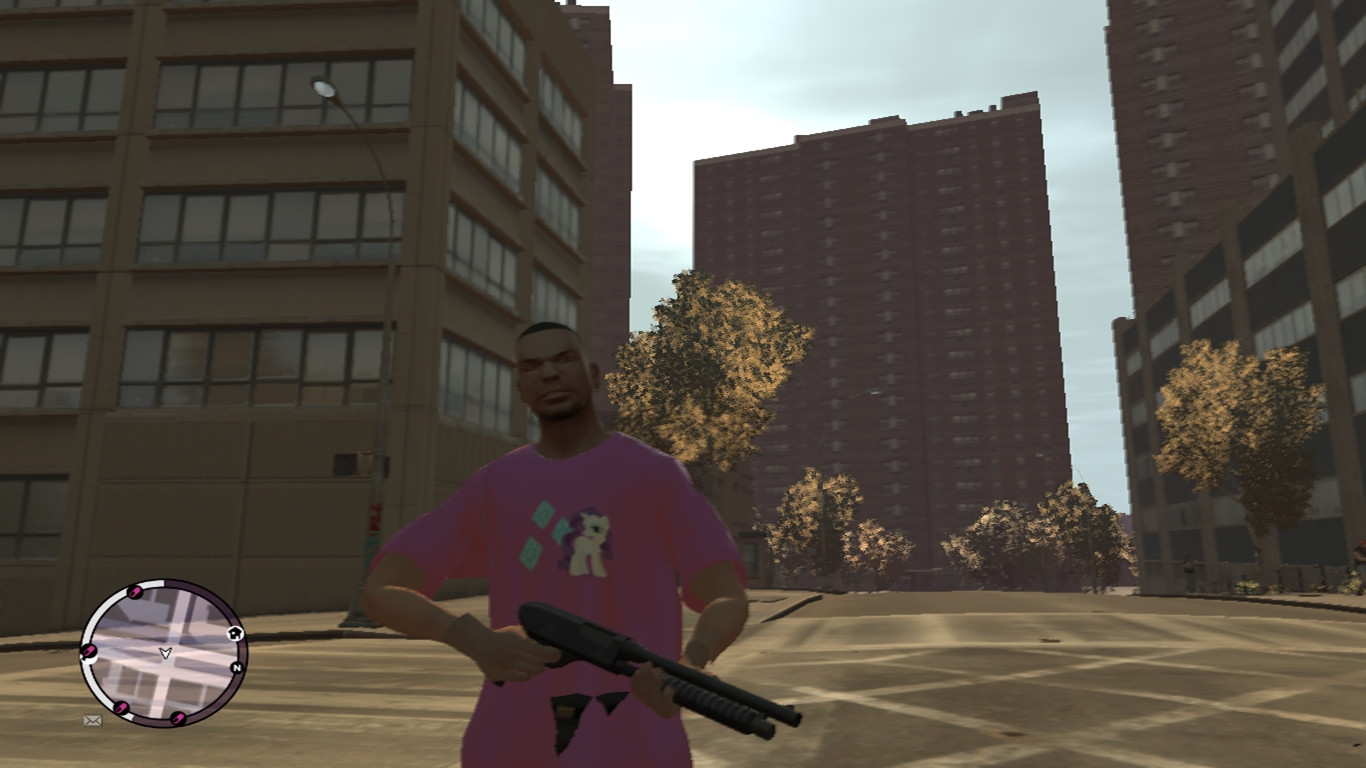
How to Install
1. Open OpenIV or SparkIV
2. Browse for TBoGT/pc/cdimages
3. Add the 2 files "uppr_002_u.wdr" and "uppr_diff_002_a_uni.wtd".
4. If you use Open IV, it will save automatically. If you use SparkIV, click save.
Note: This installation instruction is for EFLC users. For GTAIV users, here's the instructions:
1. Open OpenIV or SparkIV
2. Browse for pc/cdimages
3. Replace any of the files starting with "uppr" with the 2 files "uppr_002_u.wdr" and "uppr_diff_002_a_uni.wtd".
4. If you use Open IV, it will save automatically. If you use SparkIV, click save.
Credits:
RariJack711
1. Open OpenIV or SparkIV
2. Browse for TBoGT/pc/cdimages
3. Add the 2 files "uppr_002_u.wdr" and "uppr_diff_002_a_uni.wtd".
4. If you use Open IV, it will save automatically. If you use SparkIV, click save.
Note: This installation instruction is for EFLC users. For GTAIV users, here's the instructions:
1. Open OpenIV or SparkIV
2. Browse for pc/cdimages
3. Replace any of the files starting with "uppr" with the 2 files "uppr_002_u.wdr" and "uppr_diff_002_a_uni.wtd".
4. If you use Open IV, it will save automatically. If you use SparkIV, click save.
Credits:
RariJack711
Direct Download Links
You Might Also Like »


0 Comments
There are no comments. Be first to comment!