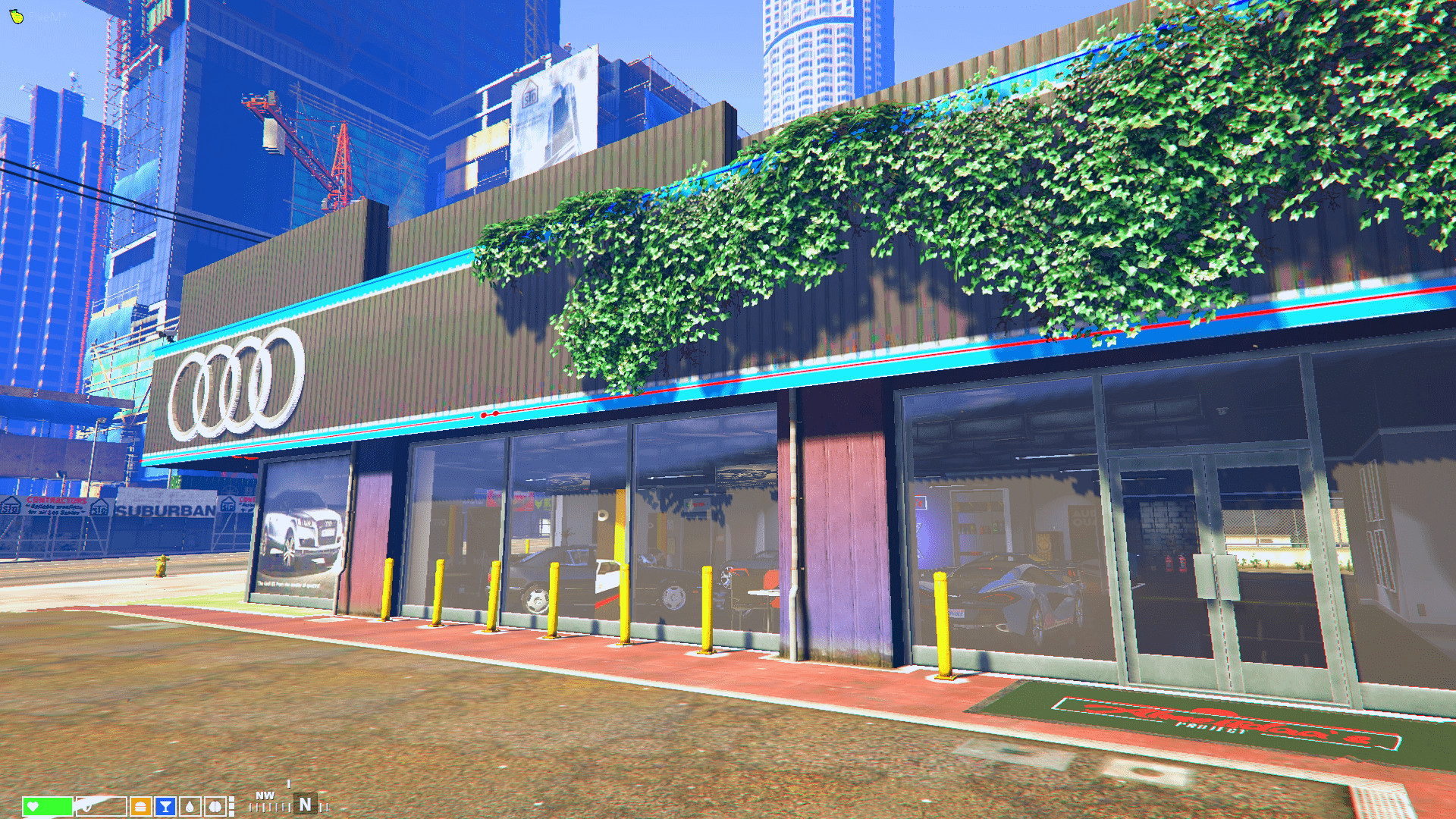
Audi Car Dealership V.1.0

0/5,
0
votes
Description
Audi Car Dealership [MLO] / [FiveM]
Features
- White Wall texture
- Black Exterior texture
- Real Floor texture
- Realistic Audi Advertisements
- Real Car Photos
Requirements:
- Open All Interiors 2 by NewTheft
Installation Instructions
1. Open OpenIV and enable Edit mode
2. Navigate to \x64c.rpf\levels\gta5\interiors\int_props\int_retail.rpf\
3. Drag and drop everything from the "retail.rpf" folder
4. Rebuild
5. Navigate to \x64h.rpf\levels\gta5\interiors\v_int_15.rpf\
6. Drag and drop everything from the "int_15.rpf" folder
7. Rebuild
8. Navigate to \x64i.rpf\levels\gta5\_citye\downtown_01\downtown.rpf
9. Drag and drop everything from the "downtown.rpf" folder
10. Rebuild
11. Navigate to \x64i.rpf\levels\gta5\_citye\downtown_01\dt1_22.rpf\
12. Drag and drop everything from the "dt1_01.rpf" folder
13. Rebuild
Credits
Almeiidaa.exe
Audi Car Dealership [MLO] / [FiveM]
Features
- White Wall texture
- Black Exterior texture
- Real Floor texture
- Realistic Audi Advertisements
- Real Car Photos
Requirements:
- Open All Interiors 2 by NewTheft
Installation Instructions
1. Open OpenIV and enable Edit mode
2. Navigate to \x64c.rpf\levels\gta5\interiors\int_props\int_retail.rpf\
3. Drag and drop everything from the "retail.rpf" folder
4. Rebuild
5. Navigate to \x64h.rpf\levels\gta5\interiors\v_int_15.rpf\
6. Drag and drop everything from the "int_15.rpf" folder
7. Rebuild
8. Navigate to \x64i.rpf\levels\gta5\_citye\downtown_01\downtown.rpf
9. Drag and drop everything from the "downtown.rpf" folder
10. Rebuild
11. Navigate to \x64i.rpf\levels\gta5\_citye\downtown_01\dt1_22.rpf\
12. Drag and drop everything from the "dt1_01.rpf" folder
13. Rebuild
Credits
Almeiidaa.exe
This mod can be installed by using replace method.
Direct Download Links
Version: V.1.0Updated: 1 month ago
Total Size: 75.84 MB audi_almeiidaa_modland.rar direct download · 75.84 MB · added 1 month ago
You Might Also Like »


0 Comments
There are no comments. Be first to comment!