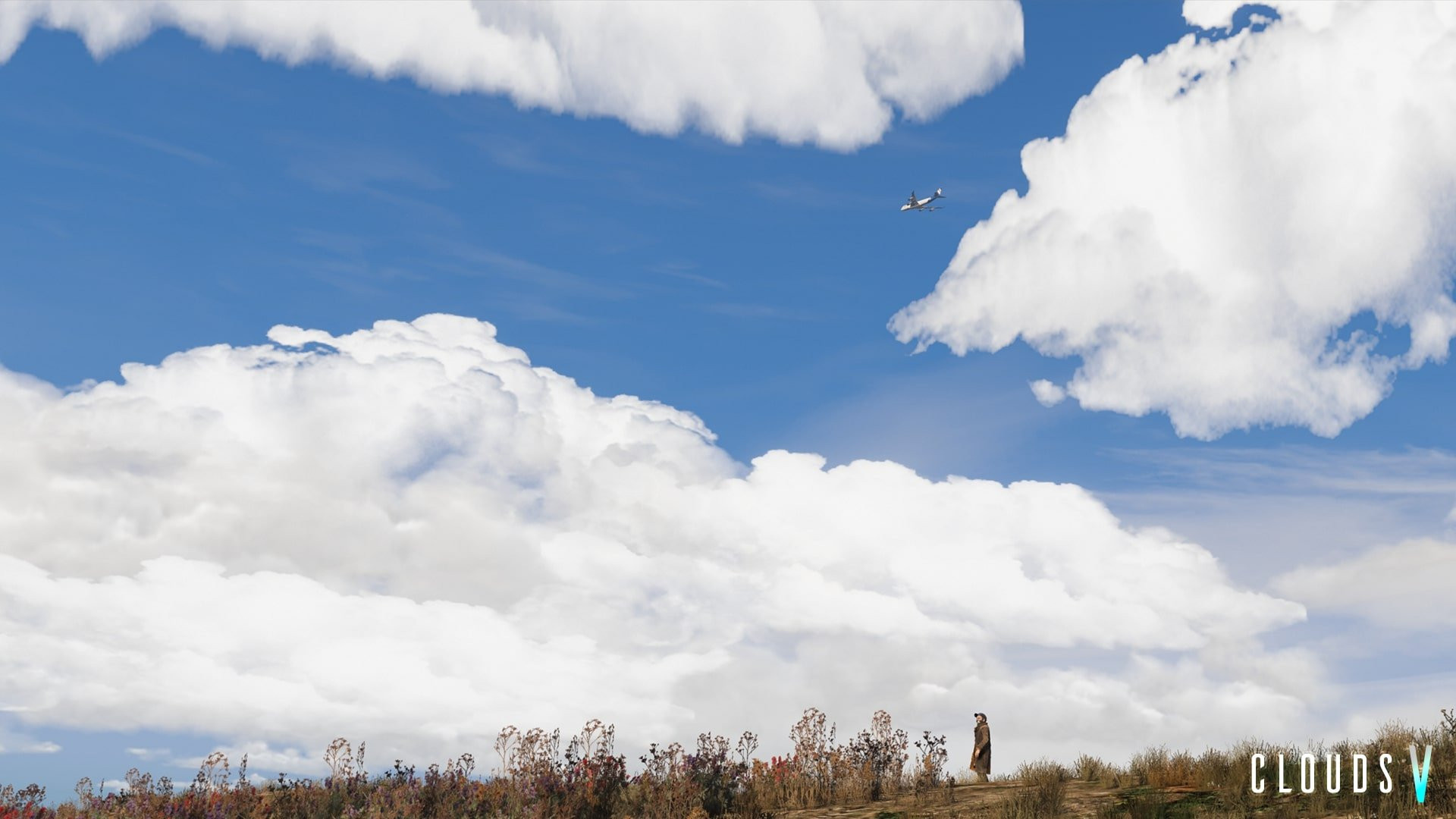
Clouds V : New Clouds for Visual V 1.2

0/5,
0
votes
The "Clouds V : New Clouds for Visual V" mod is a visual enhancement for Grand Theft Auto 5 that introduces a wide variety of new cloud formations to the game's skyboxes. This mod aims to make the game's skies more realistic and dynamic, replicating real-world weather phenomena and cloud types including cumulus, stratus, and cirrus. It's designed to work in conjunction with the Visual V mod, which overhauls the game's graphics to enhance visual fidelity. The integration of this mod results in beautiful and detailed skies, improving immersion and overall visual experience of the game. Note that the mod may affect the game’s performance based on the user's specific hardware configuration.
Requirements:
1. Visual V for rdr clouds
Installation:
To install only the ytd clouds (if not using Visual V):
1. Go to x64b.rpf\levels\gta5\cloudhats\v_clouds.rpf
2. Replace the ytd files to it's corresponding name in the folders and start the game.
To install the rdr clouds AND ytd files (with Visual V installed first, otherwise it doesn't exist) you can replace them here:
a) GTAV\mods\update\update.rpf\x64\levels\gta5\cloudhats\v_clouds.rpf
Note: I'm using a previous version of GTA V so if the cloudhats have been relocated into another archive then simply search for "cloudhats" in openIV and it should bring you to v_clouds.rpf
To install via .OIV package installer:
1. Click on open package installer [the blue, green, and red bar shape. Can't miss it]
2. Select the .oiv file and click de install button.
3. Start game
Credits:
Modojo
Requirements:
1. Visual V for rdr clouds
Installation:
To install only the ytd clouds (if not using Visual V):
1. Go to x64b.rpf\levels\gta5\cloudhats\v_clouds.rpf
2. Replace the ytd files to it's corresponding name in the folders and start the game.
To install the rdr clouds AND ytd files (with Visual V installed first, otherwise it doesn't exist) you can replace them here:
a) GTAV\mods\update\update.rpf\x64\levels\gta5\cloudhats\v_clouds.rpf
Note: I'm using a previous version of GTA V so if the cloudhats have been relocated into another archive then simply search for "cloudhats" in openIV and it should bring you to v_clouds.rpf
To install via .OIV package installer:
1. Click on open package installer [the blue, green, and red bar shape. Can't miss it]
2. Select the .oiv file and click de install button.
3. Start game
Credits:
Modojo
Videos


Direct Download Links
Version: 1.2Updated: 2 years ago
Total Size: 30.74 MB
CloudsV2019_modland.zip
direct download
· 30.74 MB
· added 2 years ago
This File is Scanned by Antivirus and is Safe.
More Details
About Mod
| Latest Version | 1.2 |
| Game | GTA 5 |
| Category | Other |
| Downloads | 777 |
| Created | 2 years ago |
| Last Virus Scan |
0/93
More Details |
You Might Also Like »










0 Comments
There are no comments. Be first to comment!