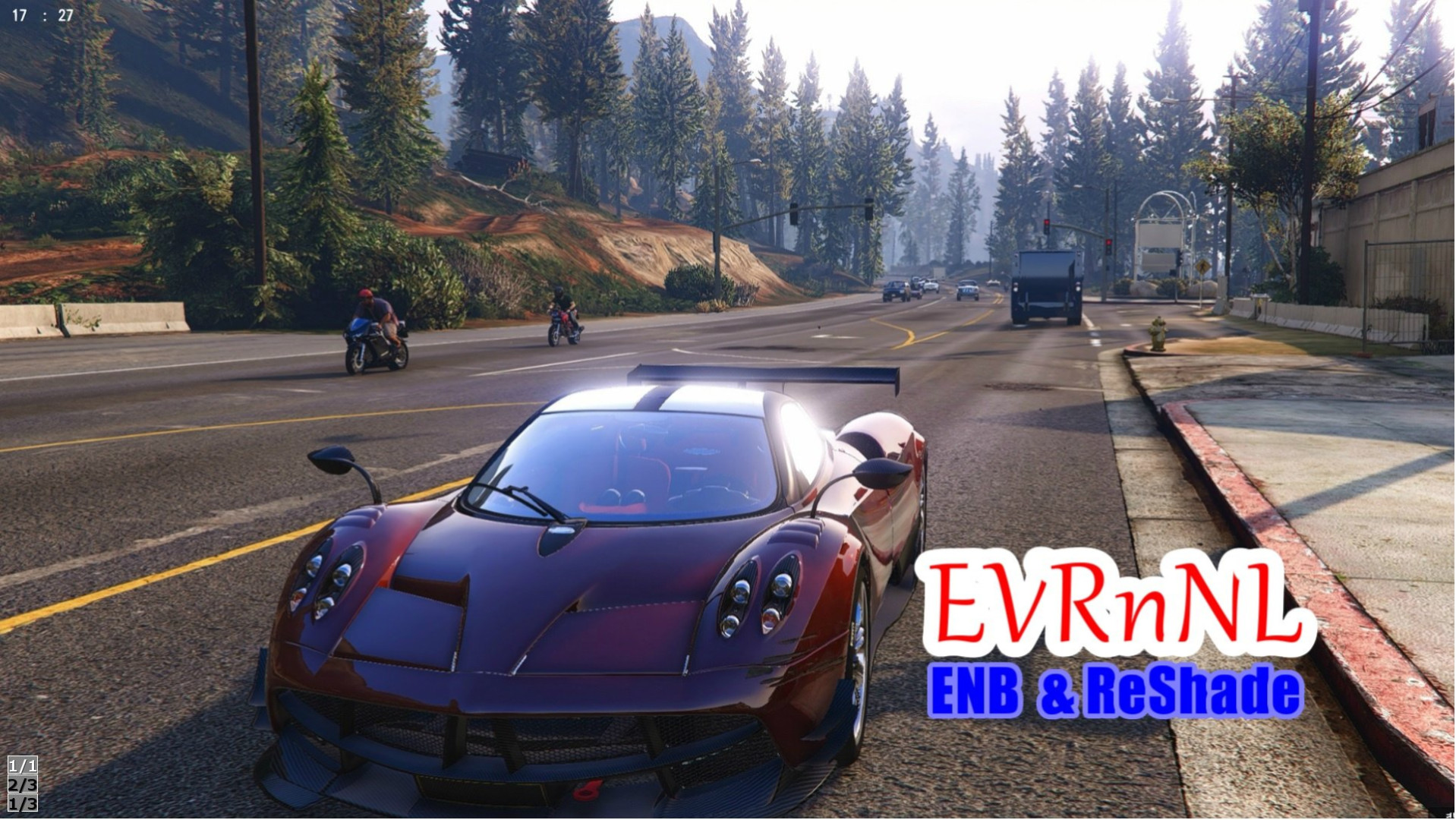
Enhanced Vehicle Reflection & Night Lighting (ENB SweetFX & ReShade) 1.9

0/5,
0
votes
Reflect ambient light to enhance vehicle visibility and improve city illumination at night.
This is ENB's work.
SweetFX and ReShade allow you to modify colors using three different kinds of preset files.
Please refer to the screenshot and
Installation (ENB)
Download and Install ENB.
Place the files in your main /Grand Theft Auto V/ folder.
The following files are required: d3d11.dll, d3dcompiler_46e.dll, enblightsprite.fx, enblocal.ini, and enbseries.ini.
Overwrite my preset file with the ENB file you just installed, kindly.
- SweetFX and Reshade.
Transfer the downloaded files to the GTA5 folder. Select one from the SweetFX or Reshade folders.
- Date Files
To activate "edit mode" in OpenIV, go to GTA V / update / update.rpf / common / date / and drag and drop the "hbaosettings.xml" and "visualsettings.dat" files. Then, navigate to GTA V / update / update.rpf / common / date / timecycle.
Please replace the mod files in the timecycle with default ones.
- Done: Set game video choices to DirectX11 mode.
- Recommended In- Game Setting
- Reflection Quality: Ultra or Very high
- AA: Off
- To enable IngameAA, deactivate SMAA in SweetFX_settings.txt.
My favorite mod: 4K Bokeh Overhaul by playduck.
And I suggest using my Mod.
Controls
Shift+F12: ENB toggle effect.
ScrollLock: SweetFx toggle effect
Credits:
m4ya
This is ENB's work.
SweetFX and ReShade allow you to modify colors using three different kinds of preset files.
Please refer to the screenshot and
Installation (ENB)
Download and Install ENB.
Place the files in your main /Grand Theft Auto V/ folder.
The following files are required: d3d11.dll, d3dcompiler_46e.dll, enblightsprite.fx, enblocal.ini, and enbseries.ini.
Overwrite my preset file with the ENB file you just installed, kindly.
- SweetFX and Reshade.
Transfer the downloaded files to the GTA5 folder. Select one from the SweetFX or Reshade folders.
- Date Files
To activate "edit mode" in OpenIV, go to GTA V / update / update.rpf / common / date / and drag and drop the "hbaosettings.xml" and "visualsettings.dat" files. Then, navigate to GTA V / update / update.rpf / common / date / timecycle.
Please replace the mod files in the timecycle with default ones.
- Done: Set game video choices to DirectX11 mode.
- Recommended In- Game Setting
- Reflection Quality: Ultra or Very high
- AA: Off
- To enable IngameAA, deactivate SMAA in SweetFX_settings.txt.
My favorite mod: 4K Bokeh Overhaul by playduck.
And I suggest using my Mod.
Controls
Shift+F12: ENB toggle effect.
ScrollLock: SweetFx toggle effect
Credits:
m4ya
Videos


Direct Download Links
Version: 1.9Updated: 1 year ago
Total Size: 22.8 MB Enhanced_vehicle_reflection_&_Night_lighting_19_modland.zip direct download · 22.8 MB · added 1 year ago
You Might Also Like »









0 Comments
There are no comments. Be first to comment!