REALISTIC GRAPHICS PACK FIVE M 🔥🤩 1.0

0/5,
0
votes
Description
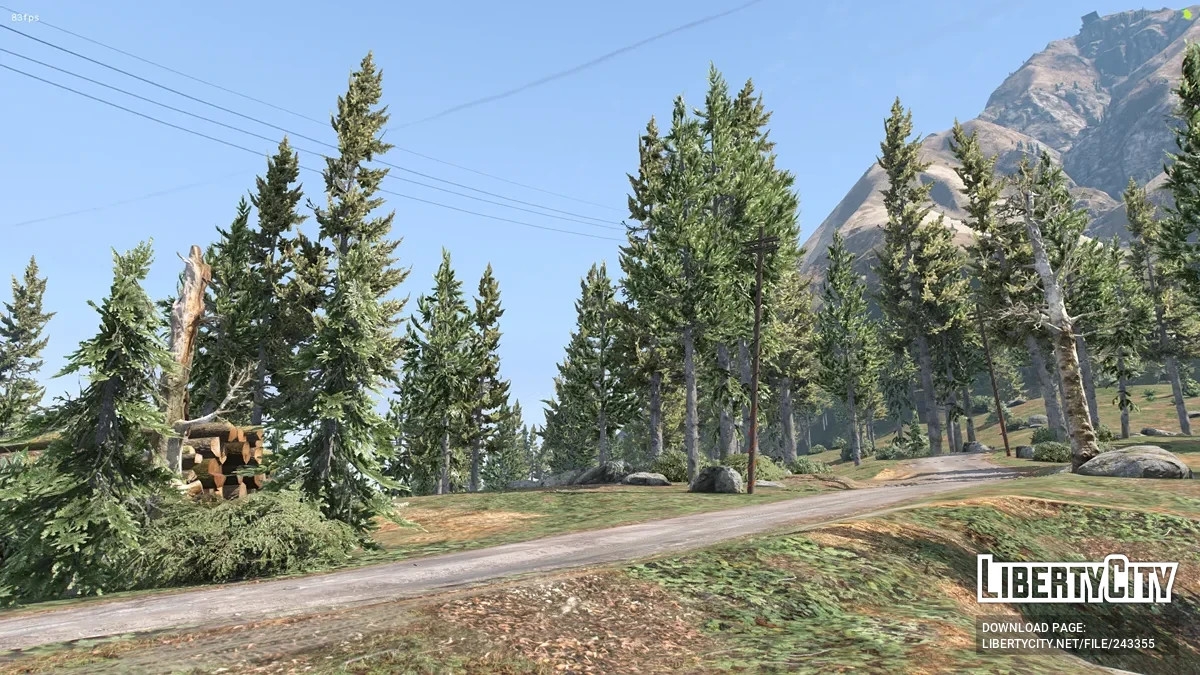
Enhance your FiveM visuals with the ChromatiX Realistic Graphics Pack. Designed to deliver realistic lighting without killing your performance.
Features
- Realistic lighting
- Natural sunlight shadows
- Glossy road and vehicle reflections
- Vibrant weather cycles
Installation Instructions
Method 1: Direct Folder Replacement (Easiest)
- Press Win + R on your keyboard, type %localappdata%, and press Enter.
- Go to FiveM -> FiveM Application Data.
- Open the downloaded archive: REALISTIC GRAPHICS PACK FIVE M -> CHROMATIX GRAPHICS MOD.
- Drag and drop the mods folder directly into FiveM Application Data.
- Click Replace files in the destination if prompted.
Method 2: Manual File Copy (If you want to keep existing mods)
- Press Win + R on your keyboard, type %localappdata%, and press Enter.
- Go to FiveM -> FiveM Application Data -> mods.
- Open the downloaded folder: REALISTIC GRAPHICS PACK FIVE M -> CHROMATIX GRAPHICS MOD -> mods.
- Copy the file named ChromatiX_Main.
- Paste ChromatiX_Main inside your FiveM mods folder.
Credits
Original developers, Diamond Gamerz
Enhance your FiveM visuals with the ChromatiX Realistic Graphics Pack. Designed to deliver realistic lighting without killing your performance.
Features
- Realistic lighting
- Natural sunlight shadows
- Glossy road and vehicle reflections
- Vibrant weather cycles
Installation Instructions
Method 1: Direct Folder Replacement (Easiest)
- Press Win + R on your keyboard, type %localappdata%, and press Enter.
- Go to FiveM -> FiveM Application Data.
- Open the downloaded archive: REALISTIC GRAPHICS PACK FIVE M -> CHROMATIX GRAPHICS MOD.
- Drag and drop the mods folder directly into FiveM Application Data.
- Click Replace files in the destination if prompted.
Method 2: Manual File Copy (If you want to keep existing mods)
- Press Win + R on your keyboard, type %localappdata%, and press Enter.
- Go to FiveM -> FiveM Application Data -> mods.
- Open the downloaded folder: REALISTIC GRAPHICS PACK FIVE M -> CHROMATIX GRAPHICS MOD -> mods.
- Copy the file named ChromatiX_Main.
- Paste ChromatiX_Main inside your FiveM mods folder.
Credits
Original developers, Diamond Gamerz
Videos


Direct Download Links
Version: 1.0Updated: 5 days ago
Total Size: 29.95 MB realistic-graphics-pack-five-m_modland.rar direct download · 29.95 MB · added 5 days ago
You Might Also Like »




0 Comments
There are no comments. Be first to comment!