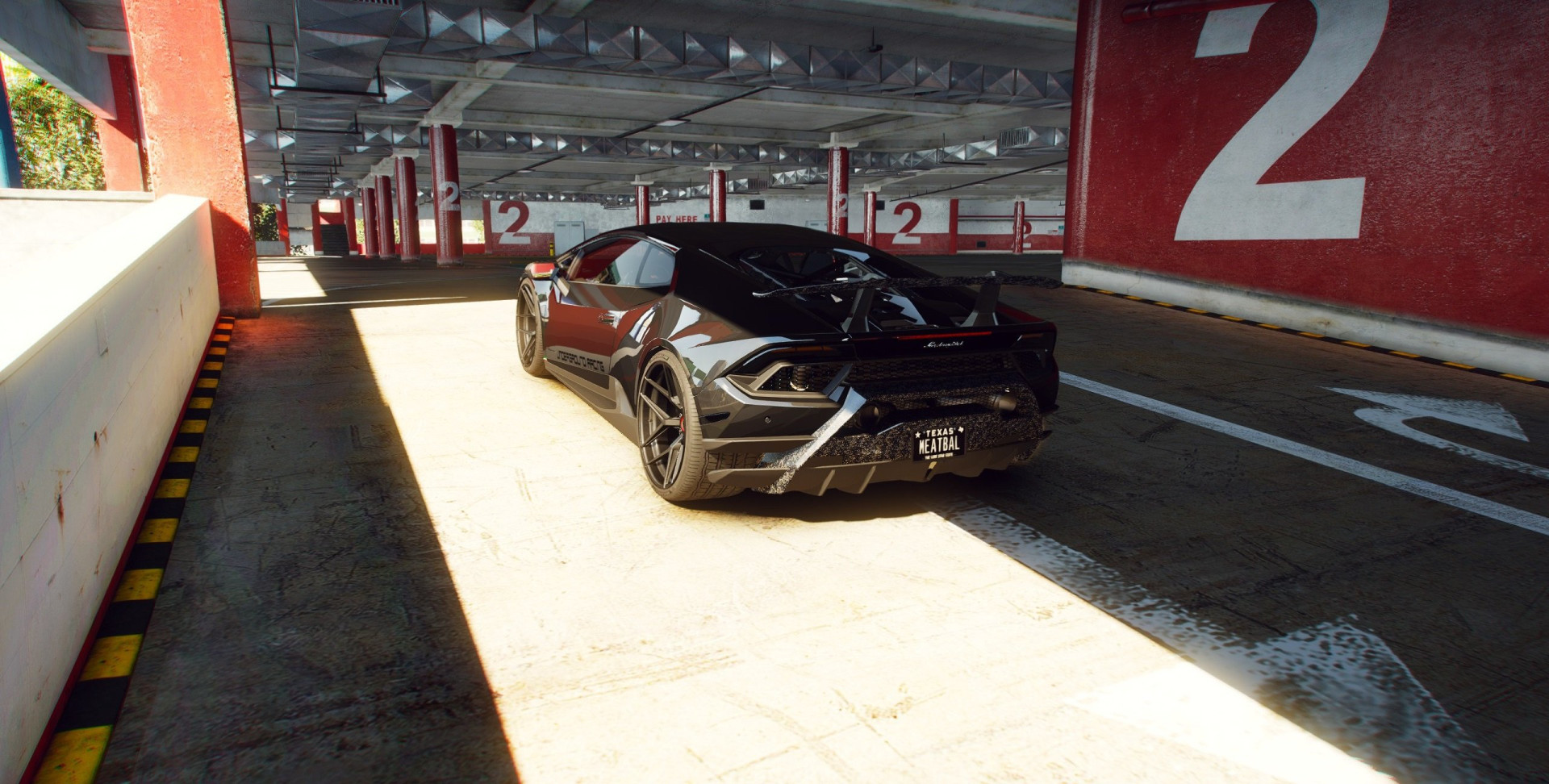
Realistic Lighting & Reflections ENB for NaturalVision Evolved 1.0

0/5,
0
votes
How to Install:
1. Drag and drop the Medium ENB Preset from the NVE ENB Folder into the GTAV Main Directory.
2. Drag and drop 'enblocal.ini' and 'enbseries.ini' into the GTAV Main Directory.
3. You are done.
Requirements:
- Use the latest NaturalVision Evolved Medium ENB Preset.
All photos are unedited.
Credits:
VRSTNR MODDING TEAM
1. Drag and drop the Medium ENB Preset from the NVE ENB Folder into the GTAV Main Directory.
2. Drag and drop 'enblocal.ini' and 'enbseries.ini' into the GTAV Main Directory.
3. You are done.
Requirements:
- Use the latest NaturalVision Evolved Medium ENB Preset.
All photos are unedited.
Credits:
VRSTNR MODDING TEAM
Direct Download Links
Version: 1.0Updated: 1 year ago
Total Size: 2.9 KB NVE_REALISTIC_LIGHTING&REFLECTION_ENB_modland.rar direct download · 2.9 KB · added 1 year ago
You Might Also Like »









0 Comments
There are no comments. Be first to comment!