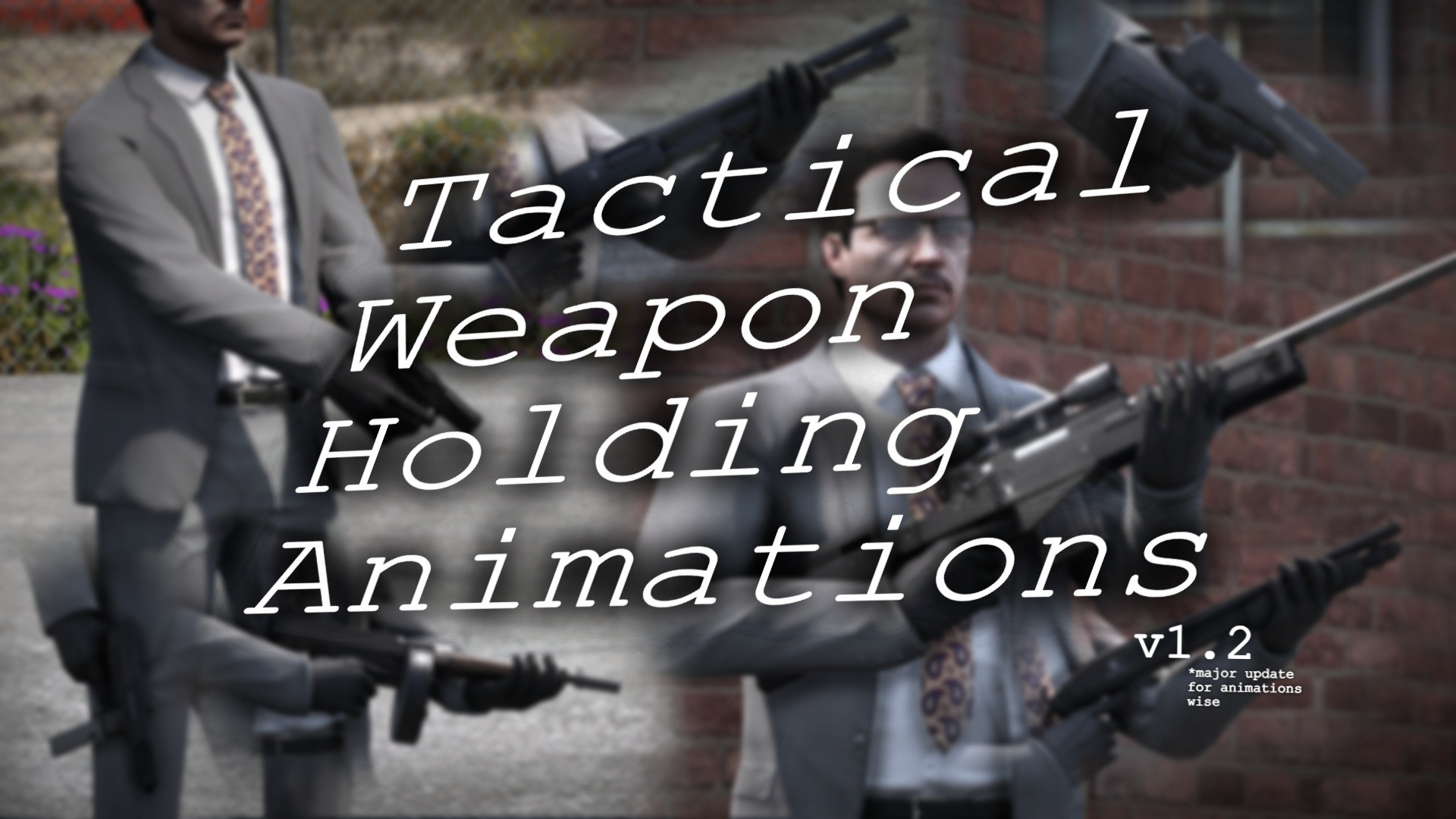
Tactical Weapon Holding Animations v1.2
0/5,
0
votes
Changelog
2/26/2026
- Added animations for ballistic and female characters
- Added Low & Ready grip for COMPACTRIFLE
- Improved IC 1.8 compatibility for VINTAGEPISTOL, PUMPSHOTGUN, PUMPSHOTGUN_MK2, SAWNOFFSHOTGUN
- Fixed animation issues
Description
Tactical Weapon Holding Animations
This mod changes weapon handling and grip animations when idle, walking, or running.
Features
- Modifies weaponsanimations.meta
- Supported weapons include: Pistols, SMGs, Shotguns, Rifles, Machine Guns, and Snipers
- Includes a backup of vanilla game files
Notes
Issues with MP female animations can be fixed using "optional fix (mp female)".
If animations do not work on some weapons, use Menyoo:
Player Options → Movement Styles → Weapon Animations (All Below) → Default (works for female and ballistic styles)
Installation Instructions
Installation (OIV)
- Open the .oiv file in the OIV folder
- Click Install
- Select "Mods" option if available
Installation (Manual)
- Go to: C:\Program Files (x86)\Steam\steamapps\common\Grand Theft Auto V\mods\update\update.rpf\common\data\ai (OpenIV)
- Enable editing mode
- Move files from "Manual" folder into the directory
2/26/2026
- Added animations for ballistic and female characters
- Added Low & Ready grip for COMPACTRIFLE
- Improved IC 1.8 compatibility for VINTAGEPISTOL, PUMPSHOTGUN, PUMPSHOTGUN_MK2, SAWNOFFSHOTGUN
- Fixed animation issues
Description
Tactical Weapon Holding Animations
This mod changes weapon handling and grip animations when idle, walking, or running.
Features
- Modifies weaponsanimations.meta
- Supported weapons include: Pistols, SMGs, Shotguns, Rifles, Machine Guns, and Snipers
- Includes a backup of vanilla game files
Notes
Issues with MP female animations can be fixed using "optional fix (mp female)".
If animations do not work on some weapons, use Menyoo:
Player Options → Movement Styles → Weapon Animations (All Below) → Default (works for female and ballistic styles)
Installation Instructions
Installation (OIV)
- Open the .oiv file in the OIV folder
- Click Install
- Select "Mods" option if available
Installation (Manual)
- Go to: C:\Program Files (x86)\Steam\steamapps\common\Grand Theft Auto V\mods\update\update.rpf\common\data\ai (OpenIV)
- Enable editing mode
- Move files from "Manual" folder into the directory
External Download Links:
Direct Download Links
Version: v1.2Updated: 5 months ago
Total Size: 365.24 KB 46a18e-Tactical_Weapon_Holding_Animations_modland.rar direct download · 182.62 KB · added 5 months ago
You Might Also Like »










0 Comments
There are no comments. Be first to comment!