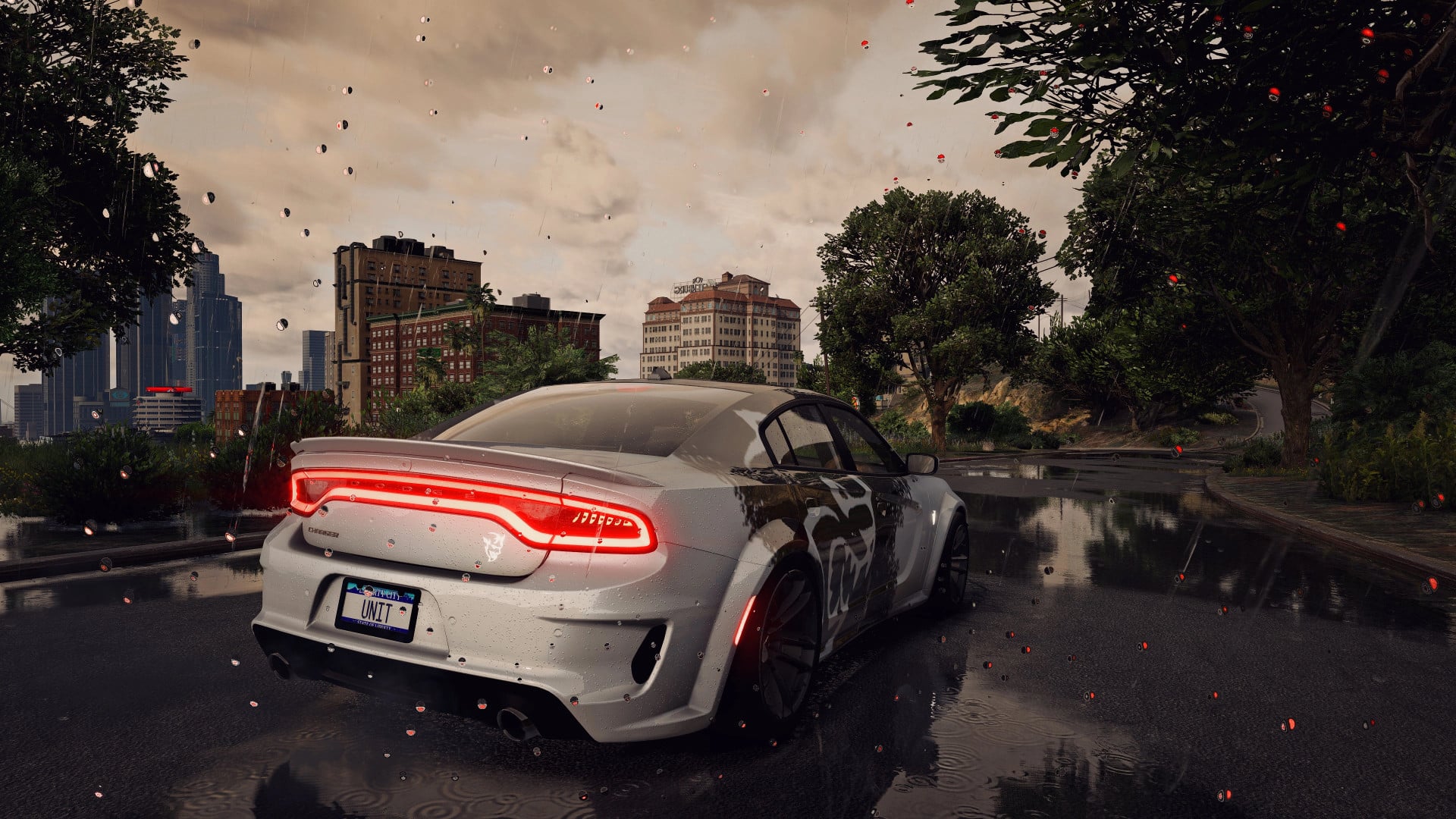
Ultra Realistic Preset For QuantV - UniT's Warm Glow Preset v1.0

5/5,
1
votes
Description
The UniT Warm Glow Preset is a performance friendly ReShade preset for QuantV. It makes GTA V look warmer and more lively, while also enhancing sharpness and giving a clean cinematic feel.
Features
- Designed for regular gameplay, screenshots, and video recording.
- Requirements: QuantV and ReShade with all effects applied.
Installation Instructions
- Ensure QuantV is properly installed and configured.
- Install ReShade and download all effects upon set-up.
- Copy the .ini preset file that is included to any folder you want.
- Copy the path to that folder.
- Run GTA V and open the ReShade menu.
- Enter the folder path and select the preset .ini file.
- Turn on the new graphics by applying the preset.
The UniT Warm Glow Preset is a performance friendly ReShade preset for QuantV. It makes GTA V look warmer and more lively, while also enhancing sharpness and giving a clean cinematic feel.
Features
- Designed for regular gameplay, screenshots, and video recording.
- Requirements: QuantV and ReShade with all effects applied.
Installation Instructions
- Ensure QuantV is properly installed and configured.
- Install ReShade and download all effects upon set-up.
- Copy the .ini preset file that is included to any folder you want.
- Copy the path to that folder.
- Run GTA V and open the ReShade menu.
- Enter the folder path and select the preset .ini file.
- Turn on the new graphics by applying the preset.
External Download Links:
Direct Download Links
Version: v1.0Updated: 5 days ago
Total Size: 19.06 KB 48fe74-UniTs_Warm_Glow_Preset_QuantV_modland.rar direct download · 9.53 KB · added 5 days ago
You Might Also Like »

0 Comments
There are no comments. Be first to comment!