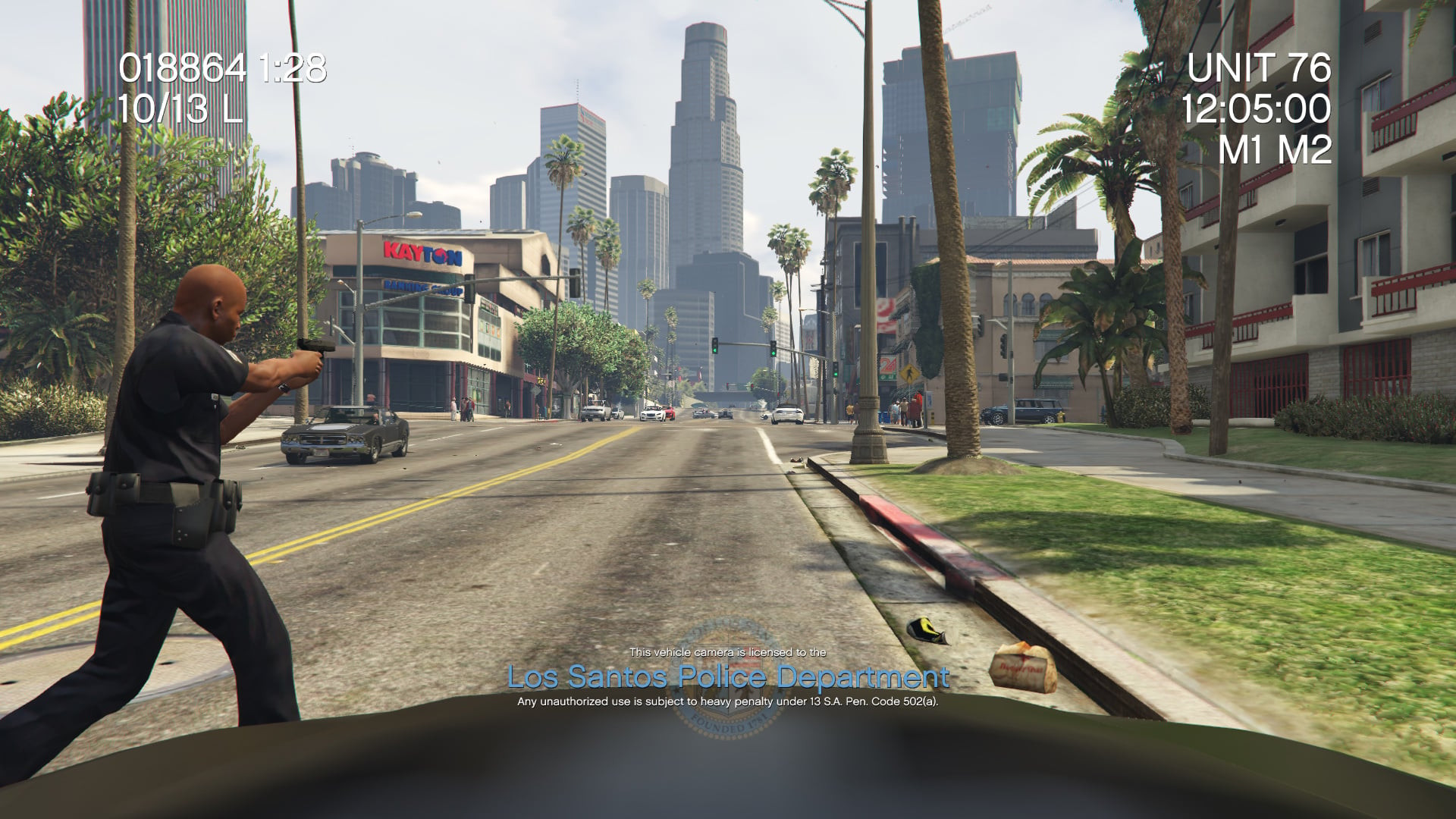
Dashcam V 2.2.0

0/5,
0
votes
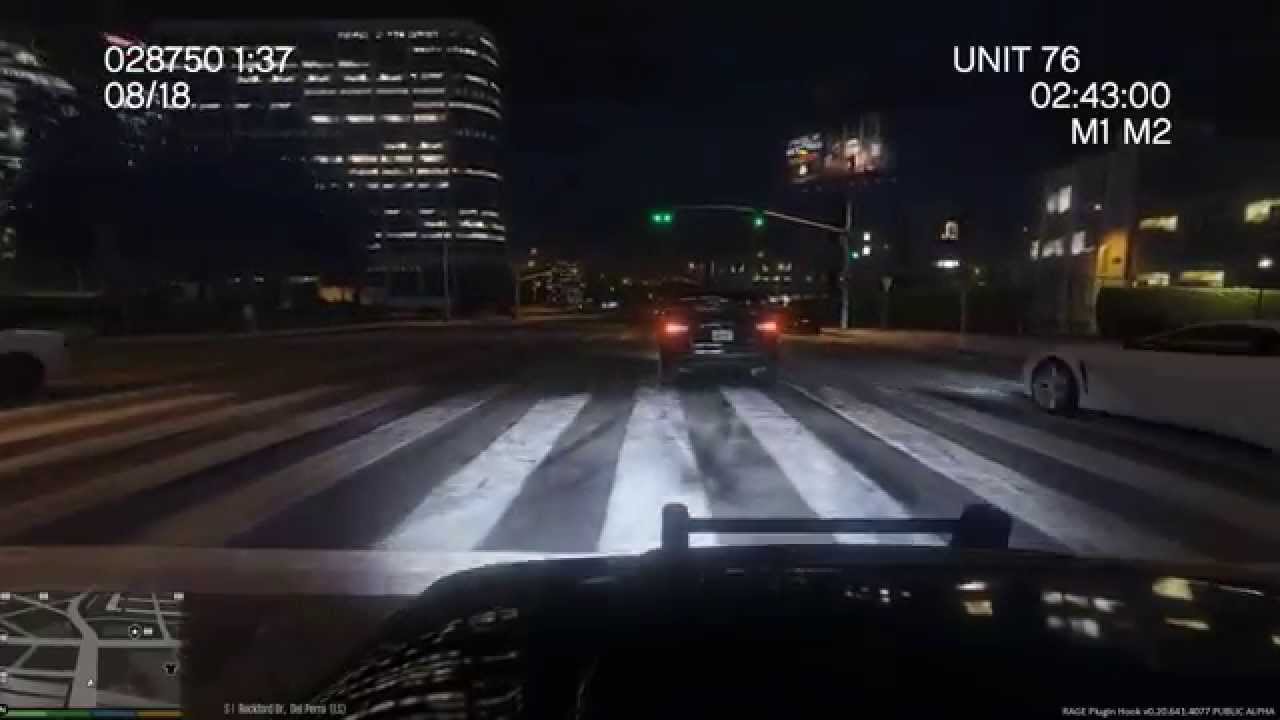
Dashcam V is a RageHook plugin that replicates real- world emergency vehicle dashboard cameras.
FEATURES:
- Grayscale filter indicates departmental budget constraints.
- Two layouts: a standard dashcam layout and a recreation of Sniper296's IVDashCam configuration.
- Remote view: View your vehicle's dashcam while on foot by pressing Ctrl + E or the Left Thumbstick + Left Shoulder.
- Dynamic unit numbers.
- Configurable settings: edit the.ini file to change the following...
- Unit number/name
- Department name, color, and logo
- Imperial/Metric
- Date Format
- Layout Style
- Remote view controls (gamepad and keyboard).
- Grayscale filter.
INSTALLATION
1. Download and install the latest RagePluginHook
2. Choose a folder. If you like vanilla agencies, choose lore- friendly. Otherwise, choose genuine agencies.
3. Drag and drop "DashcamV.dll" and "DashcamV.ini" into the Plugins folder of your GTA V directory.
4. Using OpenIV, save logos.ytd in update\update.rpf\x64\textures\script_txds.rpf (if you have a mods folder).
Locate and open the file "startup.rphs". Once you've opened the file, create a new line and type LoadPlugin "DashcamV.dll".
This will cause the modification to load automatically when you start the game. If you don't want the modification to load automatically, start the game and use F4. When you see a panel, enter what you see above.
Credits:
PieRGud
FEATURES:
- Grayscale filter indicates departmental budget constraints.
- Two layouts: a standard dashcam layout and a recreation of Sniper296's IVDashCam configuration.
- Remote view: View your vehicle's dashcam while on foot by pressing Ctrl + E or the Left Thumbstick + Left Shoulder.
- Dynamic unit numbers.
- Configurable settings: edit the.ini file to change the following...
- Unit number/name
- Department name, color, and logo
- Imperial/Metric
- Date Format
- Layout Style
- Remote view controls (gamepad and keyboard).
- Grayscale filter.
INSTALLATION
1. Download and install the latest RagePluginHook
2. Choose a folder. If you like vanilla agencies, choose lore- friendly. Otherwise, choose genuine agencies.
3. Drag and drop "DashcamV.dll" and "DashcamV.ini" into the Plugins folder of your GTA V directory.
4. Using OpenIV, save logos.ytd in update\update.rpf\x64\textures\script_txds.rpf (if you have a mods folder).
Locate and open the file "startup.rphs". Once you've opened the file, create a new line and type LoadPlugin "DashcamV.dll".
This will cause the modification to load automatically when you start the game. If you don't want the modification to load automatically, start the game and use F4. When you see a panel, enter what you see above.
Credits:
PieRGud
Videos

Direct Download Links
Version: 2.2.0Updated: 9 months ago
Total Size: 1.13 MB DashcamV-220_modland.zip direct download · 1.13 MB · added 9 months ago
You Might Also Like »









0 Comments
There are no comments. Be first to comment!