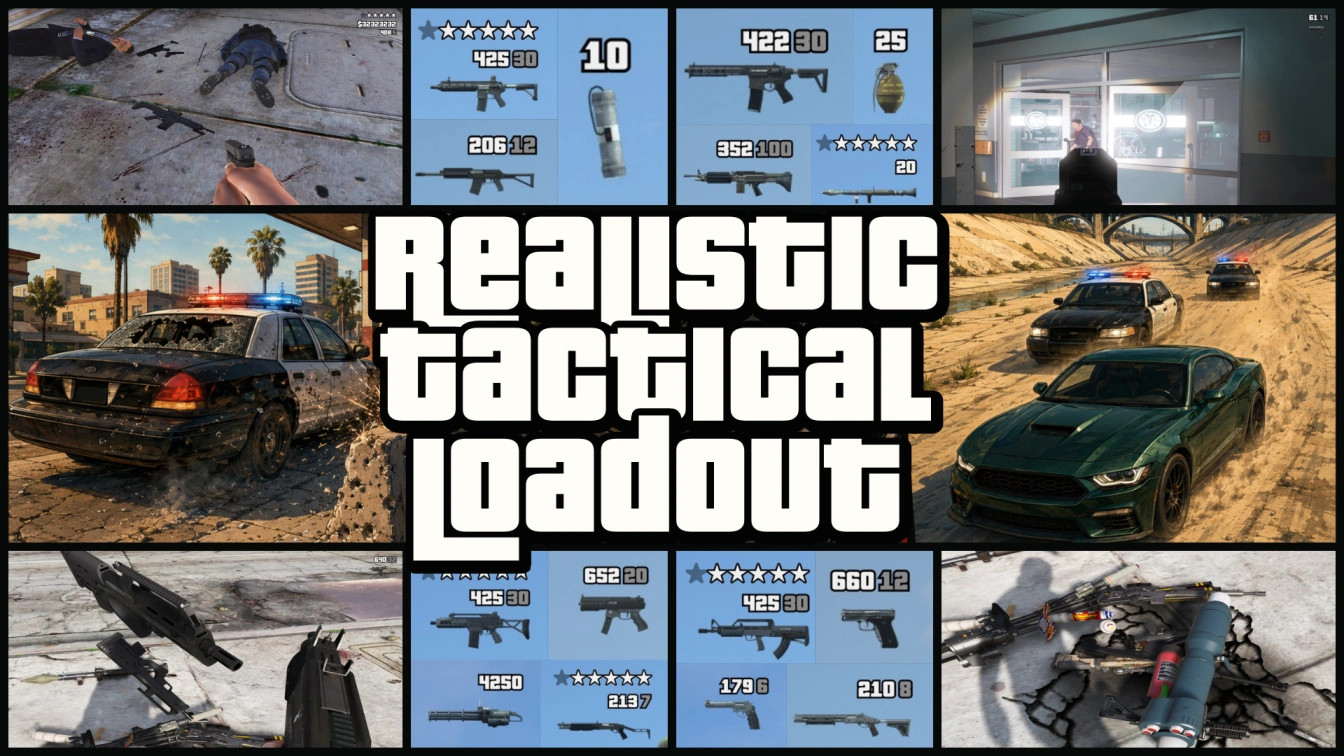
Realistic Tactical Loadout | GTA VI Inspired Weapon Carry, Pickup & HUD System 1.0

5/5,
1
votes
Changelog
v1.0.0
- Limited tactical weapon carry
- Physical weapon pickup, swapping and dropping
- Attachment and tint preservation
- Customized weapon setup handling
- Finite matching-weapon ammo
- Mission-aware weapon protection
- Point-blank enemy-drop protection
- GTA VI-inspired weapon/ammo HUD
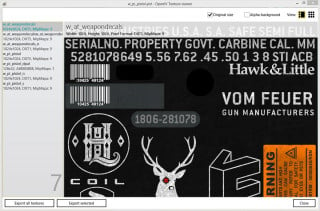
- Built-in weapon icons
- Keyboard and controller support
Description
Carry a realistic limited weapon setup, keep the guns you actually find, and make weapon pickups feel physical instead of automatic. AI dropped weapons stay physical. Pick one up, swap it for what you're carrying, or drop your weapon back into the world.
Customized weapons can keep their supported attachments, tint, and ammo type/state instead of turning into a plain stock version. Limited ammo collecting from matching weapons and a GTA VI inspired weapon HUD.
Features
- Unarmed/1 Melee, 1 Primary, 1 Secondary, 2 Throwables, 1 Heavy weapon, 3 Special items
- Physical weapon pickup and swapping
- Drop your current weapon back into the world
- Pick up weapons with their supported attachments and tint
- Keep your own customized weapon setup
- Swapped weapons are physically dropped instead of simply disappearing
- Carried weapons follow GTA V's normal save/reload state
- Realistic ammo scavenging from matching weapons
- Mission aware weapon handling
- GTA VI inspired weapon HUD
- Configurable keyboard and controller controls
Detailed Mechanics
A big focus is keeping the weapon you actually have instead of replacing everything with a generic copy. Found an AR with a scope, suppressor and tint? Pick it up and that supported setup comes with it. Already carrying your own customized setup? Swapping it doesn't just delete it; your old weapon is dropped into the world with its setup.
Weapons with the same model but different attachments are treated as different setups. If you already carry the same weapon, walking over another one collects only the finite ammo it actually has available (typically the loaded magazine and a small number of spare magazines).
FAQ
- Will attachments and tints stay? Yes! Attachments and tint are captured from the physical weapon and applied when you take it.
- Will my customized gun turn back into a stock weapon? No, swapping and dropping are designed to preserve the supported weapon setup.
- Will my weapons disappear after saving? No, carried weapons use GTA V's normal saved inventory.
- Are weapons on the ground permanently saved? No, physical ground weapons belong to the current game world.
- How many weapons can I carry? Unarmed/1 melee, 1 primary (rifle, shotgun, smg, mg), 1 secondary (pistol), 2 throwable types, 1 heavy weapon, and 3 Special categories.
- How does ammo work? Ammo comes from matching weapons (e.g., a Carbine Rifle supplies Carbine Rifle ammo).
- Can I change controls? Yes, keys and controller shortcuts can be changed in the INI.
- Does it work during missions? Yes, but the mod is more cautious with mission-controlled weapons.
- Can I use weapon model replacements? Yes, simple model replacements are the safest.
- Does it work in GTA Online? No. Story Mode only.
Known Conflict Categories
- Other Weapon Inventory Managers: Potential conflict with weapon ownership, grants/removals, and capacity enforcement.
- Automatic or Manual Pickup Mods: Potential conflict with the physical interaction system.
- Weapon Drop Mods: Potential conflict with dropped weapon entities.
- HUD Replacements: Potential presentation conflict in the top-right weapon/ammunition area.
- Weapon Persistence Scripts: Potential conflict if another mod restores weapons after they are dropped.
Installation Instructions
Requirements:
Script Hook V
ScriptHookVDotNet 3
1. Install Script Hook V.
2. Install ScriptHookVDotNet 3.
3. Drag and drop the included scripts folder into your GTA V main folder.
Credits
Rockstar Games - Grand Theft Auto V and GTA VI inspiration
Alexander Blade - Script Hook V
ScriptHookVDotNet contributors
Trigga
v1.0.0
- Limited tactical weapon carry
- Physical weapon pickup, swapping and dropping
- Attachment and tint preservation
- Customized weapon setup handling
- Finite matching-weapon ammo
- Mission-aware weapon protection
- Point-blank enemy-drop protection
- GTA VI-inspired weapon/ammo HUD
- Built-in weapon icons
- Keyboard and controller support
Description
Carry a realistic limited weapon setup, keep the guns you actually find, and make weapon pickups feel physical instead of automatic. AI dropped weapons stay physical. Pick one up, swap it for what you're carrying, or drop your weapon back into the world.
Customized weapons can keep their supported attachments, tint, and ammo type/state instead of turning into a plain stock version. Limited ammo collecting from matching weapons and a GTA VI inspired weapon HUD.
Features
- Unarmed/1 Melee, 1 Primary, 1 Secondary, 2 Throwables, 1 Heavy weapon, 3 Special items
- Physical weapon pickup and swapping
- Drop your current weapon back into the world
- Pick up weapons with their supported attachments and tint
- Keep your own customized weapon setup
- Swapped weapons are physically dropped instead of simply disappearing
- Carried weapons follow GTA V's normal save/reload state
- Realistic ammo scavenging from matching weapons
- Mission aware weapon handling
- GTA VI inspired weapon HUD
- Configurable keyboard and controller controls
Detailed Mechanics
A big focus is keeping the weapon you actually have instead of replacing everything with a generic copy. Found an AR with a scope, suppressor and tint? Pick it up and that supported setup comes with it. Already carrying your own customized setup? Swapping it doesn't just delete it; your old weapon is dropped into the world with its setup.
Weapons with the same model but different attachments are treated as different setups. If you already carry the same weapon, walking over another one collects only the finite ammo it actually has available (typically the loaded magazine and a small number of spare magazines).
FAQ
- Will attachments and tints stay? Yes! Attachments and tint are captured from the physical weapon and applied when you take it.
- Will my customized gun turn back into a stock weapon? No, swapping and dropping are designed to preserve the supported weapon setup.
- Will my weapons disappear after saving? No, carried weapons use GTA V's normal saved inventory.
- Are weapons on the ground permanently saved? No, physical ground weapons belong to the current game world.
- How many weapons can I carry? Unarmed/1 melee, 1 primary (rifle, shotgun, smg, mg), 1 secondary (pistol), 2 throwable types, 1 heavy weapon, and 3 Special categories.
- How does ammo work? Ammo comes from matching weapons (e.g., a Carbine Rifle supplies Carbine Rifle ammo).
- Can I change controls? Yes, keys and controller shortcuts can be changed in the INI.
- Does it work during missions? Yes, but the mod is more cautious with mission-controlled weapons.
- Can I use weapon model replacements? Yes, simple model replacements are the safest.
- Does it work in GTA Online? No. Story Mode only.
Known Conflict Categories
- Other Weapon Inventory Managers: Potential conflict with weapon ownership, grants/removals, and capacity enforcement.
- Automatic or Manual Pickup Mods: Potential conflict with the physical interaction system.
- Weapon Drop Mods: Potential conflict with dropped weapon entities.
- HUD Replacements: Potential presentation conflict in the top-right weapon/ammunition area.
- Weapon Persistence Scripts: Potential conflict if another mod restores weapons after they are dropped.
Installation Instructions
Requirements:
Script Hook V
ScriptHookVDotNet 3
1. Install Script Hook V.
2. Install ScriptHookVDotNet 3.
3. Drag and drop the included scripts folder into your GTA V main folder.
Credits
Rockstar Games - Grand Theft Auto V and GTA VI inspiration
Alexander Blade - Script Hook V
ScriptHookVDotNet contributors
Trigga
Videos
Direct Download Links
Version: 1.0Updated: 1 month ago
Total Size: 2.5 MB RealisticTacticalLoadout_modland.zip direct download · 2.5 MB · added 1 month ago
You Might Also Like »
0 Comments
There are no comments. Be first to comment!