Simple Metric/Imperial Speedometer 2.2.0

0/5,
0
votes
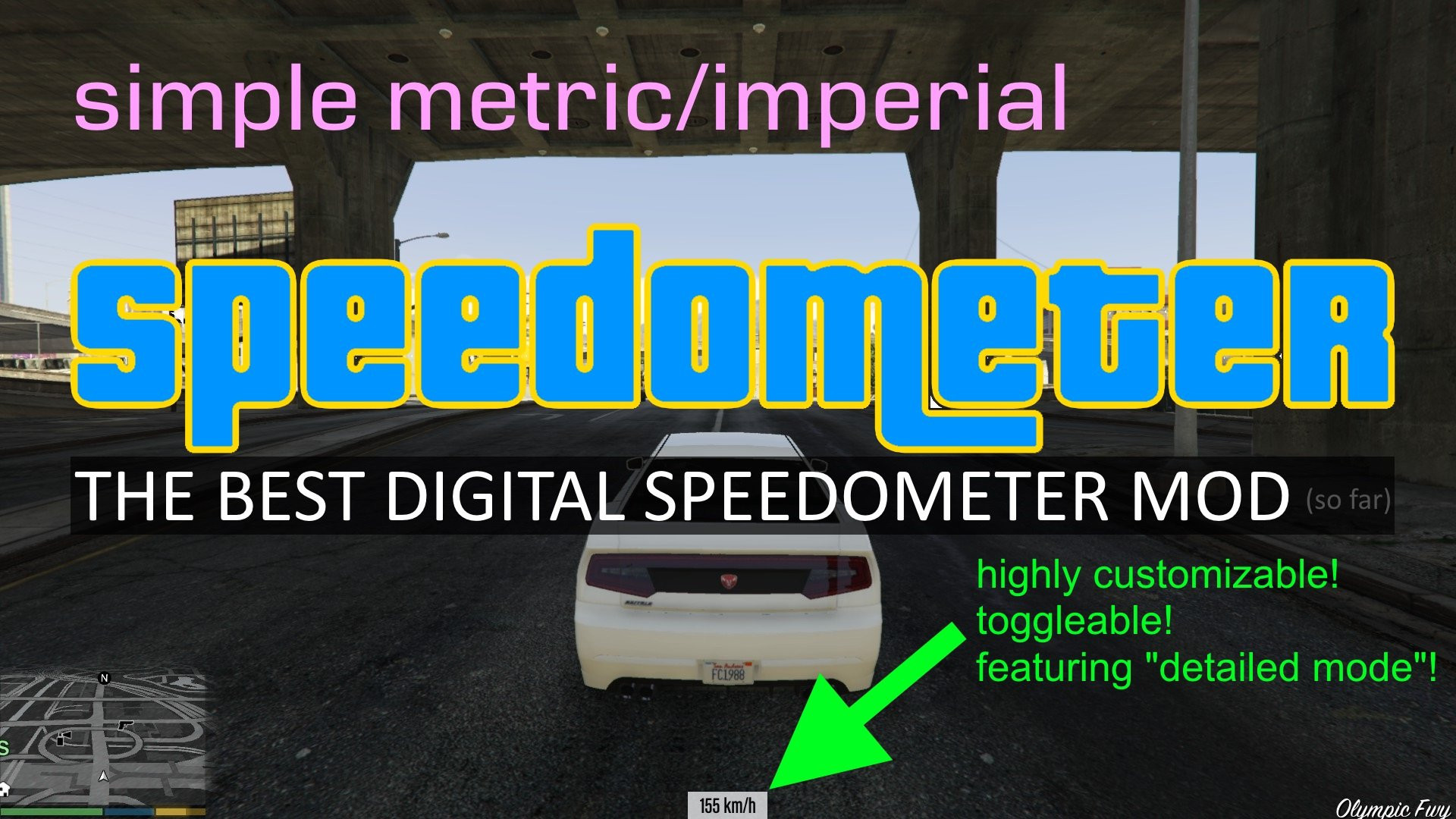
The Simple Metric/Imperial Speedometer mod for Grand Theft Auto 5 is designed to enhance the user's gameplay by providing real-time speed information for their in-game vehicles. As the title suggests, it allows players to toggle between the Metric and the Imperial systems depending on which they are most comfortable using.
When activated, the mod displays a speedometer unit on your game's HUD. For those using the metric system, the speed will be shown in kilometers per hour (KPH), while those using the imperial system will see their speed in miles per hour (MPH).
This mod doesn't impact the performance of the cars in the game. It purely adds a speedometer to the interface, letting players know exactly how fast they are driving, and therefore gives the game a more realistic feel. It is a great addition to the game for players who want to add extra challenges, like speed limit tasks, or just want to have a more immersive, true-to-life experience.
REQUIREMENTS:
1. ScriptHookV
2. ScriptHookV DotNet
INSTALLATION:
1. Extract all files to "scripts" folder. Create "scripts" folder if it does not exist.
2. Open "Metric_Speedometer.ini" and change the keybind for speedometer menu if F7 is already bound to other scripts.
3. Run GTA V, press the key you've set in the INI to bring up the menu. Use ARROW KEYS to navigate, ENTER to confirm, ESC to go back.
4. (Optional) When you are done configuring, you can un-bind the key by setting "EnableMenu" to false in the INI file.
Credits:
libertylocked
When activated, the mod displays a speedometer unit on your game's HUD. For those using the metric system, the speed will be shown in kilometers per hour (KPH), while those using the imperial system will see their speed in miles per hour (MPH).
This mod doesn't impact the performance of the cars in the game. It purely adds a speedometer to the interface, letting players know exactly how fast they are driving, and therefore gives the game a more realistic feel. It is a great addition to the game for players who want to add extra challenges, like speed limit tasks, or just want to have a more immersive, true-to-life experience.
REQUIREMENTS:
1. ScriptHookV
2. ScriptHookV DotNet
INSTALLATION:
1. Extract all files to "scripts" folder. Create "scripts" folder if it does not exist.
2. Open "Metric_Speedometer.ini" and change the keybind for speedometer menu if F7 is already bound to other scripts.
3. Run GTA V, press the key you've set in the INI to bring up the menu. Use ARROW KEYS to navigate, ENTER to confirm, ESC to go back.
4. (Optional) When you are done configuring, you can un-bind the key by setting "EnableMenu" to false in the INI file.
Credits:
libertylocked
Videos





Direct Download Links
Version: 2.2.0Updated: 2 years ago
Total Size: 35.2 KB Metric_Speedometer_220_modland.zip direct download · 35.2 KB · added 2 years ago
You Might Also Like »









0 Comments
There are no comments. Be first to comment!