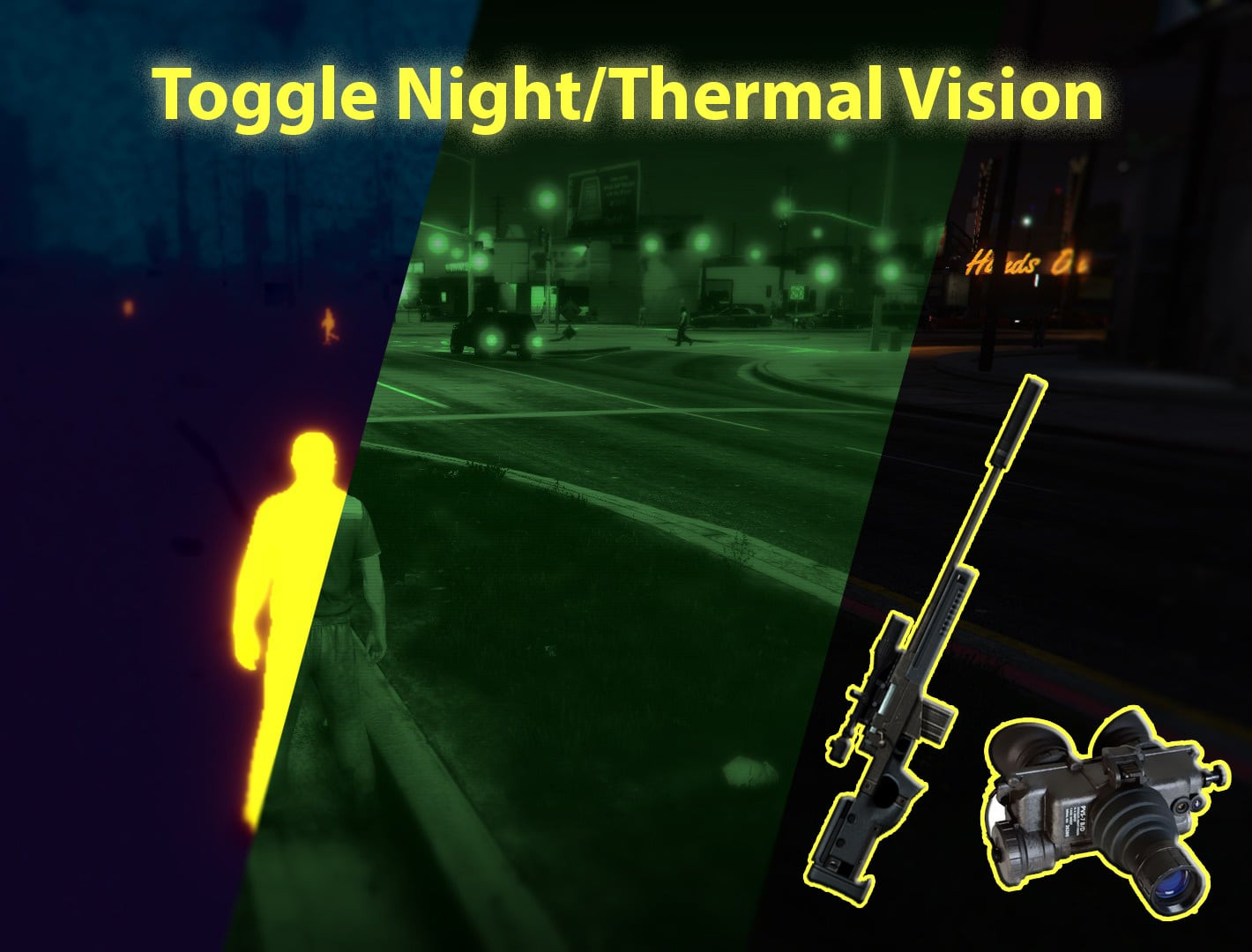
Toggle Night/Thermal Vision (+ scope-only mode) 1.3.3

5/5,
1
votes
To install, follow these steps:
- Install Script Hook V
- Install LUA Plugin
- Unpack the.lua file into the scripts\addins folder
Click here for a step- by- step instruction to installing LUA Plugins for GTA V.
🎮 Controls:
Keyboard (both versions).
- Press 'T' to swap views.
To use night vision on the gamepad (Sniper Scope version), press 'D- Pad left'.
- To toggle thermal vision, press 'D- Pad right'.
To transition between views on the gamepad (default version), hold 'Left Trigger' and use 'D- Pad right'.
🔧 Custom controls:
If you don't like the control scheme, you may alter the Hotkeys by opening the.lua file in your preferred text editor and modifying the SETTINGS section.
Credits:
SquibOnAcid
Videos
Direct Download Links
Version: 1.3.3Updated: 9 months ago
Total Size: 4.92 KB ToggleVision_modland.zip direct download · 4.92 KB · added 9 months ago
You Might Also Like »









0 Comments
There are no comments. Be first to comment!