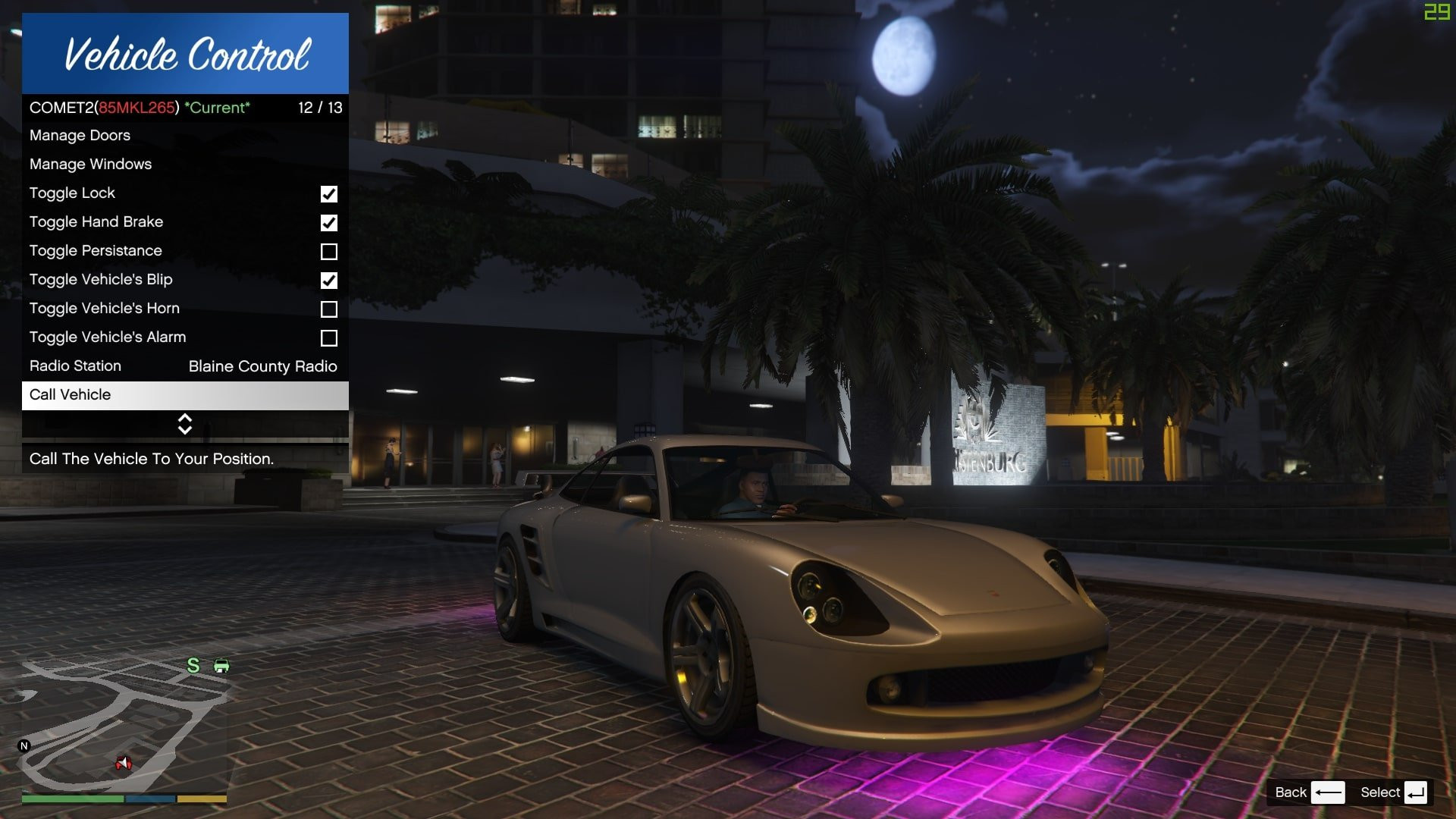
Vehicle Control 1.7c

5/5,
1
votes
When You Think Of Vehicle Control, You Think Of Real Life, Want To Make Your Car Pick You Up Like A Tesla? It is already done! Want to control your car from outside? Check! You could control anything available in a vehicle with Vehicle Control, Don't Think Twice, And Press Download Now!
Notes:
Features:
- An Option To Remove A Vehicle From The Managed Vehicle List, You Have To Press Remove Vehicle Twice To Confirm Action.
- A Mod Log, This Will Help Tracking Issues And Bugs Easier.
- V1.4b And Above Support Most Of The Fuel Systems
Menu Control:
- Engine Control, Turn Off/On The Engine Or Even Leave The Car And Keep It On!
- Lights Control, Turn Off/On Headlights/Hazards/Indicators/Interior/Neon Lights.
- Doors Control, Open/Close Any Door Anywhere And Any Time (Broken Doors Will Not Be Visible In The Menu)
- Windows Control, Open/Close Any Door Anywhere And Any Time
- Lock The Vehicle, You Can Lock/Unlock The Vehicle, And If You Want You Could Make The Vehicle Unlock Automatically When You Leave In The Configurations Menu
- Toggle Hand Brakes
- Toggle Persistance (The Vehicle Won't Disappear If This Is On)
- Toggle Vehicle Blip (The Vehicle Will Be Visible On The Map)
- Toggle Vehicle Horn
- Toggle Vehicle Roof For Convertible Vehicles
- Change The Radio Station
- Call The Vehicle, Call It Twice It Will Be Teleported To You(The Vehicle Will Drive To You, If You Are Moving In A Vehicle It Waits Until You Stop Moving, And Drive To The New Location)
- Call Vehicle Menu Option And Key Will Both Unlock The Car And Open The Door If You Are Close To The Car
- Remove Vehicle, To Remove A Vehicle From The Managed List
Keys Control:
- The Menu Now Have In-Game Key Editor, Forget About Manual Key Editing
- Every Key Is Changeable, Multiple Keys Are Supported For Both Keyboard And Controller, Put '-1' In The Config File To Disable A Key
- 2 Keys needs To Be Changed In The Config File Which Is The 'Editor Save' Key And The 'Editor Cancel' Key, These Key Are Found In The Advanced Section Under "ModifyKeybindsConfirm, ModifyKeybindsCancel", Only One Key Is Accepted.
- You Can Change The Limit For How Many Keyboard Keys You Can Press At Once, Same For The Controller In The Advanced Section Under "MaxKeyboardKeys and MaxControllerKeys".
- Every Vehicle Key Can Be Used Outside The Vehicle, Like The Toggle Engine Key 'B', It Will Turn The Engine Of The Most Recent Entered Vehicle
Keys:
- Toggle Menu 'B' - 'DpadDown'
- Toggle Vehicle Engine 'T' - 'DpadUp'
- Toggle Vehicle Hazards 'K'
- Toggle Vehicle Left - Right Indicator 'J' - 'L'
- Toggle Vehicle Interior Light 'I'
- Toggle Vehicle Hood 'Y'
- Toggle Vehicle Trunk 'U'
- Toggle Vehicle Doors 'X'
- Toggle Vehicle Windows 'Z'
- Toggle Vehicle Hand Brake 'Comma'
- Toggle Vehicle Roof '}'
- Toggle Vehicle Lock '{'
- Enter Vehicle As Passenger 'G' - 'X'
- Switch Vehicle Seats 'G' - 'X'
- Call Current Vehicle 'Question' - 'B'
- Modify Keybinds Confirm 'Enter'
- Modify Keybinds Cancel 'Escape'
Configurations:
- You Change How The Keys Are Handled If You Like Your Keys To Be Detected Once You Press Or Release The Keys In The Advanced Section Under "ReceiveKeyPressOnKeyDown", False Means That Keys Are Detected When You Release Them. (Controller Have Another System, Can't Be Edited)
- Auto Toggle Engine On/Off, Doesn't Need An Explanation
- Toggle Engine Control, Turn Of The Engine Control If You Are Using Another Engine Mods Like Manual Transmission.
- Toggle Breaking Light When Vehicle Is Stopped
- Unlock Vehicle Automatically, The Vehicle Will Unlock When The Player Leave The Vehicle, If This Is Off And The Car Is Locked, You Can't Leave Unless You Unlock It!
- Toggle Doors Can Open When Vehicle Is Locked, You Can't Open Doors "Via This Mod" If The Car Is Locked
- Close Vehicle Doors When You Lock It, This Will Close Any Open Door When You Lock The Vehicle
- Toggle Headlights On Honking
- Enable Notifications From The Mod
- Enable Sounds From The Mod
- Max Managed Vehicles Change The Number Of Managed Vehicles
- Called Vehicle Driving Style, Changes The Called Vehicle Driving Style, Press Enter To Confirm
- Called Vehicle Speed
- Reload The Configurations If You Edited The Config File
- Reset Configurations To Default
Instructions:
1) You Need To Have The Following
-The Latest ScriptHook
-The Latest ScriptHookVDotNet
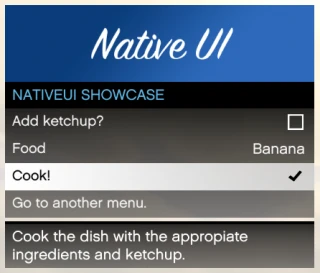
-The Latest NativeUI Download
2) Extract ScriptHookV And ScriptHookVDotNet To Your Grand Theft Auto V Main Directory
3) Create "scripts" Folder In Your Grand Theft Auto V Main Directory If You Don't Already Have One
4) Extract The Mod Content To The "scripts" Folder
Note: NativeUI should go into your scripts folder, not main GTA directory
Credits:
Toxic Scams
Notes:
- The Config File Will Be Created On The First Mod Launch
- This Mod Runs With ScriptHookVDotNet3 Only! ScriptHookVDotNet2 Isn't Supported
Features:
- An Option To Remove A Vehicle From The Managed Vehicle List, You Have To Press Remove Vehicle Twice To Confirm Action.
- A Mod Log, This Will Help Tracking Issues And Bugs Easier.
- V1.4b And Above Support Most Of The Fuel Systems
Menu Control:
- Engine Control, Turn Off/On The Engine Or Even Leave The Car And Keep It On!
- Lights Control, Turn Off/On Headlights/Hazards/Indicators/Interior/Neon Lights.
- Doors Control, Open/Close Any Door Anywhere And Any Time (Broken Doors Will Not Be Visible In The Menu)
- Windows Control, Open/Close Any Door Anywhere And Any Time
- Lock The Vehicle, You Can Lock/Unlock The Vehicle, And If You Want You Could Make The Vehicle Unlock Automatically When You Leave In The Configurations Menu
- Toggle Hand Brakes
- Toggle Persistance (The Vehicle Won't Disappear If This Is On)
- Toggle Vehicle Blip (The Vehicle Will Be Visible On The Map)
- Toggle Vehicle Horn
- Toggle Vehicle Roof For Convertible Vehicles
- Change The Radio Station
- Call The Vehicle, Call It Twice It Will Be Teleported To You(The Vehicle Will Drive To You, If You Are Moving In A Vehicle It Waits Until You Stop Moving, And Drive To The New Location)
- Call Vehicle Menu Option And Key Will Both Unlock The Car And Open The Door If You Are Close To The Car
- Remove Vehicle, To Remove A Vehicle From The Managed List
Keys Control:
- The Menu Now Have In-Game Key Editor, Forget About Manual Key Editing
- Every Key Is Changeable, Multiple Keys Are Supported For Both Keyboard And Controller, Put '-1' In The Config File To Disable A Key
- 2 Keys needs To Be Changed In The Config File Which Is The 'Editor Save' Key And The 'Editor Cancel' Key, These Key Are Found In The Advanced Section Under "ModifyKeybindsConfirm, ModifyKeybindsCancel", Only One Key Is Accepted.
- You Can Change The Limit For How Many Keyboard Keys You Can Press At Once, Same For The Controller In The Advanced Section Under "MaxKeyboardKeys and MaxControllerKeys".
- Every Vehicle Key Can Be Used Outside The Vehicle, Like The Toggle Engine Key 'B', It Will Turn The Engine Of The Most Recent Entered Vehicle
Keys:
- Toggle Menu 'B' - 'DpadDown'
- Toggle Vehicle Engine 'T' - 'DpadUp'
- Toggle Vehicle Hazards 'K'
- Toggle Vehicle Left - Right Indicator 'J' - 'L'
- Toggle Vehicle Interior Light 'I'
- Toggle Vehicle Hood 'Y'
- Toggle Vehicle Trunk 'U'
- Toggle Vehicle Doors 'X'
- Toggle Vehicle Windows 'Z'
- Toggle Vehicle Hand Brake 'Comma'
- Toggle Vehicle Roof '}'
- Toggle Vehicle Lock '{'
- Enter Vehicle As Passenger 'G' - 'X'
- Switch Vehicle Seats 'G' - 'X'
- Call Current Vehicle 'Question' - 'B'
- Modify Keybinds Confirm 'Enter'
- Modify Keybinds Cancel 'Escape'
Configurations:
- You Change How The Keys Are Handled If You Like Your Keys To Be Detected Once You Press Or Release The Keys In The Advanced Section Under "ReceiveKeyPressOnKeyDown", False Means That Keys Are Detected When You Release Them. (Controller Have Another System, Can't Be Edited)
- Auto Toggle Engine On/Off, Doesn't Need An Explanation
- Toggle Engine Control, Turn Of The Engine Control If You Are Using Another Engine Mods Like Manual Transmission.
- Toggle Breaking Light When Vehicle Is Stopped
- Unlock Vehicle Automatically, The Vehicle Will Unlock When The Player Leave The Vehicle, If This Is Off And The Car Is Locked, You Can't Leave Unless You Unlock It!
- Toggle Doors Can Open When Vehicle Is Locked, You Can't Open Doors "Via This Mod" If The Car Is Locked
- Close Vehicle Doors When You Lock It, This Will Close Any Open Door When You Lock The Vehicle
- Toggle Headlights On Honking
- Enable Notifications From The Mod
- Enable Sounds From The Mod
- Max Managed Vehicles Change The Number Of Managed Vehicles
- Called Vehicle Driving Style, Changes The Called Vehicle Driving Style, Press Enter To Confirm
- Called Vehicle Speed
- Reload The Configurations If You Edited The Config File
- Reset Configurations To Default
Instructions:
1) You Need To Have The Following
-The Latest ScriptHook
-The Latest ScriptHookVDotNet
-The Latest NativeUI Download
2) Extract ScriptHookV And ScriptHookVDotNet To Your Grand Theft Auto V Main Directory
3) Create "scripts" Folder In Your Grand Theft Auto V Main Directory If You Don't Already Have One
4) Extract The Mod Content To The "scripts" Folder
Note: NativeUI should go into your scripts folder, not main GTA directory
Credits:
Toxic Scams
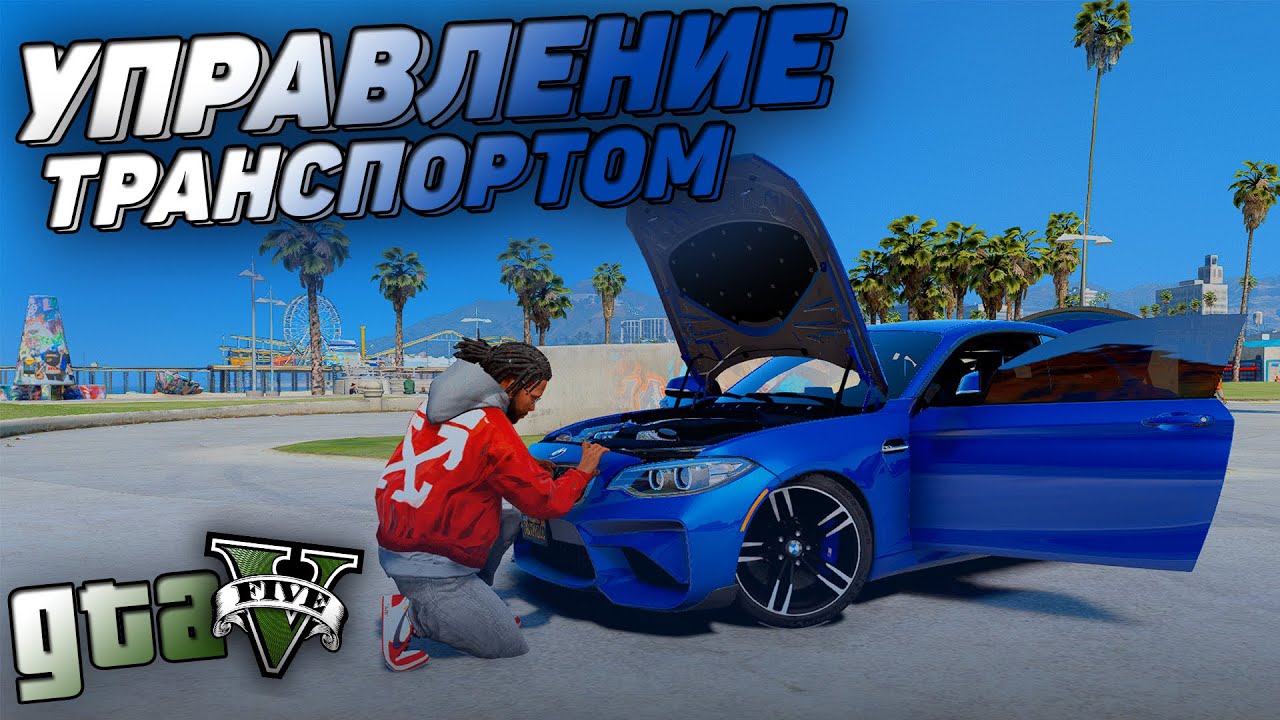
Videos

Direct Download Links
Version: 1.7cUpdated: 2 years ago
Total Size: 29.54 KB VehicleControlV17c_modland.rar direct download · 29.54 KB · added 2 years ago
You Might Also Like »








0 Comments
There are no comments. Be first to comment!