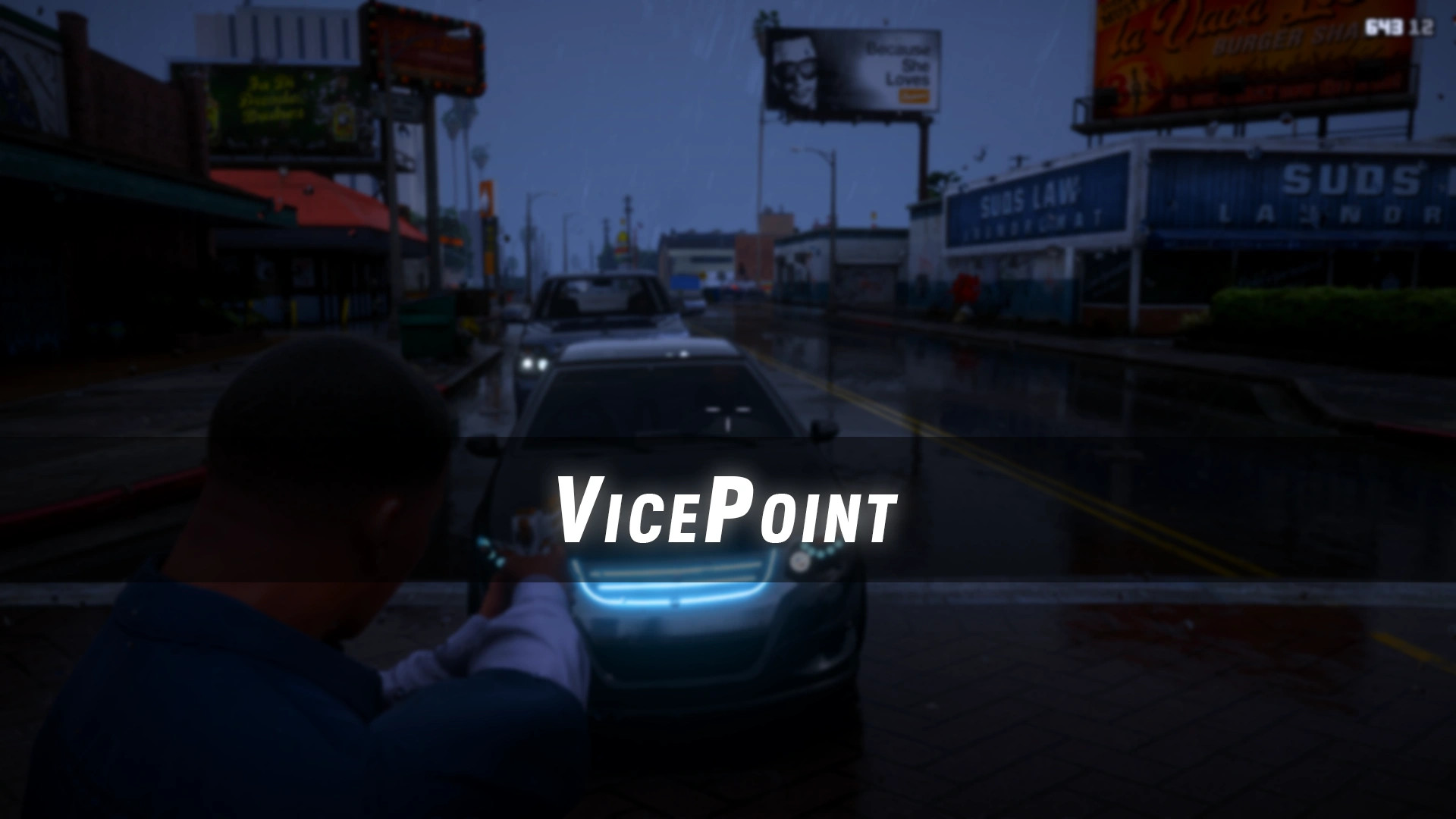
VicePoint v0.1.1

0/5,
0
votes
Changelog
Version 0.1.1
- Removed the LemonUI dependency
- Script now works as a standalone setup
- Fixed silent loading problems that could occur on GTA V Legacy
- Added smarter vehicle aiming behavior
- Crosshairs remain hidden while driving normally, sitting idle, or being unarmed inside vehicles
- Custom crosshairs activate during drive-by aiming with pistols and SMGs
- Added EnableVehicleCross = True/False to VicePoint.ini
- This setting allows switching between VicePoint and vanilla vehicle reticles
Description
VicePoint replaces GTA V's standard combat reticles with a dynamic system inspired by the crosshairs and hit feedback shown in GTA VI previews. Different weapon classes receive their own reticle style, while recoil, accuracy, hits, and kills are displayed through separate visual feedback.
Features
- Weapon Reticles: Pistols use a minimal three-part reticle; Shotguns use curved brackets; Rifles, SMGs, and machine guns use a center dot (hip-fire) or compact circle (aiming) that expands dynamically.
- Recoil and Accuracy Feedback: Immediate visual recoil movement with a smooth return to center, independent from hitmarker feedback.
- Hit and Kill Feedback: Non-lethal hits display a white hollow partial X, body kills show a yellow X, and headshots/critical kills show a red X.
- First-Person and Scope Support: Custom reticles remain visible in third-person and first-person ADS, while high-magnification scopes automatically hide the main reticle.
- Display Support: Mathematically corrected for 16:9, 21:9 ultrawide, and 32:9 super-ultrawide aspect ratios.
Weapon Compatibility
Weapon types that have not yet received a clearly shown GTA VI-style reticle use GTA V's native system, including:
- Sniper rifles
- Heavy launchers
- Throwables
- Melee weapons
- Other unsupported weapon categories
Installation Instructions
Requirements:
GTA V Legacy:
- Script Hook V
- Script Hook V .NET Enhanced
- OpenIV for importing VicePoint.ytd
GTA V Enhanced:
- Script Hook V
- Script Hook V .NET Enhanced
- DirectStorageFix
- RageOpenV
Steps:
- Check the included Readme before installing
- Follow the instructions for either GTA V Legacy or GTA V Enhanced depending on your game version
Credits
- Alexander Blade
- Chiheb-Bacha
- Alloc8or
Version 0.1.1
- Removed the LemonUI dependency
- Script now works as a standalone setup
- Fixed silent loading problems that could occur on GTA V Legacy
- Added smarter vehicle aiming behavior
- Crosshairs remain hidden while driving normally, sitting idle, or being unarmed inside vehicles
- Custom crosshairs activate during drive-by aiming with pistols and SMGs
- Added EnableVehicleCross = True/False to VicePoint.ini
- This setting allows switching between VicePoint and vanilla vehicle reticles
Description
VicePoint replaces GTA V's standard combat reticles with a dynamic system inspired by the crosshairs and hit feedback shown in GTA VI previews. Different weapon classes receive their own reticle style, while recoil, accuracy, hits, and kills are displayed through separate visual feedback.
Features
- Weapon Reticles: Pistols use a minimal three-part reticle; Shotguns use curved brackets; Rifles, SMGs, and machine guns use a center dot (hip-fire) or compact circle (aiming) that expands dynamically.
- Recoil and Accuracy Feedback: Immediate visual recoil movement with a smooth return to center, independent from hitmarker feedback.
- Hit and Kill Feedback: Non-lethal hits display a white hollow partial X, body kills show a yellow X, and headshots/critical kills show a red X.
- First-Person and Scope Support: Custom reticles remain visible in third-person and first-person ADS, while high-magnification scopes automatically hide the main reticle.
- Display Support: Mathematically corrected for 16:9, 21:9 ultrawide, and 32:9 super-ultrawide aspect ratios.
Weapon Compatibility
Weapon types that have not yet received a clearly shown GTA VI-style reticle use GTA V's native system, including:
- Sniper rifles
- Heavy launchers
- Throwables
- Melee weapons
- Other unsupported weapon categories
Installation Instructions
Requirements:
GTA V Legacy:
- Script Hook V
- Script Hook V .NET Enhanced
- OpenIV for importing VicePoint.ytd
GTA V Enhanced:
- Script Hook V
- Script Hook V .NET Enhanced
- DirectStorageFix
- RageOpenV
Steps:
- Check the included Readme before installing
- Follow the instructions for either GTA V Legacy or GTA V Enhanced depending on your game version
Credits
- Alexander Blade
- Chiheb-Bacha
- Alloc8or
External Download Links:
- Modsfire.com - 58c8e8-VicePoint v0.1.1.zip [44.35 KB]
Direct Download Links
Version: v0.1.1Updated: 1 month ago
Total Size: 88.7 KB 58c8e8-VicePoint_v011_modland.zip direct download · 44.35 KB · added 1 month ago
You Might Also Like »





0 Comments
There are no comments. Be first to comment!