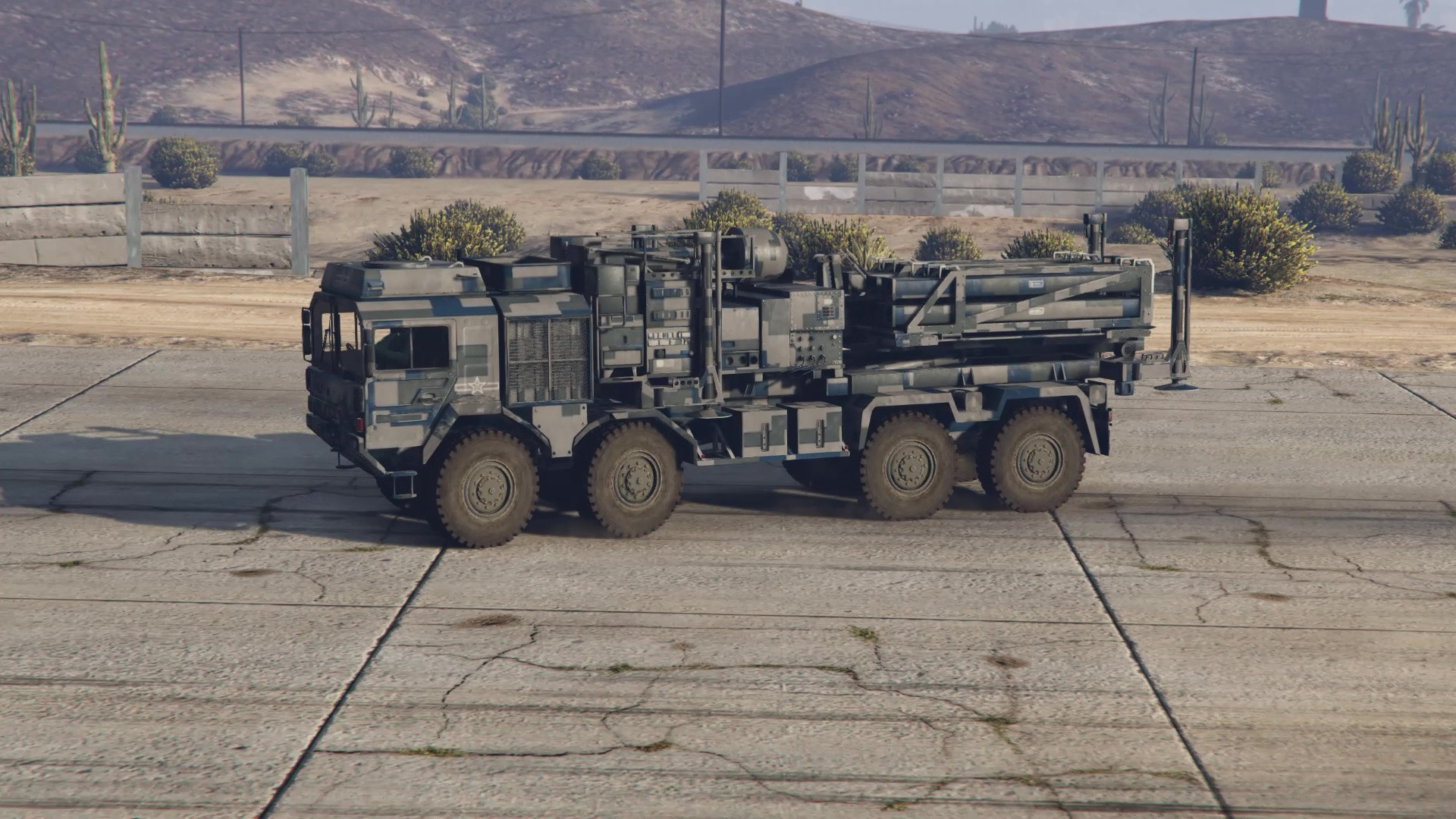
Requested PLA paint for SkylineGTRFreak's Skylaunch v1.0

Requested PLA paint for SkylineGTRFreak's Skylaunch
Installation instructions:
– Follow the original mod instructions first.
– Open dlc.rpf with OpenIV.
– Navigate to:
...\GTAV\mods\update\x64\dlcpacks\skylaunch\dlc.rpf\x64\levels\gta5\vehicles\vehicles.rpf\skylaunch.ytd
and prepare to overwrite the file.
– To keep the original livery, extract skylaunch.ytd in OpenIV. Rename it to origskylaunch.ytd and store it in the same folder as the dlc.rpf.
– To apply a new livery, enable "Edit mode" (top right in OpenIV), then drag mq25.ytd from the extracted zip and drop it in the same path:
...\GTAV\mods\update\x64\dlcpacks\skylaunch\dlc.rpf\x64\levels\gta5\vehicles\vehicles.rpf\skylaunch.ytd
– To confirm the livery, open skylaunch.yft or skylaunch_hi.yft in the OpenIV Model Viewer to preview the model with the new paint.
– Once satisfied, close the viewer and run GTAV. Spawn skylaunch using your preferred trainer.
– Work files are included if you want to use them as a base for your own project.
Enjoy,
Gillman
External Download Links:
- Modsfire.com - 5c498e-PLA Skylaunch.zip [62.71 MB]
Direct Download Links
Version: v1.0Updated: 6 months ago
Total Size: 125.42 MB 5c498e-PLA_Skylaunch_modland.zip direct download · 62.71 MB · added 6 months ago