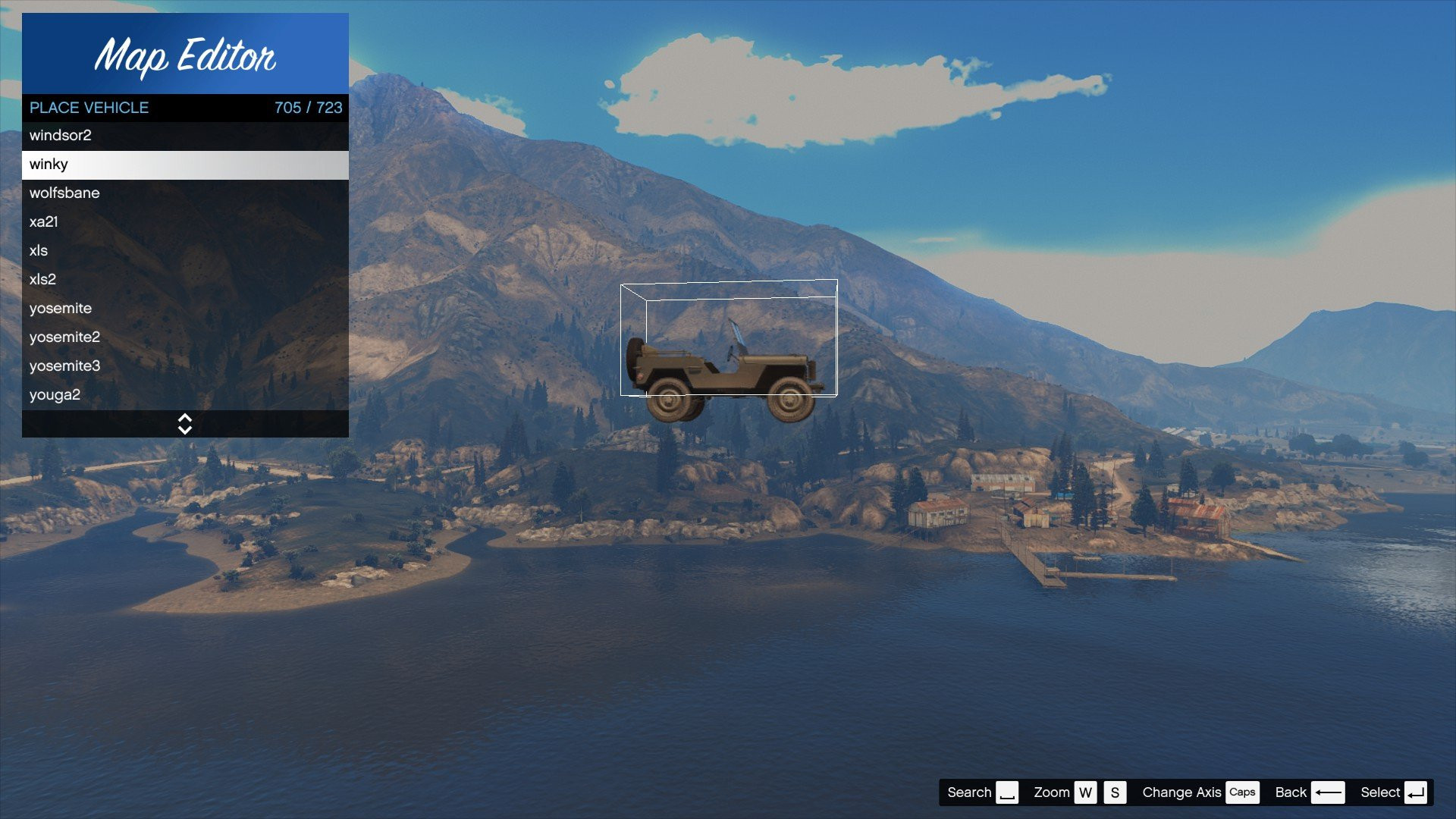
Updated Vehicle List For Map Editor 3.0 (The Los Santos Drug Wars DLC)

0/5,
0
votes
The "Updated Vehicle List For Map Editor" is a mod for Grand Theft Auto 5 that enhances the users' experience when creating maps with the in-game editor. This modification updates the list of individual vehicles that can be used during the creation of custom game maps, granting the player a broader variety of transport options.
The new list includes more variety of cars, motorbikes, bicycles, helicopters, planes, boats, and even a wider selection of emergency vehicles and military transports. The mod is perfect for those who want a broader selection of vehicles to add authenticity and aesthetic value to their GTA 5 custom maps. This expanded list enables players to craft more nuanced and diversified scenes within their map creations.
This mod will not technically change any specifications of the actual vehicles like power, speed, or torque. Instead, it broadens the available choices for players working with the map editor.
Requirements:
Script Hook V
Script Hook V. NET
Native UI
Map Editor
Add-On Vehicle Spawner
Installation:
- Automatic Installation: Open OIV file in folder downloaded, install this into the game folder
- Manual Installation: Open your GTA V Directory File, From there open the "scripts" folder, Then drag and drop the ObjectList.ini that's provided in the Download folder into the "scripts" folder.
Credits:
A1Draco
The new list includes more variety of cars, motorbikes, bicycles, helicopters, planes, boats, and even a wider selection of emergency vehicles and military transports. The mod is perfect for those who want a broader selection of vehicles to add authenticity and aesthetic value to their GTA 5 custom maps. This expanded list enables players to craft more nuanced and diversified scenes within their map creations.
This mod will not technically change any specifications of the actual vehicles like power, speed, or torque. Instead, it broadens the available choices for players working with the map editor.
Requirements:
Script Hook V
Script Hook V. NET
Native UI
Map Editor
Add-On Vehicle Spawner
Installation:
- Automatic Installation: Open OIV file in folder downloaded, install this into the game folder
- Manual Installation: Open your GTA V Directory File, From there open the "scripts" folder, Then drag and drop the ObjectList.ini that's provided in the Download folder into the "scripts" folder.
Credits:
A1Draco
Direct Download Links
Version: 3.0 (The Los Santos Drug Wars DLC)Updated: 2 years ago
Total Size: 57.98 KB Updated_VehicleList_For_Map_Editor_modland.rar direct download · 57.98 KB · added 2 years ago
You Might Also Like »









0 Comments
There are no comments. Be first to comment!