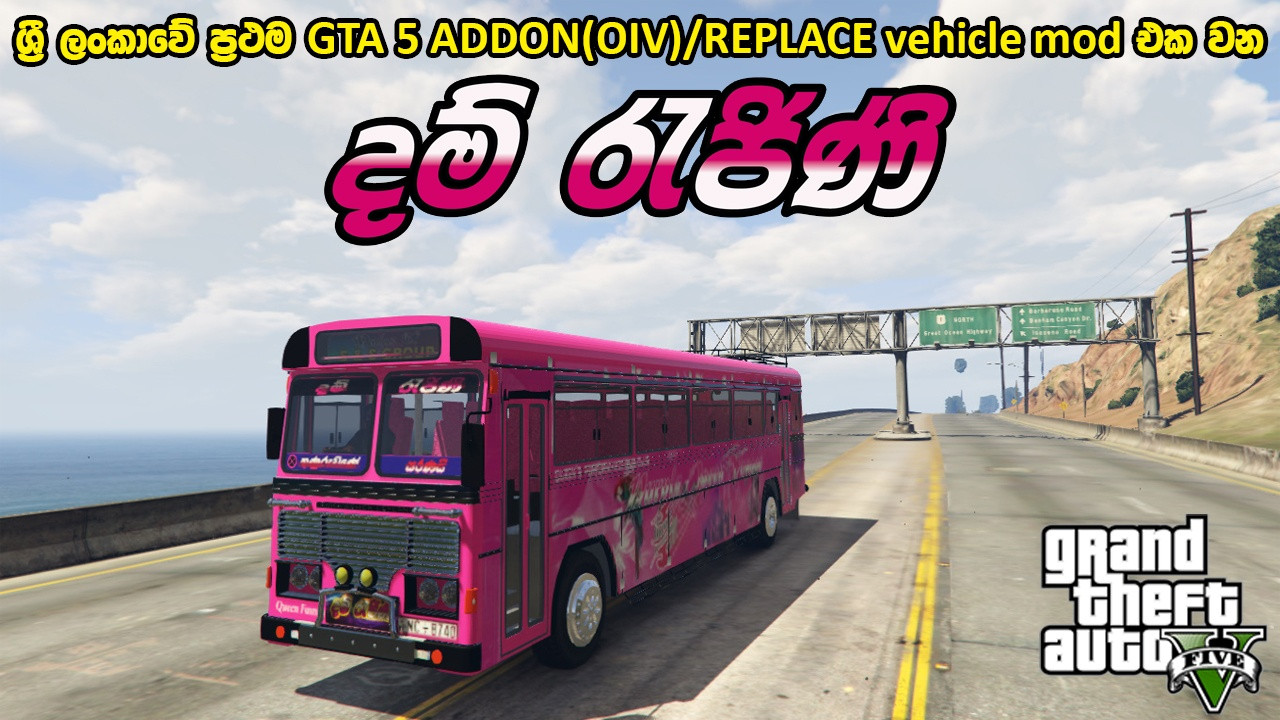
GTA 5 DAMRAJINI BUS (ADDON-OIV/REPLACE) WITH HORN AND LIGHTS - දම් රැජිනි බස් රථය 2.1

0/5,
0
votes
Description
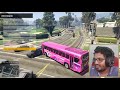
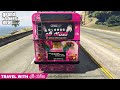
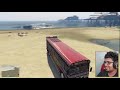
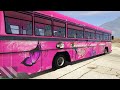
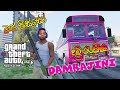
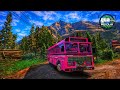
This mod adds the damrajini bus to your game.
Features
- Custom bus model
- Custom "damrajini" horn
- Functional lights (Press shift)
- Custom horn (Hold shift key)
Installation Instructions
Installation instructions in Sinhala are provided via a PDF file within the folder.
Requirements:
1. “Scripthookv” - https://www.modland.net/gta-5-mods/tools/script-hook-v.html
2. “OpenIV” - https://www.modland.net/gta-5-mods/tools/openiv.html
Bus Installation:
1. Install ScripthookV, Enhanced Native Trainer, and OpenIV.
2. Extract the “DHAMRAJINI” rar/zip file.
3. Install all ASI Managers to create a “mods” folder in your “GTA 5” folder. If you already have a “mods” folder, skip this step.
4. Open OpenIV and enable edit mode.
Choose one of the following three methods:
1st method – package:
- Copy “update” and “x64” folders to the mods folder via your PC file explorer.
- In OpenIV, click on Open Package installer and open the “oiv” file found in “DAMRAJINI\MOD FILES\ADD ON\PACKAGE INSTALLER”.
2nd method – manual:
- Copy the “damrajini” folder from “DAMRAJINI\MOD FILES\ADD ON\MANUAL INSTALLER” to “mods\update\x64\dlcpacks”.
- In OpenIV, go to “mods\update\update.rpf\common\data”. Extract dlclist.xml, open it with notepad, and add dlcpacks:\damrajini\ to the bottom. Drag it back into OpenIV.
- In OpenIV, go to “mods\update\update.rpf\common\data”. Extract extratitleupdatedata.meta, open it with notepad, and add the following to the bottom:
dlc_damrajini:/
update:/dlc_patch/damrajini/
- Drag it back into OpenIV.
3rd method – replace:
- In OpenIV, go to “mods\x64e.rpf\levels\gta5\vehicles.rpf\".
- Drag and drop all files from “DAMRAJINI\MOD FILES\REPLACE”.
Horn Installation (Only for 1st & 2nd methods):
- In OpenIV, export vehicle.oac from “x64>>audio>>sfx” to “openFormats”.
- Copy and paste the “0x1AE3EF45” file from “DAMRAJINI\MOD FILES\ADD ON\HORN” and overwrite.
- In OpenIV, right-click and select import openFormats. Select the extracted “oac” file and click ok.
Use a trainer to spawn the bus and horn. For game crashing errors, download old versions and use method 2 or 3.
Credits
- Alexander Blade for ScripthookV
- OpenIV team for OpenIV
- MAHESH BANDARA DAHAMPATH
- Mahesh Dahampath
This mod adds the damrajini bus to your game.
Features
- Custom bus model
- Custom "damrajini" horn
- Functional lights (Press shift)
- Custom horn (Hold shift key)
Installation Instructions
Installation instructions in Sinhala are provided via a PDF file within the folder.
Requirements:
1. “Scripthookv” - https://www.modland.net/gta-5-mods/tools/script-hook-v.html
2. “OpenIV” - https://www.modland.net/gta-5-mods/tools/openiv.html
Bus Installation:
1. Install ScripthookV, Enhanced Native Trainer, and OpenIV.
2. Extract the “DHAMRAJINI” rar/zip file.
3. Install all ASI Managers to create a “mods” folder in your “GTA 5” folder. If you already have a “mods” folder, skip this step.
4. Open OpenIV and enable edit mode.
Choose one of the following three methods:
1st method – package:
- Copy “update” and “x64” folders to the mods folder via your PC file explorer.
- In OpenIV, click on Open Package installer and open the “oiv” file found in “DAMRAJINI\MOD FILES\ADD ON\PACKAGE INSTALLER”.
2nd method – manual:
- Copy the “damrajini” folder from “DAMRAJINI\MOD FILES\ADD ON\MANUAL INSTALLER” to “mods\update\x64\dlcpacks”.
- In OpenIV, go to “mods\update\update.rpf\common\data”. Extract dlclist.xml, open it with notepad, and add dlcpacks:\damrajini\ to the bottom. Drag it back into OpenIV.
- In OpenIV, go to “mods\update\update.rpf\common\data”. Extract extratitleupdatedata.meta, open it with notepad, and add the following to the bottom:
dlc_damrajini:/
update:/dlc_patch/damrajini/
- Drag it back into OpenIV.
3rd method – replace:
- In OpenIV, go to “mods\x64e.rpf\levels\gta5\vehicles.rpf\".
- Drag and drop all files from “DAMRAJINI\MOD FILES\REPLACE”.
Horn Installation (Only for 1st & 2nd methods):
- In OpenIV, export vehicle.oac from “x64>>audio>>sfx” to “openFormats”.
- Copy and paste the “0x1AE3EF45” file from “DAMRAJINI\MOD FILES\ADD ON\HORN” and overwrite.
- In OpenIV, right-click and select import openFormats. Select the extracted “oac” file and click ok.
Use a trainer to spawn the bus and horn. For game crashing errors, download old versions and use method 2 or 3.
Credits
- Alexander Blade for ScripthookV
- OpenIV team for OpenIV
- MAHESH BANDARA DAHAMPATH
- Mahesh Dahampath
Videos







Direct Download Links
Version: 2.1Updated: 1 month ago
Total Size: 38.74 MB DAMRAJINI_modland.rar direct download · 38.74 MB · added 1 month ago
About Mod
| Latest Version | 2.1 |
| Game | GTA 5 |
| Category | Vehicles » Buses |
| Tags | Add-On Bus Replace |
| Downloads | 26 |
| Created | 1 month ago |
You Might Also Like »


0 Comments
There are no comments. Be first to comment!