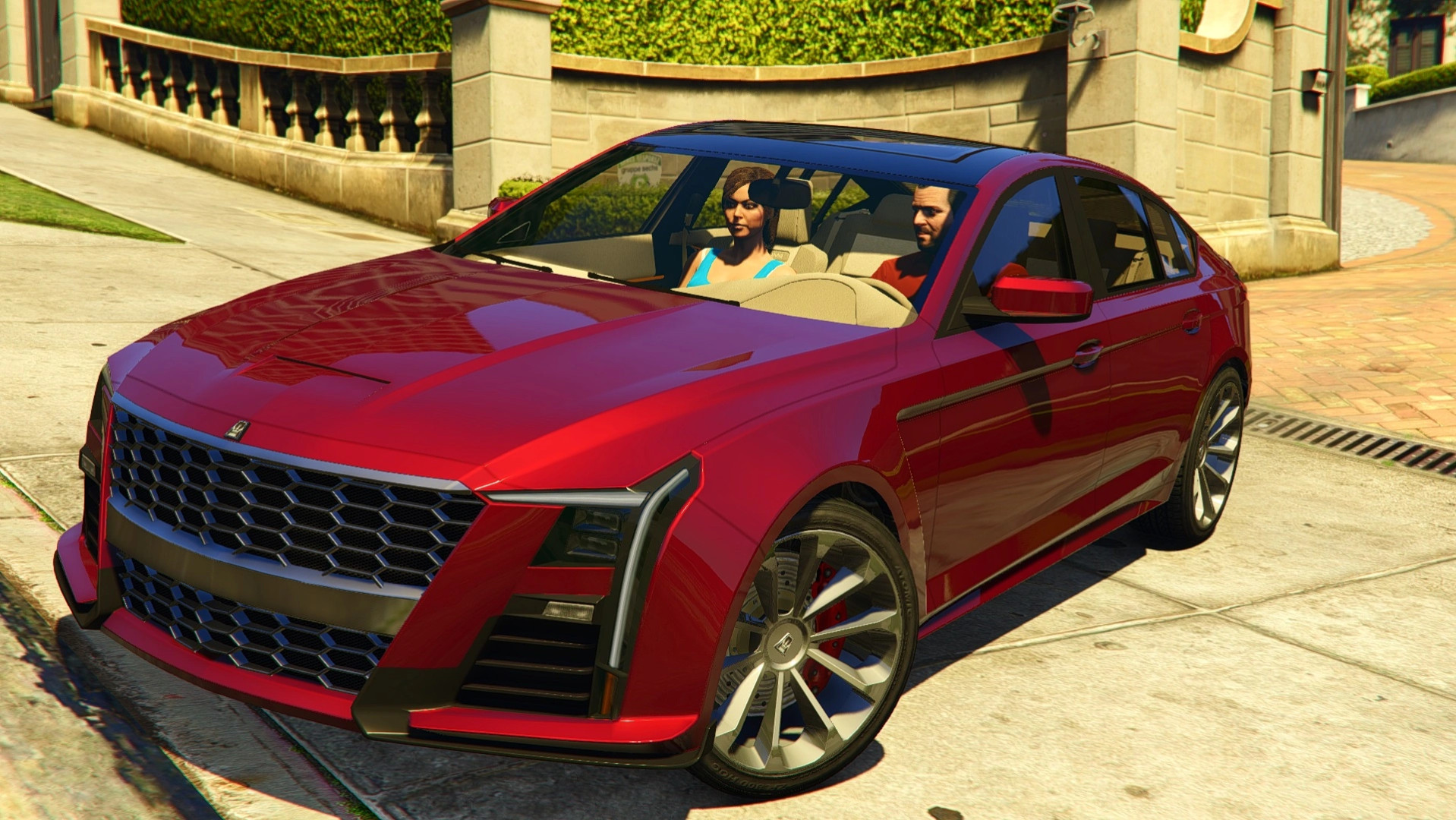
Albany Merula v1.0

0/5,
0
votes
Description
An updated version of the Albany Merula for GTA V, featuring a reworked interior, additional tuning options and several improvements to the original vehicle model. The new customization parts allow you to give the car a more factory-style appearance, while the redesigned interior and exterior details provide a more complete look.
Features
- Functional animated sunroof
- Redesigned trunk lid with LOD support from 0 to 4
- Improved interior with additional details
- New tuning and customization parts
- Third brake light
- Rear fog light integrated into the stock rear diffuser
- Front turn signals on the bumper and side mirrors
- Minor improvements to the rear turn signals
- Three additional wheel options with Albany badges in the Sport category
- Optional parts for a more stock-like appearance
Known Issues
- Newly added tuning parts currently have no displayed names
Installation Instructions
Single Player:
- Open the downloaded archive and locate the merula_bd folder.
- Copy it into: mods\update\x64\dlcpacks\
- Navigate to: mods\update\update.rpf\common\data\
- Open dlclist.xml and add the following entry before </Paths>:
<Item>dlcpacks:/merula_bd/</Item>
- Save your changes and launch GTA V.
Credits
- Rockstar Games – Original vehicle model
- 13Stewartc – ZModeler animation tutorial
An updated version of the Albany Merula for GTA V, featuring a reworked interior, additional tuning options and several improvements to the original vehicle model. The new customization parts allow you to give the car a more factory-style appearance, while the redesigned interior and exterior details provide a more complete look.
Features
- Functional animated sunroof
- Redesigned trunk lid with LOD support from 0 to 4
- Improved interior with additional details
- New tuning and customization parts
- Third brake light
- Rear fog light integrated into the stock rear diffuser
- Front turn signals on the bumper and side mirrors
- Minor improvements to the rear turn signals
- Three additional wheel options with Albany badges in the Sport category
- Optional parts for a more stock-like appearance
Known Issues
- Newly added tuning parts currently have no displayed names
Installation Instructions
Single Player:
- Open the downloaded archive and locate the merula_bd folder.
- Copy it into: mods\update\x64\dlcpacks\
- Navigate to: mods\update\update.rpf\common\data\
- Open dlclist.xml and add the following entry before </Paths>:
<Item>dlcpacks:/merula_bd/</Item>
- Save your changes and launch GTA V.
Credits
- Rockstar Games – Original vehicle model
- 13Stewartc – ZModeler animation tutorial
External Download Links:
- Modsfire.com - e5eb82-merula_bd.zip [16.04 MB]
You Might Also Like »

0 Comments
There are no comments. Be first to comment!