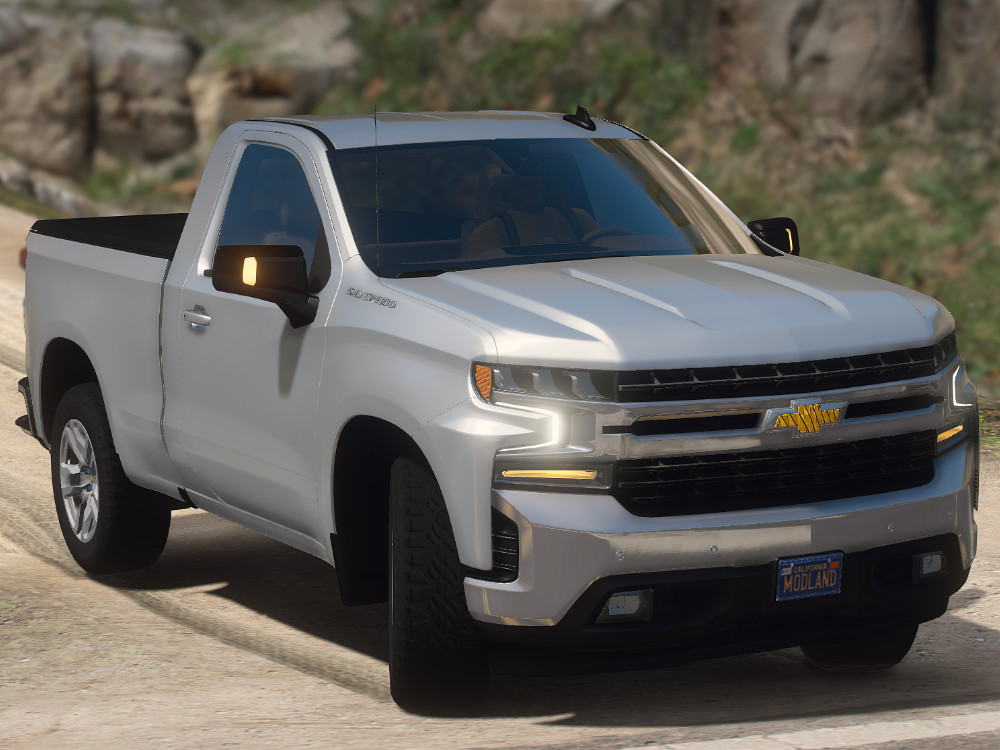
Chevrolet Silverado 2020 single cab 1.0

0/5,
0
votes
Description
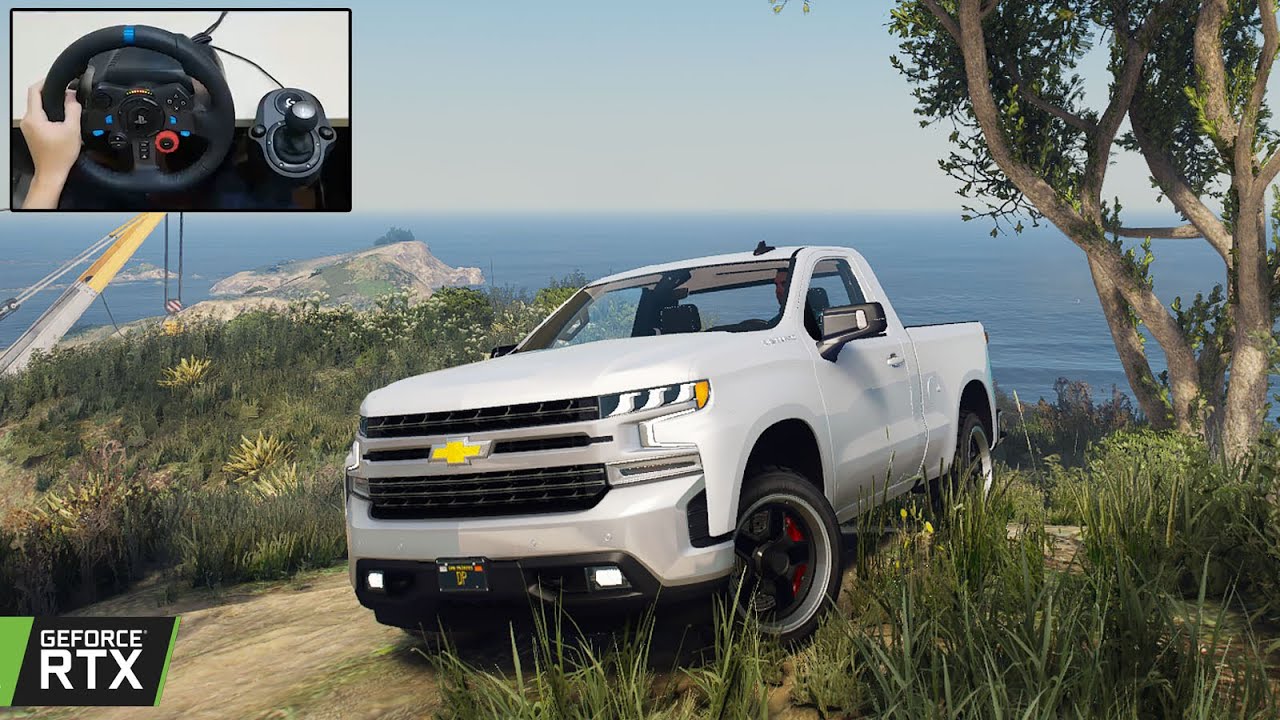
CHEVROLET SILVERADO 2020 SINGLE CAP
This model is best as an addon, however it is playable as a replace for rebel2.
Features
- Dirt Map
- All Windows Breakable
- Interior can be colored
- Trunk Cover as Extra
- No LODs
Installation Instructions
Addon:
1. Extract all files.
2. Launch your OpenIV.
3. Copy "silv20" in addon folder to "GTAV \ mods \ update \ x64 \ dlcpacks \".
4. Edit "GTAV \ mods \ update \ update.rpf \ common \ data \ dlclist.xml".
5. Add a new line "dlcpacks:/silv20/" behind the last entry.
6. Launch the game and use Menyoo or another trainer to spawn the car by the name "silv20".
Replace:
1. Extract all files.
2. Launch your OpenIV.
3. Go to files in "Replace" folder.
4. Go to "update-x64 > dlcpacks > patchday23ng > dlx.rpf > x64 > levels > gta5 > vehicles.rpf".
5. Click on "Edit mode" in OpenIV.
6. Click on "Show on Mode folder".
7. Place all files from the Replace folder into OpenIV.
Don't forget to make a backup of your files!
FiveM Installation:
Just copy the "silverado2020" in FiveM folder to your server resources folder, and add a new line "start silverado2020" in your "server.cfg".
Credits
3d model: gamemodels.ru
abdulaziz3499
CHEVROLET SILVERADO 2020 SINGLE CAP
This model is best as an addon, however it is playable as a replace for rebel2.
Features
- Dirt Map
- All Windows Breakable
- Interior can be colored
- Trunk Cover as Extra
- No LODs
Installation Instructions
Addon:
1. Extract all files.
2. Launch your OpenIV.
3. Copy "silv20" in addon folder to "GTAV \ mods \ update \ x64 \ dlcpacks \".
4. Edit "GTAV \ mods \ update \ update.rpf \ common \ data \ dlclist.xml".
5. Add a new line "dlcpacks:/silv20/" behind the last entry.
6. Launch the game and use Menyoo or another trainer to spawn the car by the name "silv20".
Replace:
1. Extract all files.
2. Launch your OpenIV.
3. Go to files in "Replace" folder.
4. Go to "update-x64 > dlcpacks > patchday23ng > dlx.rpf > x64 > levels > gta5 > vehicles.rpf".
5. Click on "Edit mode" in OpenIV.
6. Click on "Show on Mode folder".
7. Place all files from the Replace folder into OpenIV.
Don't forget to make a backup of your files!
FiveM Installation:
Just copy the "silverado2020" in FiveM folder to your server resources folder, and add a new line "start silverado2020" in your "server.cfg".
Credits
3d model: gamemodels.ru
abdulaziz3499
Videos

Direct Download Links
Version: 1.0Updated: 5 days ago
Total Size: 92.07 MB silverado_2020_single_cab_modland.rar direct download · 92.07 MB · added 5 days ago
You Might Also Like »





0 Comments
There are no comments. Be first to comment!