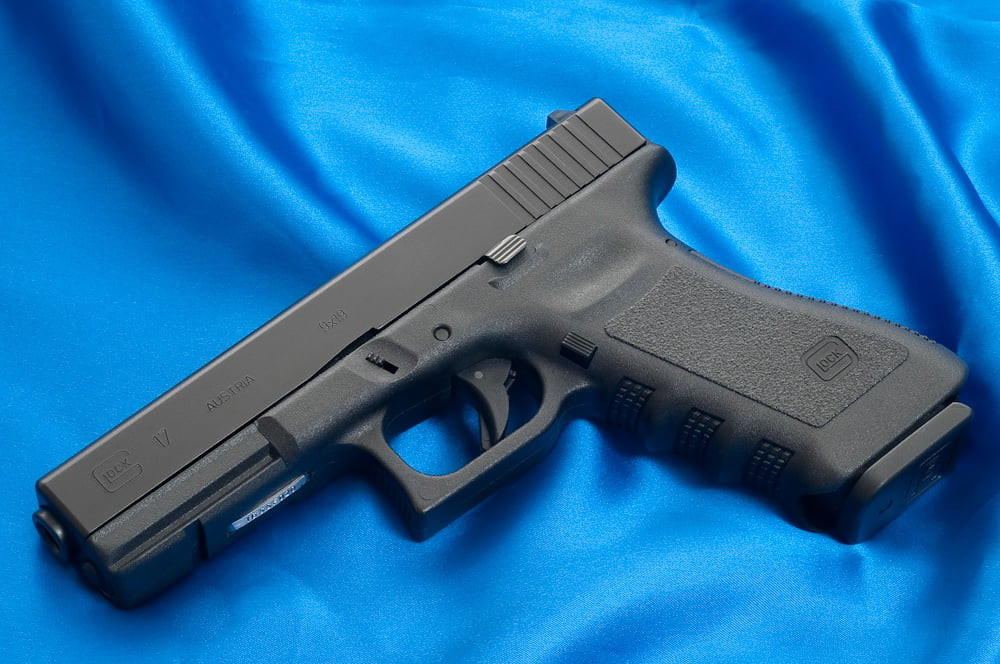
Glock 17 - Realistic Sound Mod 1.0

0/5,
0
votes
The Glock 17 - Realistic Sound Mod for Grand Theft Auto 5 is a modification that changes the in-game sounds for the Glock 17 firearm. This mod aims to enhance immersion and realism during gameplay, using realistic, high-quality sounds based on the real-life Glock 17. The mod enhances the experience of using the Glock 17 by replacing the original in-game audio files with new sound effects, including more authentic gunshot noise, reloading sound, and handling sounds like the firearm's slide moving and the sound of inserting a magazine. Every detail is considered to mimic the real-life audio counterpart, giving gamers a more authentic shooting experience. Please note that the mod only affects the sound and does not influence the gun's performance or mechanics.
Installation
0: Make sure you use Open IV's "Mod" folder. More info & a tutorial can be found here:
1: Open OpenIV and navigate to GTA V directory\Mods\x64\audio\sfx and open the "RESIDENT.rpf".
2: Right-click on "weapons.awc" and select "Export to openFormats (.oac)", export it to your desktop.
3: Open the created "weapons" folder on your desktop and replace the "0x0F4DFCD5.wav" with the "0x0F4DFCD5.wav" from the downloaded "Installation files" folder.
4: Right-click in the OpenIV window and select "Import openFormats". Select the "weapons.oac" from your desktop and replace the file.
5: Click on "File" and "Rebuild" the rpf.
6: Navigate to GTA V directory\Mods\x64\audio\sfx and open the "WEAPONS_PLAYER.rpf".
7: Replace the "ptl_pistol.awc" with the one provided in my "Installation files" folder.
8: Click on "File" and "Rebuild" the rpf.
9: Startup GTA V and hear if everything is working fine! :)
Credits:
GCG
Installation
0: Make sure you use Open IV's "Mod" folder. More info & a tutorial can be found here:
1: Open OpenIV and navigate to GTA V directory\Mods\x64\audio\sfx and open the "RESIDENT.rpf".
2: Right-click on "weapons.awc" and select "Export to openFormats (.oac)", export it to your desktop.
3: Open the created "weapons" folder on your desktop and replace the "0x0F4DFCD5.wav" with the "0x0F4DFCD5.wav" from the downloaded "Installation files" folder.
4: Right-click in the OpenIV window and select "Import openFormats". Select the "weapons.oac" from your desktop and replace the file.
5: Click on "File" and "Rebuild" the rpf.
6: Navigate to GTA V directory\Mods\x64\audio\sfx and open the "WEAPONS_PLAYER.rpf".
7: Replace the "ptl_pistol.awc" with the one provided in my "Installation files" folder.
8: Click on "File" and "Rebuild" the rpf.
9: Startup GTA V and hear if everything is working fine! :)
Credits:
GCG
This mod can be installed by using replace method.
Videos

Direct Download Links
Version: 1.0Updated: 1 year ago
Total Size: 191.95 KB Glock_17_Bodycam_Sound_-_(v10)_modland.rar direct download · 191.95 KB · added 1 year ago
You Might Also Like »










0 Comments
There are no comments. Be first to comment!