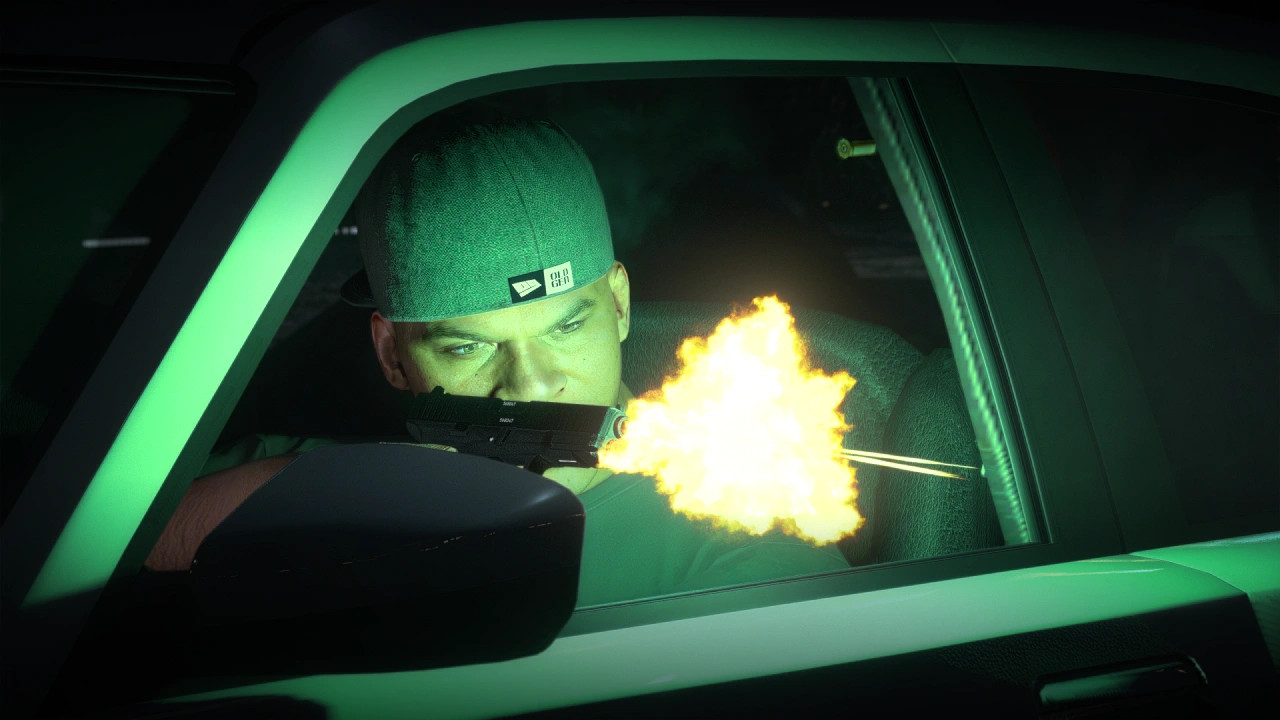
Muzzle Core FX v1.0

0/5,
0
votes
Changelog
- Added an automatically generated uninstaller to every build
- Uninstaller restores vanilla effects while preserving settings from other weapon mods
- Updates can now be installed directly from the application's update notification
- Fixed "Build access has expired" errors caused by small differences in the PC clock
- Fixed builds incorrectly reporting that the connected Discord account did not have access
Description
Muzzle Core FX overhauls weapon effects in GTA V Story Mode, giving firearms new muzzle flashes, smoke, shell casings, tracers and bullet impact effects.
The included application lets you choose a preset, customize it and automatically build an OpenIV package. No manual XML editing or CodeWalker setup is required.
Features
- Starter presets with image and video previews inside the application
- Adjustable tracer appearance and color
- Customizable tracer glow
- Adjustable muzzle flash count
- Individual smoke effect settings
- WORLD EFFECTS menu for choosing which environmental effects remain enabled
- Supports every vanilla weapon, including Mk II and DLC weapons
- Compatible with weapon mods such as Immersive Combat
- Existing weapon files are edited rather than simply replaced
- Full-version settings can be browsed with descriptions explaining their purpose
- Built-in update notifications
- New versions can be installed directly through the application
Requirements
- Windows x64
- GTA V Legacy – Story Mode
- OpenIV with a working mods folder
- Internet connection while building packages
- Discord sign-in on first launch
Discord authorization is free and does not require a license key. Authorizing the application also joins the ziplocker's workshop Discord server. Login information is remembered for future launches. Build files are cached locally, making subsequent builds faster.
Free Version
The free version includes:
- Starter presets
- ADJUST customization
- WORLD EFFECTS controls
- Story Mode builds covering every weapon in the game
Lite & Full Versions
Paid Lite and Full versions add FiveM builds and support for add-on weapons.
The Full version additionally provides:
- Individual settings for every weapon group
- Surface-specific bullet impacts
- Lighting and shadow controls
- Flash Collection styles
- Preset saving and loading
- Preset sharing
Installation Instructions
- Extract the entire archive into a normal folder, such as Documents
- Keep the Assets folder beside MCC.exe
- Run MCC.exe
- If Windows SmartScreen appears, select More info and then Run anyway
- Sign in with Discord when prompted
Do not run the application directly from inside the archive.
How to Use
- Open STARTER PRESETS
- Choose a preset and press APPLY
- Use ADJUST to customize the effects if needed
- Select BUILD FOR SINGLEPLAYER
- Wait for the .oiv package to be created
- Double-click the generated .oiv
- Install it into the GTA V mods folder using OpenIV
Close GTA V and OpenIV before starting a build.
If another weapon mod is installed later, rebuild Muzzle Core FX and install the newly generated package again.
Uninstallation
Every build generates: Uninstall Muzzle Core FX Free.oiv
The uninstaller is saved beside the generated mod package. Install it through OpenIV in the same location as the mod to restore GTA V's original effects. Settings belonging to other weapon mods are preserved.
External Download Links:
- Modsfire.com - 29d53c-MCC-Free-2.9.1.zip [87.78 MB]
Direct Download Links
Version: v1.0Updated: 2 weeks ago
Total Size: 175.56 MB 29d53c-MCC-Free-291_modland.zip direct download · 87.78 MB · added 2 weeks ago
You Might Also Like »


0 Comments
There are no comments. Be first to comment!