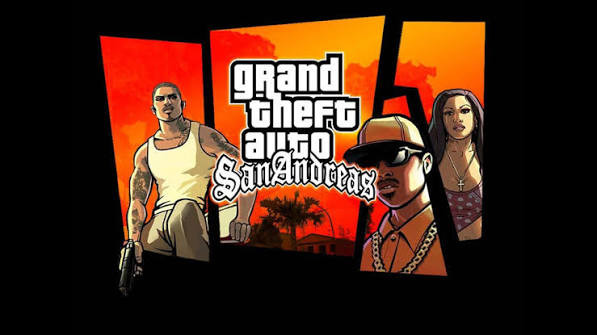
Project Global 1.4

5/5,
2
votes
Latest Update
latest
Version
1.4
· GTA: SA
Original Edition
1 month ago
1.1 Again:
- Upload Forum
- Modern Download Method
- Special Download Page
- Seo Settings
- Advertisement
- Contact Forum
- How To Download and Install? Pages
- Website Url Changed
- Upload Forum
- Modern Download Method
- Special Download Page
- Seo Settings
- Advertisement
- Contact Forum
- How To Download and Install? Pages
- Website Url Changed
Description
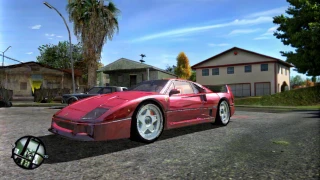
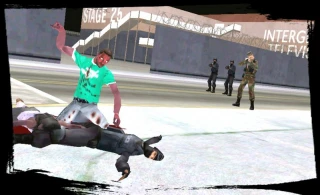
The "Project Global" is a Total Conversion mod created in the GTA San Andreas RenderWare engine, utilizing the fastman92 limit adjuster. This is a very big total conversion mod inspired by the GTA V DLC system, combining elements from GTA Online, GTA V, GTA Vice City, GTA 3, and GTA 6 AI.
Features
- Addon vehicles, weapons, peds, and maps
- Custom missions and AI
- Texture packs
- Optional content including: SkateBoard, Atomic Blimp, Online Vehicles, Grenade Launcher, V vehicles, JB700, Deluxo, and custom Ammu-Nation
Installation Instructions
1. Install the Basic Mod from the "Basic Mods Folder": Copy all files and paste them into the GTA San Andreas game folder, replacing all files.
2. Copy all files from "Main Files" and paste them into the GTA San Andreas game folder, replacing all files.
Optional Installation
1. Go to the optionals folder.
2. Open a category (e.g., ASI plugins, HUD).
3. Extract the file, then copy and paste the mod files into the GTA San Andreas PC folder and replace them.
Updating System
This mod supports a patching system similar to GTA IV and GTA V:
1. Check for updates weekly or monthly.
2. After downloading, extract and paste all files into the GTA San Andreas folder, replacing all files.
3. Important: You must have installed all previous versions (from 1.0 to the latest) to avoid game corruption.
Credits
StarGammerKing
The "Project Global" is a Total Conversion mod created in the GTA San Andreas RenderWare engine, utilizing the fastman92 limit adjuster. This is a very big total conversion mod inspired by the GTA V DLC system, combining elements from GTA Online, GTA V, GTA Vice City, GTA 3, and GTA 6 AI.
Features
- Addon vehicles, weapons, peds, and maps
- Custom missions and AI
- Texture packs
- Optional content including: SkateBoard, Atomic Blimp, Online Vehicles, Grenade Launcher, V vehicles, JB700, Deluxo, and custom Ammu-Nation
Installation Instructions
1. Install the Basic Mod from the "Basic Mods Folder": Copy all files and paste them into the GTA San Andreas game folder, replacing all files.
2. Copy all files from "Main Files" and paste them into the GTA San Andreas game folder, replacing all files.
Optional Installation
1. Go to the optionals folder.
2. Open a category (e.g., ASI plugins, HUD).
3. Extract the file, then copy and paste the mod files into the GTA San Andreas PC folder and replace them.
Updating System
This mod supports a patching system similar to GTA IV and GTA V:
1. Check for updates weekly or monthly.
2. After downloading, extract and paste all files into the GTA San Andreas folder, replacing all files.
3. Important: You must have installed all previous versions (from 1.0 to the latest) to avoid game corruption.
Credits
StarGammerKing

Project Global Will Paid After 1.9 Version, v2.0 To New Latest Will Download After Paid
@cj4 yea yea f@g. @Admin will see my topics
Project California Total Conversion Mod GTA V PC Single Player Up to 300+ Mod
A Big Map and Big Mod DlcPack Development Is Started Updating System Like Project Global
@stargammerking Total Conversion mod GTA V PC Single Player