

![NeoForge Installer [Minecraft 1.21.1, 1.20.6 - 1.20.1]](https://i2.modland.net/i/66c5cbeb7e5ee/neoforge_modland.webp)
![Timeless and Classics Zero (TaCZ) [Minecraft 1.20.1, 1.19.2, 1.18.2]](https://i2.modland.net/i/669683678b42d/description_0ac47139-8e79-4b76-8a0c-d79bcb9039df_modland.webp)
Timeless and Classics Zero (TaCZ) [Minecraft 1.20.1, 1.19.2, 1.18.2]
45023
919
6
2 years ago
by
Rol_nd
![Armor Durability HUD [Minecraft 1.21.4, 1.21.3, 1.21.2, 1.21.1, 1.21]](https://i2.modland.net/i/674bc2c2c404b/190618141923060623_modland.webp)
Armor Durability HUD [Minecraft 1.21.4, 1.21.3, 1.21.2, 1.21.1, 1.21]
24842
346
8
1 year ago
by
Rol_nd
0/5,
0
votes
Description
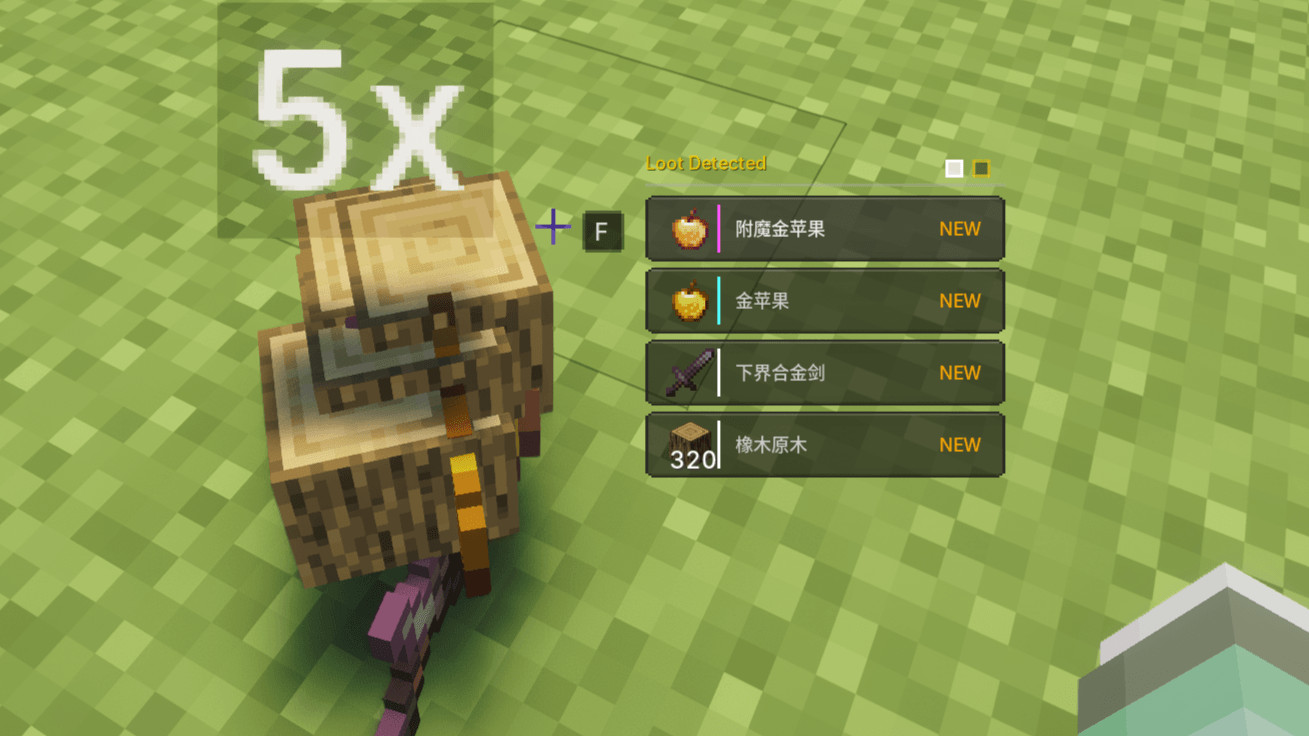
BetterLooting replaces Minecraft's usual automatic item pickup with a more controlled RPG-style looting system. Instead of nearby drops immediately filling your inventory, they appear in a floating HUD where you can decide exactly what to take.
Features
- Loot HUD: Approaching dropped items automatically displays them in a nearby loot list. Scroll with the mouse wheel to select and press F to pick up, or hold F to collect all nearby items. Rarer items are automatically sorted toward the top.
- Filters, Whitelist & Blacklist: Toggle Filter Mode with Left Alt to focus on valuable items and hide junk. Access the filter panel via inventory + Left Alt to create custom lists, with full JEI support.
- Super Stacking: An integrated dropped-item merging system that reduces entities by allowing stacks beyond the 64-item limit. It is compatible with technology mods like Create and avoids merging items on transport blocks.
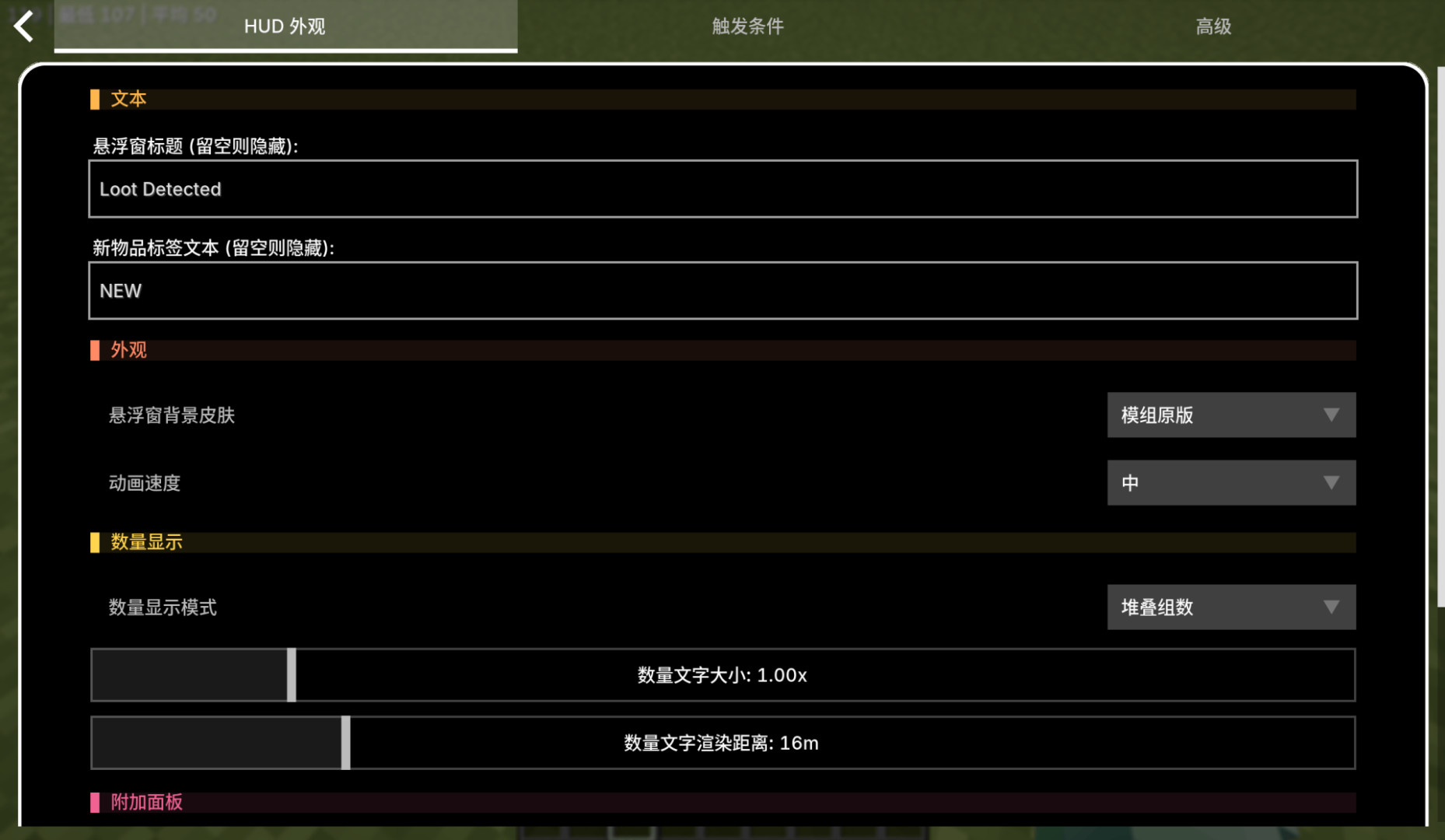
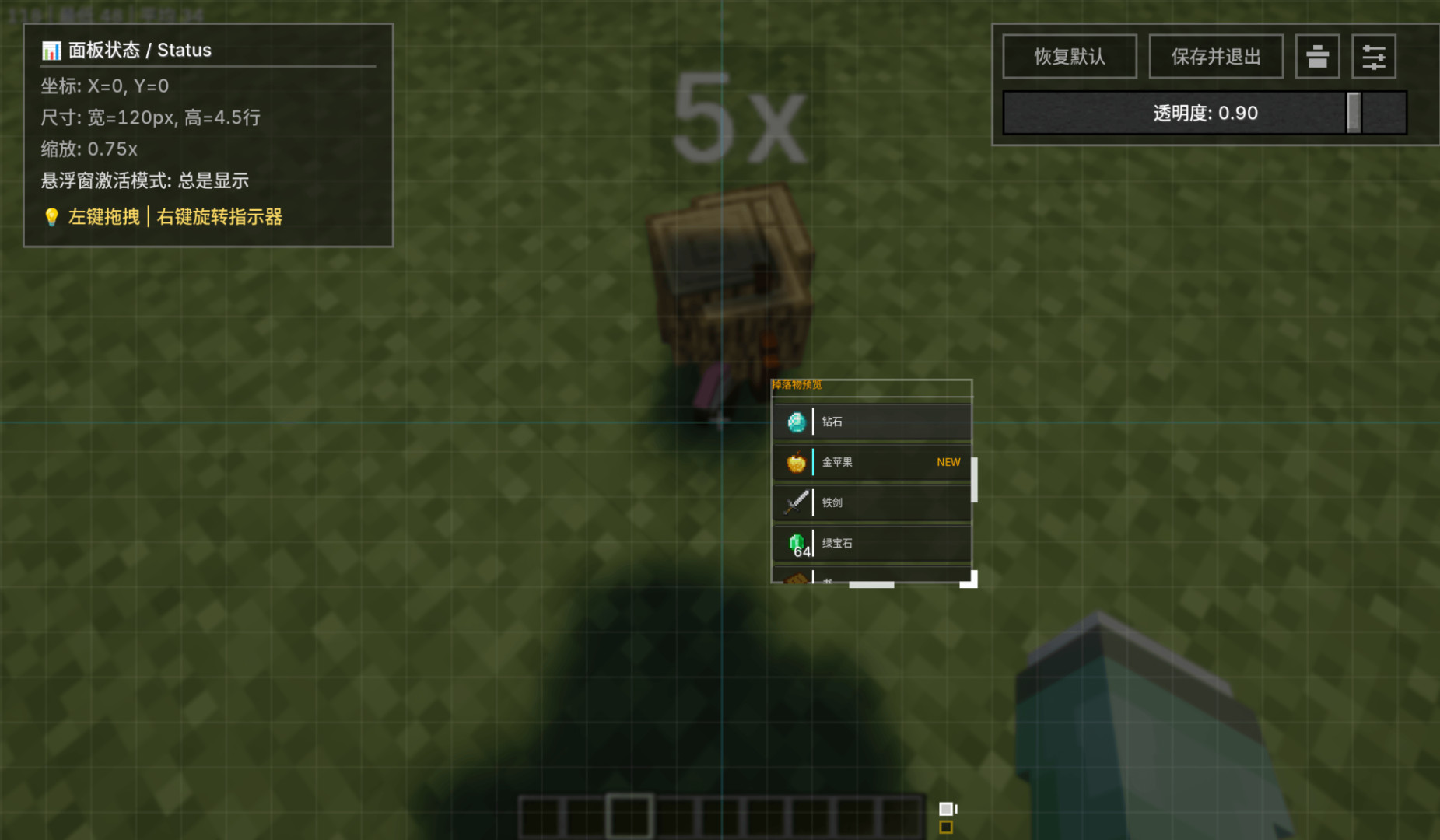
- HUD Customization: Adjustable position, size, and transparency. Includes multiple display modes (Always, Look-Down, Stationary, or Key-Controlled) and skins inspired by Vanilla, Stardew Valley, and Terraria.
- Inventory Looting: A separate panel in the inventory allows you to scroll through nearby loot, click to pick up, or drag items directly into specific slots.
- Flexible Controls: Mouse wheel interaction can be configured to require a key or only work while stationary to prevent accidental selection during combat.
Controls
- F – Pick up selected item
- Hold F – Pick up all nearby items
- Mouse Wheel – Change selected item
- Left Alt – Toggle Filter Mode
- Inventory + Left Alt – Open whitelist/blacklist panel
- K – Open the configuration screen
- V – Toggle Auto-Pickup Mode
Compatibility
BetterLooting includes its own dropped-item merging and stacking optimization. Using other mods that change the same mechanics (such as Staaaaaaaaaaaack) may cause pickup or display problems.
BetterLooting replaces Minecraft's usual automatic item pickup with a more controlled RPG-style looting system. Instead of nearby drops immediately filling your inventory, they appear in a floating HUD where you can decide exactly what to take.
Features
- Loot HUD: Approaching dropped items automatically displays them in a nearby loot list. Scroll with the mouse wheel to select and press F to pick up, or hold F to collect all nearby items. Rarer items are automatically sorted toward the top.
- Filters, Whitelist & Blacklist: Toggle Filter Mode with Left Alt to focus on valuable items and hide junk. Access the filter panel via inventory + Left Alt to create custom lists, with full JEI support.
- Super Stacking: An integrated dropped-item merging system that reduces entities by allowing stacks beyond the 64-item limit. It is compatible with technology mods like Create and avoids merging items on transport blocks.
- HUD Customization: Adjustable position, size, and transparency. Includes multiple display modes (Always, Look-Down, Stationary, or Key-Controlled) and skins inspired by Vanilla, Stardew Valley, and Terraria.
- Inventory Looting: A separate panel in the inventory allows you to scroll through nearby loot, click to pick up, or drag items directly into specific slots.
- Flexible Controls: Mouse wheel interaction can be configured to require a key or only work while stationary to prevent accidental selection during combat.
Controls
- F – Pick up selected item
- Hold F – Pick up all nearby items
- Mouse Wheel – Change selected item
- Left Alt – Toggle Filter Mode
- Inventory + Left Alt – Open whitelist/blacklist panel
- K – Open the configuration screen
- V – Toggle Auto-Pickup Mode
Compatibility
BetterLooting includes its own dropped-item merging and stacking optimization. Using other mods that change the same mechanics (such as Staaaaaaaaaaaack) may cause pickup or display problems.
External Download Links:
Direct Download Links
You Might Also Like »
![[1.5] THE DROPPER](https://li1.modland.net/minecraft/maps/thumbnail/th_ModLandNet_1.jpg)
_modland.webp)

_modland.webp)
0 Comments
There are no comments. Be first to comment!