How to Enable and Use Coordinates in Minecraft: Java and Bedrock
-lg_modland.jpg)
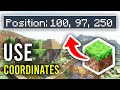
In Minecraft there is a special function - coordinates, which helps to better navigate the game world and accurately determine your location. Thanks to this system you can easily find your way to important points, accurately calculate the size of buildings, return to useful places, as well as use them in teams and when playing together with other participants.
The coordinate system itself is built on three axes - X, Y and Z. The X-axis value is responsible for the player's position in the east-west direction, the Z-axis is responsible for the north-south direction, and the Y-coordinate shows the height at which the character is located: whether it is the bottom of a mine, sea level, or the top of a high mountain. All three coordinates form a point in space, allowing you to pinpoint any location in the Minecraft world.
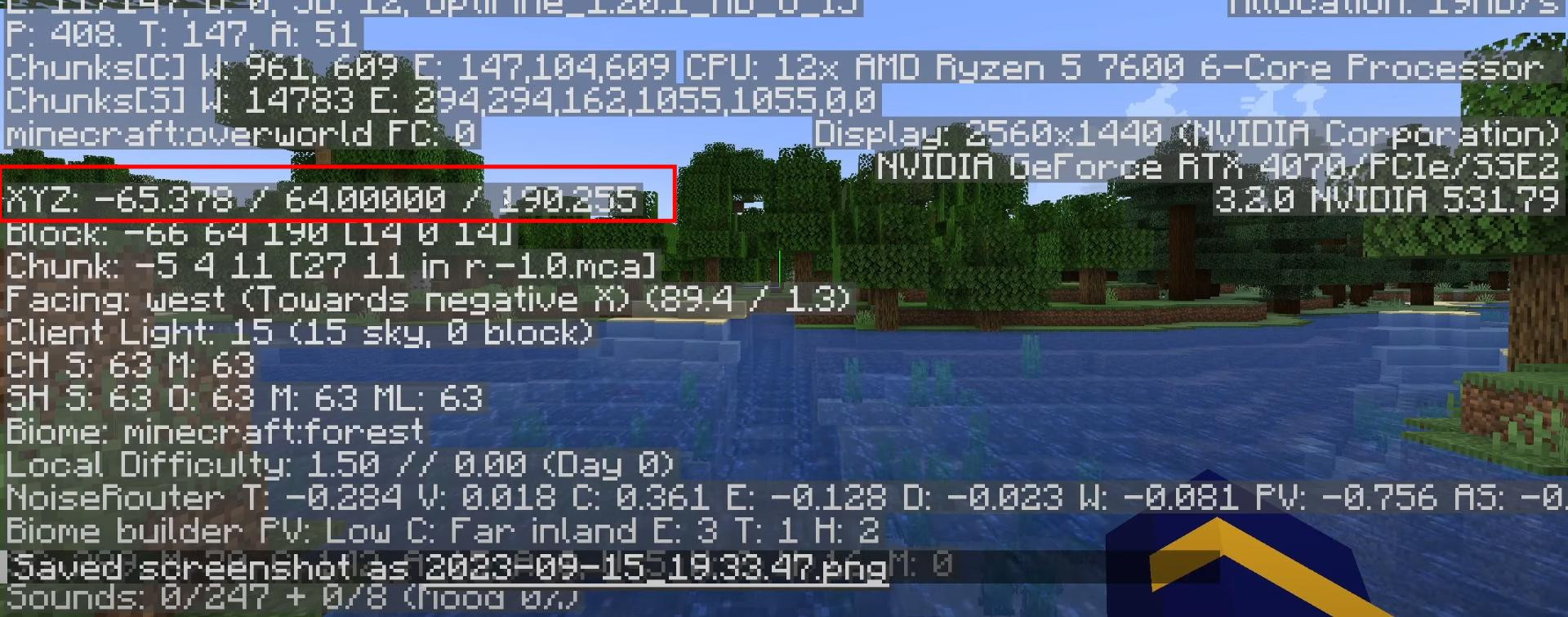
In the Java version, everything is very simple. Just press the F3 key. This will open the debug screen, where a lot of technical information will appear on the left side, including the X, Y and Z coordinates.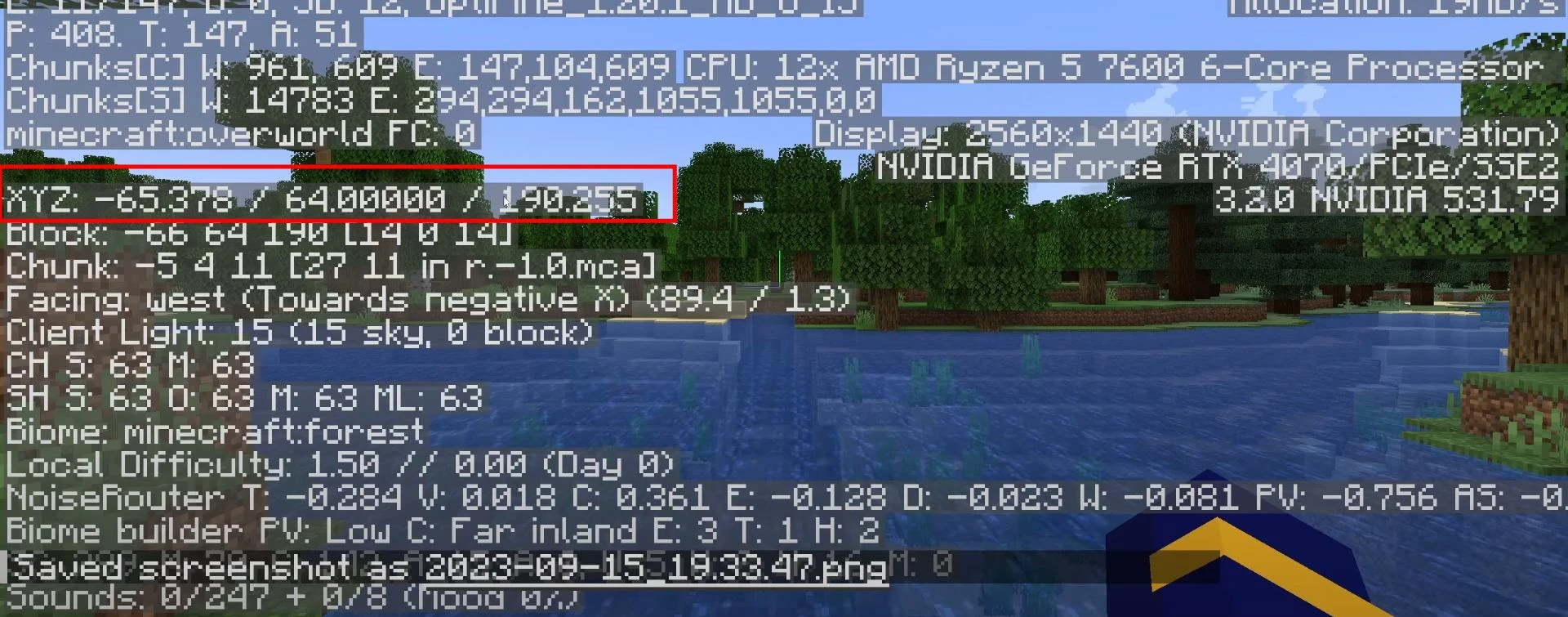
As you move, the values will change in real time. Also, in addition to the coordinates, this screen will show you the current biome, lighting level, direction of gaze, and a host of other useful data.
If you play in Bedrock-version, the activation process is a bit more complicated.
Pause the game and go to the settings section.
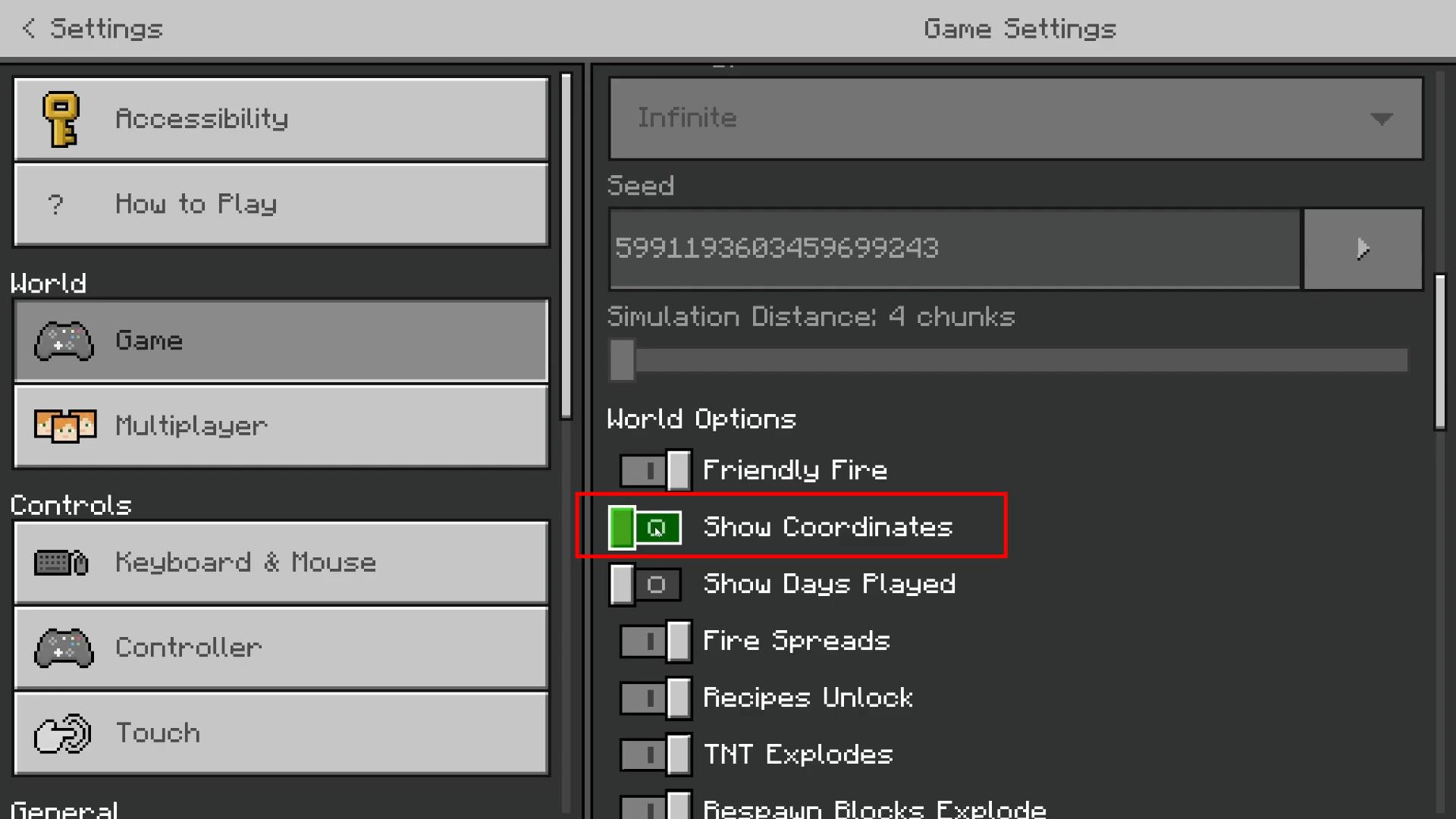
Scroll through the menu to the “In Game” item and activate the “Show Coordinates” option.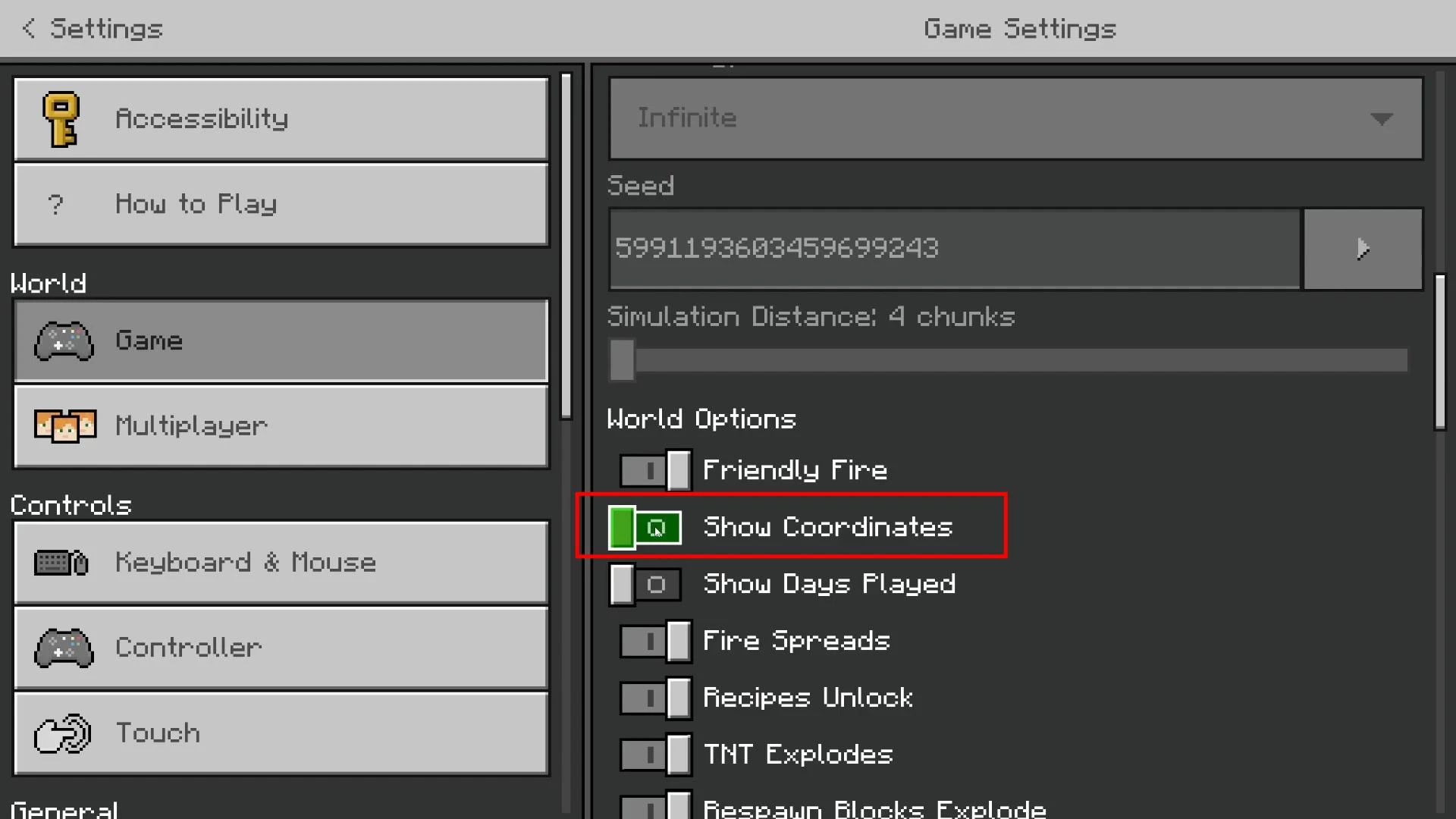
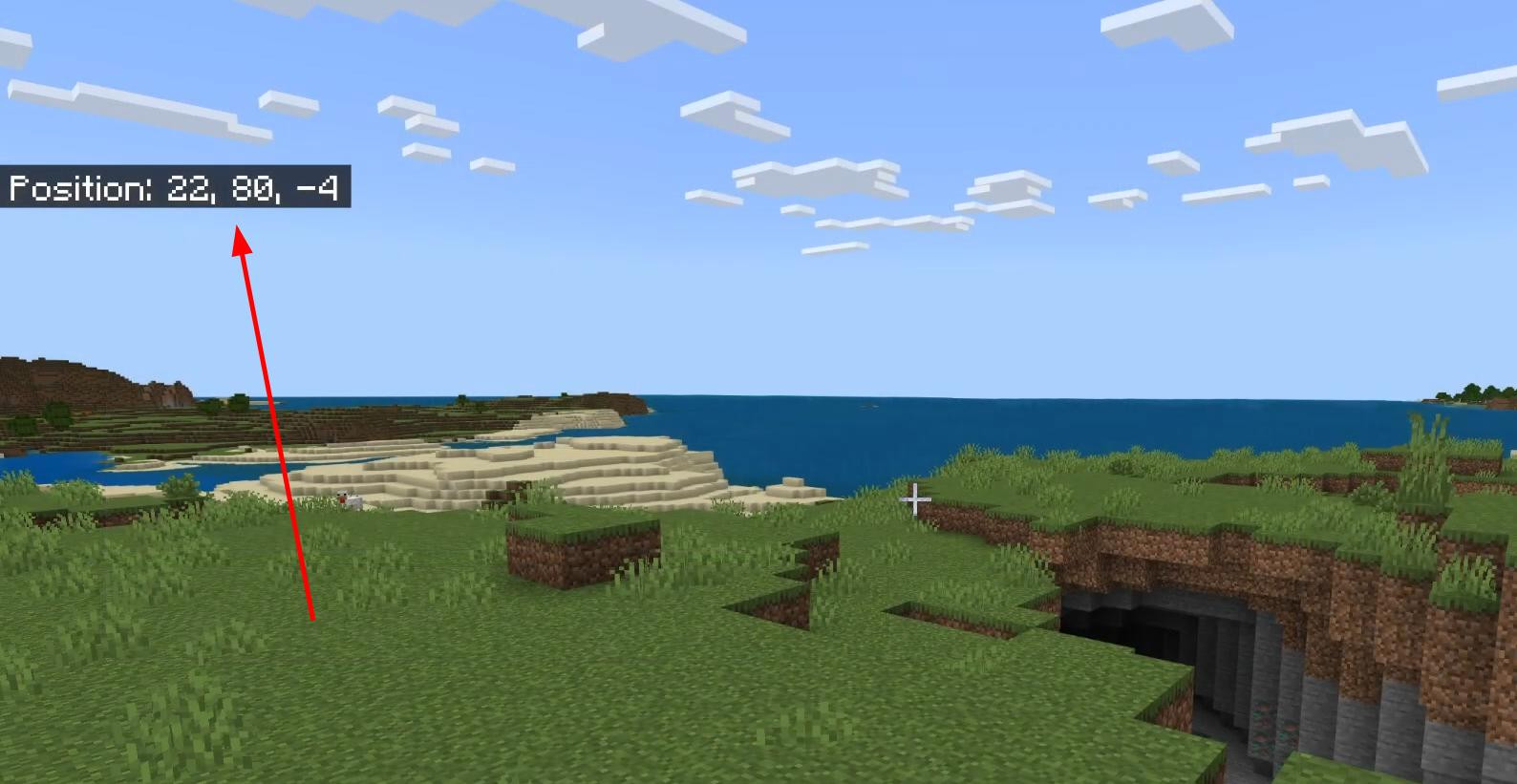
After that the numbers will appear at the top of the screen and will be displayed all the time, no matter where the player is or what he is doing.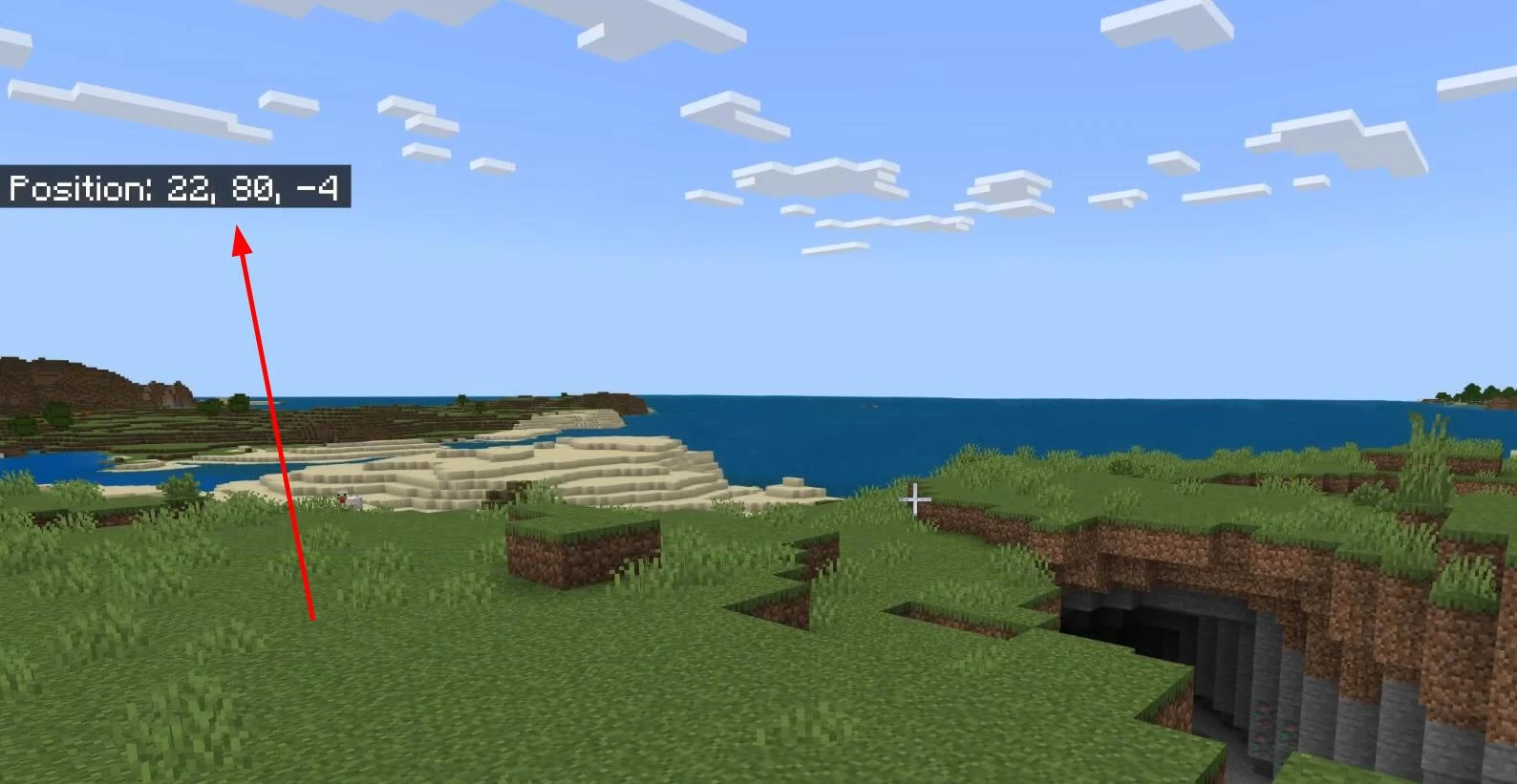
You can use this feature when traveling, exploring caves, building large-scale objects, or even just creating a waypoint to return home.
Videos
Added by

![NeoForge Installer [Minecraft 1.21.1, 1.20.6 - 1.20.1]](https://i2.modland.net/i/66c5cbeb7e5ee/neoforge_modland.jpg)
![Timeless and Classics Zero (TaCZ) [Minecraft 1.20.1, 1.19.2, 1.18.2]](https://i2.modland.net/i/669683678b42d/description_0ac47139-8e79-4b76-8a0c-d79bcb9039df_modland.jpg)

![Armor Durability HUD [Minecraft 1.21.4, 1.21.3, 1.21.2, 1.21.1, 1.21]](https://i2.modland.net/i/674bc2c2c404b/190618141923060623_modland.jpg)
![[1.5] THE DROPPER](https://li1.modland.net/minecraft/maps/thumbnail/th_ModLandNet_1.jpg)

_modland.jpg)
_modland.jpg)