Repairing and Preserving Charms in Minecraft Using an Anvil
-lg_modland.jpg)
In Minecraft, items wear out over time and lose their durability. This is especially true for tools and weapons that are used constantly.
If an item is enchanted, it cannot simply be combined with another item in a workbench without losing its enchantments. In this case, repairing it with an anvil will help. This way, you can keep the enchantments and restore the durability. However, the second item must also be enchanted.
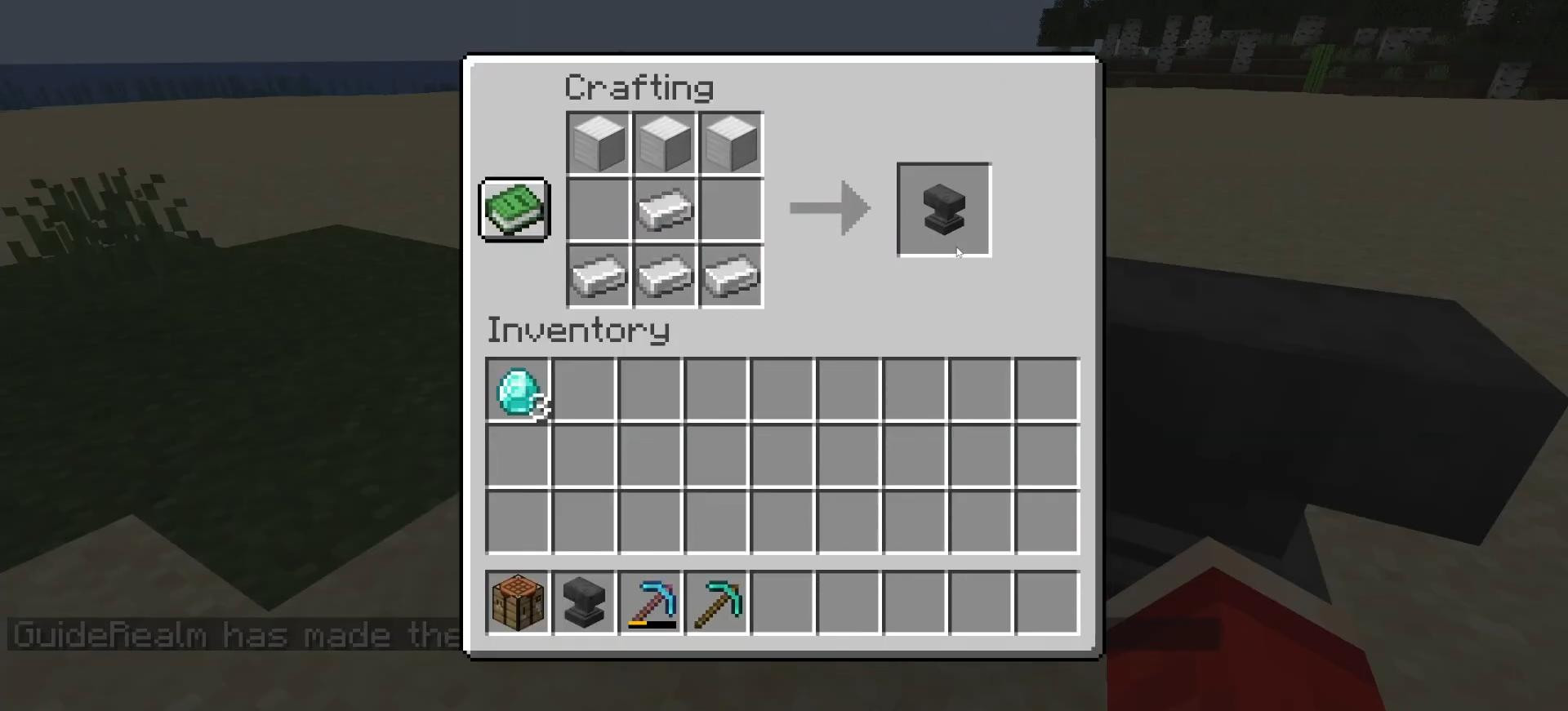
First, you need to create the anvil itself. This requires 3 iron ingots, which are placed in the top row of the crafting grid.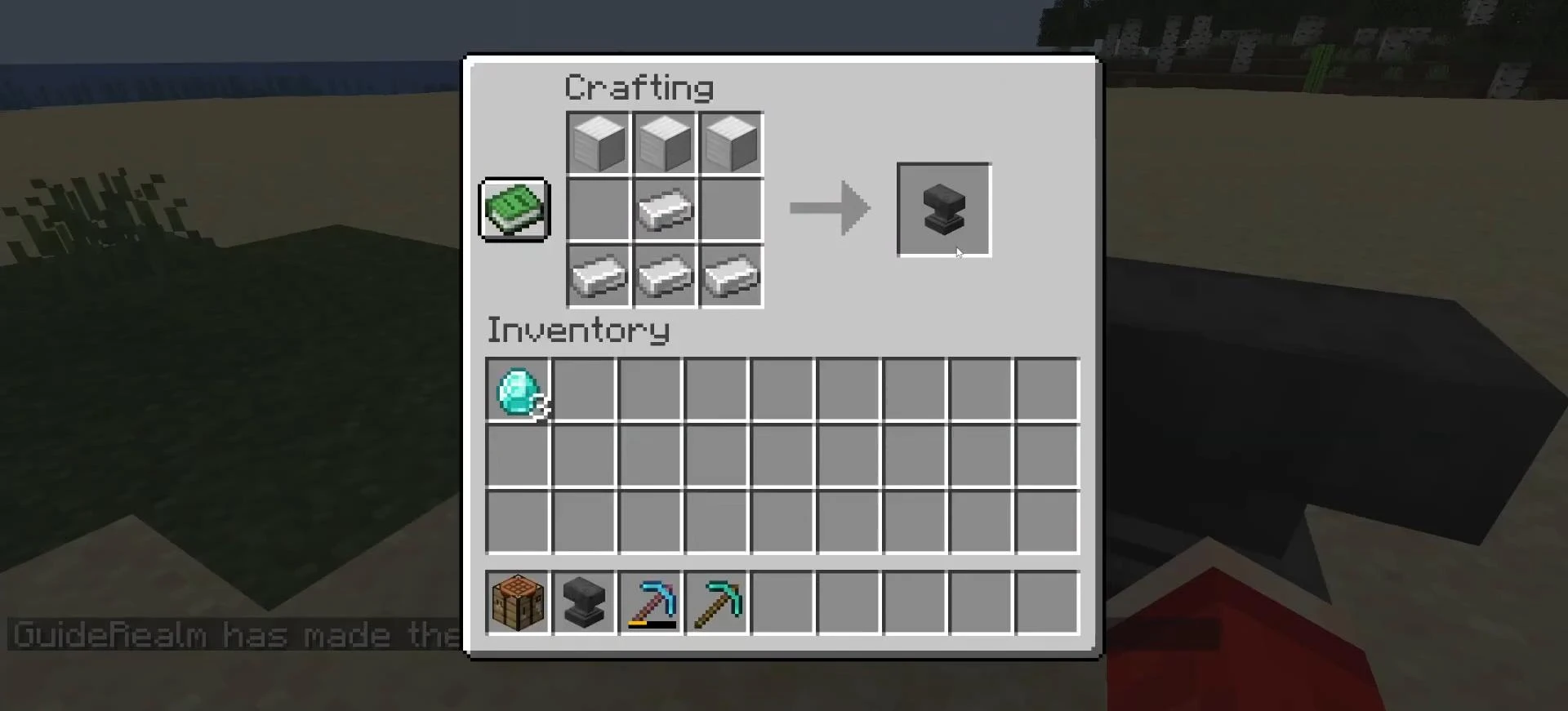
Another ingot is placed in the center cell, and the remaining three are placed in the bottom row.
The resulting anvil can be placed in any convenient location and will be used to repair, rename items, and combine enchantments.
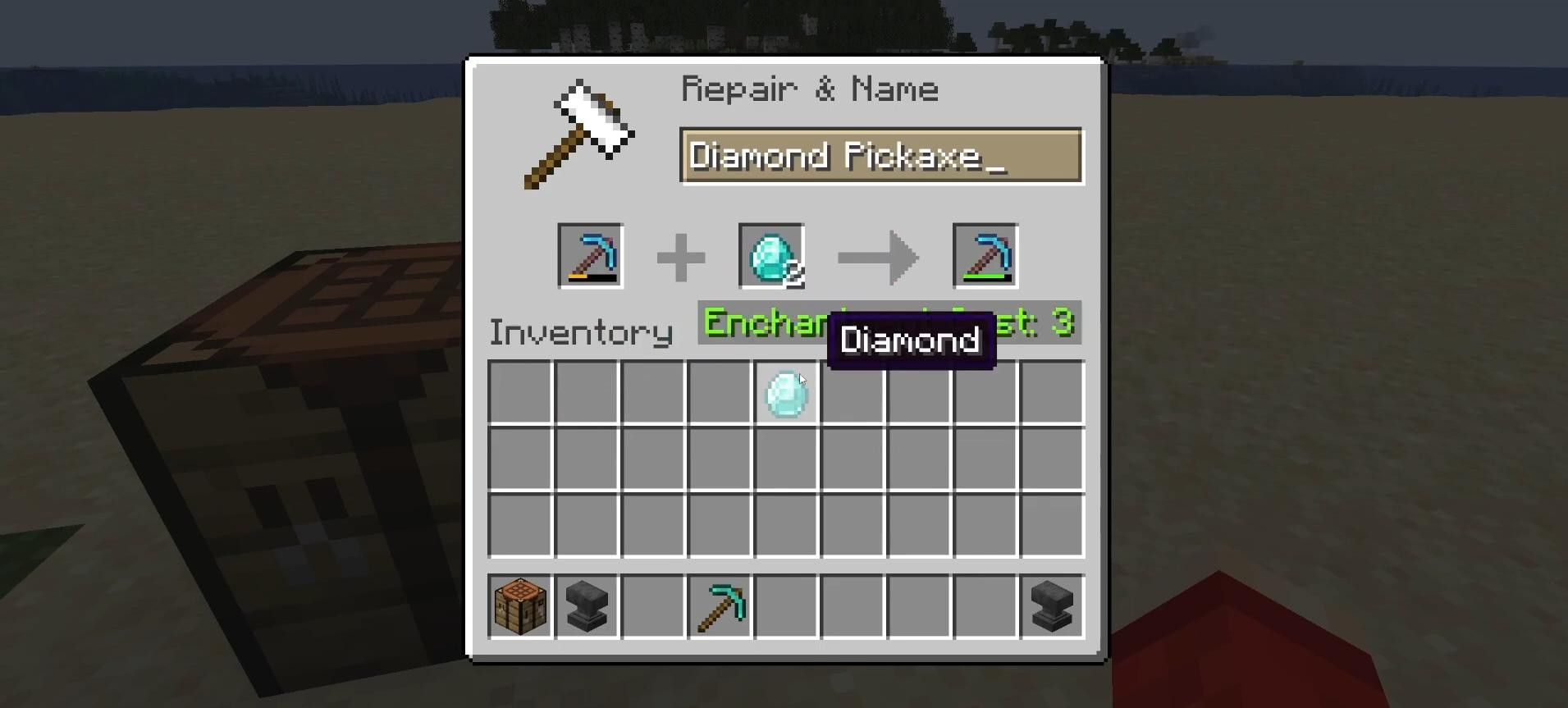
To repair an item, right-click on the installed anvil.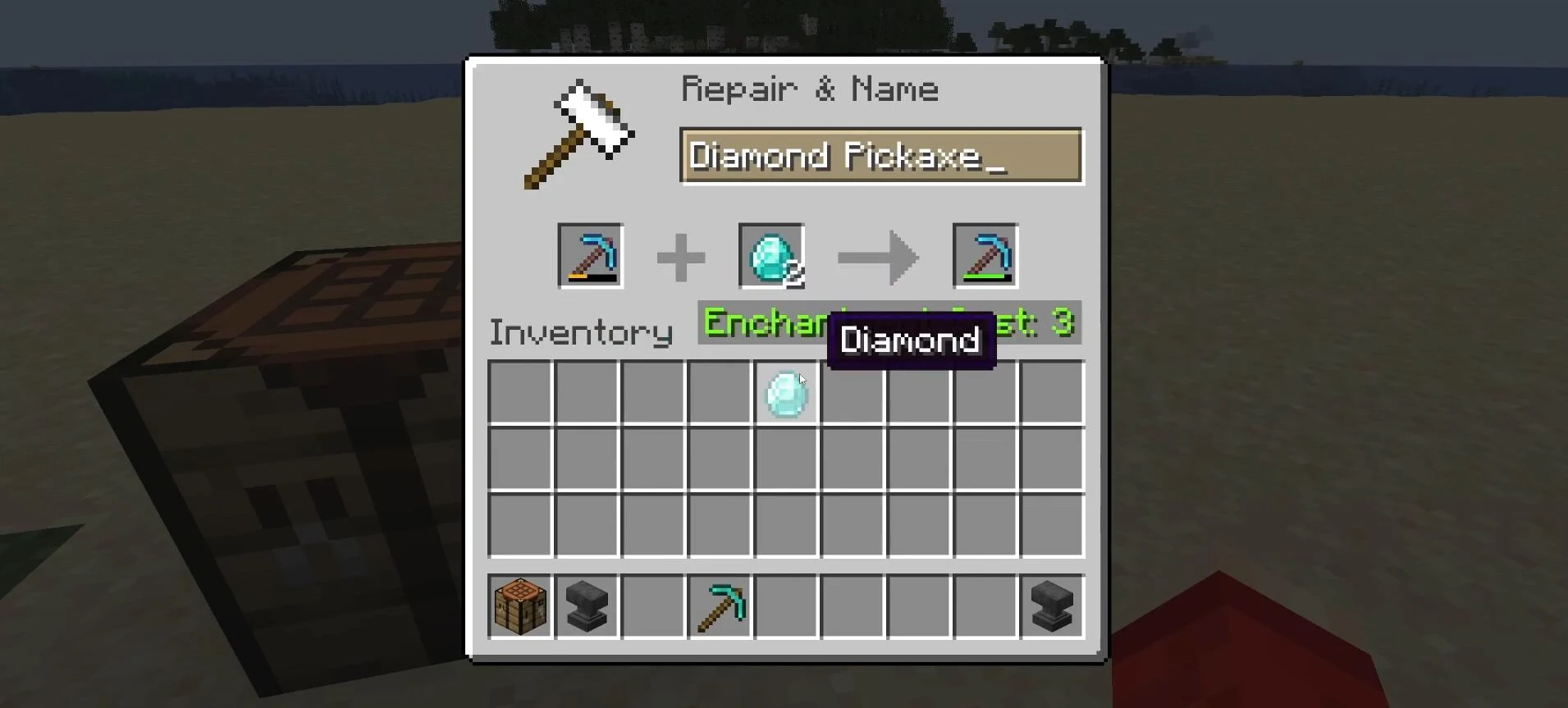
The window that opens has three cells: the first on the left is for the enchanted item that needs to be repaired. The second cell can hold two types of objects — either the same item, enchanted or not, or the material from which it is made.
For example, regular diamonds are suitable for a diamond pickaxe, and iron ingots can be used for an iron sword. If a resource is used, the repair restores some of the durability and preserves the enchantments. At the same time, the experience level costs are minimal.
If you use the second item, it will be expensive. But on the other hand, it gives more durability. And if both items are enchanted, the enchantments can be combined, provided they do not conflict.
Important: Each item has a limit on the number of repairs. With each new attempt, the experience cost increases. At the last stage, repair may be impossible due to the message “Too expensive”, even if the necessary resources are available. It is necessary to calculate in advance which repair option is more profitable.
Videos
Added by

![Timeless and Classics Zero (TaCZ) [Minecraft 1.20.1, 1.19.2, 1.18.2]](https://i2.modland.net/i/669683678b42d/description_0ac47139-8e79-4b76-8a0c-d79bcb9039df_modland.webp)
![NeoForge Installer [Minecraft 1.21.1, 1.20.6 - 1.20.1]](https://i2.modland.net/i/66c5cbeb7e5ee/neoforge_modland.webp)
![[1.5] THE DROPPER](https://li1.modland.net/minecraft/maps/thumbnail/th_ModLandNet_1.jpg)

_modland.webp)
_modland.webp)
![Mod Menu [Minecraft 1.21.1 - 1.14]](https://i2.modland.net/i/670844d8dfaa0/220113162237010137 (1)_modland.webp)