ECU Pro Tuner - Trainer 3.1.1
Latest Update
OE Pro Tune v3.1.1 brings a big update to the transmission tuning, NOS, flames and multiplayer features.
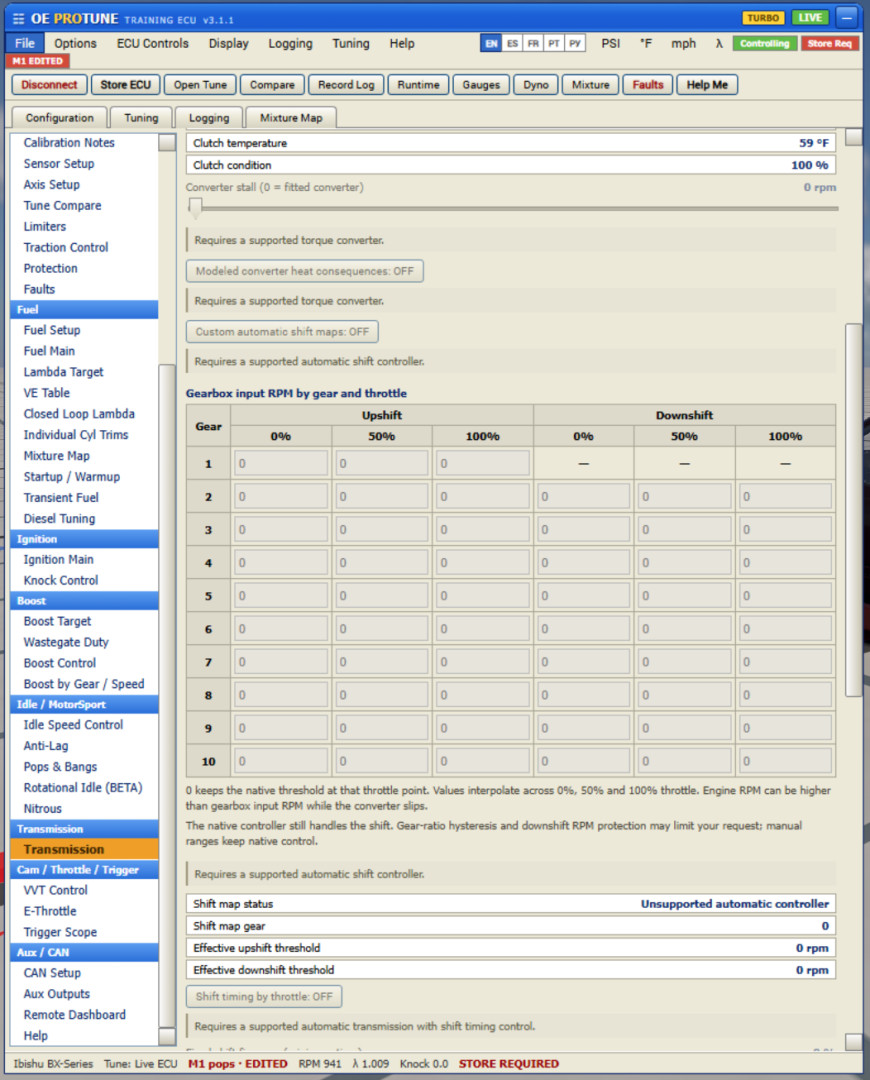
- Transmission tuning: Added gear and load based shift maps, adjustable shift timing and improved torque management during shifts. You can also turn OE transmission tuning off and use the car’s original transmission behavior.
- NOS: Reworked the nitrous system for more realistic power delivery, fuel requirements and activation limits. It takes more thought to set up properly.
- flames: Reworked the flames with more variation in size, shape and duration. Pops produce separate bursts and fireballs, while tuned overrun flames can linger between bangs.
- OE SHOW / COAL: Added bigger, longer and more exaggerated flames for anyone wanting a show setup.
- Fast / Popcorn limiter: Added a new hardcut profile with quicker ignition cuts and shorter, sharper pop sounds. The rhythm follows the engine’s RPM recovery. Classic is still available.
- Higher RPM support: Improved limiter support for high revvving engines
- BeamMP sounds: Other players can hear your OE pops, bangs and limiter sounds, with improved syncing and missed-packet handling.
- BeamMP tuning: Added the ability to tune other players’ cars.
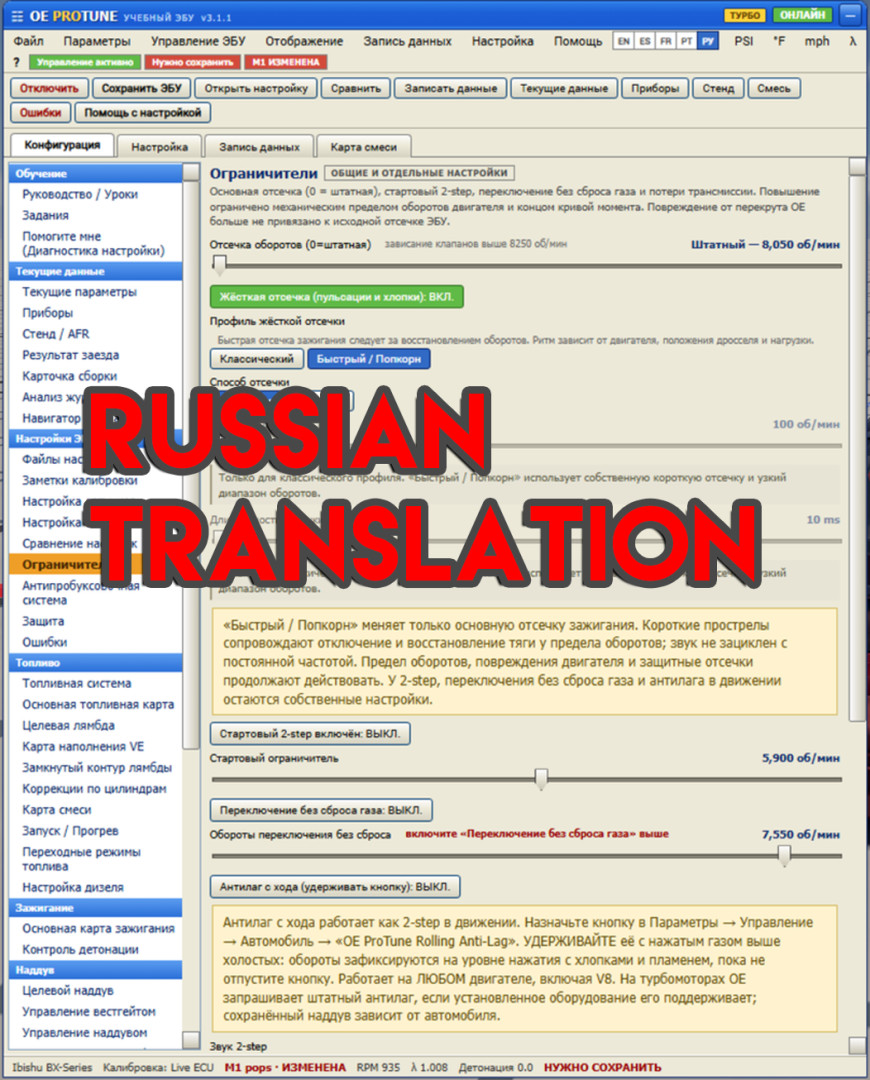
- Russian translation: Added Russian throughout the app and remote interfaces.
Multiple new 2 step sounds, rolling antilag and pops and bangs
PAID
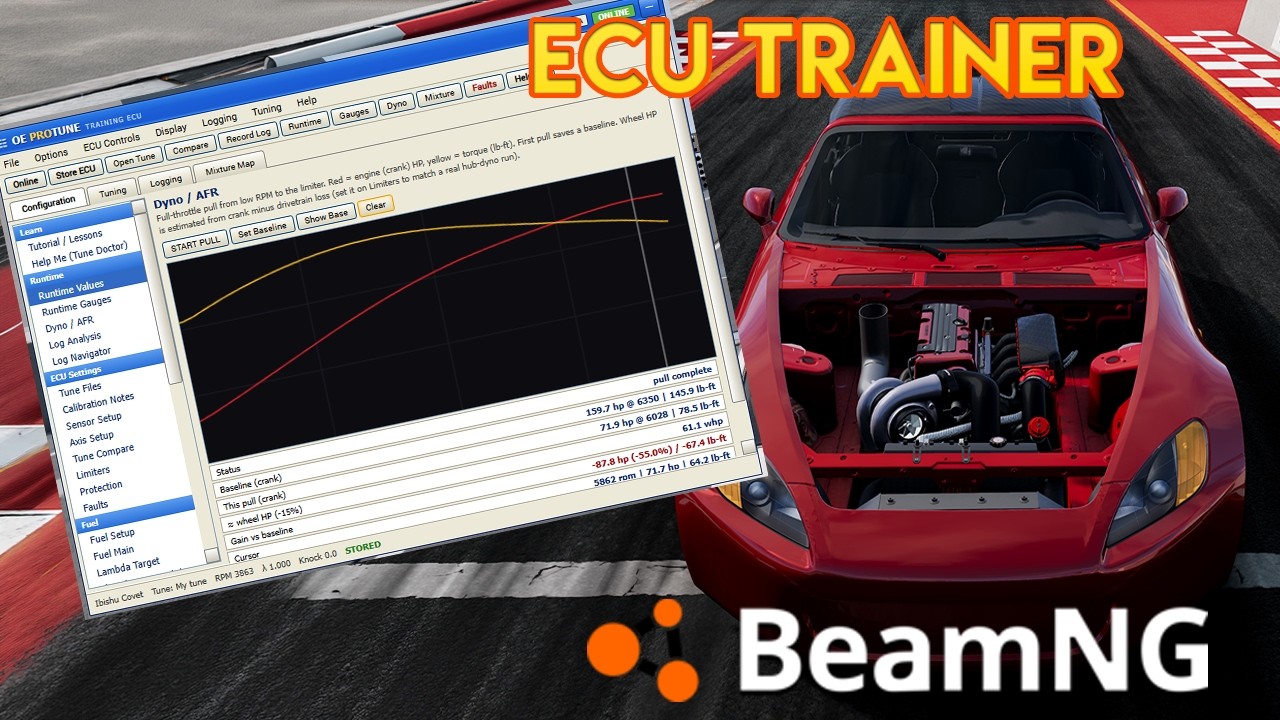
This is a tuning ECU app for BeamNG. It works on pretty much any car, all motor or turbo. It's set up like the standalone ECU software you'd actually tune on, but the point of it is to learn. Whatever you change in the fuel, ignition, boost and lambda tables changes how the car runs. Tune it right and it makes power, tune it wrong and it knocks, misfires, or blows up. Since it's just a sim you can mess with it however you want and reset the car to fix it.
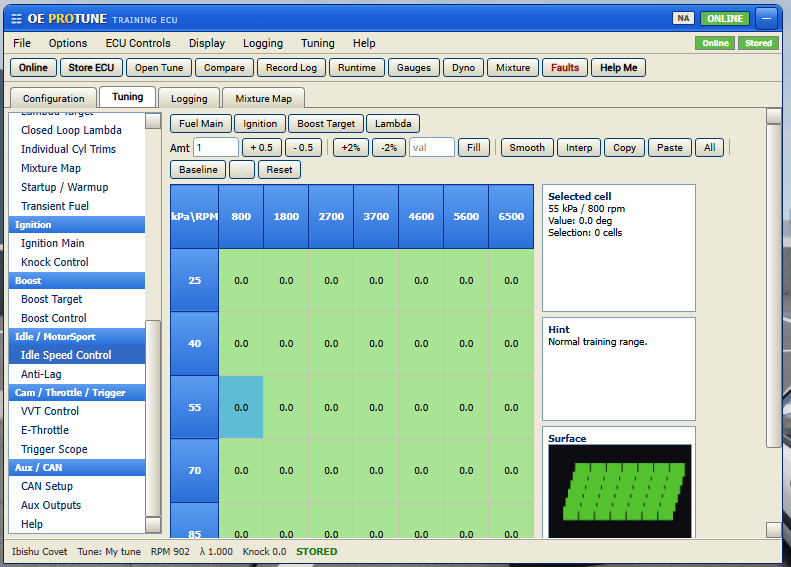
You tune on real tables. Fuel, ignition, boost and lambda are all there and color coded. You can drag to select a block of cells, then add, subtract, scale by percent, fill, smooth, interpolate, or copy and paste. There's a baseline and delta view, a live cell so you can see where the engine is in the map, and a surface view of the table.
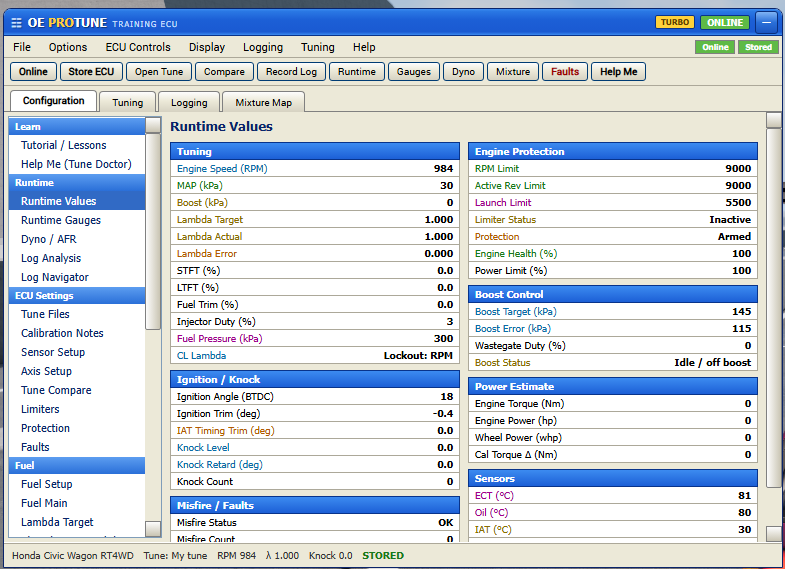
The runtime page shows you everything the car is doing in real time. Lambda, knock, injector duty, fuel pressure, intake temp, engine health, all with alarms when something's off.
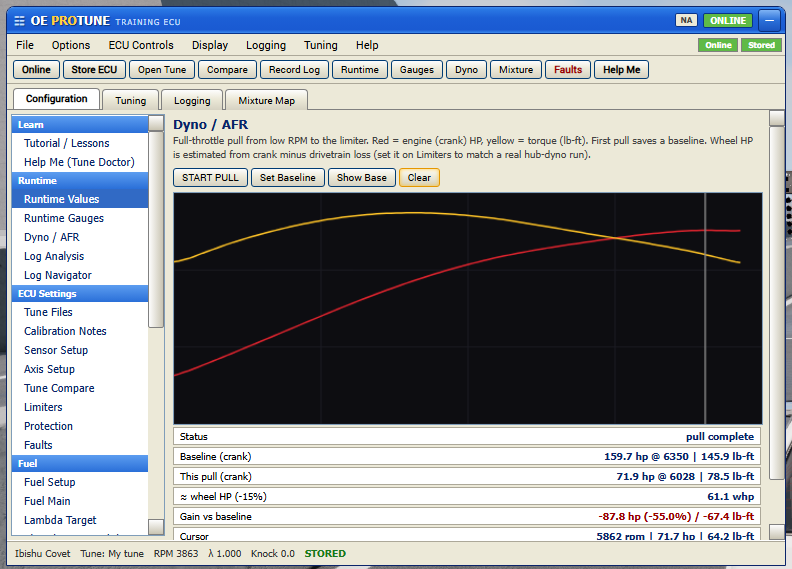
There's a dyno built in so you can see if your tune did anything. Do a pull and you get HP and torque curves, and it saves your first run as a baseline so the next runs show the gain or loss.
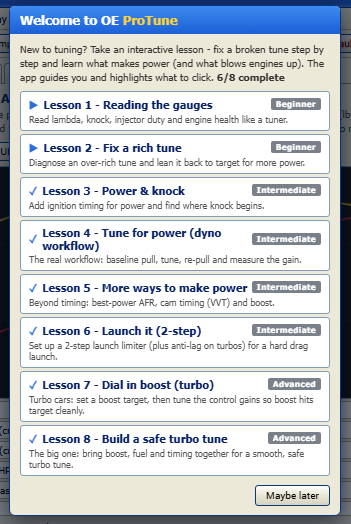
Hit the Tutorial / Lessons button. It sets the car up, shows you what to click, explains what's happening, and moves you on once you get each step. There are 8 of them, beginner to advanced:
-
Reading the gauges
-
Fixing a rich tune
-
Power and knock
-
Tuning for power on the dyno
-
More ways to make power (AFR, cam timing, boost)
-
Setting up a 2 step launch
-
Dialing in boost on a turbo car
-
Building a safe turbo tune
There's also a Help Me button that reads your live data and your last few pulls and tells you in plain words what's wrong and where to fix it, like running lean up top, boost going over target, or the motor taking damage. It'll jump you to the right page!
External Download Links:
Videos
About Mod
| Latest Version | 3.1.1 |
| Game | BeamNG.drive |
| Category | Cars |
| Game Version | 0.38.x |
| Downloads | 9643 |
| Created | 3 months ago |
| Last Updated | 1 month ago |
![Ford Bronco [PACK]](https://temp2.modland.net/i/6abb8bc6ce51c/0_modland.webp)

![Mack Anthem / Pinnacle [PACK]](https://temp2.modland.net/i/6aa50a7184eaa/6ab9344368d3b/0_modland.webp)
Oh yes, I got a ton of hate for it, but it worked — OrlandoEdits actually added Russian, thank you!
@Antonkrd1 Gotchu
that tuner with a remote connect already been out. HM been did this.... copycat hahaha
@Stephennnnnnnn right...
can you make it free i really really want it to learn to tune but cant aford it
@223455 search it, it already leak
How do I enable remote dash for QR code if I’m using my steam deck? When I click open setup folder nothing happens in desktop and gaming mode
@John It should show you the "Enable remote dashboard.bat" Which you need to open as administrator and make sure your network is set up to private
There exist a lite version for free ?
@megatune7441 full mod on beamfinds
how to open ingame
@t Ui apps - add apps - OEProTune
Im kinda disapointed i got this mod on my brothers pc i got it on his pc for free and now its not free?
@camaro_14 It was never free. Probably downloaded a leaked one. But ive been doing weekly updates on this and adding a bunch of new features :)
Very nice mod but can you add one time purchase?
Nice mod, but I messed up the tune, I cant reset it It still stays the same and uses same tune for different cars. How do I reset the tune?
@turbodiesel theres a "open tune" option. Load the stock basetune
Hi, it's a very good mod but why only some of the options are unlocked, i cant click on them
Hi. I can't pay on Patreon cuz i'm from Russia. Can i contact you on Discord and pay with other method?
So Its a Great Idea But When it comes to accuracy of car parts its not........I have a Built motor internals everything and It still causes Fault codes on Modded Cars Never tried with Vanilla bc I got this game for real cars and tuning and accuracy So my other Test was okay stock bmw m2 i went connected ProTuner & got Misfire codes Lean knock codes and this supposed to be a Stock car but when we implement ur Tune it doesn't register that the car is factory so it should have no faults then lets say we change engine block to 3.2L block it still reads the car as Stock block and instant overboost in the update of this mod I'd like for u to look into it bc this is great love the time you put in but realistically it needs more accuracy Great mod just need some more final touches
@noloveracingclan just some tips, turn decel fuel cut off, increase the boost pressure in the tuning tab and turn the knock threshold up
@noloveracingclan Gotchu, I'll start updating it soon