BeamNG Career Tool - Advanced Modding Automation (V1.8.2.9.2) 8.2

Changelog
BeamNG Career Tool Pro v8.2 – RLS 2.7.1 / BeamNG 0.39.4 safety update
Fixes the reports of "RLS crashes after using the tool" and the language that reverted to Portuguese.
- RLS Career Overhaul, BeamLR, Better Career, CareerMP/BeamMP and map mods are detected and never rewritten (before, Global Fix, Production queue, Batch Adapter and ZIP Optimizer processed every ZIP, including RLS itself).
- No more fake info.json for vanilla cars: config packs for pickup, etk800, bastion... keep the game's own names, brands and default configs. Stubs left by older versions are removed when the mod is saved again.
- mods/db.json is never deleted, so your enabled/disabled mods stay as they are.
- With RLS installed, Config Type (Police, Race, Rally, Drag, Drift, Frame, Loaner, Service...) is kept, so every car stays in the right RLS dealership. Region is kept too.
- Reads BeamNG "relaxed" JSON (comments, missing commas, stray braces) instead of rebuilding info files from scratch – that was 24% of the info files in a 125-mod test pack.
- Repairs absurd part prices (a $754 billion wheel made a used car cost $185 billion in RLS) and rebalances parts far above the author's car price. Part prices no longer compound when a mod is fixed again.
- Safer saving: original ZIP backed up to %APPDATA%\BeamNGCareerTool\OriginalModBackups, temporary file is .tmp, guard against BeamNG's zip bug, an old workspace is never saved over a newer download.
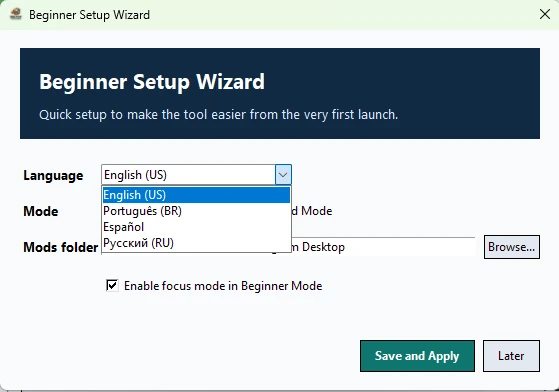
- The chosen language is kept after restart (settings now in %APPDATA%\BeamNGCareerTool); splash and login follow it; first start uses the Windows language.
If you used an older version: re-download RLS Career Overhaul (older versions may have rewritten it) and check BeamNG's mod manager for mods that were re-enabled.
Tested: 84 automated tests; Global One-Click Fix on 7 real vehicle mods + RLS 2.7.1 hotfix (RLS untouched, all mods 100/100); new career on BeamNG 0.39.4 + RLS 2.7.1 with all mods on sale at RLS dealers at sane prices.
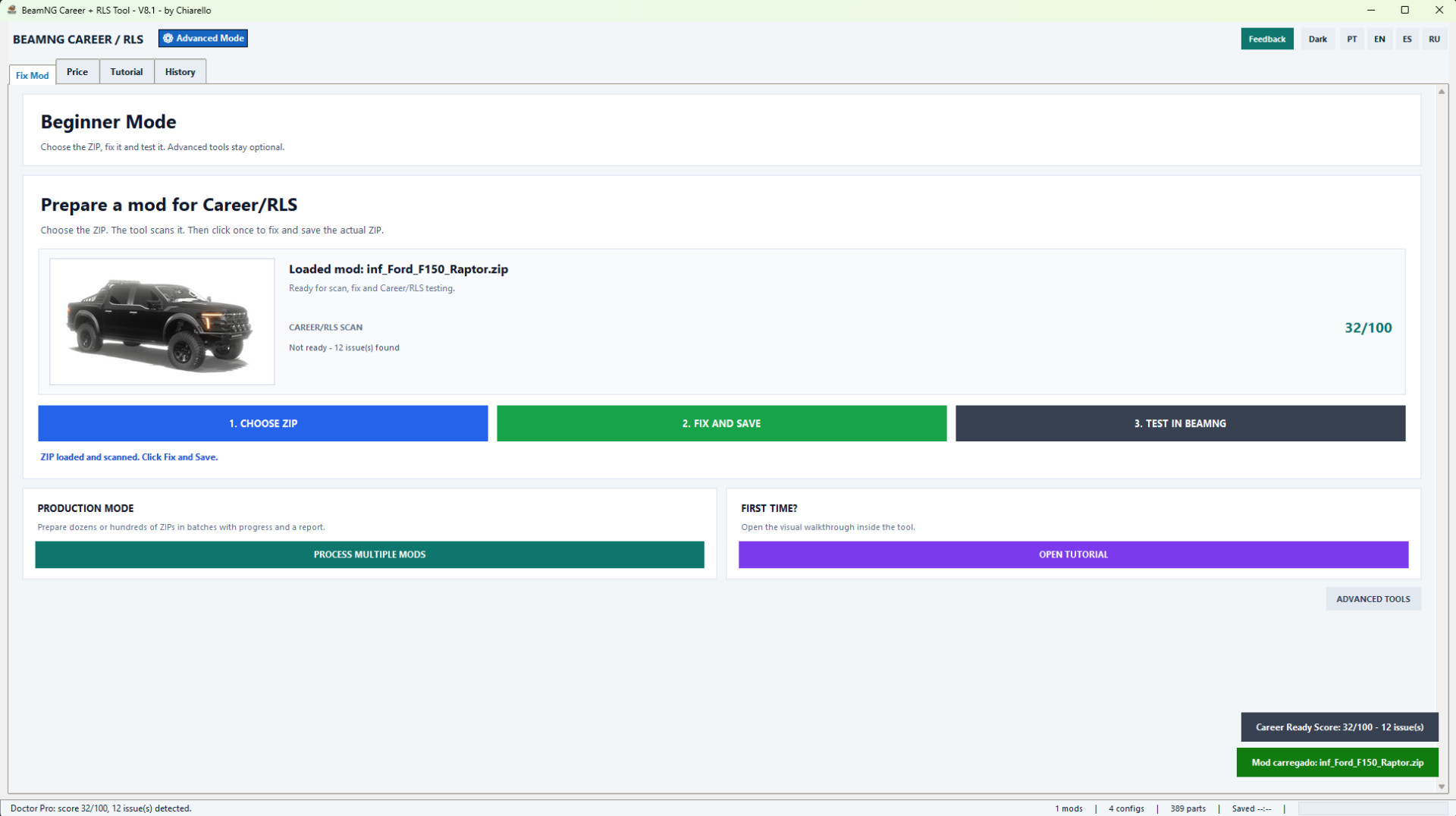
BeamNG Career Tool Pro v8.1 is a Windows utility for preparing vehicle ZIP mods for BeamNG Career and RLS.
This release keeps the complete BeamNG.drive 0.39 compatibility from v8.0 and introduces a major performance and interface update.
NEW IN V8.1
• Faster startup with on-demand loading of all 11 advanced modules.
• Background ZIP indexing after the main window becomes usable.
• Faster single-ZIP loading without scanning the entire containing folder.
• Progressive processing-history rendering for large mod collections.
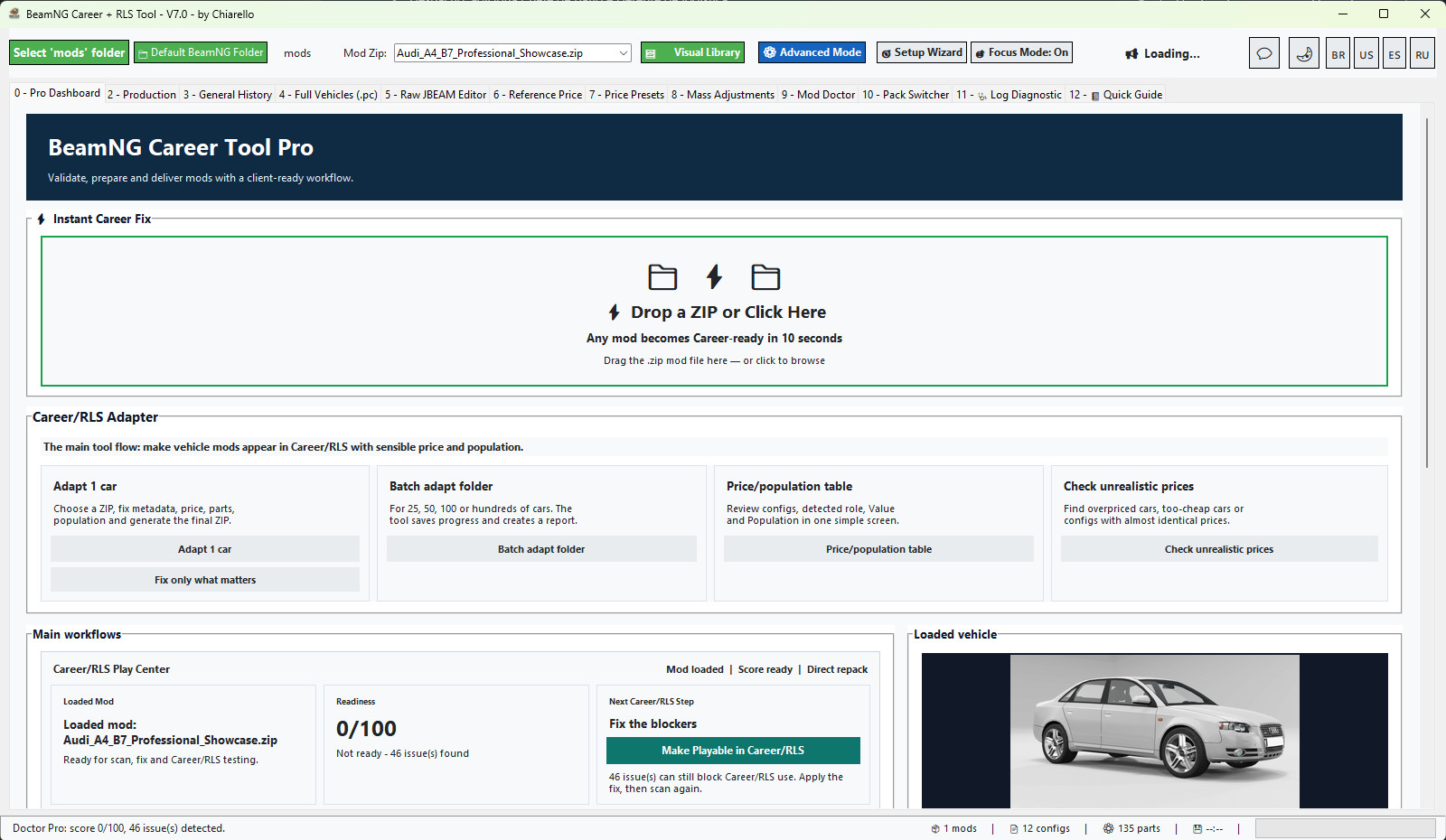
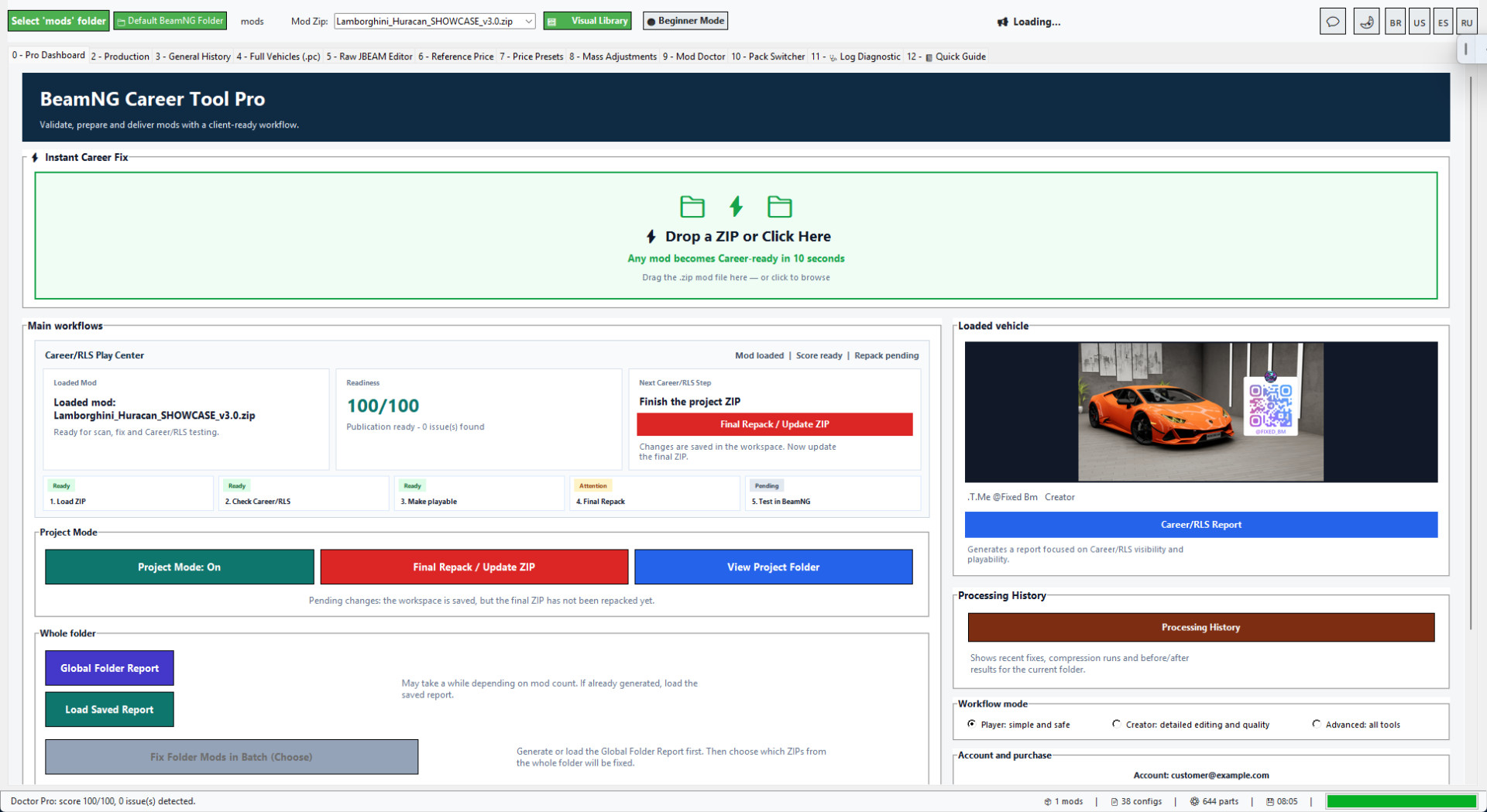
• New image-led Instant Career Fix dashboard.
• Four original illustrated Career/RLS Adapter actions.
• Cleaner tabs, toolbar, tables, buttons and status bar.
• Improved light and dark color palettes.
• Unsupported emoji glyphs removed from critical controls.
MAIN TOOLS
• Instant Career Fix.
• Career/RLS Adapter for individual vehicles and folders.
• Batch processing and Production Queue.
• Career Ready Score and Mod Doctor.
• Price and population reality checker.
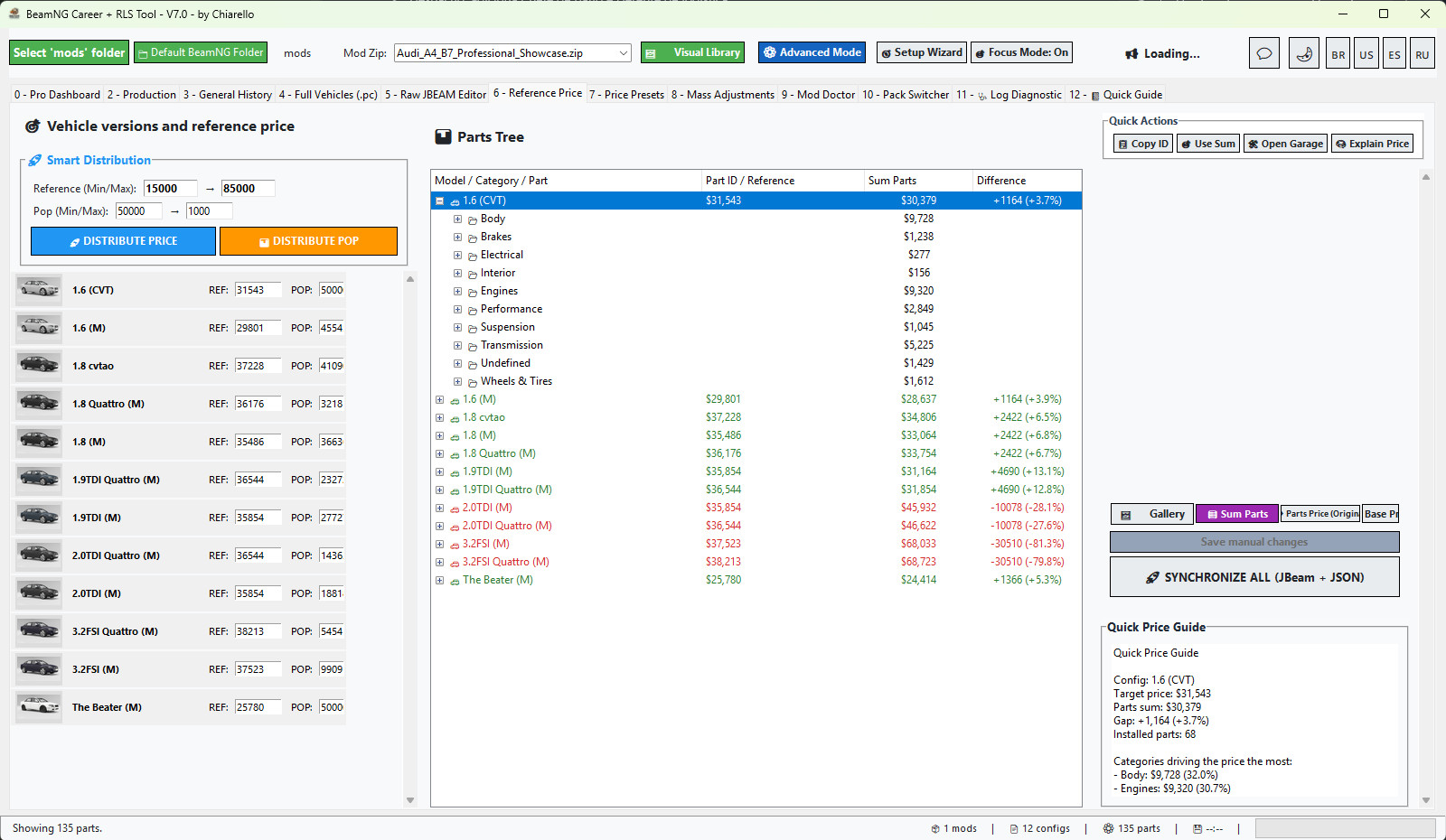
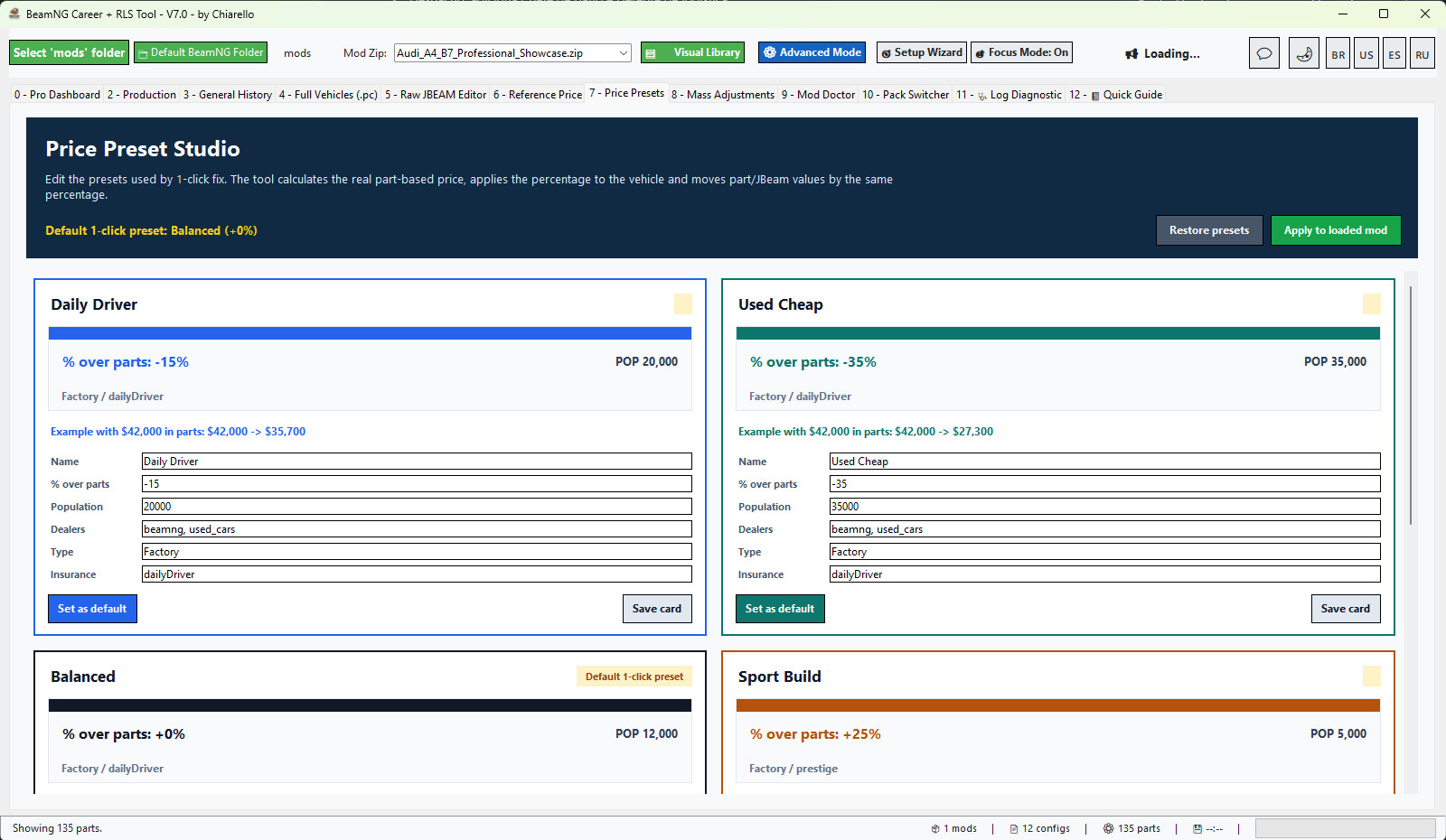
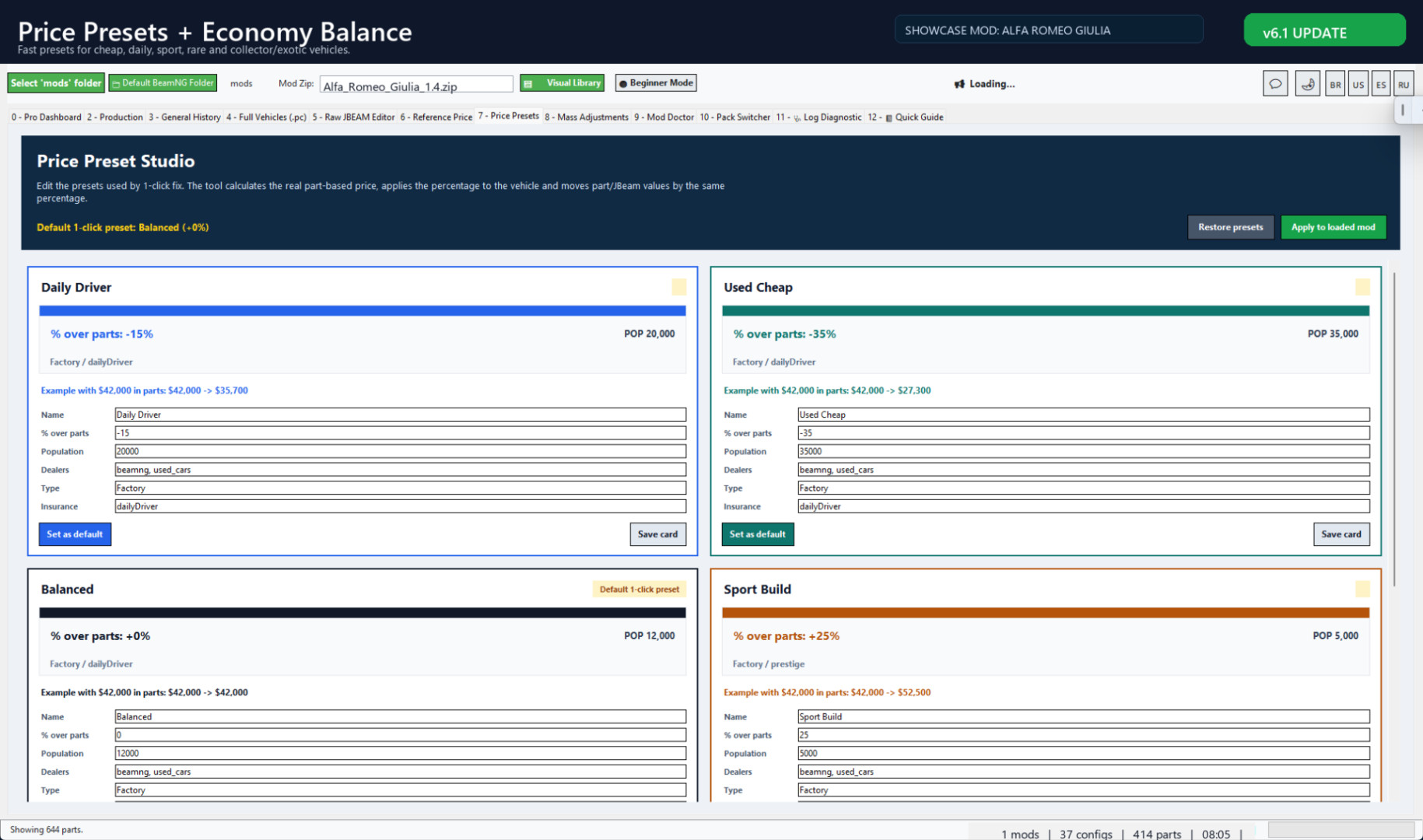
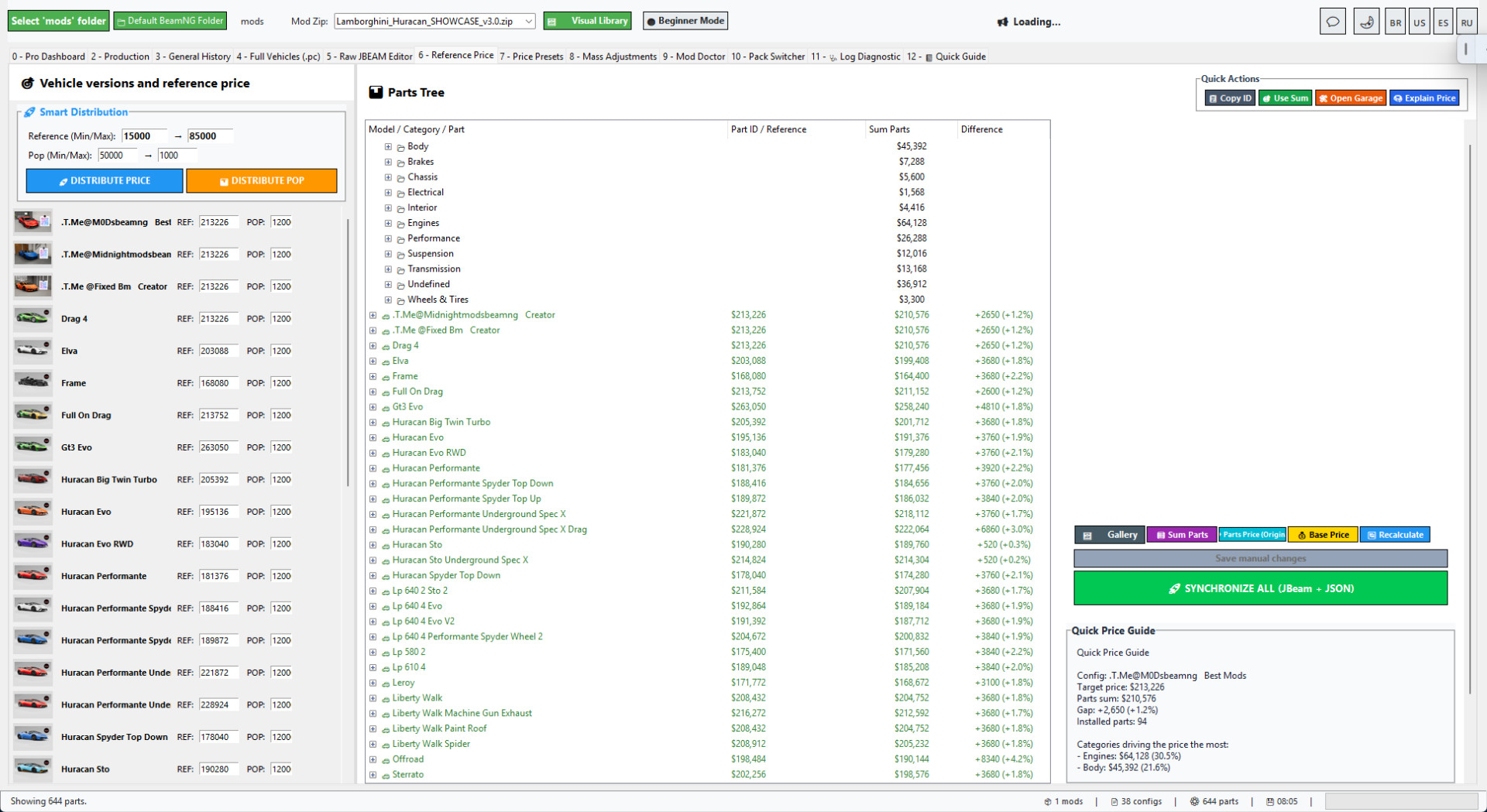
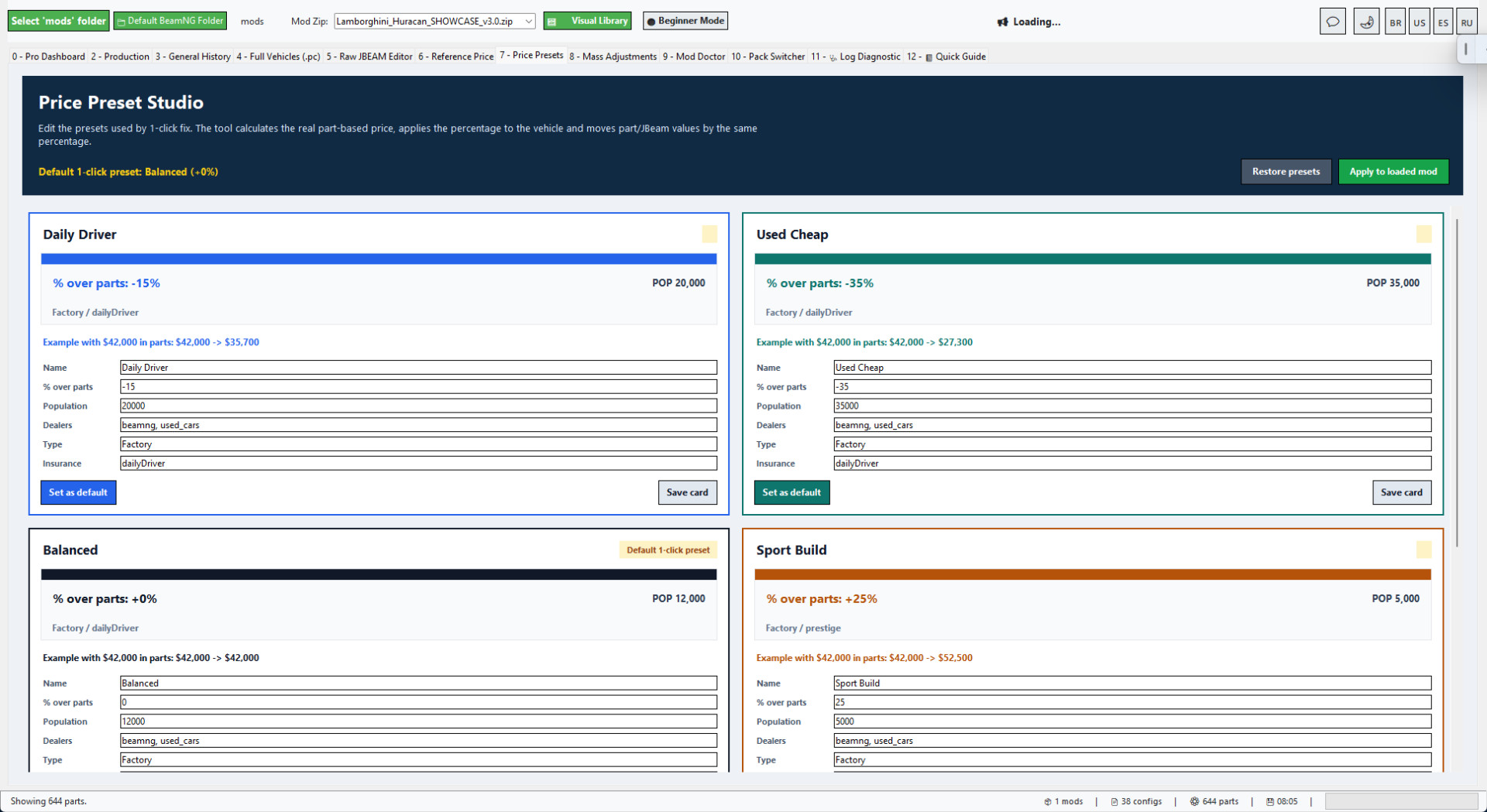
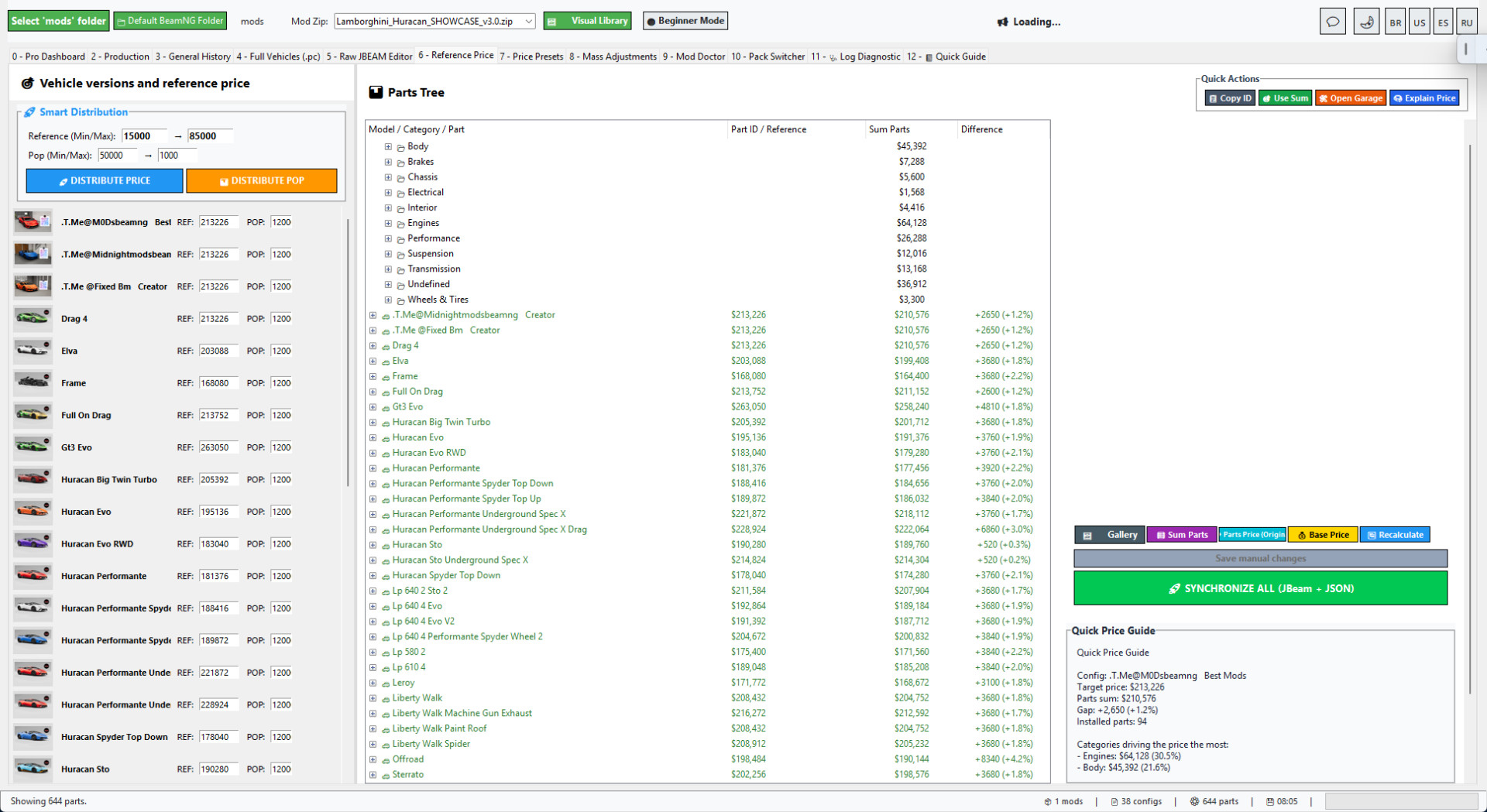
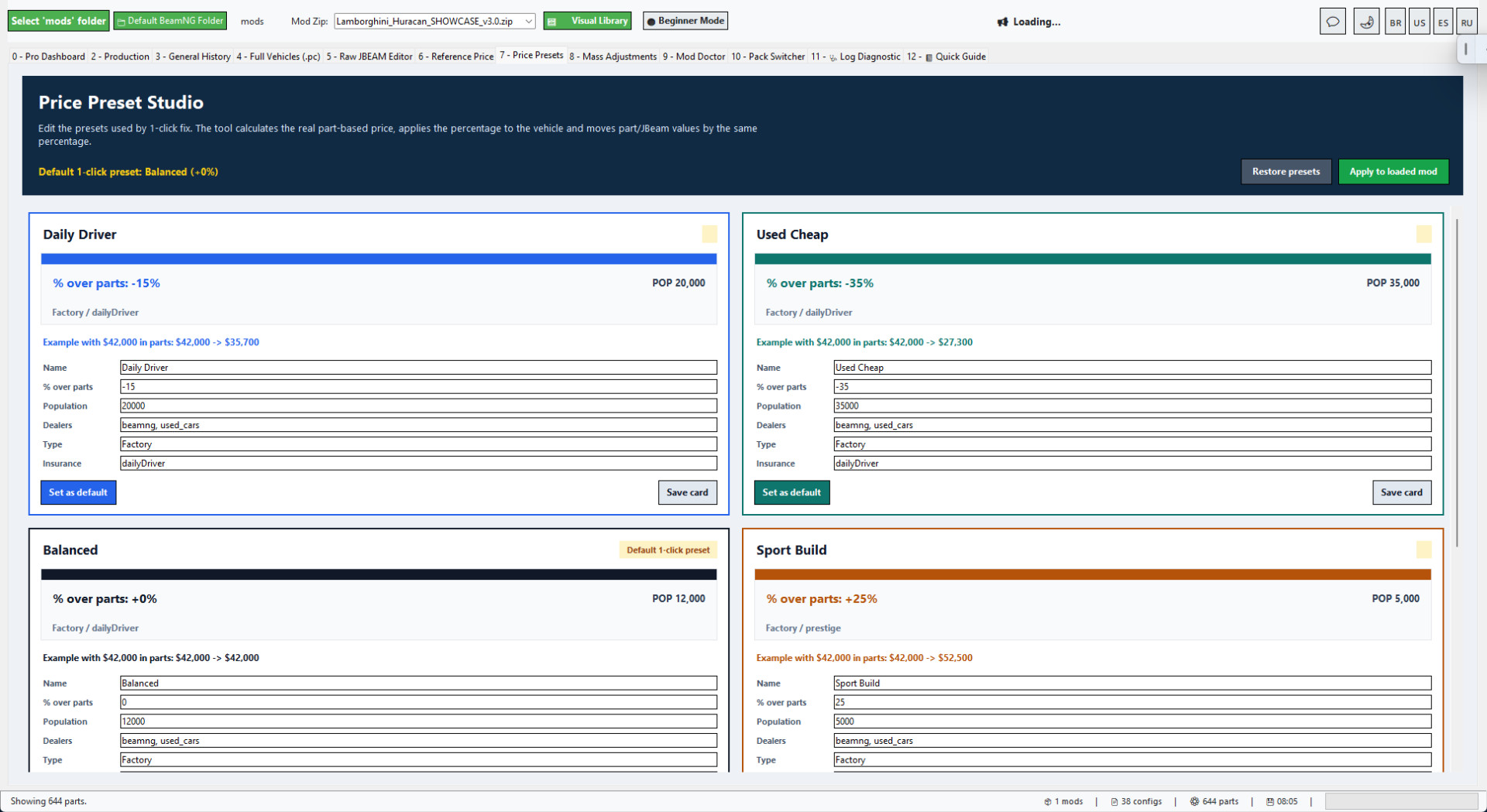
• Reference Price and Price Presets.
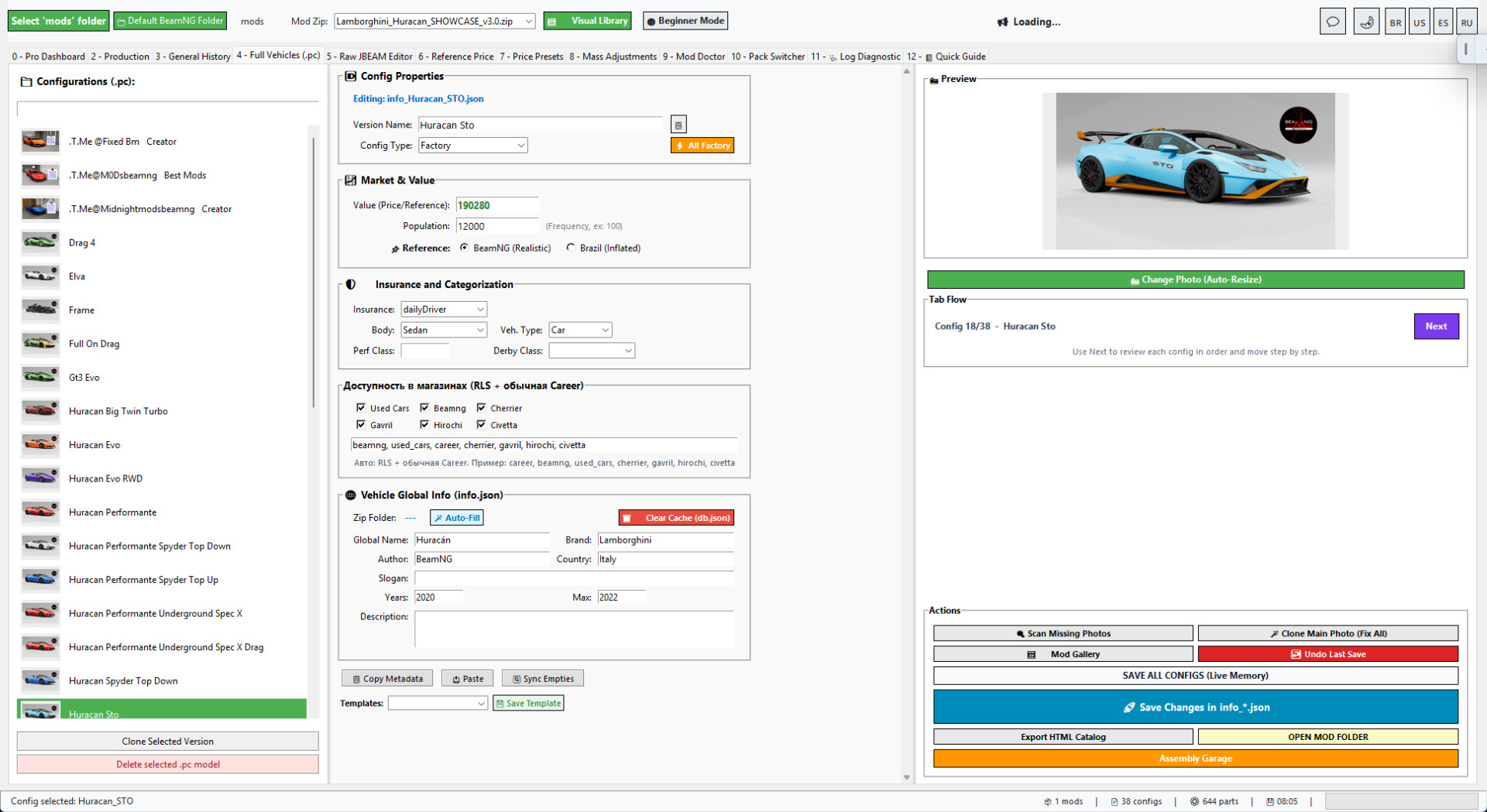
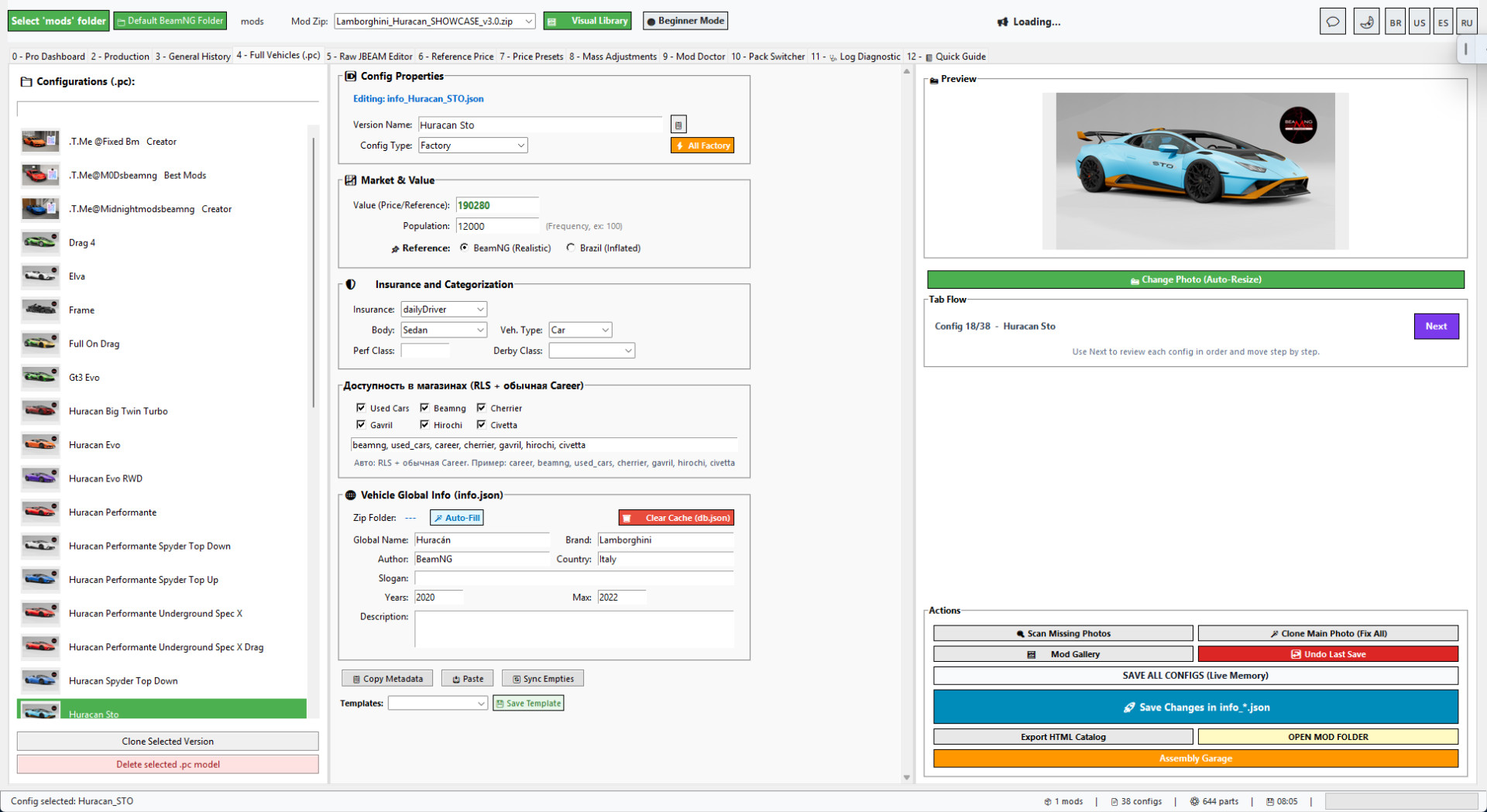
• Full Vehicles/PC configuration editor.
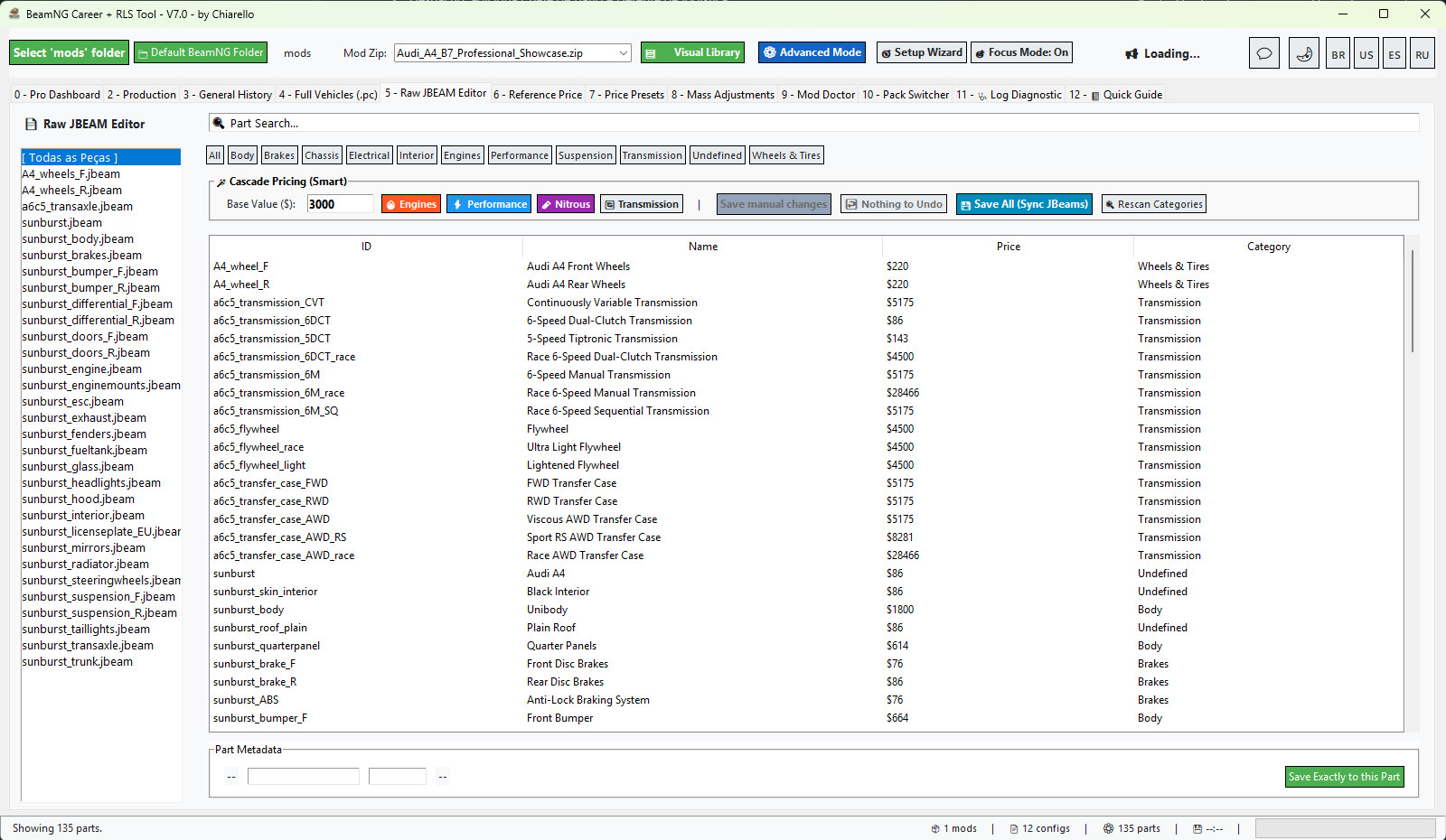
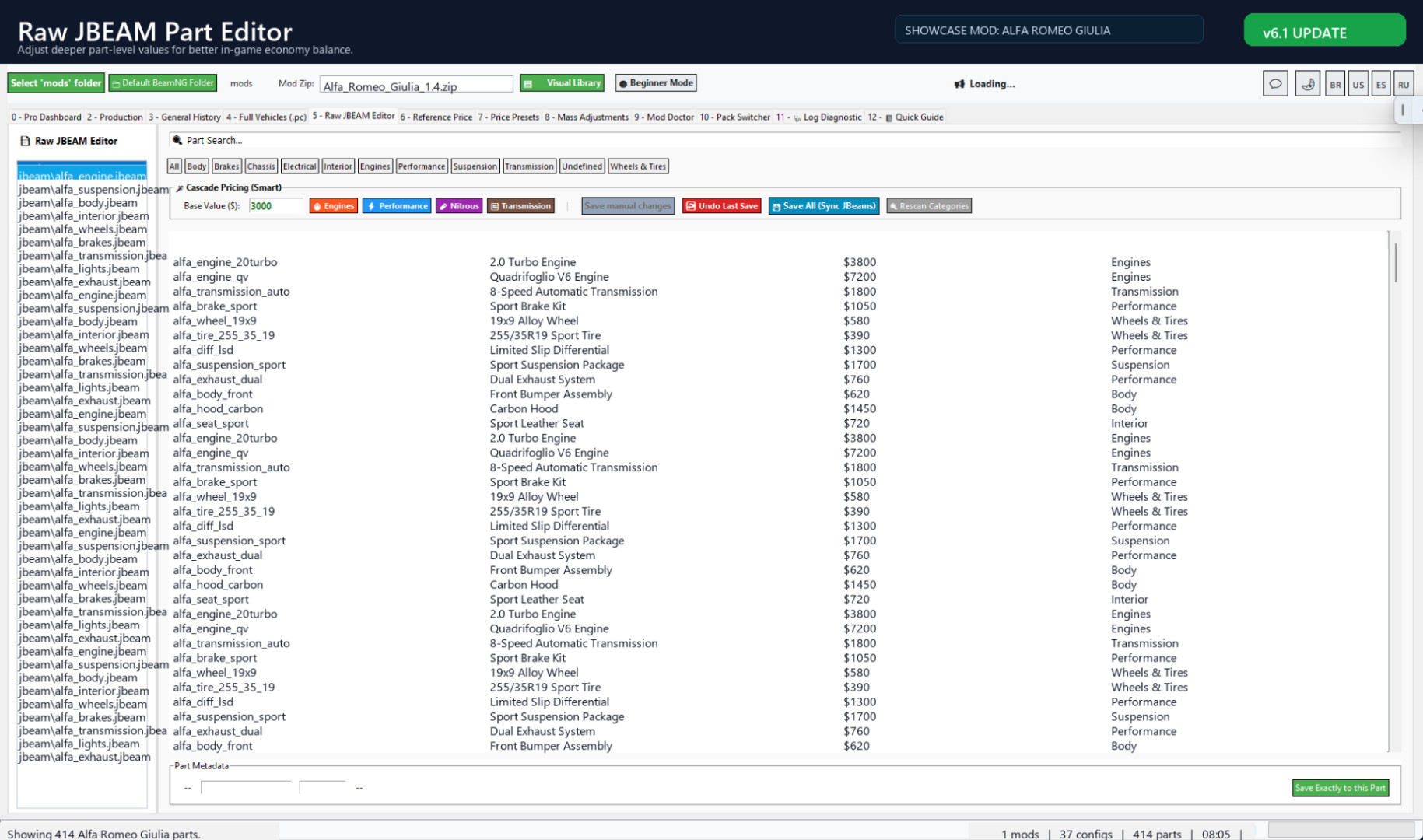
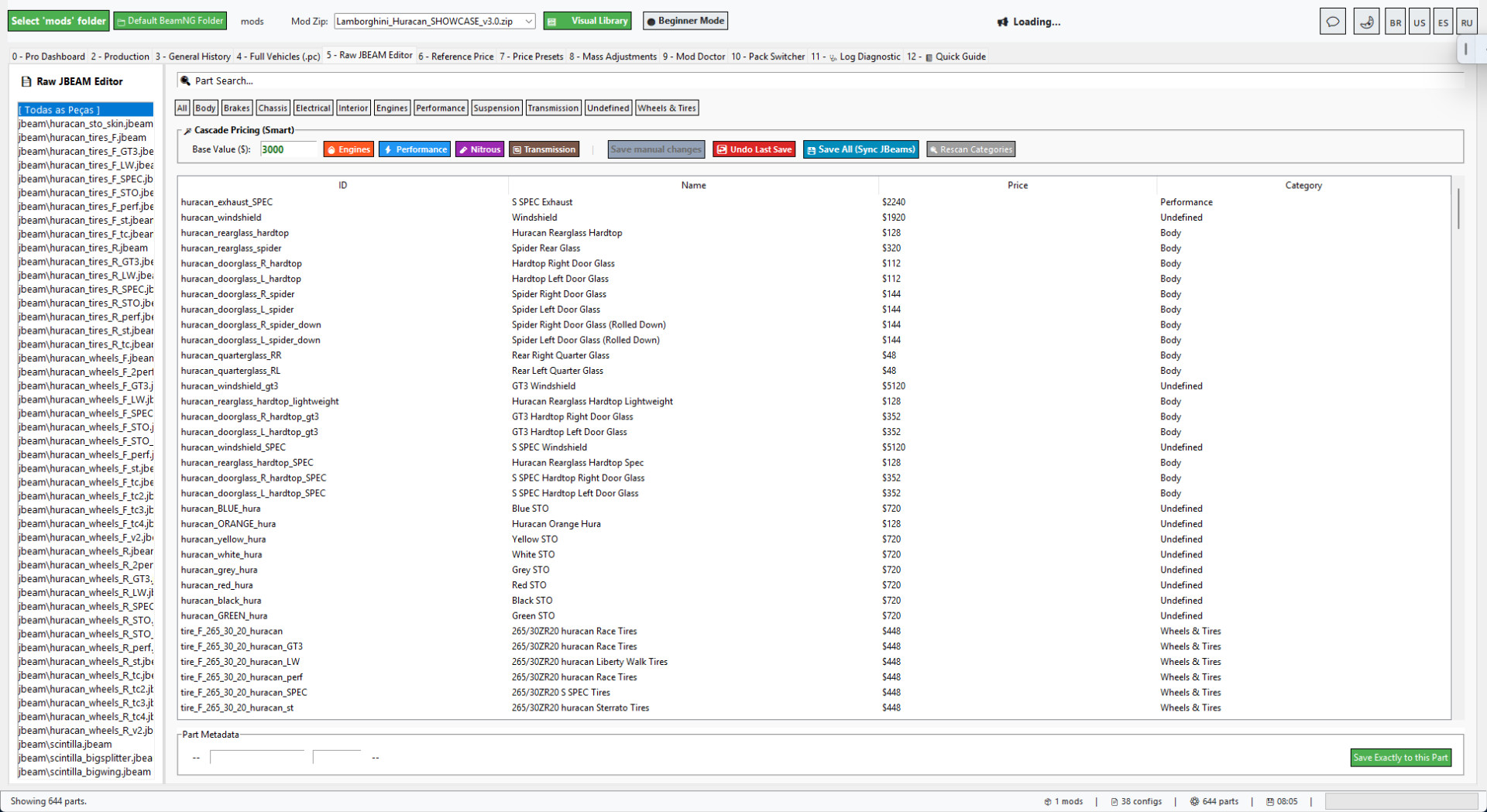
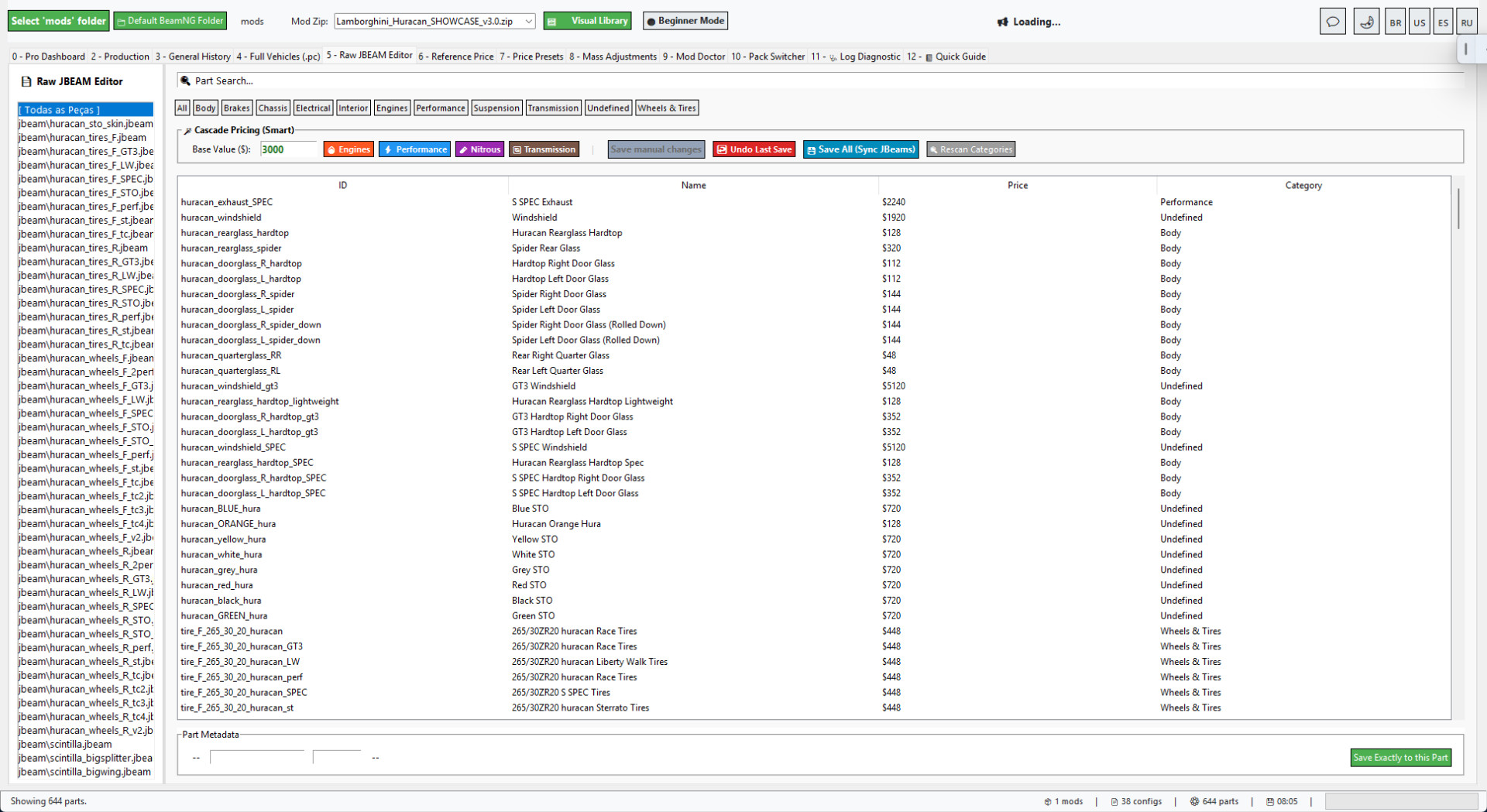
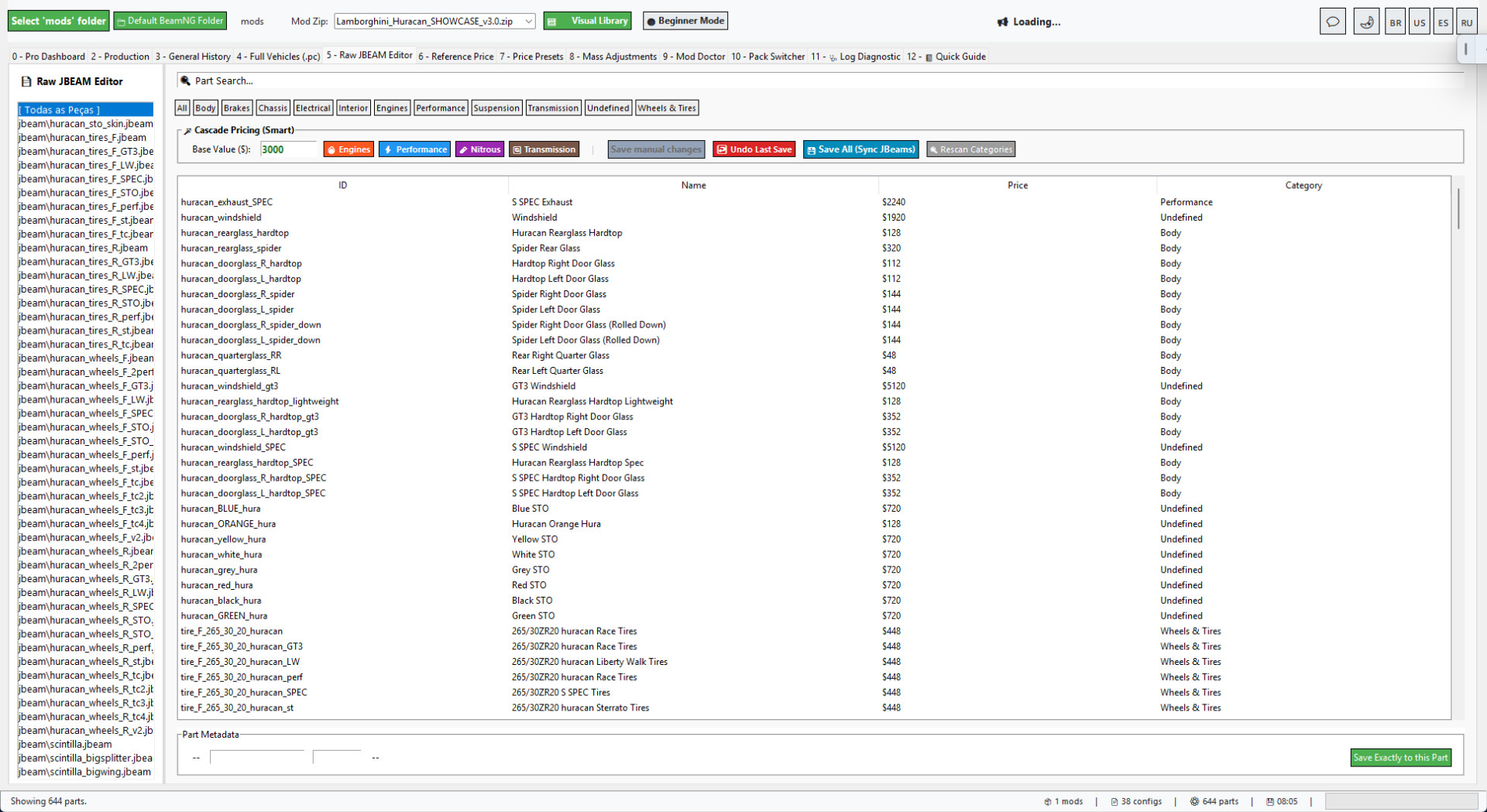
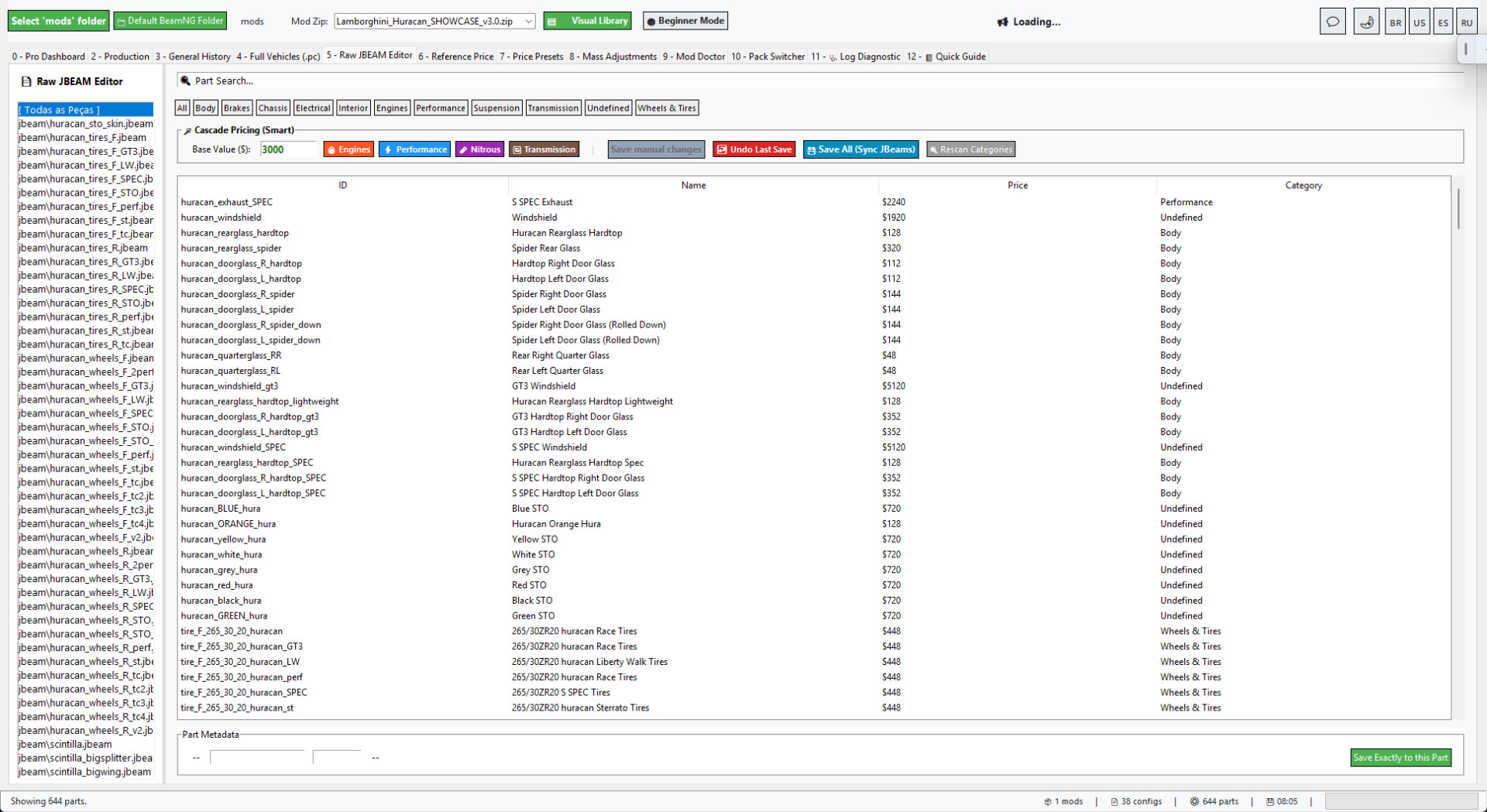
• Raw JBEAM and part-price editor.
• Visual Mod Library.
• Career/RLS shop preview.
• Before-and-after reports.
• General Processing History.
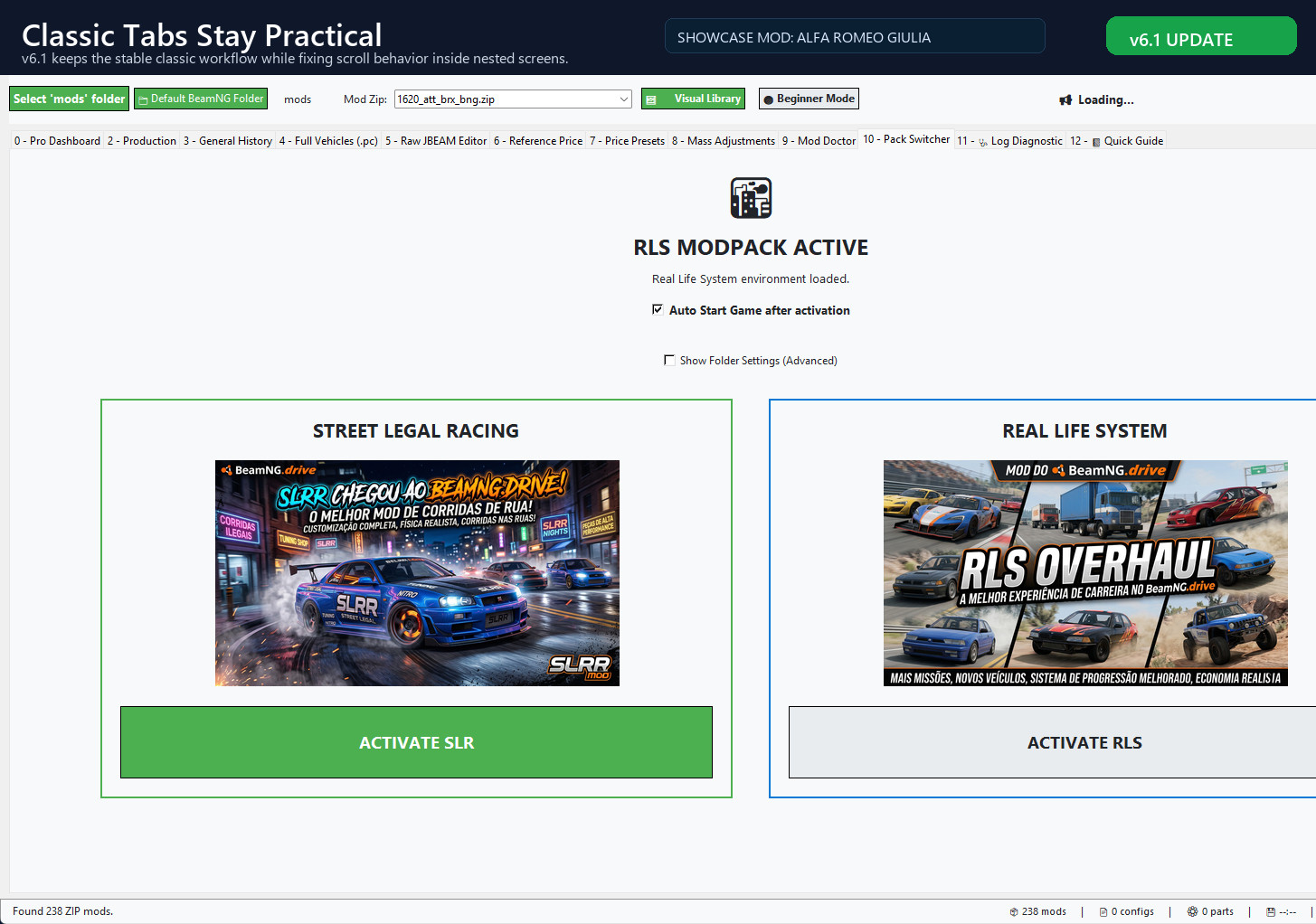
• Pack Switcher and diagnostic tools.
• Beginner and Advanced modes.
BEAMNG 0.39 SUPPORT
• Correct handling of physical configuration IDs and visible Configuration names.
• Correct matching of PC files with info_<id>.json metadata.
• Case-insensitive ZIP discovery while preserving original filenames.
• Detection and repair of metadata filename case mismatches.
• Mission-directory structure validation.
• Warnings for legacy license-plate templates.
• Detection of outdated Lua drawing API calls.
BeamNG Career Tool Pro v7.0
BeamNG Career Tool Pro is a Windows utility for players and modders who want to adapt BeamNG vehicle ZIP mods for Career mode and RLS without manually editing every config and part.
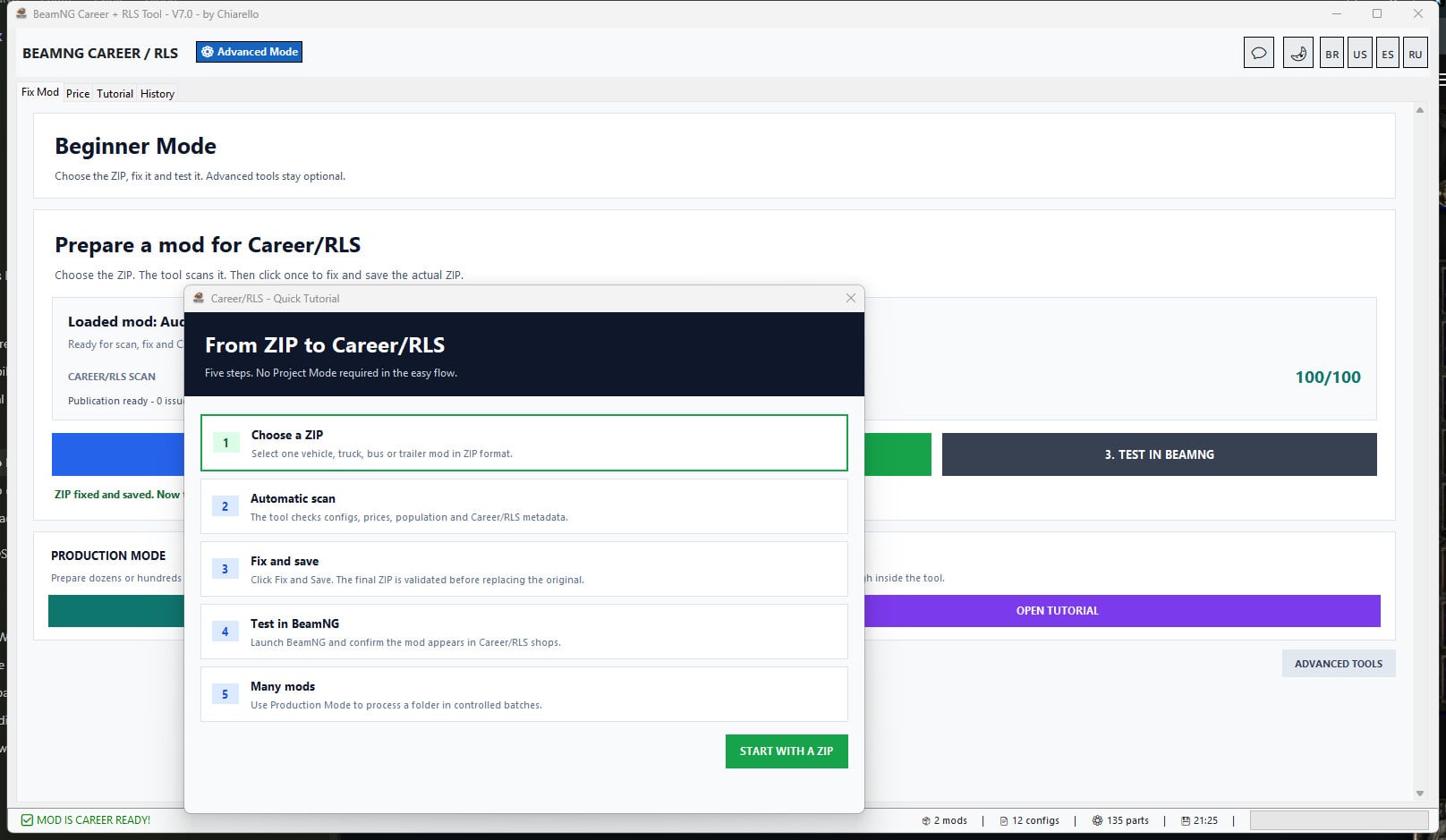
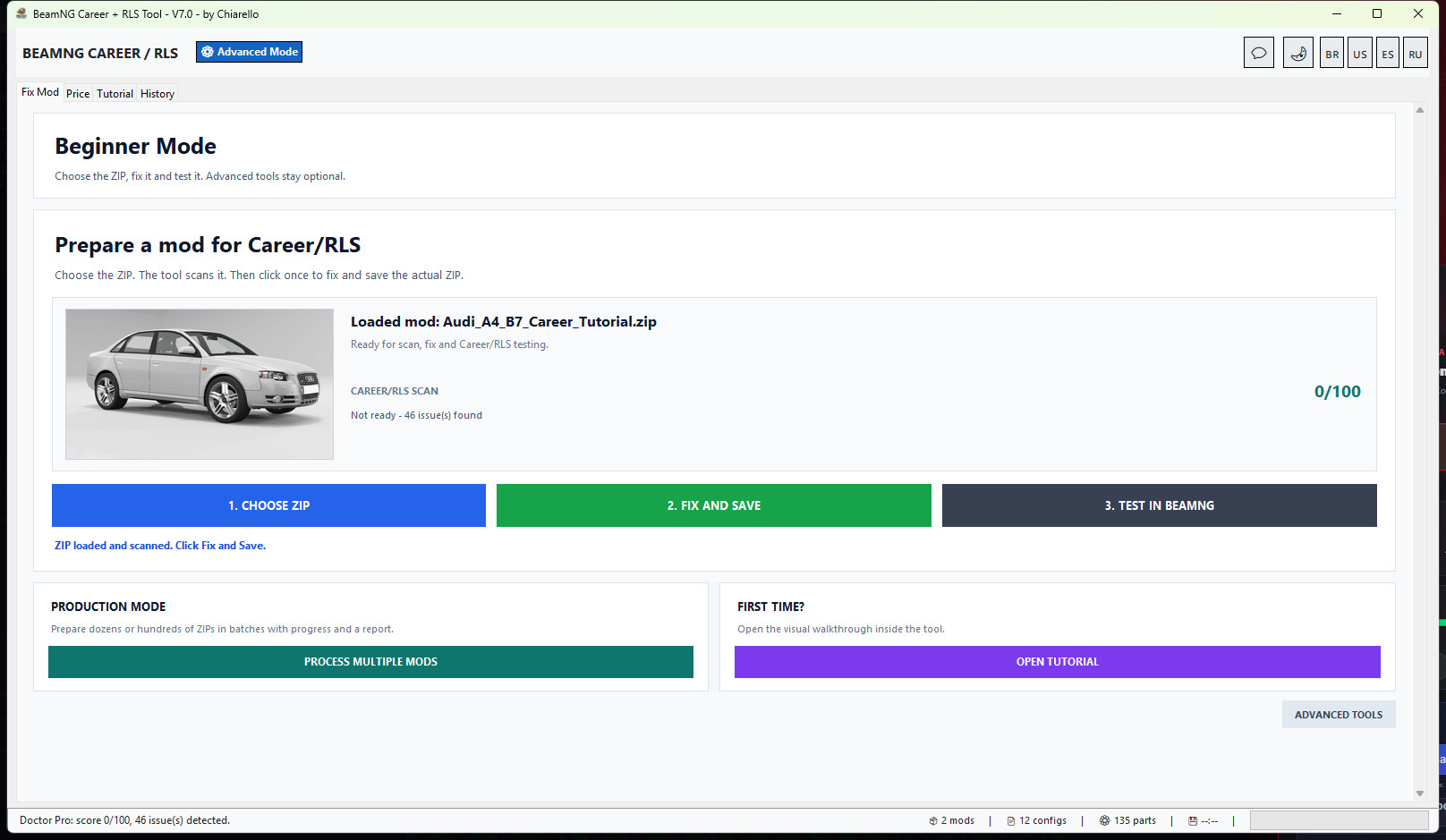
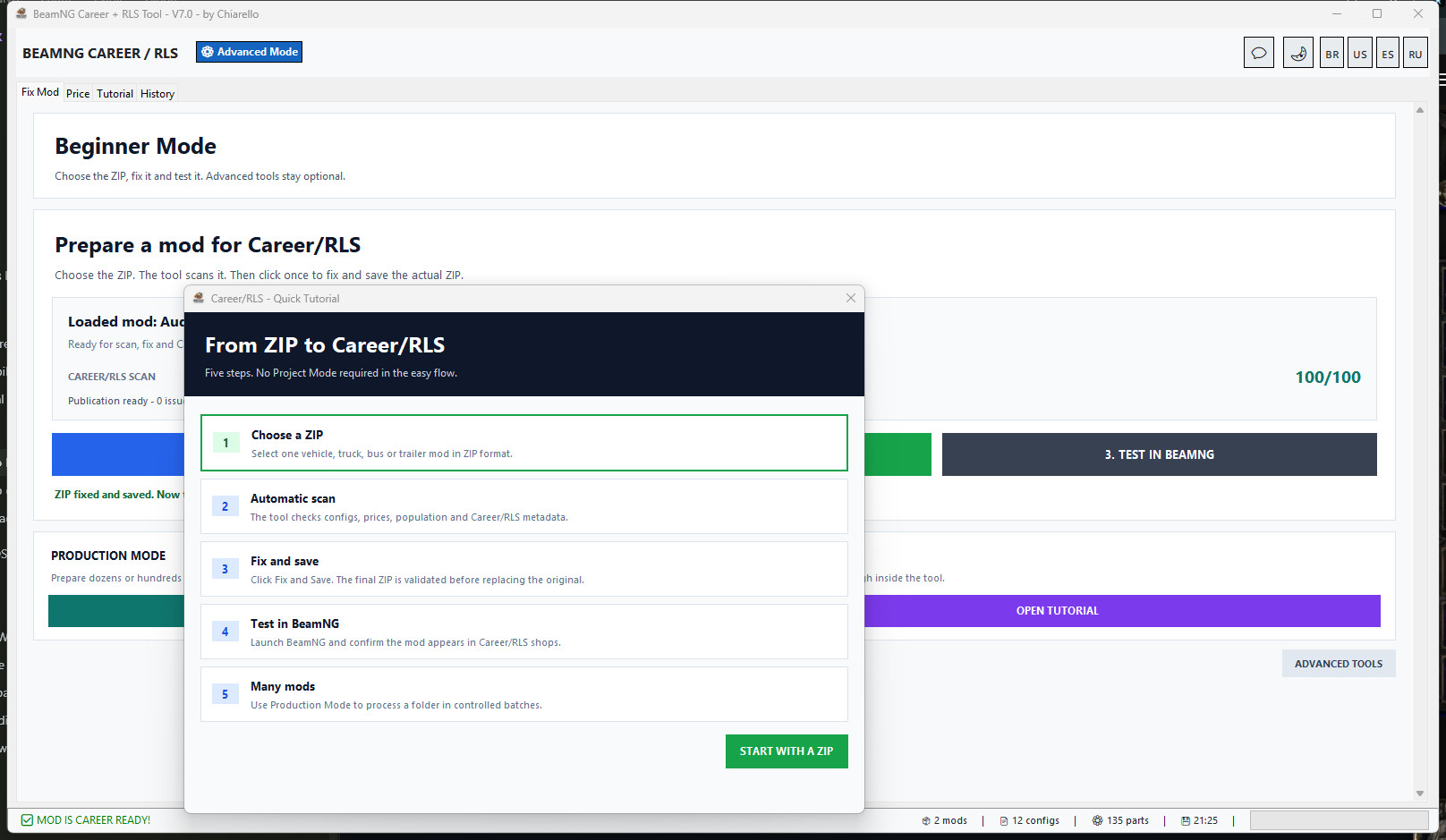
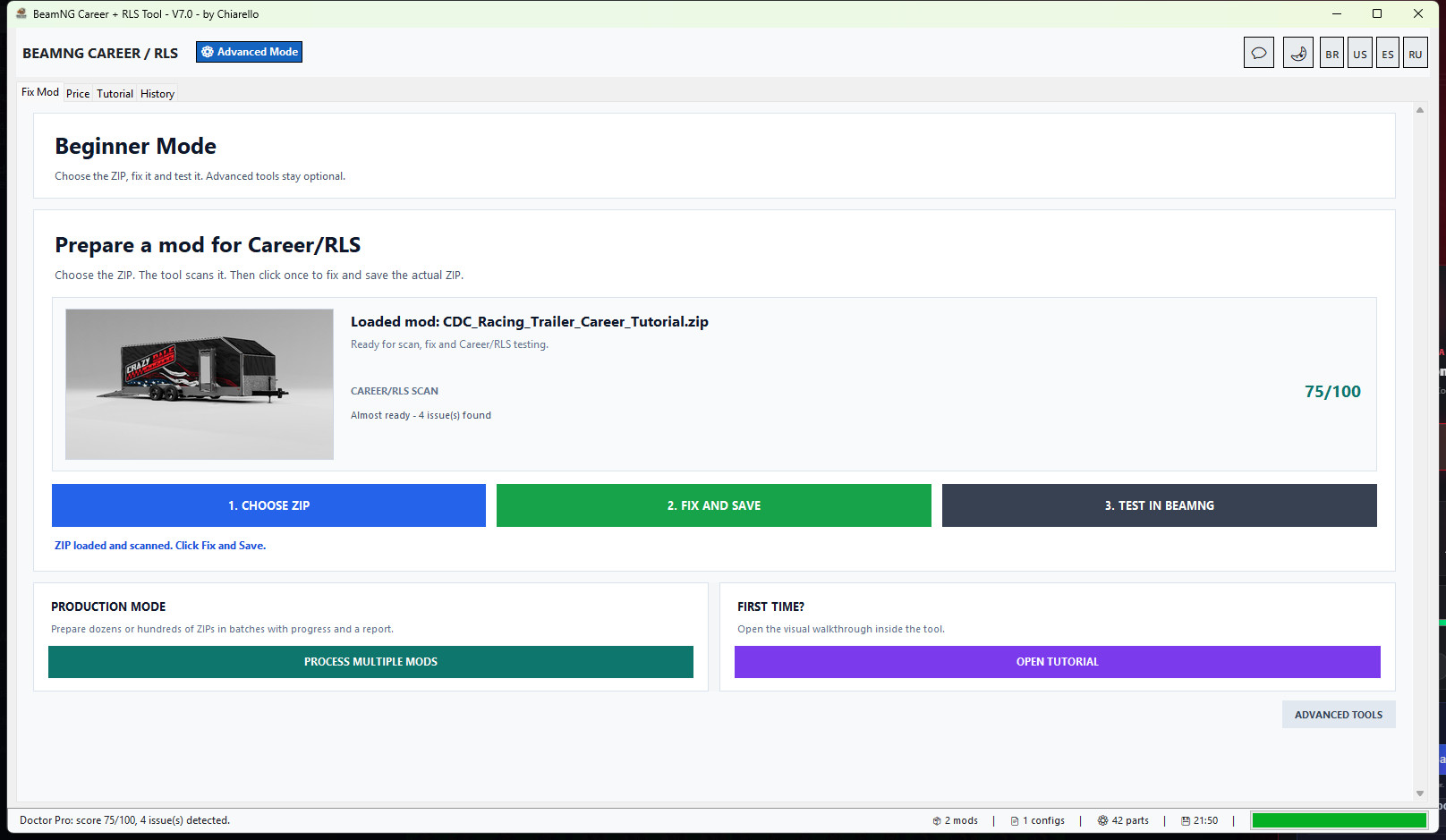
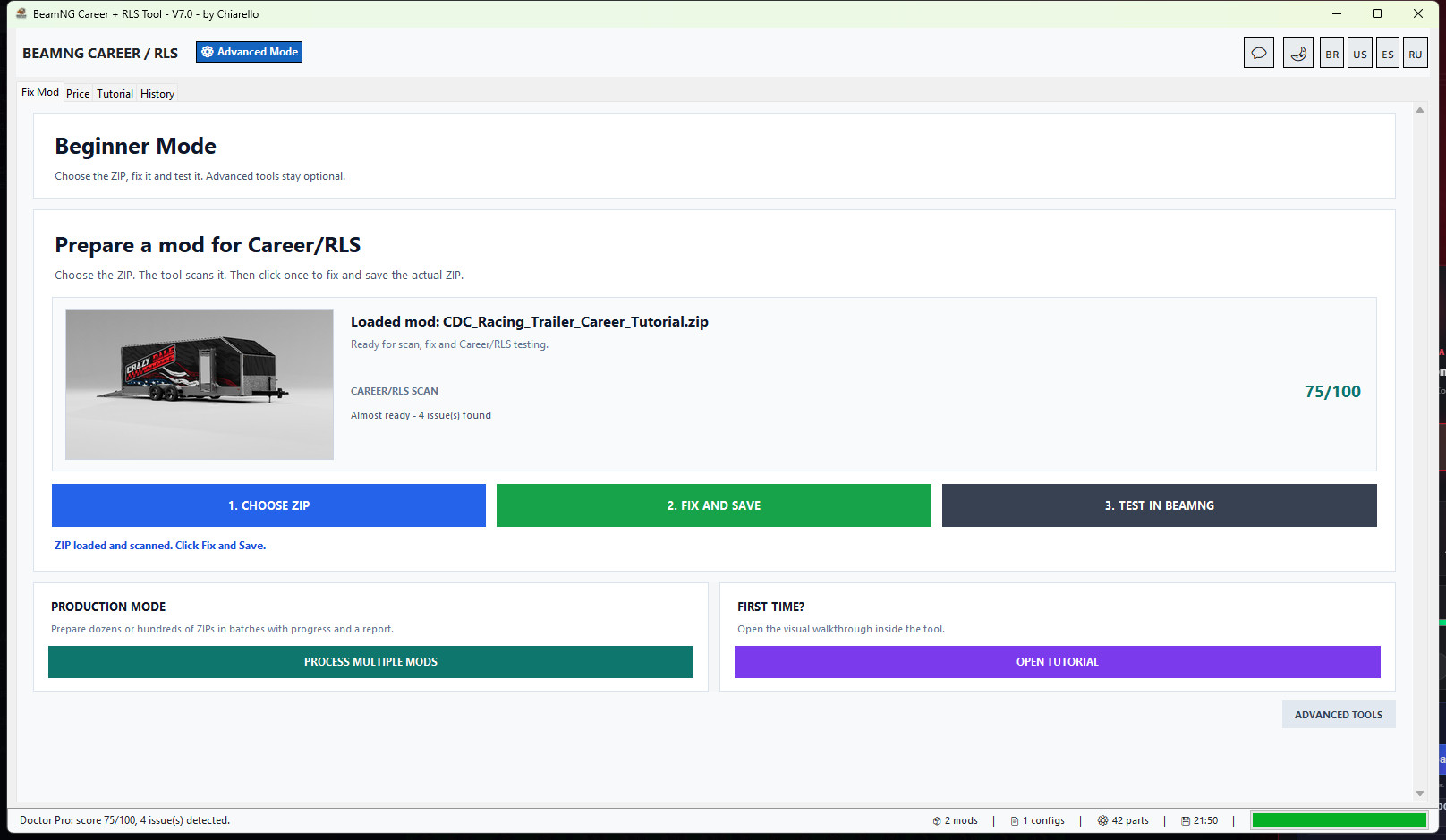
The main workflow is now simple: choose a ZIP, let the tool scan it, click Fix and Save, then test the corrected ZIP in BeamNG.
It prepares the metadata used by Career/RLS shops, helps correct unrealistic vehicle and part prices, sets population and visibility fields, validates the rebuilt ZIP and shows a clear before/after result.
New in v7.0: a simpler Career/RLS workflow
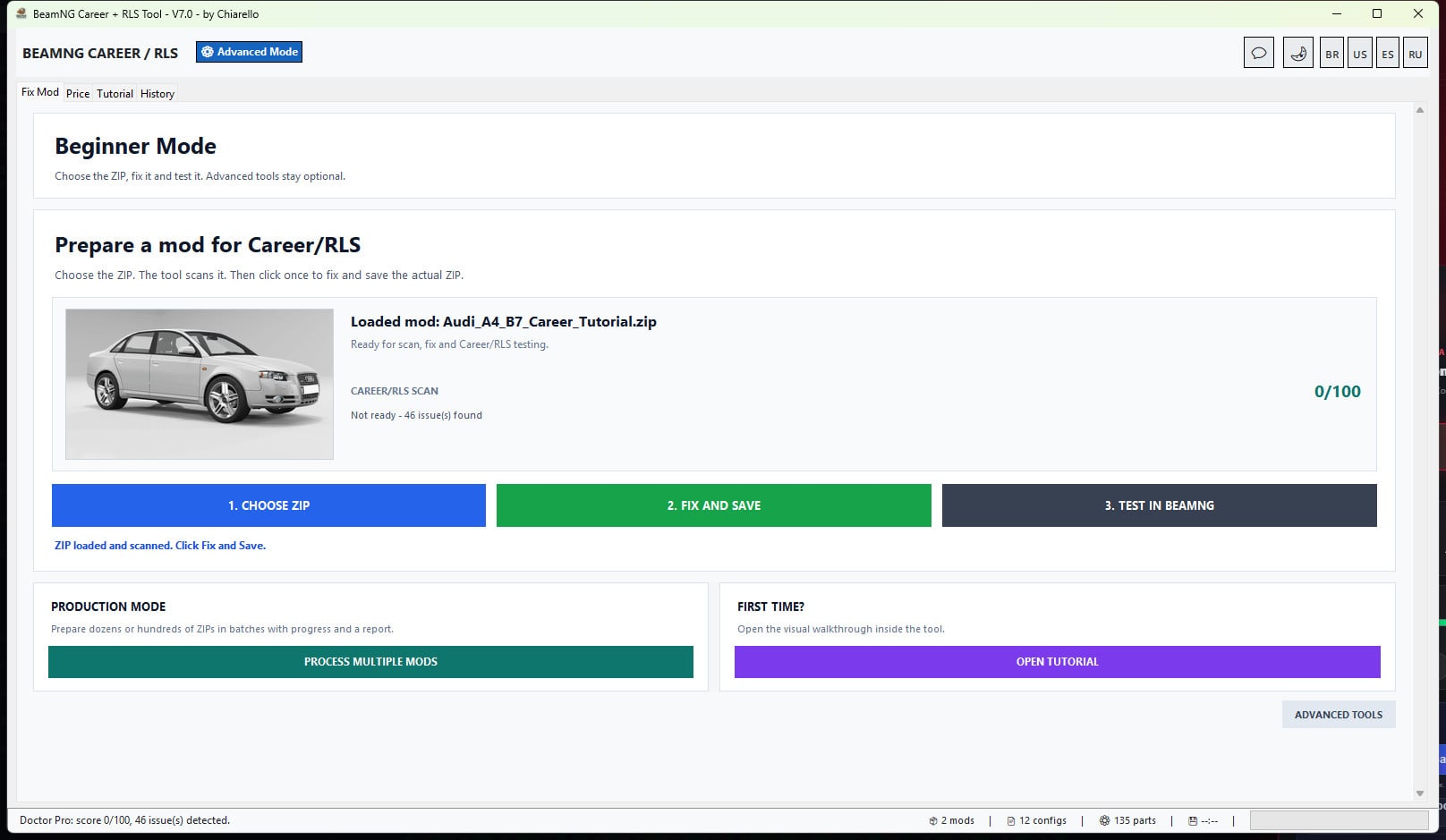
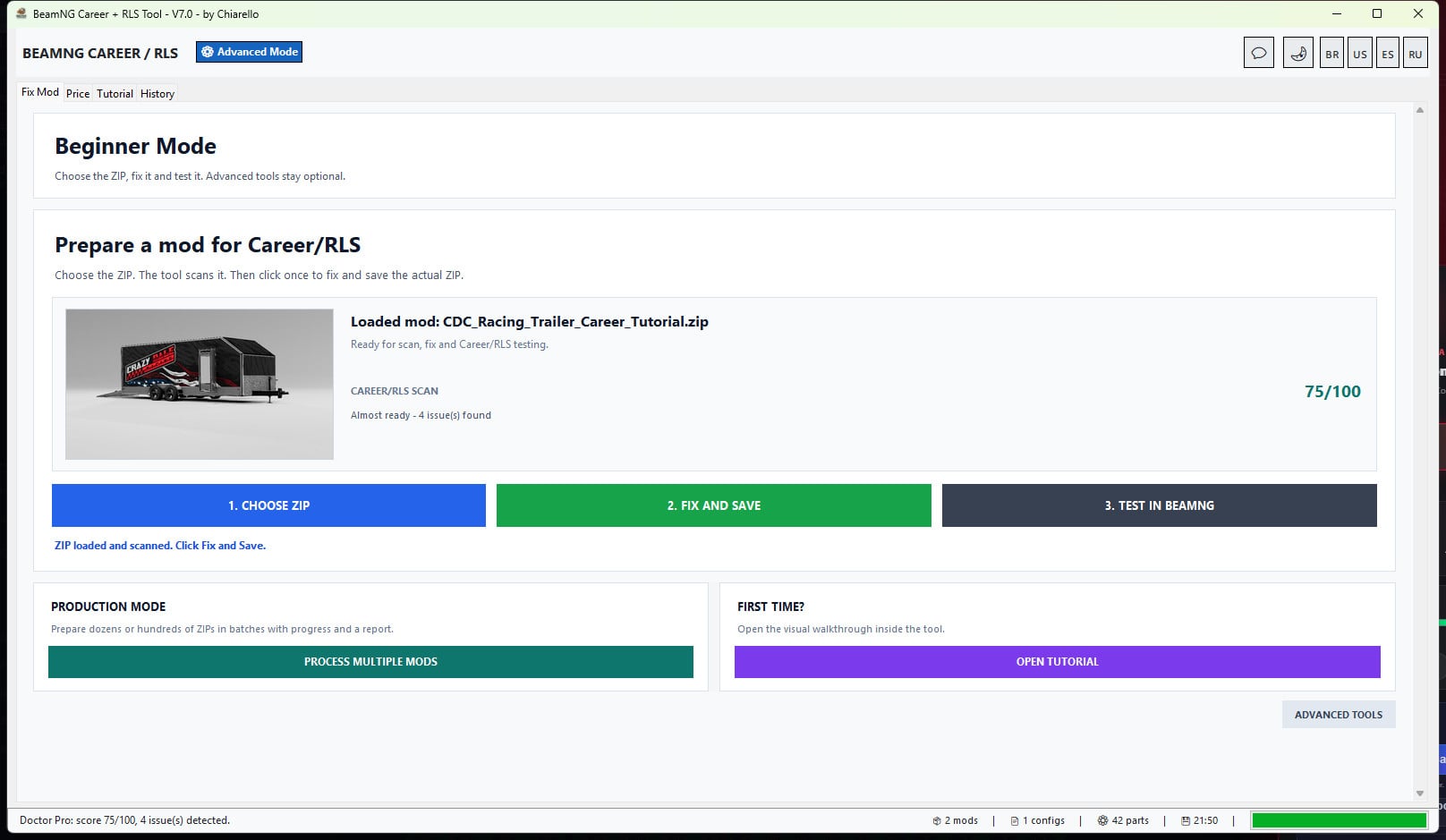
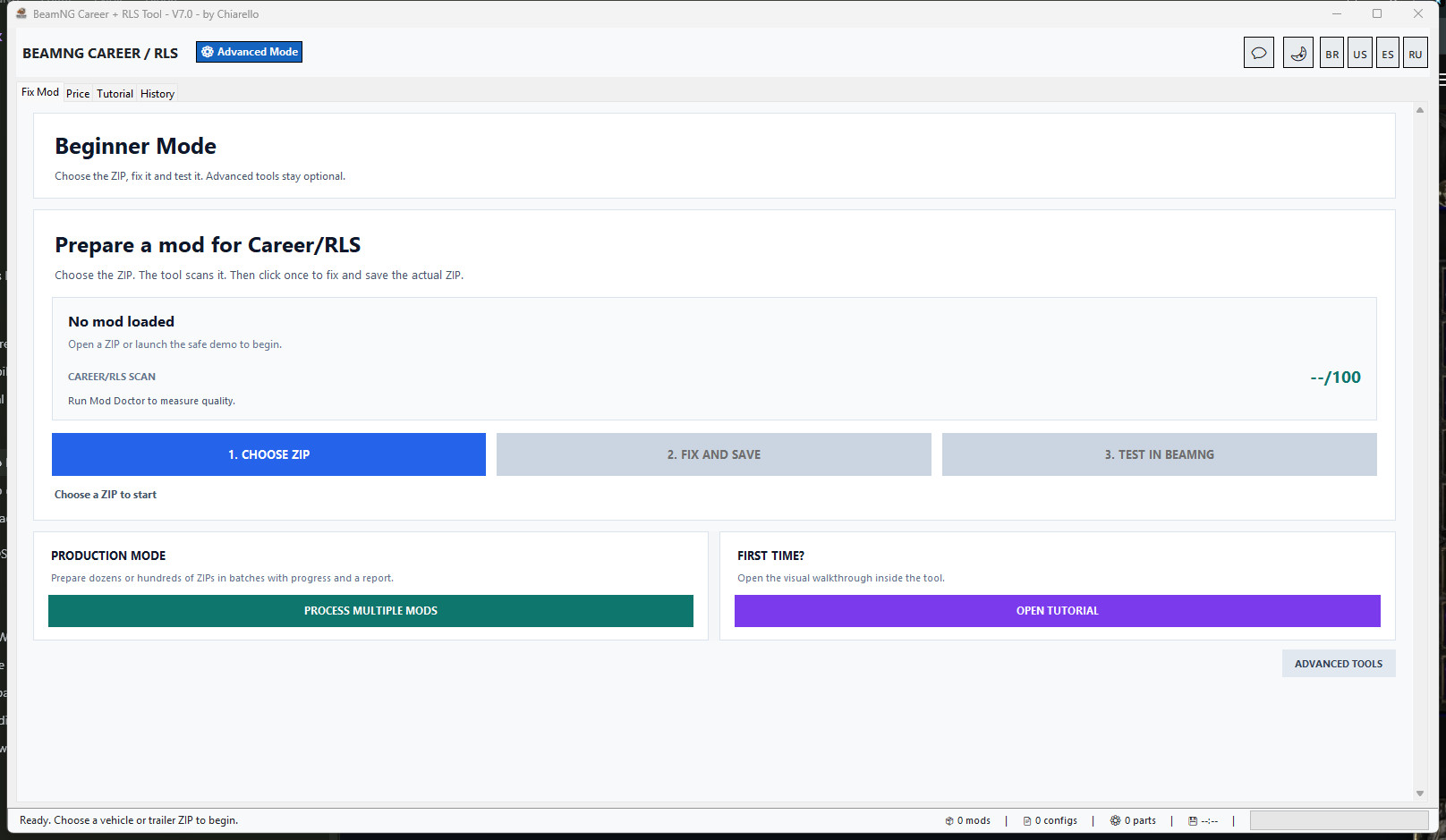
The beginner screen now focuses on only three actions:
- Choose a BeamNG vehicle ZIP.
- Fix and save the actual ZIP.
- Test the result in BeamNG.
Normal users no longer need to understand Project Mode before preparing a mod. Advanced tools are still available when manual control is needed.
As soon as a ZIP is loaded, the beginner screen shows the real vehicle or trailer thumbnail found inside that mod. This makes it easier to confirm that the correct ZIP was selected before applying any changes.
The v7.0 migration opens existing users in the simplified view once, without scanning a large saved mods folder at startup. Users can still switch to Advanced Mode and keep that choice afterward.
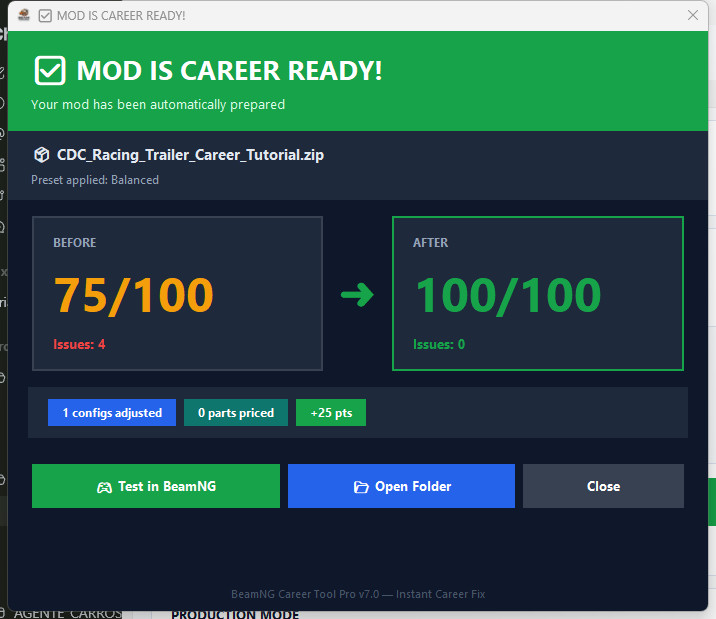
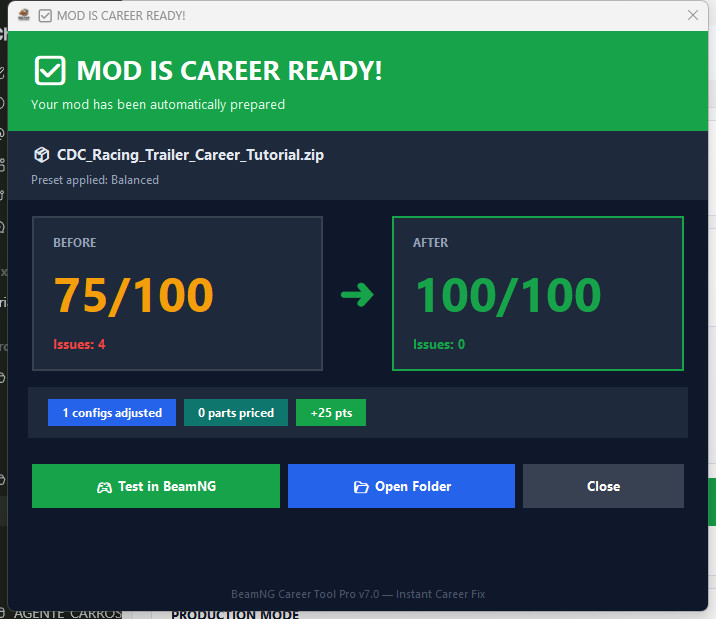
Real before and after result
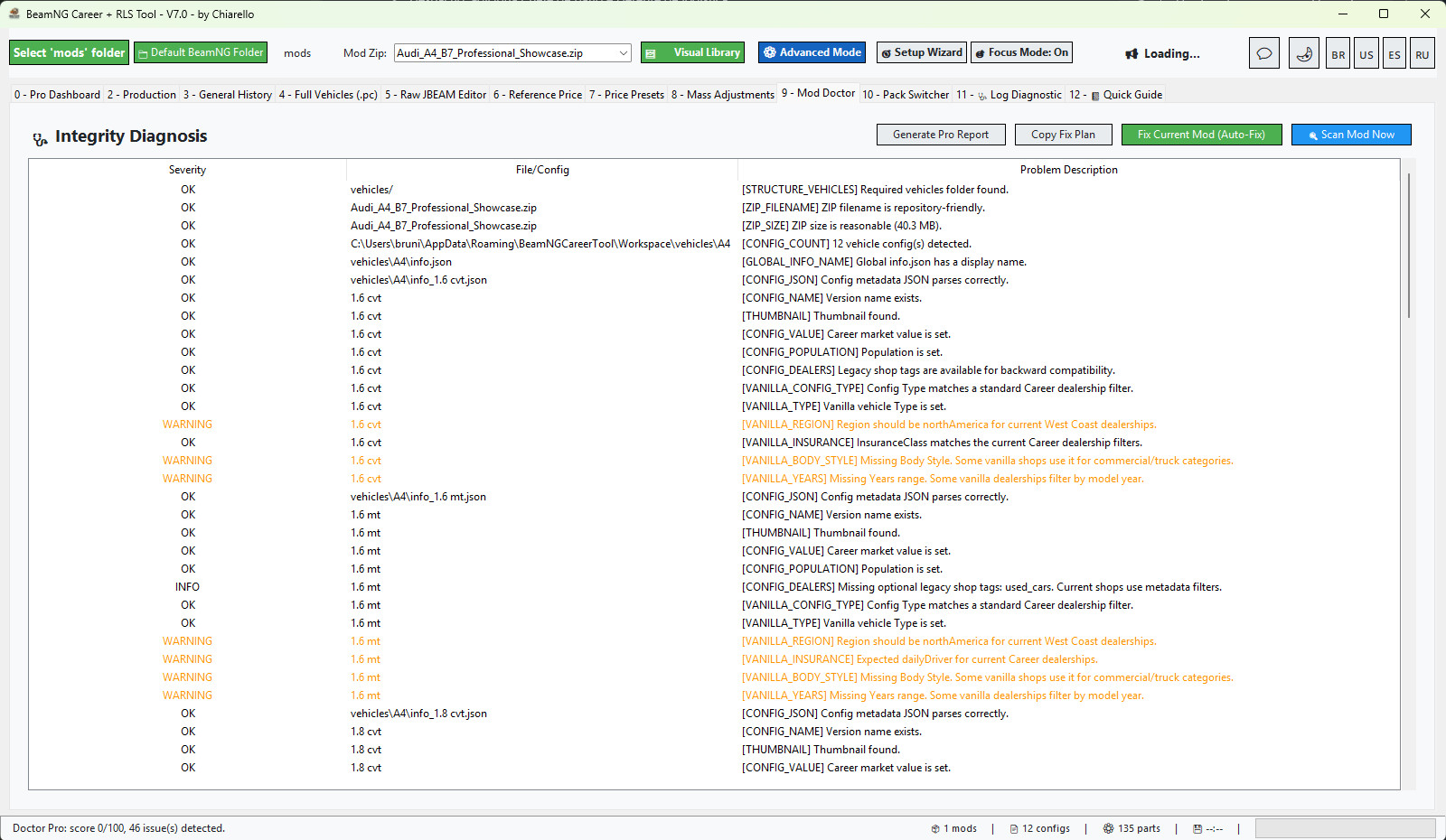
The automatic scan checks configs, prices, population, dealer visibility and normal Career metadata before changing the ZIP.
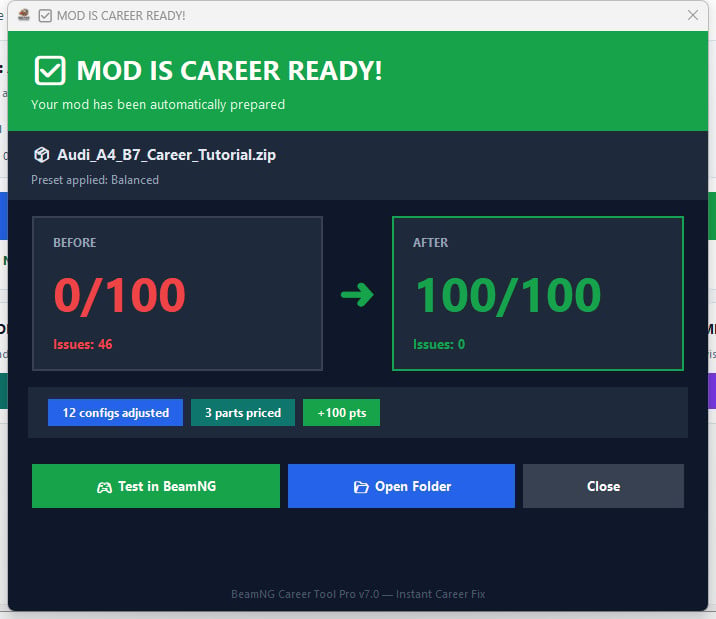
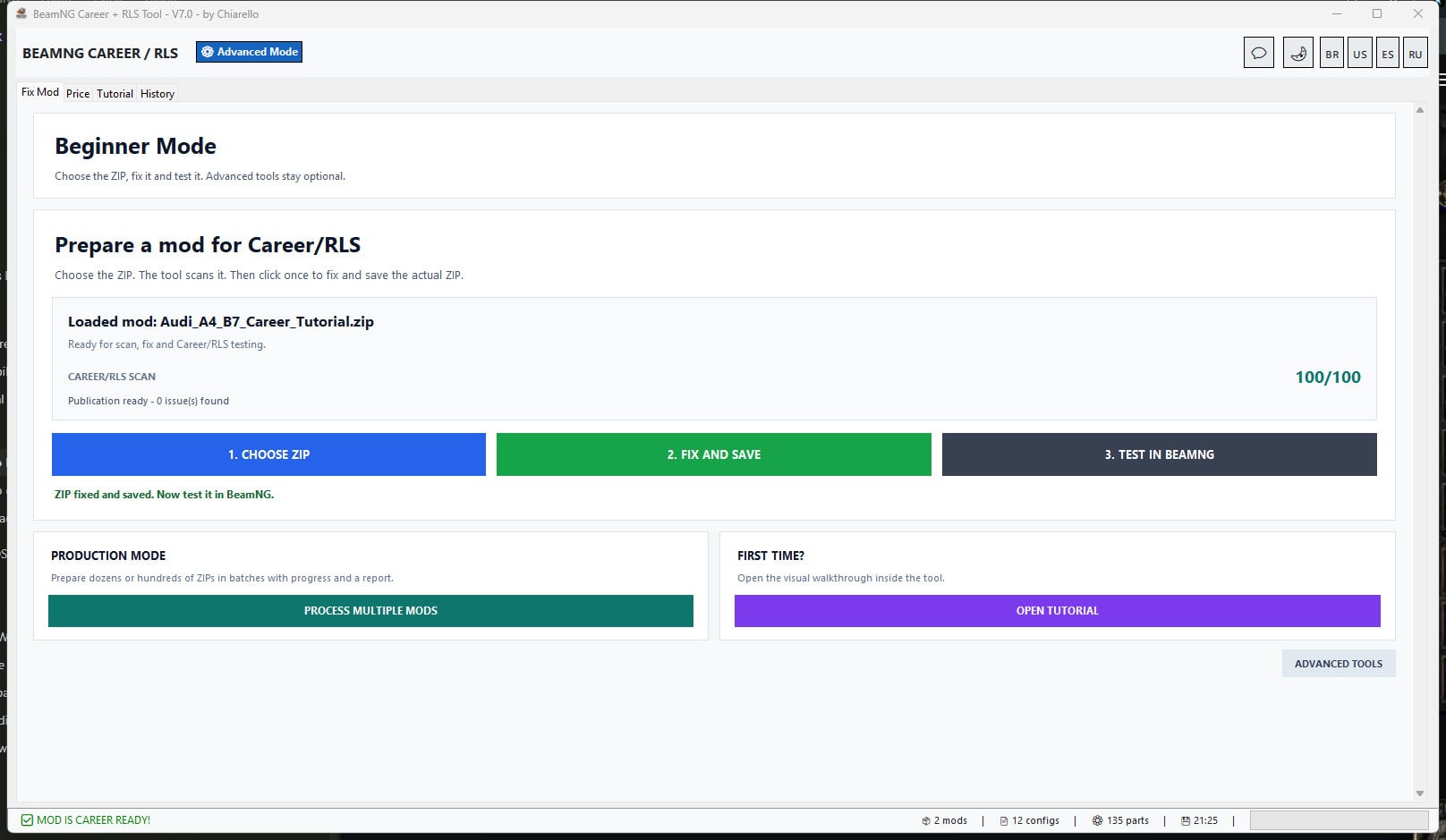
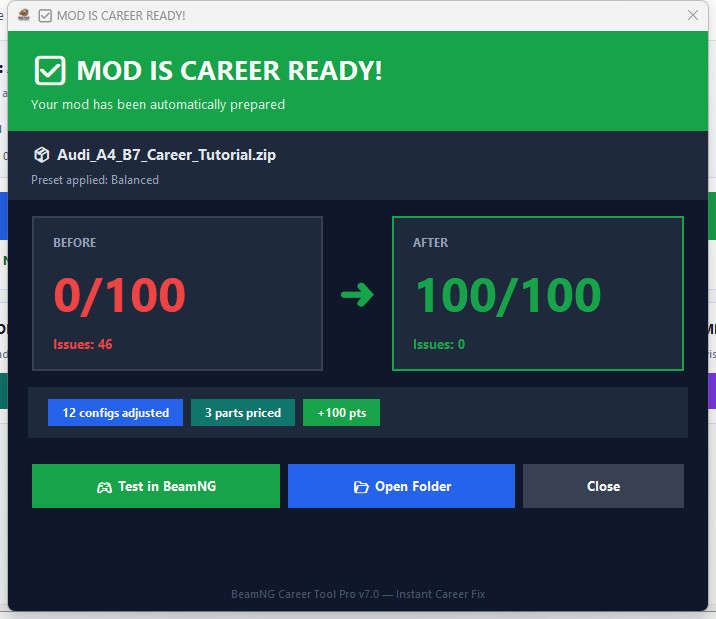
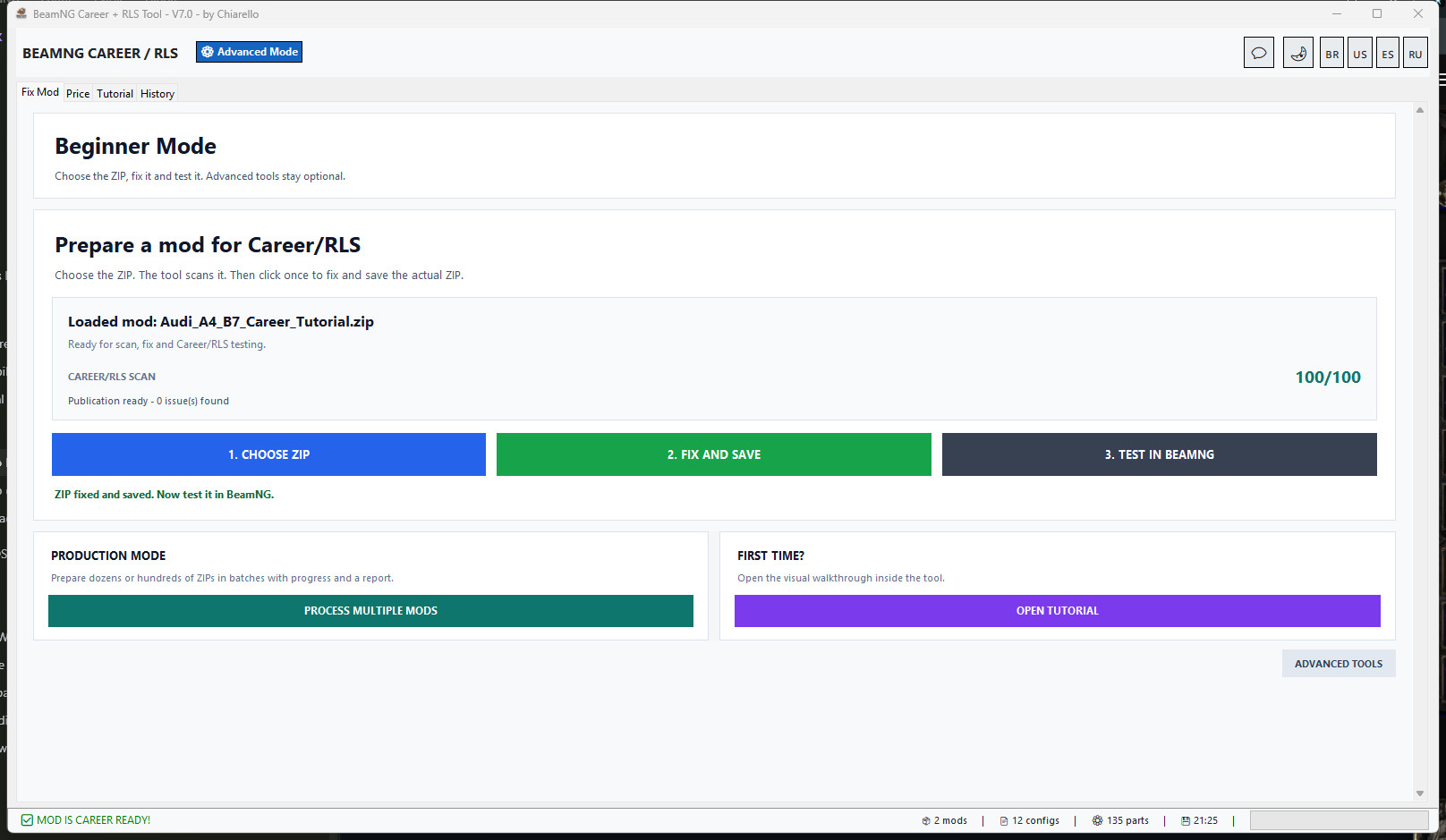
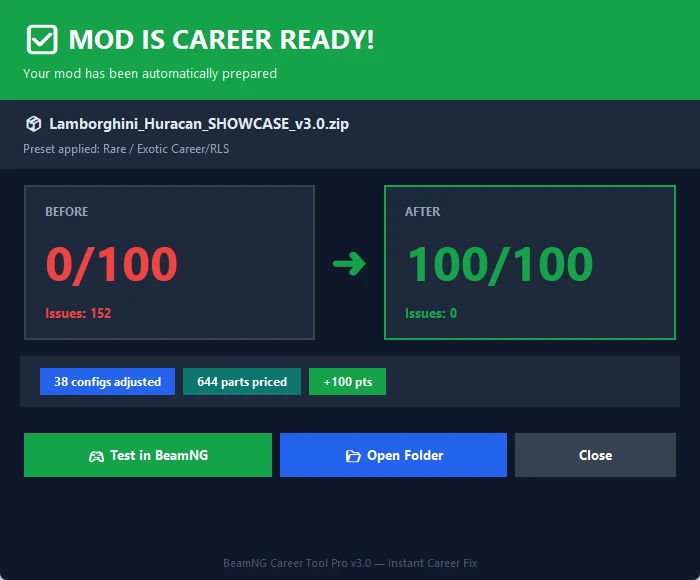
After Fix and Save, the tool displays the score improvement, issue count, adjusted configs and priced parts. The Audi example shown here went from 0/100 with 46 issues to 100/100 with zero detected issues.
The corrected ZIP is rebuilt into a temporary file, tested for corruption and only then replaces the original ZIP.
Better cars, trucks, buses, vans and trailer handling
The tool now checks vehicle classification instead of accepting any filled Type field as correct.
For example, a trailer incorrectly marked as Car, Sedan and dailyDriver is detected before the fix. The automatic workflow can then prepare Trailer, Trailer and commercial metadata so Career shops do not classify it as a normal car.
Production Mode for large mod folders
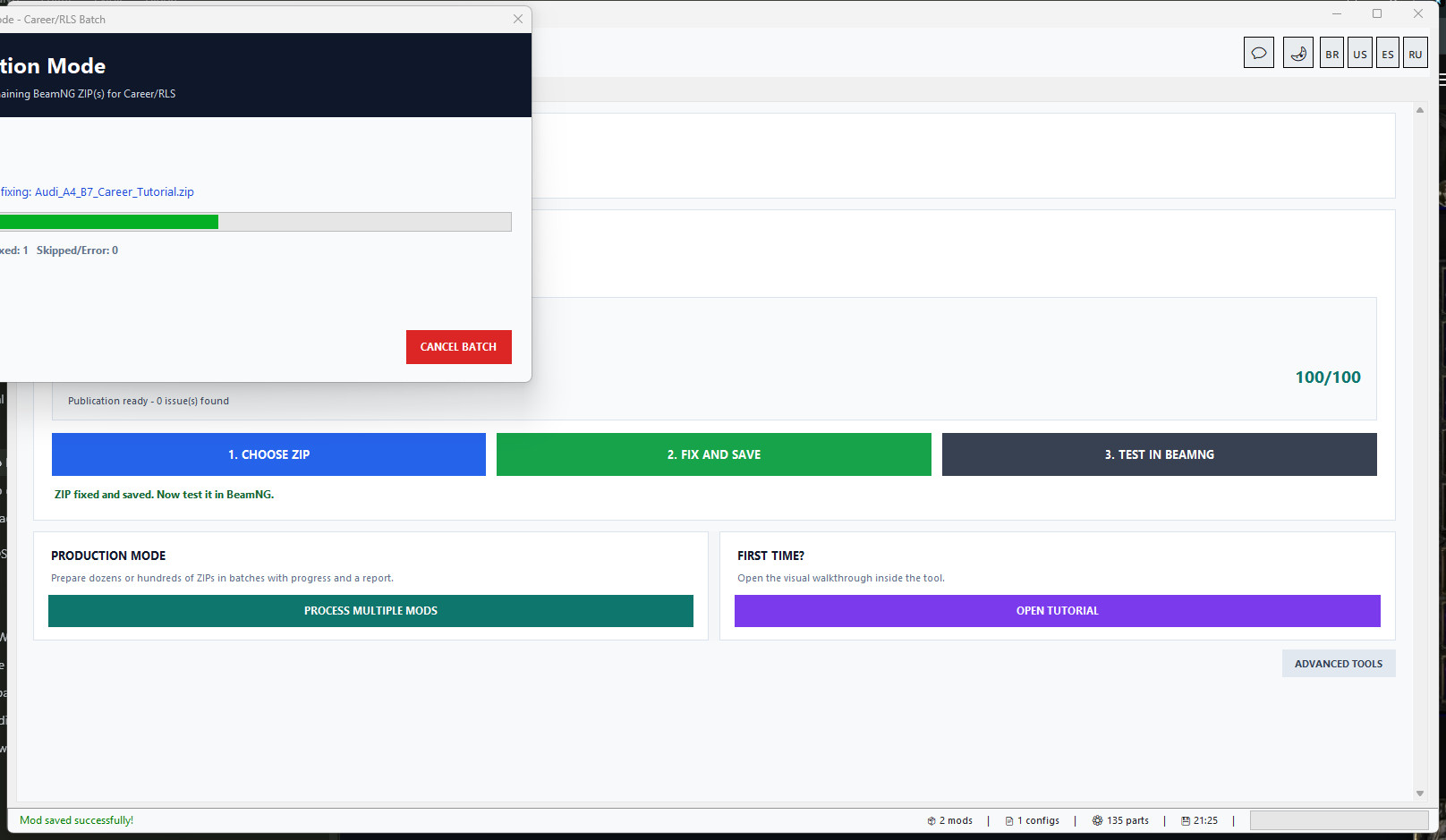
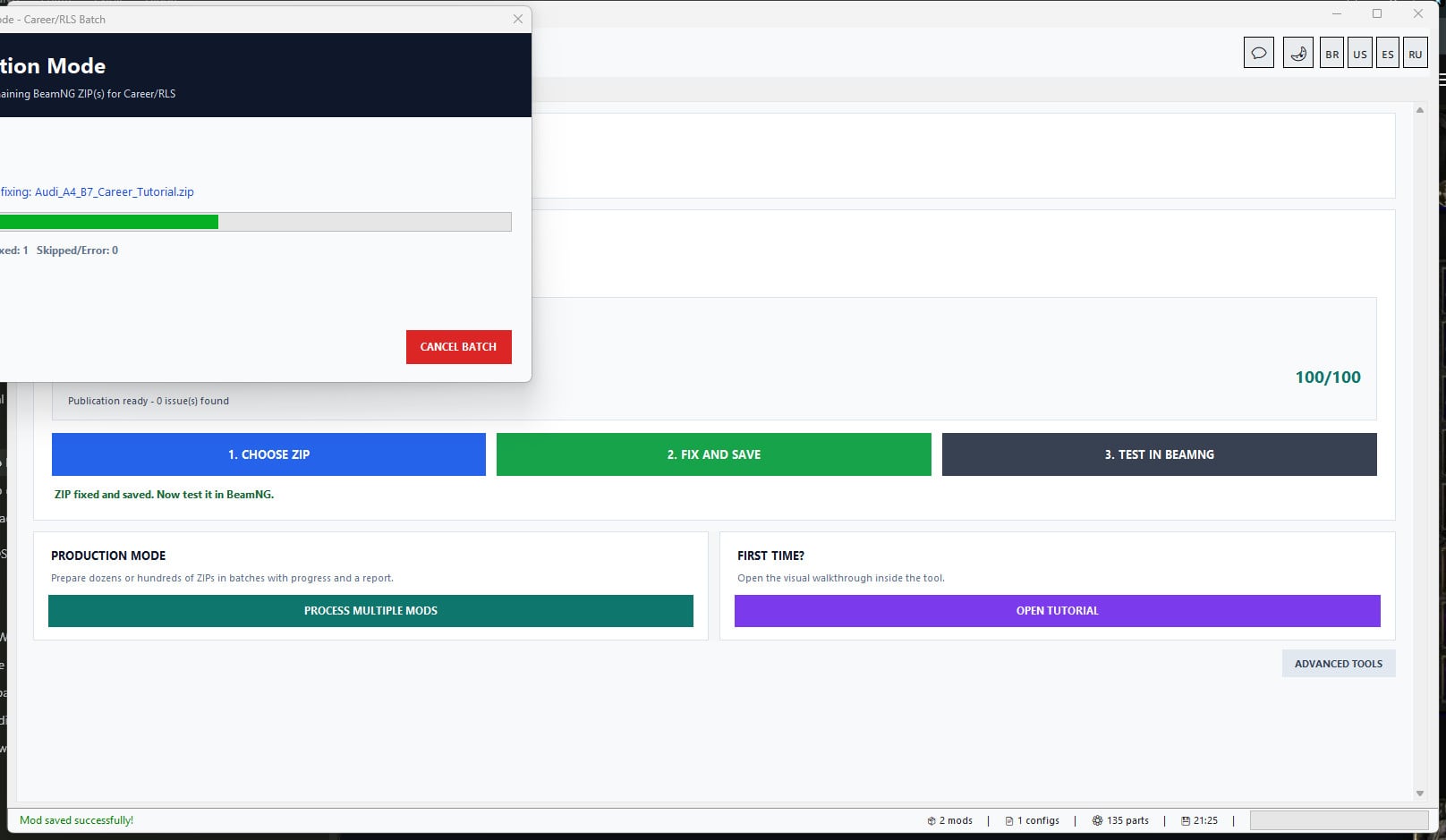
Production Mode is designed for users with dozens or hundreds of vehicle ZIPs.
Choose a folder and process up to 300 mods in one controlled batch. The tool shows live progress, saves a checkpoint after each ZIP, supports cancellation after the current ZIP and creates a final HTML report. An interrupted batch can continue without repeating completed ZIPs.
Everything included
- Mod Doctor and Career Ready Score.
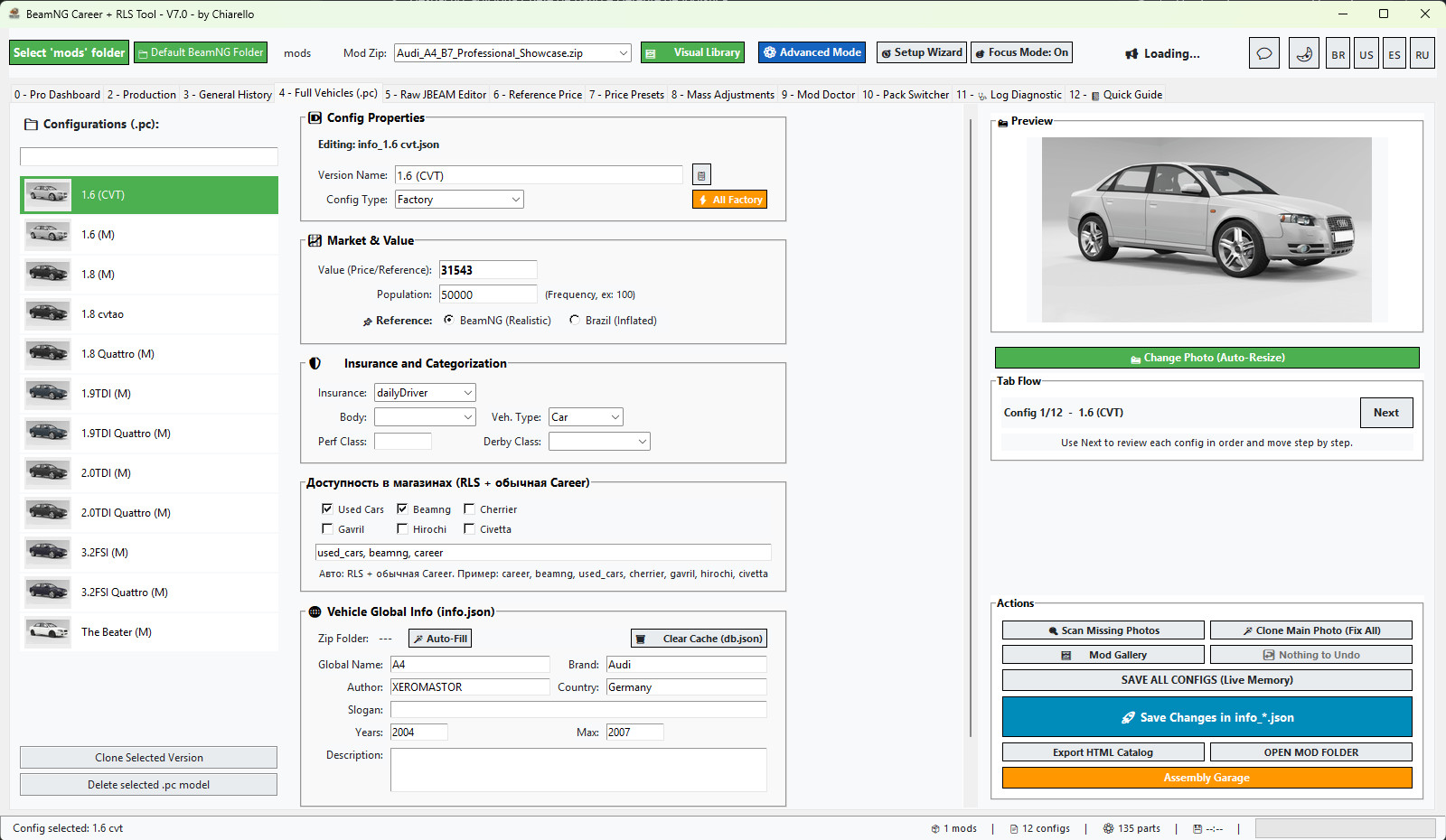
- Full Vehicles/PC metadata editor.
- Raw JBEAM editor.
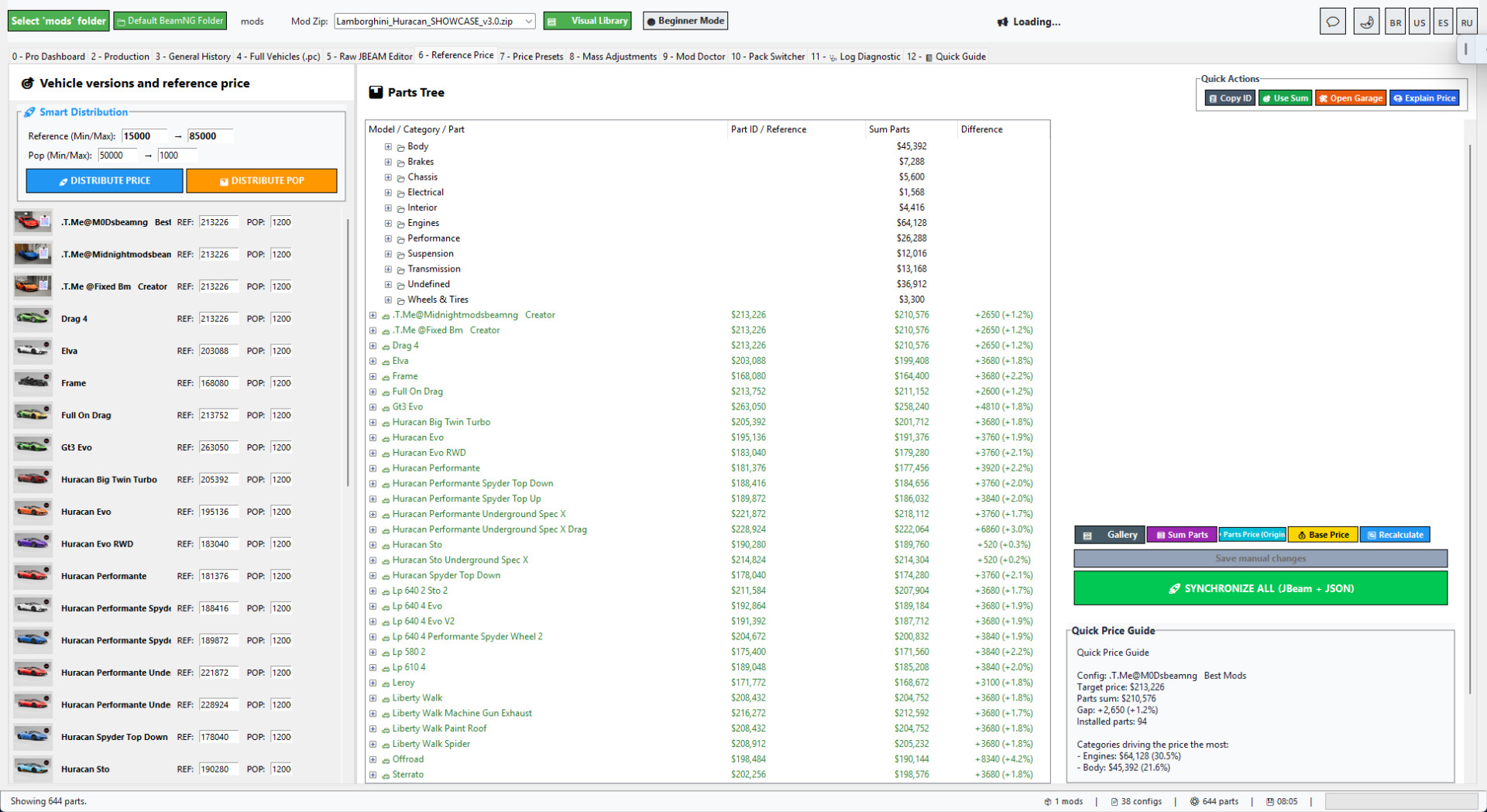
- Reference Price calculator.
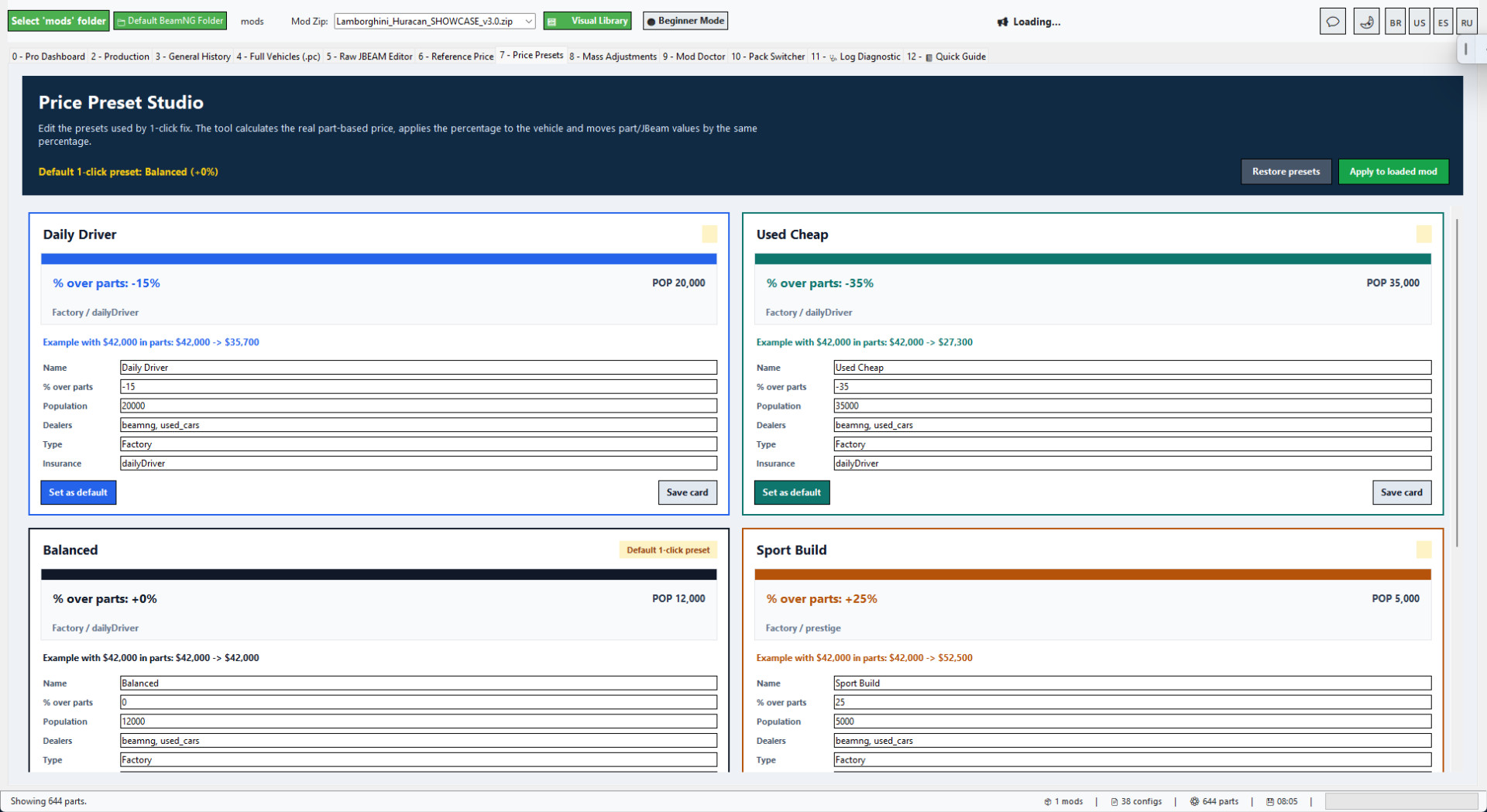
- Price Presets and economy scaling.
- Vehicle and part/JBeam value balancing.
- Career/RLS shop preview.
- Project Mode for advanced manual edits.
- Atomic repack/update ZIP tools.
- Folder scan and batch processing.
- Processing History and General History.
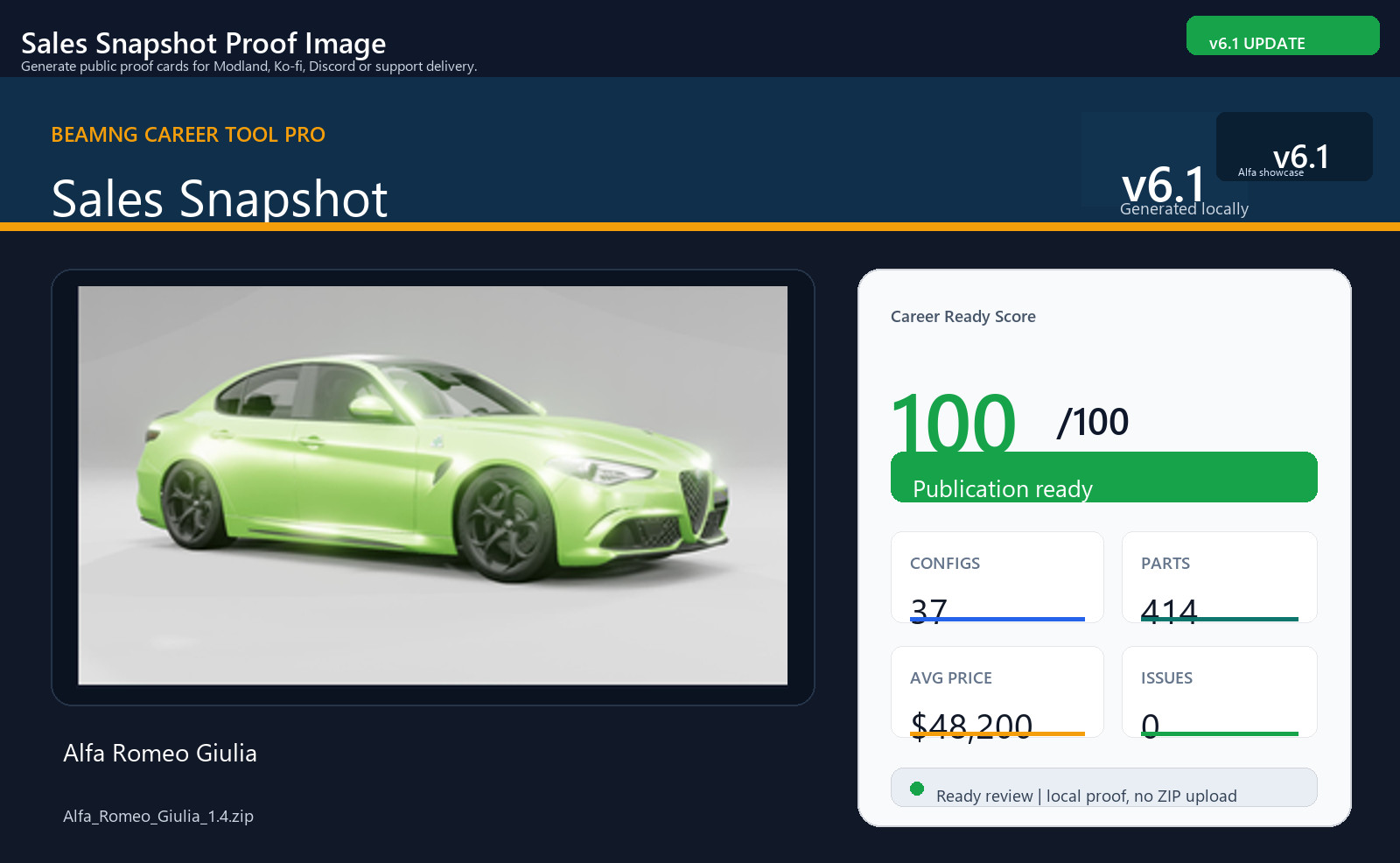
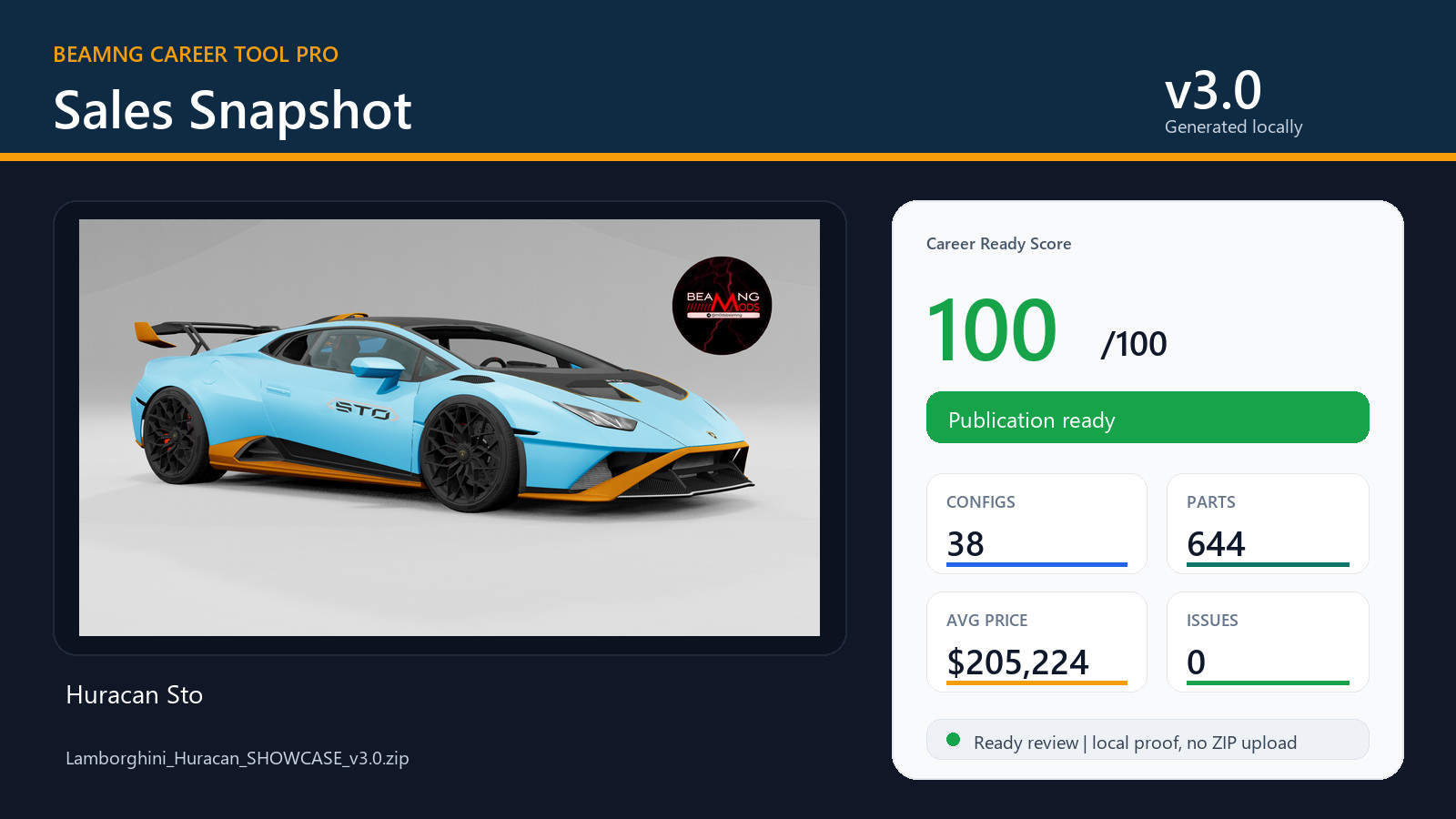
- Career/RLS reports and Sales Snapshot PNG.
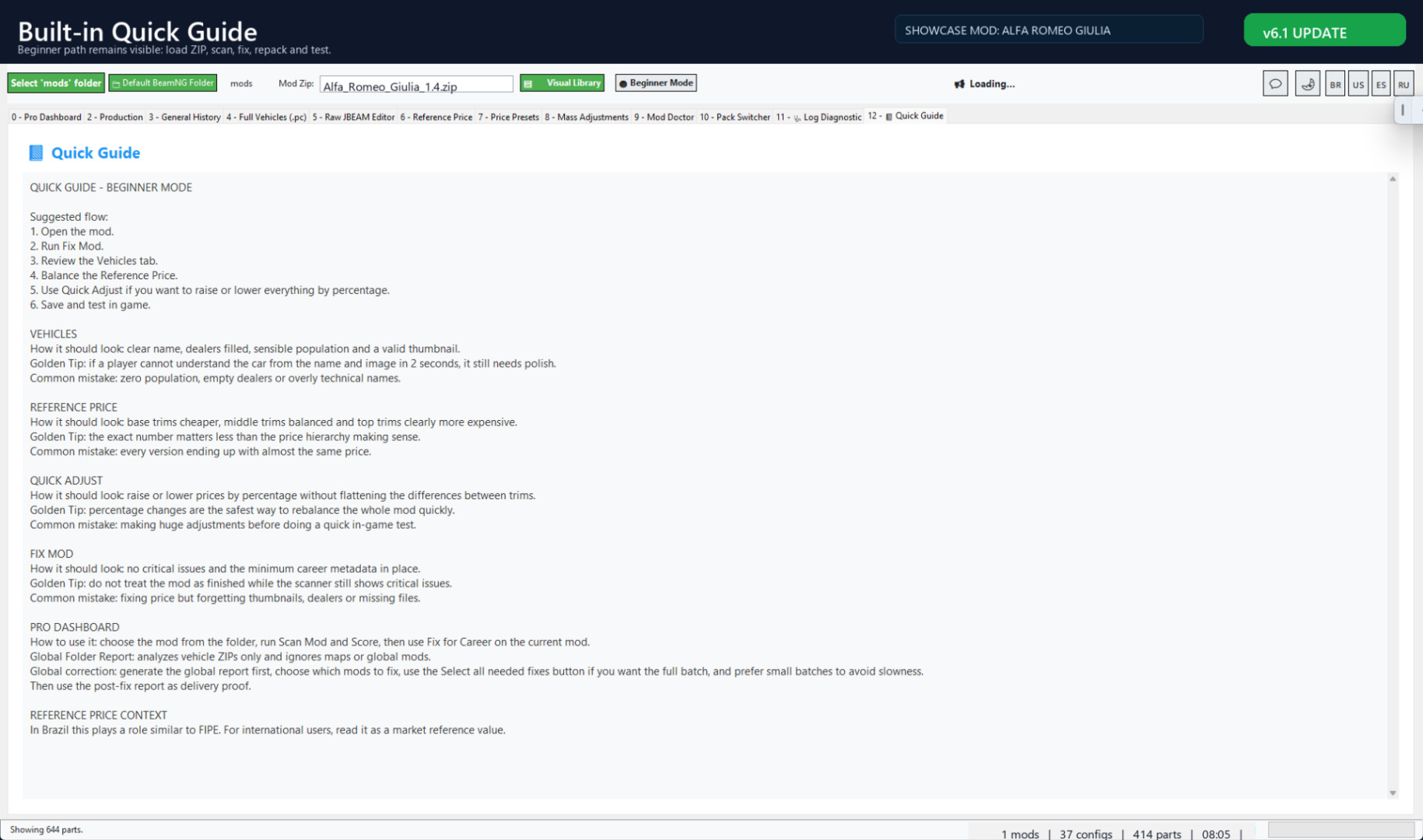
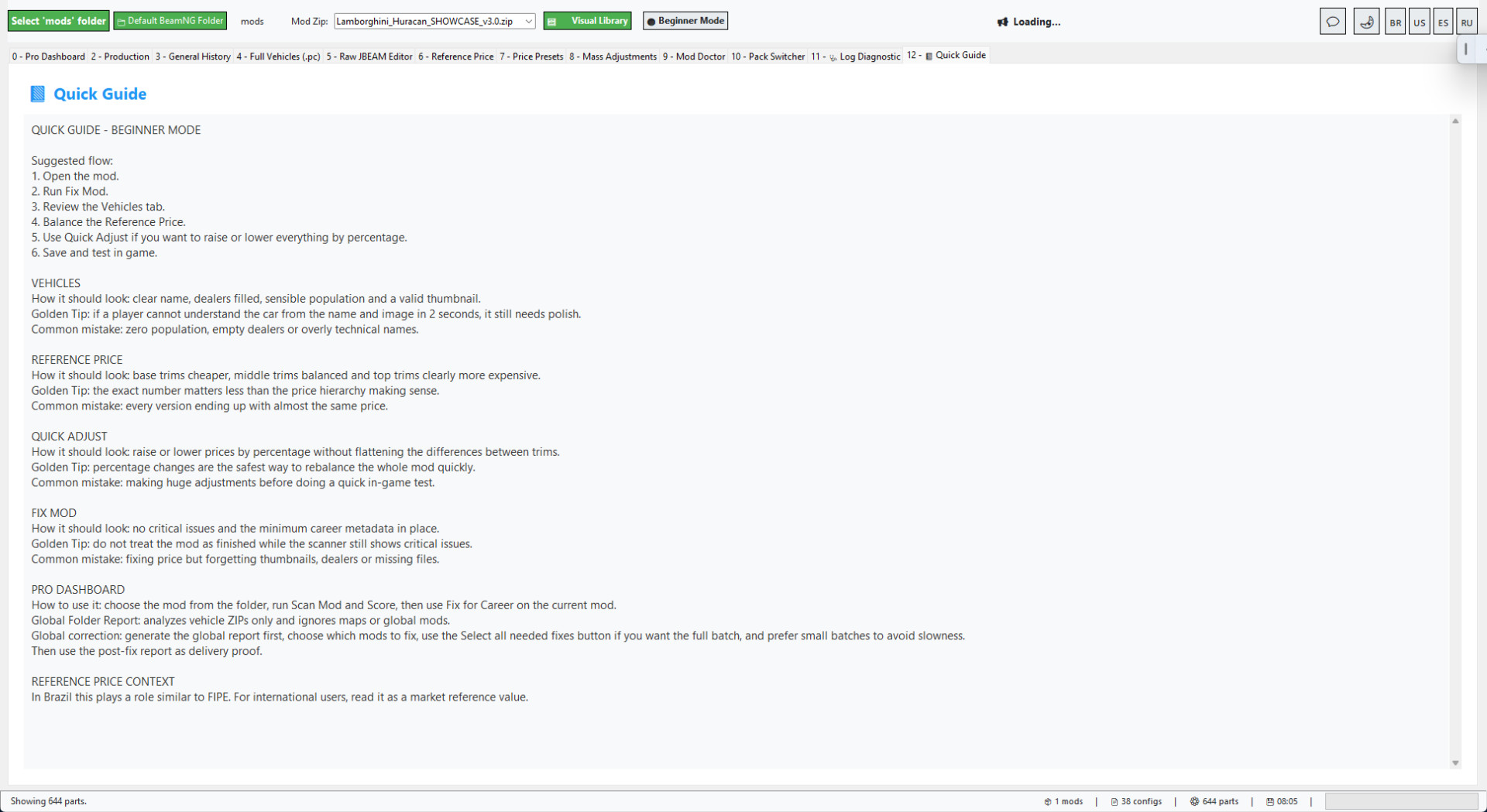
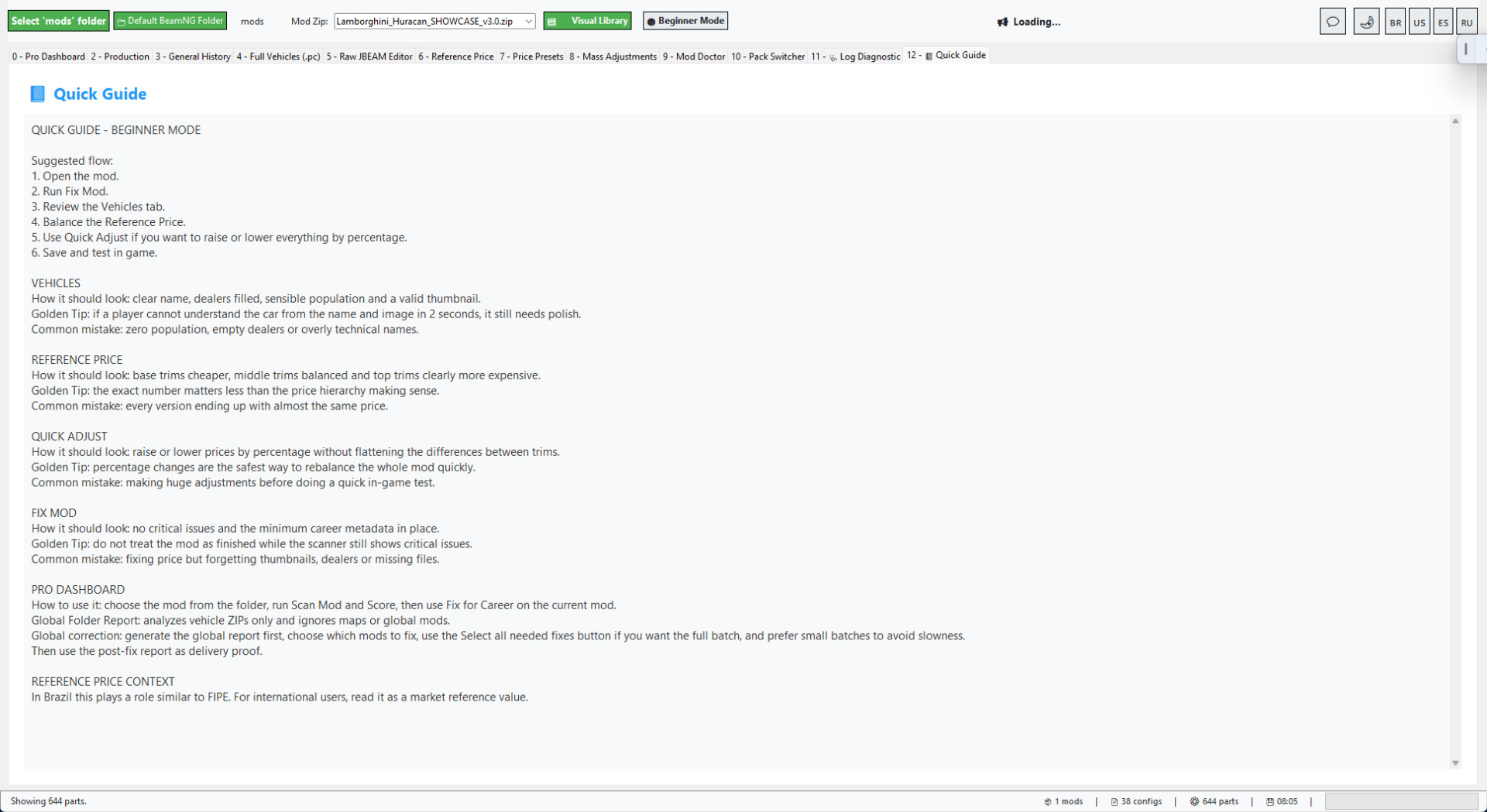
- Quick Guide and Safe Demo mode.
Recommended workflow
- Open BeamNG Career Tool Pro v7.0 and log in.
- Choose a vehicle or trailer ZIP.
- Review the automatic Career/RLS scan.
- Click Fix and Save.
- Review the before/after result.
- Test the saved ZIP inside BeamNG Career/RLS.
BeamNG Career Tool Pro v6.1
BeamNG Career Tool Pro is a Windows utility for preparing BeamNG vehicle ZIP mods for BeamNG Career/RLS use.
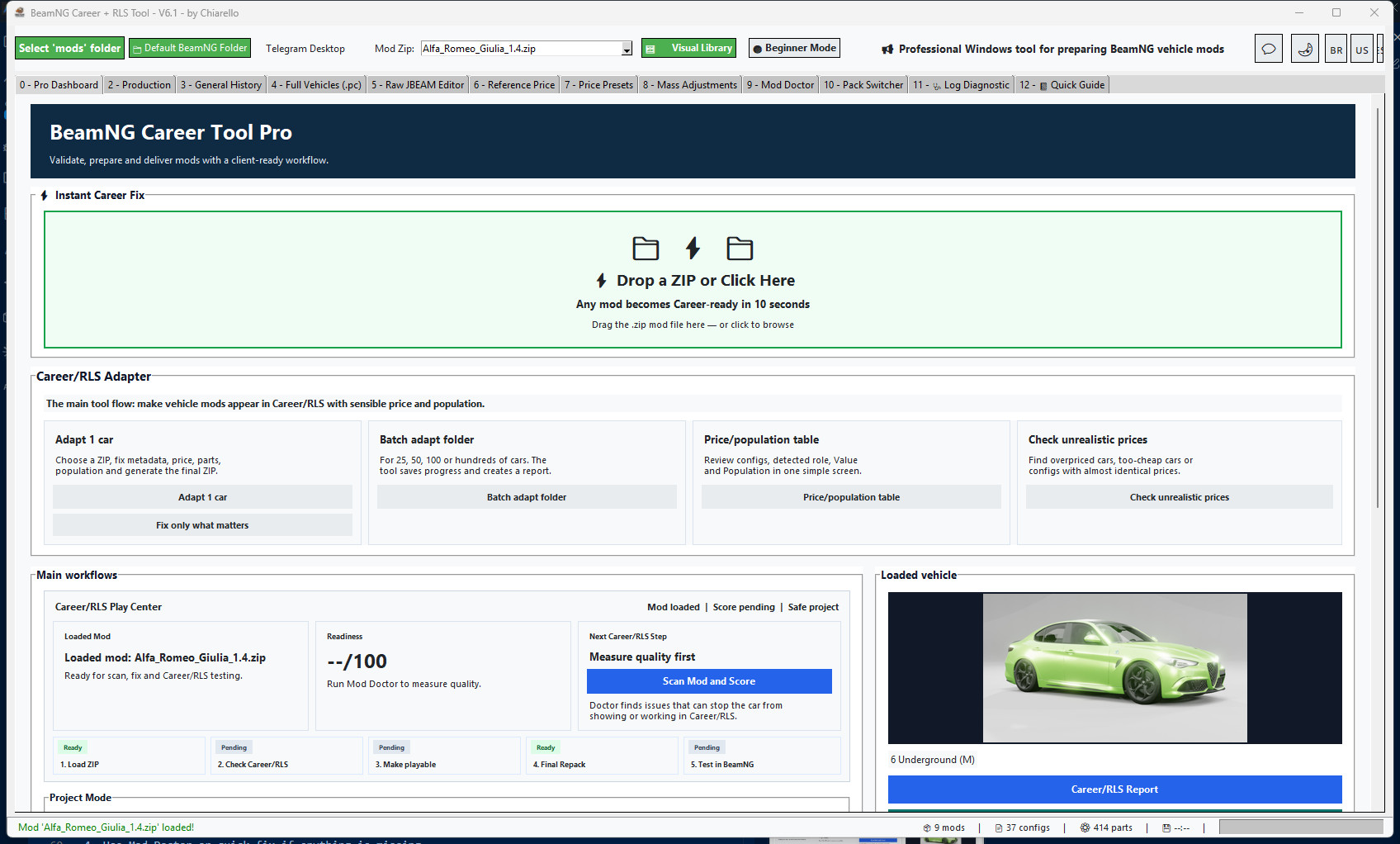
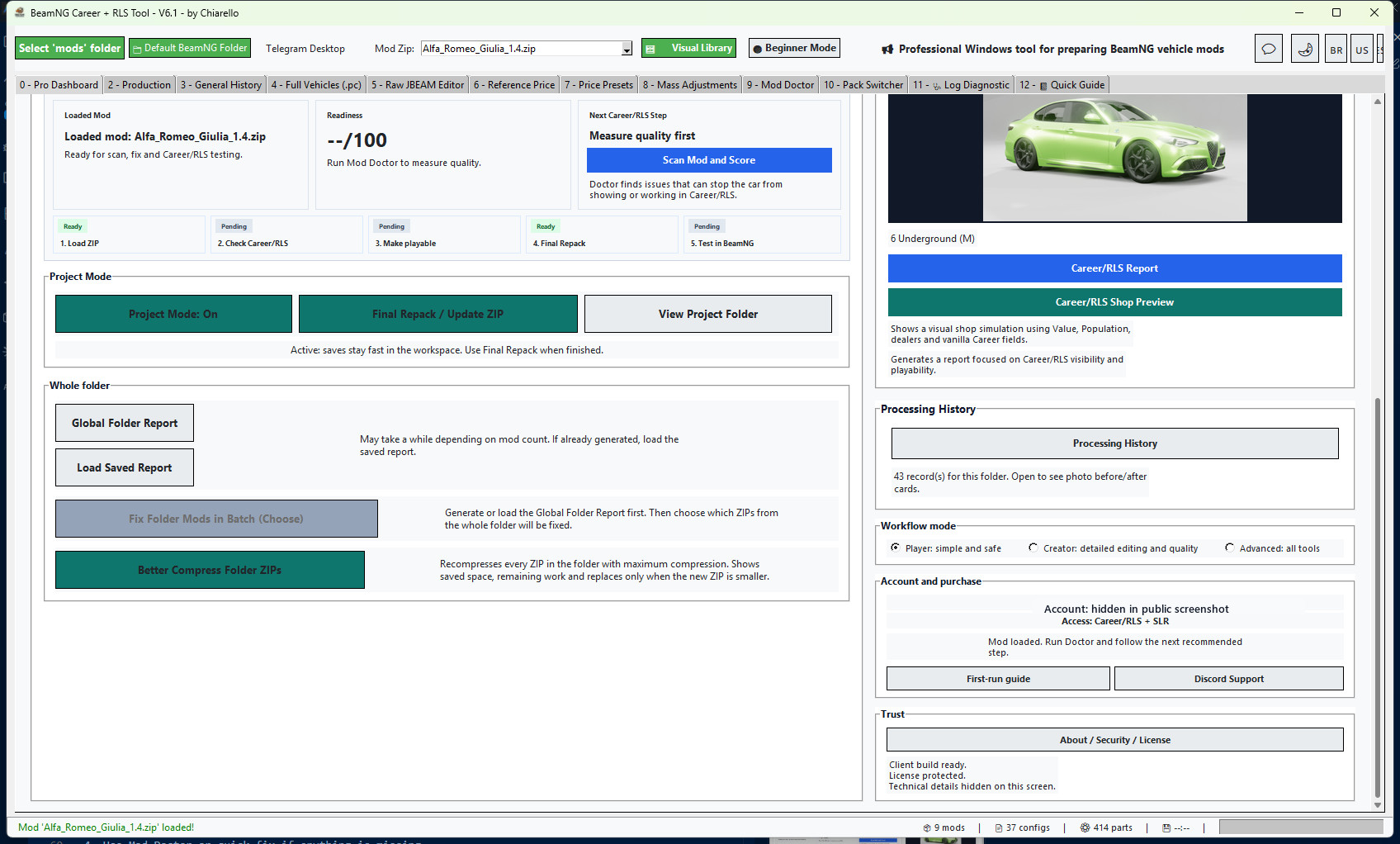
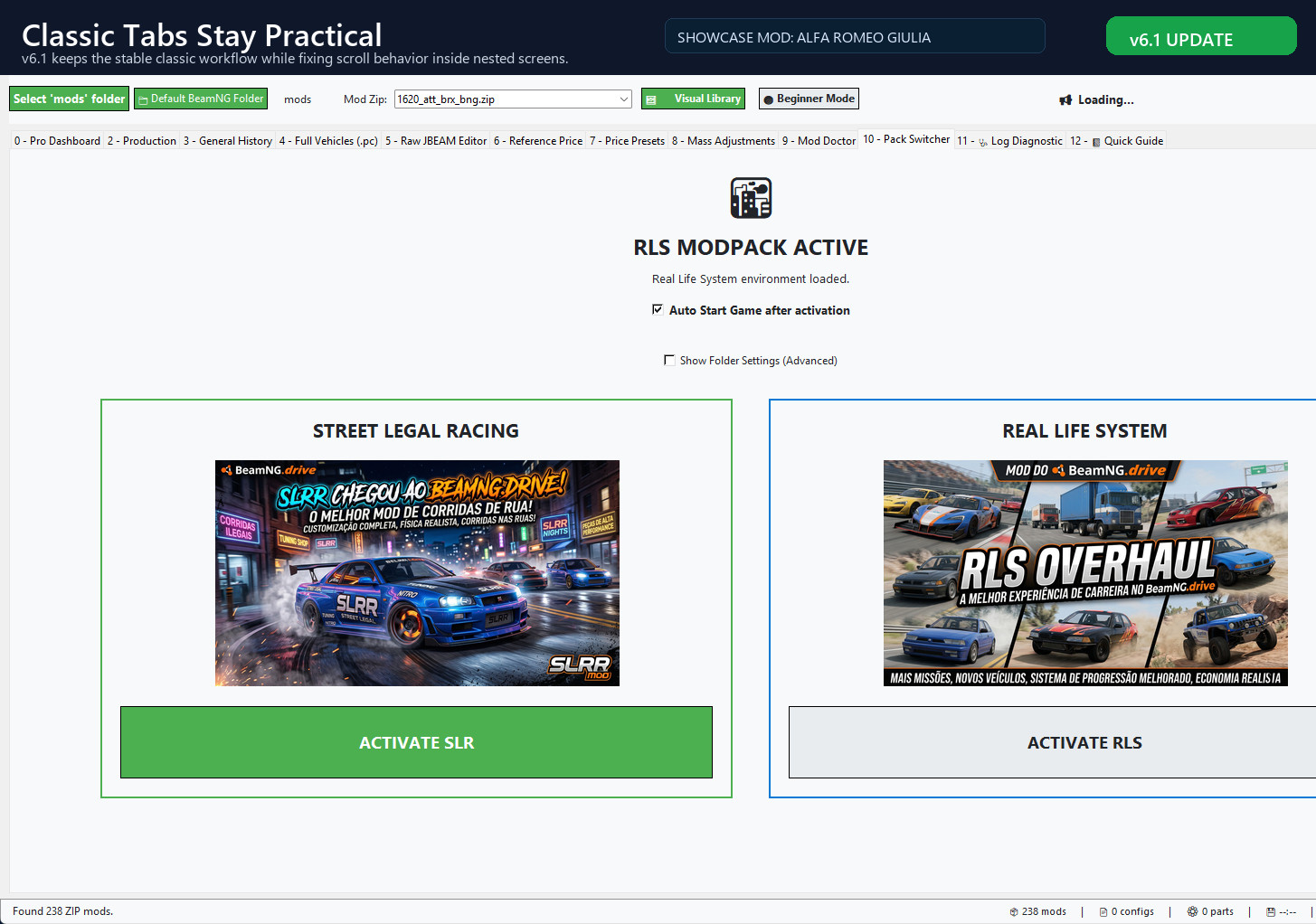
v6.1 keeps the practical classic workflow and improves daily use with fixed internal scrolling, improved access/login reliability and the Career/RLS Adapter workflow.
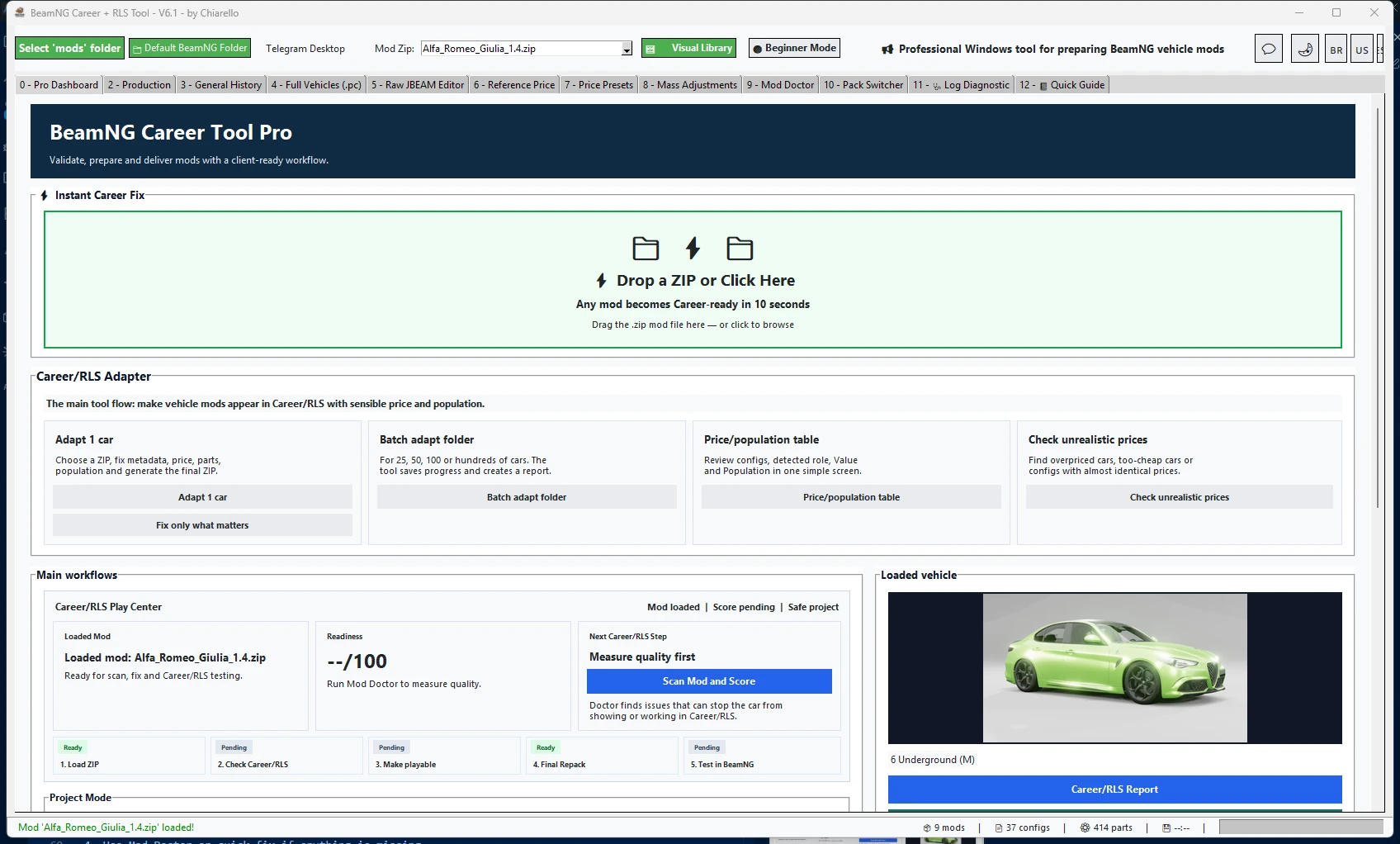
New in v6.1
- Internal screen scrolling fixed across nested panels and tool views.
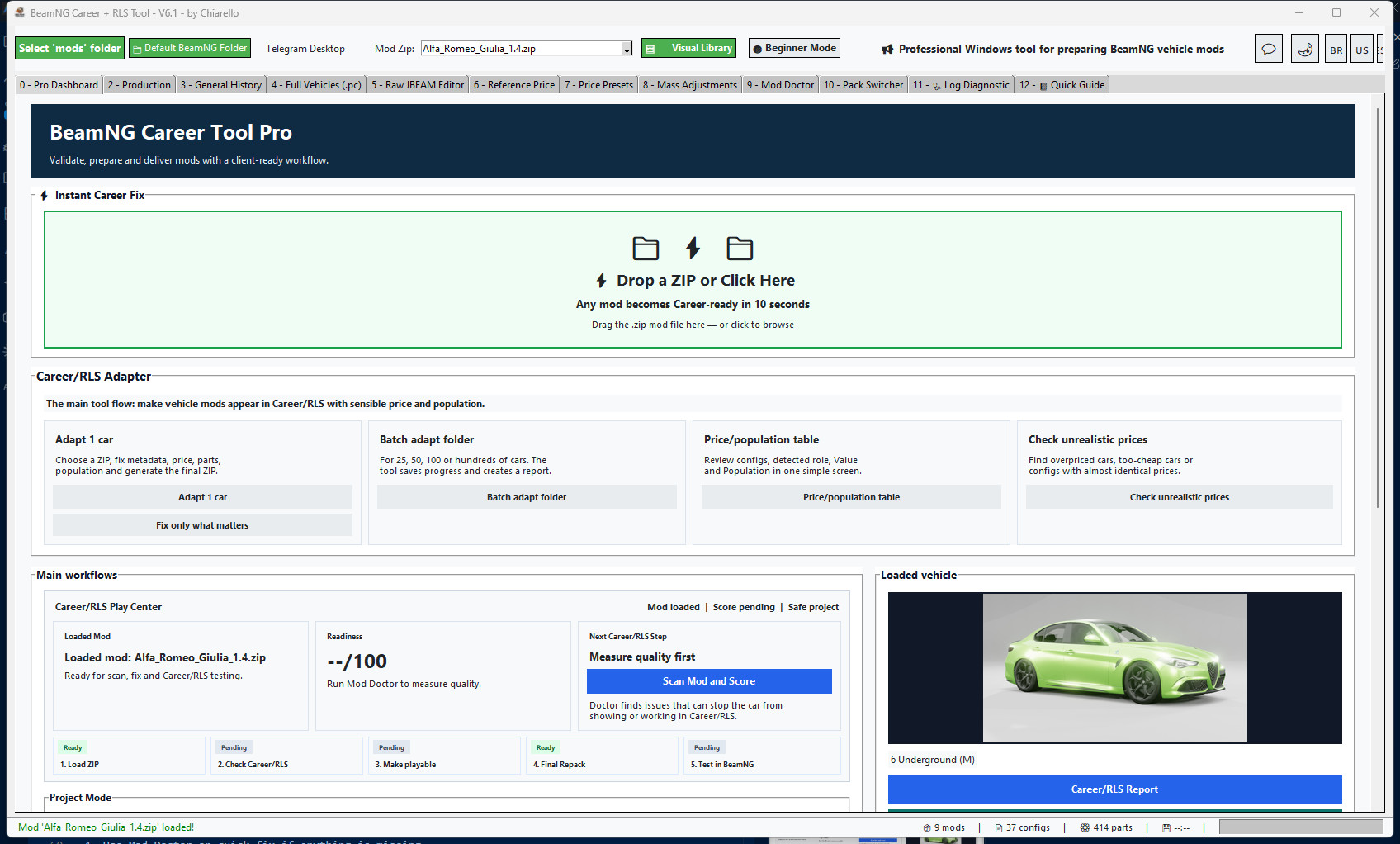
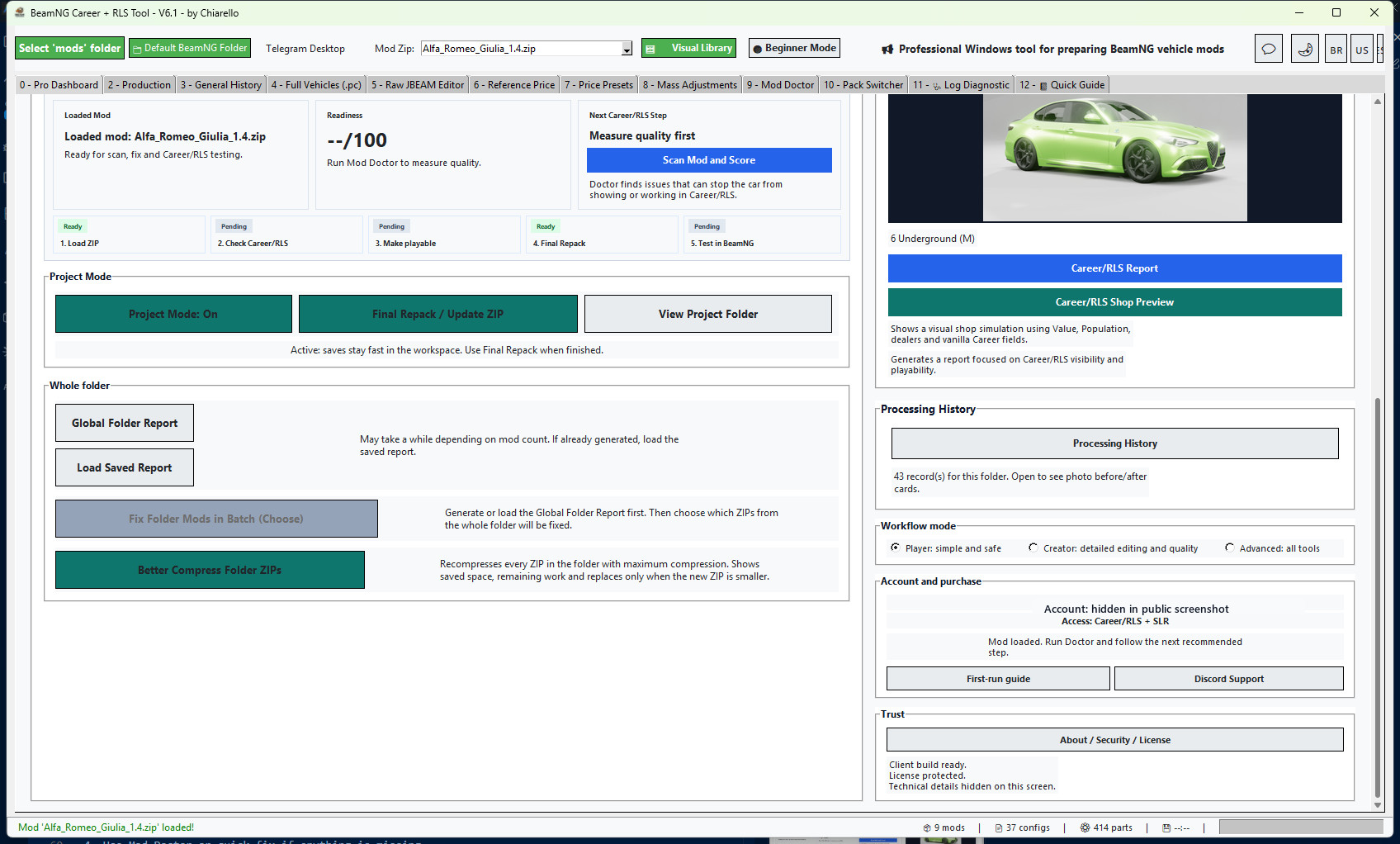
- Career/RLS Adapter workflow: adapt one car, batch adapt folder, price/population table and unrealistic price checker.
- Classic workflow remains with direct tabs, editors, Doctor, price tools, reports and final repack.
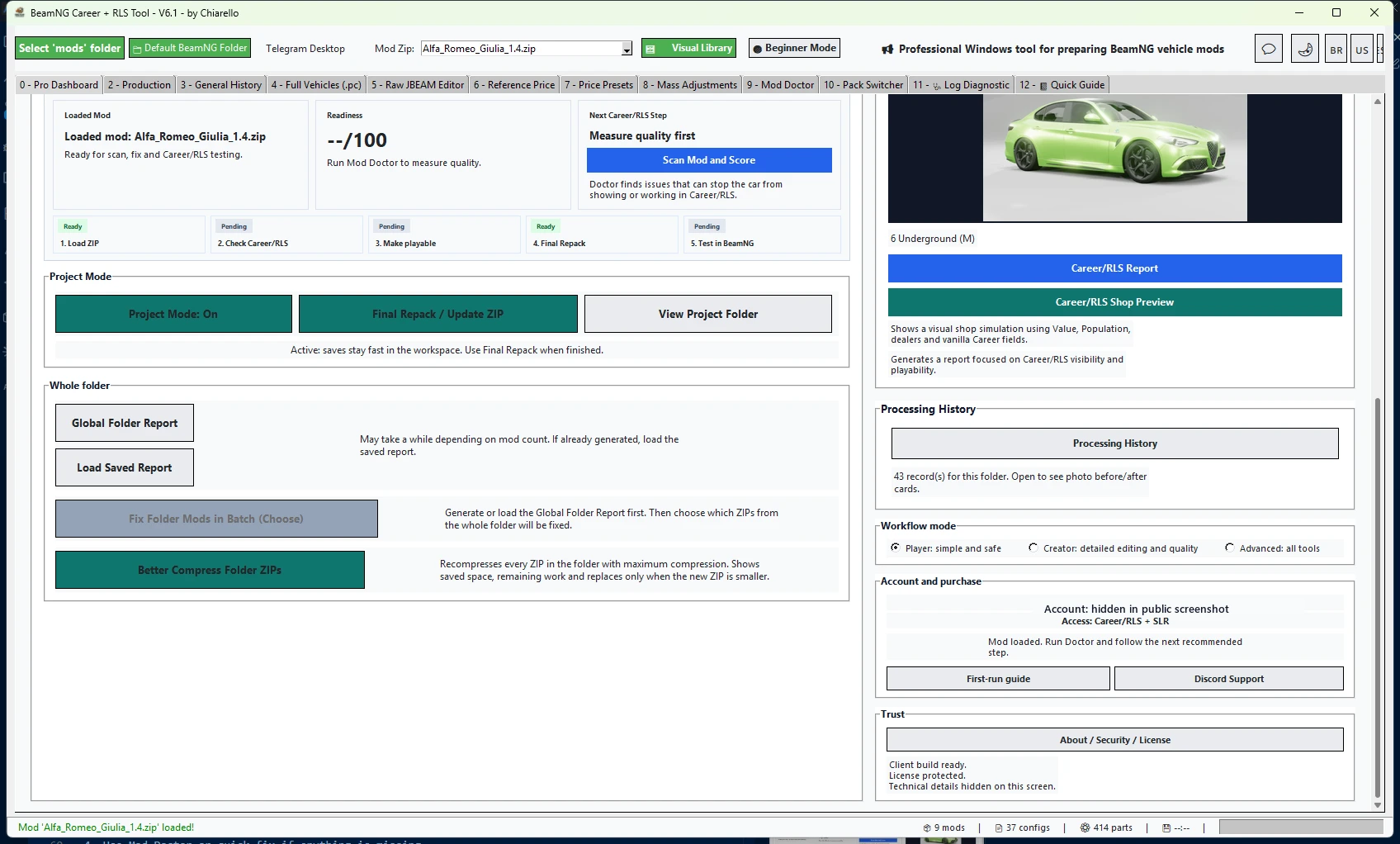
Career/RLS Adapter
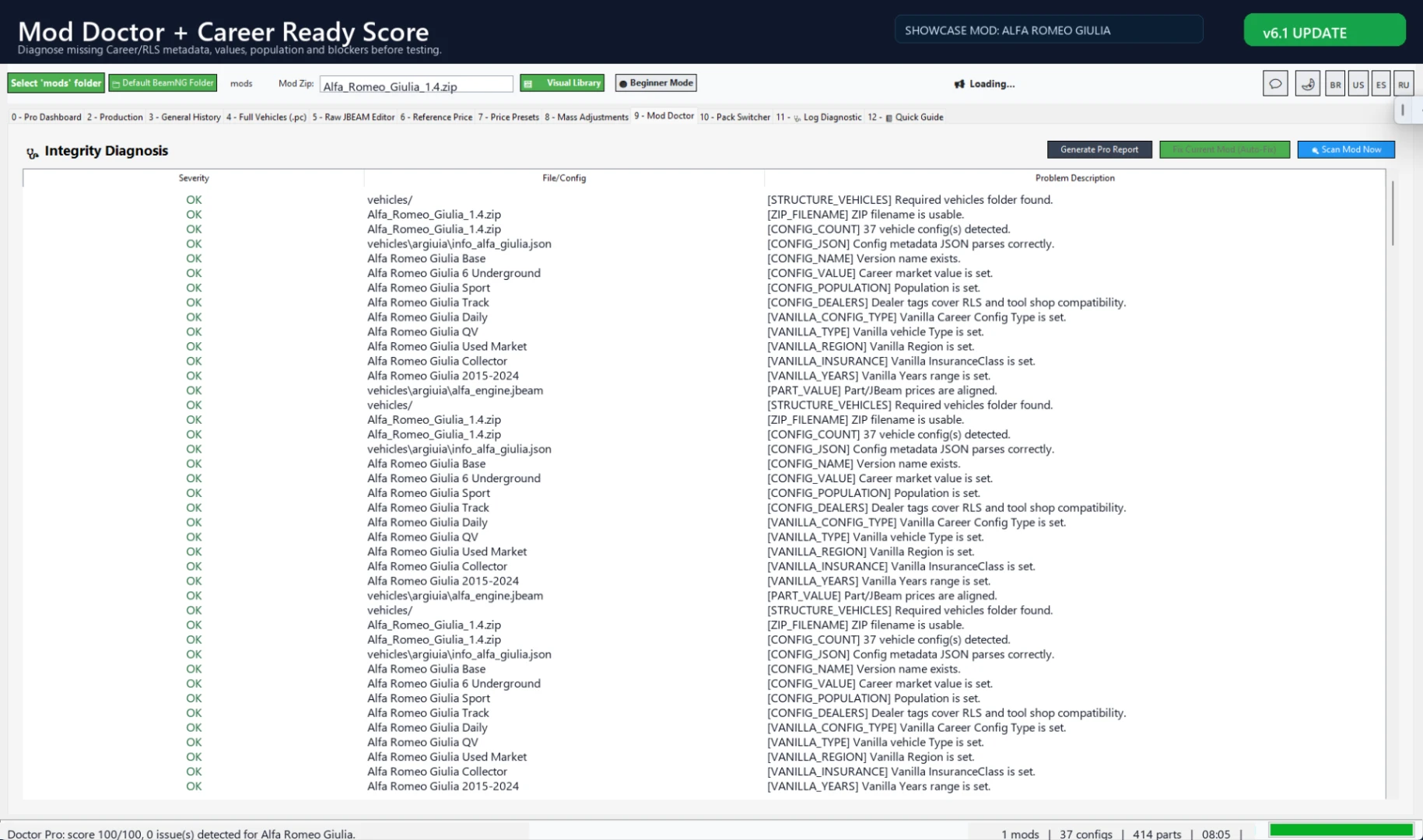
The adapter helps prepare Career/RLS metadata, Value, Population, dealers/tags, part prices, info files and final ZIP output.
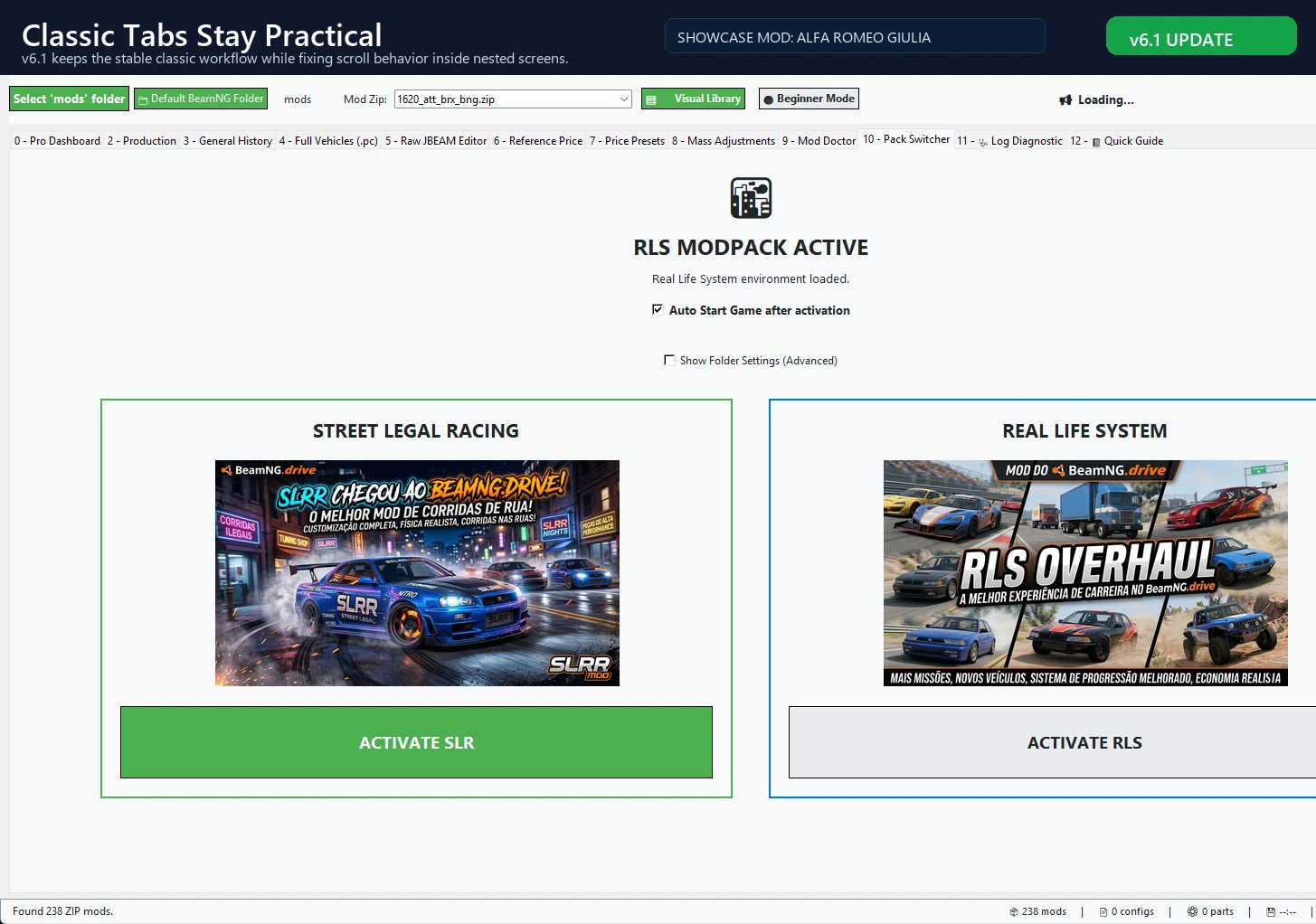
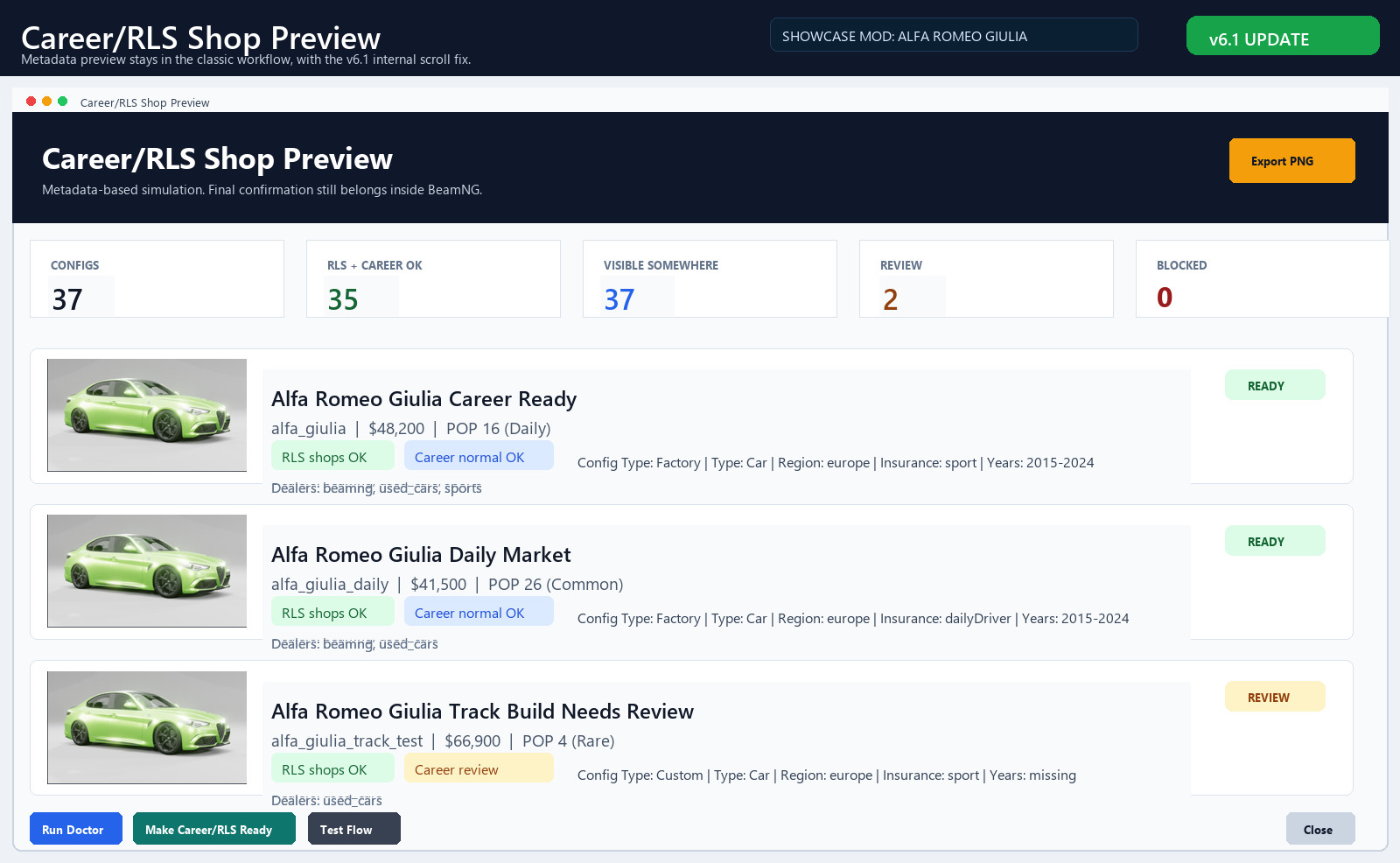
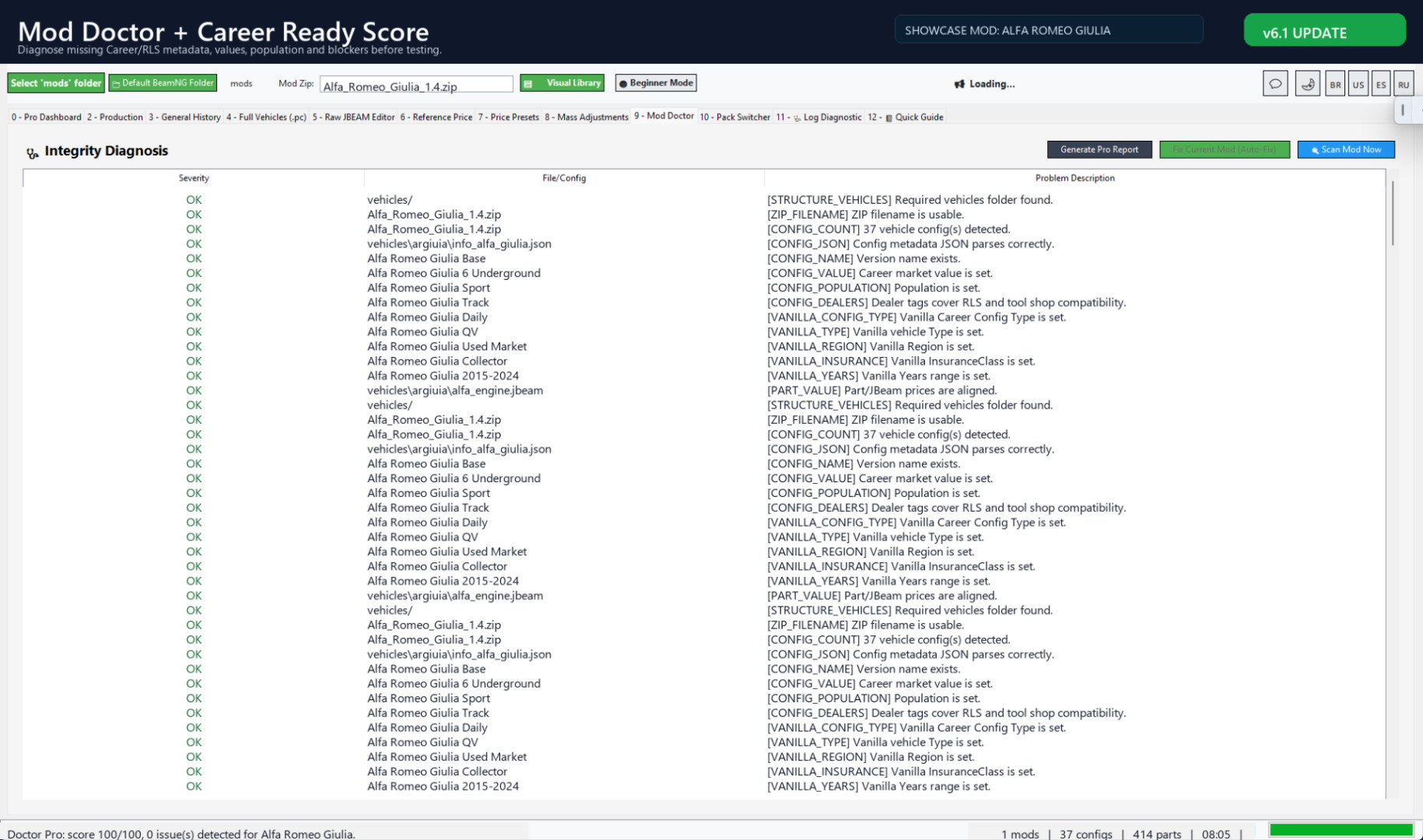
Career/RLS Shop Preview and Doctor
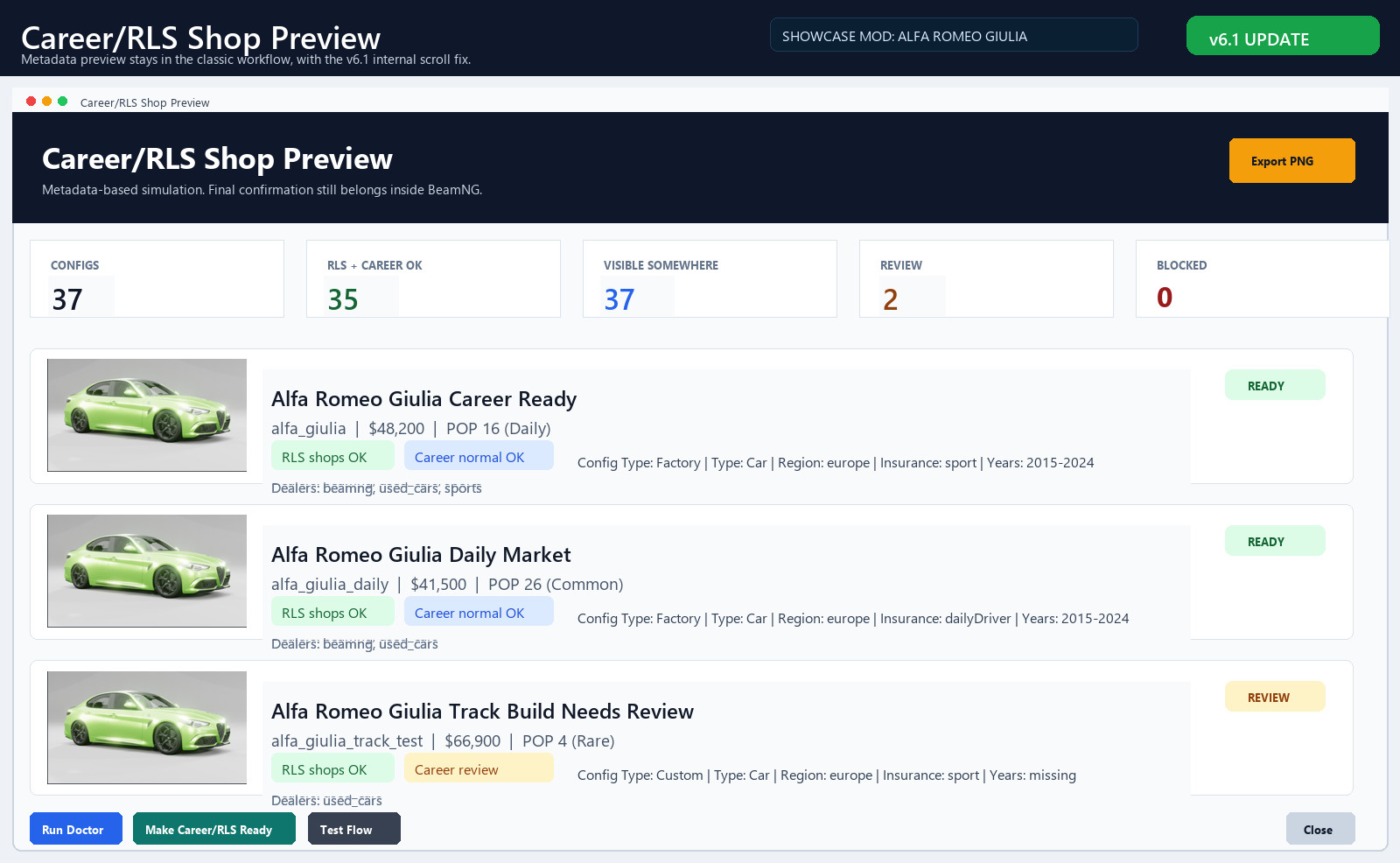
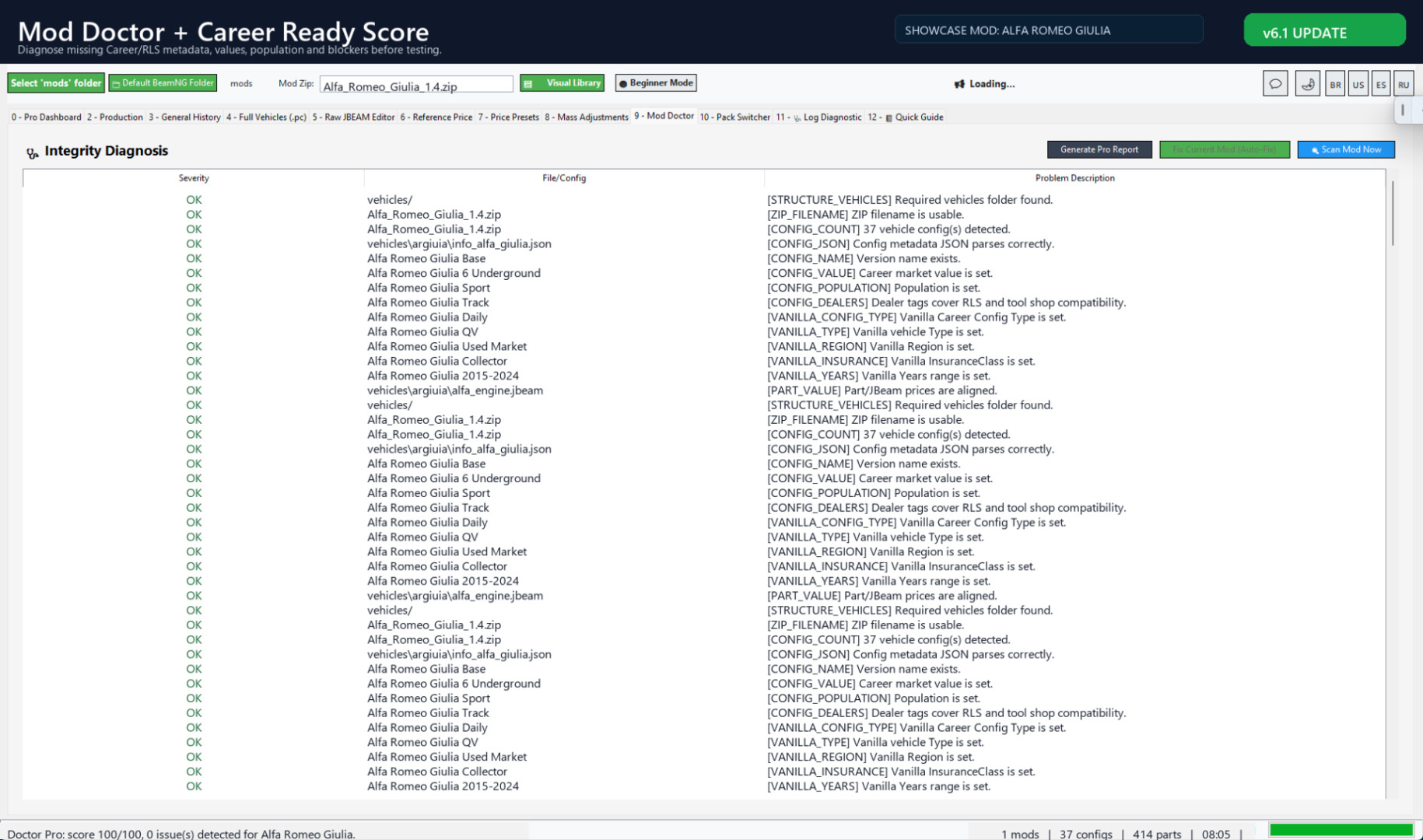
Preview metadata readiness before opening BeamNG, then use Mod Doctor to catch missing fields, JSON/JBEAM issues and compatibility blockers.
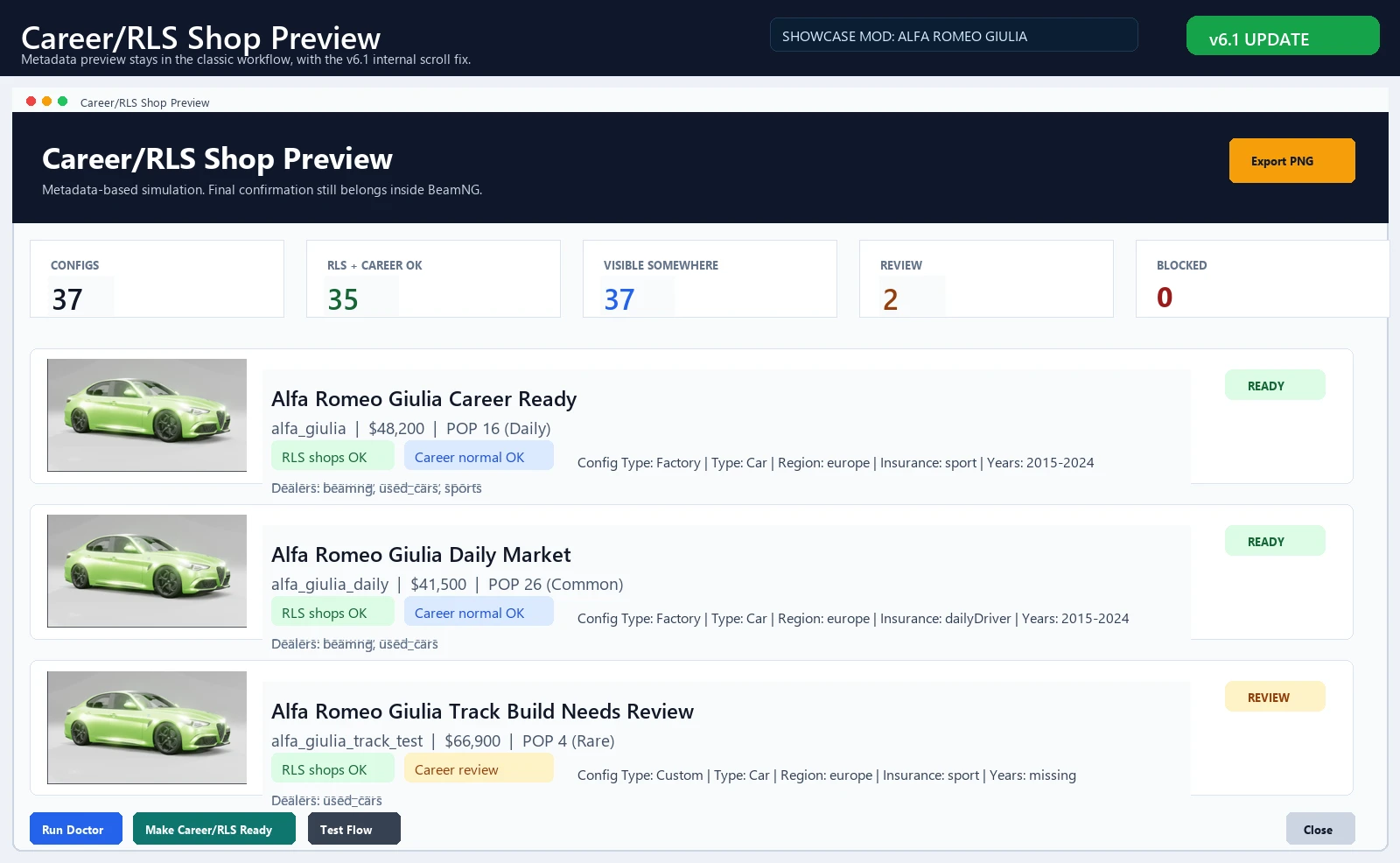
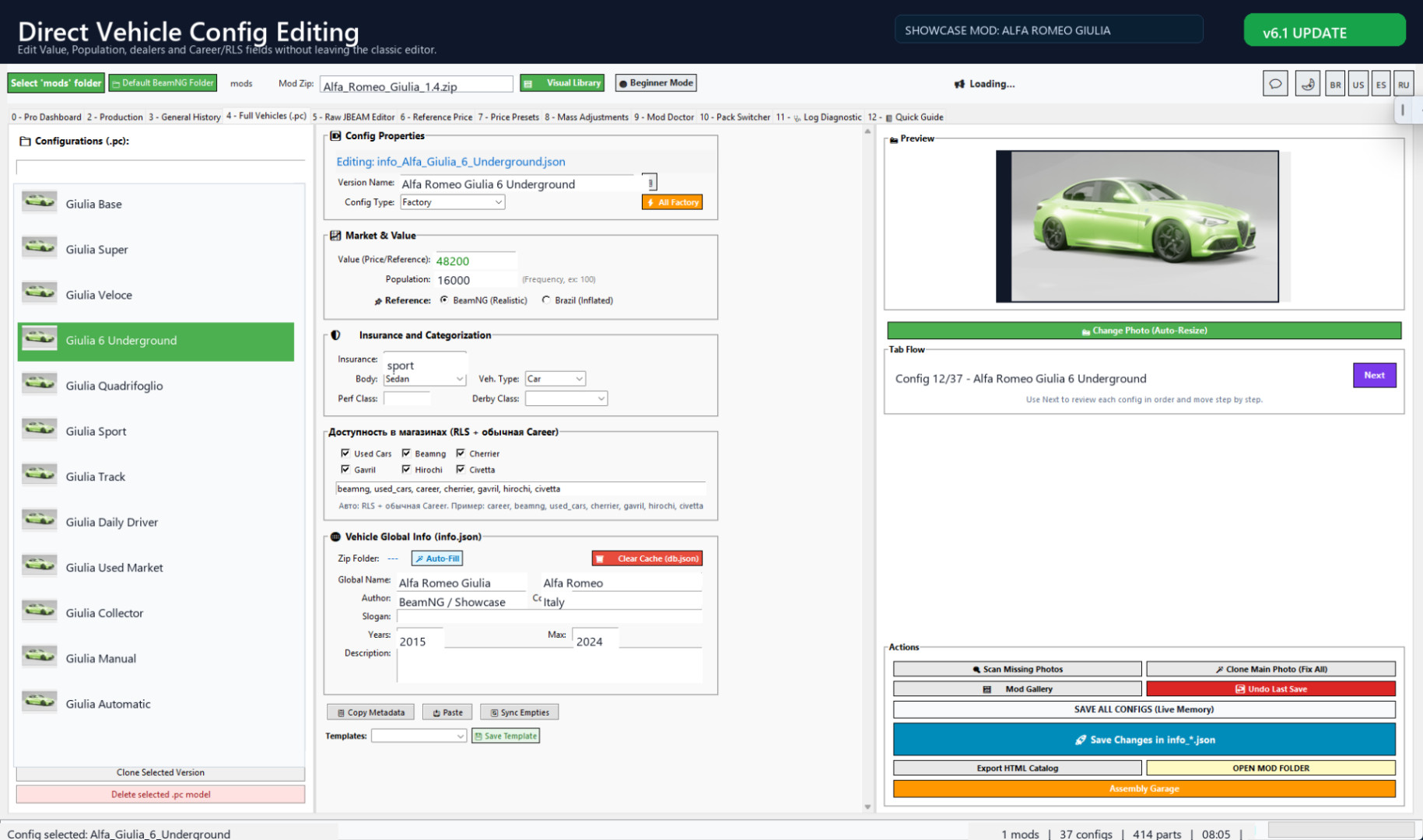
Manual control and economy tools
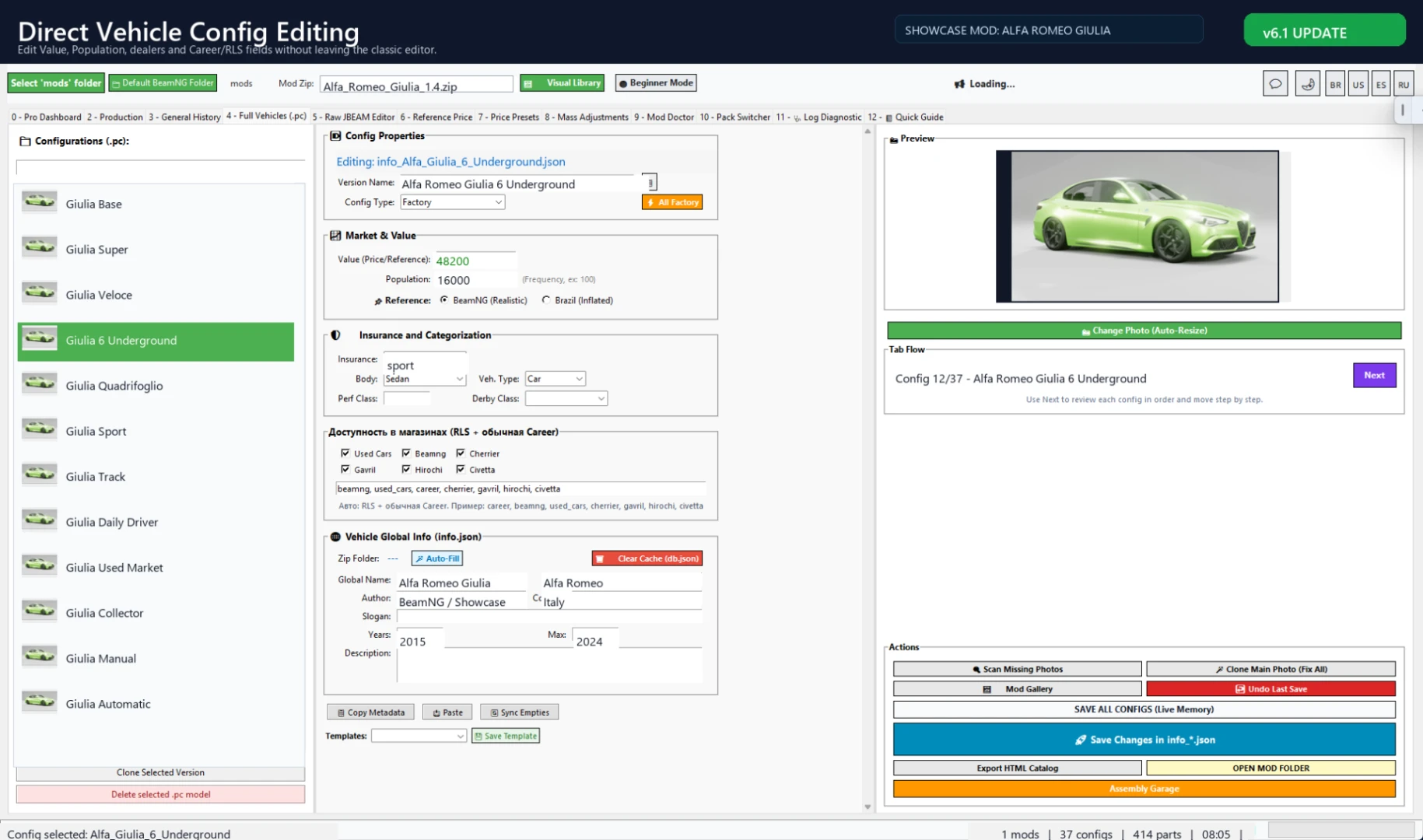
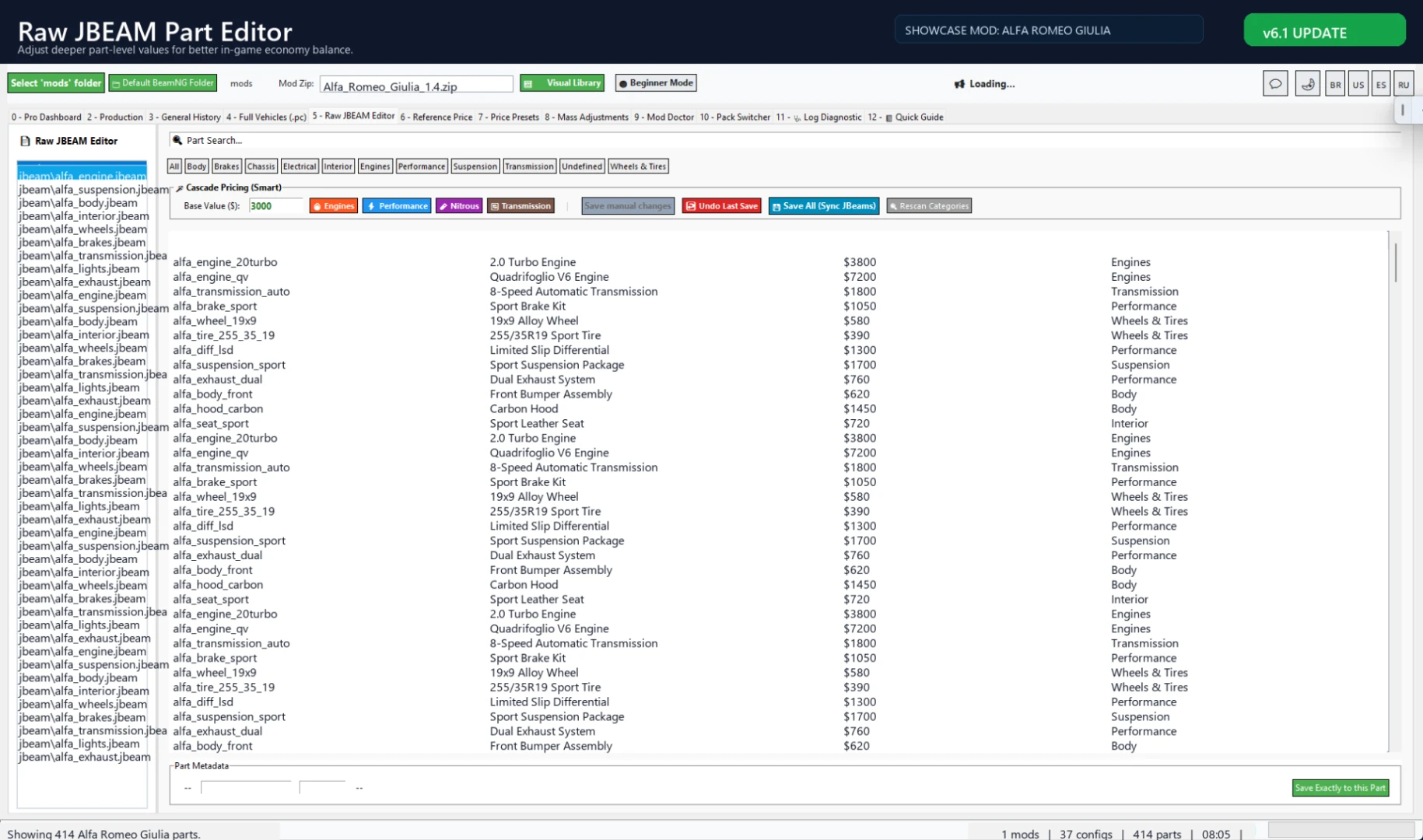
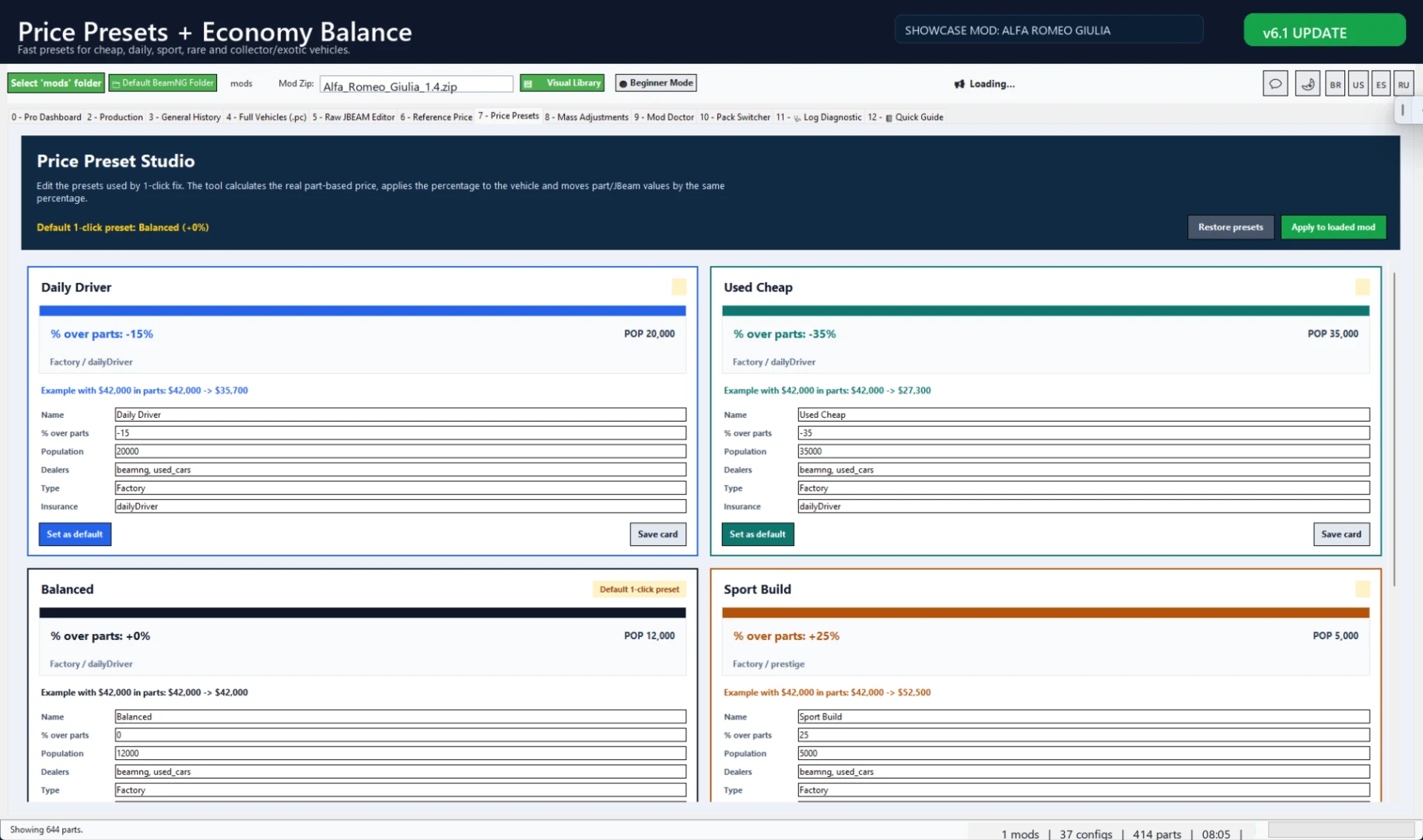
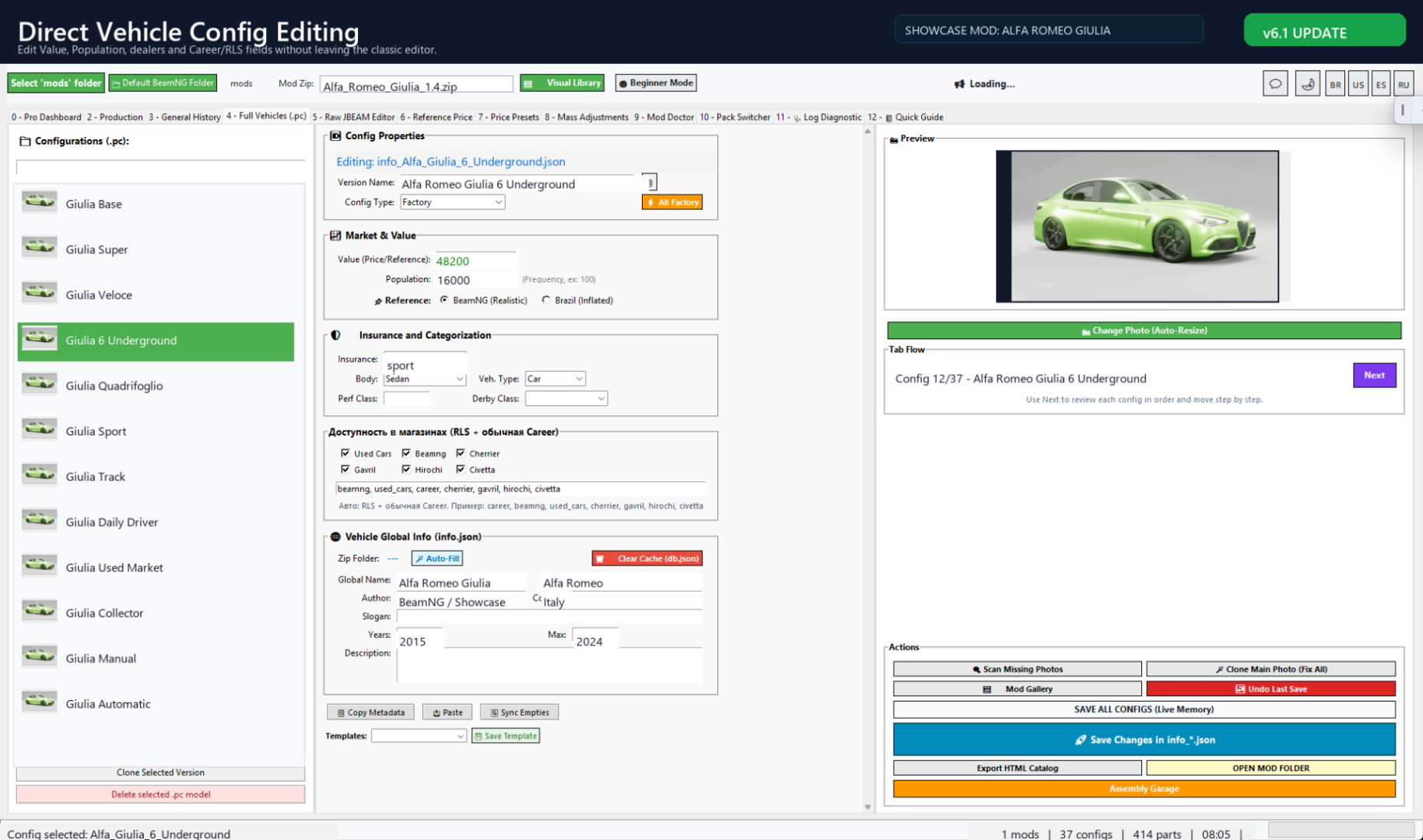
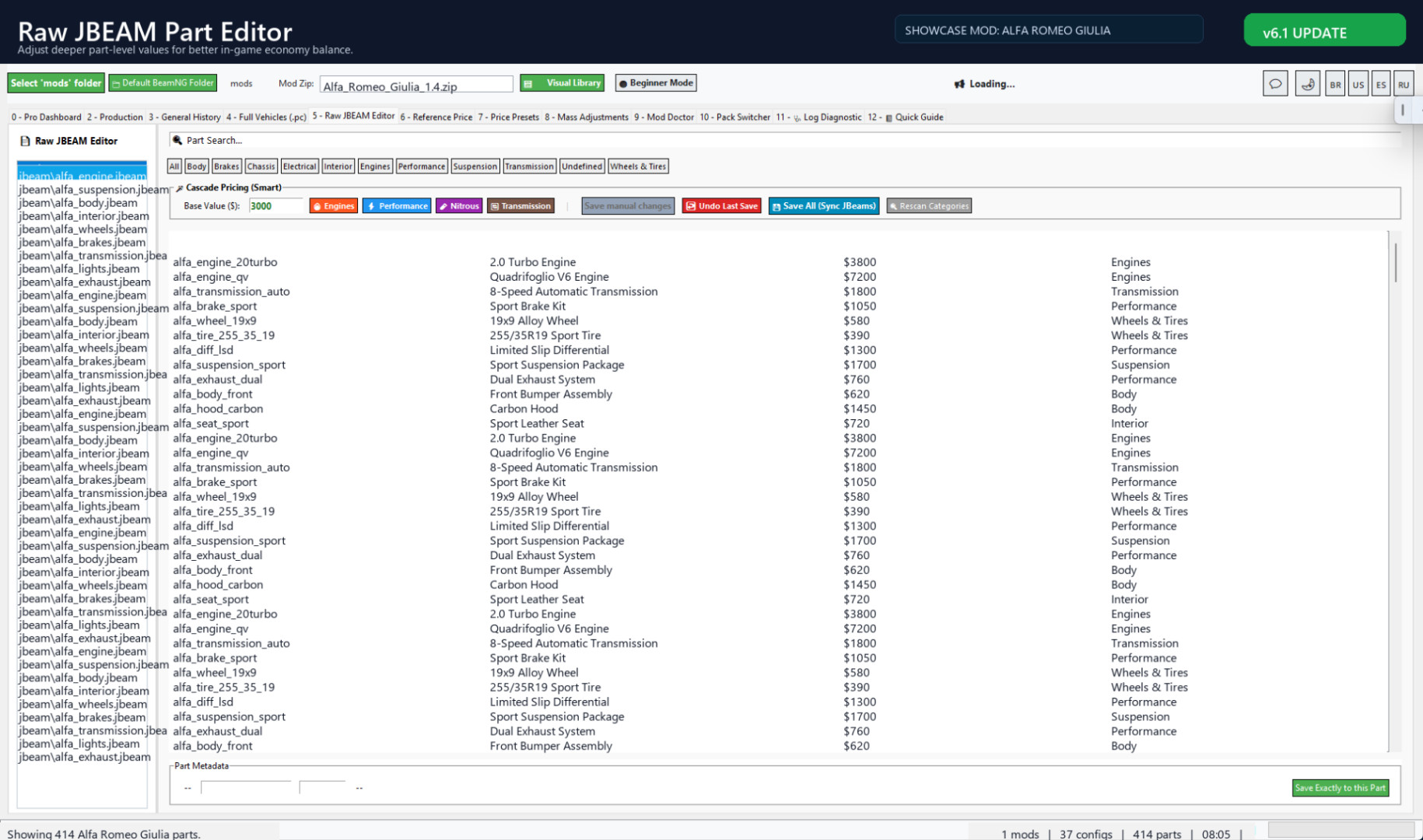
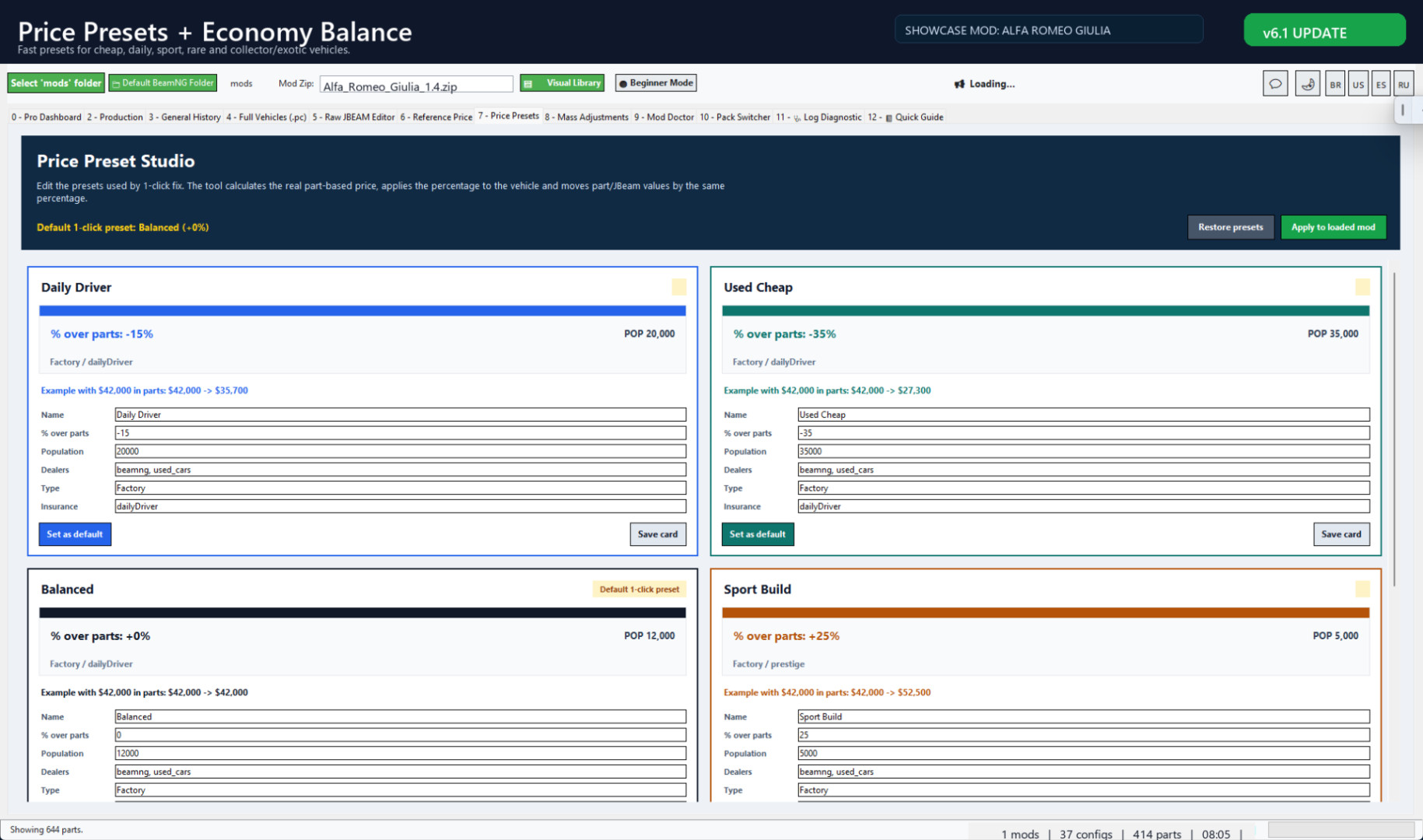
Edit Full Vehicles/PC configs, Value, Population, dealers and Career/RLS fields directly. Raw JBEAM, Reference Price and Price Presets remain available for deeper balancing.
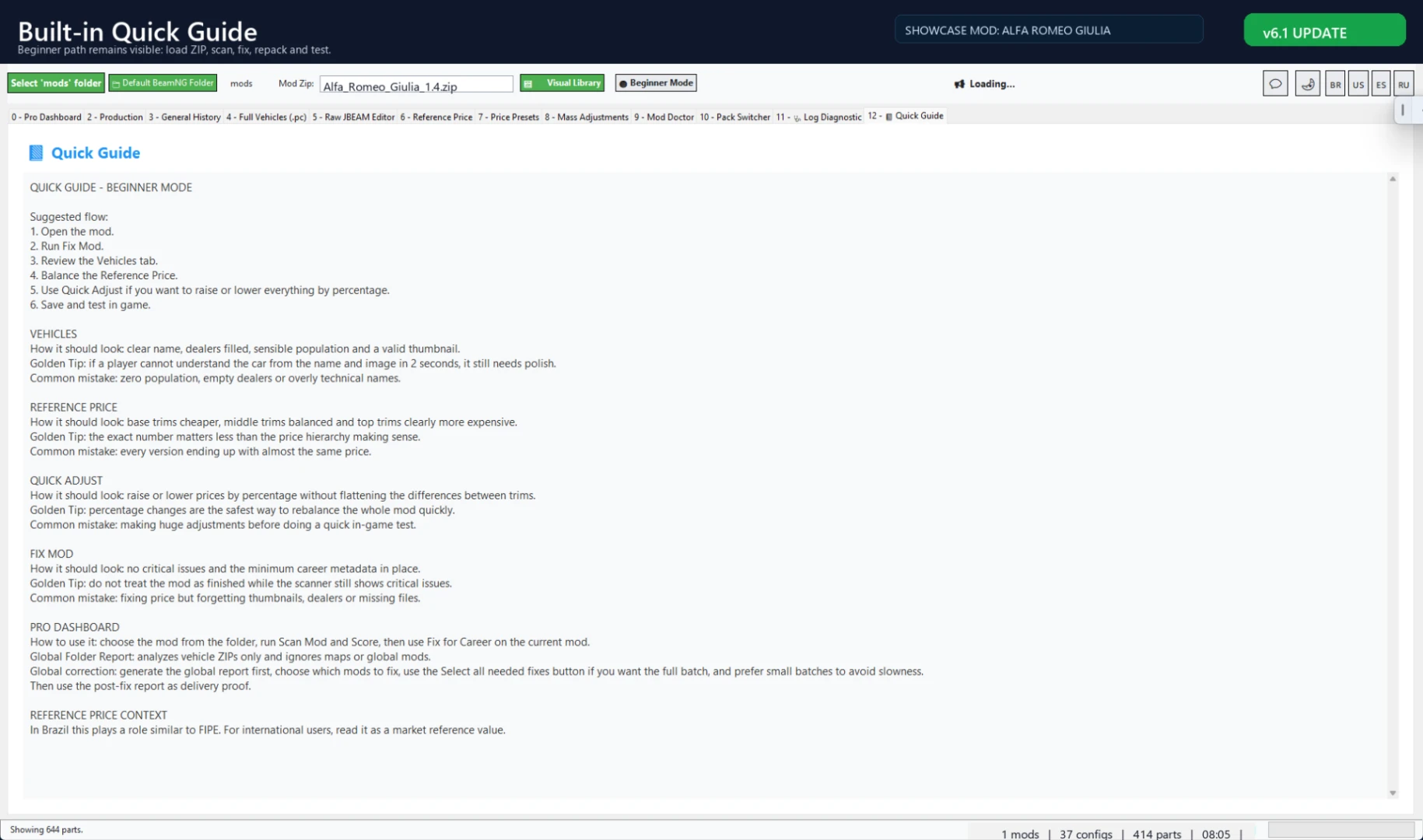
Guide and proof images
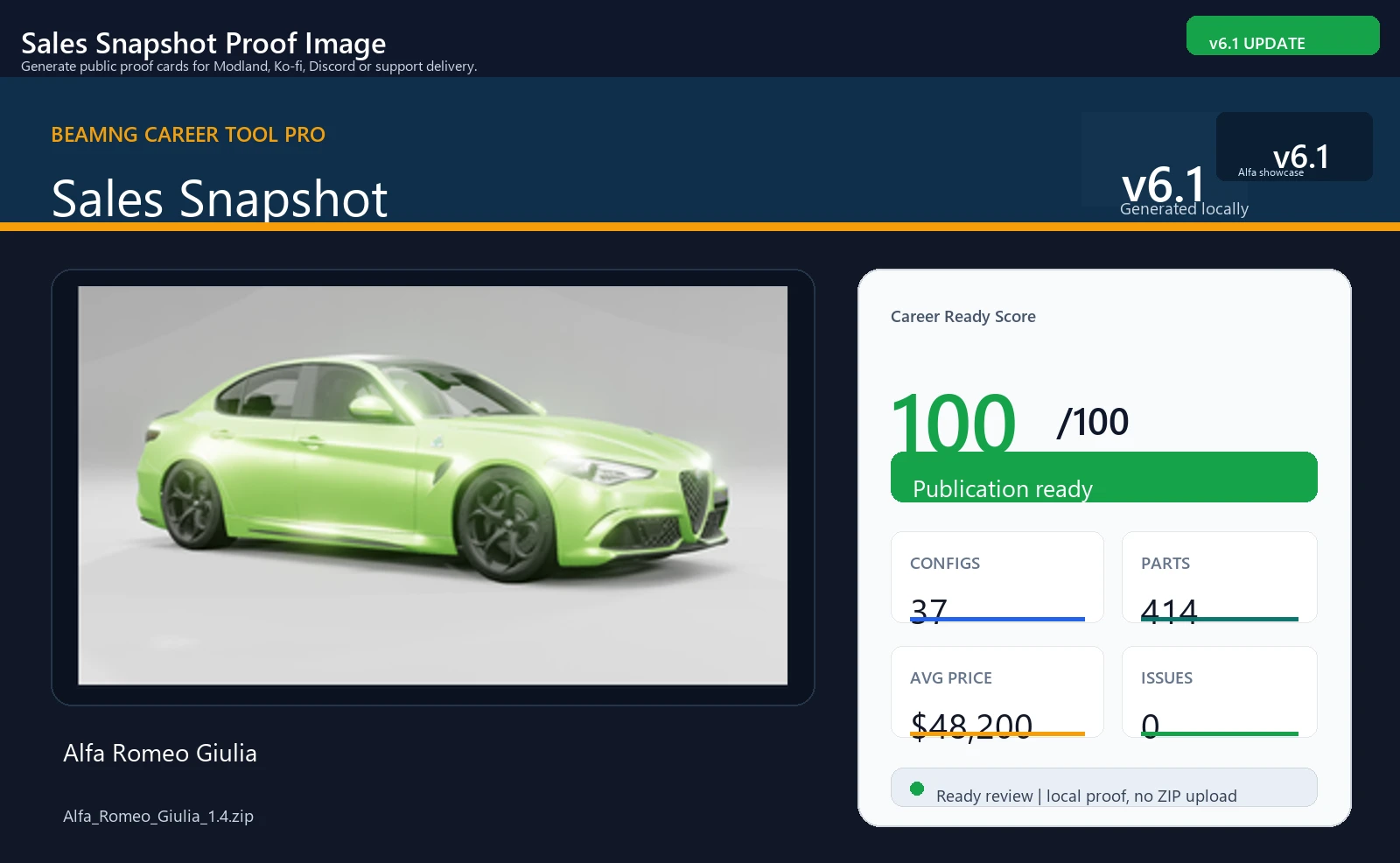
Quick Guide keeps the basic workflow inside the tool, and Sales Snapshot creates public proof images for Modland, Ko-fi, Discord or support delivery.
Best workflow
- Open BeamNG Career Tool Pro v6.1.
- Load or drop a BeamNG vehicle ZIP.
- Use Career/RLS Adapter or Instant Career Fix.
- Review Career Ready Score and Mod Doctor.
- Adjust values, population, dealers or part prices if needed.
- Open Career/RLS Shop Preview.
- Repack and test inside BeamNG Career/RLS.
Screenshot note
The screenshots use real vehicle examples only to demonstrate the Career/RLS workflow.
Vehicle mods shown in screenshots are workflow examples only. Vehicle mods are not included with the tool.
BeamNG Career Tool Pro v6.0
BeamNG Career Tool Pro is a Windows utility for preparing BeamNG vehicle ZIP mods for BeamNG Career/RLS use.
v6.0 is a Classic Return update.
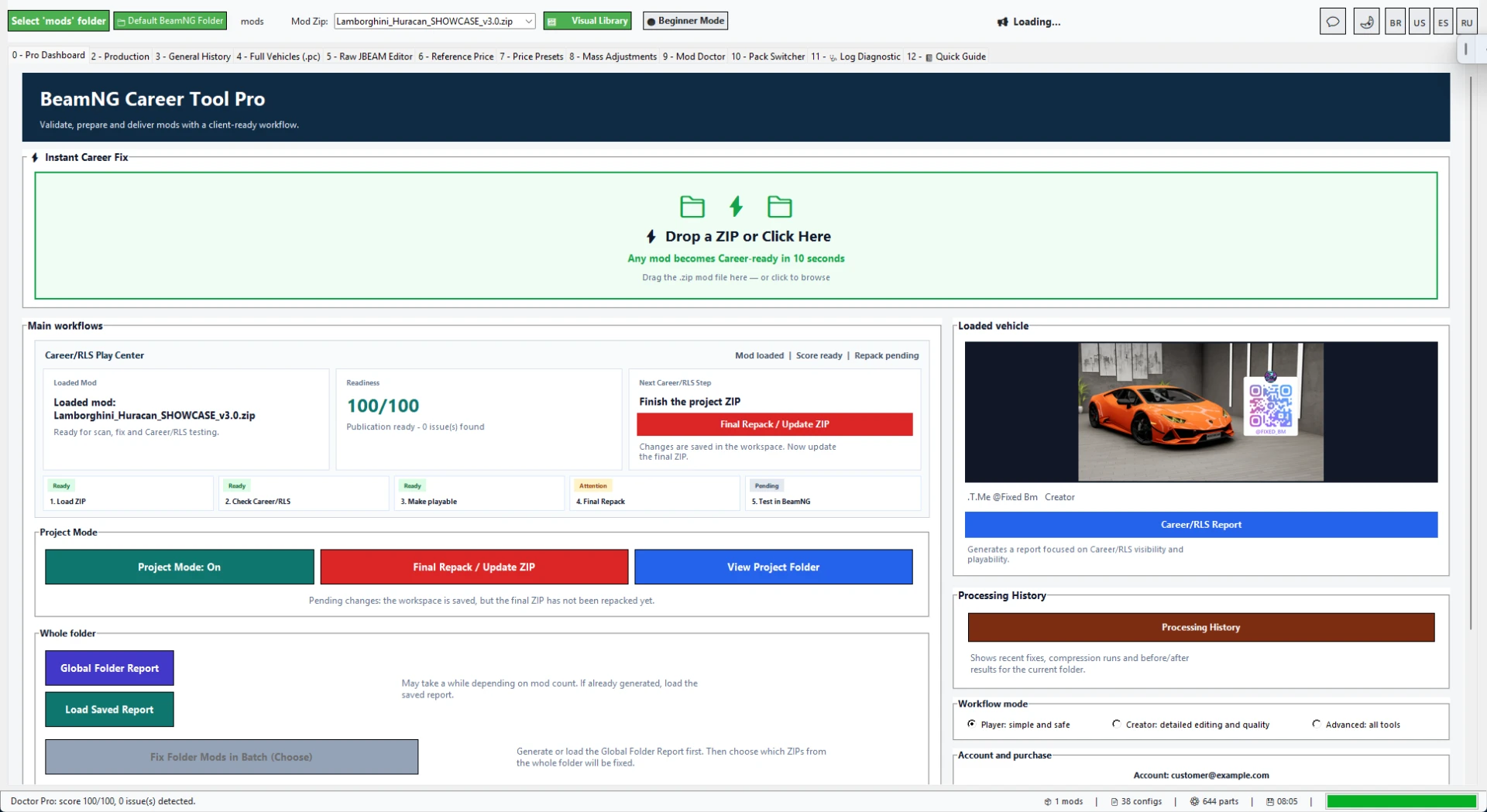
After testing newer layouts, this release returns to the practical classic workflow that users already understood better. The goal is simple: make the tool easier to use, easier to control and faster to work with when preparing cars for Career/RLS.
This version is based on the stable classic 3.1 tool flow, with the same direct tabs, familiar editors and practical mod preparation layout.
Why v6.0 returns to the classic workflow
The classic interface is easier to understand for users who just want to prepare a mod and test it.
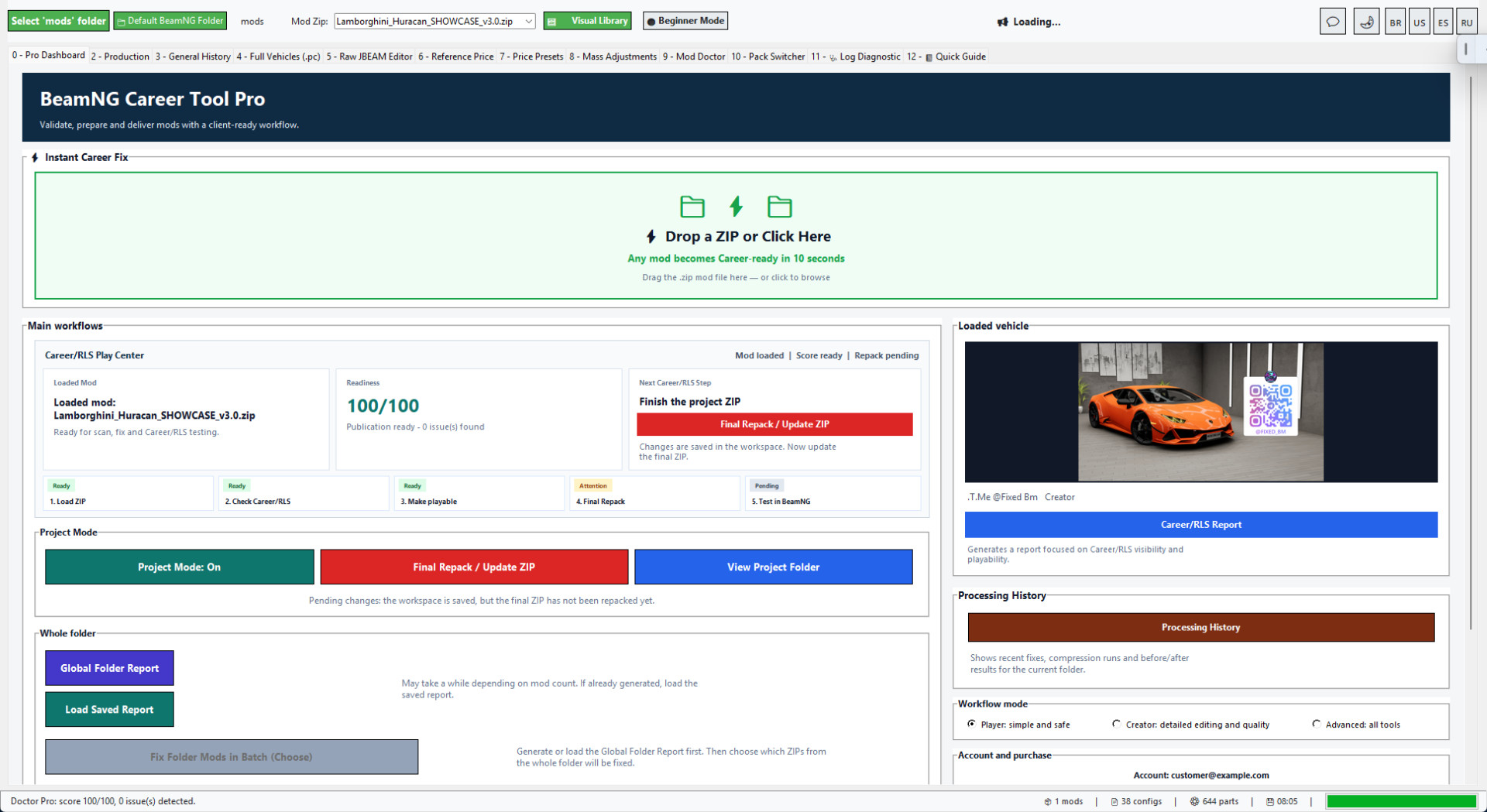
Instead of hiding important tools behind a launcher-style layout, v6.0 keeps the main workflow visible: Instant Career Fix, Full Vehicles/PC editor, Raw JBEAM editor, Reference Price, Price Presets, Mod Doctor, Quick Guide and reports.
This makes the tool more practical for people who work with many vehicle ZIPs and need quick access to the same controls every time.
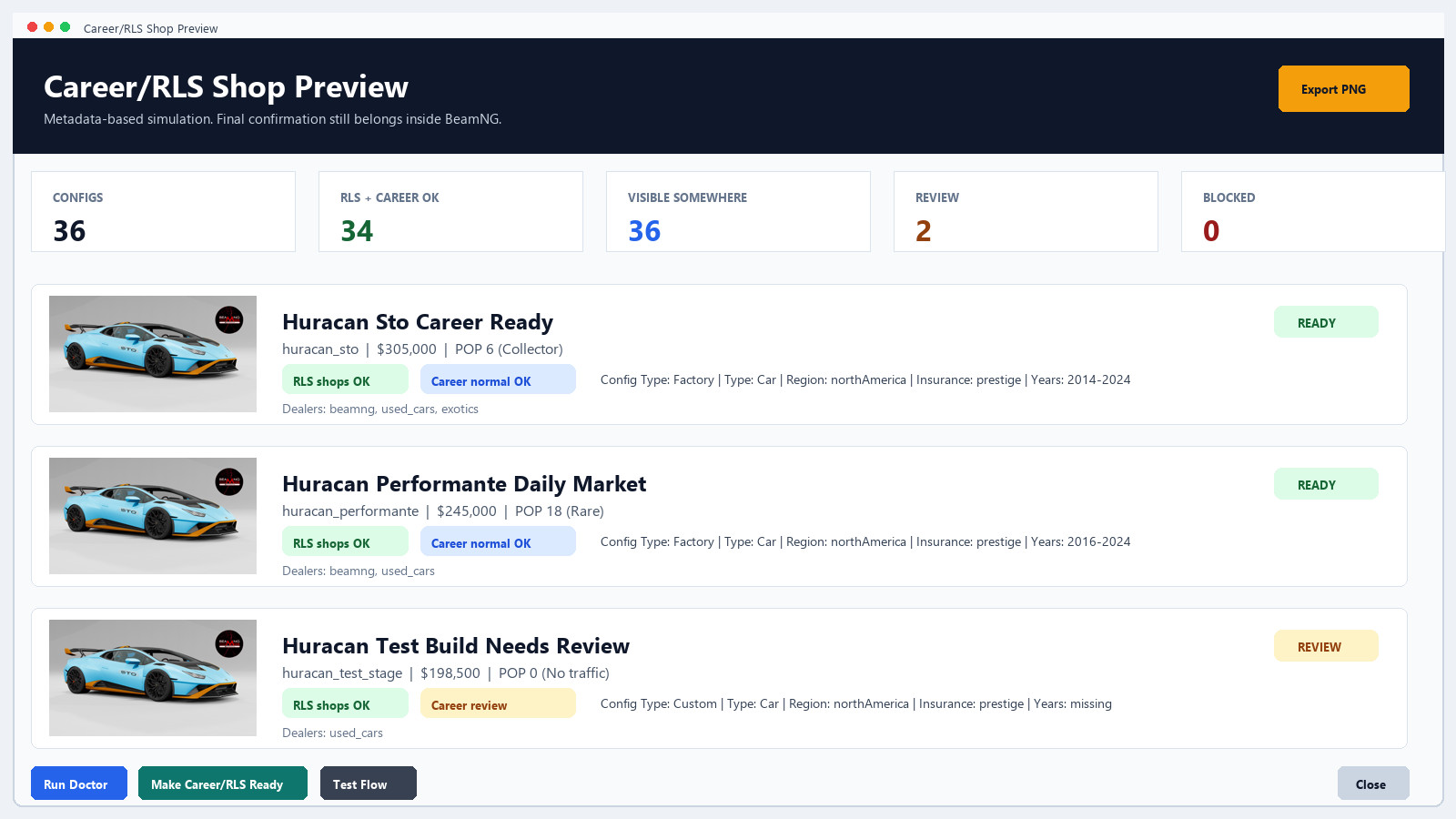
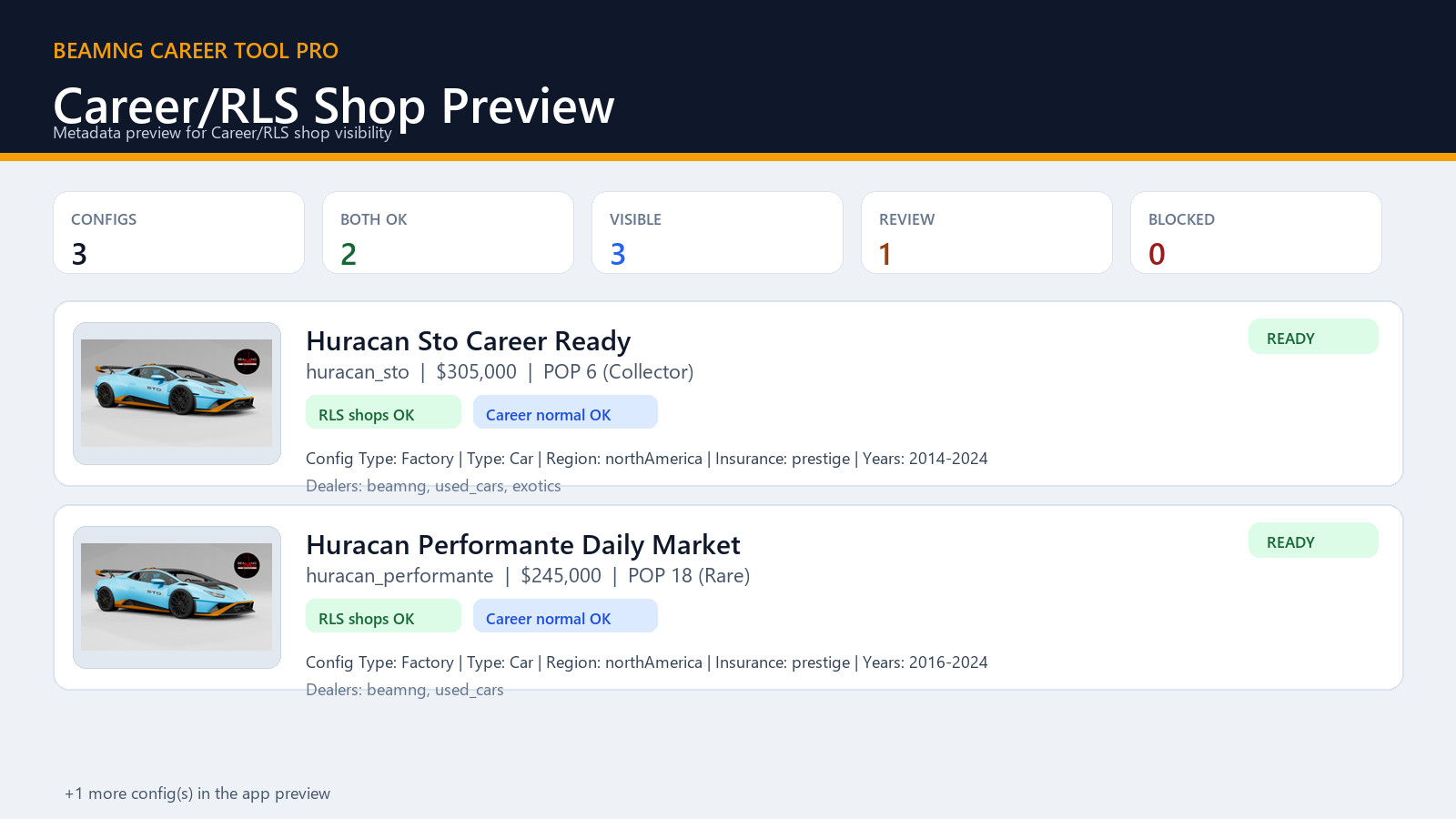
Career/RLS Shop Preview
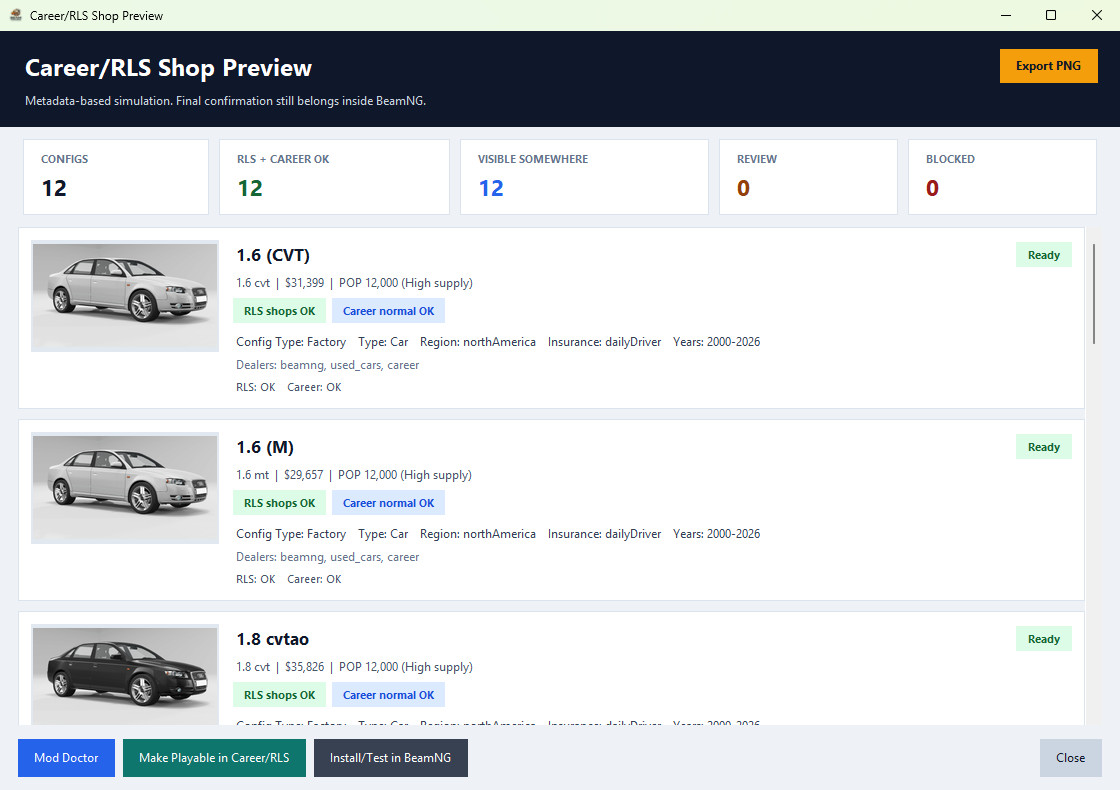
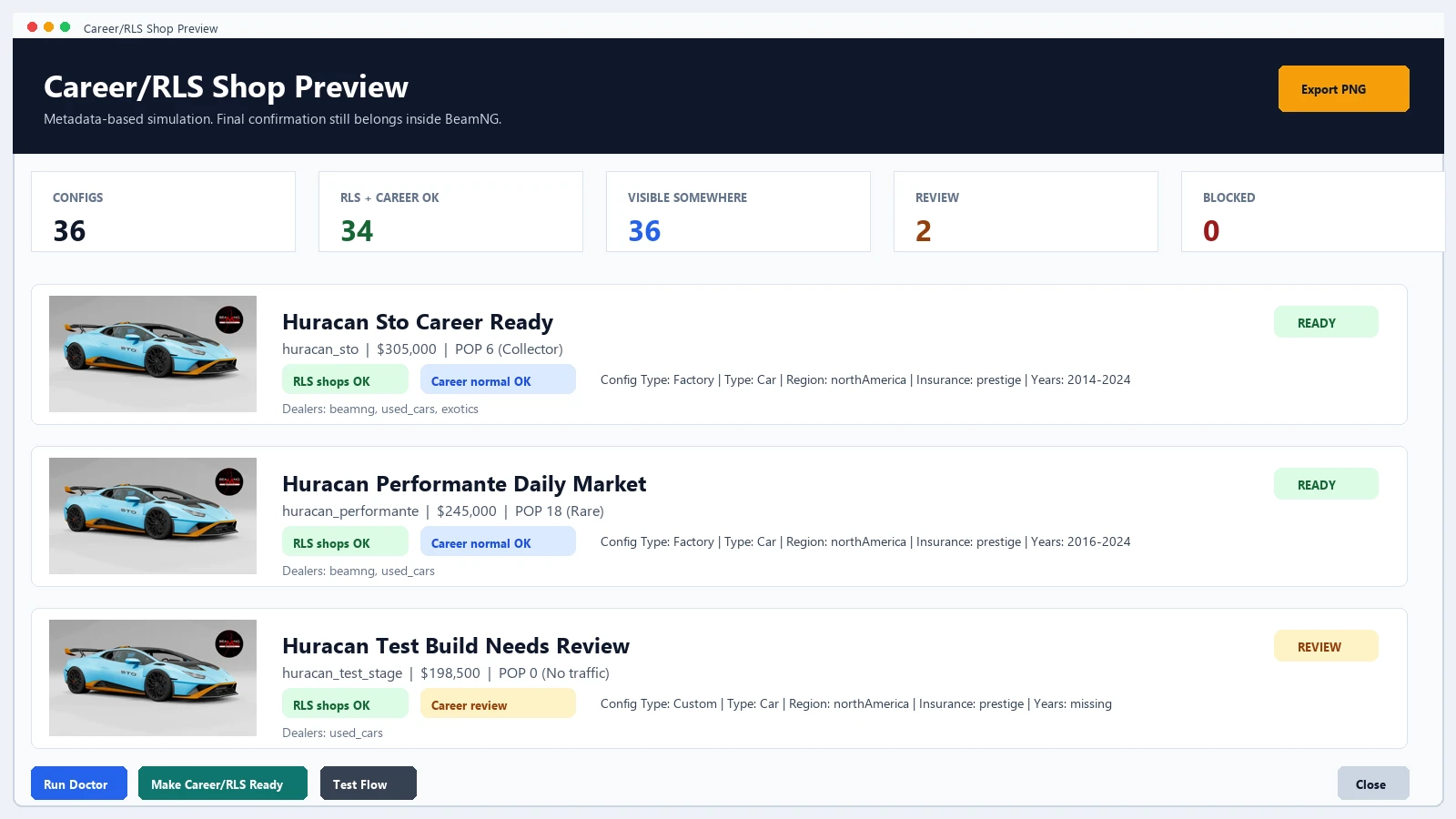
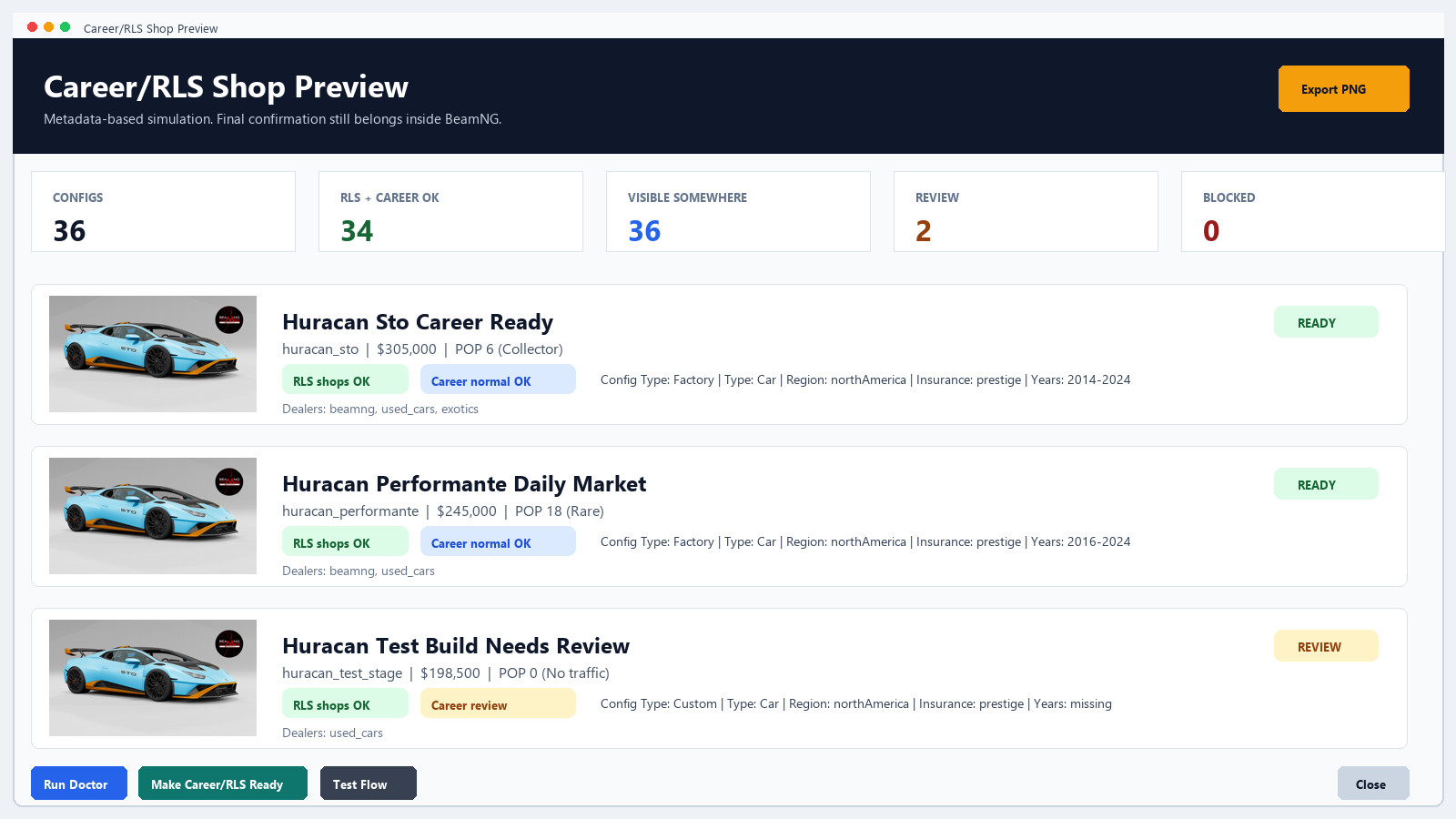
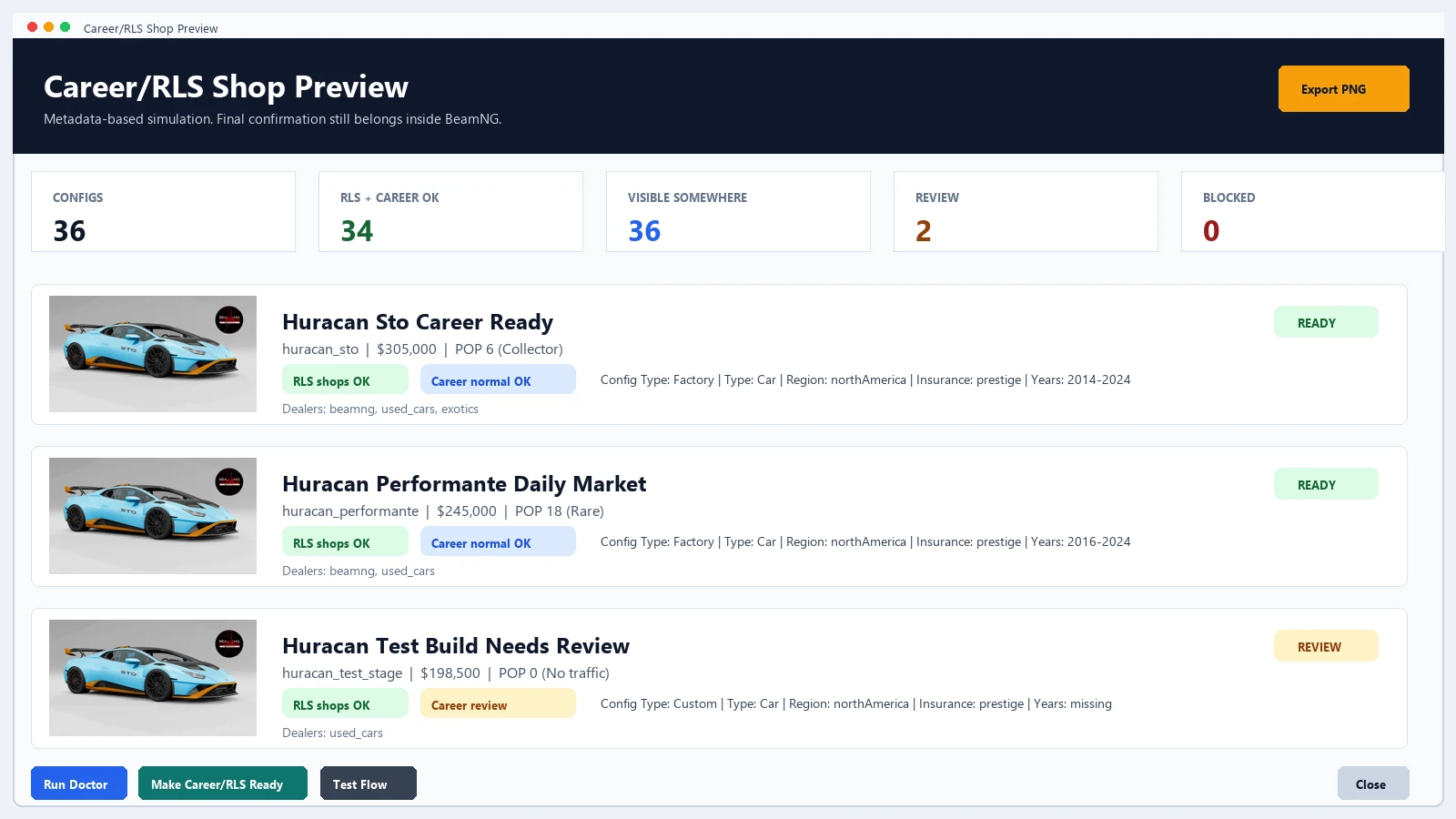
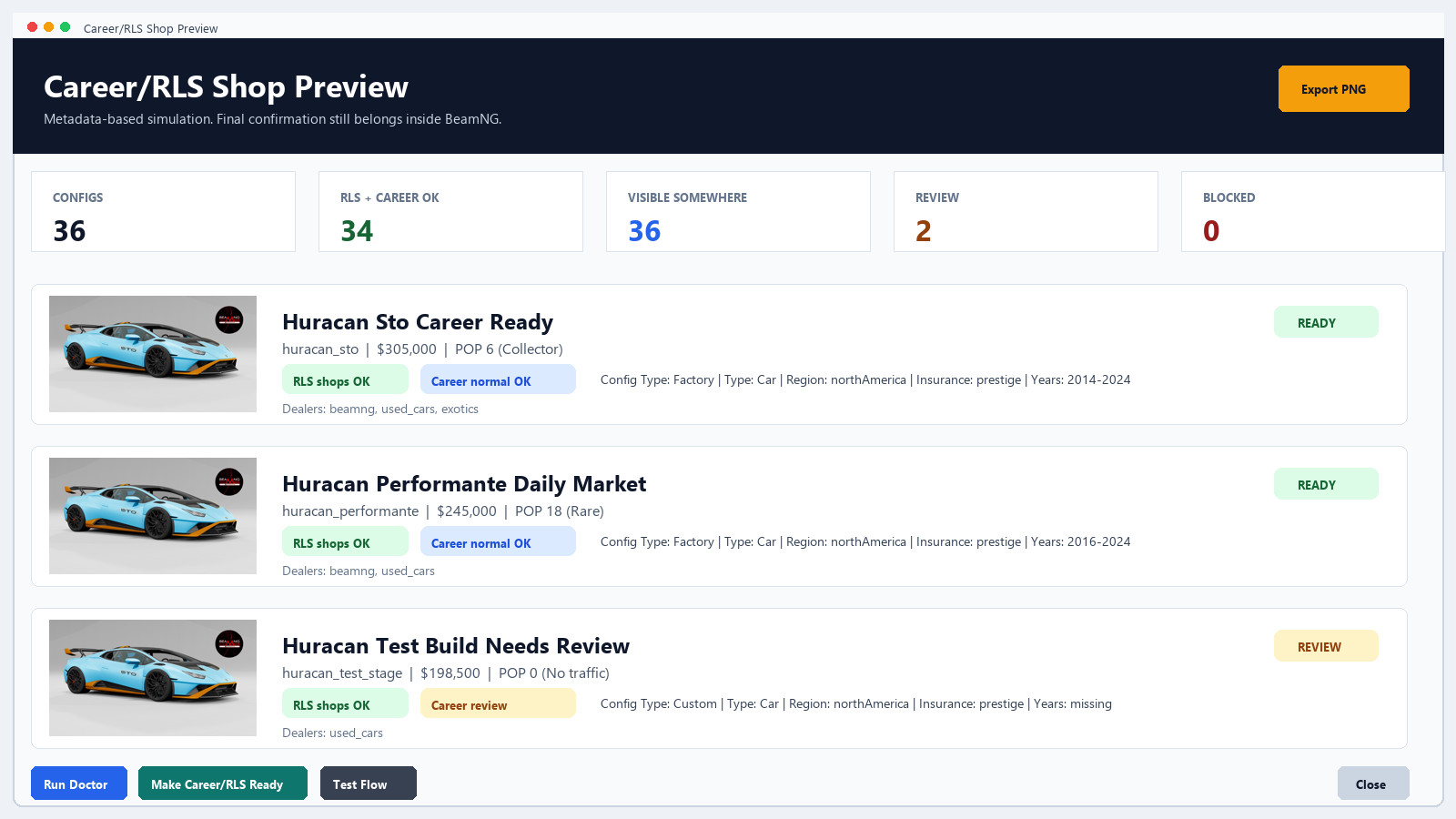
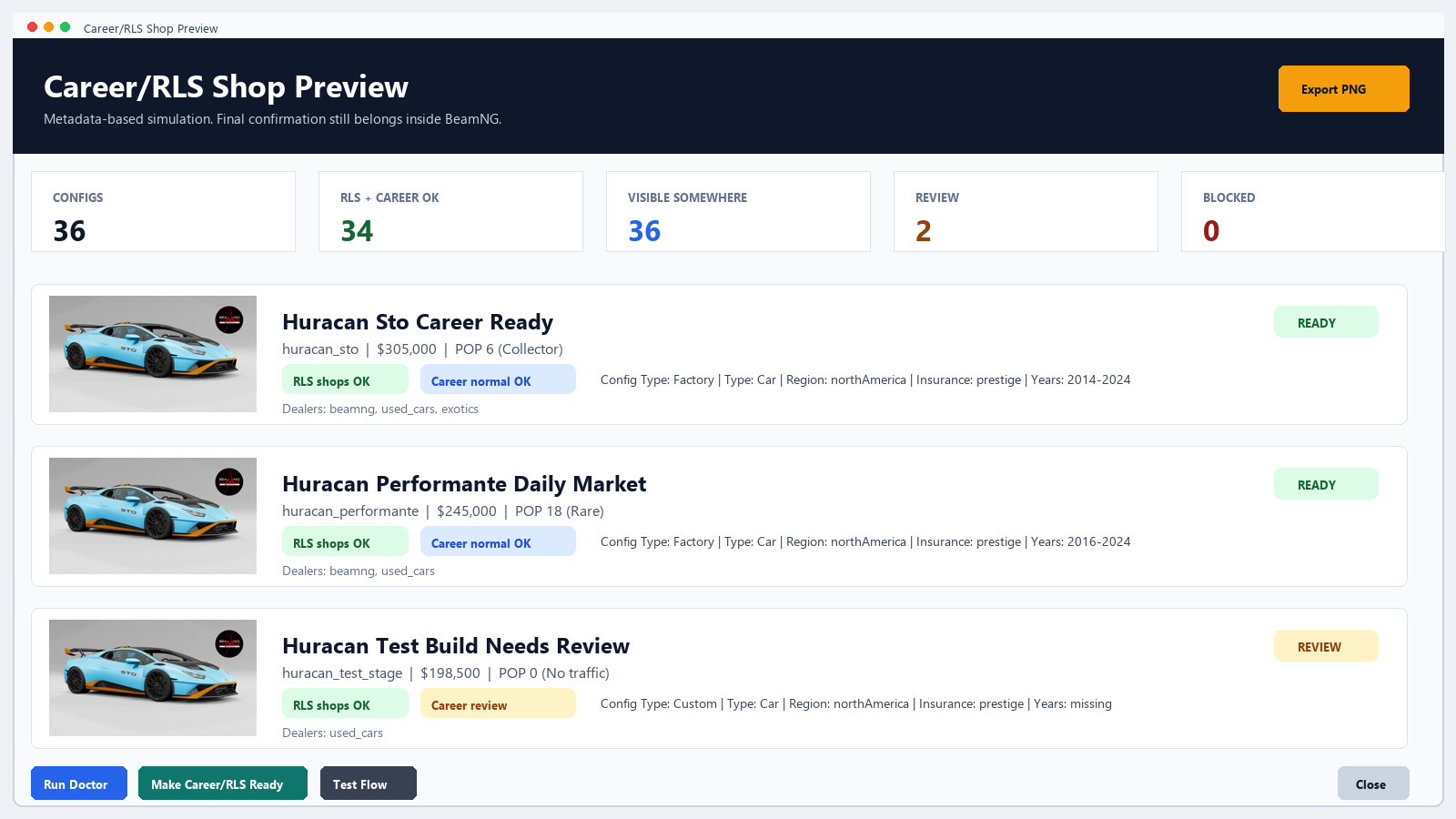
The Career/RLS Shop Preview helps inspect how configs may appear before opening BeamNG.
It uses metadata such as Value, Population, dealers, Type, Config Type, Region, InsuranceClass and Years to give a practical preview of Career/RLS readiness.
The final confirmation is still inside BeamNG, but this preview helps catch obvious metadata problems before wasting time testing.
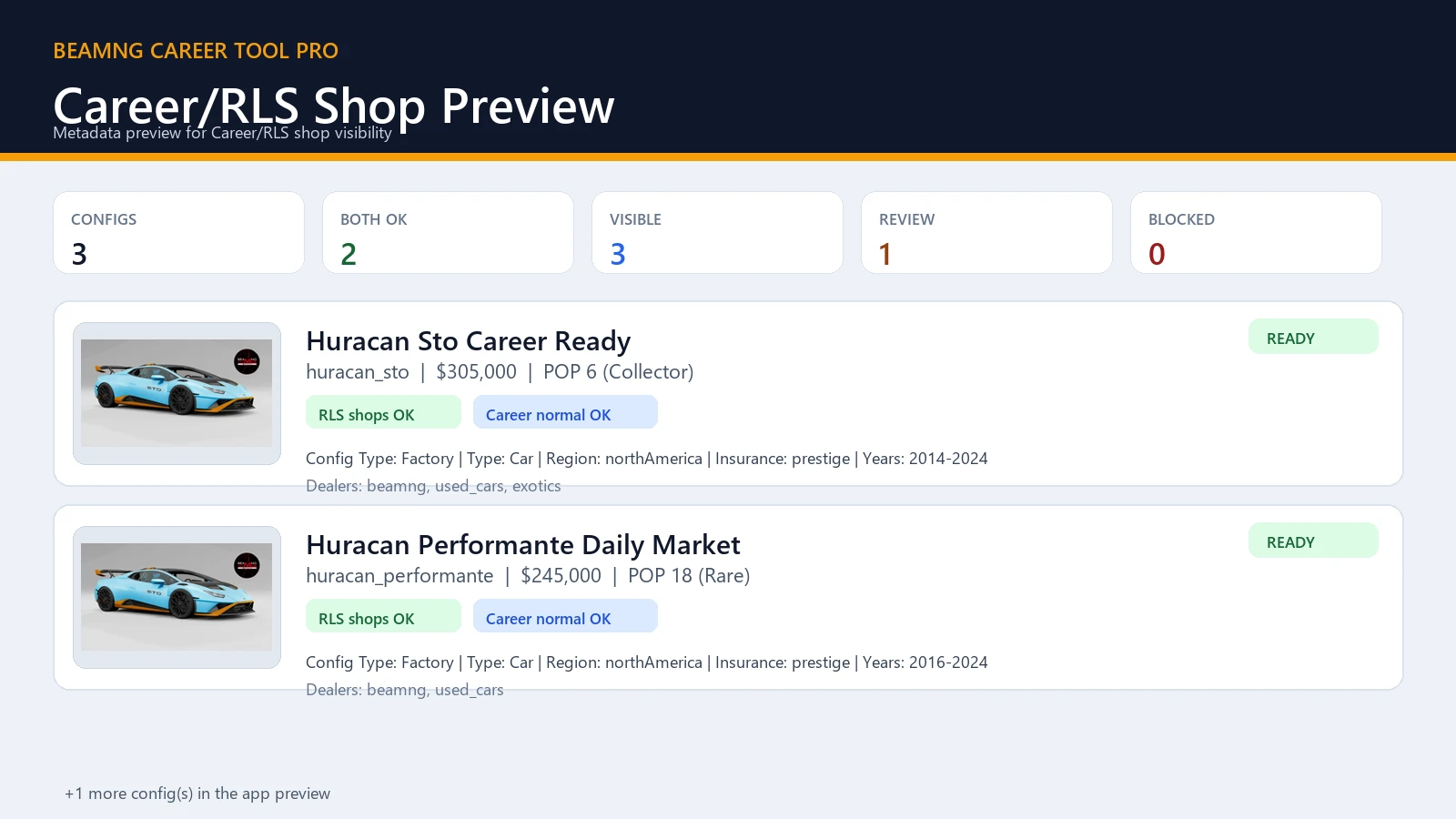
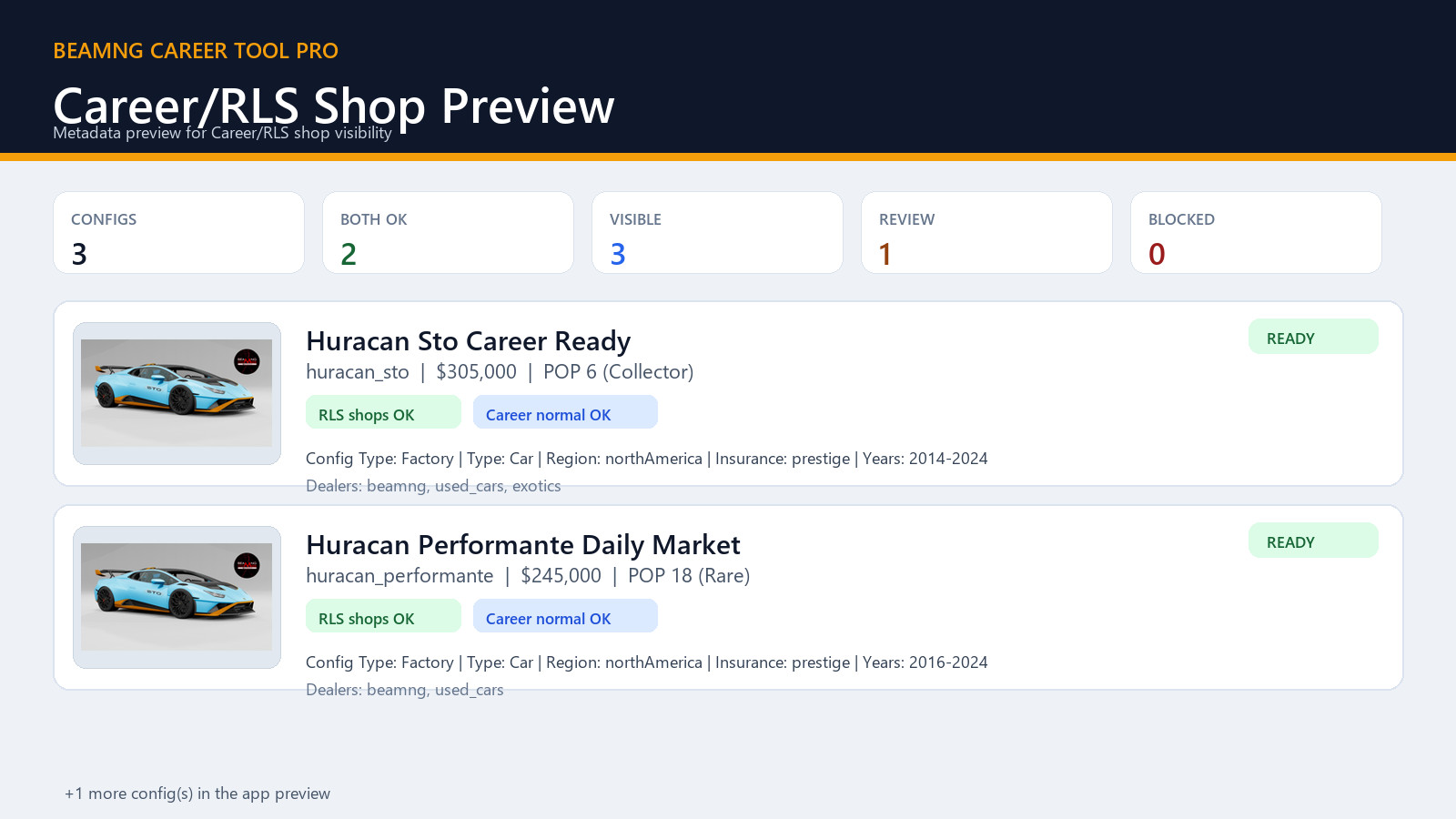
PNG export for proof and support
The preview can be exported as a PNG proof image.
This is useful for Modland, Ko-fi, Discord, support messages or client delivery when you want to show that a mod was scanned and prepared.
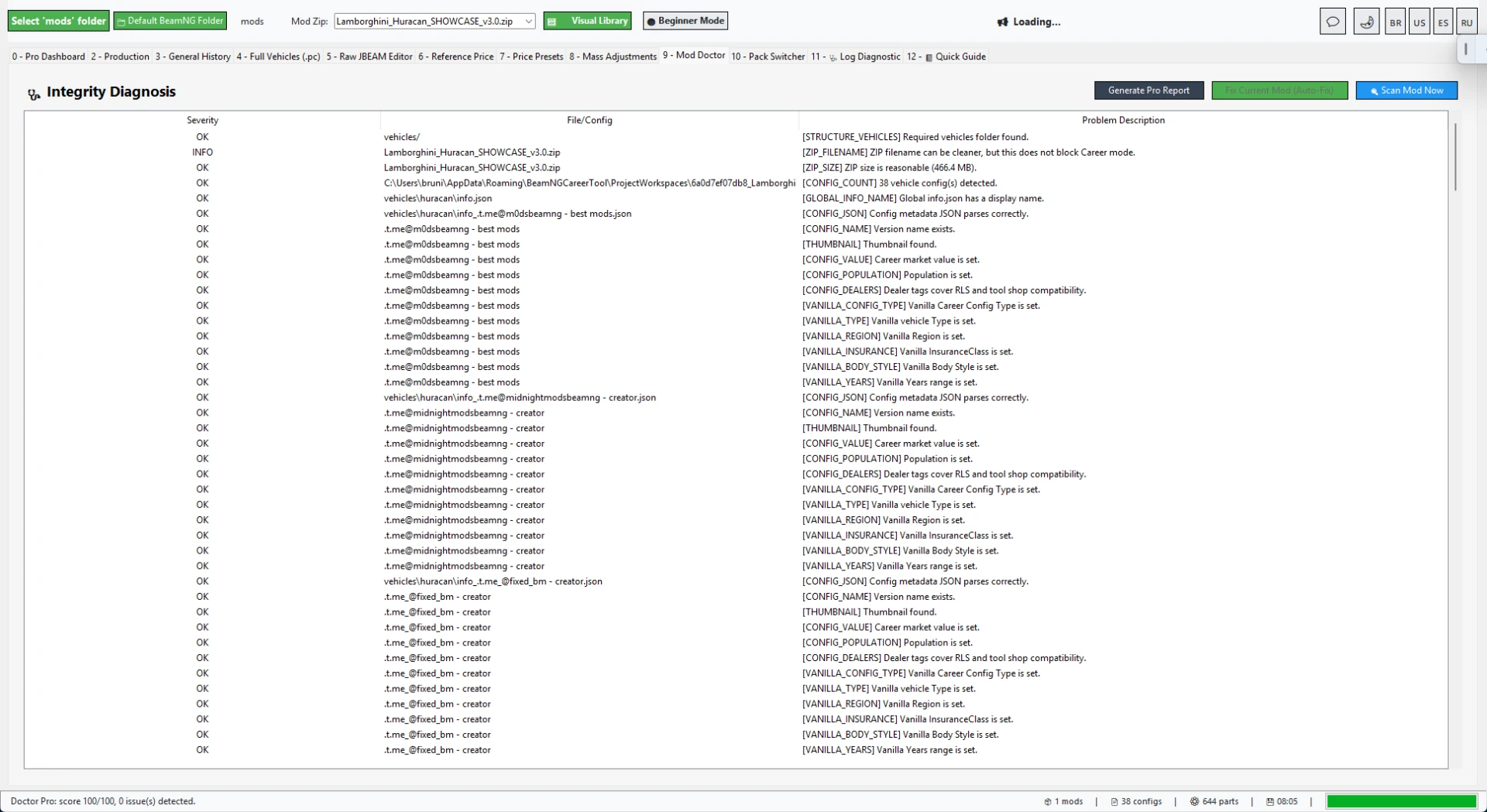
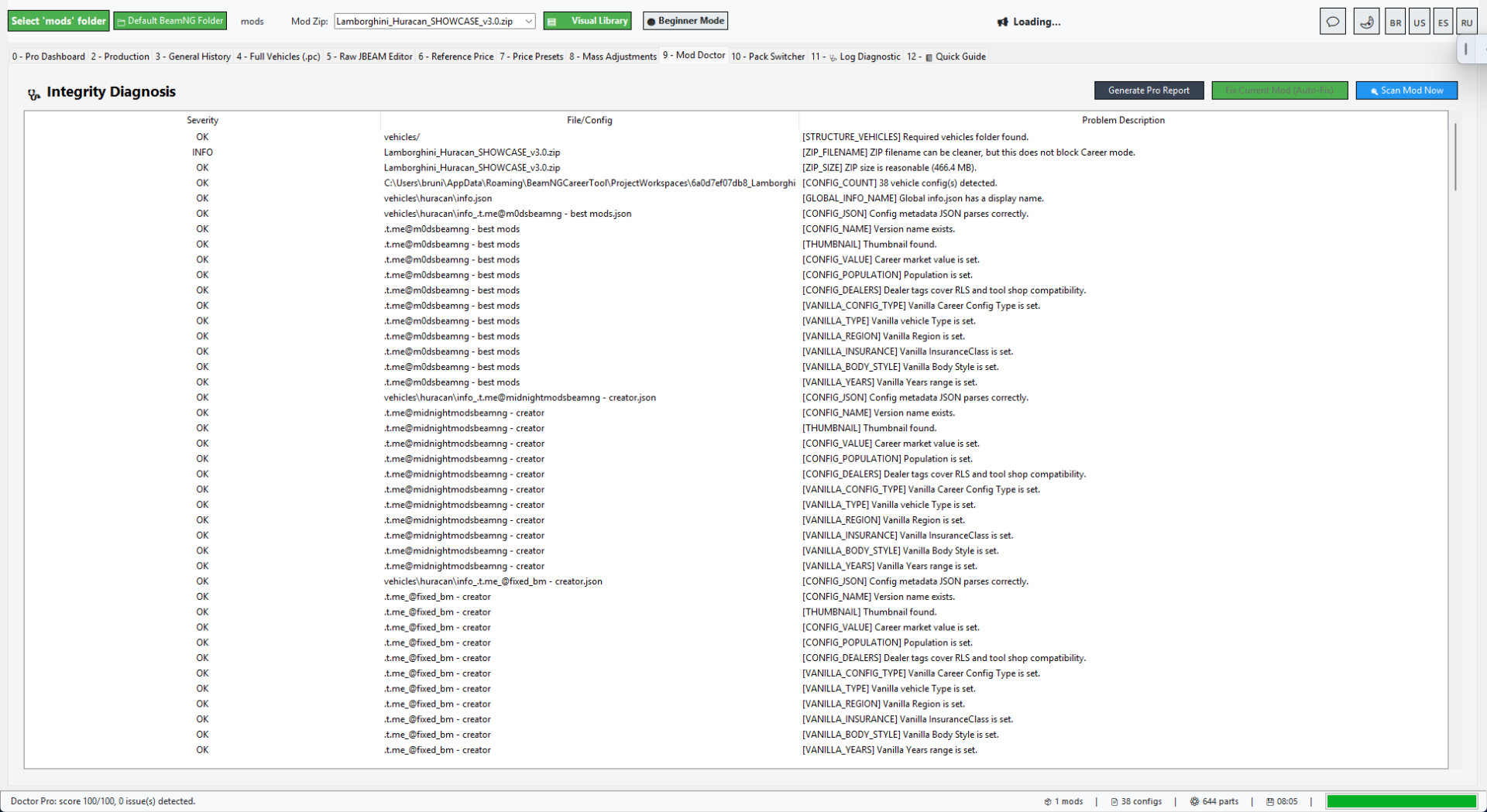
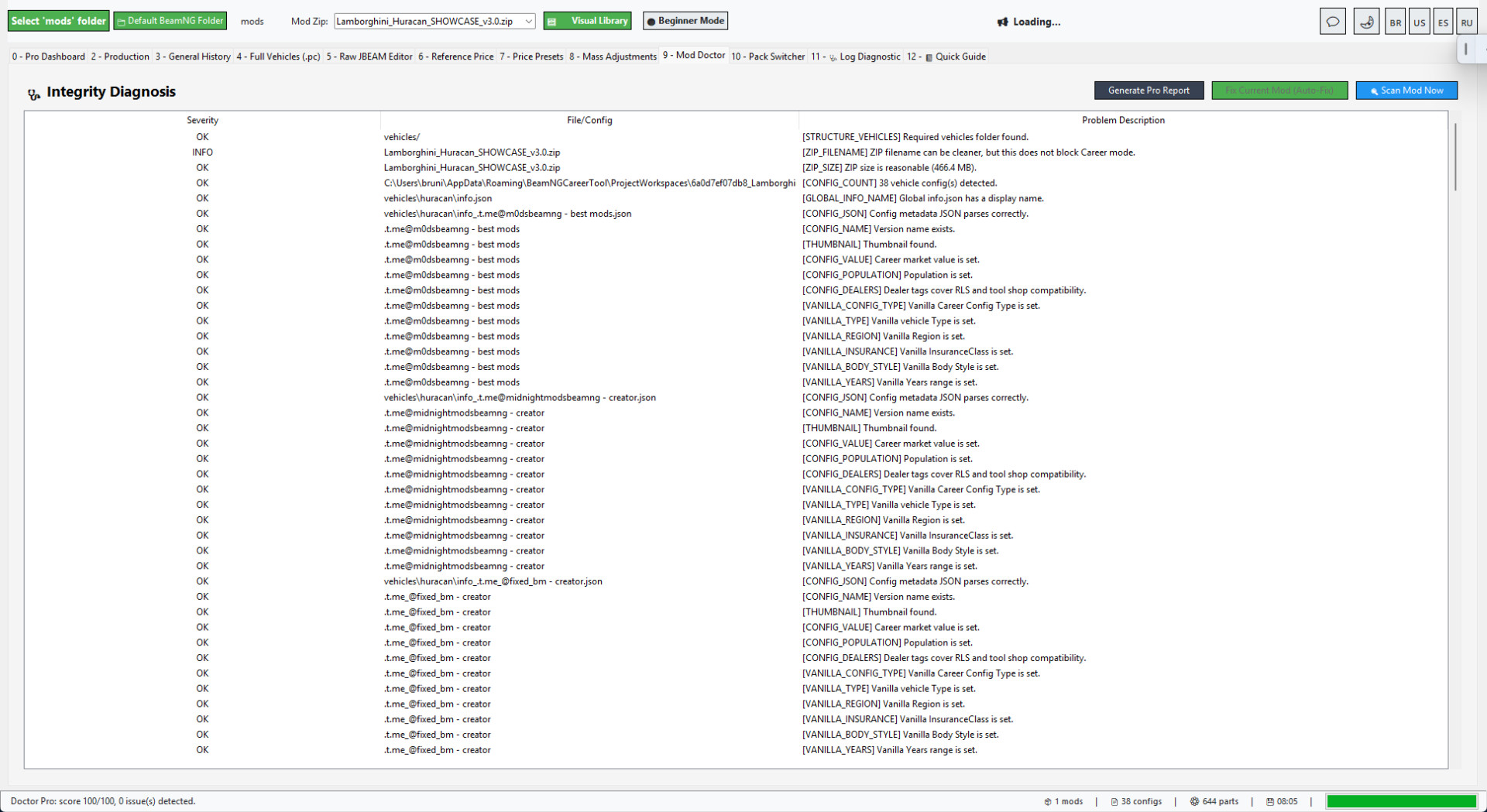
Mod Doctor and Career Ready Score
Mod Doctor checks common blockers that can stop a vehicle from appearing correctly in Career/RLS.
It helps identify missing metadata, JSON/JBEAM issues, missing values, missing population data, config problems and other compatibility points.
The Career Ready Score makes it easier to understand what still needs attention before repacking and testing.
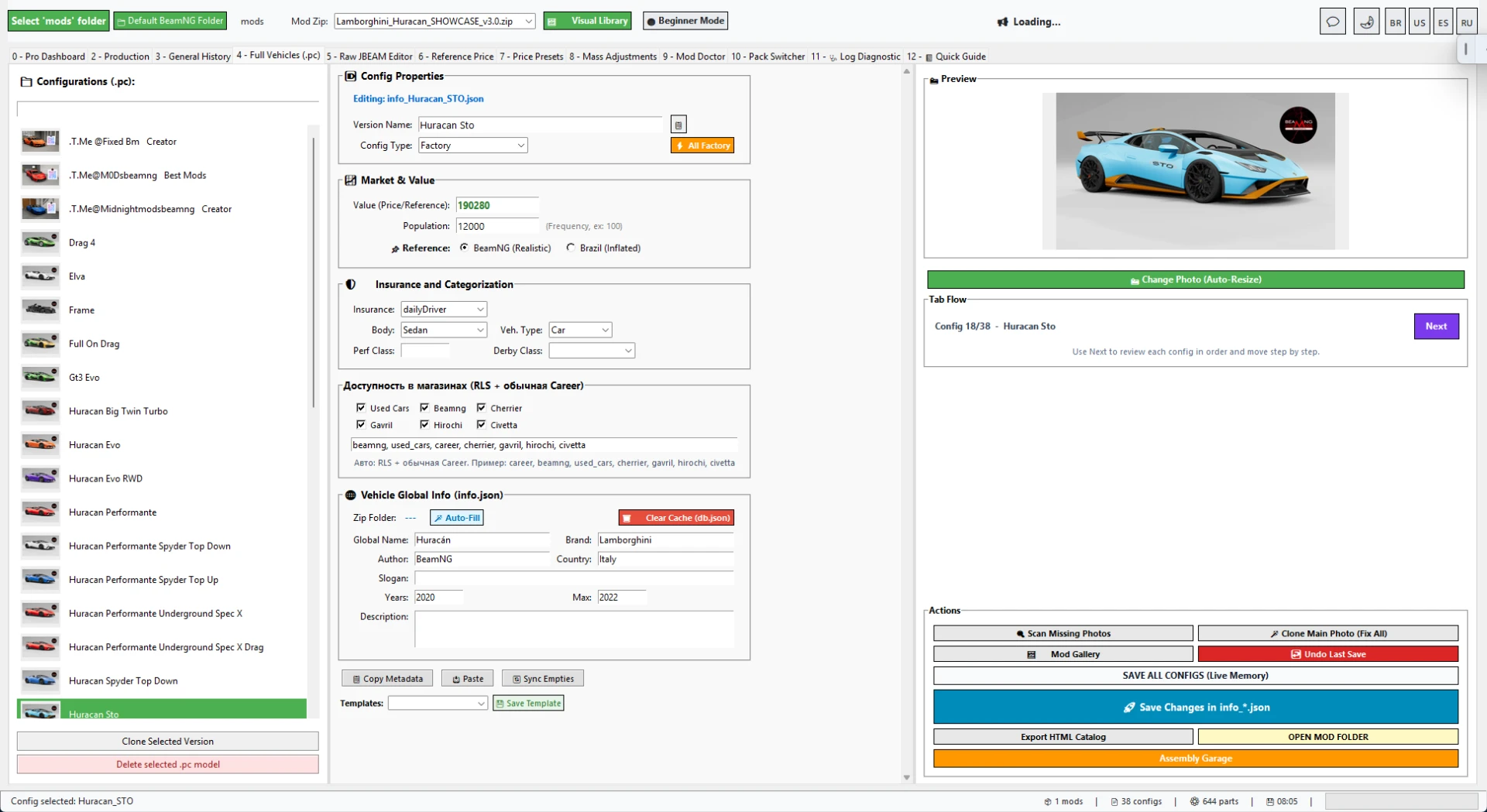
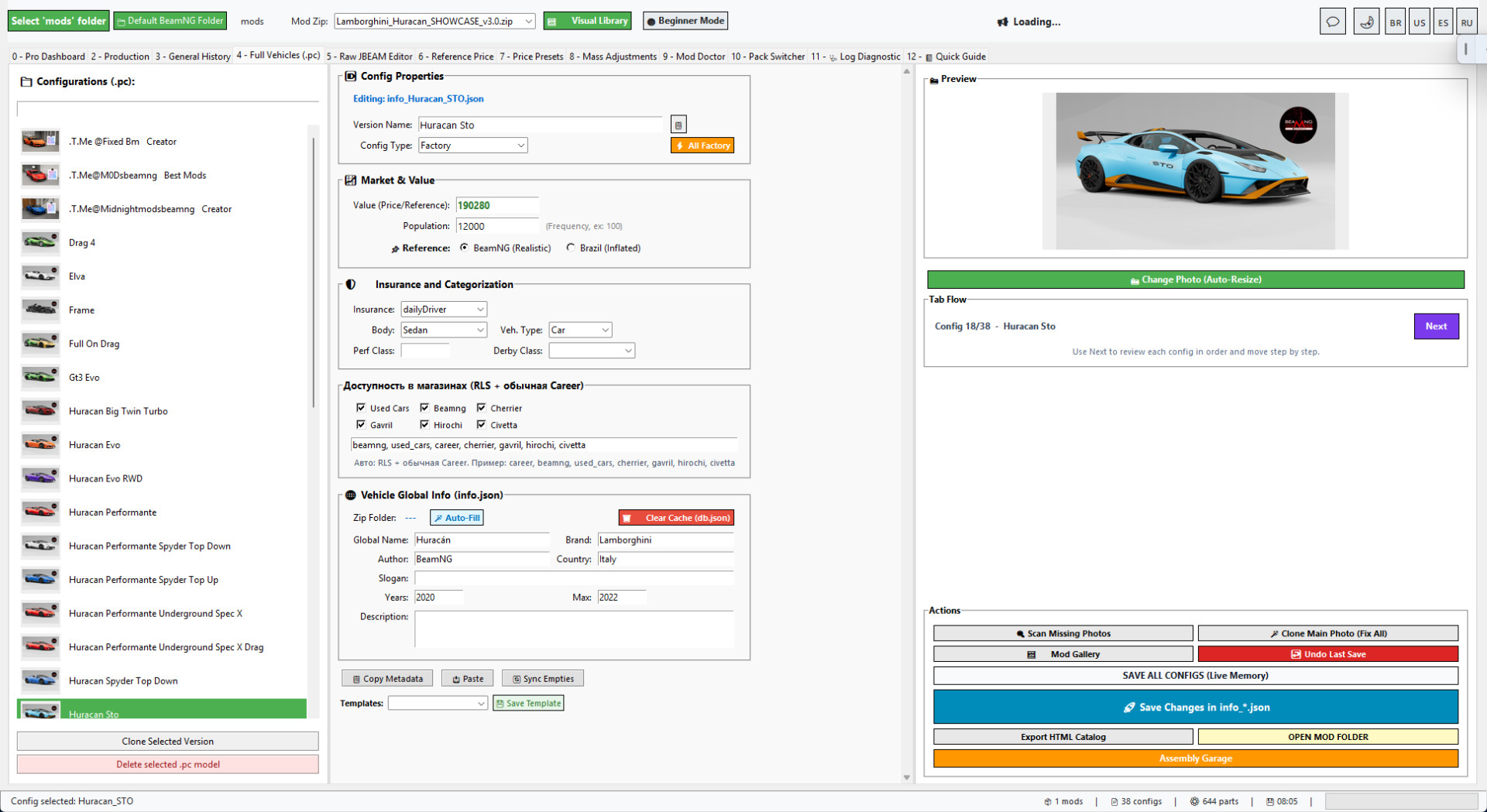
Direct vehicle config editing
v6.0 keeps the practical Full Vehicles/PC editor.
You can edit names, thumbnails, values, population, dealers and Career/RLS market fields directly instead of jumping between multiple simplified screens.
This is one of the main reasons for returning to the classic base: advanced and normal users can reach the exact fields they need faster.
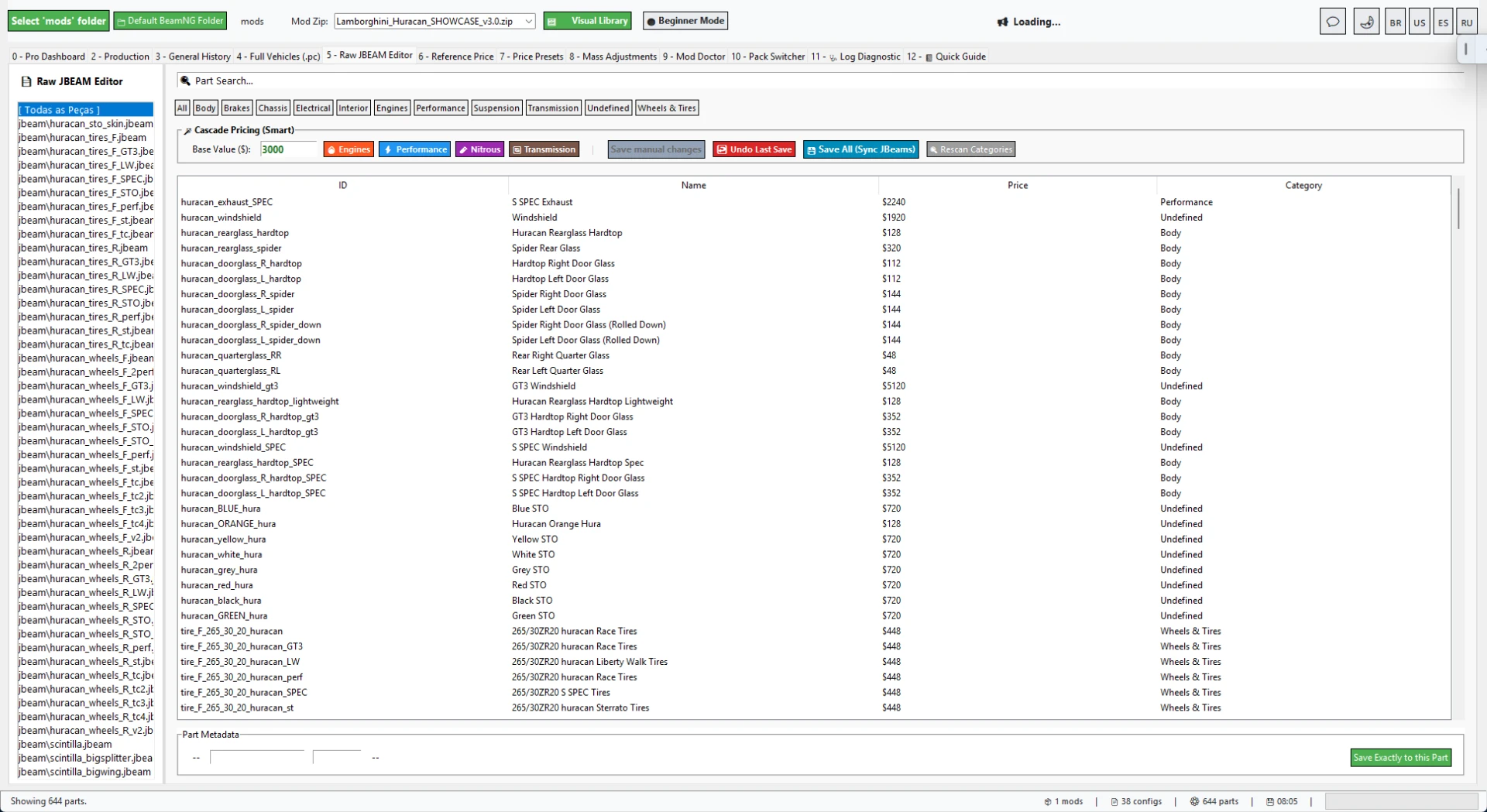
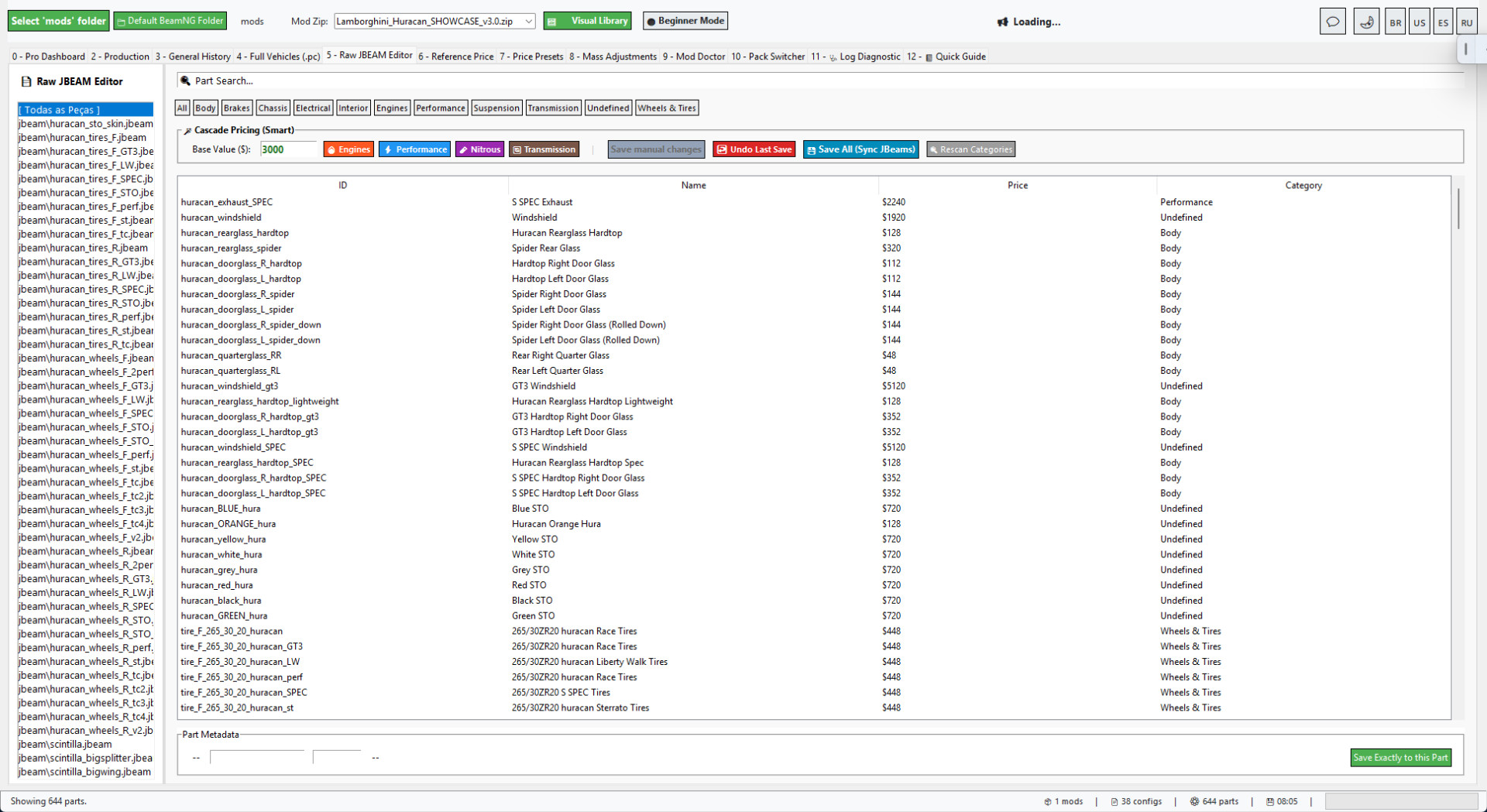
Raw JBEAM editor
The Raw JBEAM editor is still available for deeper part-level fixes.
It helps inspect and adjust part values when the mod needs more precise economy balancing or compatibility work.
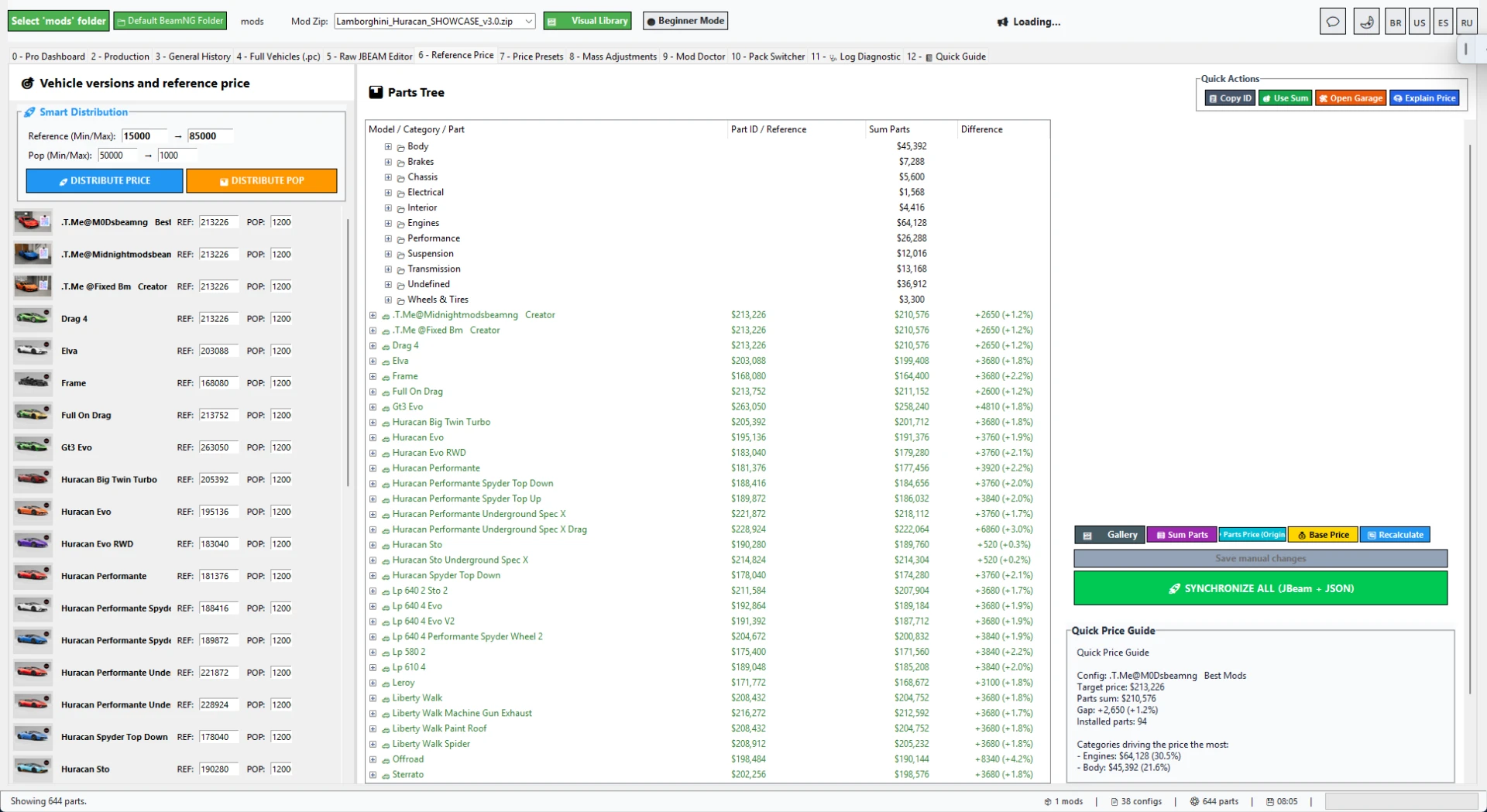
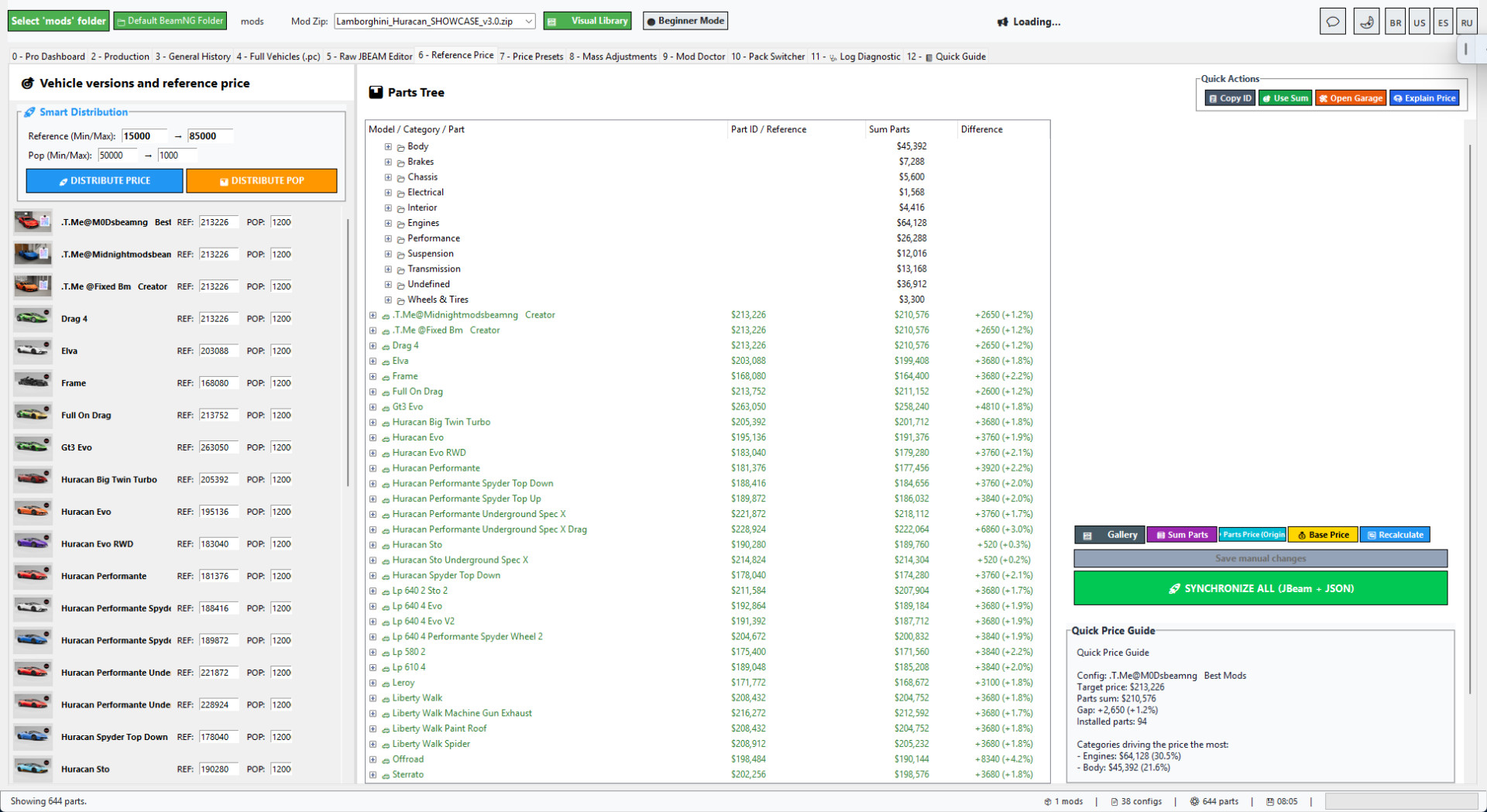
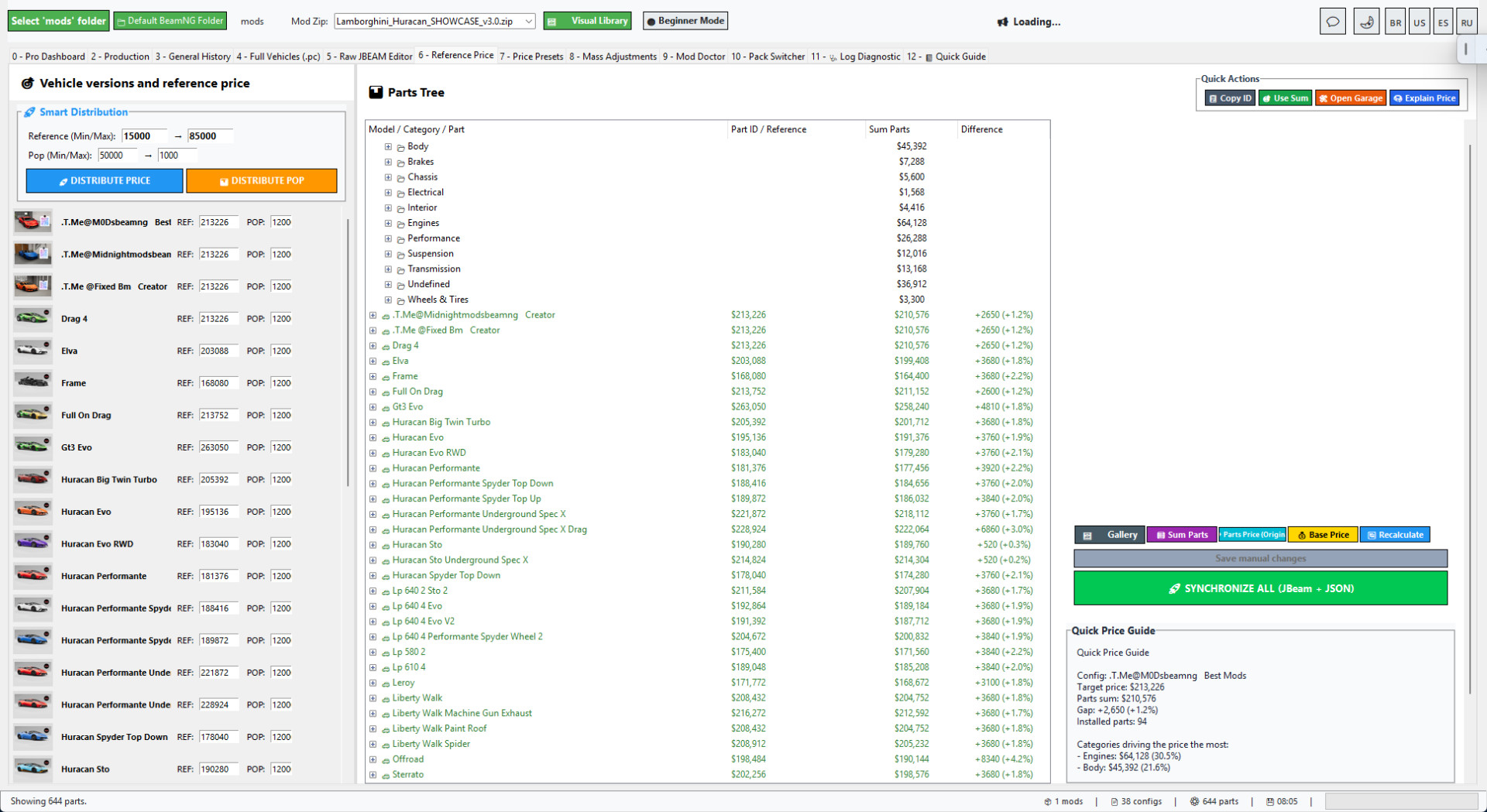
Reference Price and part balancing
Reference Price tools help calculate better vehicle values from installed parts.
This keeps vehicle pricing more consistent with the parts included in each config.
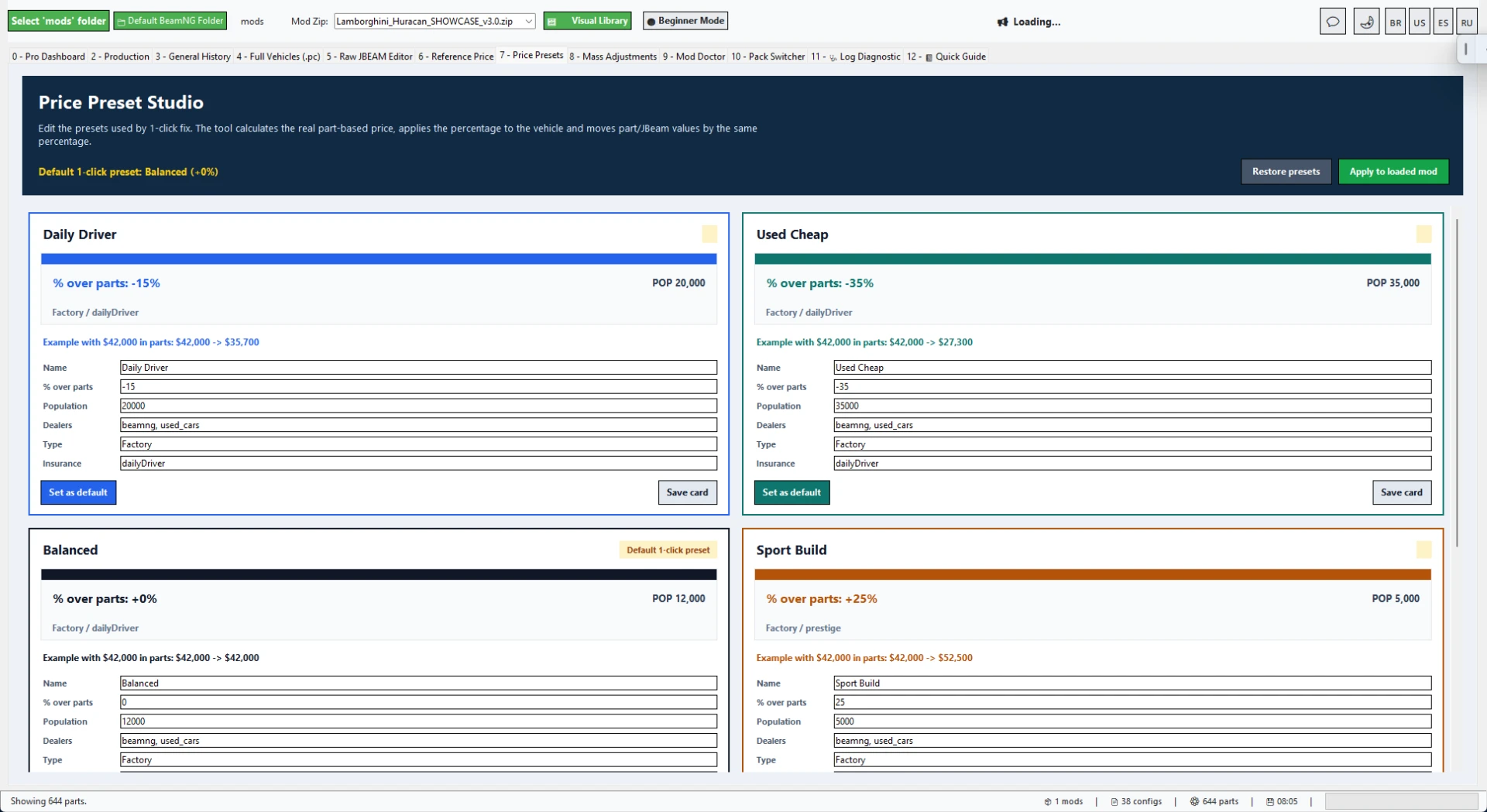
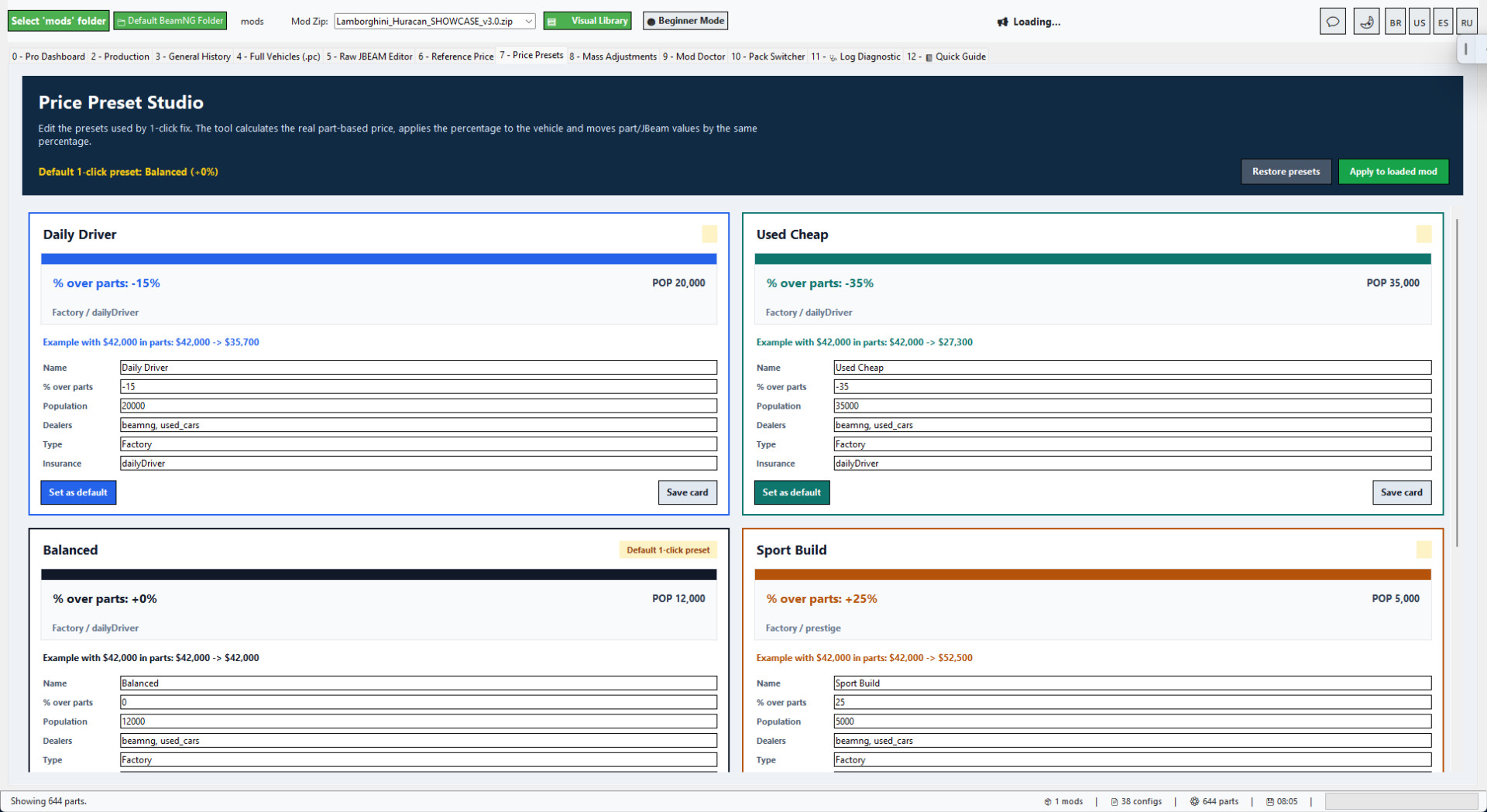
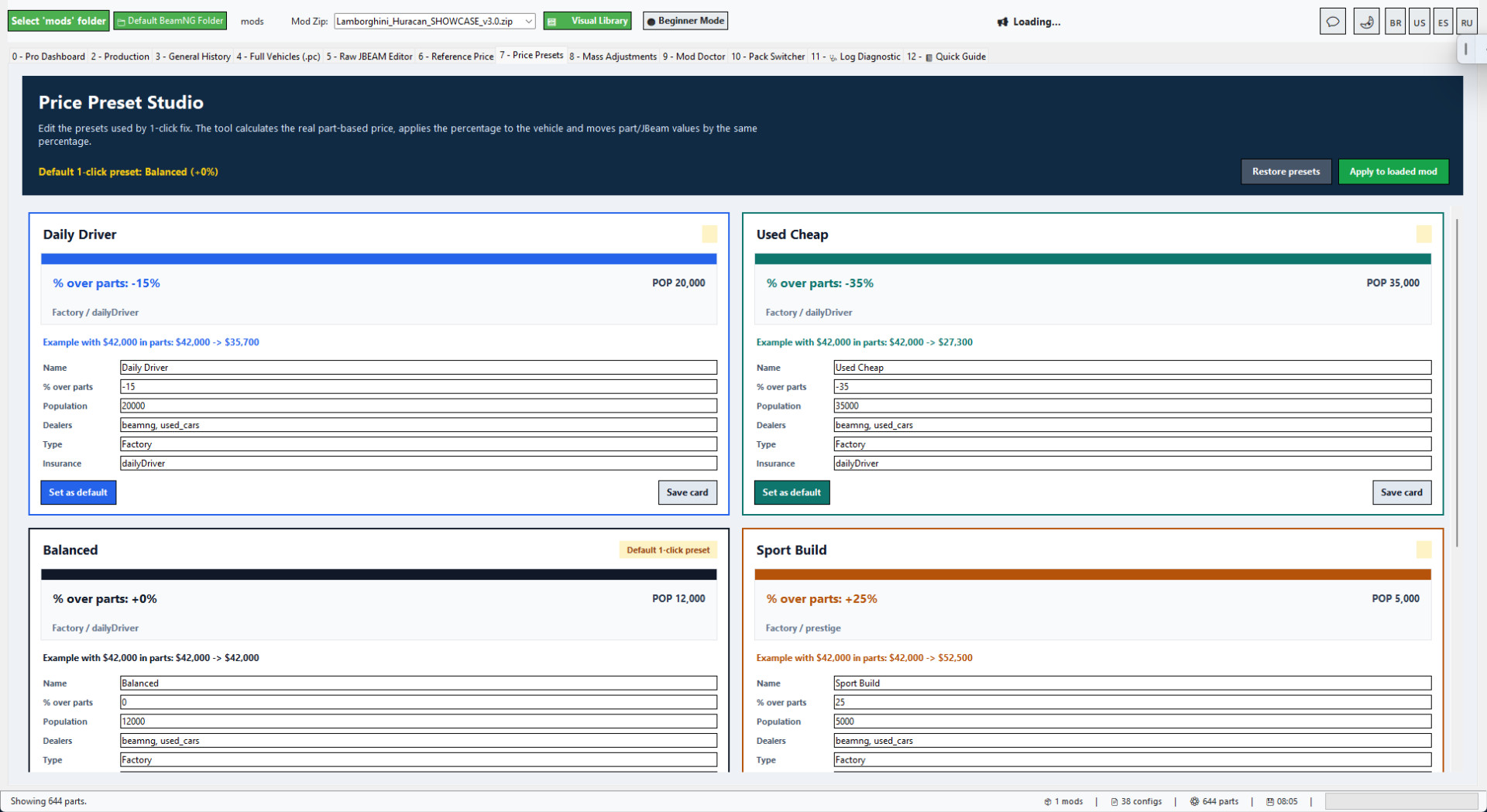
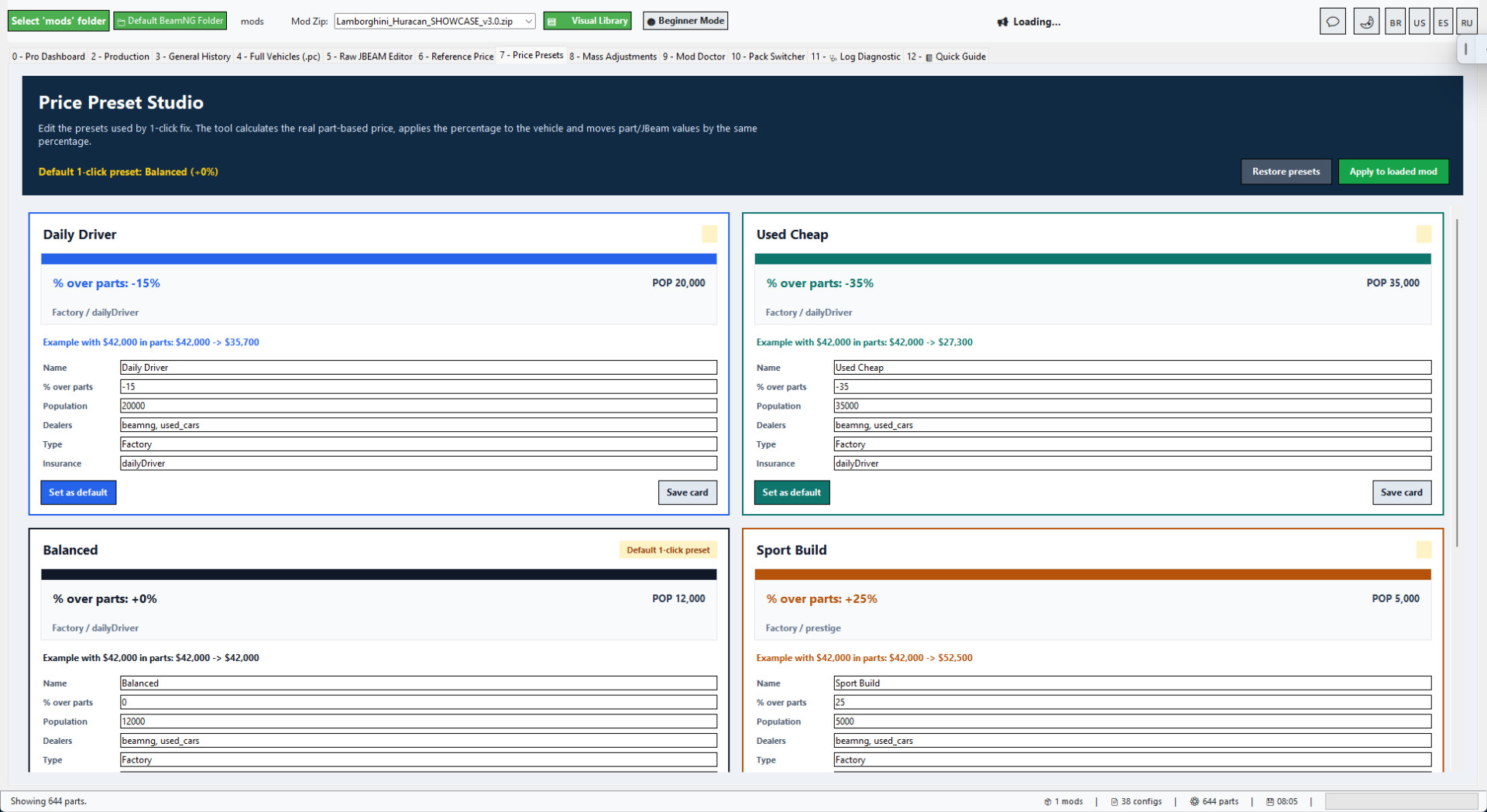
Price Presets
Price Presets make it faster to tune economy balance for cheap cars, daily cars, sport builds, rare cars and collector/exotic builds.
The tool can scale vehicle values and part/JBeam values together so the prepared mod feels more consistent in Career/RLS.
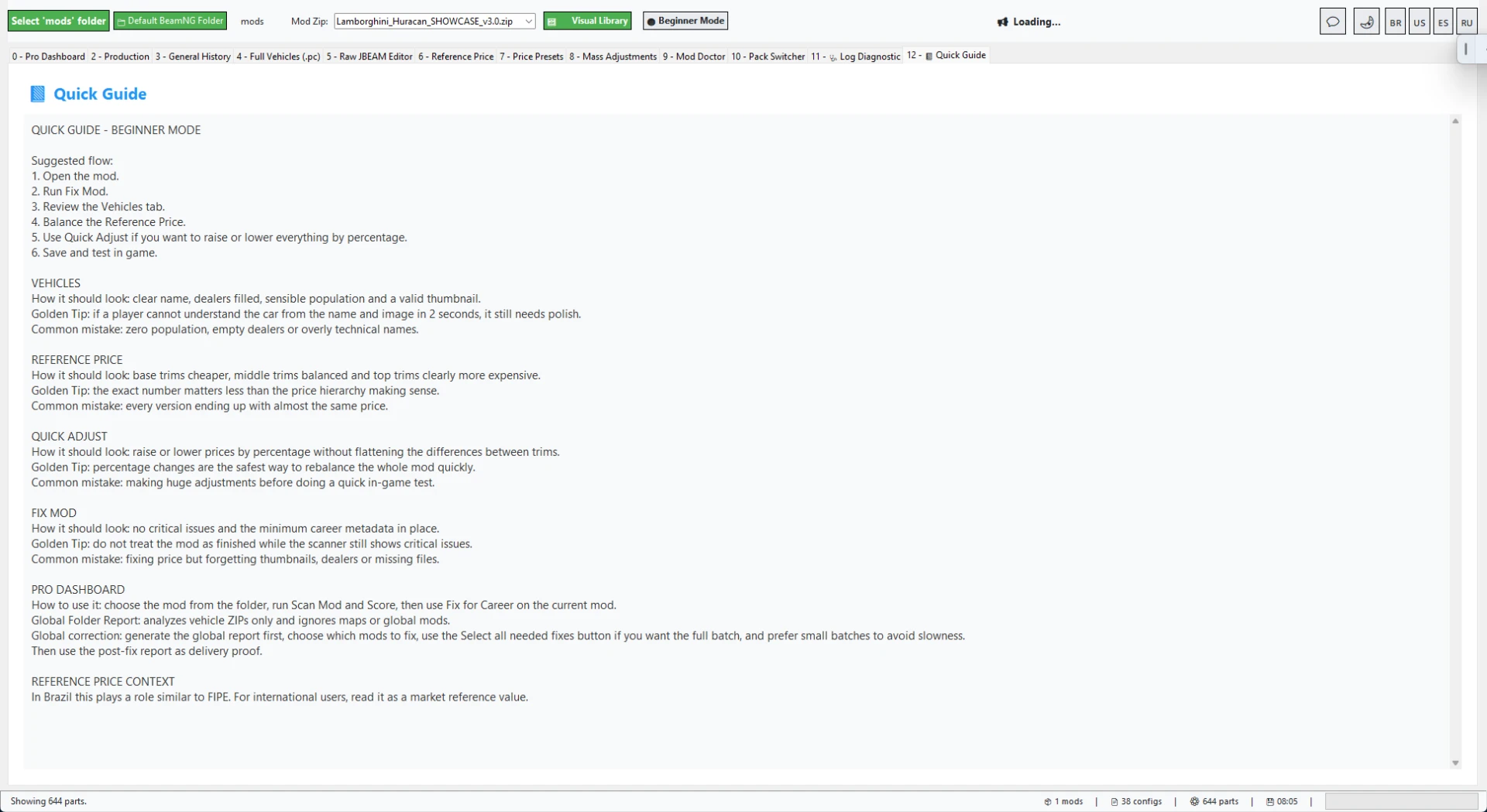
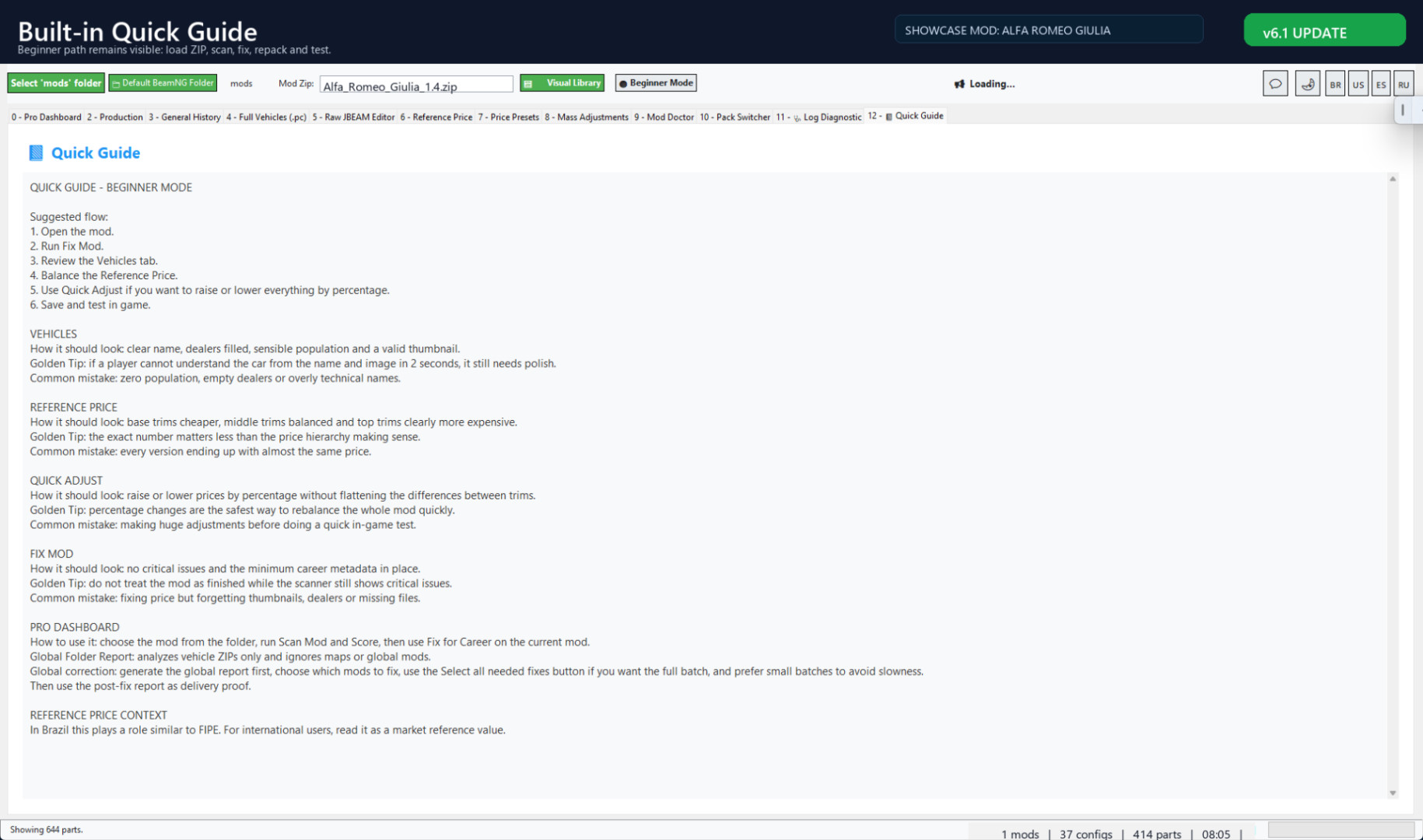
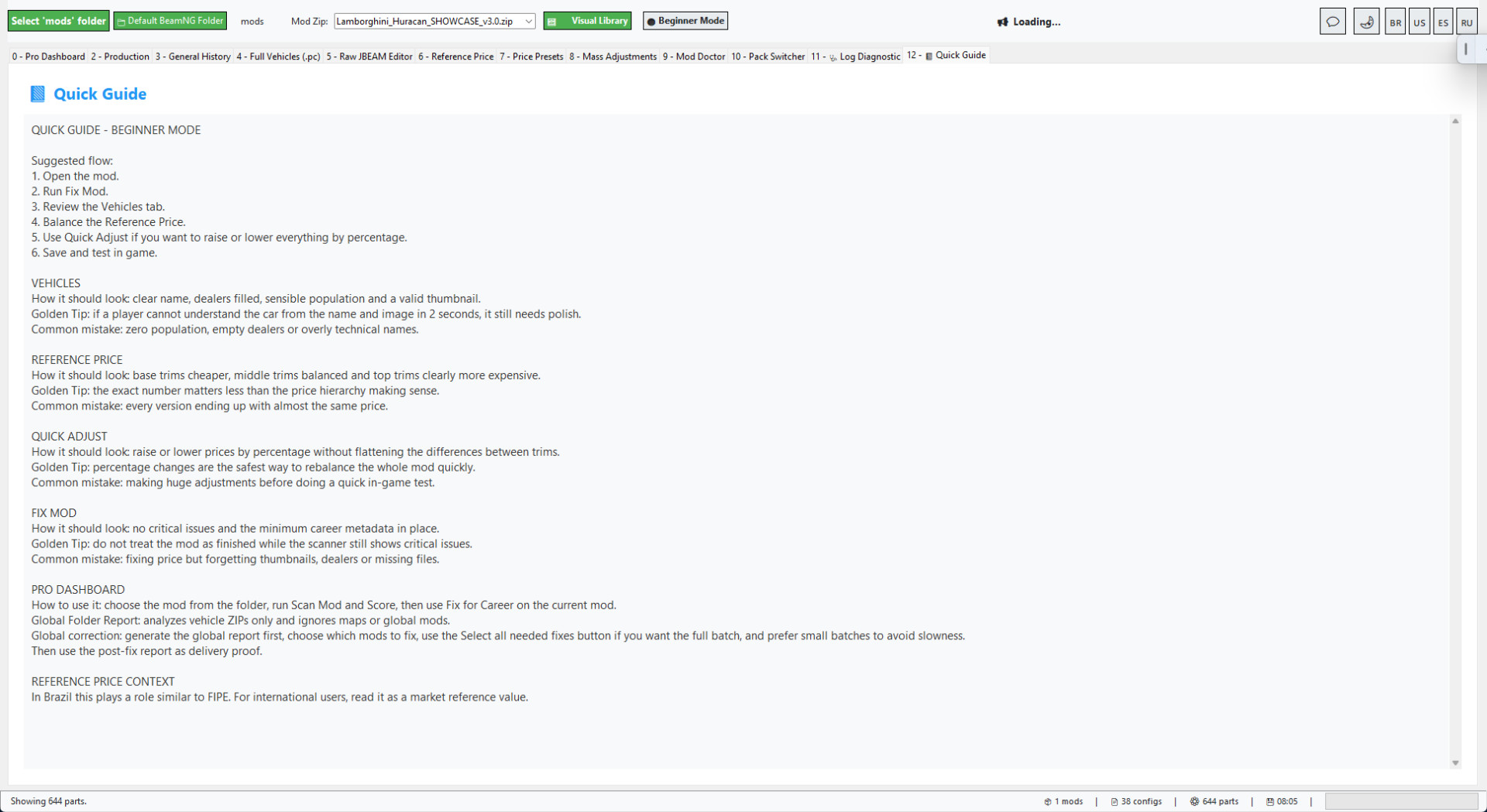
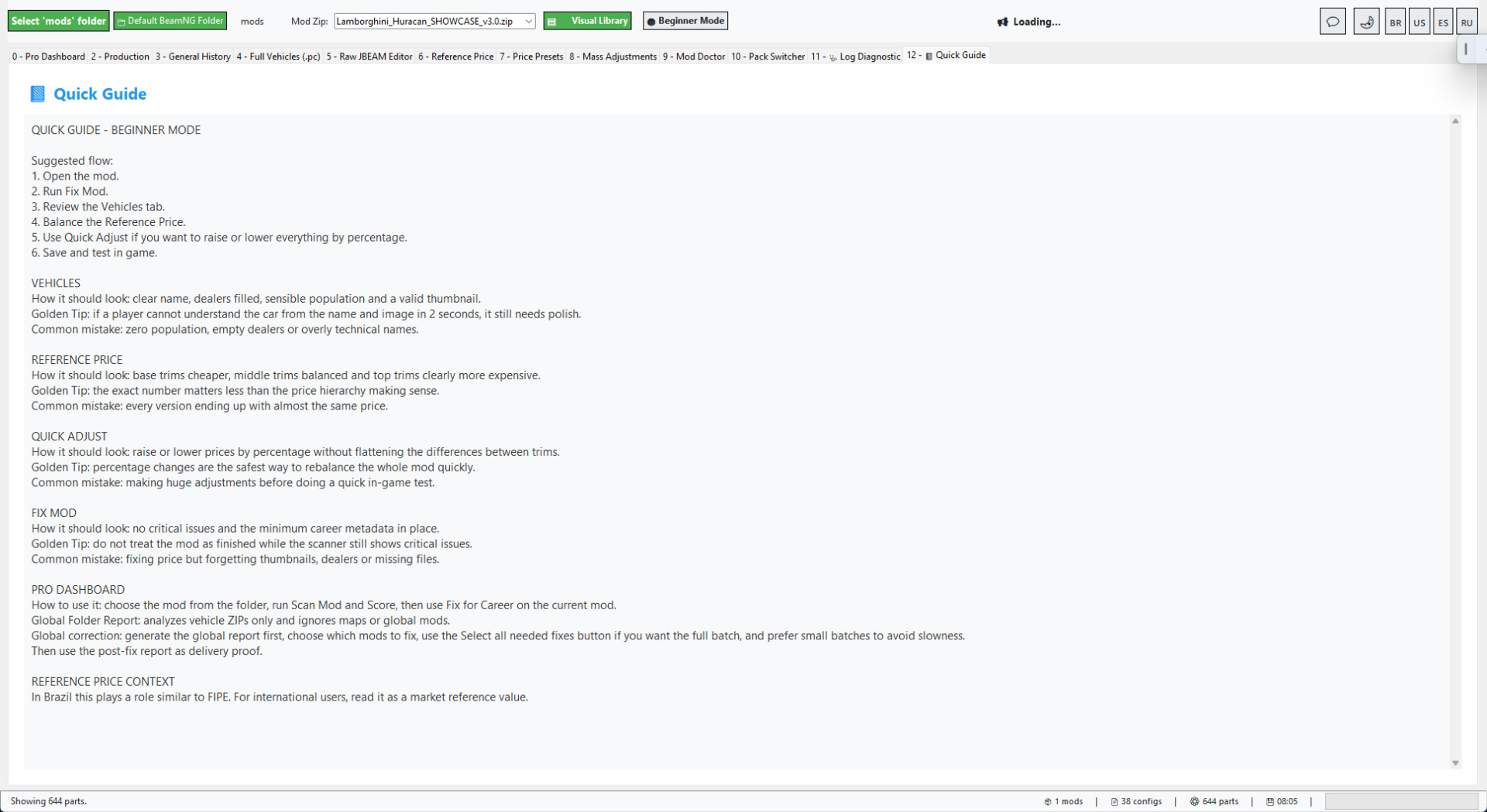
Built-in Quick Guide
The built-in Quick Guide keeps the Career/RLS workflow inside the tool.
It helps new users understand the basic path: load ZIP, scan, fix, review, repack and test.
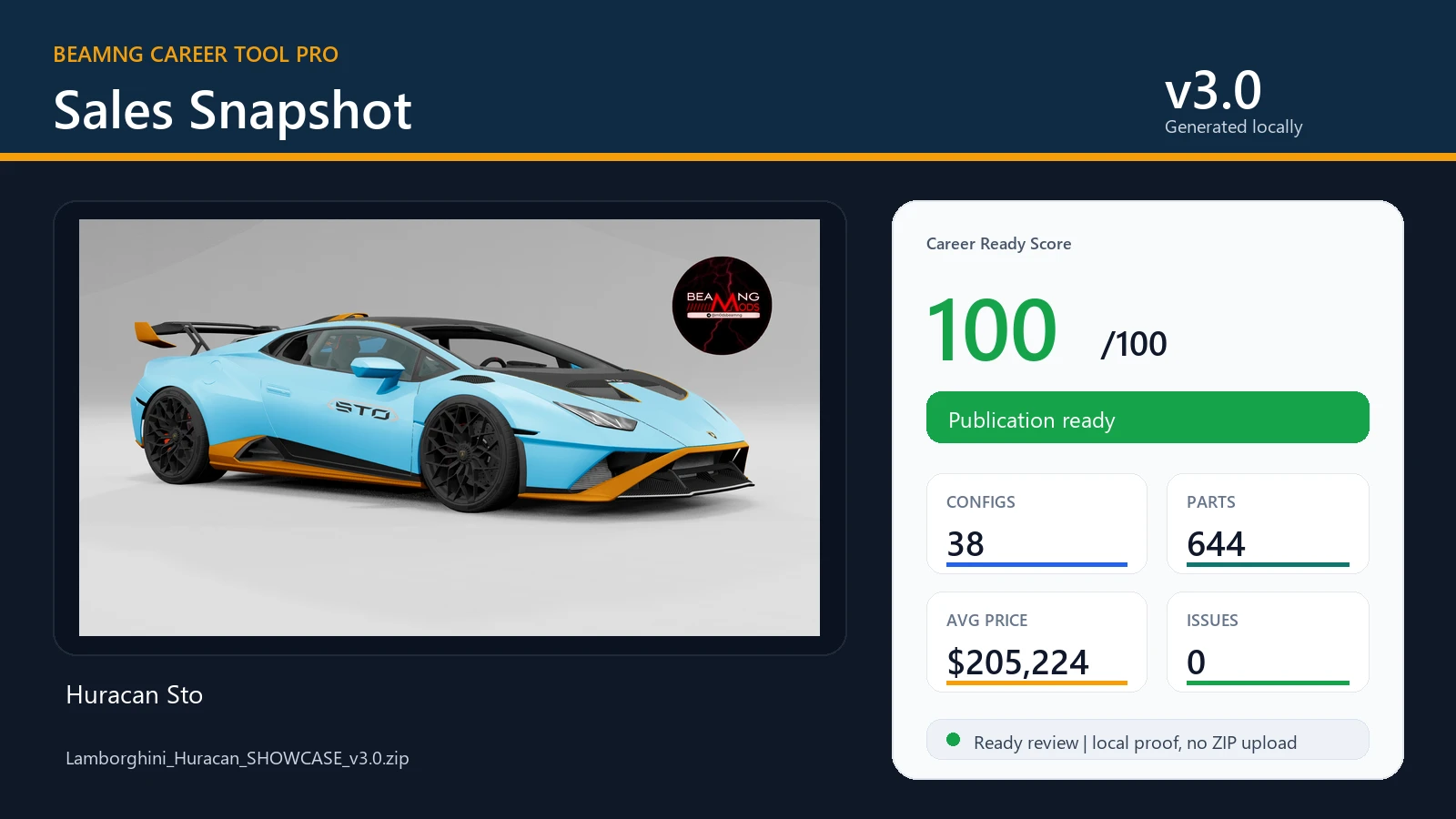
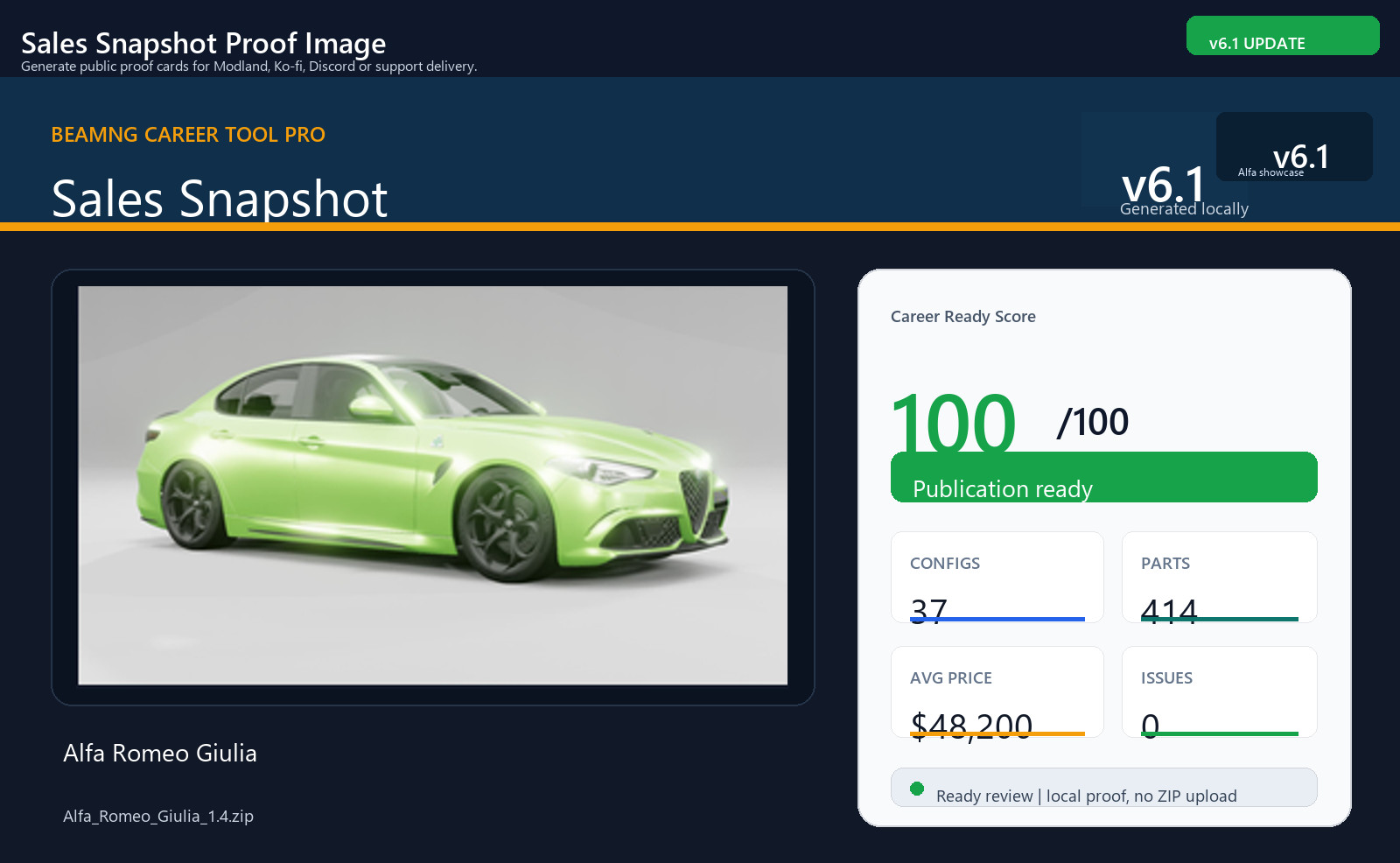
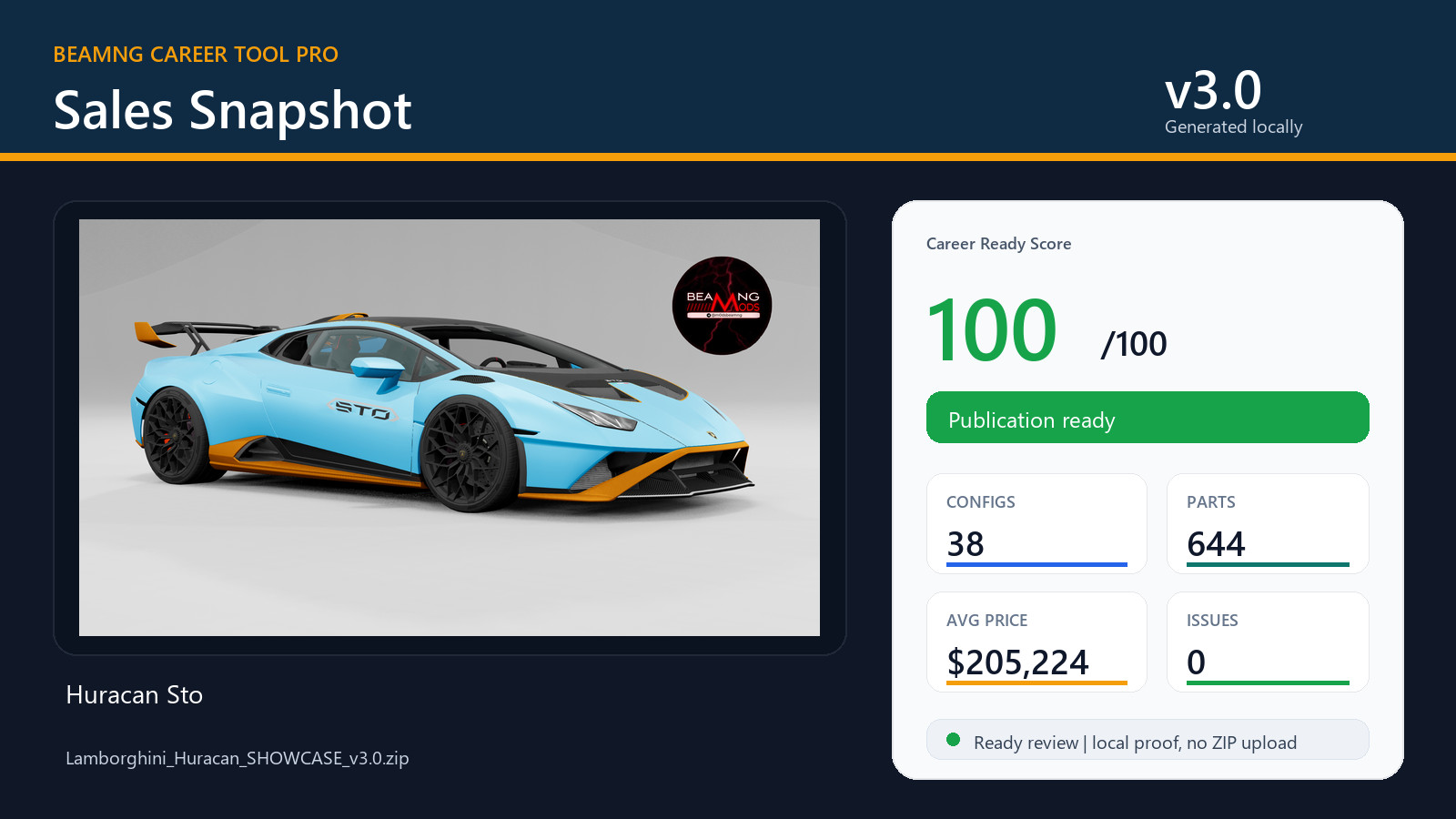
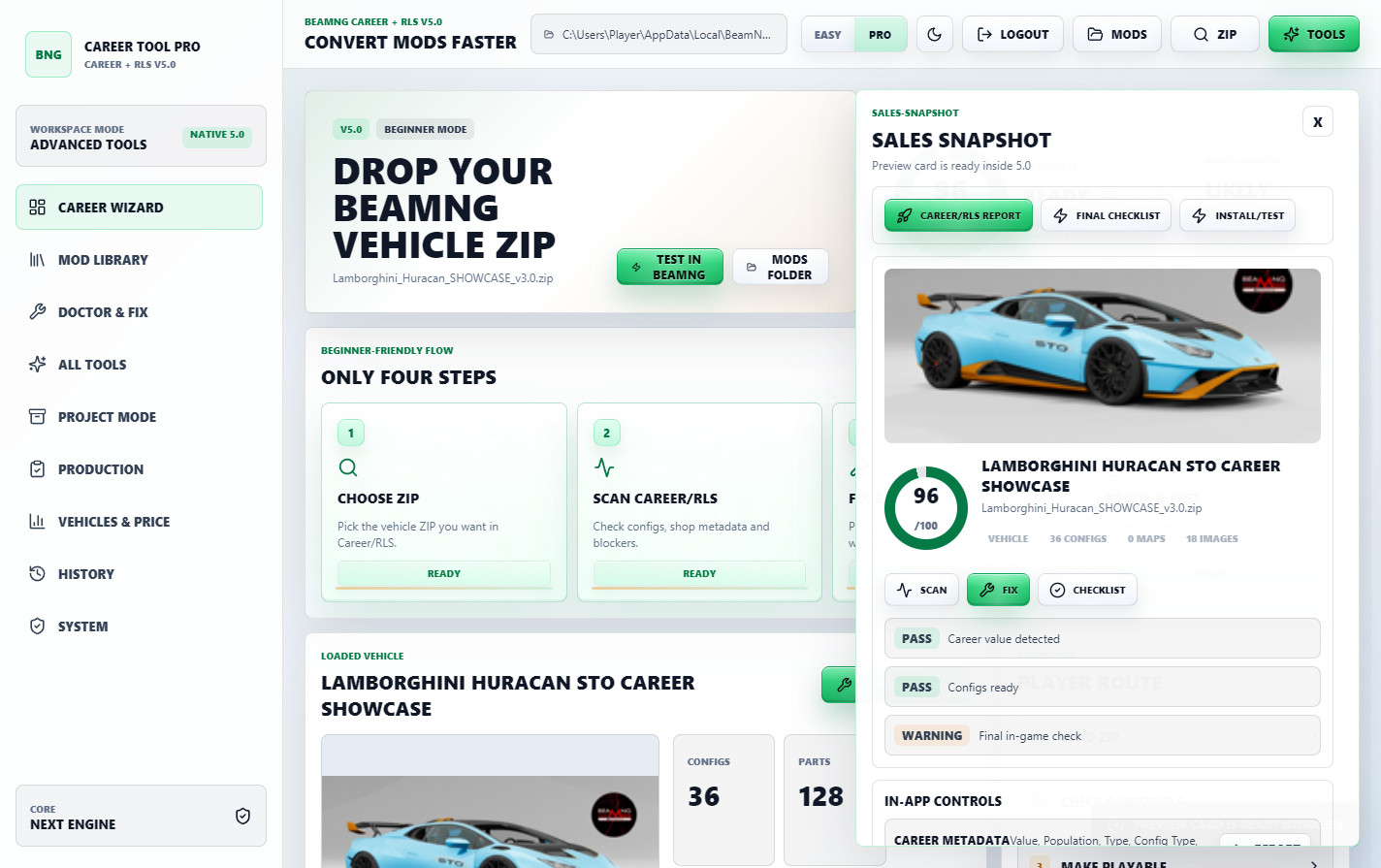
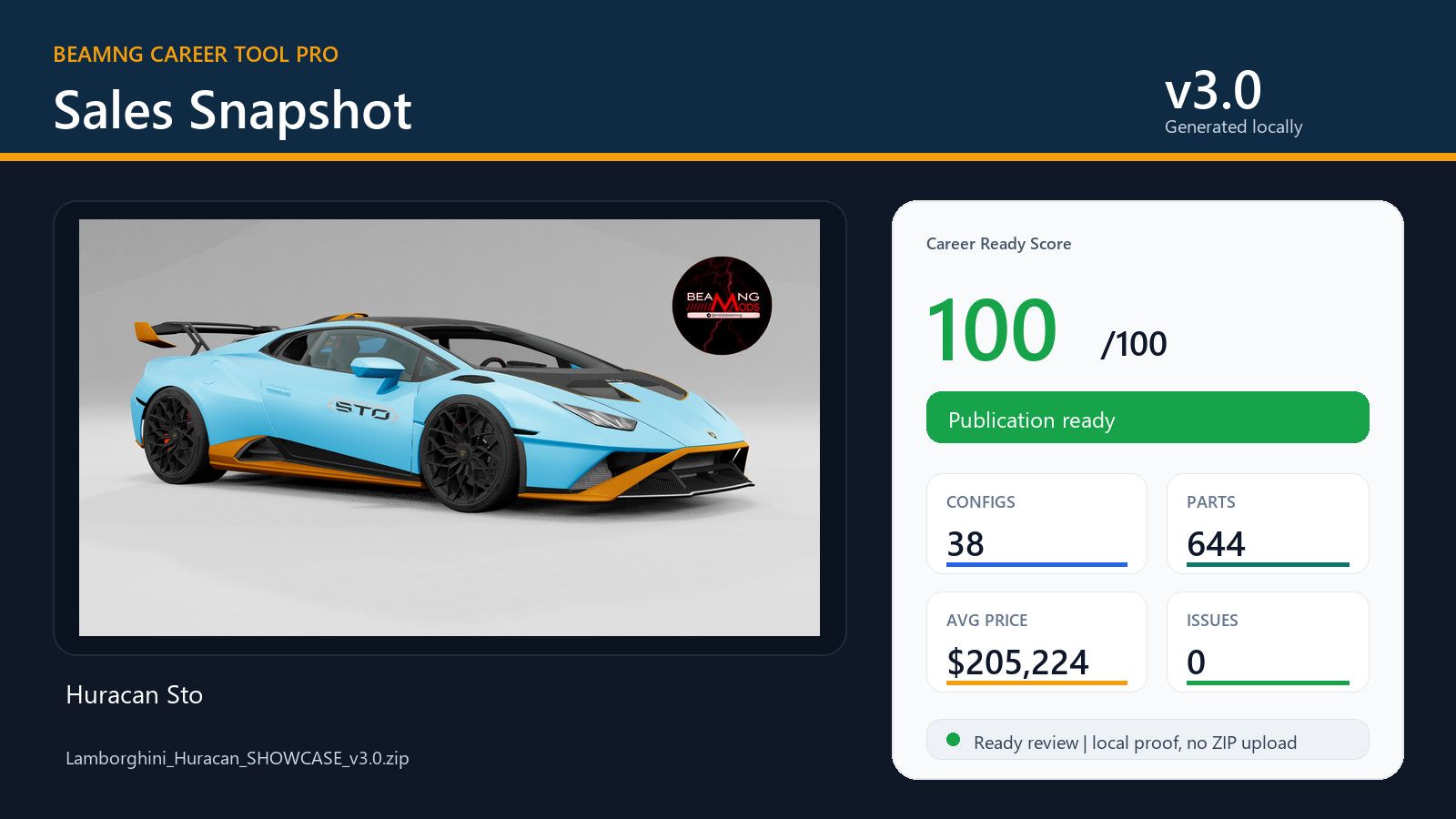
Sales Snapshot and public proof
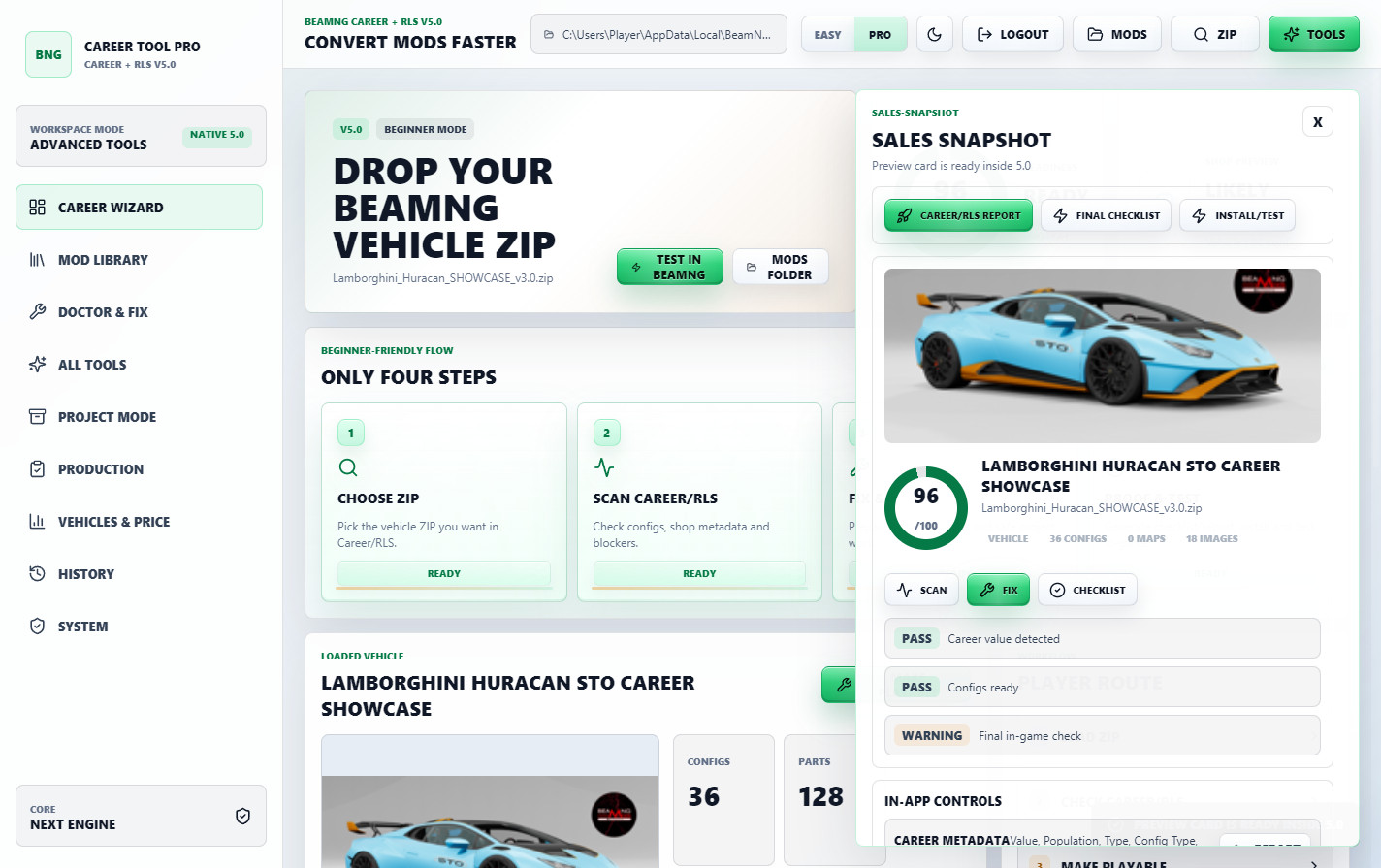
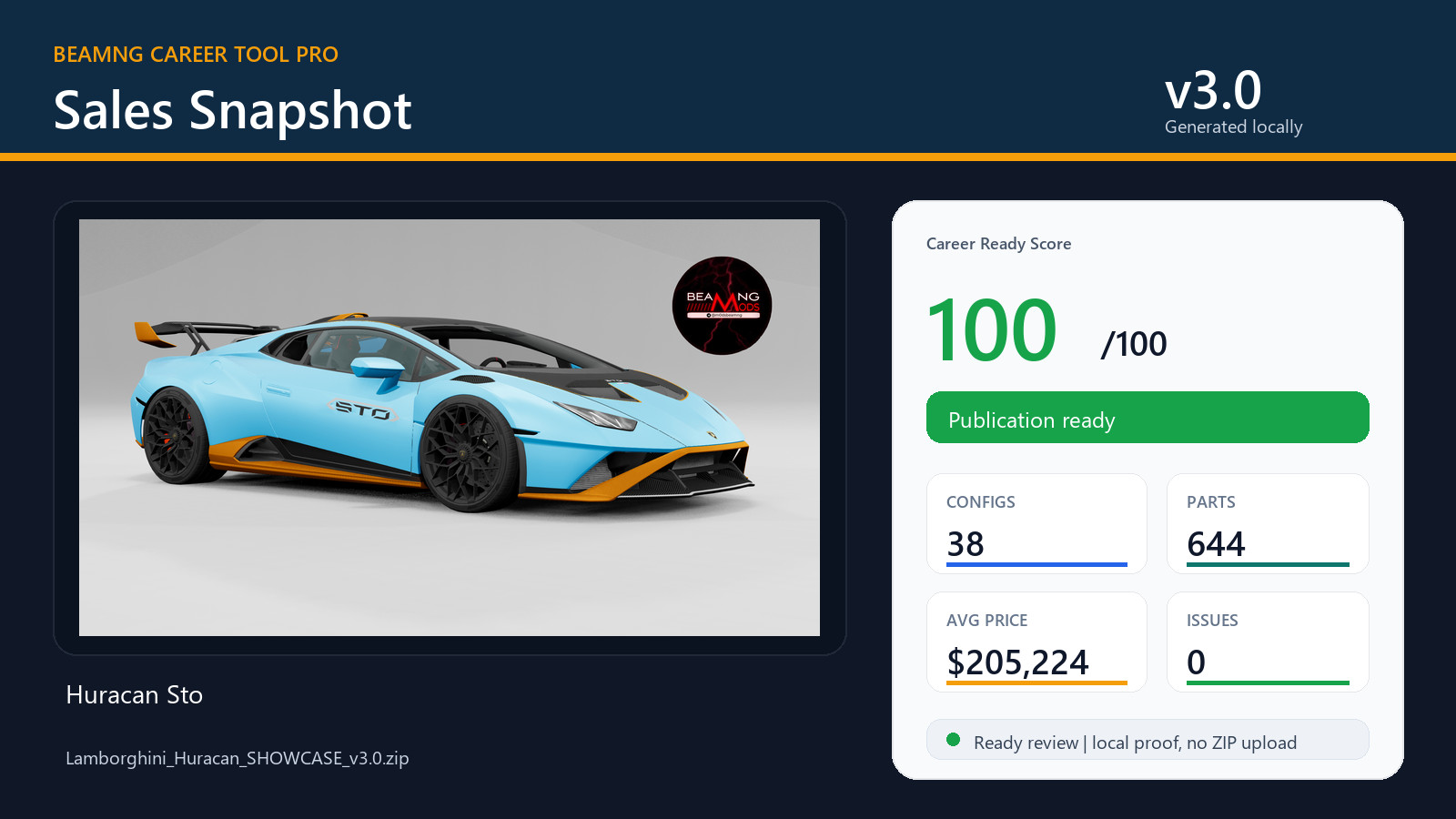
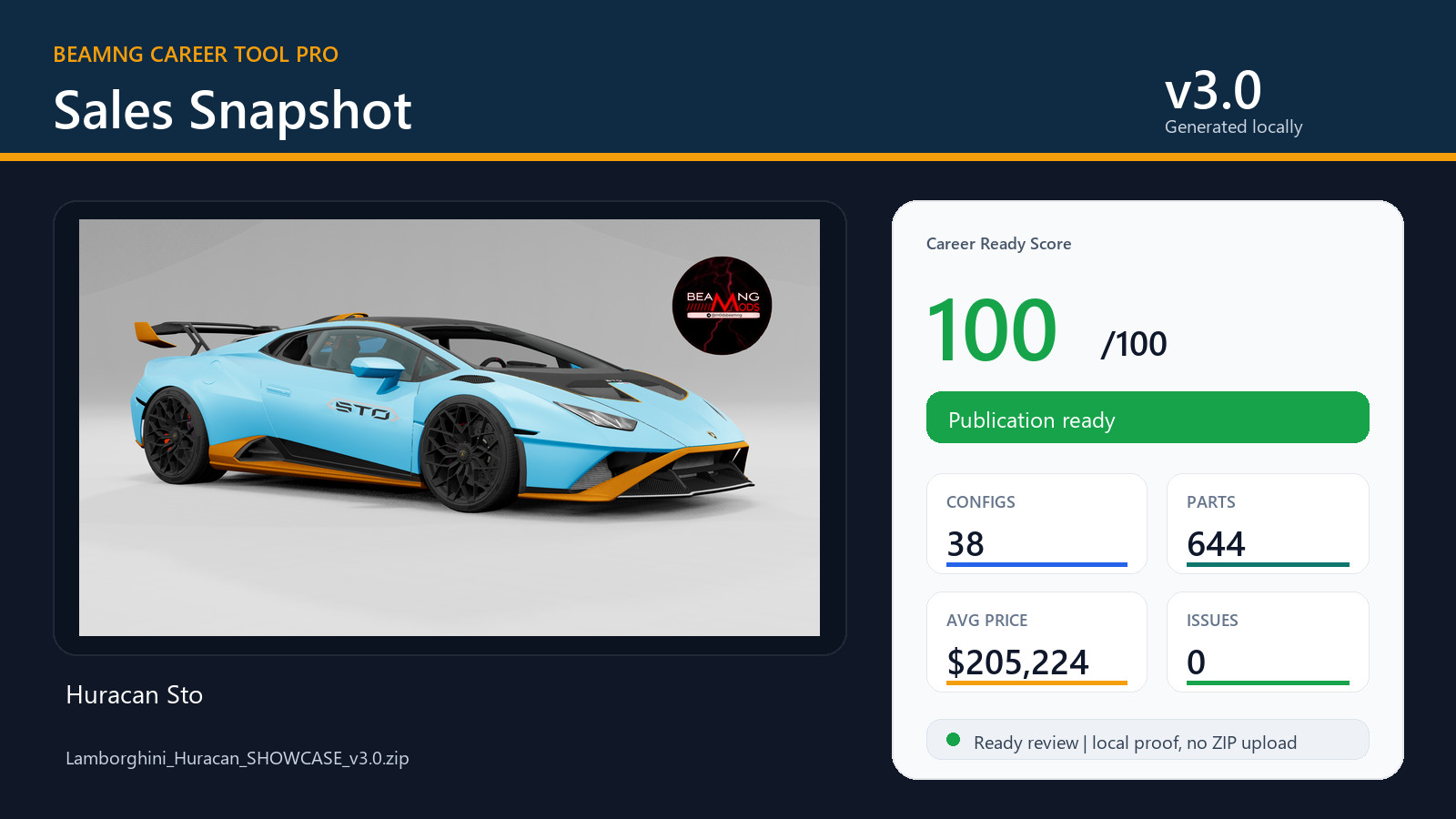
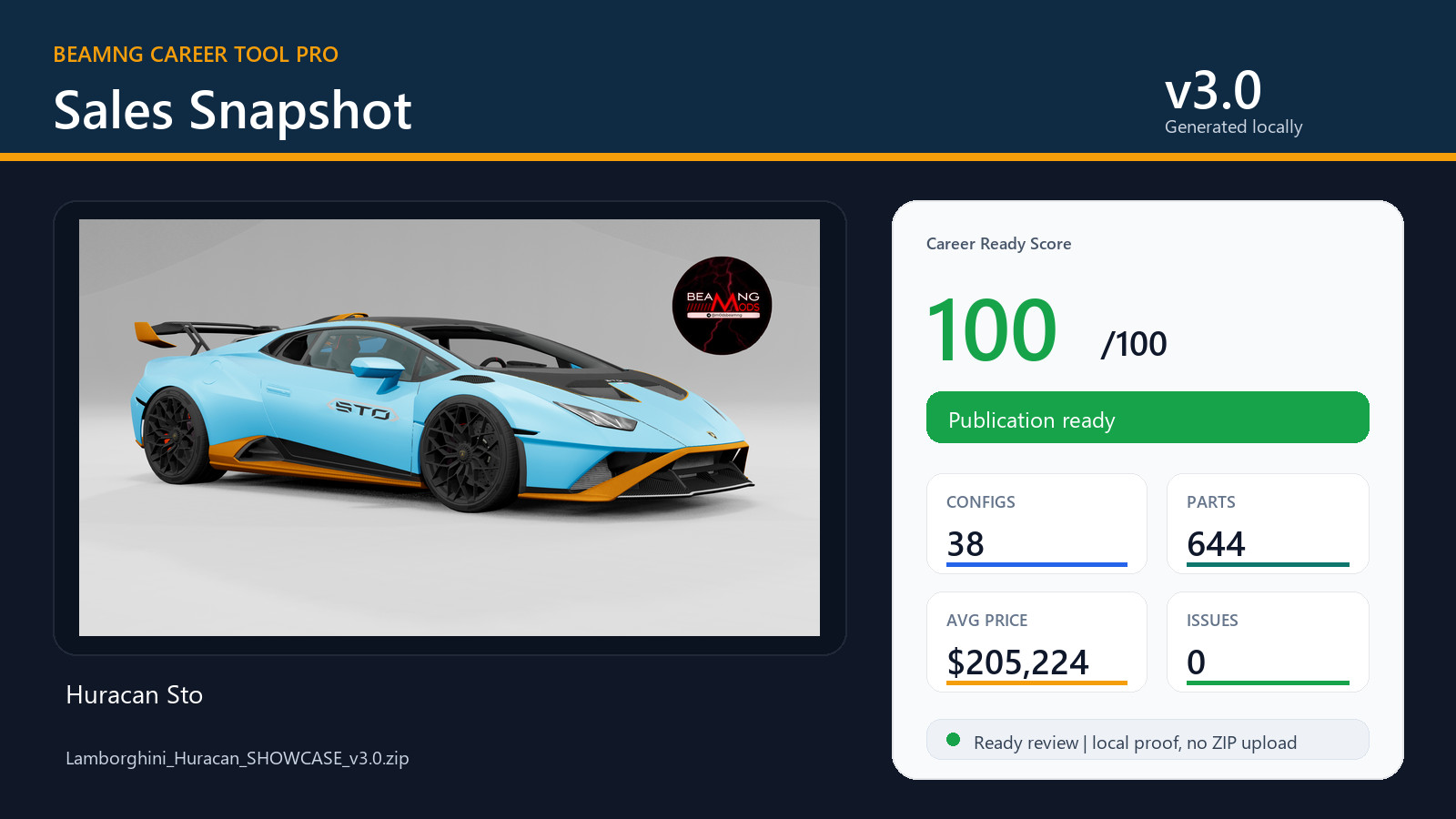
Sales Snapshot creates a clean proof image from the prepared mod result.
This is useful for Modland, Ko-fi, Discord, support threads or client proof because it turns scan/fix data into a public-facing card.
What is included
- Instant Career Fix dashboard.
- Career/RLS Shop Preview with PNG export.
- Career Ready Score and Mod Doctor diagnostics.
- RLS visibility and normal BeamNG Career metadata preparation.
- Value, Population, Type, Config Type, Region, InsuranceClass and Years support.
- Full Vehicles/PC editor for config and market fields.
- Raw JBEAM editor for advanced part-level changes.
- Reference Price tools.
- Price Presets with vehicle and part/JBeam value scaling.
- Project Mode and final repack/update ZIP tools.
- Folder-wide scan, selected fix and compression tools.
- Processing History and General History.
- Career/RLS reports and public proof assets.
- Sales Snapshot PNG generator.
- Quick Guide screens.
- Safe Demo mode for testing before touching real mods.
- Pack Switcher and diagnostic tools.
Best workflow
- Open BeamNG Career Tool Pro v6.0.
- Load or drop a BeamNG vehicle ZIP.
- Use Instant Career Fix or scan the mod.
- Check the Career Ready Score and Mod Doctor.
- Adjust values, population, dealers or part prices if needed.
- Open Career/RLS Shop Preview.
- Repack and test inside BeamNG Career/RLS.
Notes
v6.0 returns to the classic stable workflow because it is more practical and easier to control for real mod preparation work.
The Lamborghini Huracan shown in the screenshots is only a workflow example.
Vehicle mods are not included with the tool.
This is a community utility for BeamNG mod preparation. It does not replace BeamNG.drive.
Always keep backups of important ZIPs before publishing or testing edits.
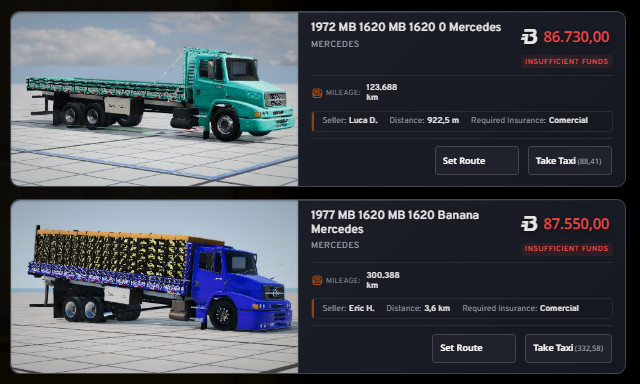
BeamNG Career Tool Pro v5.0
BeamNG Career Tool Pro is a Windows utility made for BeamNG players and modders who want to prepare vehicle ZIP mods for Career/RLS use faster.
It helps you scan a vehicle mod, check if the Career/RLS metadata is present, fix common blockers, tune prices, prepare reports, generate proof images and repack the result for testing.
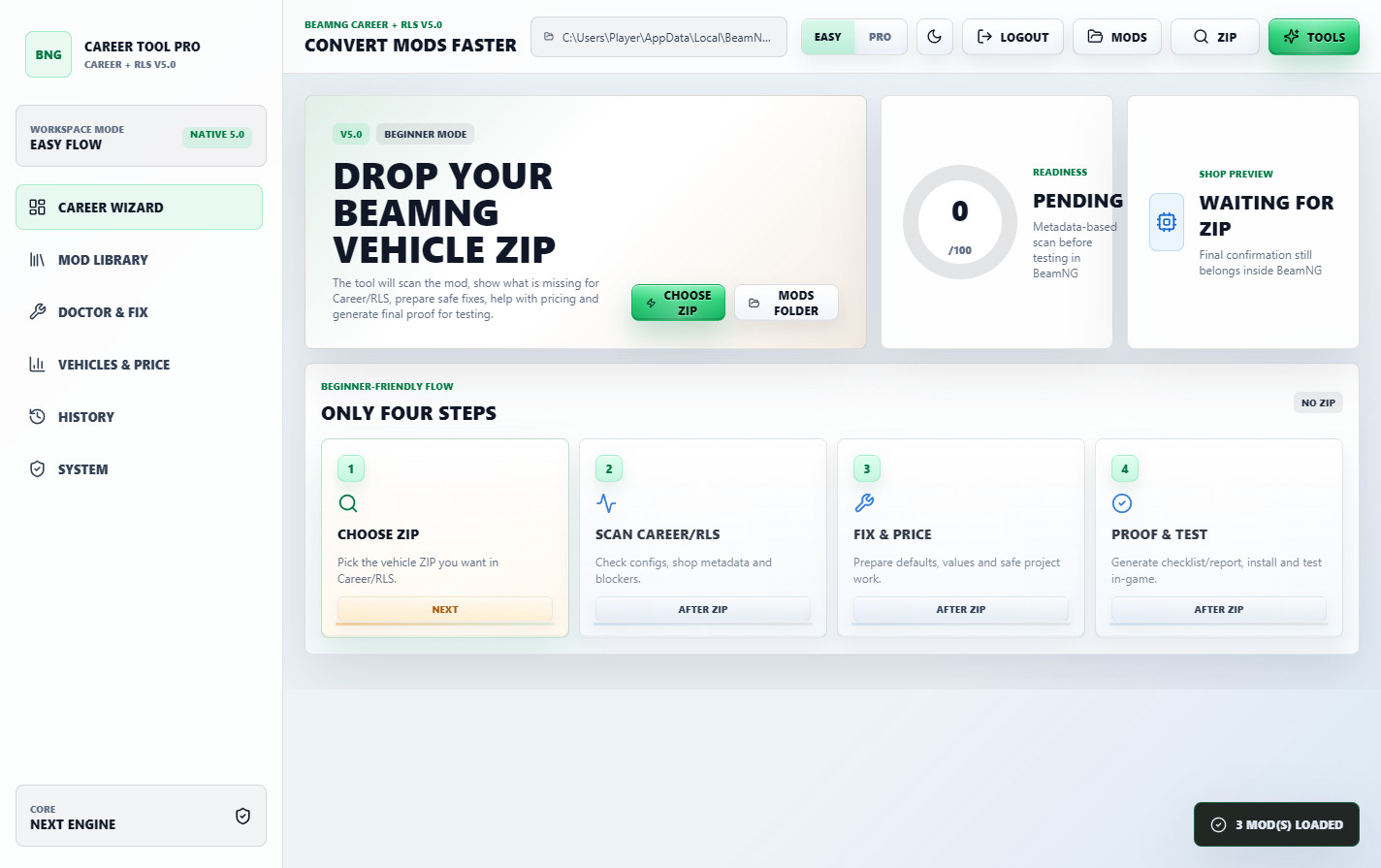
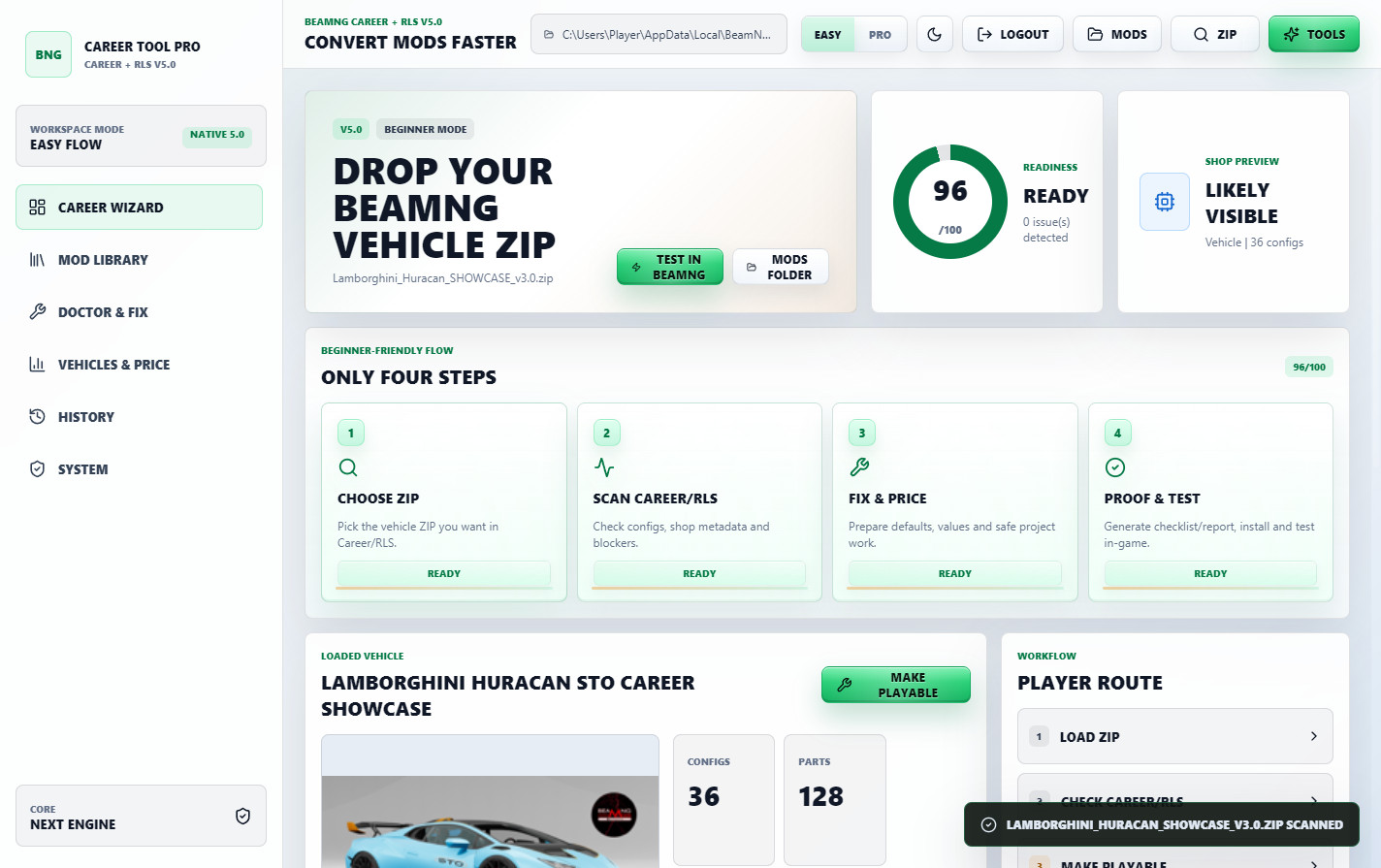
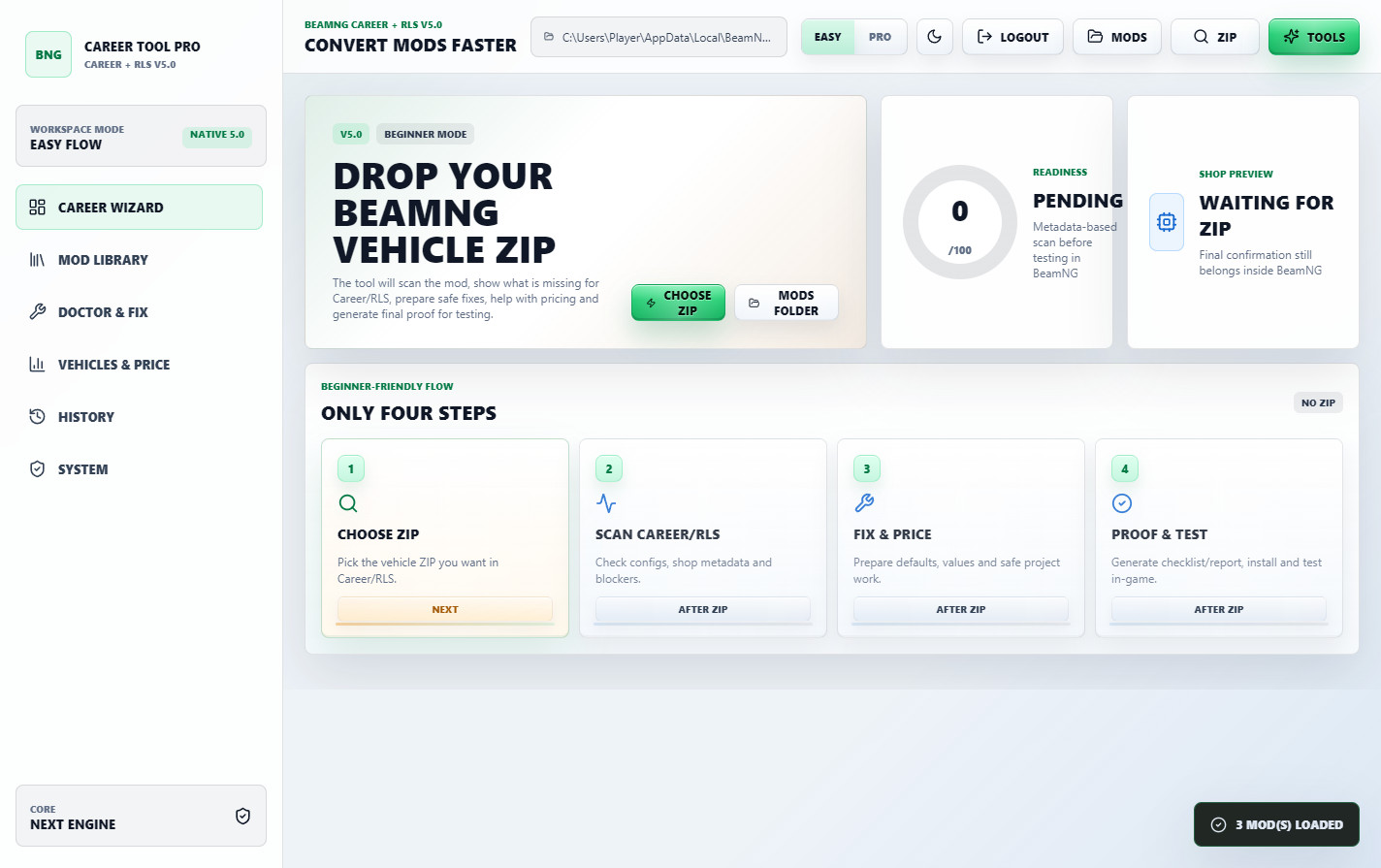
v5.0 is focused on making the first screen easier for normal users. The tool now opens in a clean light theme with a simple Career Wizard, so the buyer immediately understands the main workflow: choose ZIP, scan Career/RLS, fix and price, then proof and test.
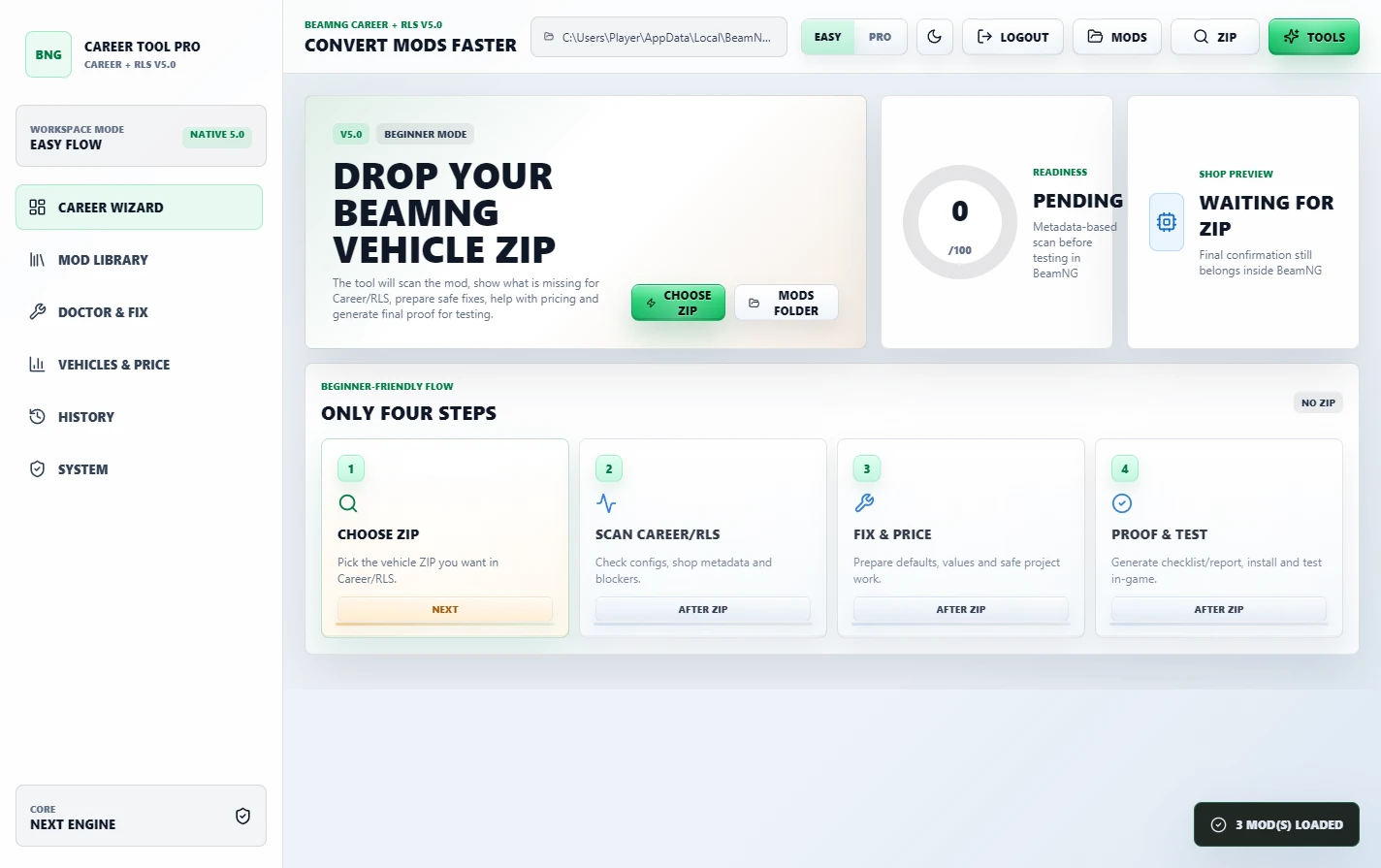
New in v5.0: Clean Career Wizard
The new first screen is built around the real player workflow.
Drop or choose a BeamNG vehicle ZIP, let the tool scan the mod, review the Career/RLS status, fix what is missing and prepare the mod for in-game testing.
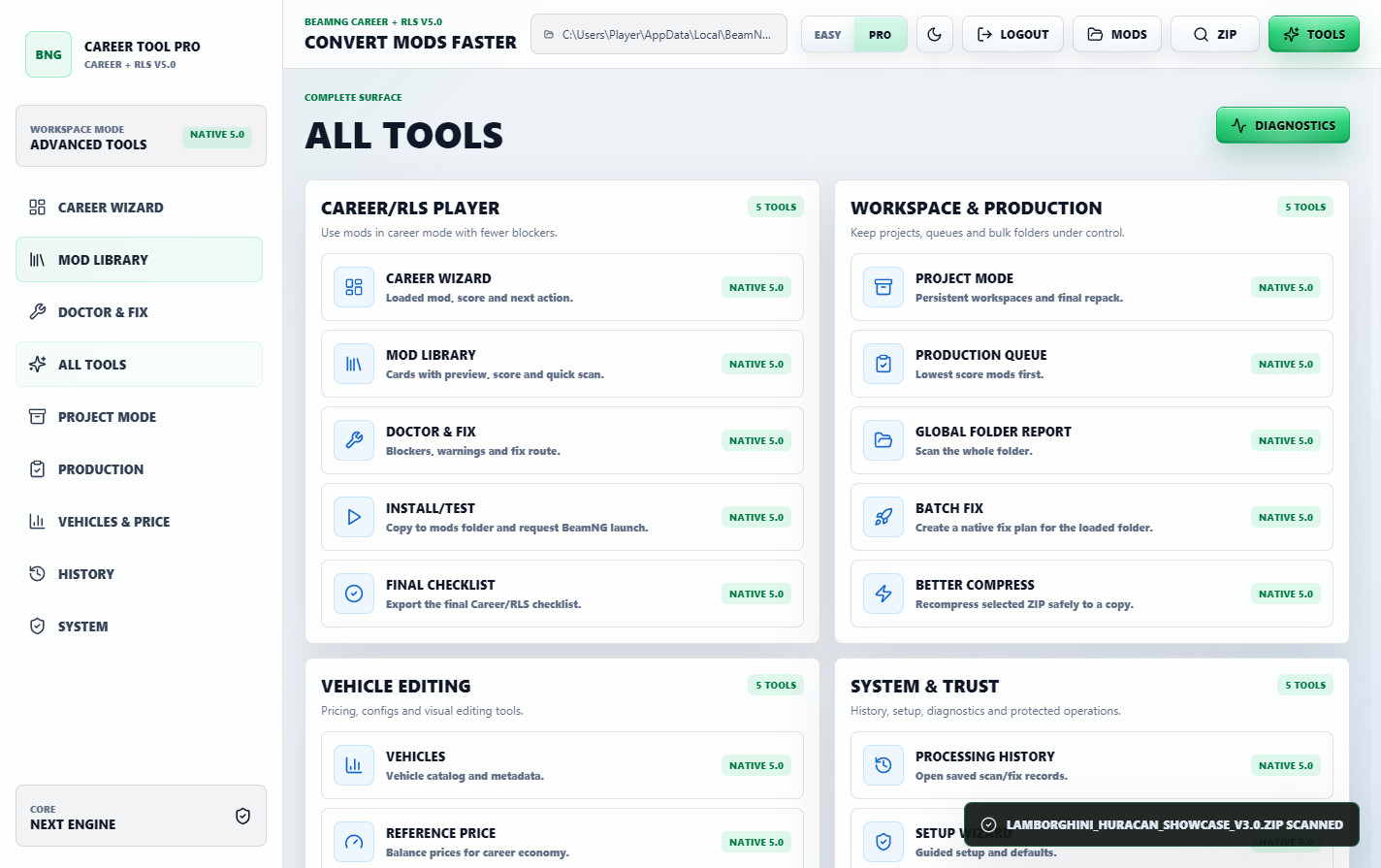
The default interface is now light, cleaner and easier to read. Dark mode is still available.
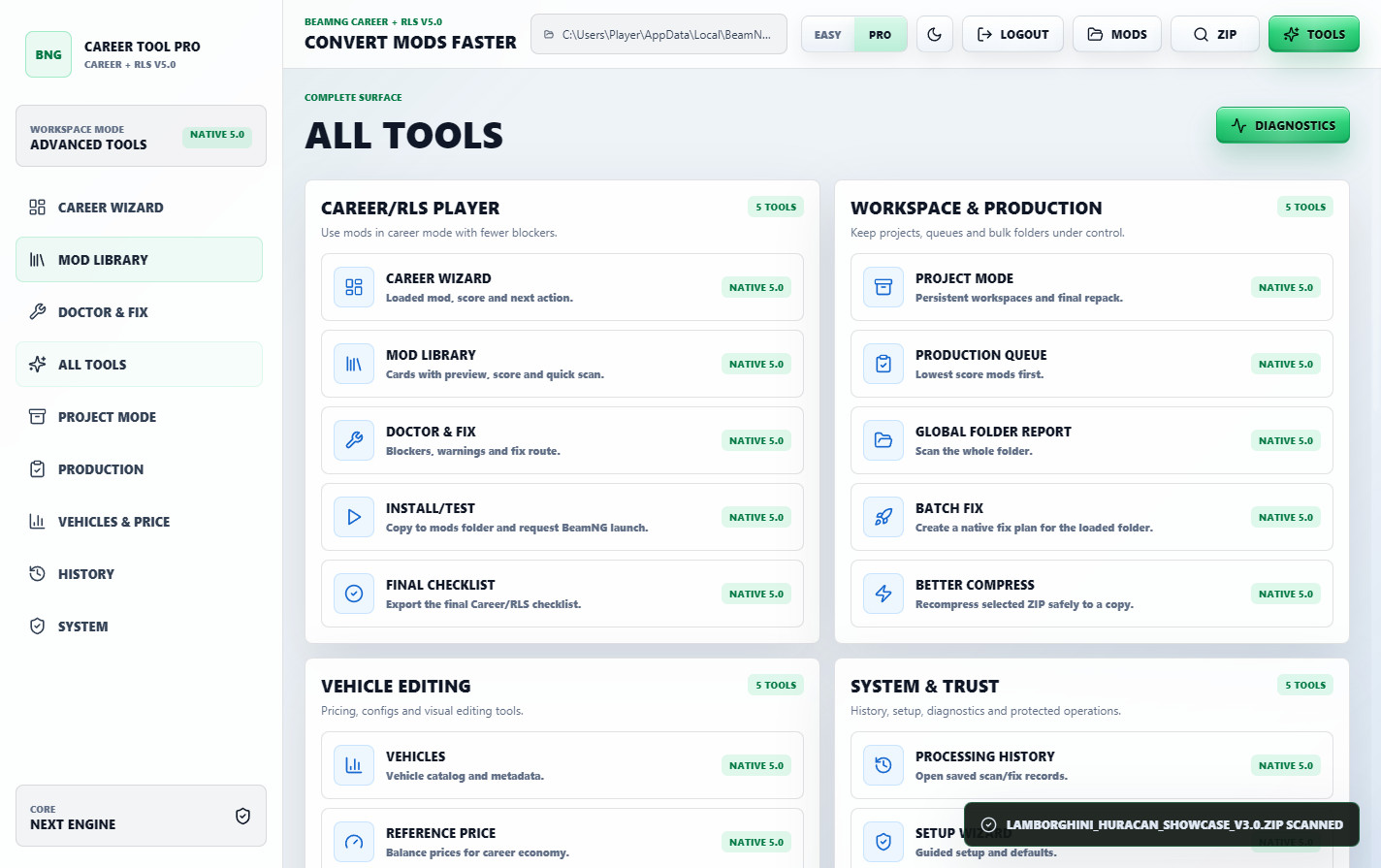
Easy Mode keeps the main Career/RLS path visible for beginners. Pro Mode unlocks the advanced tools for users who want full manual control.
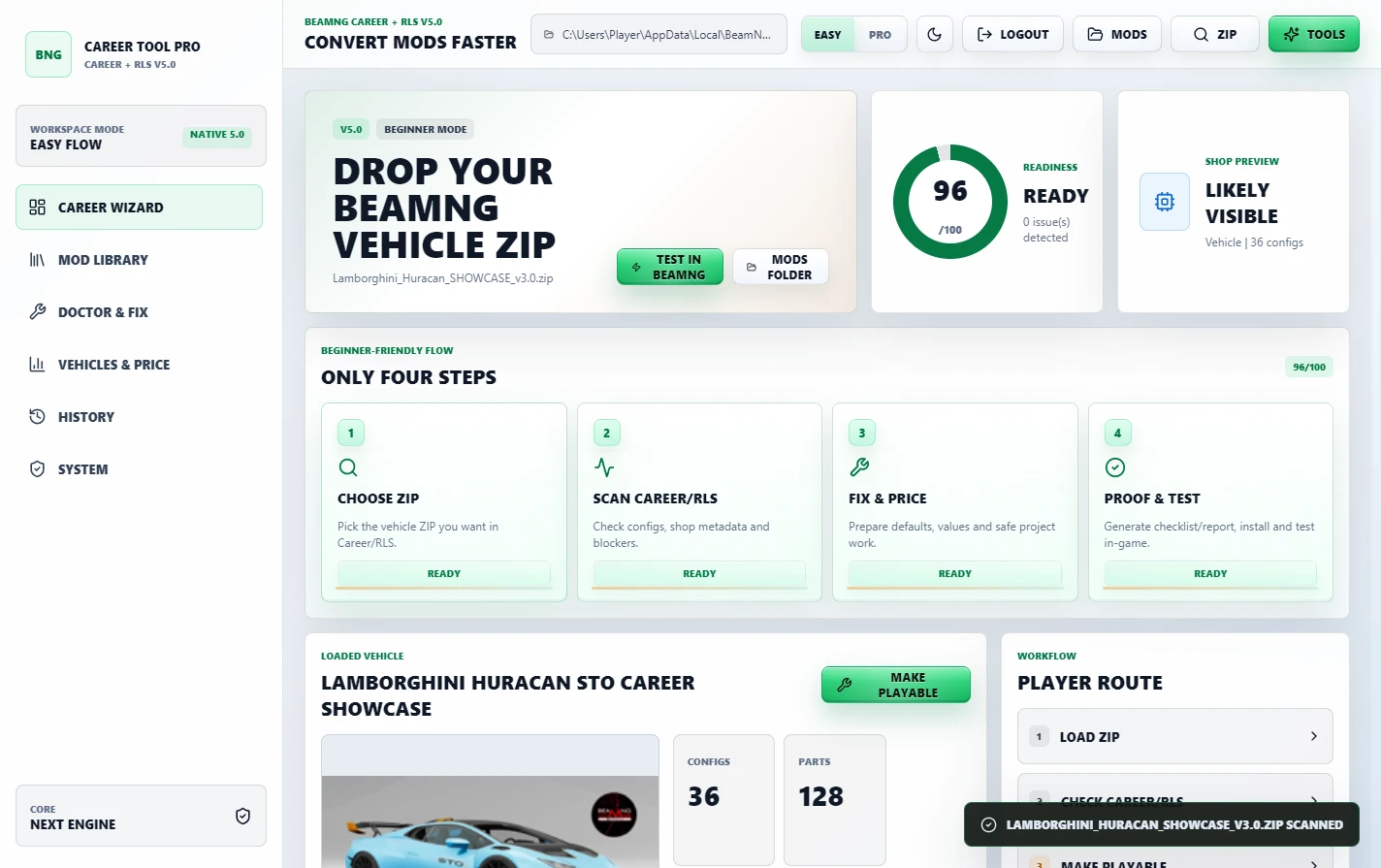
Career/RLS readiness at a glance
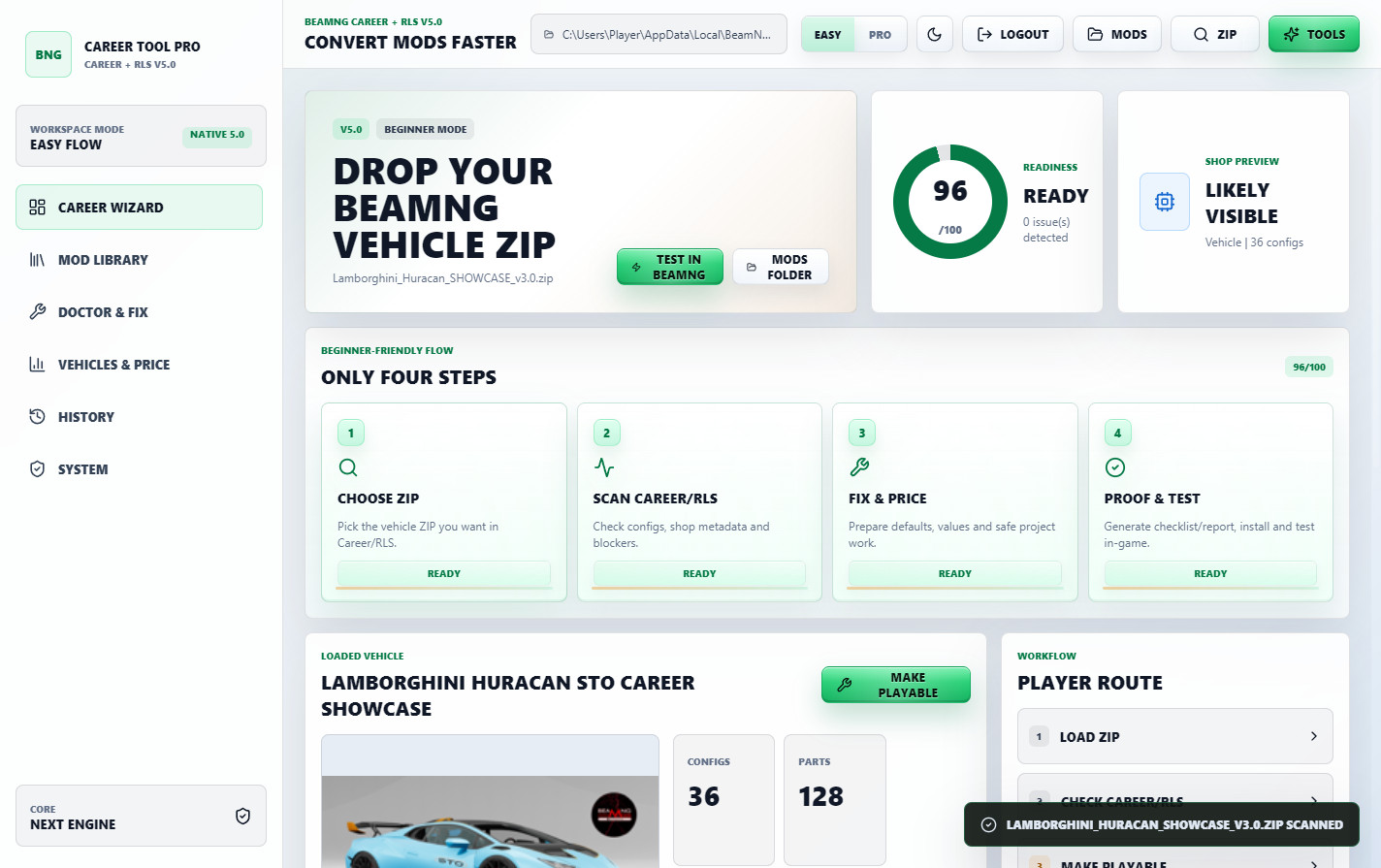
v5.0 makes the prepared-mod status easier to understand before opening BeamNG.
The dashboard shows a Career Ready Score, issue count, config count, part count and a shop-preview style status based on the metadata scan.
This is a metadata-based preview. The final confirmation still belongs inside BeamNG, but the tool helps catch missing values, configs and common blockers before you waste time testing.
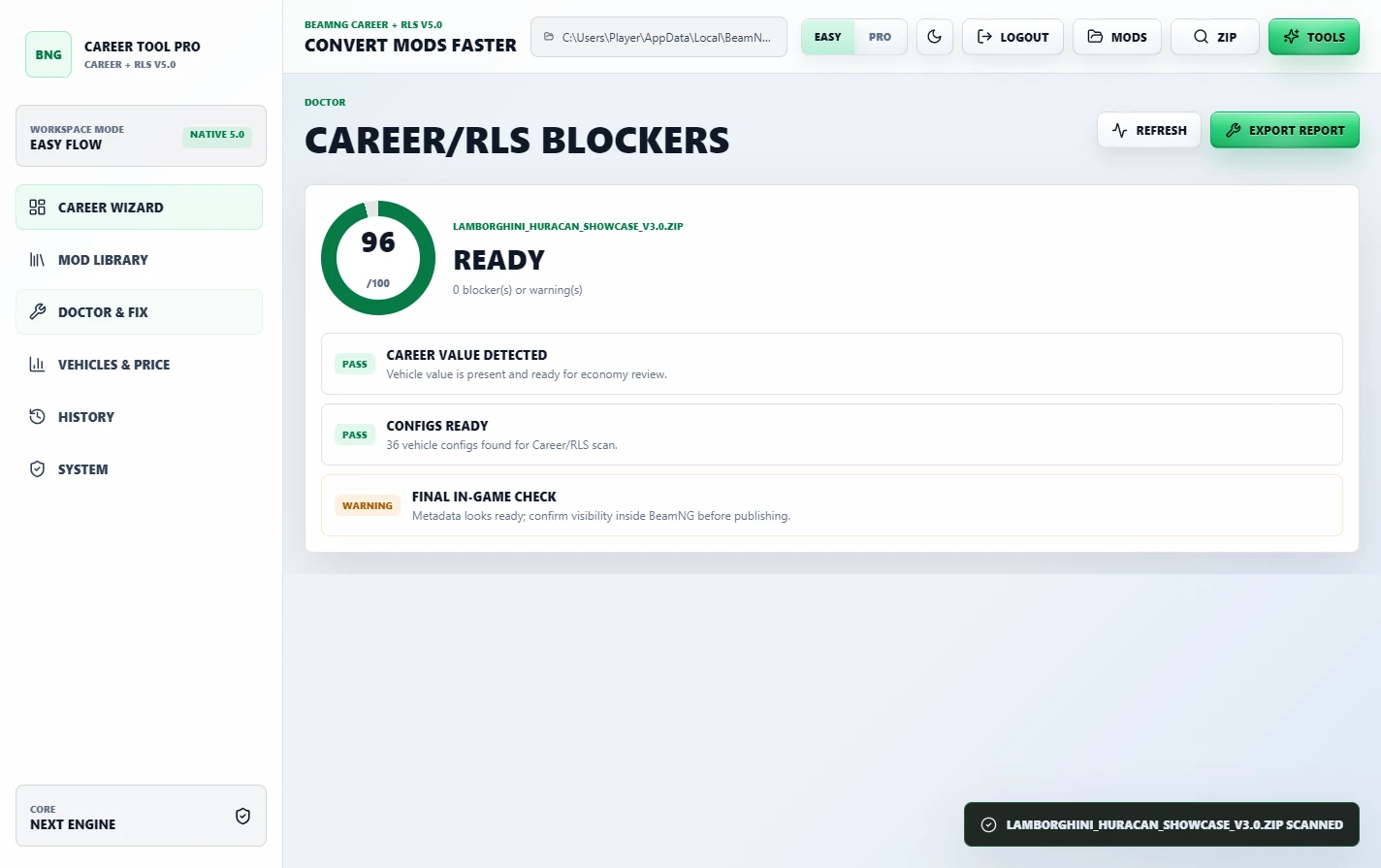
Mod Doctor and quick fixes
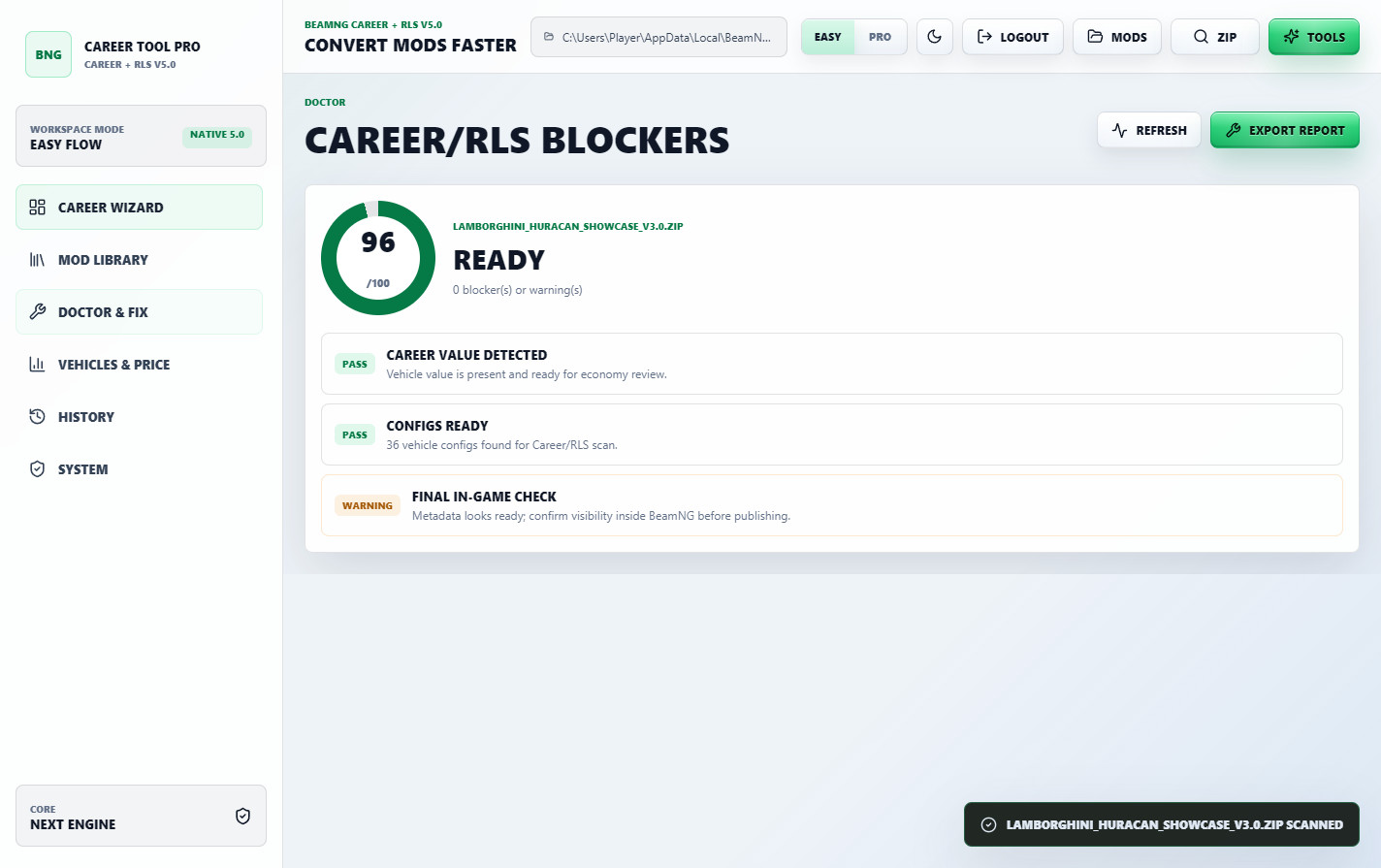
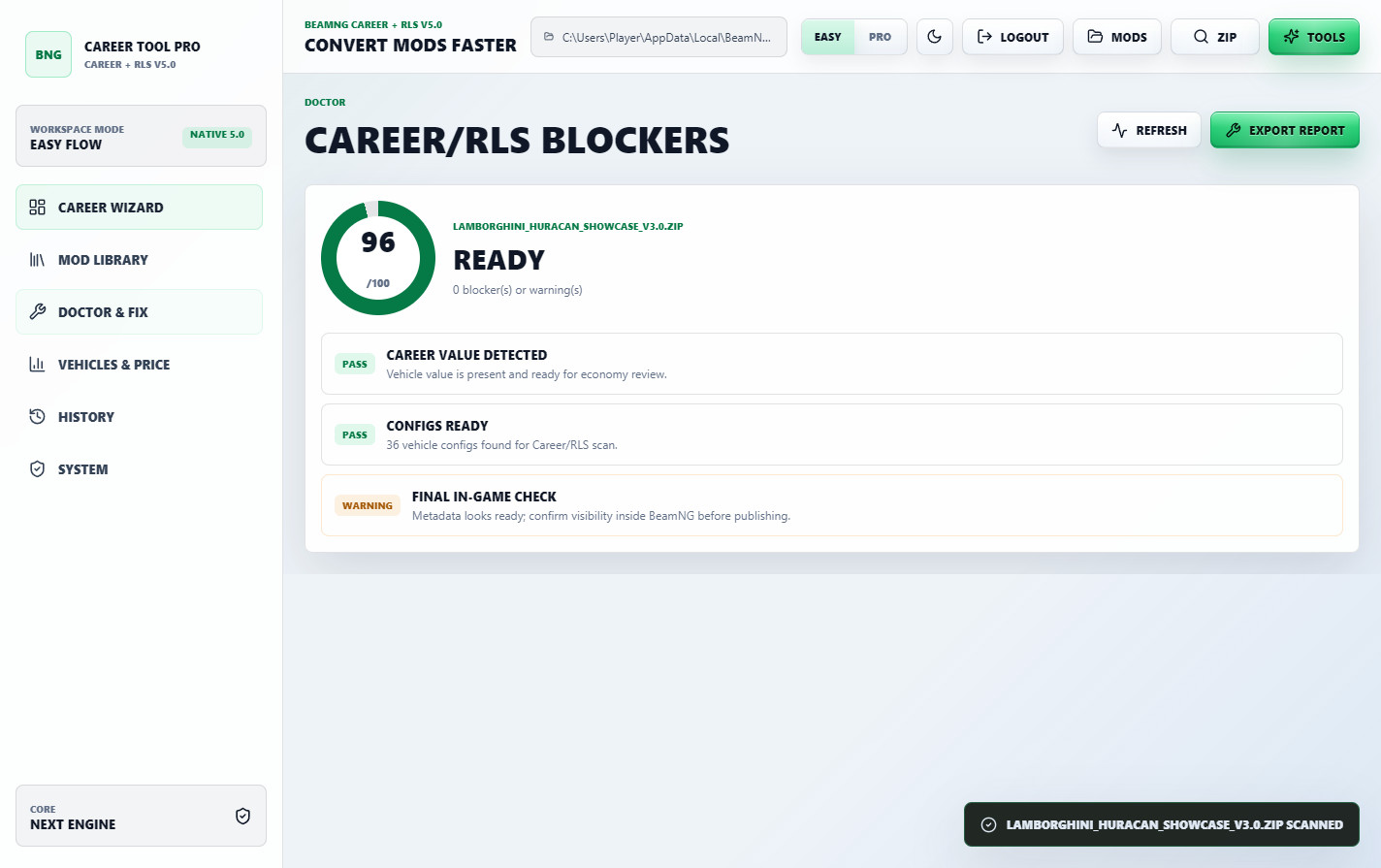
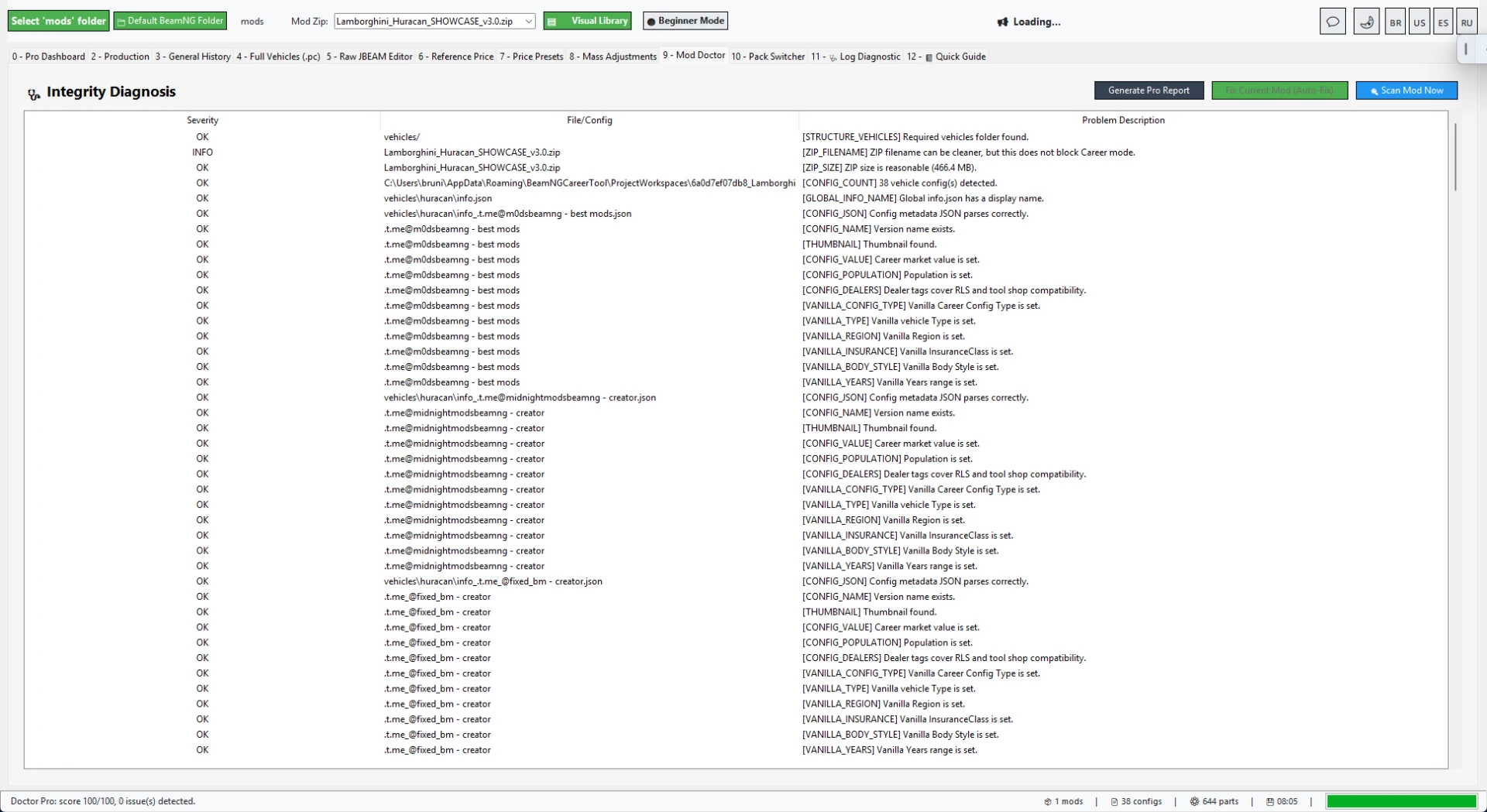
The Mod Doctor checks the ZIP for common Career/RLS problems and shows what needs attention.
It can help with vehicle config metadata, value fields, population, type, config type, region, insurance class, years, shop/dealer visibility, missing fields and other compatibility blockers.
When a mod needs a fast repair, the tool can apply safer defaults and prepare the mod for repack/testing.
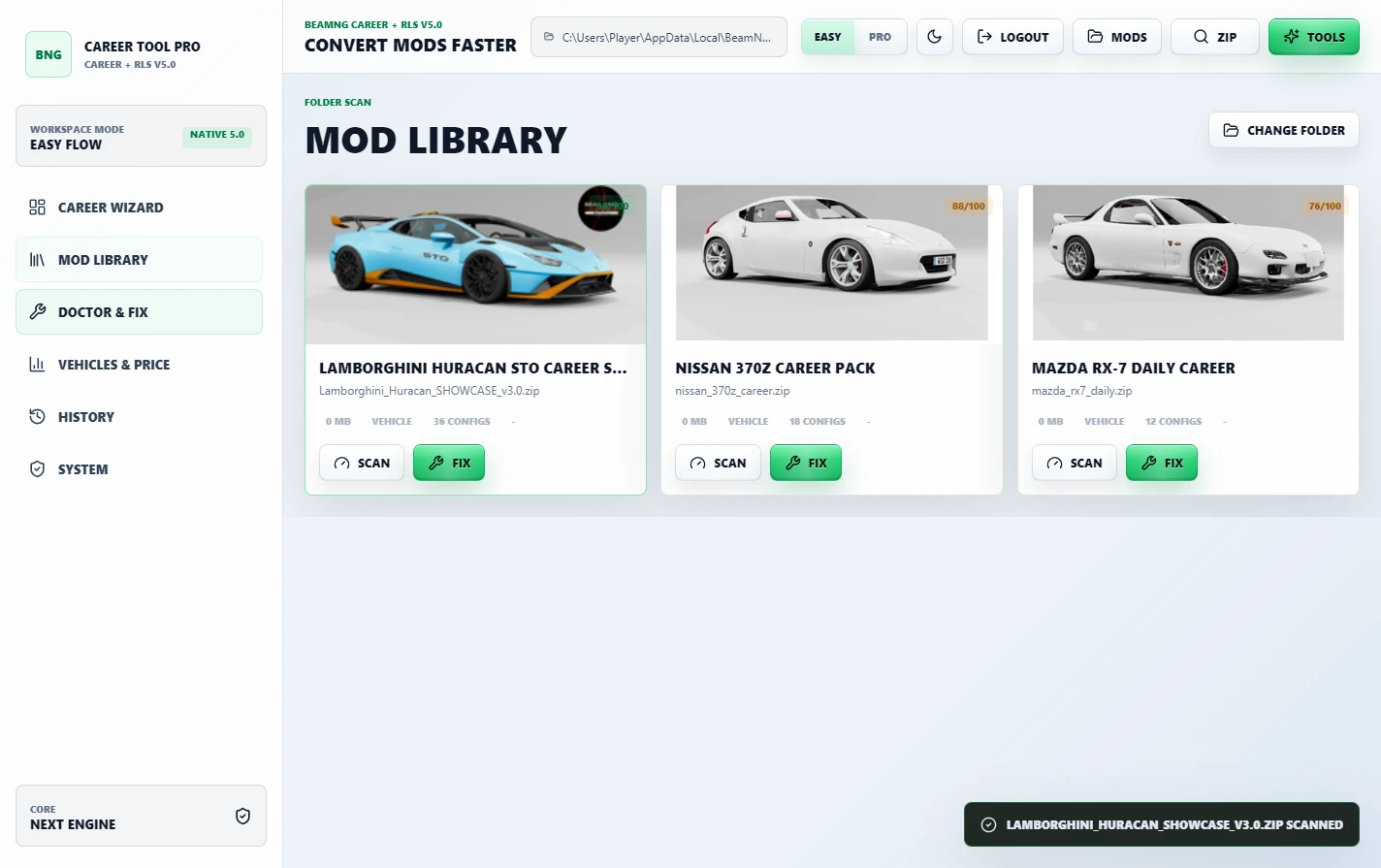
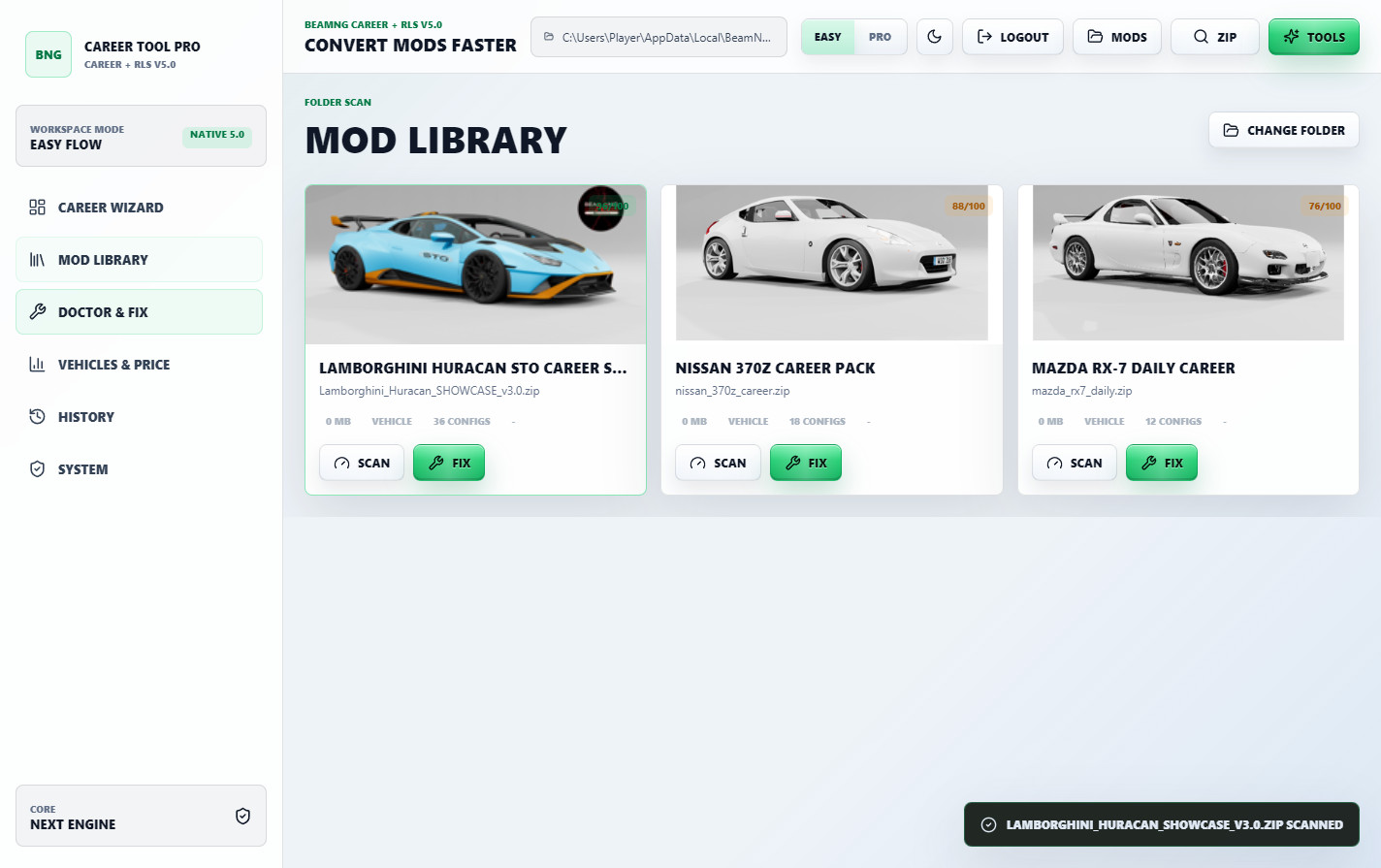
Mod Library with previews
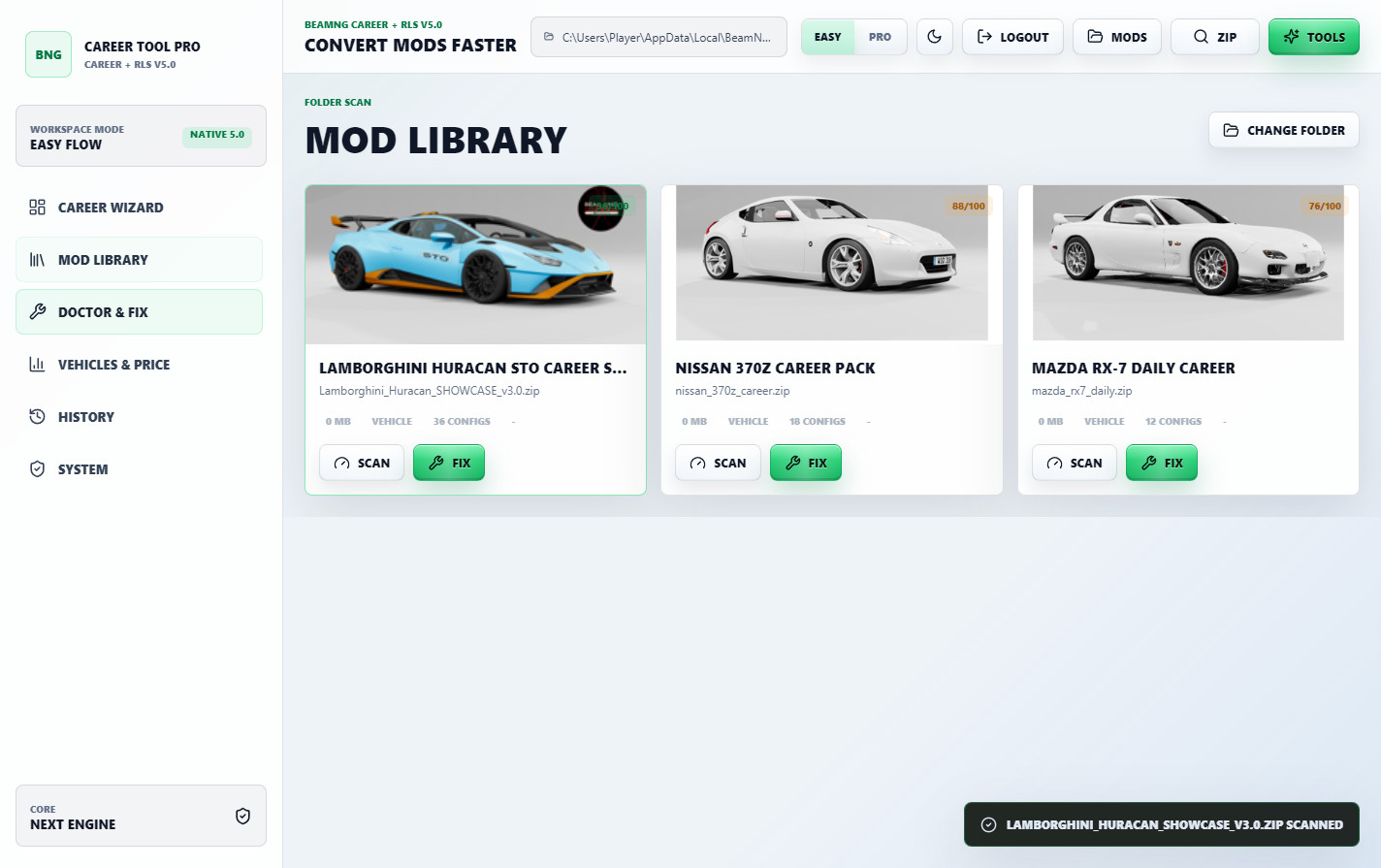
The cached Mod Library helps repeat work faster.
You can scan a folder, preview vehicle mods, see their score/status and open the next action without digging through files manually.
The screenshot uses multiple showcase vehicles so the workflow is clearer. Vehicle mods are not included with the tool.
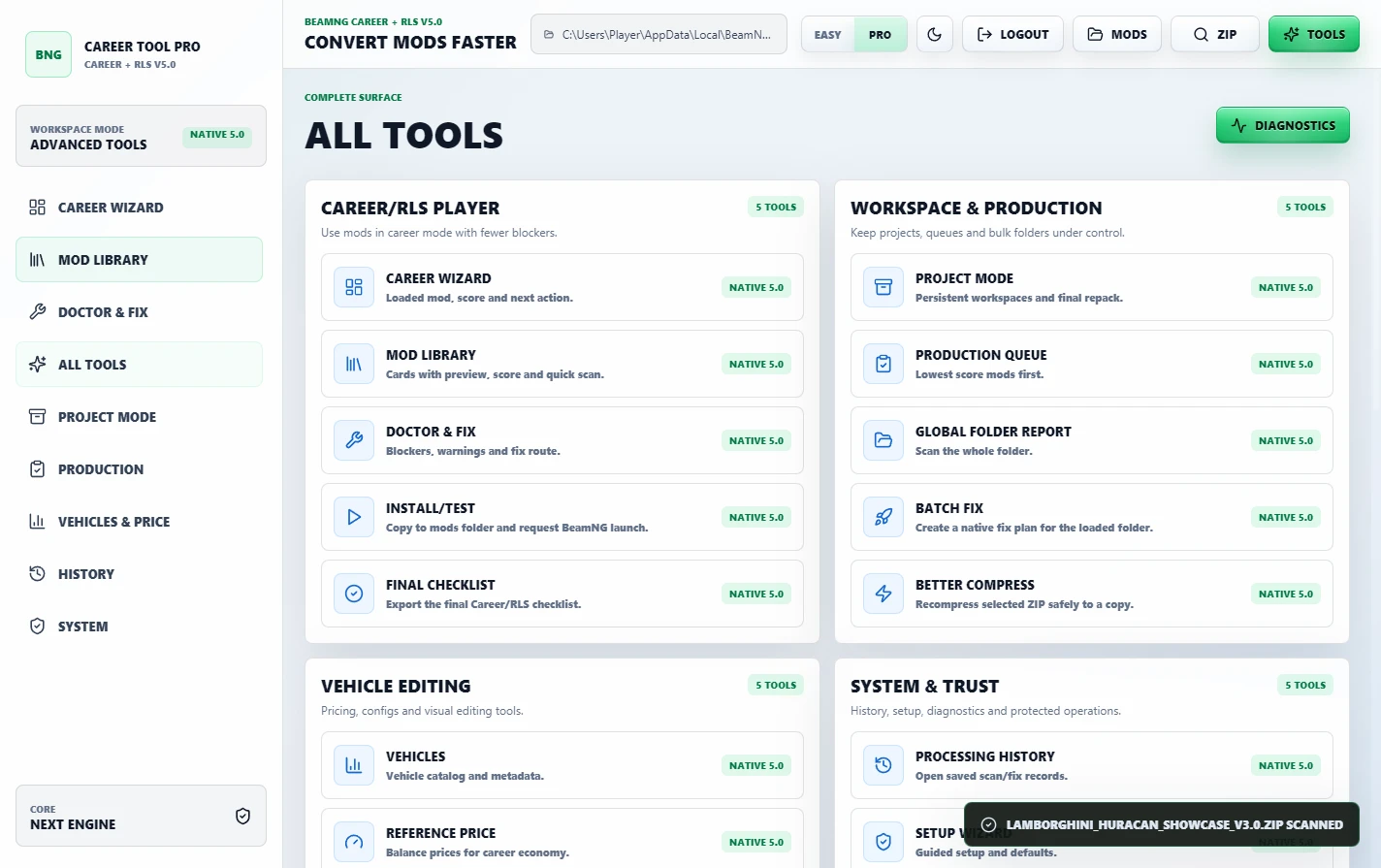
Advanced tools are still included
v5.0 keeps the deeper tools for users who want more control:
- Full Vehicles/PC editor for config and market fields.
- Raw JBEAM editor for advanced part-level work.
- Reference Price tools.
- Price Presets with vehicle and part/JBeam value scaling.
- Project Mode for safer editing before final repack.
- Repack/update ZIP tools.
- Folder-wide scan, selected fix and ZIP compression tools.
- Processing History and General History.
- Career/RLS reports and public proof assets.
- Quick Guide screens.
- Safe Demo mode for testing the workflow before touching real mods.
- Pack Switcher and advanced diagnostic tools.
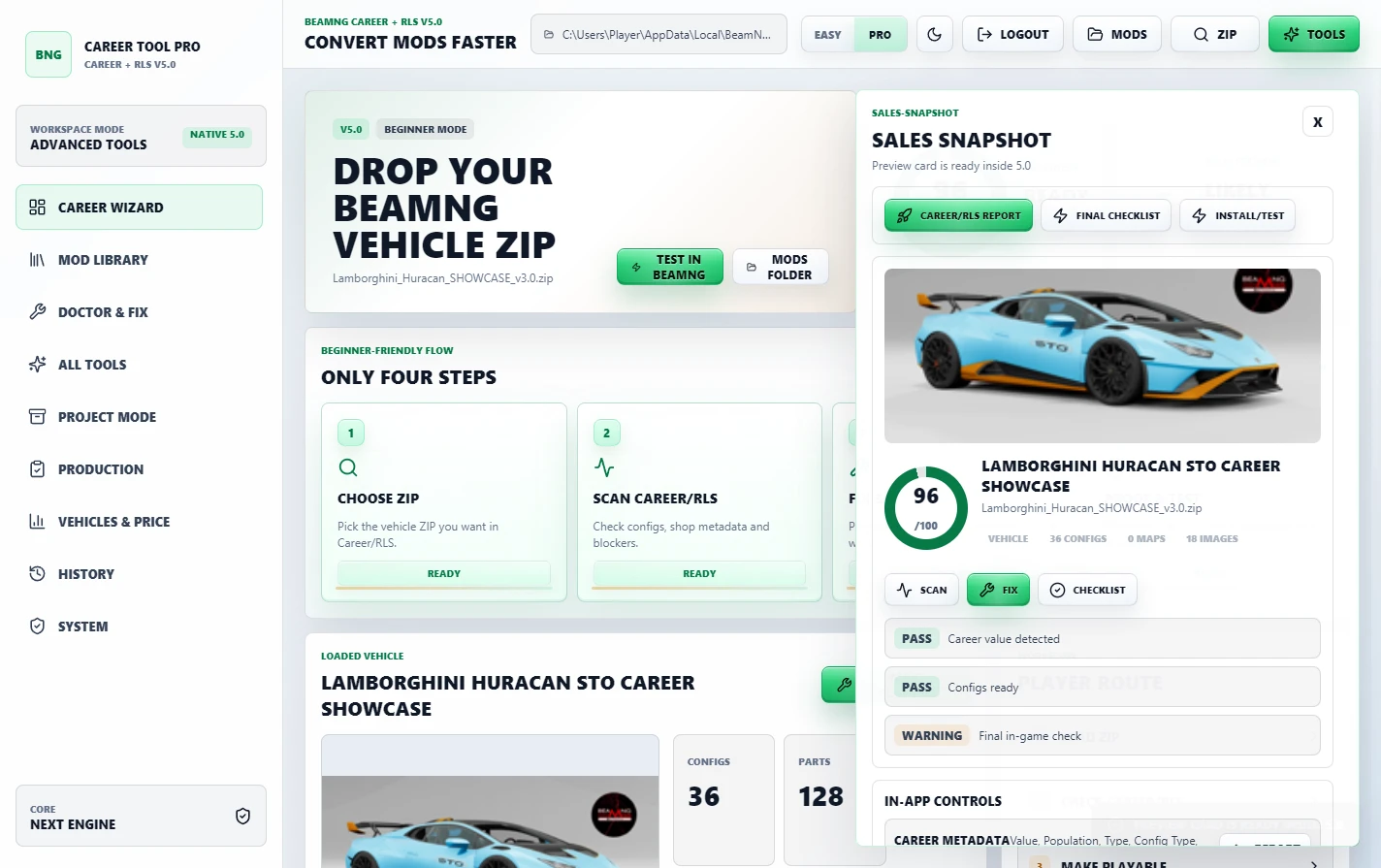
Reports and Sales Snapshot
The tool can generate proof/report material for Modland, Ko-fi, Discord or client delivery.
Sales Snapshot gives a clean public card from the prepared mod result.
Before/After evidence and checklist-style reports help show what was scanned, fixed and prepared.
Best workflow
- Open BeamNG Career Tool Pro v5.0.
- Choose or drop a BeamNG vehicle ZIP.
- Review the Career Ready Score and metadata scan.
- Use Mod Doctor or the quick fix workflow if anything is missing.
- Tune price/economy if needed.
- Generate report/proof material.
- Repack and test inside BeamNG Career/RLS.
Notes
The Lamborghini Huracan, Nissan 370Z and Mazda RX-7 shown in the screenshots are workflow examples only.
Vehicle mods are not included with the tool.
This is a community utility for BeamNG mod preparation. It does not replace BeamNG.drive.
Always keep backups of important ZIPs before publishing or testing edits.
BeamNG Career Tool Next v4.4 - Career/RLS Flow Update
BeamNG Career Tool Next is a Windows utility for preparing BeamNG vehicle ZIP mods for Career/RLS use.
It is made for modders, players and creators who need a faster way to choose a real BeamNG ZIP, scan it, repair common metadata issues, balance vehicle value, population and JBeam part prices, then generate clean proof files for testing or publishing.
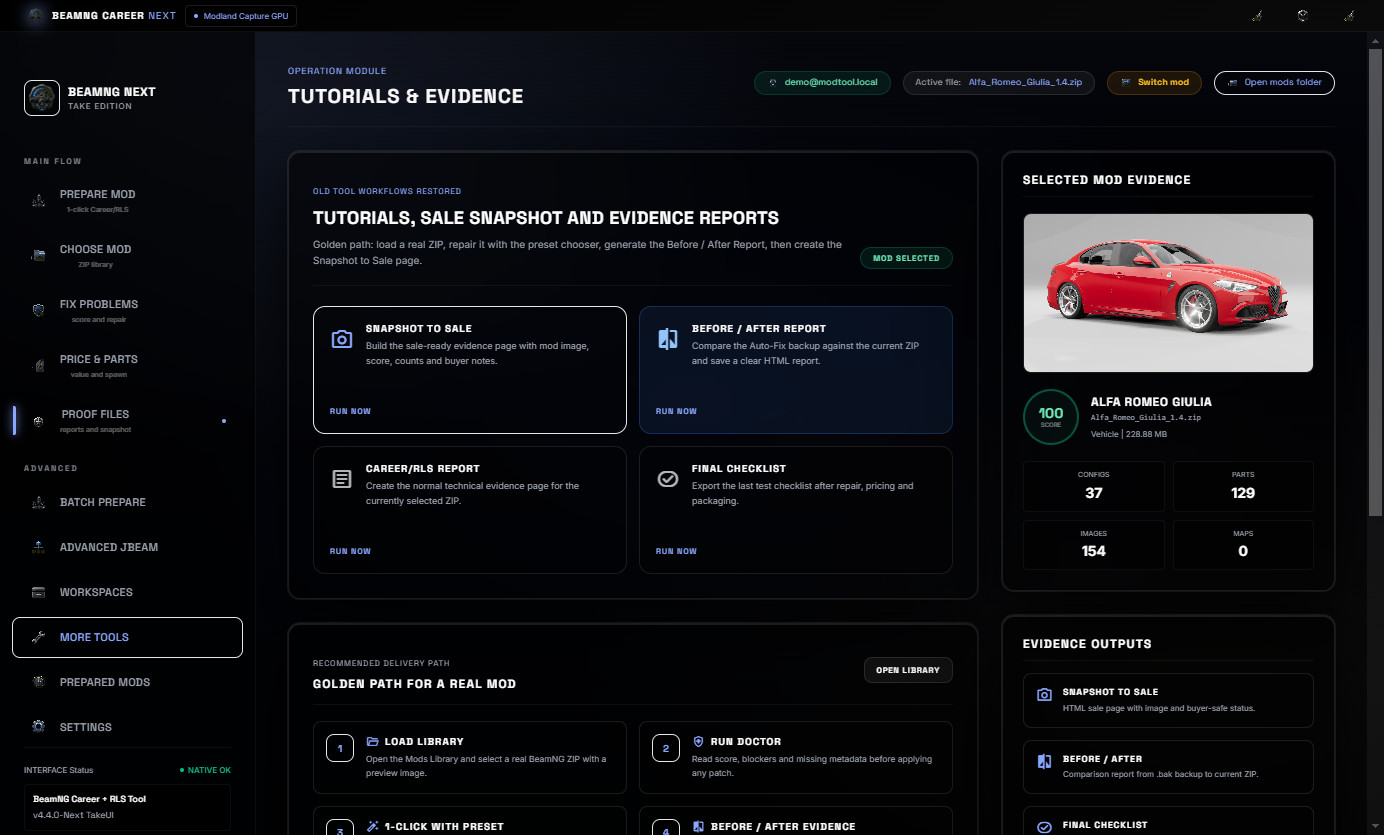
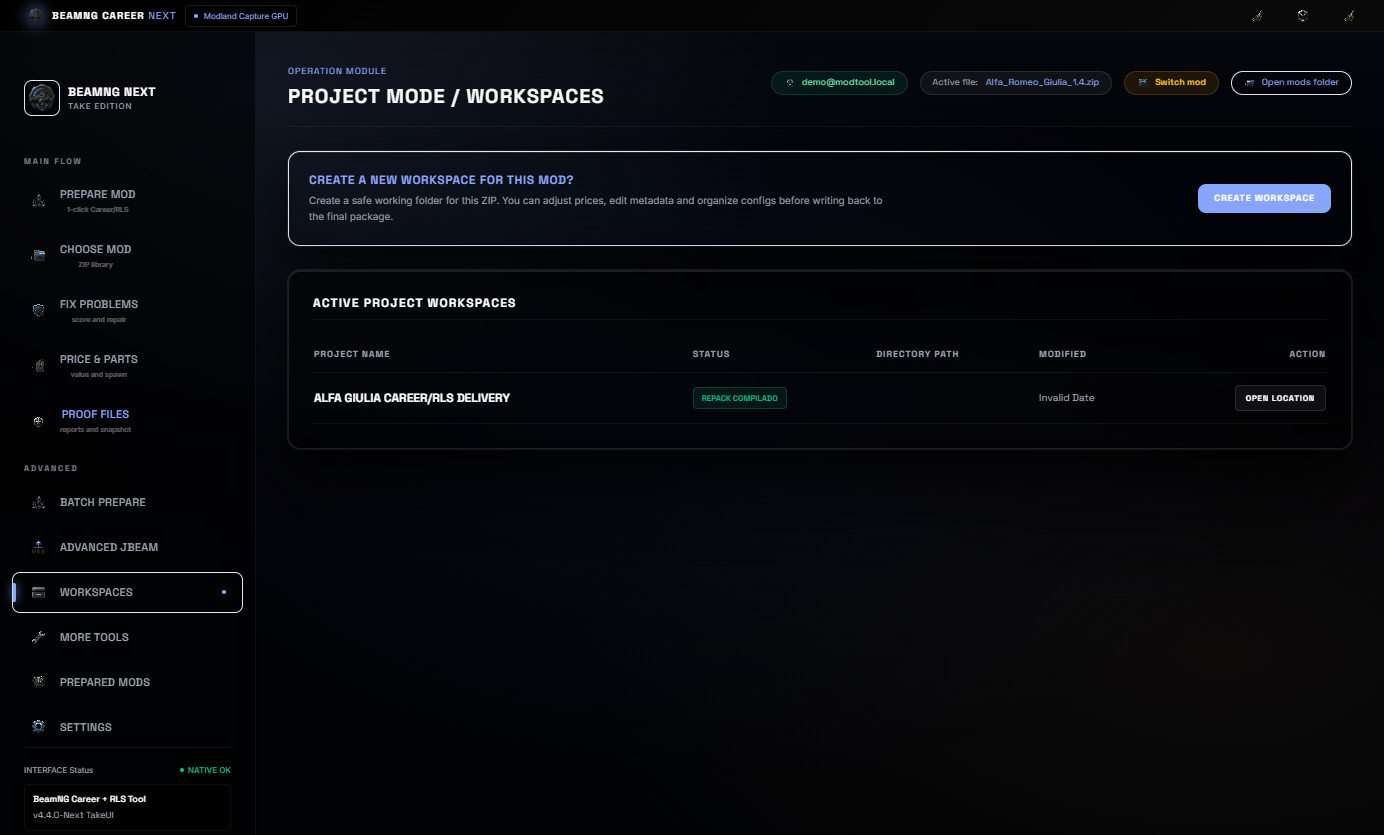
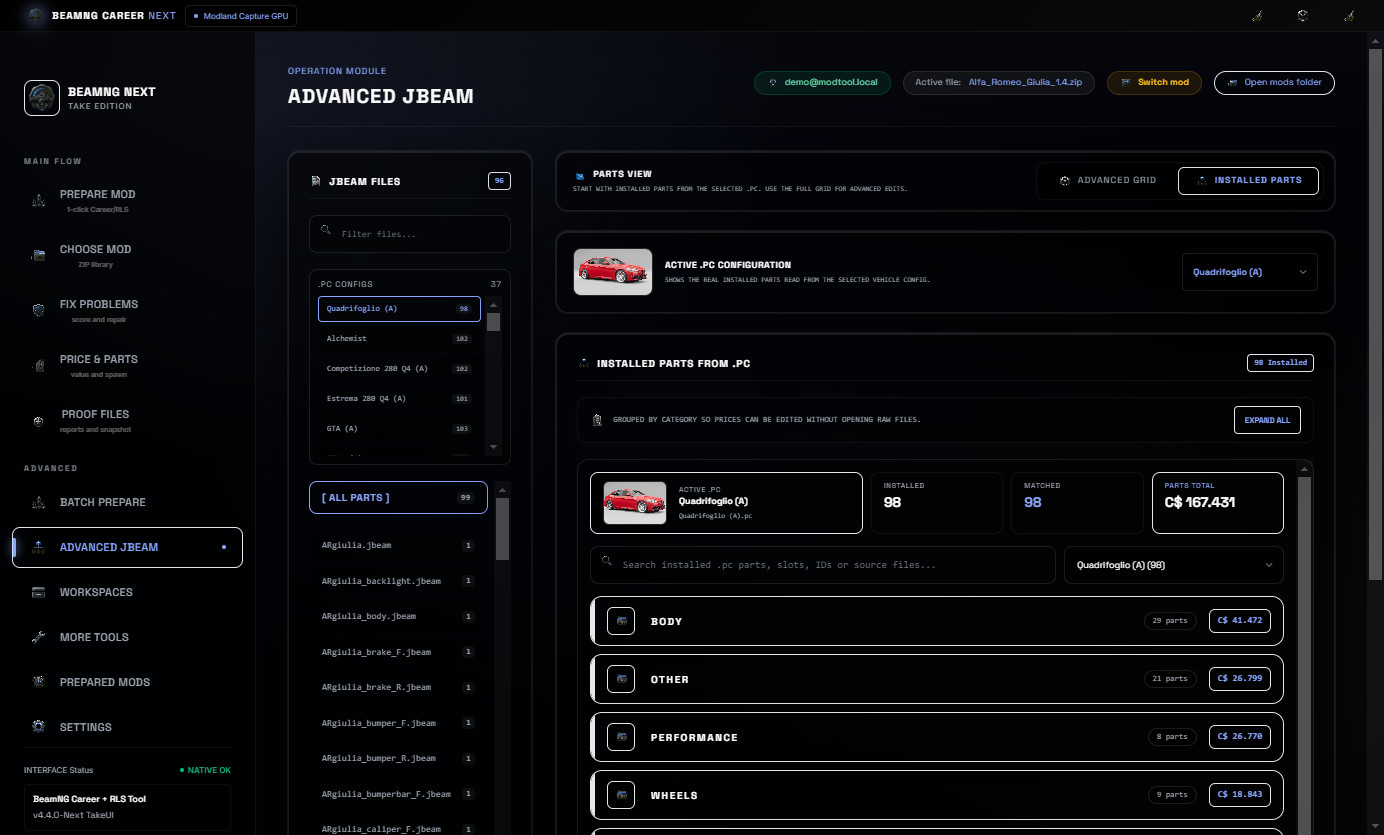
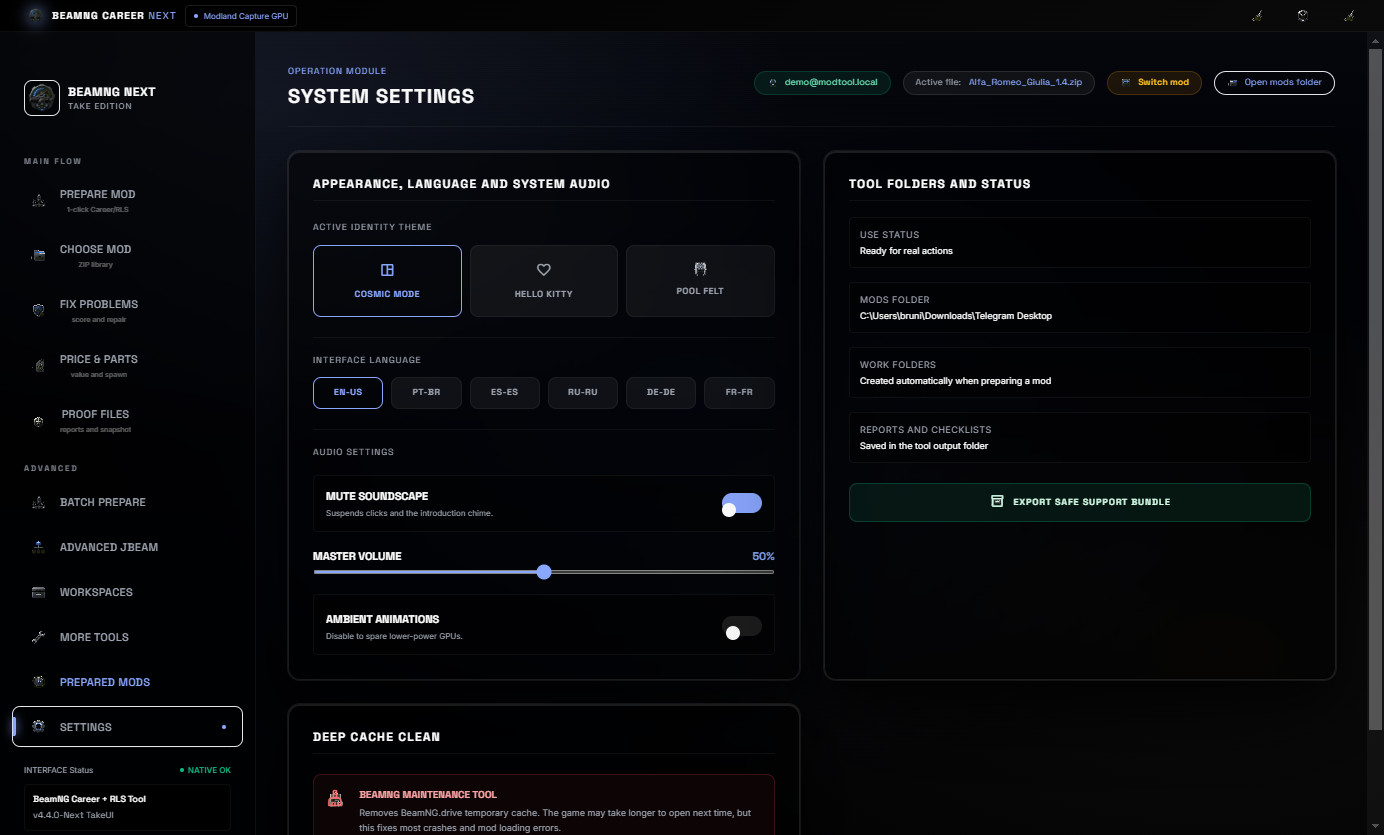
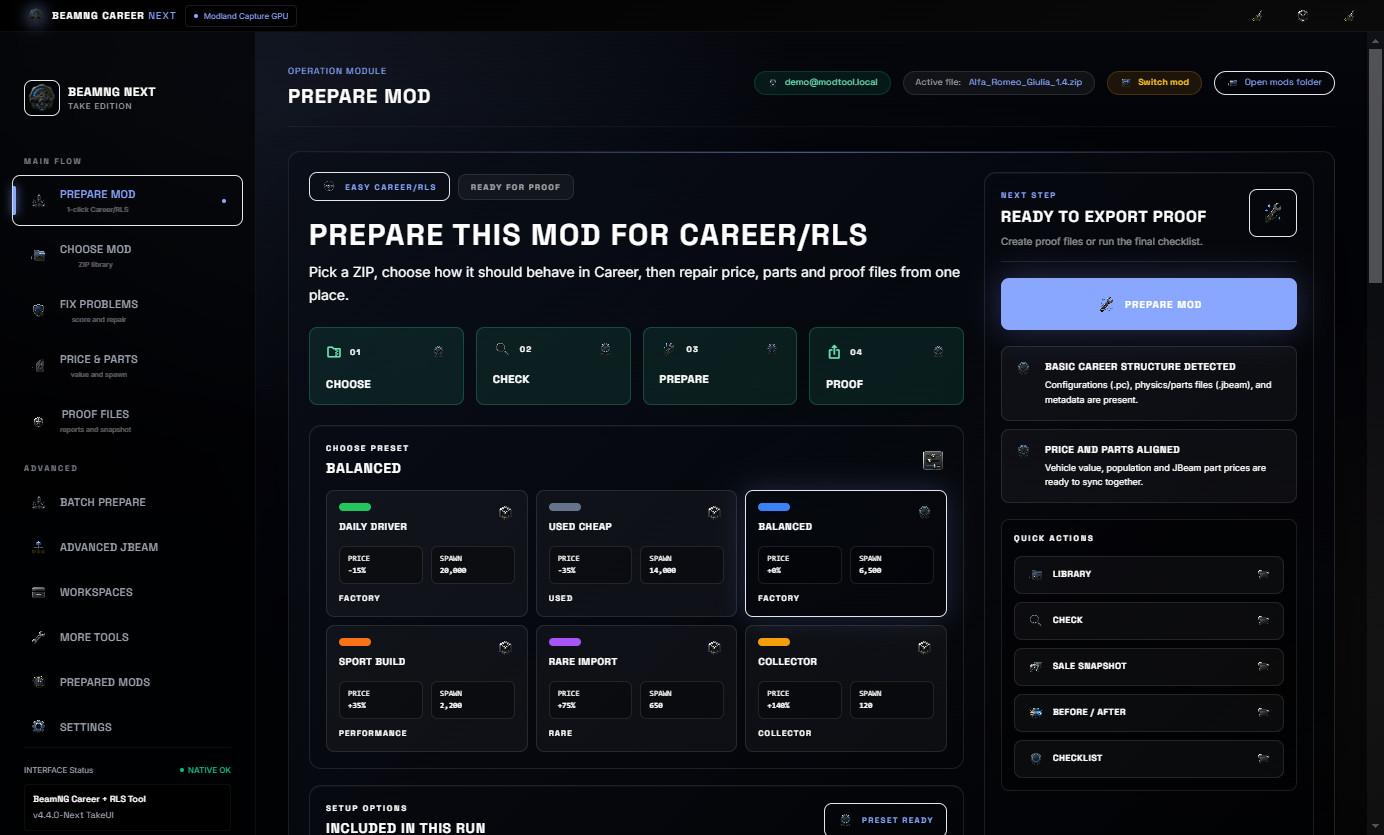
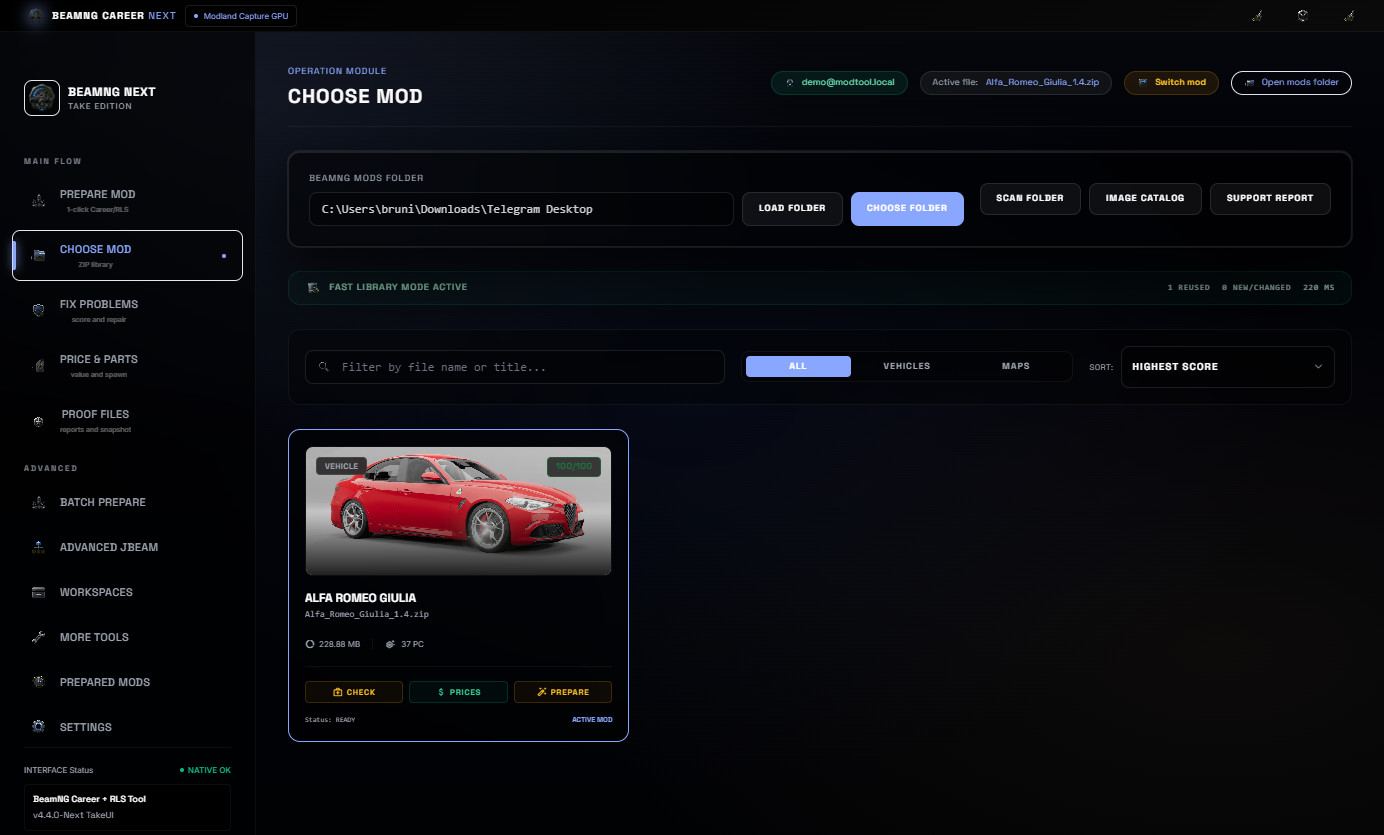
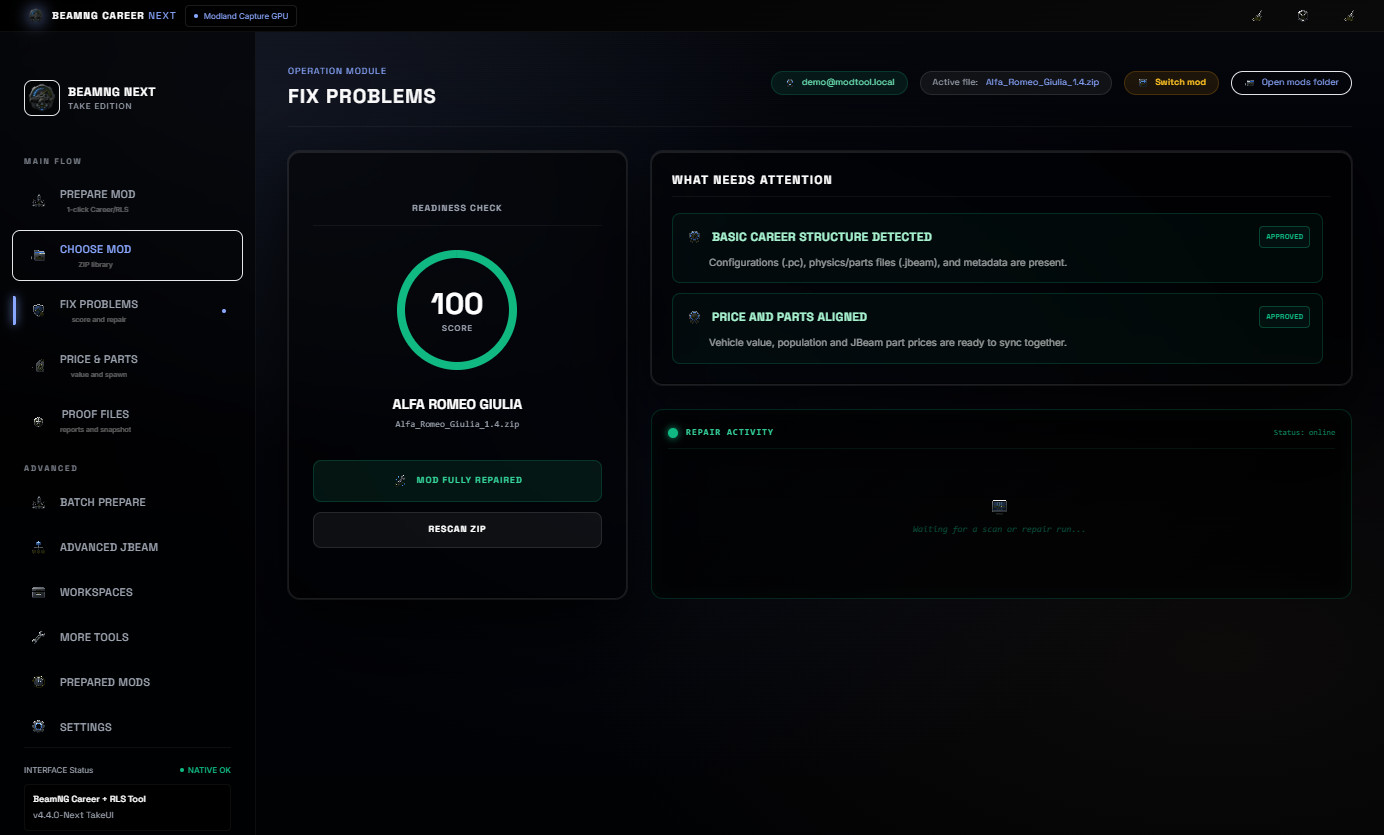
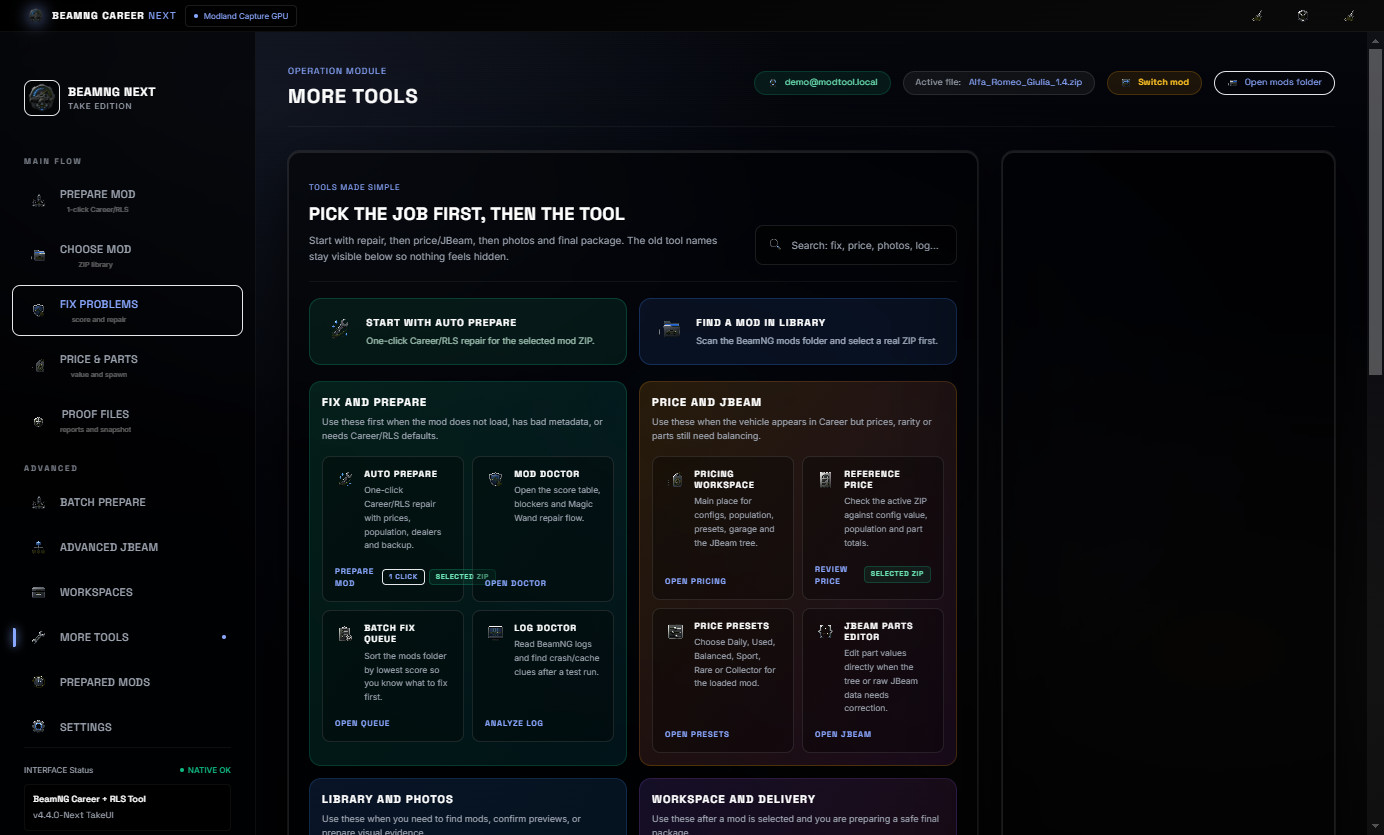
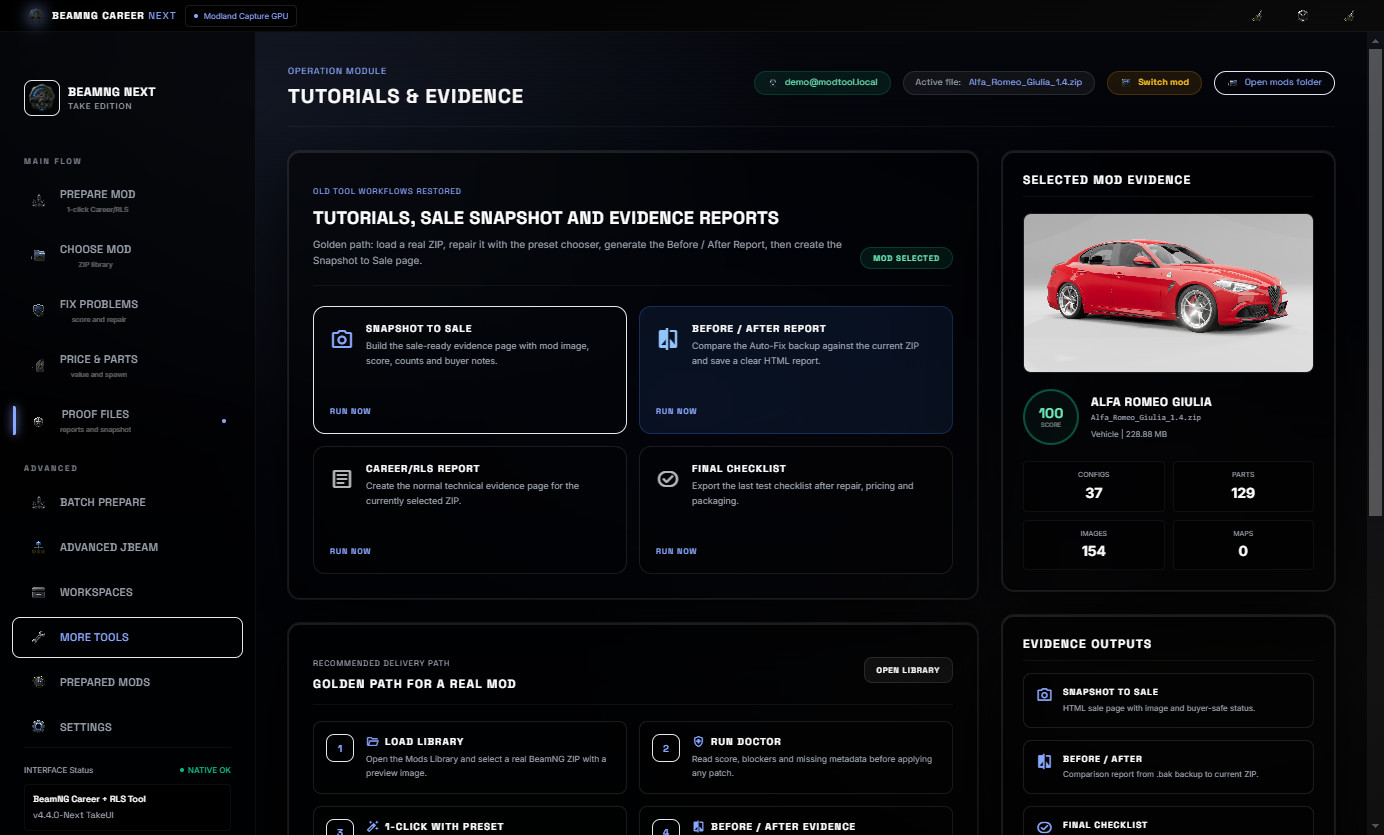
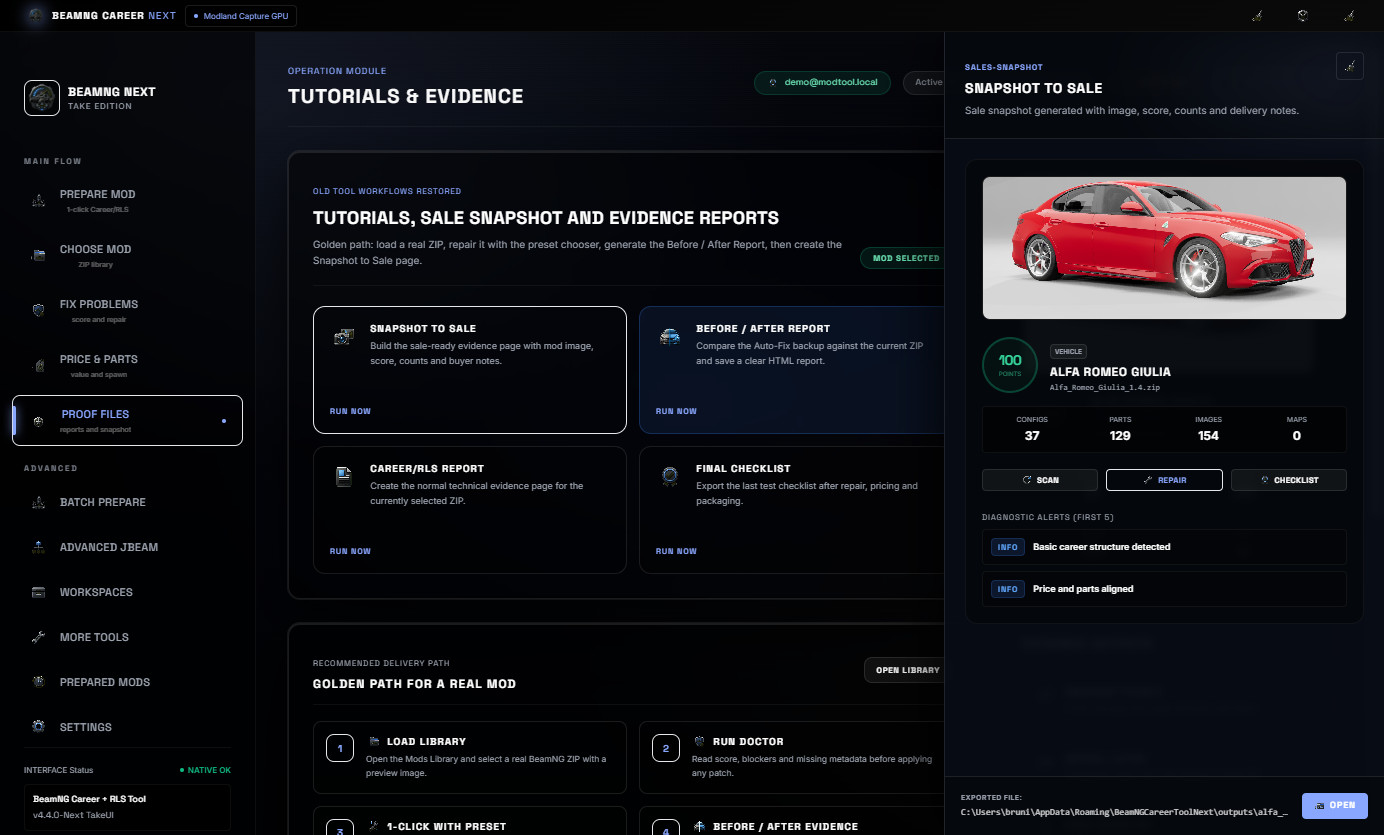
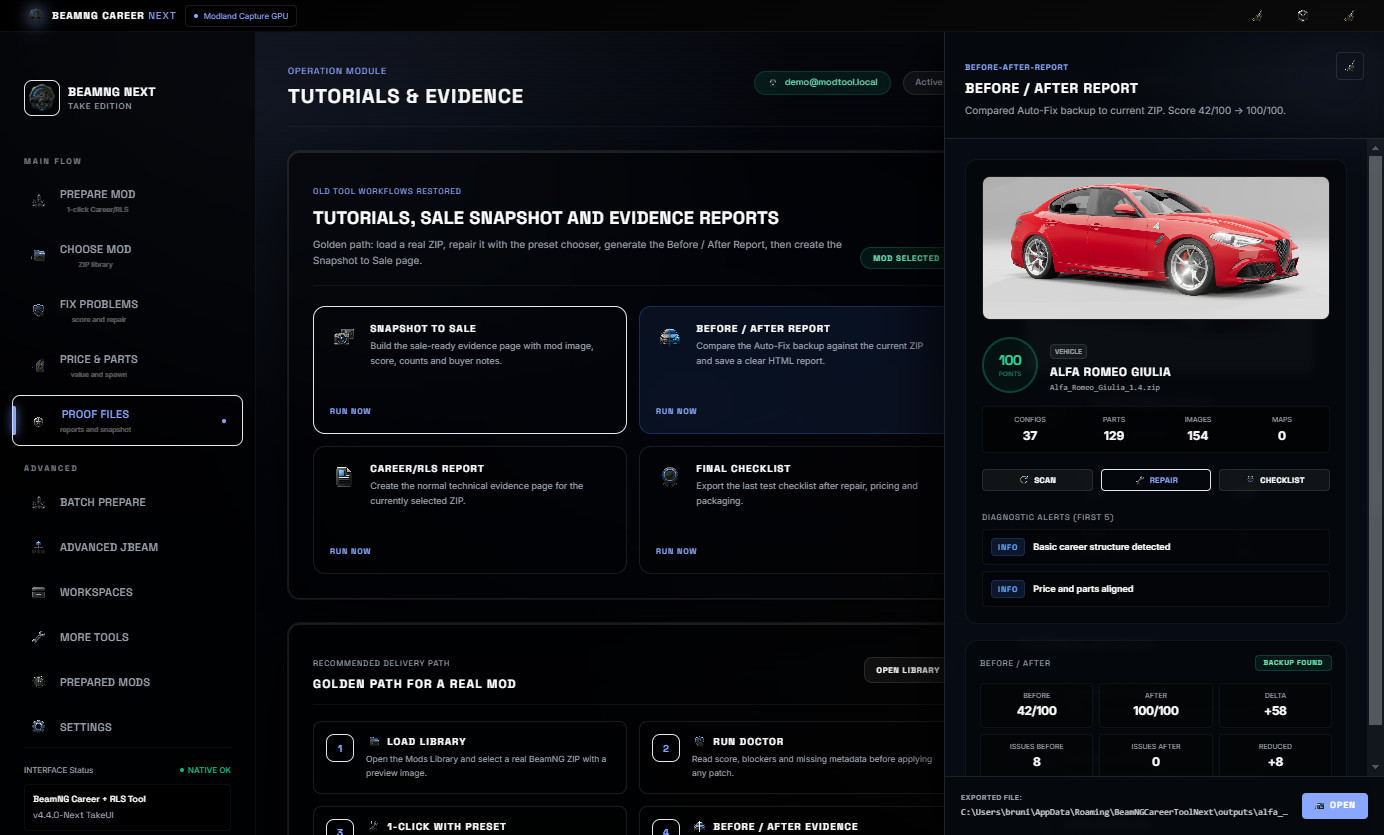
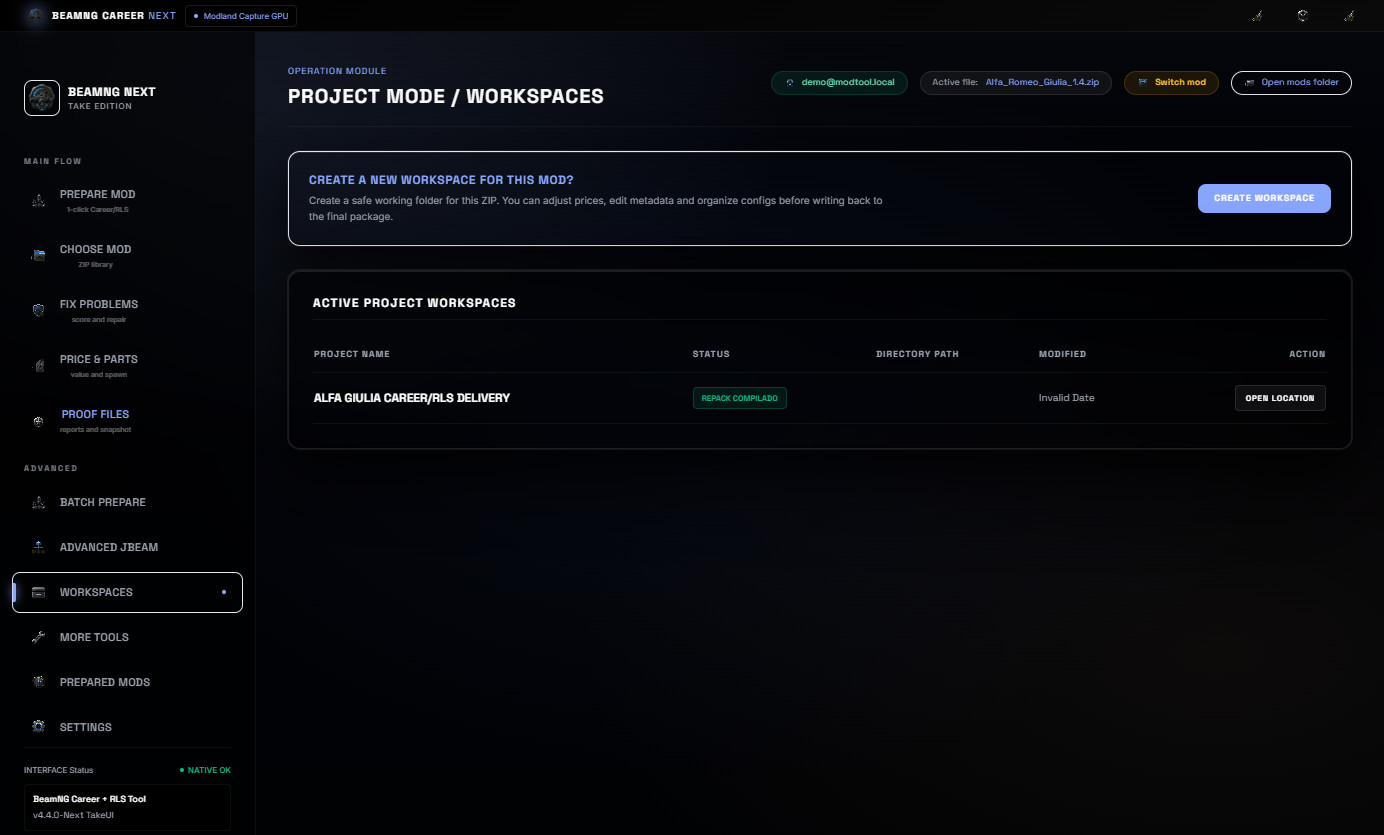
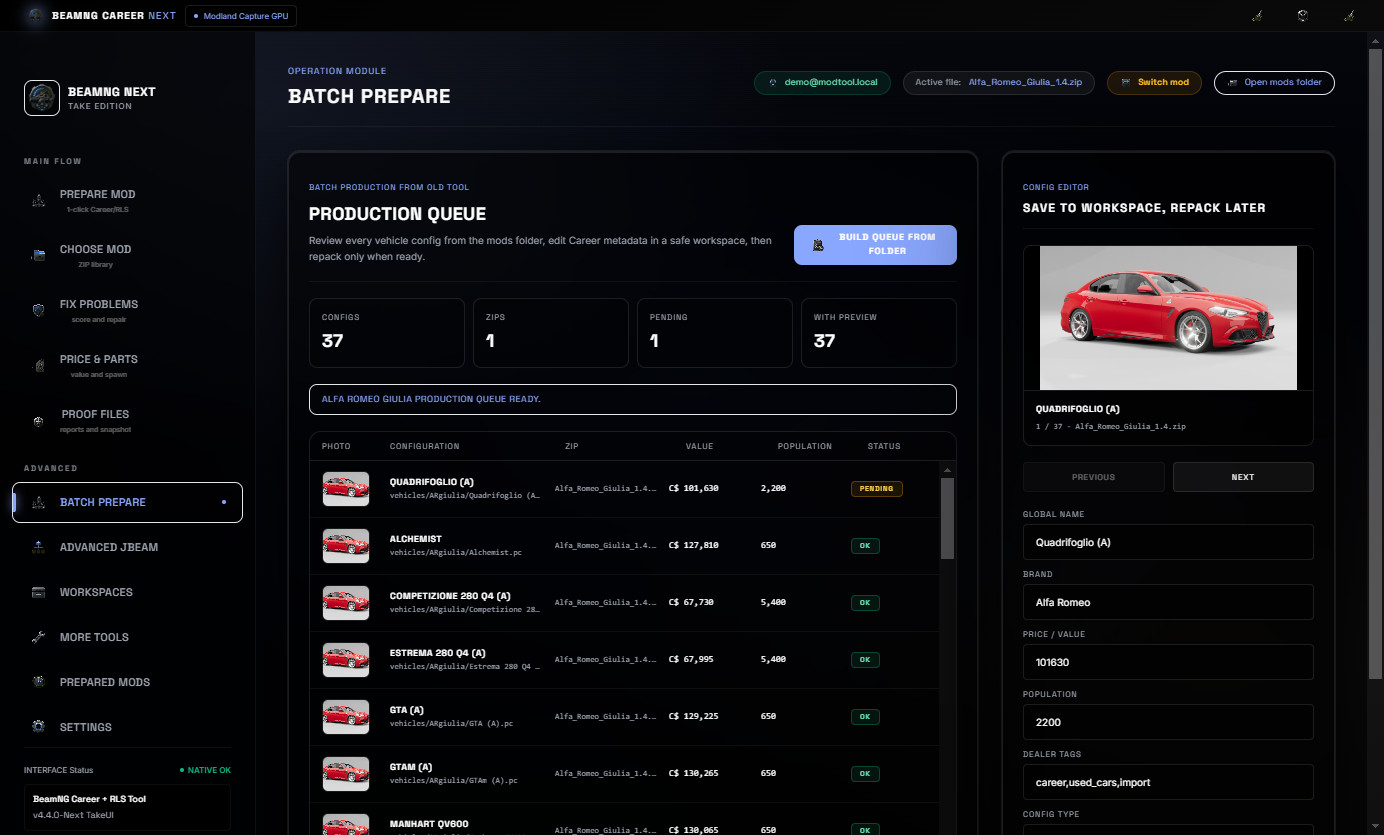
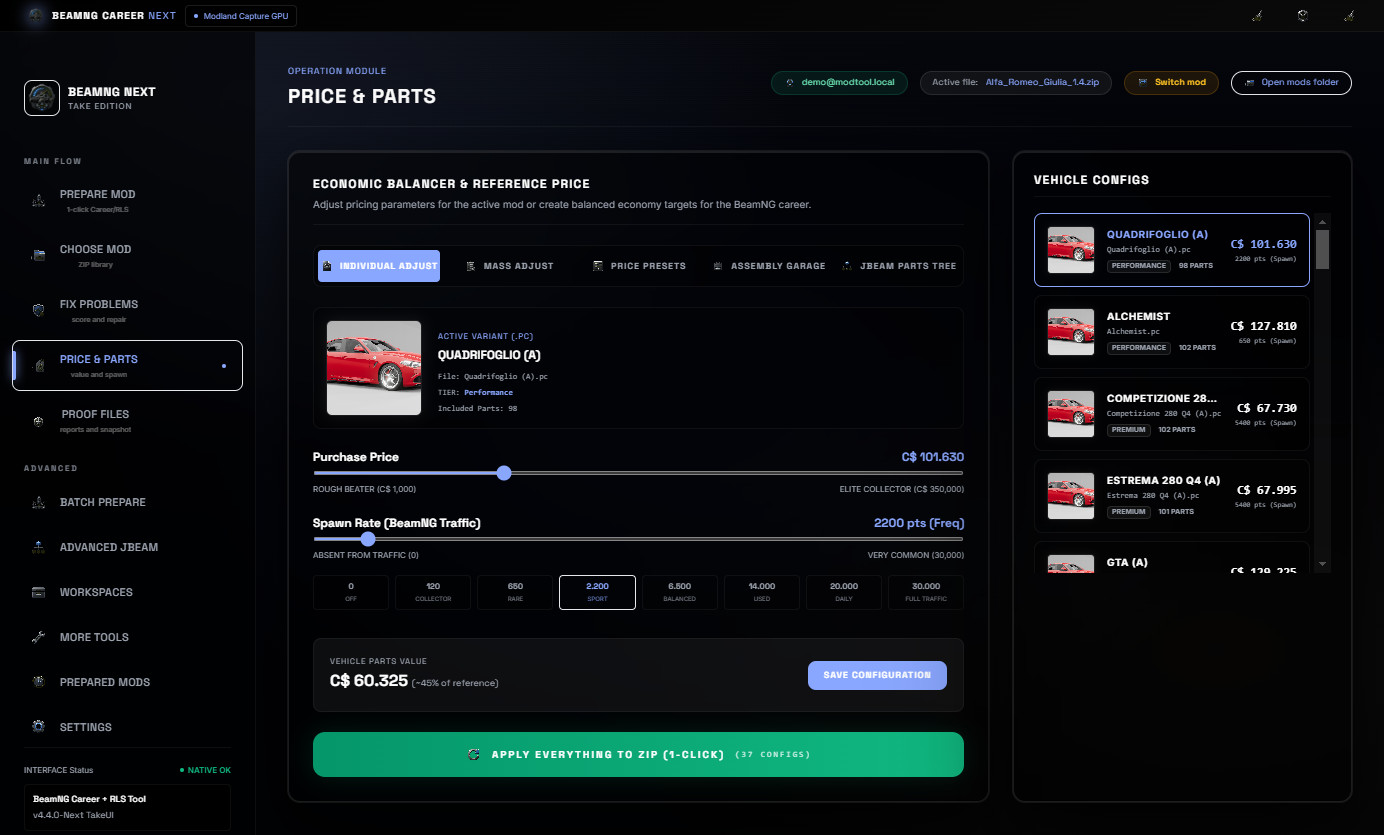
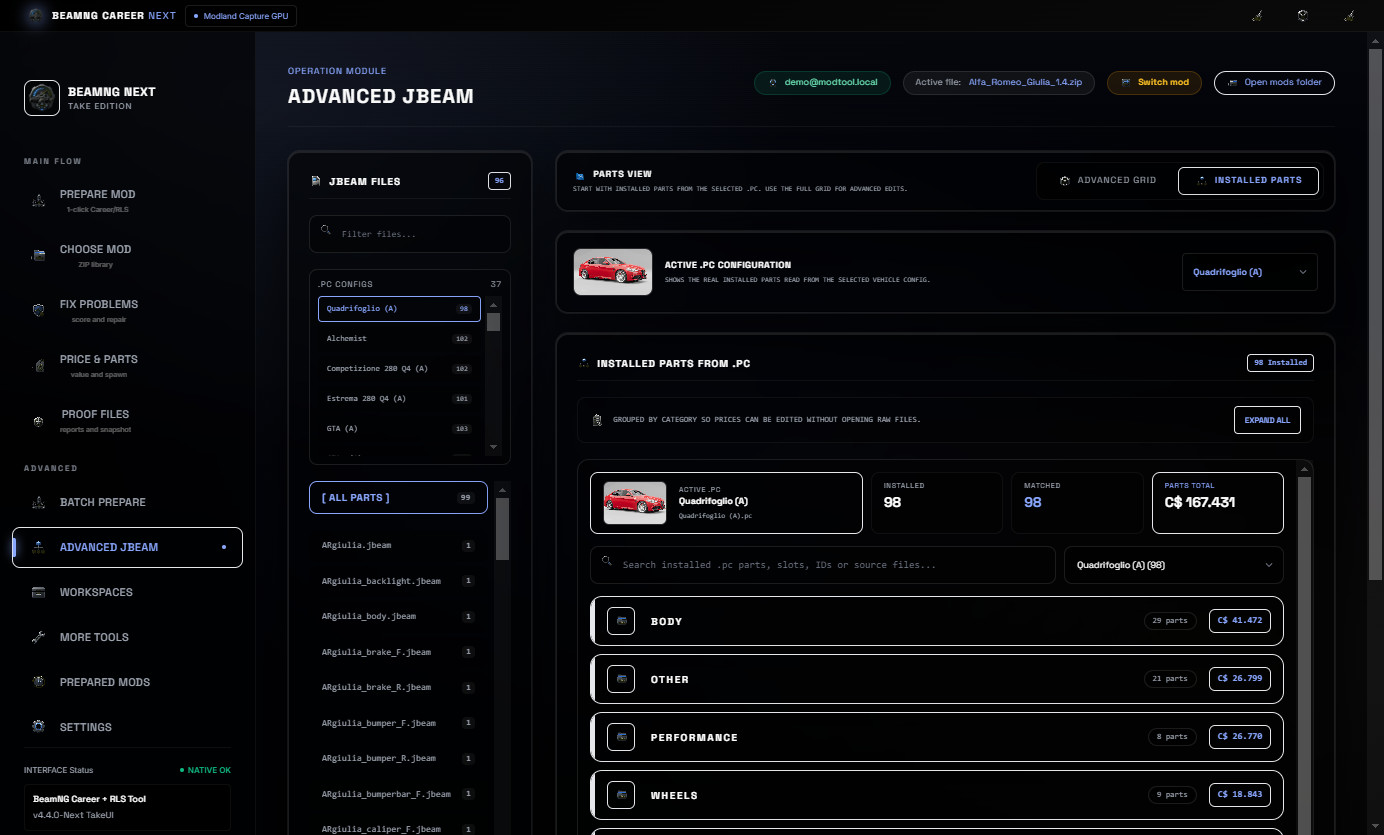
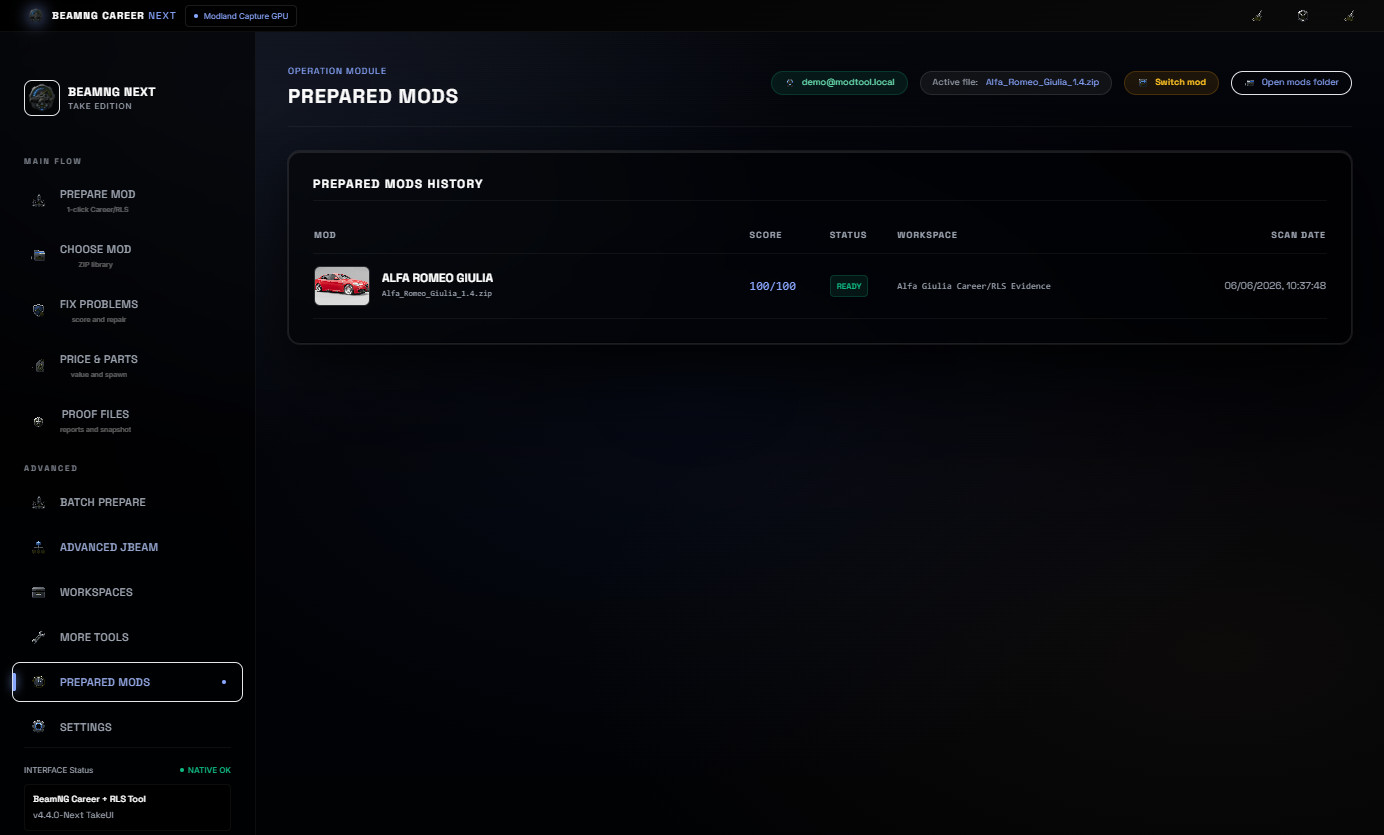
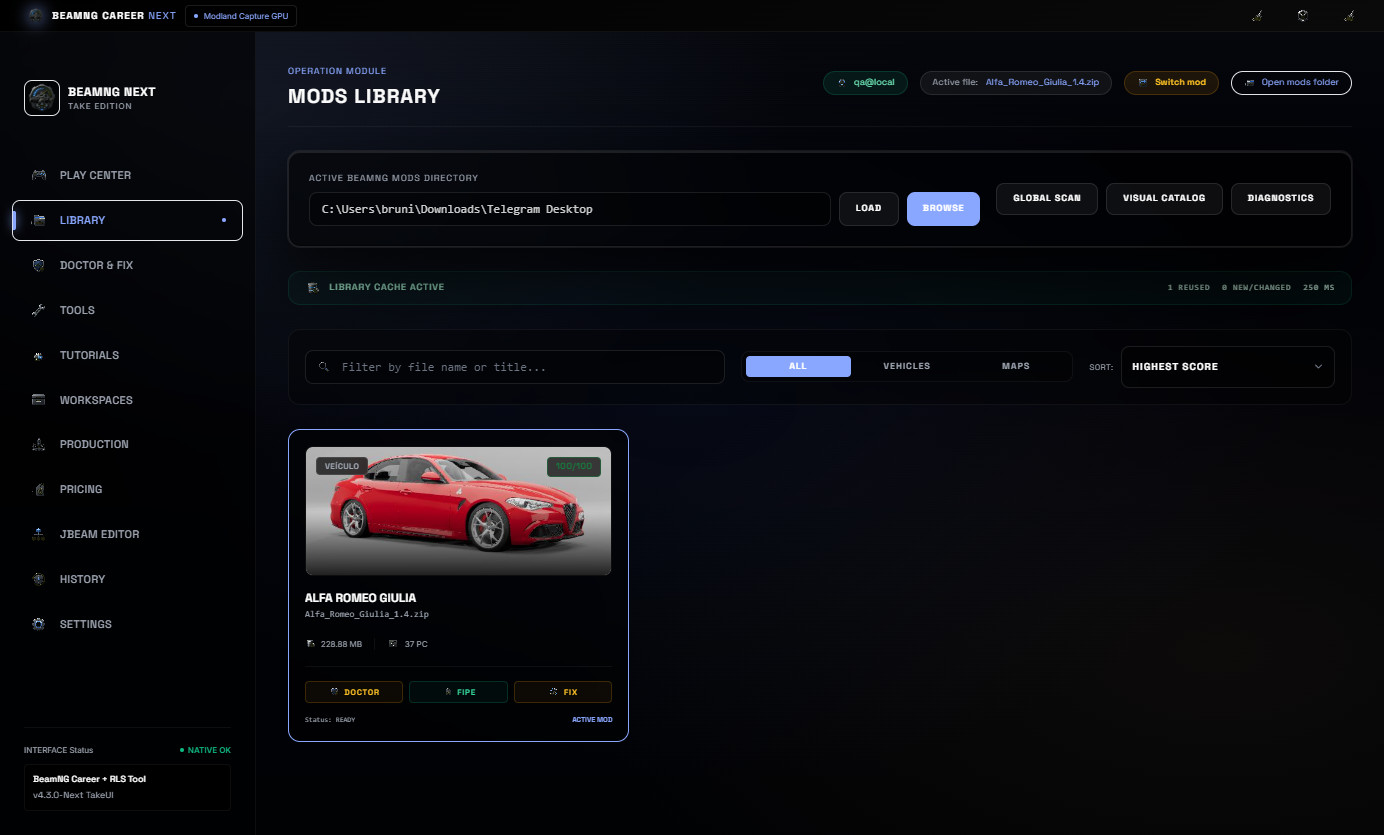
No vehicle mods are included. The Alfa Romeo Giulia shown in the screenshots is only a real example mod used to demonstrate the workflow.
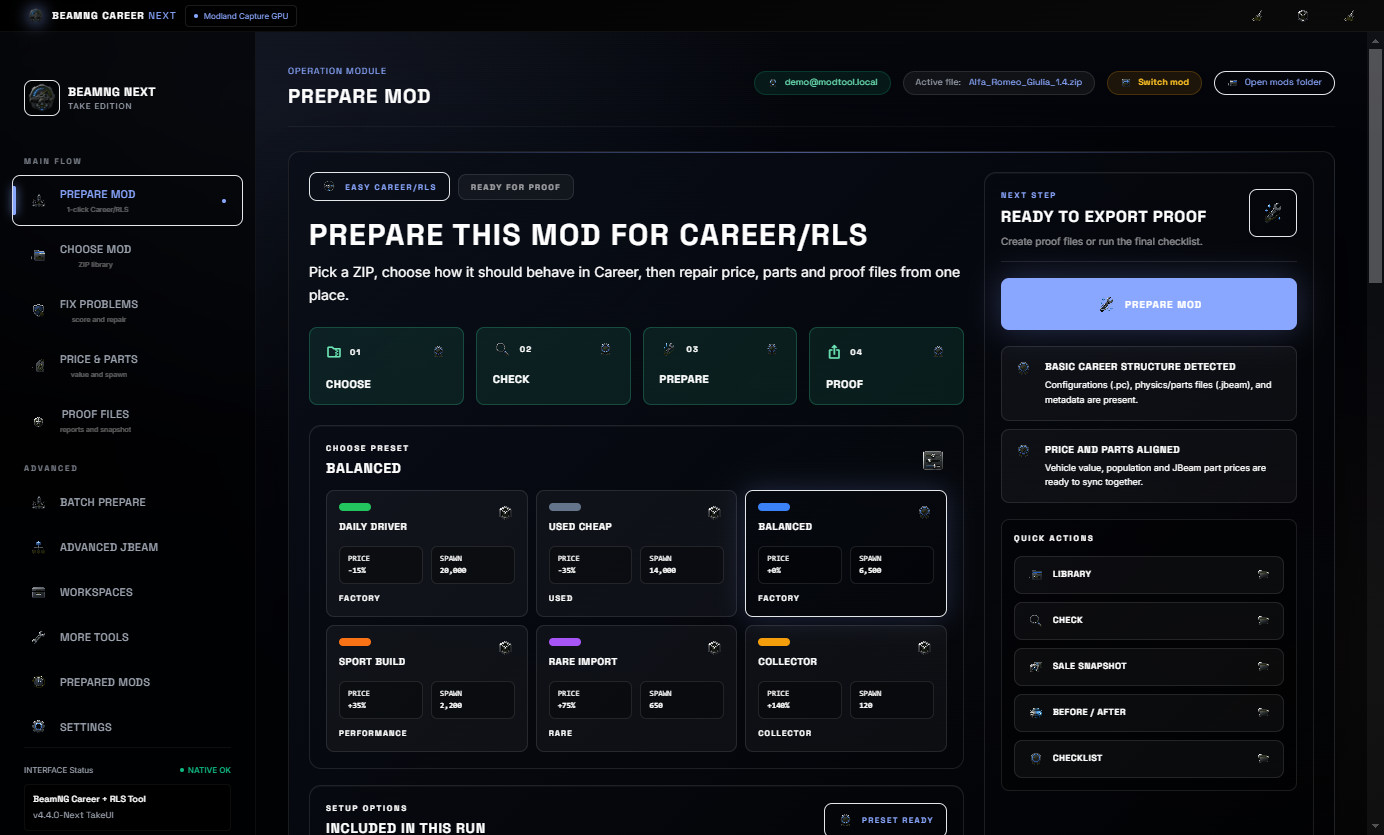
v4.4 focuses on the simple user path: prepare a mod for Career/RLS without digging through advanced tools.
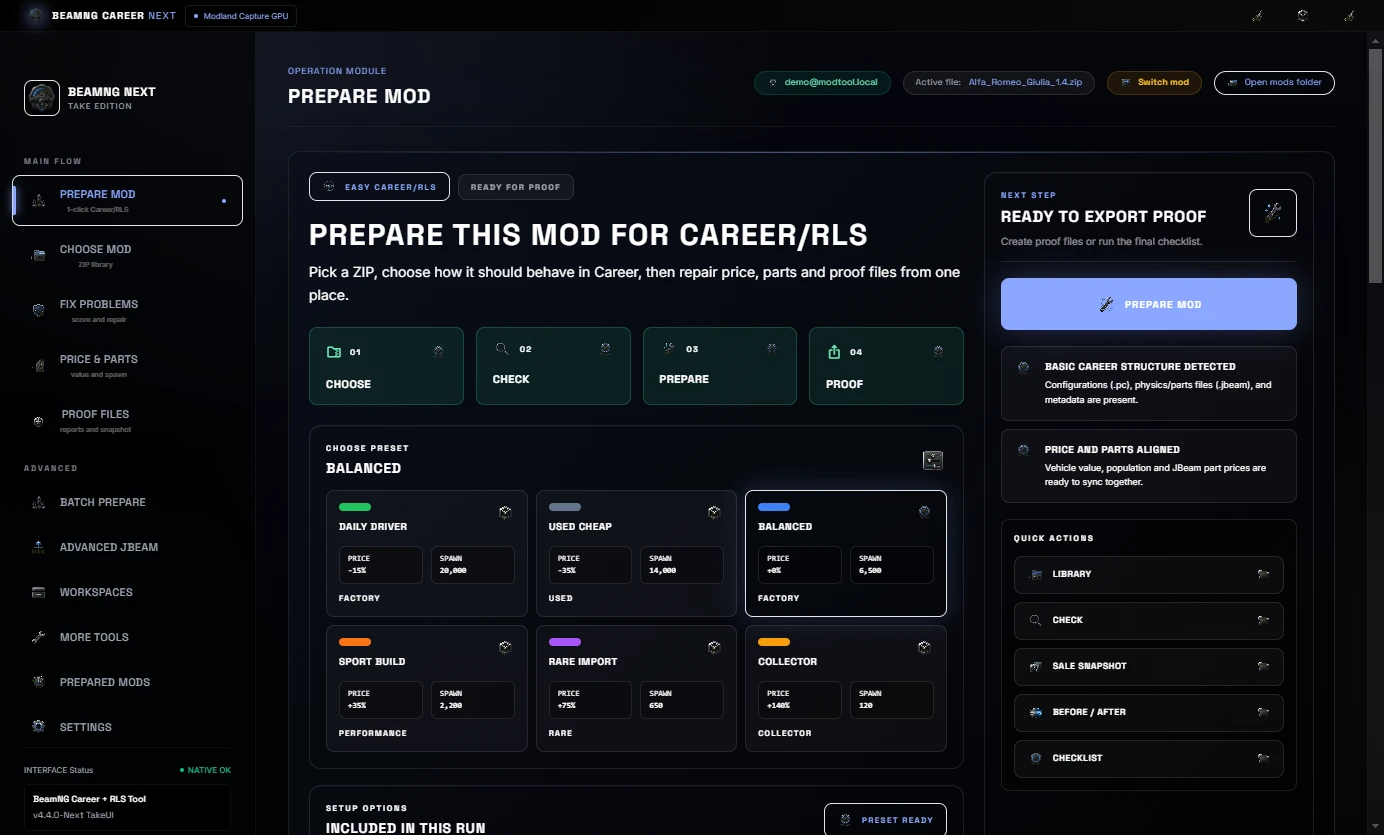
- New Prepare Mod cockpit focused on the common Career/RLS job.
- Clear four-step flow: Choose, Check, Prepare and Proof.
- Main navigation reorganized into Main Flow and Advanced sections.
- Library actions renamed to be easier to understand.
- Price and JBeam part tools are easier to find from the main workflow.
- Prepared Mods history now presents work as completed deliveries.
- Screenshot/proof workflows stay visible through Proof Files.
- Cleaner first screen for users who only want to make a mod career-ready.
Main workflow
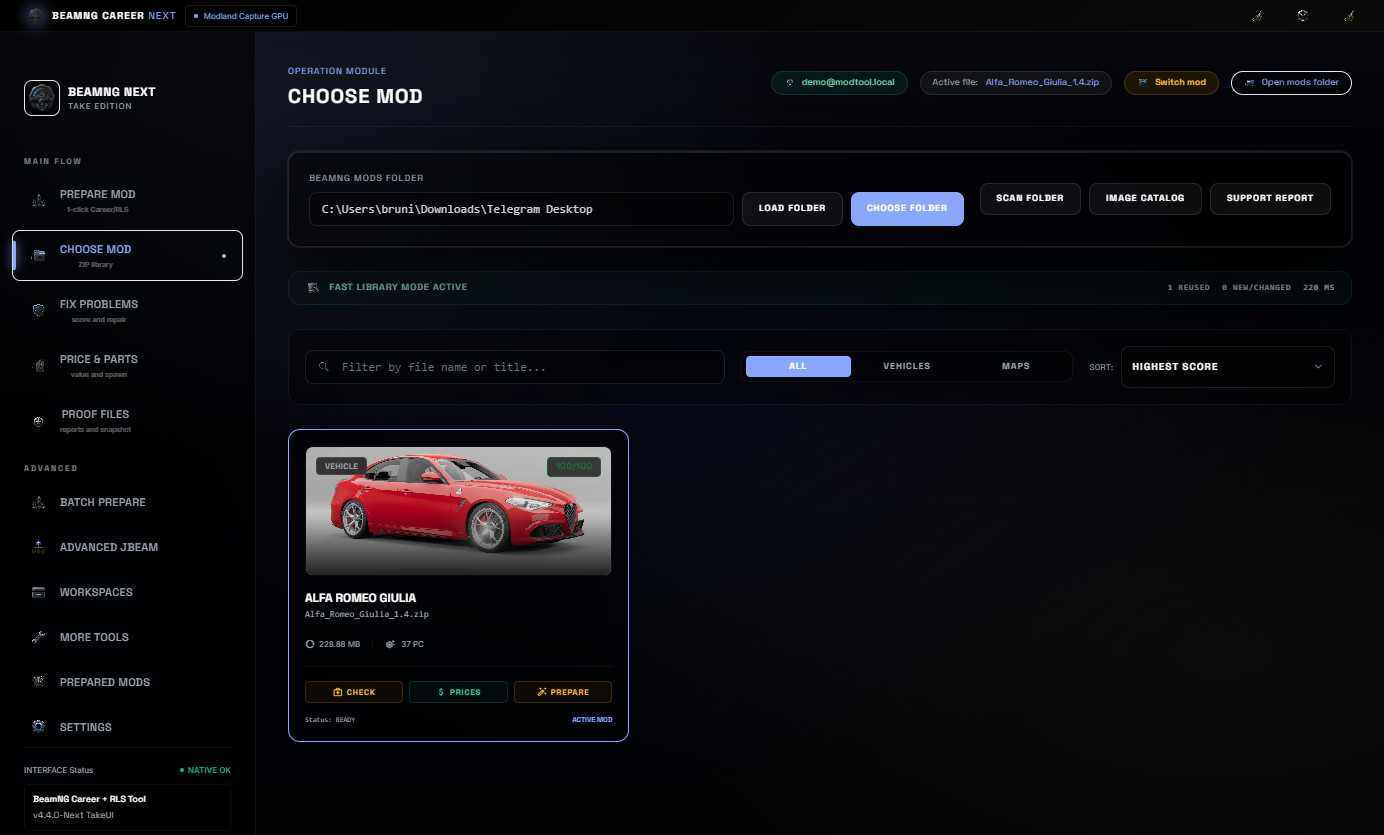
Start by choosing a BeamNG vehicle ZIP or selecting it from the cached library. The Prepare Mod screen shows the selected mod, image preview, score, file counts and the next recommended action.
From there, the user can scan the ZIP, run 1-Click preparation, balance pricing and JBeam values, create evidence reports and keep the final package organized.
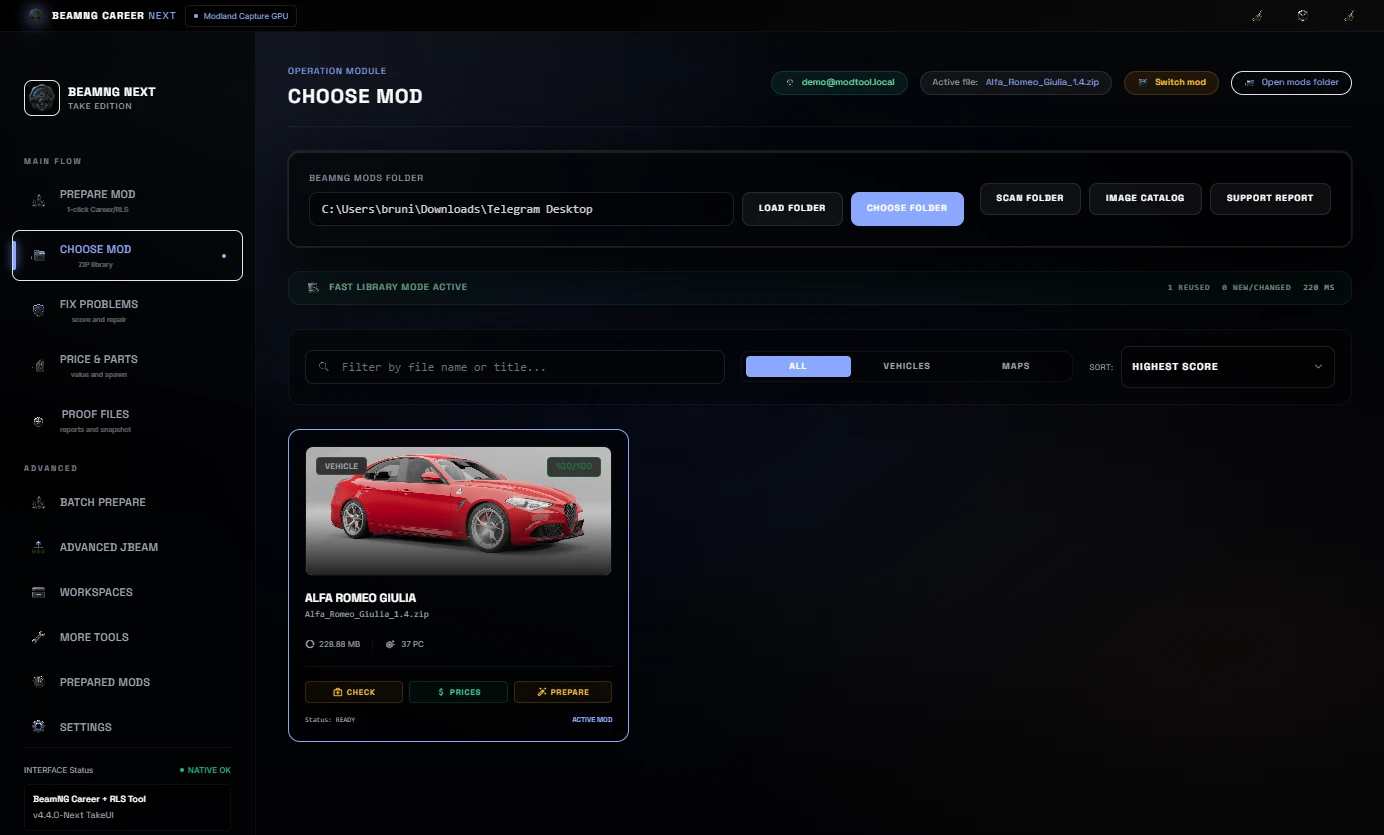
Real Mods Library
The Choose Mod library scans real BeamNG ZIP files, shows preview images, reuses cached data when possible and focuses only on new or changed files during repeated work.
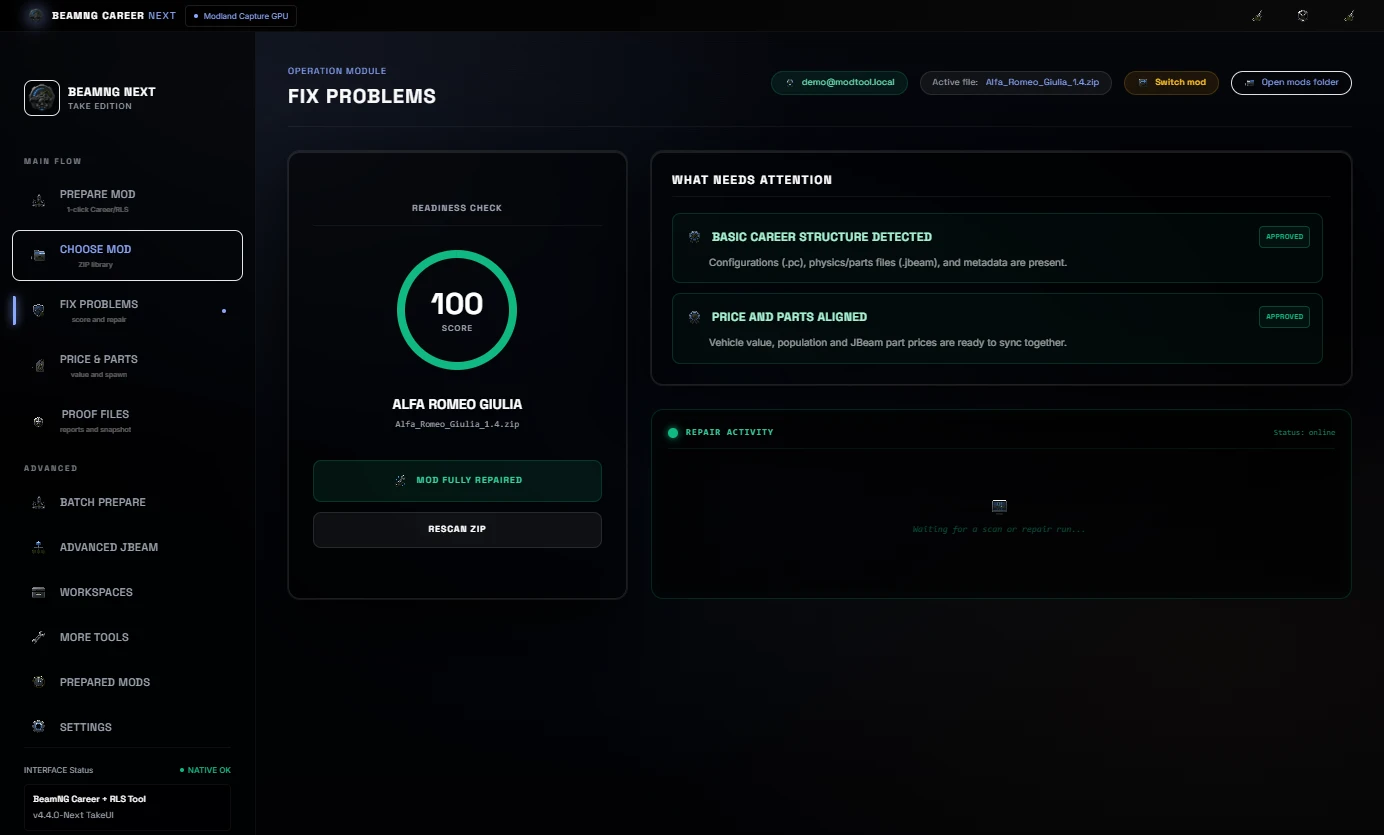
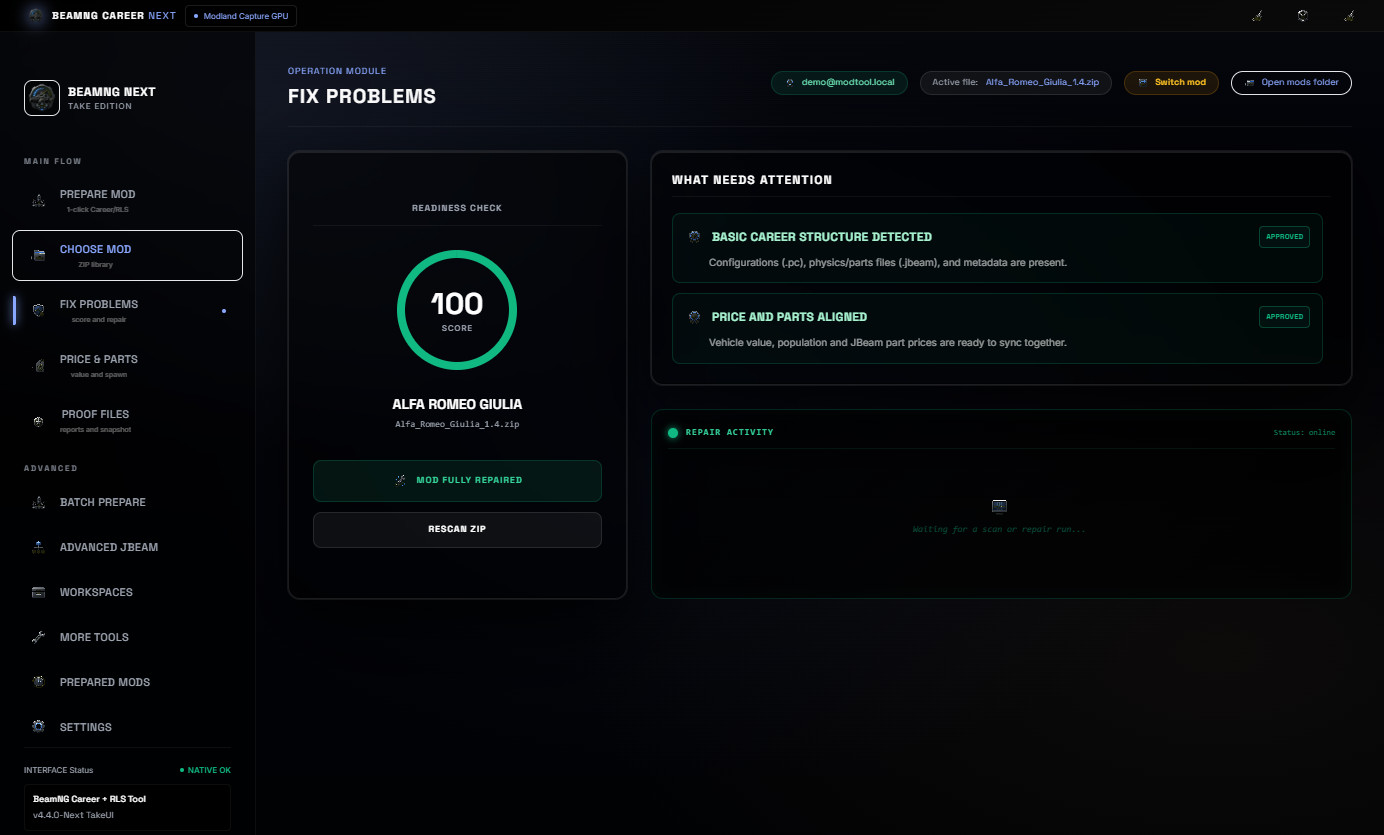
Fix Problems and 1-Click Preparation
The readiness screen checks Career/RLS structure, metadata, configs, images and JBeam data. 1-Click preparation can apply a selected preset, sync values and prepare the ZIP for another test pass.
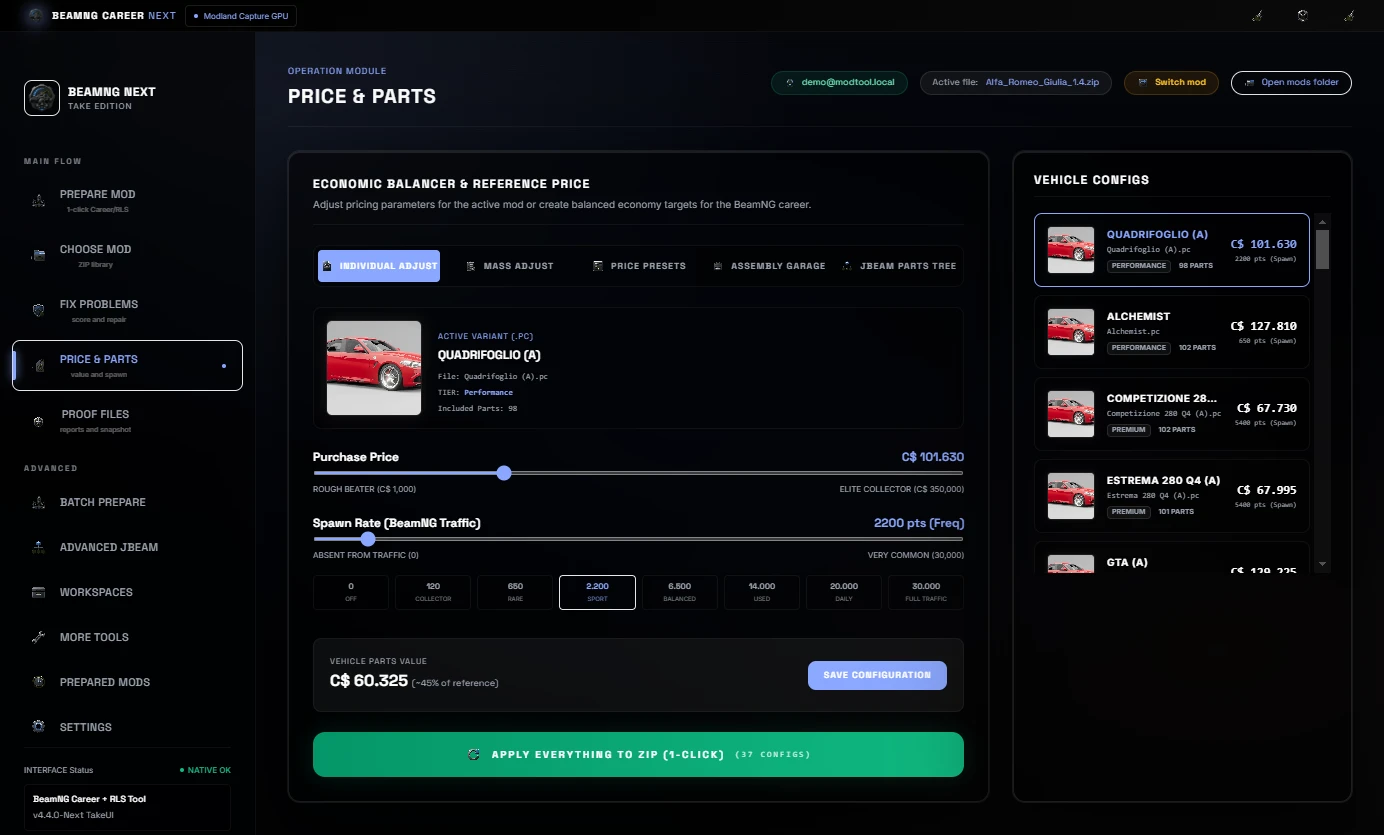
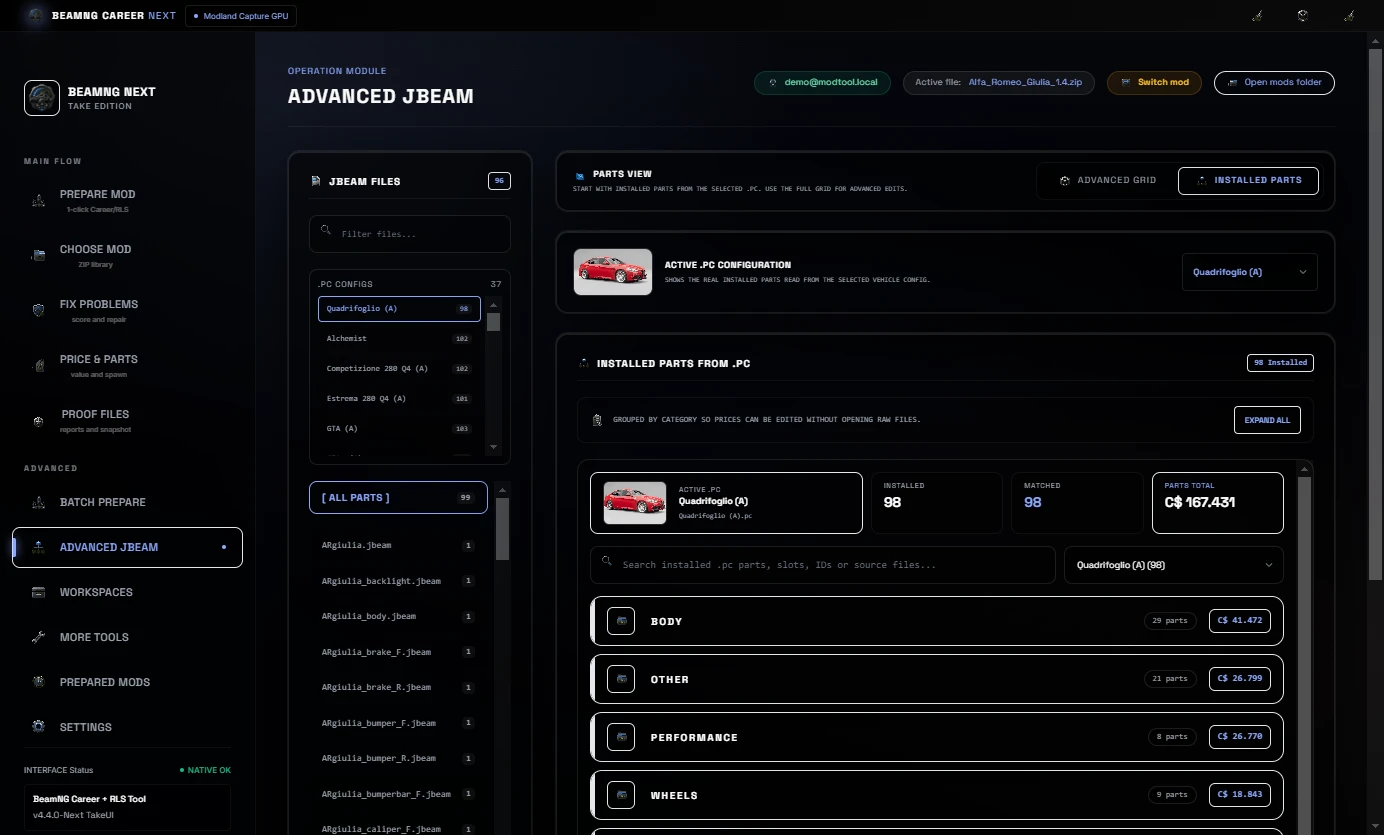
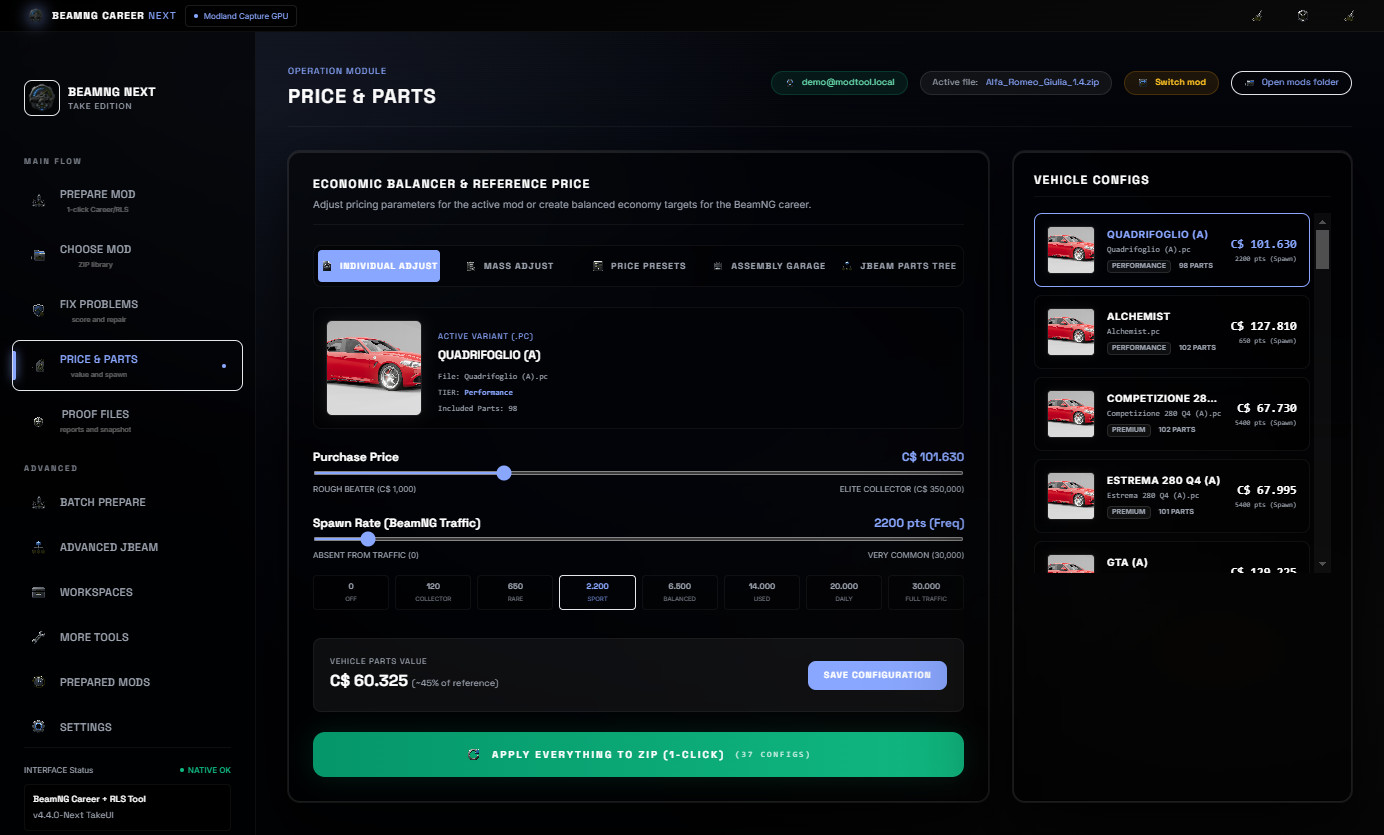
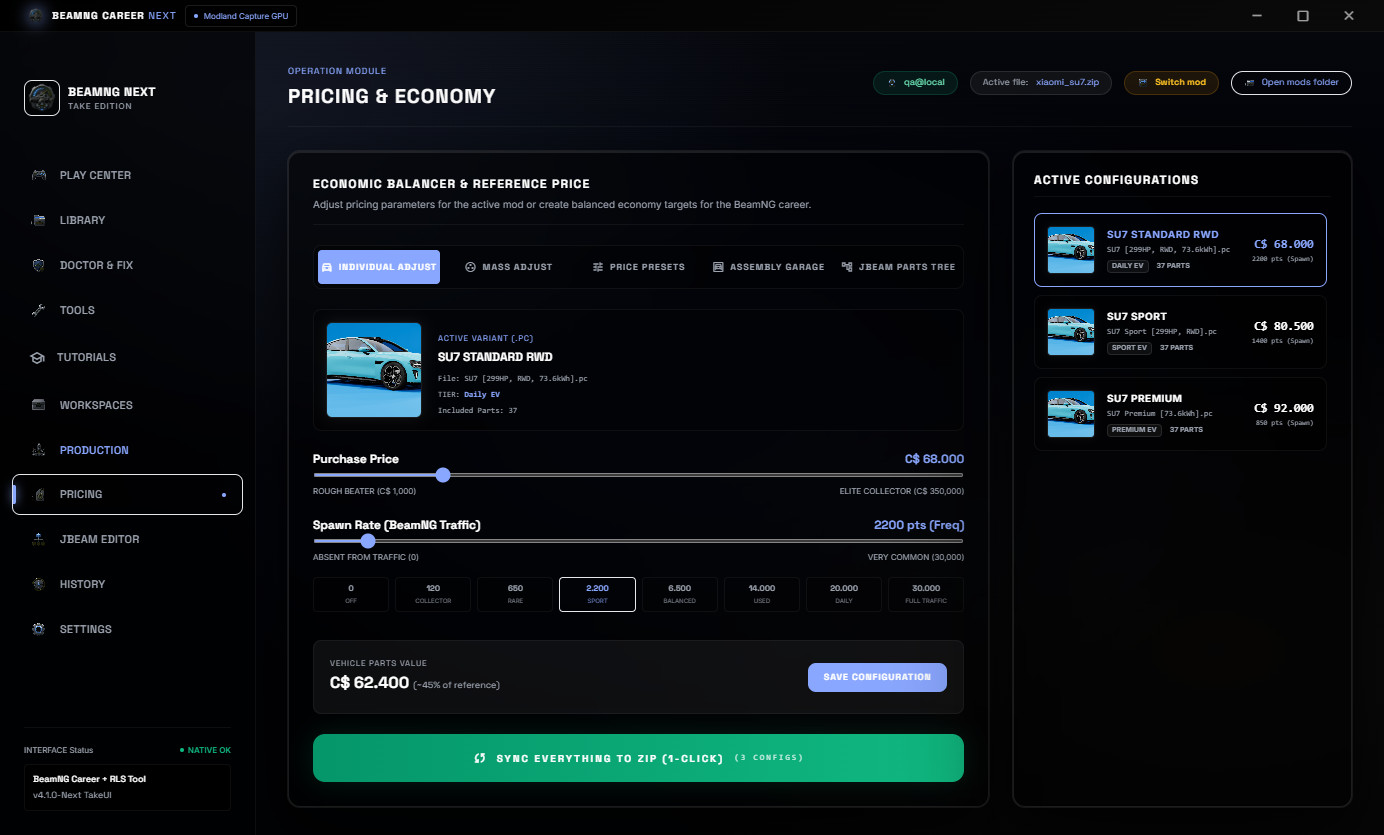
Price, Economy and JBeam Part Balancing
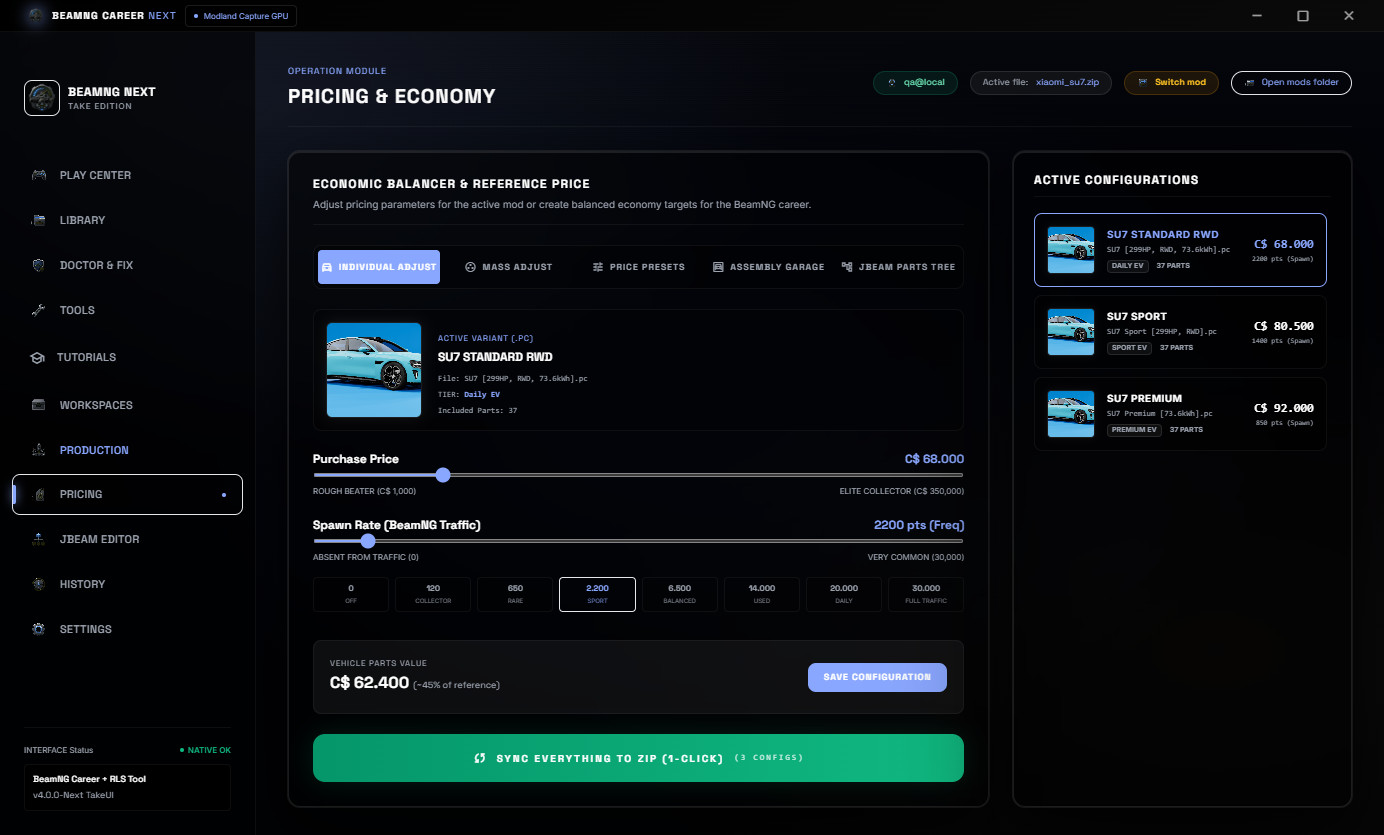
The Price and Parts area helps adjust vehicle value, population and JBeam part prices together. This keeps the visible vehicle price and installed parts aligned inside the Career/RLS economy.
Proof Files
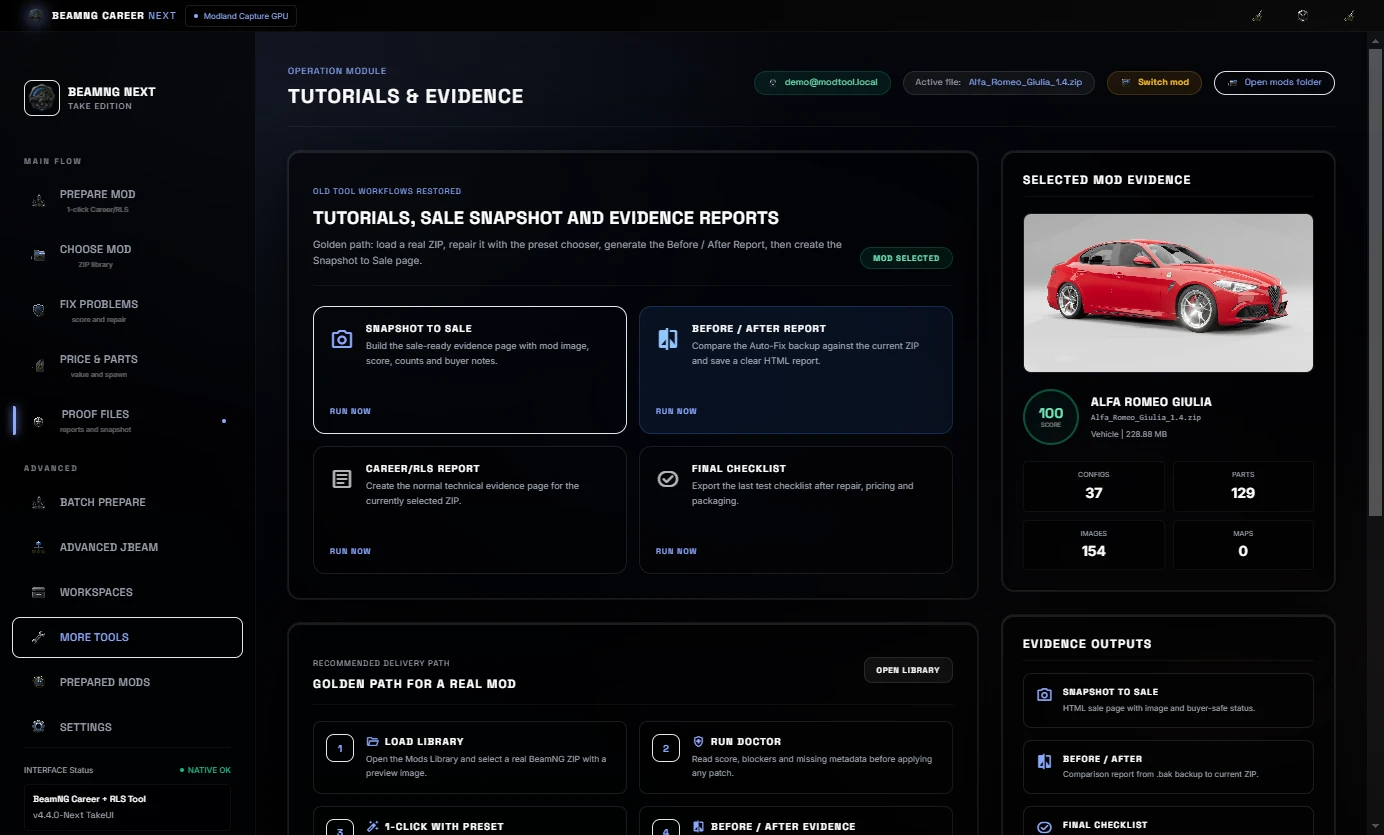
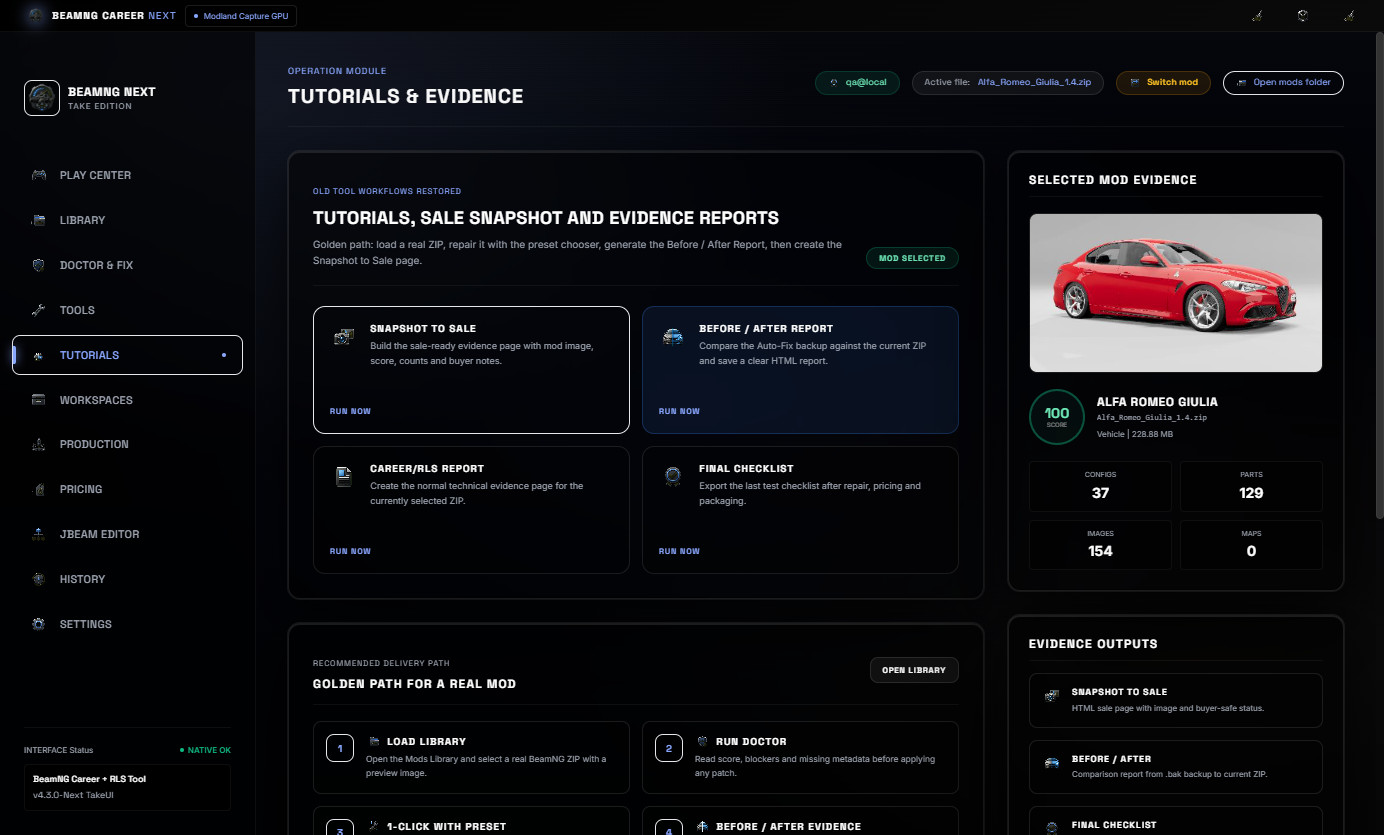
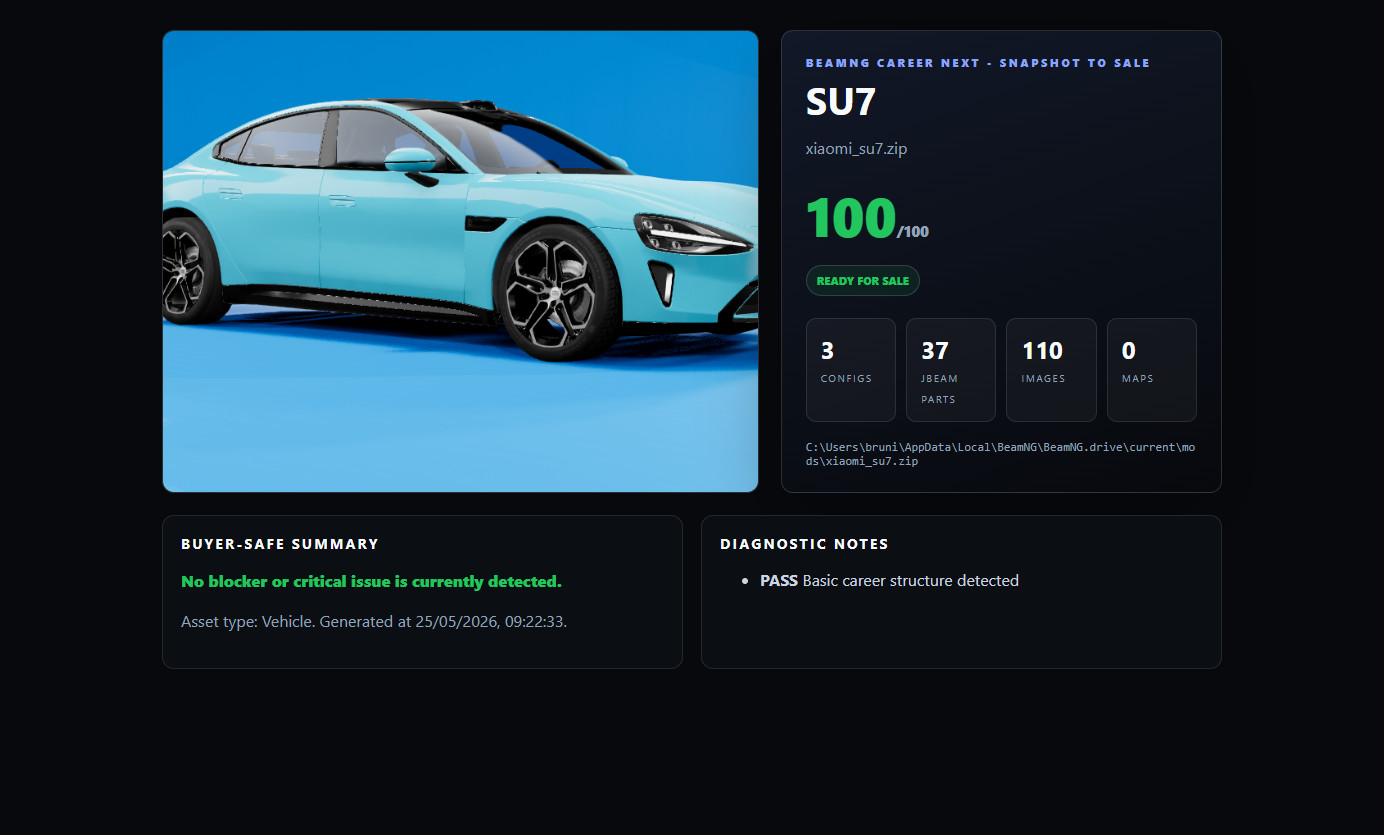
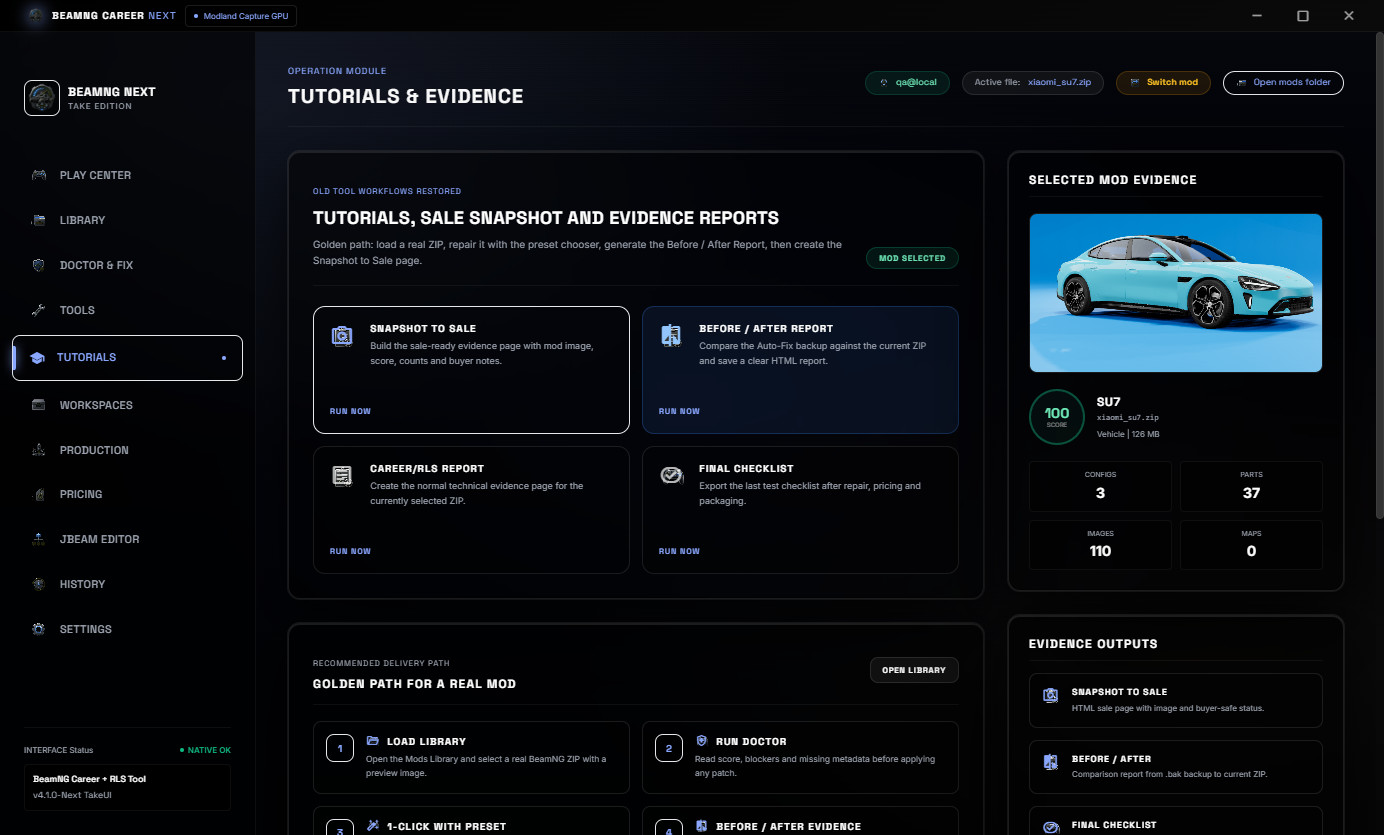
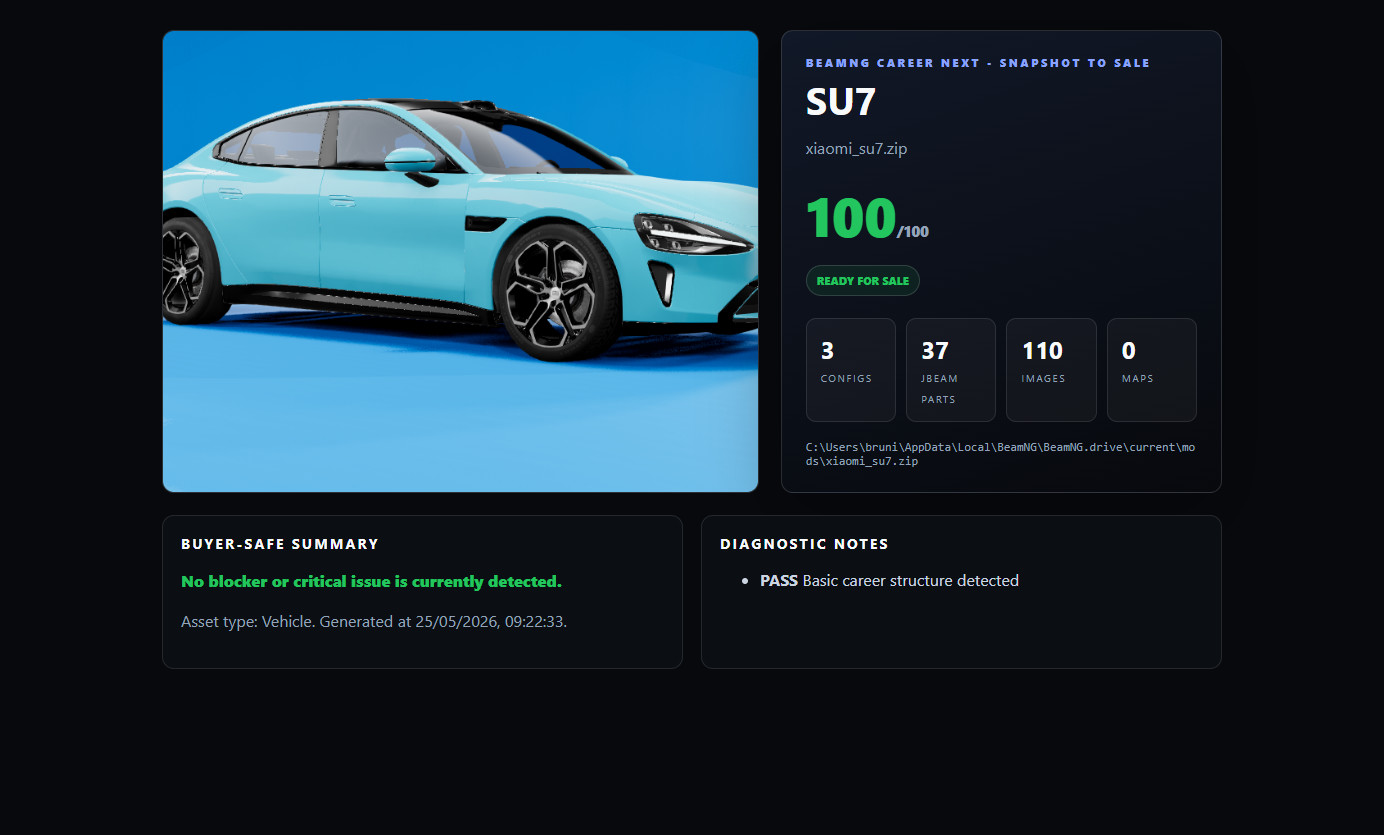
Snapshot to Sale creates a buyer-safe HTML proof page with image, score, counts and delivery notes.
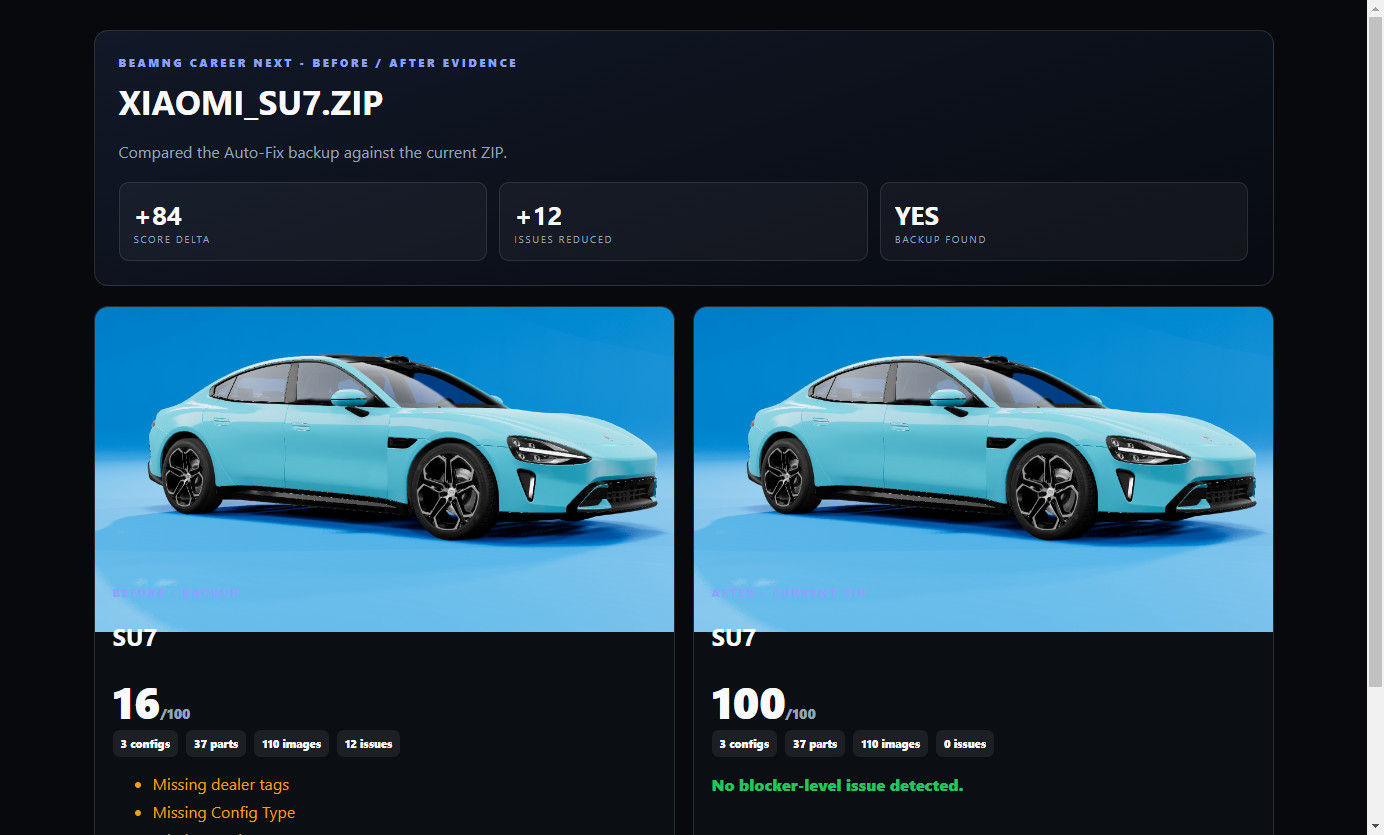
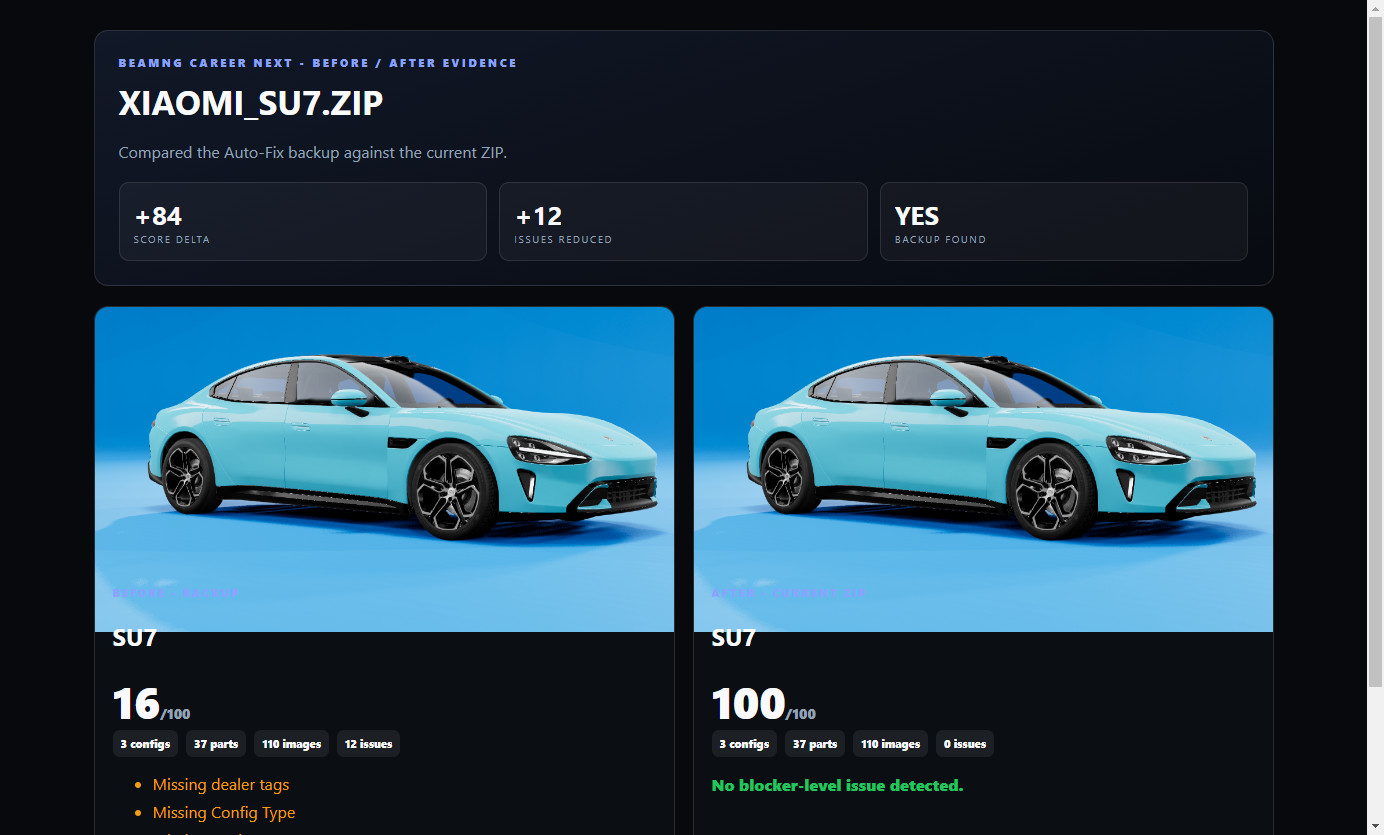
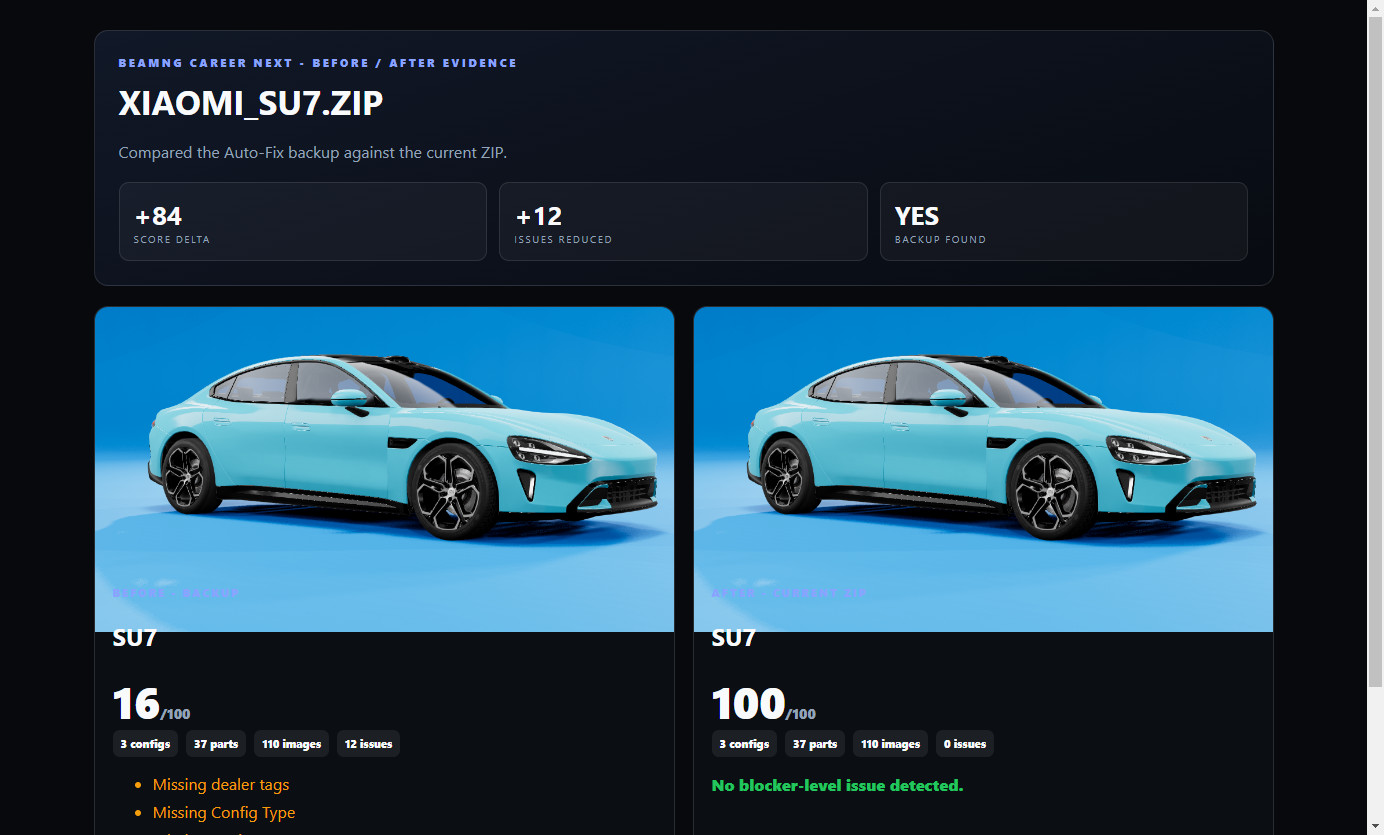
Before / After Report compares the Auto-Fix backup against the current ZIP so the user can show what changed after preparation.
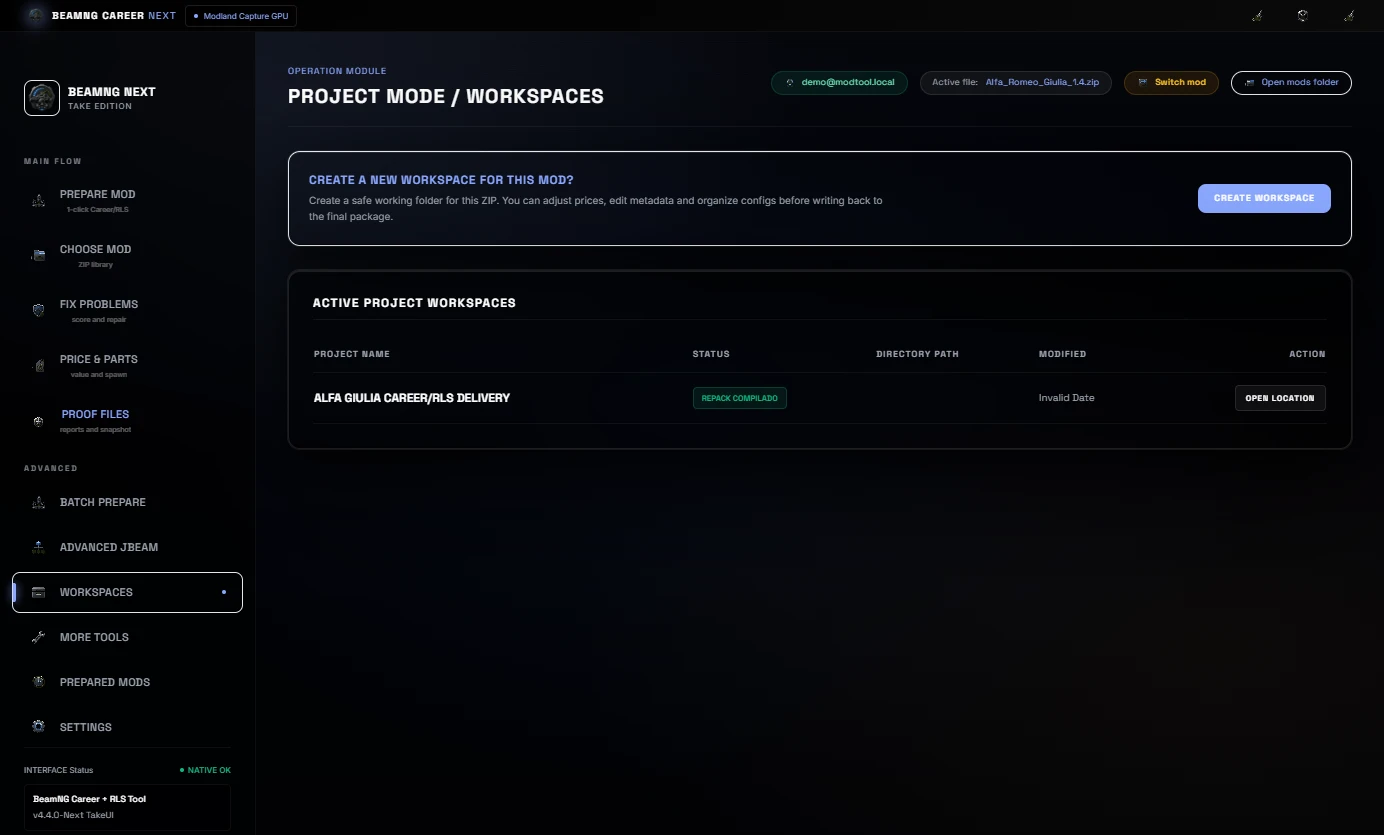
Workspaces, Batch Prepare and History
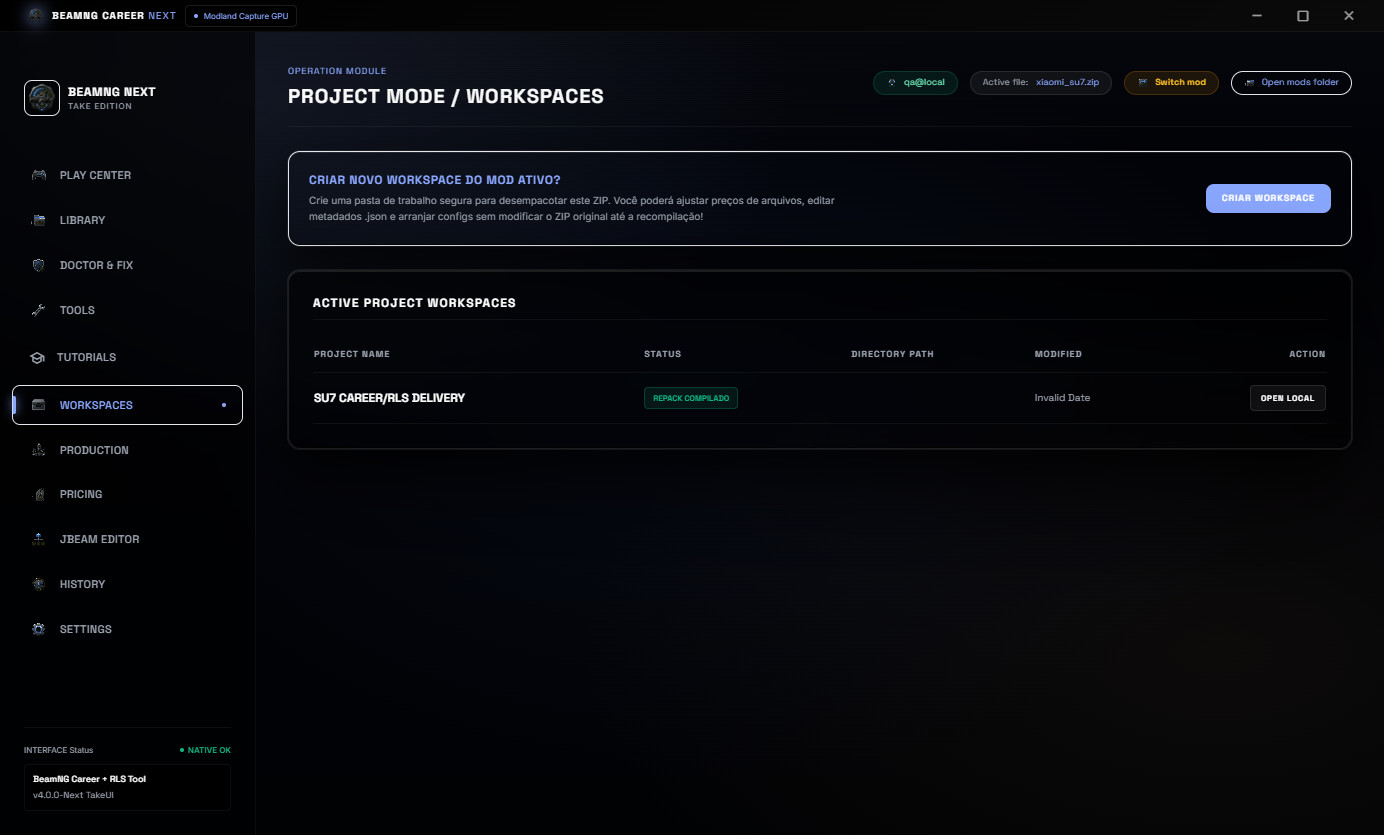
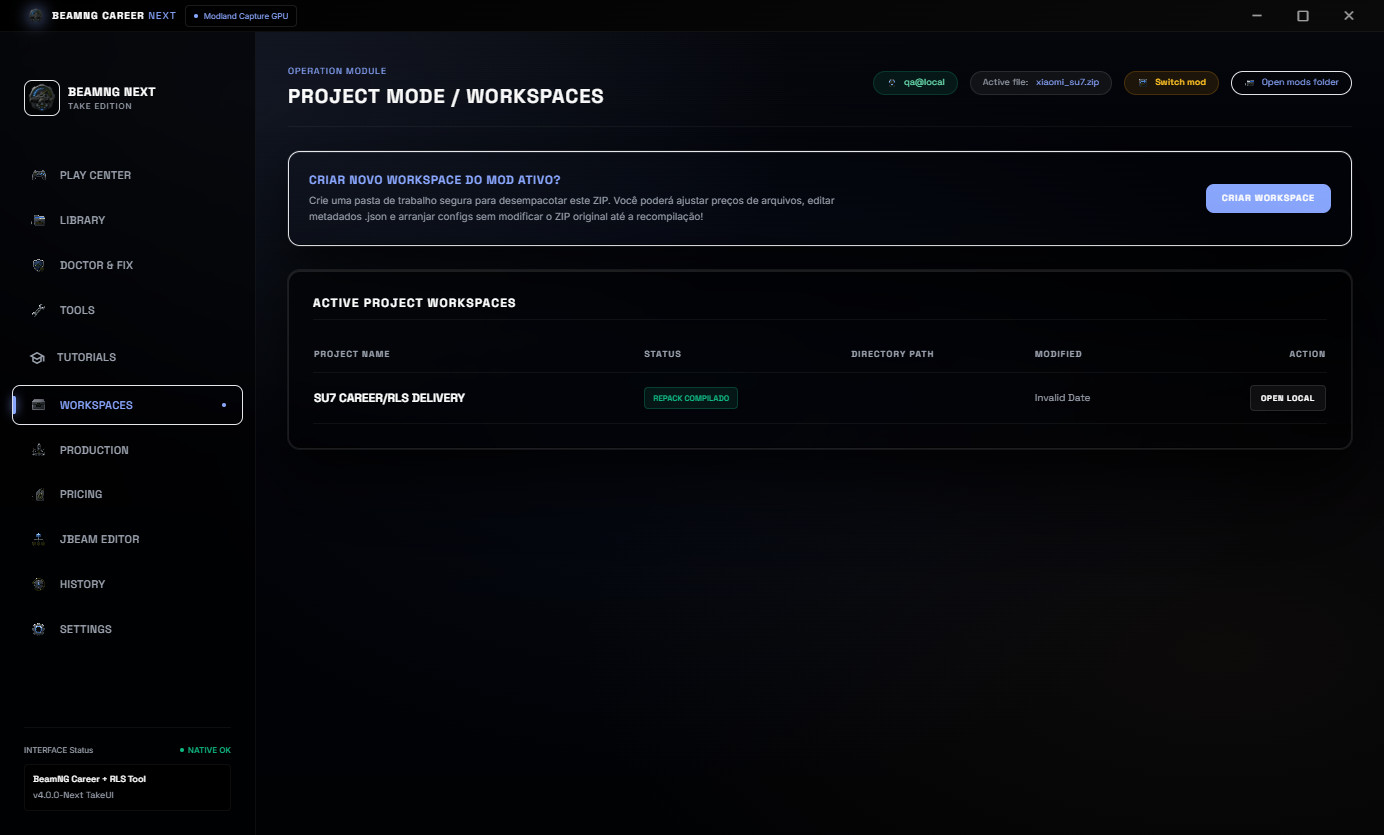
Project Workspaces help keep mod work organized. Batch Prepare helps review many configs before delivery. Prepared Mods history keeps a visible record of scans, reports and completed work.
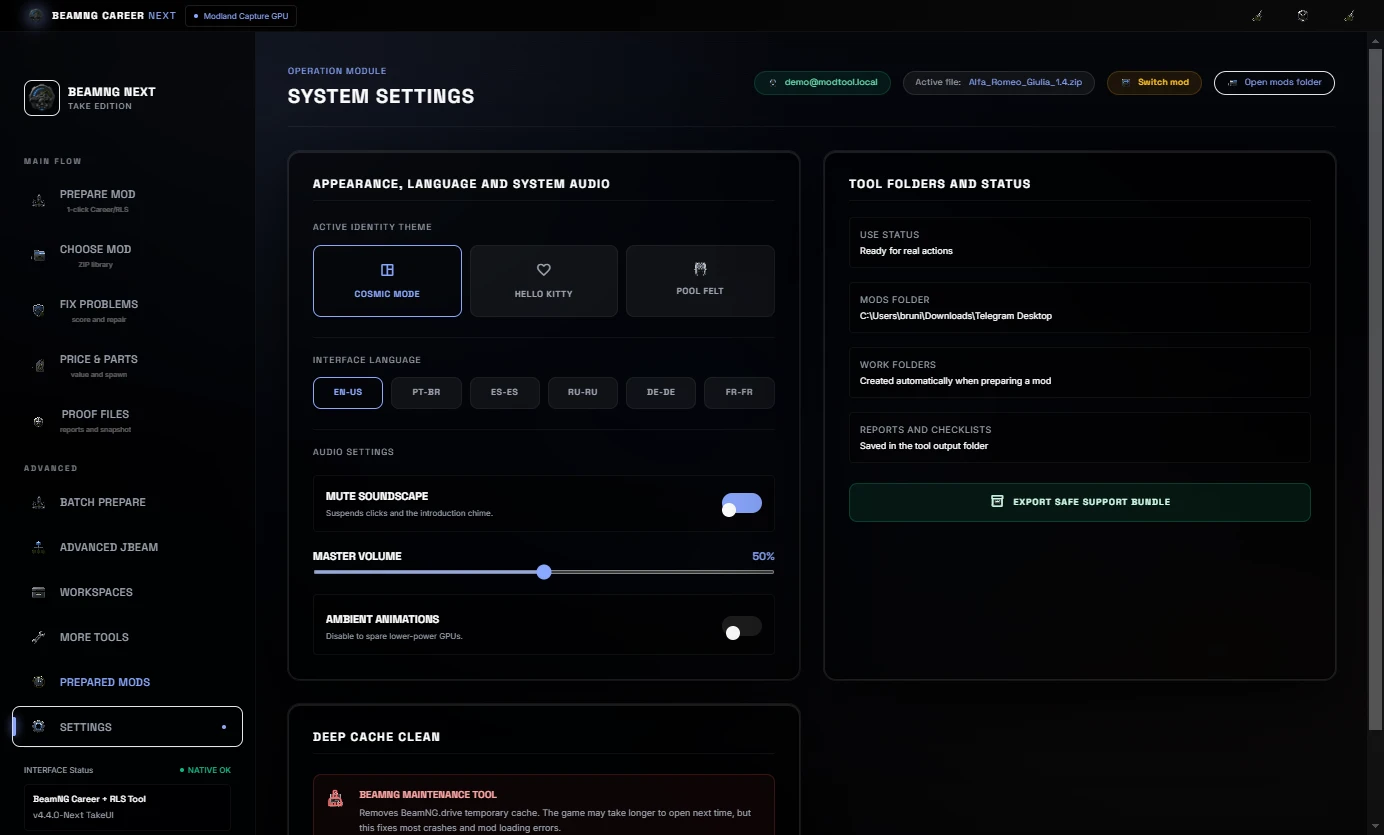
Languages
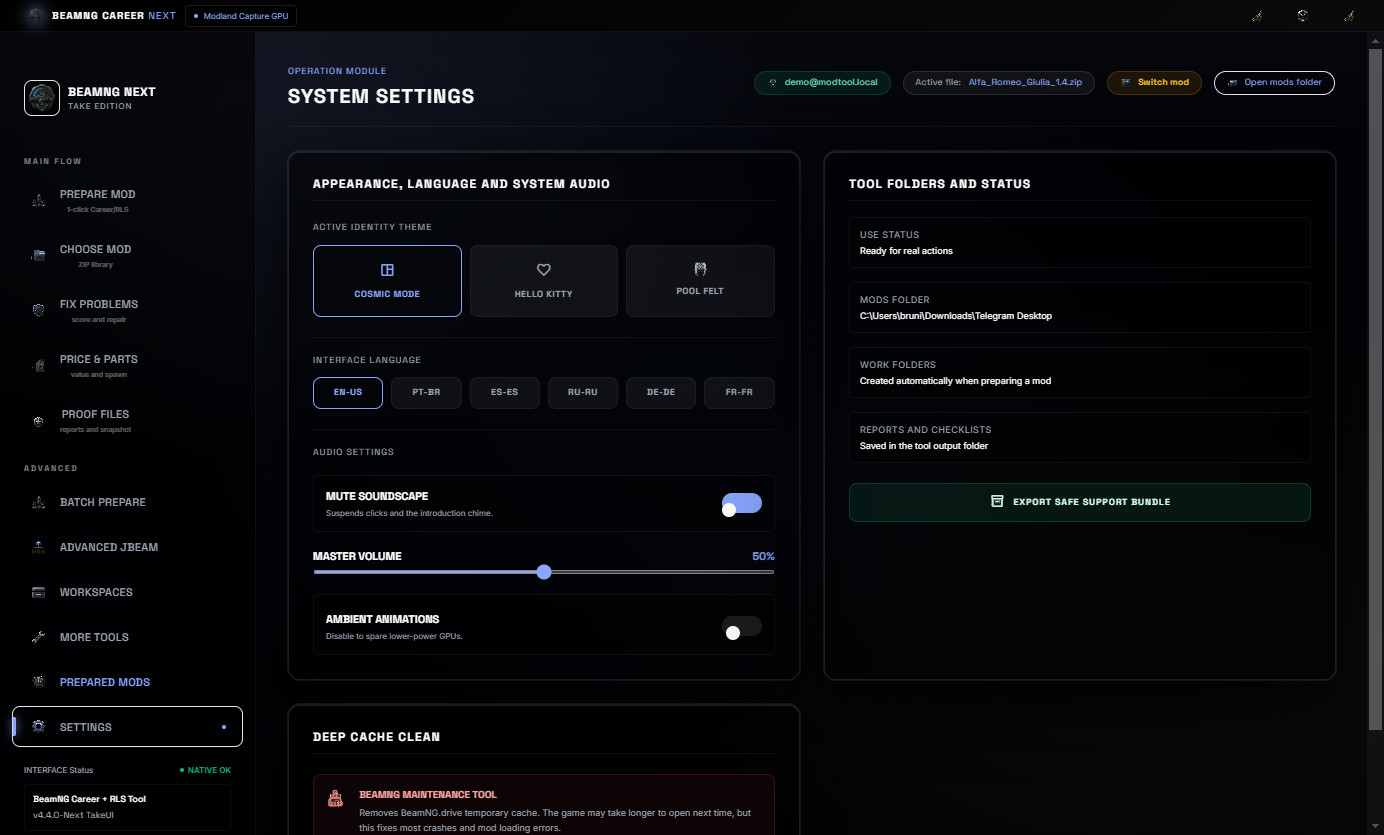
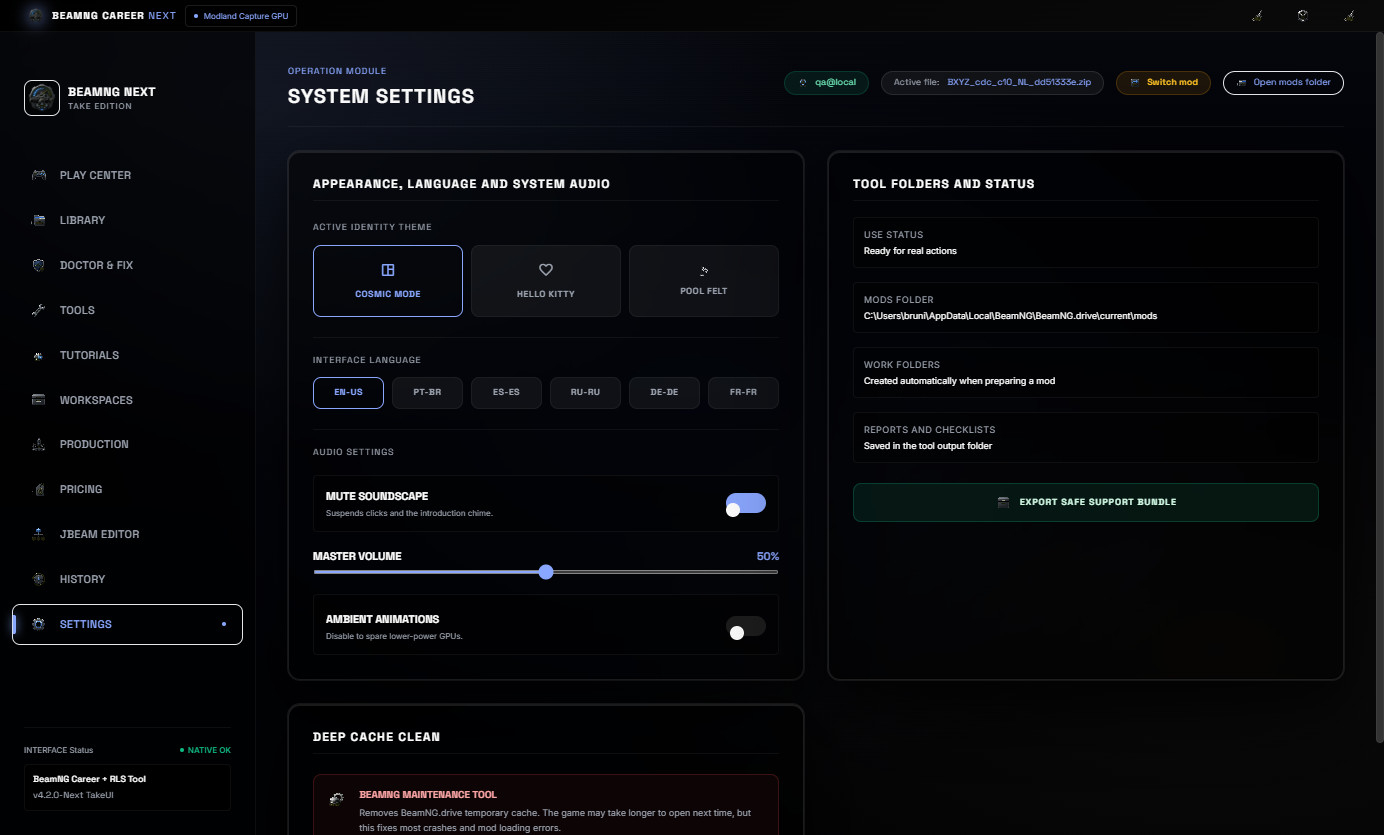
The default interface language is EN-US. The tool also includes PT-BR, ES-ES, RU-RU, DE-DE and FR-FR options.
Included
- Real mods library with preview images.
- Cached library scan and reload.
- Career/RLS readiness check.
- 1-Click preparation with preset selection.
- Vehicle value and population controls.
- JBeam part pricing workflow.
- Snapshot to Sale HTML proof page.
- Before / After HTML evidence report.
- Proof Files tutorials and evidence tab.
- Project workspace and batch preparation queue.
- Prepared Mods history.
- Multi-language UI.
Important
Always keep backups of your original ZIP files before editing.
This tool helps prepare BeamNG mods for Career/RLS workflows, but every edited mod should still be tested in BeamNG after repair or pricing changes.
No BeamNG vehicle mods are bundled with this download.
BeamNG Career Tool Next v4.3 - Express Career/RLS Update
BeamNG Career Tool Next is a Windows utility for preparing BeamNG vehicle ZIP mods for Career/RLS use.
It is made for modders, players and creators who need a faster way to scan a vehicle ZIP, check if it is career-ready, repair common metadata issues, balance price, population and JBeam part values, generate proof reports and prepare a cleaner final package for testing or publishing.
No vehicle mods are included. The Alfa Romeo Giulia shown in the screenshots is only a real example mod used to demonstrate the workflow.
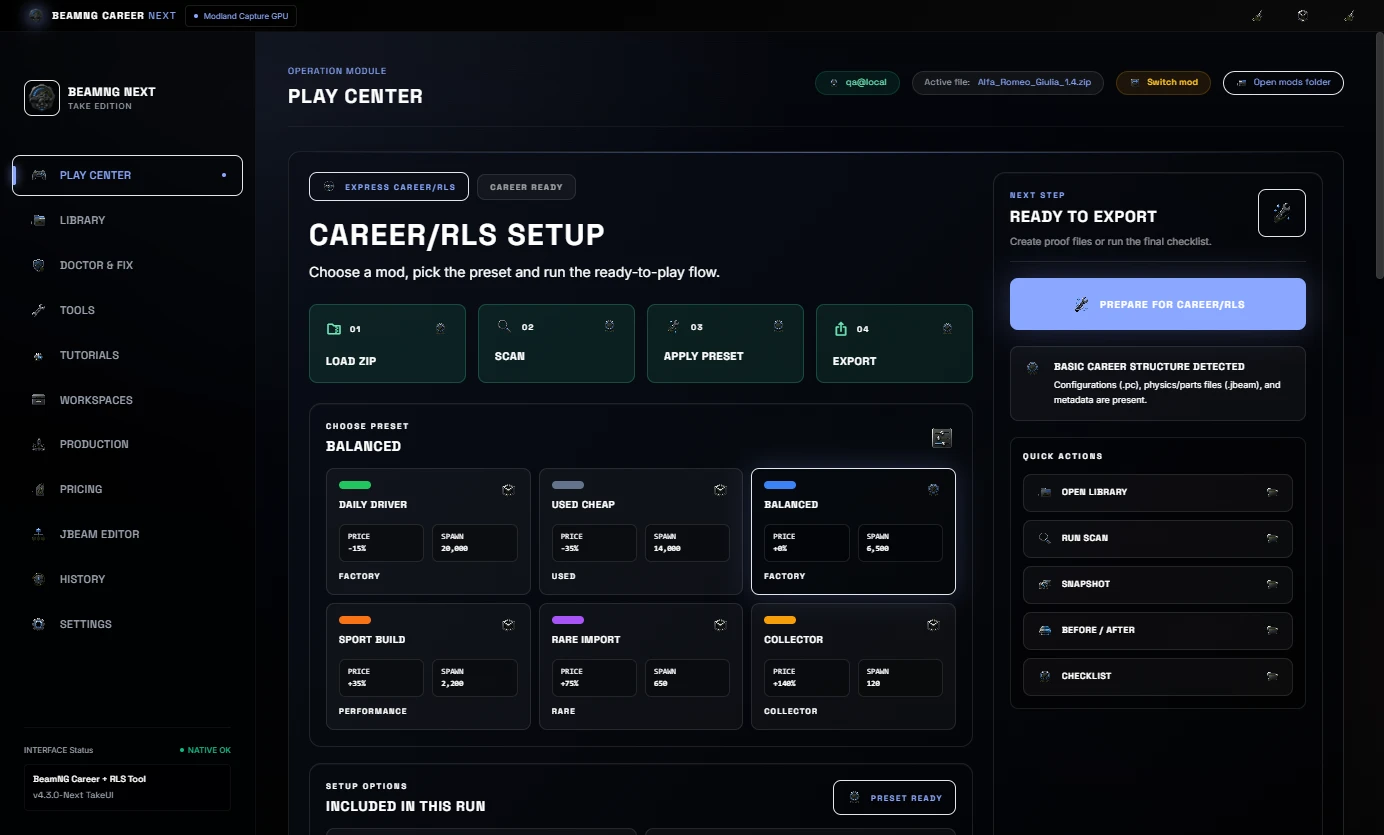
What is new in v4.3
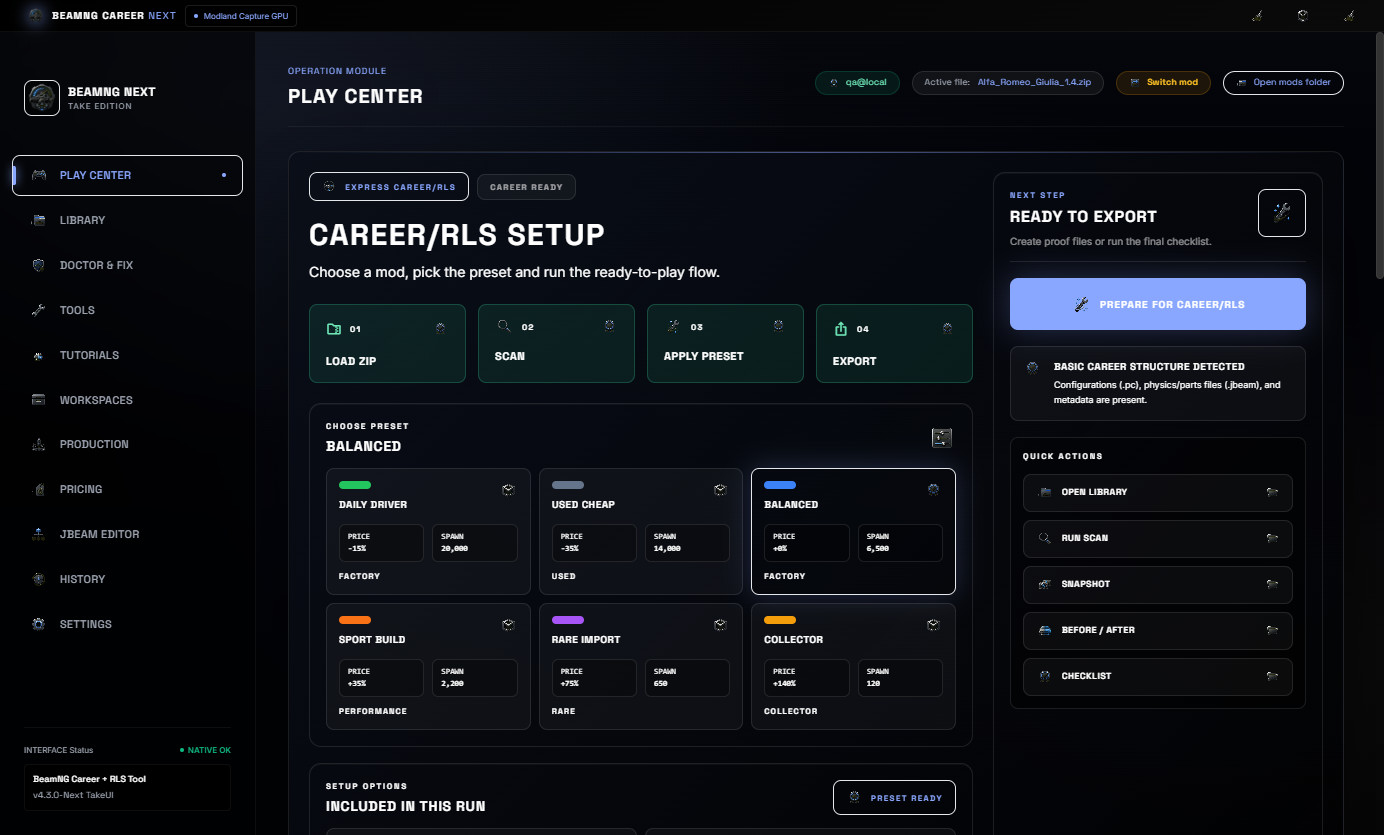
- Improved Play Center focused on the fastest Career/RLS setup path.
- Clearer preset selection with bigger visual cards.
- Cleaner next-step panel for Load, Scan, Prepare and Export.
- Quick actions for Library, Scan, Snapshot, Before / After and Checklist.
- Less technical wording on the first screen.
- Better visual flow for users who only want to make a mod ready for Career/RLS.
Main workflow
Start by loading a BeamNG vehicle ZIP or selecting a mod from the cached library. The Play Center then shows the selected mod, preview image, score, preset options and the next recommended action.
From there, the user can scan the ZIP, run 1-Click Auto-Fix, balance pricing/JBeam values, create evidence reports and prepare the mod for testing or delivery.
Real Mods Library
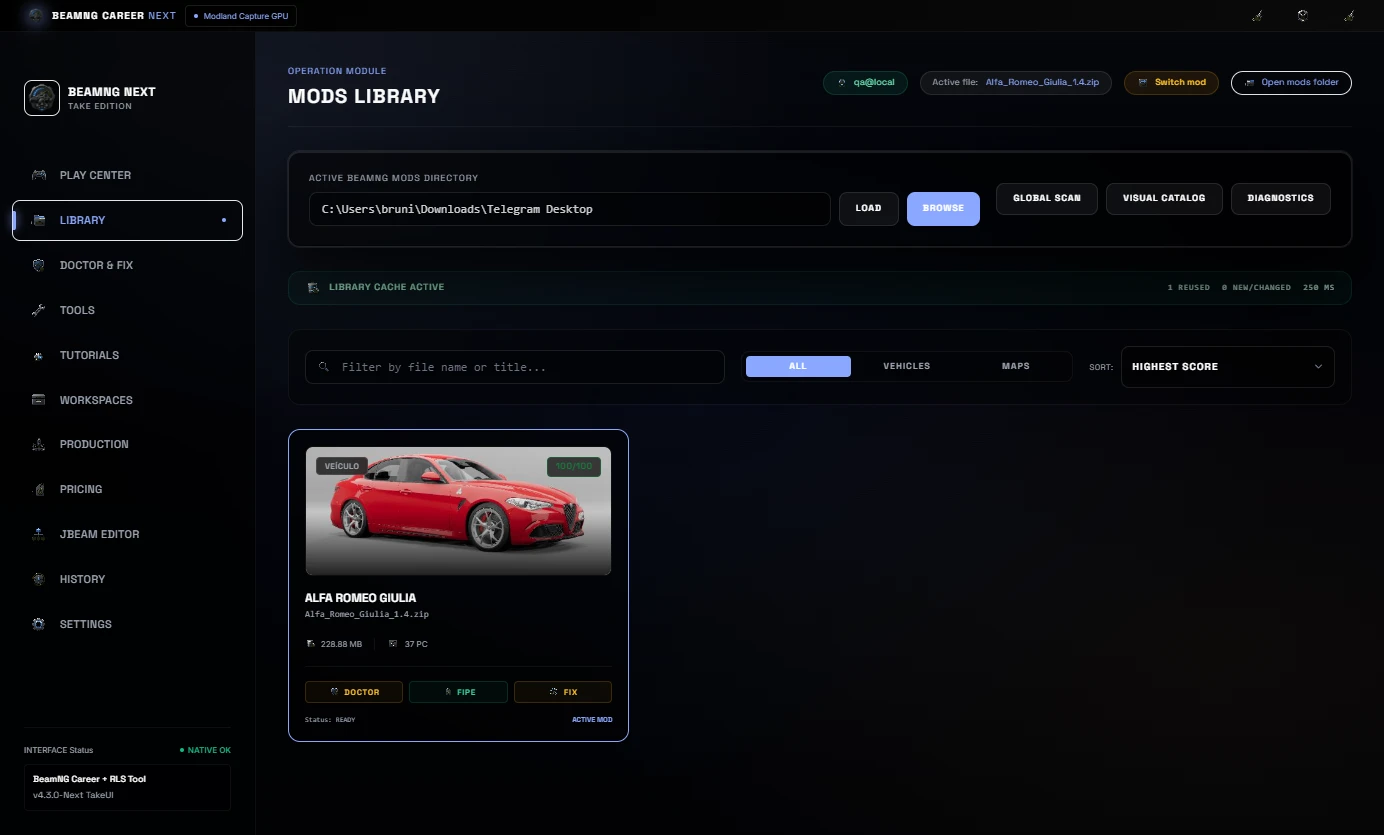
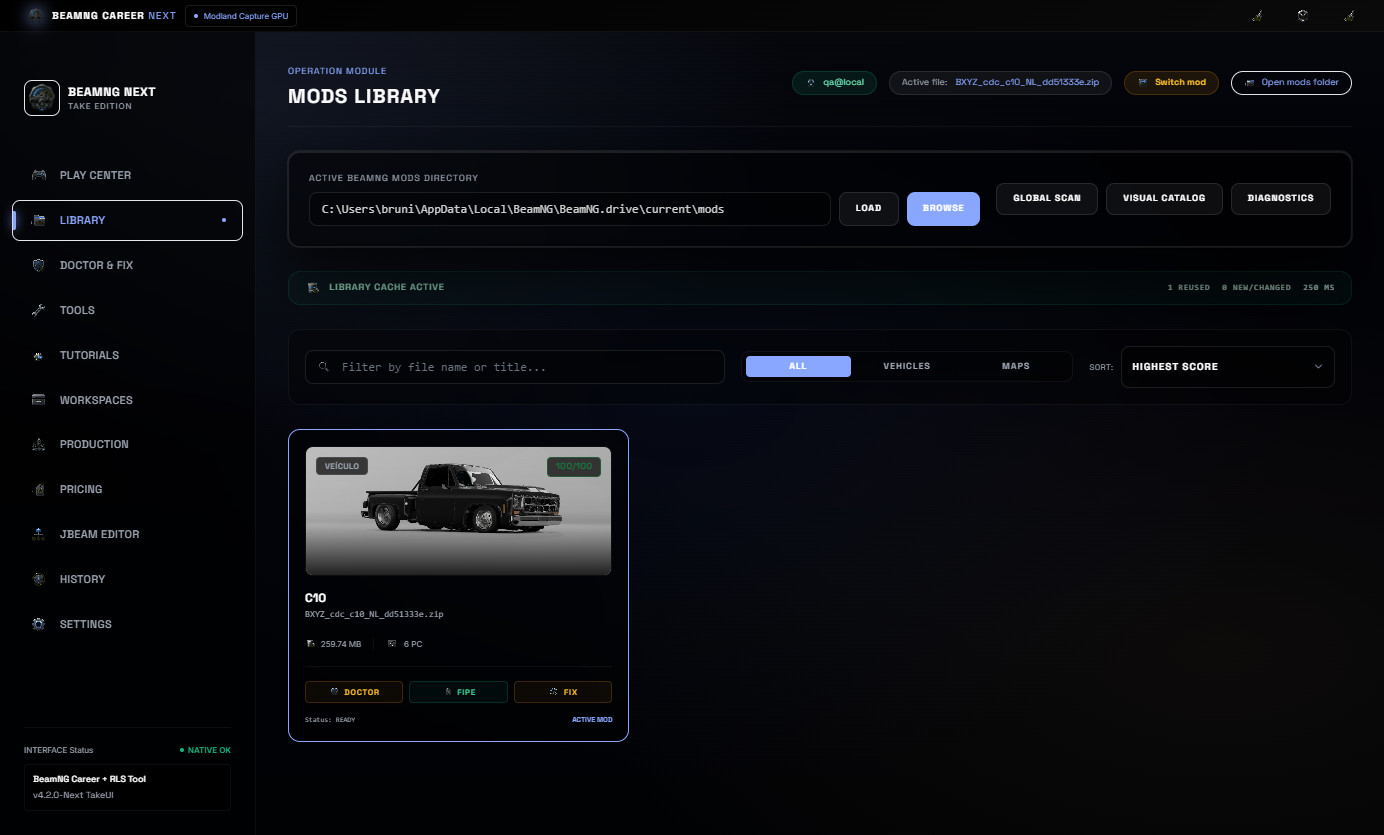
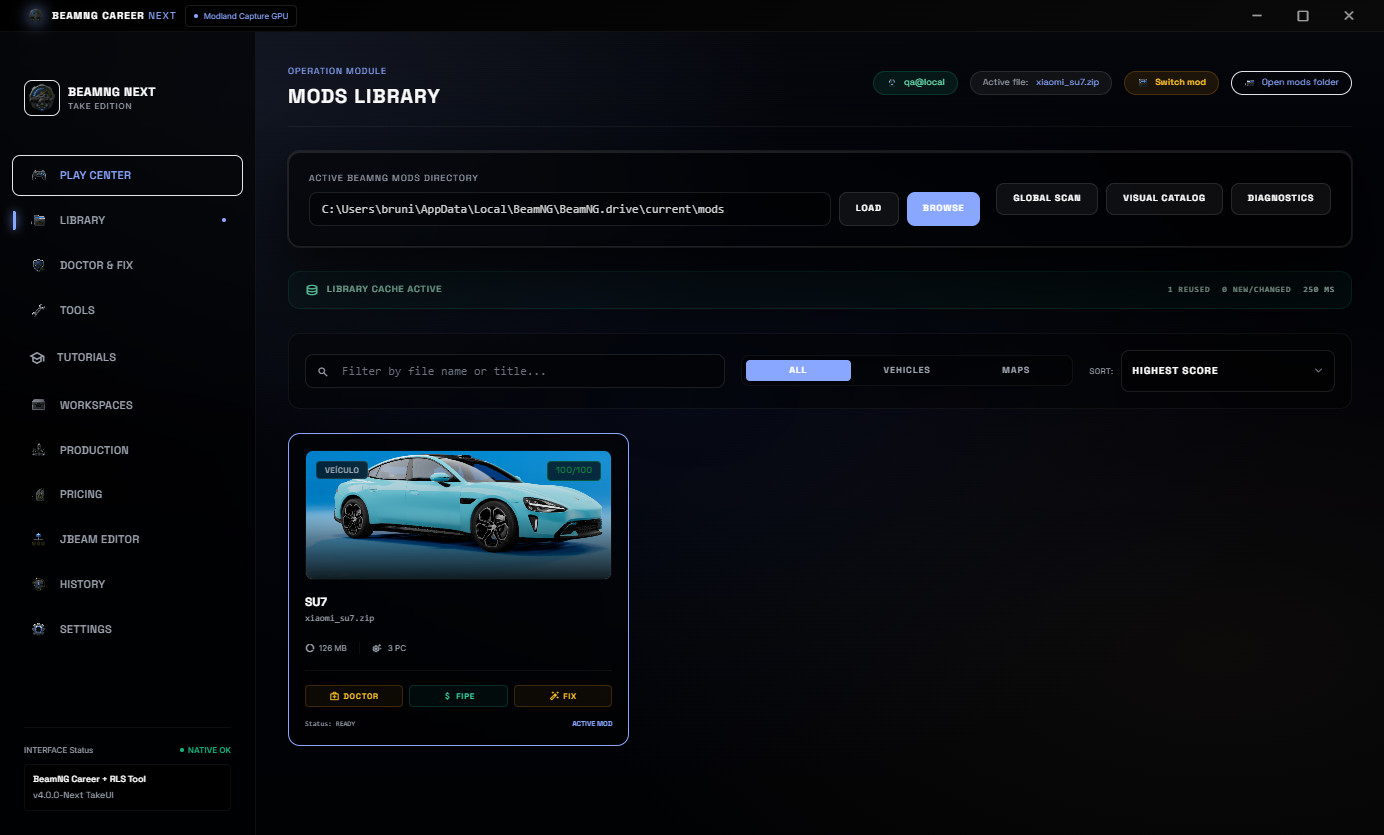
The Mods Library scans real BeamNG ZIP mods, shows preview images, keeps useful cache data and helps select the right vehicle package faster.
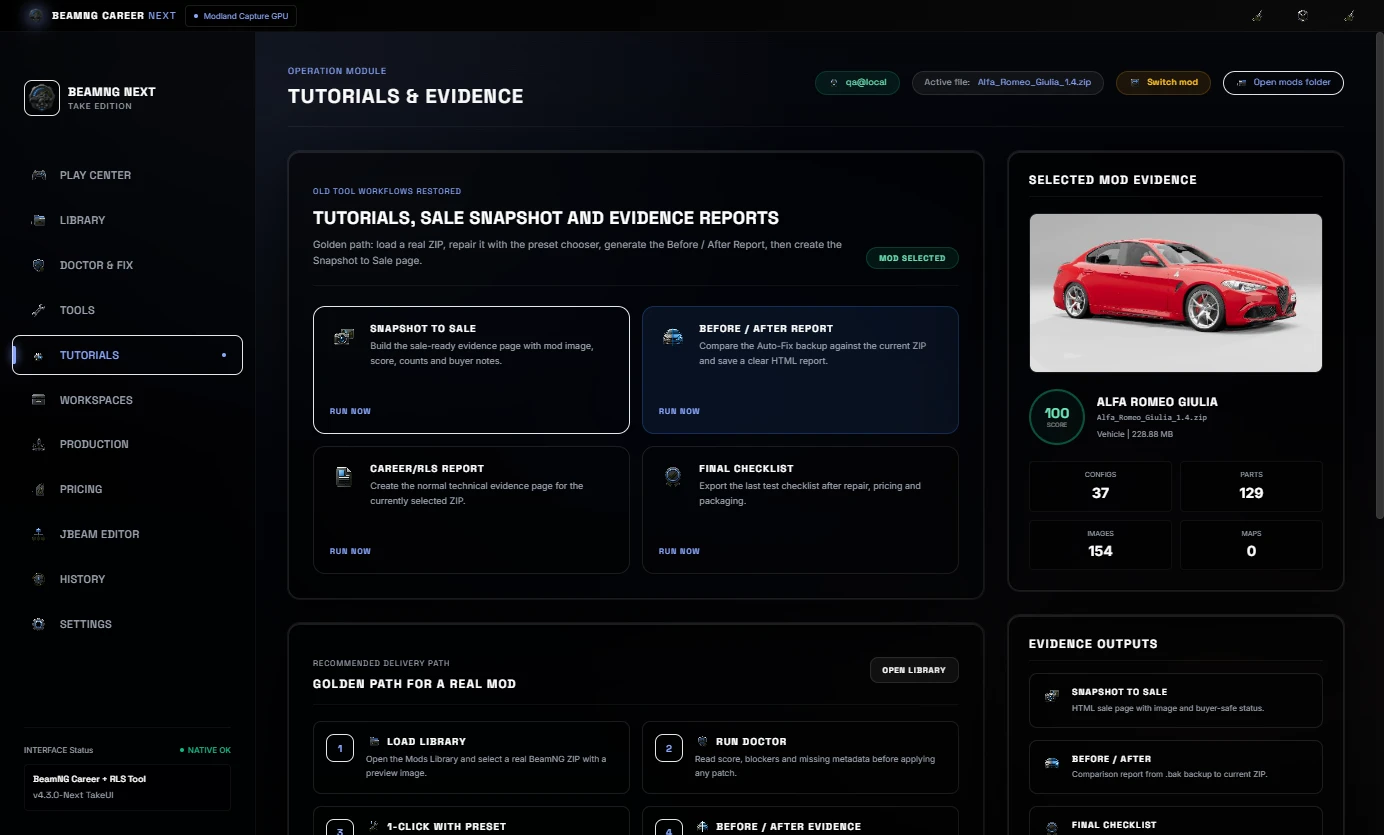
The Alfa Romeo Giulia example shown in the screenshots has 37 configs, 129 JBeam files and 154 images detected from a real ZIP.
Included
- Real mods library with preview images.
- Cached library scan and reload.
- Mod Doctor and Career/RLS diagnostics.
- 1-Click Auto-Fix with preset selection.
- Pricing and economy controls.
- JBeam part pricing workflow.
- Snapshot to Sale HTML evidence page.
- Before / After HTML evidence report.
- Tutorials & Evidence tab.
- Project workspace and production queue.
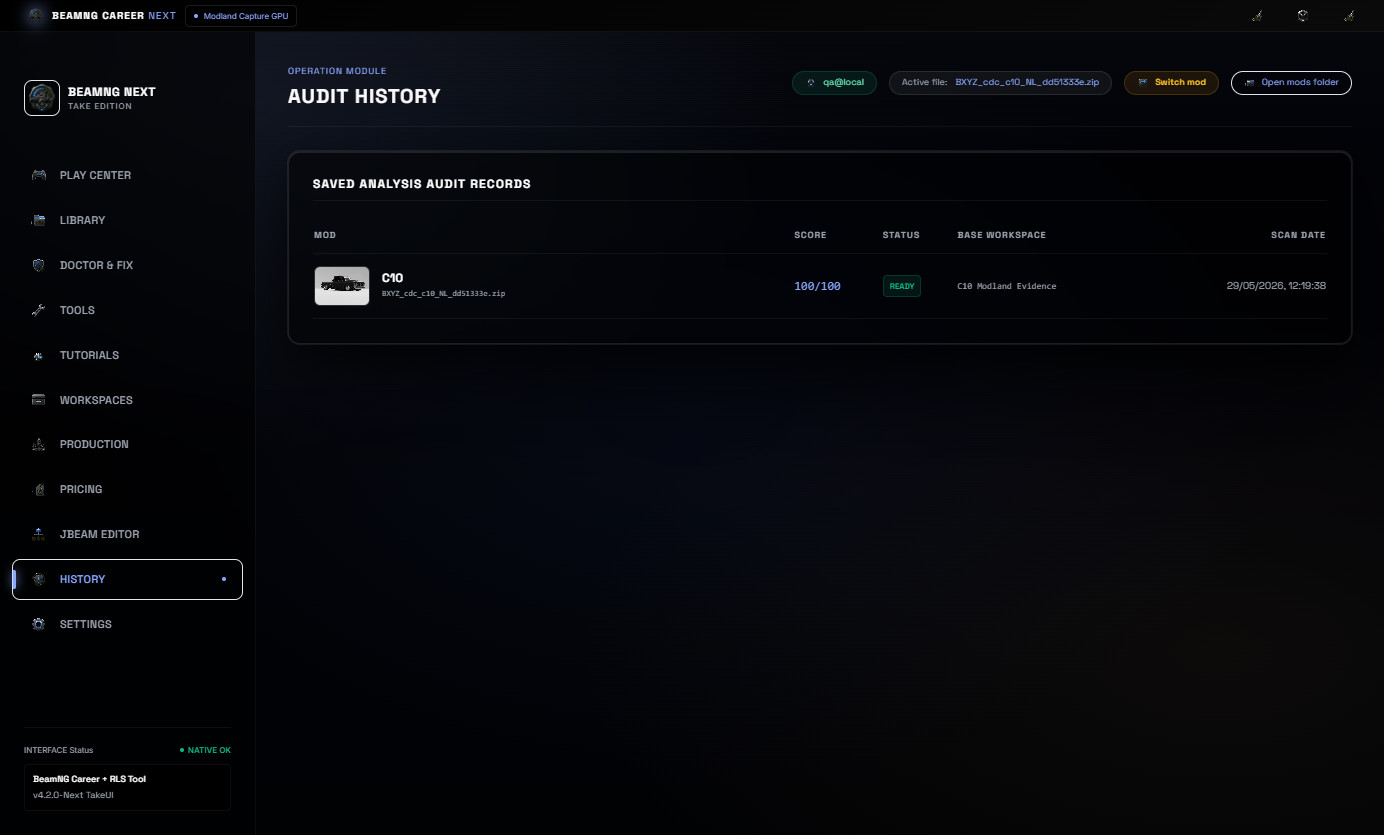
- Processing history with mod preview.
- Multi-language UI.
Important
Always keep backups of your original ZIP files before editing.
This tool helps prepare BeamNG mods for Career/RLS workflows, but every edited mod should still be tested in BeamNG after repair or pricing changes.
No BeamNG vehicle mods are bundled with this download.
https://www.virustotal.com/gui/file/ad1cc2c20c68ce7b15e17b7da2b00e36e803e3738a0dc801b9ee4dc9b81b3d42?nocache=1
BeamNG Career Tool Next v4.2 - Play Center Update
BeamNG Career Tool Next is a Windows utility for preparing BeamNG vehicle ZIP mods for Career/RLS use.
It is made for modders, players and creators who need a faster way to scan a vehicle ZIP, check if it is career-ready, repair common metadata issues, balance price, population and JBeam part values, generate proof reports and prepare a cleaner final package for testing or publishing.
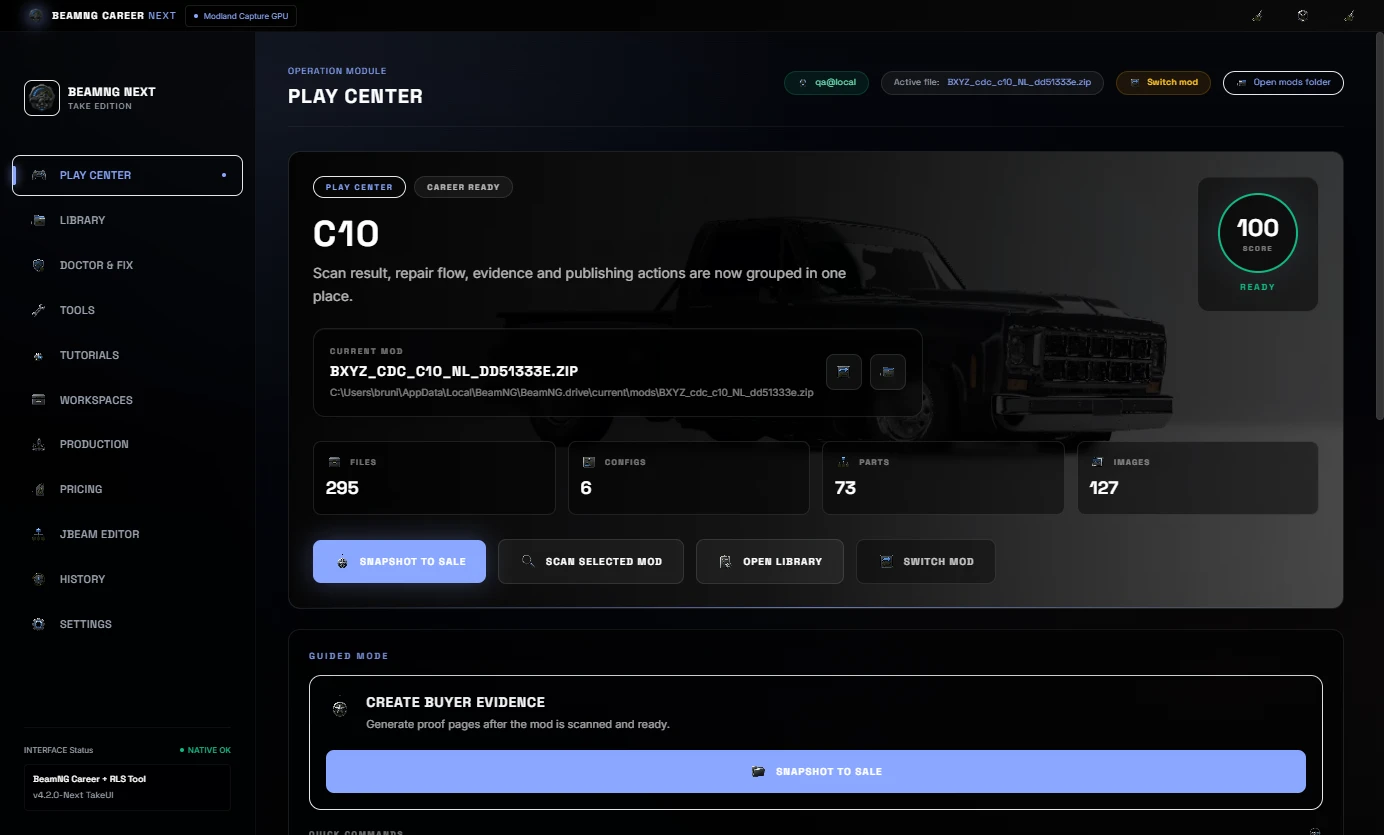
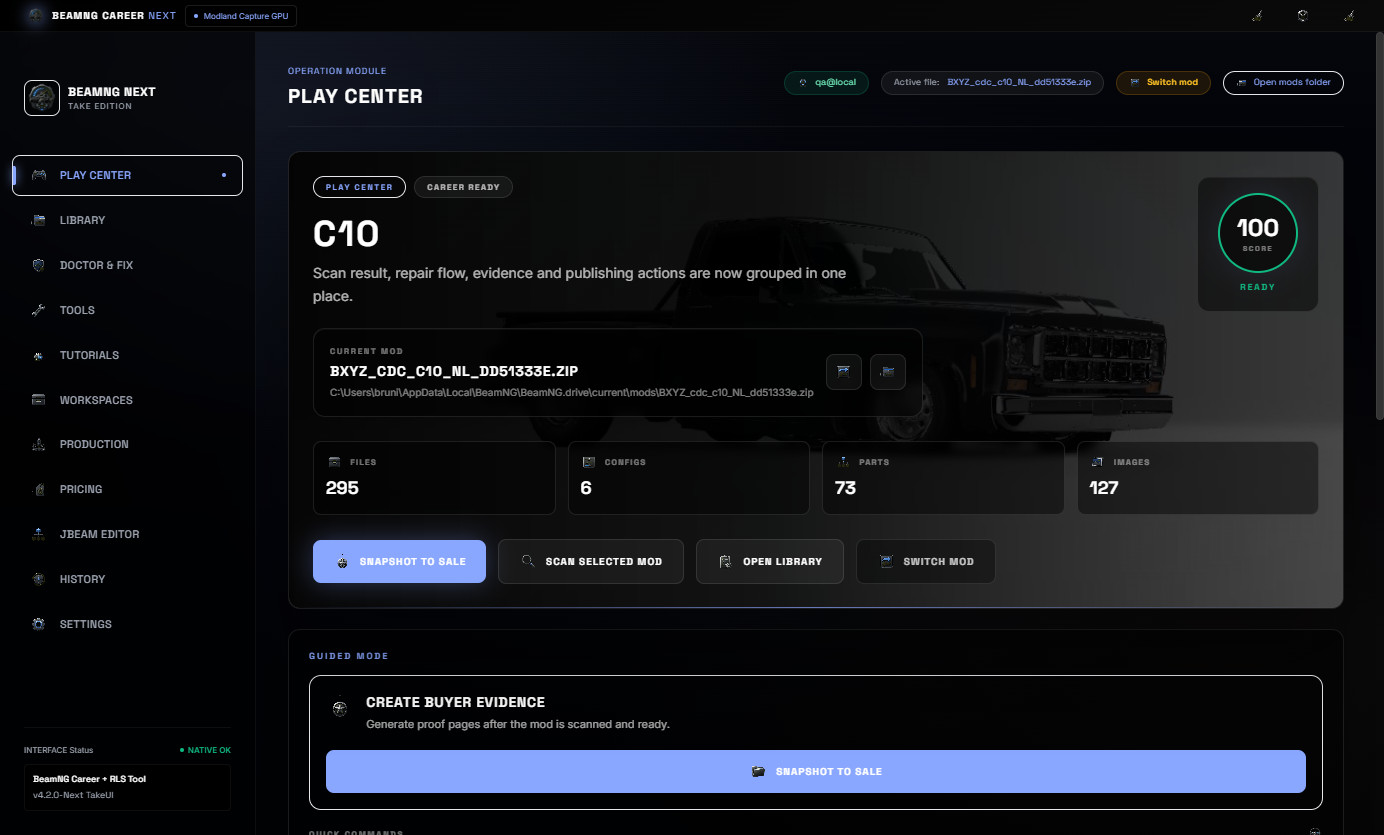
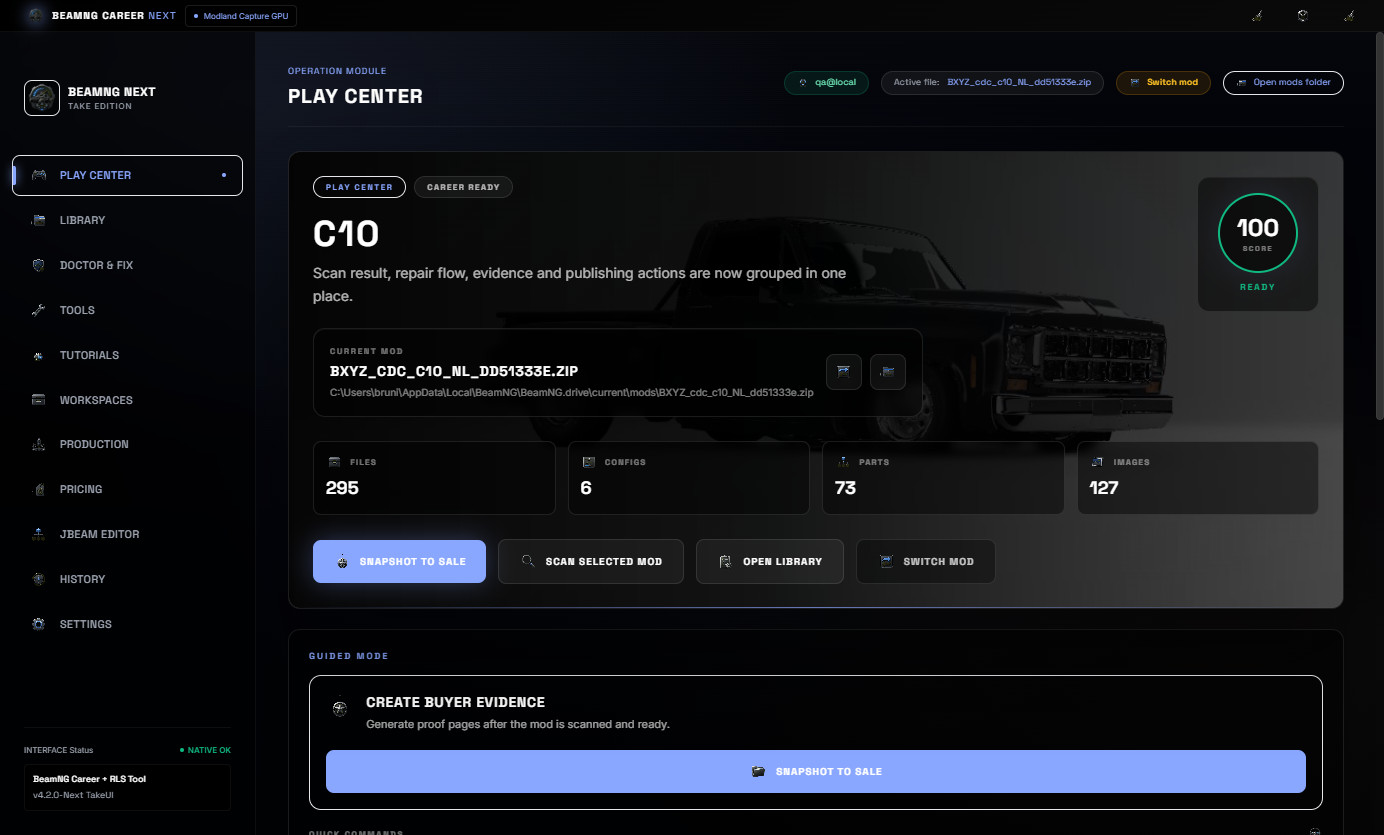
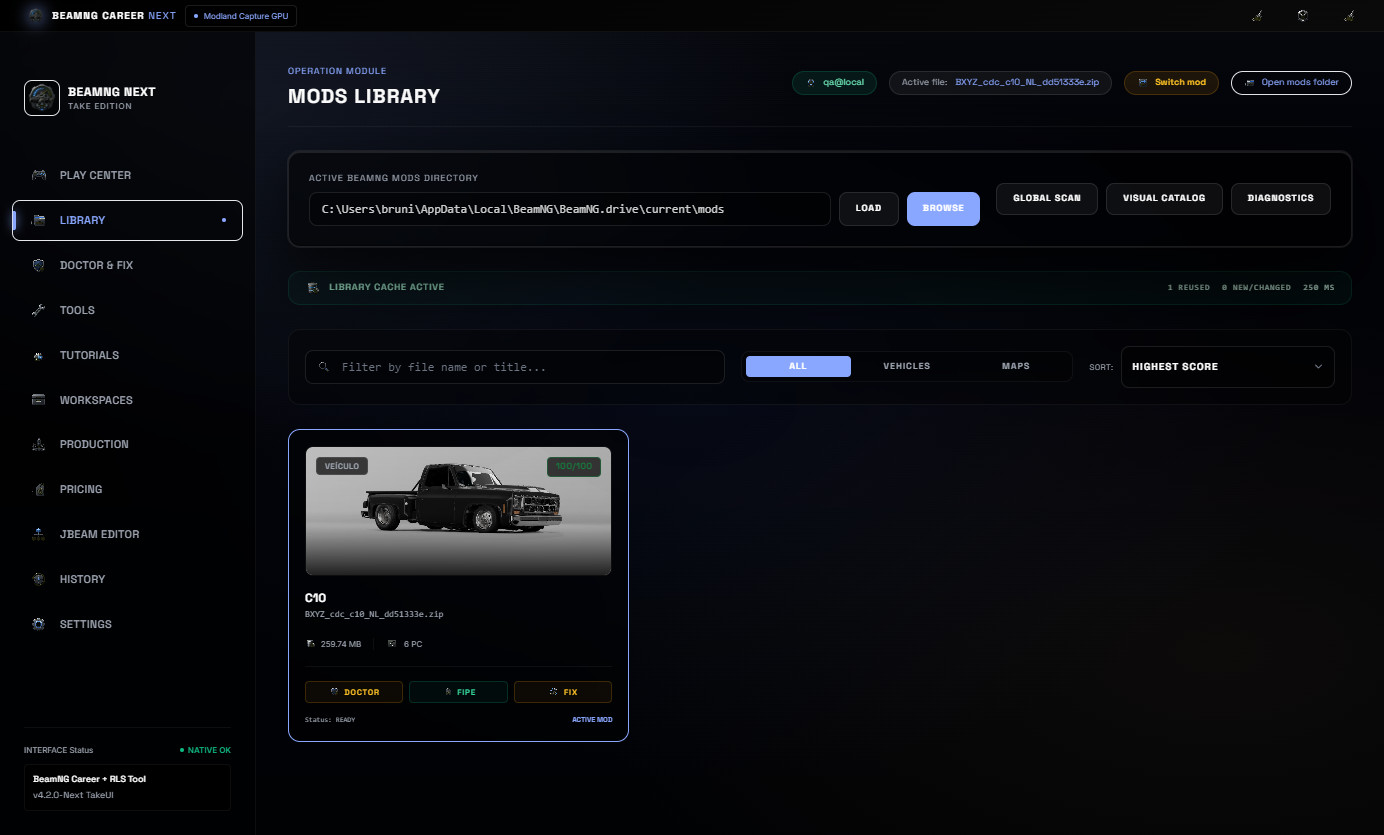
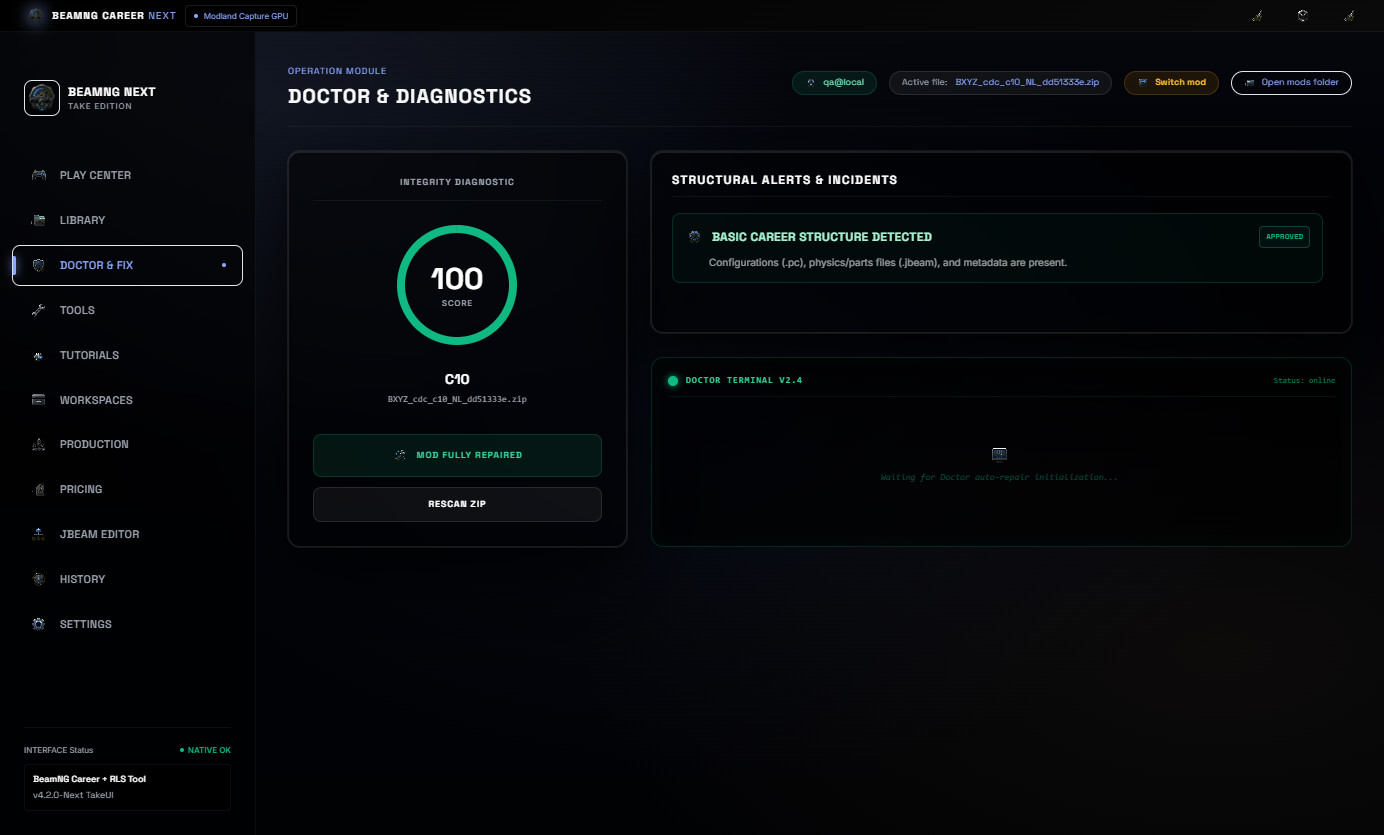
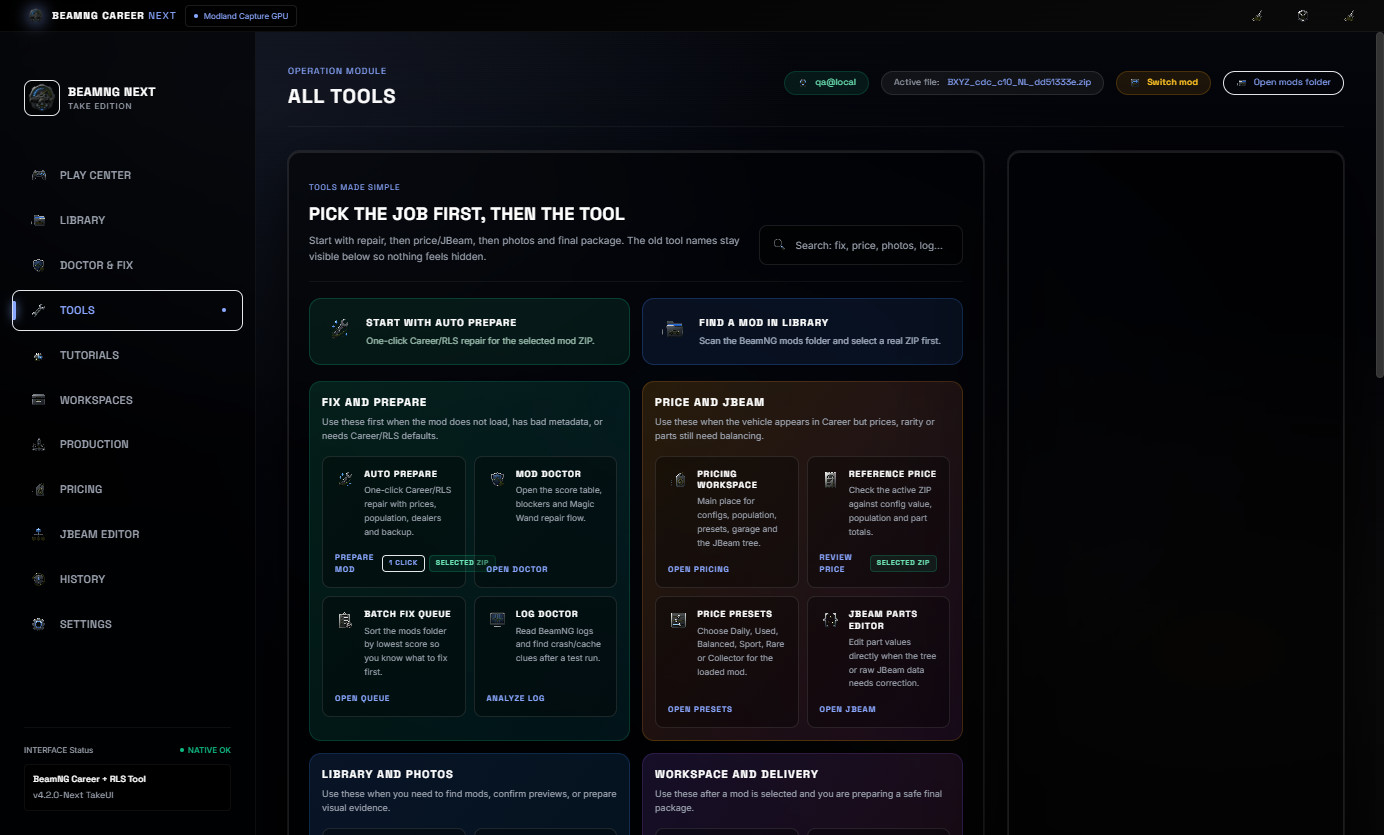
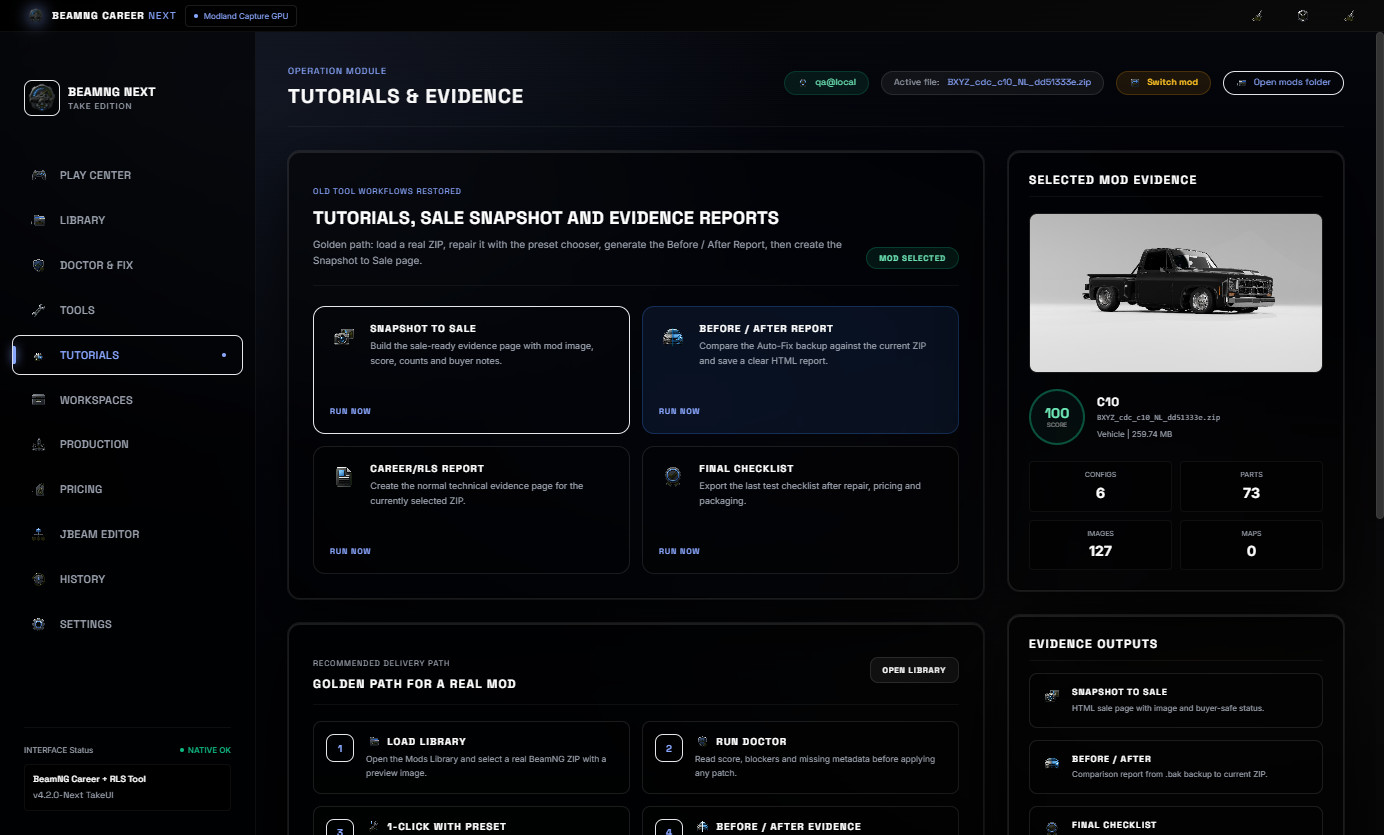
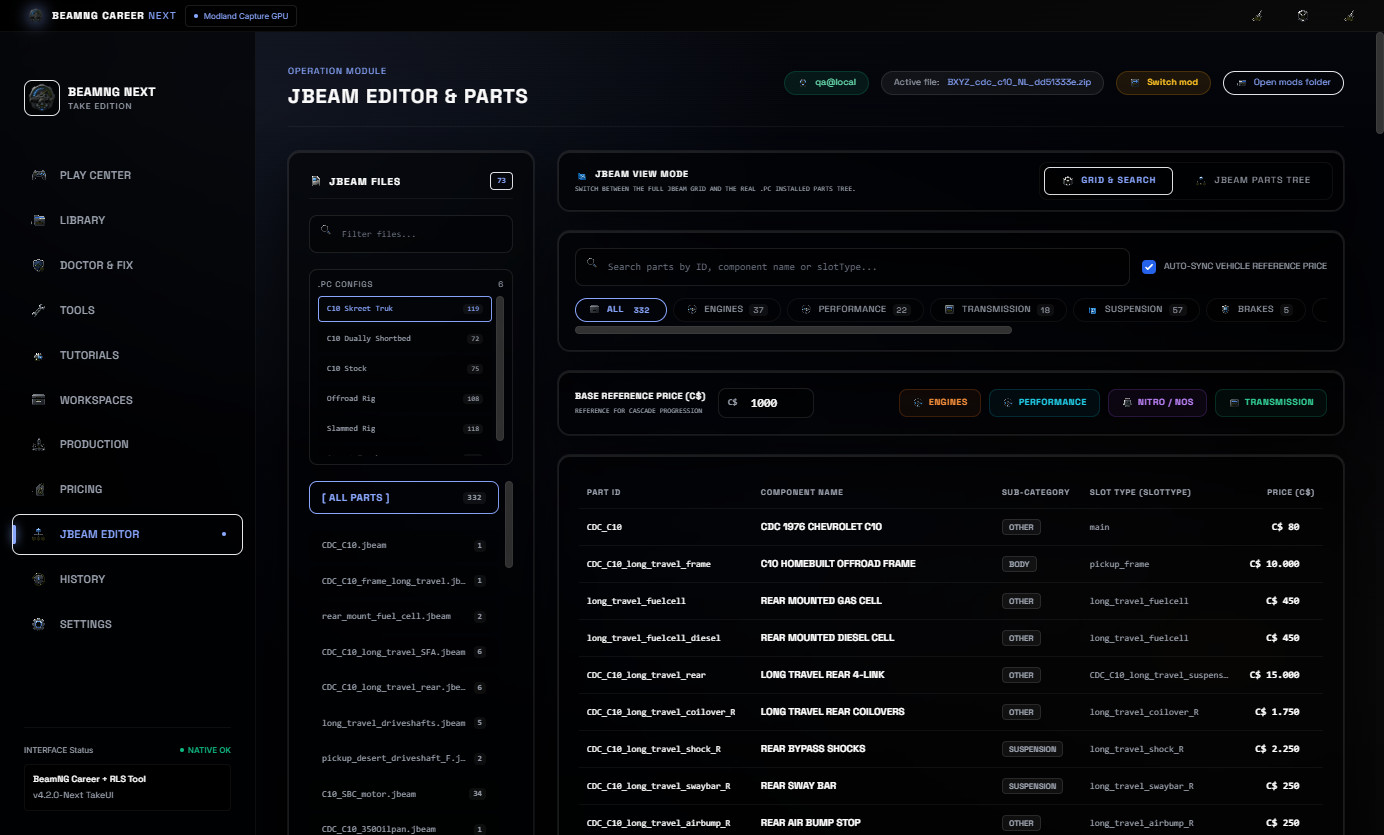
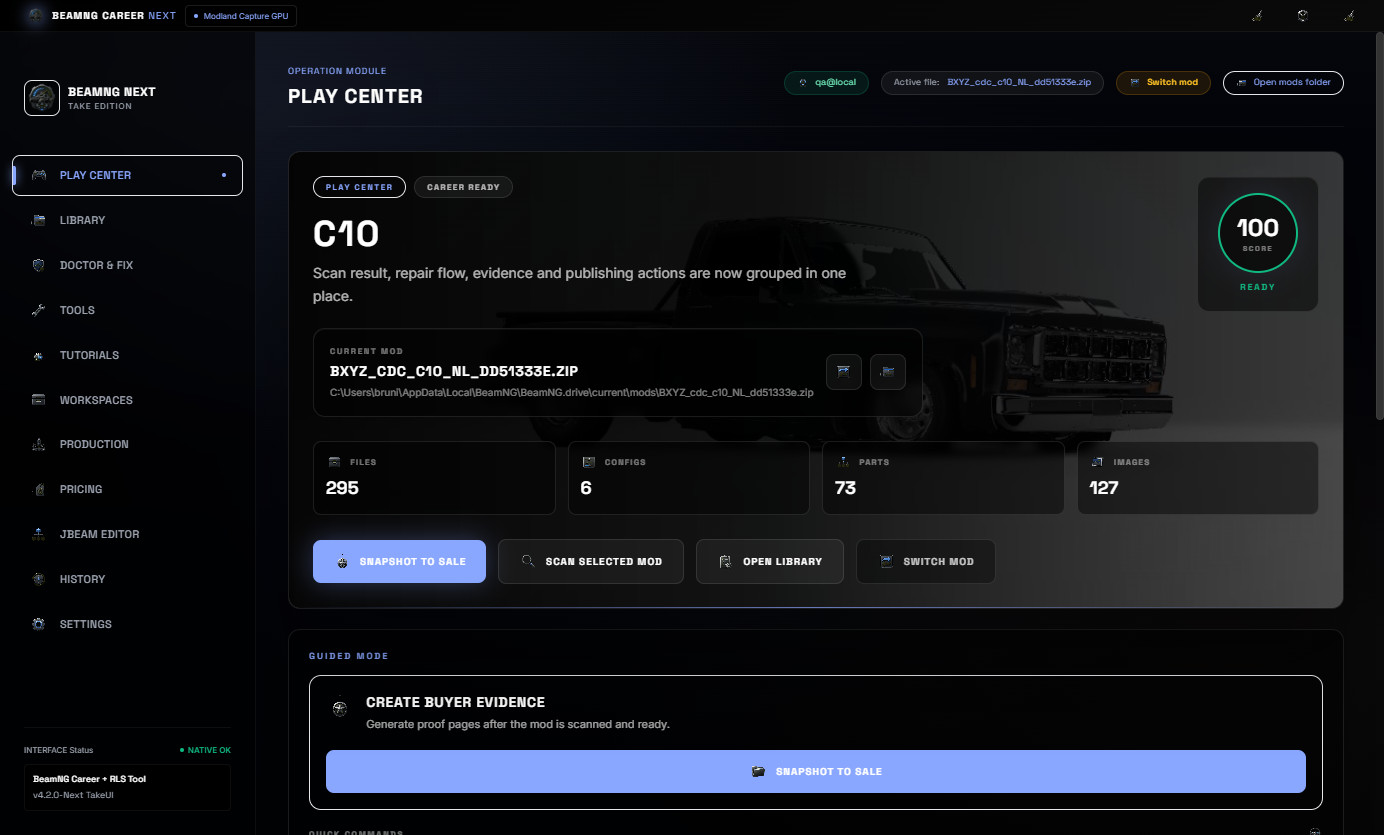
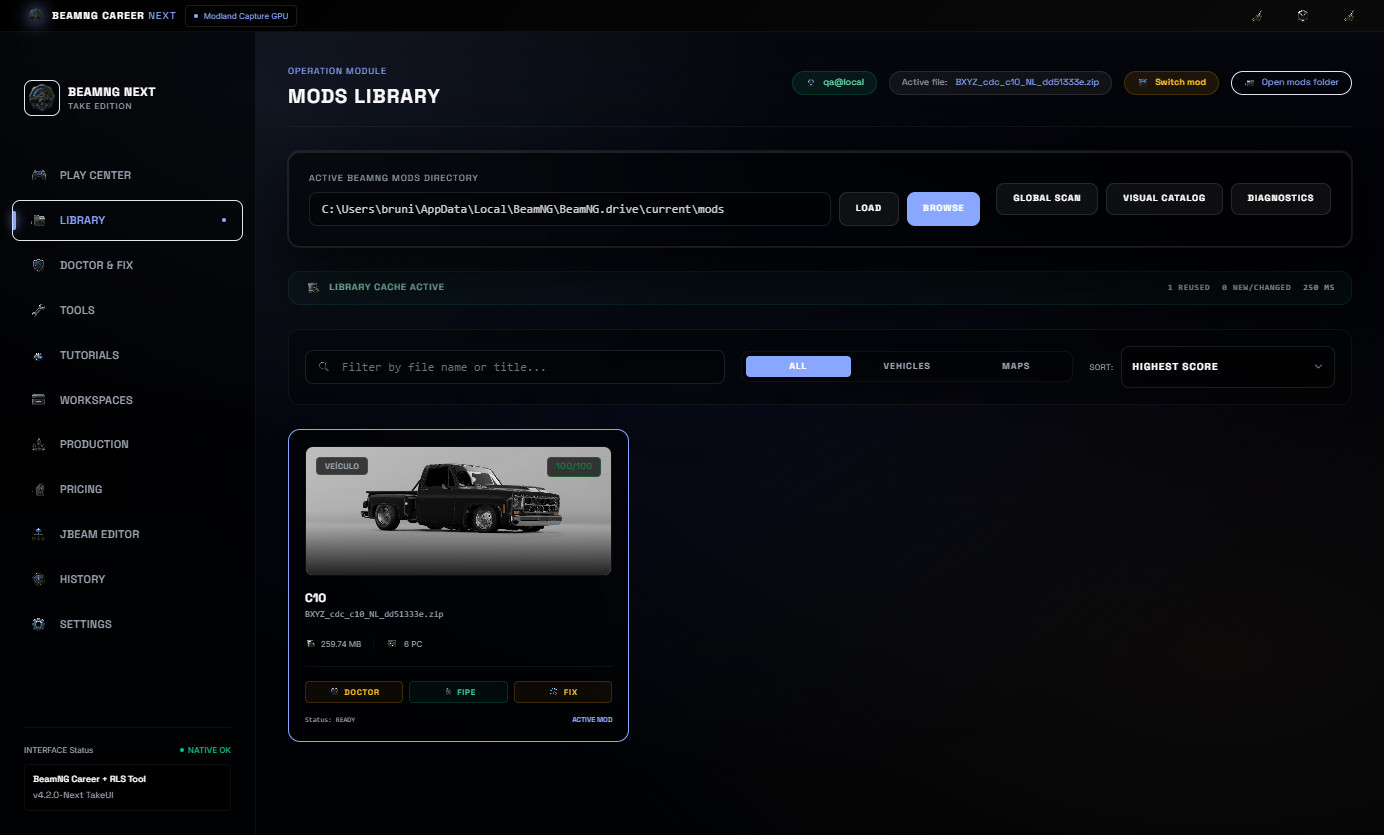
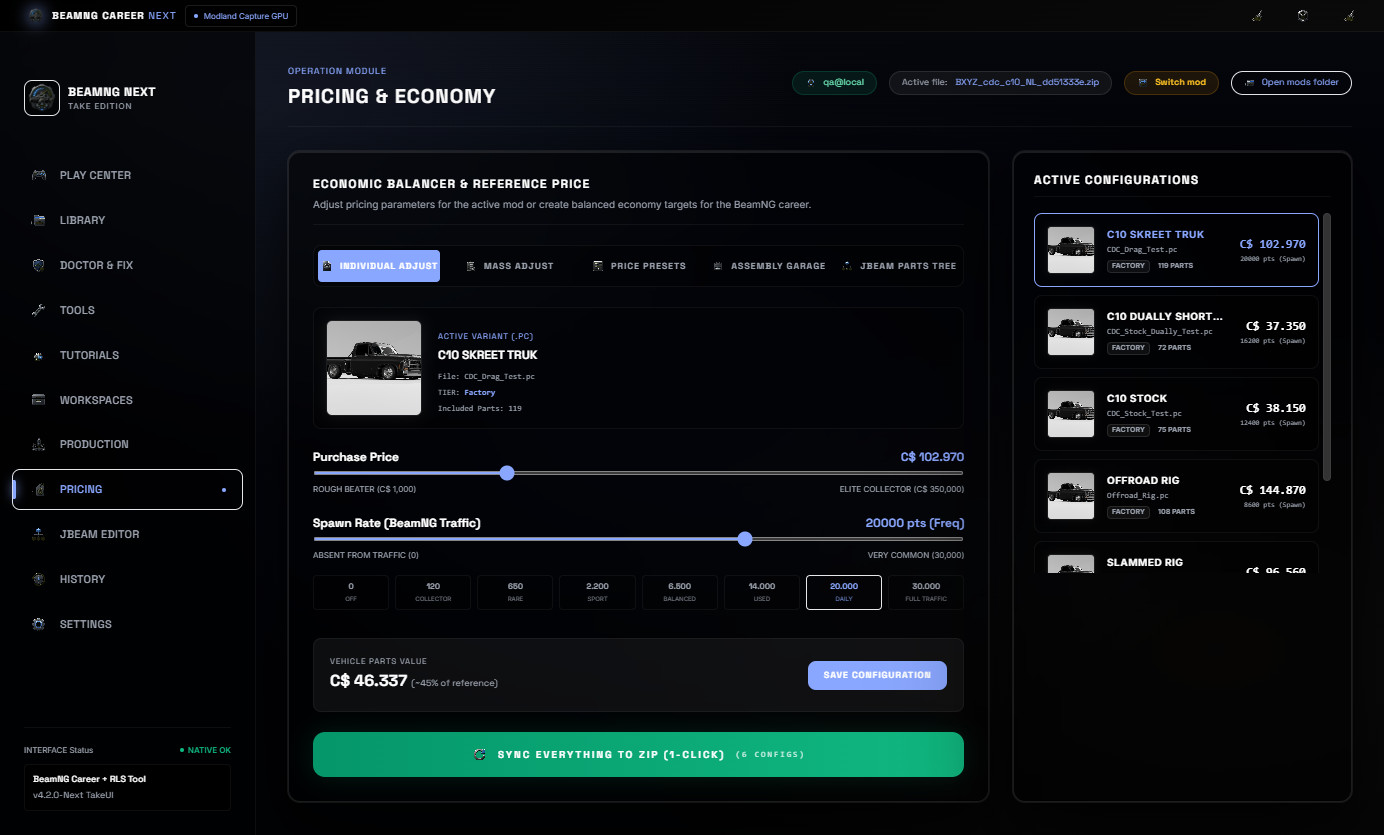
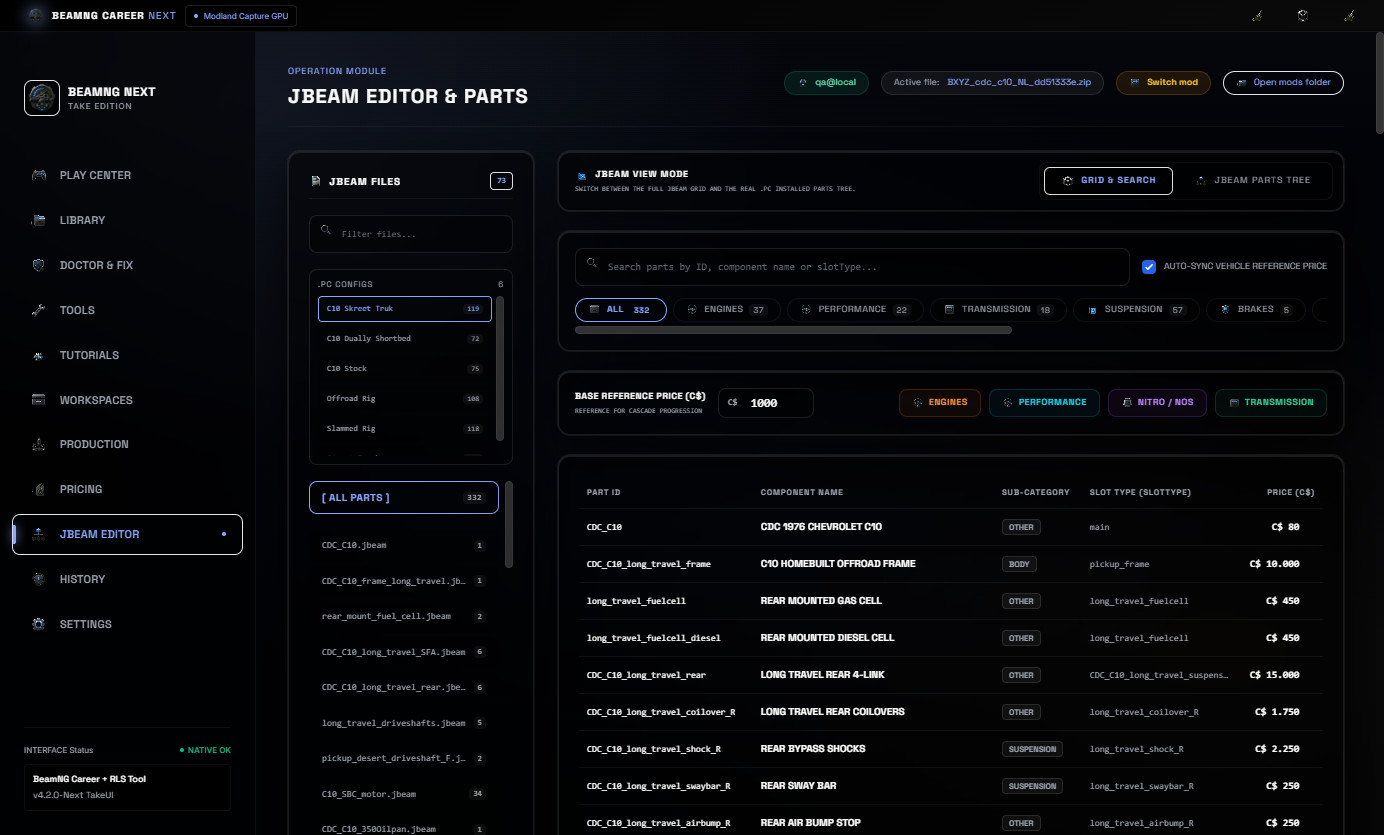
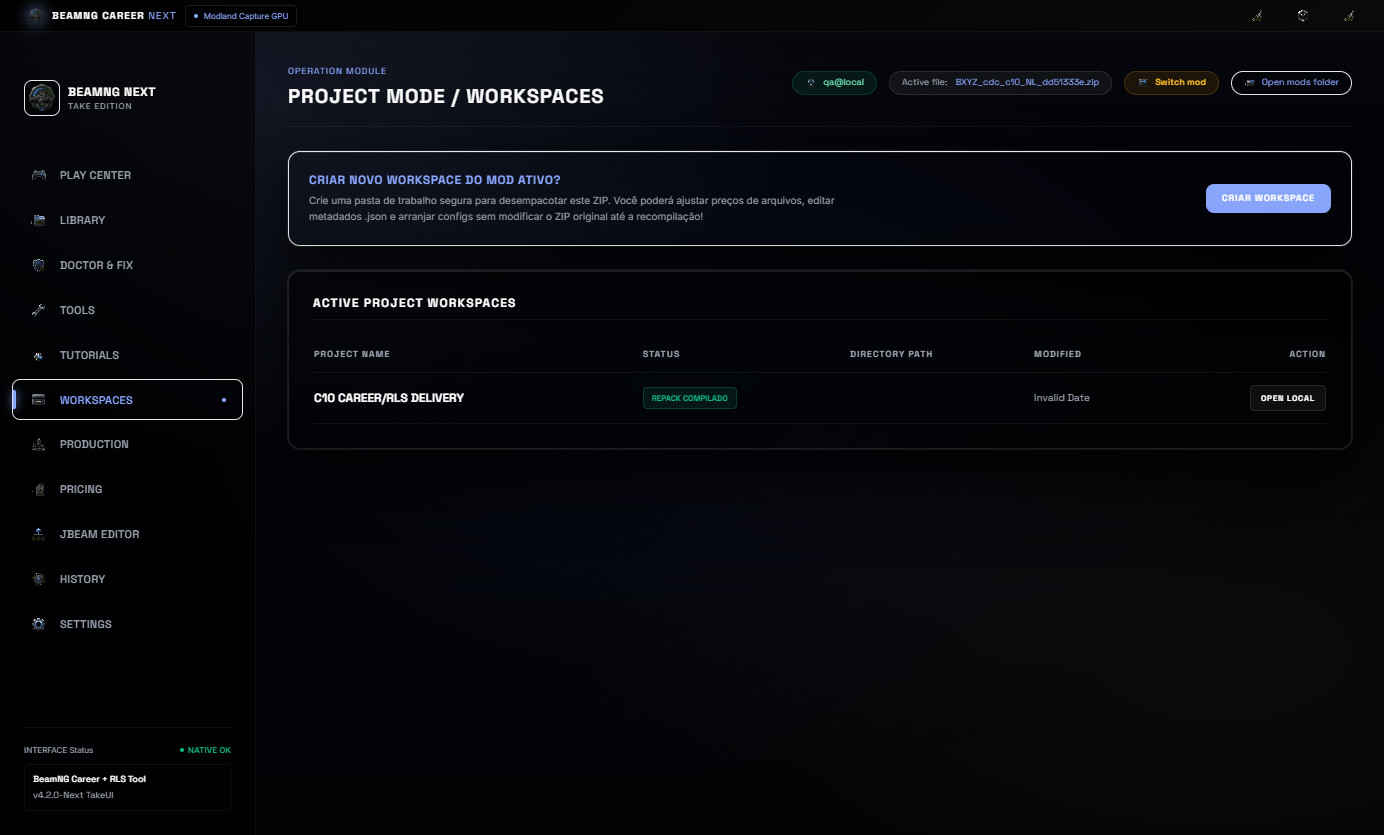
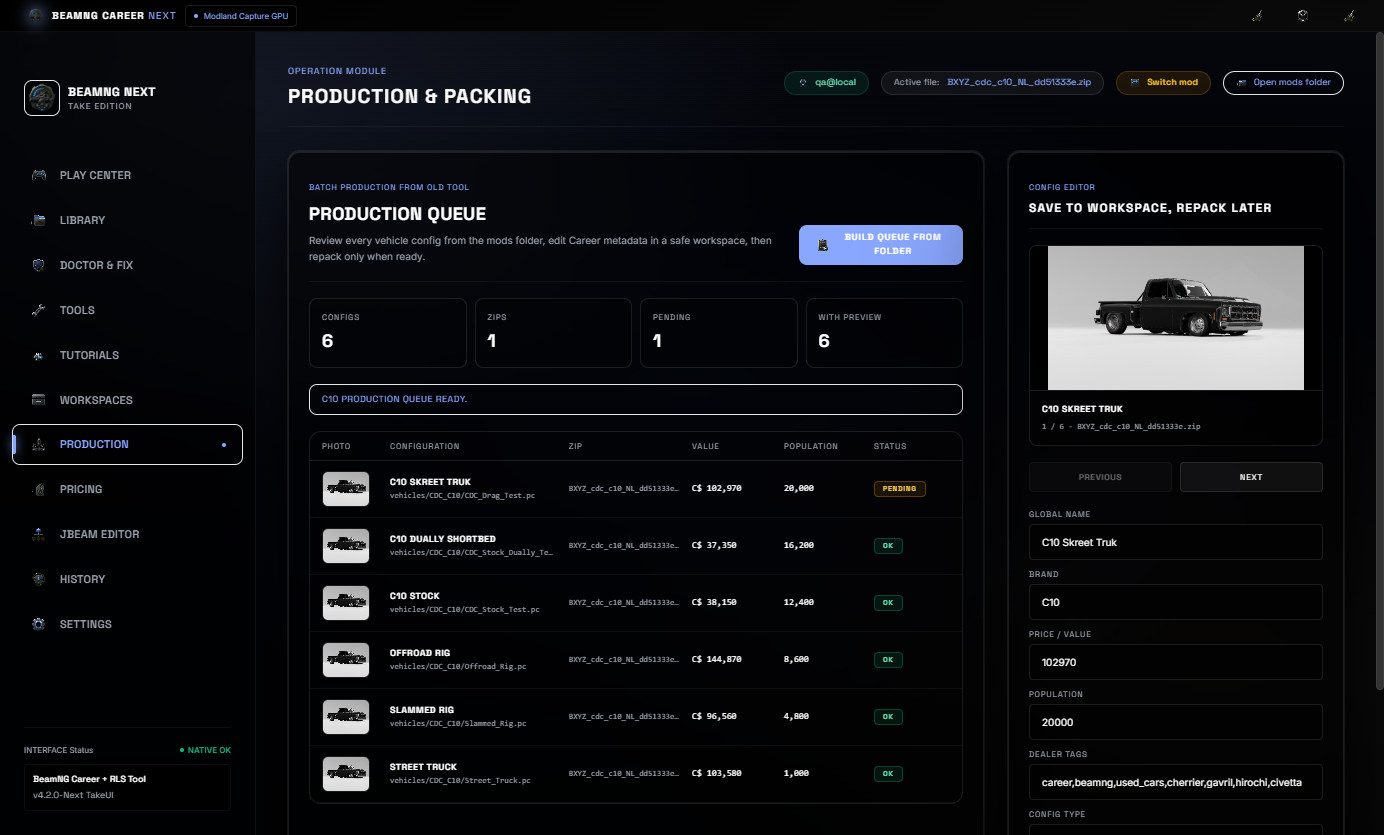
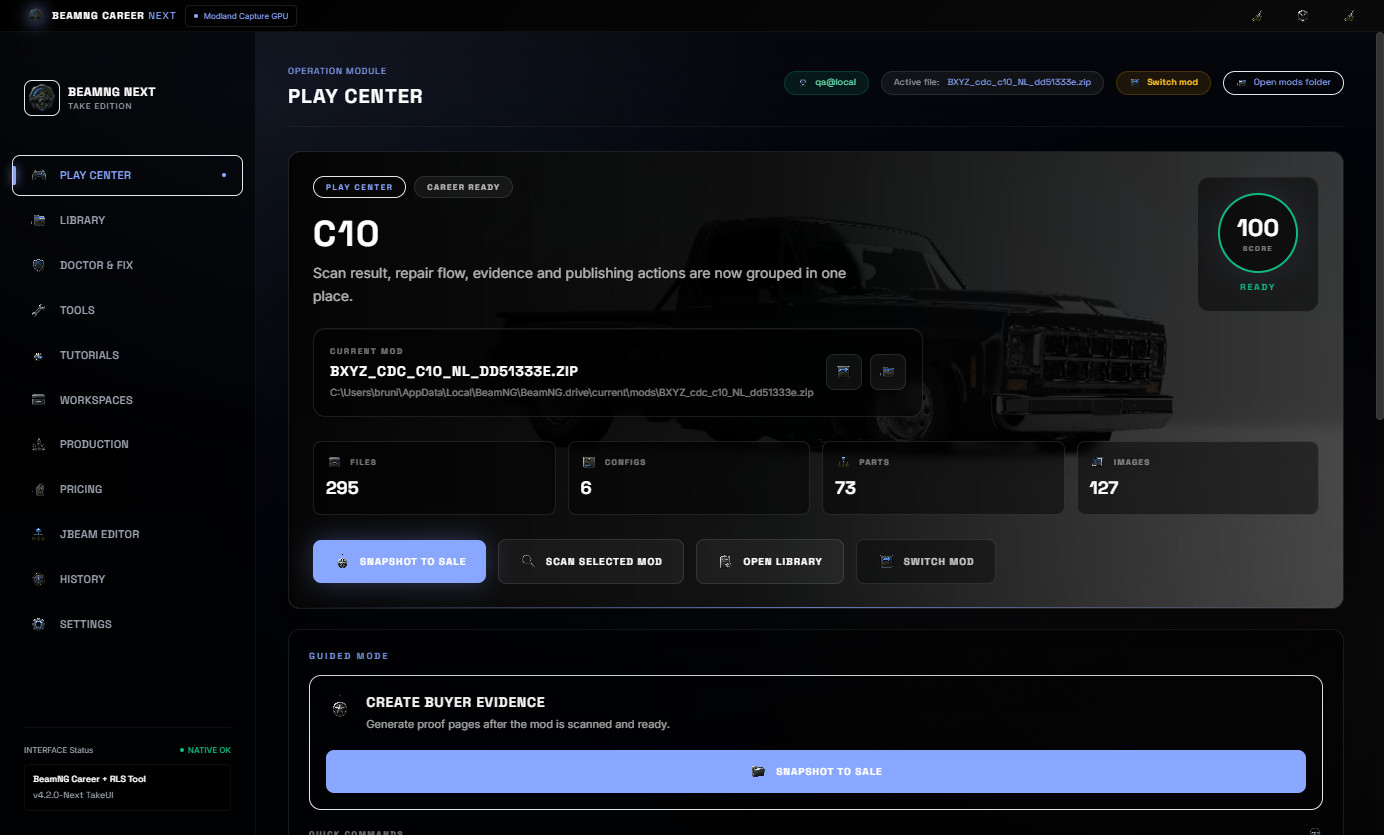
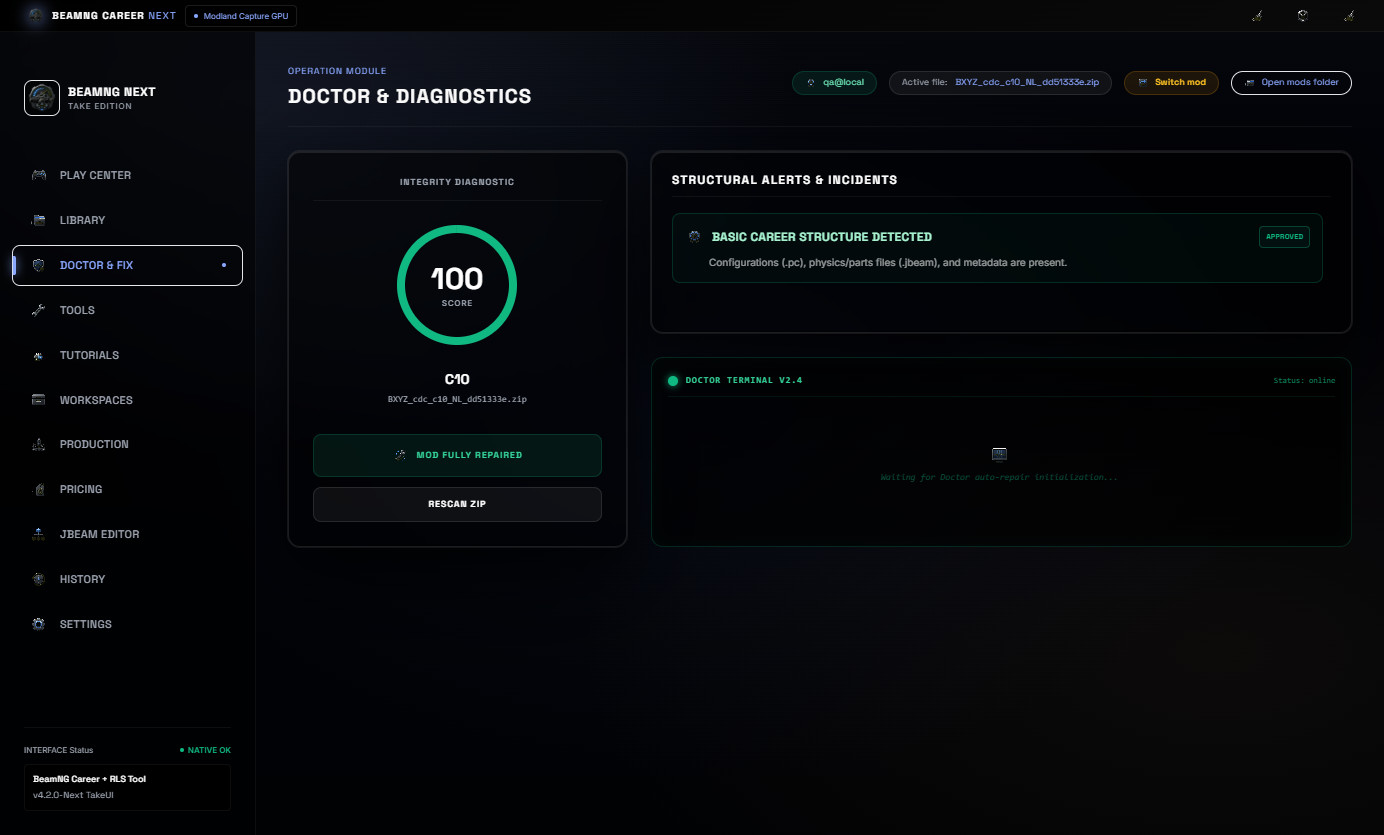
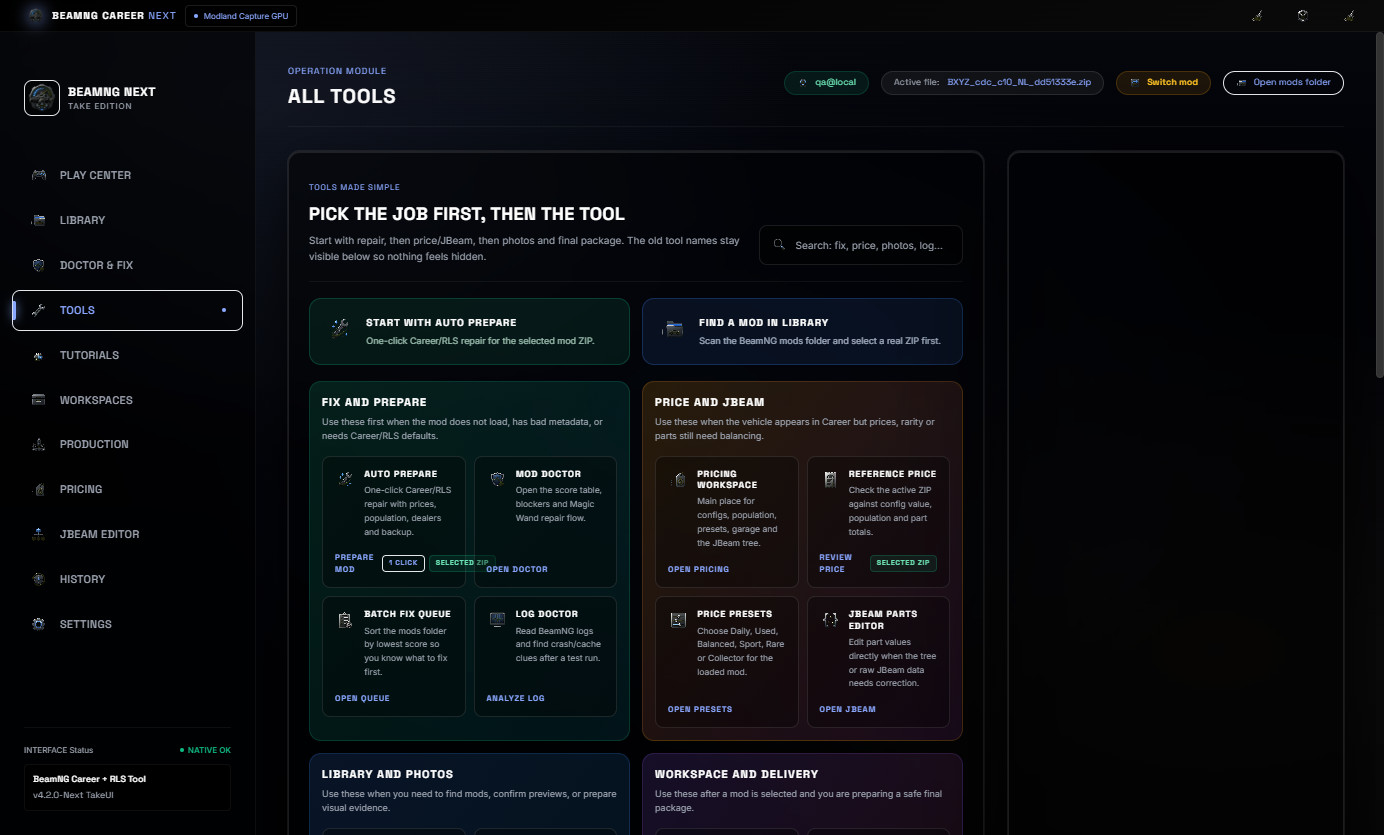
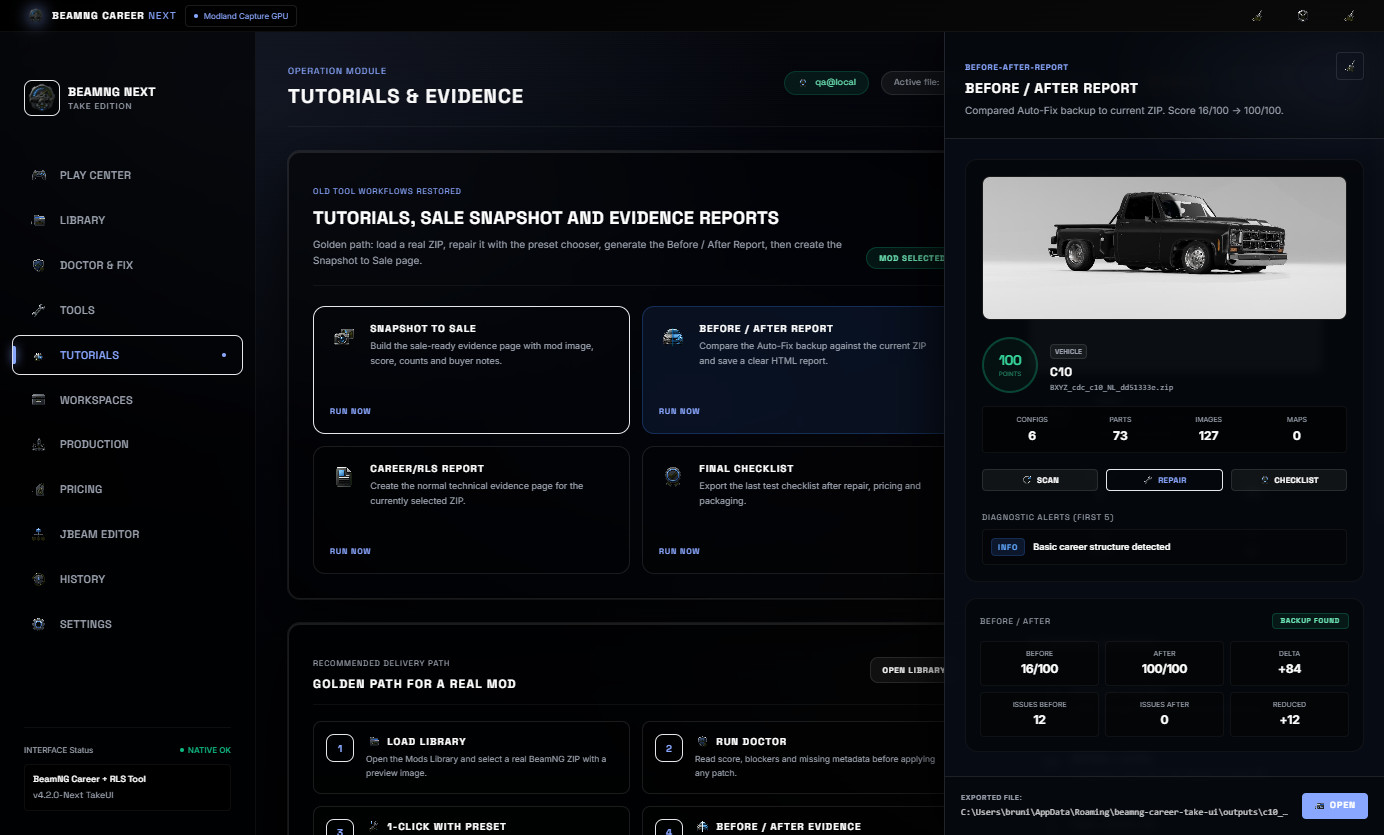
No vehicle mods are included. The C10 shown in the screenshots is only a real example mod used to demonstrate the workflow.
What is new in v4.2
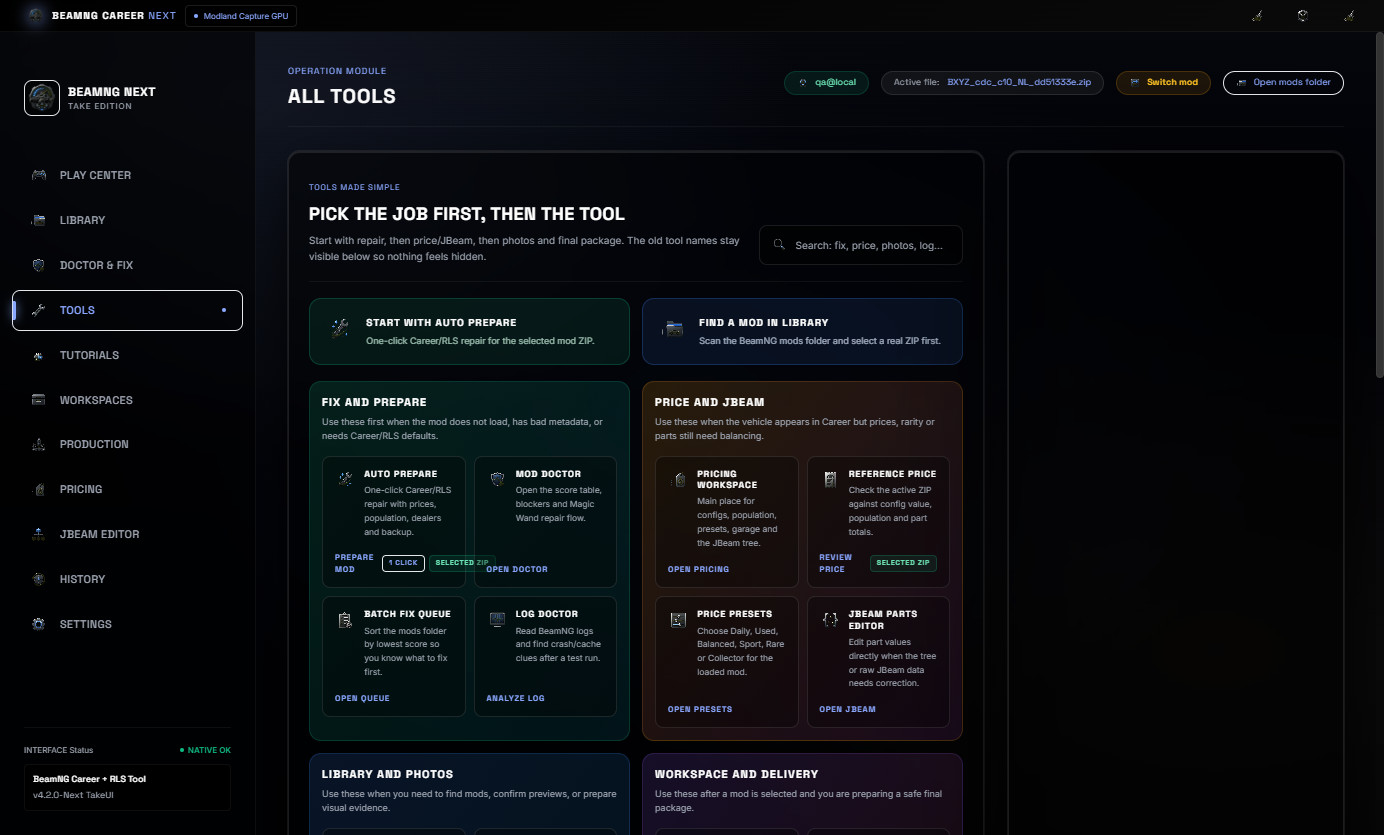
The Play Center was redesigned to be easier to understand as soon as the user opens the tool.
- New cockpit-style Play Center.
- Selected mod preview and file path shown more clearly.
- Guided next action based on the current mod state.
- Clickable workflow steps: Load, Scan, Fix and Publish.
- Quick commands for Auto-Fix, Report, Snapshot and Checklist.
- Better visible progress feedback for heavier actions.
- Cleaner first-screen layout for new users.
Main workflow
Start by loading a BeamNG vehicle ZIP or selecting a mod from the cached library. The Play Center then shows the selected mod, preview image, score, file counts and the next recommended action.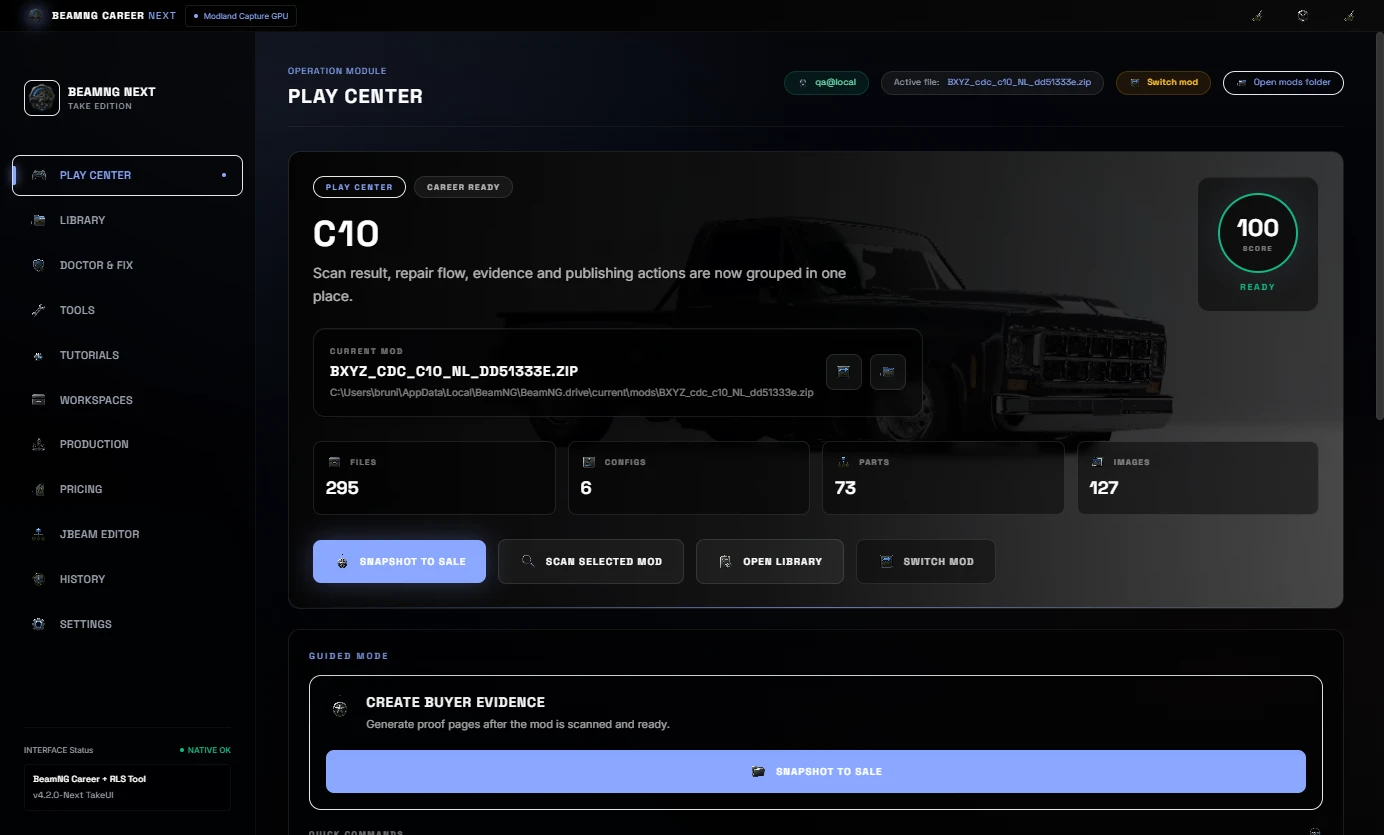
From there, the user can scan the ZIP, run 1-Click Auto-Fix, balance pricing/JBeam values, create evidence reports and prepare the mod for testing or delivery.
Real Mods Library
The Mods Library scans real BeamNG ZIP mods, shows preview images, keeps useful cache data and helps select the right vehicle package faster.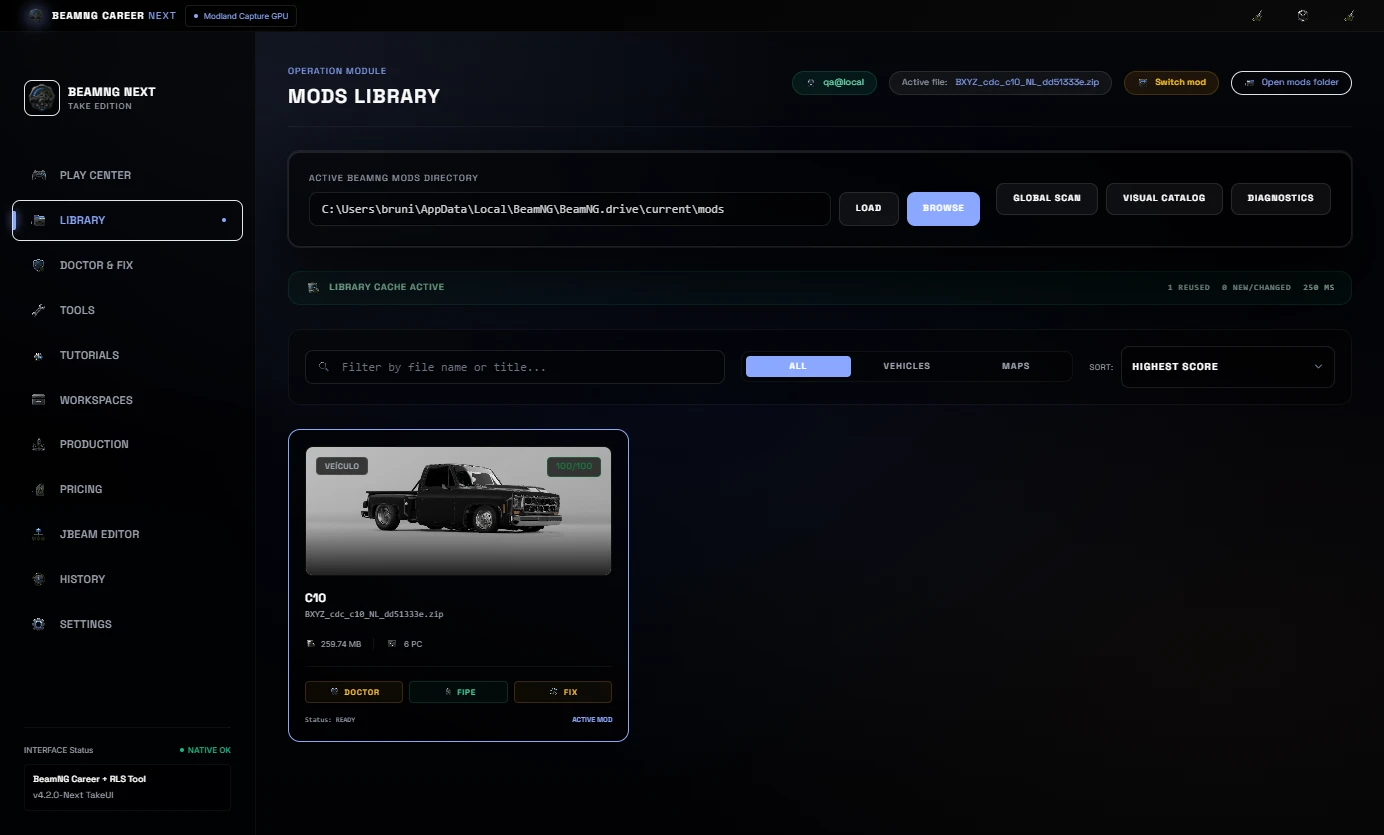
Repeated work is lighter because the tool can reuse cached library data and focus on new or changed ZIP files.
Mod Doctor and 1-Click Repair
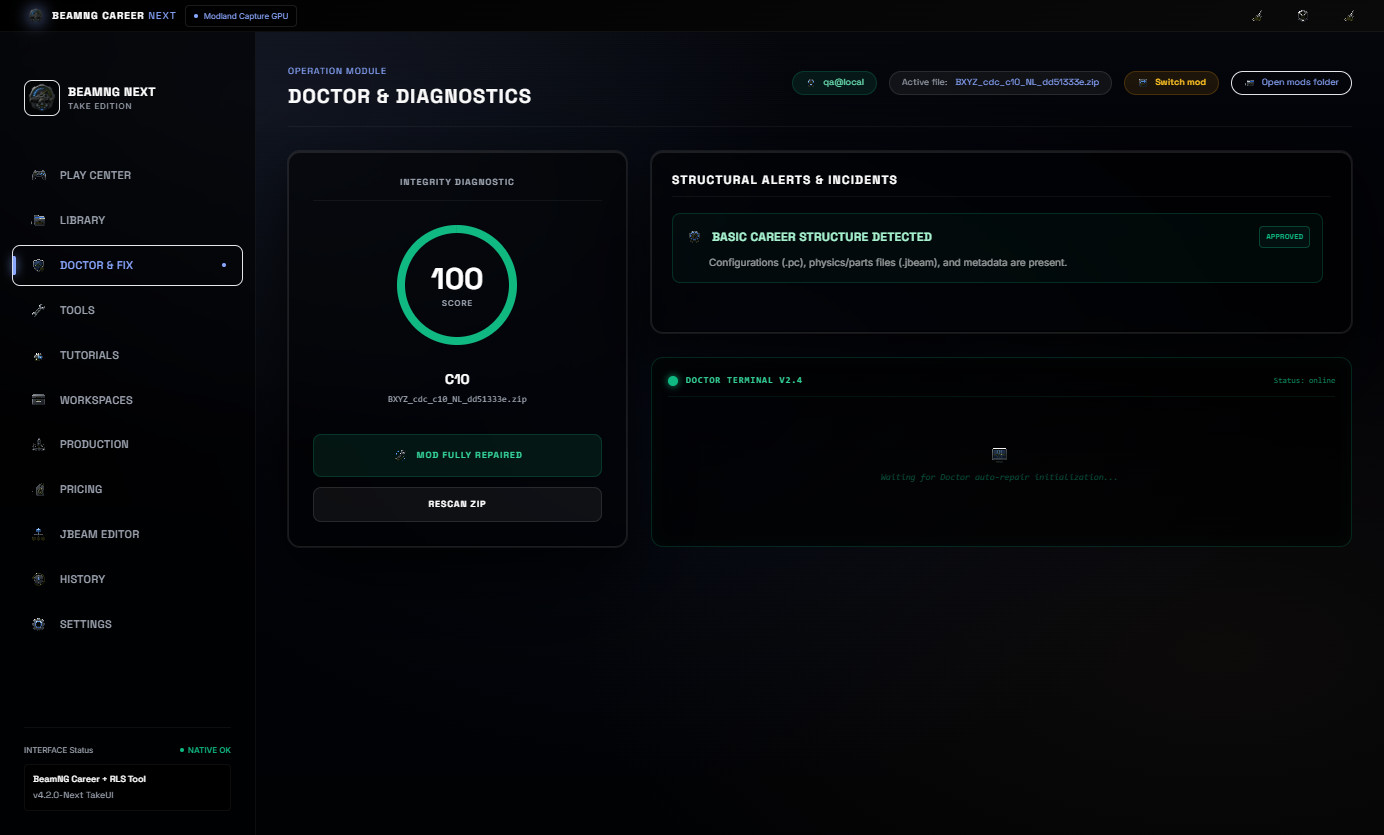
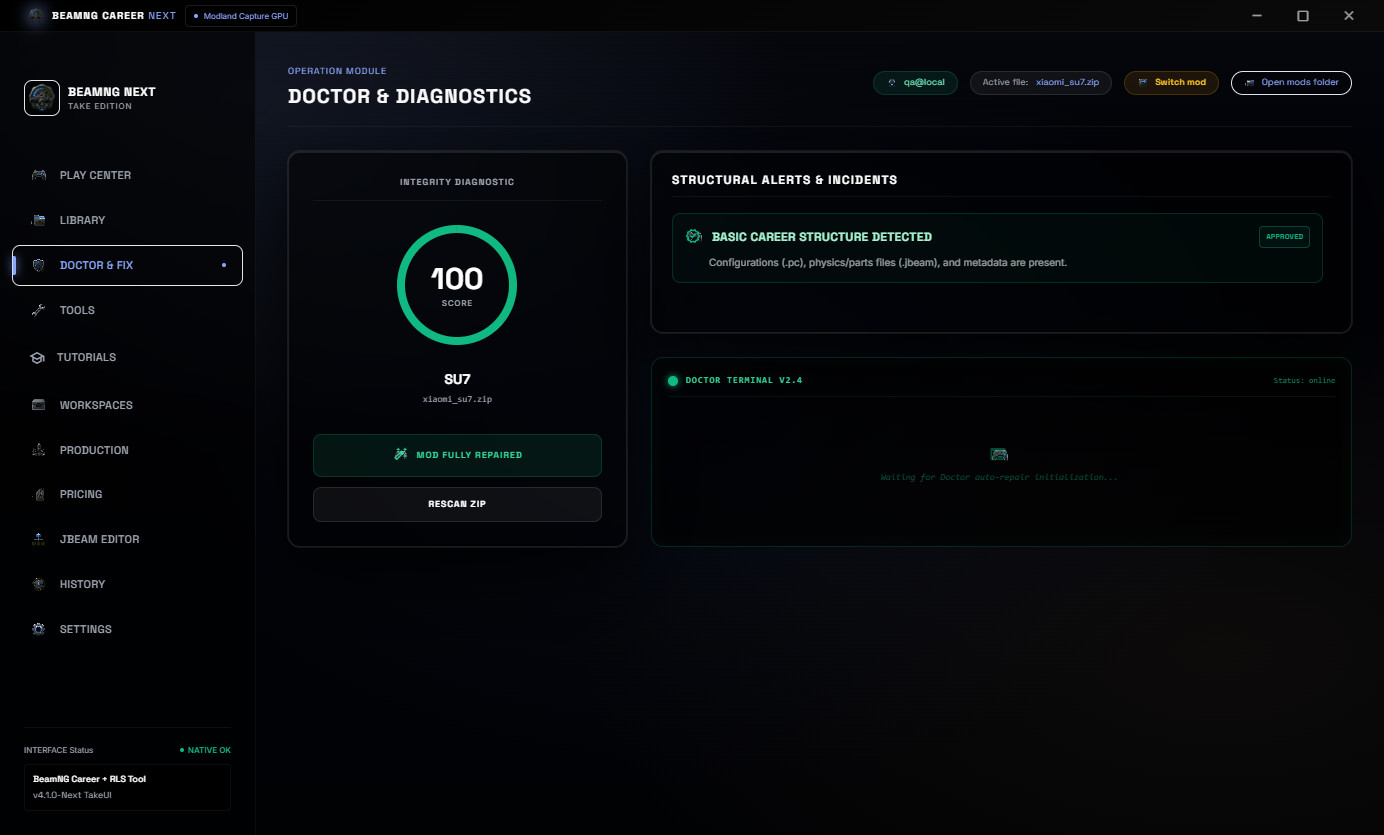
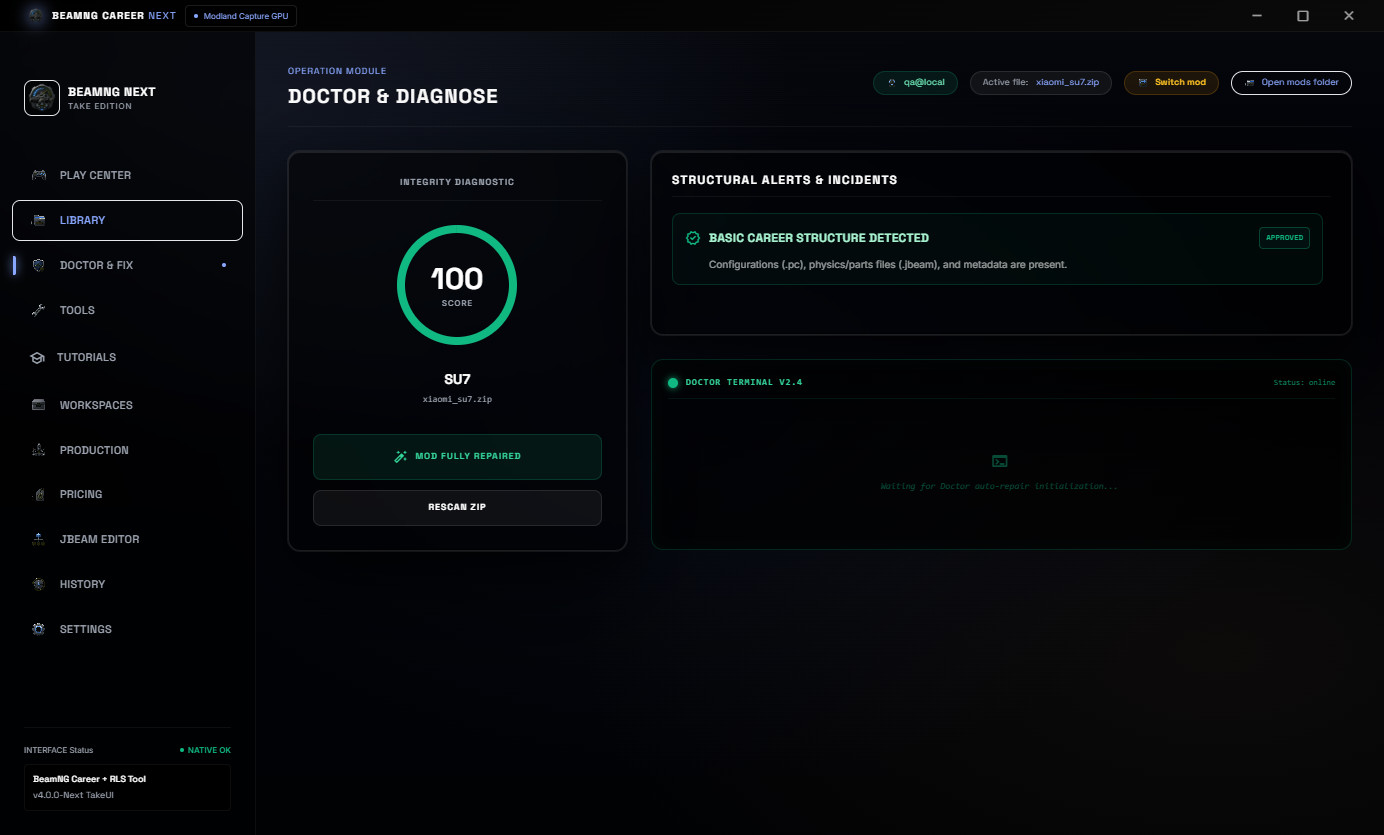
Mod Doctor checks the selected ZIP for common Career/RLS blockers and shows a clear readiness score before editing or publishing the mod.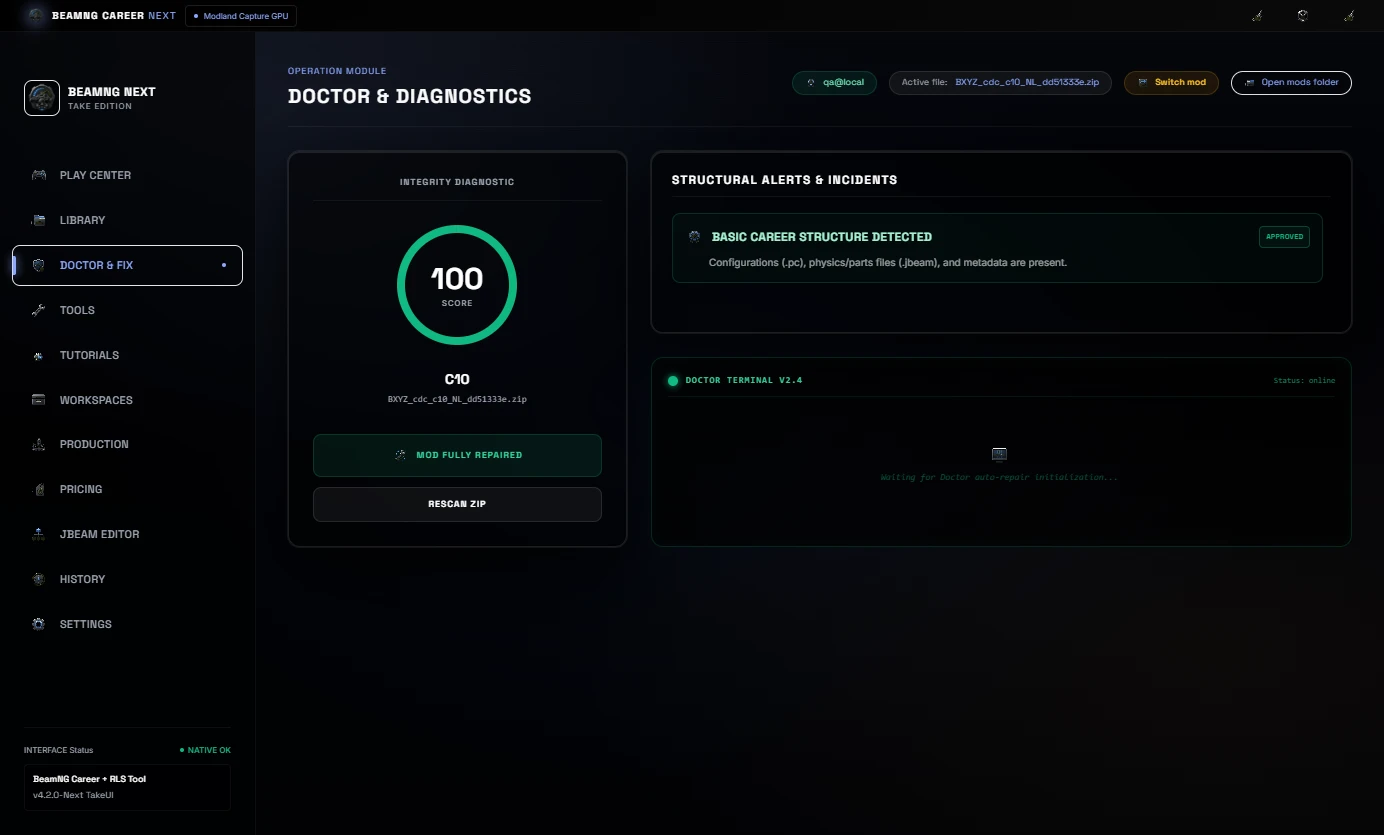
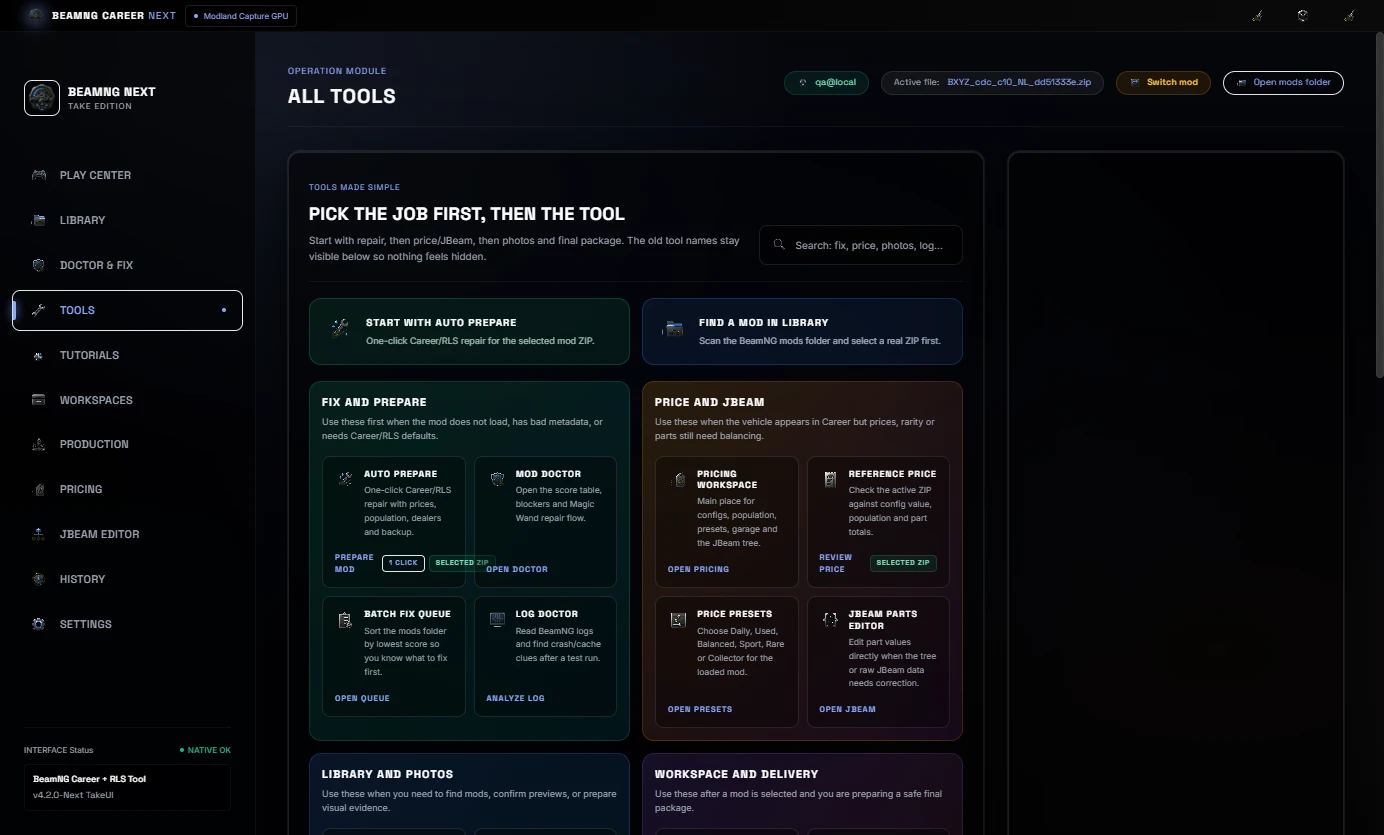
The 1-Click Auto-Fix flow can apply a chosen preset, repair common metadata issues, sync needed Career/RLS fields and prepare the mod for another test pass.
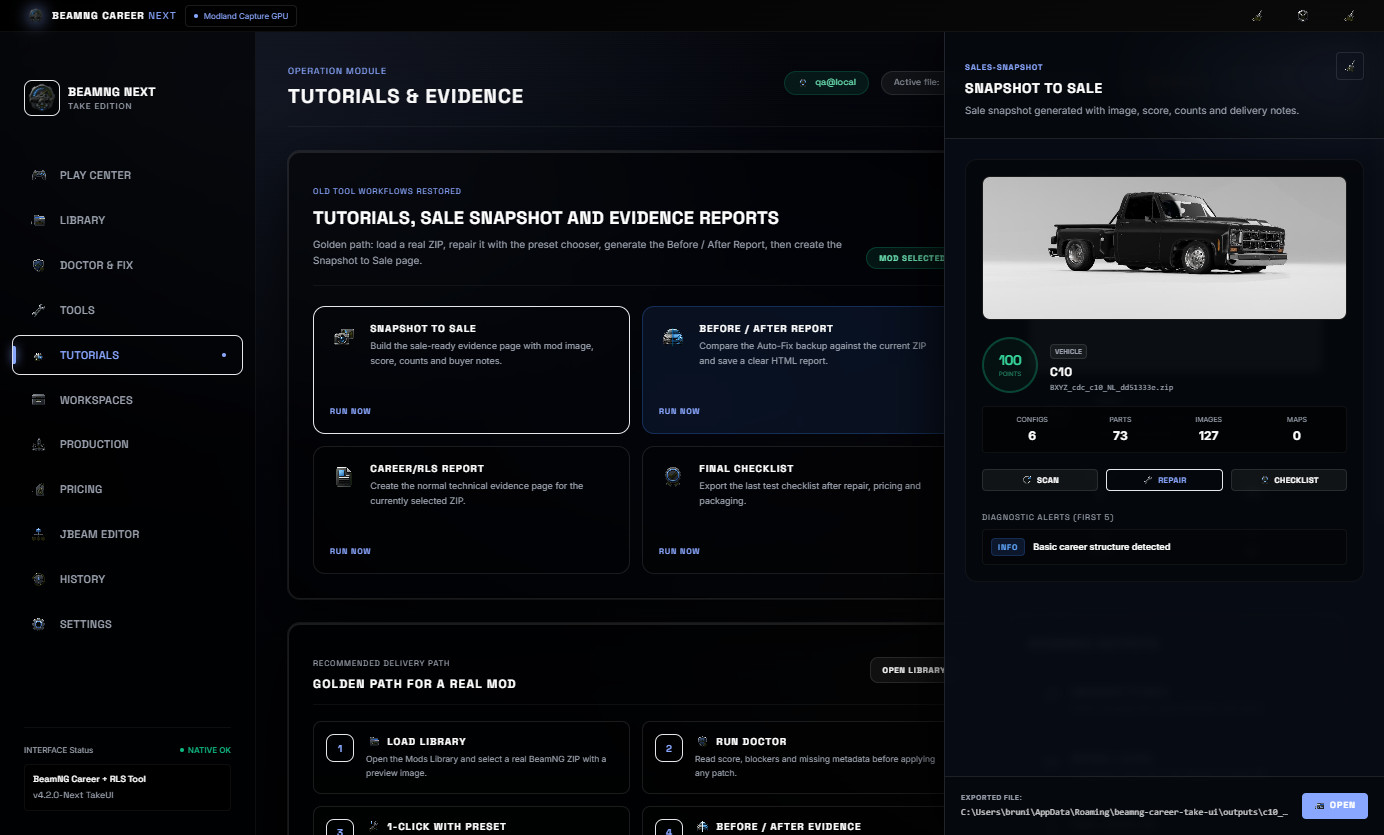
Snapshot To Sale
Snapshot to Sale creates a clean buyer-safe HTML evidence page with the mod image, score, file counts and sale notes.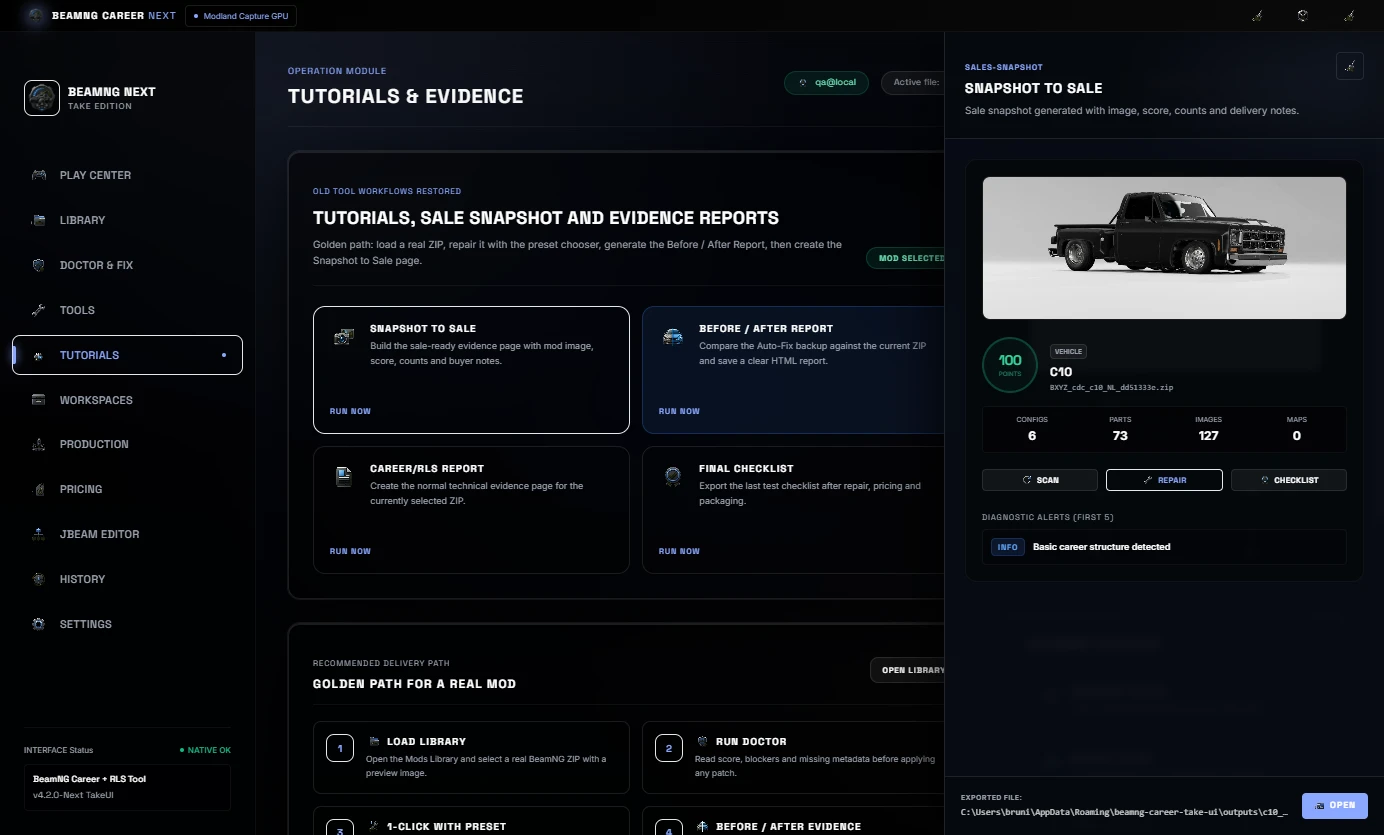
This is useful for publishing, Discord or client delivery because the buyer can see a simple summary of the prepared mod.
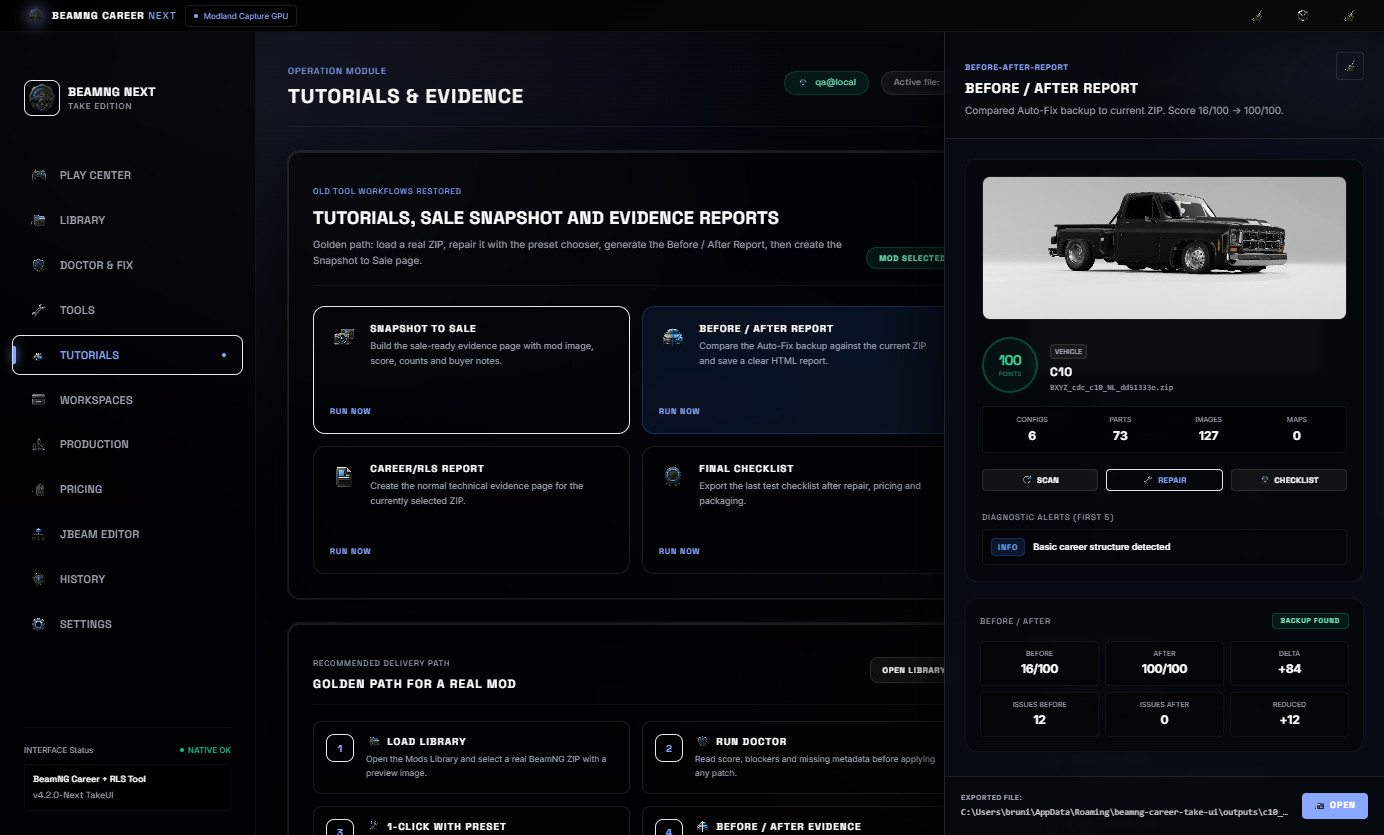
Before / After Report
Before / After Report compares the Auto-Fix backup against the current ZIP. It shows score improvement, issue reduction and a clear proof page.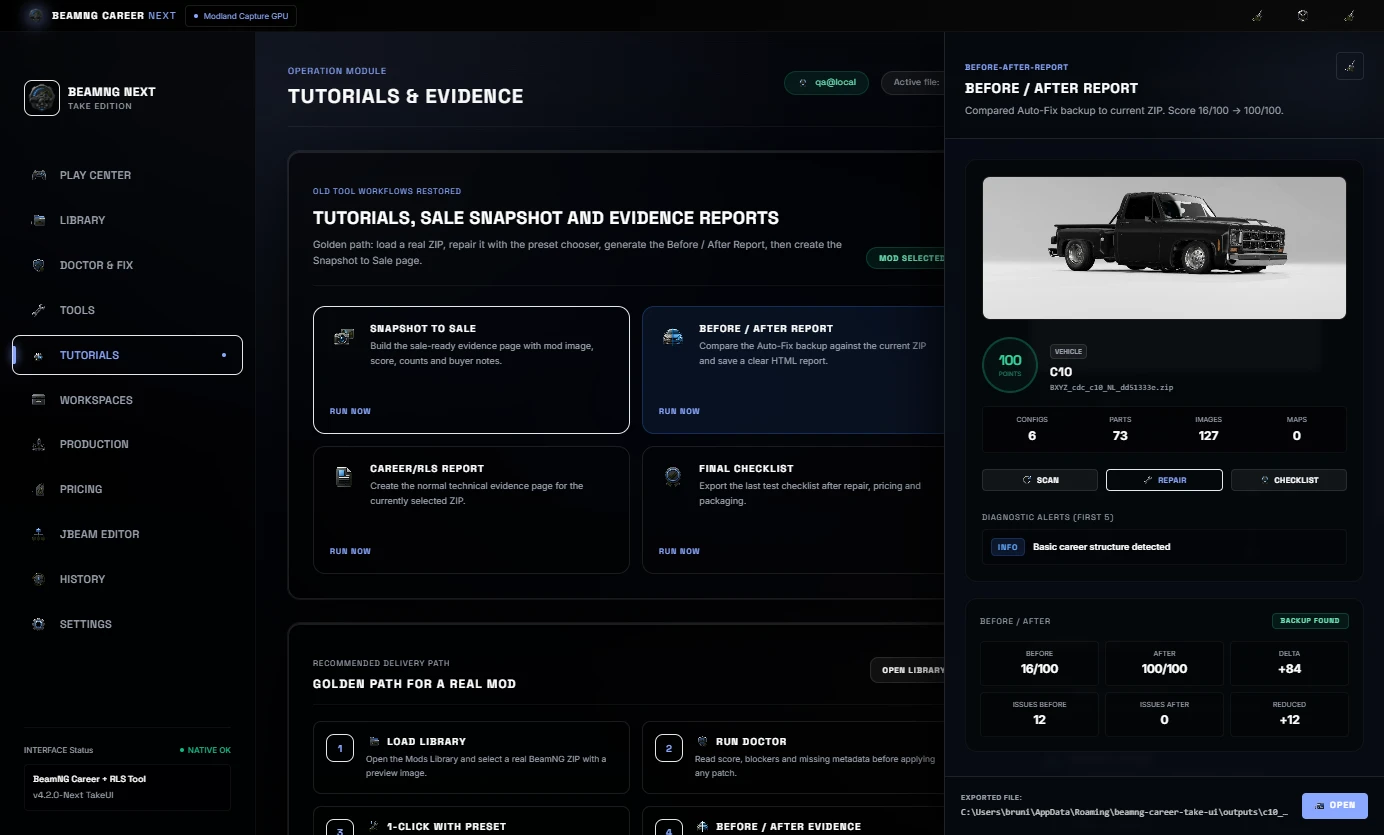
This is useful when you need to show what changed after repair instead of only saying the mod was fixed.
Price, Economy and JBeam Part Balancing
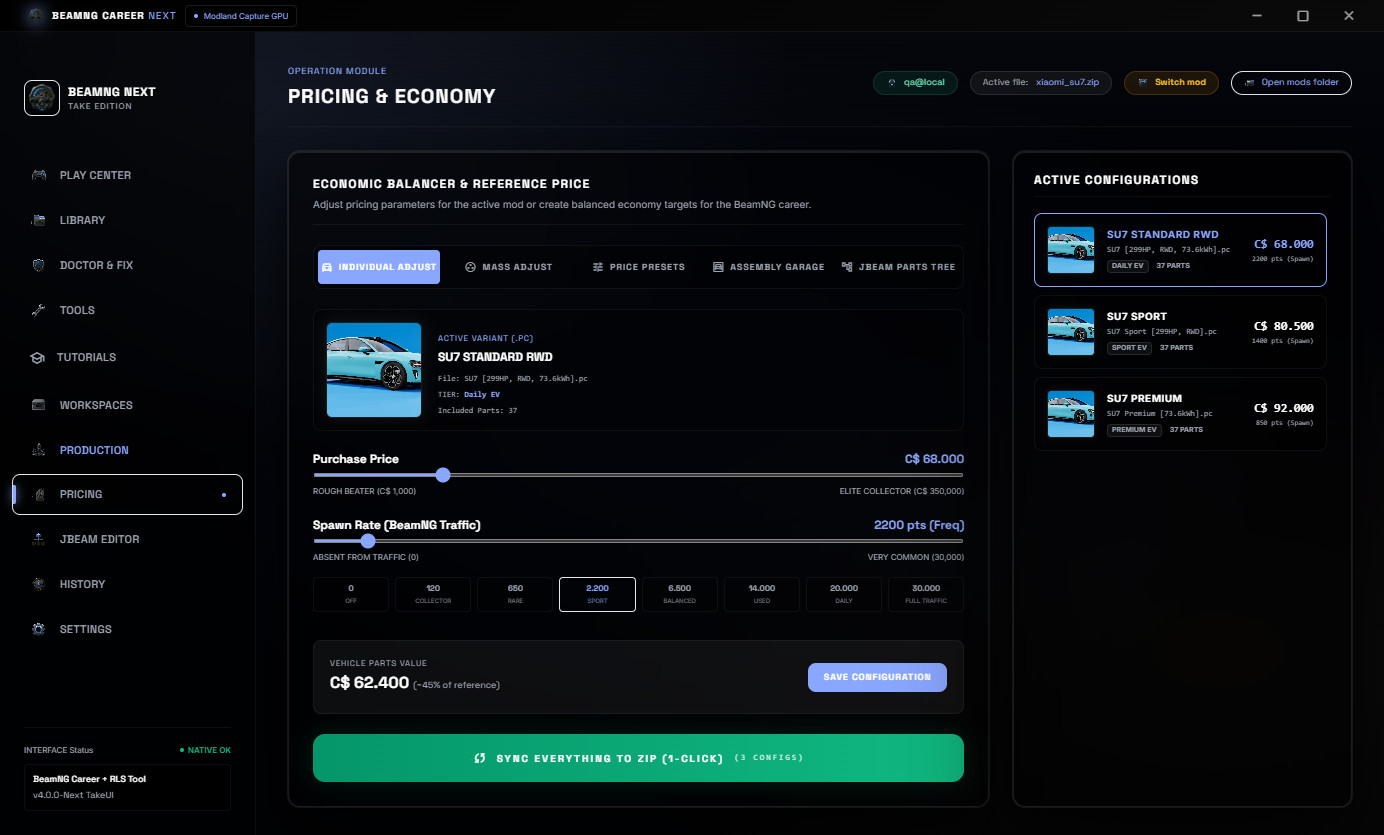
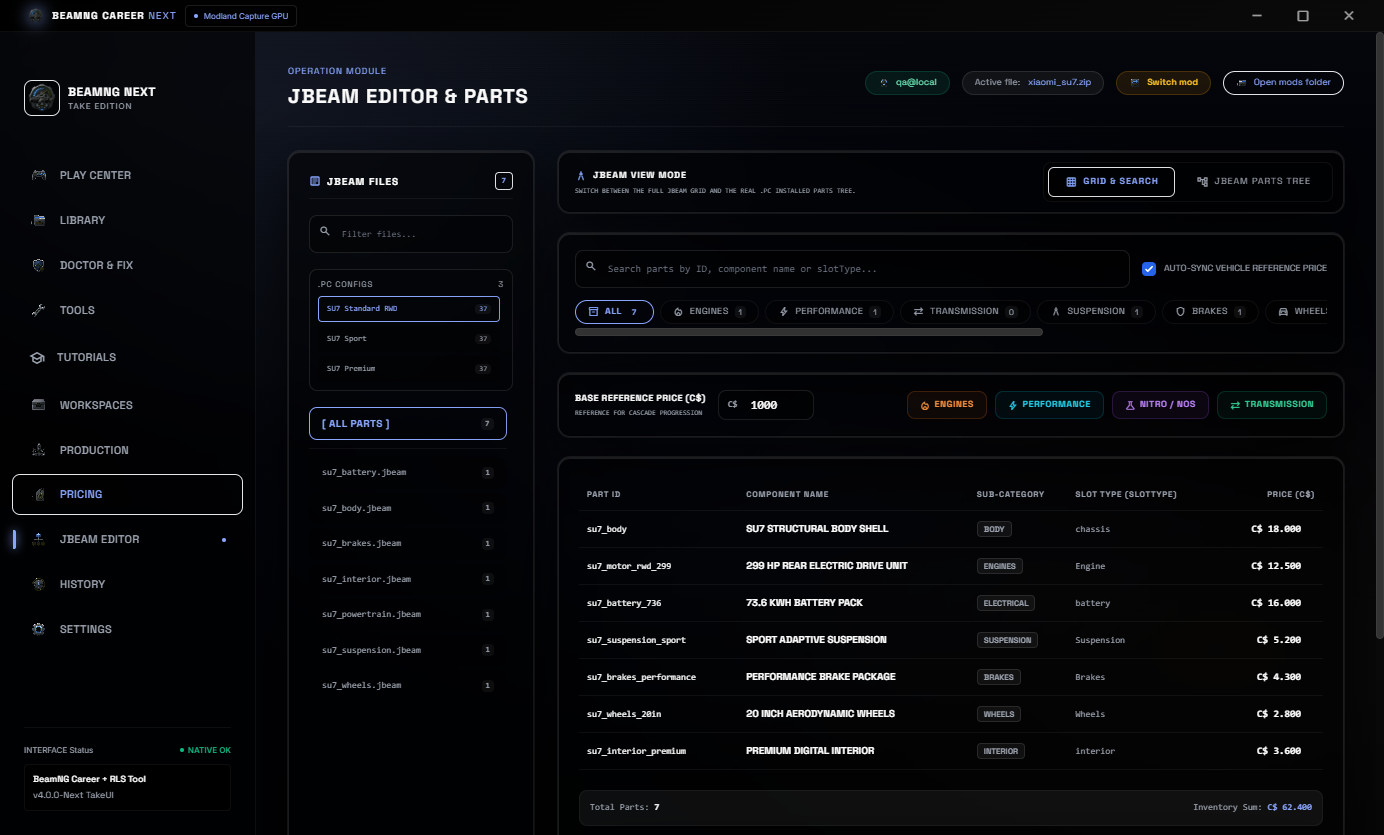
The Pricing area is used to adjust reference value, population, presets, mass edits and the JBeam parts tree.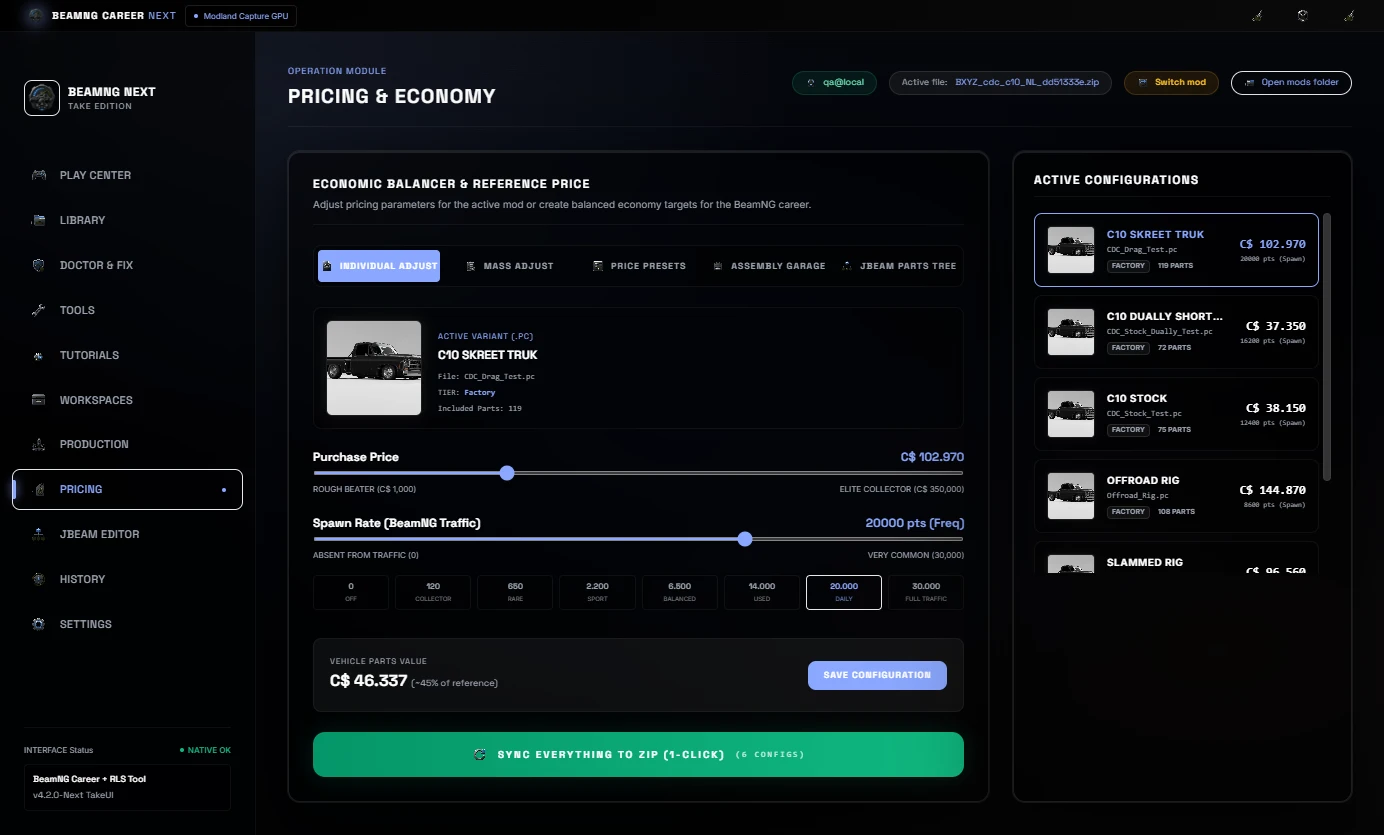
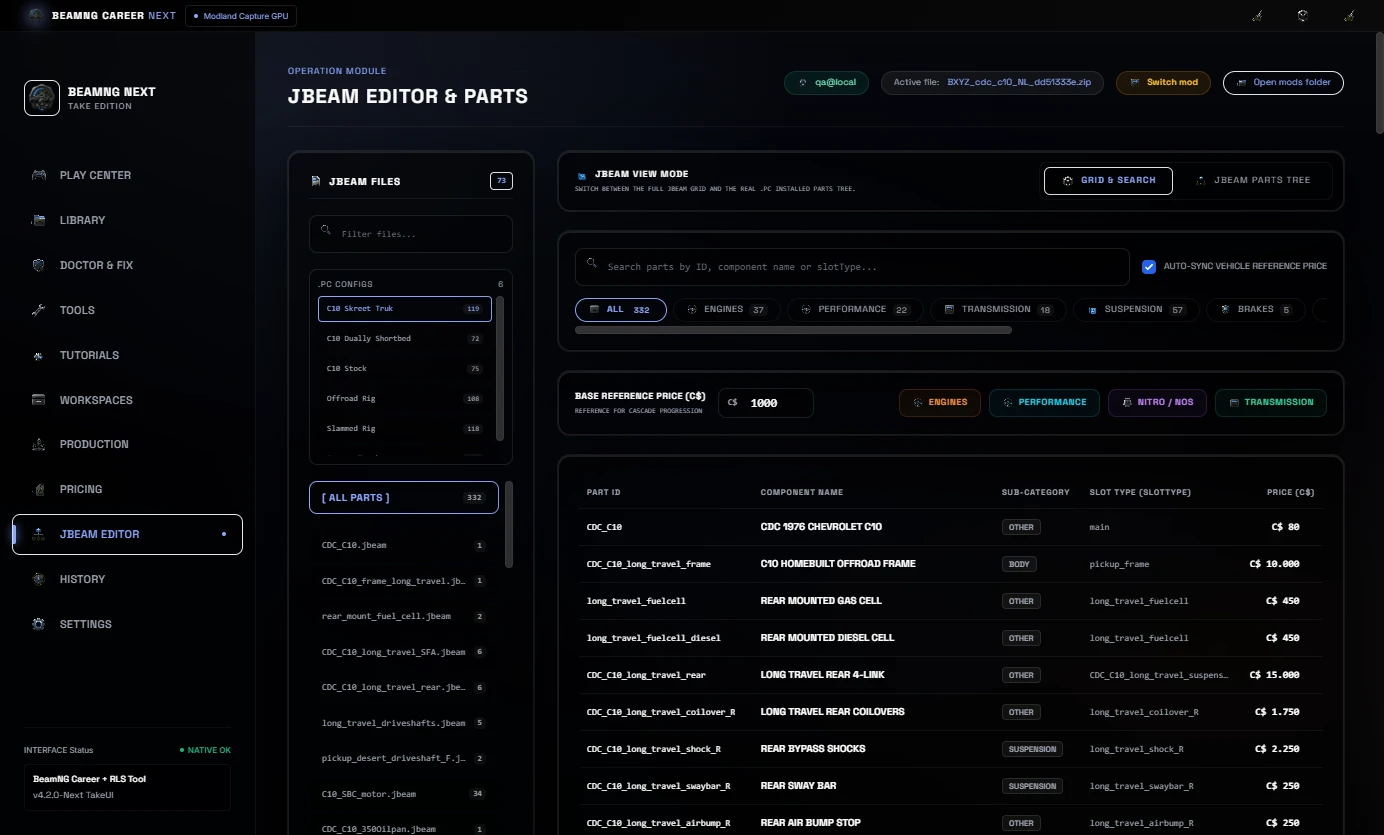
In Career/RLS balancing, a percentage change should not only affect the visible car price. JBeam part prices should stay aligned too, so the total vehicle setup makes sense inside the economy.
Workspaces, Production and History
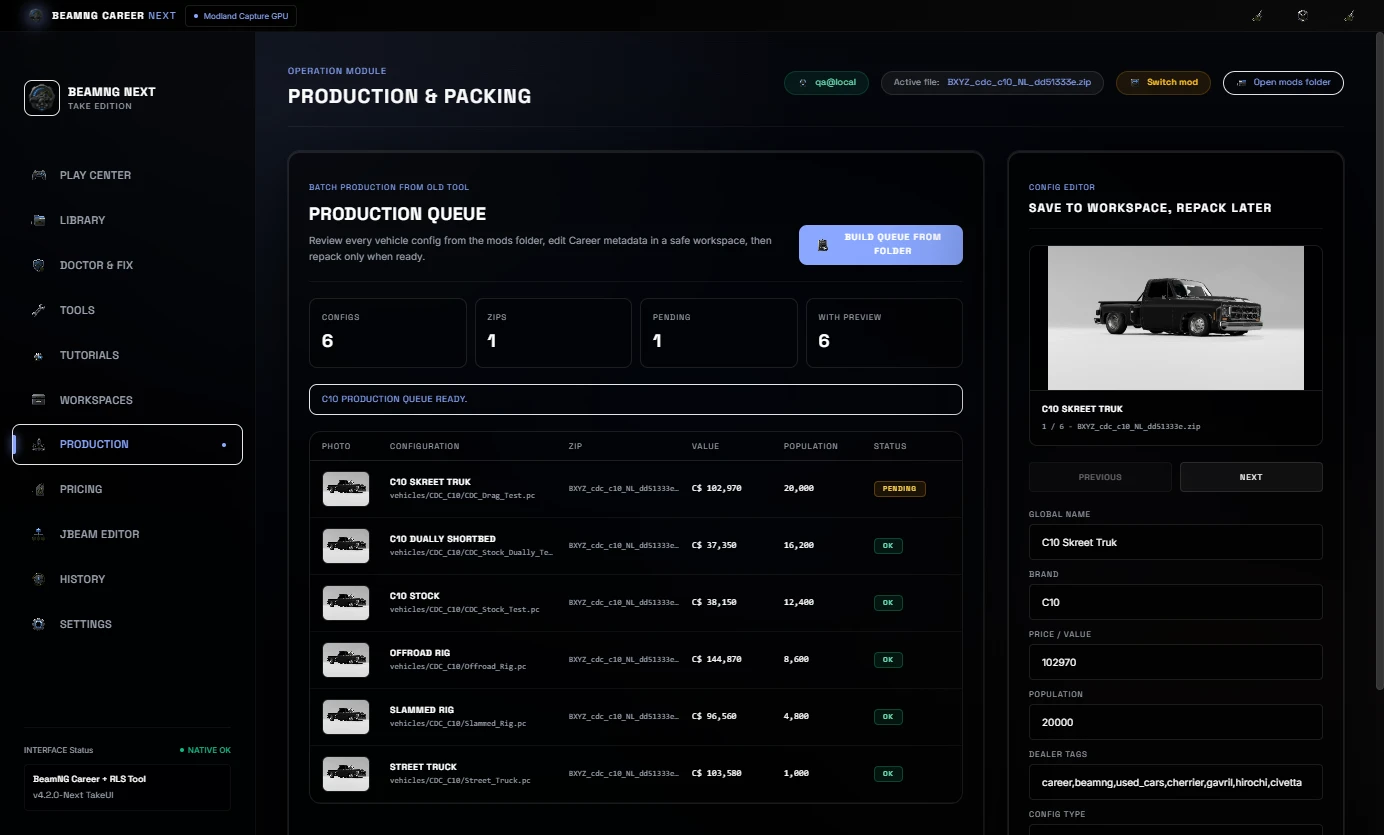
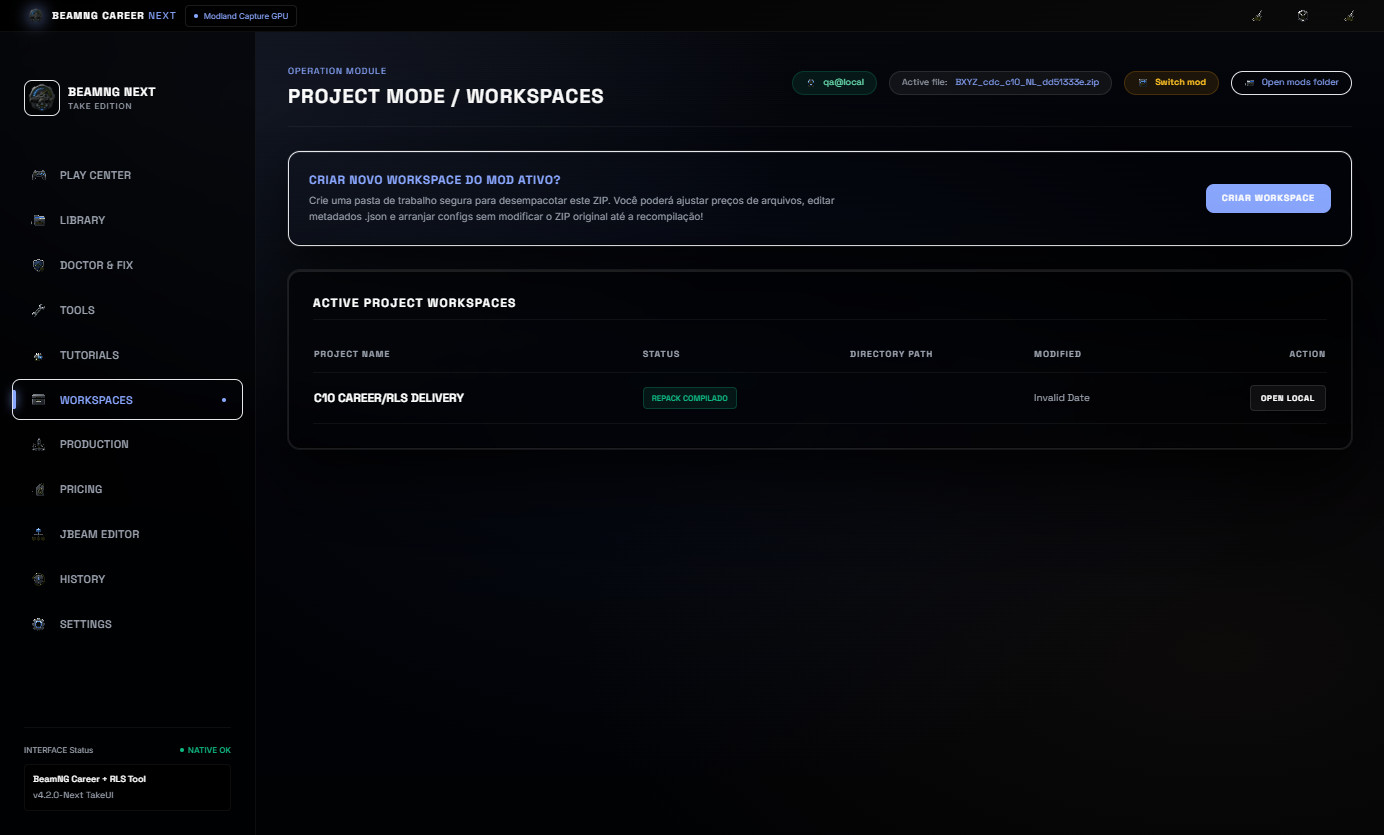
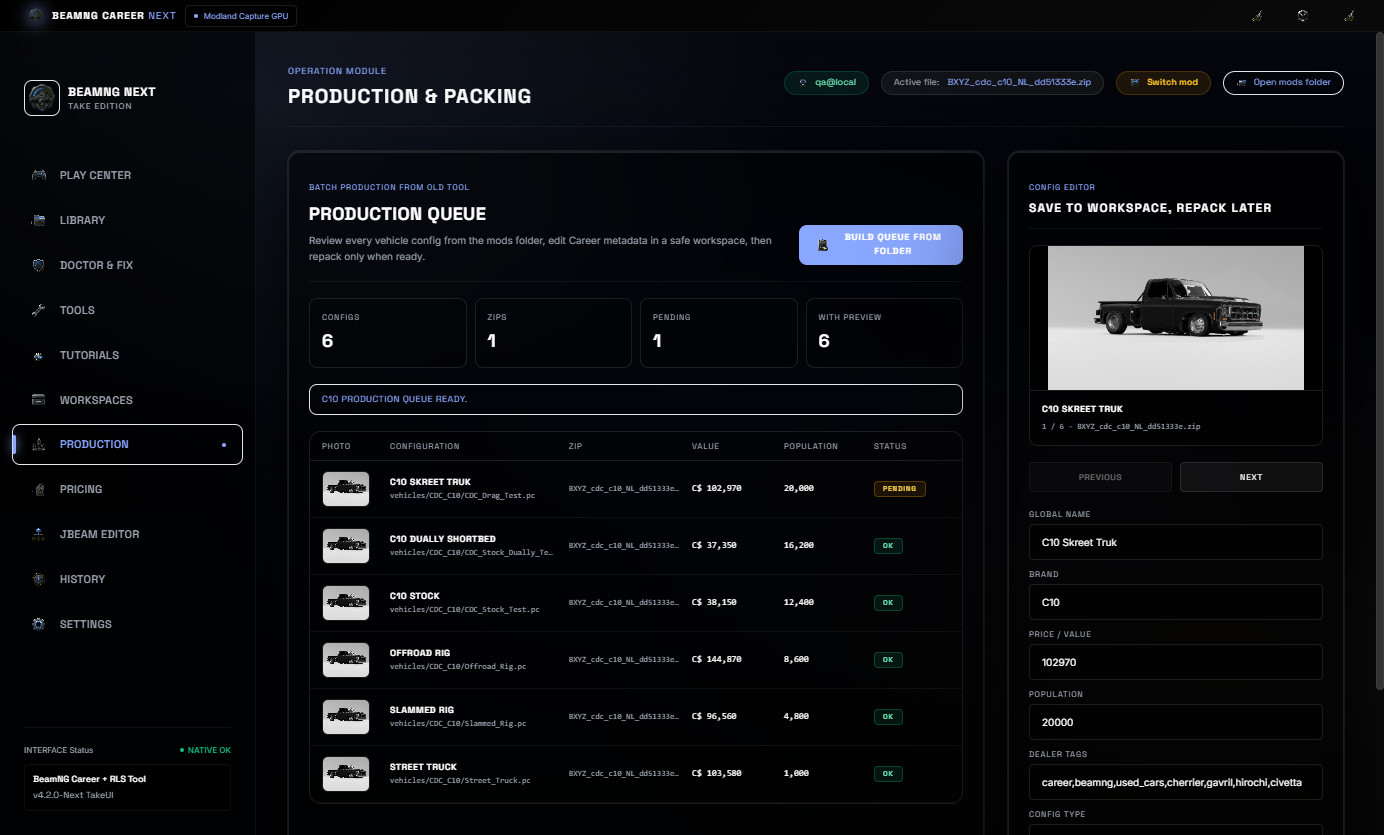
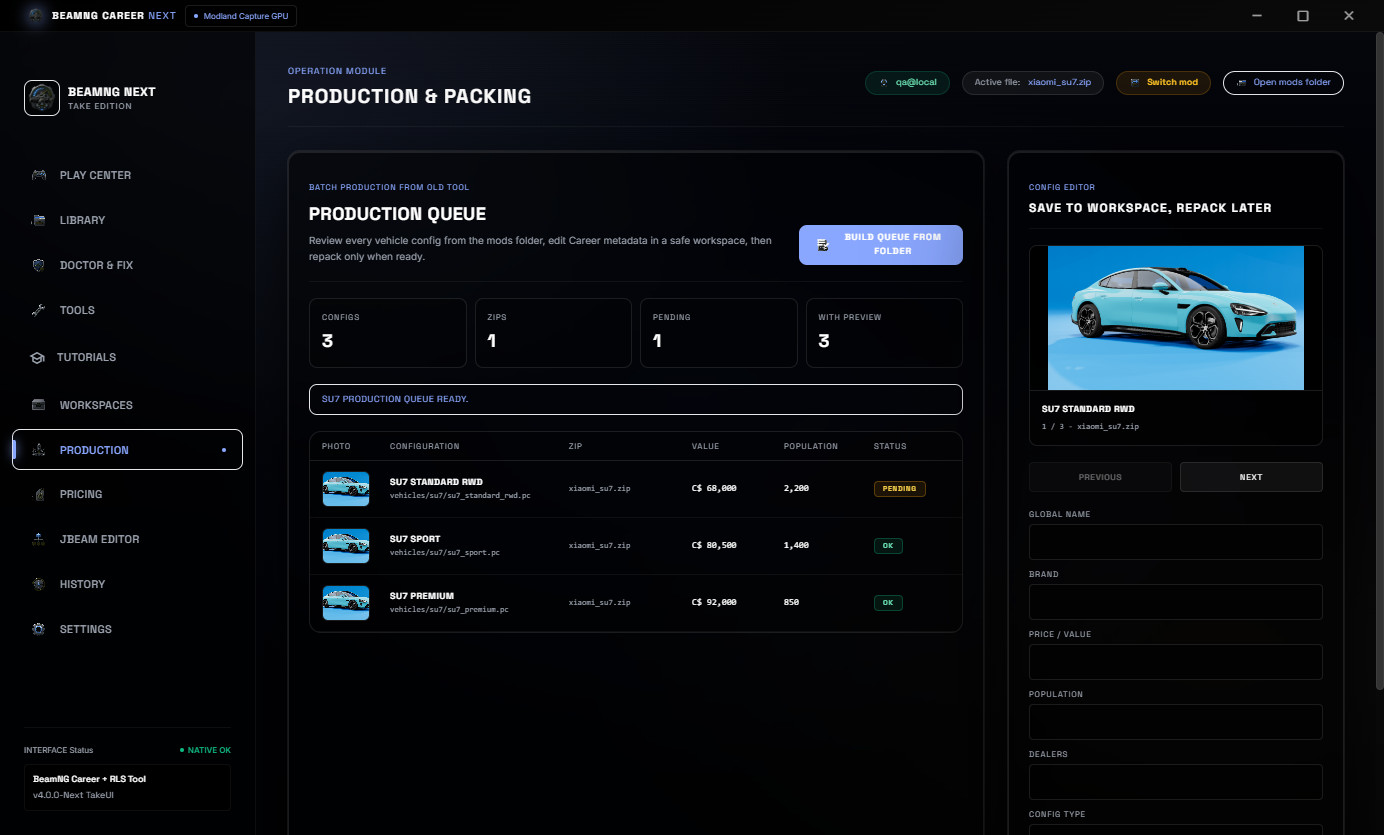
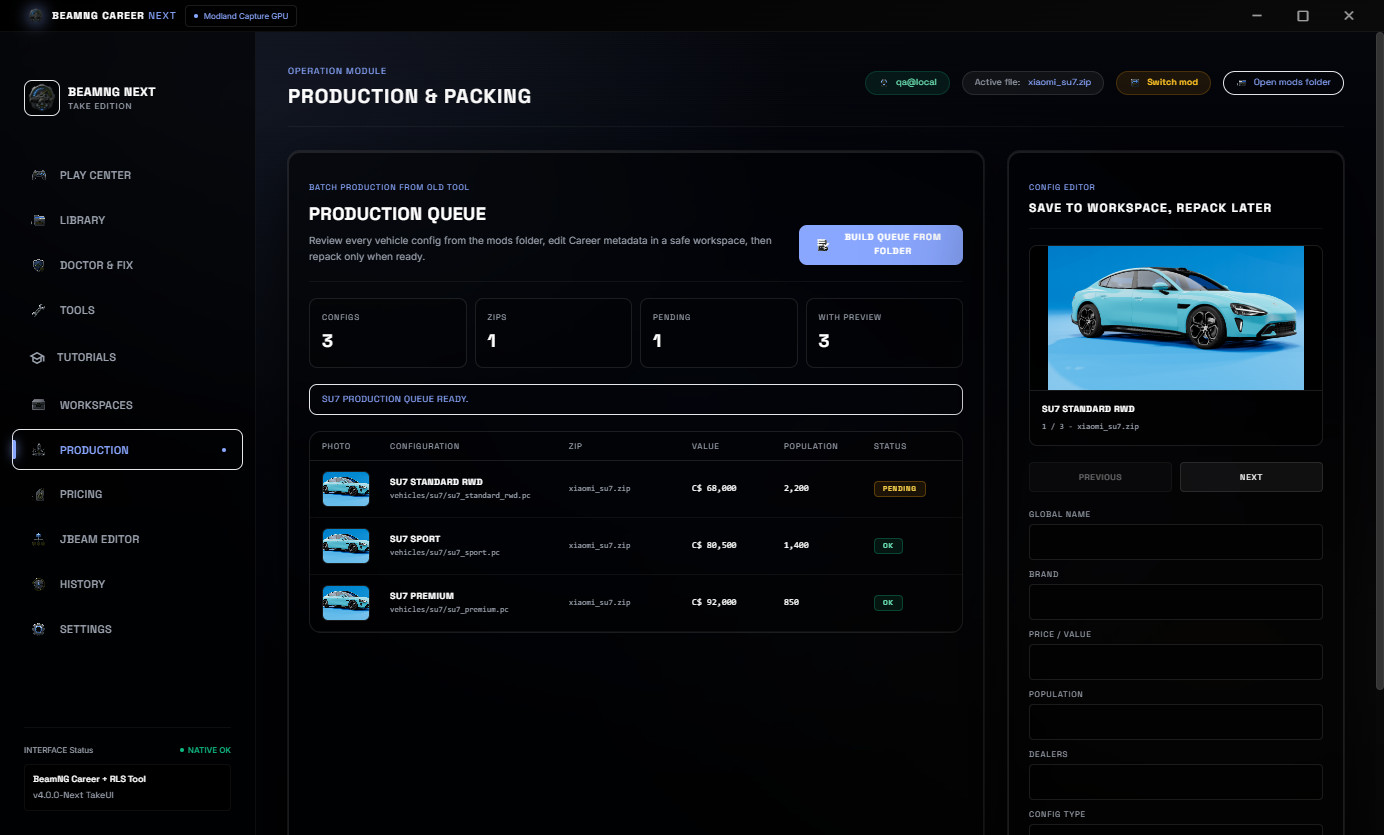
Project Workspaces help keep mod work organized while preparing files. Production Queue helps review vehicle configs, values, population and repack status before final delivery.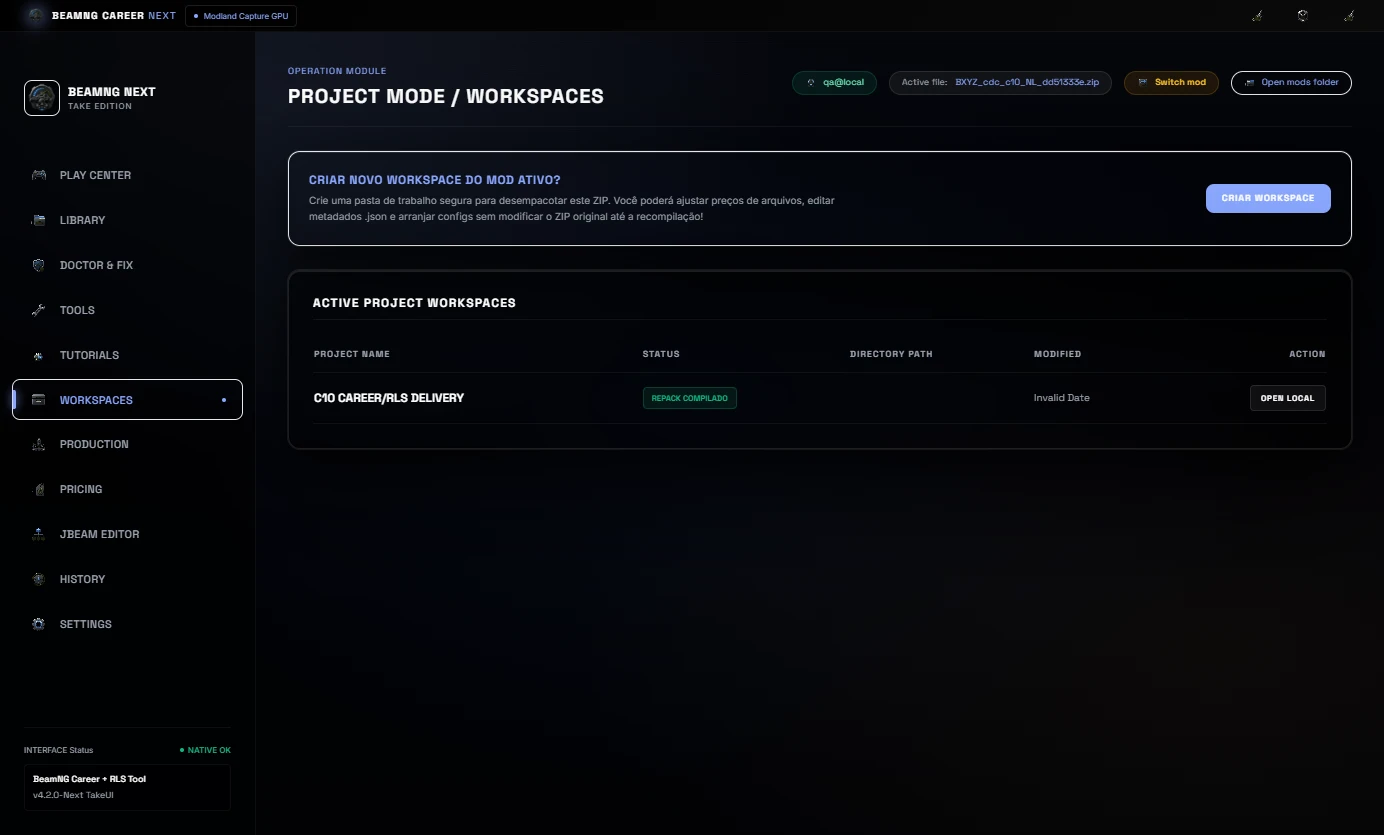
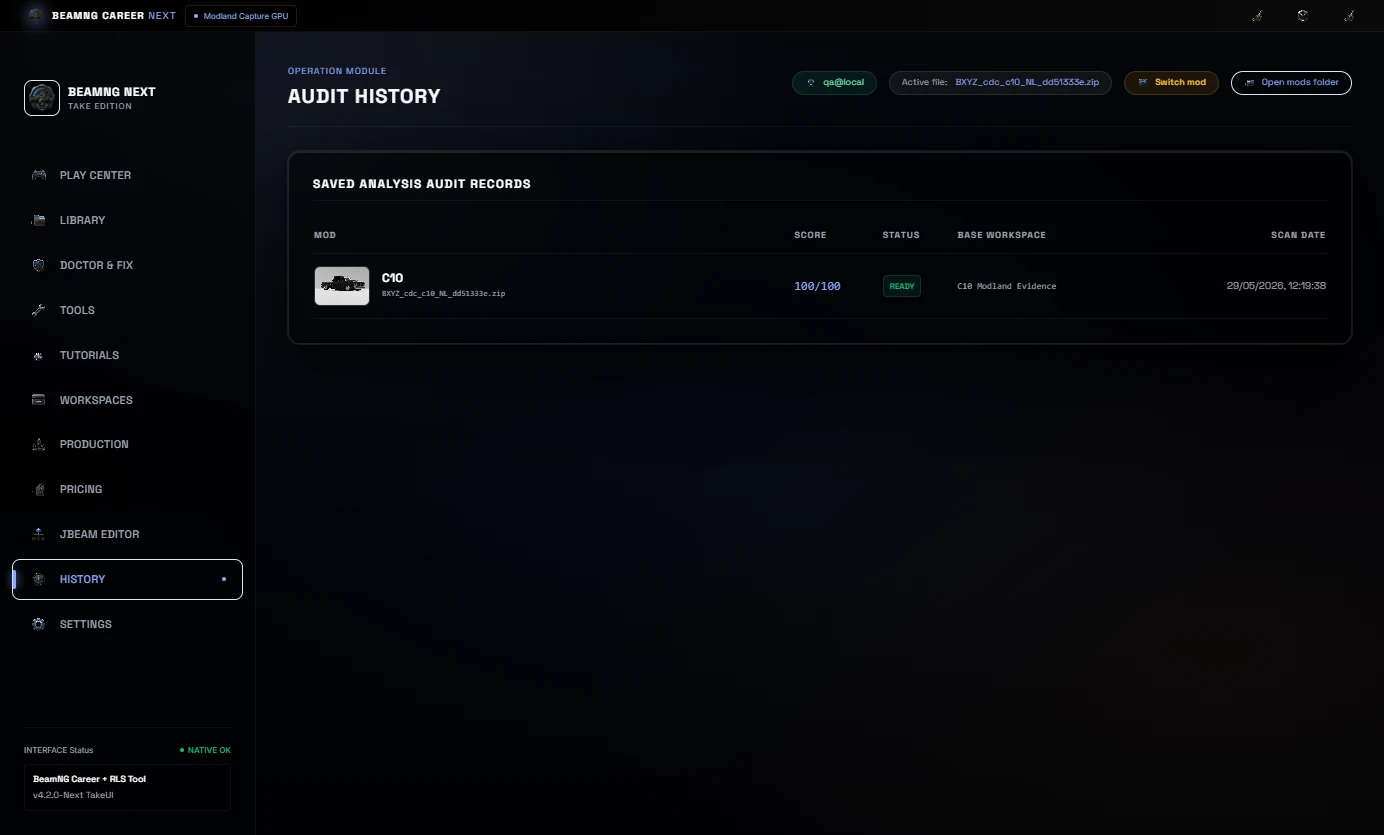
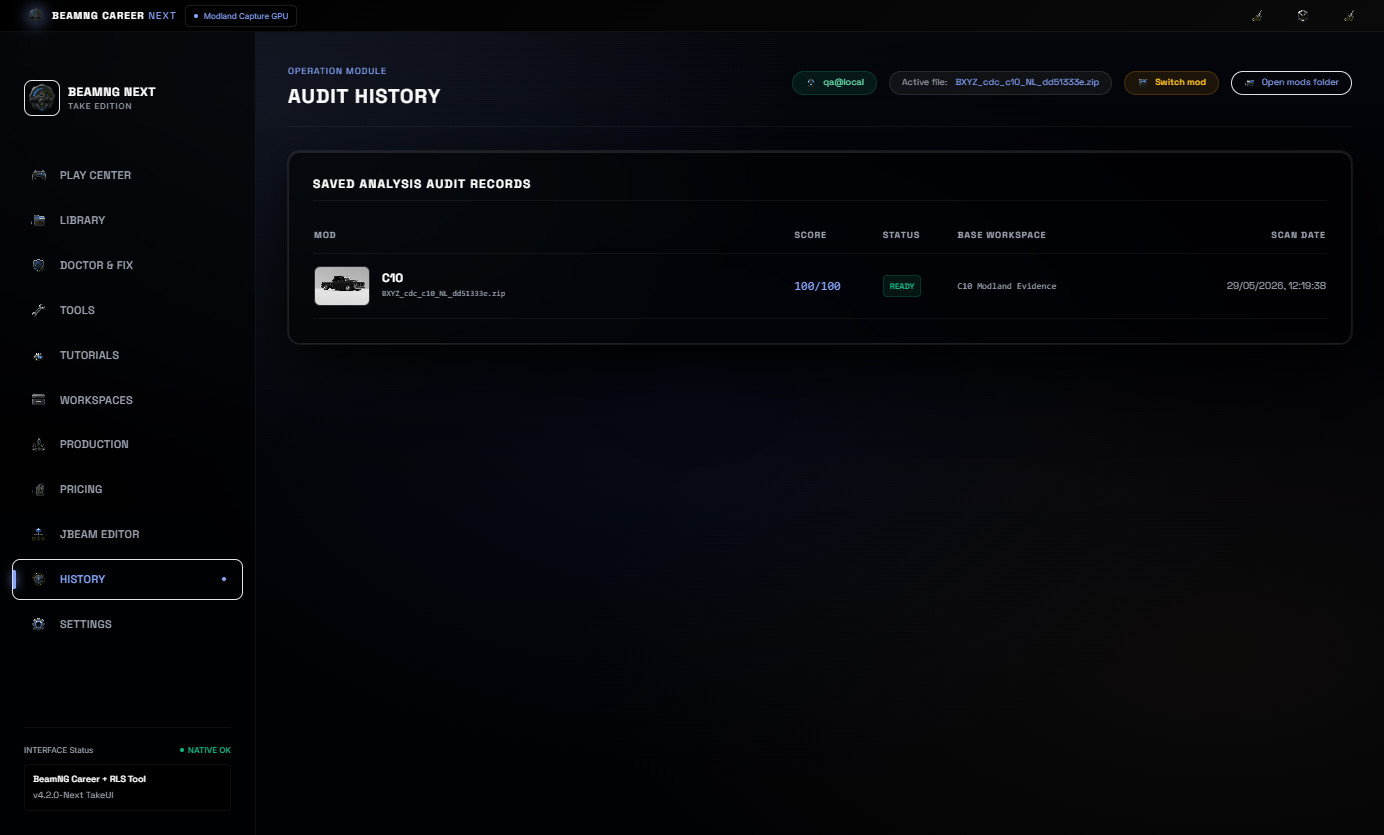
History keeps a visible record of scans, evidence and prepared mods, including mod preview images.
Languages
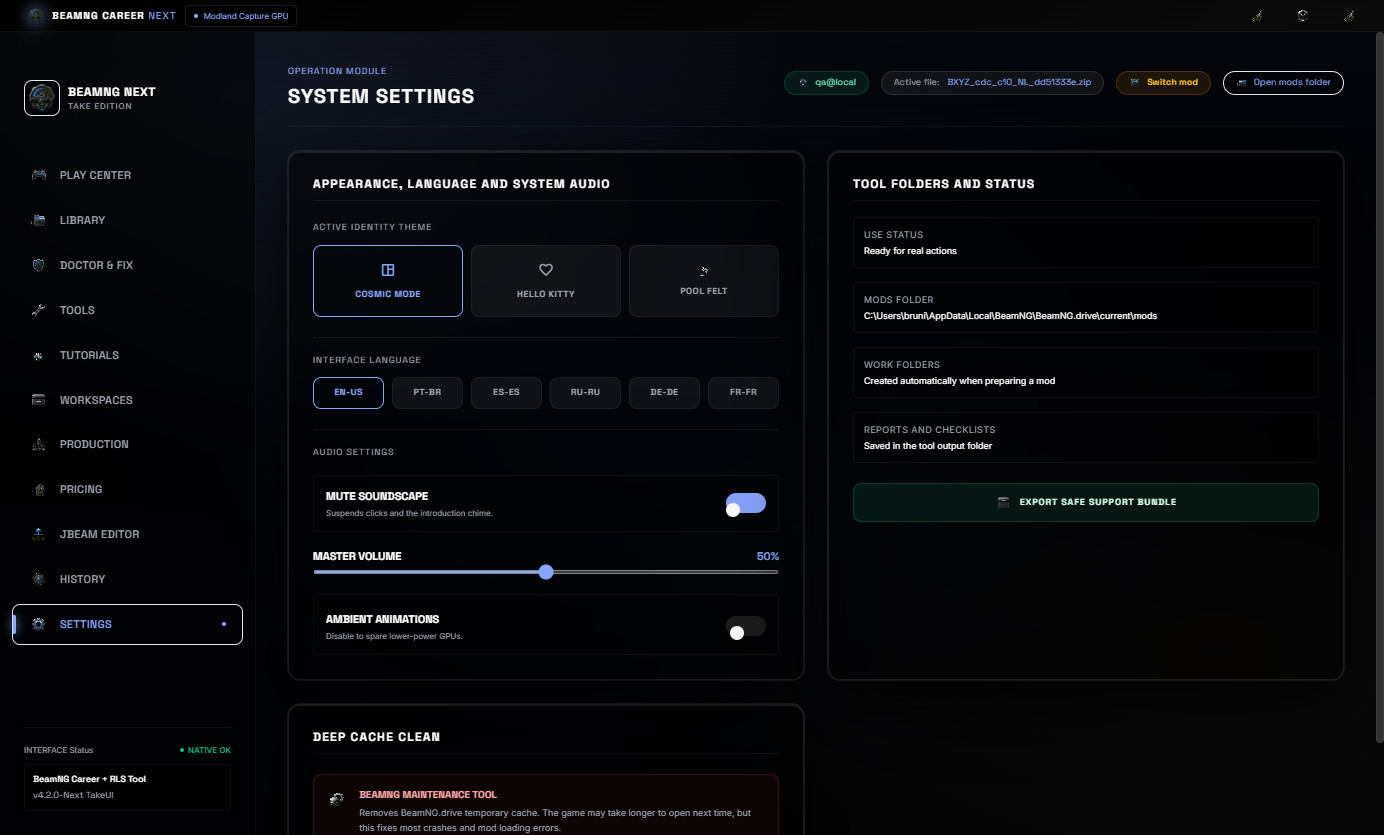
The default interface language is EN-US. The tool also includes PT-BR, ES-ES, RU-RU, DE-DE and FR-FR options.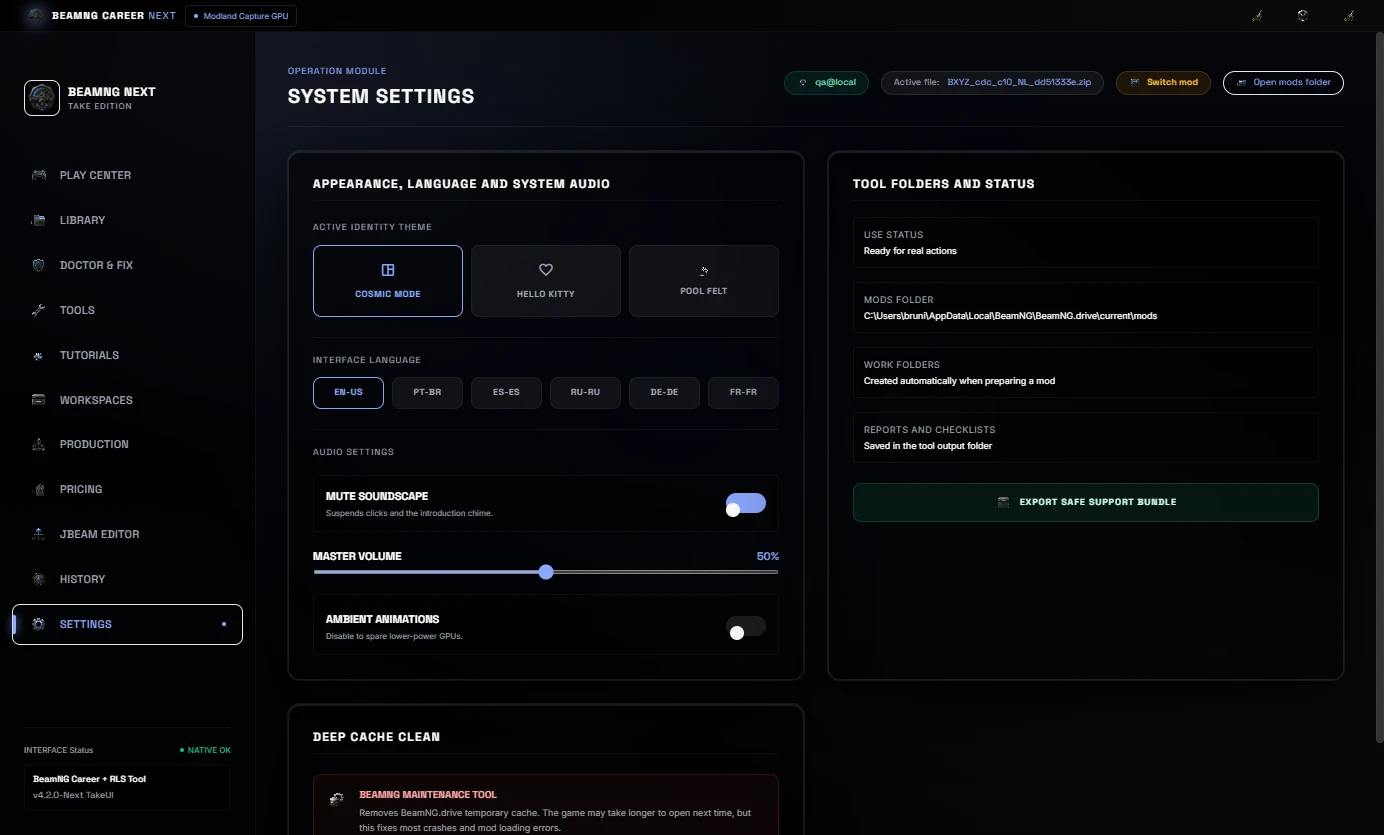
Included
- Real mods library with preview images.
- Cached library scan and reload.
- Mod Doctor and Career/RLS diagnostics.
- 1-Click Auto-Fix with preset selection.
- Pricing and economy controls.
- JBeam part pricing workflow.
- Snapshot to Sale HTML evidence.
- Before / After HTML evidence report.
- Tutorials & Evidence tab.
- Project workspace and production queue.
- Processing history.
- Multi-language UI.
Important
Always keep backups of your original ZIP files before editing.
This tool helps prepare BeamNG mods for Career/RLS workflows, but every edited mod should still be tested in BeamNG after repair or pricing changes.
No BeamNG vehicle mods are bundled with this download.
BeamNG Career Tool Next v4.1
BeamNG Career Tool Next is a Windows utility for preparing BeamNG vehicle ZIP mods for Career/RLS use.
It is made for modders, players and creators who need a faster way to scan a vehicle ZIP, check if it is career-ready, repair common metadata issues, balance price, population and JBeam part values, generate proof reports and prepare a cleaner final package for testing or publishing.
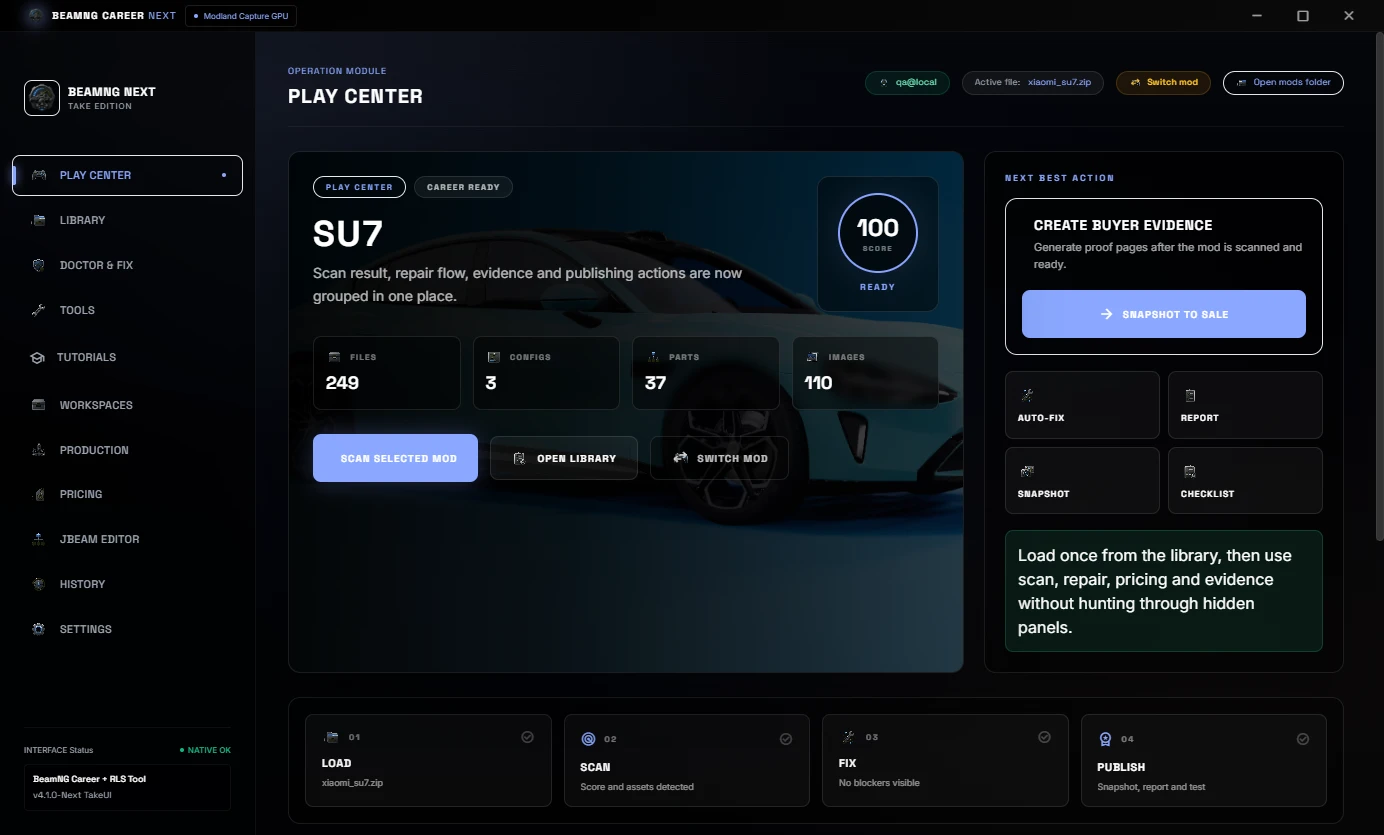
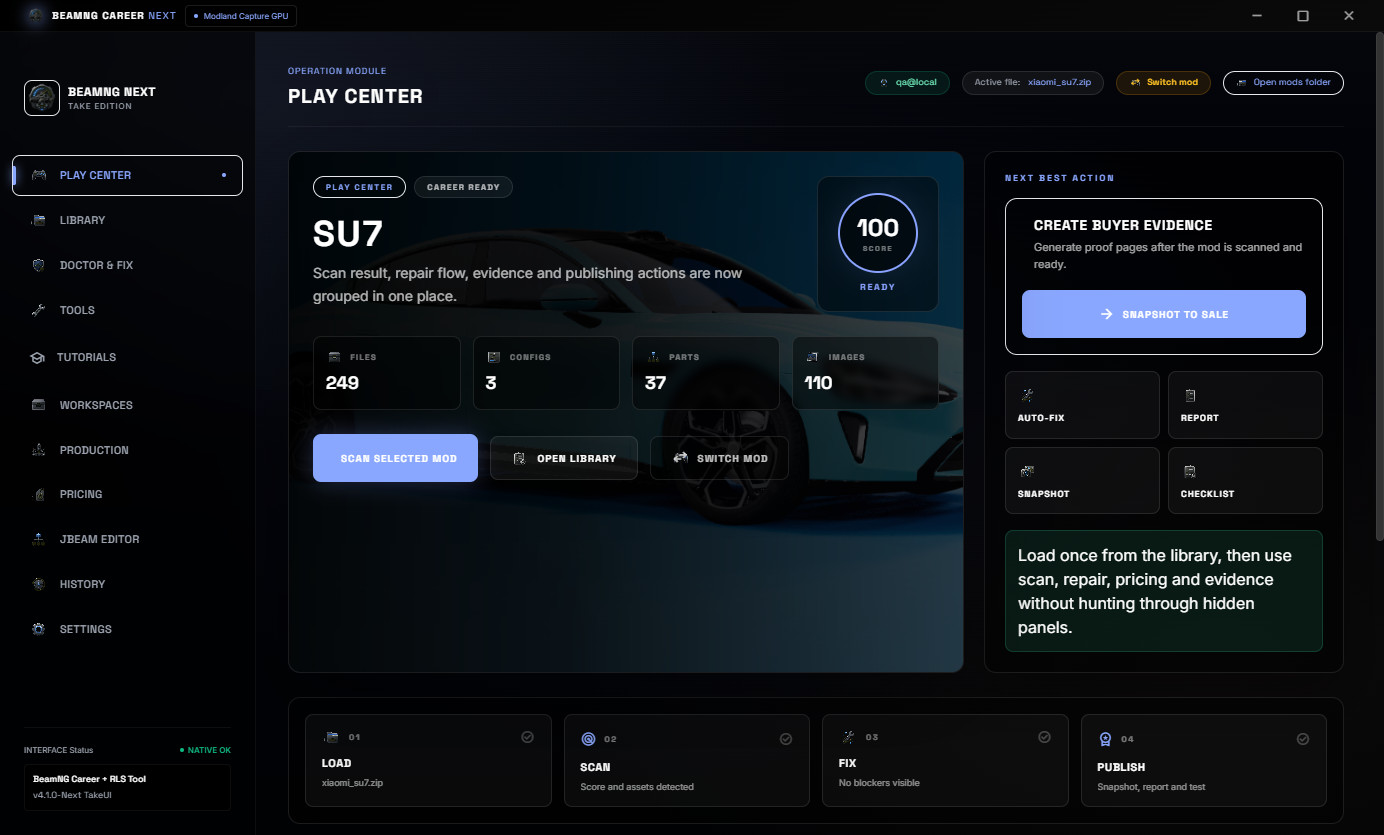
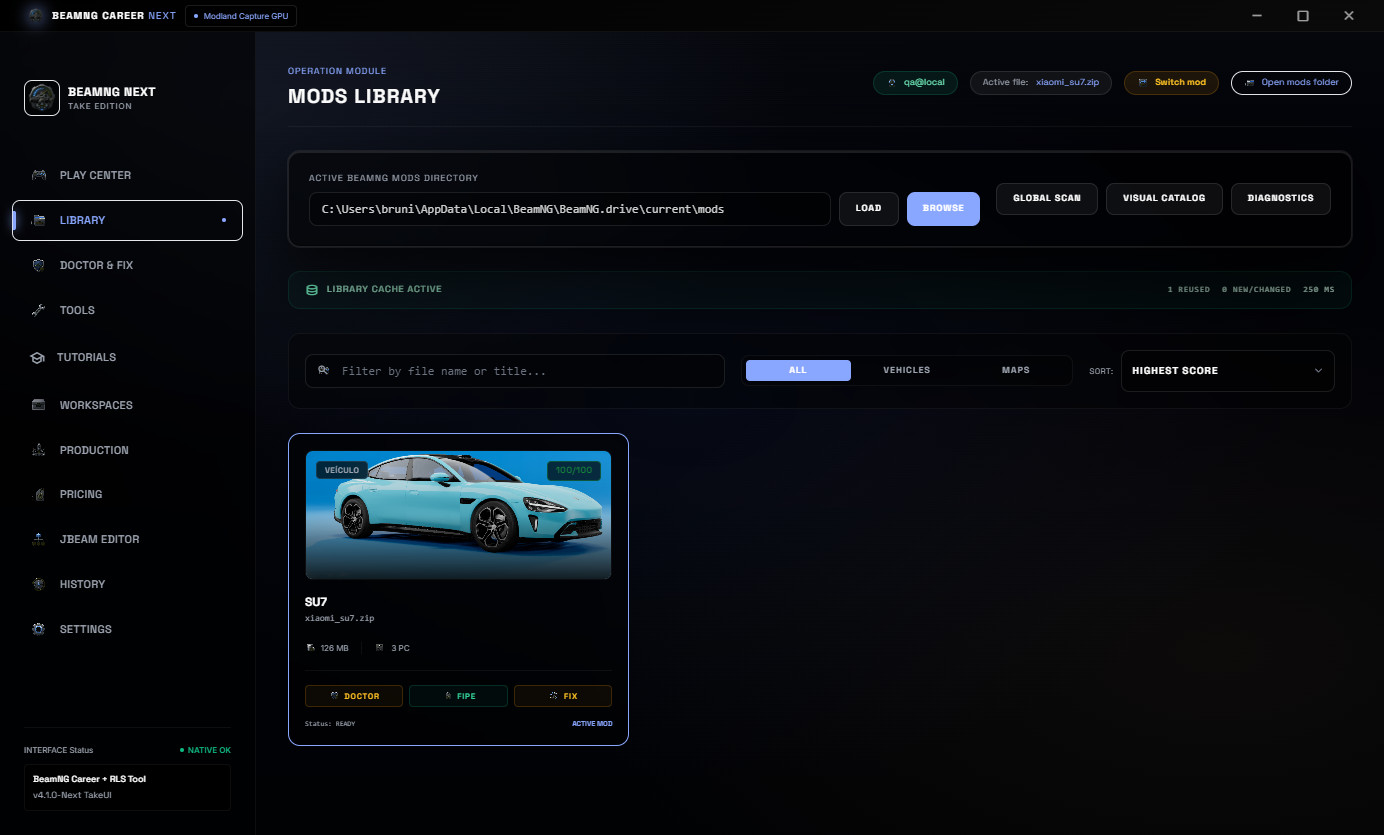
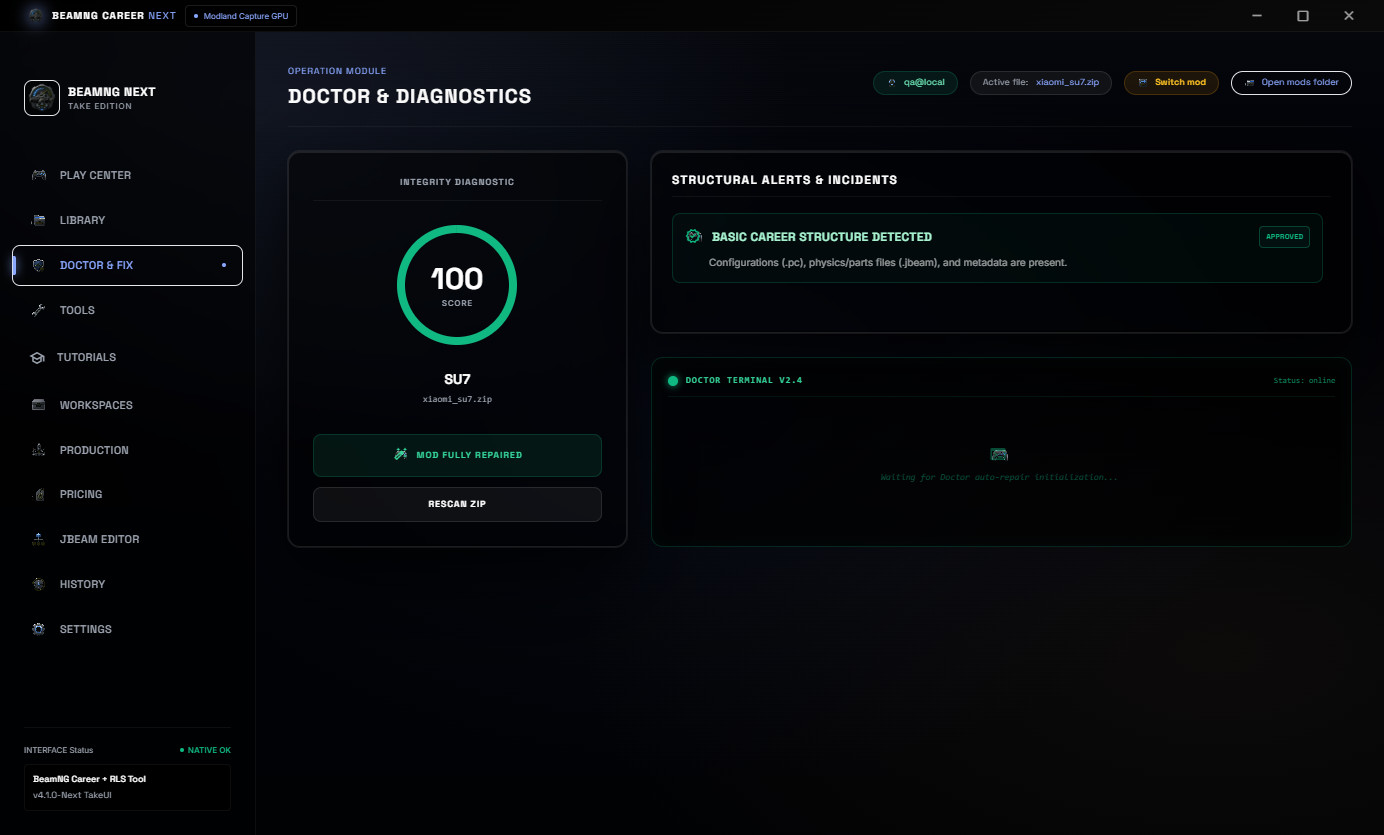
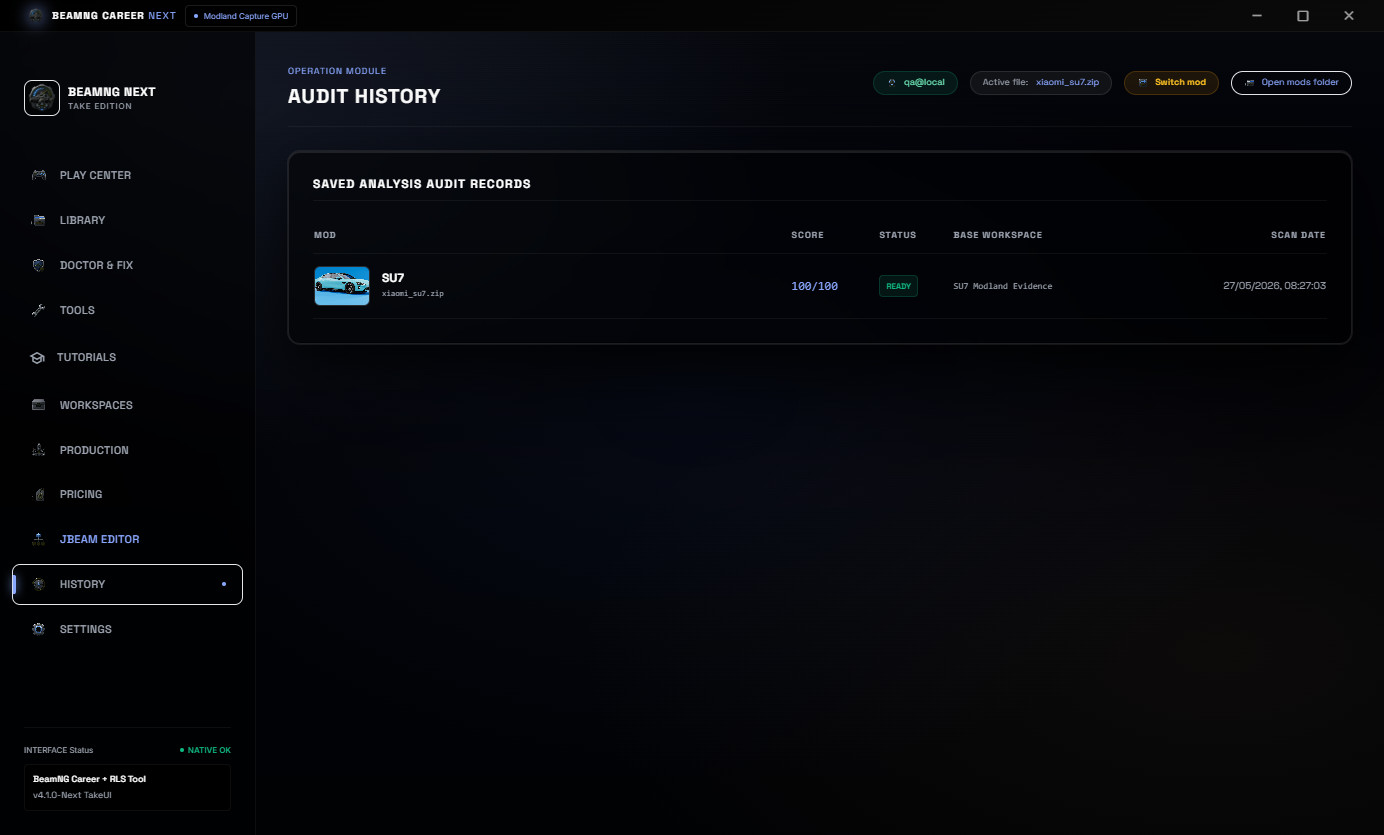
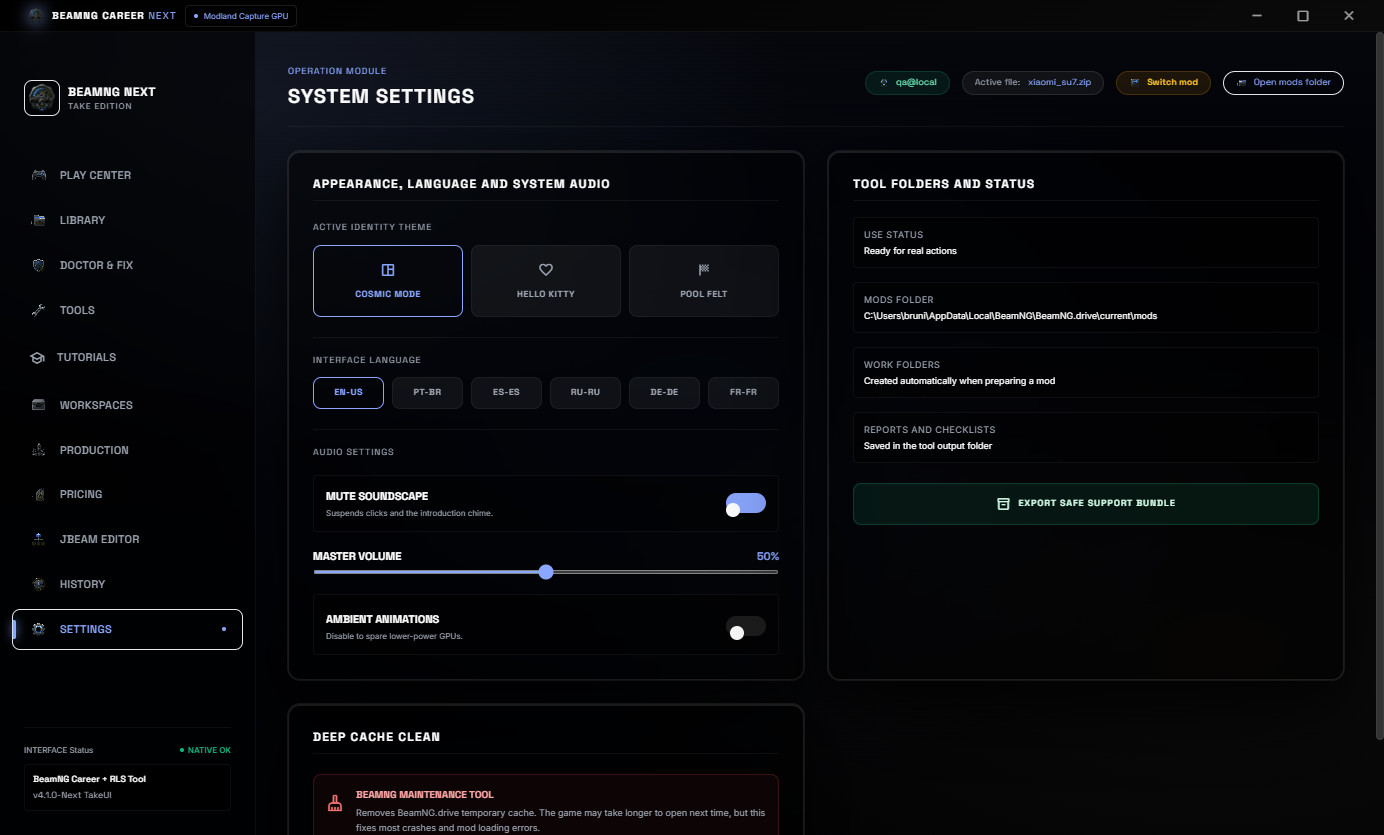
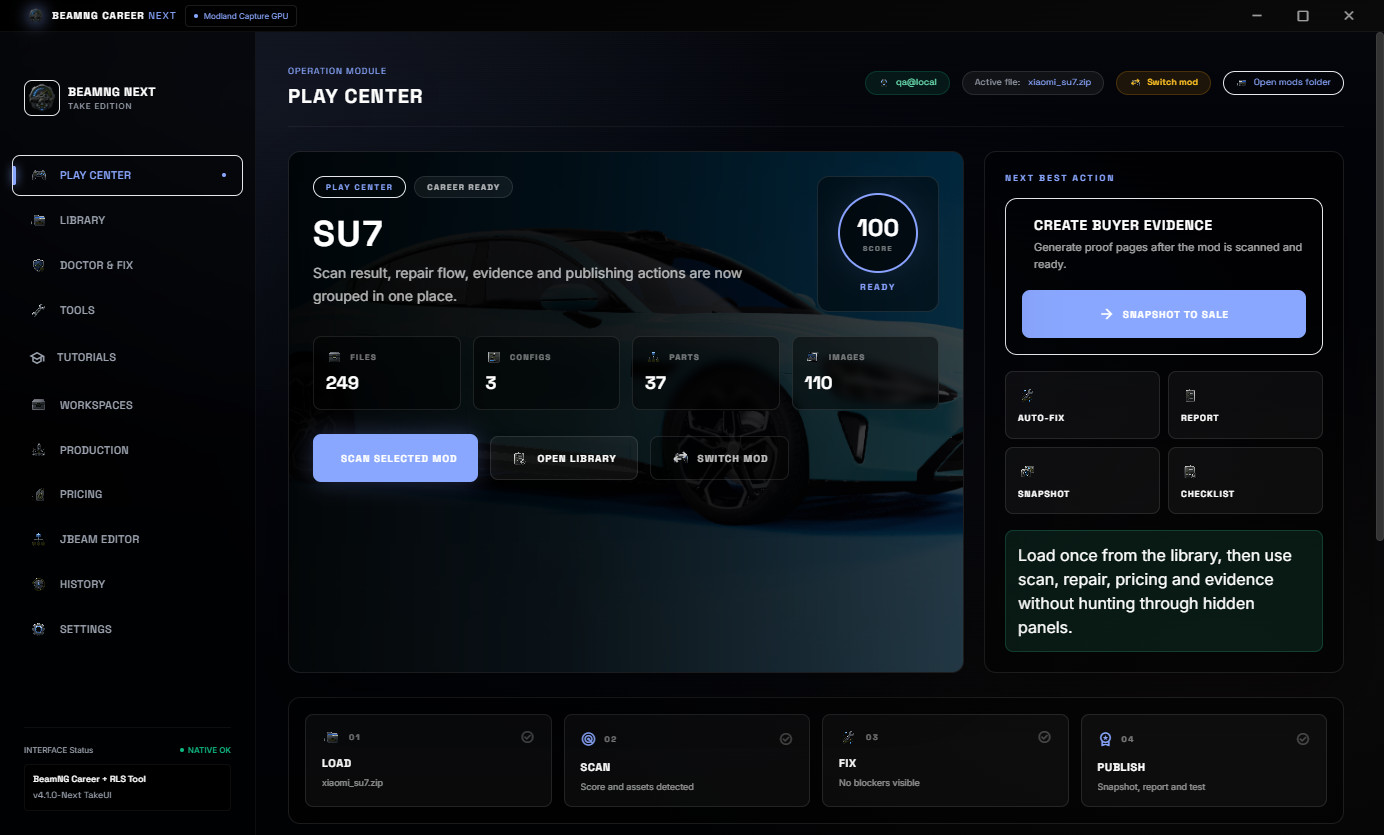
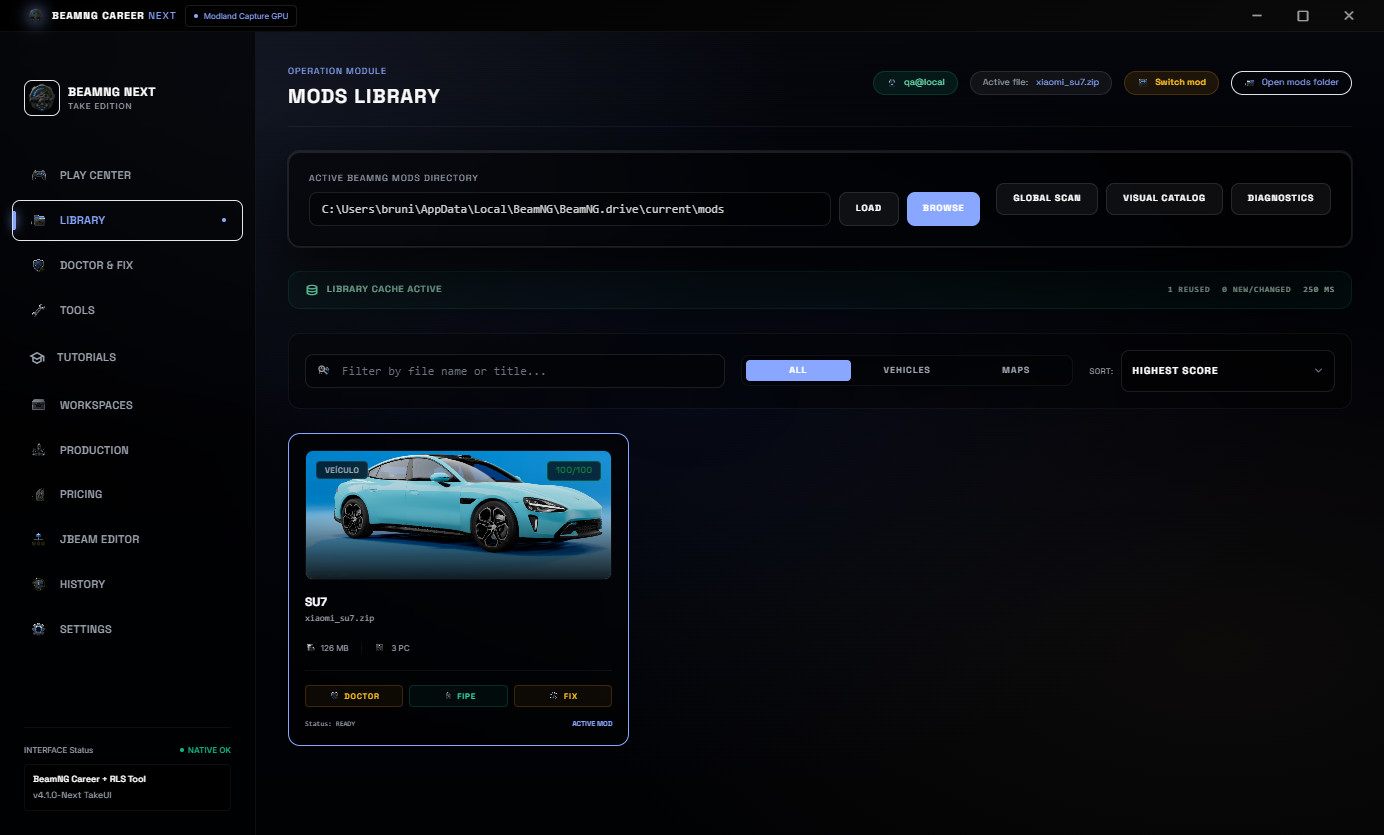
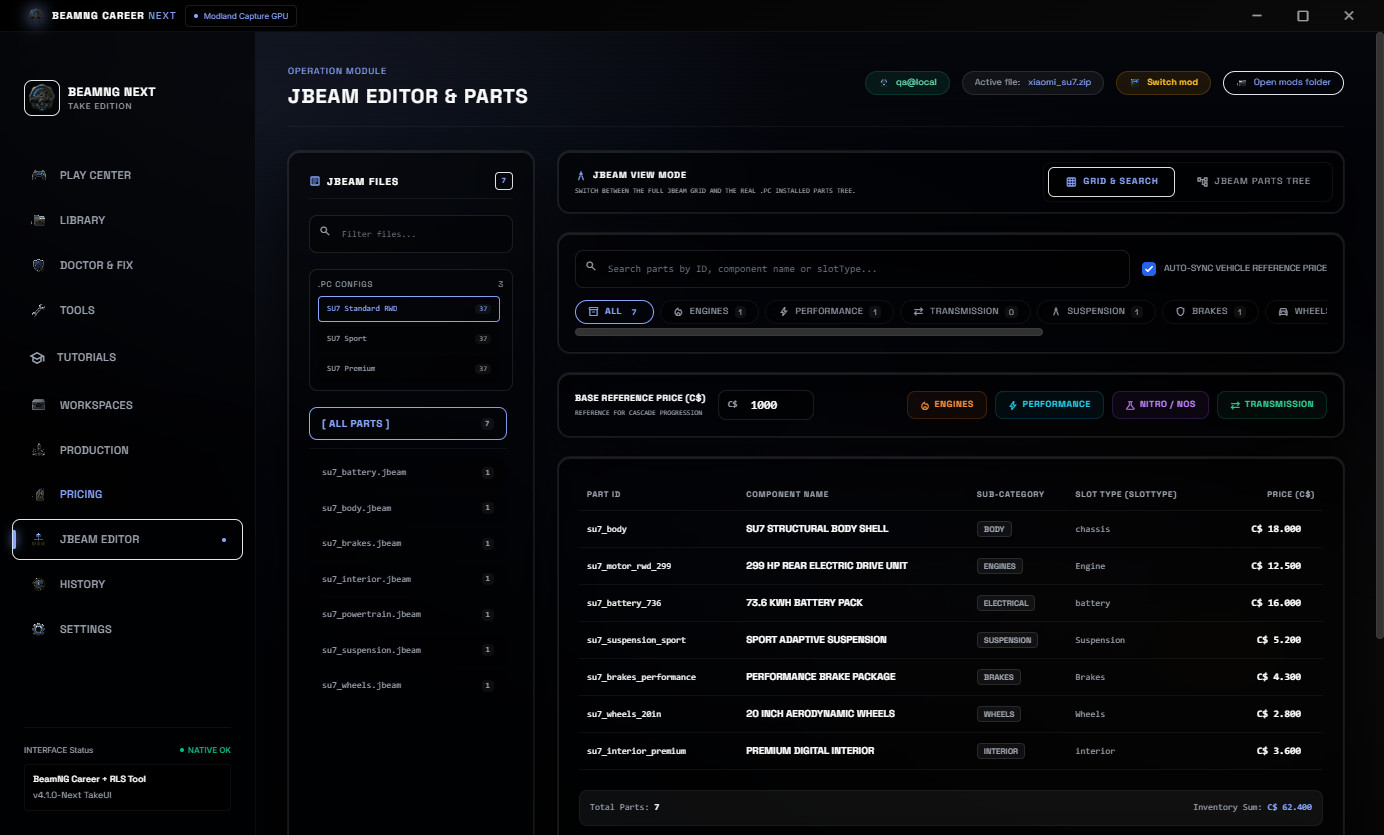
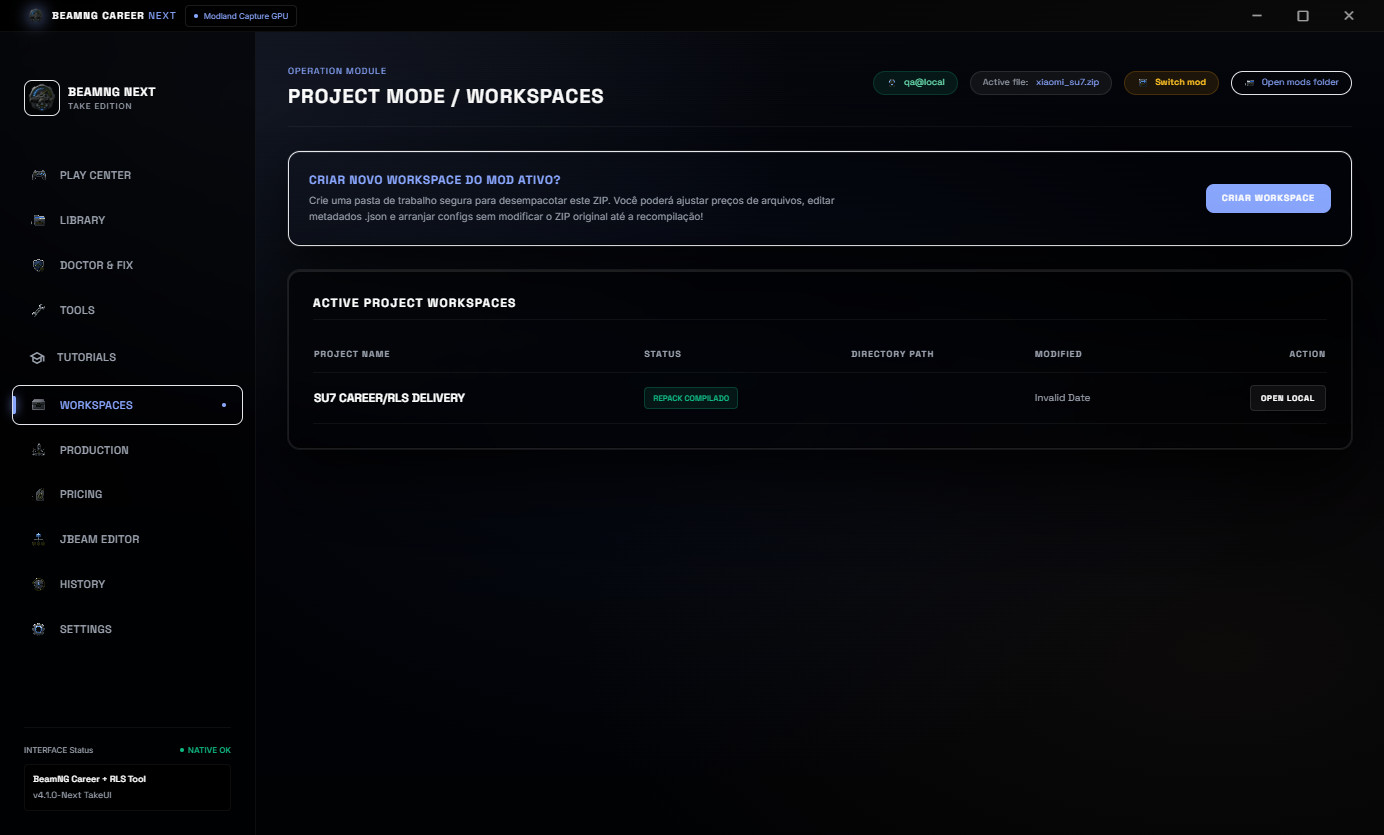
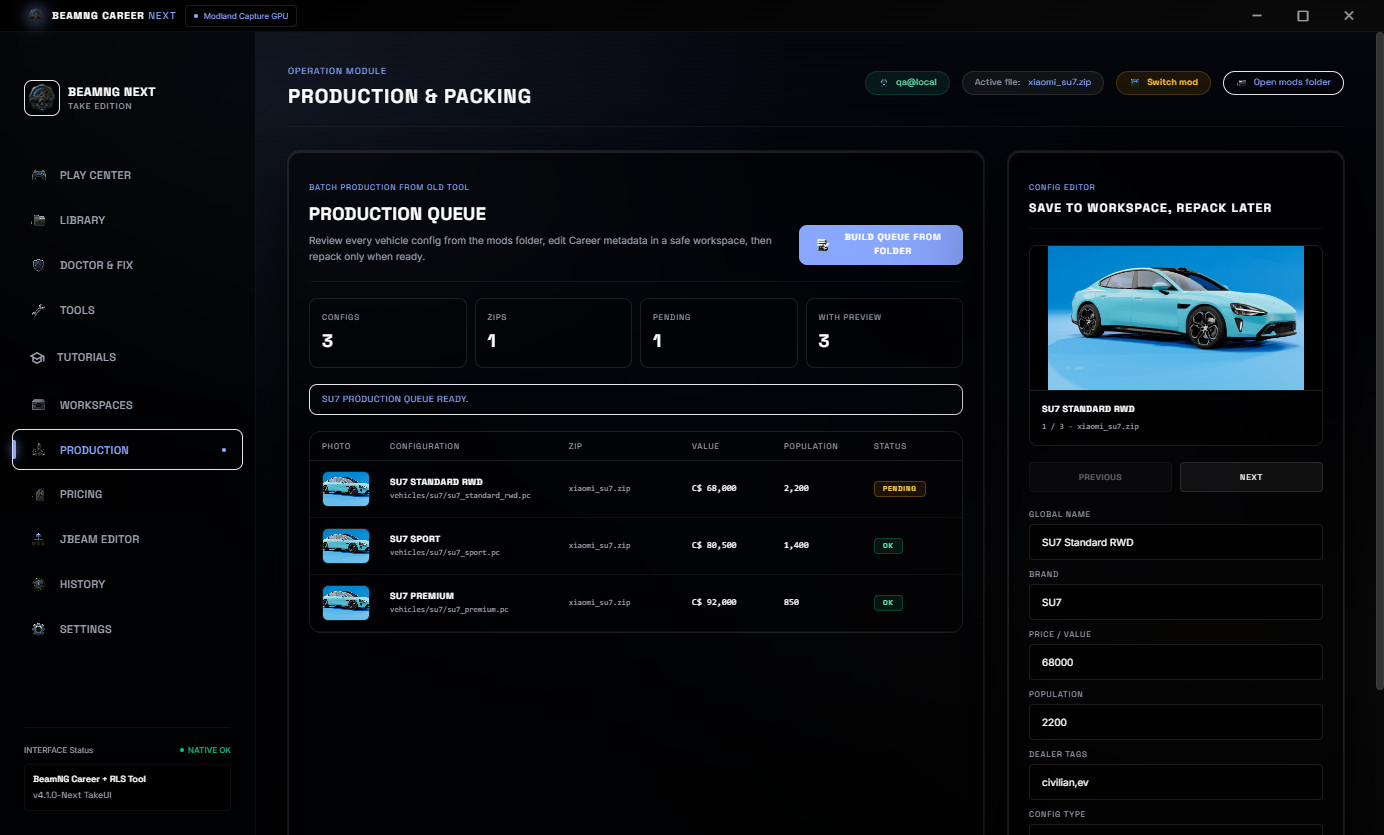
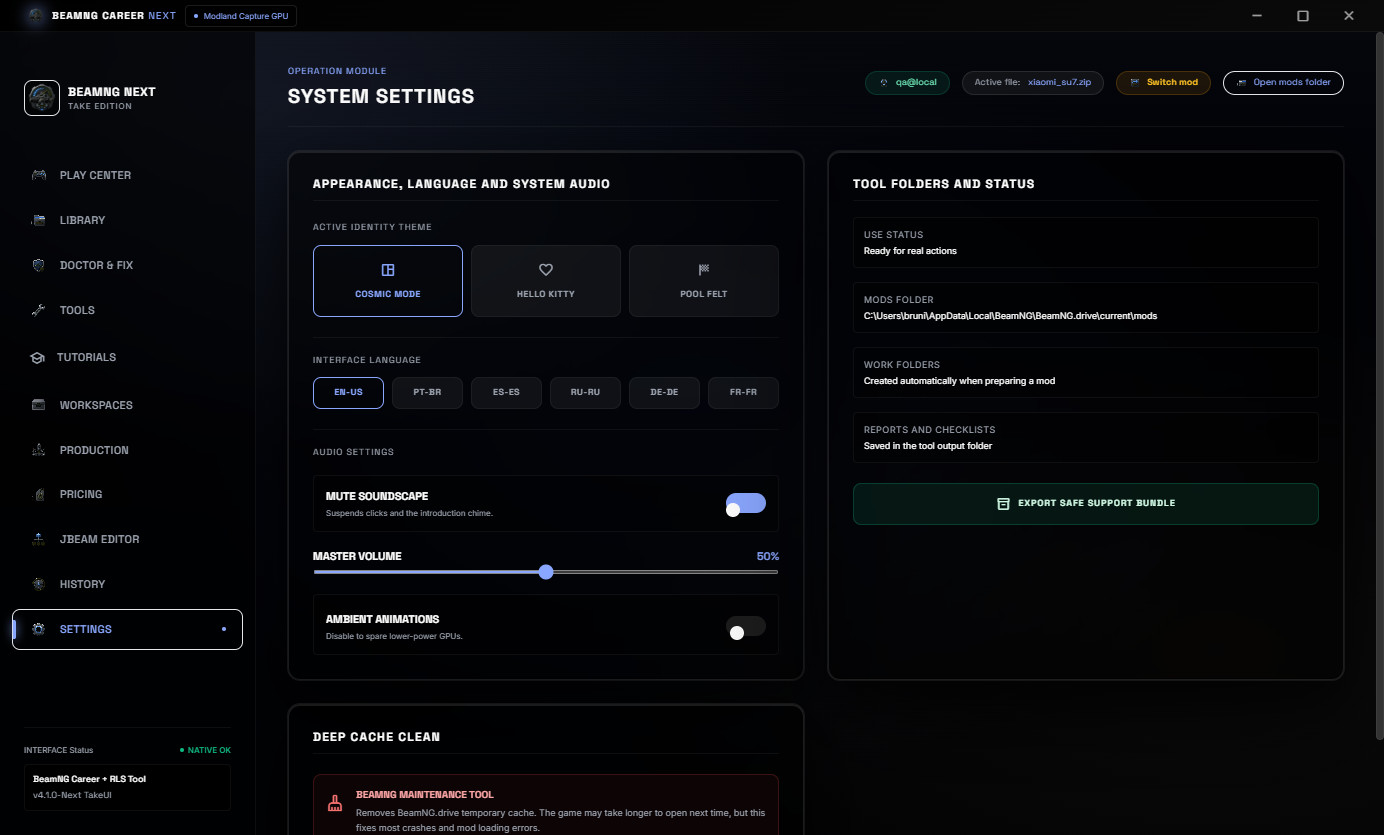
No vehicle mods are included. The SU7 shown in the screenshots is only a real example mod used to demonstrate the workflow.
What v4.1 Changes
v4.1 is a production polish update for the v4 workflow rebuild.
- Cleaner customer-facing interface.
- Clearer first workflow from selected mod to scan, repair and evidence.
- Improved visual presentation for the public release screenshots.
- The v4 workflow rebuild remains included: library, Doctor, pricing, JBeam, tutorials, evidence, production and history.
Real Mods Library
The Mods Library scans real BeamNG ZIP mods, shows preview images, keeps useful cache data and helps you select the right vehicle package faster.
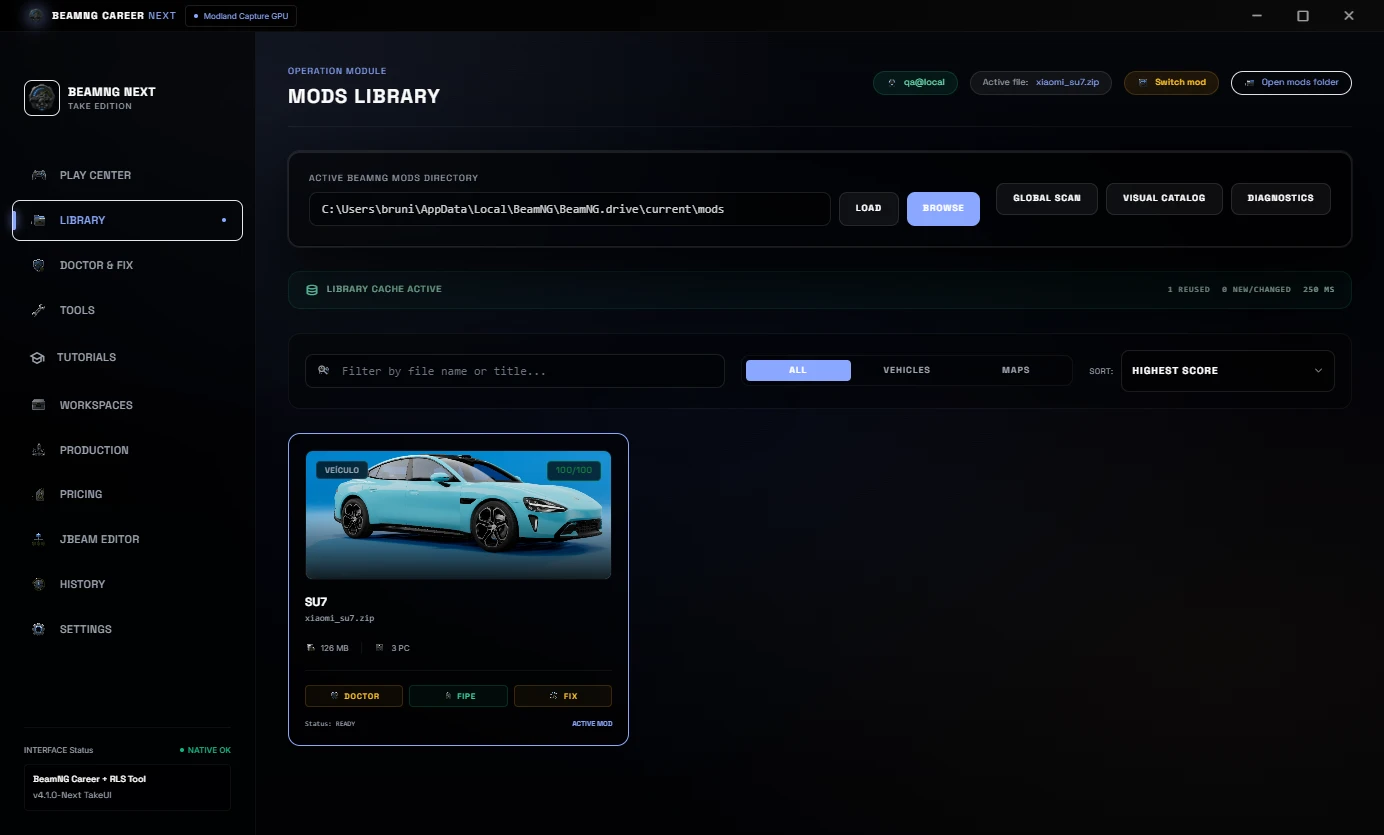
Repeated work is lighter because the tool can reuse cached library data and focus on new or changed ZIP files.
Mod Doctor & 1-Click Repair
Mod Doctor checks the selected ZIP for common Career/RLS blockers and shows a clear readiness score before you edit or publish the mod.
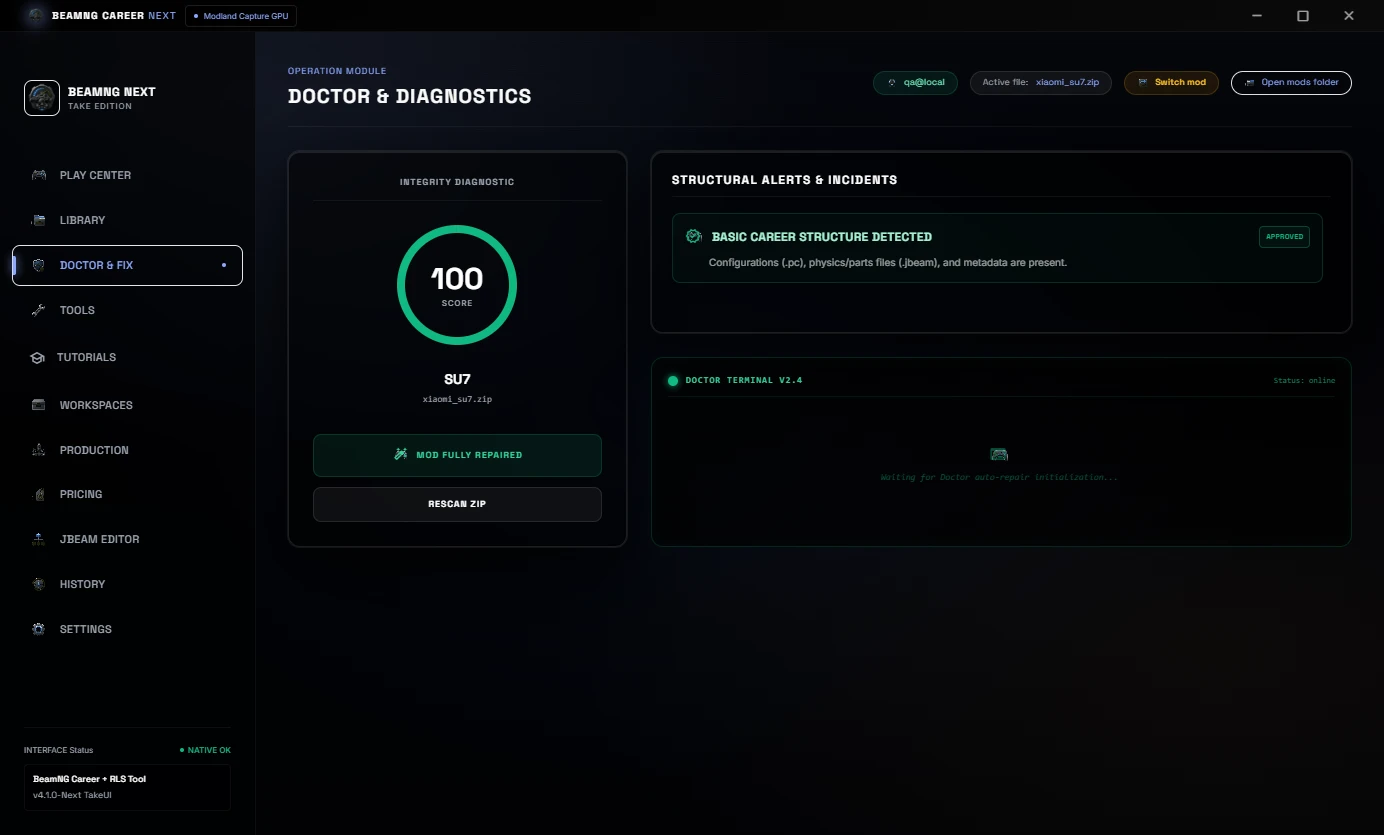
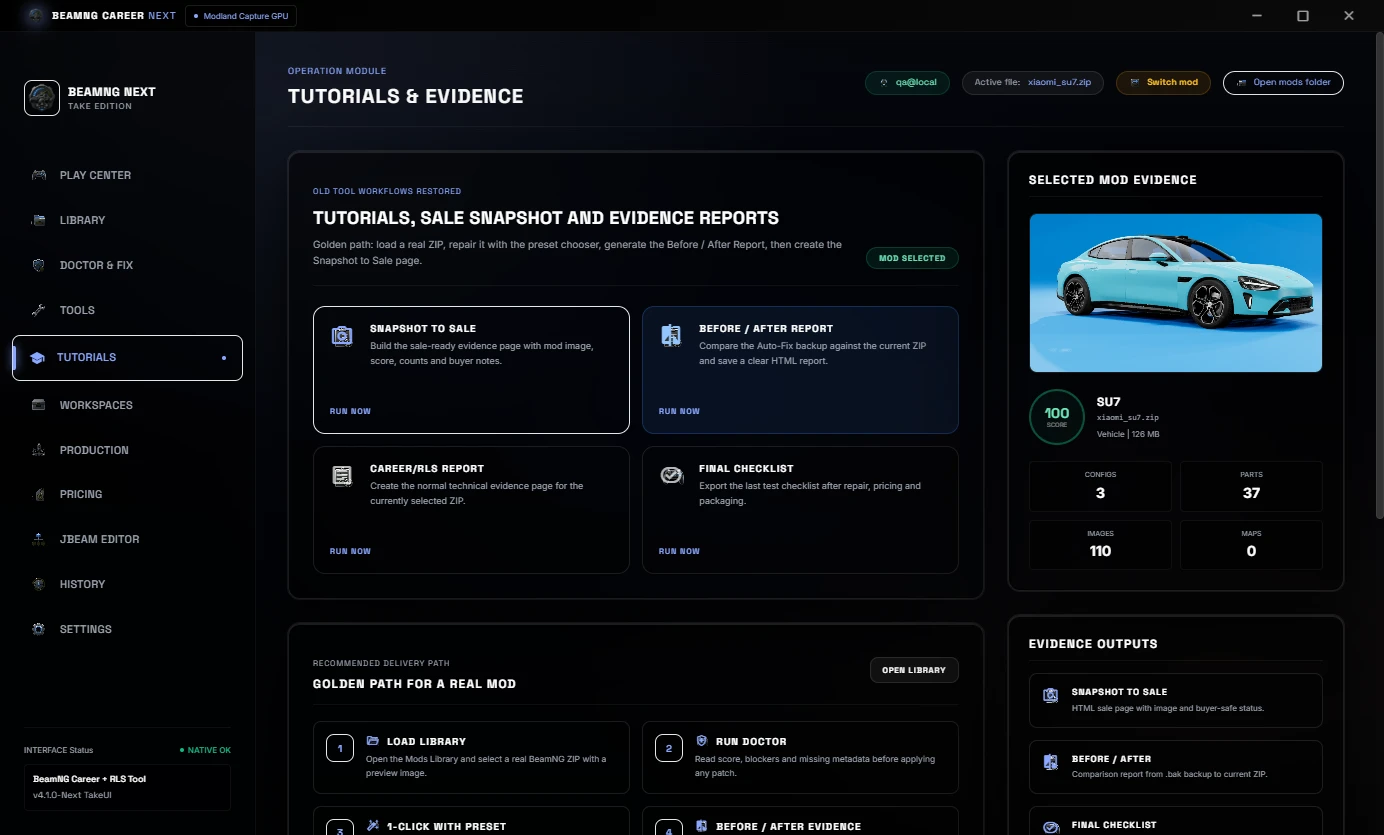
The 1-Click Auto-Fix flow can apply a chosen preset, repair common metadata issues, sync needed Career/RLS fields and prepare the mod for another test pass.
Snapshot To Sale
Snapshot to Sale creates a clean buyer-safe HTML evidence page with the mod image, score, file counts and sale notes.
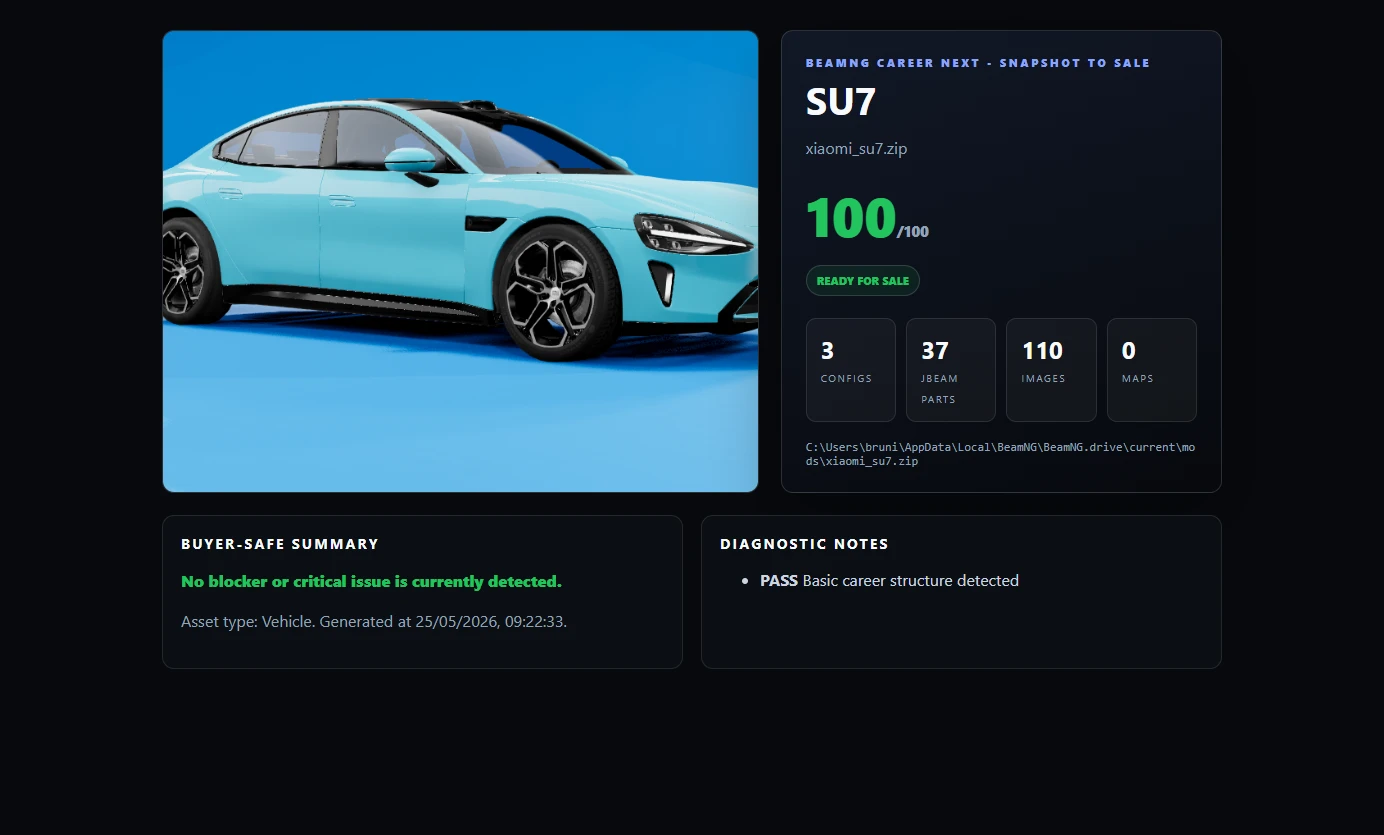
This is useful for publishing, Discord or client delivery because the buyer can see a simple summary of the prepared mod.
Before / After Report
Before / After Report compares the Auto-Fix backup against the current ZIP. It shows score improvement, issue reduction and a clear proof page.
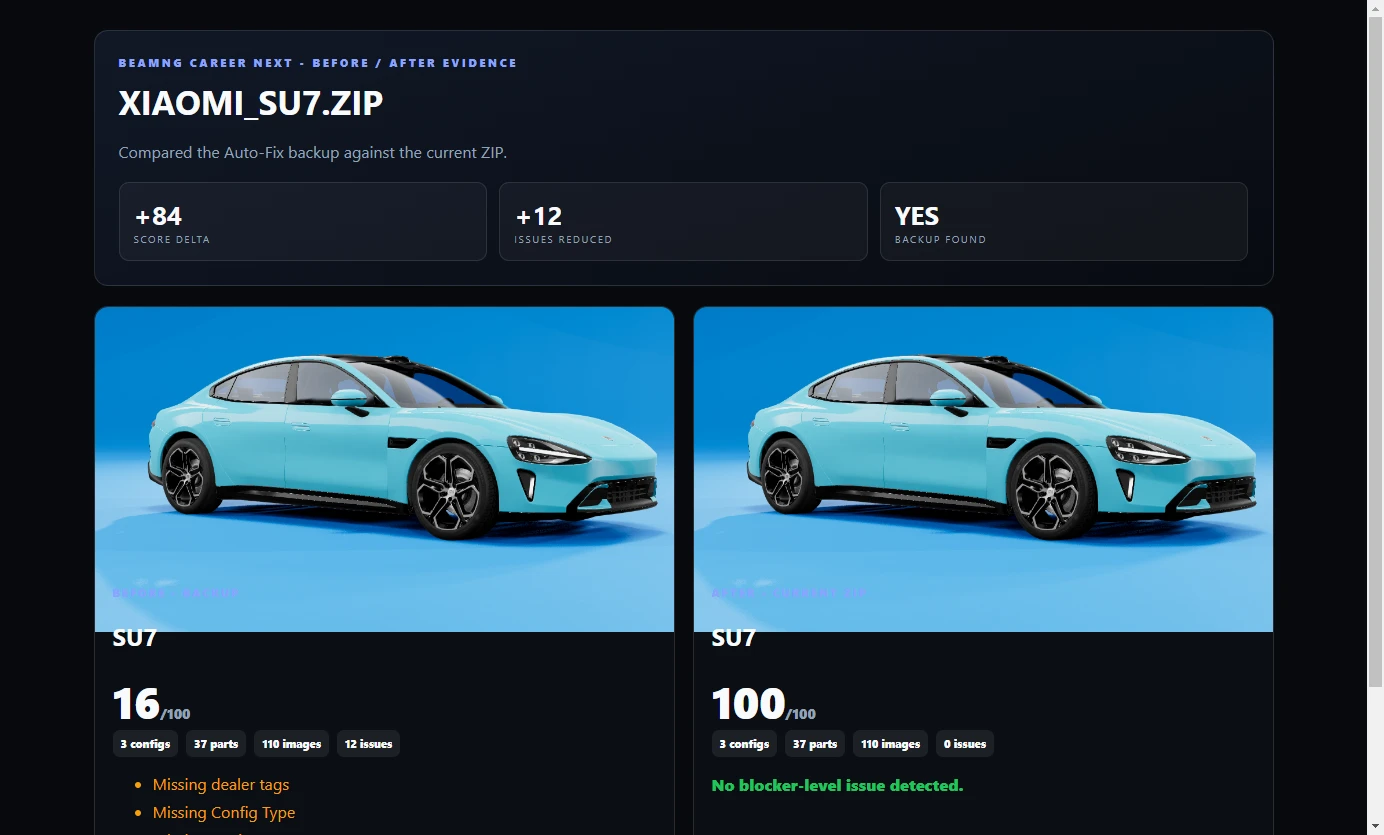
This is useful when you need to show what changed after repair instead of only saying the mod was fixed.
Price, Economy And JBeam Part Balancing
The Pricing area is used to adjust reference value, population, presets, mass edits and the JBeam parts tree.
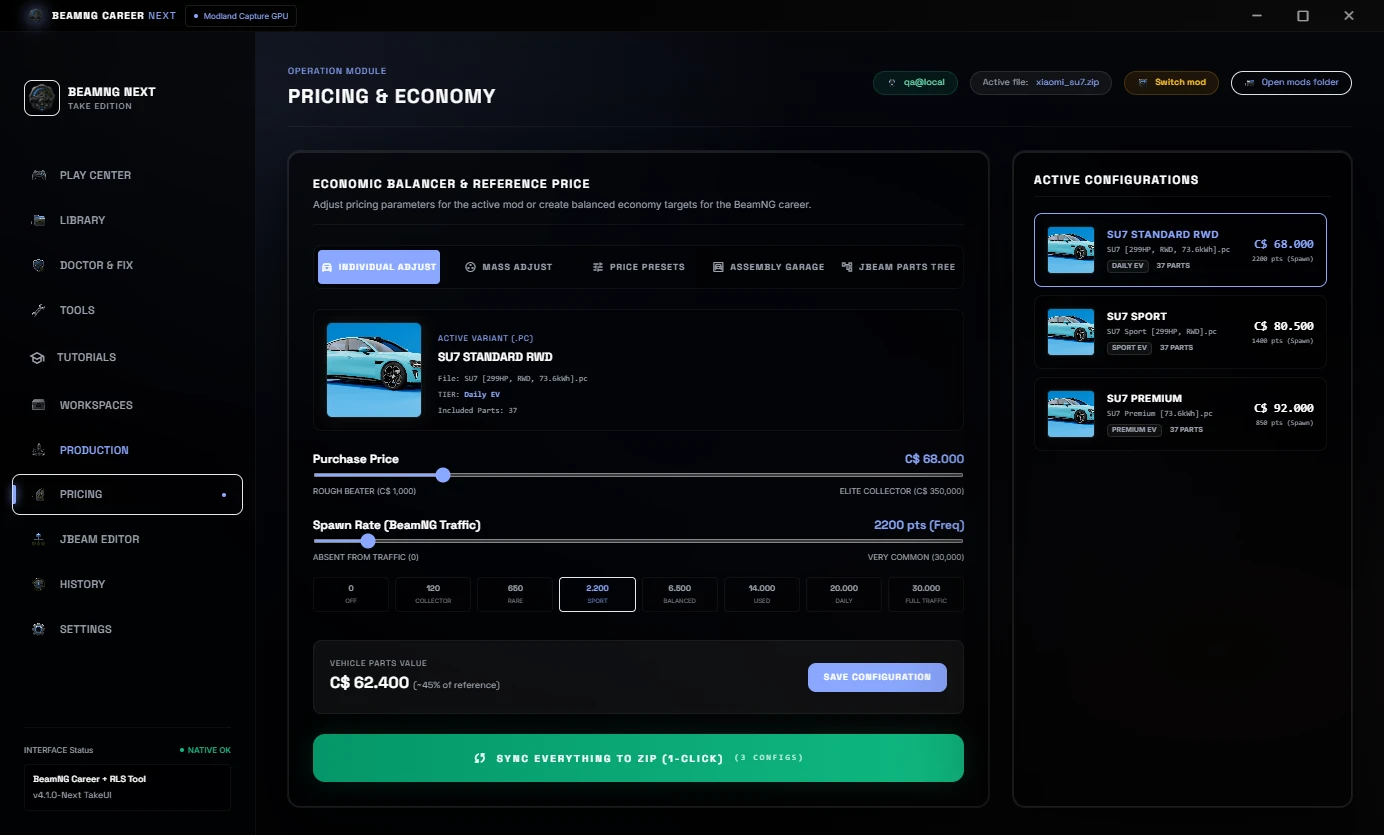
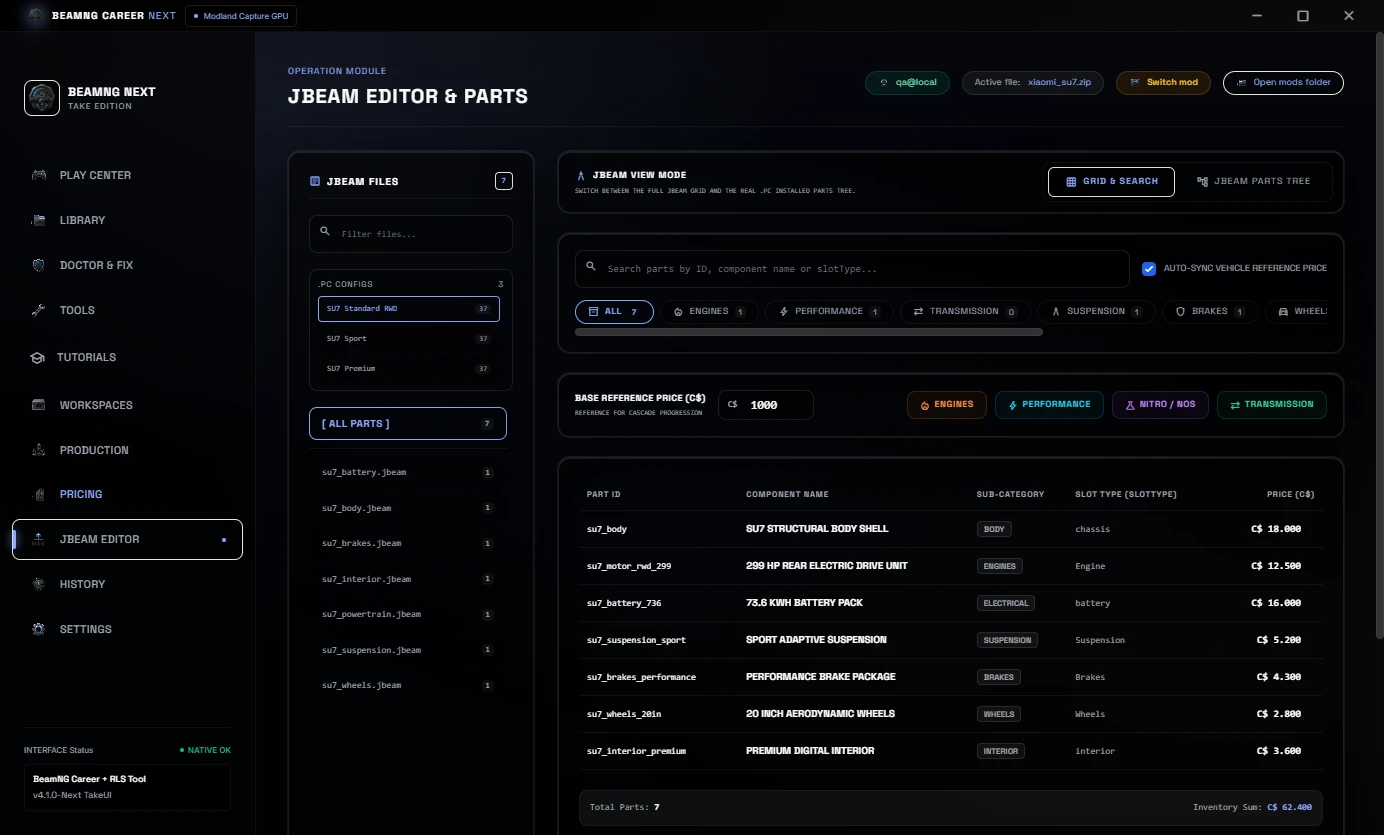
In Career/RLS balancing, a percentage change should not only affect the visible car price. JBeam part prices should stay aligned too, so the total vehicle setup makes sense inside the economy.
Workspaces, Production And History
Project Workspaces help keep mod work organized while preparing files. Production Queue helps review vehicle configs, values, population and repack status before final delivery.
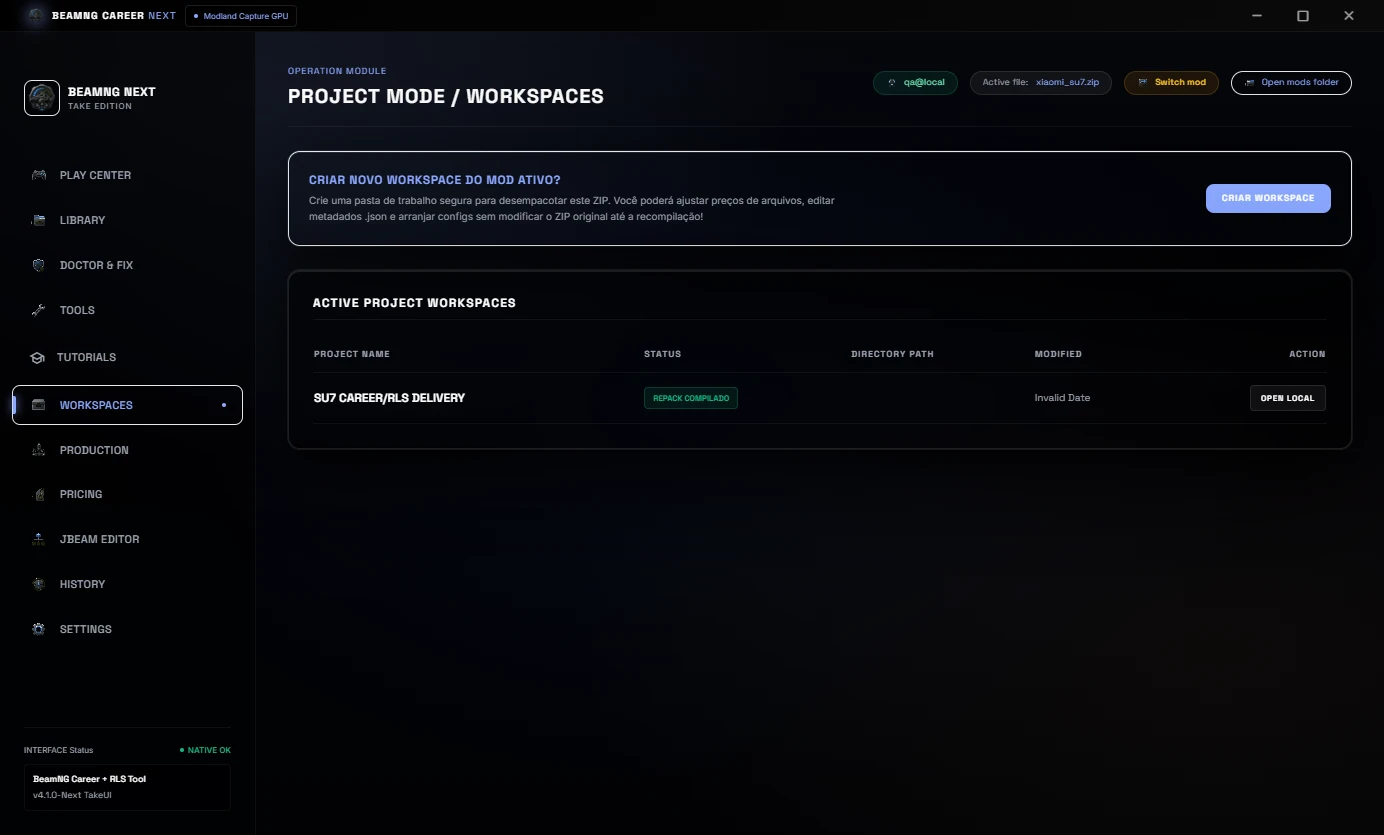
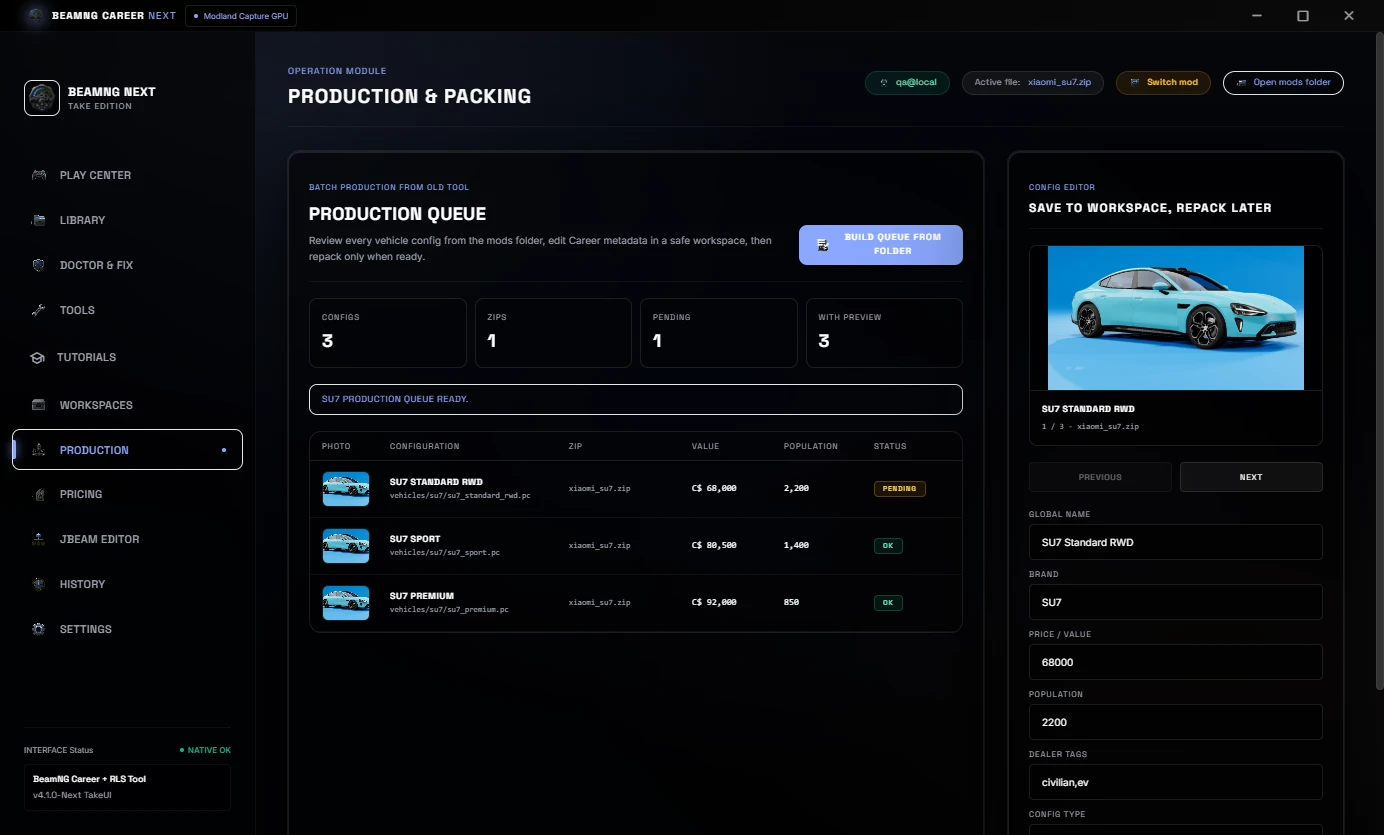
History keeps a visible record of scans, evidence and prepared mods, including mod preview images.
Languages
The default interface language is EN-US. The tool also includes PT-BR, ES-ES, RU-RU, DE-DE and FR-FR options.
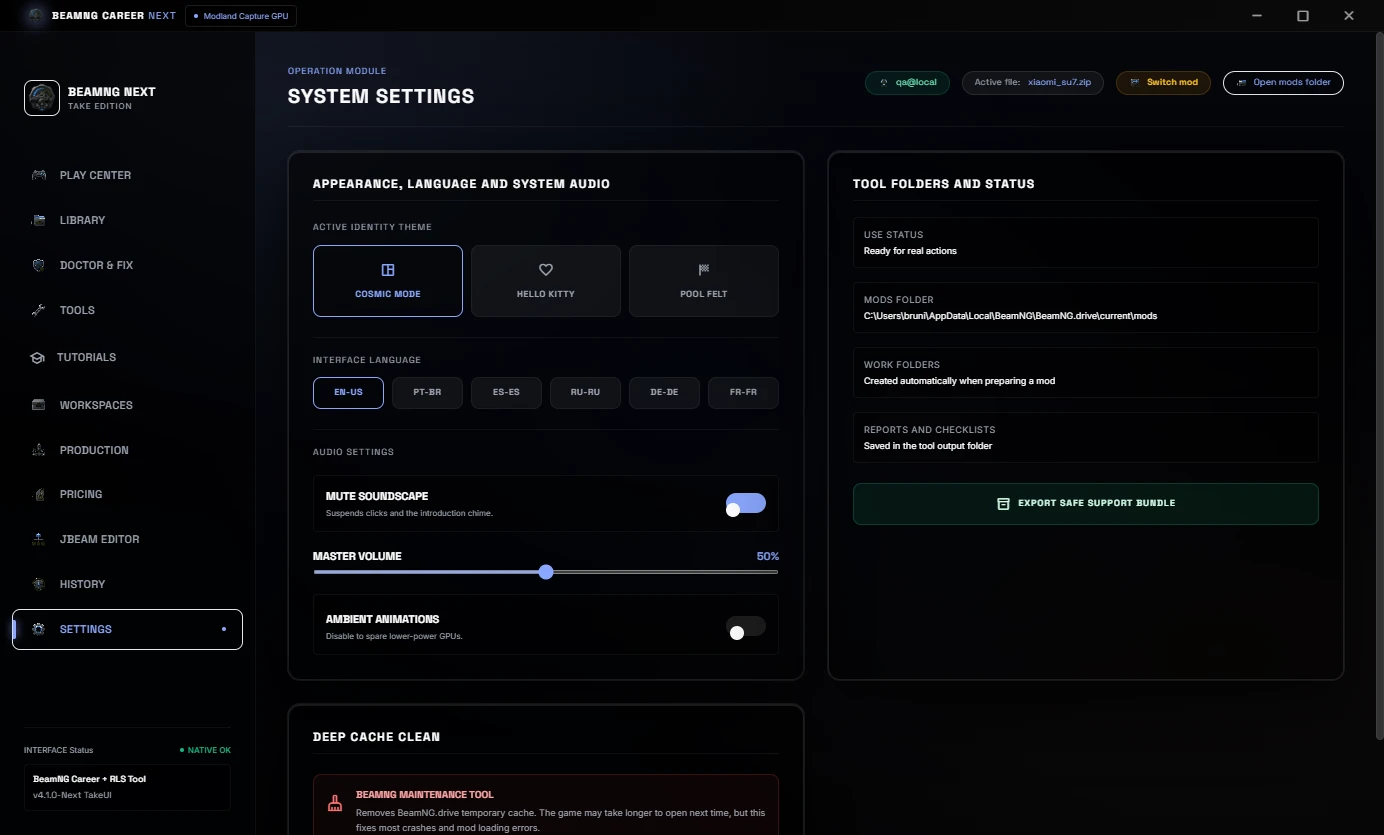
Included
- Real mods library with preview images.
- Cached library scan and reload.
- Mod Doctor and Career/RLS diagnostics.
- 1-Click Auto-Fix with preset selection.
- Pricing and economy controls.
- JBeam part pricing workflow.
- Snapshot to Sale HTML evidence.
- Before / After HTML evidence report.
- Tutorials & Evidence tab.
- Project workspace and production queue.
- Processing history.
- Multi-language UI.
Important
Always keep backups of your original ZIP files before editing.
This tool helps prepare BeamNG mods for Career/RLS workflows
No BeamNG vehicle mods are bundled with this download.
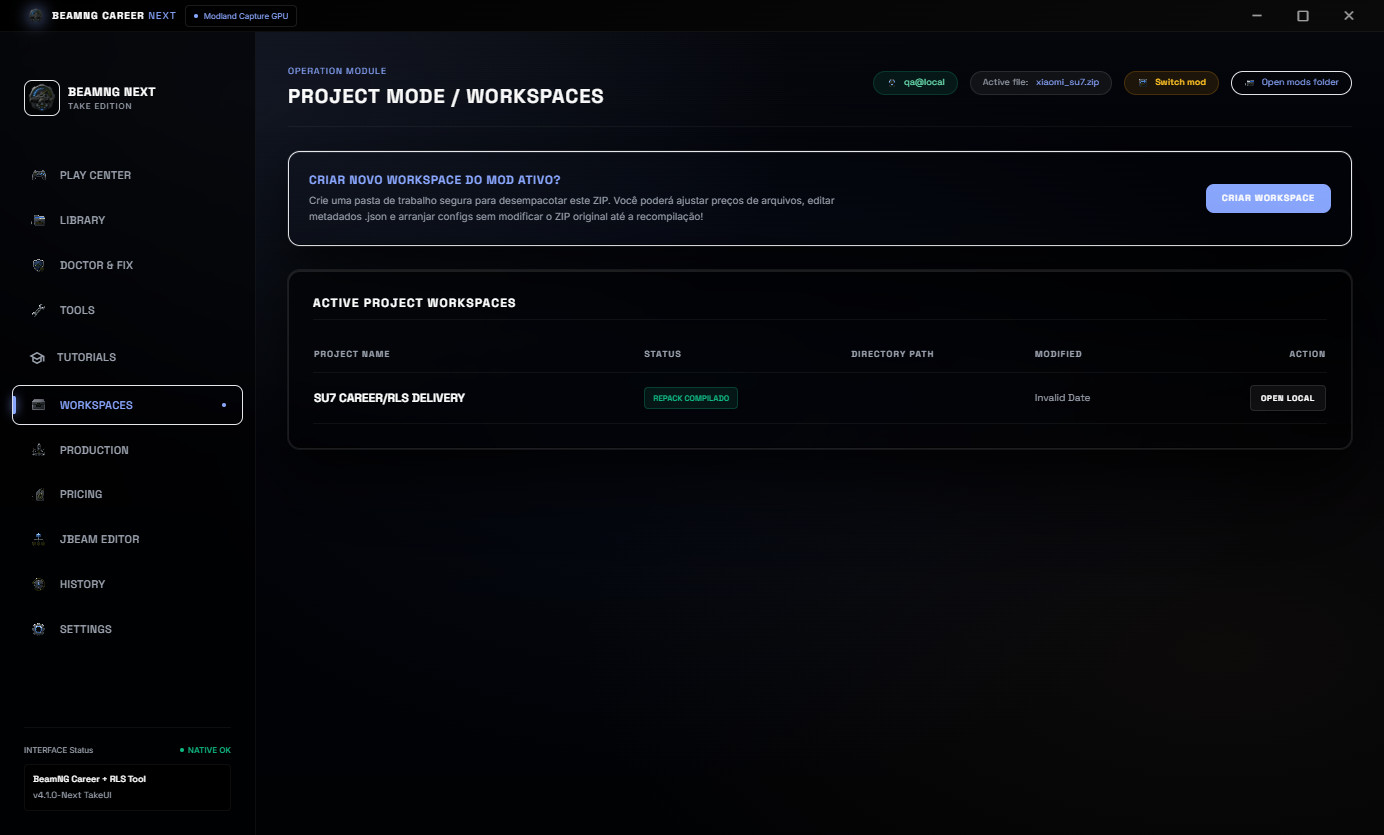
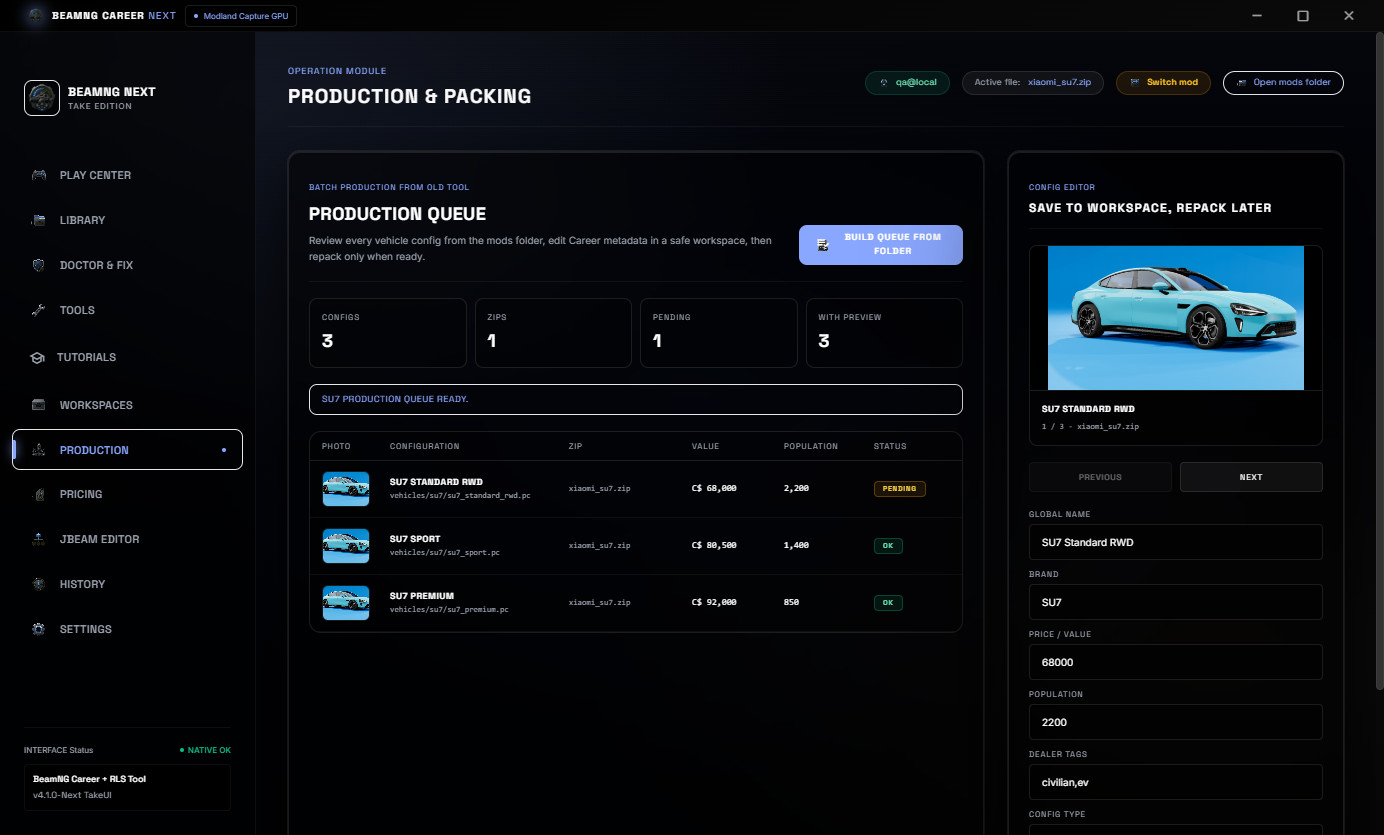
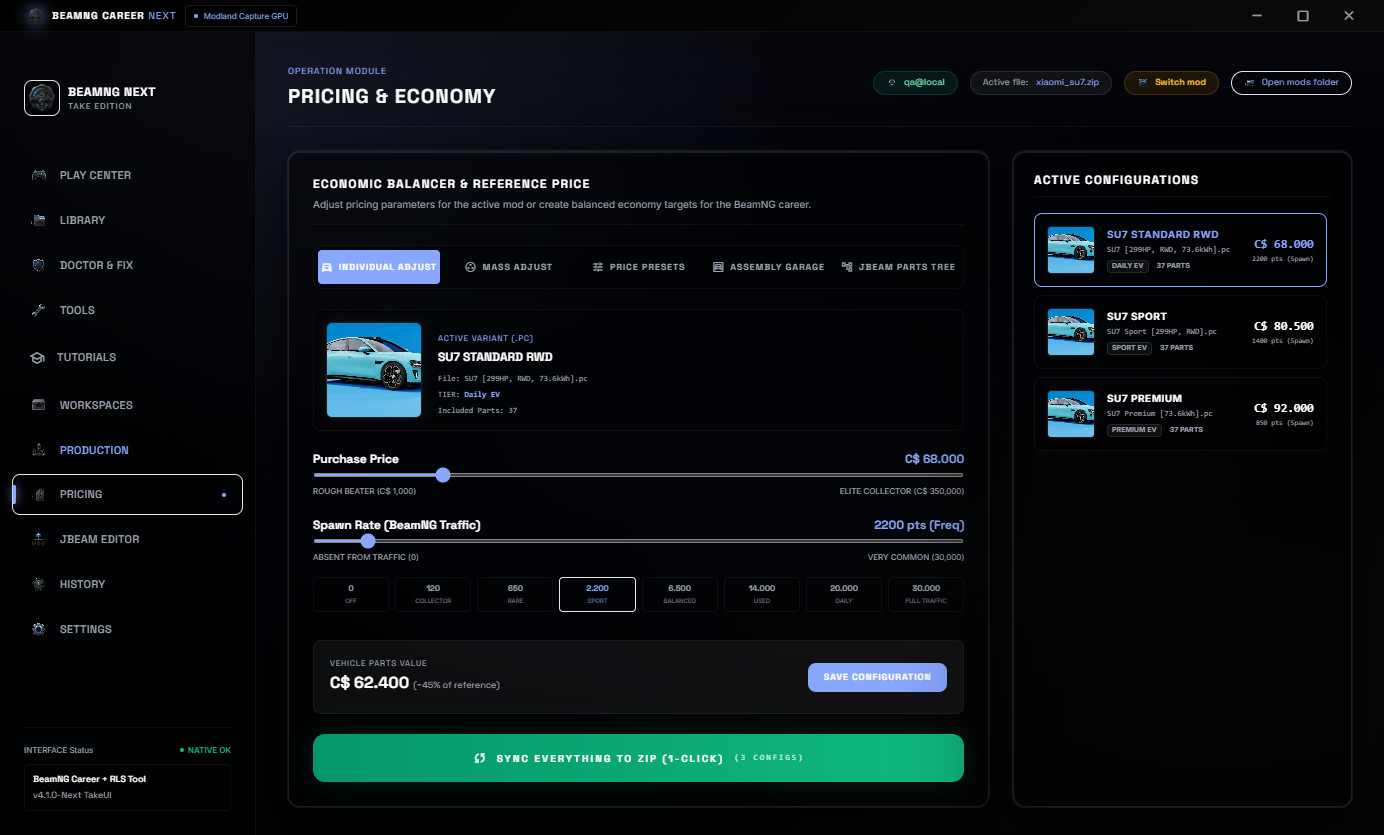
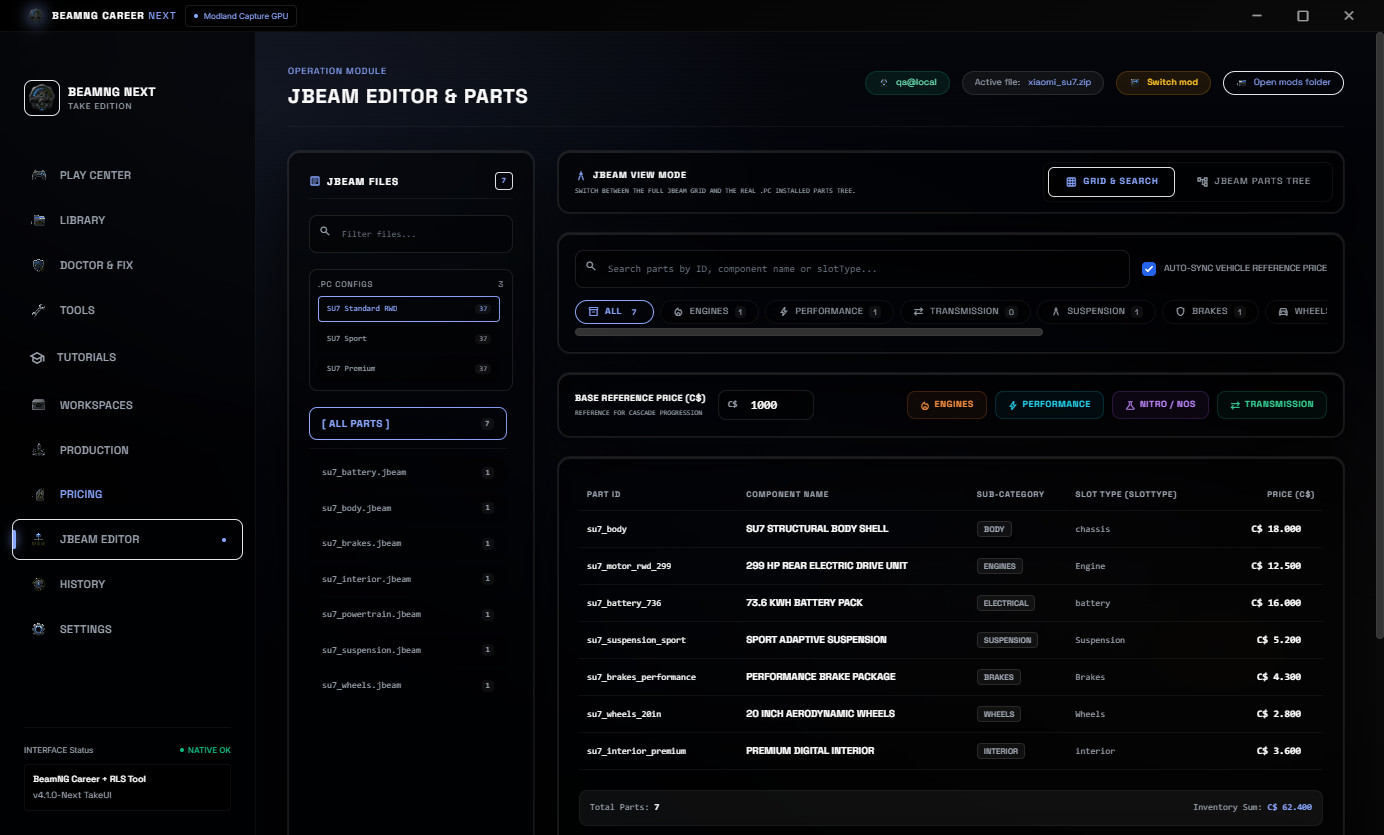
BeamNG Career Tool Next v4.0
BeamNG Career Tool Next is a Windows utility for preparing BeamNG vehicle ZIP mods for Career/RLS use.
It is made for modders, players and creators who need a faster way to scan a vehicle ZIP, check if it is career-ready, repair common metadata issues, balance price, population and JBeam part values, generate proof reports and prepare a cleaner final package for testing or publishing.
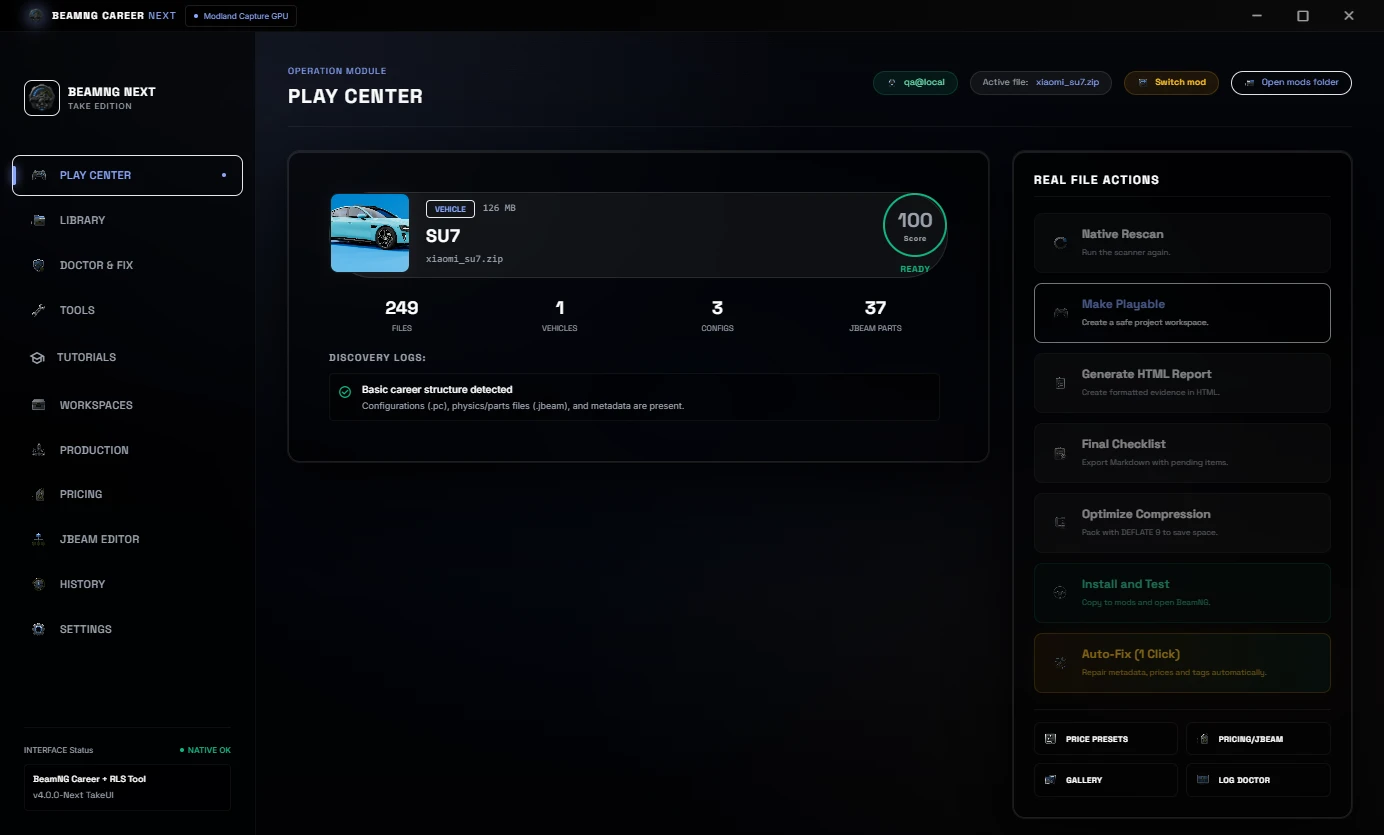
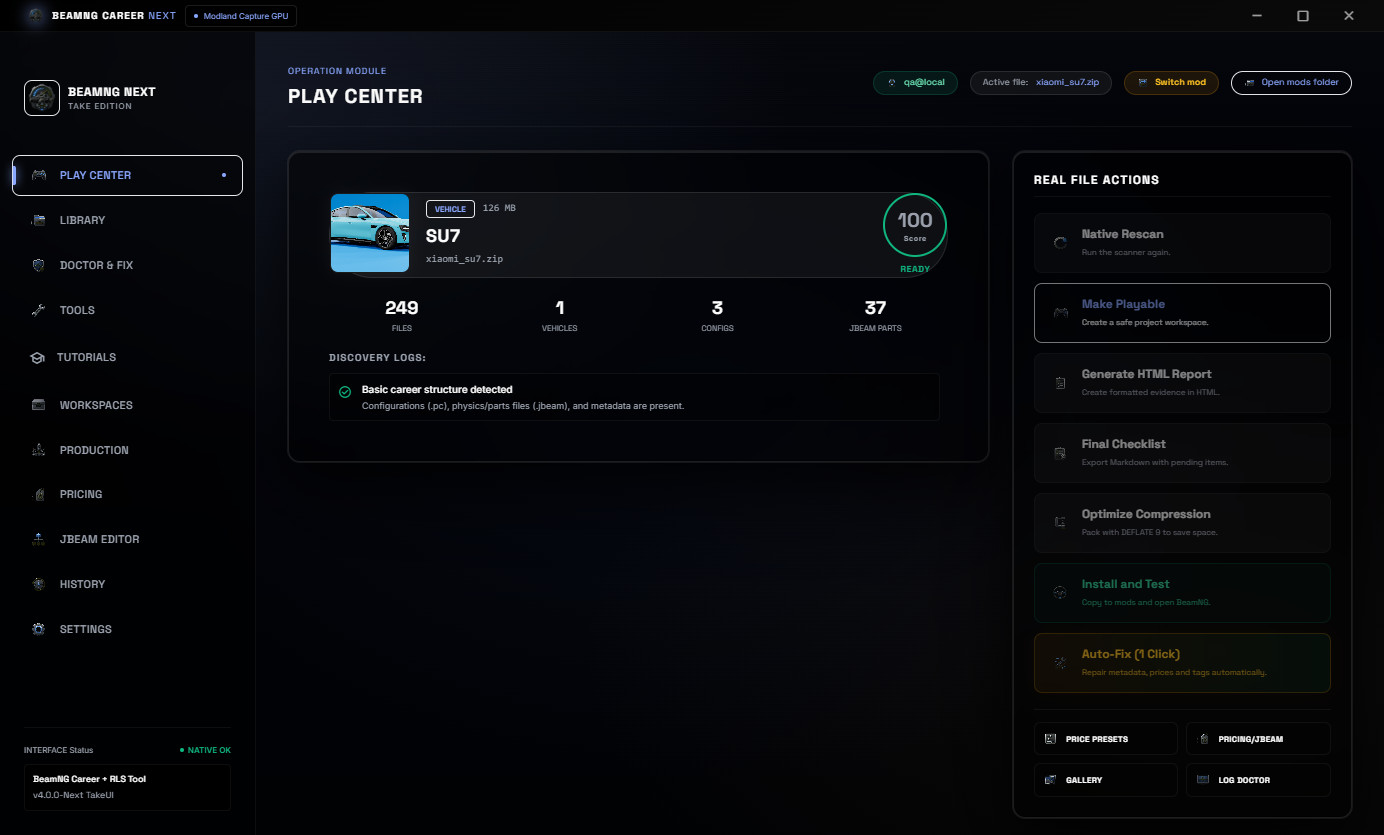
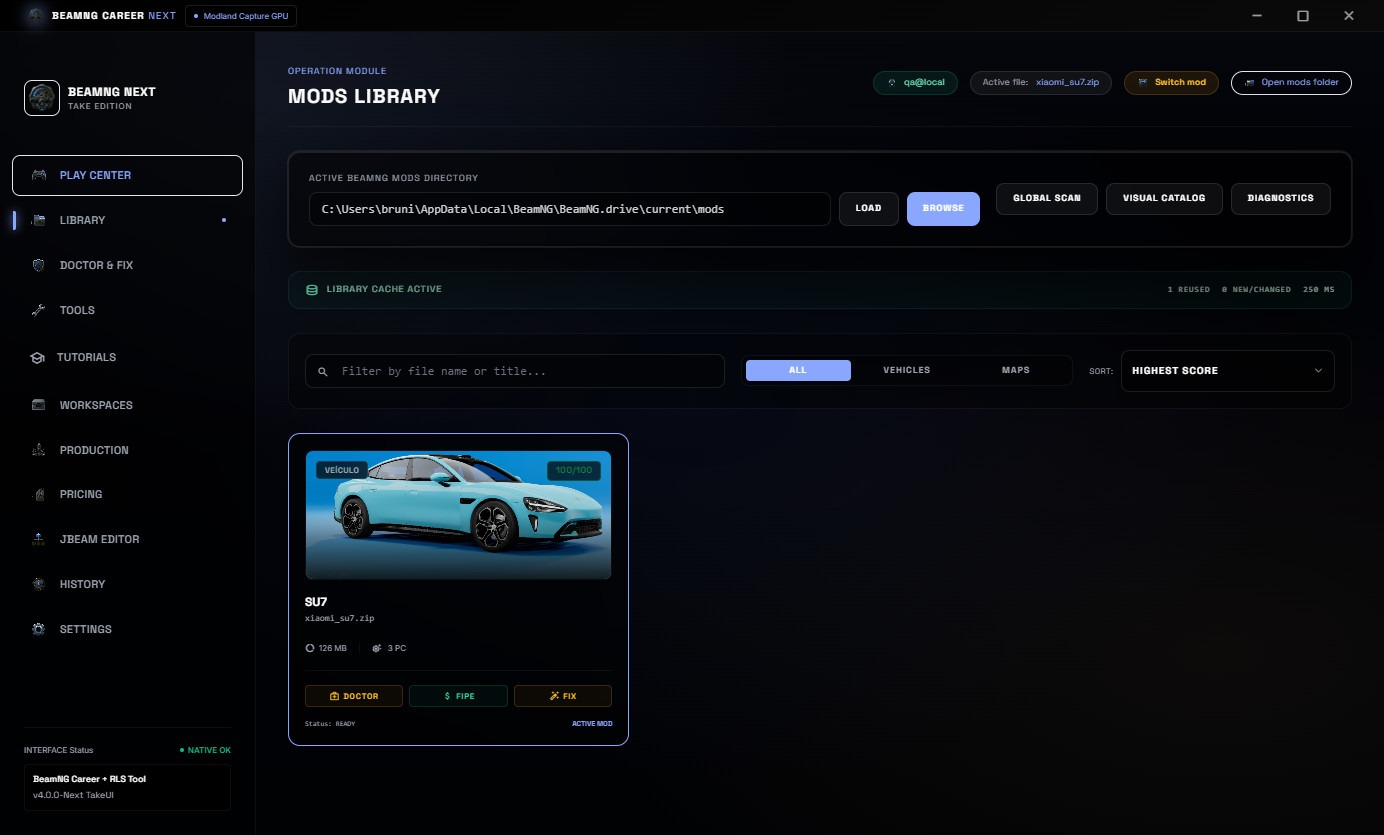
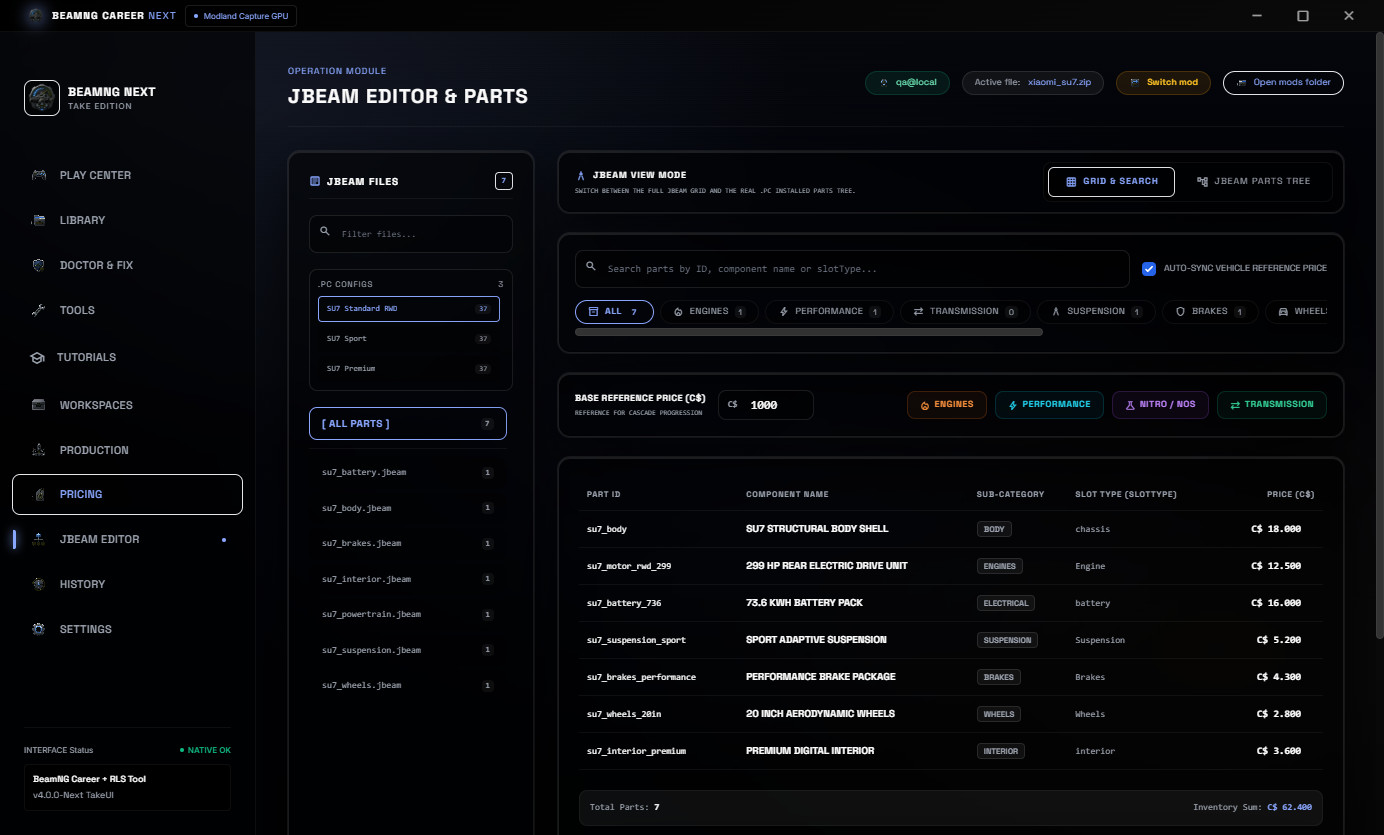
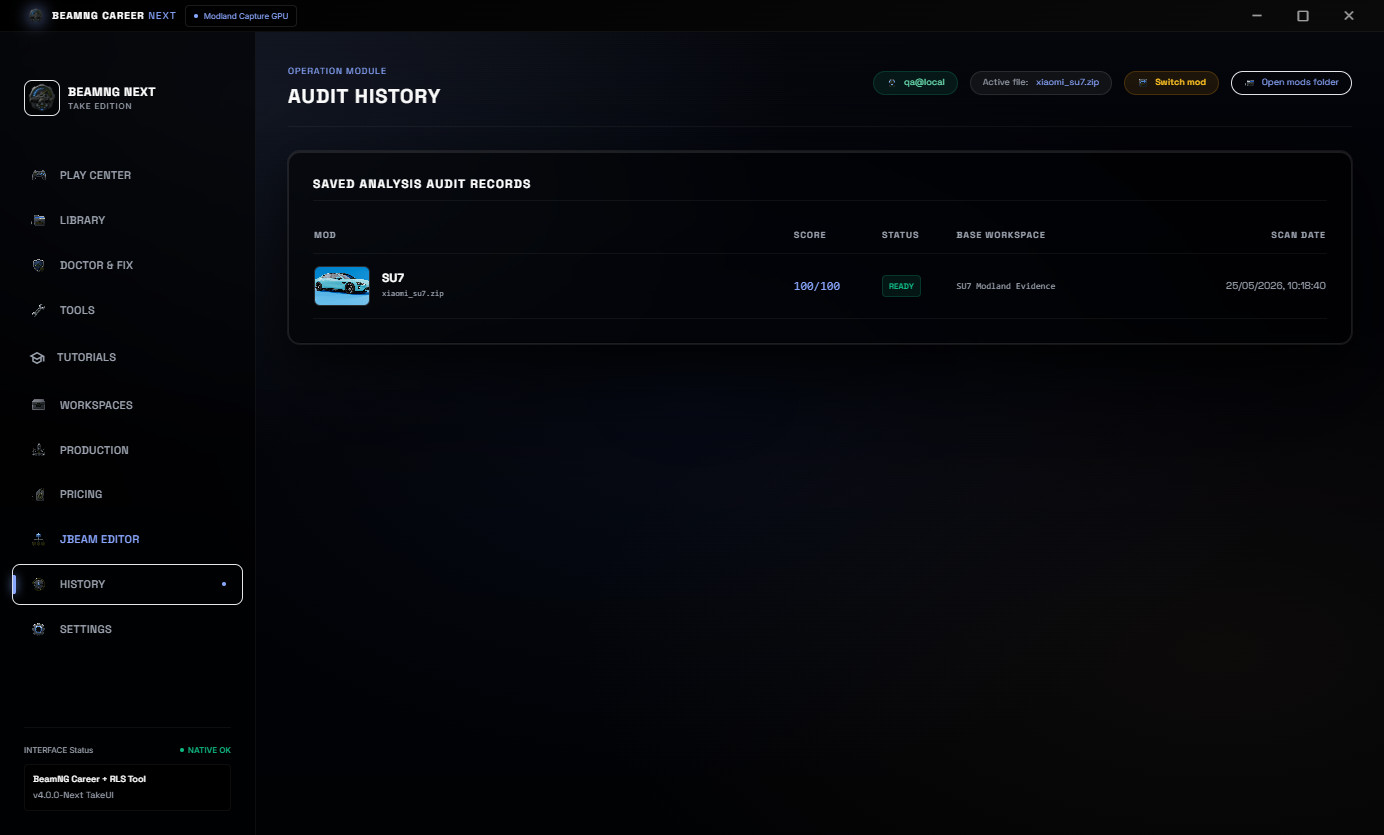
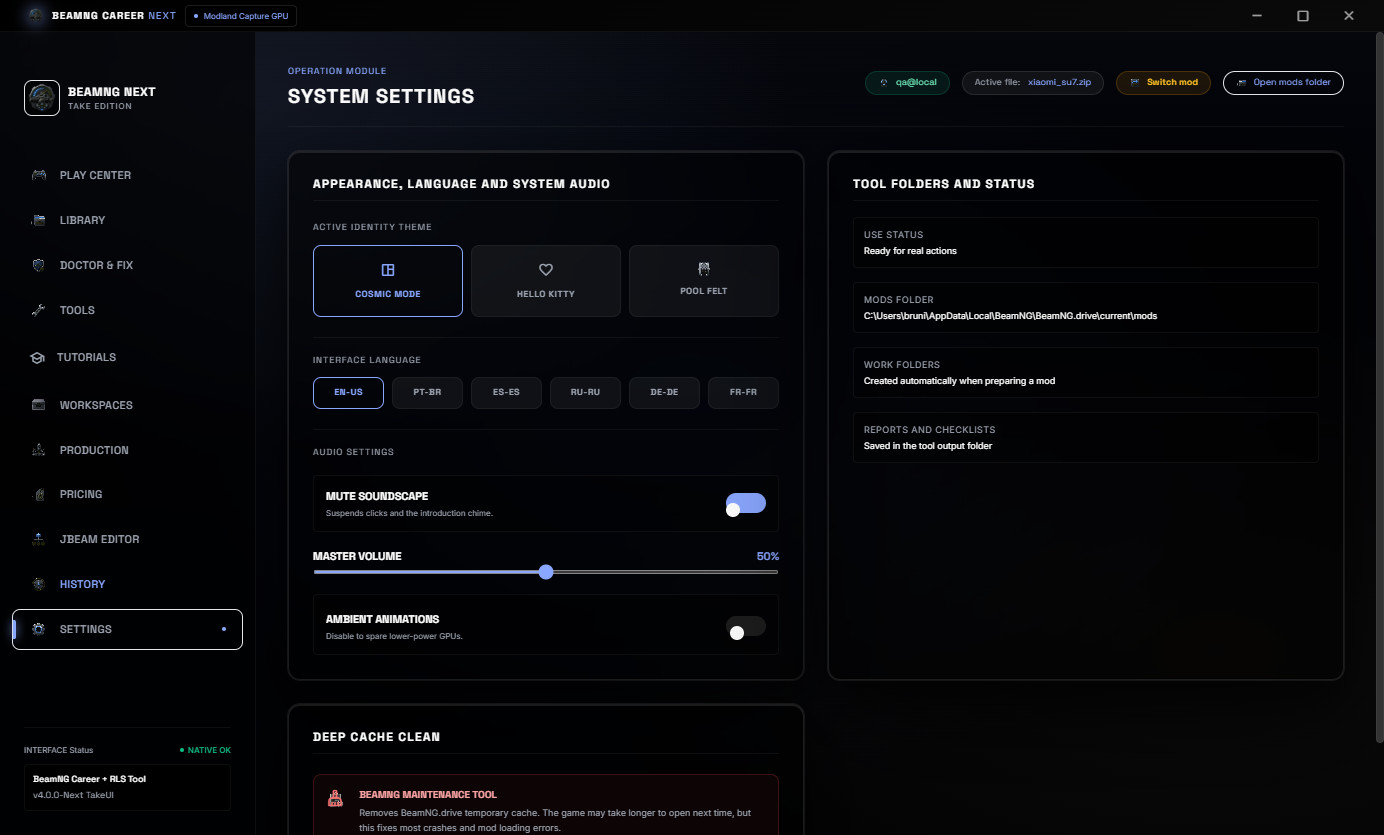
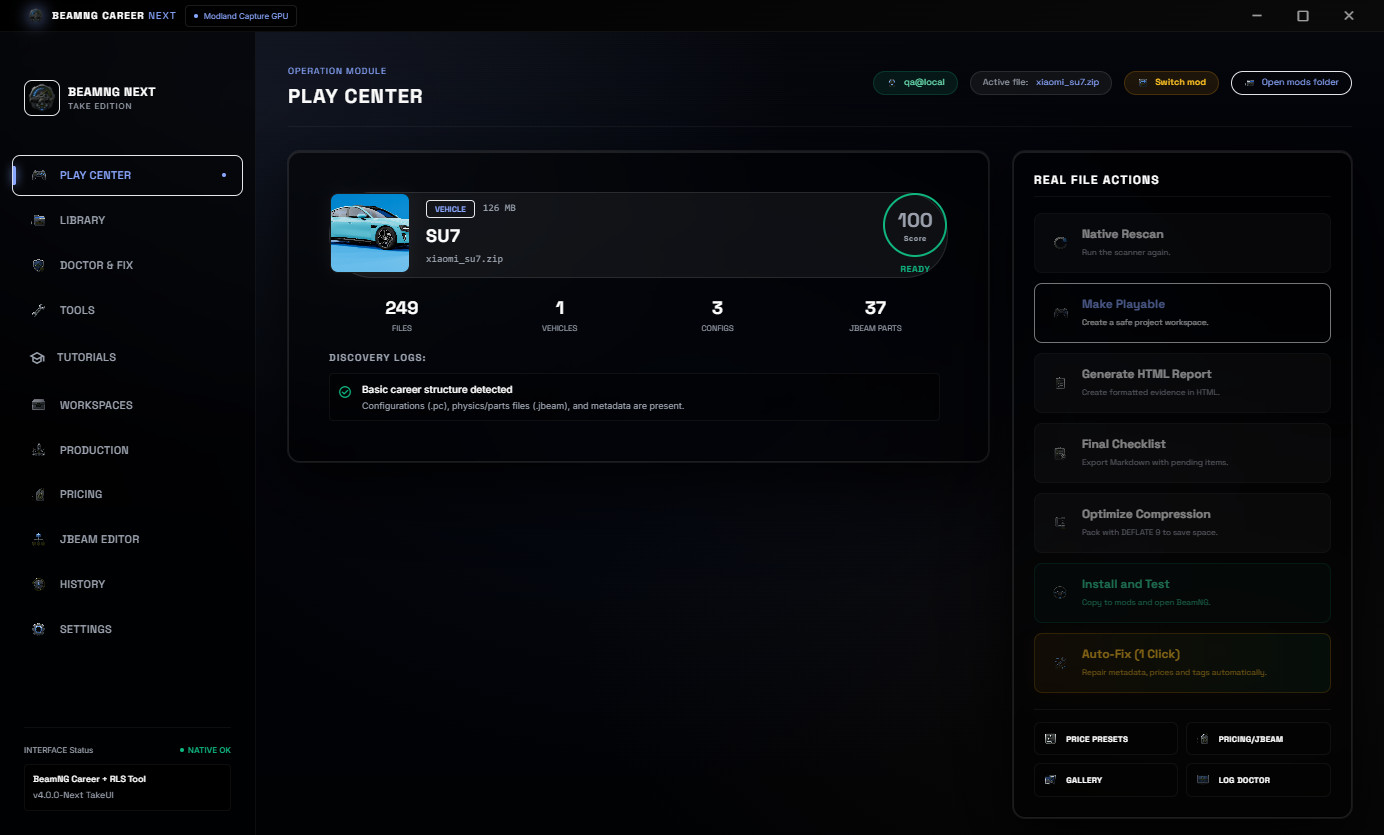
No vehicle mods are included. The SU7 shown in the screenshots is only a real example mod used to demonstrate the workflow.
What v4.0 Changes
v4.0 is the workflow rebuild update.
The interface was reorganized so the important tools are easier to find. Useful workflows from the previous tool are visible again instead of being hidden inside advanced screens.
Major v4.0 improvements:
- Real BeamNG mods library with preview images.
- Cached library loading, so repeated scans are faster.
- Visible loading and progress feedback for heavier actions.
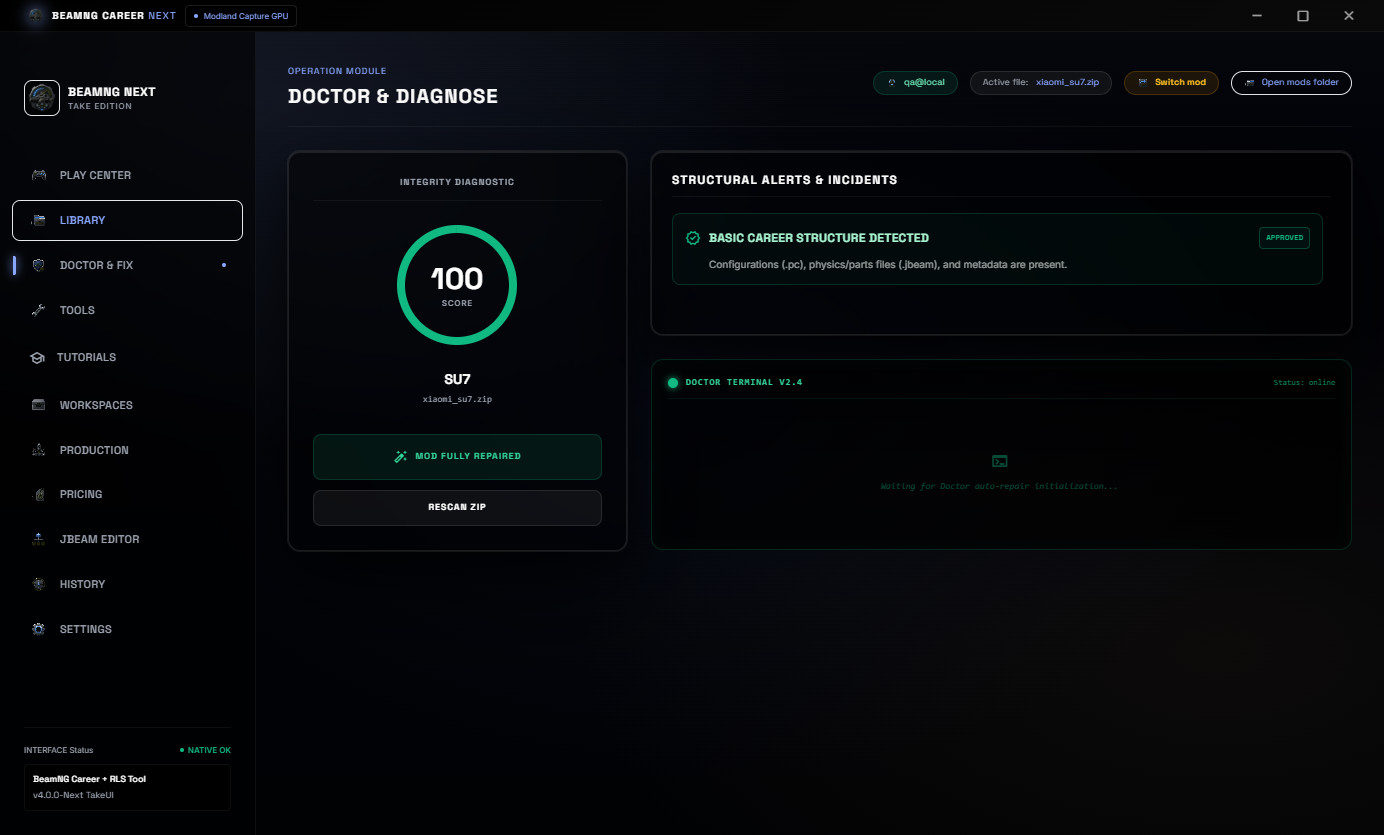
- Mod Doctor and Career/RLS structure checks.
- 1-Click Auto-Fix with preset selection.
- Pricing and economy tools for vehicle value and population.
- JBeam part pricing so vehicle value and part values can move together.
- Restored Snapshot to Sale.
- Restored Before / After evidence reports.
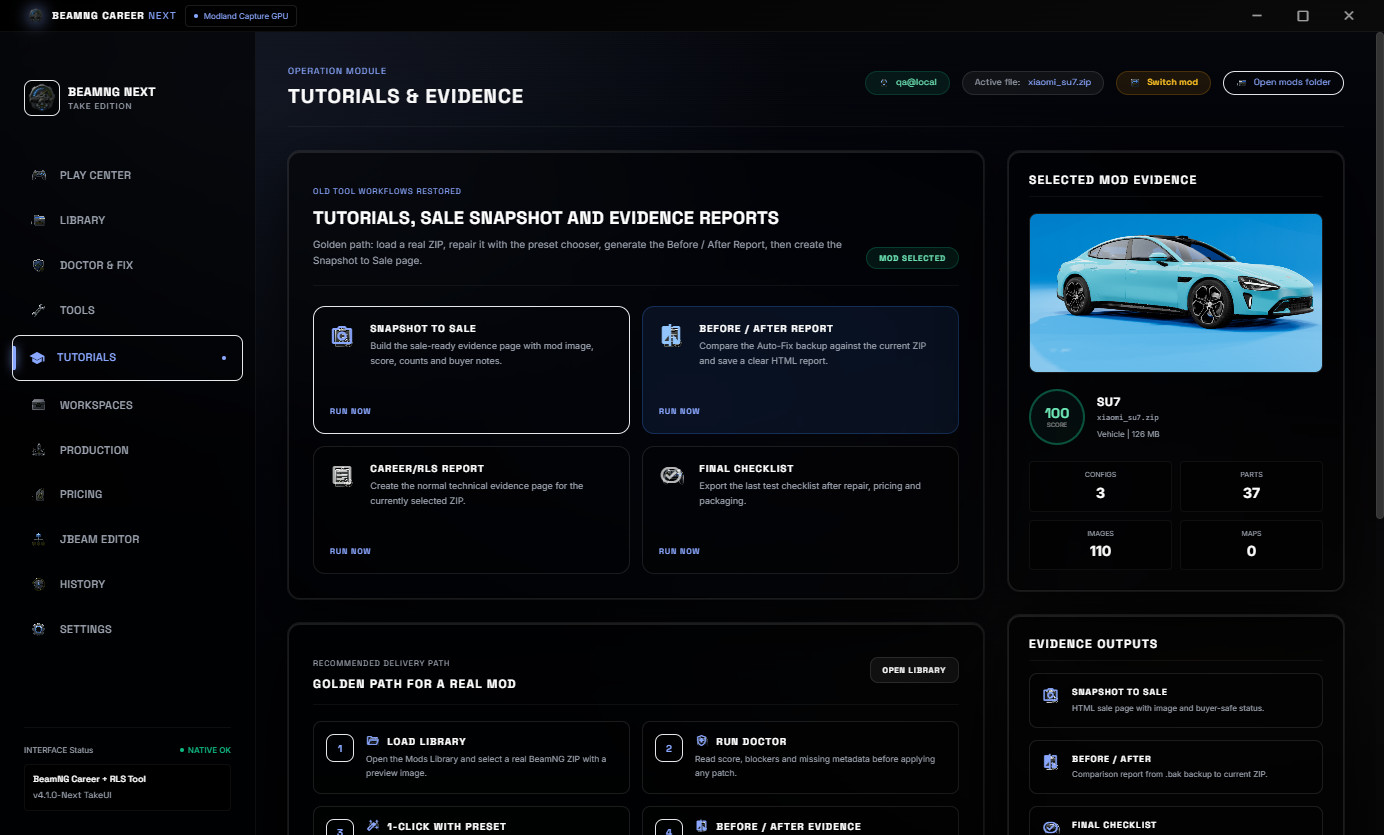
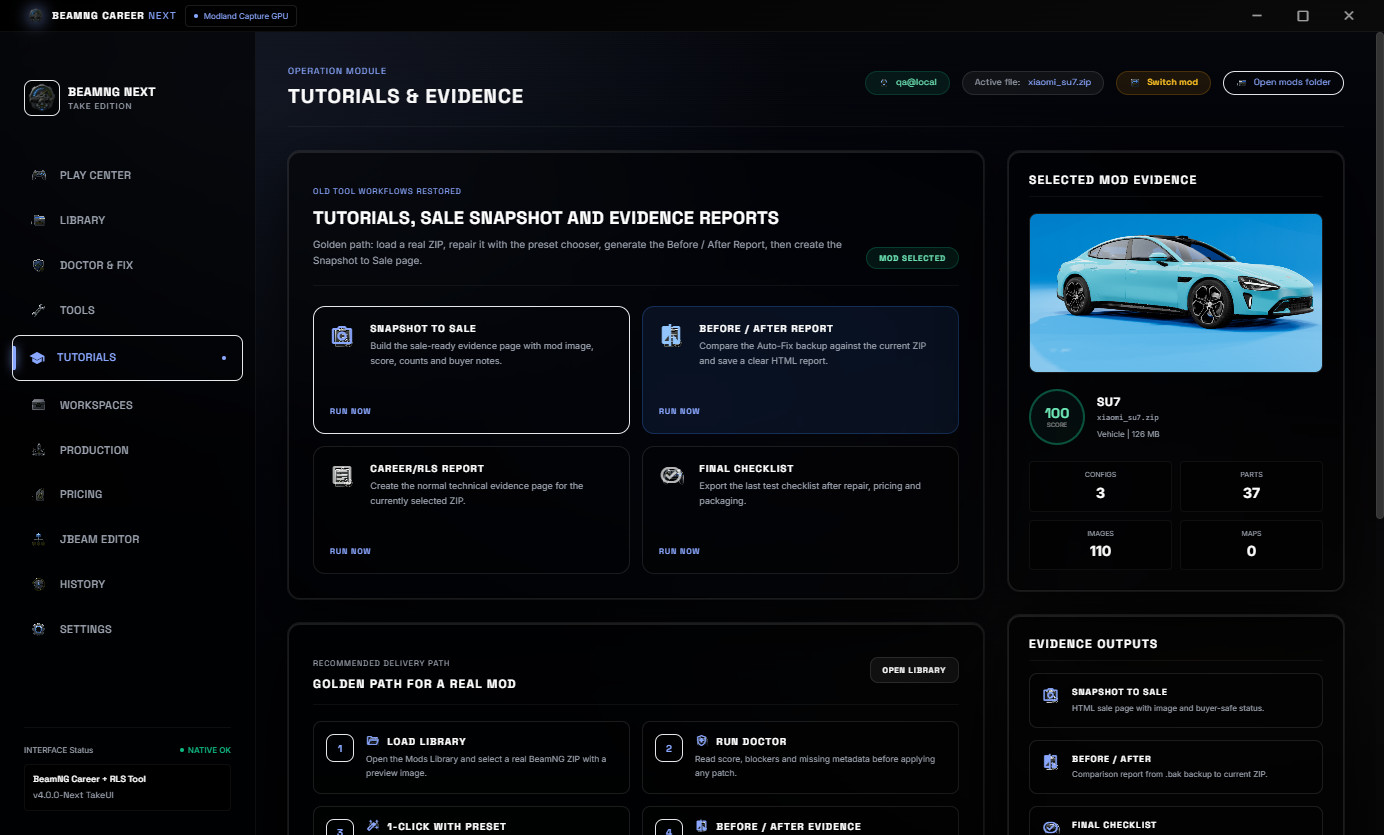
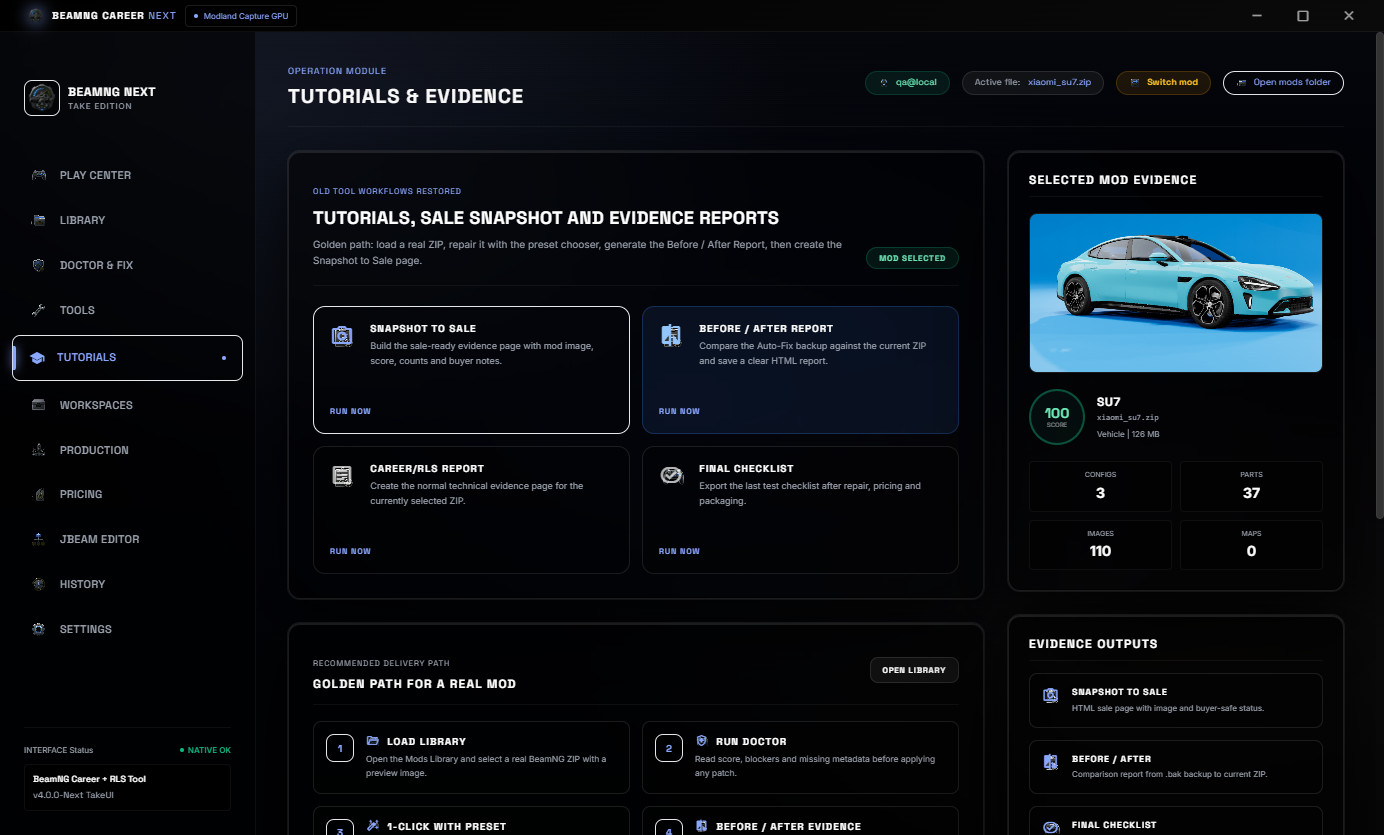
- New Tutorials & Evidence tab.
- Production queue and workspace flow.
- EN-US default UI with PT-BR, ES-ES, RU-RU, DE-DE and FR-FR options.
Real Mods Library
The Mods Library scans real BeamNG ZIP mods, shows preview images, keeps useful cache data and helps you select the right vehicle package faster.
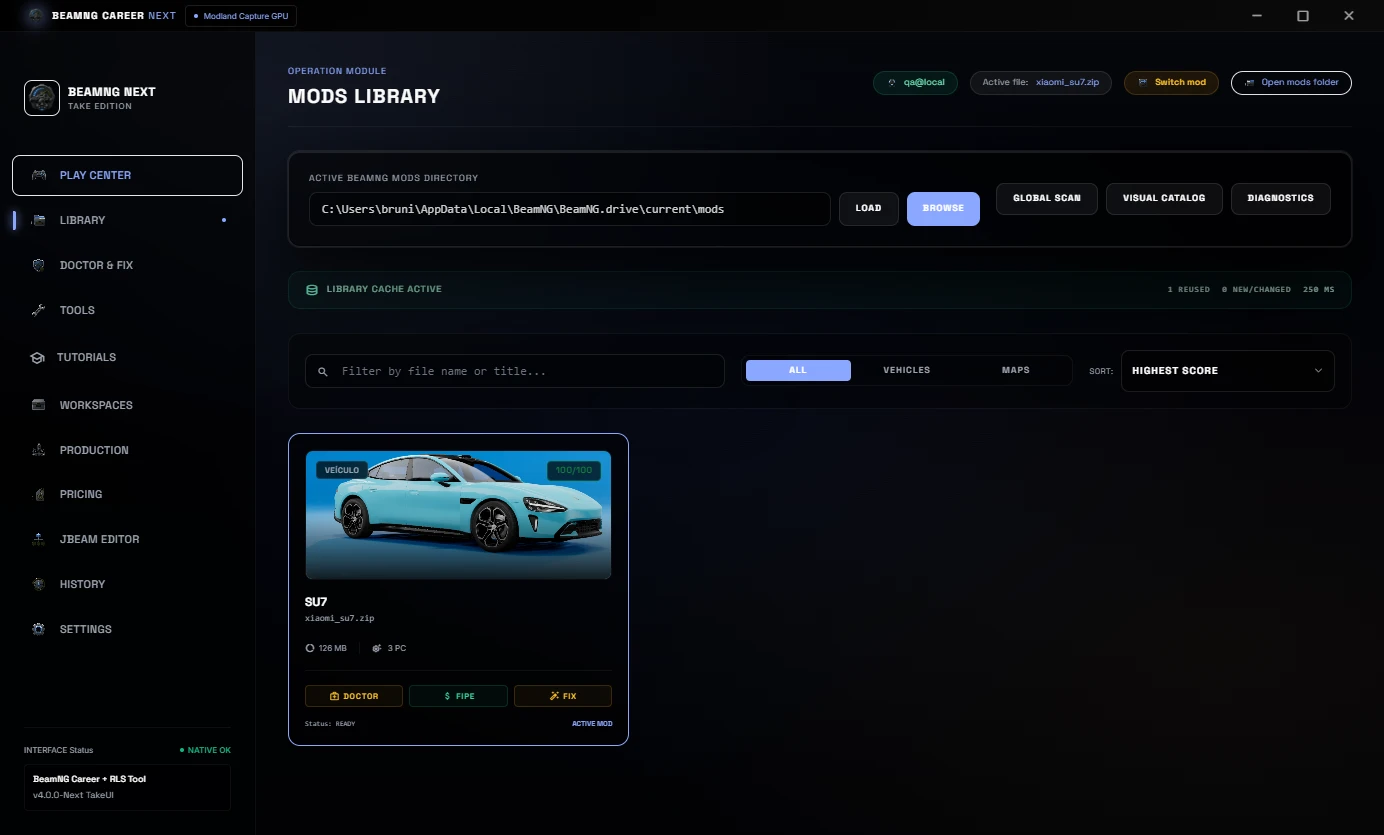
This makes repeated work lighter because the tool does not need to rebuild the full view from zero every time you open the same folder.
Mod Doctor & 1-Click Repair
Mod Doctor checks the selected ZIP for common Career/RLS blockers and shows a clear readiness score before you edit or publish the mod.
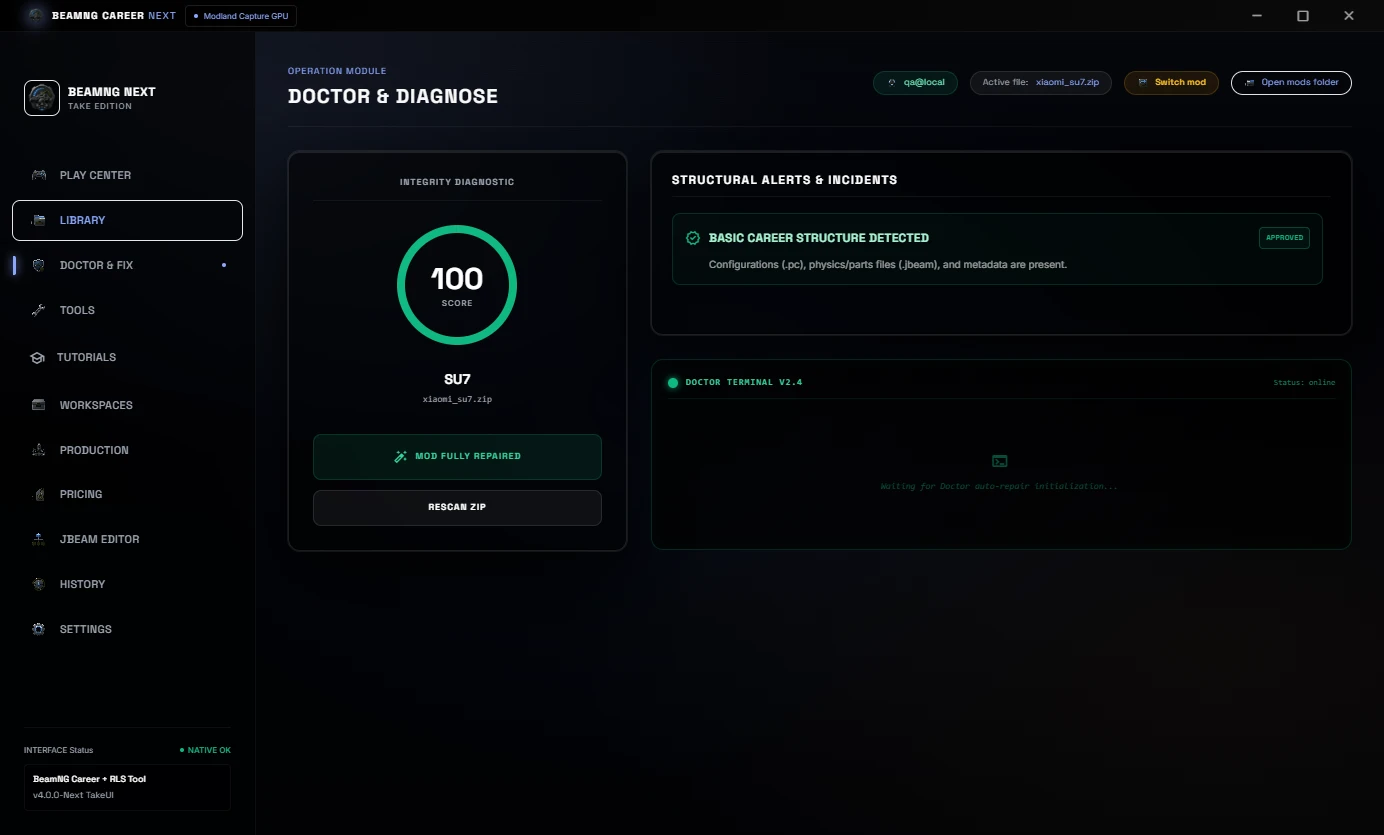
The 1-Click Auto-Fix flow can apply a chosen preset, repair common metadata issues, sync needed Career/RLS fields and prepare the mod for another test pass.
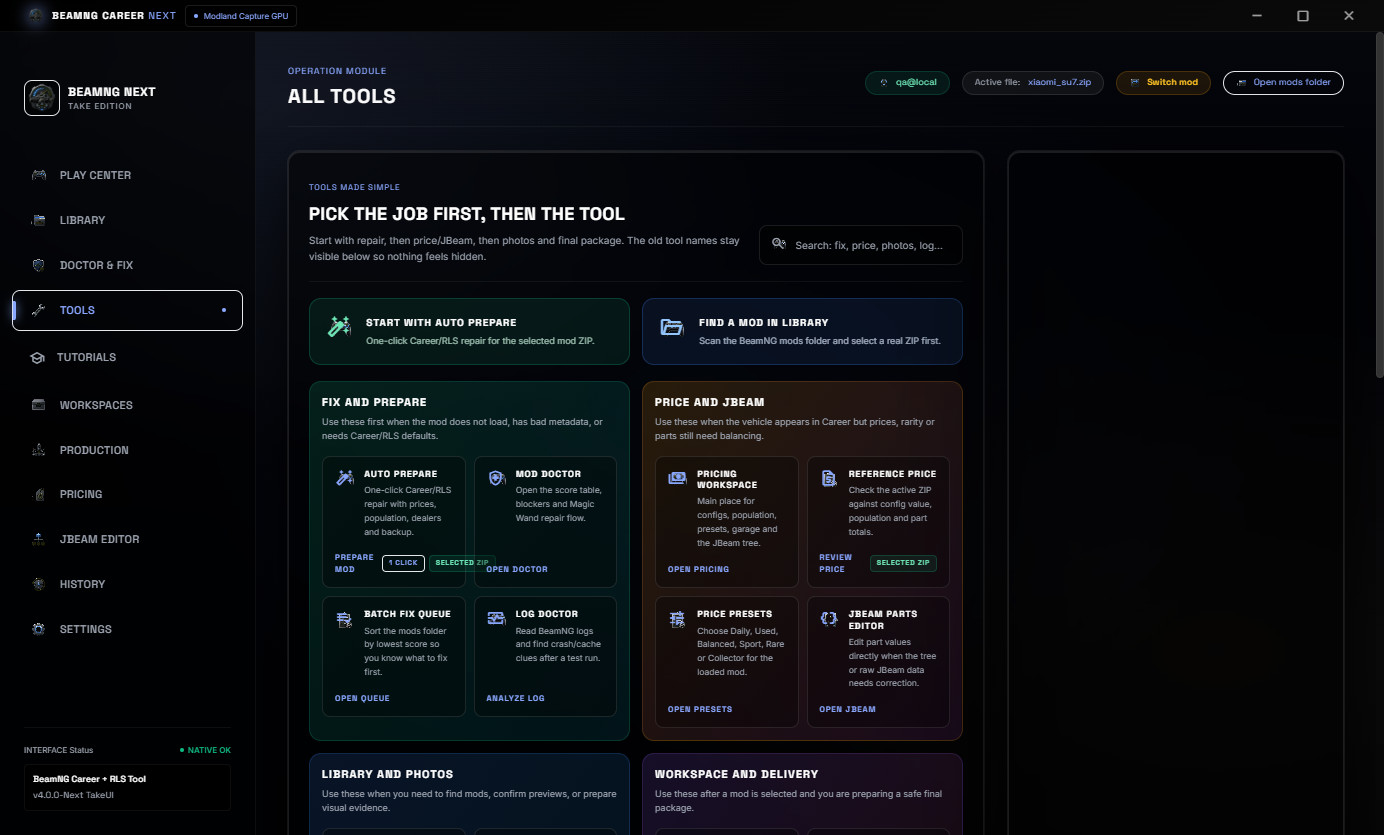
Tools Made Easier To Understand
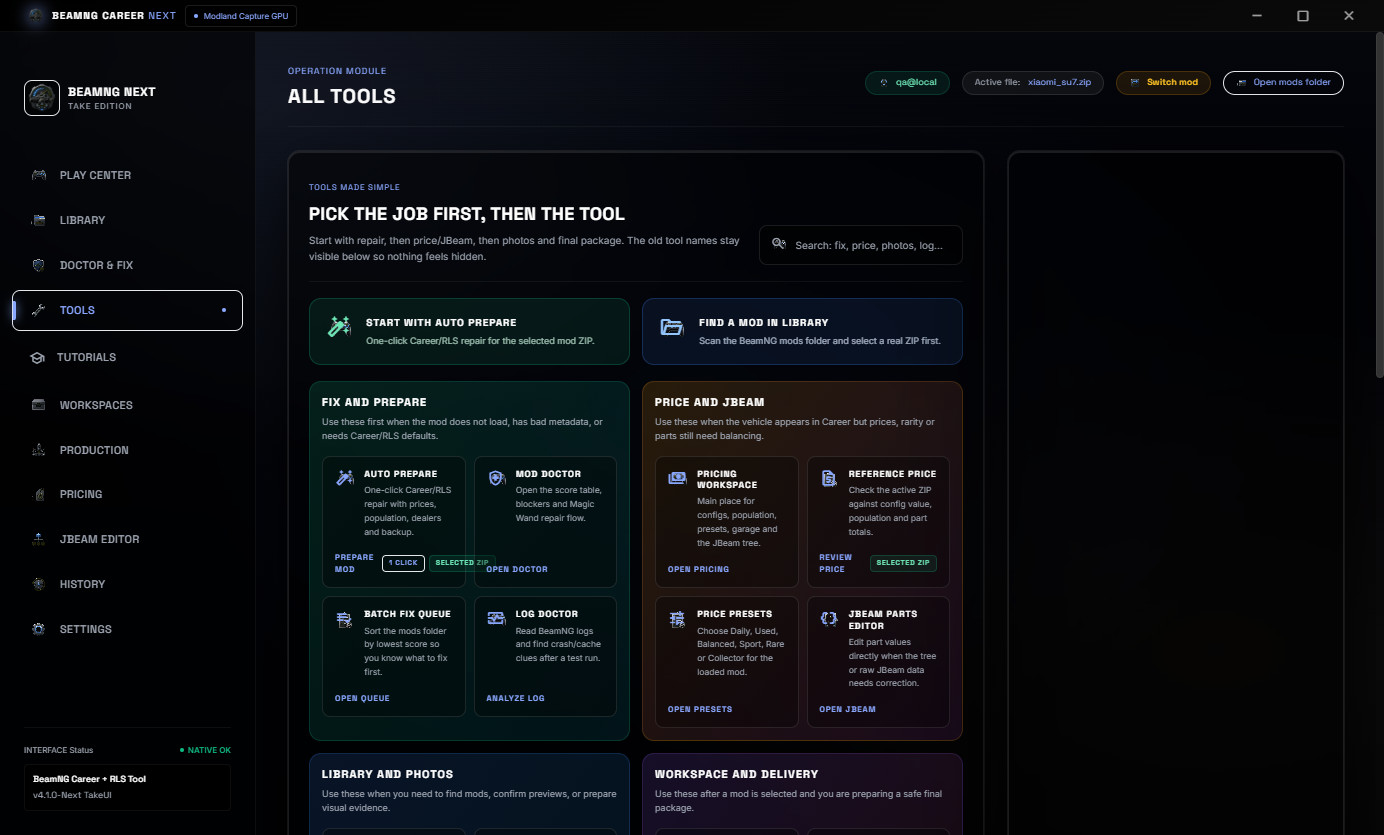
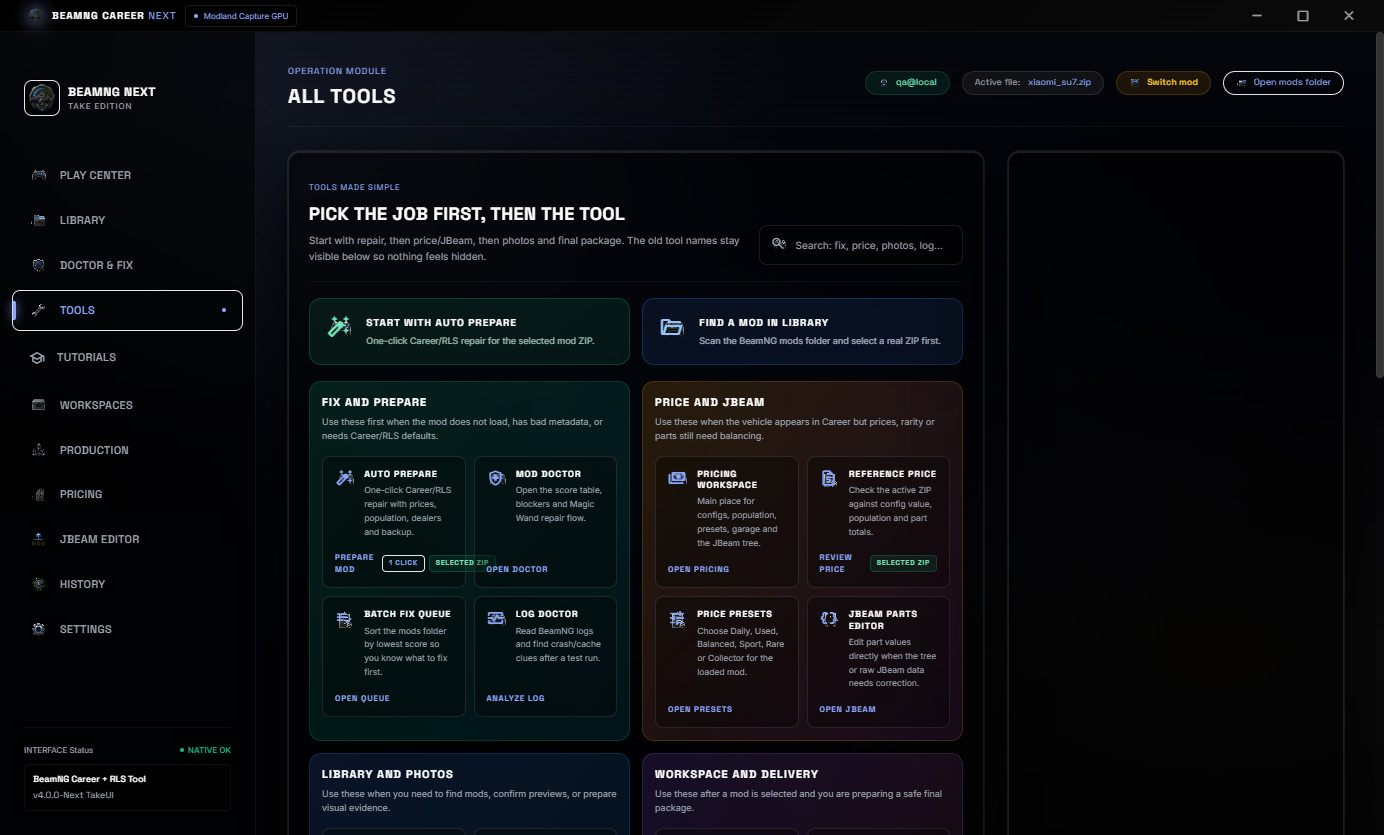
v4.0 reorganizes the tool areas by job: repair, pricing, JBeam, photos, evidence, production and system tools.
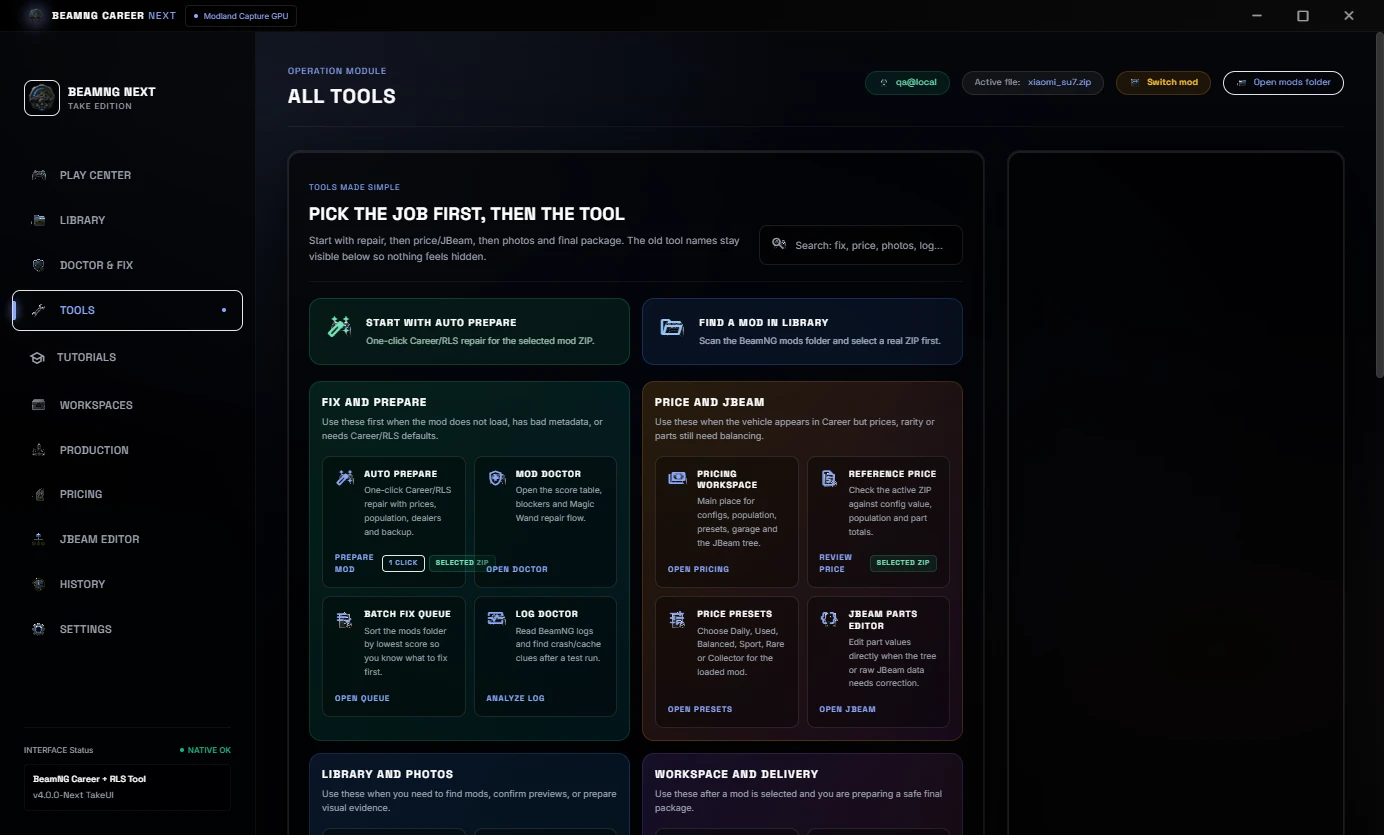
The goal is to make the workflow clearer for both advanced users and people preparing a Career/RLS mod for the first time.
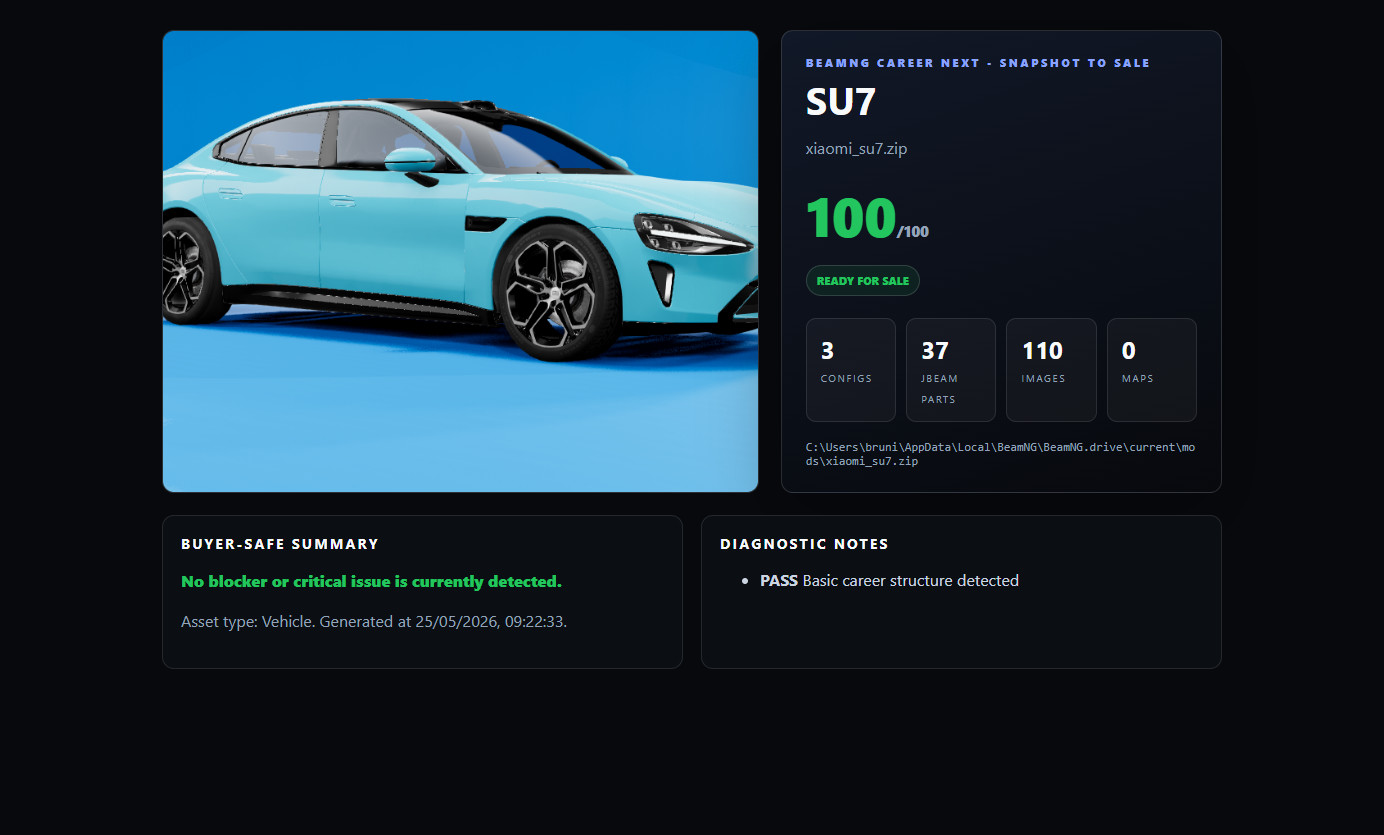
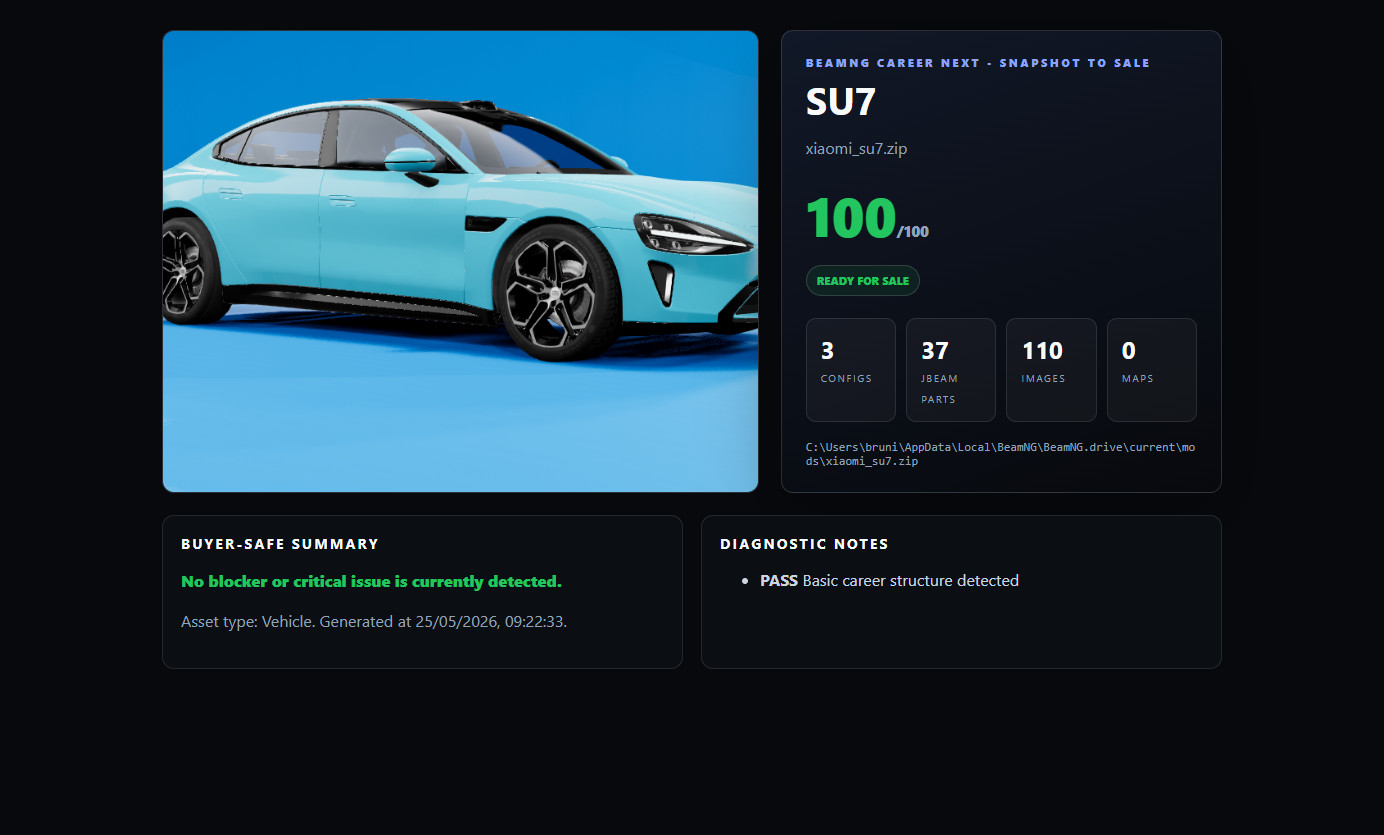
Snapshot To Sale
Snapshot to Sale creates a clean buyer-safe HTML evidence page with the mod image, score, file counts and sale notes.
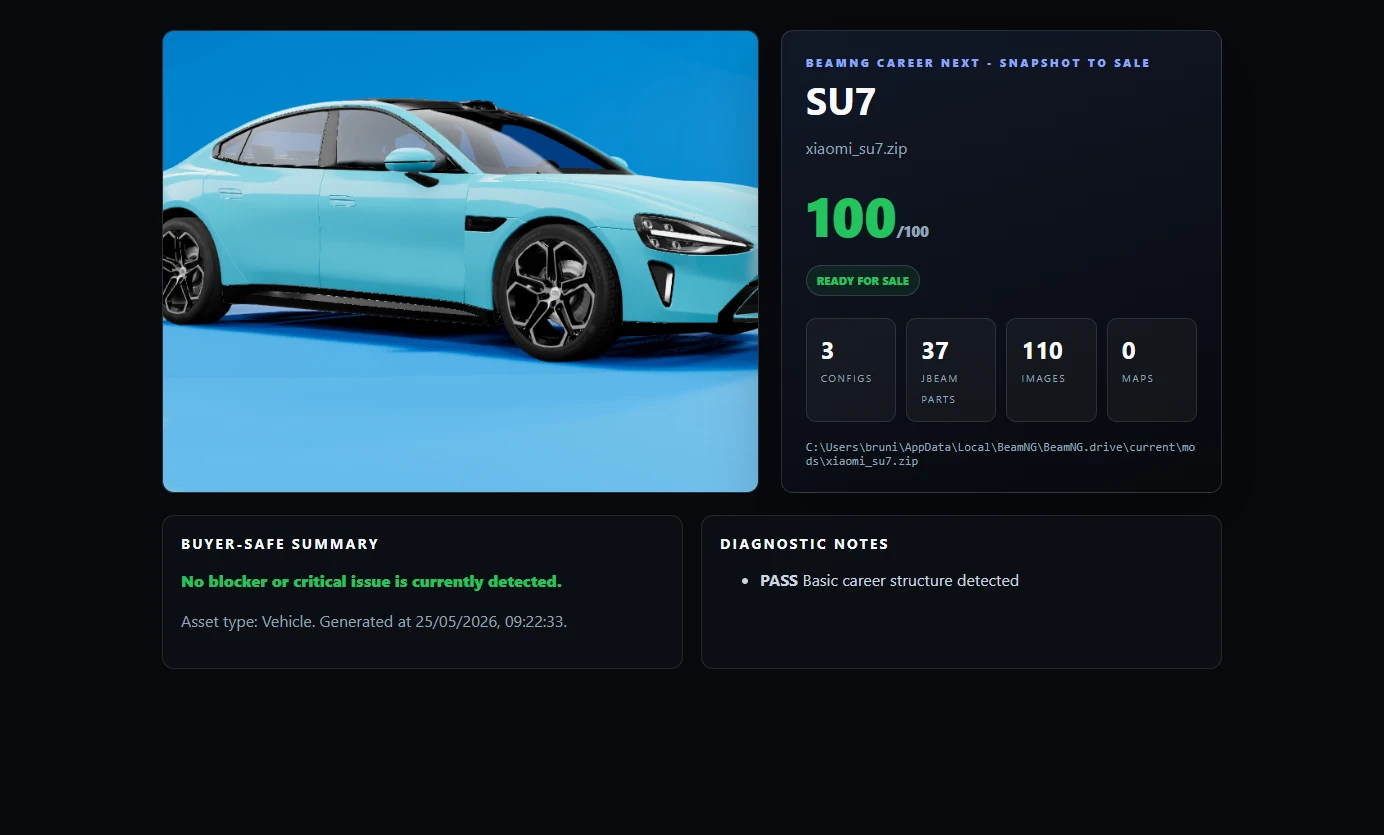
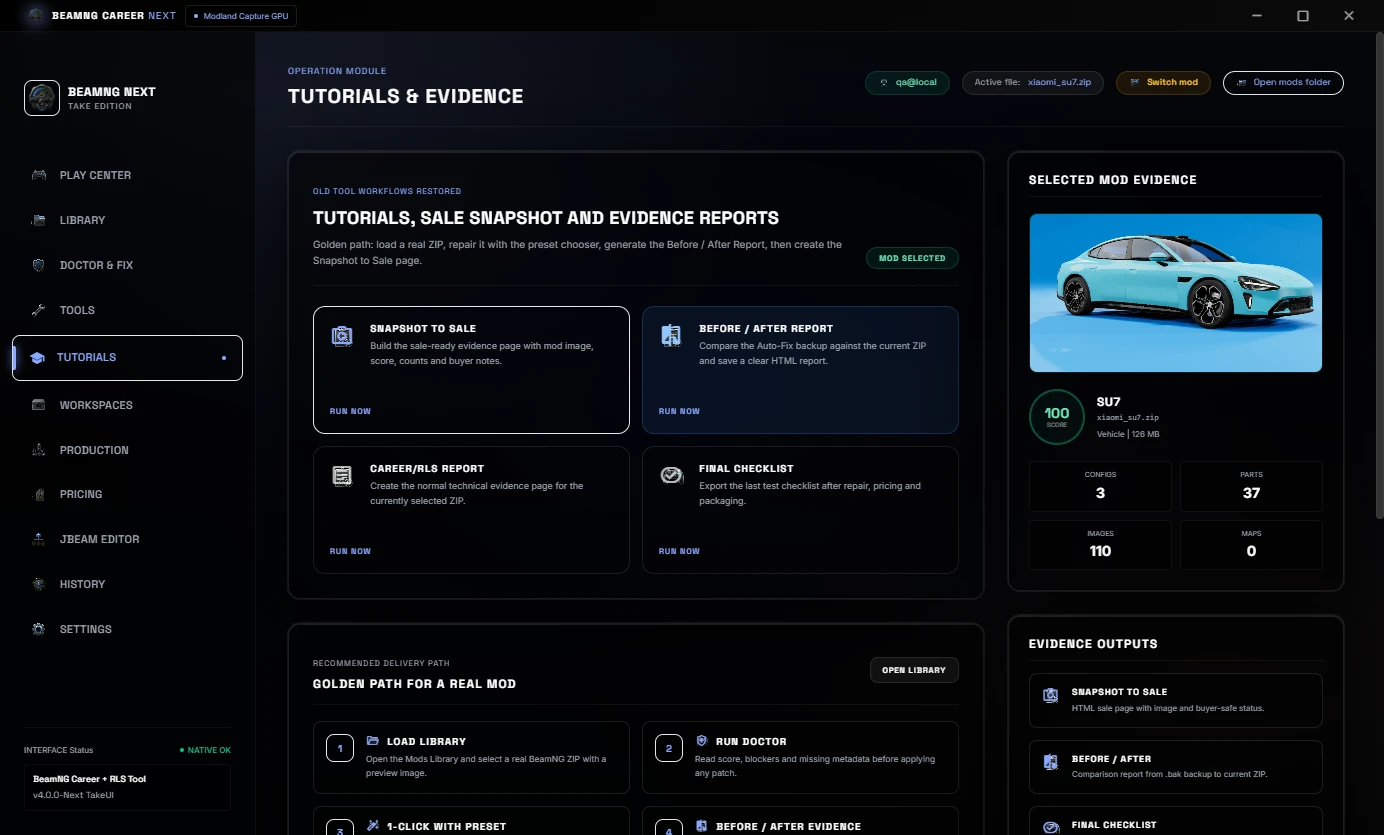
This is useful for Modland, Ko-fi, Discord or client delivery because the buyer can see a simple summary of the prepared mod.
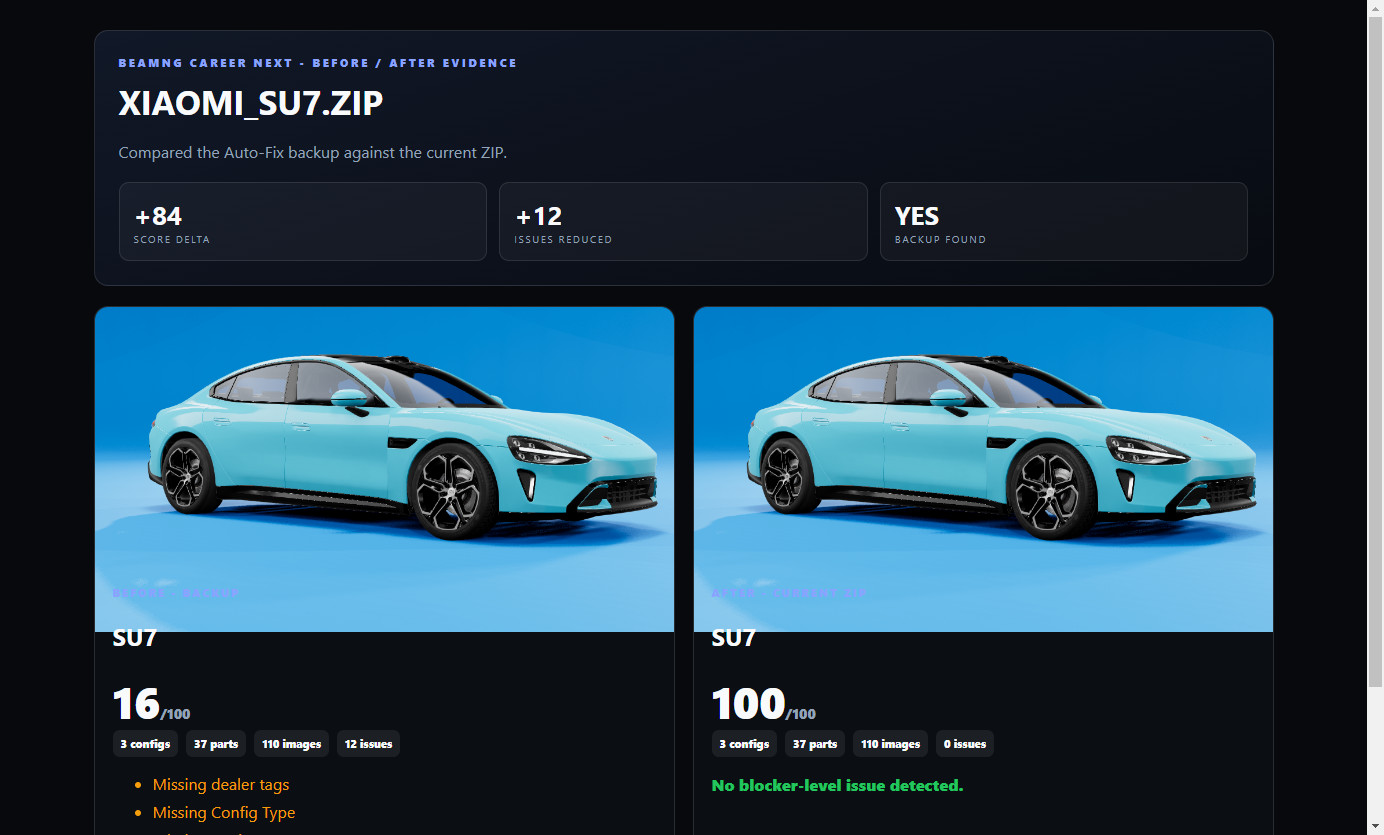
Before / After Report
Before / After Report compares the Auto-Fix backup against the current ZIP. It shows score improvement, issue reduction and a clear proof page.
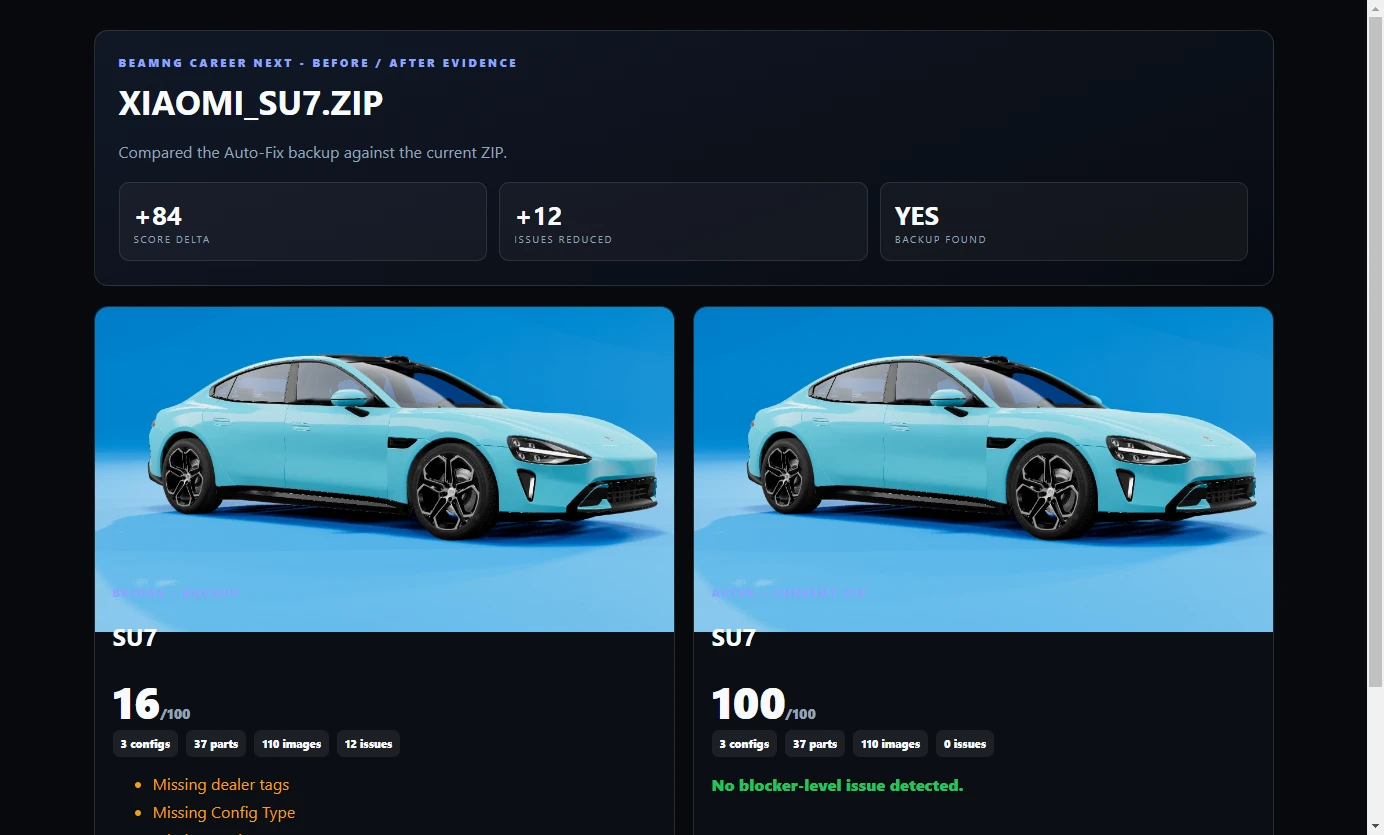
This is useful when you need to show what changed after repair instead of only saying the mod was fixed.
Workspaces And Production
v4.0 also includes a safer workspace and production flow.
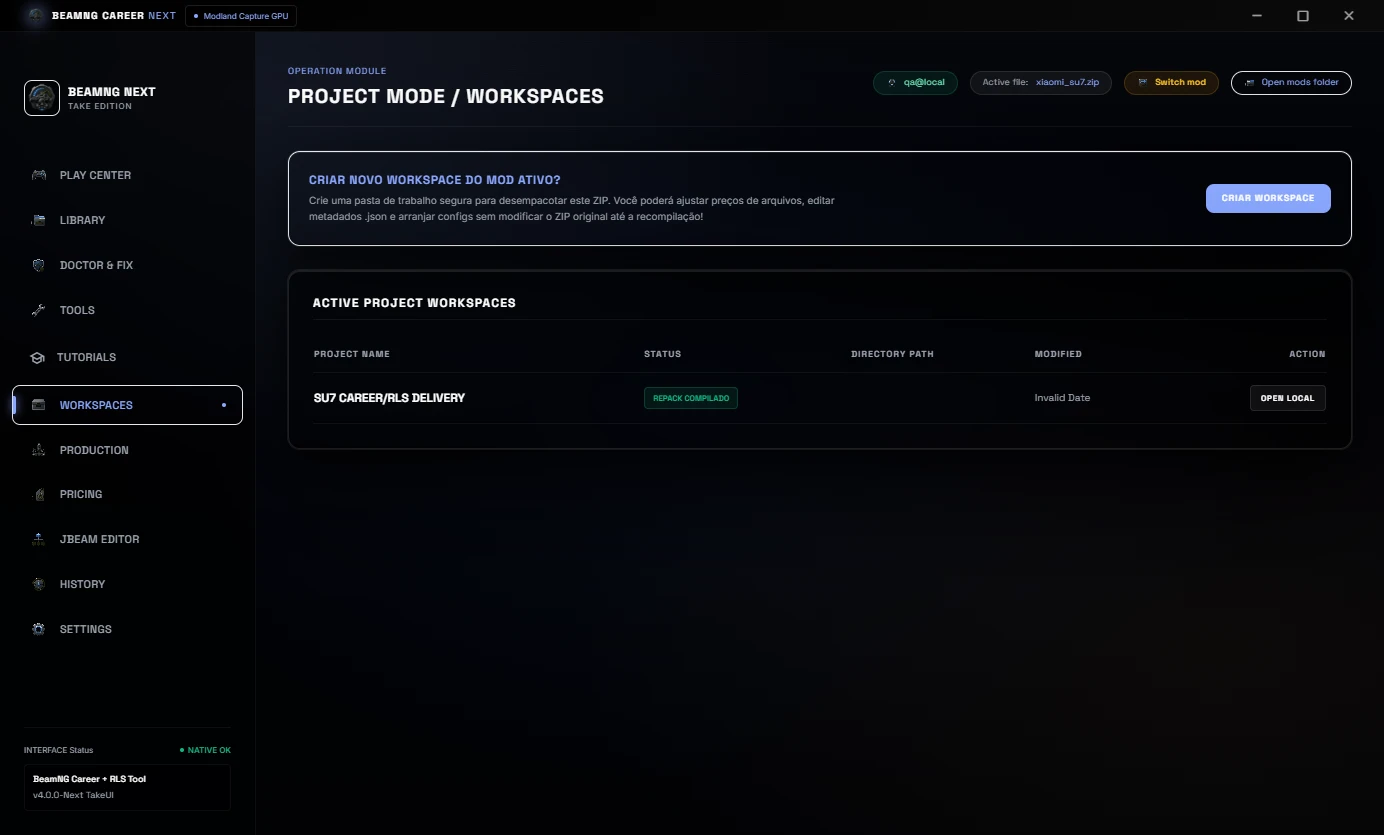
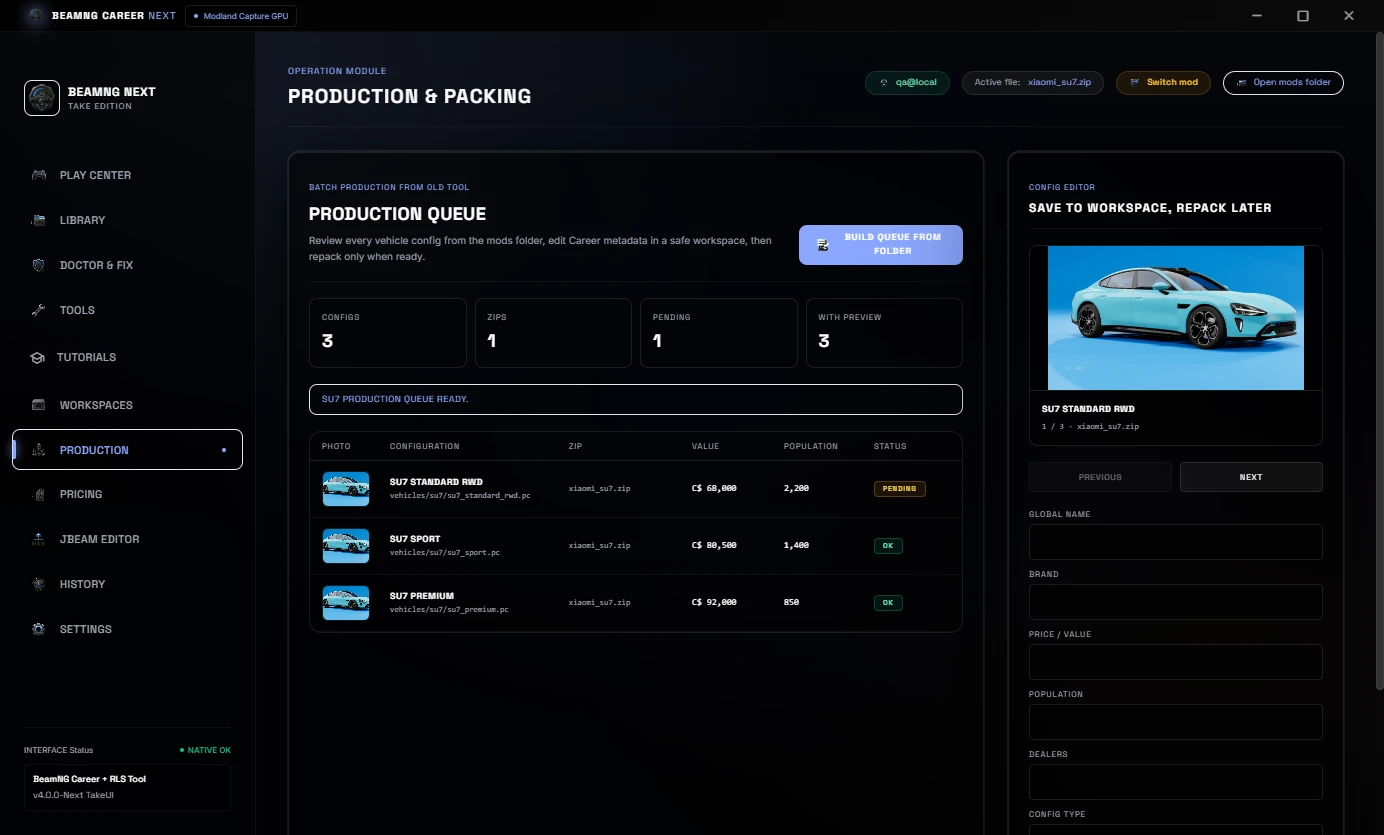
Project Workspaces help keep mod work organized while preparing files. Production Queue helps review vehicle configs, values, population and repack status before final delivery.
Price, Economy And JBeam Part Balancing
The Pricing area is used to adjust reference value, population, presets, mass edits and the JBeam parts tree.
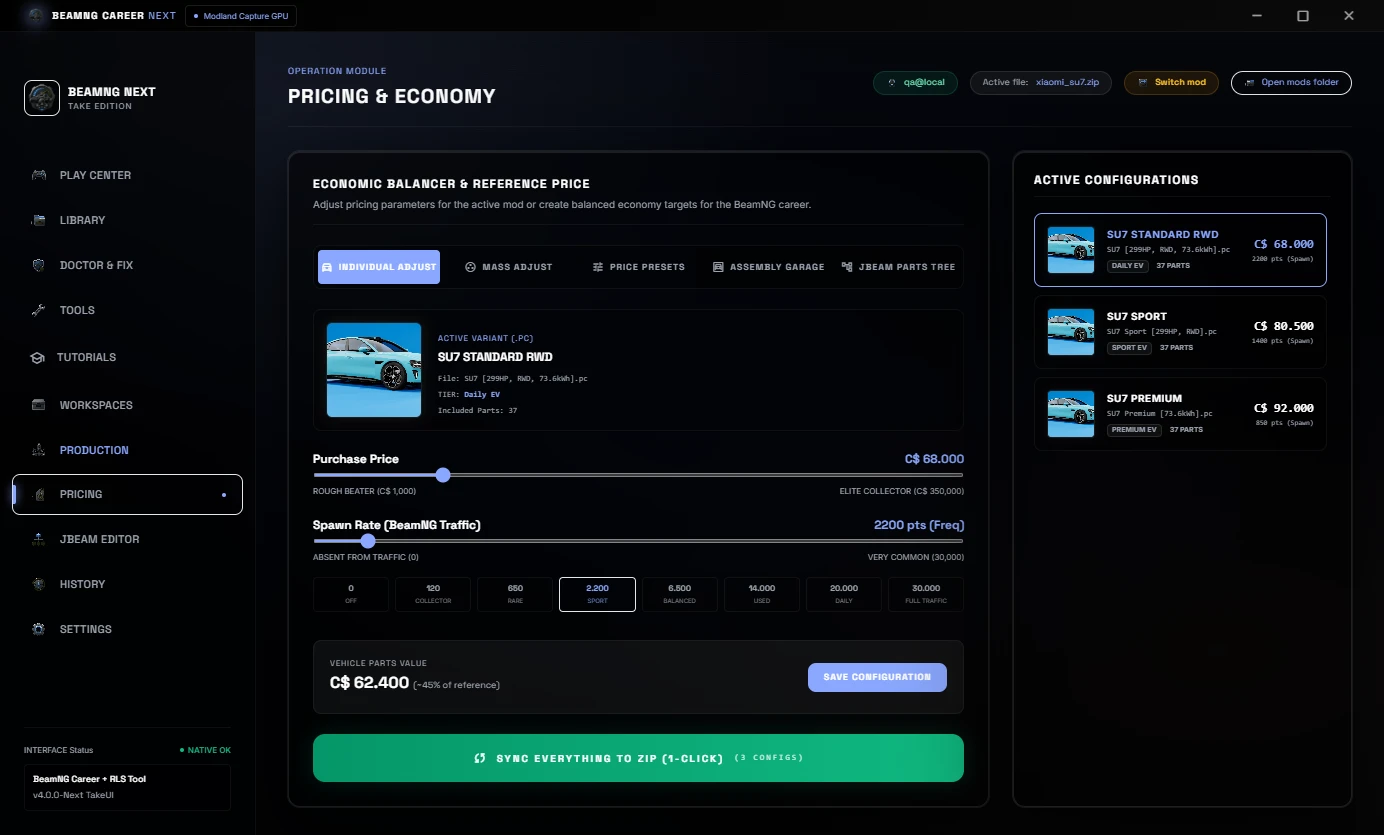
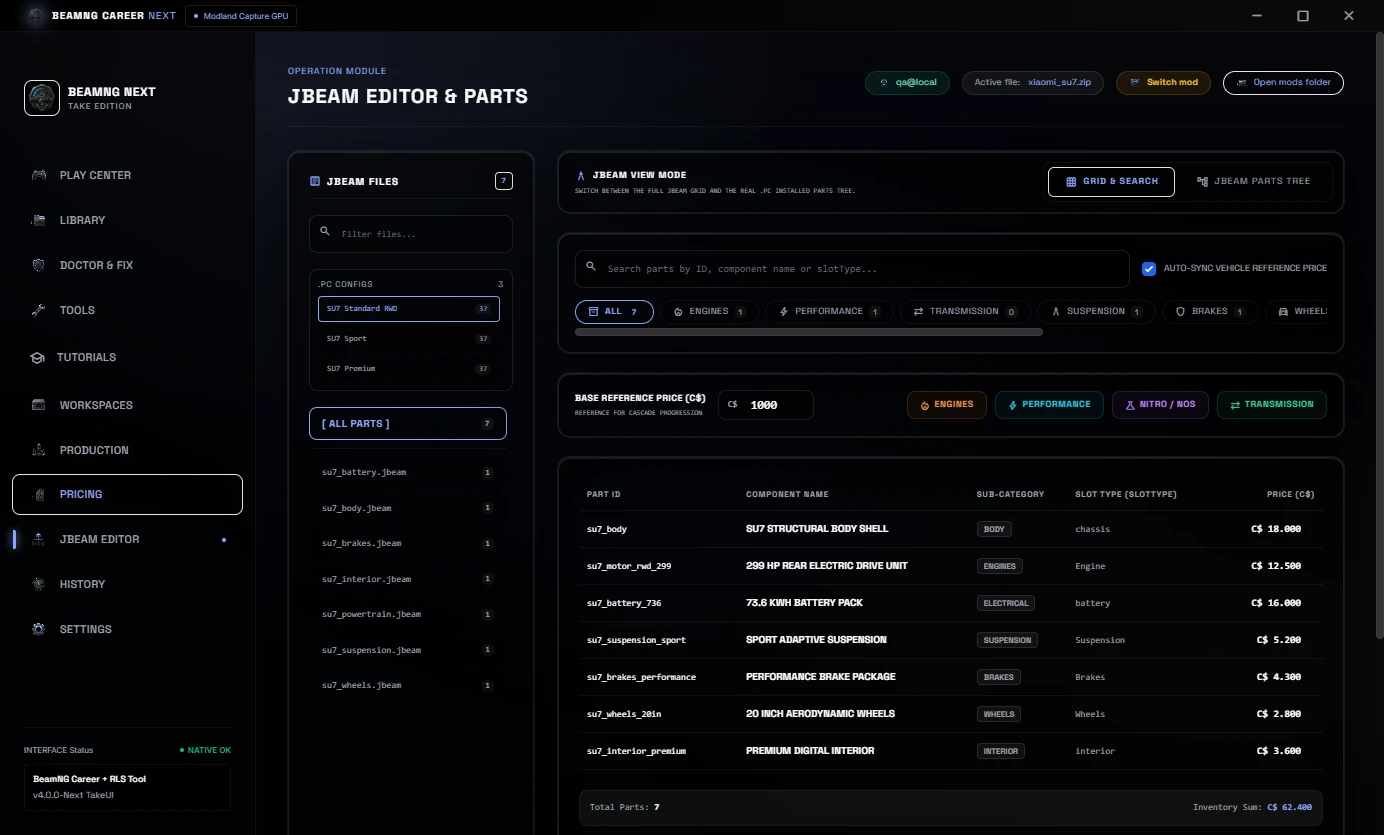
In Career/RLS balancing, a percentage change should not only affect the visible car price. JBeam part prices should stay aligned too, so the total vehicle setup makes sense inside the economy.
History And Settings
History keeps a visible record of scans, evidence and prepared mods.
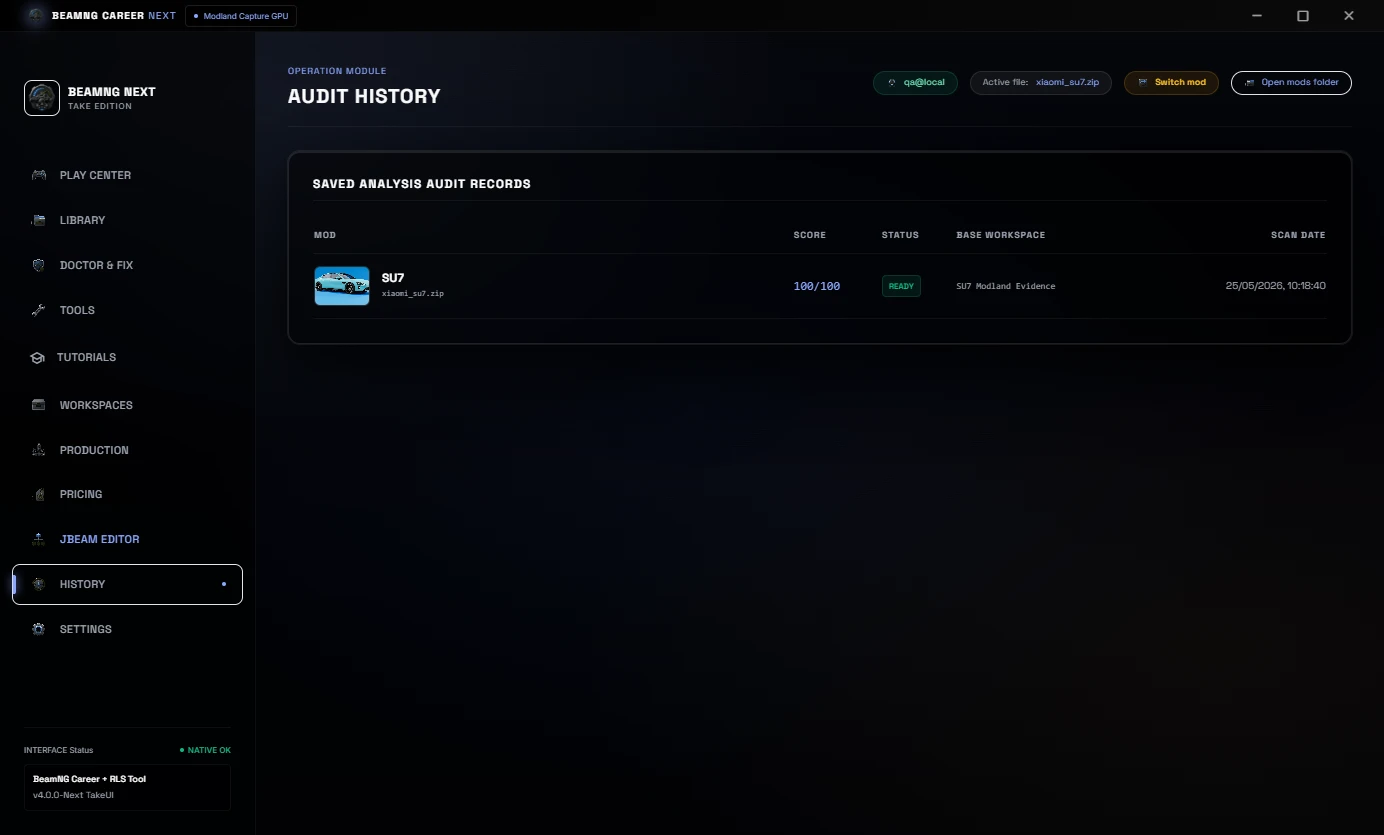
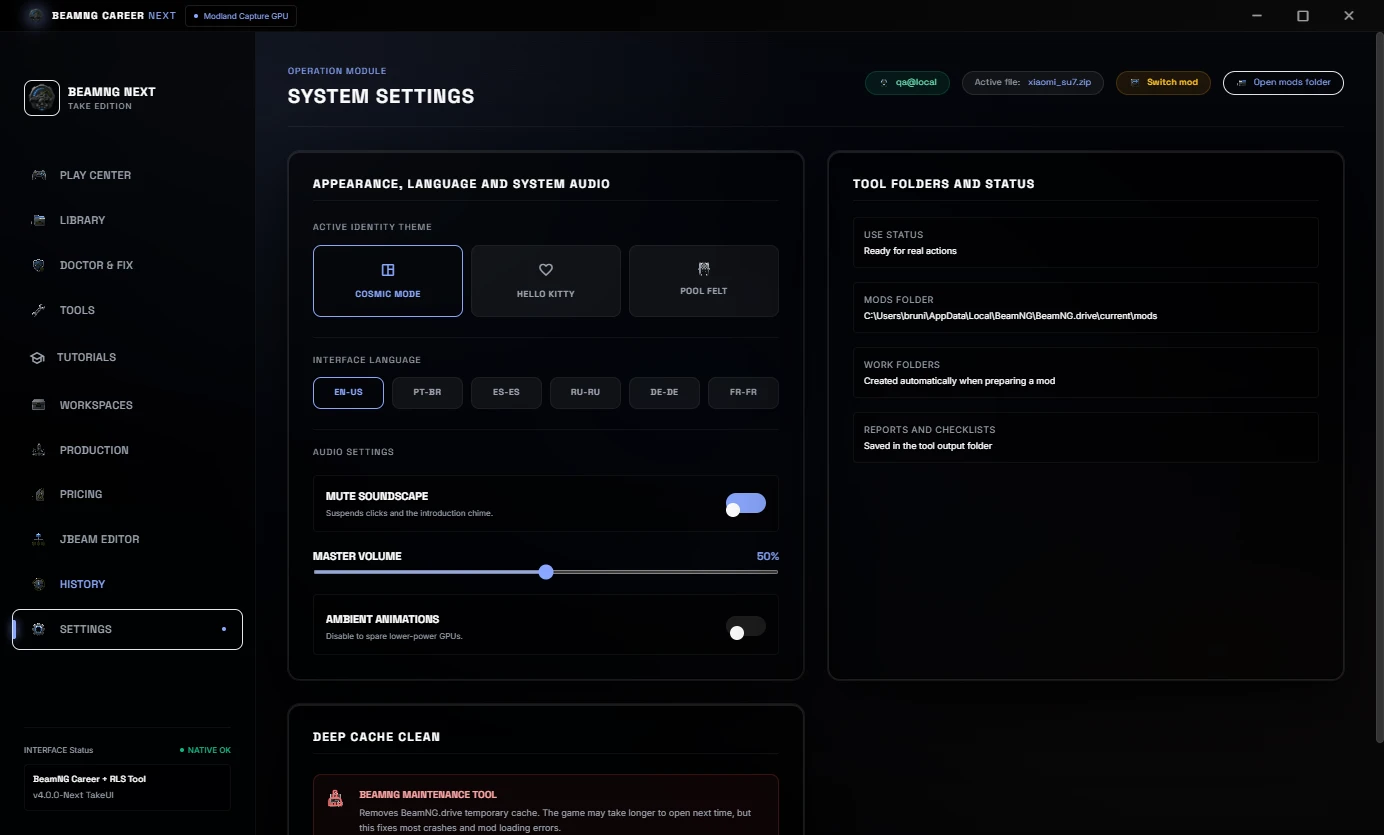
Settings includes language, theme, audio and system path controls. The default language is EN-US.
What Is Included
- Real mods library with preview images.
- Cached library scan and reload.
- Mod Doctor and Career/RLS diagnostics.
- 1-Click Auto-Fix with preset selection.
- Pricing and economy controls.
- JBeam part pricing workflow.
- Snapshot to Sale HTML evidence.
- Before / After HTML evidence report.
- Tutorials & Evidence tab.
- Project workspace and production queue.
- Processing history.
- Multi-language UI.
Important
Always keep backups of your original ZIP files before editing.
This tool helps prepare BeamNG mods for Career/RLS workflows.
No BeamNG vehicle mods are bundled with this download.
BeamNG Career Tool Pro v3.1
BeamNG Career Tool Pro is a Windows utility for preparing BeamNG vehicle mods for Career/RLS use.
It helps modders, players and creators turn a vehicle ZIP into something easier to scan, price, repair, repack, test and publish for a Career/RLS workflow.
The main idea is simple: drop the ZIP, let the tool scan it, apply Career/RLS defaults, fix common blockers, review the before/after result and then test the mod in-game.
v3.1 focuses on making the workflow easier to understand, faster to repeat and more useful before opening BeamNG.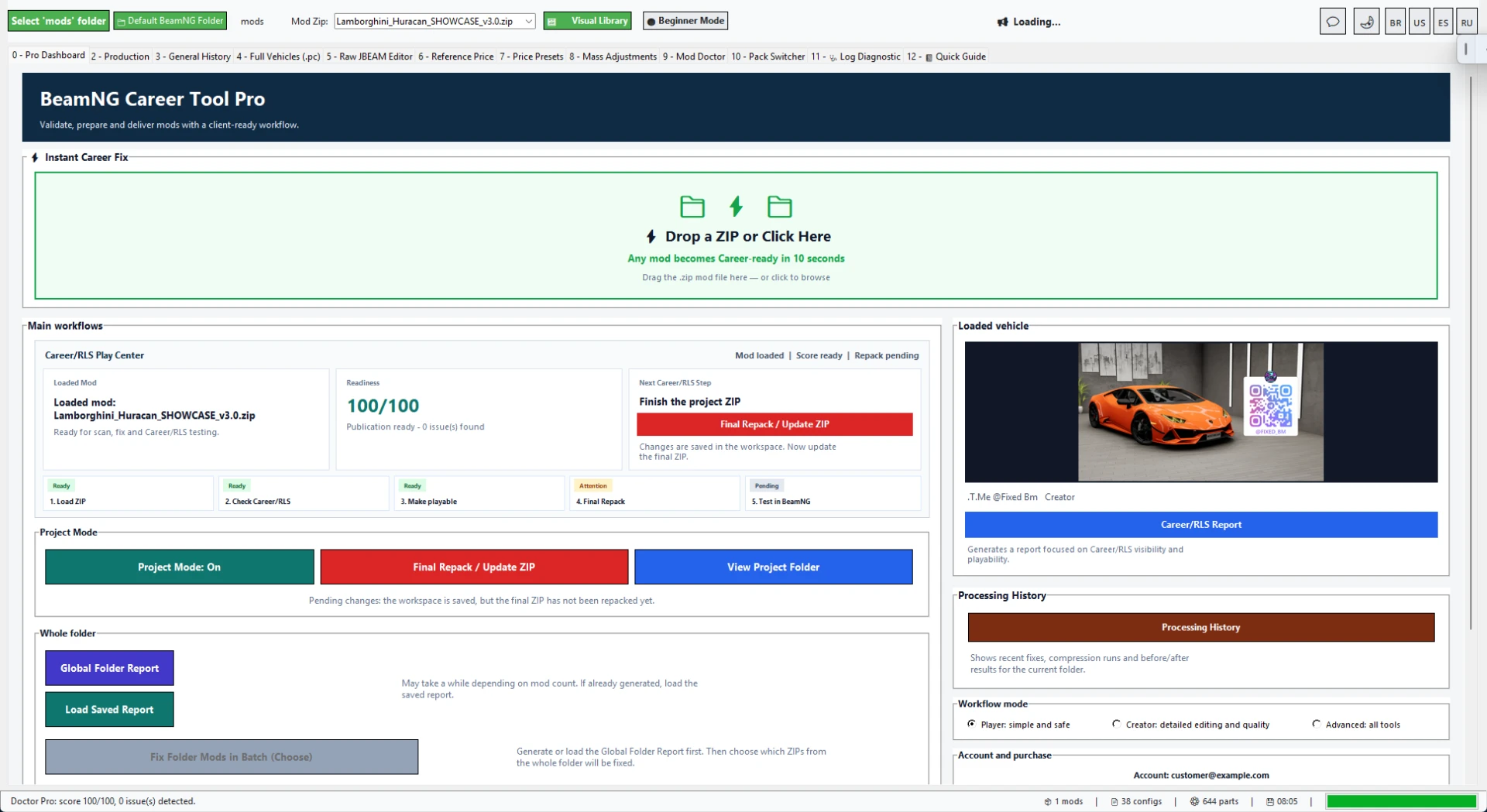
NEW IN v3.1: SHOP PREVIEW, FASTER SCANS AND CLEARER WORKFLOW
v3.1 adds a stronger public workflow around Career/RLS preparation.
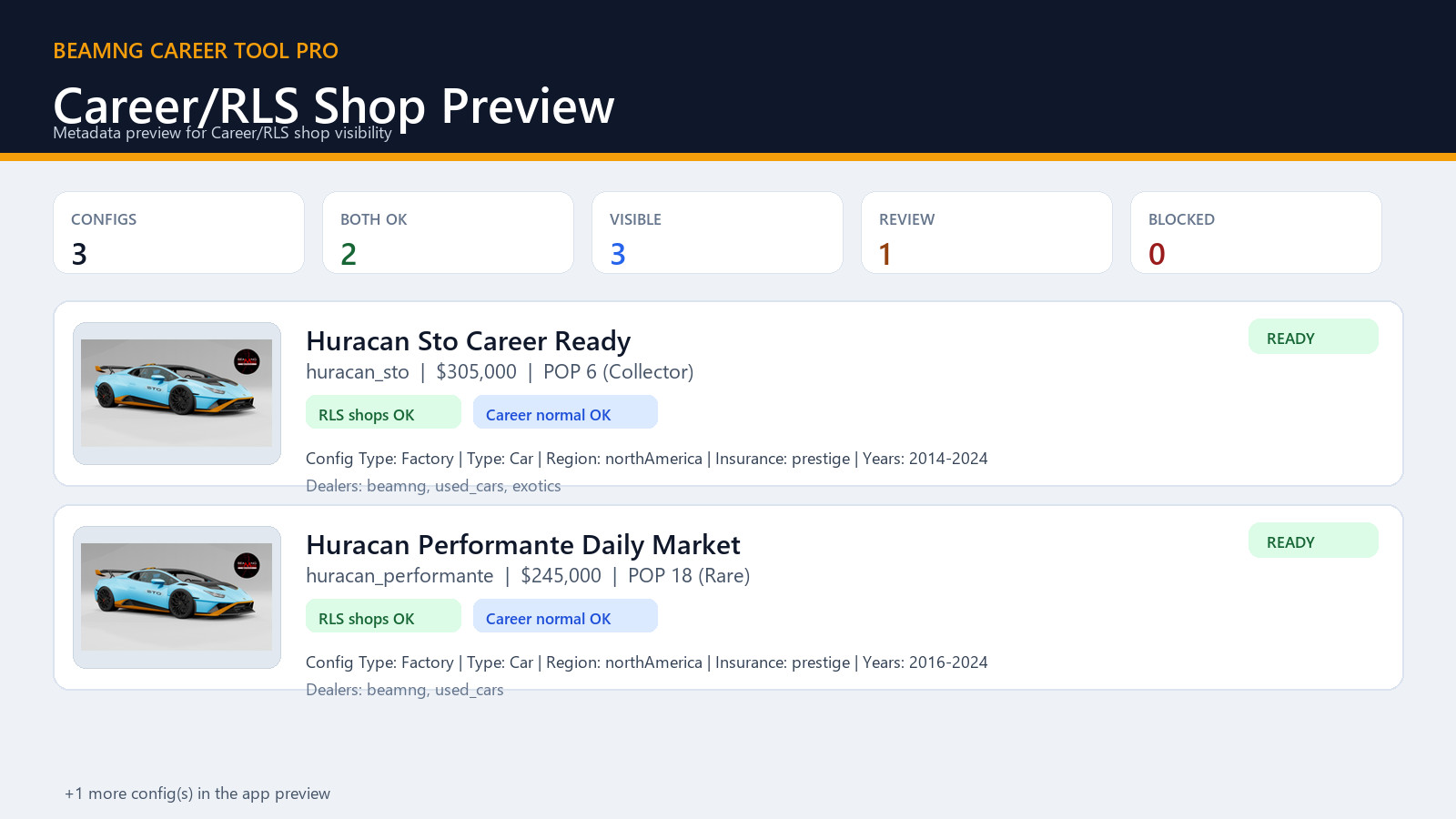
The Career/RLS Shop Preview helps you inspect how configs may appear using fields such as Value, Population, dealers and normal Career metadata before testing in-game.
Repeated scans are faster because the tool now reuses cached ZIP detection, thumbnails and JSON reads when possible.
The Instant Career Fix flow remains the fastest path for users who want to prepare a vehicle ZIP without manually jumping through every advanced editor first.
INSTANT CAREER FIX
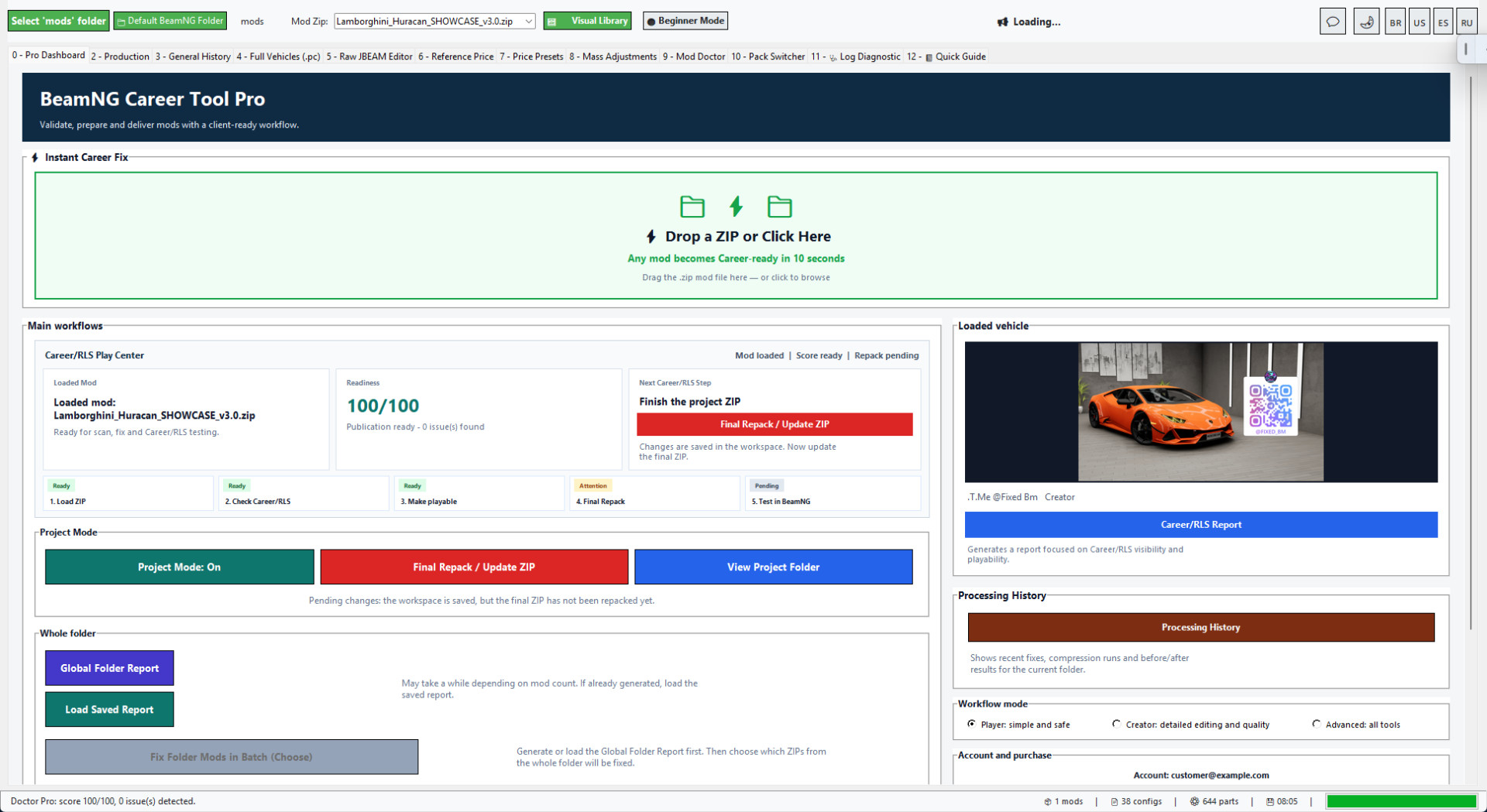
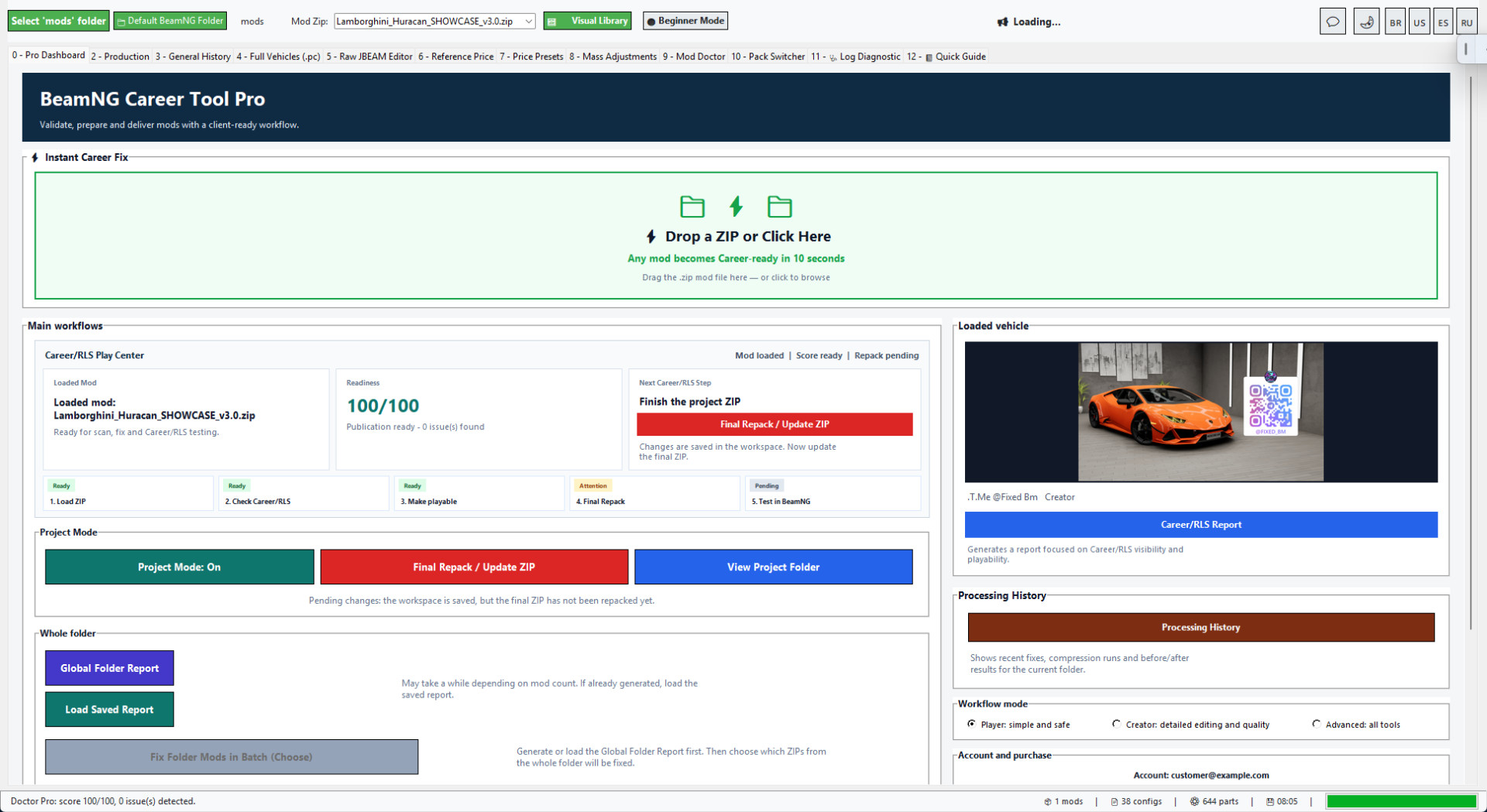
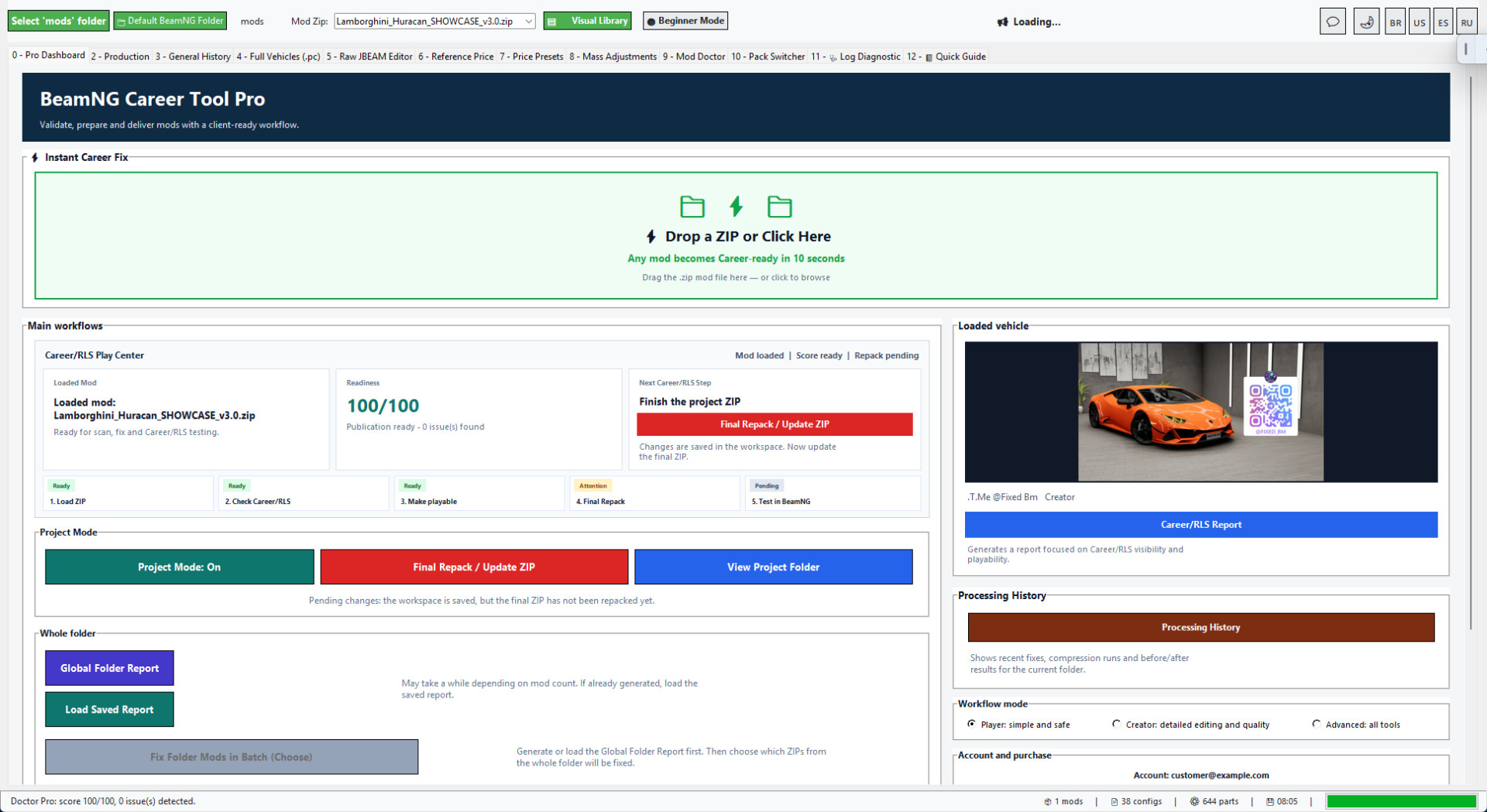
The Instant Career Fix dashboard is the fastest way to start.
Drop a BeamNG vehicle ZIP into the tool or click the drop zone, and the workflow can load the mod, scan it, detect a suitable price preset, apply safe Career/RLS defaults, fix common blockers and prepare the result.
This is made for the real workflow: download a vehicle ZIP, make it Career/RLS ready, repack it and test it without starting from every advanced tab.
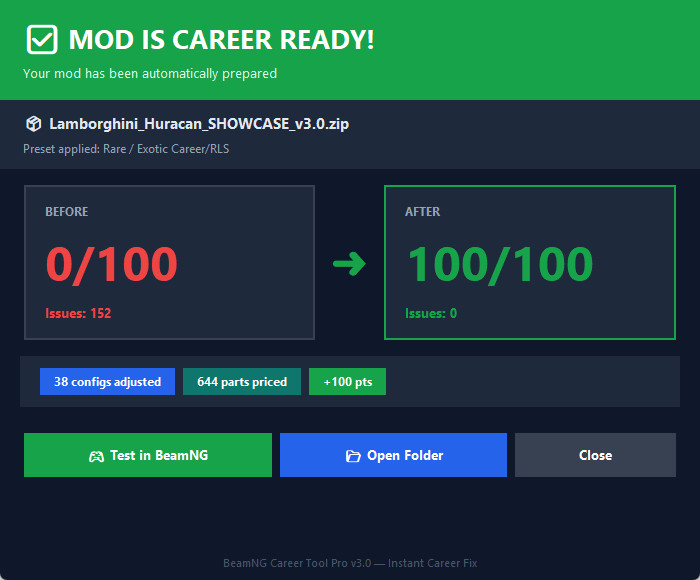
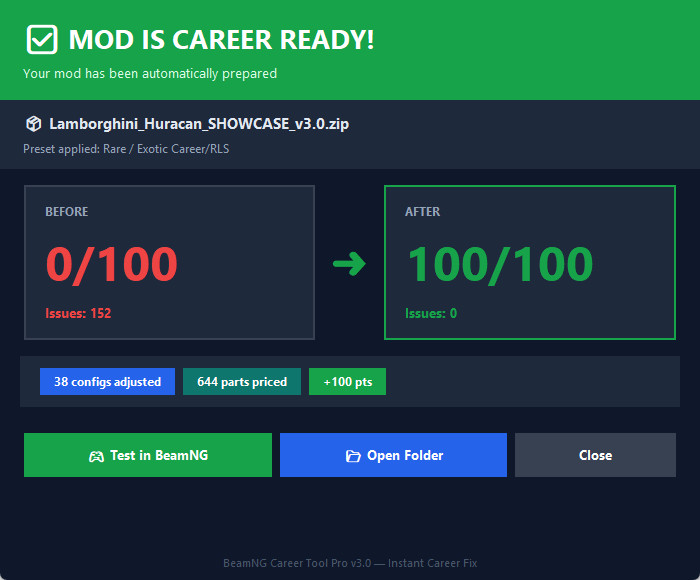
CLEAR BEFORE AND AFTER RESULT
The result window shows what changed in one place.
You can review the Career Ready Score, issue count, adjusted configs and priced parts before opening BeamNG.
This makes the fix easier to trust because you can see what the tool changed instead of guessing.
CAREER AND RLS COMPATIBILITY TOOLS
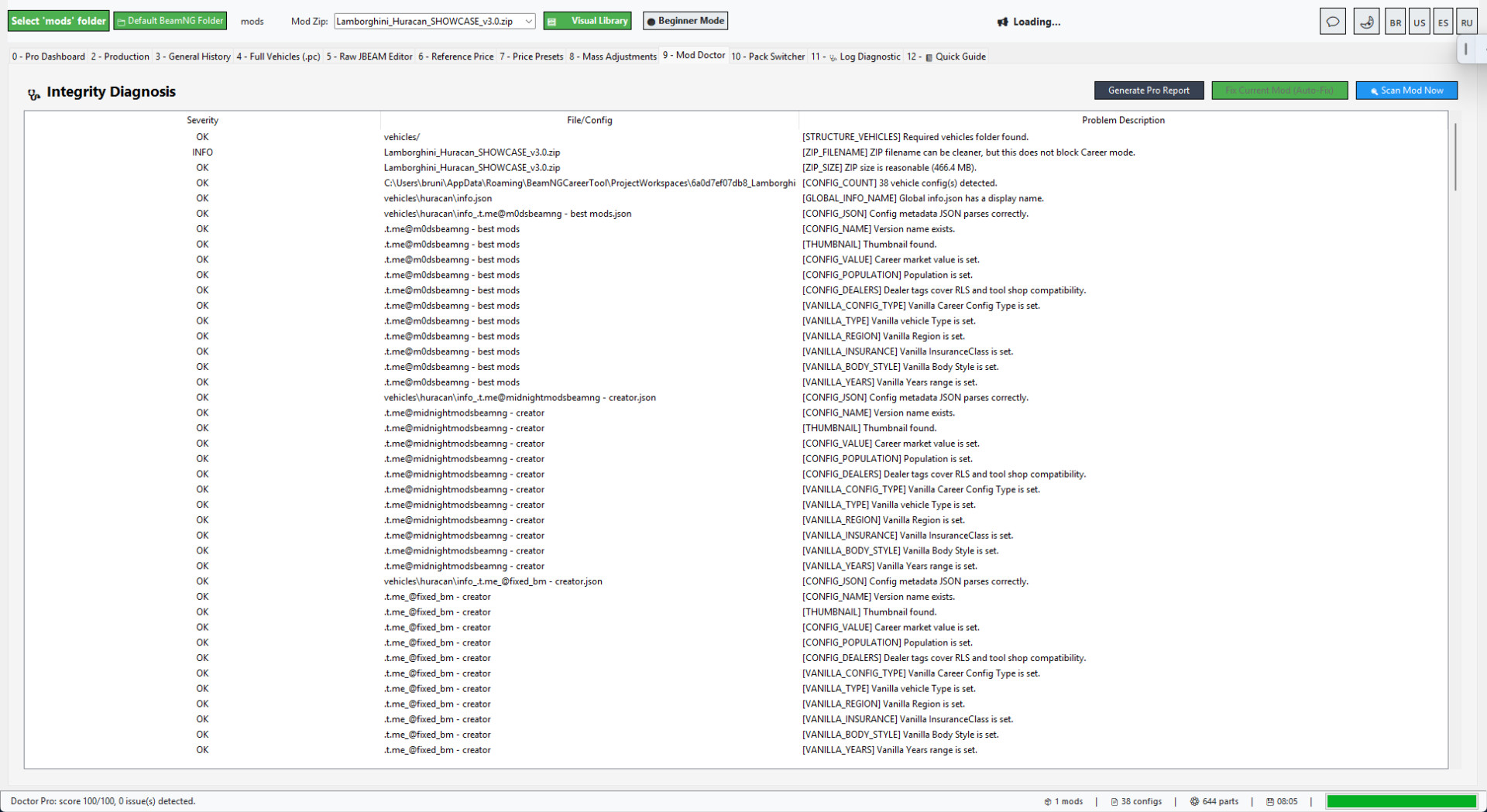
BeamNG Career Tool Pro works with both RLS visibility and normal BeamNG Career metadata.
It can prepare and repair fields such as Value, Population, Type, Config Type, Region, InsuranceClass and Years.
It also helps with shop/dealer visibility, vehicle config data and common compatibility blockers that can stop a car from appearing correctly in a Career/RLS flow.
MANUAL CONTROL WHEN YOU NEED IT
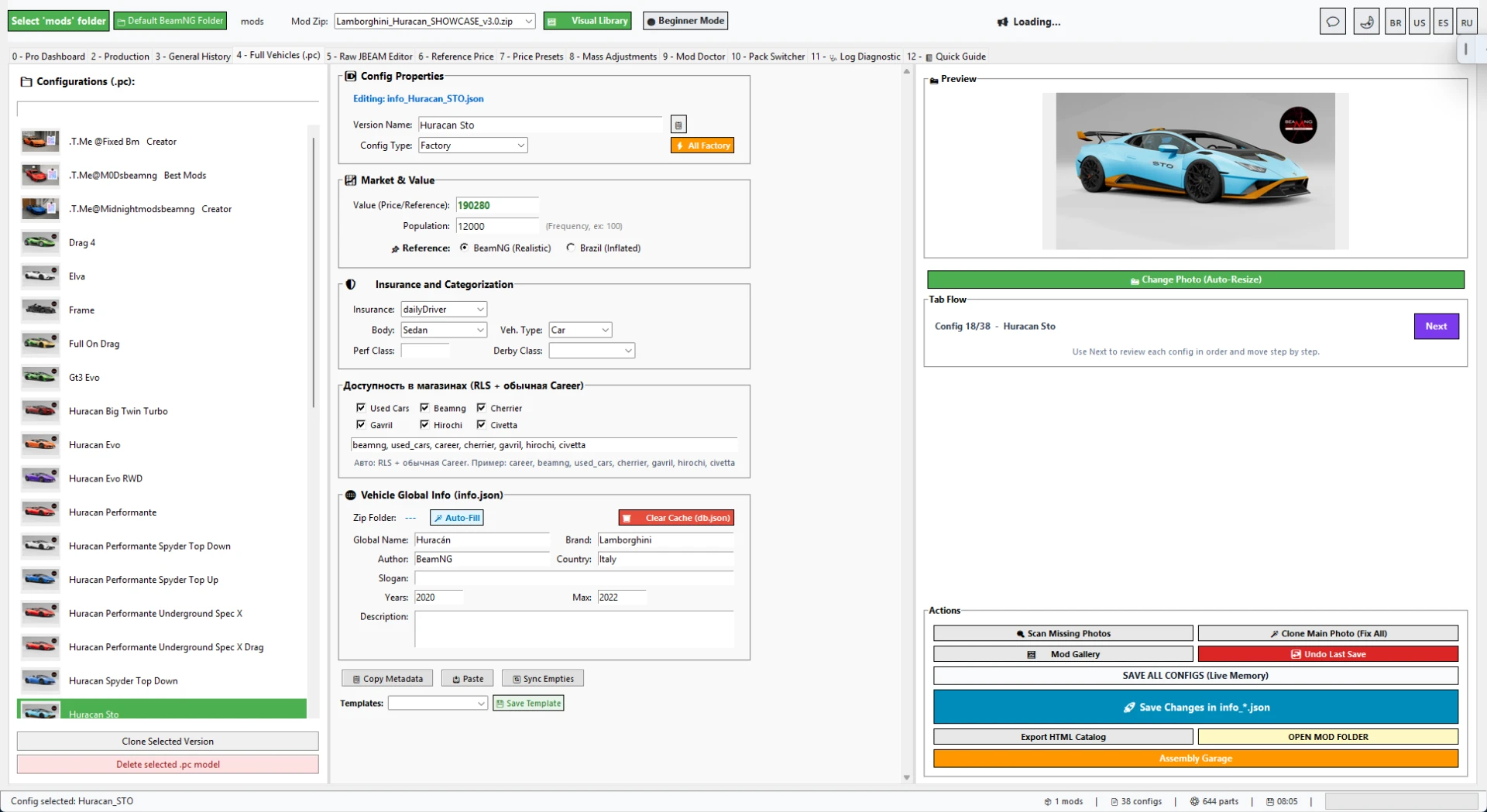
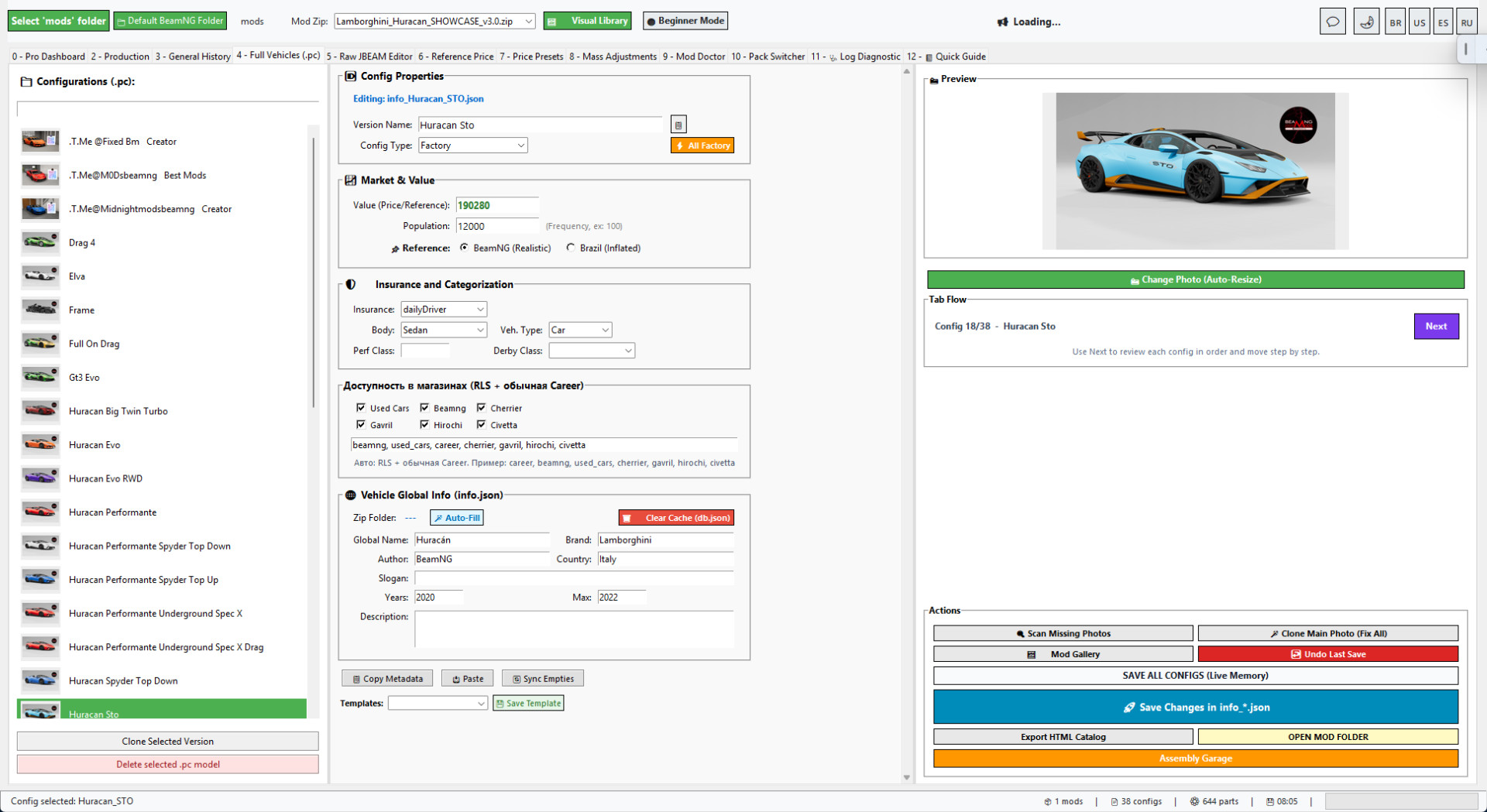
The automatic flow is not the only option.
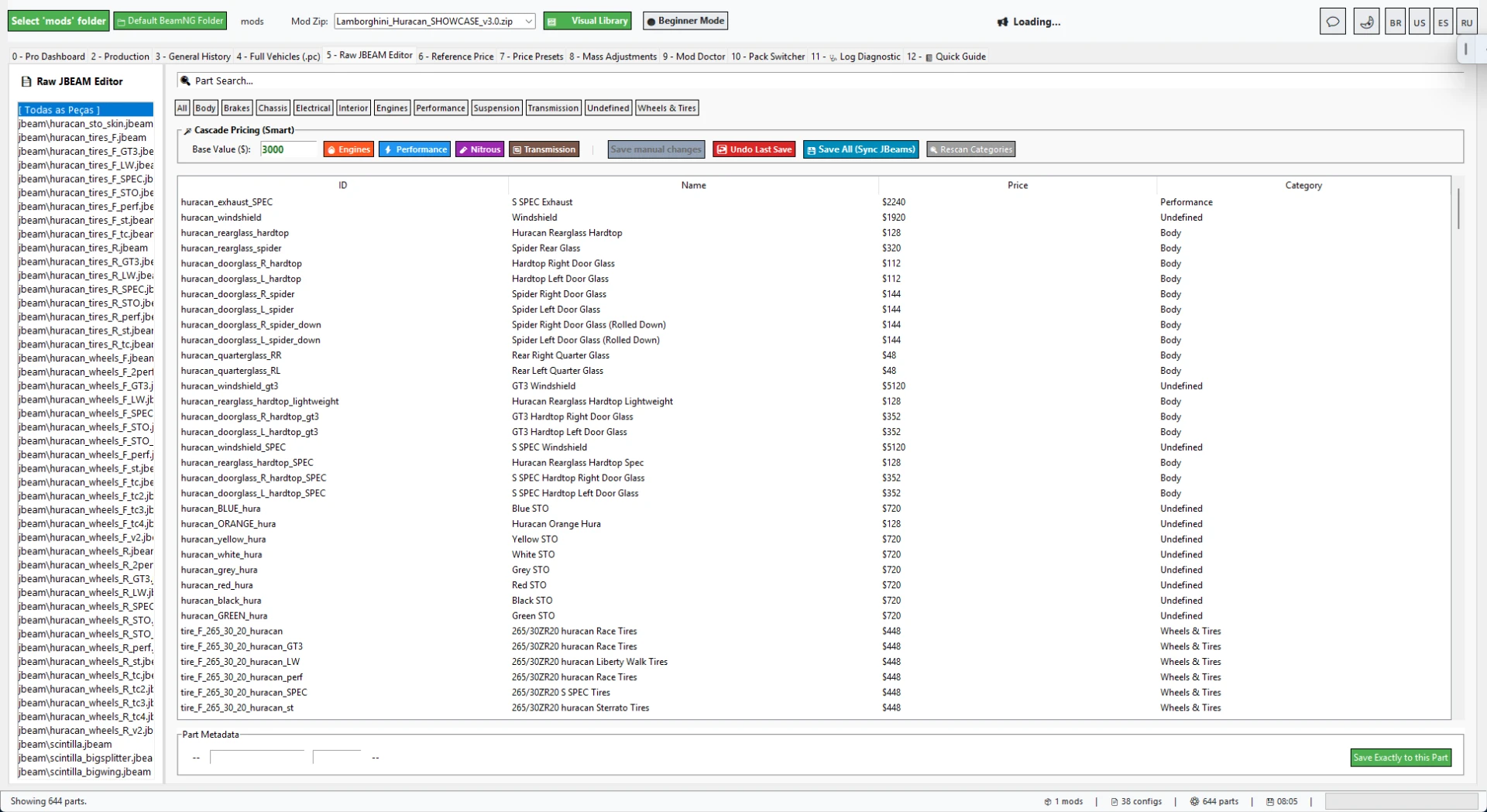
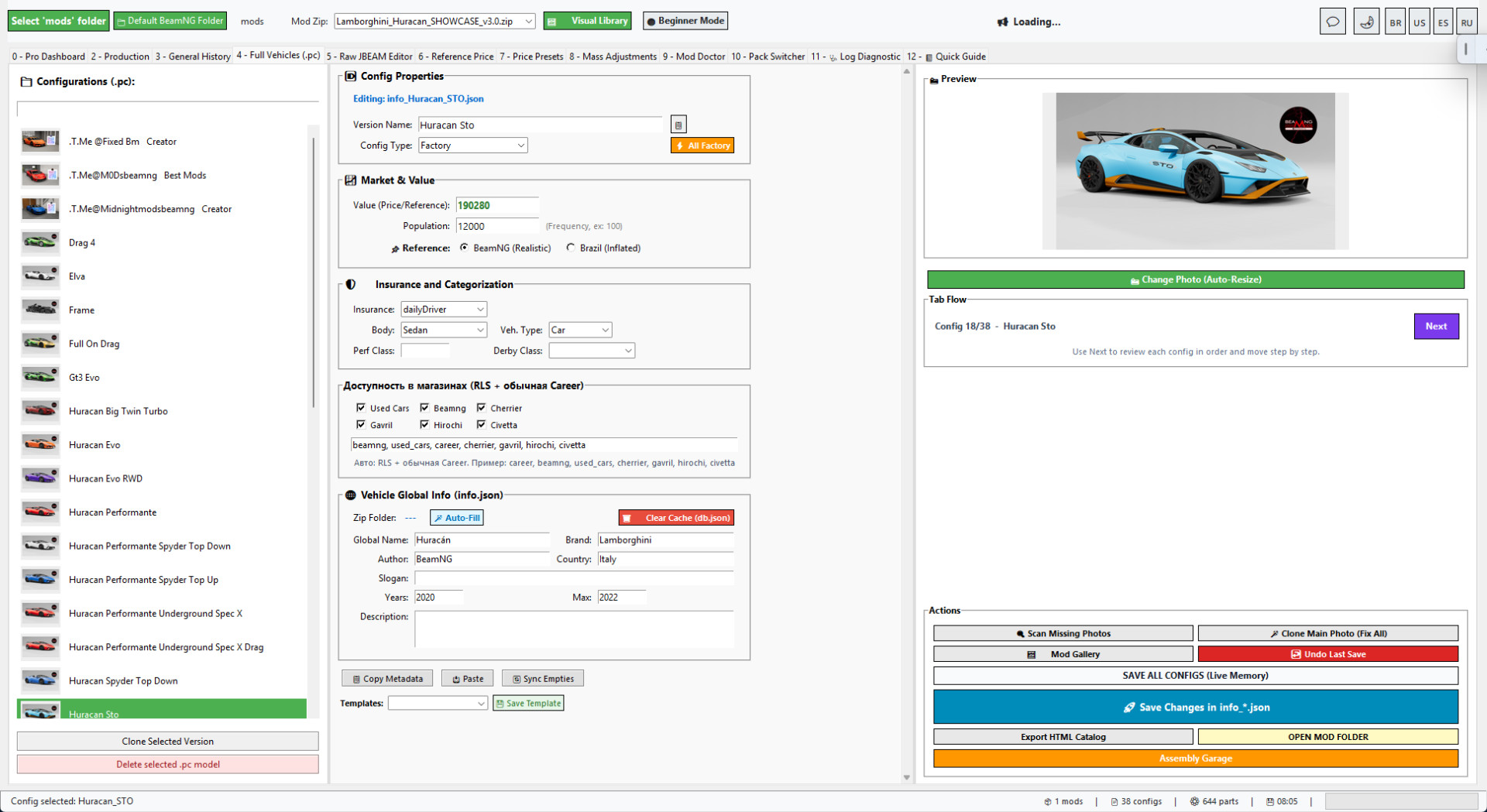
Advanced users can still inspect and edit Full Vehicles/PC configs, names, thumbnails, values, population, dealers and compatibility fields manually.
The tool also includes a Raw JBEAM editor for deeper part-level work and diagnostics when a mod needs more precise fixes.
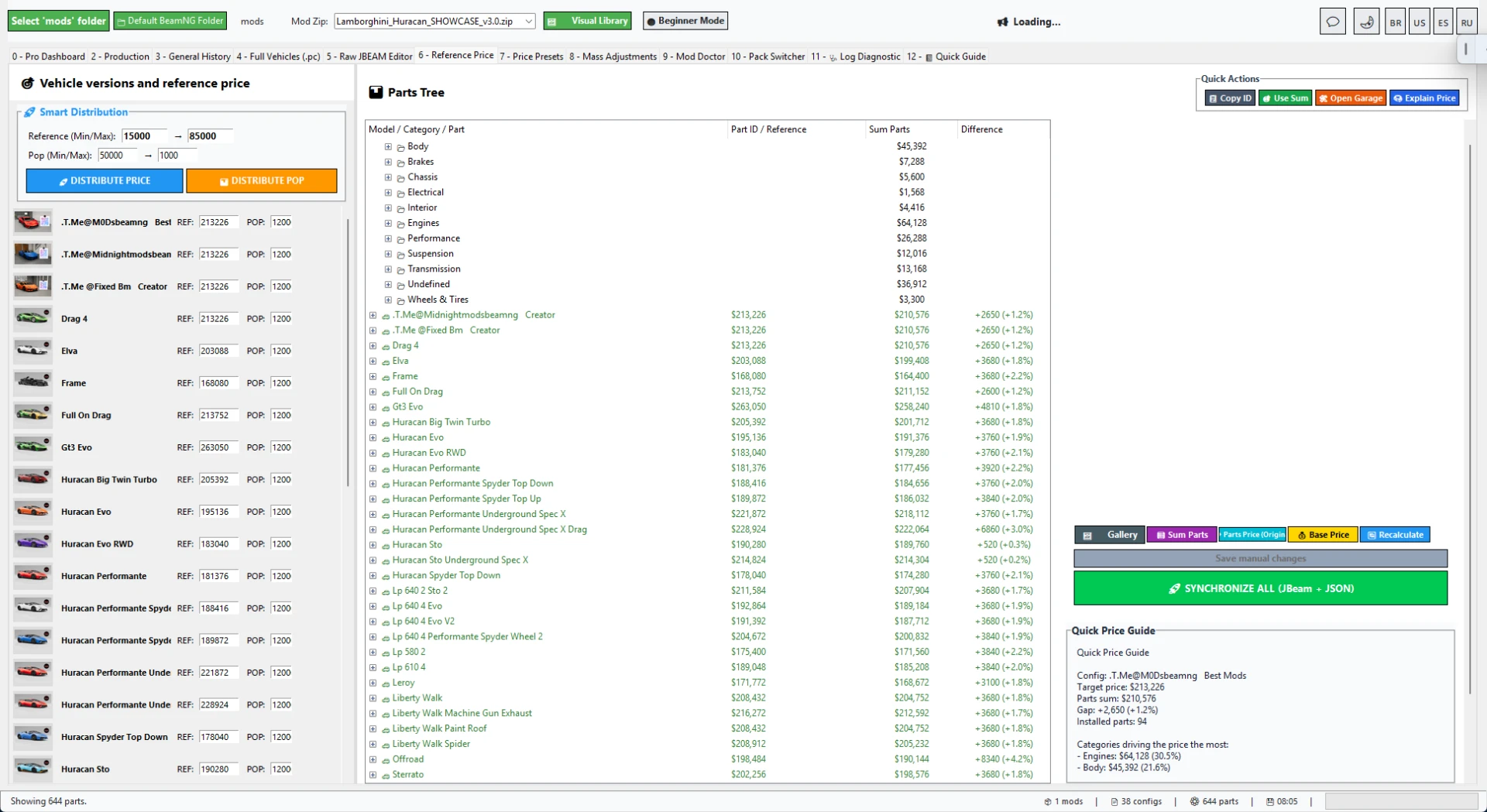
PRICE, ECONOMY AND PART BALANCING
The Reference Price tools help calculate better vehicle values from installed parts.
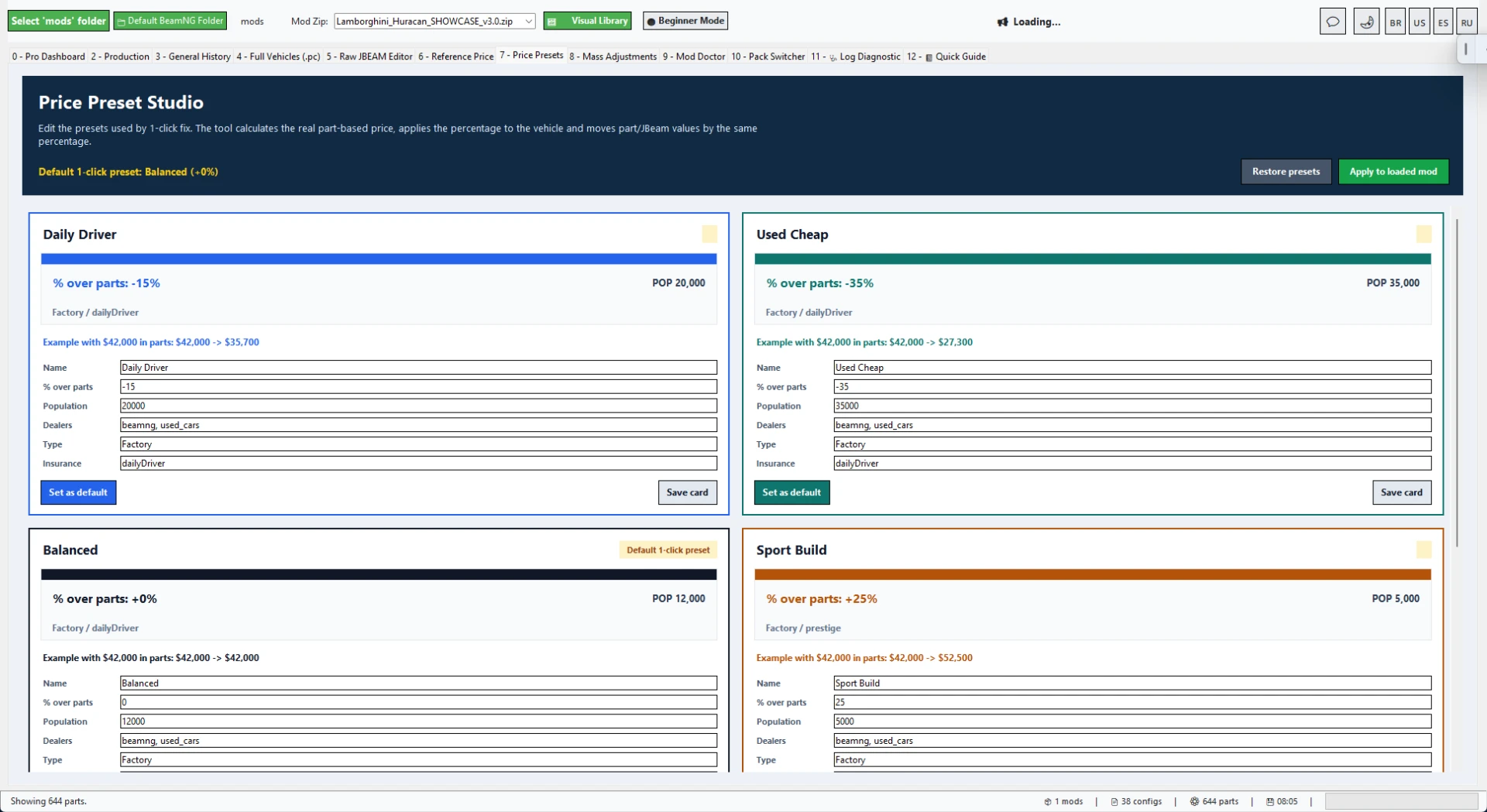
Price Presets can quickly tune economy balance for cheap cars, daily cars, sport builds, rare cars and collector/exotic builds.
When using price presets, the tool can keep vehicle values and part/JBeam prices aligned so the mod feels more consistent in Career/RLS.
BUILT-IN GUIDE, REPORTS AND PROOF IMAGES
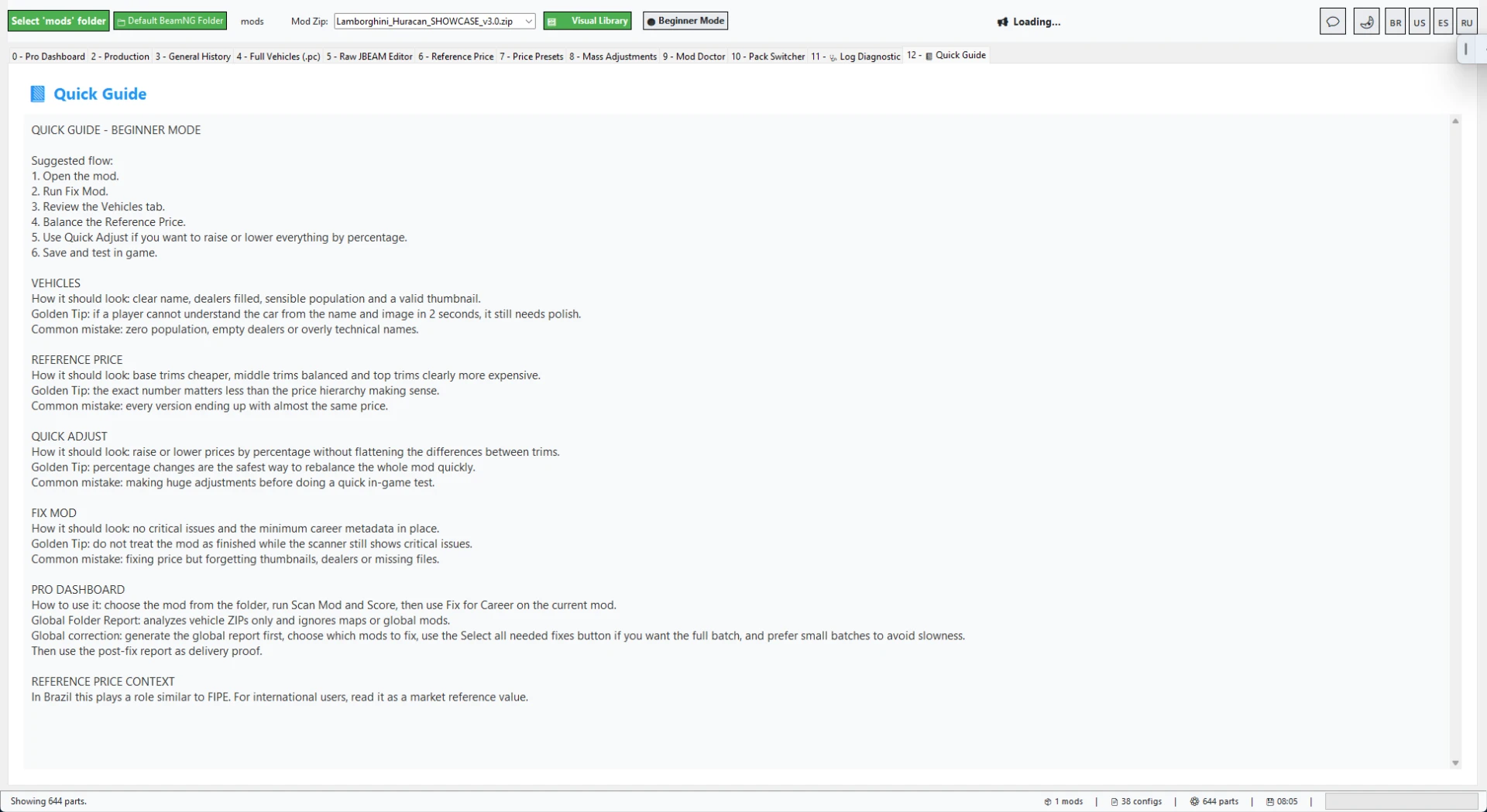
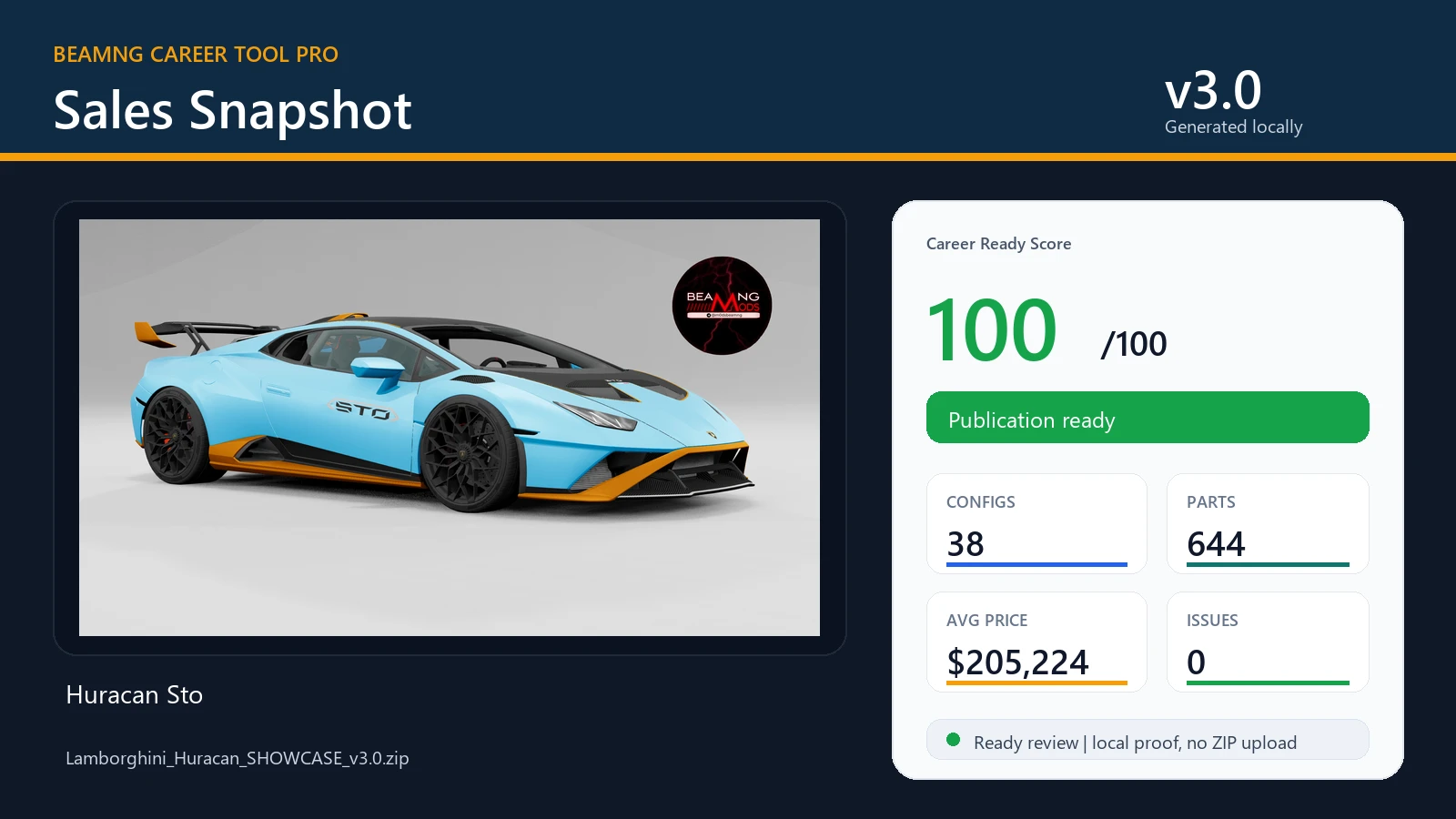
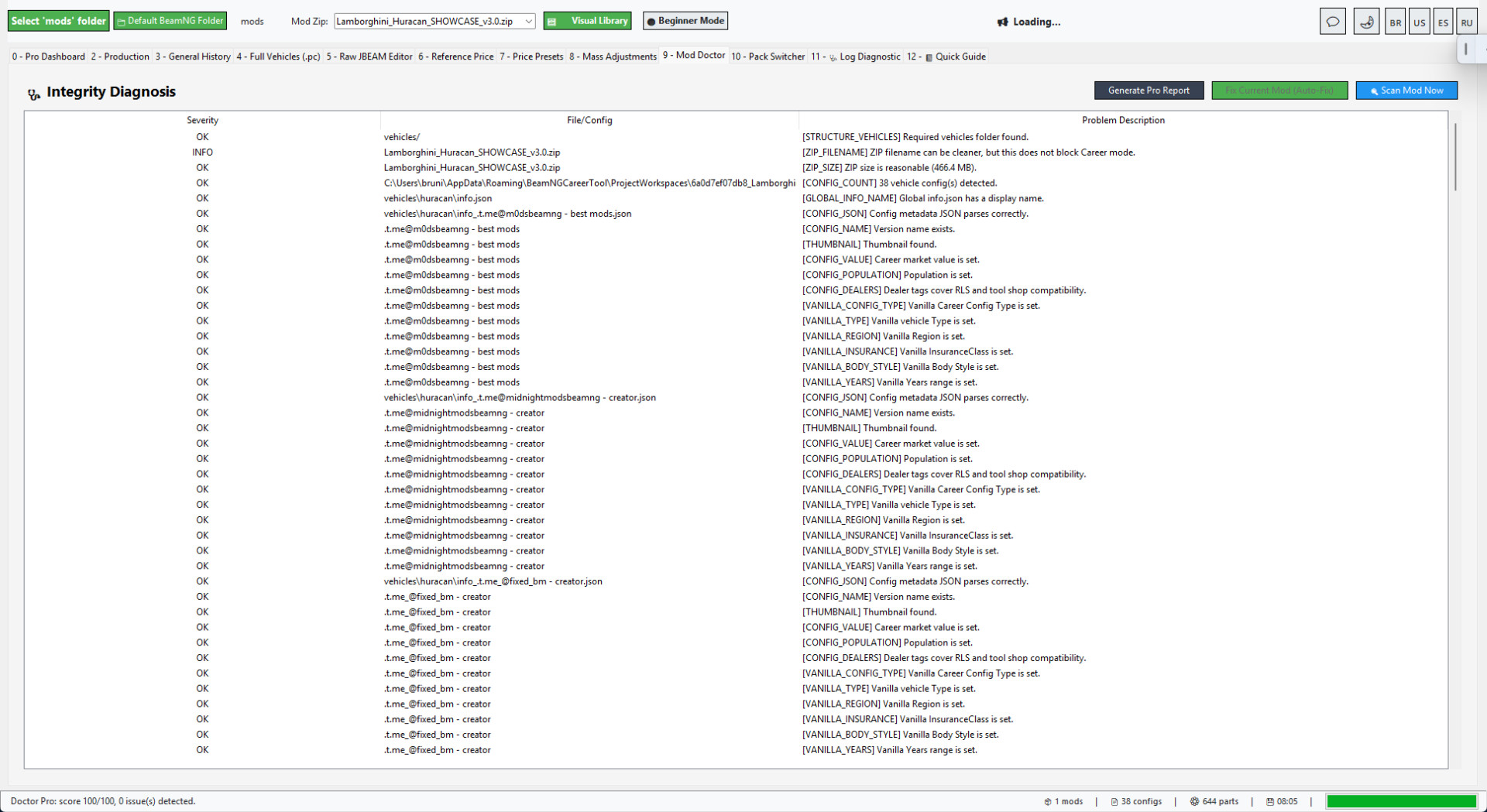
BeamNG Career Tool Pro includes Quick Guide screens for the Career/RLS workflow, Mod Doctor diagnostics, Career/RLS reports, Processing History, General History and Sales Snapshot PNG generation.
The Sales Snapshot is useful for Modland, Ko-fi, Discord or client proof because it creates a clean public card from the prepared mod result.
WHAT IS INCLUDED
Instant Career Fix dashboard.
Career/RLS Shop Preview with PNG export.
Career Ready Score and before/after result window.
RLS visibility and normal BeamNG Career metadata preparation.
Value, Population, Type, Config Type, Region, InsuranceClass and Years support.
Full Vehicles/PC editor for configs and market fields.
Raw JBEAM editor for advanced part-level changes.
Reference Price tools.
Price Presets with vehicle and part/JBeam value scaling.
Mod Doctor diagnostics for JSON/JBEAM issues and missing fields.
Project Mode for safer editing before final repack.
Repack/update ZIP tools.
Folder-wide scan, selected fix and ZIP compression tools.
Faster repeated ZIP scanning and cached preview data.
Processing History and General History.
Career/RLS reports and public proof assets.
Sales Snapshot PNG generator.
Quick Guide screens.
Safe Demo mode for testing the workflow before touching real mods.
Pack Switcher and advanced diagnostic tools.
BEST WORKFLOW
Step 1: Open BeamNG Career Tool Pro v3.1.
Step 2: Drop a BeamNG vehicle ZIP into Instant Career Fix.
Step 3: Review the before/after result window.
Step 4: Open the Career/RLS Shop Preview to inspect visibility before testing.
Step 5: Open the Doctor or editors if manual tuning is needed.
Step 6: Repack and test in BeamNG Career/RLS.
NOTES
The Lamborghini Huracan shown in the screenshots is only used as a workflow showcase.
Vehicle mods are not included with the tool.
BeamNG Career Tool Pro v3.0
BeamNG Career Tool Pro is a Windows utility for preparing BeamNG vehicle mods for Career/RLS use.
It helps modders and players turn a vehicle ZIP into something easier to test, price, repair, repack and publish for a Career/RLS workflow.
v3.0 is focused on speed and clarity: drop the ZIP, let the tool scan it, apply Career/RLS defaults, fix common blockers, review the before/after result and then test the mod in-game.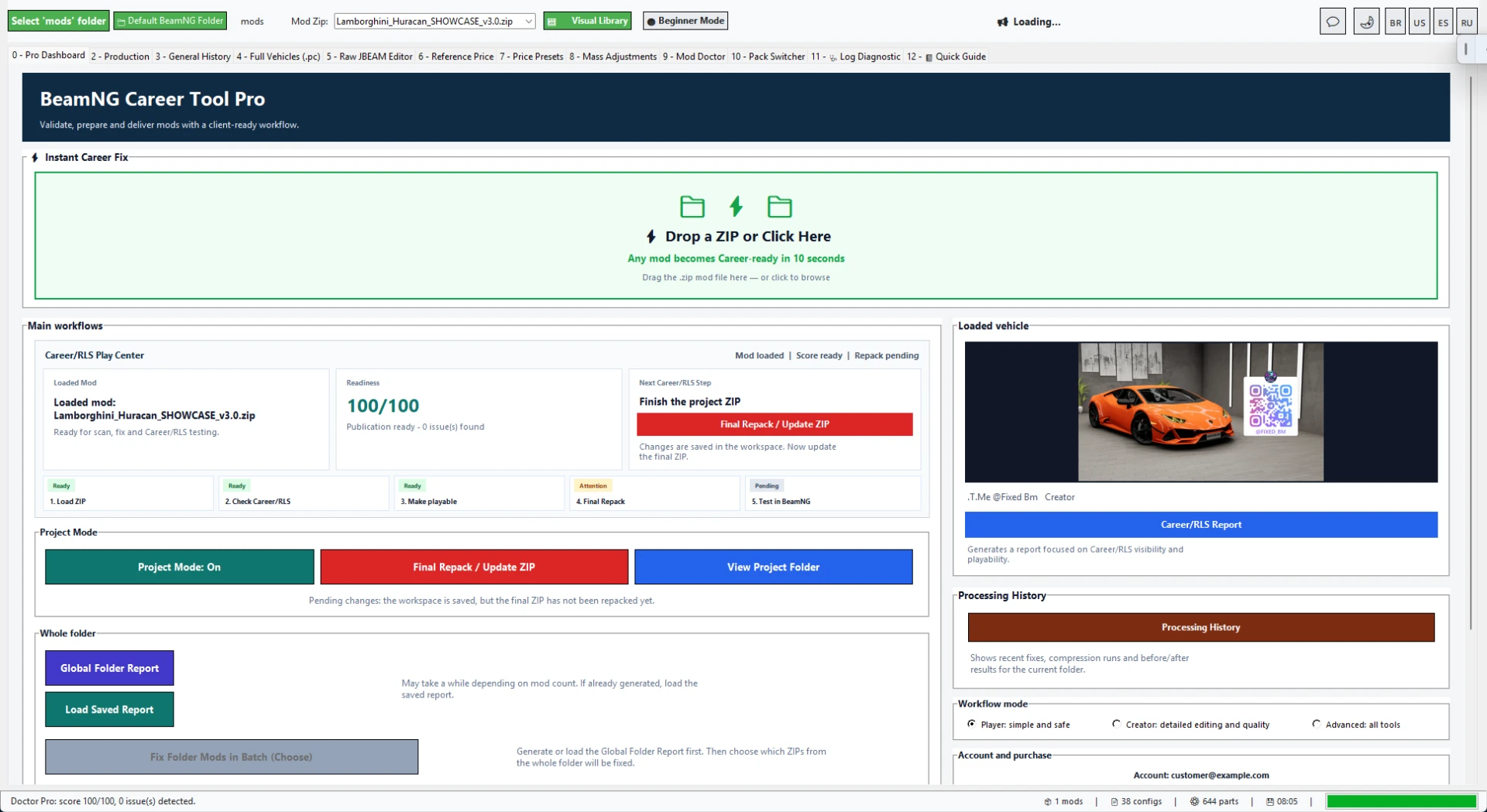
NEW IN v3.0: INSTANT CAREER FIX
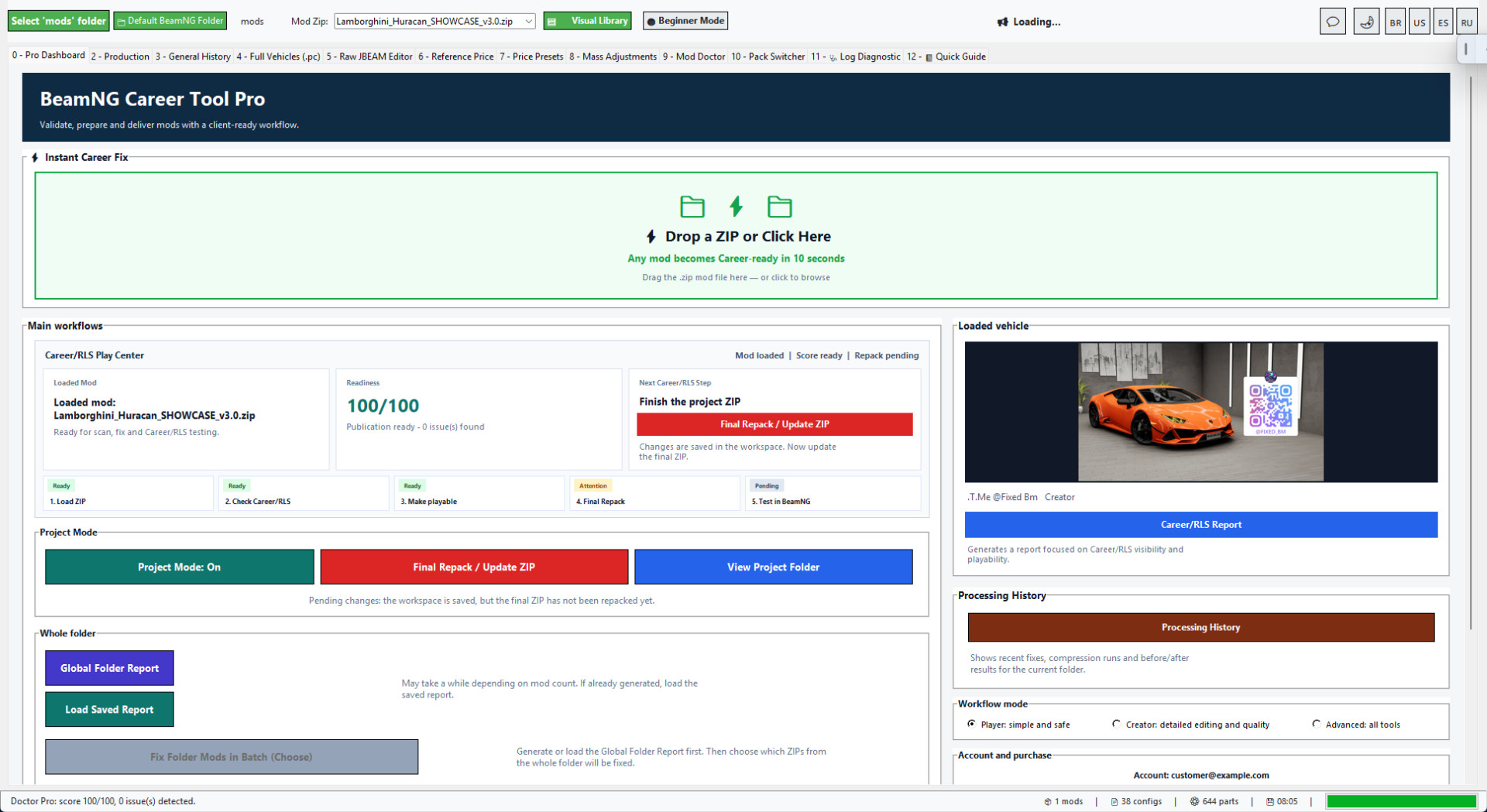
The new Instant Career Fix dashboard is the fastest way to start.
Drop a BeamNG vehicle ZIP into the tool or click the drop zone, and the workflow can load the mod, scan it, detect a suitable price preset, apply safe Career/RLS defaults, fix common blockers and prepare the result.
This is made for the real workflow: download a vehicle ZIP, make it Career/RLS ready, repack it and test it without jumping through every advanced tab first.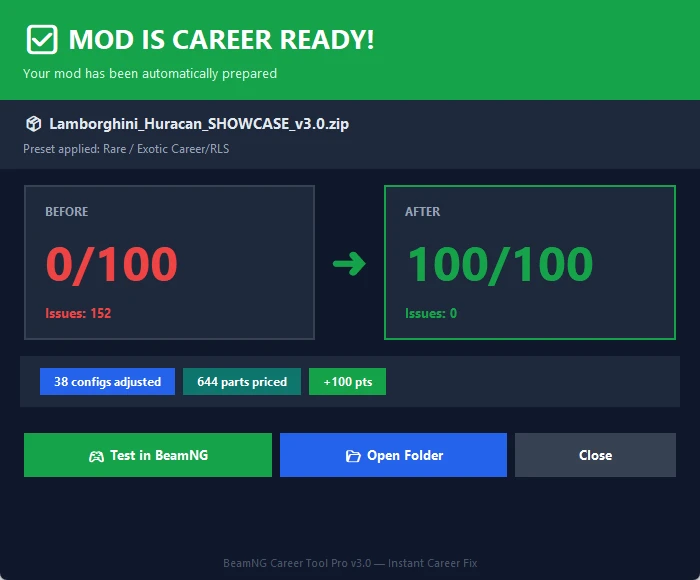
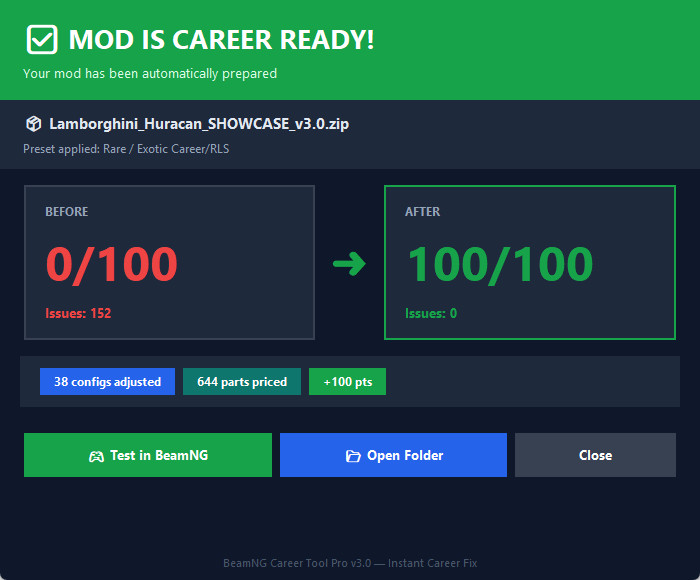
CLEAR BEFORE AND AFTER RESULT
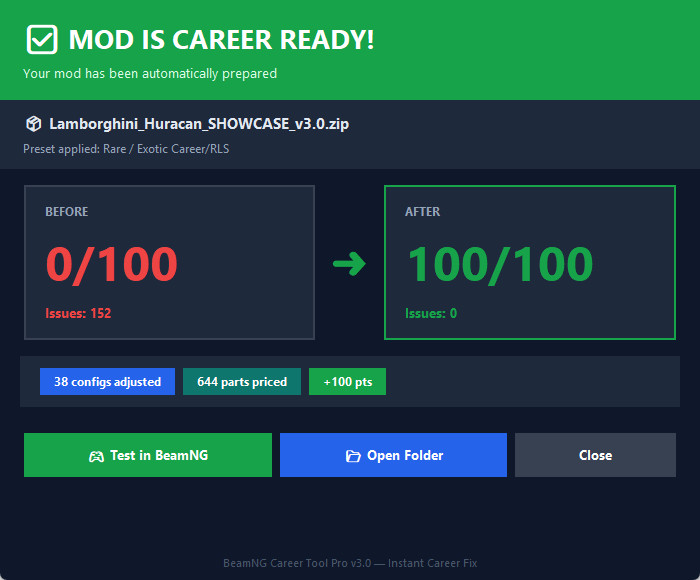
v3.0 adds a result window that shows what changed in one place.
You can review the Career Ready Score, issue count, adjusted configs and priced parts before opening BeamNG.
This makes the fix easier to trust because you can see what the tool changed instead of guessing.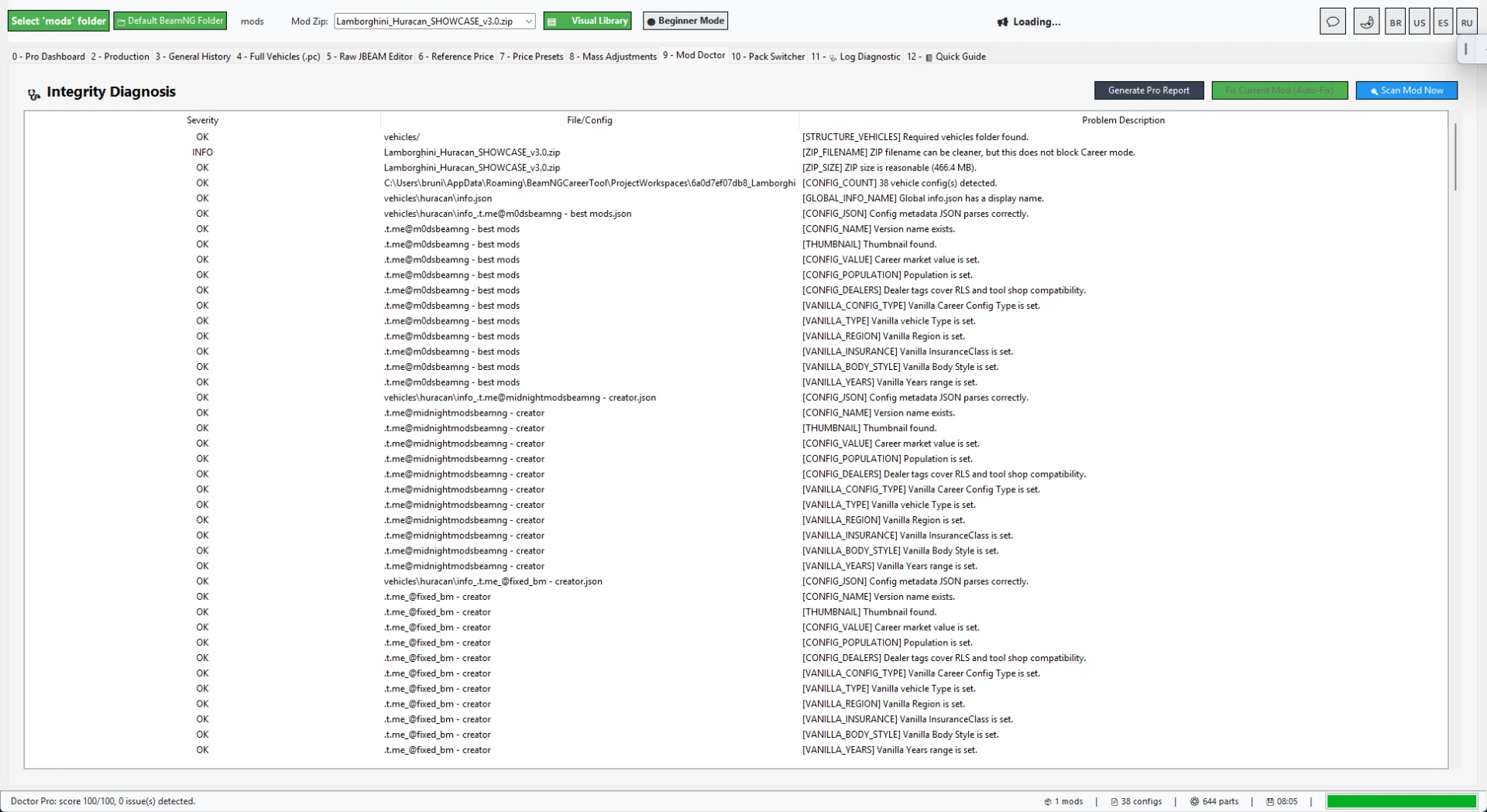
CAREER AND RLS COMPATIBILITY TOOLS
BeamNG Career Tool Pro works with both RLS visibility and normal BeamNG Career metadata.
It can prepare and repair fields such as Value, Population, Type, Config Type, Region, InsuranceClass and Years.
It also helps with shop/dealer visibility, vehicle config data and common compatibility blockers that can stop a car from appearing correctly in a Career/RLS flow.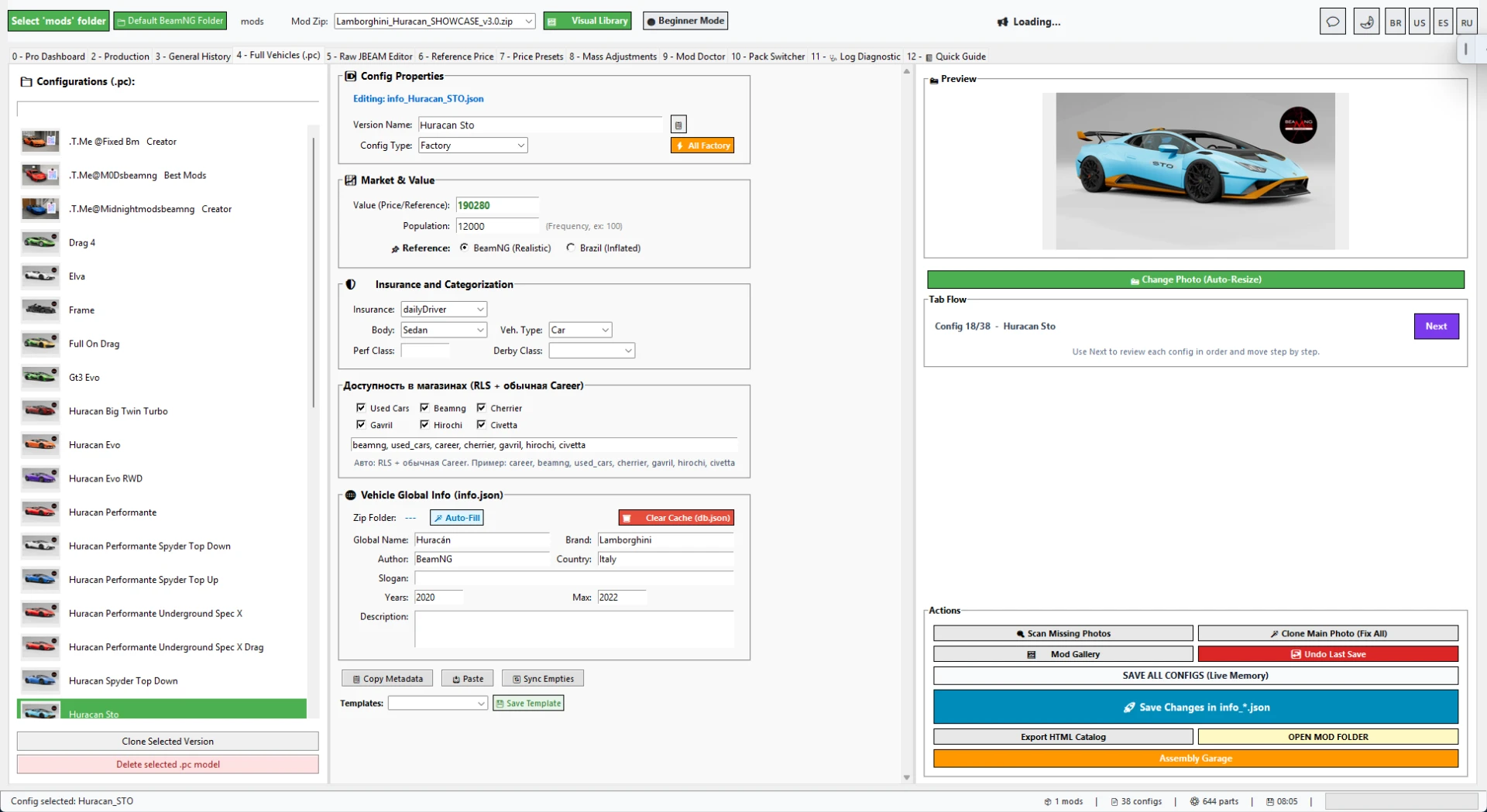
MANUAL CONTROL WHEN YOU NEED IT
The automatic flow is not the only option.
Advanced users can still inspect and edit Full Vehicles/PC configs, names, thumbnails, values, population, dealers and compatibility fields manually.
The tool also includes a Raw JBEAM editor for deeper part-level work and diagnostics when a mod needs more precise fixes.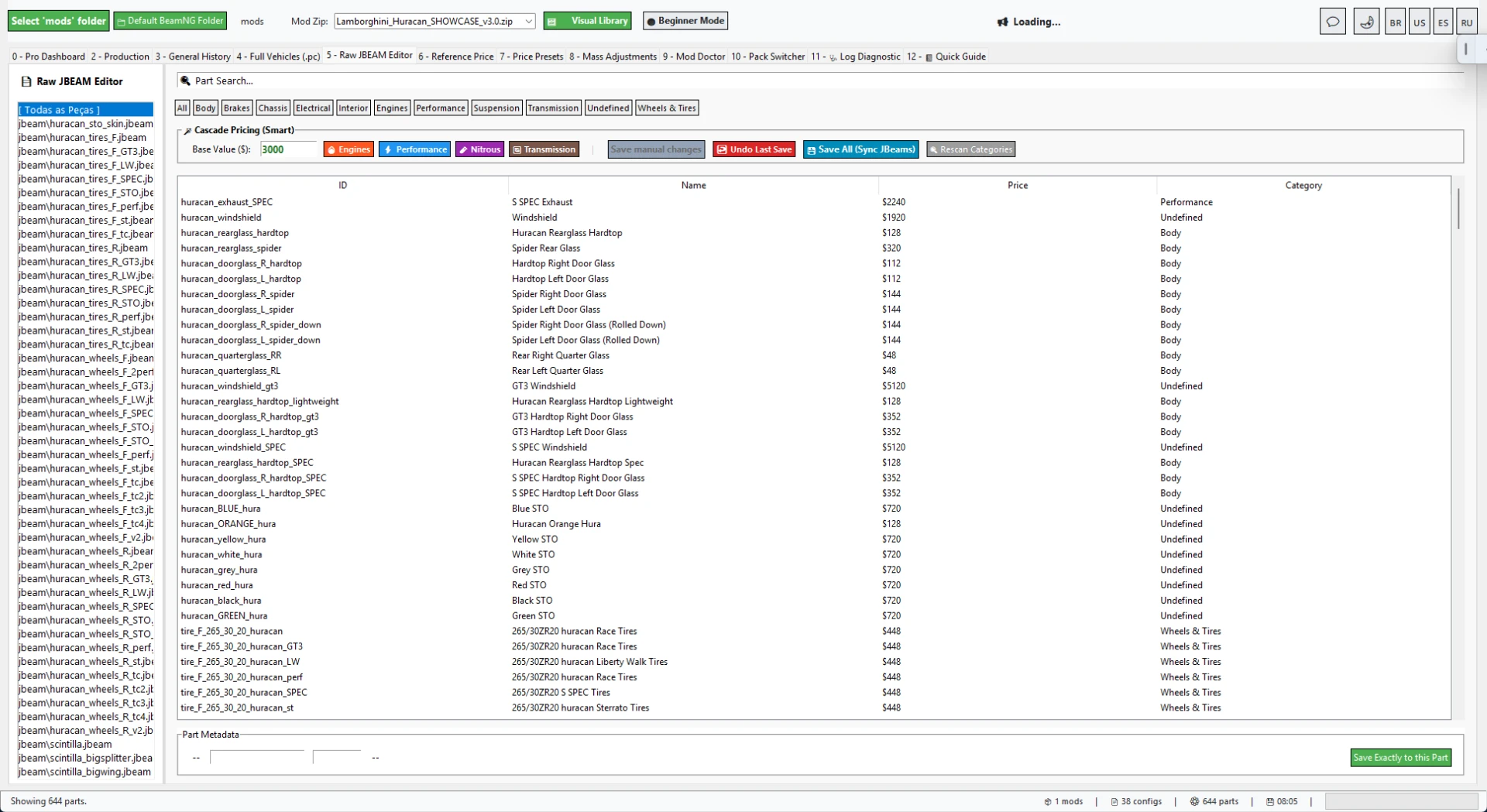
PRICE, ECONOMY AND PART BALANCING
The Reference Price tools help calculate better vehicle values from installed parts.
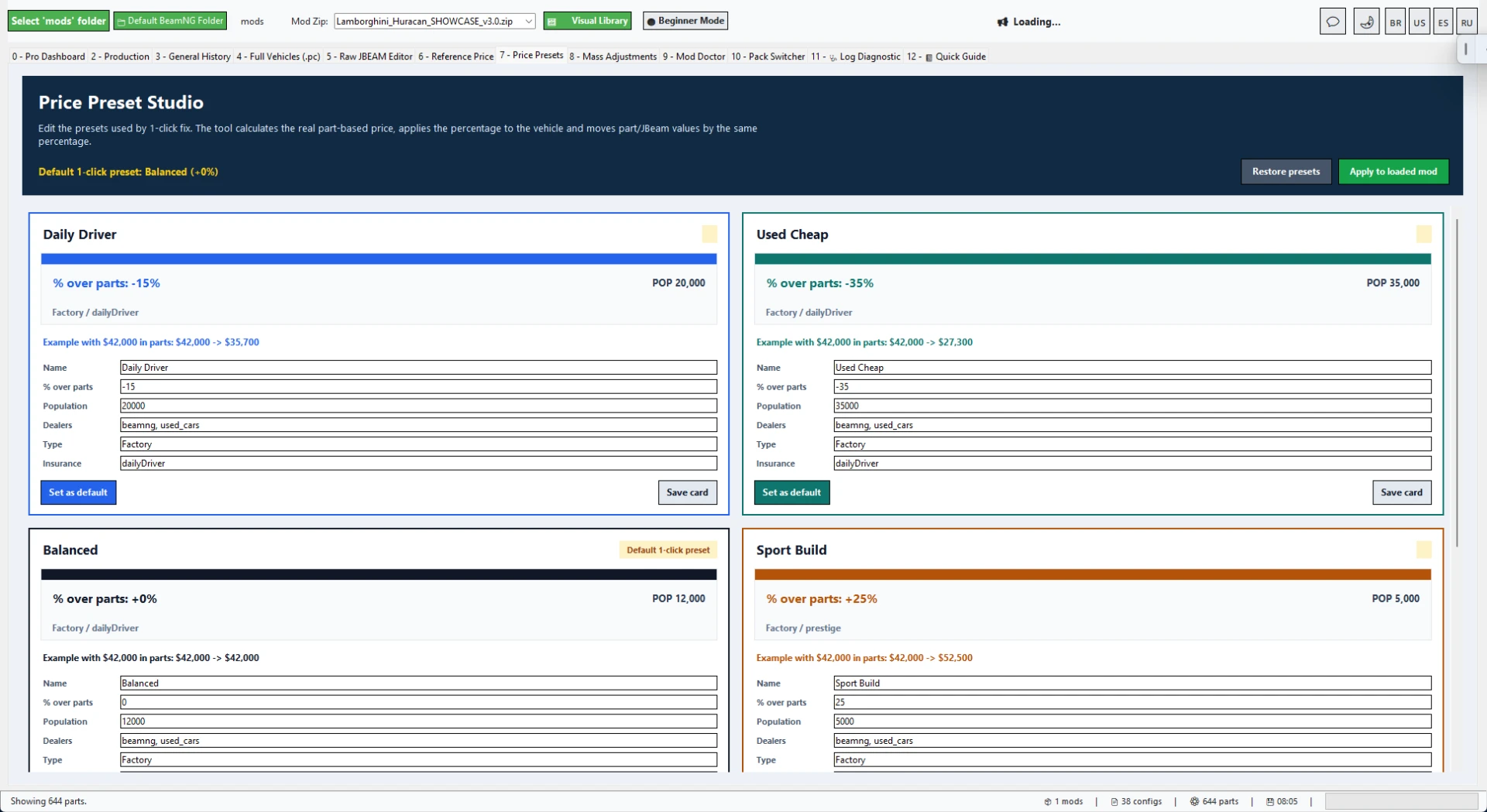
Price Presets can quickly tune economy balance for cheap cars, daily cars, sport builds, rare cars and collector/exotic builds.
When using price presets, the tool can keep vehicle values and part/JBeam prices aligned so the mod feels more consistent in Career/RLS.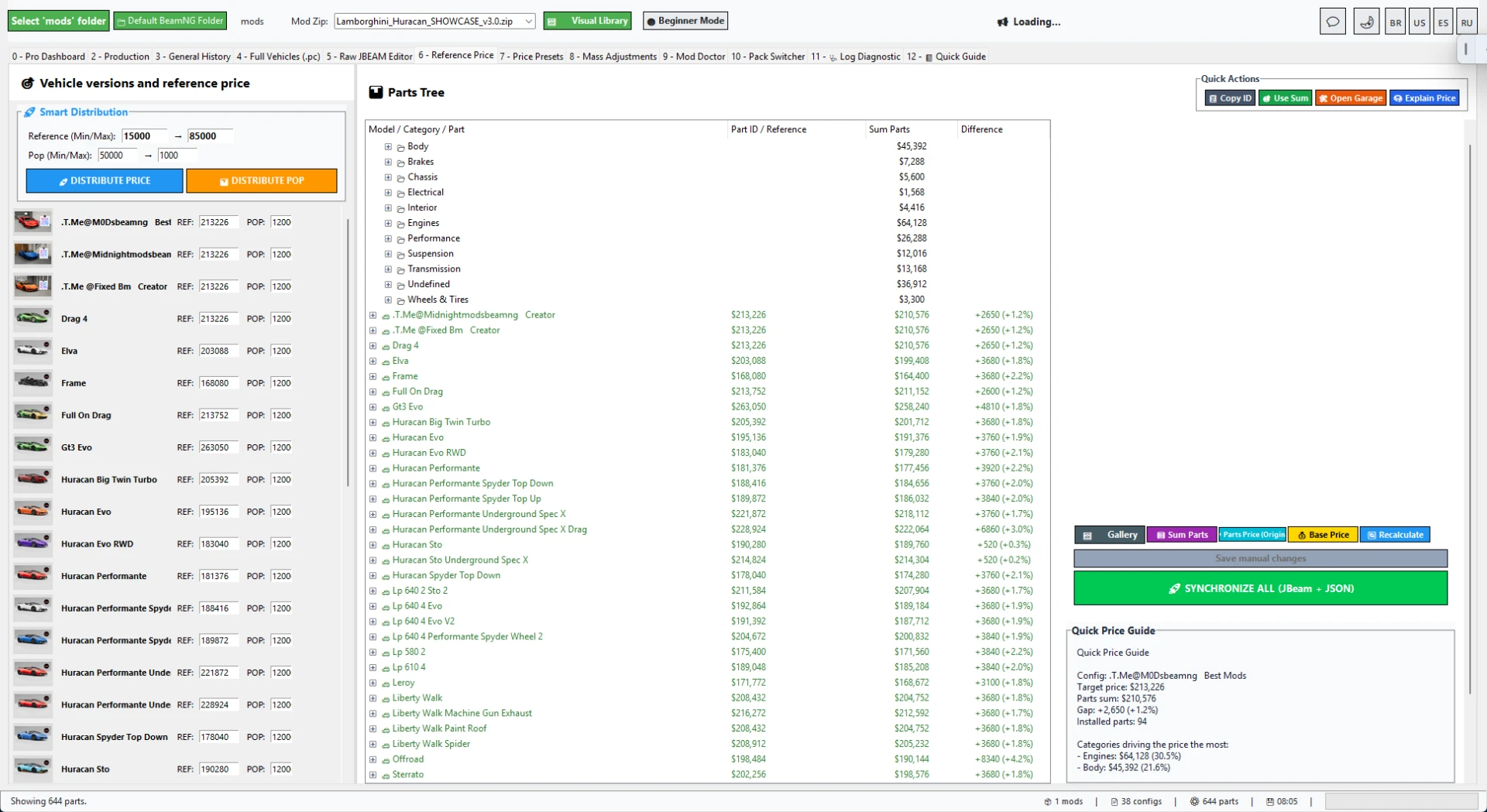
BUILT-IN GUIDE, REPORTS AND PROOF IMAGES
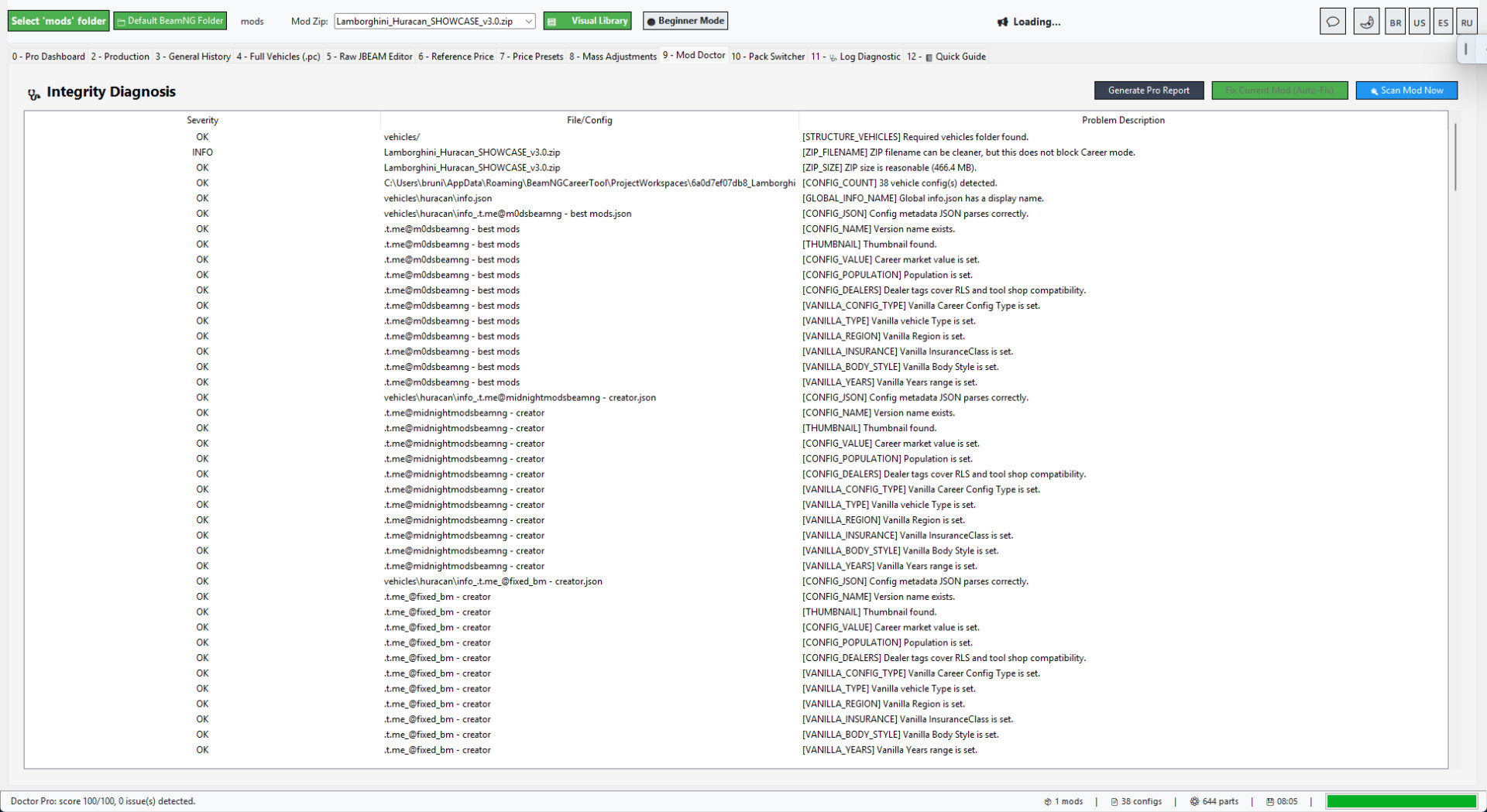
BeamNG Career Tool Pro includes Quick Guide screens for the Career/RLS workflow, Mod Doctor diagnostics, Career/RLS reports, Processing History, General History and Sales Snapshot PNG generation.
The Sales Snapshot is useful for Modland, Ko-fi, Discord or client proof because it creates a clean public card from the prepared mod result.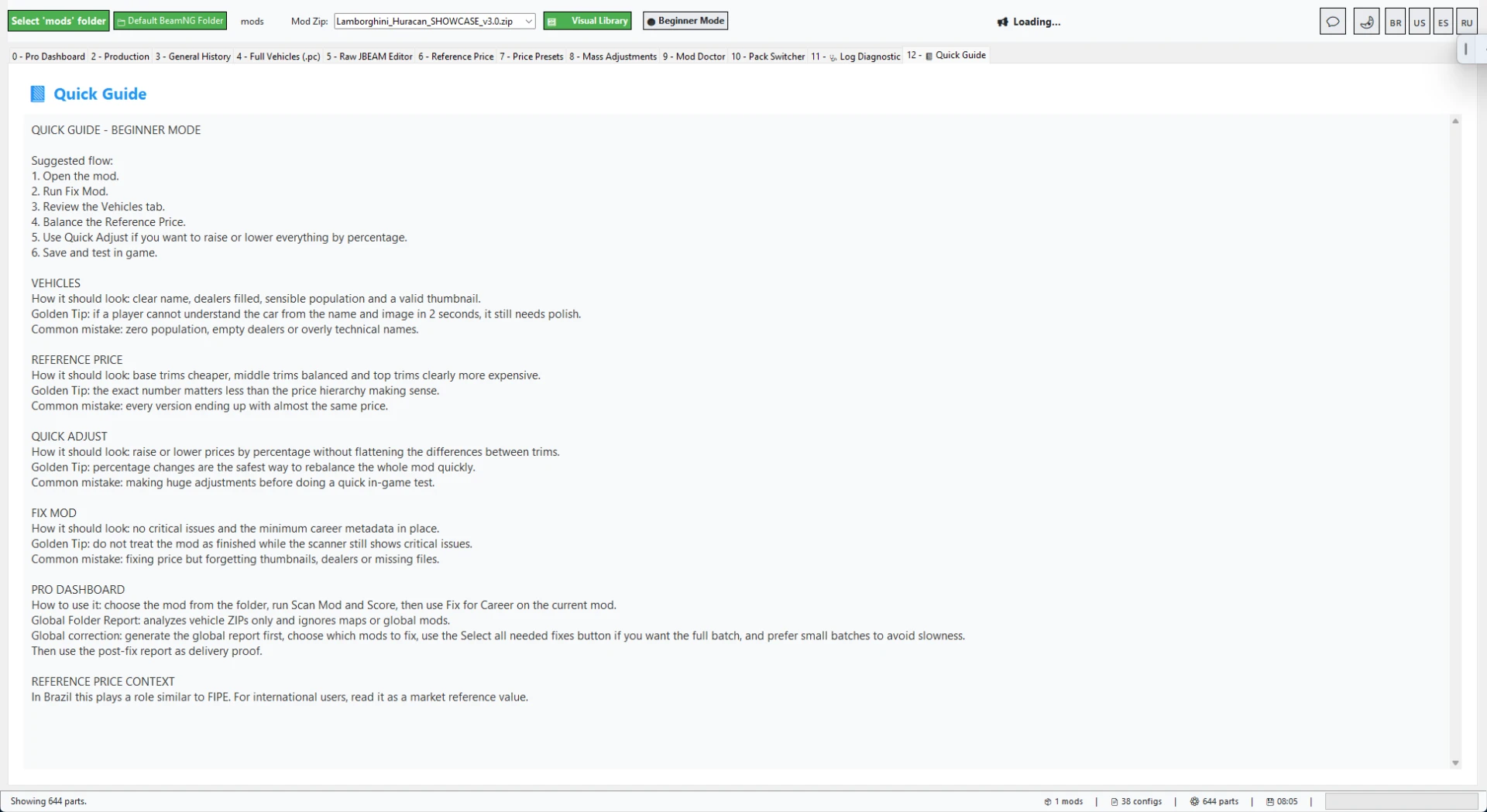
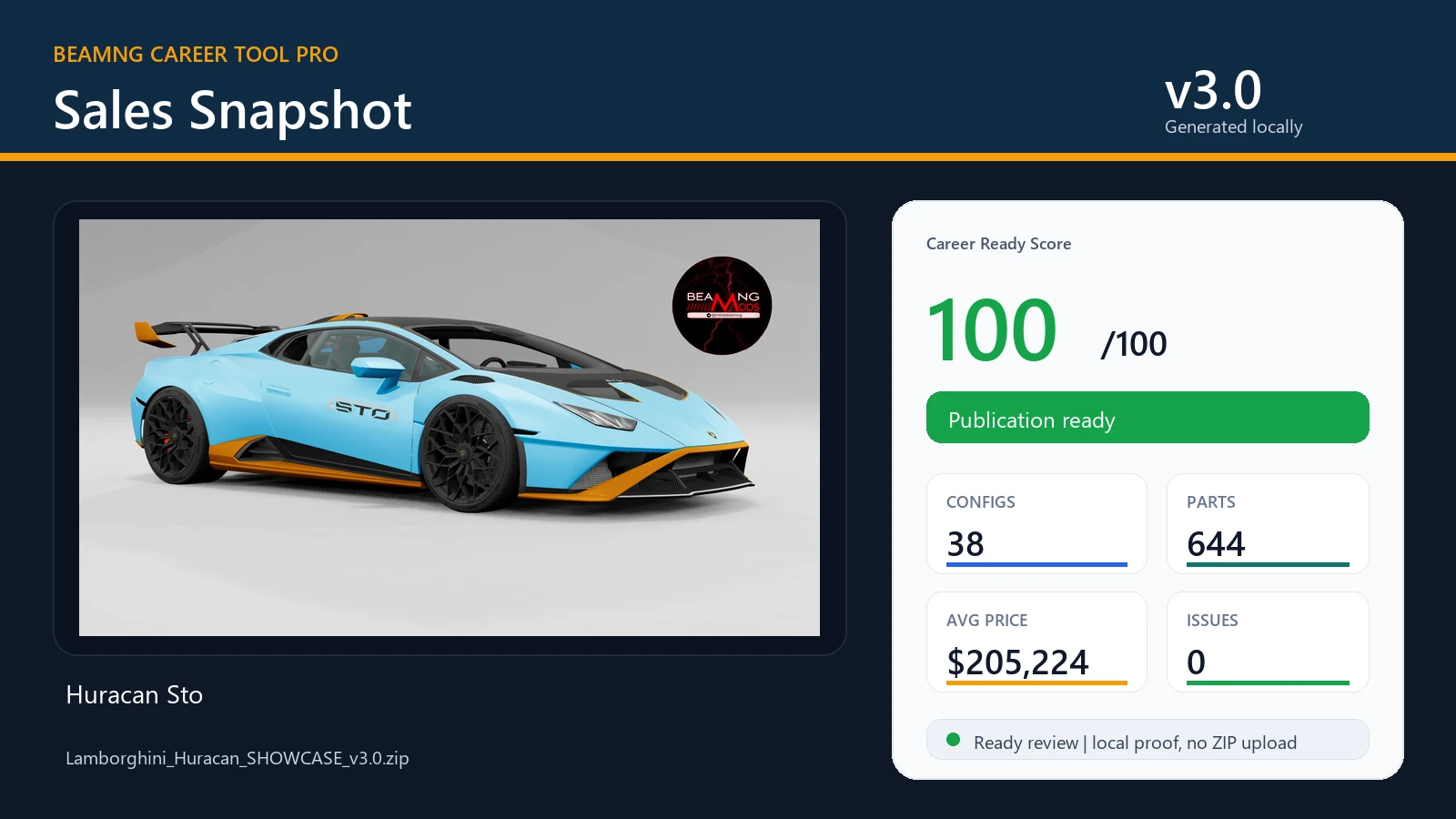
WHAT IS INCLUDED
Instant Career Fix dashboard.
Career Ready Score and before/after result window.
RLS visibility and normal BeamNG Career metadata preparation.
Value, Population, Type, Config Type, Region, InsuranceClass and Years support.
Full Vehicles/PC editor for configs and market fields.
Raw JBEAM editor for advanced part-level changes.
Reference Price tools.
Price Presets with vehicle and part/JBeam value scaling.
Mod Doctor diagnostics for JSON/JBEAM issues and missing fields.
Project Mode for safer editing before final repack.
Repack/update ZIP tools.
Folder-wide scan, selected fix and ZIP compression tools.
Processing History and General History.
Career/RLS reports and public proof assets.
Sales Snapshot PNG generator.
Quick Guide screens.
Safe Demo mode for testing the workflow before touching real mods.
Pack Switcher and advanced diagnostic tools.
BEST WORKFLOW
Step 1: Open BeamNG Career Tool Pro v3.0.
Step 2: Drop a BeamNG vehicle ZIP into Instant Career Fix.
Step 3: Review the before/after result window.
Step 4: Open the Doctor or editors if manual tuning is needed.
Step 5: Repack and test in BeamNG Career/RLS.
NOTES
The Lamborghini Huracan shown in the screenshots is only used as a workflow showcase.
Vehicle mods are not included with the tool.
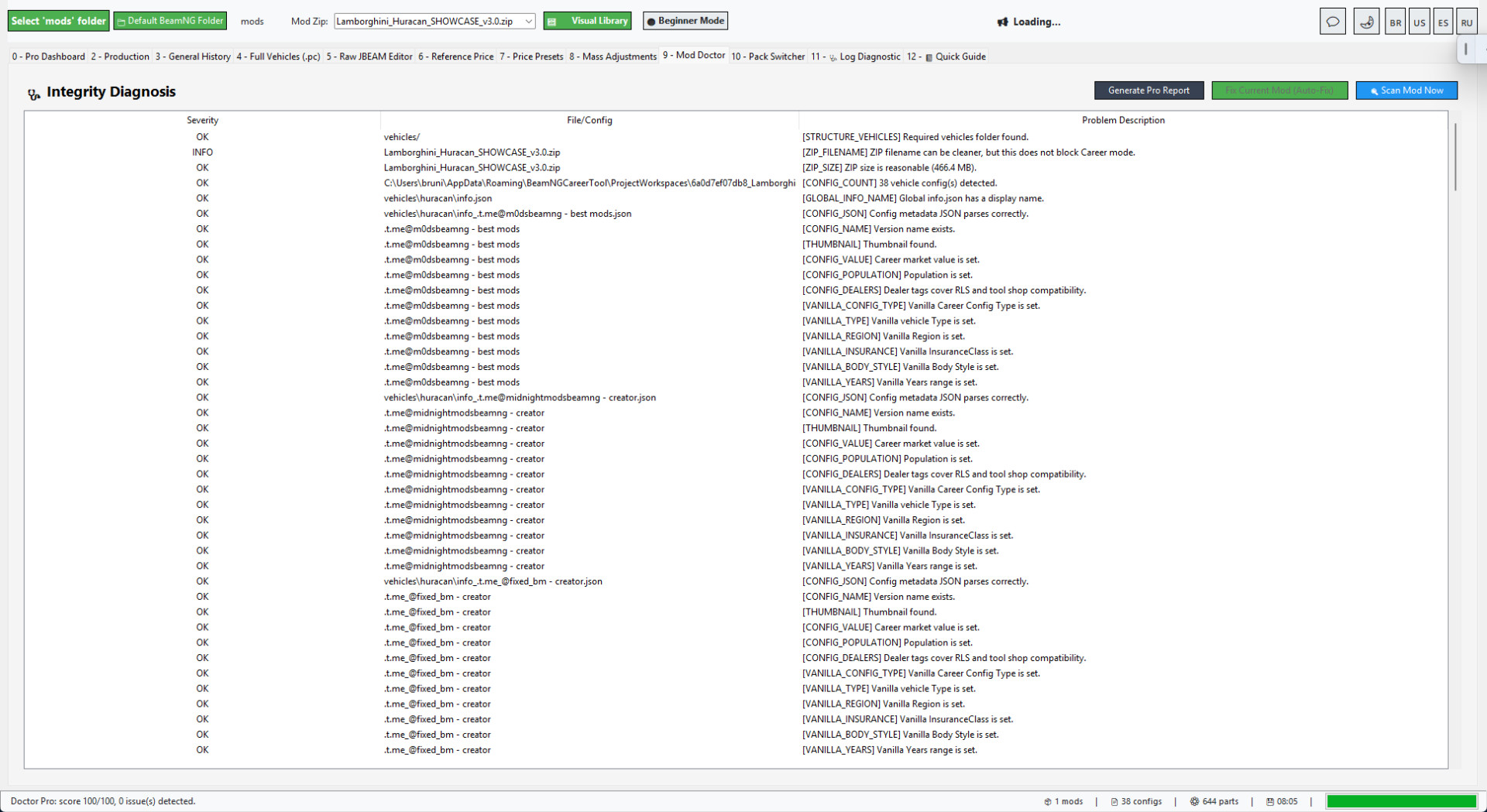
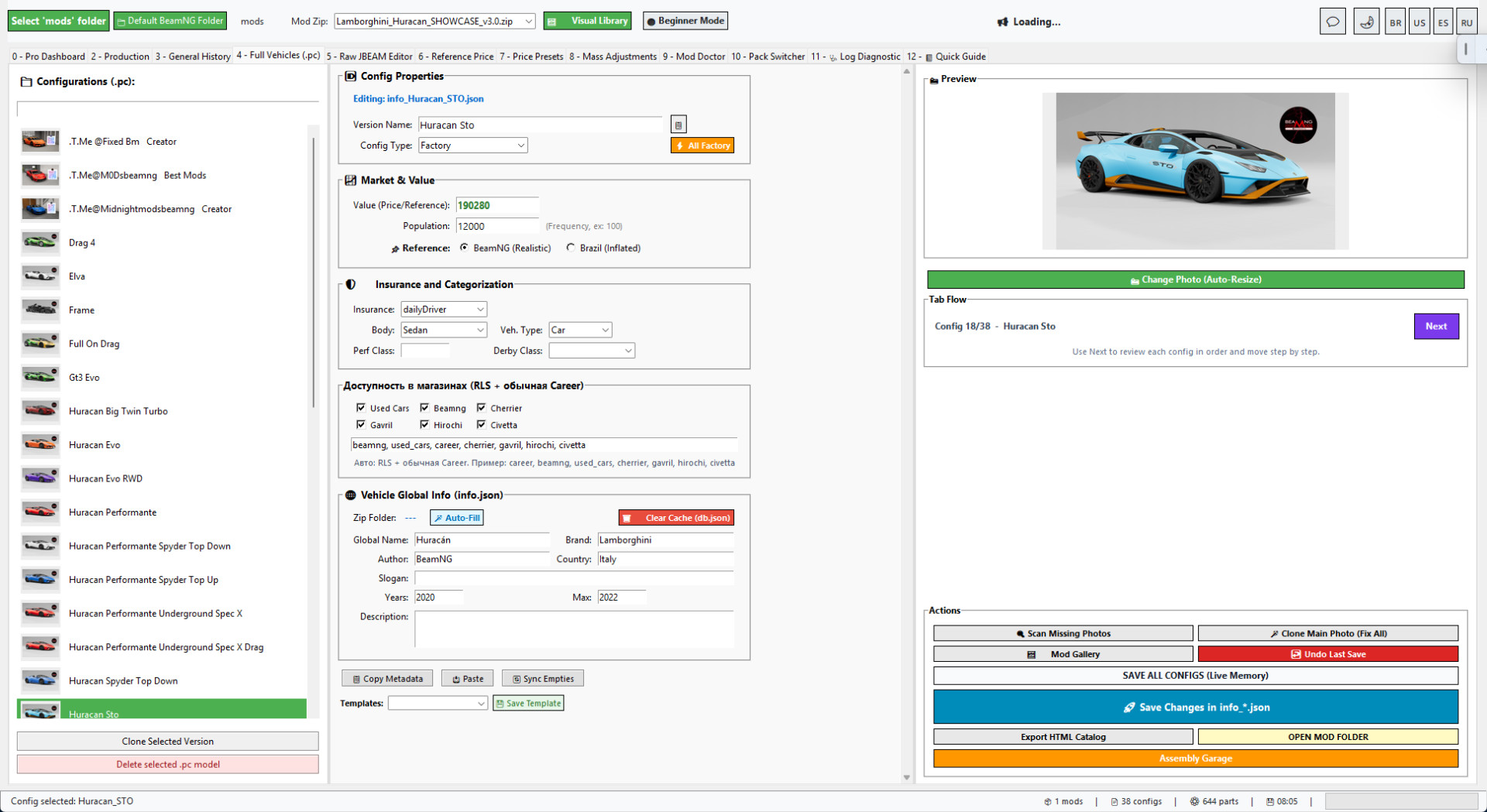
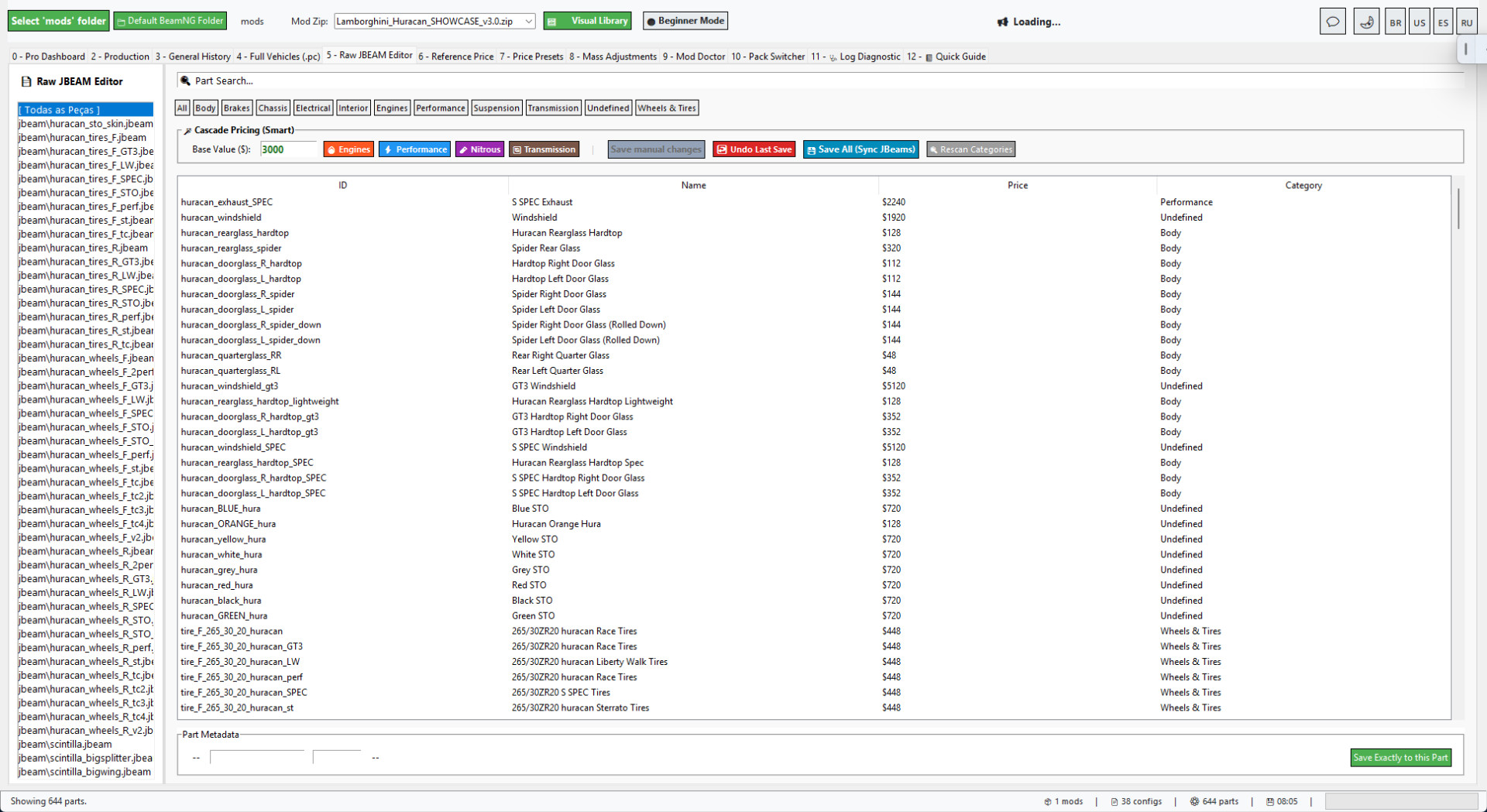
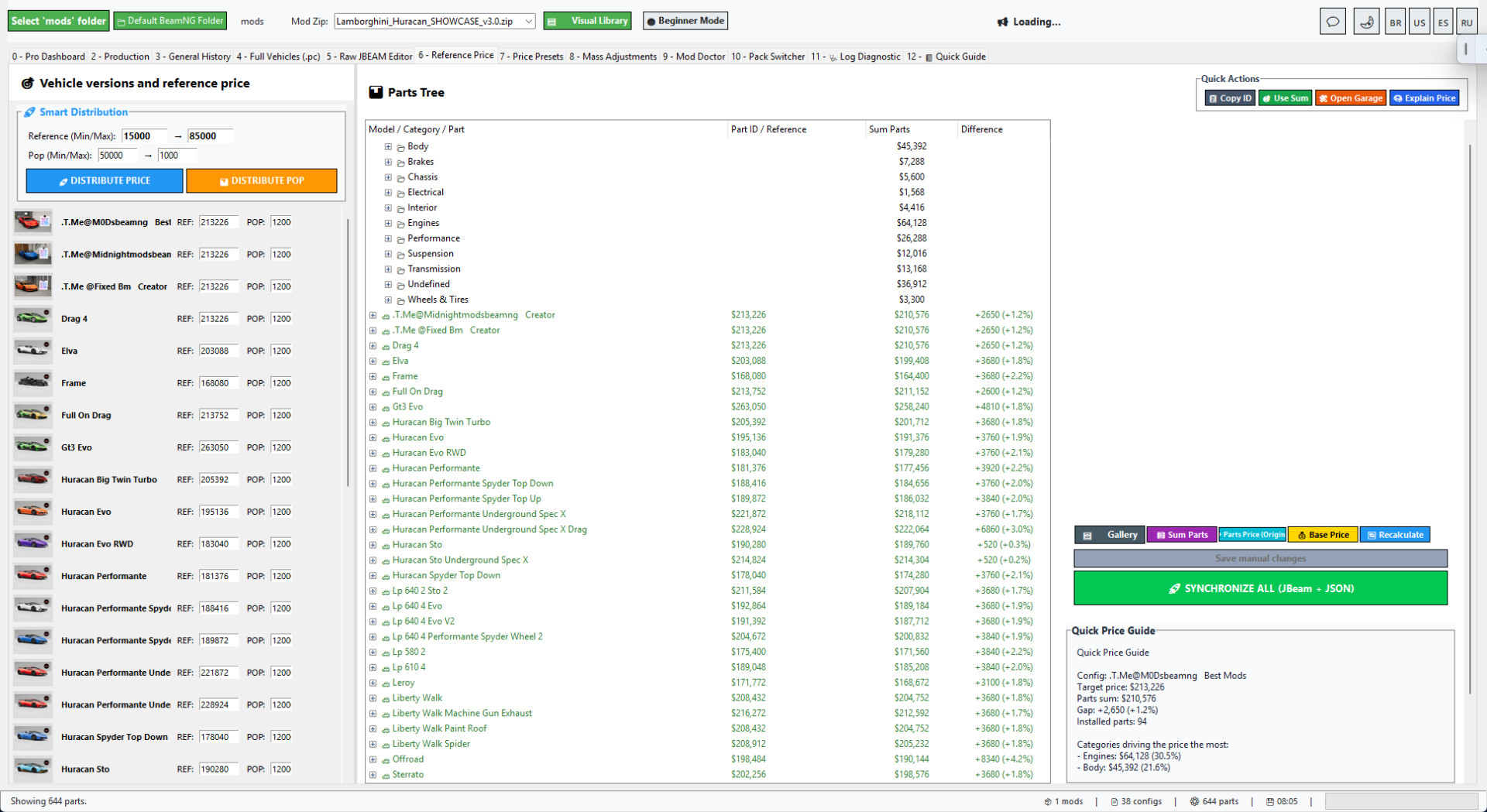
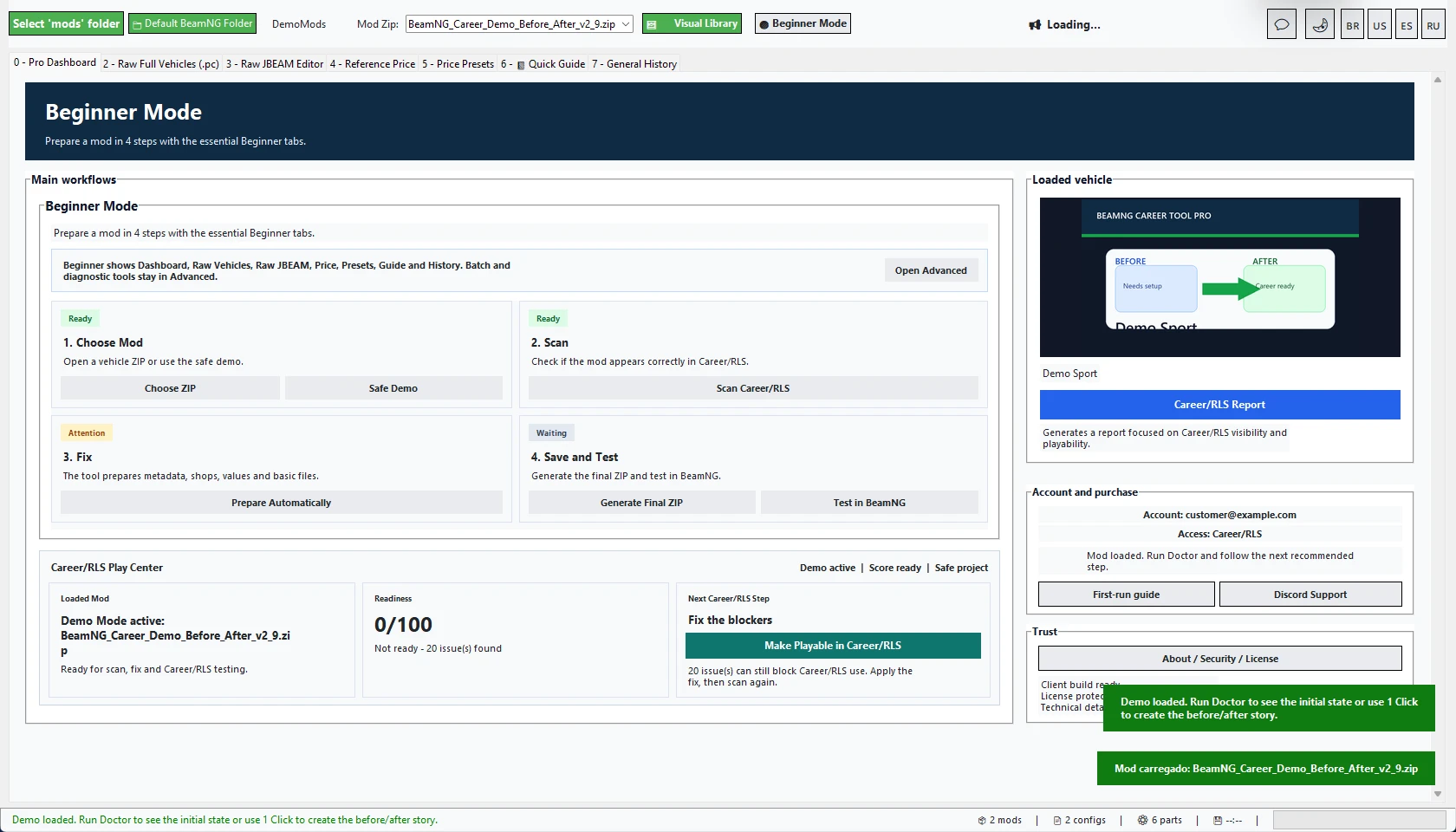
BeamNG Career Tool Pro v2.9 improves the first experience after purchase and makes Beginner Mode much cleaner.
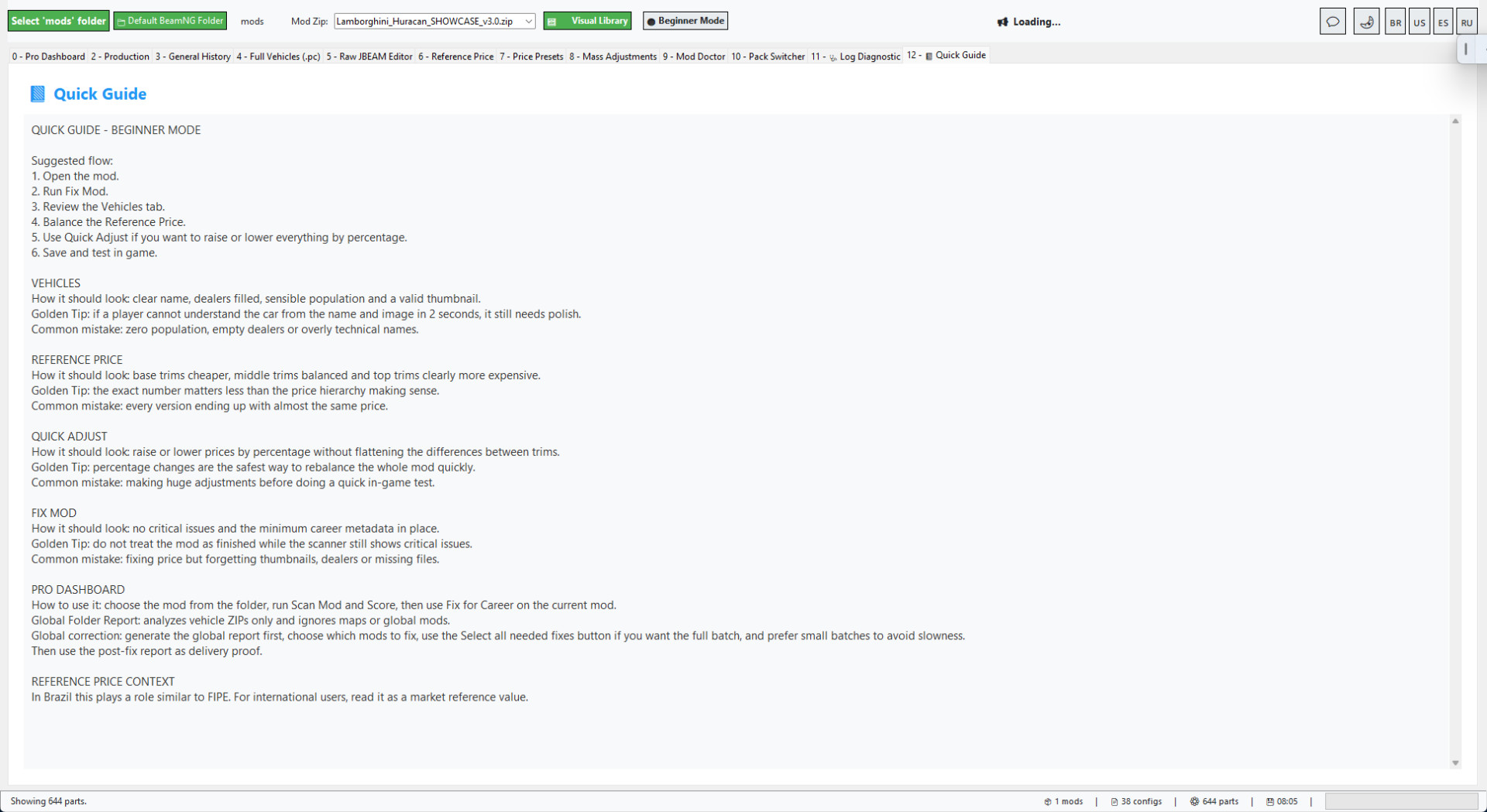
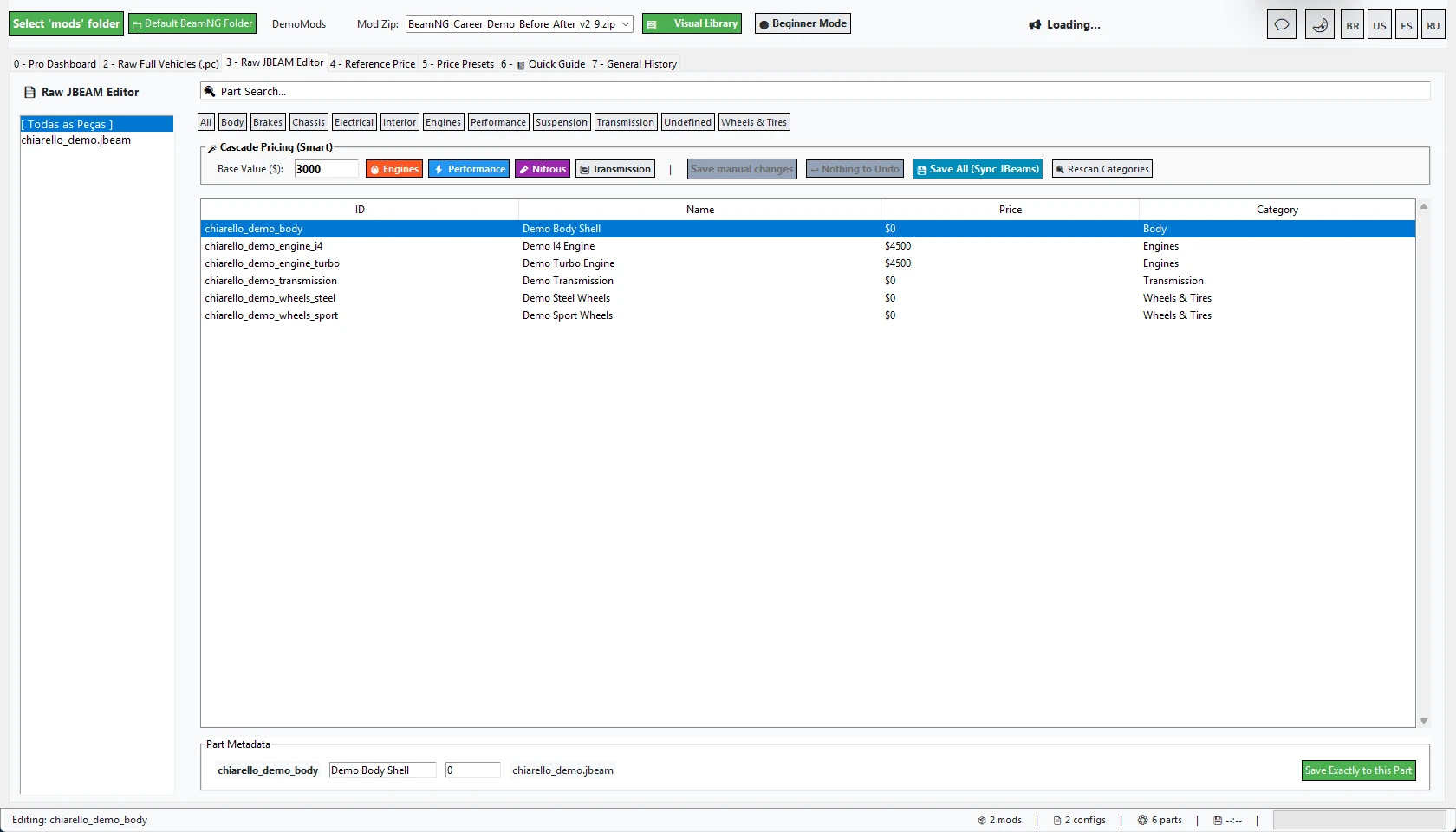
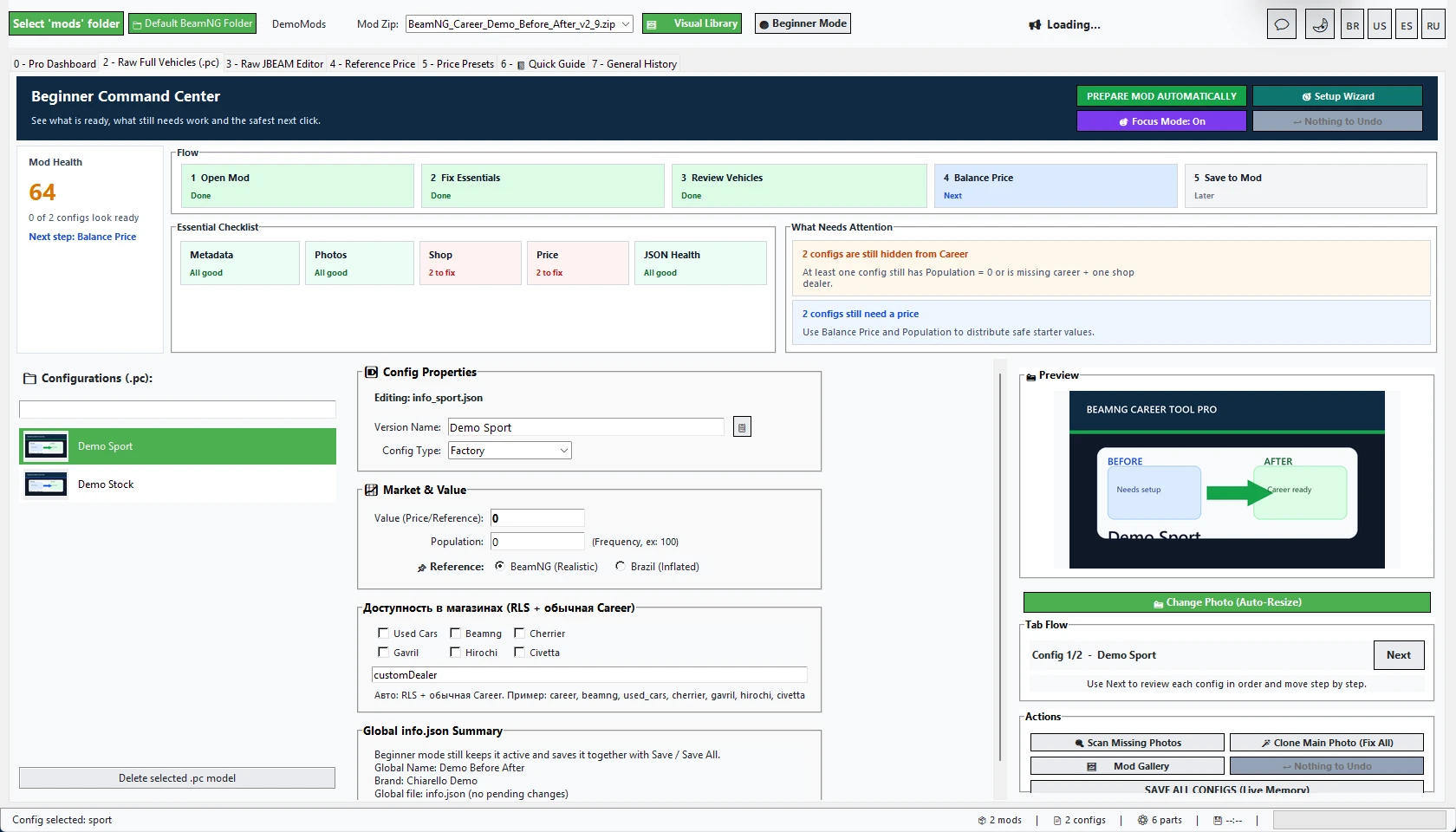
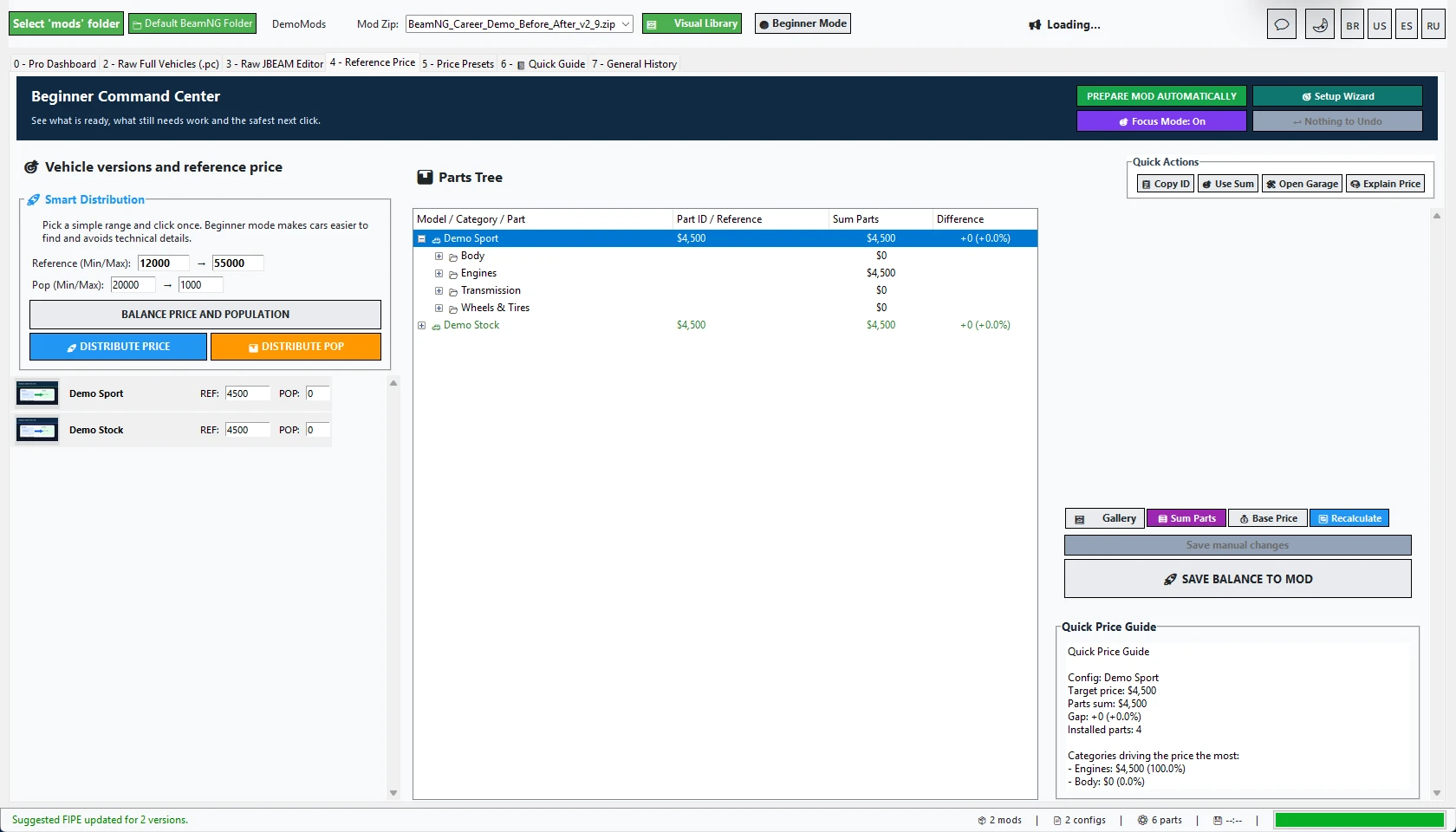
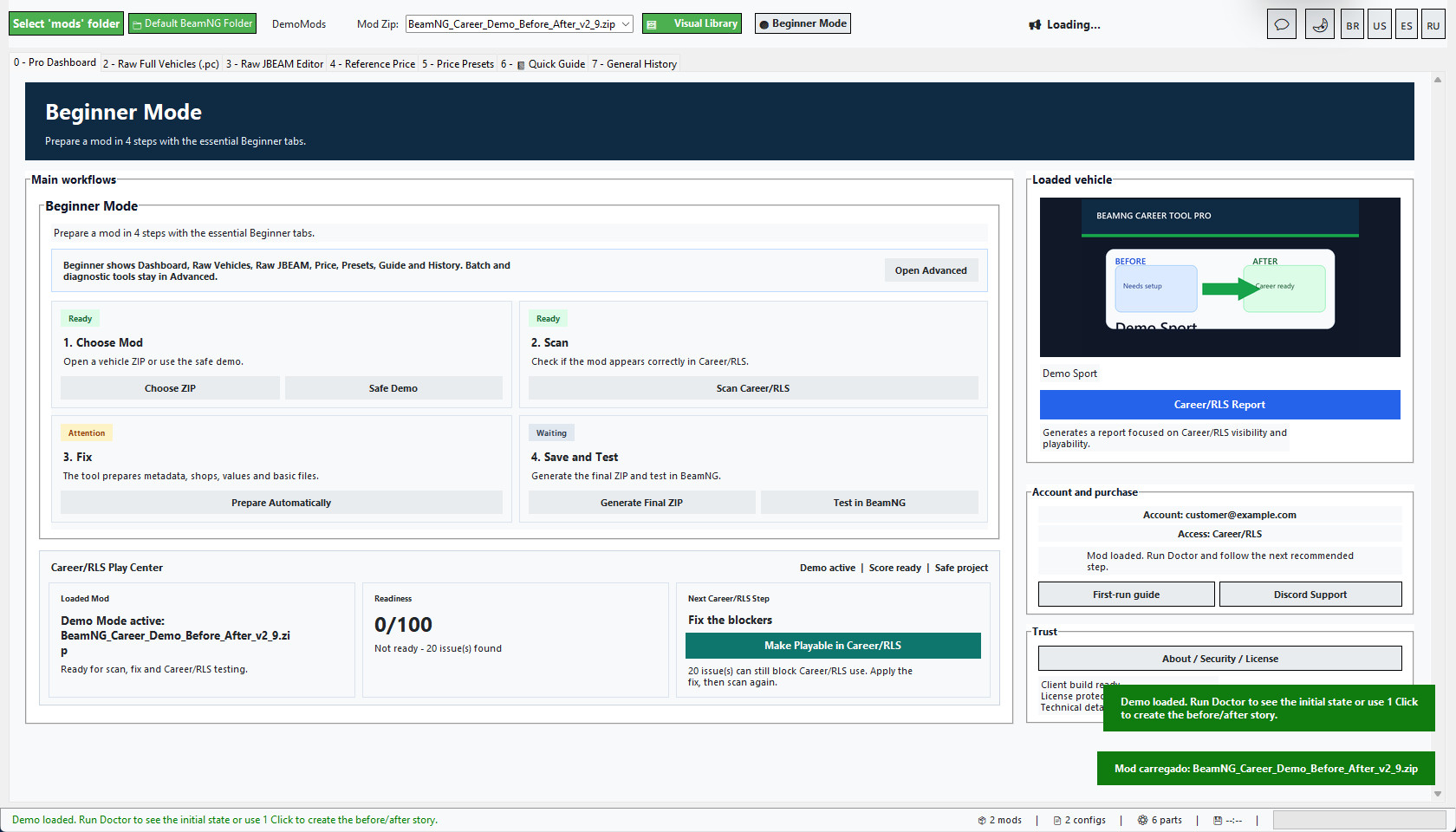
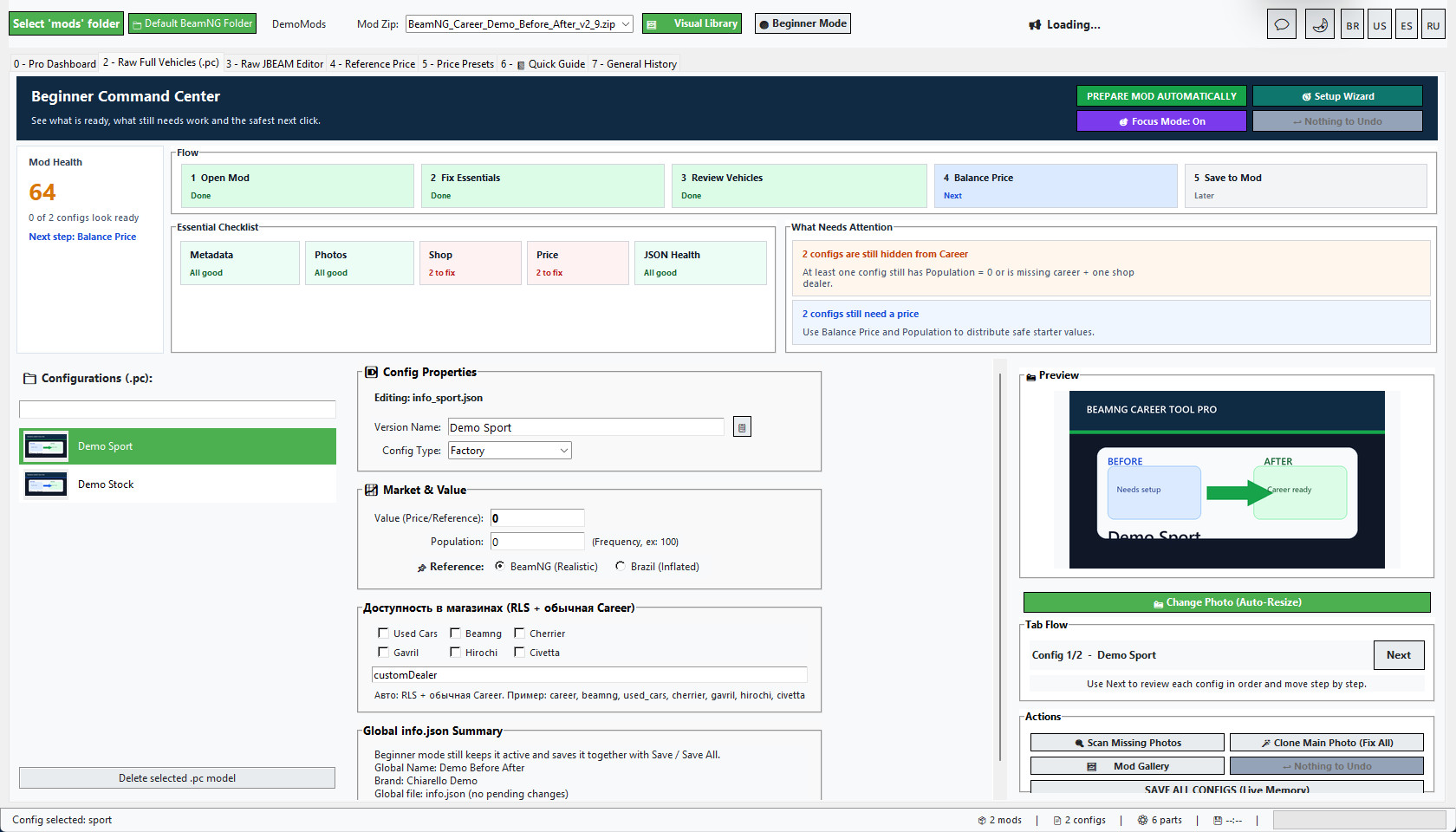
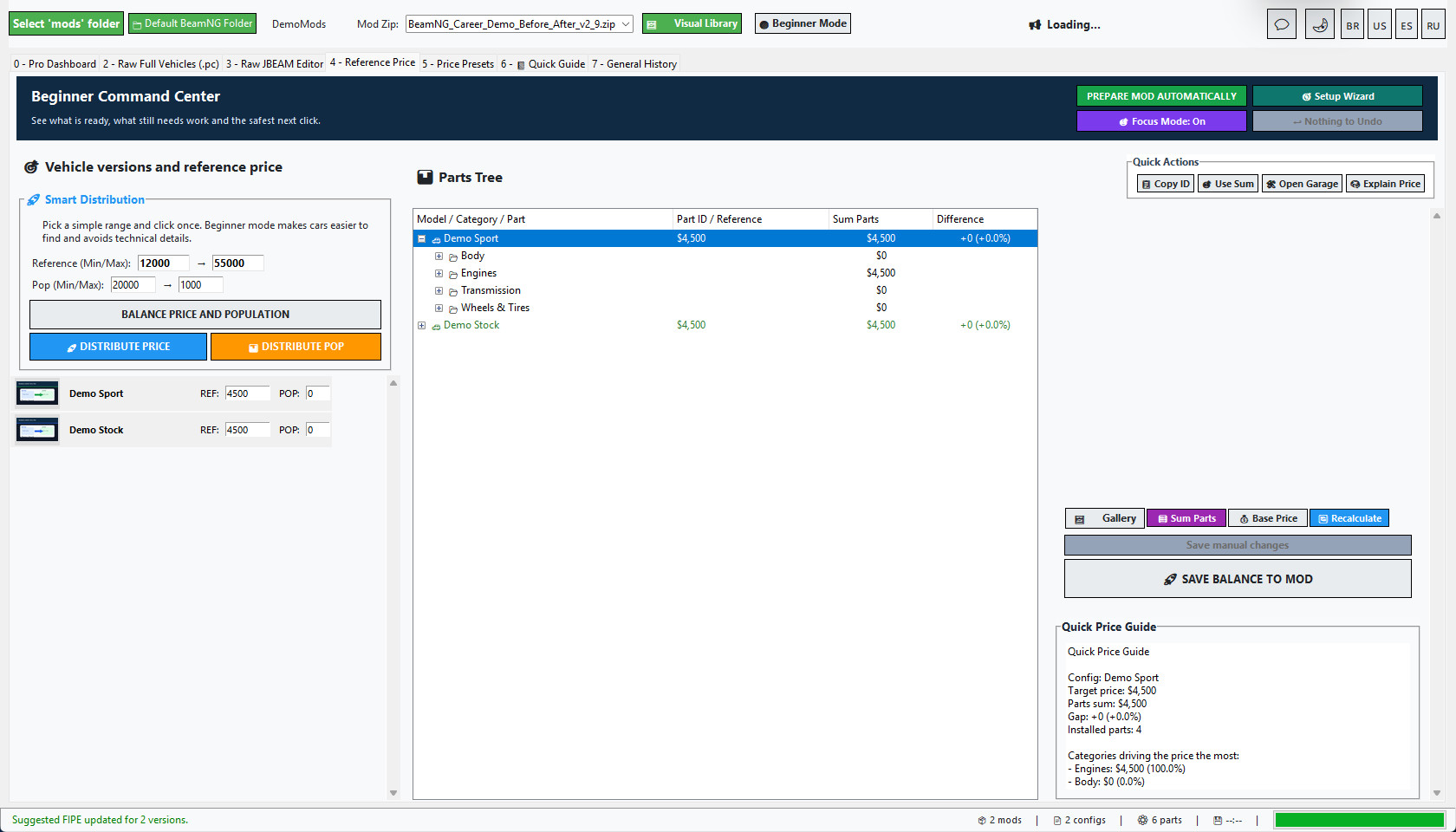
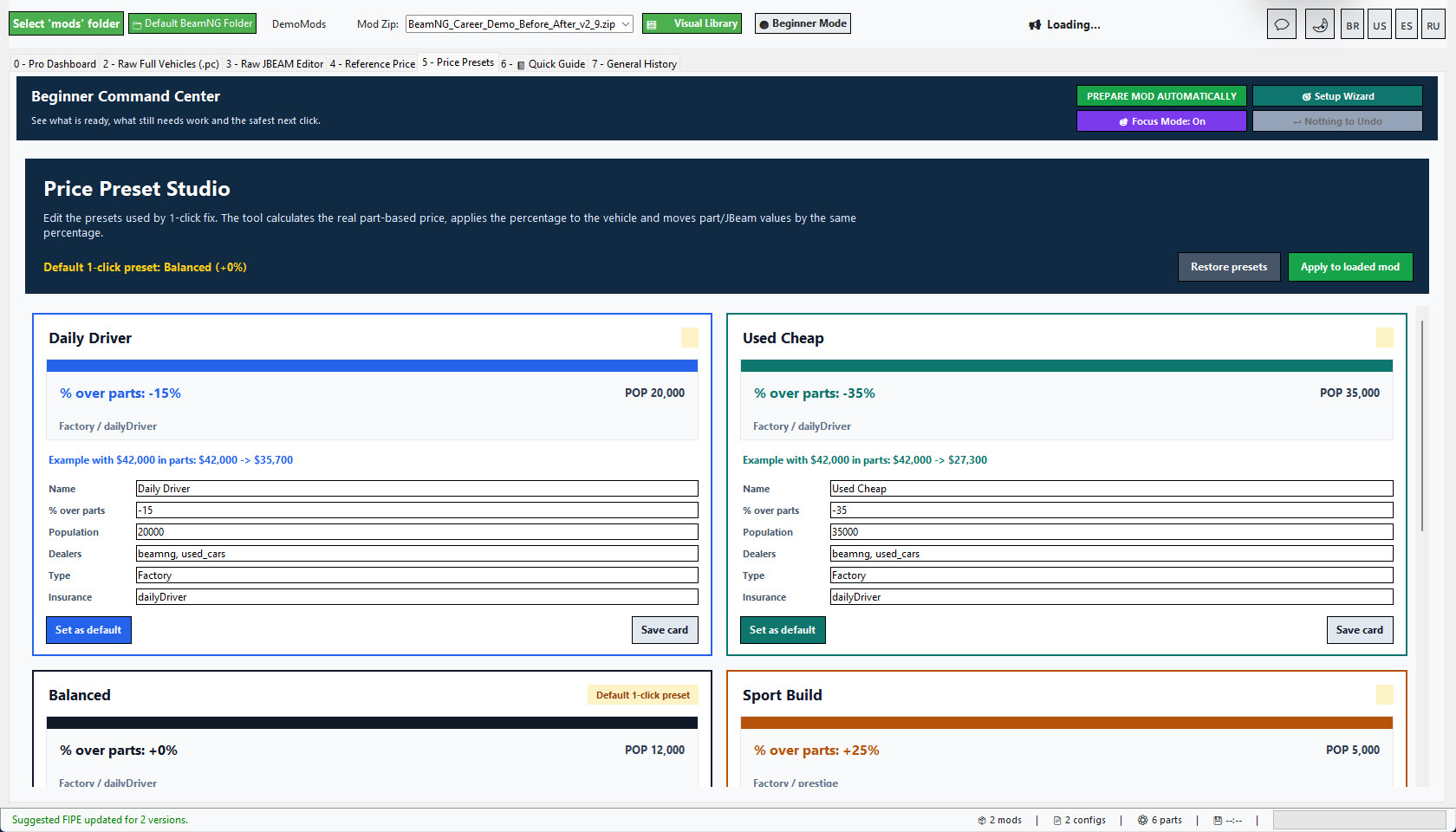
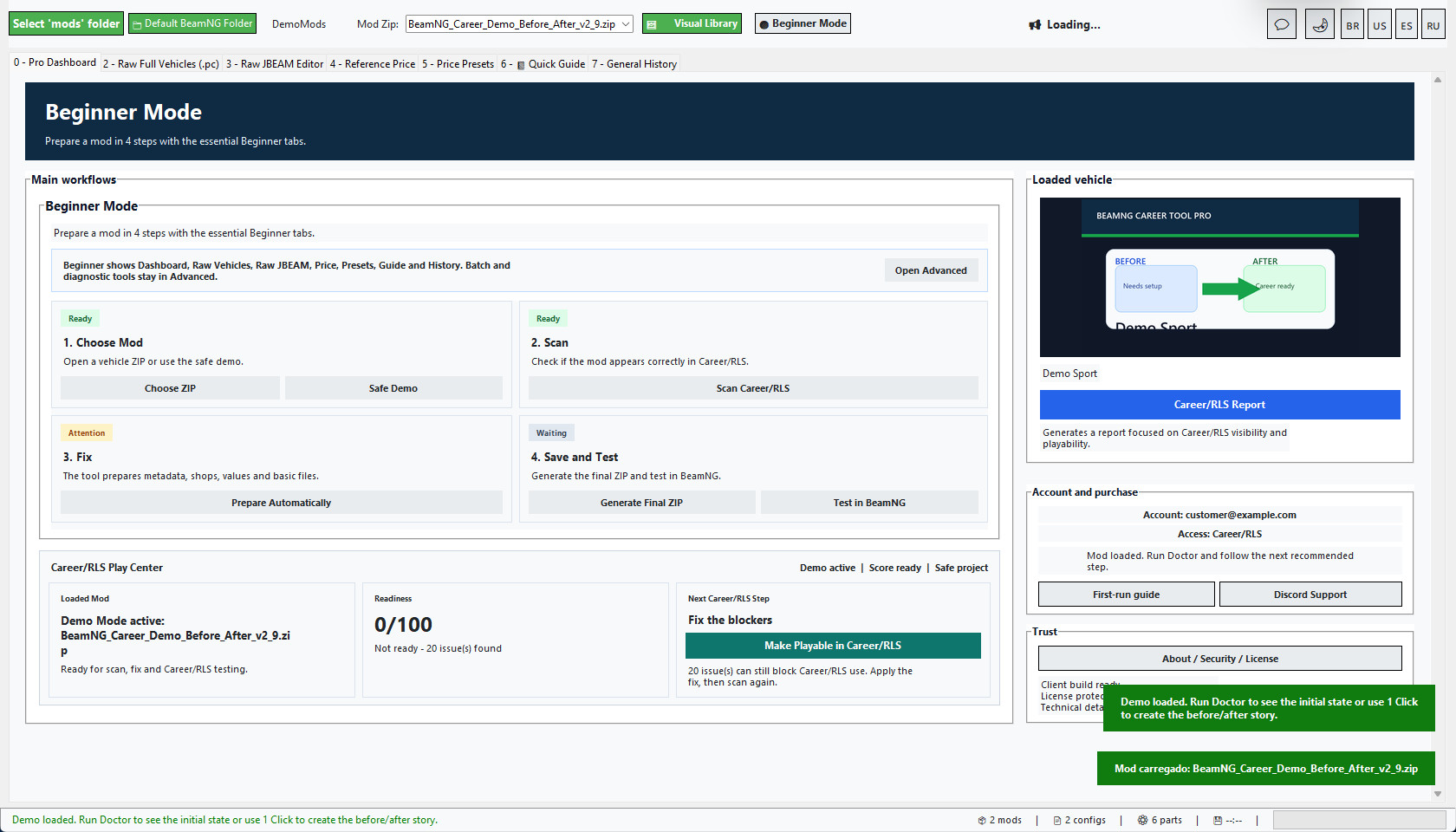
Beginner Mode now opens with a simple 4-step dashboard: Choose Mod, Scan, Fix, then Save and Test. It also keeps the essential beginner tabs visible: Raw Full Vehicles/PC editing, Raw JBEAM Editor, Reference Price, Price Presets, Quick Guide and General History. Heavier batch and diagnostic tools such as bulk tools, Mod Doctor table, switcher and diagnostics stay in Advanced Mode.
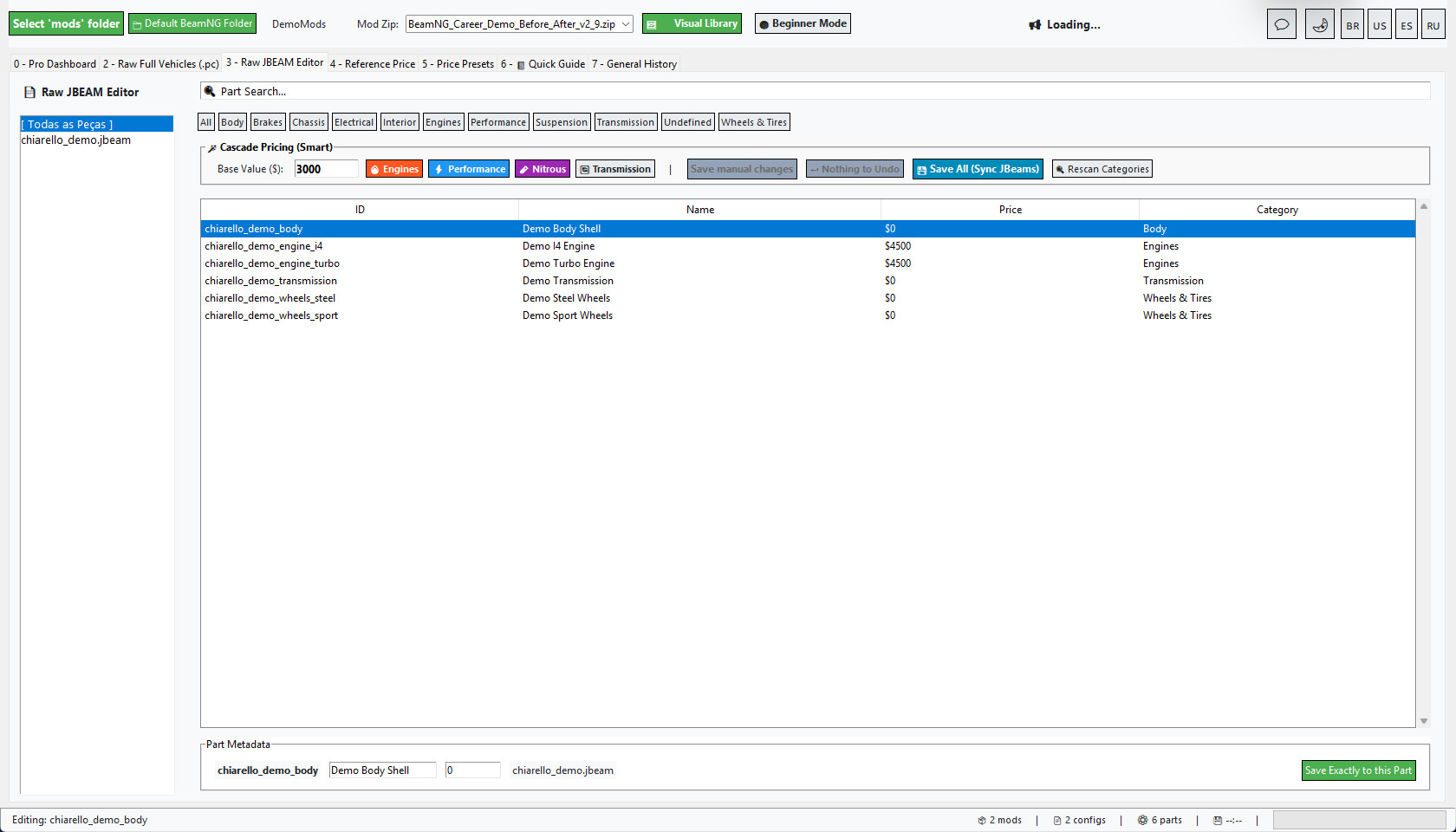
Raw JBEAM editing is now safer for beginner users. Manual Raw saves show a preview before writing, validate the JBEAM before saving, and include an Undo Raw Save button so a recent edit can be reverted quickly.
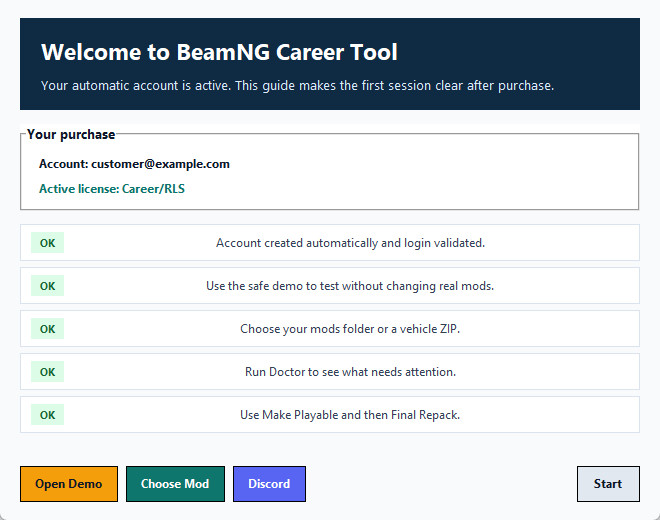
The Pro Dashboard also includes an Account and purchase panel showing the logged account, active access and the next recommended step. A first-run guide opens for new buyers and gives direct actions for Safe Demo, Choose Mod and Discord Support, so users who receive an automatic Ko-fi account can start without waiting for manual instructions.
Folder scans are also faster. The tool now caches ZIP vehicle detection by file size and modified time, so global reports and folder filters do not keep reopening unchanged ZIPs just to decide whether they are BeamNG vehicle mods.
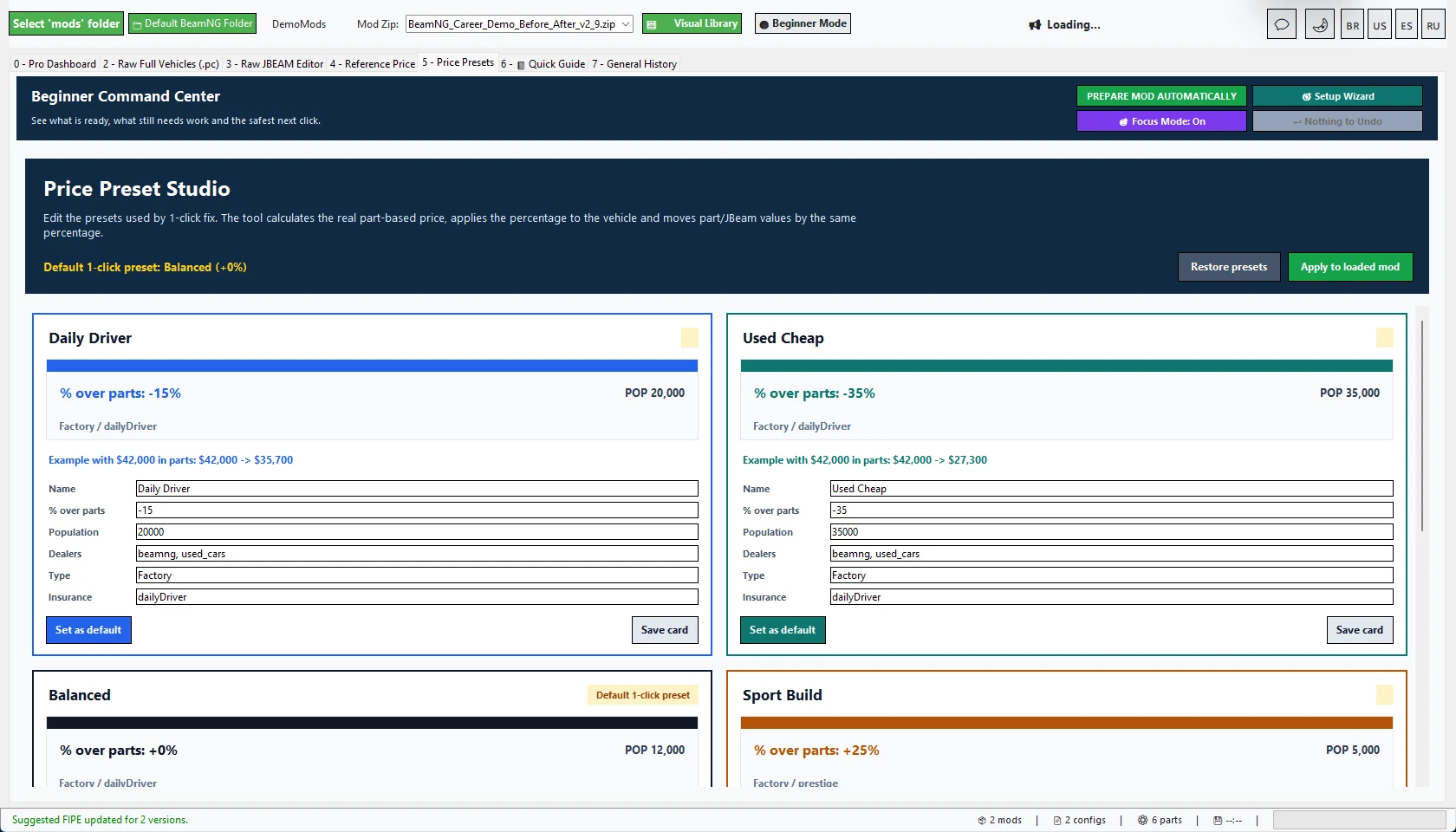
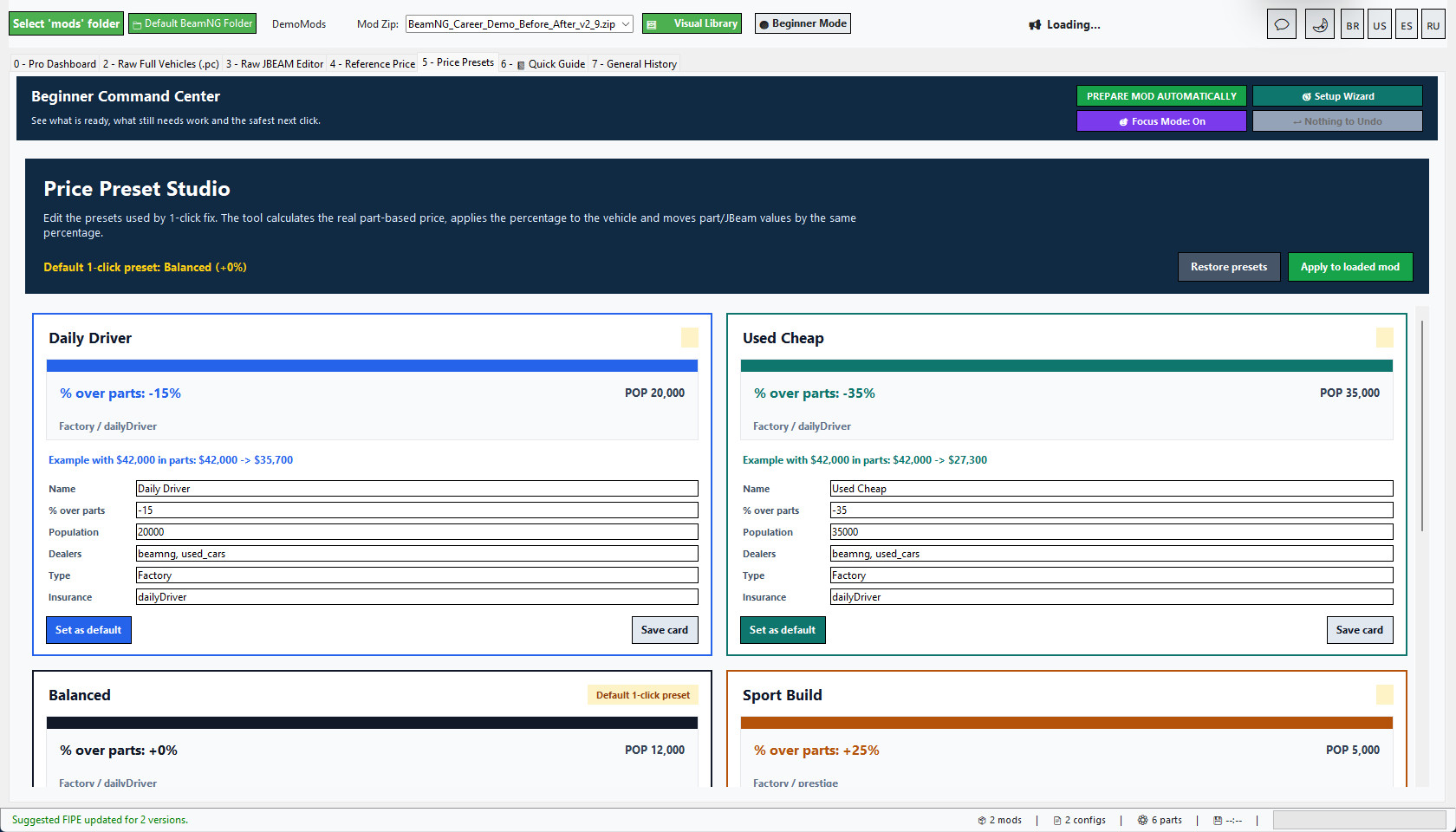
The v2.9 Price Preset Studio remains included and is now more consistent: the 1-click Career/RLS fix calculates vehicle value from installed parts first, then applies the chosen preset percentage to the vehicle value and the part/JBeam values together. For example, a +60% preset raises both the final vehicle value and the installed part values by +60%, while still applying Population, dealers, config type and insurance fields.
Use Beginner Mode for the guided 4-step flow plus the essential Raw Vehicles, Raw JBEAM, Price, Presets, Guide and History tabs. Switch to Advanced Mode when you want the full batch and diagnostic toolset.
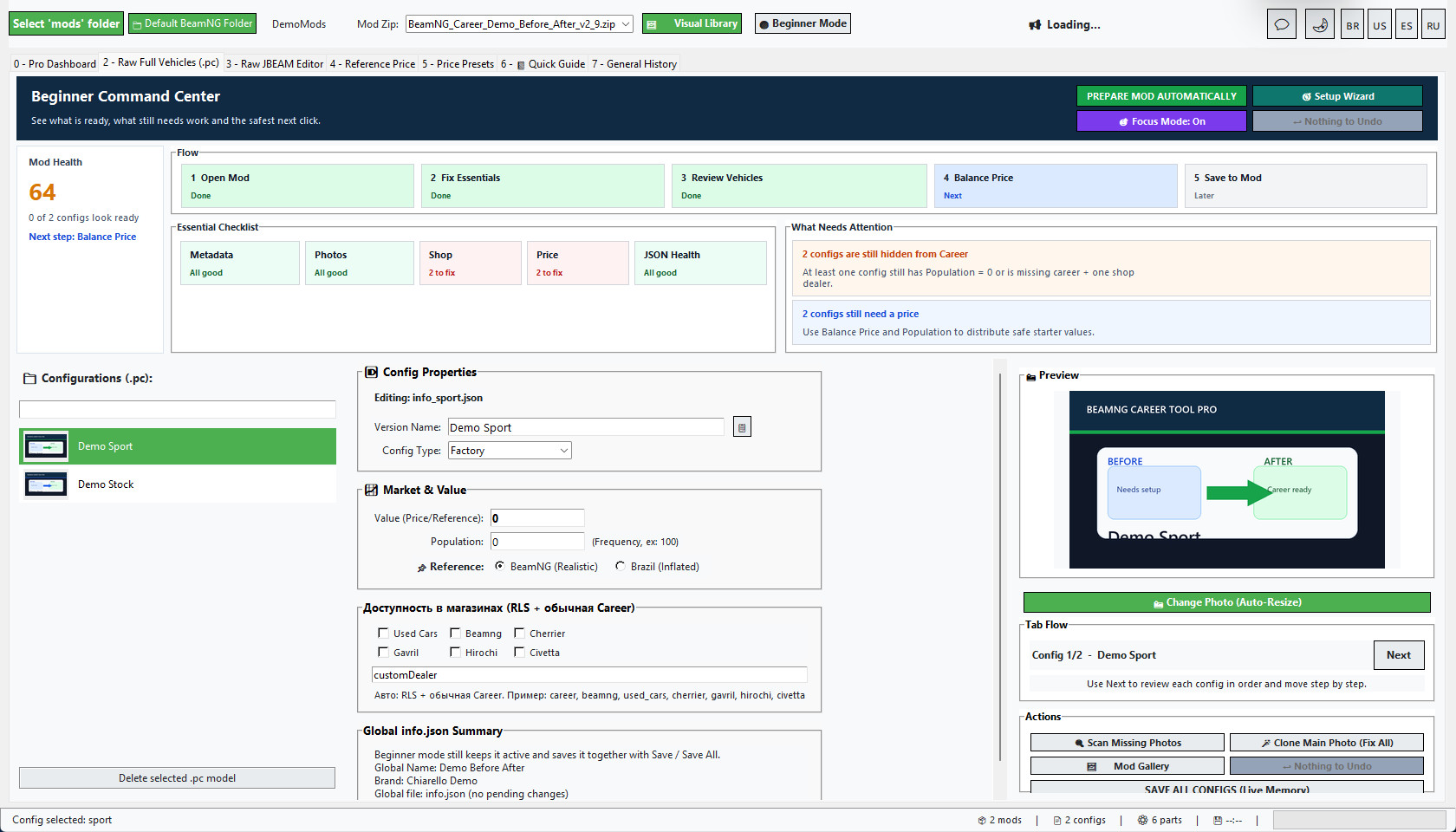
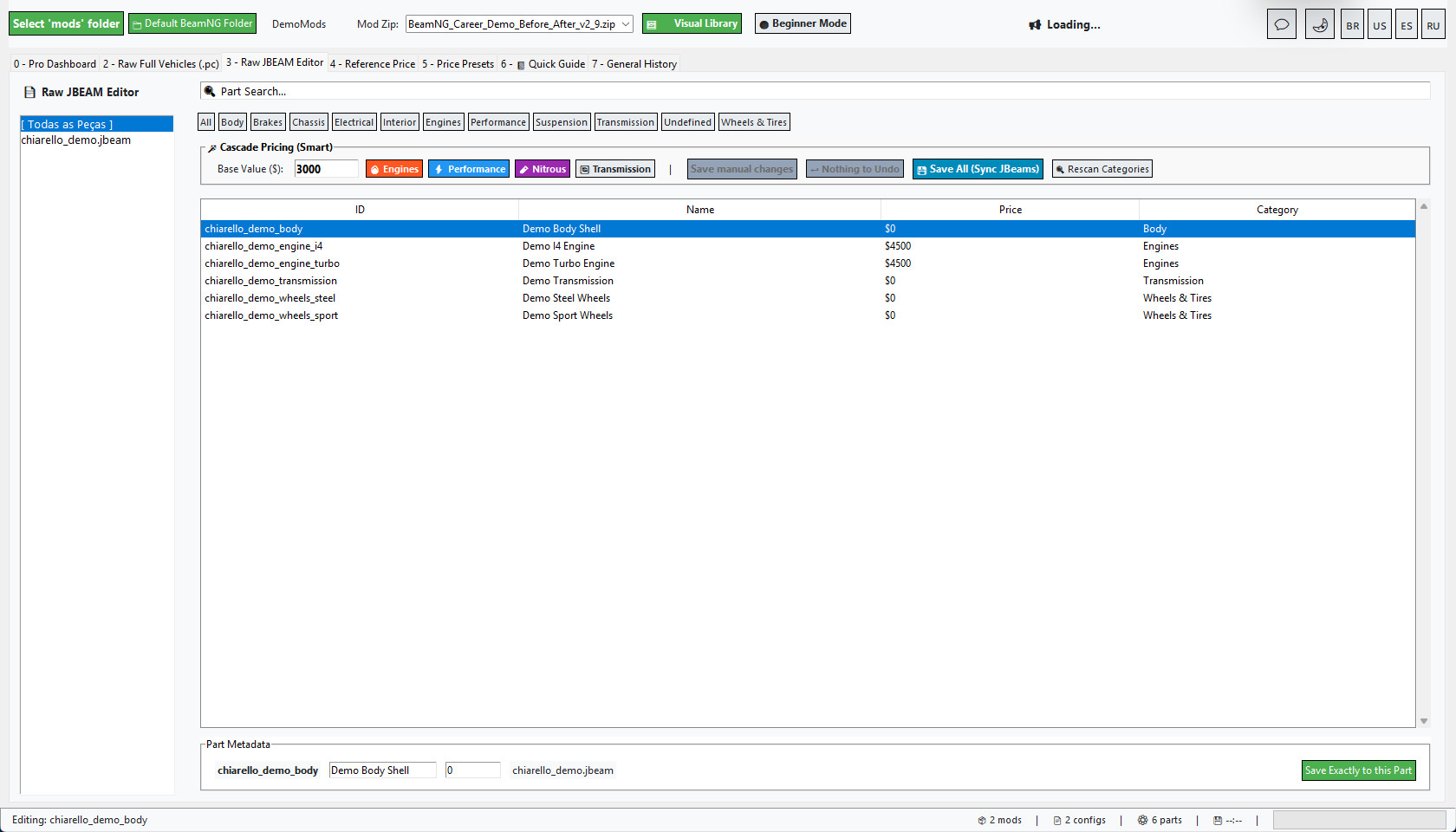
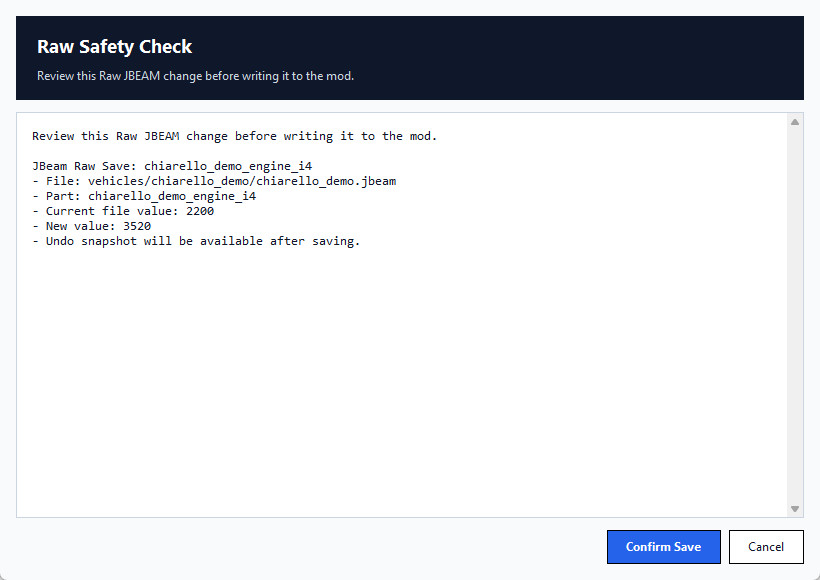
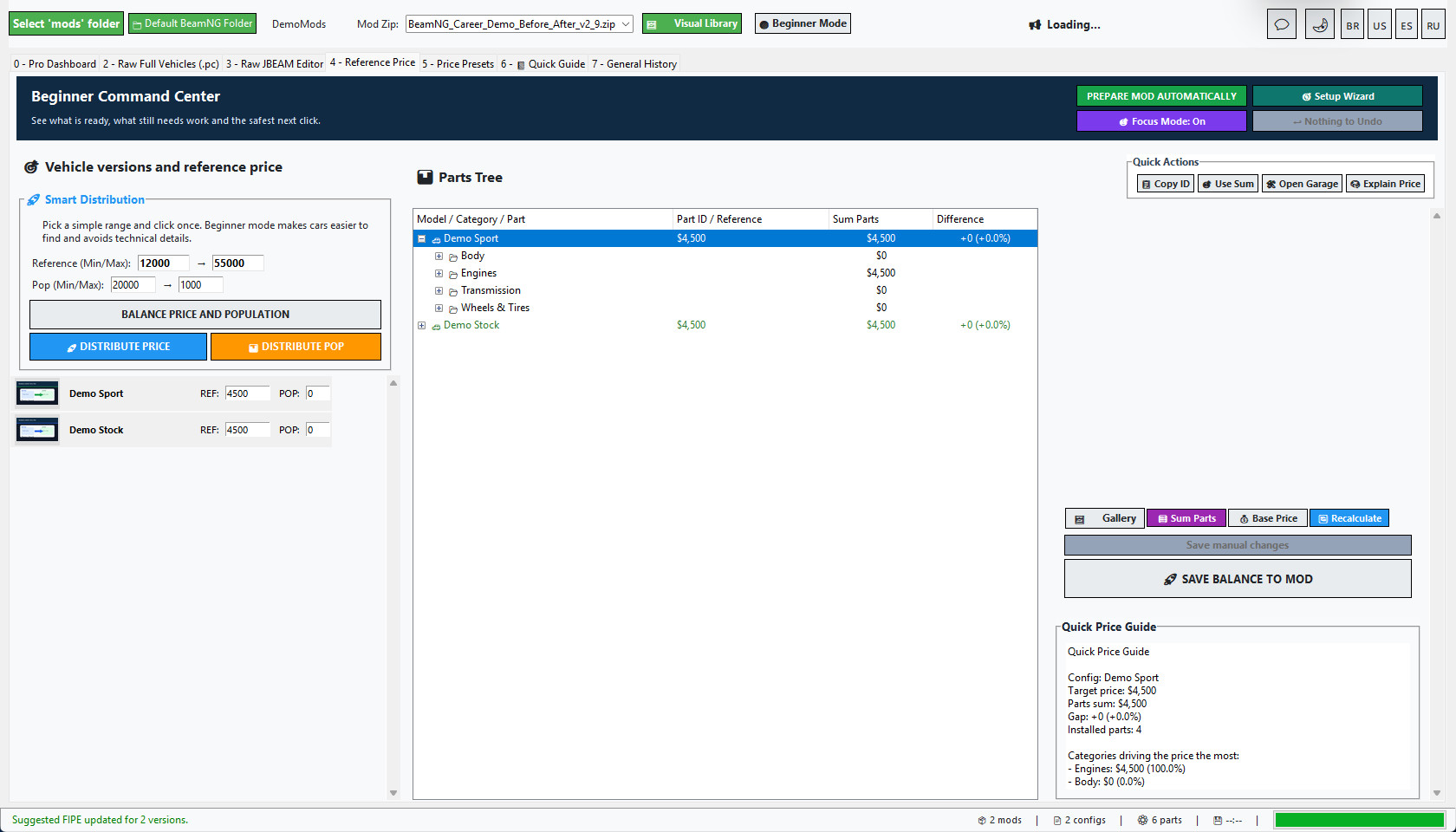
Professional Windows tool for preparing BeamNG vehicle ZIP mods for Career / RLS gameplay.
BeamNG Career Tool Pro helps you turn vehicle ZIP mods into cleaner, better prepared, career-ready mods. It was made for players, mod collectors, mod creators and people who manage large BeamNG vehicle libraries.
Instead of manually opening every info.json, info_*.json and JBeam file, the tool gives you a guided workflow to scan, repair, balance, document and organize your vehicle mods with much less manual work.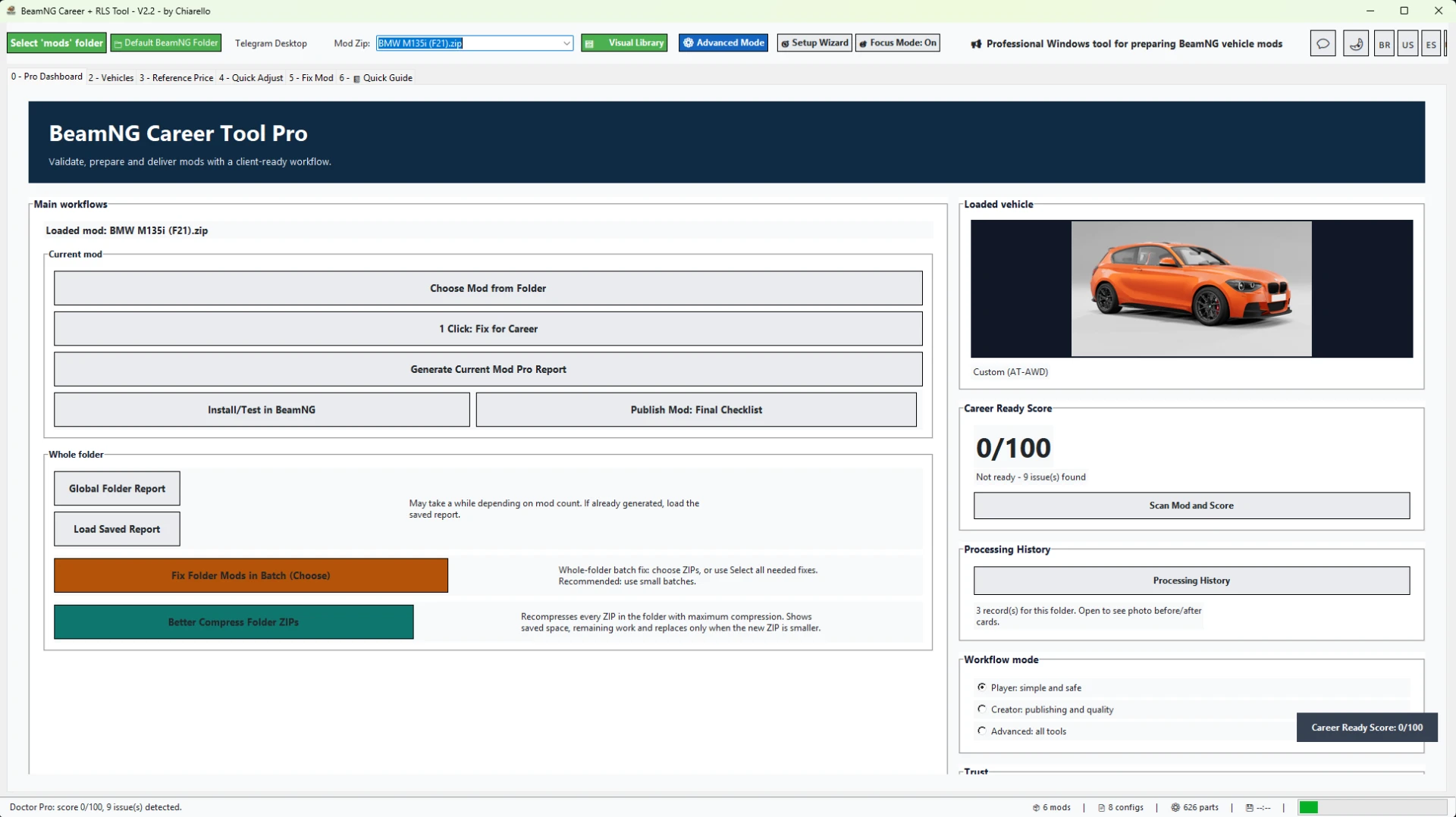
What the tool does
- Loads vehicle ZIP mods directly from your selected BeamNG mods folder.
- Shows a vehicle preview so you know exactly which mod is loaded.
- Scans the mod with Mod Doctor and gives a Career Ready Score.
- Creates or repairs missing Career metadata.
- Fixes info.json and info_*.json files when possible.
- Adds the required Career / RLS fields so vehicles can appear in career workflows.
- Adds safe dealer / shop availability tags.
- Calculates vehicle value from installed parts.
- Applies a safe population distribution so configs can appear naturally in the market.
- Syncs part prices into JBeam files.
- Creates backups before important changes.
- Rebuilds the ZIP after applying fixes.
- Generates professional reports with vehicle photos and clear results.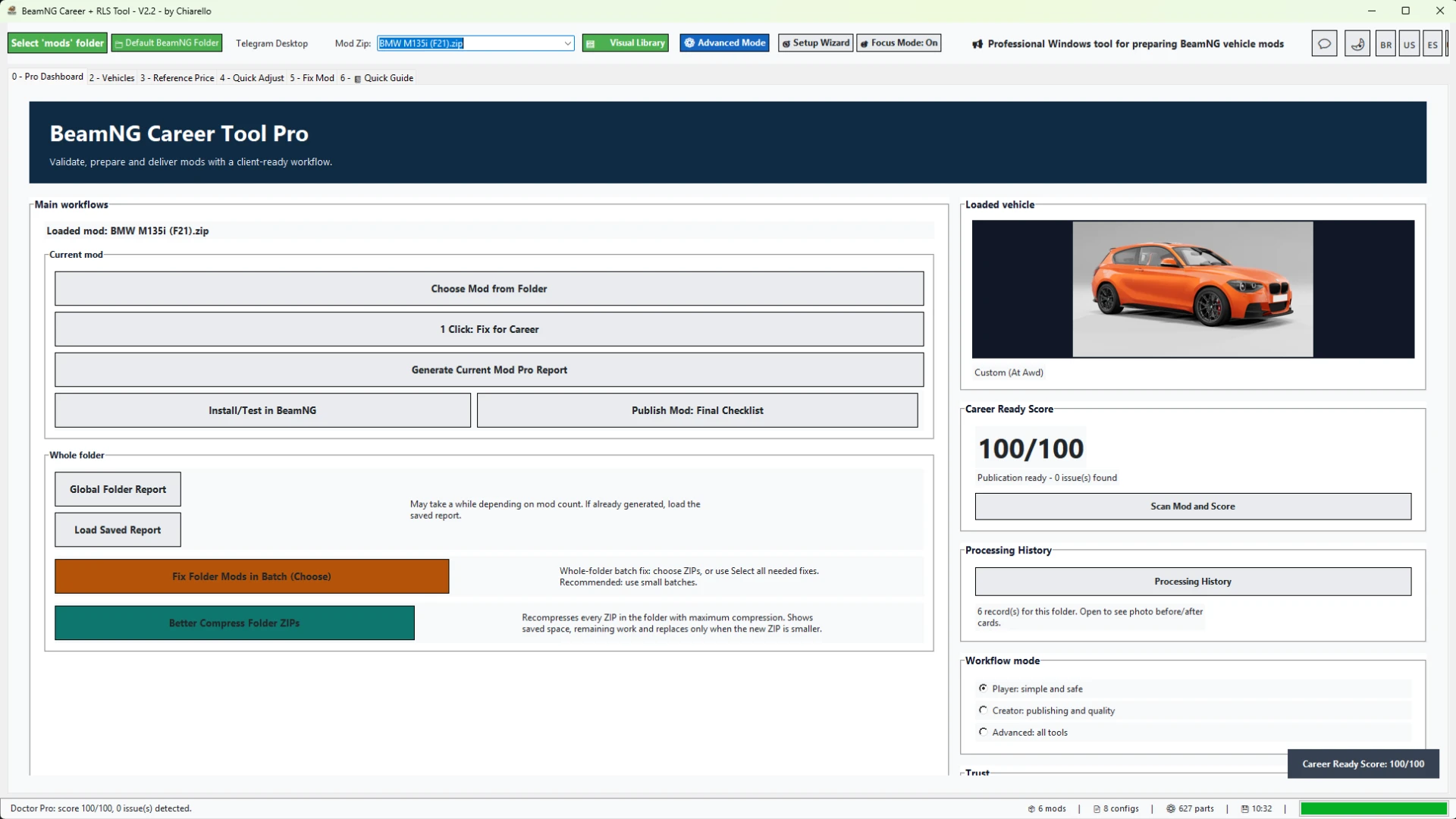
Made for single mods and large mod folders
You can prepare one mod at a time, or scan a full mods folder and choose which vehicle ZIPs should be fixed.
The Global Folder Report helps you see which vehicle mods are ready, which ones need fixes, and which ones have problems that matter for Career mode. Maps and non-vehicle ZIPs are ignored, so the report focuses on actual vehicle mods.
For larger libraries, the tool also includes a dedicated Production workflow. This lets you review many configs across multiple ZIPs, adjust important Career fields, save the work into project folders and repack only when you are ready.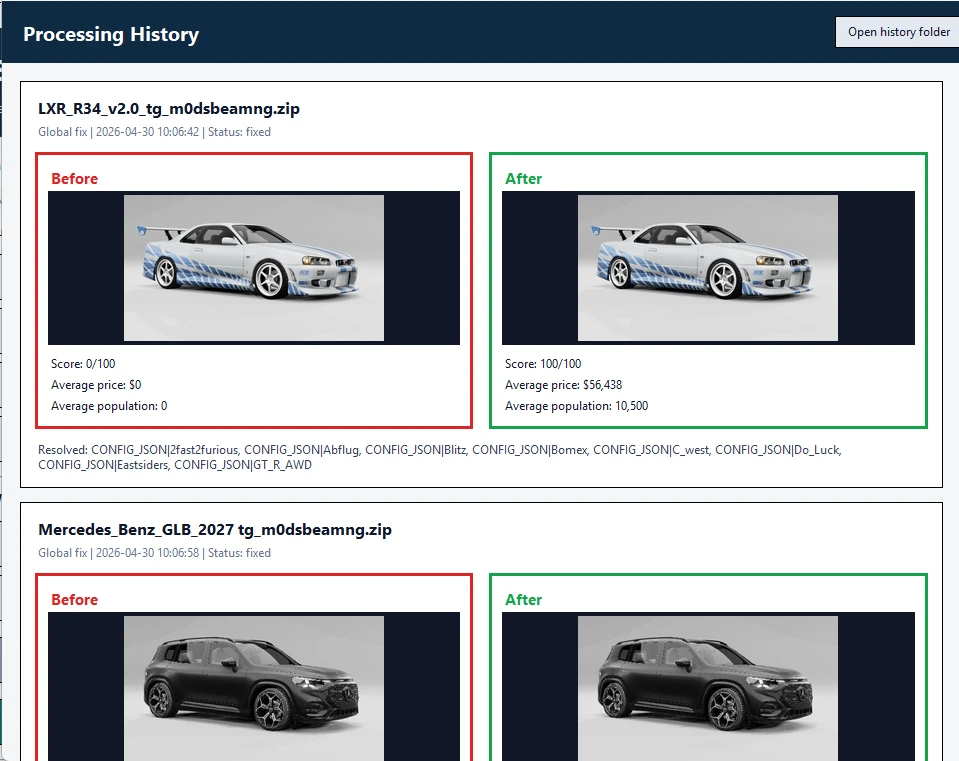
New in v2.8
- Added the new Price Preset Studio tab.
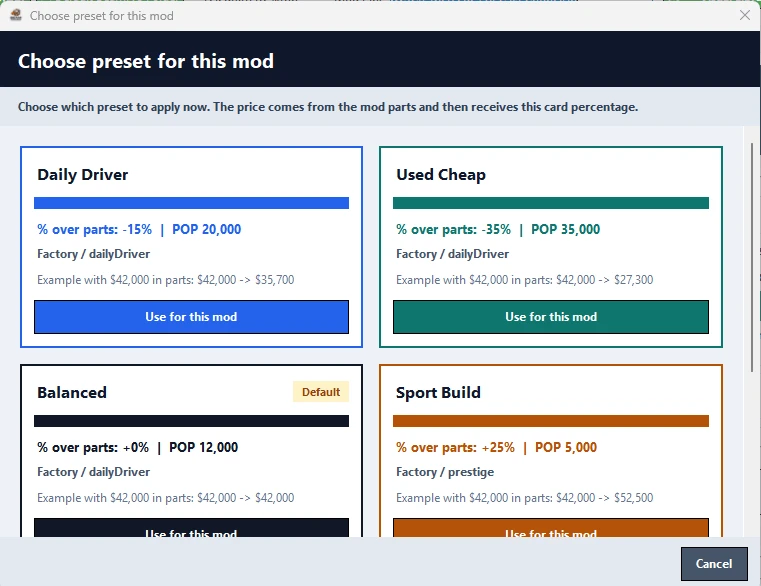
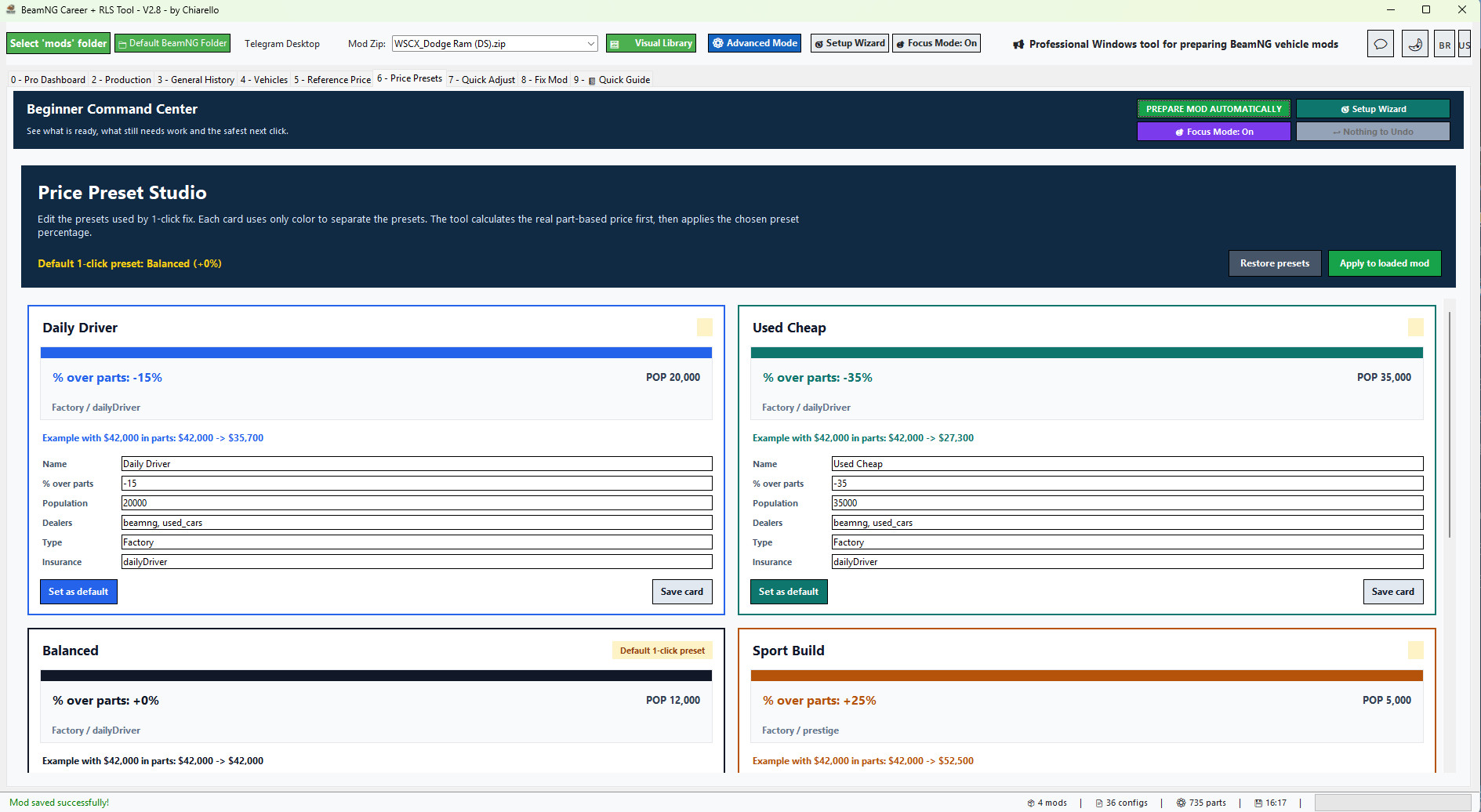
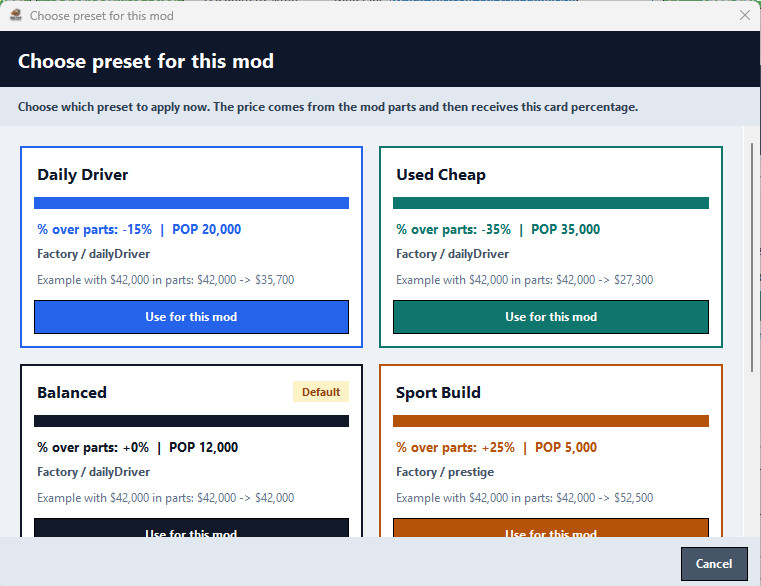
- Added editable pricing preset cards for Daily Driver, Used Cheap, Balanced, Sport Build, Rare Import and Collector.
- Preset cards are now separated by color only, with no card artwork.
- The 1-click Career/RLS fix now calculates the real vehicle price from installed parts first.
- The selected preset then applies its custom percentage above or below that real base price.
- Presets now also control Population, dealers, config type and insurance metadata.
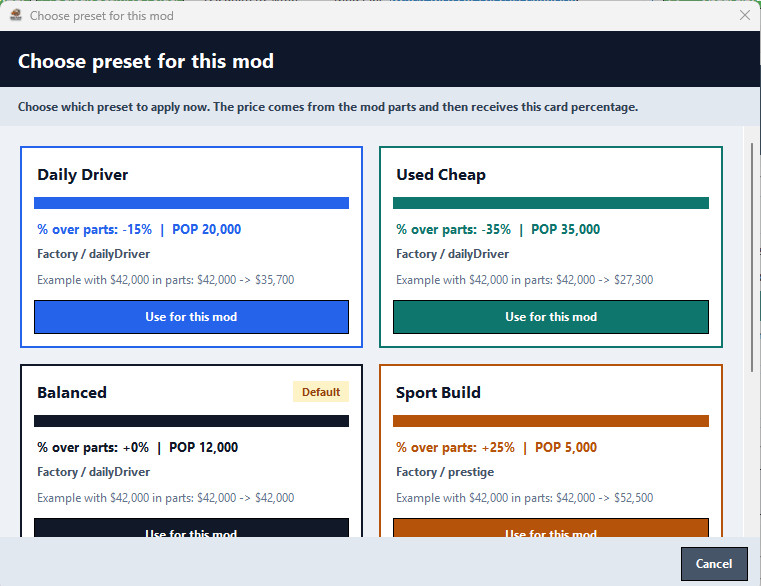
- The Make Playable in Career/RLS flow now lets you choose which preset to apply to the loaded mod.
- Added a quick option to apply the active preset directly to the loaded mod.
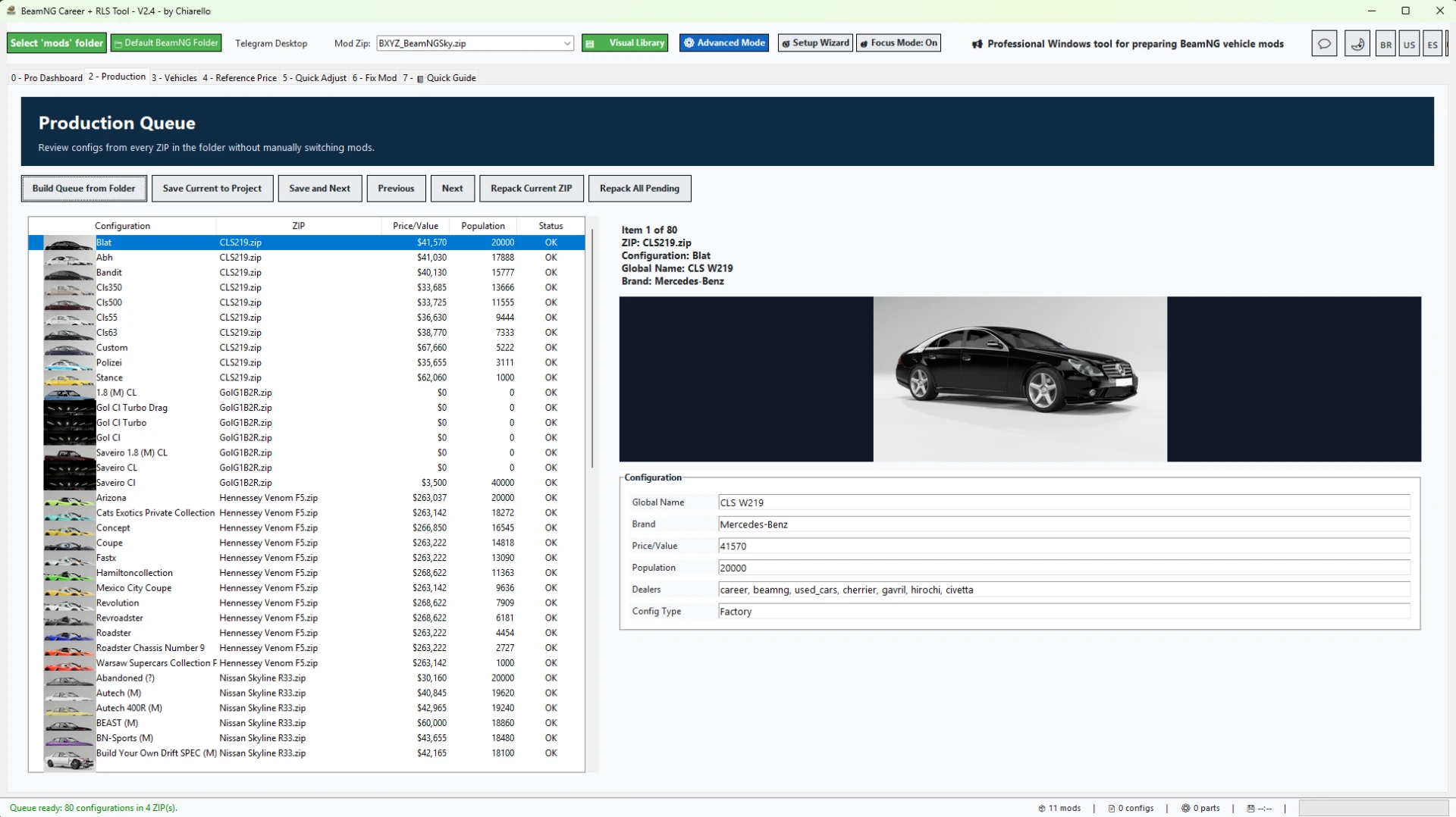
- Production Queue scanning now runs in the background, so the main interface stays responsive while ZIPs are analyzed.
- The Production tab is smoother when opening folders with many ZIP mods and many vehicle configs.
- Thumbnails are back in the .pc list inside the Production Queue.
- Visible thumbnails load first, while the next items are preloaded silently as you scroll.
- Large preview images still load immediately when you select a configuration.
- Thumbnail loading no longer shows extra popups, progress bars or messages to the user.
- The tool now preserves thumbnail bytes during the folder scan and renders them in batches for a cleaner UI experience.
- Config reading was improved for mods that store .pc files inside subfolders.
- info_*.json matching was corrected when a vehicle config is located in a path such as vehicles/demo/stock.pc.
- Reduced the risk of interface freezing when building a production queue from a large mods folder.
- Internal app version updated to 2.8.
This update is especially useful for users who manage many vehicle ZIPs and want to review, fix, save and repack mods with less waiting and fewer interruptions.
Project Mode
Project Mode makes editing large mods much faster and safer.
Instead of repacking the ZIP after every save, the tool extracts the selected ZIP into a project workspace, lets you make changes there, and only updates the final ZIP when you click Final Repack / Update ZIP.
This makes editing smoother when adjusting many vehicles, configs or part prices.
Project Mode also keeps a separate workspace for each ZIP. If you switch to another mod before doing the final repack, your pending work is not lost. When you open that same ZIP again, the tool reloads the saved project workspace so you can continue and repack it when ready.
Important safety improvement:
The tool no longer changes JBeam part display names. It only updates part values/prices. This prevents the "information" part-name problem and keeps original mod naming intact.
Recommended Project Mode workflow:
1. Open your vehicle ZIP.
2. Use 1 Click: Fix for Career or adjust prices manually.
3. Review the Career Ready Score and report.
4. If Project Mode is enabled, click Final Repack / Update ZIP when finished.
5. Test the updated ZIP in BeamNG.
Production Queue for large libraries
The Production tab was made for users who work with many mods, many vehicle configs or large ZIP collections.
- Scans the selected mods folder and builds a queue from real vehicle configs.
- Reads vehicle configs from vehicles/.../*.pc.
- Loads matching info_*.json metadata when available.
- Shows thumbnails in the queue to make each config easier to identify.
- Lets you review and adjust Value, Population, dealers and Config Type.
- Saves changes into the Project Mode workspace first instead of directly replacing the ZIP.
- Allows Save and Next for fast config-by-config review.
- Allows Final Repack for the current project.
- Allows Repack All Pending when multiple projects are ready.
In v2.8, this workflow is faster and more comfortable because queue building happens in the background and thumbnails are loaded in a smarter, quieter way.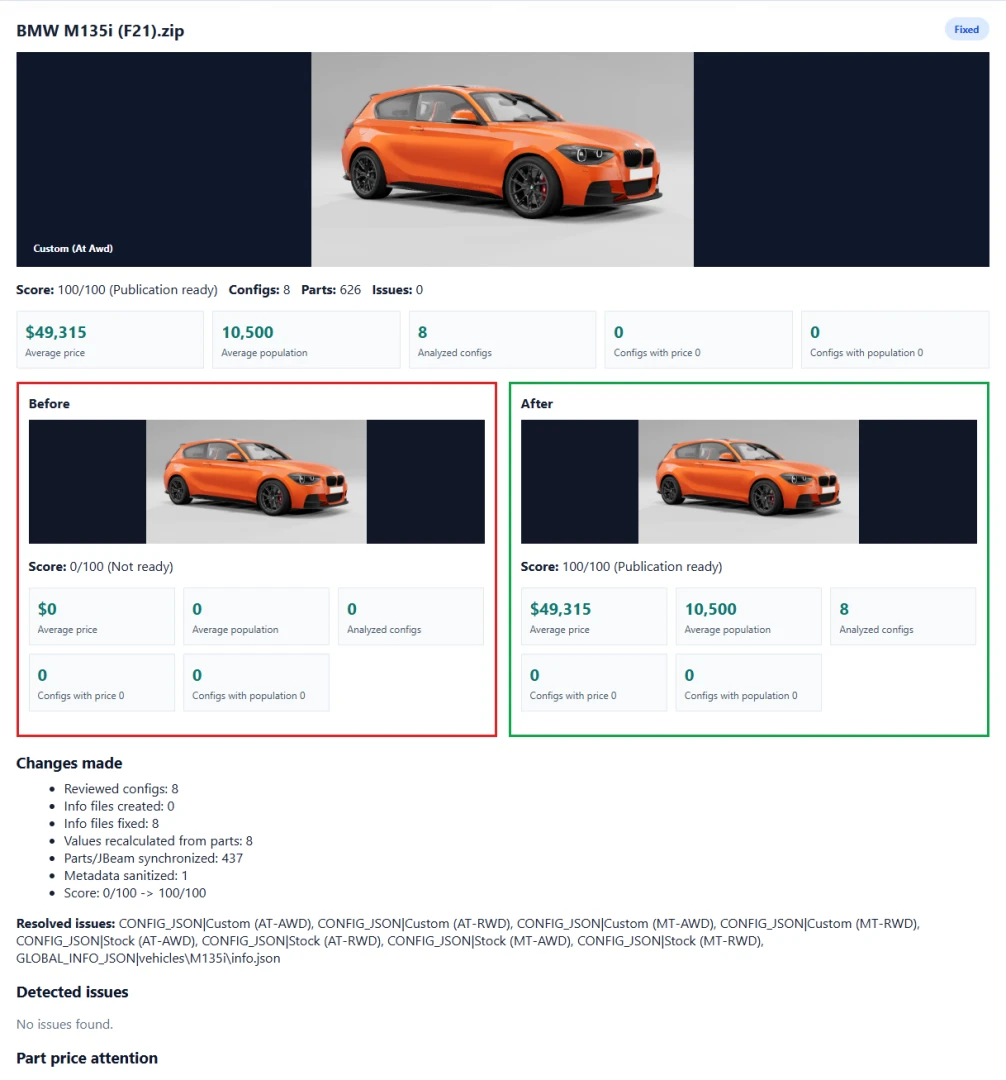
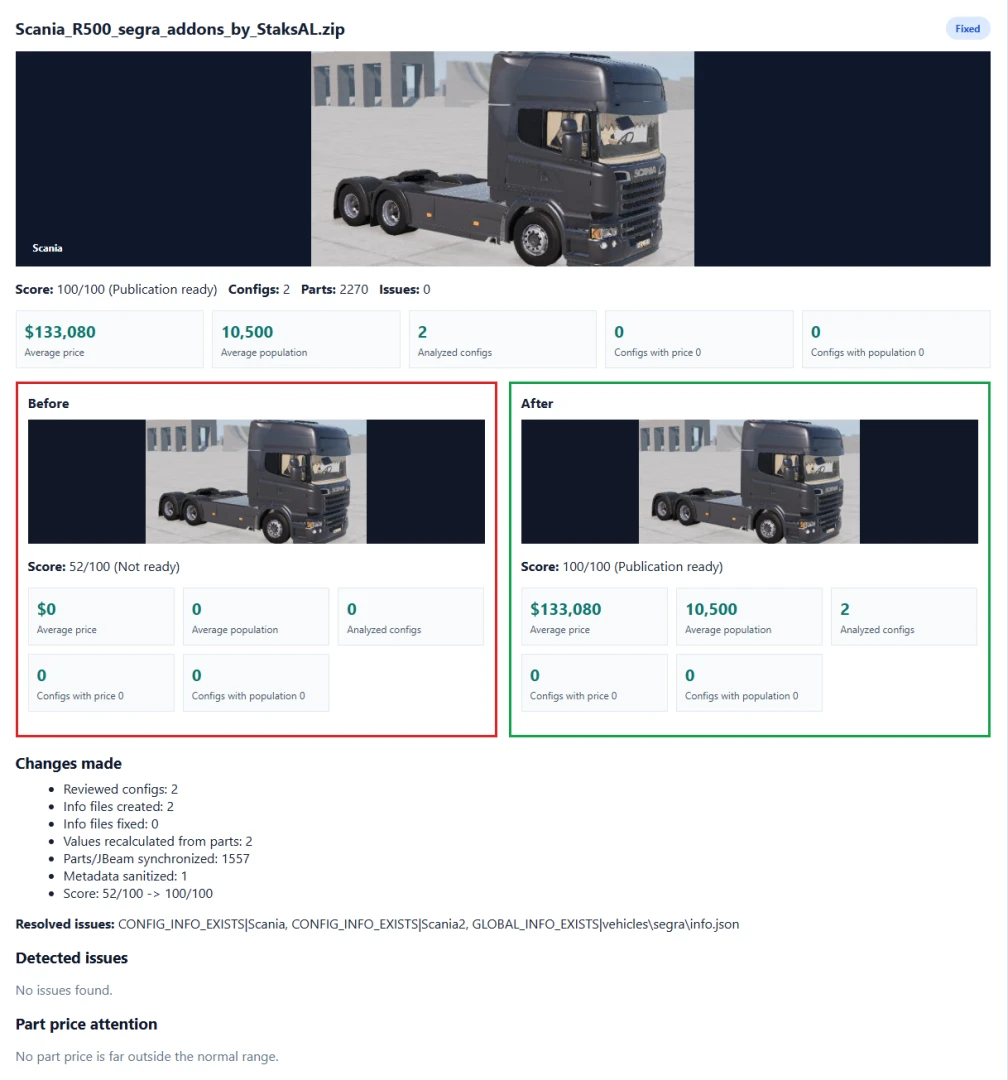
Whole-folder batch fix workflow
- New whole-folder batch fix workflow.
- You can choose which mods to fix before applying the 1-click correction.
- Added "select all needed fixes" behavior for users who want to process every mod that requires correction.
- Added better ZIP compression for all ZIPs in a selected folder.
- Compression shows progress, saved space and only replaces the ZIP when the new file is smaller.
- Added economic report metrics: average price, average population, analyzed configs, configs with price 0 and configs with population 0.
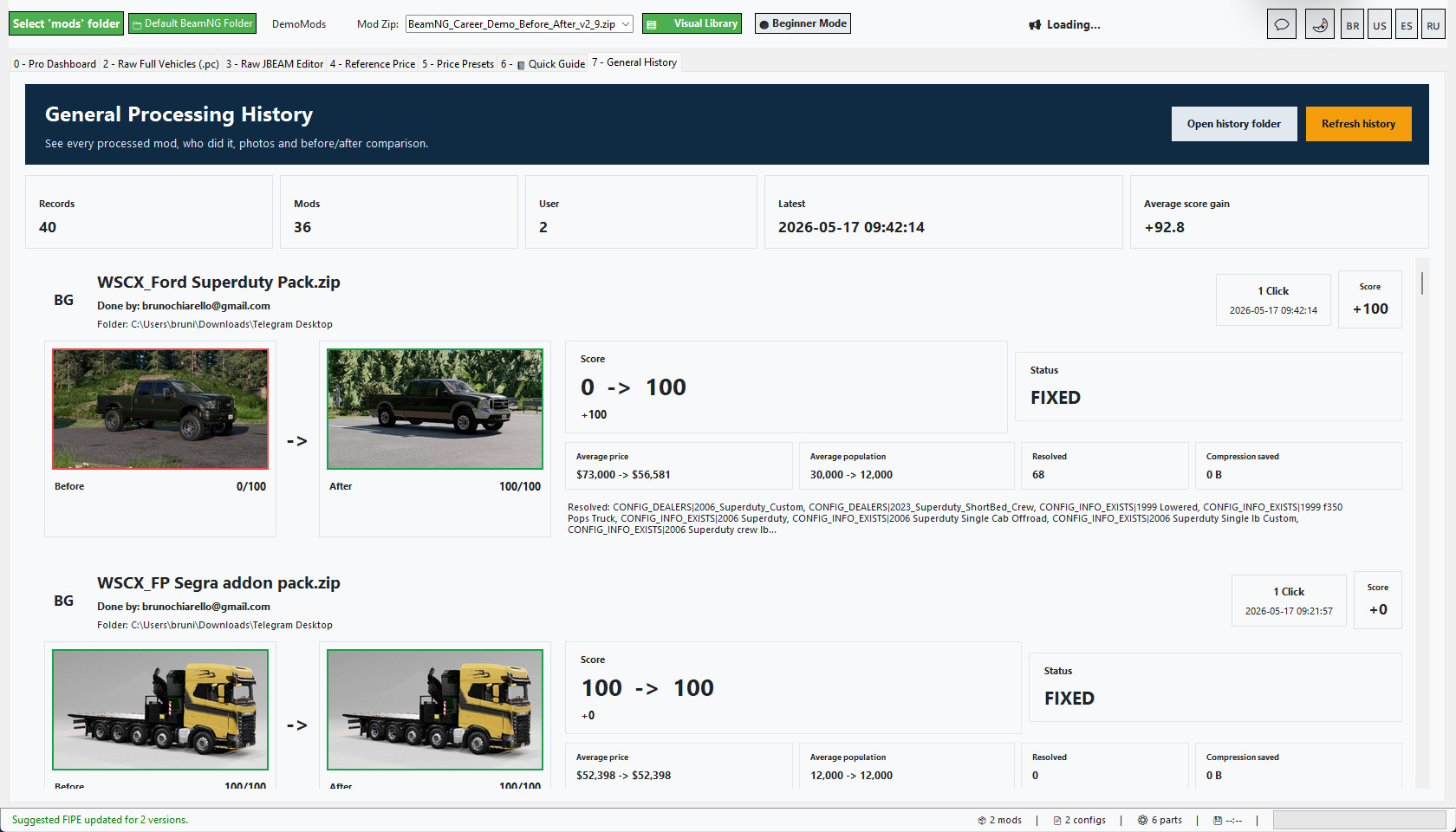
- Added before / after report cards with vehicle photos.
- Added local Processing History by folder / project.
- History shows the mod photo, score before and after, average price before and after, average population before and after, resolved issues and compression savings when available.
- Reports now focus more on real Career-blocking issues instead of harmless cosmetic warnings.
- Added Russian language support.
- Improved beginner flow, Pro Dashboard guidance and quick setup.
- Auto-login returns after the first successful login.
Economic reports for better balancing
The report shows the average price and average population of the mod based on its readable vehicle configs.
This makes it much easier to understand what the player will see in Career / RLS:
- Average price shows the general market value of the vehicle configs.
- Average population shows how often the vehicle configs are expected to appear.
- Price 0 and population 0 counters help identify configs that may not be ready.
- Before / after cards make it clear what changed after the fix.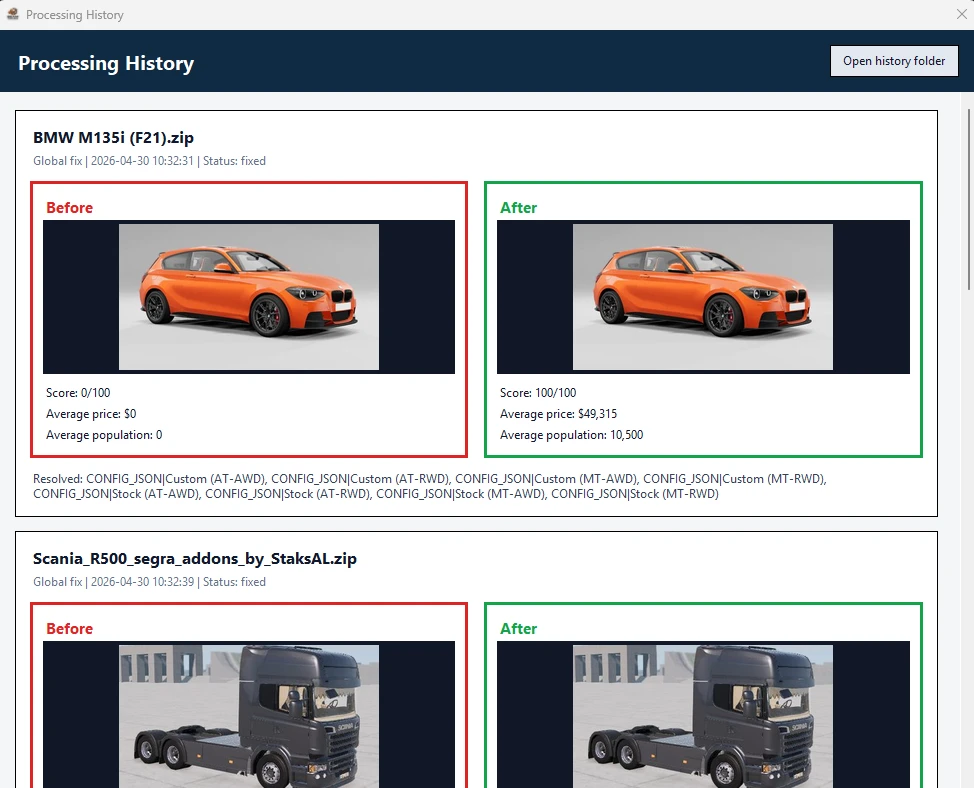
Beginner friendly, but still powerful
The tool includes Beginner Mode, Pro Dashboard, Quick Guide and Advanced Mode.
Beginners can follow the guided workflow without editing technical files manually. Advanced users can still review vehicles, prices, population, reference values, photos and config data in more detail.
Beginner guidance uses clearer labels such as Reference Price, simpler quick actions, practical tips and safer workflows, while the same engine remains available for advanced users.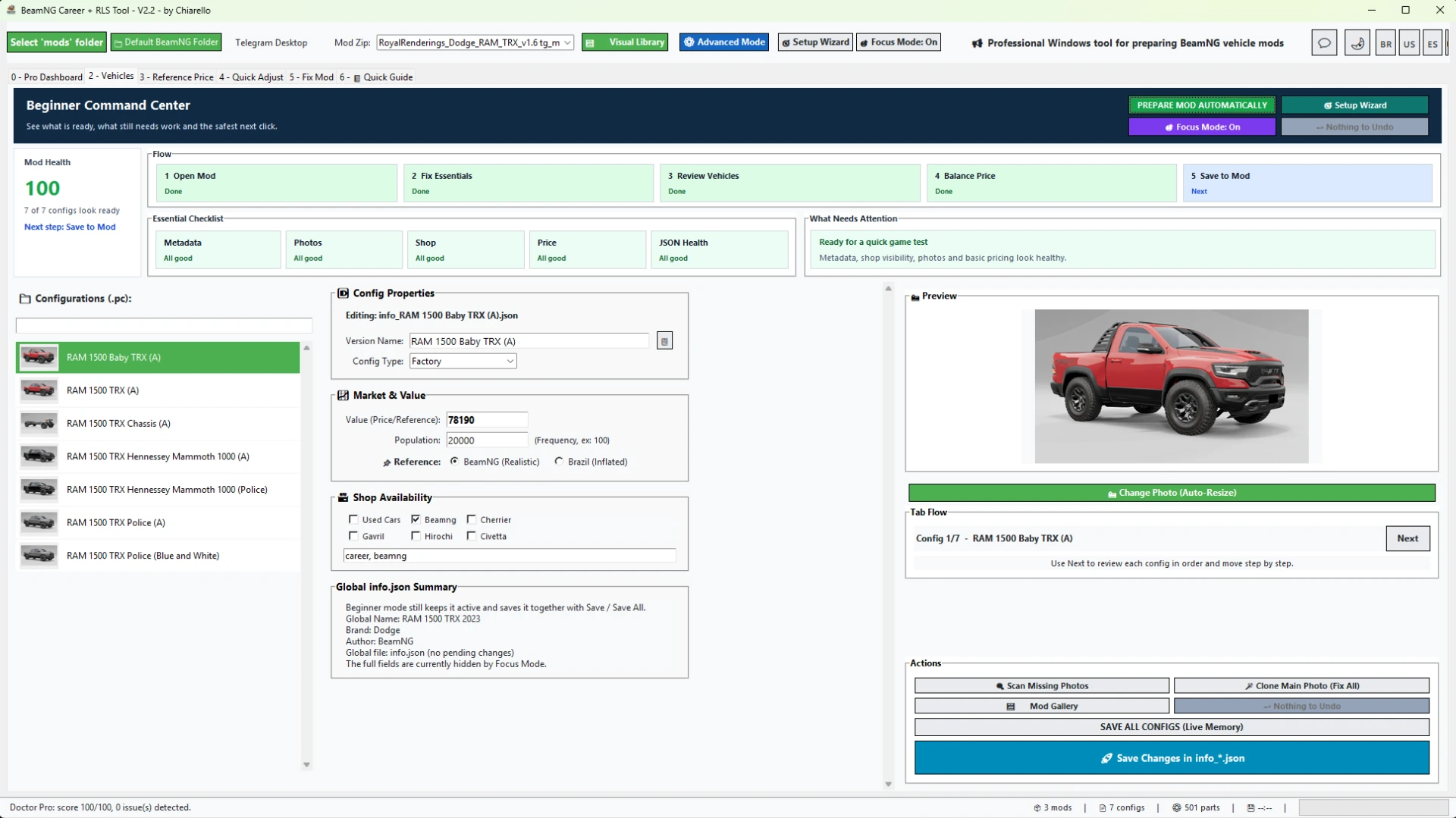
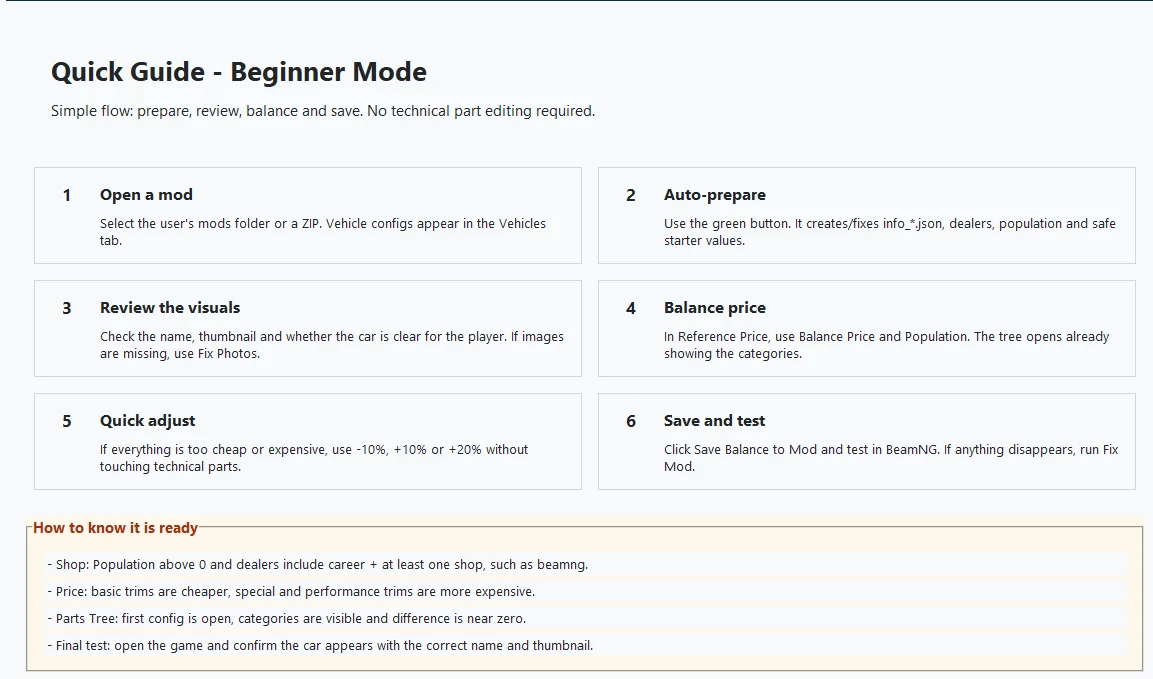
Recommended workflow
1. Select your BeamNG mods folder.
2. Load or choose a vehicle ZIP.
3. Run Mod Doctor to check the Career Ready Score.
4. Use 1 Click Fix for Career on a single mod, or generate a Global Folder Report for a full folder.
5. For many mods, use the Production Queue to review configs, thumbnails, prices, population, dealers and config types.
6. Save edits into the Project Mode workspace.
7. Use Final Repack / Update ZIP when the mod is ready.
8. Open the Processing History to compare before / after results.
9. Test the fixed mods in BeamNG / RLS.
Important notes
- The tool is focused on BeamNG vehicle ZIP mods.
- Maps and non-vehicle mods are ignored by the vehicle folder report.
- The batch fix and Production Queue are powerful, so it is recommended to process large libraries in smaller batches.
- Always test your final mod set in-game after processing.
Version
Current version: 2.8
Recommended game version: 0.38.x
BeamNG Career Tool Pro v2.7
Professional Windows tool for preparing BeamNG vehicle ZIP mods for Career / RLS gameplay.
BeamNG Career Tool Pro helps you turn vehicle ZIP mods into cleaner, better prepared, career-ready mods. It was made for players, mod collectors, mod creators and people who manage large BeamNG vehicle libraries.
Instead of manually opening every info.json, info_*.json and JBeam file, the tool gives you a guided workflow to scan, repair, balance, document and organize your vehicle mods with much less manual work.
What the tool does
- Loads vehicle ZIP mods directly from your selected BeamNG mods folder.
- Shows a vehicle preview so you know exactly which mod is loaded.
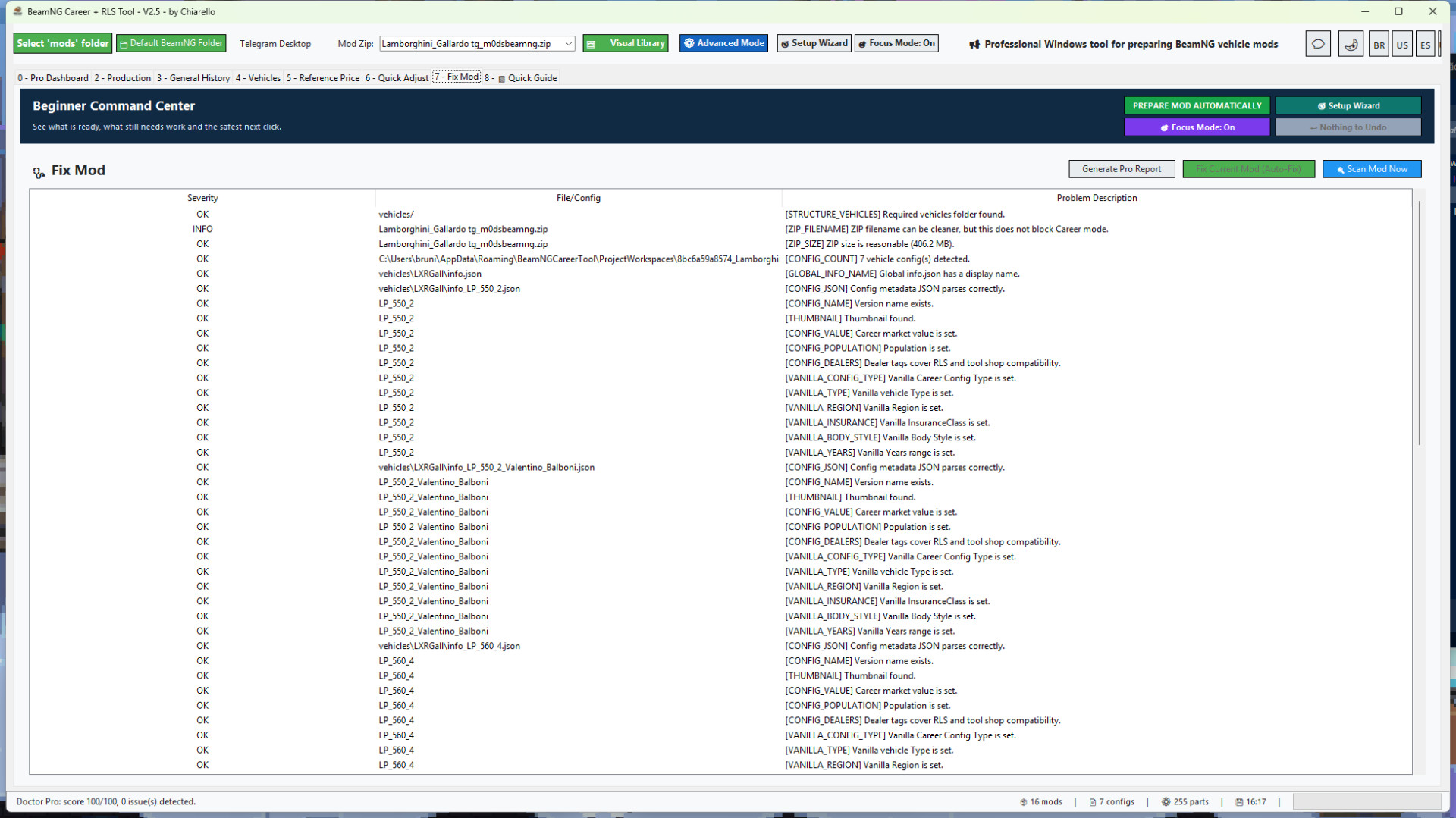
- Scans the mod with Mod Doctor and gives a Career Ready Score.
- Creates or repairs missing Career metadata.
- Fixes info.json and info_*.json files when possible.
- Adds the required Career / RLS fields so vehicles can appear in career workflows.
- Adds safe dealer / shop availability tags.
- Calculates vehicle value from installed parts.
- Applies a safe population distribution so configs can appear naturally in the market.
- Syncs part prices into JBeam files.
- Creates backups before important changes.
- Rebuilds the ZIP after applying fixes.
- Generates professional reports with vehicle photos and clear results.
Made for single mods and large mod folders
You can prepare one mod at a time, or scan a full mods folder and choose which vehicle ZIPs should be fixed.
The Global Folder Report helps you see which vehicle mods are ready, which ones need fixes, and which ones have problems that matter for Career mode. Maps and non-vehicle ZIPs are ignored, so the report focuses on actual vehicle mods.
For larger libraries, the tool also includes a dedicated Production workflow. This lets you review many configs across multiple ZIPs, adjust important Career fields, save the work into project folders and repack only when you are ready.
New in v2.7
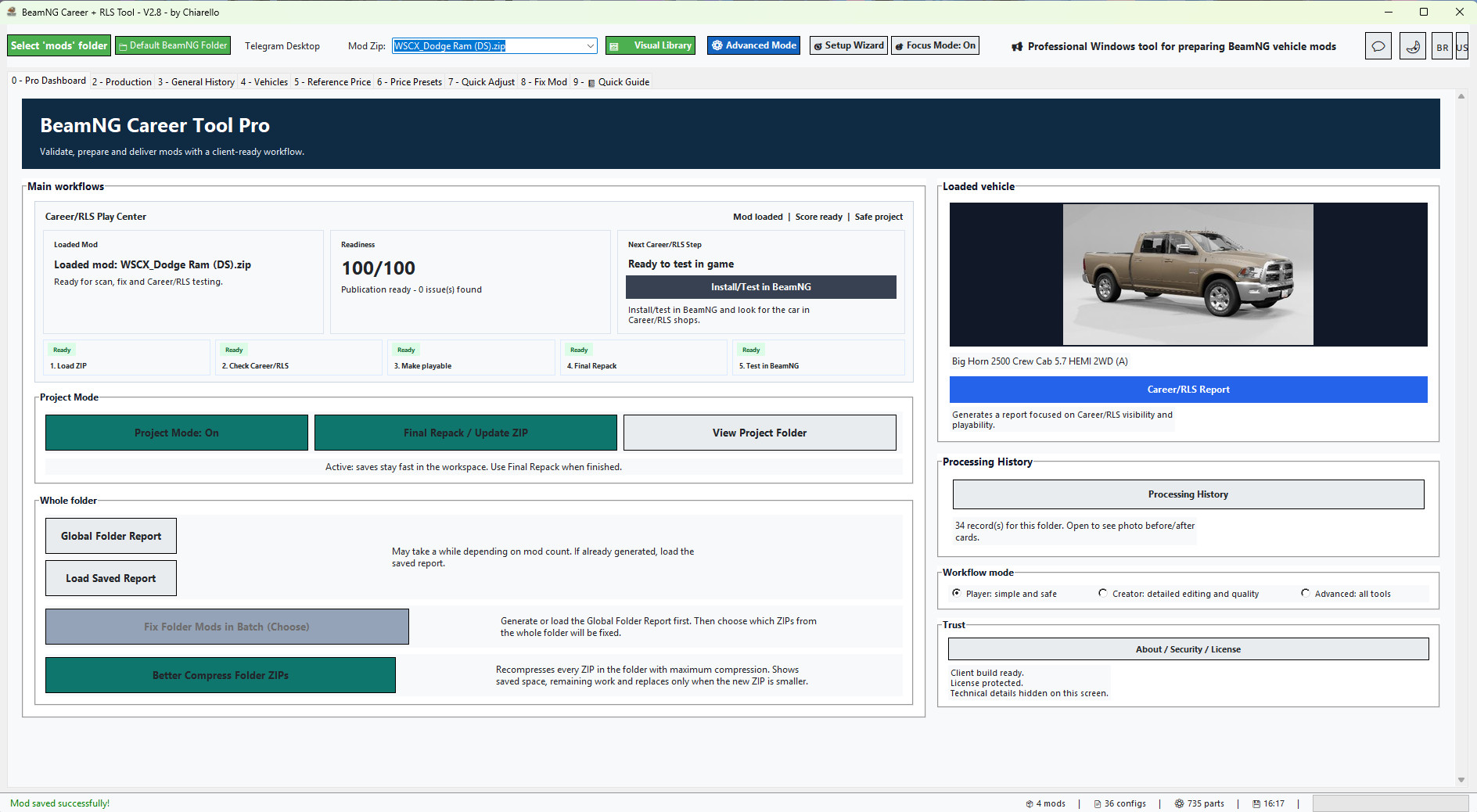
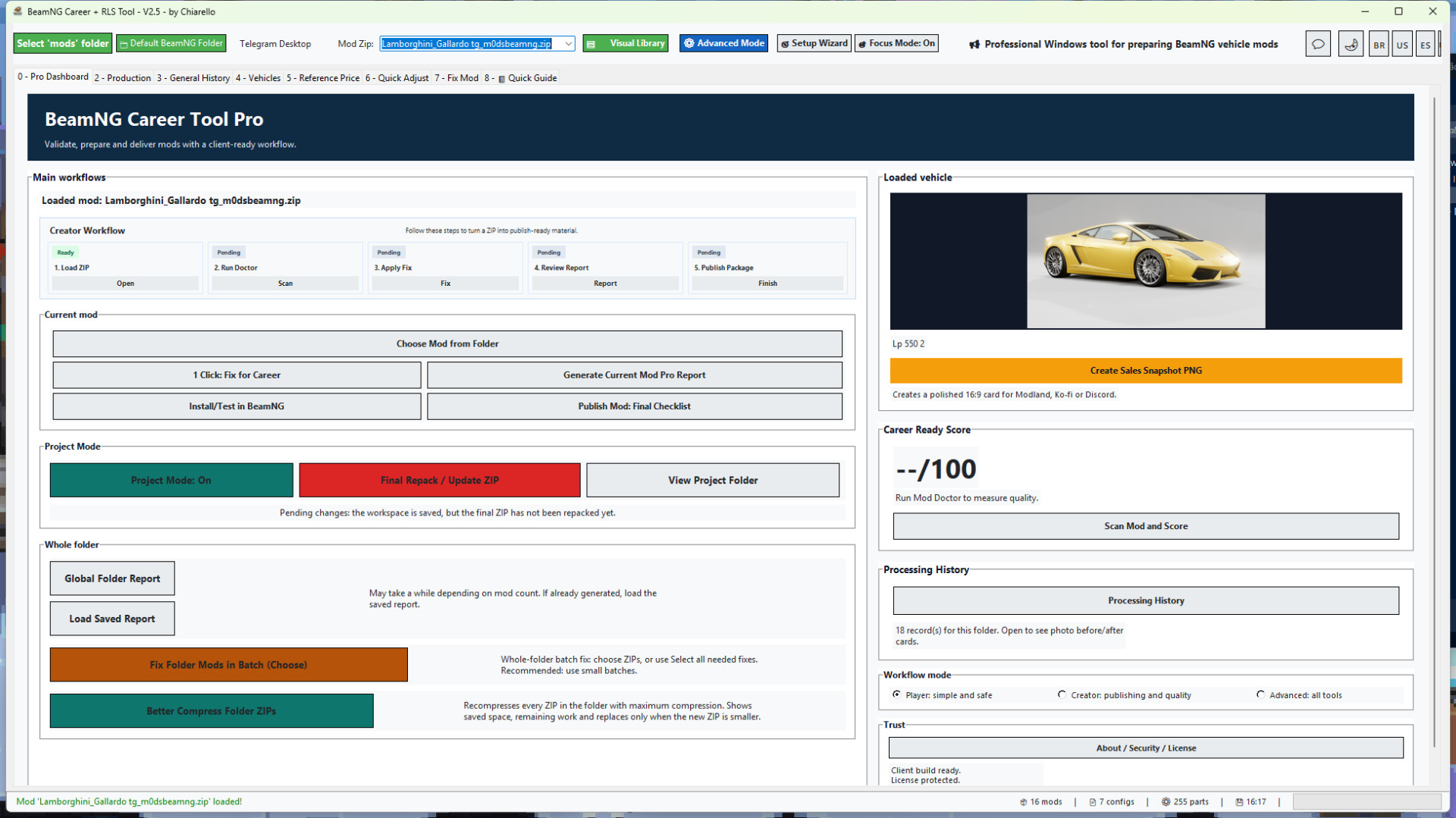
- Added a new Career/RLS Play Center to the main dashboard.
- The dashboard is now focused on players who want to use mods in Career/RLS, not on sales or publishing workflows.
- Added a Smart Next Step button that changes automatically based on the current mod state:
- choose a ZIP;
- run Mod Doctor;
- make the mod playable in Career/RLS;
- finish Repack/Update ZIP;
- install/test in BeamNG.
- Added a clearer workflow ribbon: Load ZIP, Check Career/RLS, Make Playable, Final Repack and Test in BeamNG.
- Cleaned up the main screen with less duplicated information.
- Removed the duplicated “current mod” block.
- Removed the duplicated score card.
- The vehicle card now opens the Career/RLS report instead of focusing on sales material.
- Status badges now show whether a mod is loaded, the score is ready and the project still needs repack.
- Existing tools remain available: Mod Doctor, Project Mode, Production Queue, Global Folder Report, Processing History and Safe Before/After Demo.
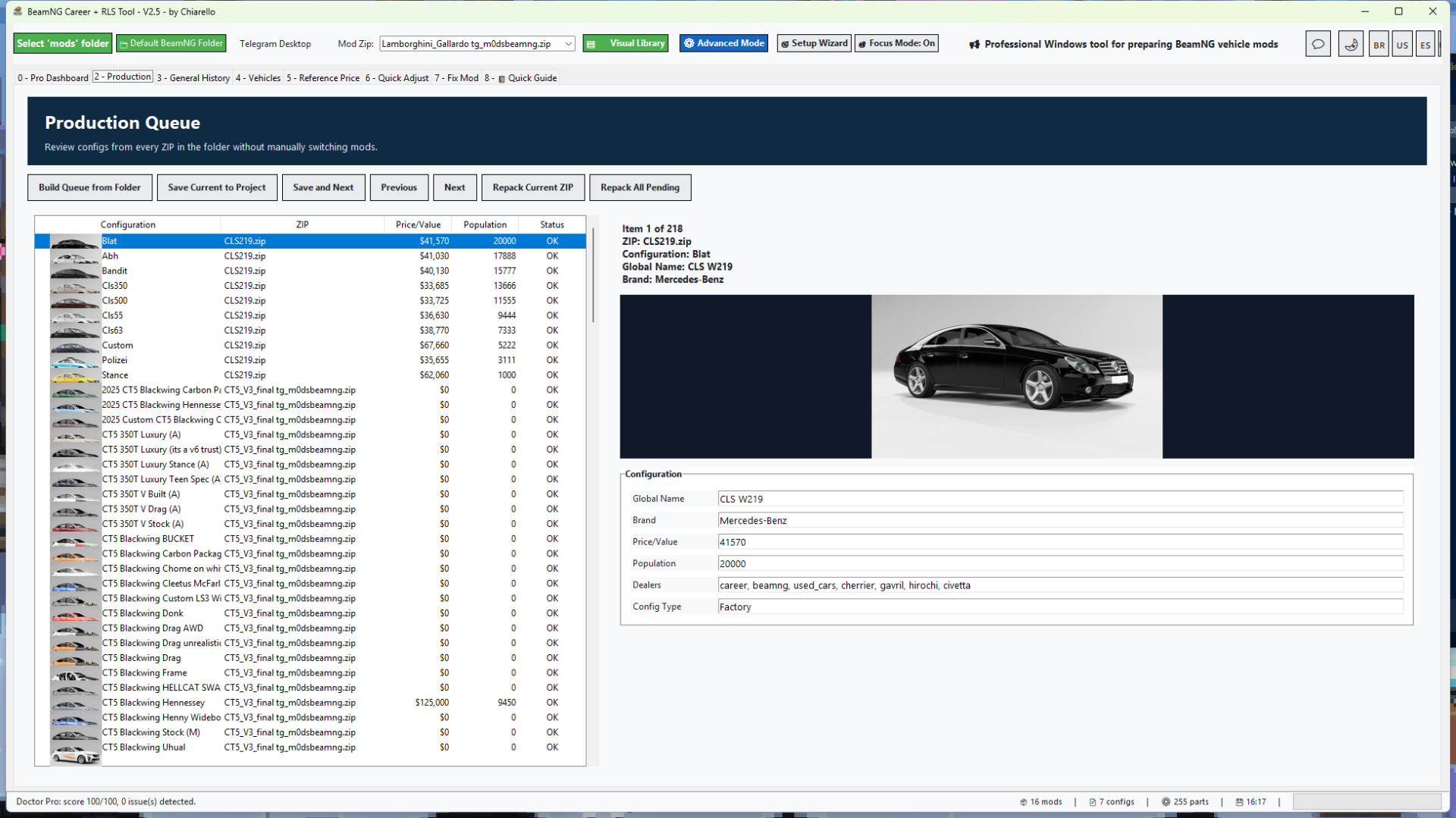
- Production Queue scanning now runs in the background, so the main interface stays responsive while ZIPs are analyzed.
- The Production tab is smoother when opening folders with many ZIP mods and many vehicle configs.
- Thumbnails are back in the .pc list inside the Production Queue.
- Visible thumbnails load first, while the next items are preloaded silently as you scroll.
- Large preview images still load immediately when you select a configuration.
- Thumbnail loading no longer shows extra popups, progress bars or messages to the user.
- The tool now preserves thumbnail bytes during the folder scan and renders them in batches for a cleaner UI experience.
- Config reading was improved for mods that store .pc files inside subfolders.
- info_*.json matching was corrected when a vehicle config is located in a path such as vehicles/demo/stock.pc.
- Reduced the risk of interface freezing when building a production queue from a large mods folder.
- Internal app version updated to 2.7.
This update is especially useful for users who manage many vehicle ZIPs and want to review, fix, save and repack mods with less waiting and fewer interruptions.
Project Mode
Project Mode makes editing large mods much faster and safer.
Instead of repacking the ZIP after every save, the tool extracts the selected ZIP into a project workspace, lets you make changes there, and only updates the final ZIP when you click Final Repack / Update ZIP.
This makes editing smoother when adjusting many vehicles, configs or part prices.
Project Mode also keeps a separate workspace for each ZIP. If you switch to another mod before doing the final repack, your pending work is not lost. When you open that same ZIP again, the tool reloads the saved project workspace so you can continue and repack it when ready.
Important safety improvement:
The tool no longer changes JBeam part display names. It only updates part values/prices. This prevents the "information" part-name problem and keeps original mod naming intact.
Recommended Project Mode workflow:
1. Open your vehicle ZIP.
2. Use 1 Click: Fix for Career or adjust prices manually.
3. Review the Career Ready Score and report.
4. If Project Mode is enabled, click Final Repack / Update ZIP when finished.
5. Test the updated ZIP in BeamNG.
Production Queue for large libraries
The Production tab was made for users who work with many mods, many vehicle configs or large ZIP collections.
- Scans the selected mods folder and builds a queue from real vehicle configs.
- Reads vehicle configs from vehicles/.../*.pc.
- Loads matching info_*.json metadata when available.
- Shows thumbnails in the queue to make each config easier to identify.
- Lets you review and adjust Value, Population, dealers and Config Type.
- Saves changes into the Project Mode workspace first instead of directly replacing the ZIP.
- Allows Save and Next for fast config-by-config review.
- Allows Final Repack for the current project.
- Allows Repack All Pending when multiple projects are ready.
In v2.4, this workflow is faster and more comfortable because queue building happens in the background and thumbnails are loaded in a smarter, quieter way.
Whole-folder batch fix workflow
- New whole-folder batch fix workflow.
- You can choose which mods to fix before applying the 1-click correction.
- Added "select all needed fixes" behavior for users who want to process every mod that requires correction.
- Added better ZIP compression for all ZIPs in a selected folder.
- Compression shows progress, saved space and only replaces the ZIP when the new file is smaller.
- Added economic report metrics: average price, average population, analyzed configs, configs with price 0 and configs with population 0.
- Added before / after report cards with vehicle photos.
- Added local Processing History by folder / project.
- History shows the mod photo, score before and after, average price before and after, average population before and after, resolved issues and compression savings when available.
- Reports now focus more on real Career-blocking issues instead of harmless cosmetic warnings.
- Added Russian language support.
- Improved beginner flow, Pro Dashboard guidance and quick setup.
- Auto-login returns after the first successful login.
Economic reports for better balancing
The report shows the average price and average population of the mod based on its readable vehicle configs.
This makes it much easier to understand what the player will see in Career / RLS:
- Average price shows the general market value of the vehicle configs.
- Average population shows how often the vehicle configs are expected to appear.
- Price 0 and population 0 counters help identify configs that may not be ready.
- Before / after cards make it clear what changed after the fix.
Beginner friendly, but still powerful
The tool includes Beginner Mode, Pro Dashboard, Quick Guide and Advanced Mode.
Beginners can follow the guided workflow without editing technical files manually. Advanced users can still review vehicles, prices, population, reference values, photos and config data in more detail.
Beginner guidance uses clearer labels such as Reference Price, simpler quick actions, practical tips and safer workflows, while the same engine remains available for advanced users.
Recommended workflow
1. Select your BeamNG mods folder.
2. Load or choose a vehicle ZIP.
3. Run Mod Doctor to check the Career Ready Score.
4. Use 1 Click Fix for Career on a single mod, or generate a Global Folder Report for a full folder.
5. For many mods, use the Production Queue to review configs, thumbnails, prices, population, dealers and config types.
6. Save edits into the Project Mode workspace.
7. Use Final Repack / Update ZIP when the mod is ready.
8. Open the Processing History to compare before / after results.
9. Test the fixed mods in BeamNG / RLS.
Important notes
- The tool is focused on BeamNG vehicle ZIP mods.
- Maps and non-vehicle mods are ignored by the vehicle folder report.
- The batch fix and Production Queue are powerful, so it is recommended to process large libraries in smaller batches.
- Always test your final mod set in-game after processing.
Version
Current version: 2.7
Recommended game version: 0.38.x
BeamNG Career Tool Pro v2.5
Professional Windows tool for preparing BeamNG vehicle ZIP mods for Career / RLS gameplay.
BeamNG Career Tool Pro helps you turn vehicle ZIP mods into cleaner, better prepared, career-ready mods. It was made for players, mod collectors, mod creators and people who manage large BeamNG vehicle libraries.
Instead of manually opening every info.json, info_*.json and JBeam file, the tool gives you a guided workflow to scan, repair, balance, document and organize your vehicle mods with much less manual work.
What the tool does
- Loads vehicle ZIP mods directly from your selected BeamNG mods folder.
- Shows a vehicle preview so you know exactly which mod is loaded.
- Scans the mod with Mod Doctor and gives a Career Ready Score.
- Creates or repairs missing Career metadata.
- Fixes info.json and info_*.json files when possible.
- Adds the required Career / RLS fields so vehicles can appear in career workflows.
- Adds safe dealer / shop availability tags.
- Calculates vehicle value from installed parts.
- Applies a safe population distribution so configs can appear naturally in the market.
- Syncs part prices into JBeam files.
- Creates backups before important changes.
- Rebuilds the ZIP after applying fixes.
- Generates professional reports with vehicle photos and clear results.
Made for single mods and large mod folders
You can prepare one mod at a time, or scan a full mods folder and choose which vehicle ZIPs should be fixed.
The Global Folder Report helps you see which vehicle mods are ready, which ones need fixes, and which ones have problems that matter for Career mode. Maps and non-vehicle ZIPs are ignored, so the report focuses on actual vehicle mods.
For larger libraries, the tool also includes a dedicated Production workflow. This lets you review many configs across multiple ZIPs, adjust important Career fields, save the work into project folders and repack only when you are ready.
New in v2.4
Cleaner Pro Dashboard with a more compact layout and vertical scroll.
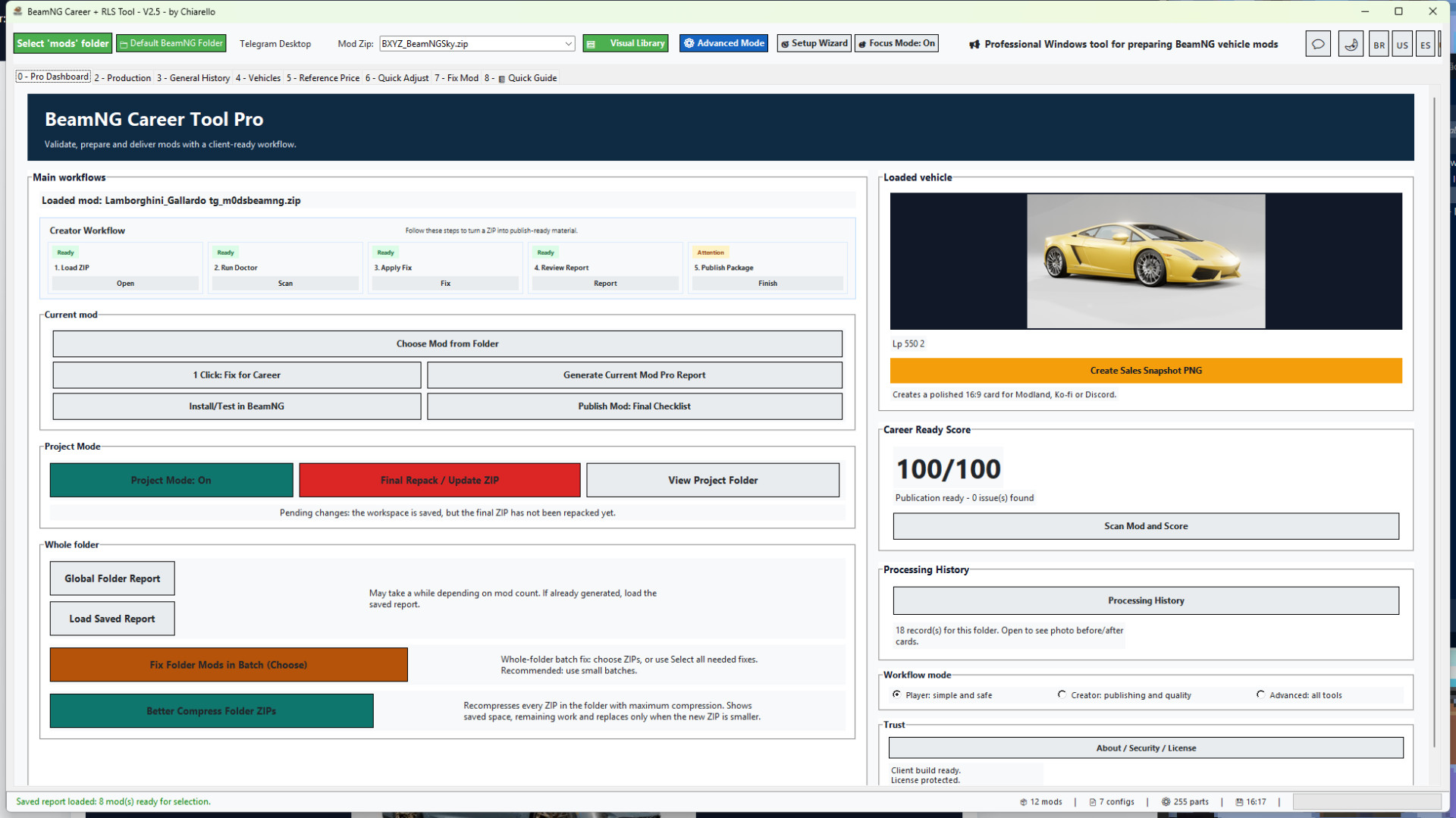
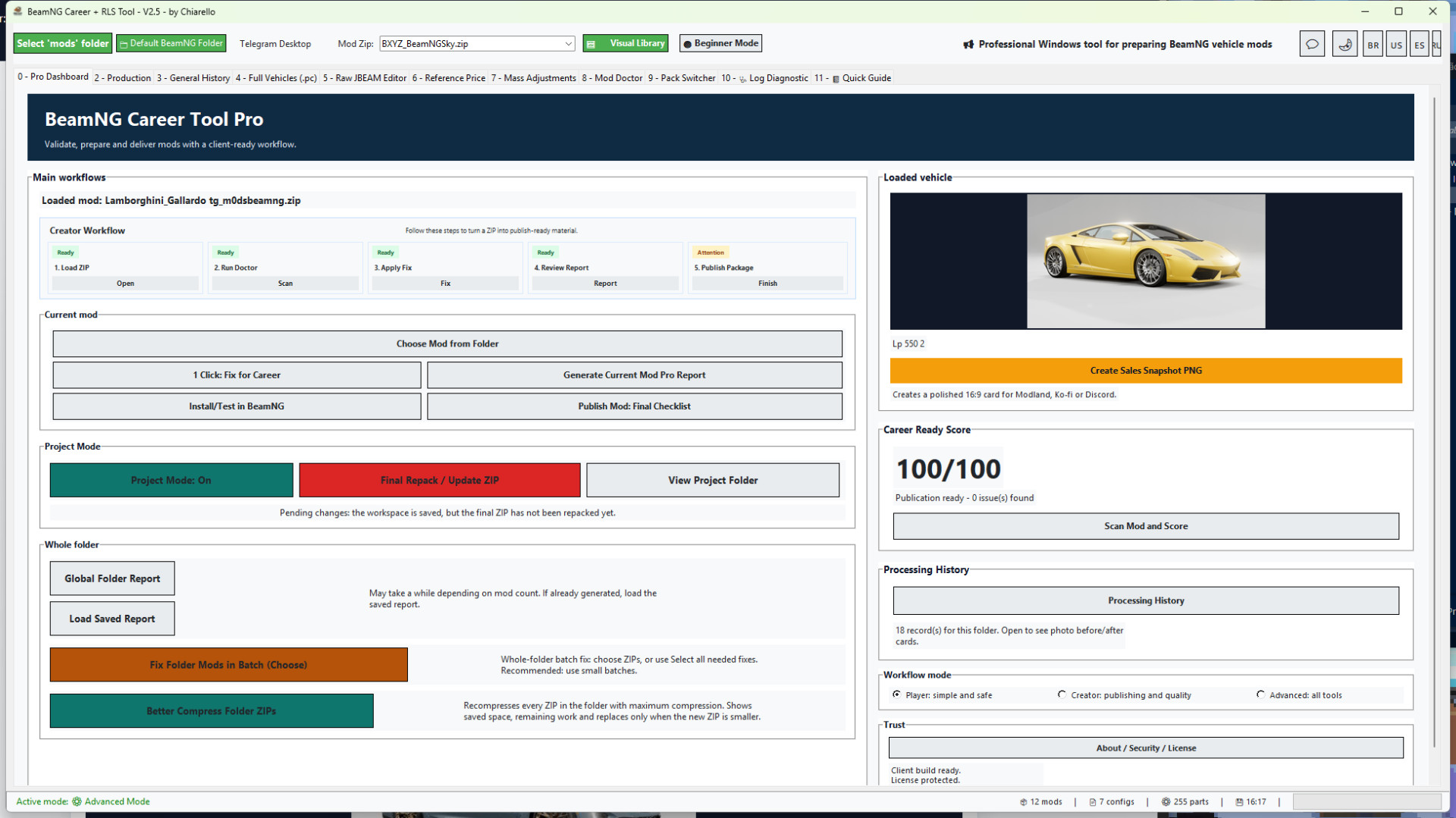
- New Creator Workflow on the dashboard: Load ZIP, Run Doctor, Apply Fix, Review Report and Publish Package.
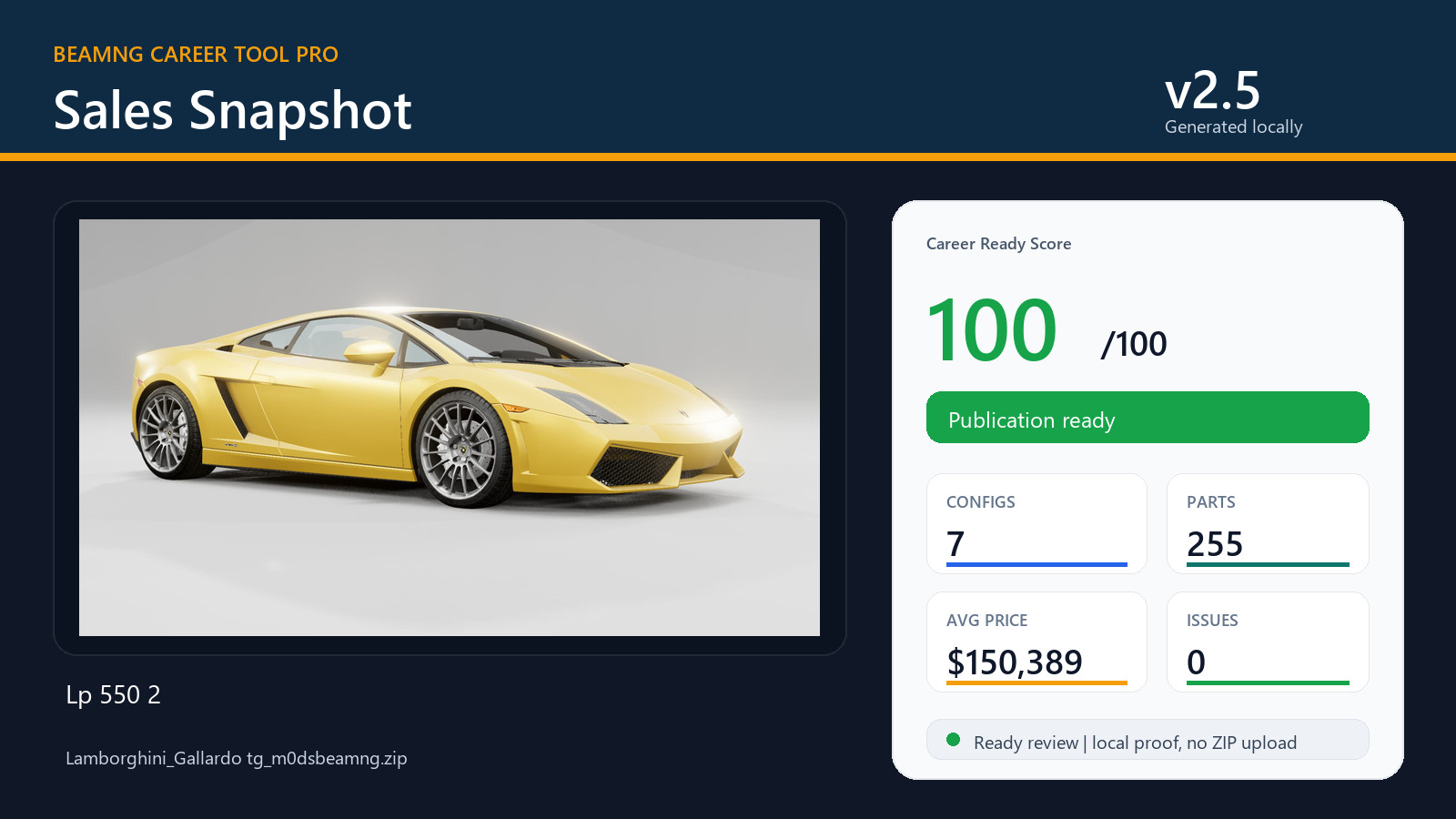
- New Sales Snapshot PNG export for clean 16:9 proof images with vehicle photo, score, configs, parts, average price and publish status.
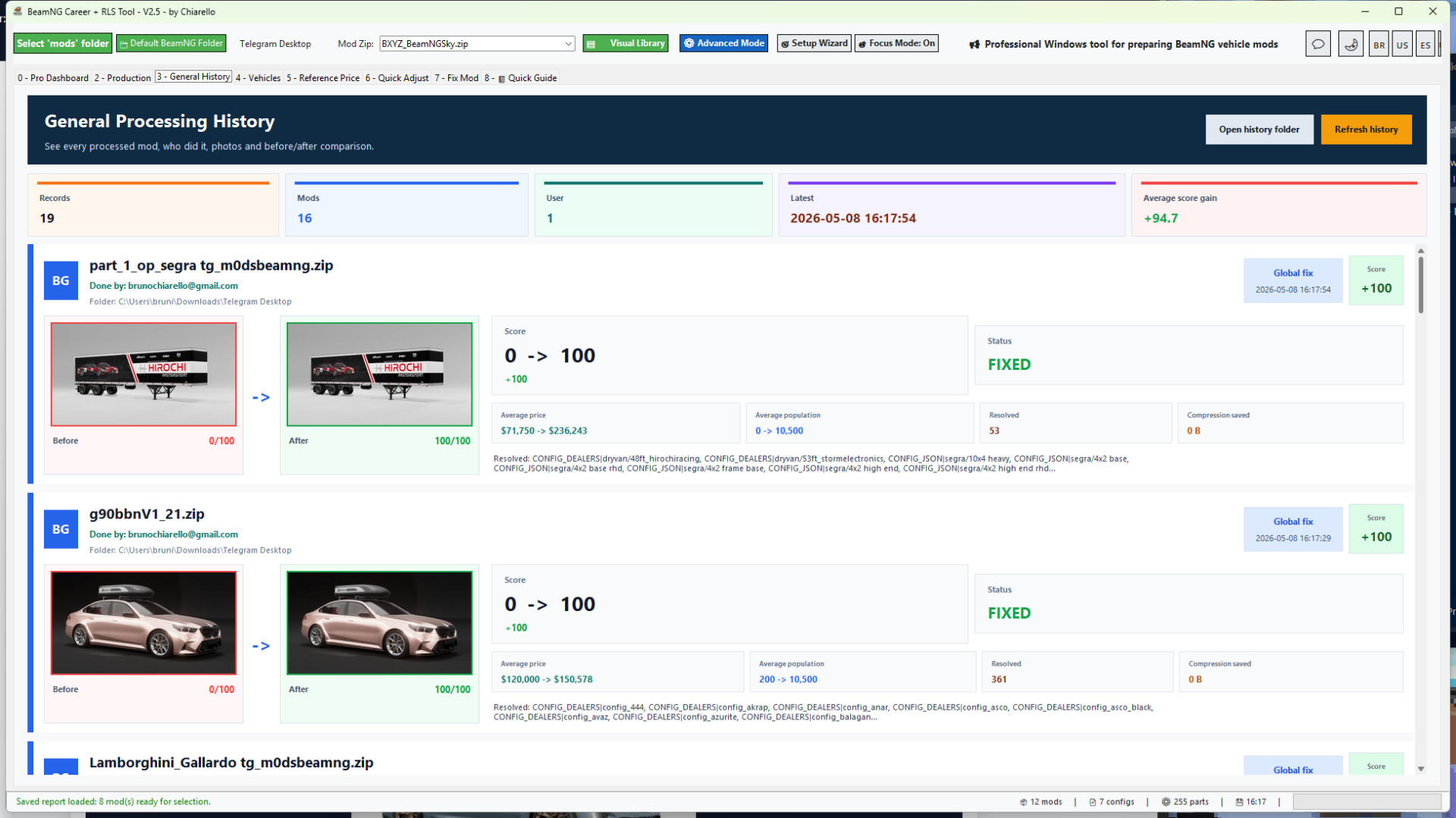
- New General History tab with visual before/after cards by mod and user.
- Processing History now includes a copyable before/after summary.
- New Sales Evidence Pack to keep screenshots, release copy and publication assets organized.
- New Release Cockpit to check that the EXE, release notes, screenshots and upload package are aligned.
- Public screenshots now show only the customer-facing tool. Admin screens are internal only.
- Production Queue scanning now runs in the background, so the main interface stays responsive while ZIPs are analyzed.
- The Production tab is smoother when opening folders with many ZIP mods and many vehicle configs.
- Thumbnails are back in the .pc list inside the Production Queue.
- Visible thumbnails load first, while the next items are preloaded silently as you scroll.
- Large preview images still load immediately when you select a configuration.
- Thumbnail loading no longer shows extra popups, progress bars or messages to the user.
- The tool now preserves thumbnail bytes during the folder scan and renders them in batches for a cleaner UI experience.
- Config reading was improved for mods that store .pc files inside subfolders.
- info_*.json matching was corrected when a vehicle config is located in a path such as vehicles/demo/stock.pc.
- Reduced the risk of interface freezing when building a production queue from a large mods folder.
- Internal app version updated to 2.5.
This update is especially useful for users who manage many vehicle ZIPs and want to review, fix, save and repack mods with less waiting and fewer interruptions.
Project Mode
Project Mode makes editing large mods much faster and safer.
Instead of repacking the ZIP after every save, the tool extracts the selected ZIP into a project workspace, lets you make changes there, and only updates the final ZIP when you click Final Repack / Update ZIP.
This makes editing smoother when adjusting many vehicles, configs or part prices.
Project Mode also keeps a separate workspace for each ZIP. If you switch to another mod before doing the final repack, your pending work is not lost. When you open that same ZIP again, the tool reloads the saved project workspace so you can continue and repack it when ready.
Important safety improvement:
The tool no longer changes JBeam part display names. It only updates part values/prices. This prevents the "information" part-name problem and keeps original mod naming intact.
Recommended Project Mode workflow:
1. Open your vehicle ZIP.
2. Use 1 Click: Fix for Career or adjust prices manually.
3. Review the Career Ready Score and report.
4. If Project Mode is enabled, click Final Repack / Update ZIP when finished.
5. Test the updated ZIP in BeamNG.
Production Queue for large libraries
The Production tab was made for users who work with many mods, many vehicle configs or large ZIP collections.
- Scans the selected mods folder and builds a queue from real vehicle configs.
- Reads vehicle configs from vehicles/.../*.pc.
- Loads matching info_*.json metadata when available.
- Shows thumbnails in the queue to make each config easier to identify.
- Lets you review and adjust Value, Population, dealers and Config Type.
- Saves changes into the Project Mode workspace first instead of directly replacing the ZIP.
- Allows Save and Next for fast config-by-config review.
- Allows Final Repack for the current project.
- Allows Repack All Pending when multiple projects are ready.
In v2.4, this workflow is faster and more comfortable because queue building happens in the background and thumbnails are loaded in a smarter, quieter way.
Whole-folder batch fix workflow
- New whole-folder batch fix workflow.
- You can choose which mods to fix before applying the 1-click correction.
- Added "select all needed fixes" behavior for users who want to process every mod that requires correction.
- Added better ZIP compression for all ZIPs in a selected folder.
- Compression shows progress, saved space and only replaces the ZIP when the new file is smaller.
- Added economic report metrics: average price, average population, analyzed configs, configs with price 0 and configs with population 0.
- Added before / after report cards with vehicle photos.
- Added local Processing History by folder / project.
- History shows the mod photo, score before and after, average price before and after, average population before and after, resolved issues and compression savings when available.
- Reports now focus more on real Career-blocking issues instead of harmless cosmetic warnings.
- Added Russian language support.
- Improved beginner flow, Pro Dashboard guidance and quick setup.
- Auto-login returns after the first successful login.
Economic reports for better balancing
The report shows the average price and average population of the mod based on its readable vehicle configs.
This makes it much easier to understand what the player will see in Career / RLS:
- Average price shows the general market value of the vehicle configs.
- Average population shows how often the vehicle configs are expected to appear.
- Price 0 and population 0 counters help identify configs that may not be ready.
- Before / after cards make it clear what changed after the fix.
Beginner friendly, but still powerful
The tool includes Beginner Mode, Pro Dashboard, Quick Guide and Advanced Mode.
Beginners can follow the guided workflow without editing technical files manually. Advanced users can still review vehicles, prices, population, reference values, photos and config data in more detail.
Beginner guidance uses clearer labels such as Reference Price, simpler quick actions, practical tips and safer workflows, while the same engine remains available for advanced users.
Recommended workflow
1. Select your BeamNG mods folder.
2. Load or choose a vehicle ZIP.
3. Run Mod Doctor to check the Career Ready Score.
4. Use 1 Click Fix for Career on a single mod, or generate a Global Folder Report for a full folder.
5. For many mods, use the Production Queue to review configs, thumbnails, prices, population, dealers and config types.
6. Save edits into the Project Mode workspace.
7. Use Final Repack / Update ZIP when the mod is ready.
8. Open the Processing History to compare before / after results.
9. Test the fixed mods in BeamNG / RLS.
Important notes
- The tool is focused on BeamNG vehicle ZIP mods.
- Maps and non-vehicle mods are ignored by the vehicle folder report.
- The batch fix and Production Queue are powerful, so it is recommended to process large libraries in smaller batches.
- Always test your final mod set in-game after processing.
Version
Current version: 2.5
Recommended game version: 0.38.x
BeamNG Career Tool Pro v2.4
Professional Windows tool for preparing BeamNG vehicle mods for Career / RLS gameplay.
BeamNG Career Tool Pro helps you turn vehicle ZIP mods into cleaner, better prepared, career-ready mods. It was made for players, mod collectors, mod creators and people who manage large BeamNG vehicle libraries.
Instead of manually opening every info.json, info_*.json and JBeam file, the tool gives you a guided workflow to scan, repair, balance, document and organize your vehicle mods with much less manual work.
What the tool does
- Loads vehicle ZIP mods directly from your selected BeamNG mods folder.
- Shows a vehicle preview so you know exactly which mod is loaded.
- Scans the mod with Mod Doctor and gives a Career Ready Score.
- Creates or repairs missing Career metadata.
- Fixes info.json and info_*.json files when possible.
- Adds the required Career / RLS fields so vehicles can appear in career workflows.
- Adds safe dealer / shop availability tags.
- Calculates vehicle value from installed parts.
- Applies a safe population distribution so configs can appear naturally in the market.
- Syncs part prices into JBeam files.
- Creates backups before important changes.
- Rebuilds the ZIP after applying fixes.
- Generates professional reports with vehicle photos and clear results.
Made for single mods and large mod folders
You can prepare one mod at a time, or scan a full mods folder and choose which vehicle ZIPs should be fixed.
The Global Folder Report helps you see which vehicle mods are ready, which ones need fixes, and which ones have problems that matter for Career mode. Maps and non-vehicle ZIPs are ignored, so the report focuses on actual vehicle mods.
For larger libraries, the tool also includes a dedicated Production workflow. This lets you review many configs across multiple ZIPs, adjust important Career fields, save the work into project folders and repack only when you are ready.
New in v2.4
Version 2.4 focuses on the Production Queue, smoother folder scanning, thumbnail loading and better support for large mod libraries.
- Production Queue scanning now runs in the background, so the main interface stays responsive while ZIPs are analyzed.
- The Production tab is smoother when opening folders with many ZIP mods and many vehicle configs.
- Thumbnails are back in the .pc list inside the Production Queue.
- Visible thumbnails load first, while the next items are preloaded silently as you scroll.
- Large preview images still load immediately when you select a configuration.
- Thumbnail loading no longer shows extra popups, progress bars or messages to the user.
- The tool now preserves thumbnail bytes during the folder scan and renders them in batches for a cleaner UI experience.
- Config reading was improved for mods that store .pc files inside subfolders.
- info_*.json matching was corrected when a vehicle config is located in a path such as vehicles/demo/stock.pc.
- Reduced the risk of interface freezing when building a production queue from a large mods folder.
- Internal app version updated to 2.4.
- Windows executable updated to BeamNG_Career_RLS_Tool_v2.4.exe.
- Windows metadata updated to 2.4.0.0.
This update is especially useful for users who manage many vehicle ZIPs and want to review, fix, save and repack mods with less waiting and fewer interruptions.
Project Mode
Project Mode makes editing large mods much faster and safer.
Instead of repacking the ZIP after every save, the tool extracts the selected ZIP into a project workspace, lets you make changes there, and only updates the final ZIP when you click Final Repack / Update ZIP.
This makes editing smoother when adjusting many vehicles, configs or part prices.
Project Mode also keeps a separate workspace for each ZIP. If you switch to another mod before doing the final repack, your pending work is not lost. When you open that same ZIP again, the tool reloads the saved project workspace so you can continue and repack it when ready.
Important safety improvement:
The tool no longer changes JBeam part display names. It only updates part values/prices. This prevents the "information" part-name problem and keeps original mod naming intact.
Recommended Project Mode workflow:
1. Open your vehicle ZIP.
2. Use 1 Click: Fix for Career or adjust prices manually.
3. Review the Career Ready Score and report.
4. If Project Mode is enabled, click Final Repack / Update ZIP when finished.
5. Test the updated ZIP in BeamNG.
Production Queue for large libraries
The Production tab was made for users who work with many mods, many vehicle configs or large ZIP collections.
- Scans the selected mods folder and builds a queue from real vehicle configs.
- Reads vehicle configs from vehicles/.../*.pc.
- Loads matching info_*.json metadata when available.
- Shows thumbnails in the queue to make each config easier to identify.
- Lets you review and adjust Value, Population, dealers and Config Type.
- Saves changes into the Project Mode workspace first instead of directly replacing the ZIP.
- Allows Save and Next for fast config-by-config review.
- Allows Final Repack for the current project.
- Allows Repack All Pending when multiple projects are ready.
In v2.4, this workflow is faster and more comfortable because queue building happens in the background and thumbnails are loaded in a smarter, quieter way.
Whole-folder batch fix workflow
- New whole-folder batch fix workflow.
- You can choose which mods to fix before applying the 1-click correction.
- Added "select all needed fixes" behavior for users who want to process every mod that requires correction.
- Added better ZIP compression for all ZIPs in a selected folder.
- Compression shows progress, saved space and only replaces the ZIP when the new file is smaller.
- Added economic report metrics: average price, average population, analyzed configs, configs with price 0 and configs with population 0.
- Added before / after report cards with vehicle photos.
- Added local Processing History by folder / project.
- History shows the mod photo, score before and after, average price before and after, average population before and after, resolved issues and compression savings when available.
- Reports now focus more on real Career-blocking issues instead of harmless cosmetic warnings.
- Added Russian language support.
- Improved beginner flow, Pro Dashboard guidance and quick setup.
- Auto-login returns after the first successful login.
Economic reports for better balancing
The report shows the average price and average population of the mod based on its readable vehicle configs.
This makes it much easier to understand what the player will see in Career / RLS:
- Average price shows the general market value of the vehicle configs.
- Average population shows how often the vehicle configs are expected to appear.
- Price 0 and population 0 counters help identify configs that may not be ready.
- Before / after cards make it clear what changed after the fix.
Beginner friendly, but still powerful
The tool includes Beginner Mode, Pro Dashboard, Quick Guide and Advanced Mode.
Beginners can follow the guided workflow without editing technical files manually. Advanced users can still review vehicles, prices, population, reference values, photos and config data in more detail.
Beginner guidance uses clearer labels such as Reference Price, simpler quick actions, practical tips and safer workflows, while the same engine remains available for advanced users.
Recommended workflow
1. Select your BeamNG mods folder.
2. Load or choose a vehicle ZIP.
3. Run Mod Doctor to check the Career Ready Score.
4. Use 1 Click Fix for Career on a single mod, or generate a Global Folder Report for a full folder.
5. For many mods, use the Production Queue to review configs, thumbnails, prices, population, dealers and config types.
6. Save edits into the Project Mode workspace.
7. Use Final Repack / Update ZIP when the mod is ready.
8. Open the Processing History to compare before / after results.
9. Test the fixed mods in BeamNG / RLS.
Important notes
- The tool is focused on BeamNG vehicle ZIP mods.
- Maps and non-vehicle mods are ignored by the vehicle folder report.
- The batch fix and Production Queue are powerful, so it is recommended to process large libraries in smaller batches.
- Always test your final mod set in-game after processing.
Version
Current version: 2.4
Recommended game version: 0.38.x
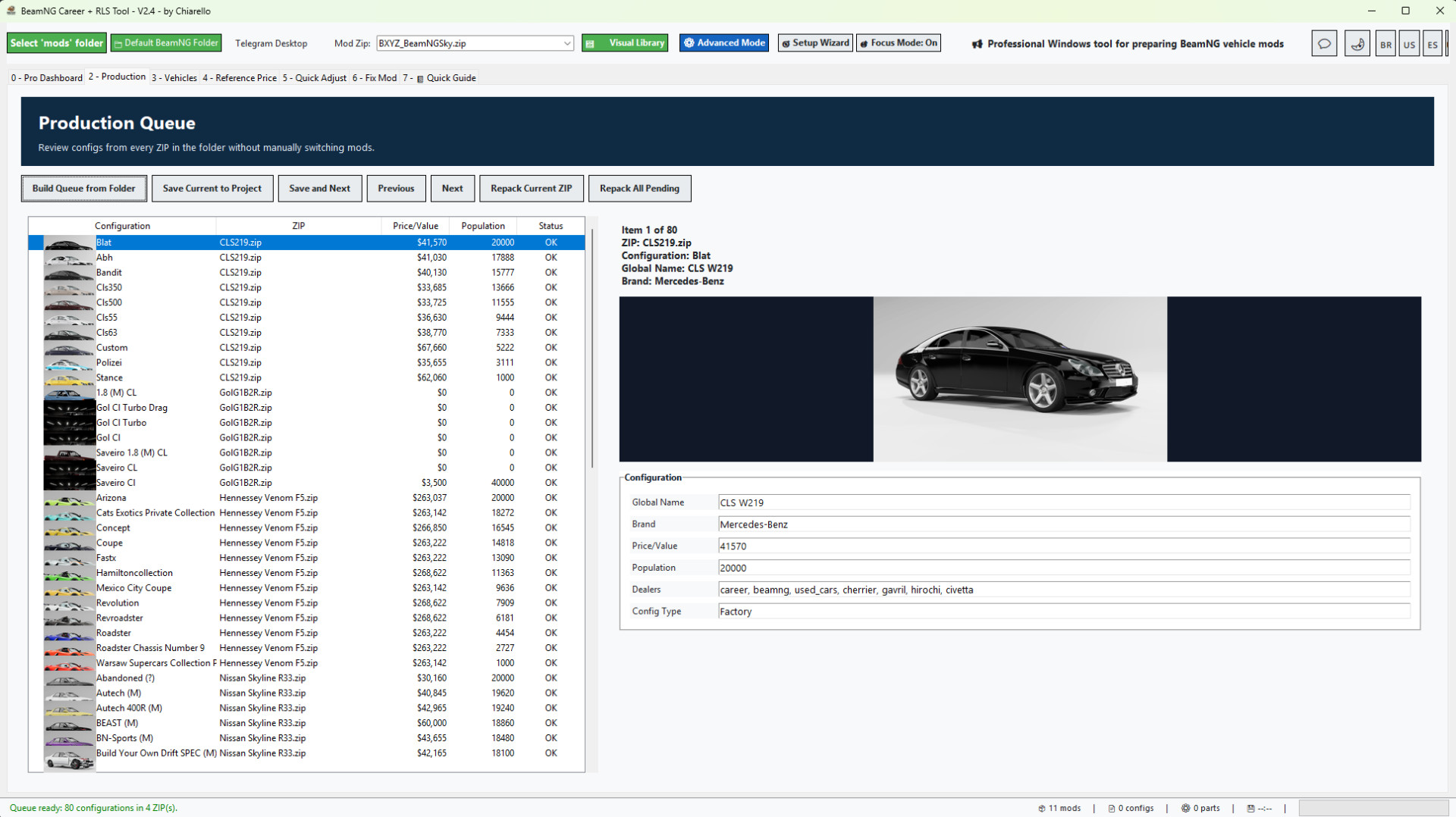
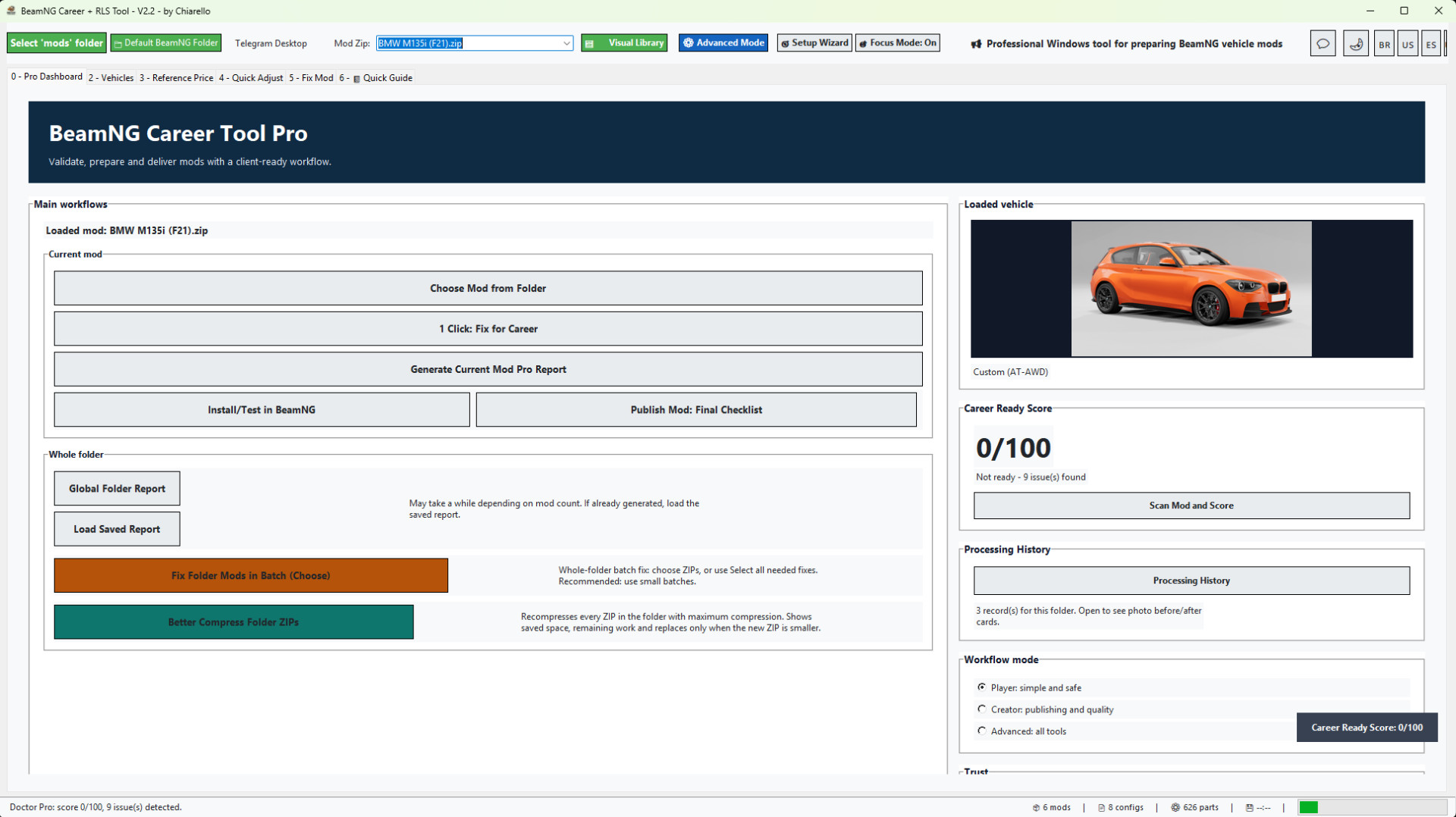
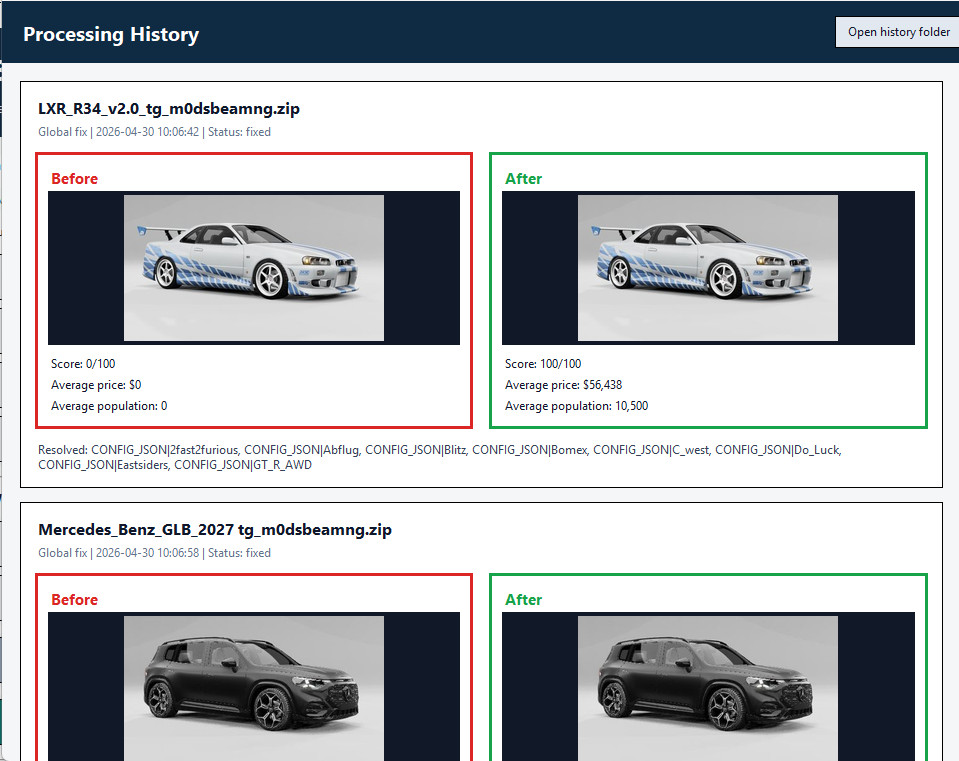
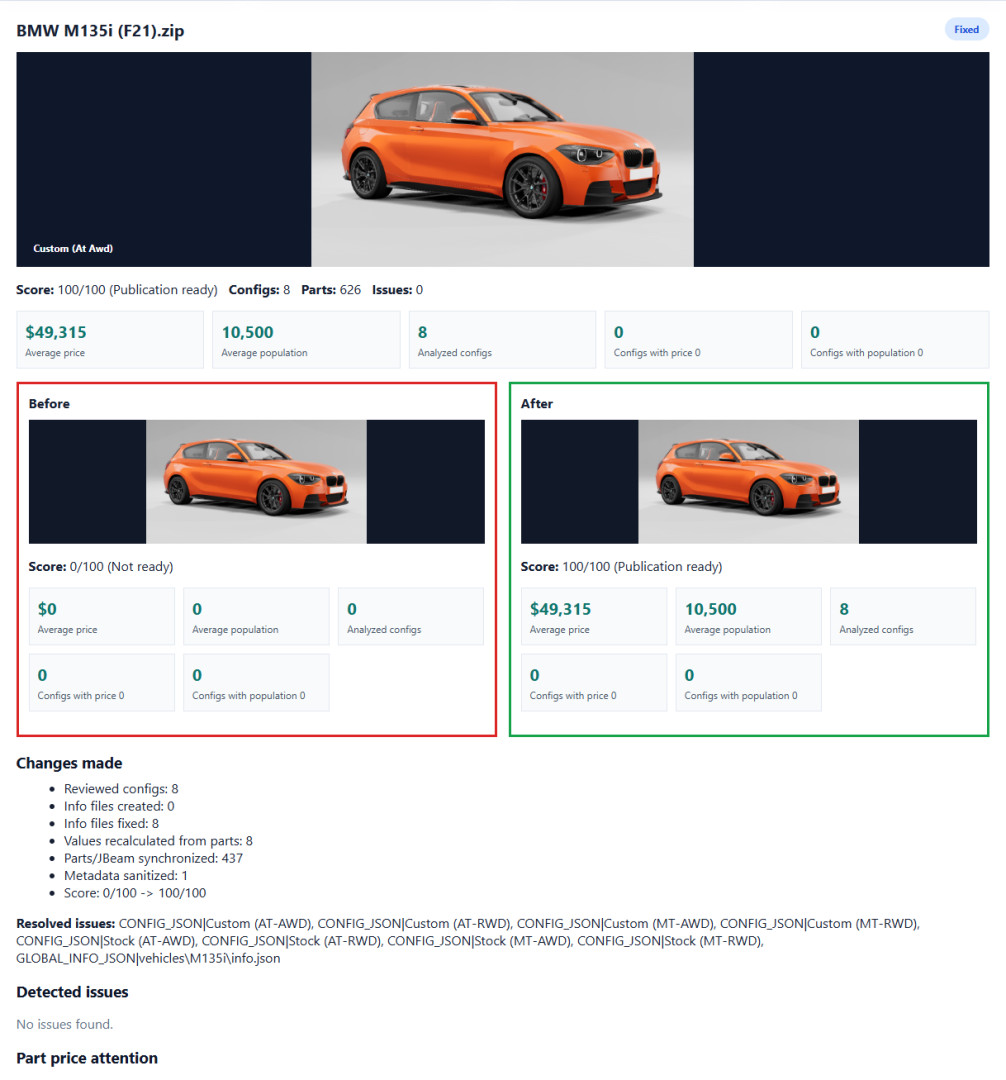
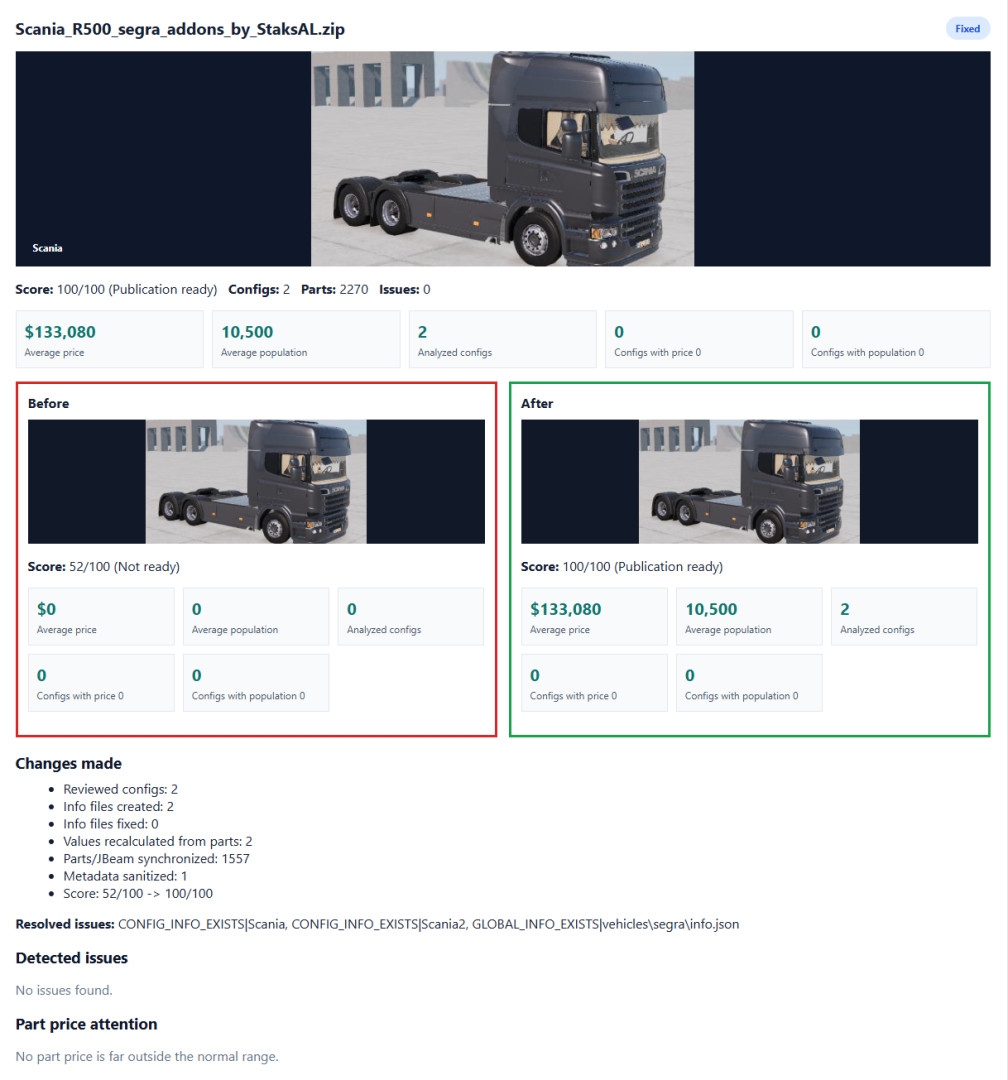
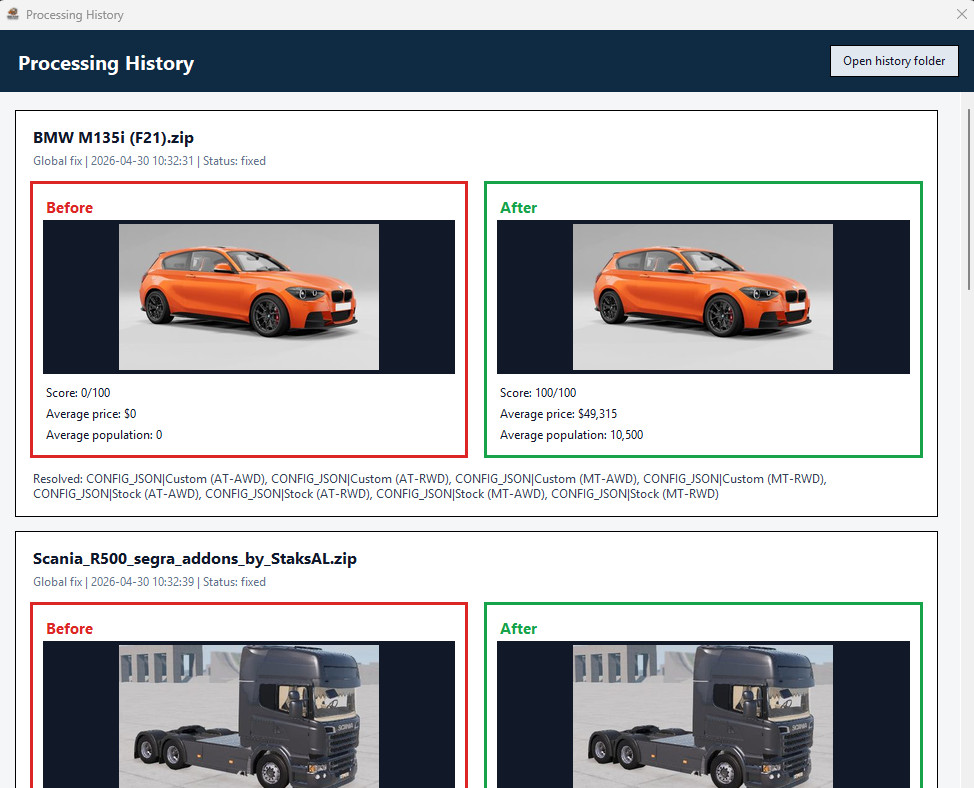
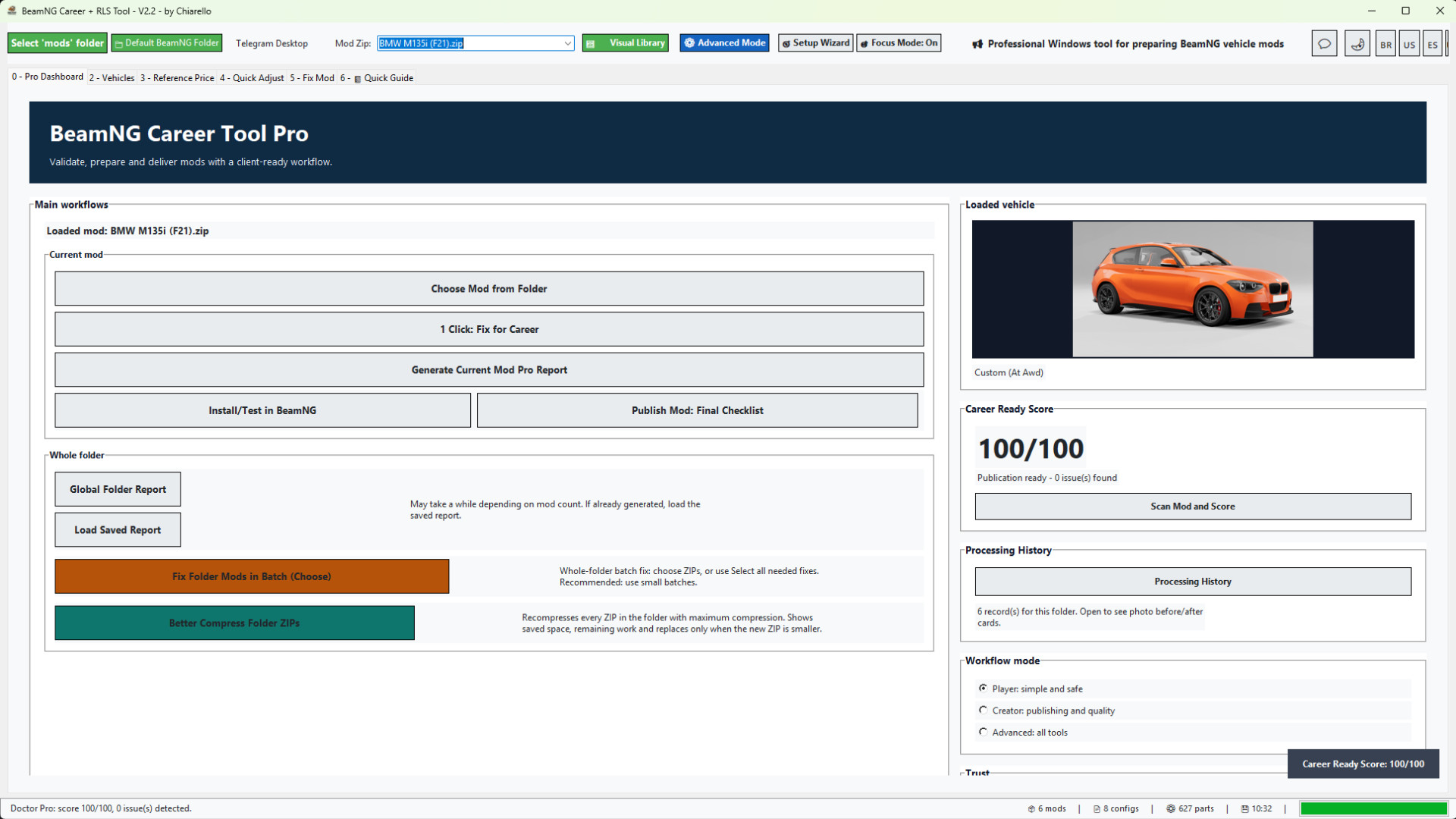
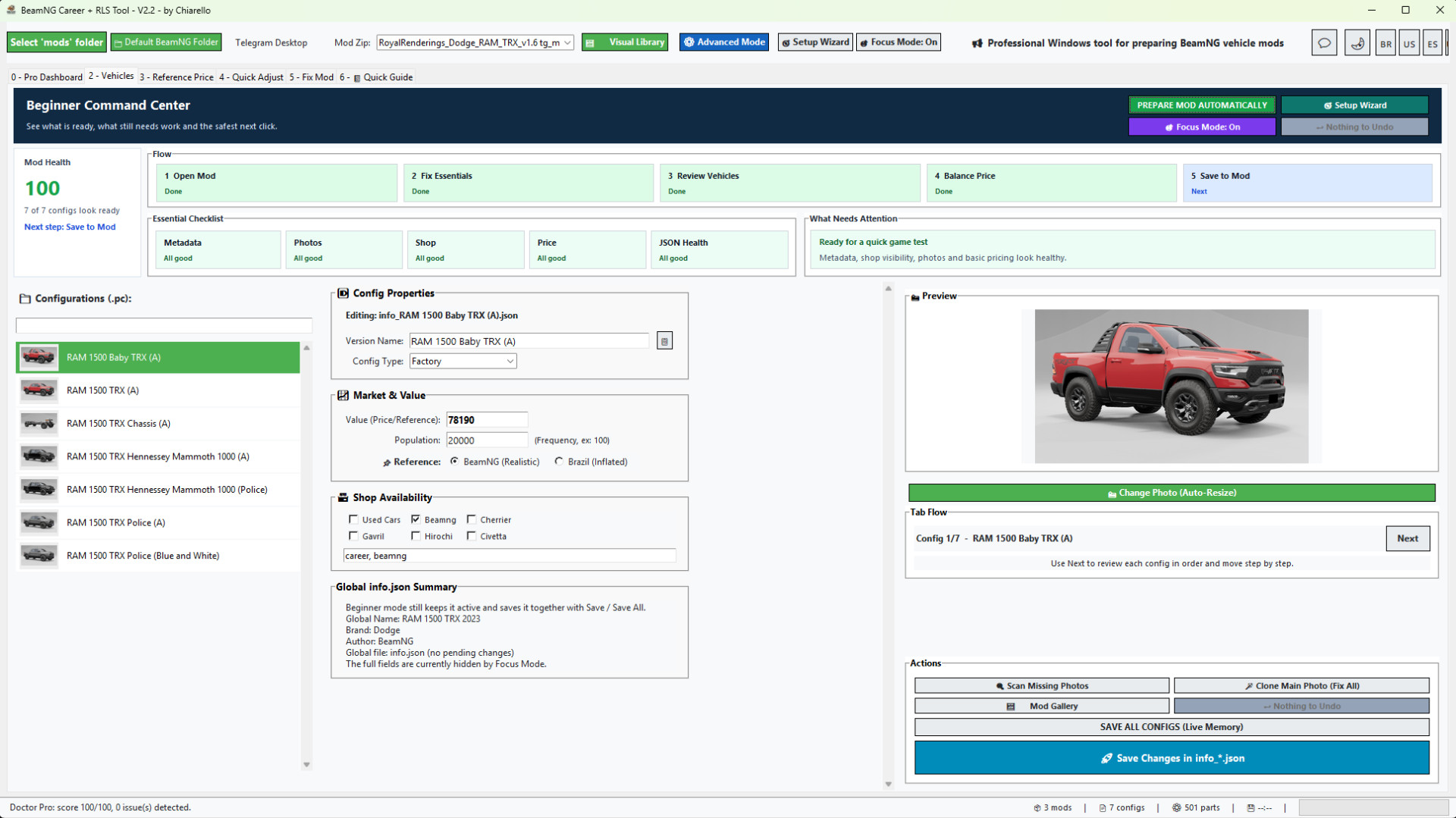
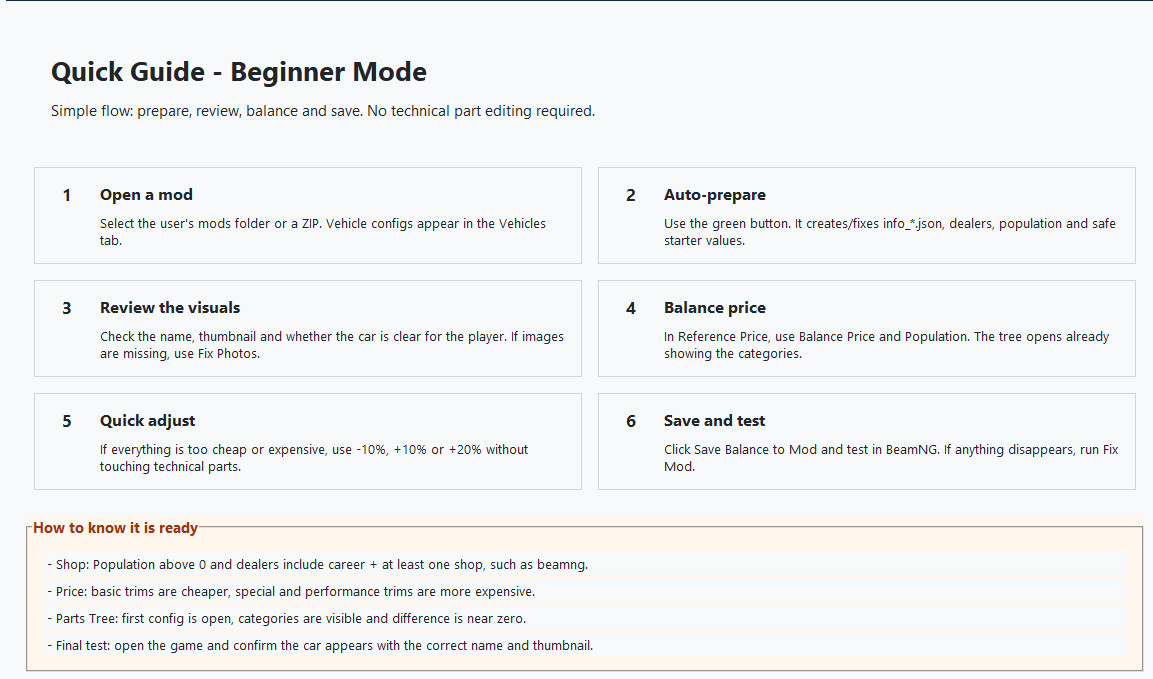
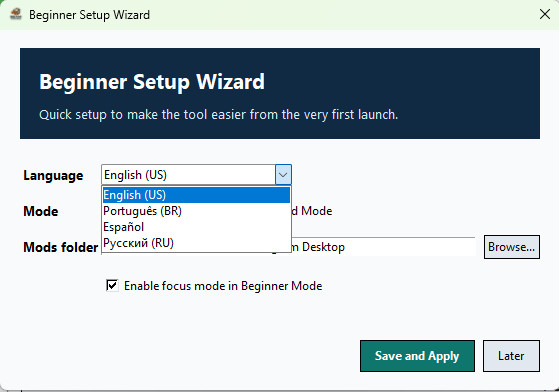
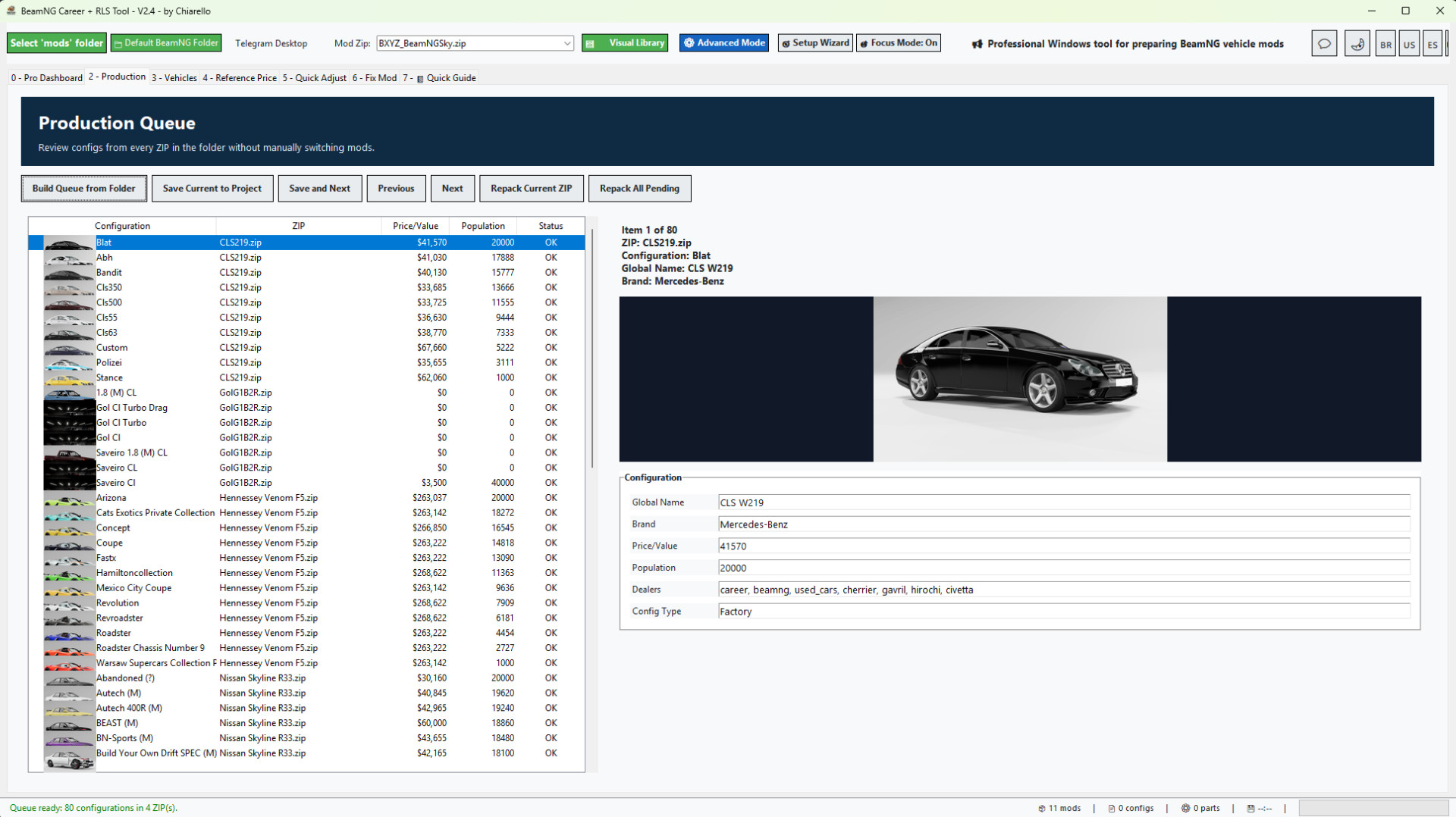
BeamNG Career Tool Pro v2.3
Professional Windows tool for preparing BeamNG vehicle mods for Career / RLS gameplay.
BeamNG Career Tool Pro helps you turn vehicle ZIP mods into cleaner, better prepared, career-ready mods. It was made for players, mod collectors, mod creators and people who manage large BeamNG vehicle libraries.
Instead of manually opening every info.json, info_*.json and JBeam file, the tool gives you a guided workflow to scan, repair, balance, document and organize your vehicle mods with much less manual work.
What the tool does
- Loads vehicle ZIP mods directly from your selected BeamNG mods folder.
- Shows a vehicle preview so you know exactly which mod is loaded.
- Scans the mod with Mod Doctor and gives a Career Ready Score.
- Creates or repairs missing Career metadata.
- Fixes info.json and info_*.json files when possible.
- Adds the required Career / RLS fields so vehicles can appear in career workflows.
- Adds safe dealer / shop availability tags.
- Calculates vehicle value from installed parts.
- Applies a safe population distribution so configs can appear naturally in the market.
- Syncs part prices into JBeam files.
- Creates backups before important changes.
- Rebuilds the ZIP after applying fixes.
- Generates professional reports with vehicle photos and clear results.
Made for single mods and large mod folders
You can prepare one mod at a time, or scan a full mods folder and choose which vehicle ZIPs should be fixed.
The Global Folder Report helps you see which vehicle mods are ready, which ones need fixes, and which ones have problems that matter for Career mode. Maps and non-vehicle ZIPs are ignored, so the report focuses on actual vehicle mods.
New in v2.3
Project Mode was added to make editing large mods much faster.

Before v2.3, every save could repack the ZIP again, which could be slow on large mods. Now the tool extracts the selected ZIP into a project workspace, lets you make changes there, and only updates the final ZIP when you click Final Repack / Update ZIP.
This makes editing smoother when adjusting many vehicles, configs or part prices.
Project Mode also keeps a separate workspace for each ZIP. If you switch to another mod before doing the final repack, your pending work is not lost. When you open that same ZIP again, the tool reloads the saved project workspace so you can continue and repack it when ready.
Important safety improvement:
The tool no longer changes JBeam part display names. It only updates part values/prices. This prevents the “information” part-name problem and keeps original mod naming intact.
Recommended workflow:
1. Open your vehicle ZIP.
2. Use 1 Click: Fix for Career or adjust prices manually.
3. Review the Career Ready Score and report.
4. If Project Mode is enabled, click Final Repack / Update ZIP when finished.
5. Test the updated ZIP in BeamNG.
This update focuses on speed, safer editing and a cleaner workflow for users working with many vehicle mods.
- New whole-folder batch fix workflow.
- You can now choose which mods to fix before applying the 1-click correction.
- Added "select all needed fixes" behavior for users who want to process every mod that requires correction.
- Added better ZIP compression for all ZIPs in a selected folder.
- Compression shows progress, saved space and only replaces the ZIP when the new file is smaller.
- Added economic report metrics: average price, average population, analyzed configs, configs with price 0 and configs with population 0.
- Added before / after report cards with vehicle photos.
- Added local Processing History by folder / project.
- History shows the mod photo, score before and after, average price before and after, average population before and after, resolved issues and compression savings when available.
- Reports now focus more on real Career-blocking issues instead of harmless cosmetic warnings.
- Added Russian language support.
- Improved beginner flow, Pro Dashboard guidance and quick setup.
- Auto-login returns after the first successful login.
Economic reports for better balancing
The report now shows the average price and average population of the mod based on its readable vehicle configs.
This makes it much easier to understand what the player will see in Career / RLS:
- Average price shows the general market value of the vehicle configs.
- Average population shows how often the vehicle configs are expected to appear.
- Price 0 and population 0 counters help identify configs that may not be ready.
- Before / after cards make it clear what changed after the fix.
Beginner friendly, but still powerful
The tool includes Beginner Mode, Pro Dashboard, Quick Guide and Advanced Mode.
Beginners can follow the guided workflow without editing technical files manually. Advanced users can still review vehicles, prices, population, reference values, photos and config data in more detail.
Recommended workflow
1. Select your BeamNG mods folder.
2. Load or choose a vehicle ZIP.
3. Run Mod Doctor to check the Career Ready Score.
4. Use 1 Click Fix for Career on a single mod, or generate a Global Folder Report for a full folder.
5. For many mods, review the report first and fix them in small batches.
6. Open the Processing History to compare before / after results.
7. Test the fixed mods in BeamNG / RLS.
Important notes
- The tool is focused on BeamNG vehicle ZIP mods.
- Maps and non-vehicle mods are ignored by the vehicle folder report.
- The batch fix is powerful, so it is recommended to process large libraries in smaller batches.
- Always test your final mod set in-game after processing.
Version
Current version: 2.3
Recommended game version: 0.38.x

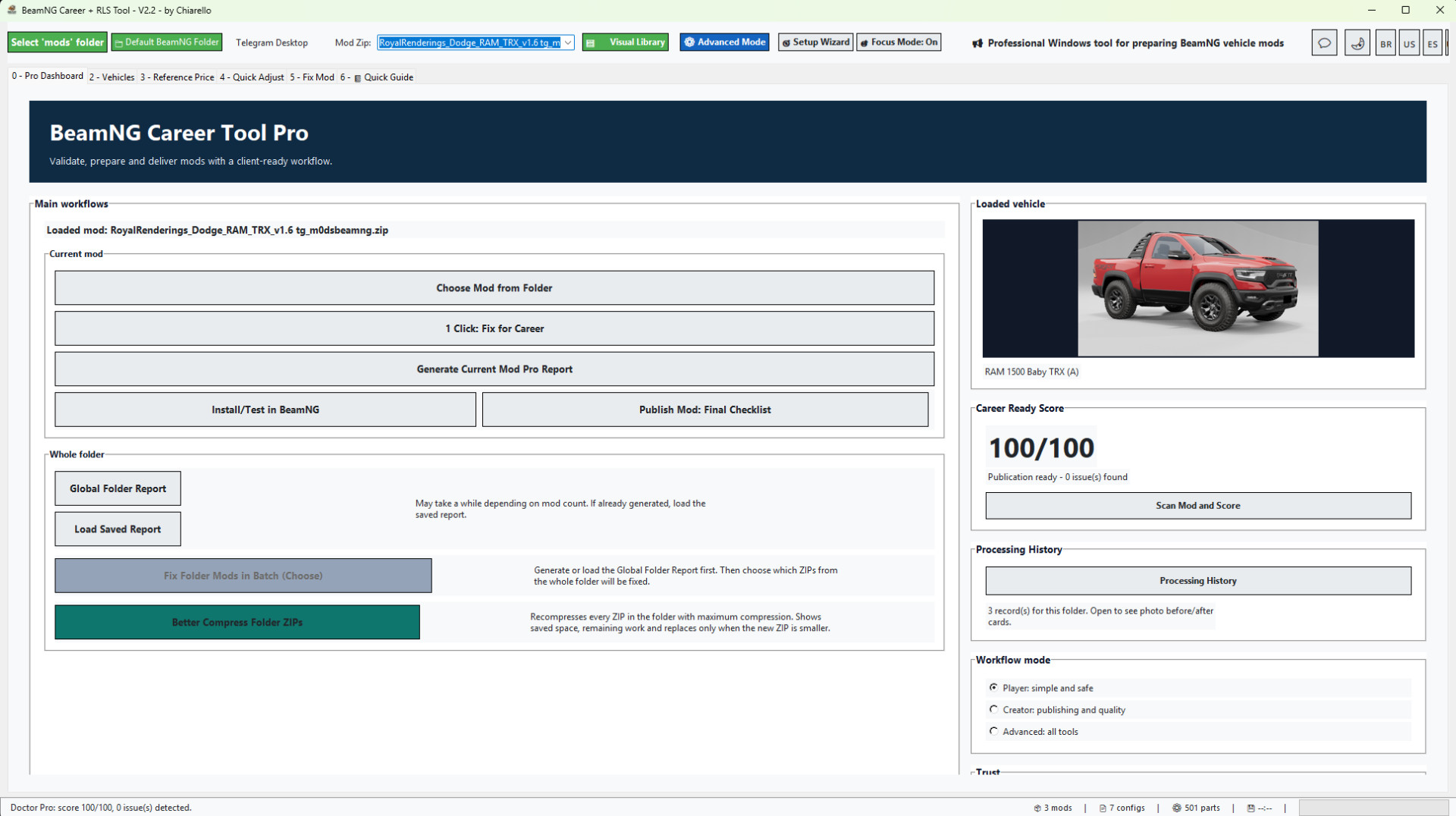
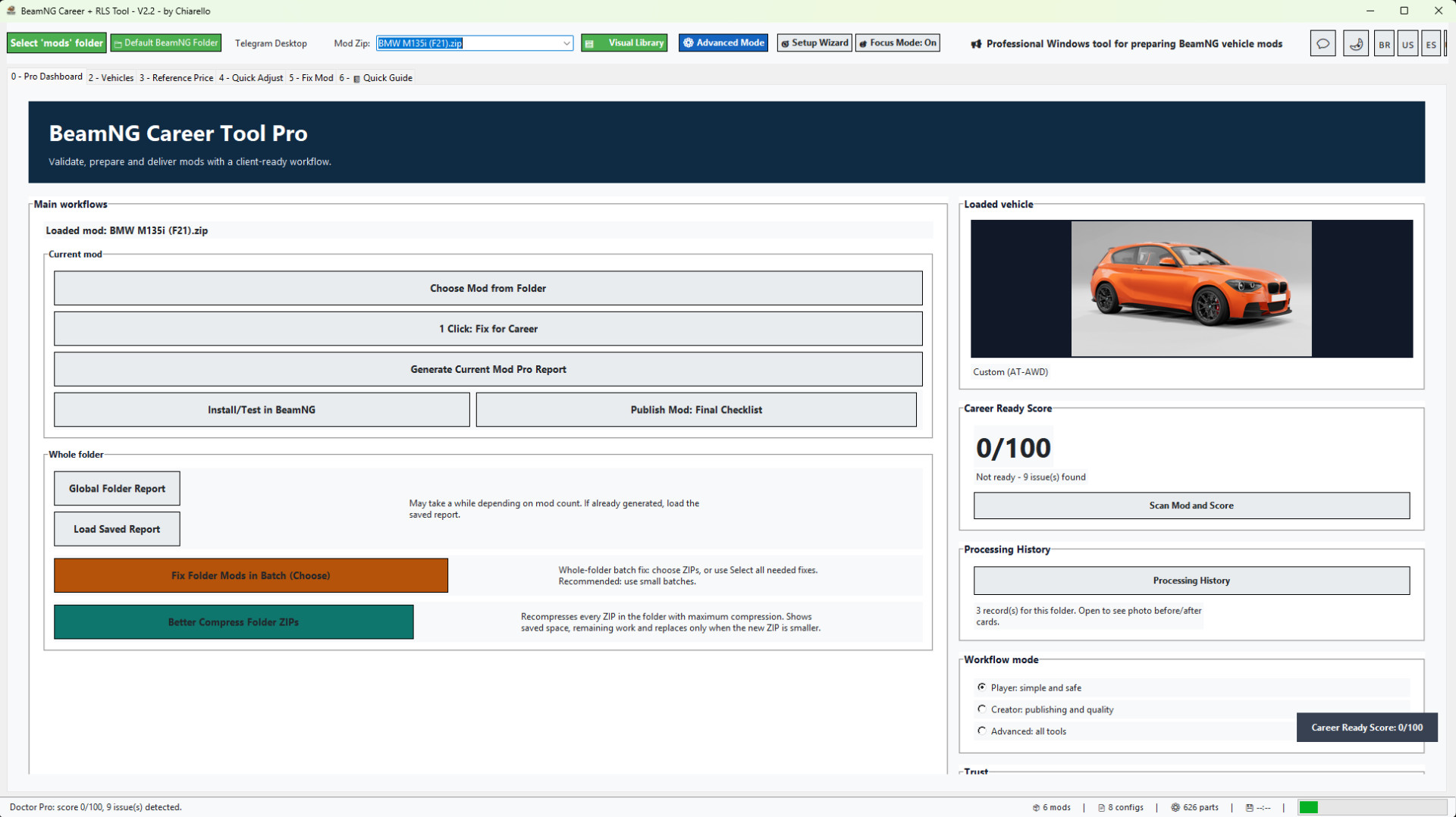
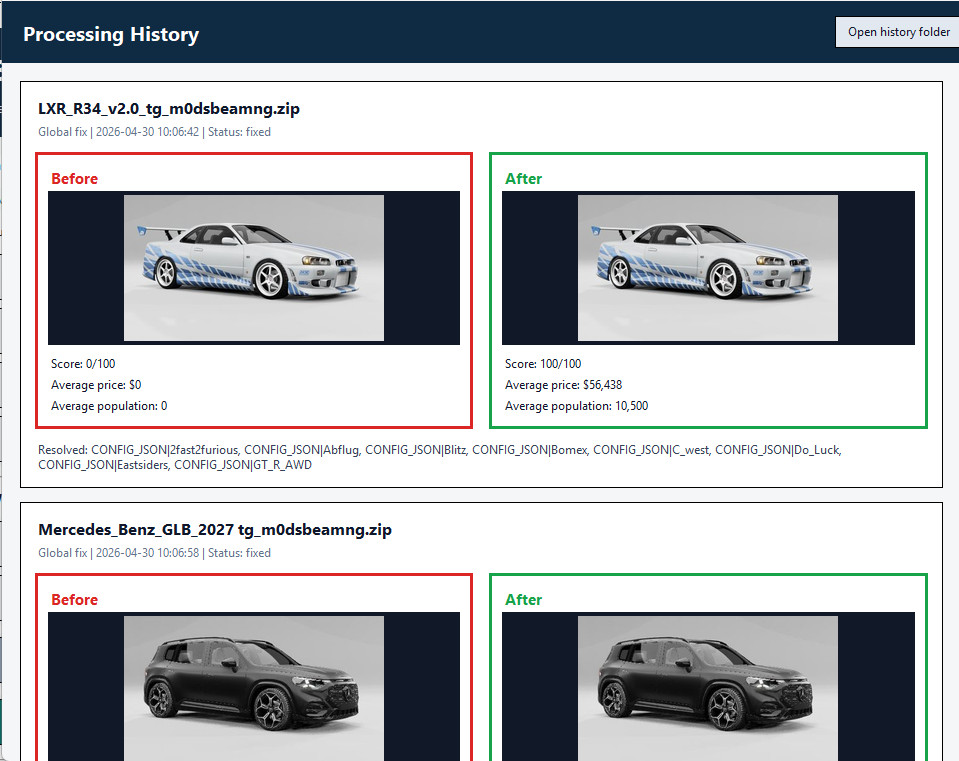
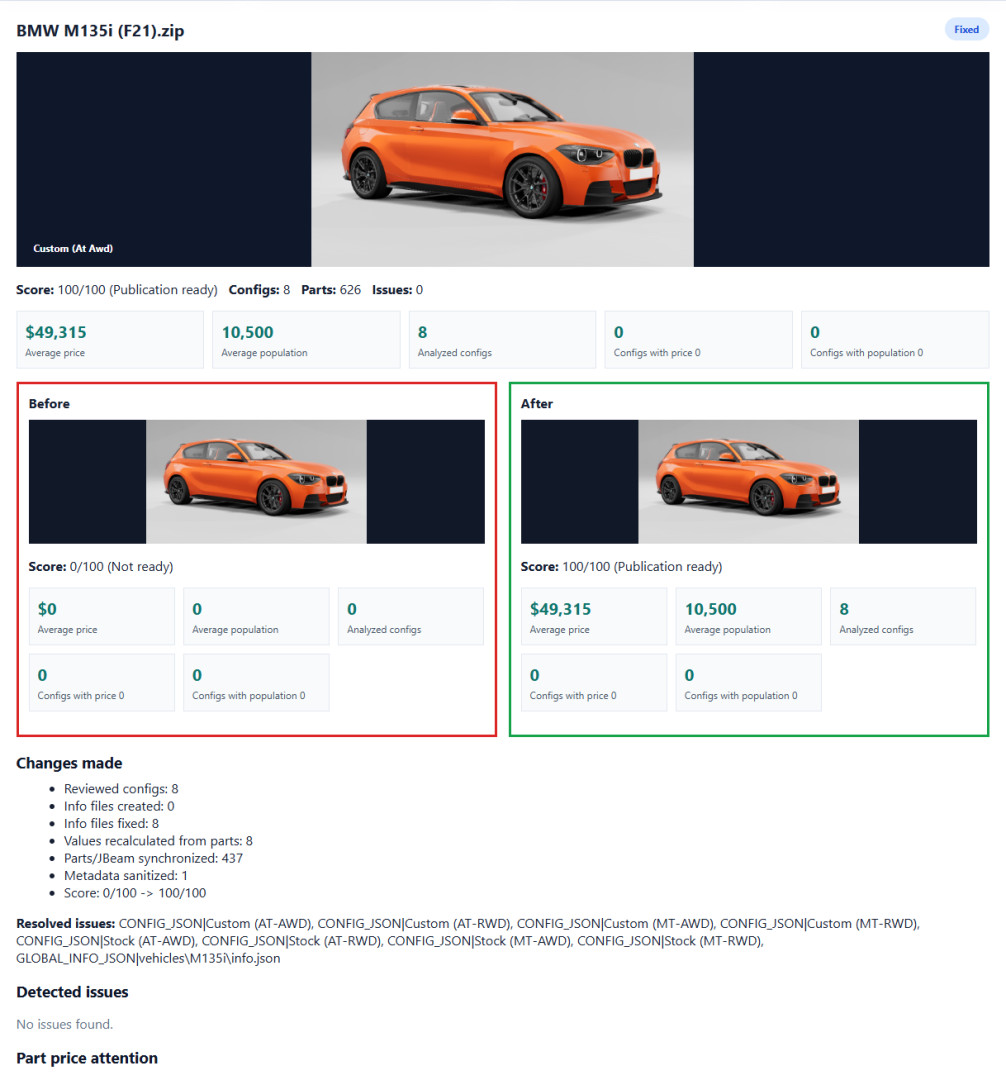
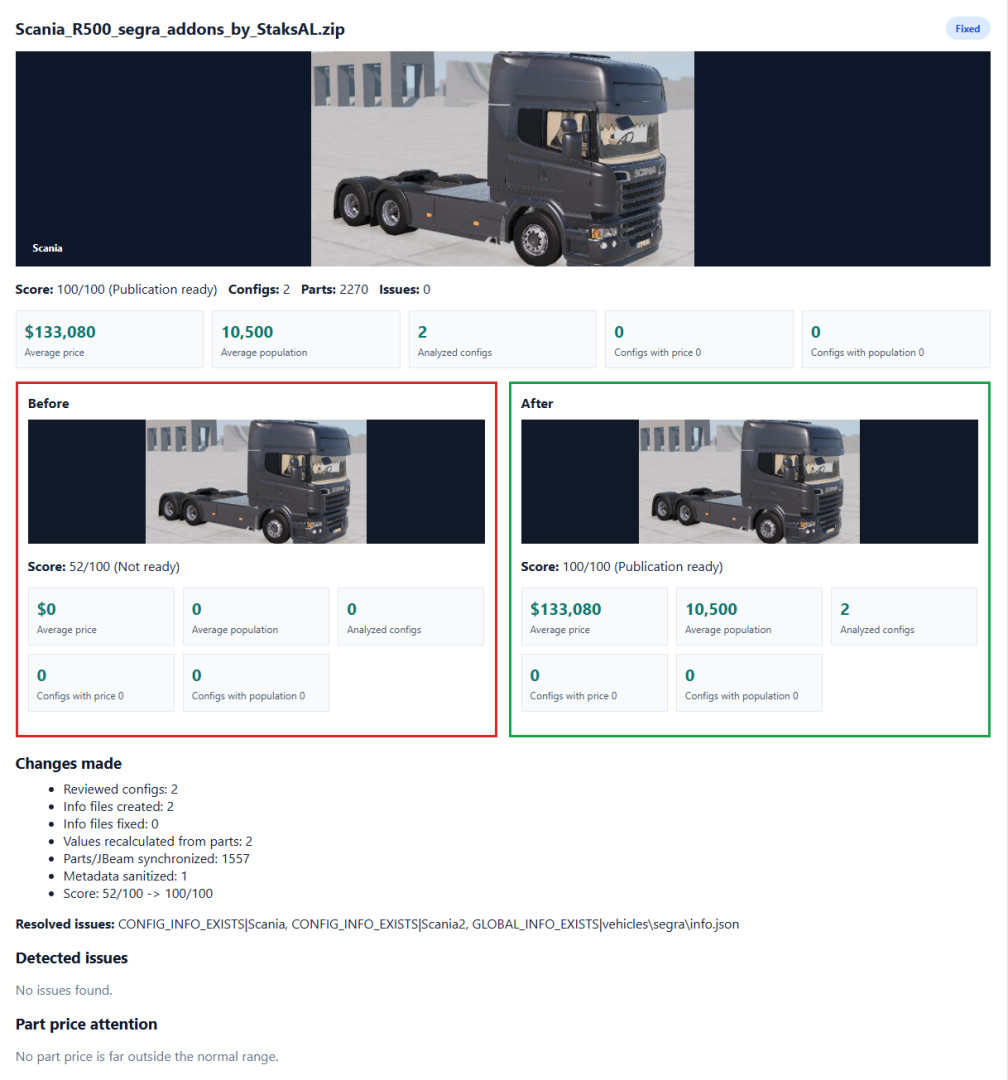
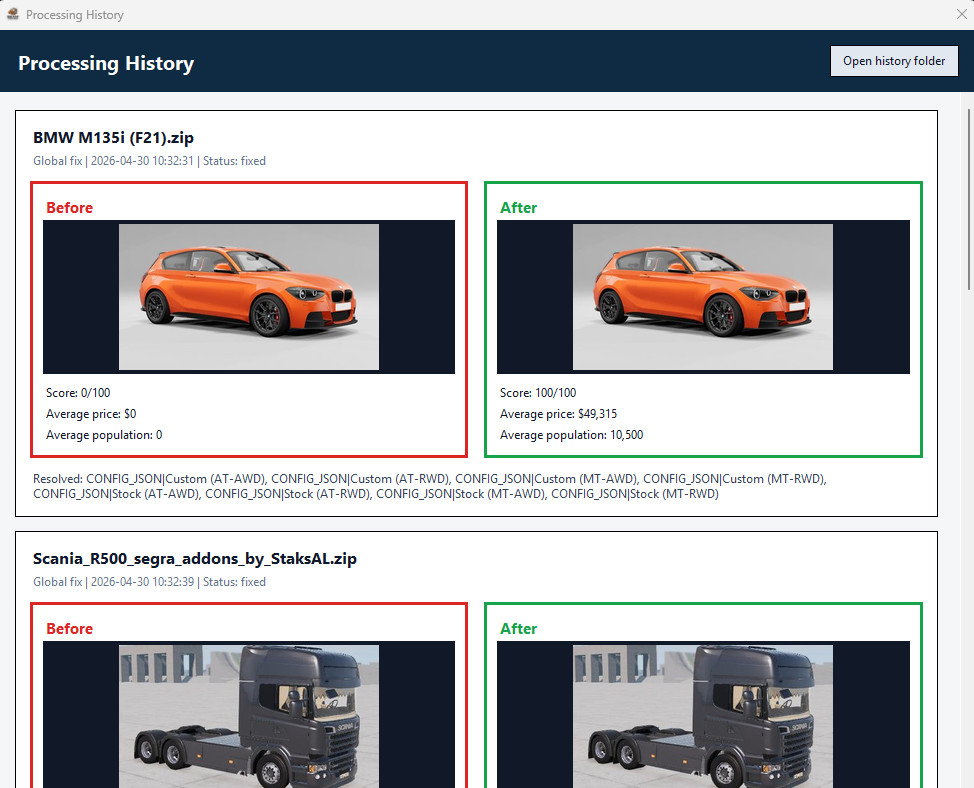
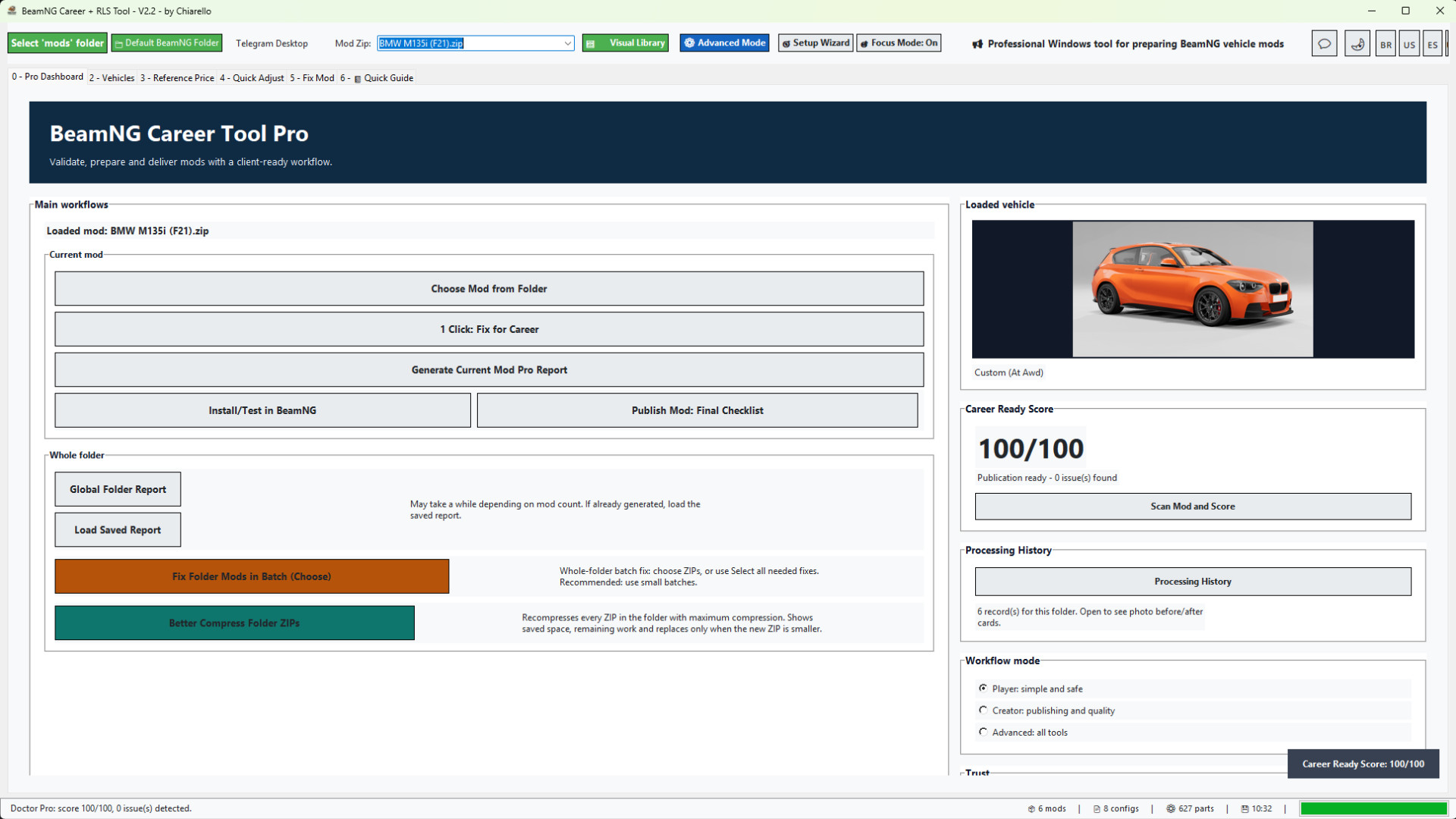
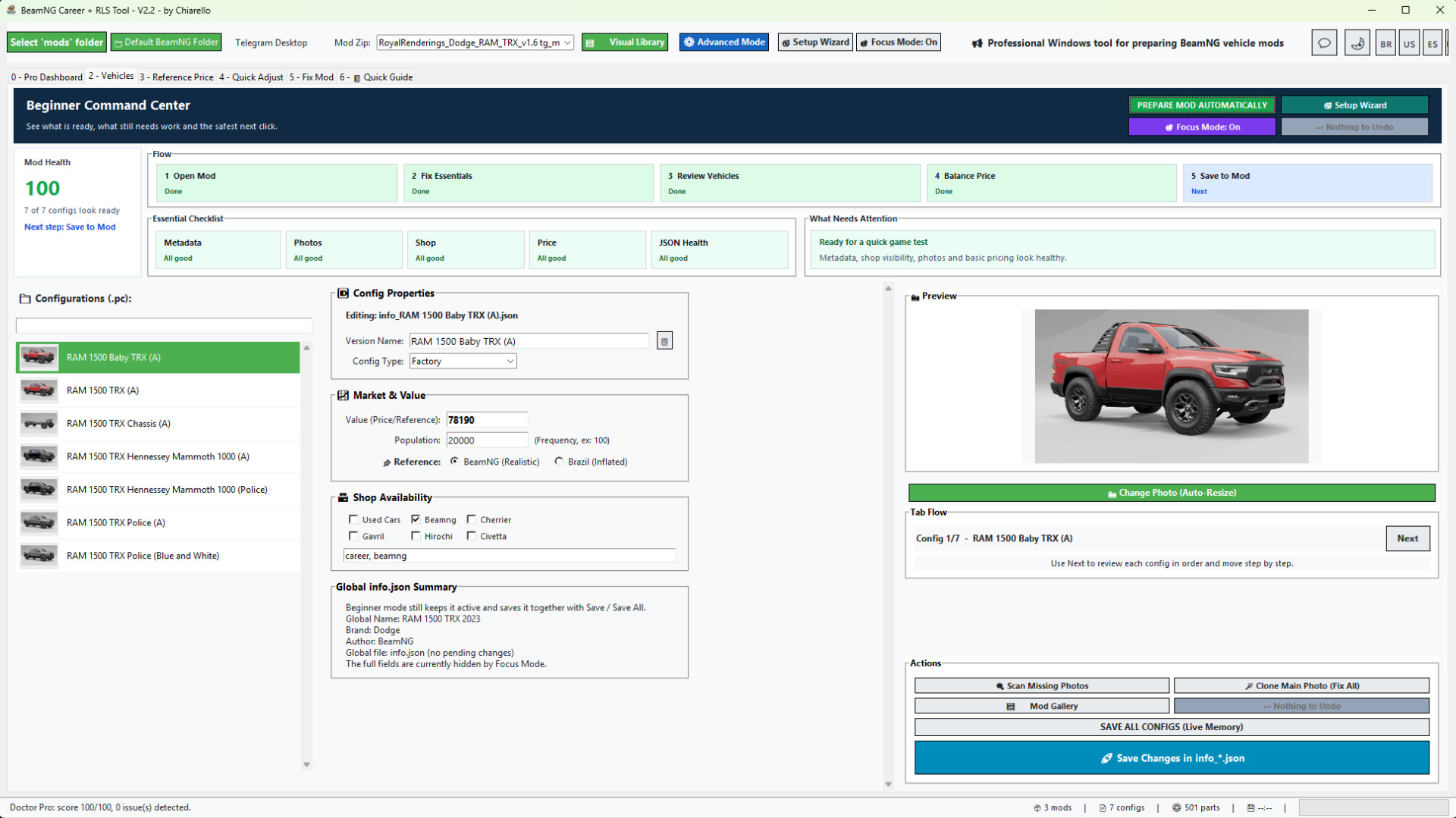
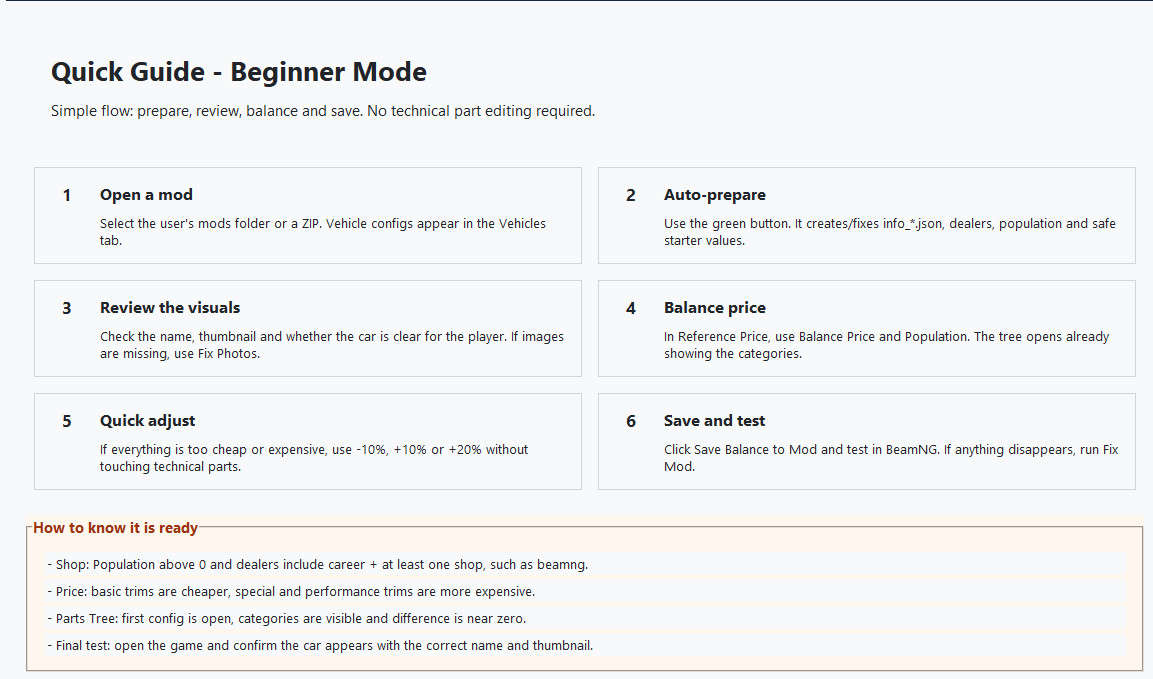
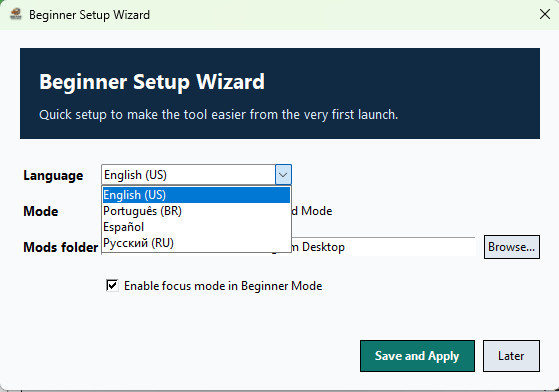

Professional Windows tool for preparing BeamNG vehicle mods for Career / RLS gameplay.
BeamNG Career Tool Pro helps you turn vehicle ZIP mods into cleaner, better prepared, career-ready mods. It was made for players, mod collectors, mod creators and people who manage large BeamNG vehicle libraries.
Instead of manually opening every info.json, info_*.json and JBeam file, the tool gives you a guided workflow to scan, repair, balance, document and organize your vehicle mods with much less manual work.
What the tool does
- Loads vehicle ZIP mods directly from your selected BeamNG mods folder.
- Shows a vehicle preview so you know exactly which mod is loaded.
- Scans the mod with Mod Doctor and gives a Career Ready Score.
- Creates or repairs missing Career metadata.
- Fixes info.json and info_*.json files when possible.
- Adds the required Career / RLS fields so vehicles can appear in career workflows.
- Adds safe dealer / shop availability tags.
- Calculates vehicle value from installed parts.
- Applies a safe population distribution so configs can appear naturally in the market.
- Syncs part prices into JBeam files.
- Creates backups before important changes.
- Rebuilds the ZIP after applying fixes.
- Generates professional reports with vehicle photos and clear results.
Made for single mods and large mod folders
You can prepare one mod at a time, or scan a full mods folder and choose which vehicle ZIPs should be fixed.
The Global Folder Report helps you see which vehicle mods are ready, which ones need fixes, and which ones have problems that matter for Career mode. Maps and non-vehicle ZIPs are ignored, so the report focuses on actual vehicle mods.
New in v2.2
- New whole-folder batch fix workflow.
- You can now choose which mods to fix before applying the 1-click correction.
- Added "select all needed fixes" behavior for users who want to process every mod that requires correction.
- Added better ZIP compression for all ZIPs in a selected folder.
- Compression shows progress, saved space and only replaces the ZIP when the new file is smaller.
- Added economic report metrics: average price, average population, analyzed configs, configs with price 0 and configs with population 0.
- Added before / after report cards with vehicle photos.
- Added local Processing History by folder / project.
- History shows the mod photo, score before and after, average price before and after, average population before and after, resolved issues and compression savings when available.
- Reports now focus more on real Career-blocking issues instead of harmless cosmetic warnings.
- Added Russian language support.
- Improved beginner flow, Pro Dashboard guidance and quick setup.
- Auto-login returns after the first successful login.
Economic reports for better balancing
The report now shows the average price and average population of the mod based on its readable vehicle configs.
This makes it much easier to understand what the player will see in Career / RLS:
- Average price shows the general market value of the vehicle configs.
- Average population shows how often the vehicle configs are expected to appear.
- Price 0 and population 0 counters help identify configs that may not be ready.
- Before / after cards make it clear what changed after the fix.
Beginner friendly, but still powerful
The tool includes Beginner Mode, Pro Dashboard, Quick Guide and Advanced Mode.
Beginners can follow the guided workflow without editing technical files manually. Advanced users can still review vehicles, prices, population, reference values, photos and config data in more detail.
Recommended workflow
1. Select your BeamNG mods folder.
2. Load or choose a vehicle ZIP.
3. Run Mod Doctor to check the Career Ready Score.
4. Use 1 Click Fix for Career on a single mod, or generate a Global Folder Report for a full folder.
5. For many mods, review the report first and fix them in small batches.
6. Open the Processing History to compare before / after results.
7. Test the fixed mods in BeamNG / RLS.
Important notes
- The tool is focused on BeamNG vehicle ZIP mods.
- Maps and non-vehicle mods are ignored by the vehicle folder report.
- The batch fix is powerful, so it is recommended to process large libraries in smaller batches.
- Always test your final mod set in-game after processing.
Version
Current version: 2.2
Recommended game version: 0.38.x
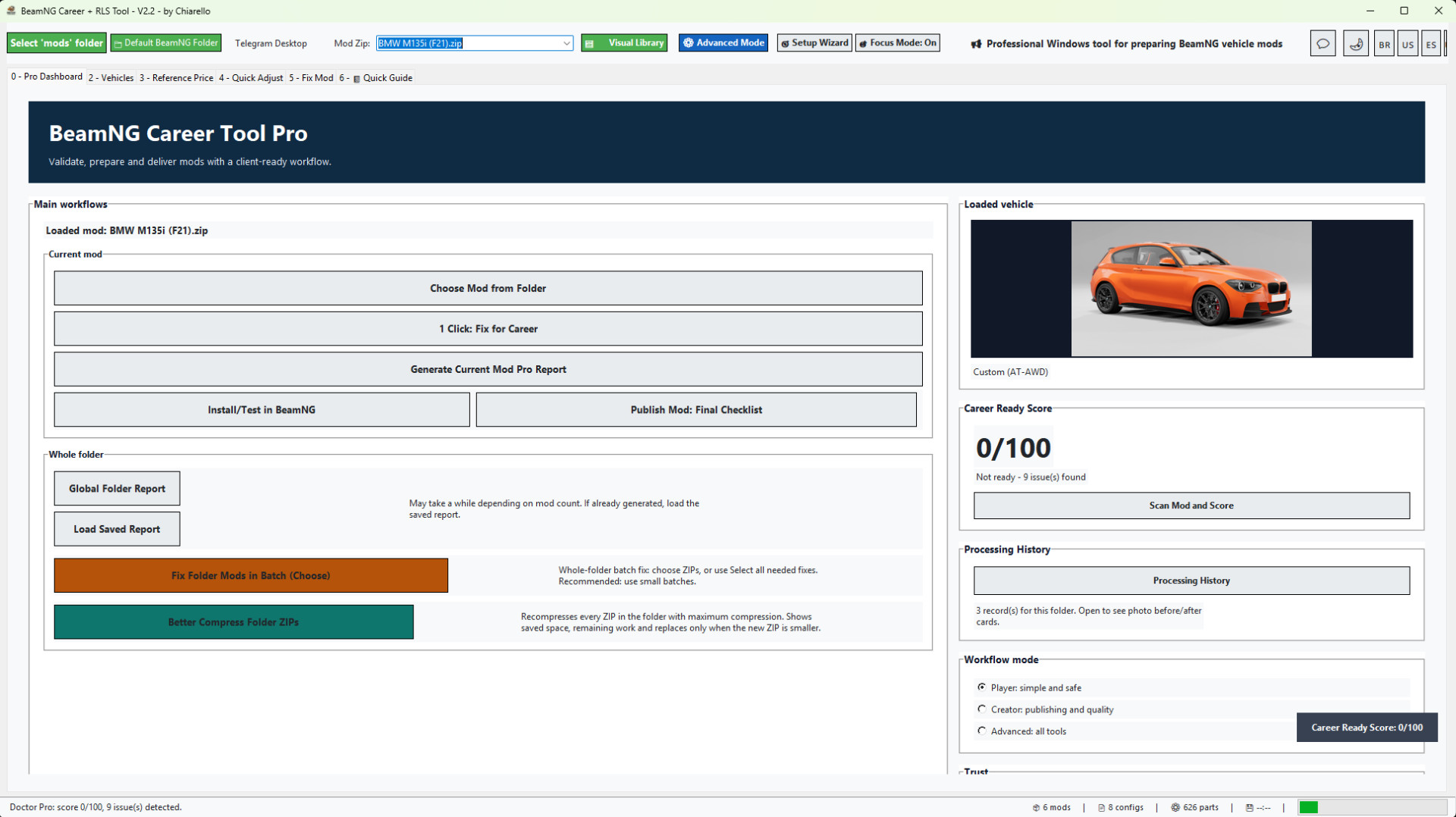
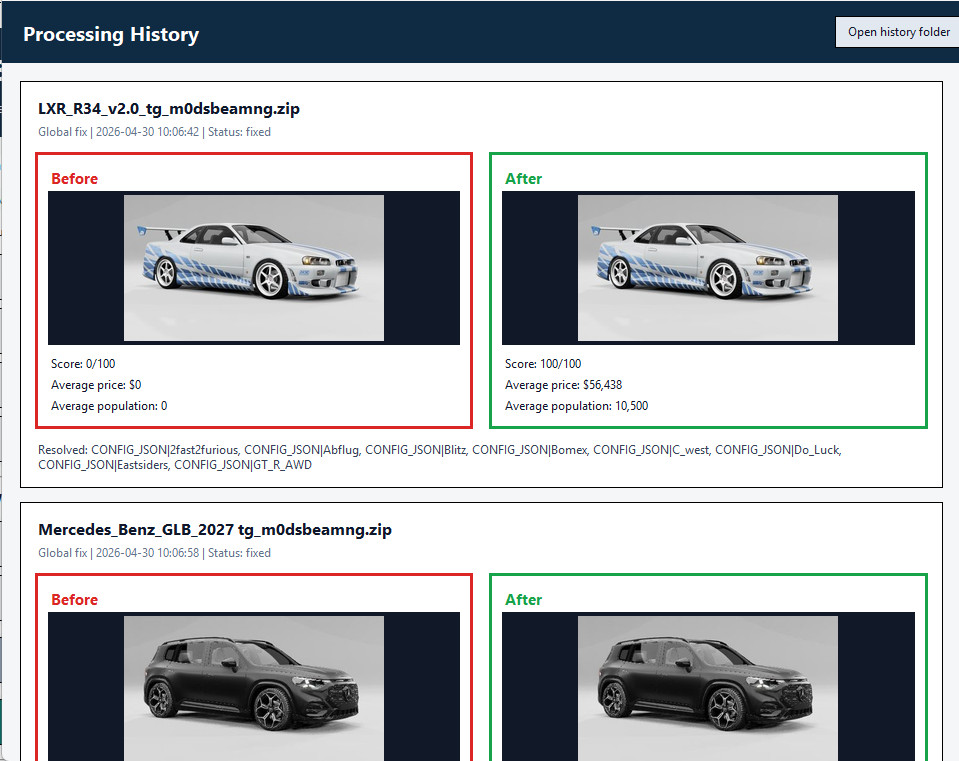
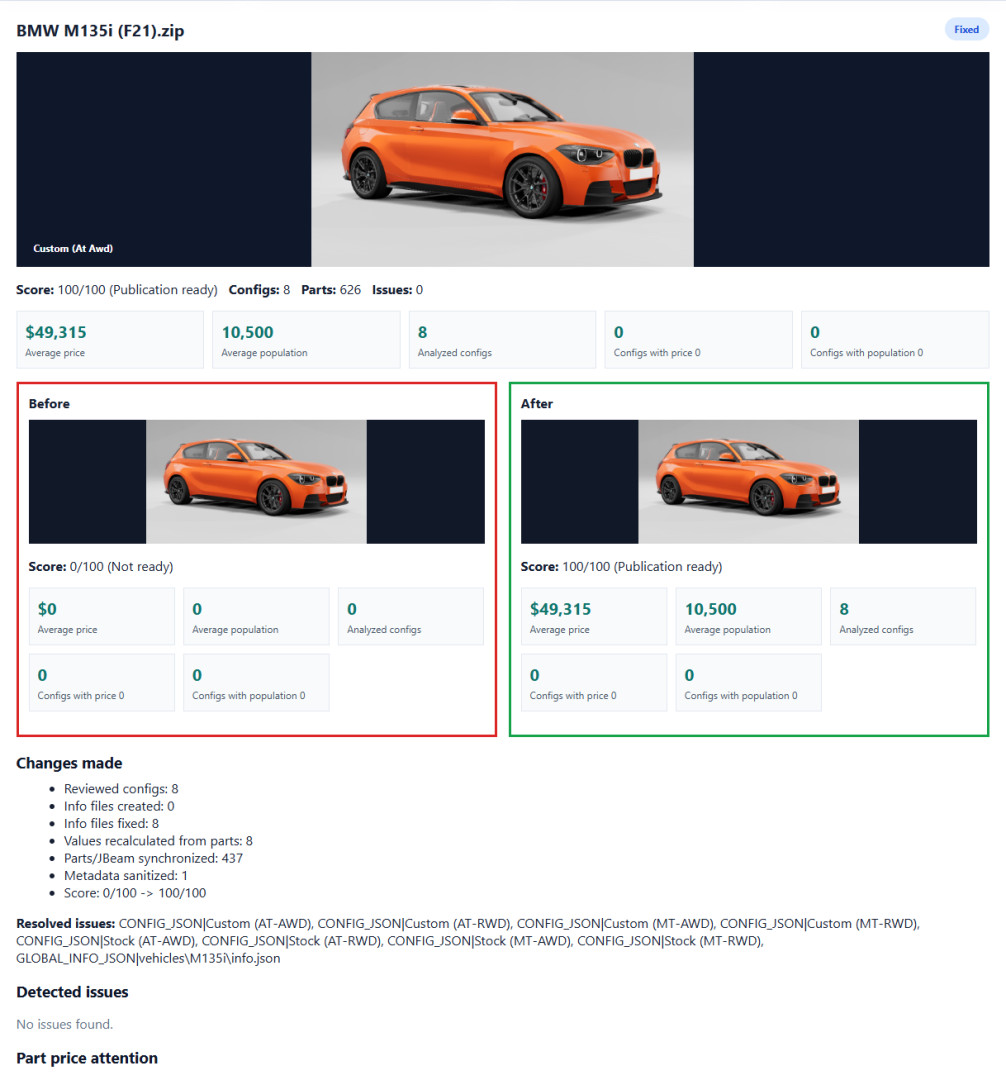
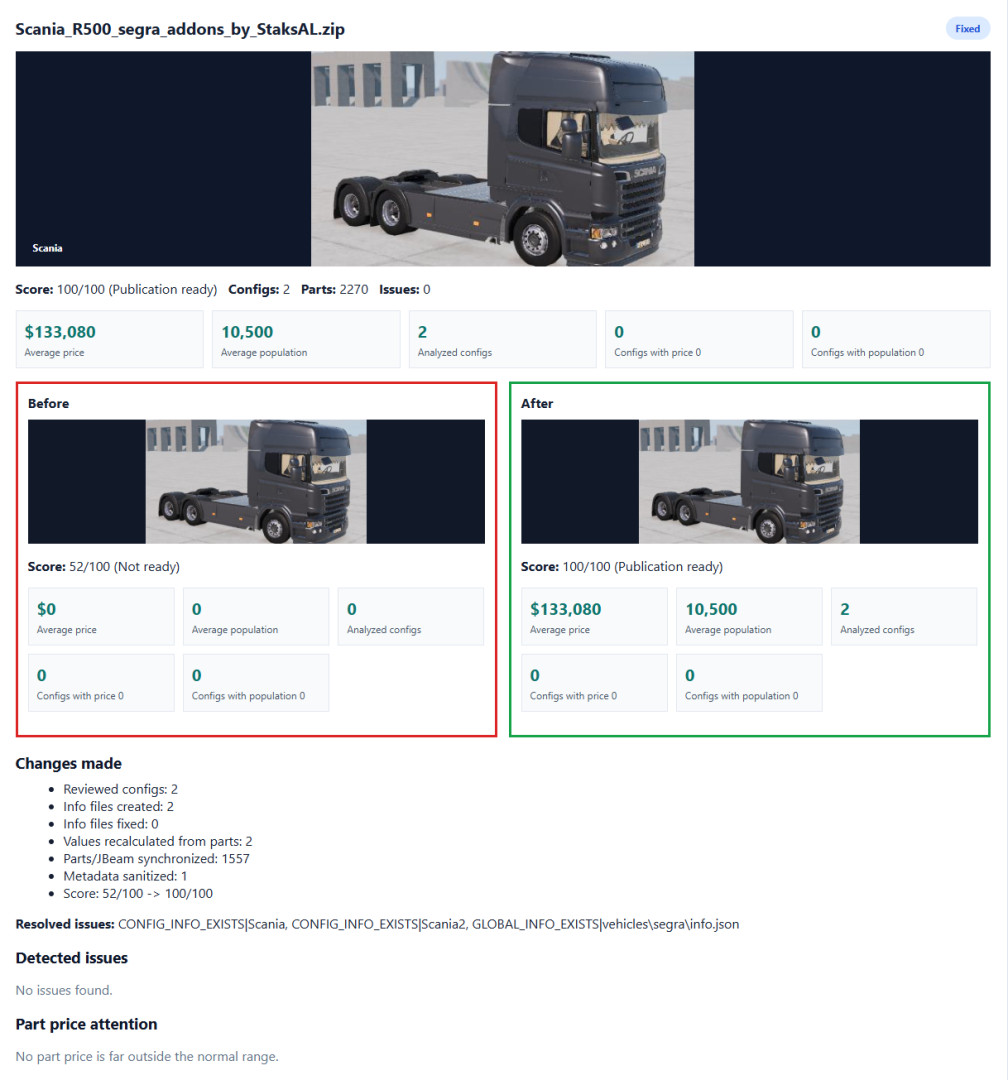
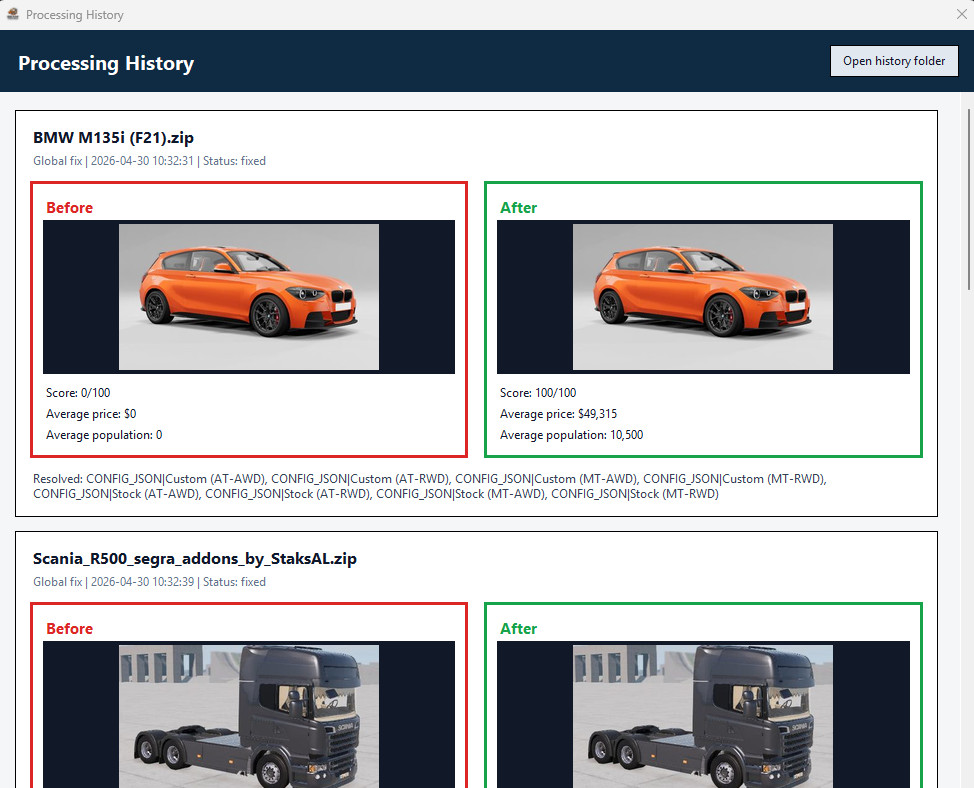
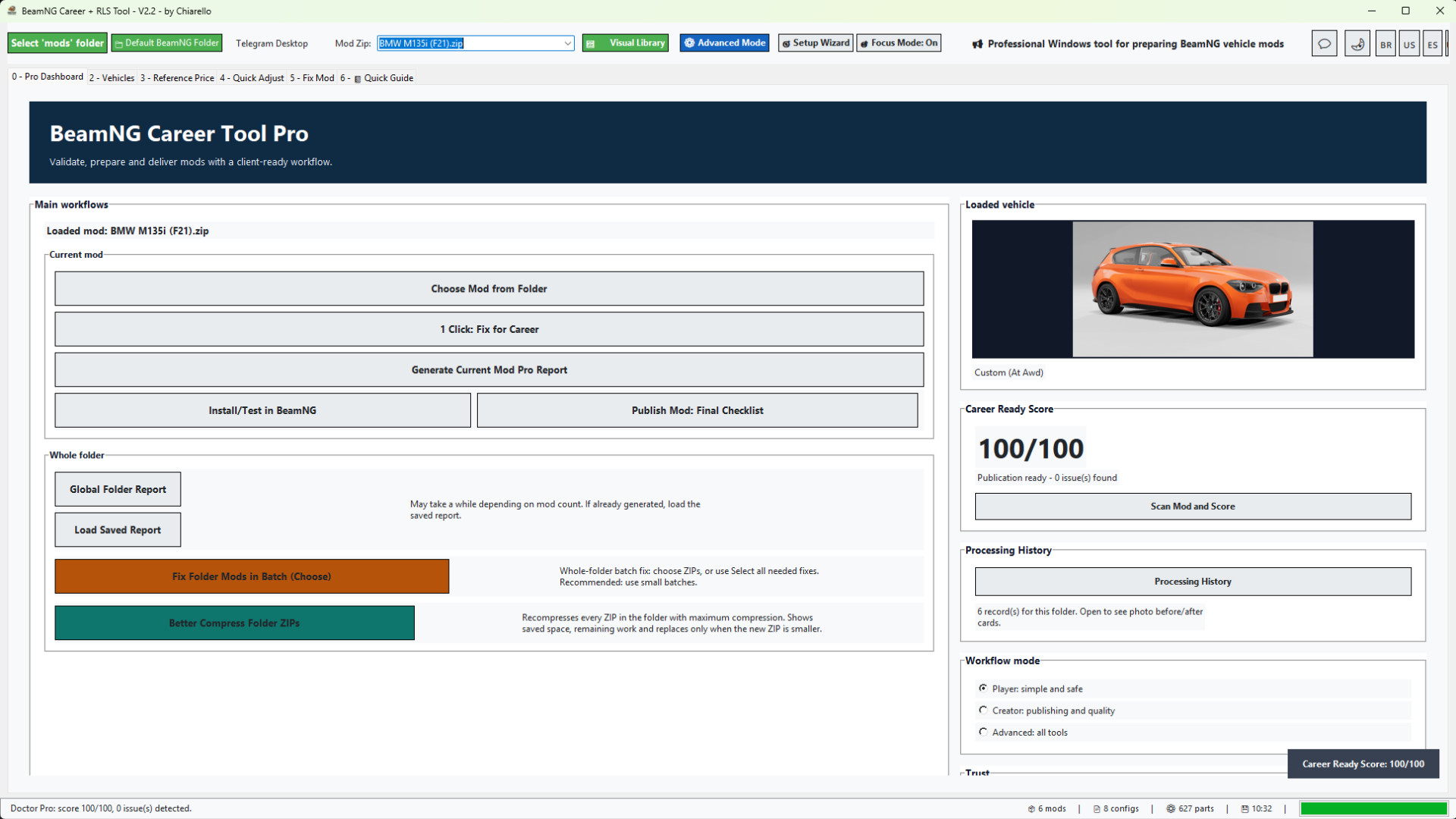
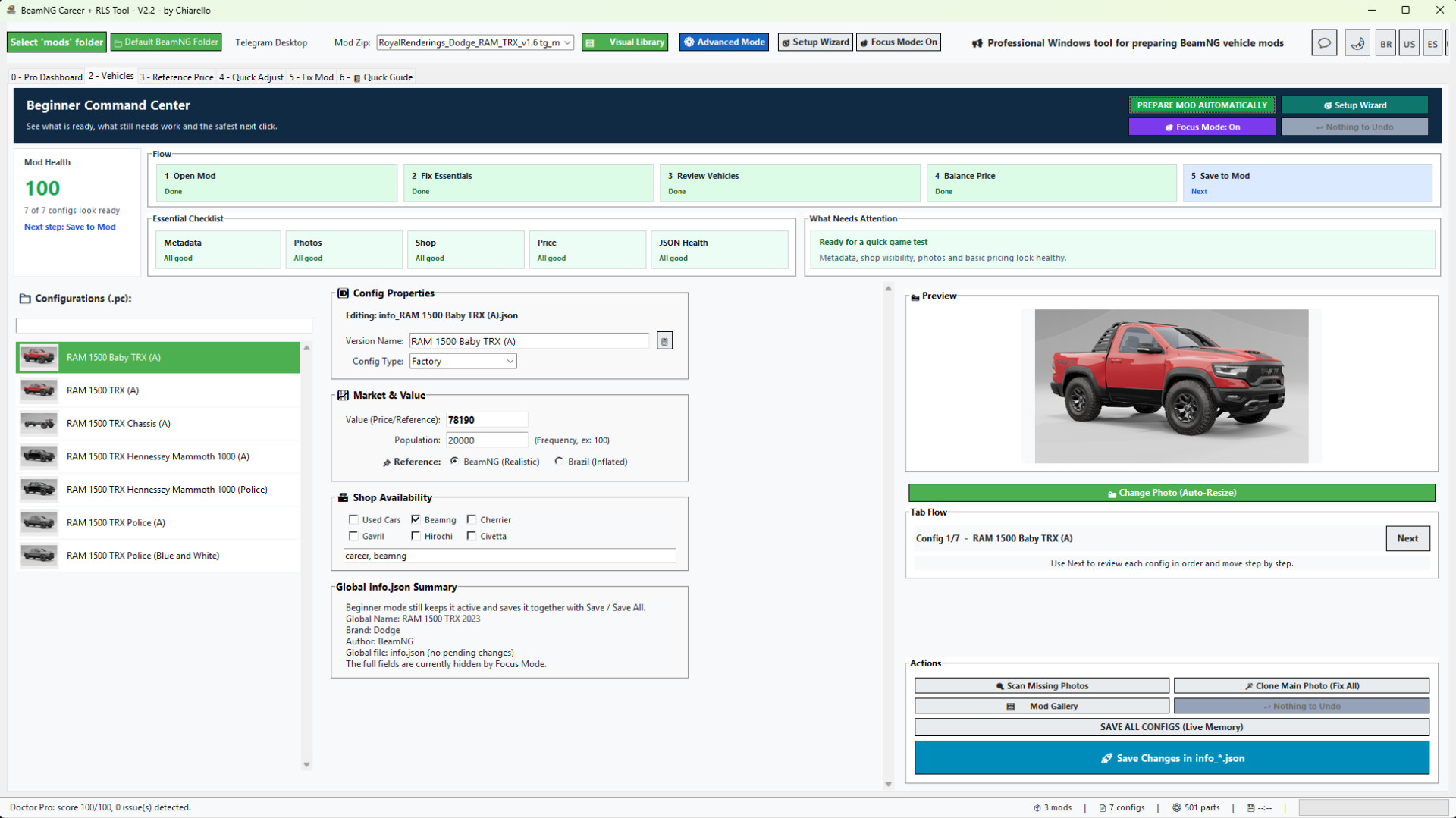
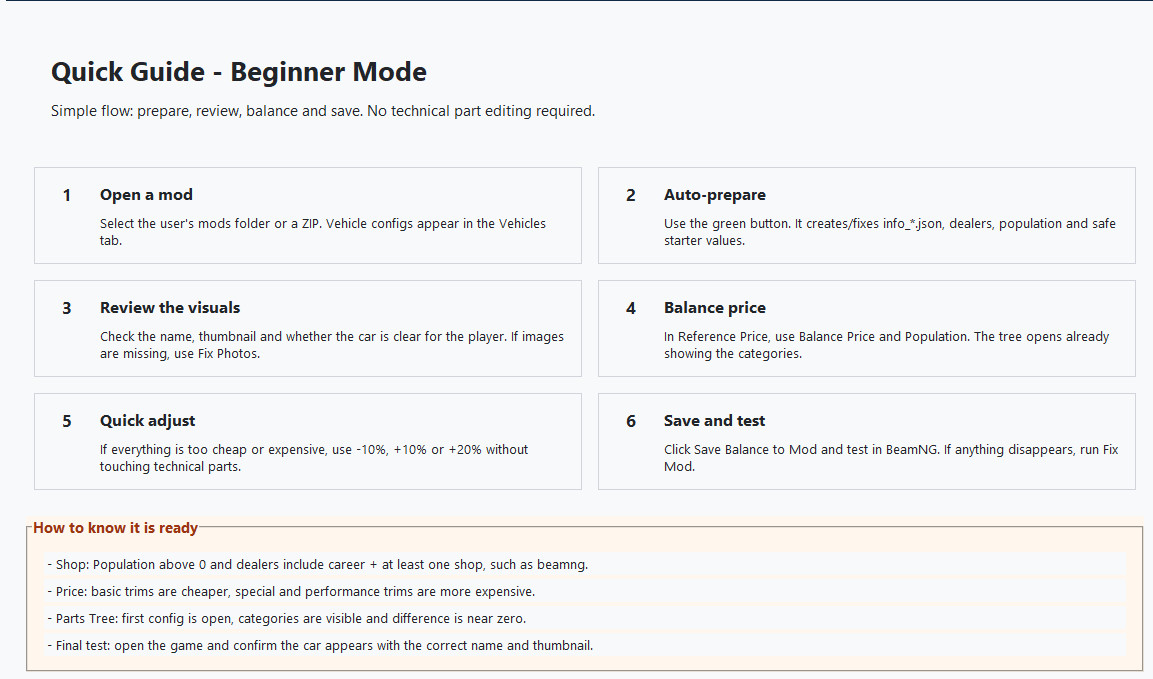
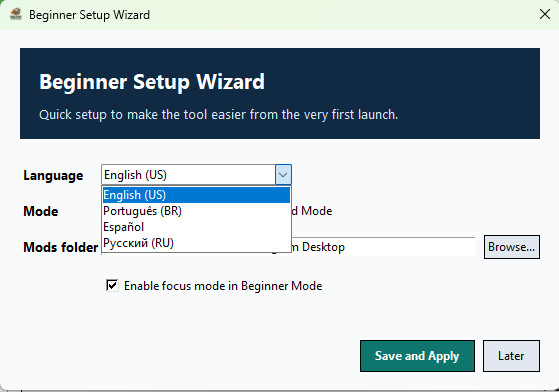
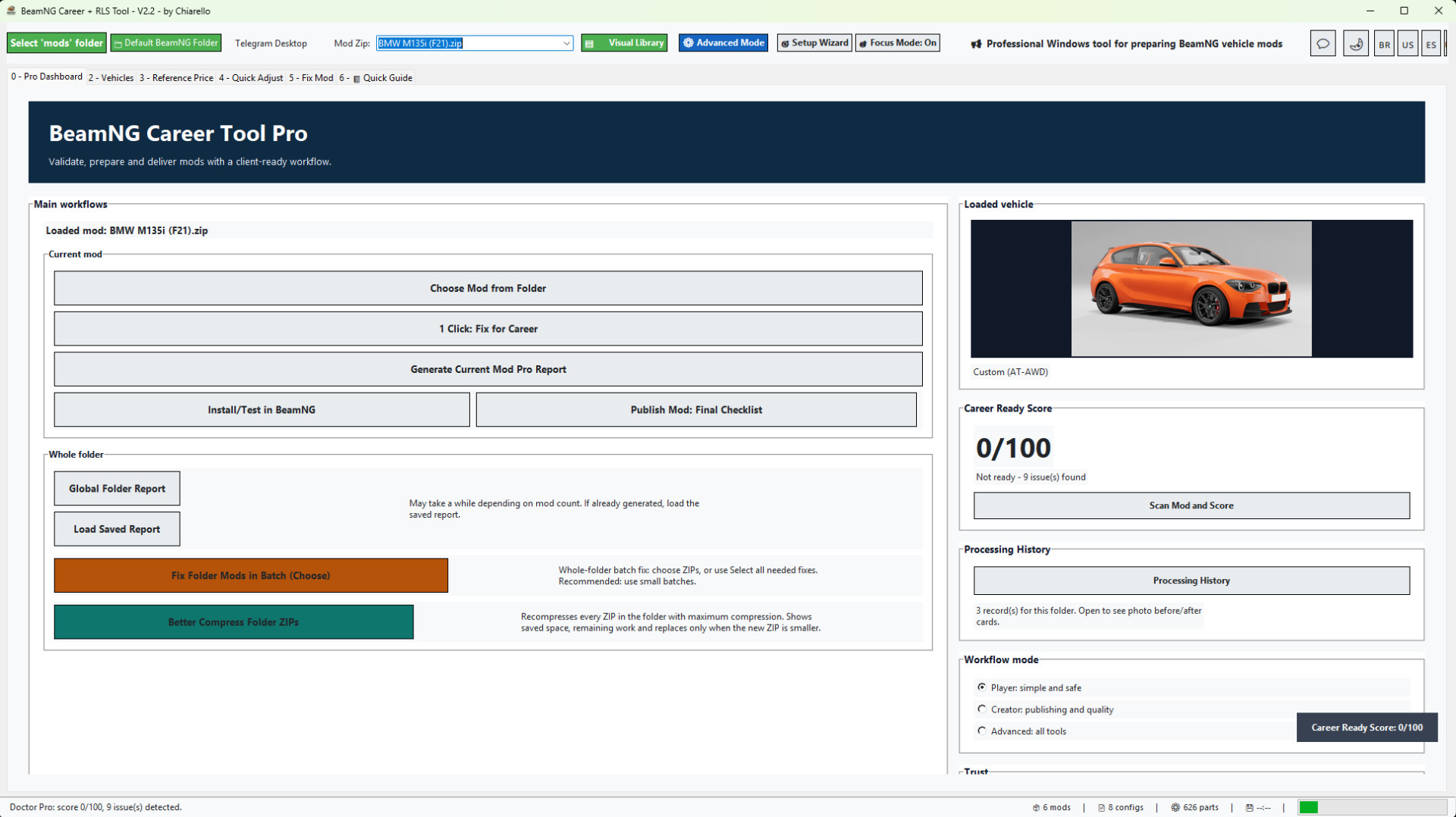
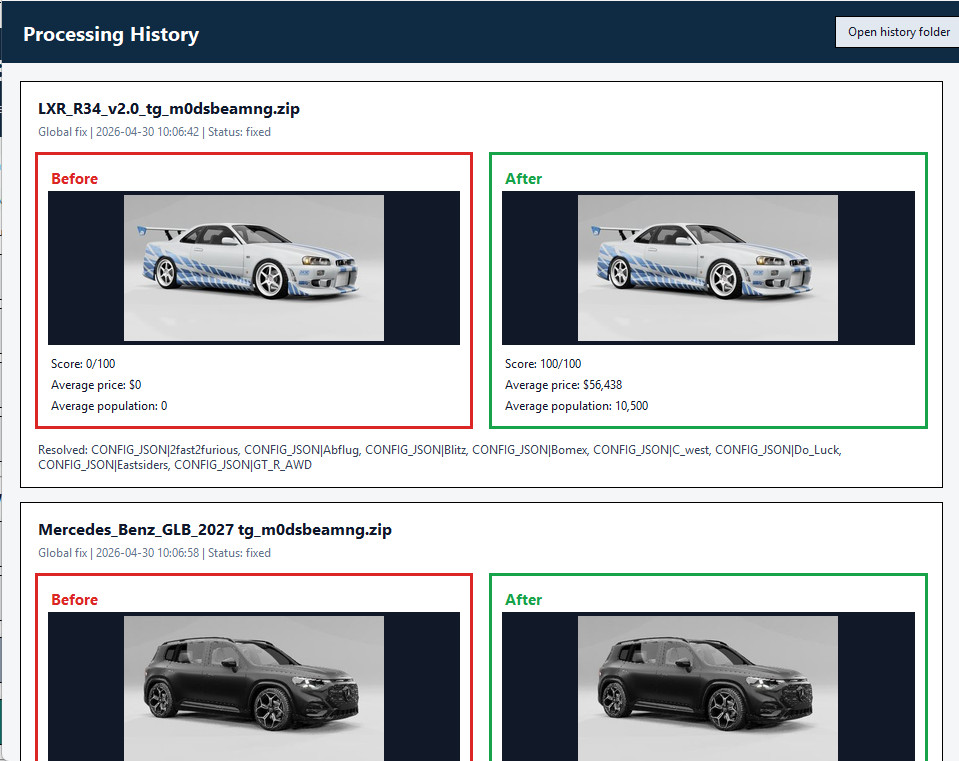
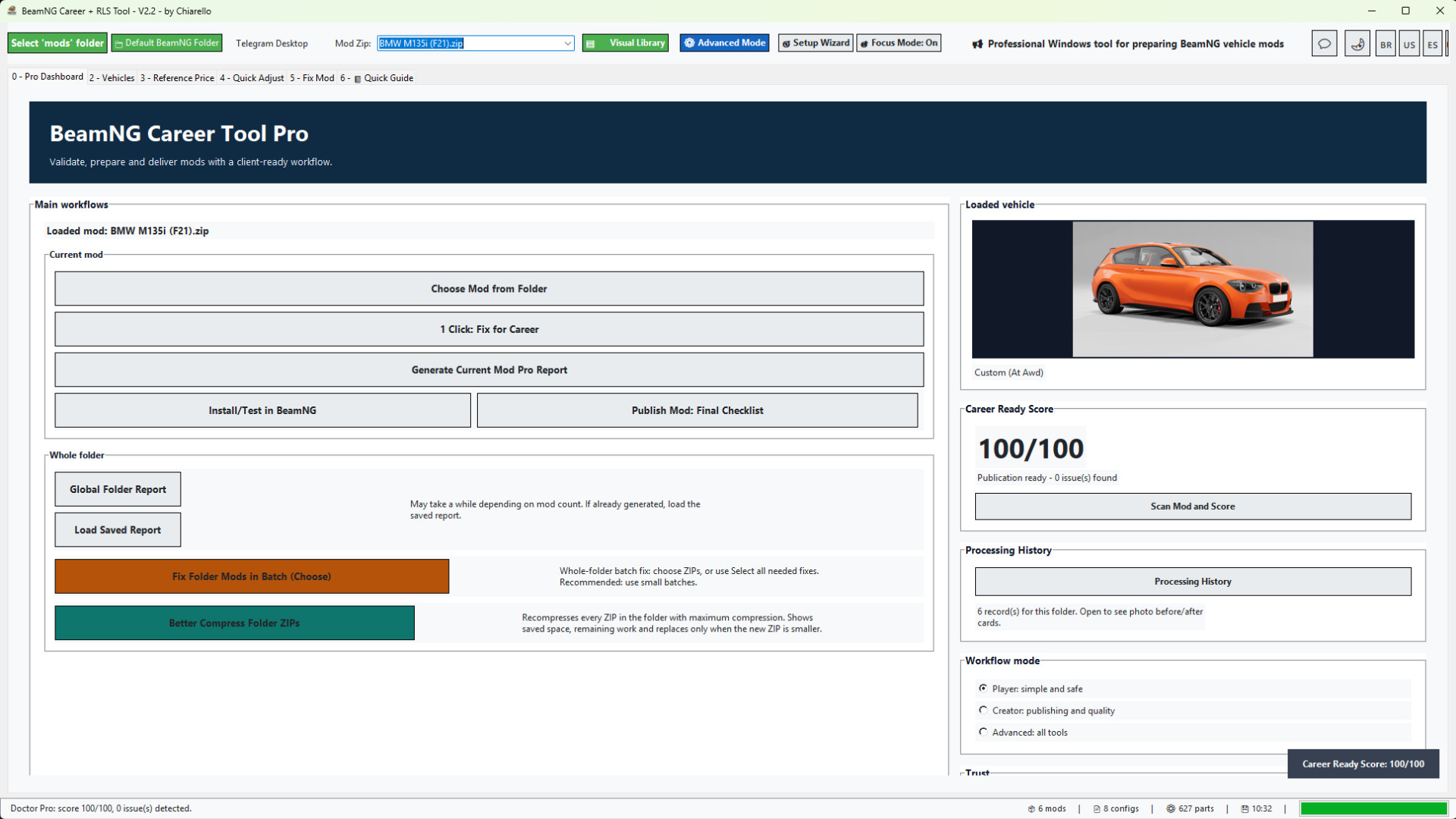
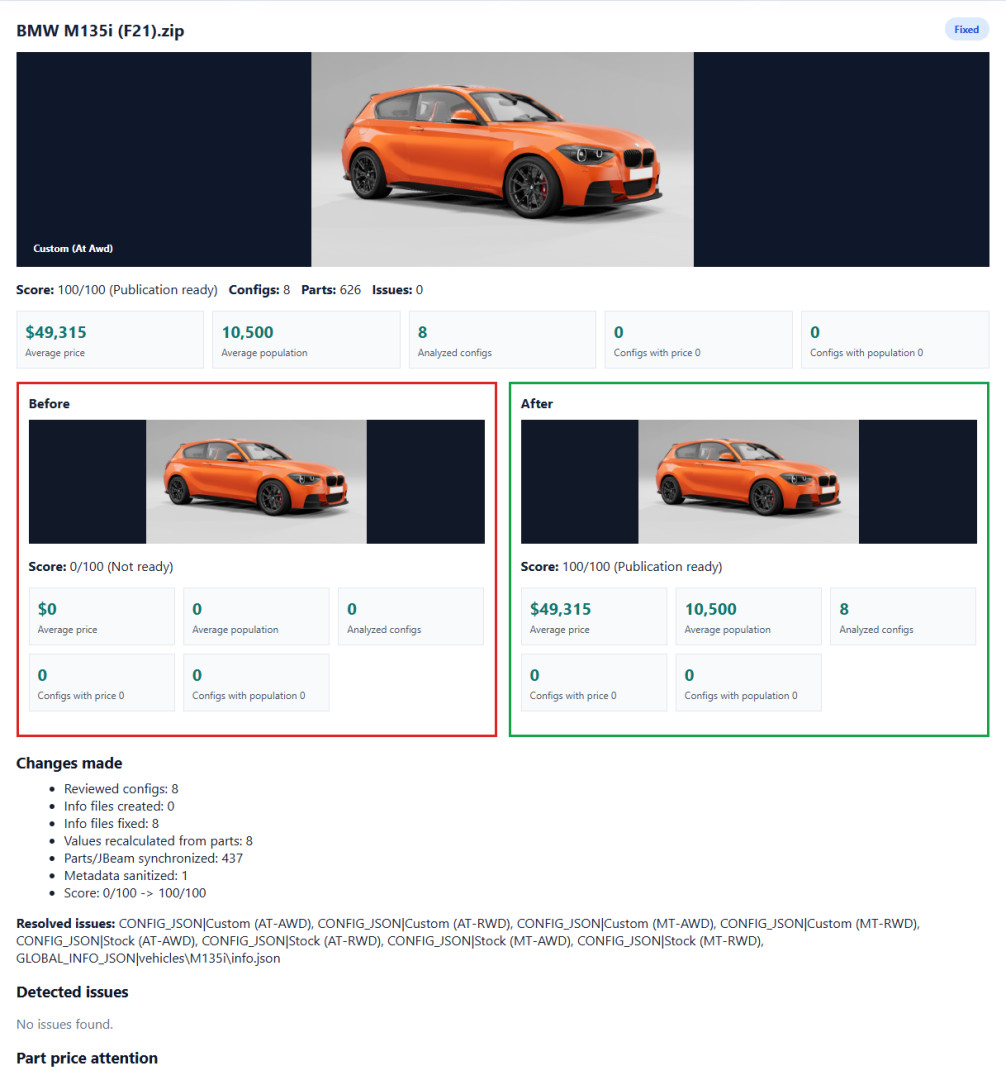
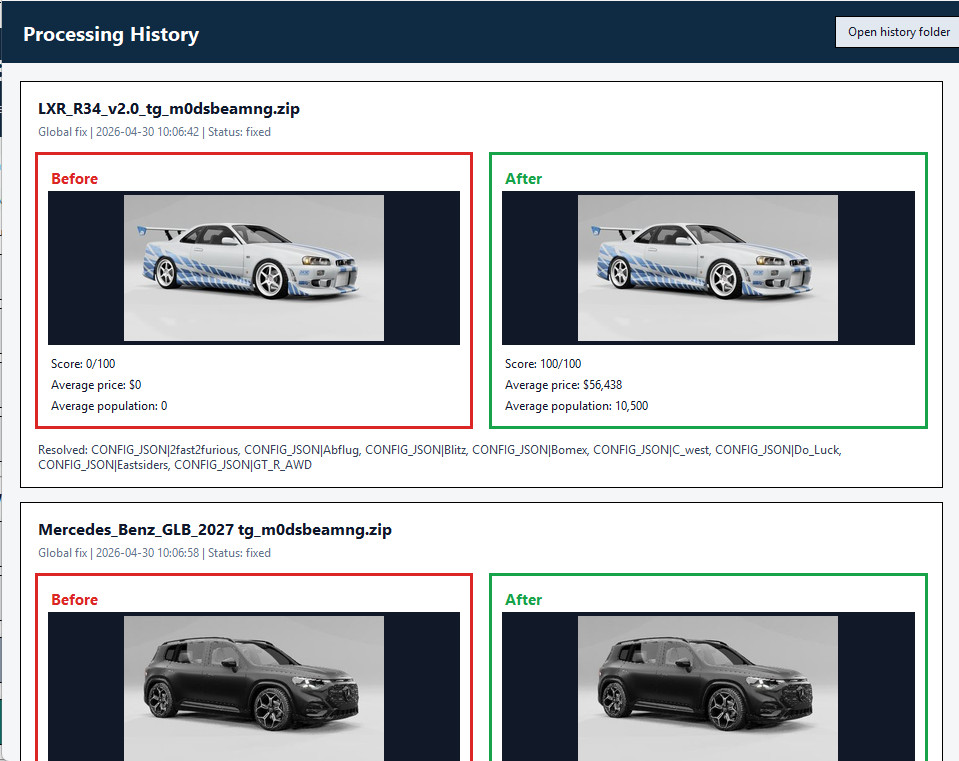
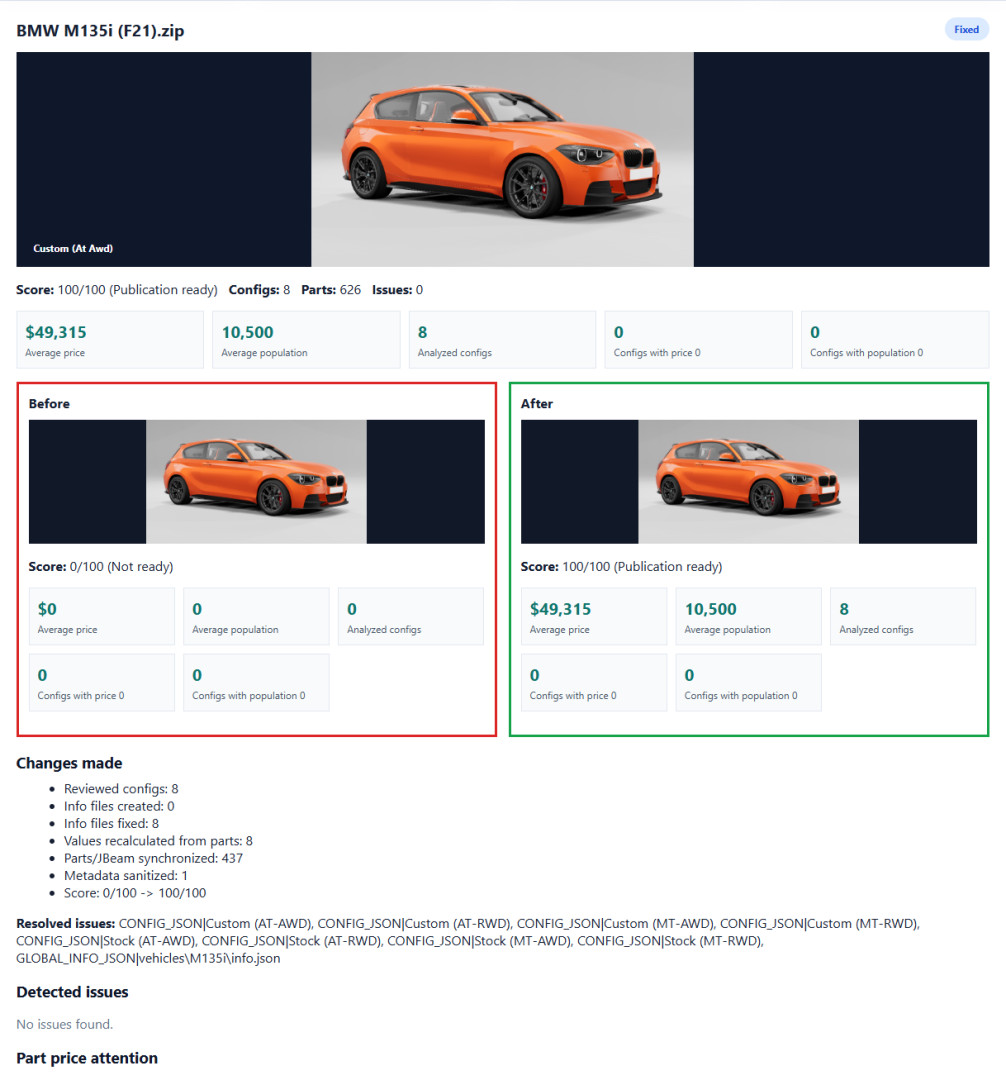
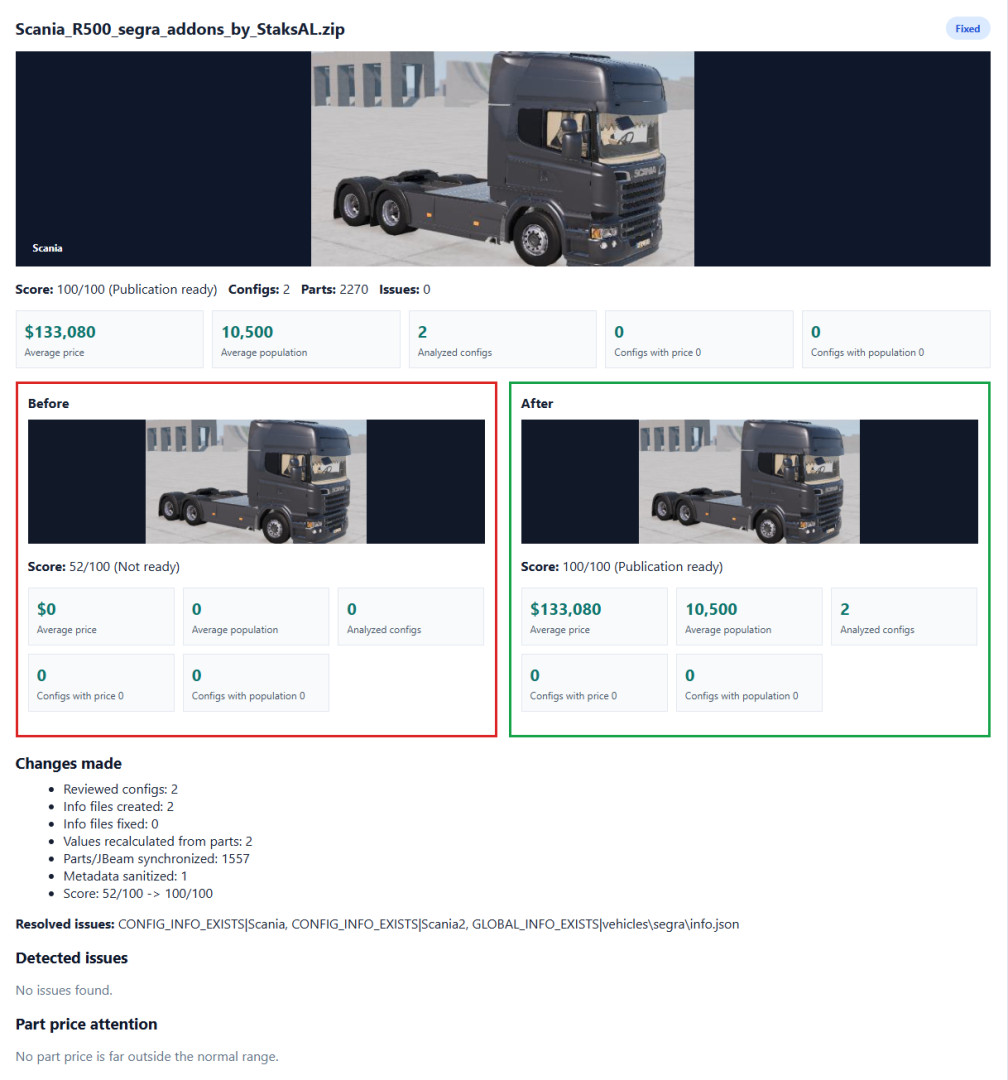
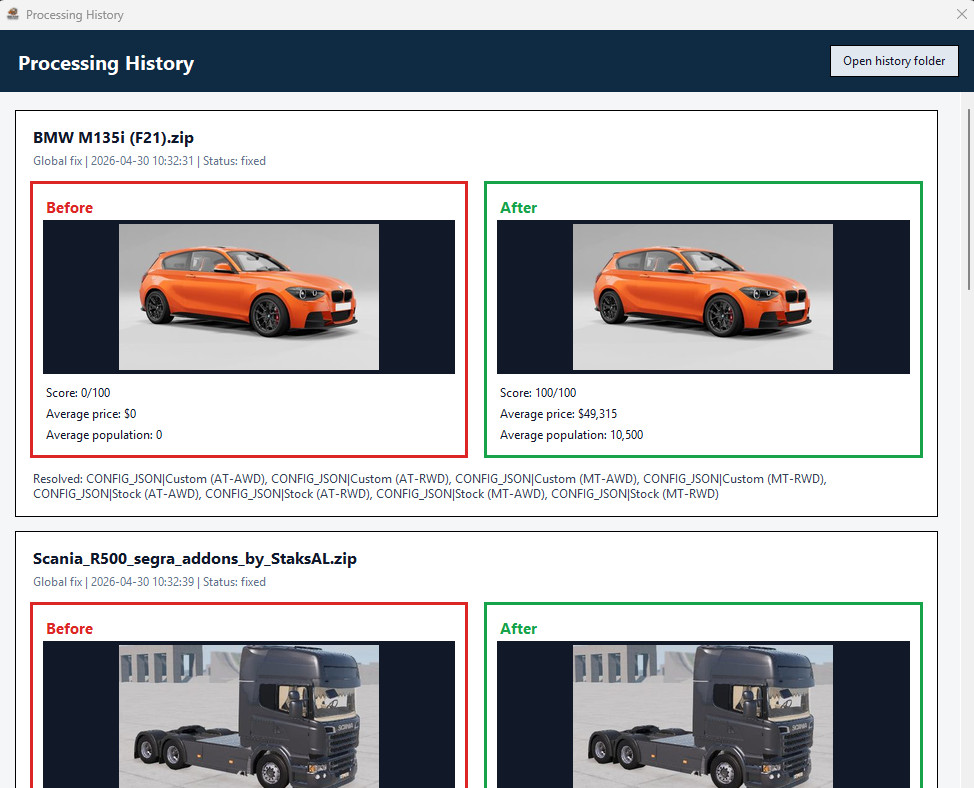
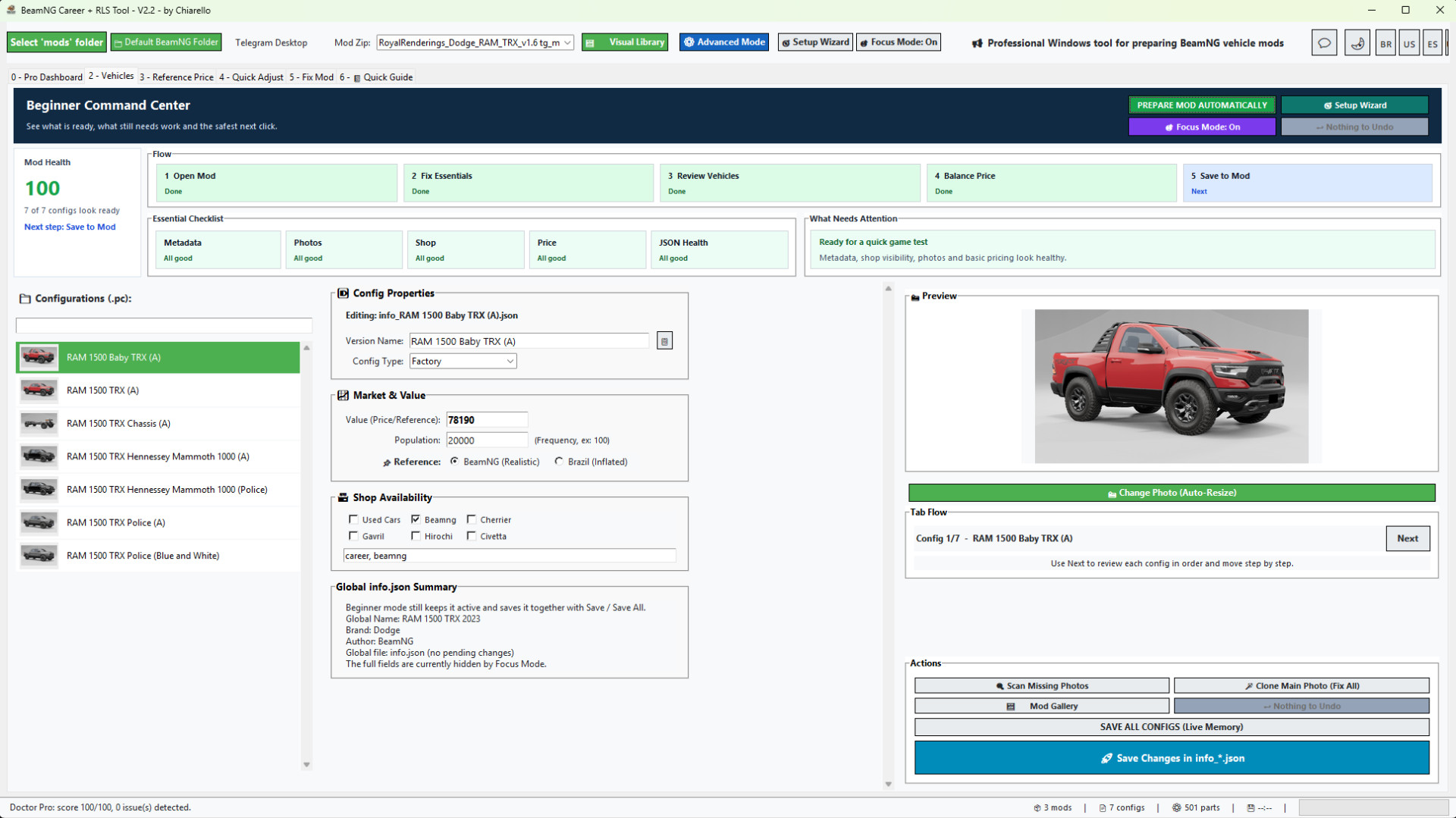
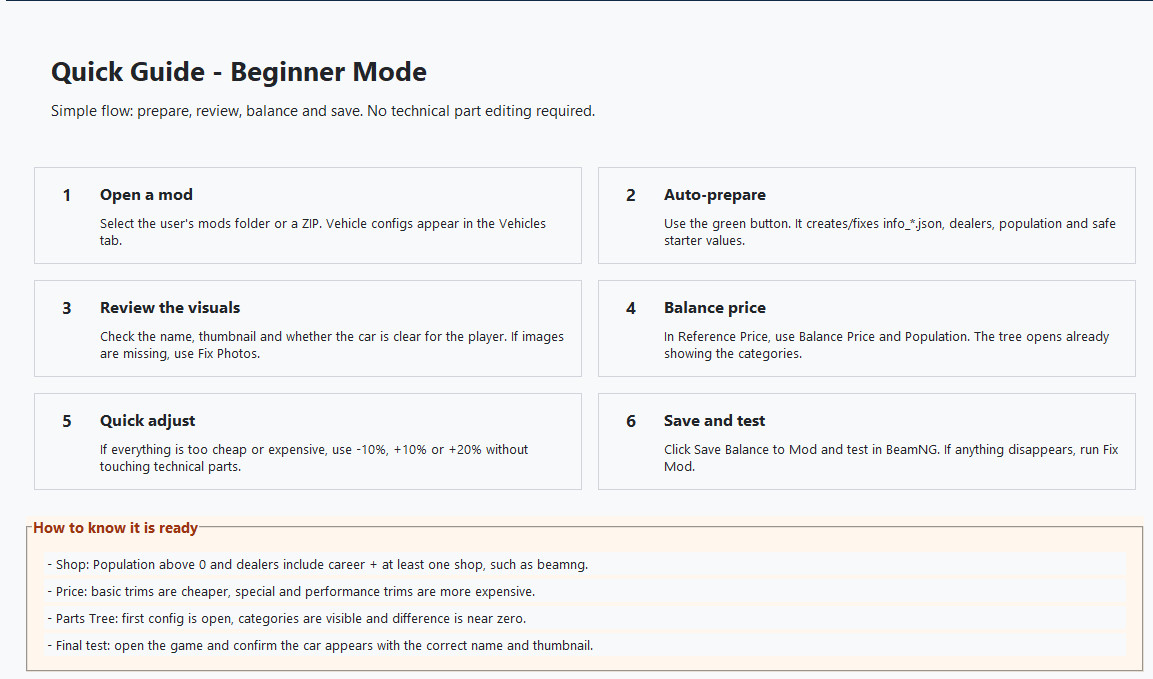
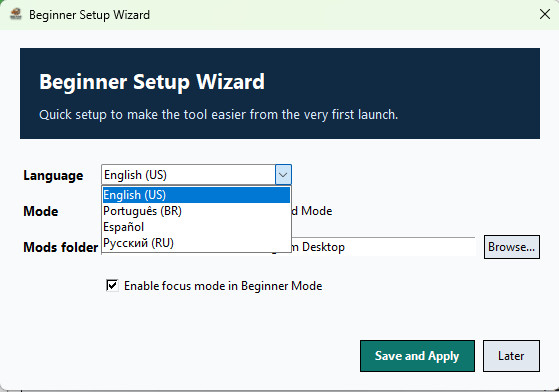
BeamNG Career Tool Pro is made for players, mod creators and sellers who want vehicle mods to work better in BeamNG Career/RLS workflows without manually editing every JSON and JBeam file.
The app gives you a guided workflow: load a vehicle ZIP, scan it, check its Career readiness score, apply safe 1-click fixes, generate a professional report, and prepare the mod for testing or delivery.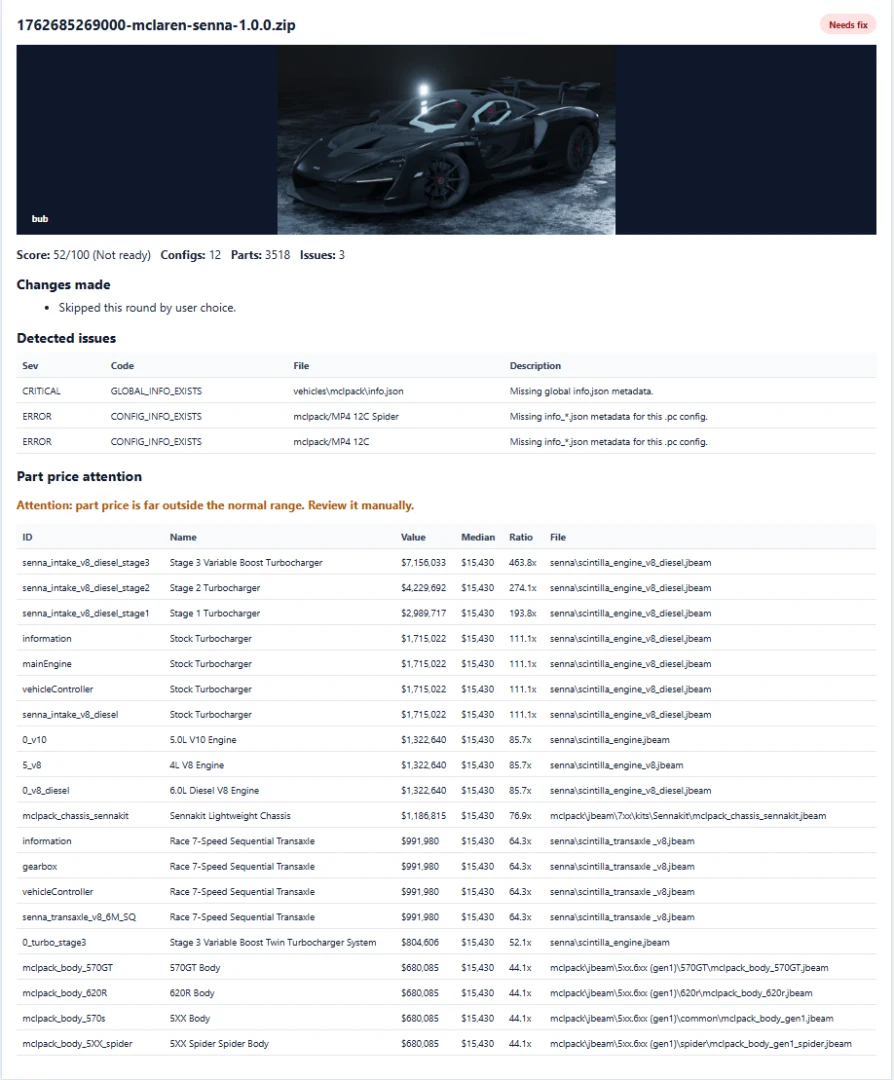
Main Features
- Pro Dashboard with a clean blue product banner and client-ready workflow.
- Vehicle ZIP loader using the configured BeamNG mods folder.
- Visual vehicle preview so you know which mod is loaded.
- Mod Doctor / Career Ready Score for checking if a vehicle is ready for Career mode.
- 1-click Career preparation for the current mod.
- Automatic creation and repair of required info.json and info_*.json files.
- Automatic vehicle value generation based on installed parts.
- Automatic Population distribution so configurations can appear naturally in Career mode.
- Career-friendly dealer tag repair.
- JBeam part price synchronization when applying the quick Career fix.
- Backup creation before writing metadata or JBeam changes.
- ZIP repack after fixes.
- Professional HTML reports with score, detected problems, fixes, part-price warnings and vehicle photos.
- Global Folder Report for scanning an entire mods folder.
- Non-vehicle ZIP filtering, so maps and global mods are ignored during vehicle reports.
- Saved Global Report loading, so an already generated report can be loaded again to continue correction without scanning everything from zero.
- Global 1-click correction with checkbox selection for exactly which vehicle ZIPs should be fixed.
- "Select all needed fixes" option for full batch correction.
- Quick Guide translated in Portuguese, English and Spanish.
- Auto-login after the first successful login using a locally protected session.
What Changed In v2.1
- Added the new Pro Dashboard workflow for faster client delivery.
- Restored the standard blue header style on Tab 0 while keeping the product name BeamNG Career Tool Pro.
- Added vehicle photos to generated reports when thumbnails are available.
- Refocused reports on real Career blockers instead of cosmetic warnings.
- Duplicate display names and unused backup files no longer mark a mod as needing repair.
- Value 0, Population 0, missing metadata, broken JSON and dealer visibility problems remain highlighted as important Career issues.
- Improved broken JSON handling: invalid info.json and info_*.json can be rebuilt by the 1-click fix with backups.
- Added Global Folder Report filtering to ignore maps and non-vehicle ZIPs.
- Added a selector before global correction, letting users choose individual ZIPs to repair.
- Added "Select all needed fixes" for full batch repair.
- Added the ability to load a previously generated Global Folder Report and recover ZIP data from it.
- Improved dashboard instructions explaining that global scans can take time depending on mod count.
- Added safer guidance recommending small batches for very large folders.
Recommended Workflow
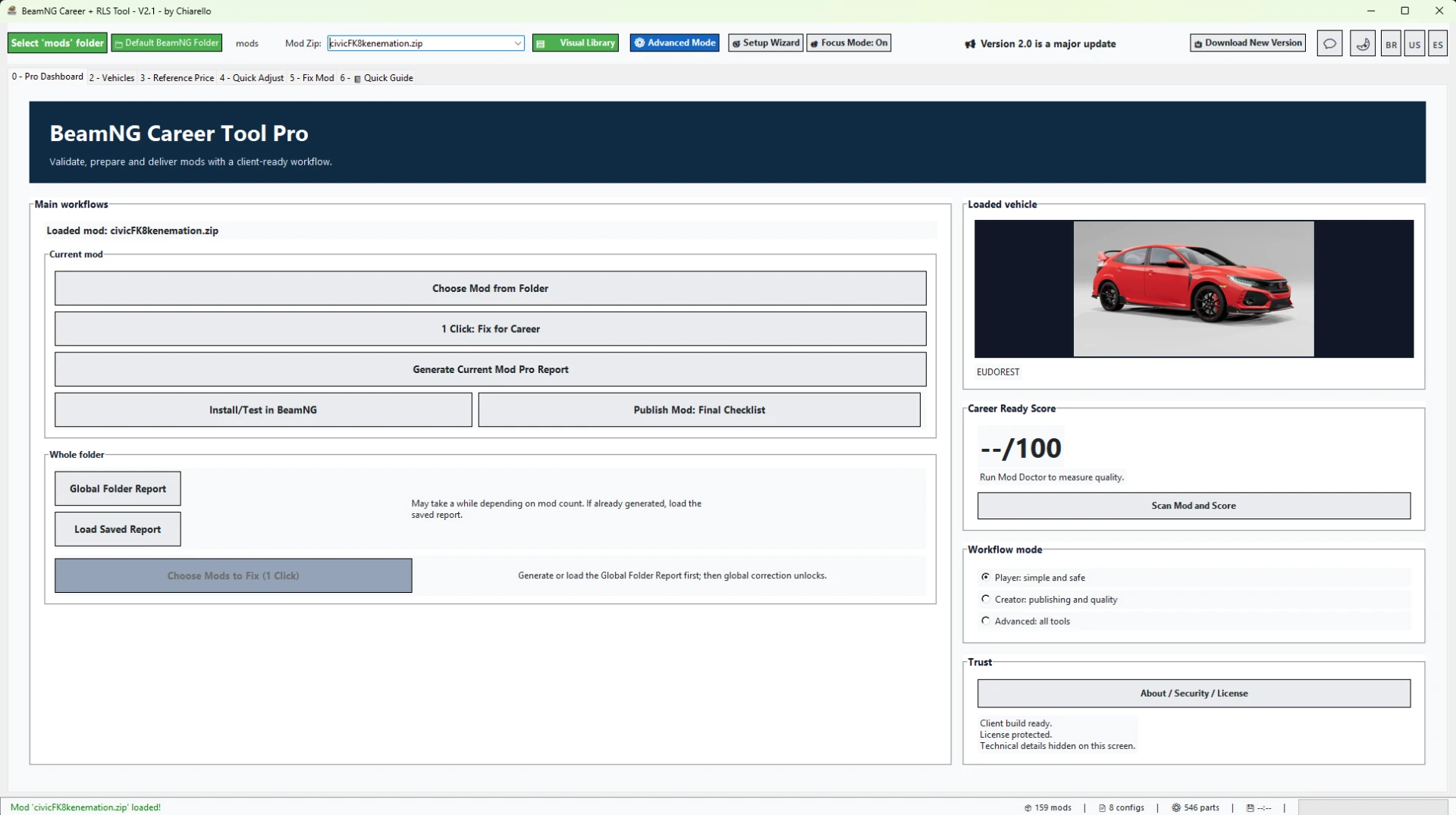
- Open the Pro Dashboard.
- Choose a vehicle ZIP from the configured BeamNG mods folder.
- Run Mod Doctor / Career Ready Score.
- Use 1-click Career preparation for the current mod, or generate a Global Folder Report for multiple mods.
- If a Global Folder Report was already generated before, load the saved report instead of scanning again.
- Select only the mods you want to fix now, or click "Select all needed fixes".
- Review the post-fix HTML report.
- Test the ZIP in BeamNG before publishing or sending it to a client.
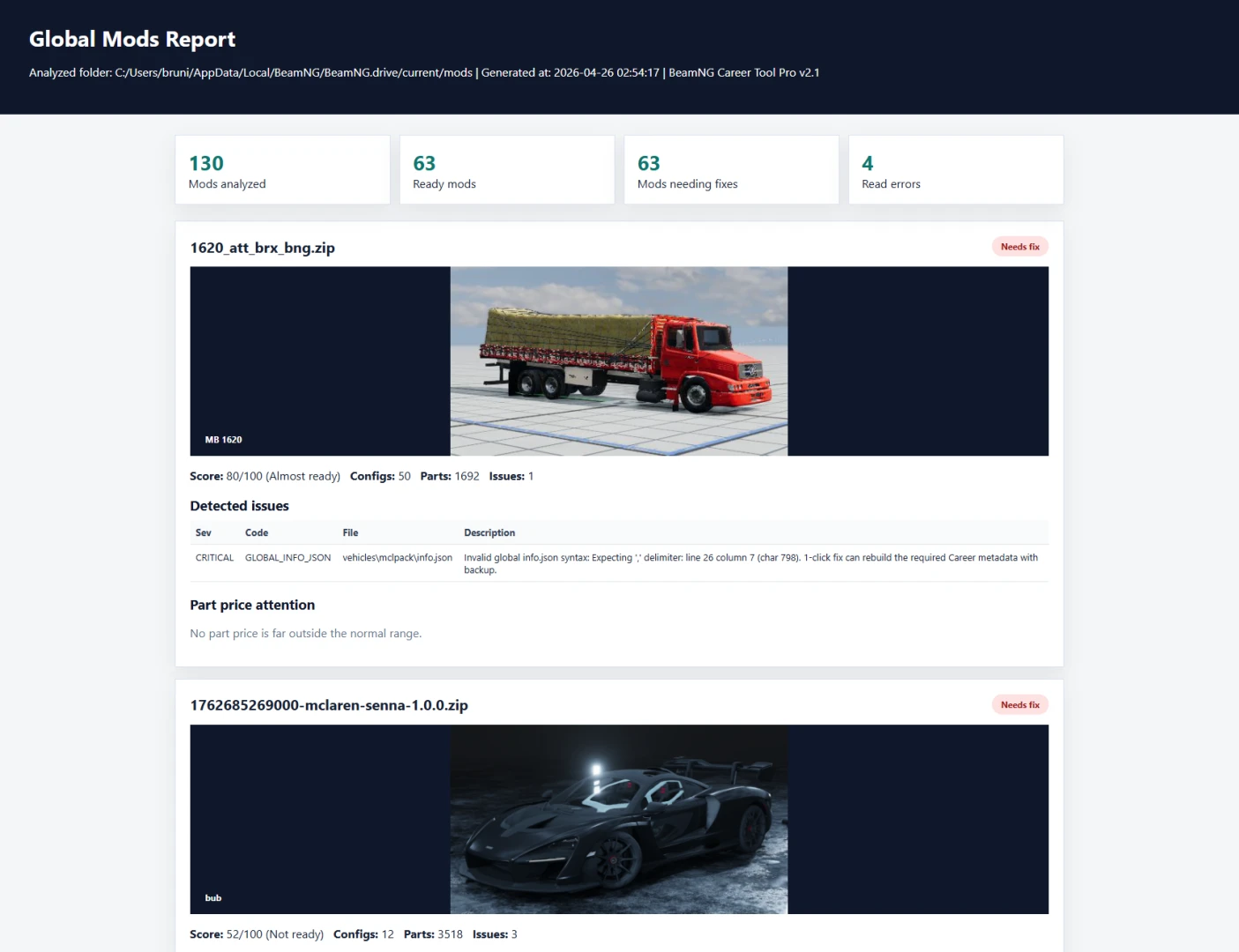
Notes
- The tool creates backups before changing metadata or JBeam files.
- Global batch correction should be used in smaller groups when the mods folder is very large.
- Extreme part prices are shown as warnings and should be reviewed manually.
- Very corrupted mods may still need manual inspection.
- Final in-game testing is recommended before publishing any vehicle.
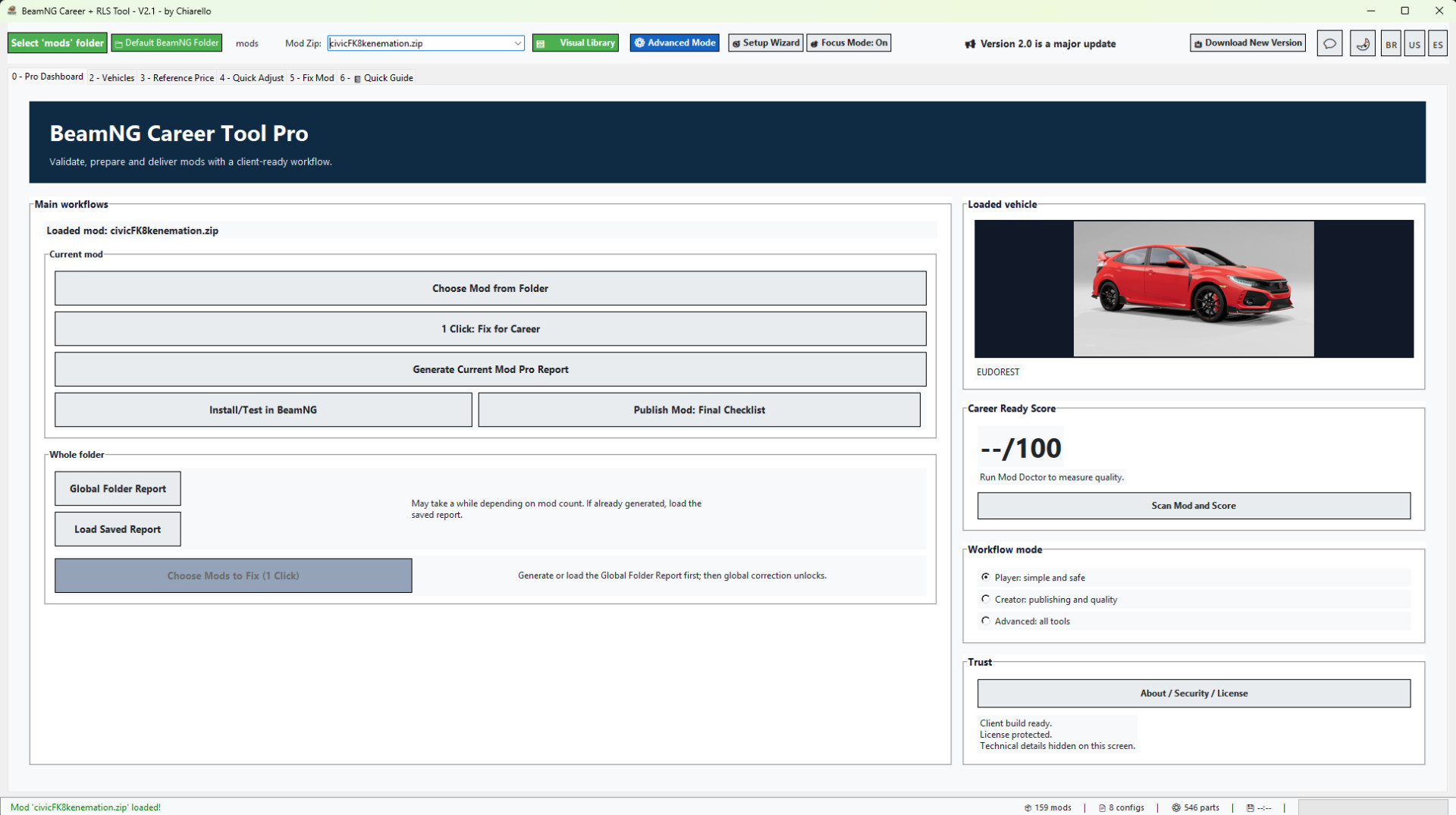
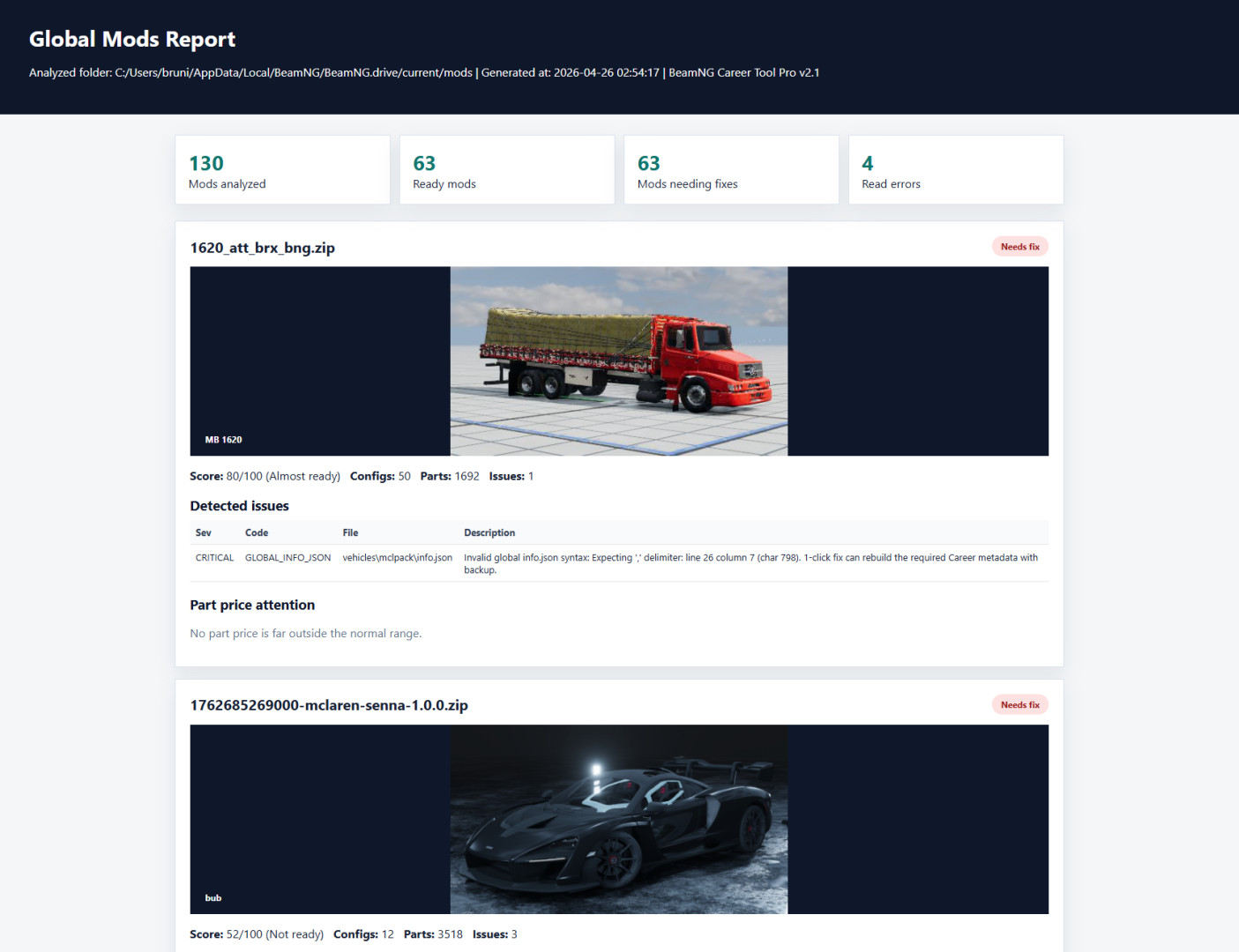
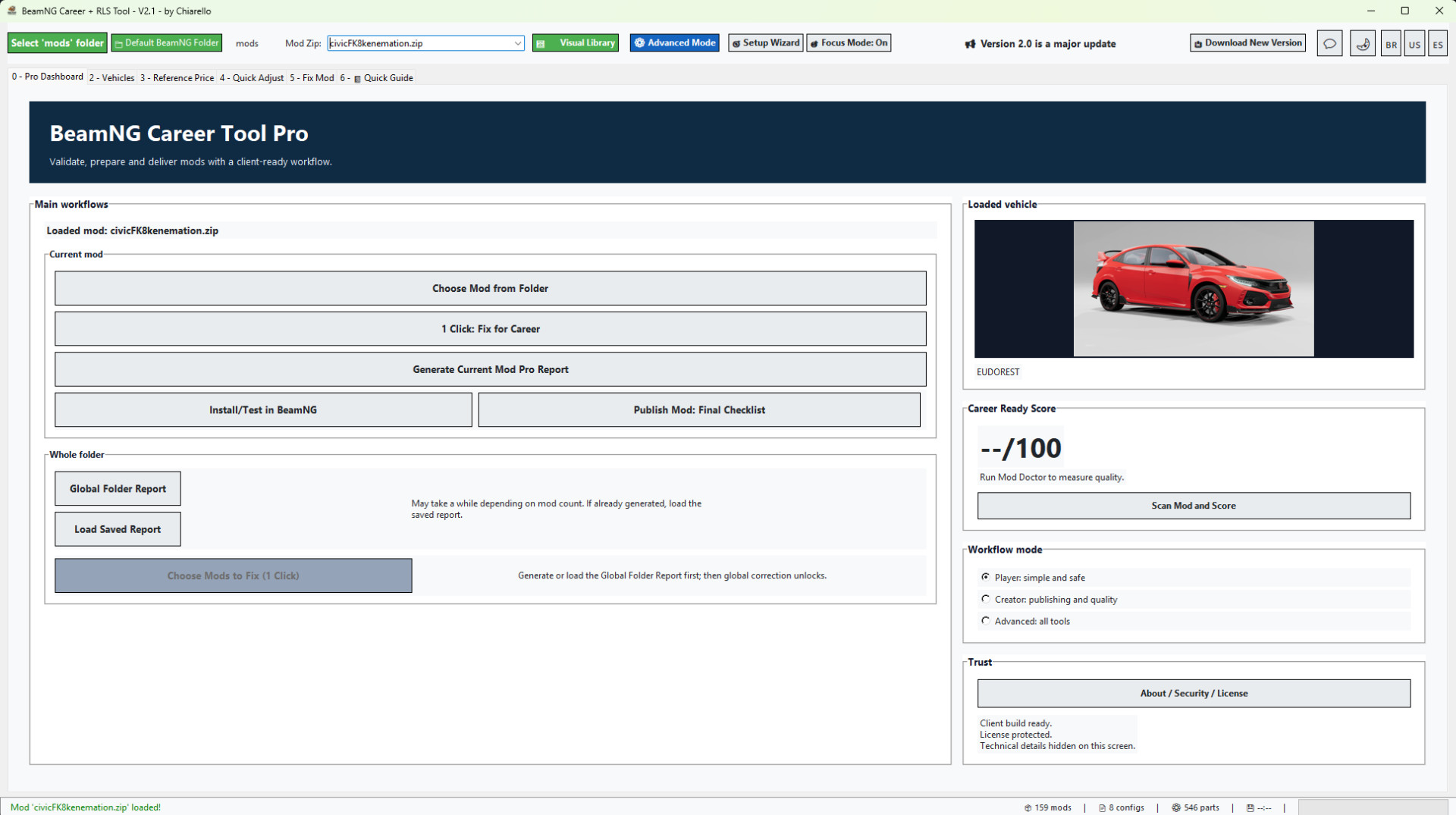
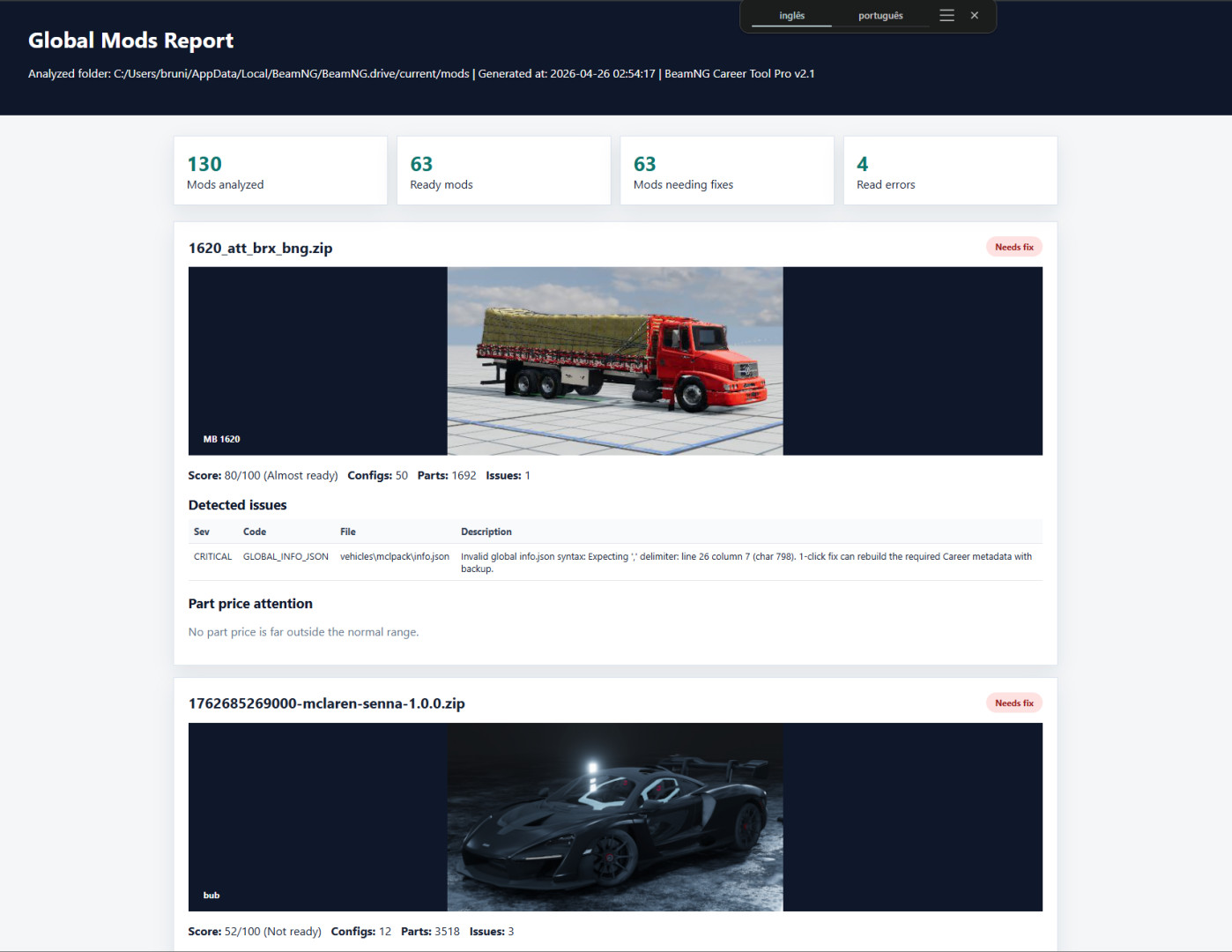
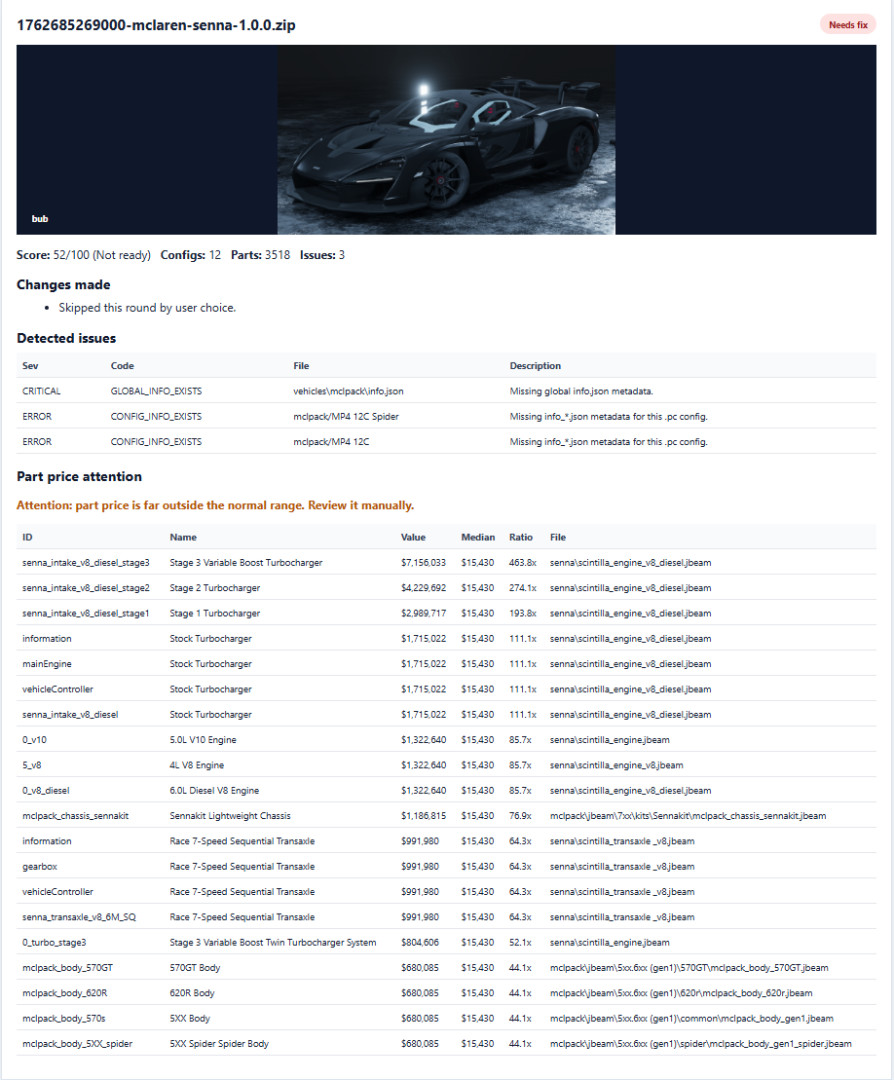
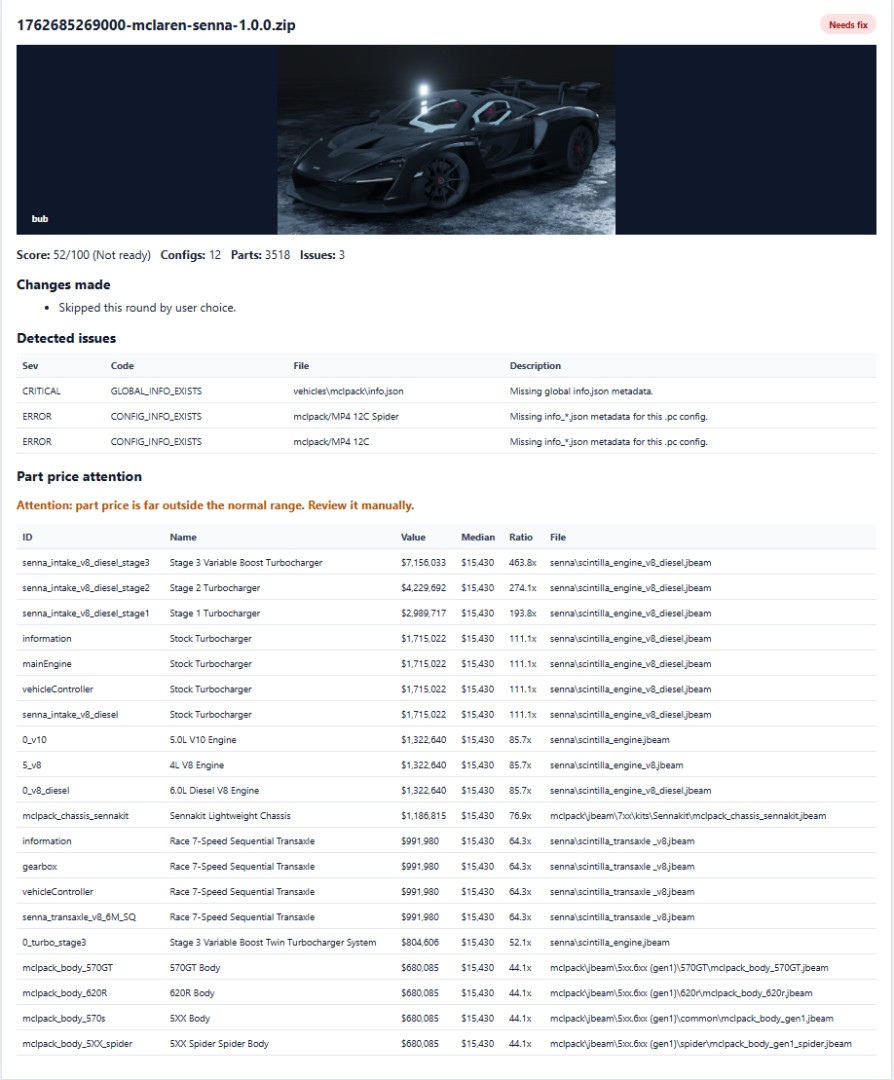
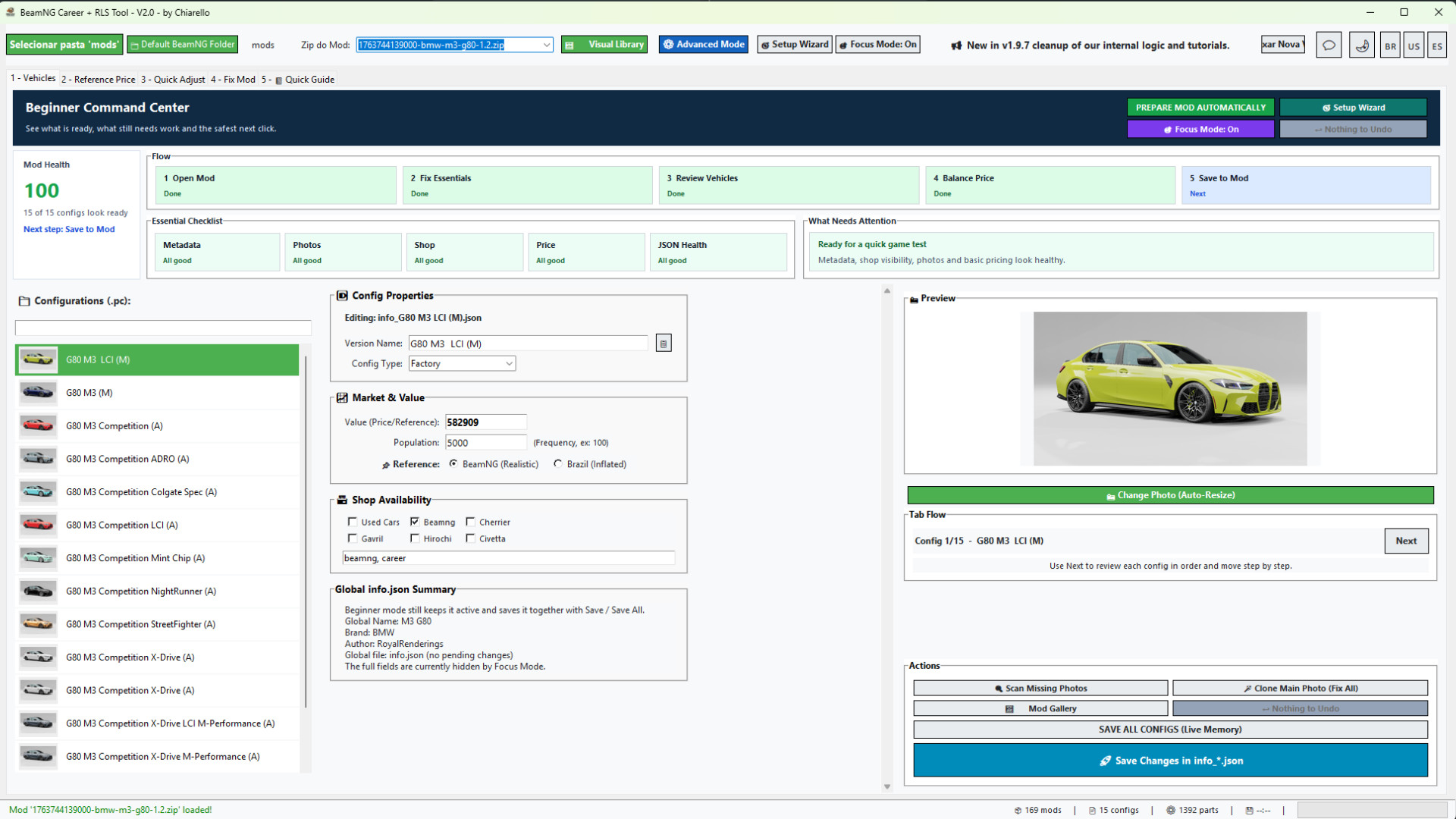
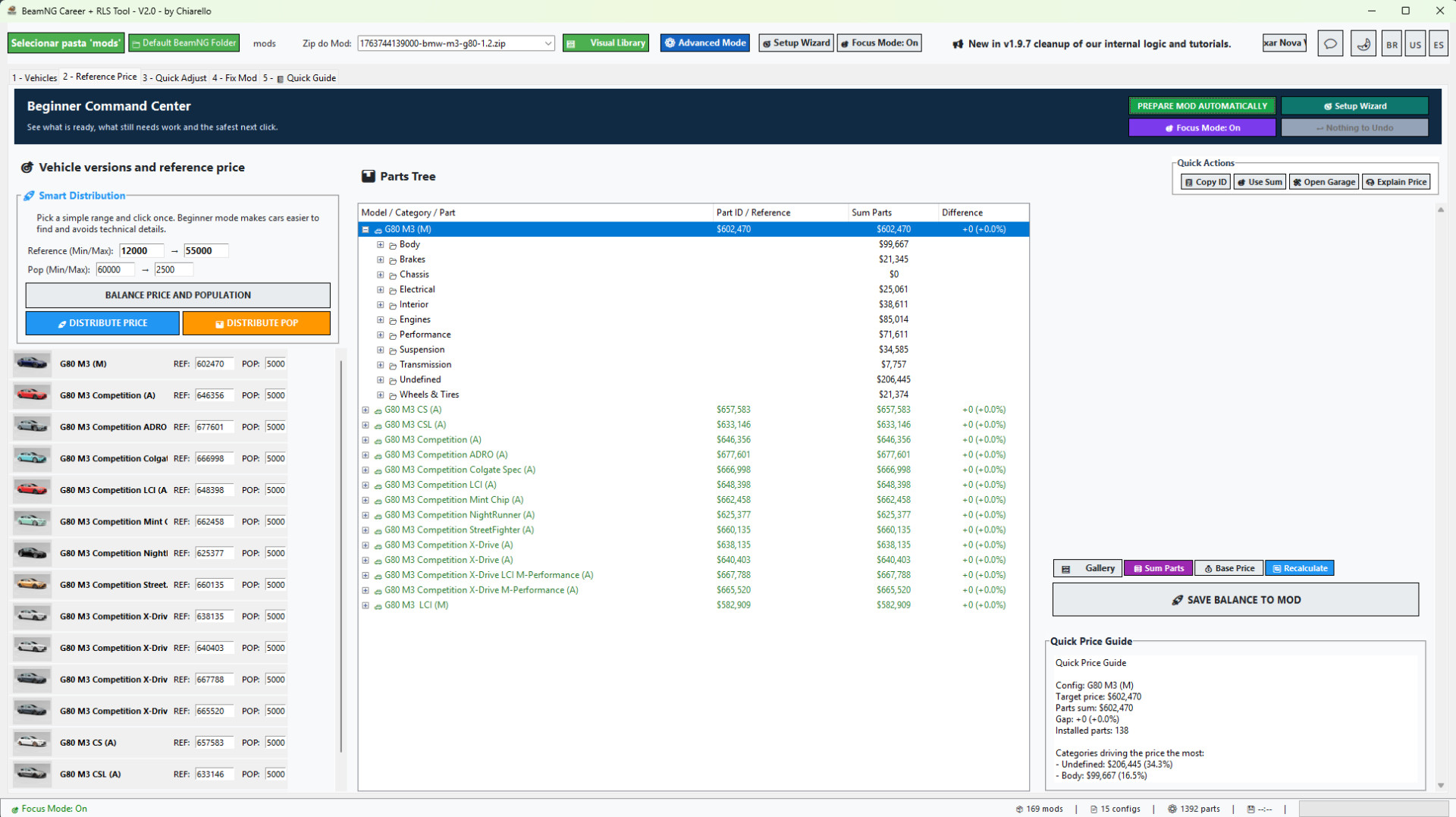
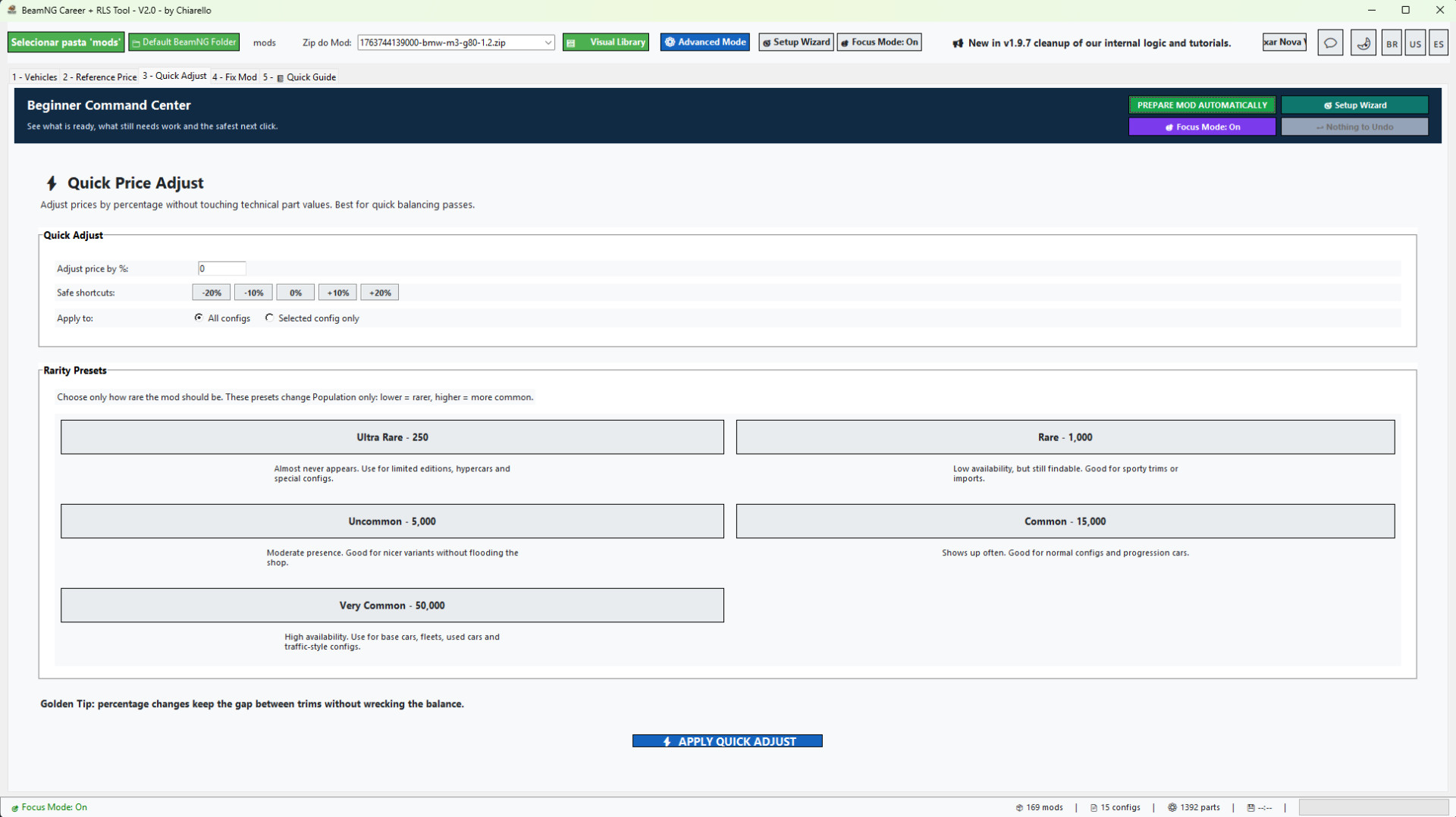
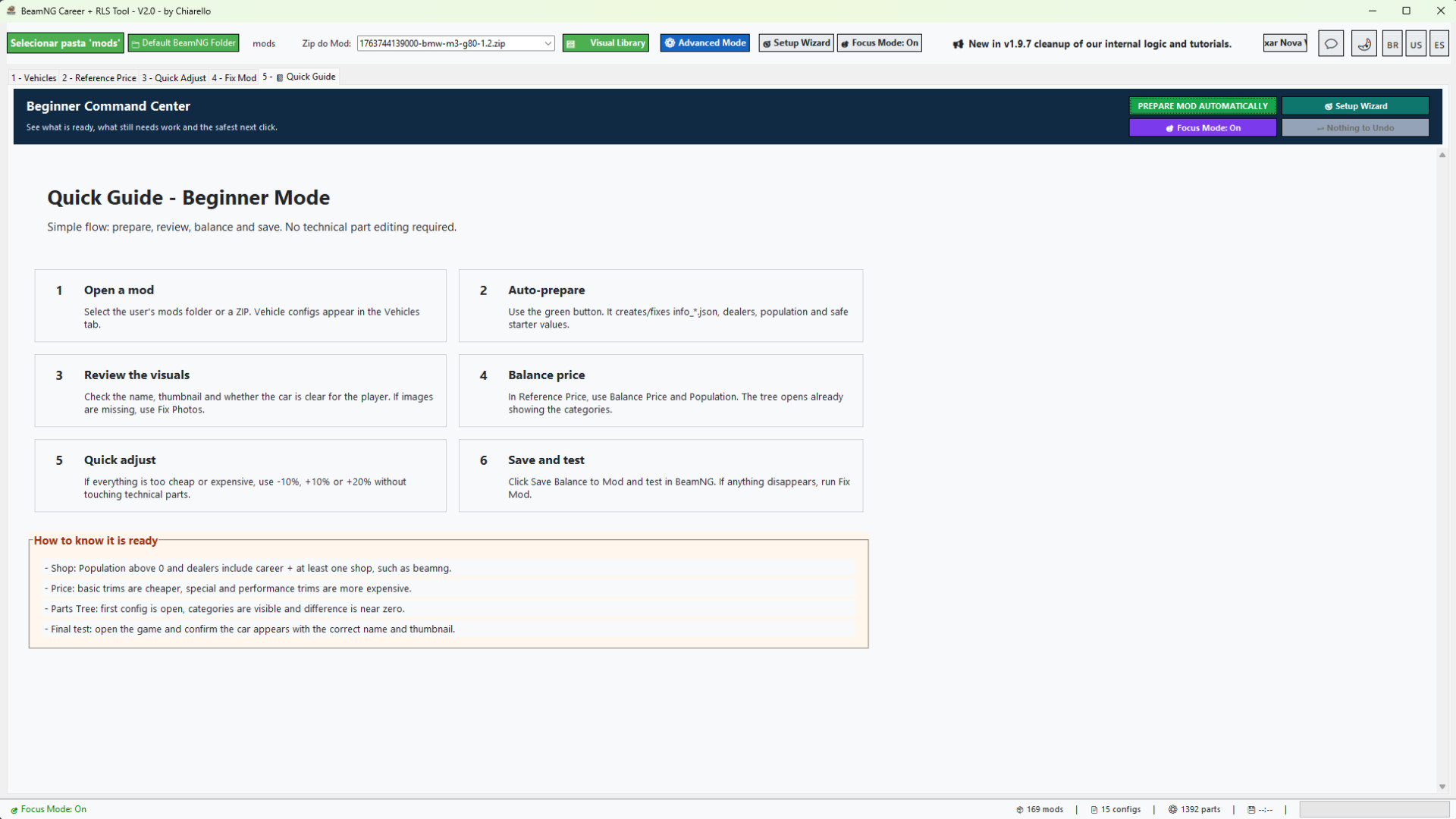
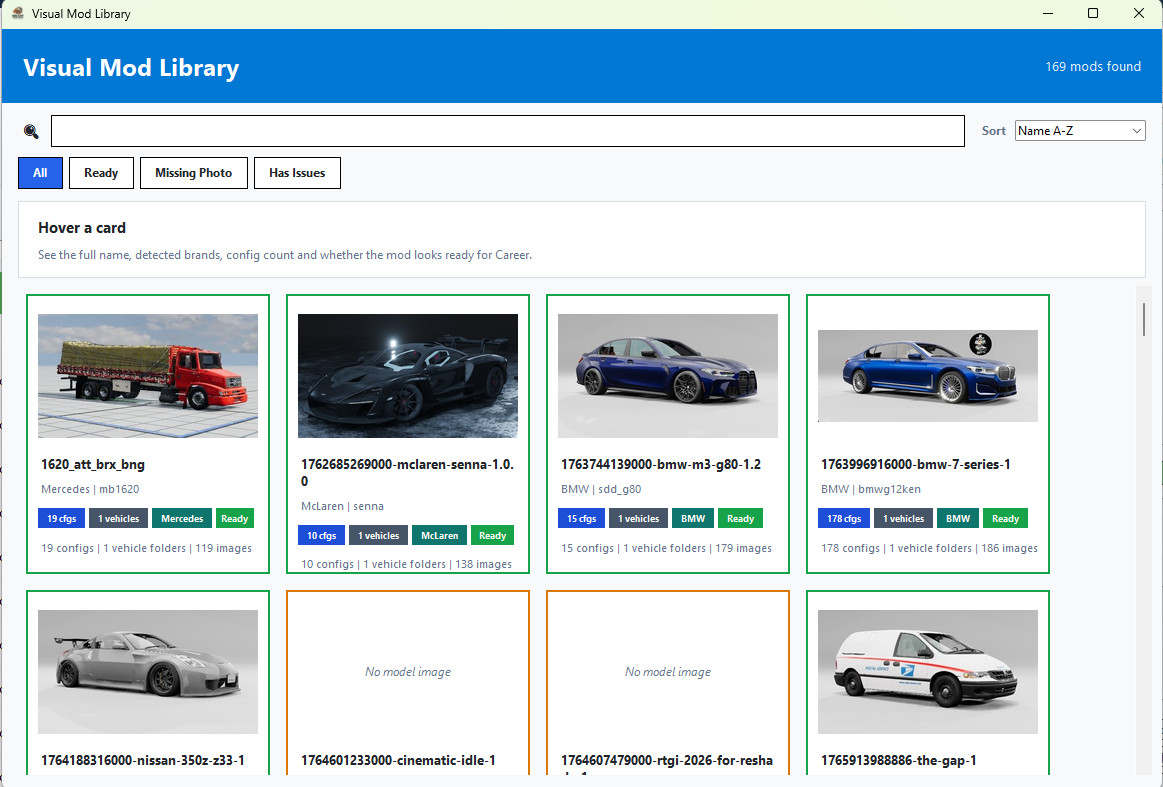
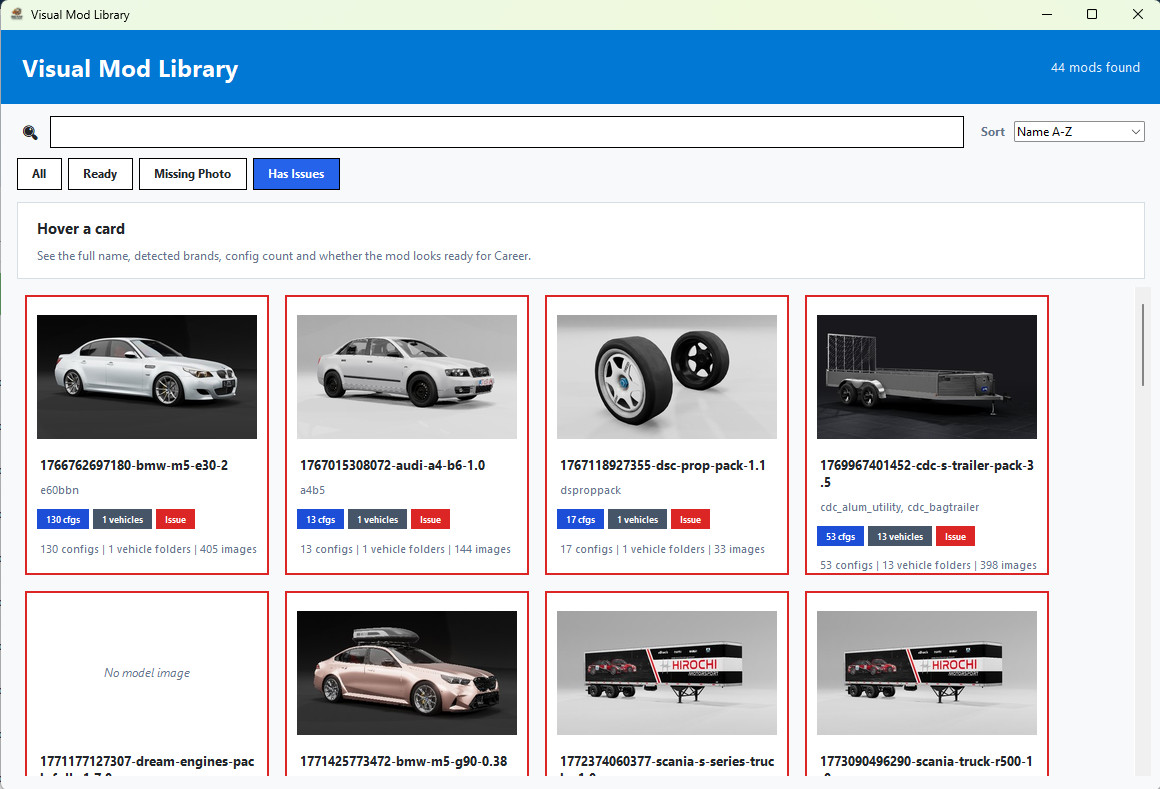
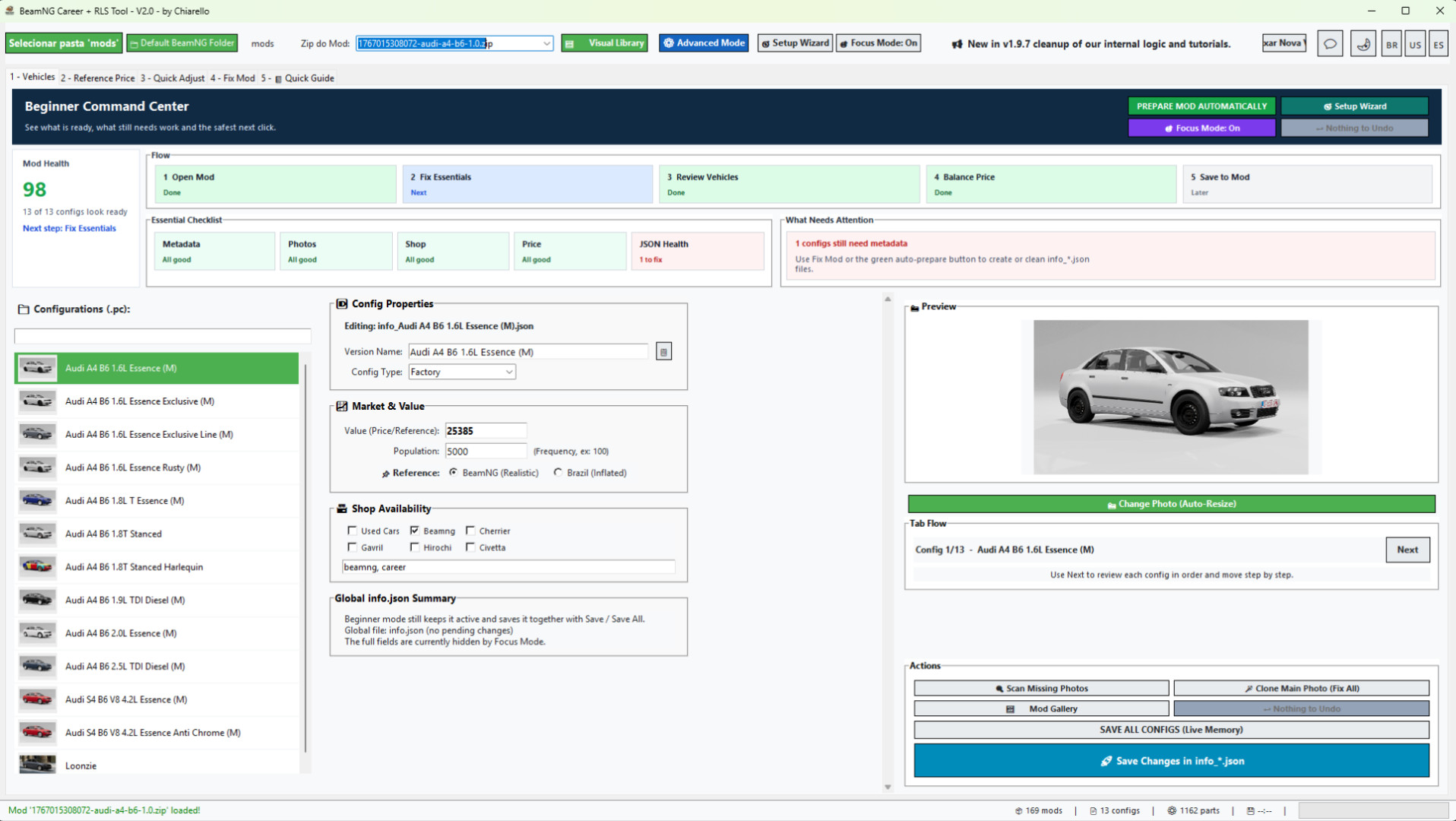
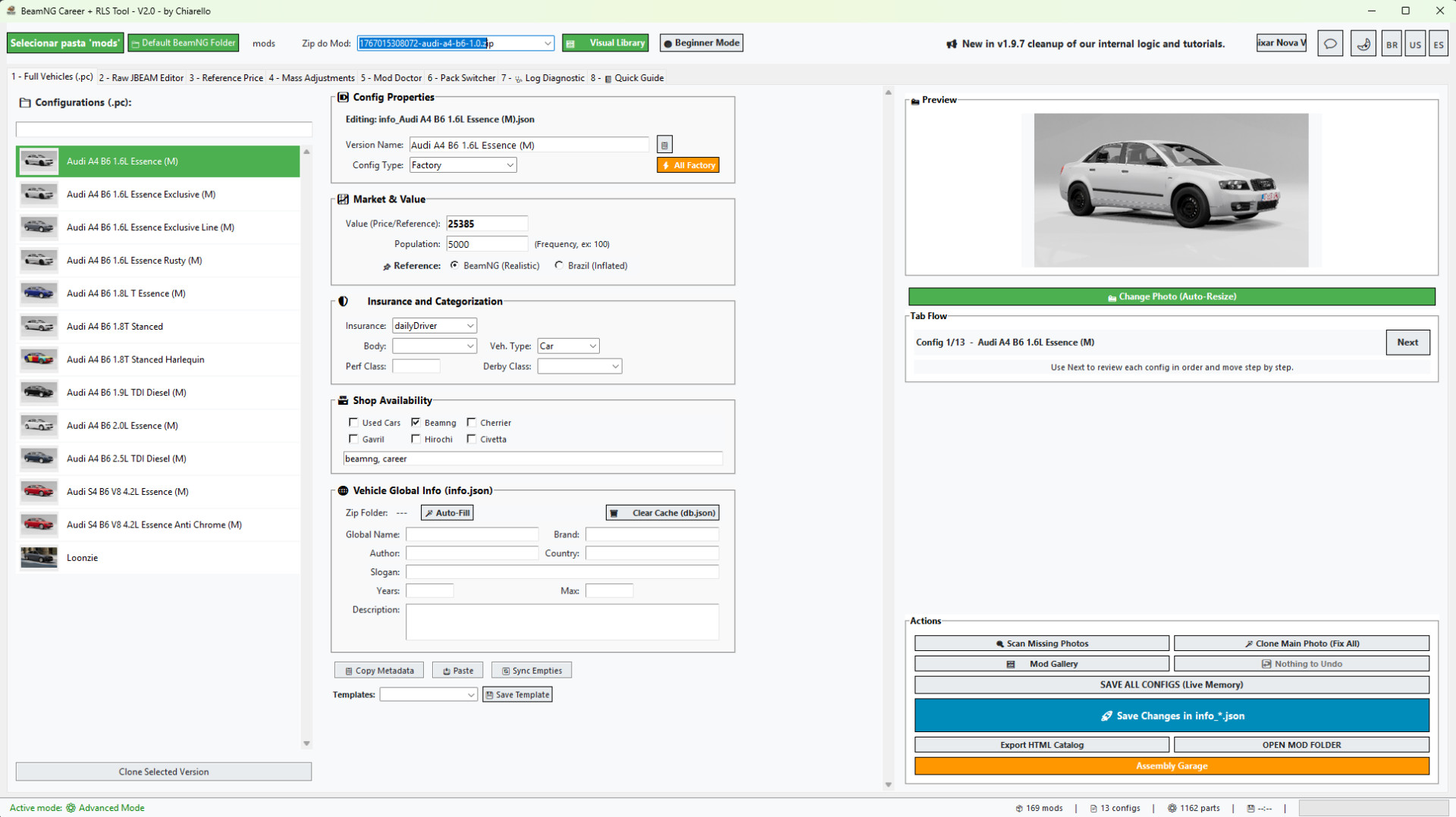
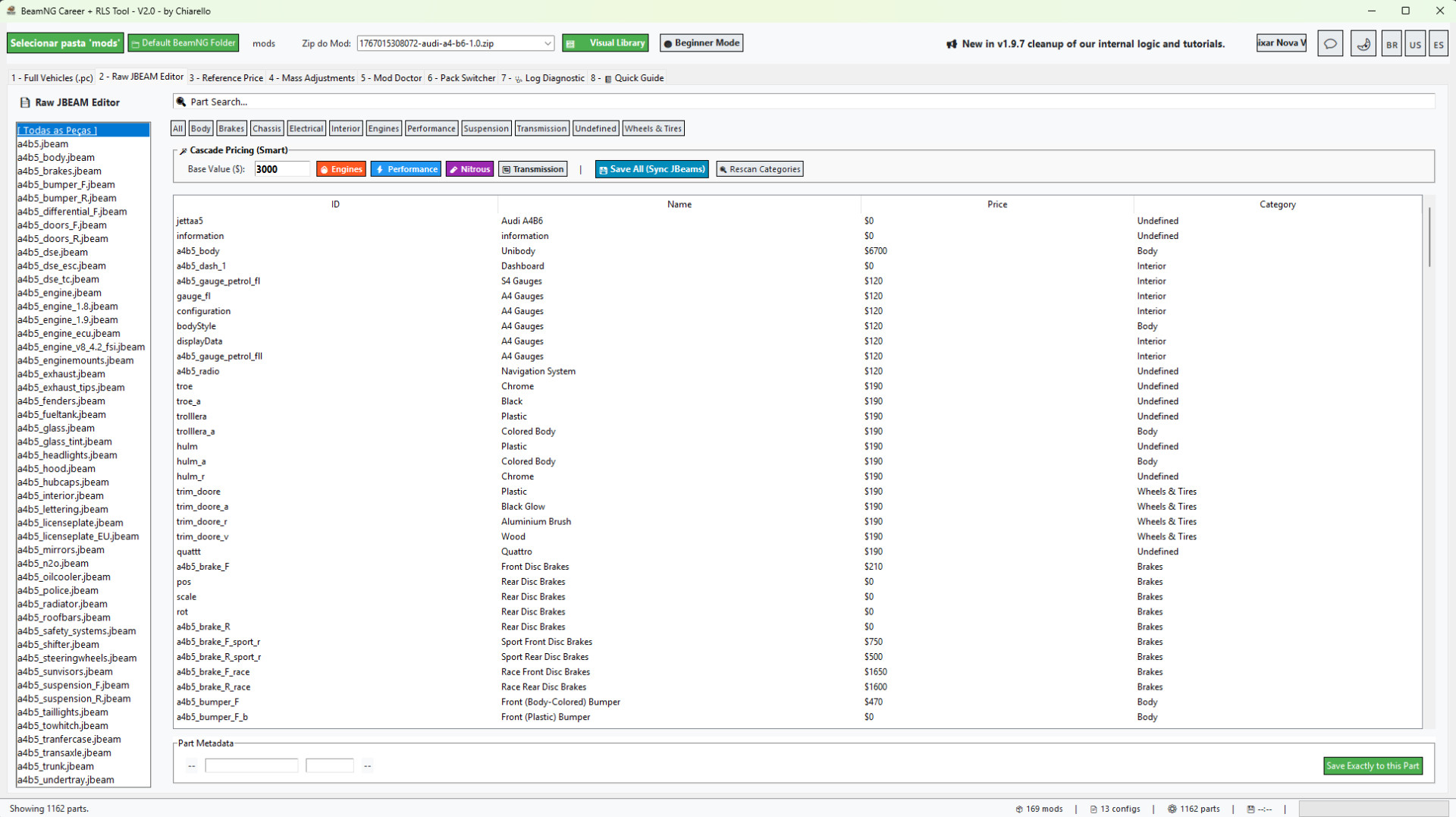
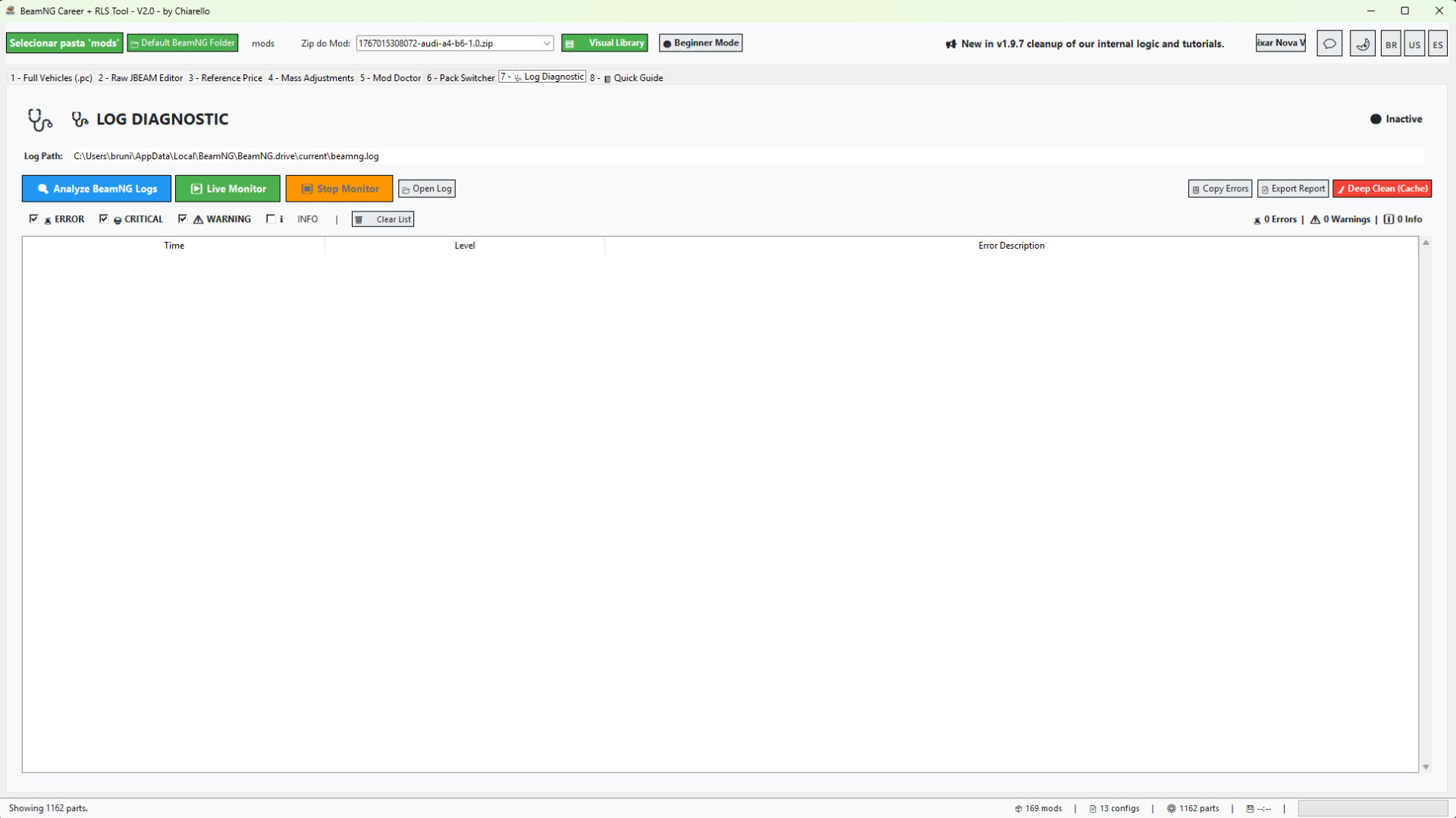
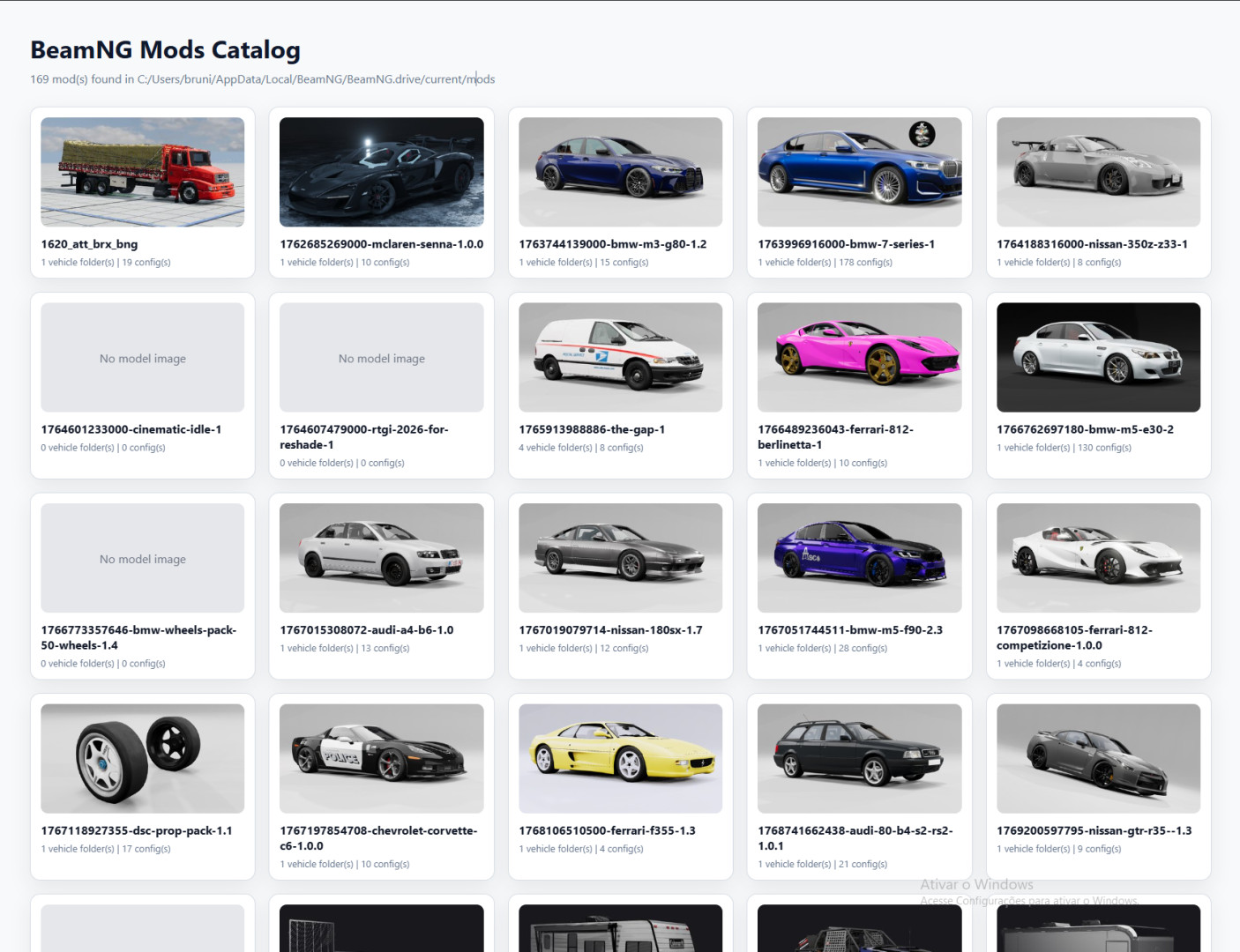
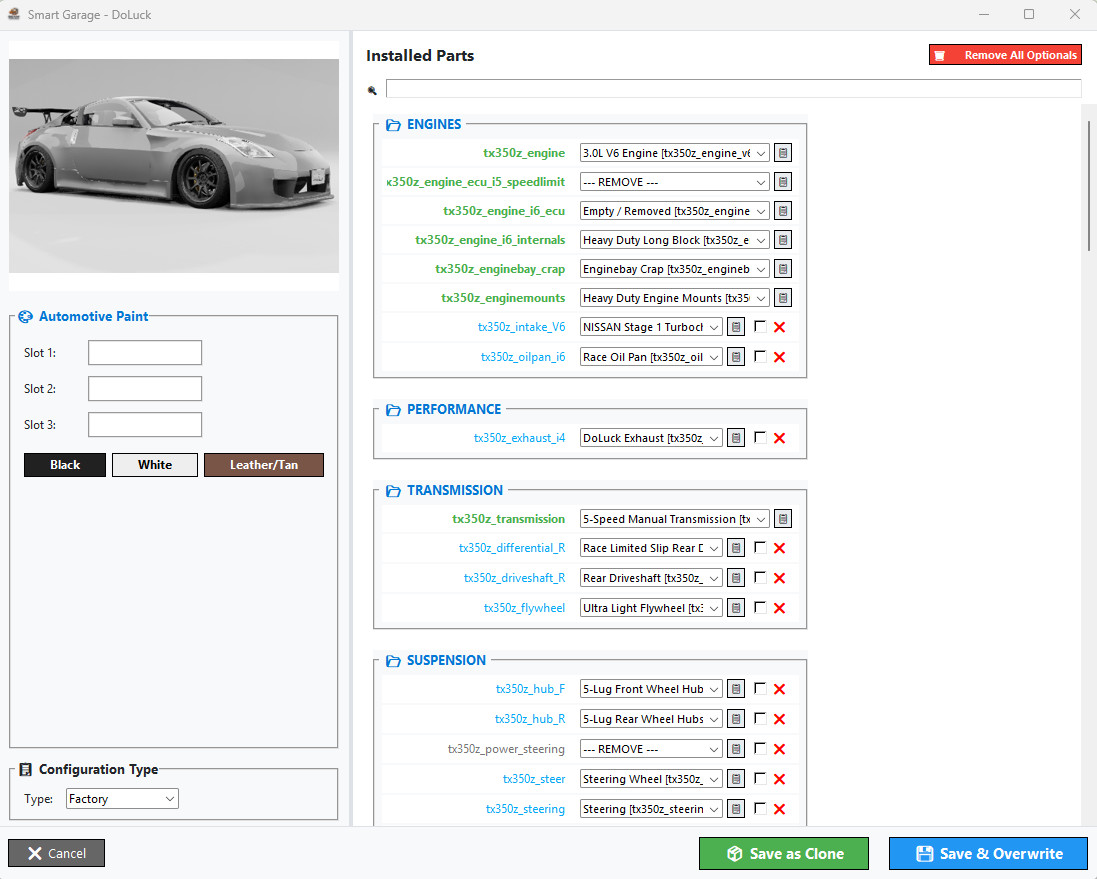
Patch Notes (v1.9.7.1)
Major Documentation & Localization Overhaul:
- Tutorial Cleanup: Removed obsolete markers and placeholders to reflect the current high-performance toolset.
- Workflow Correction: The "Gold Tip" pricing workflow now accurately guides you through Tab 3 (FIPE) and Tab 4 (Mass Adjustments) for perfect mod synchronization.
- Localization Polish: Fixed translation remnants in the Spanish version. GUI and documentation are now fully professional in English, Portuguese, and Spanish.
- Stability: Minor fixes in the real-time log monitor descriptions for better crash identification.
🛠️ What is the BeamNG Career Tool?
The ultimate suite for Mod Creators and Career Mode enthusiasts. Designed to give you surgical control over your vehicle's economic integration into BeamNG.drive's Career Mode.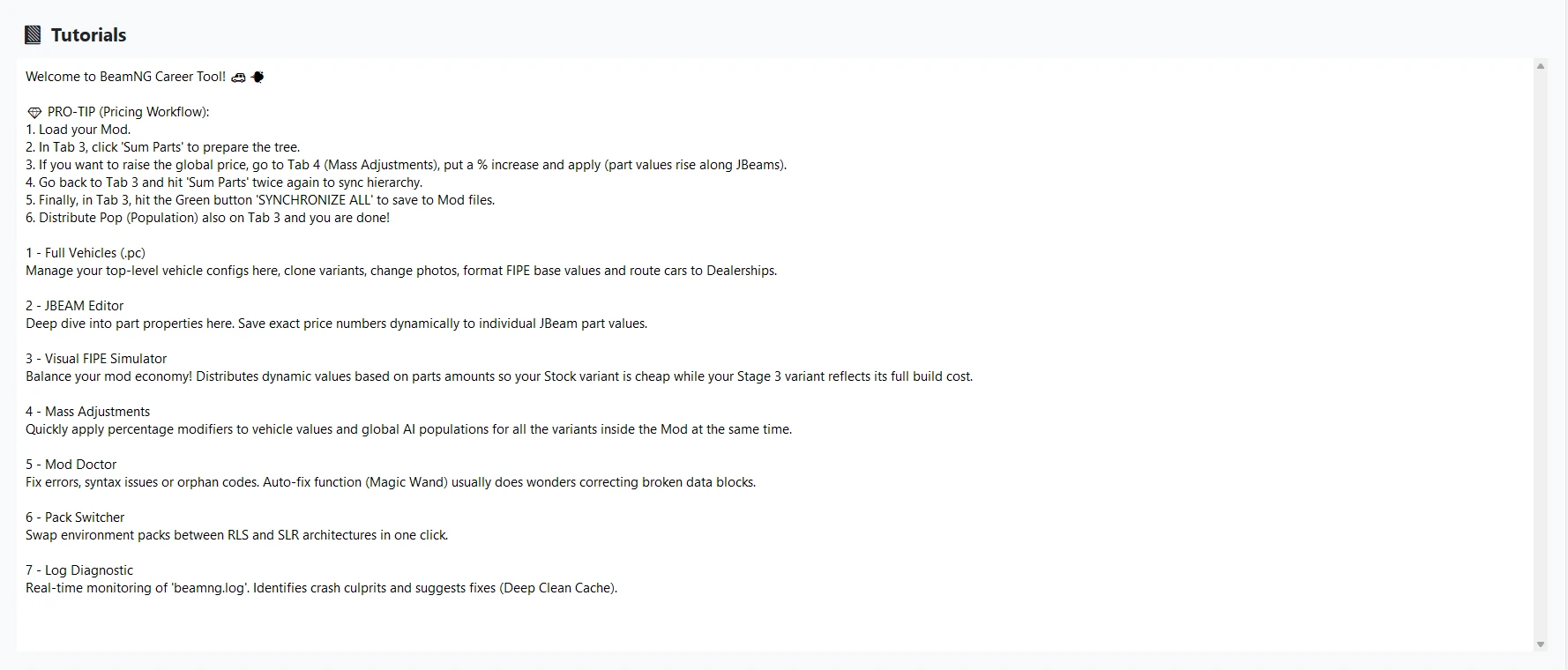
Core Features:
- Visual FIPE Simulator: Automatically calculate and distribute realistic prices across your mod's parts. Make your Stock variants affordable while Stage 3 parts reflect their true performance value.
- Full Vehicle Manager (.pc): Clone variants, manage configurations, and swap shop thumbnails with automatic professional resizing.
- Mod Doctor: Scan your mod for broken JSON syntax, missing images, or orphaned code. The 'Magic Wand' fixes issues automatically.
- JBeam Editor: Deep-dive into part properties and set exactly how much each individual part costs directly within the JBeam files.
- Real-Time Log Monitor: Watch your beamng.log in real-time. Identify crash culprits (missing LUA scripts, syntax errors) instantly and use the 'Deep Clean' button to fix cache issues.
- Mass Adjustments: Apply price or population multipliers to ALL configurations of a car at once.
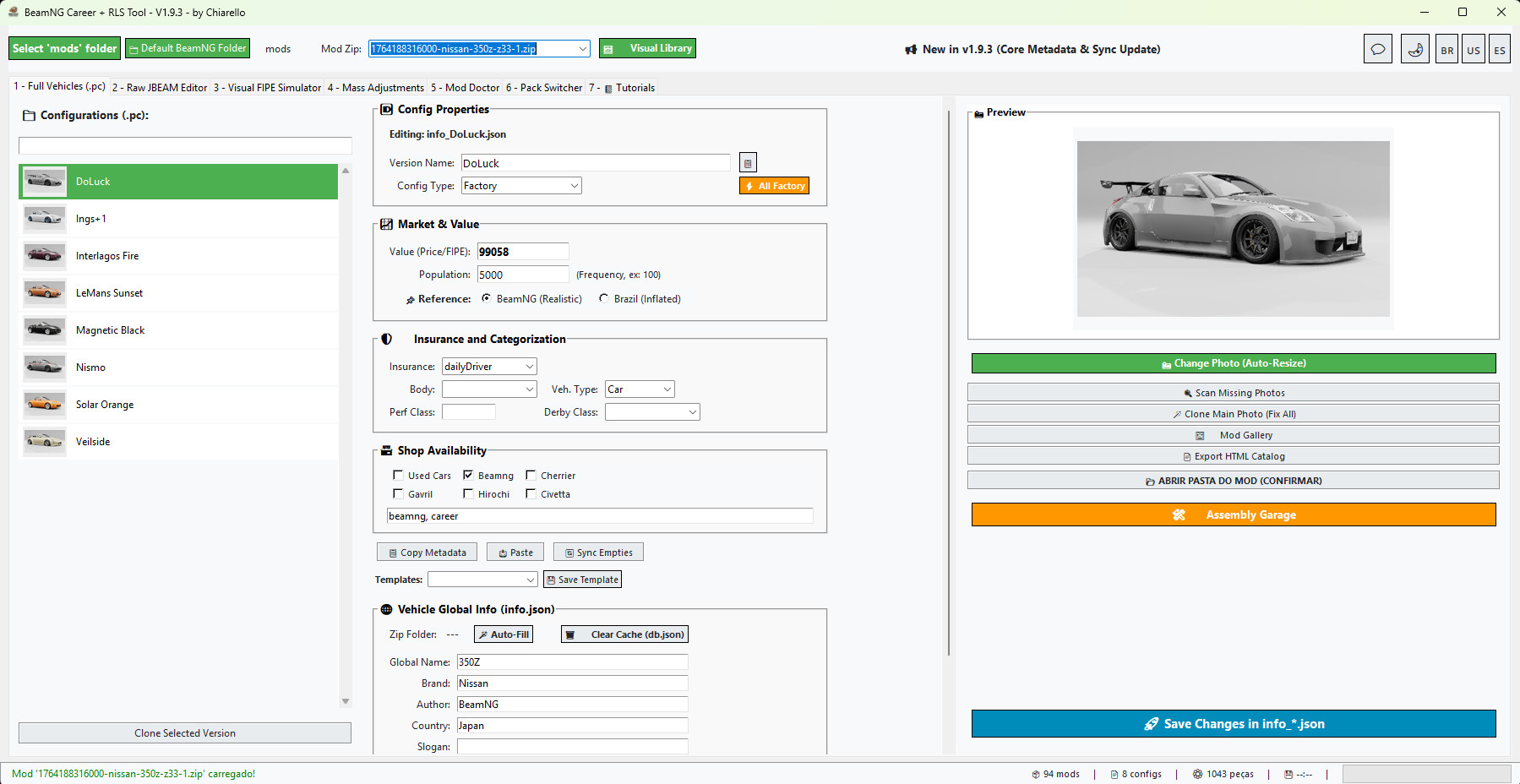
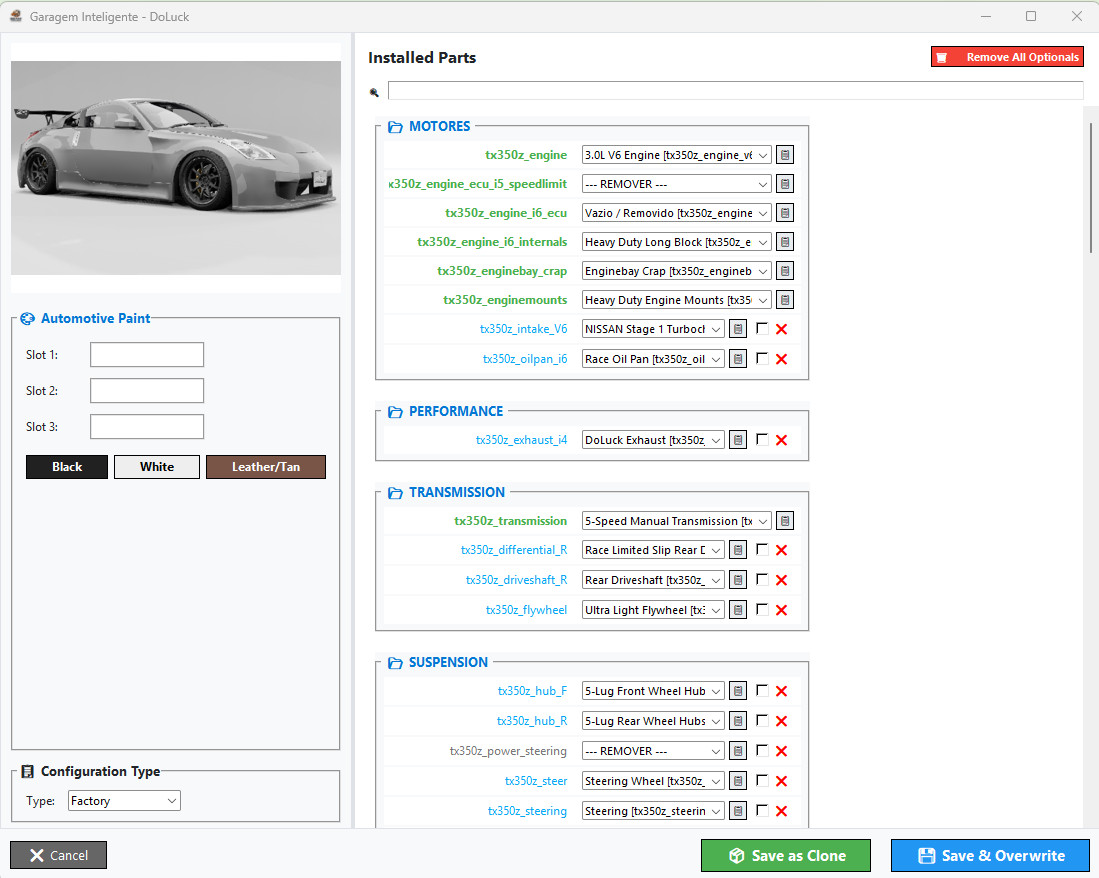
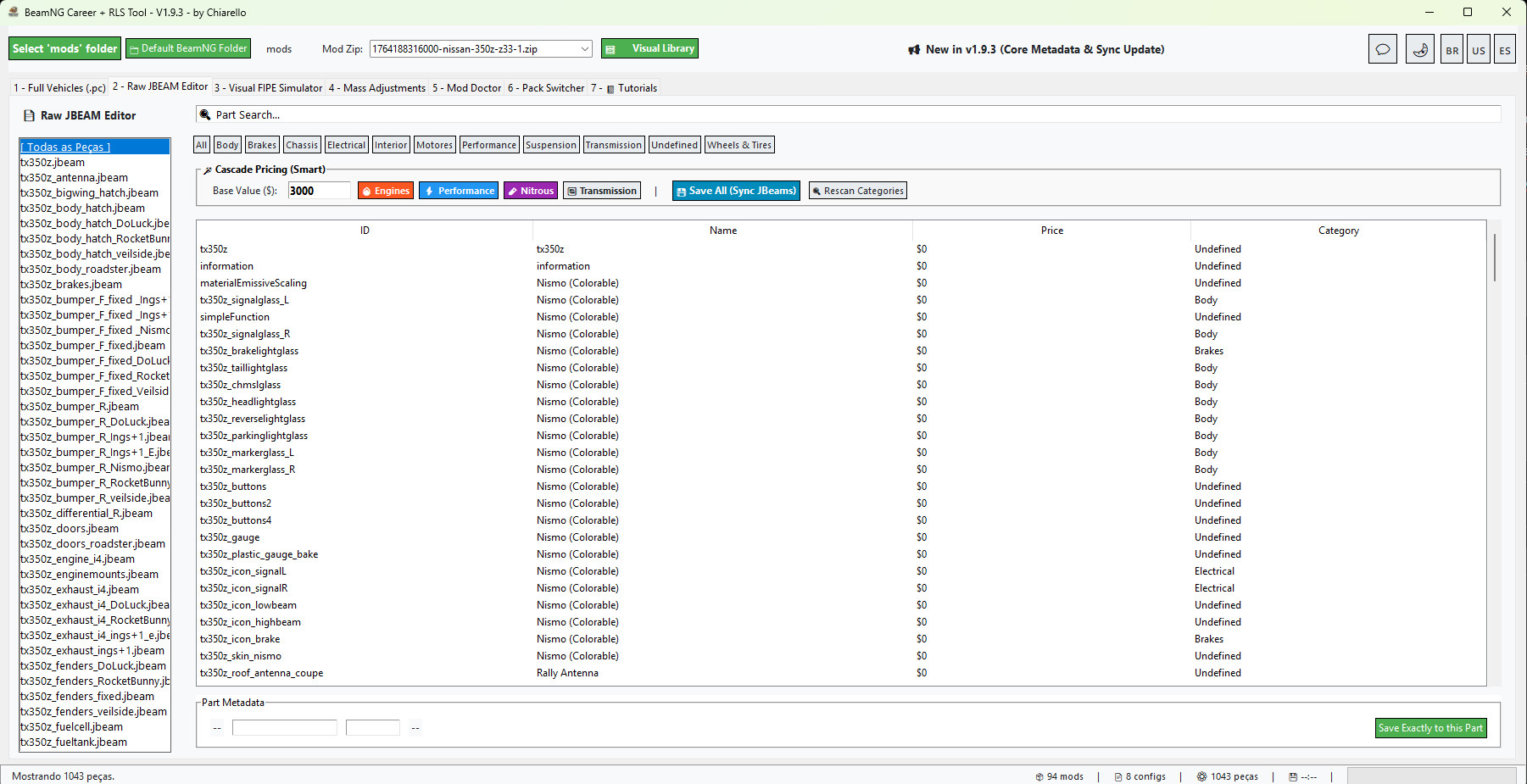
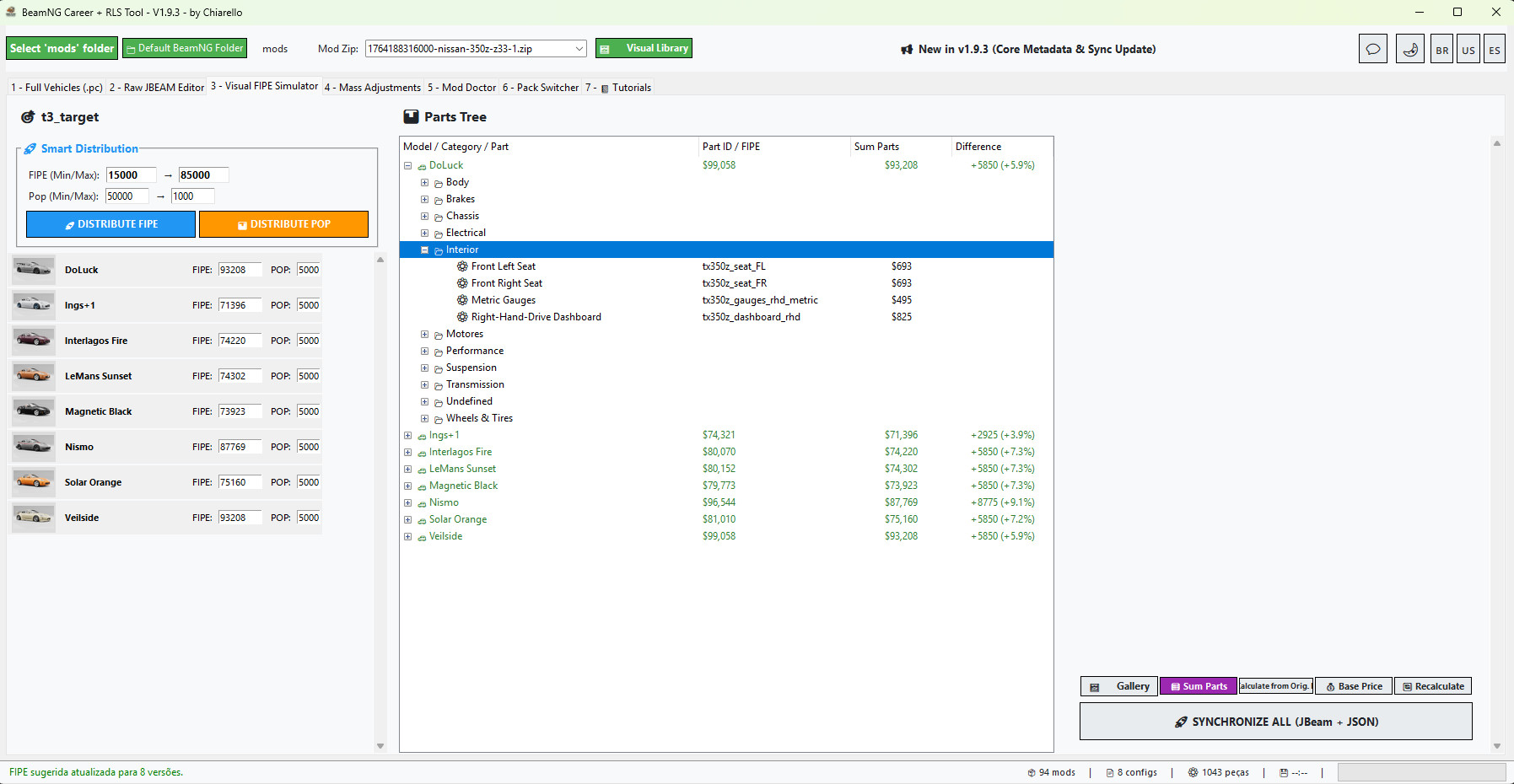
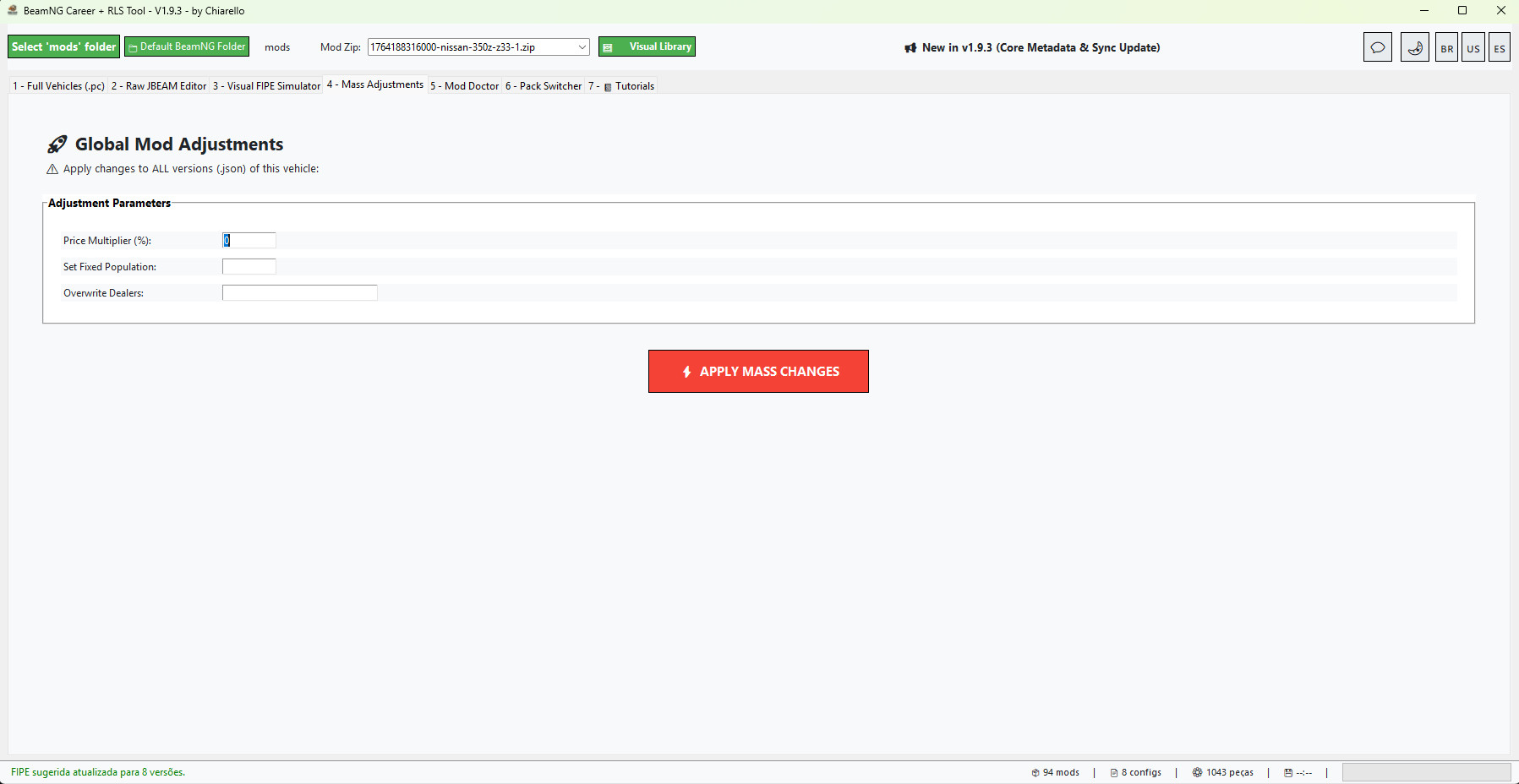
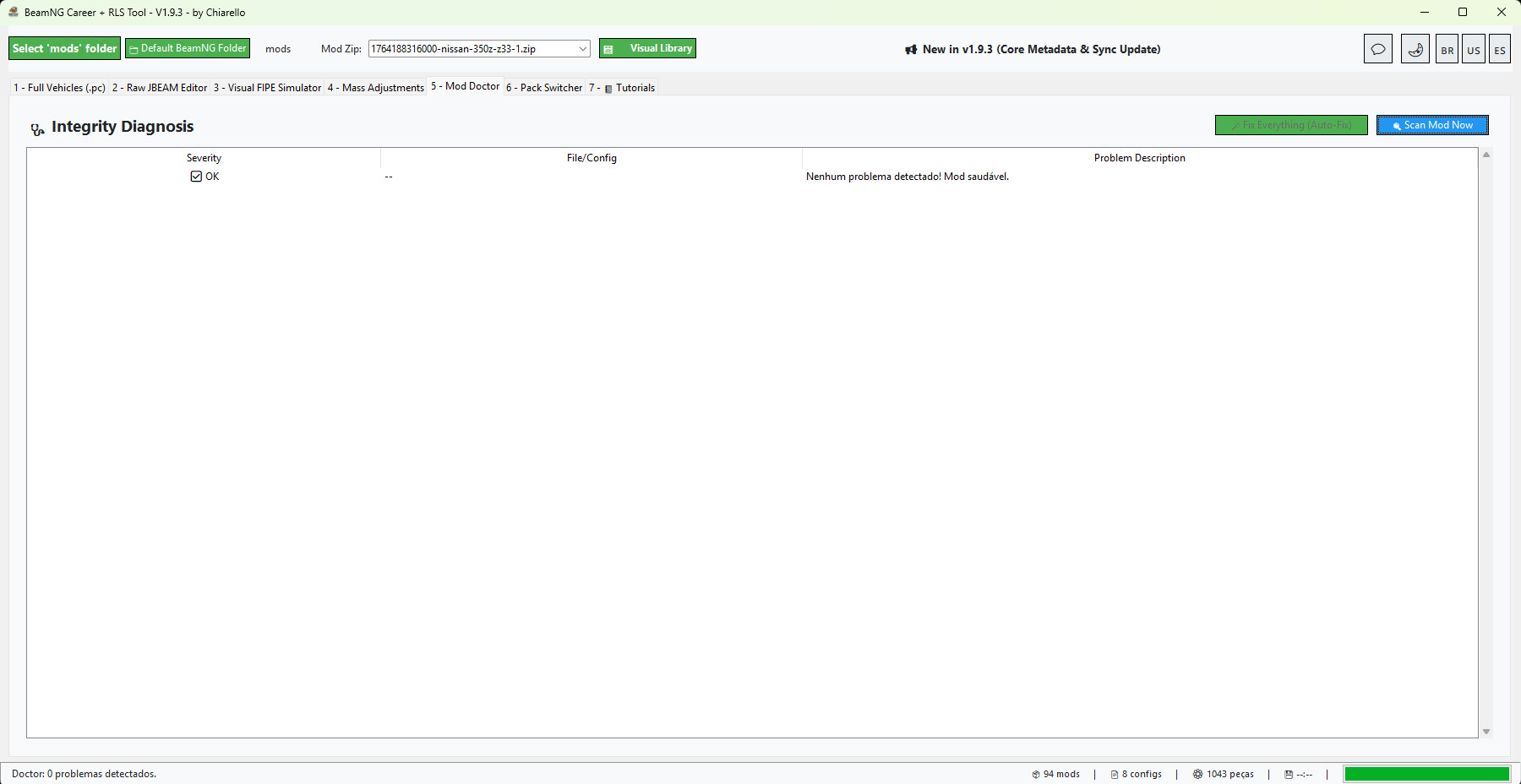
Patch Notes (v1.9.7)
Major Documentation & Localization Overhaul:
- Tutorial Cleanup: Removed obsolete markers and placeholders to reflect the current high-performance toolset.
- Workflow Correction: The "Gold Tip" pricing workflow now accurately guides you through Tab 3 (FIPE) and Tab 4 (Mass Adjustments) for perfect mod synchronization.
- Localization Polish: Fixed translation remnants in the Spanish version. GUI and documentation are now fully professional in English, Portuguese, and Spanish.
- Stability: Minor fixes in the real-time log monitor descriptions for better crash identification.
🛠️ What is the BeamNG Career Tool?
The ultimate suite for Mod Creators and Career Mode enthusiasts. Designed to give you surgical control over your vehicle's economic integration into BeamNG.drive's Career Mode.
Core Features:
- Visual FIPE Simulator: Automatically calculate and distribute realistic prices across your mod's parts. Make your Stock variants affordable while Stage 3 parts reflect their true performance value.
- Full Vehicle Manager (.pc): Clone variants, manage configurations, and swap shop thumbnails with automatic professional resizing.
- Mod Doctor: Scan your mod for broken JSON syntax, missing images, or orphaned code. The 'Magic Wand' fixes issues automatically.
- JBeam Editor: Deep-dive into part properties and set exactly how much each individual part costs directly within the JBeam files.
- Real-Time Log Monitor: Watch your beamng.log in real-time. Identify crash culprits (missing LUA scripts, syntax errors) instantly and use the 'Deep Clean' button to fix cache issues.
- Mass Adjustments: Apply price or population multipliers to ALL configurations of a car at once.
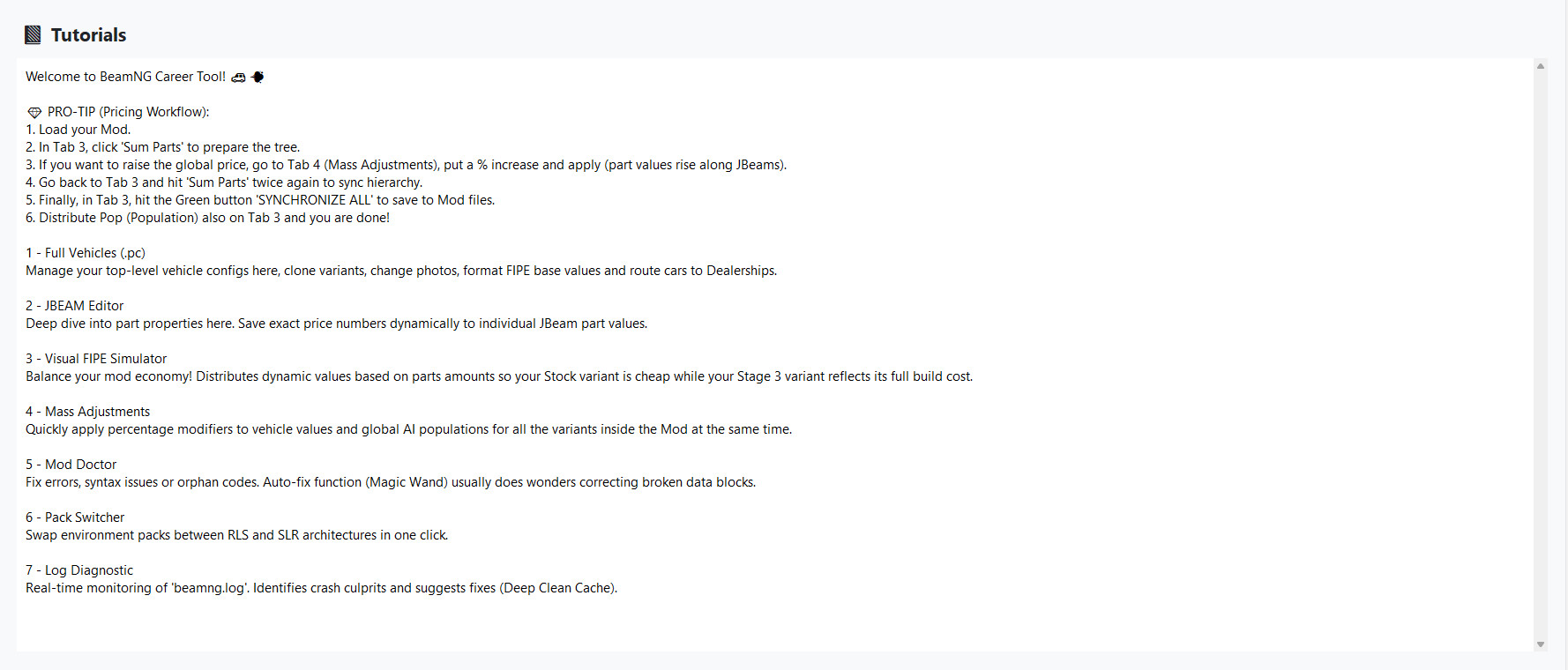
This update introduces one of the most requested features for modders and power users: Real-Time Log Monitoring! Now you can diagnose BeamNG issues on the fly while the game is running, without having to close the app or sifting through files manually.
What's New in V1.9.6:
- ⚡ Live Log Monitor: A brand new engine that tails the beamng.log in real-time. Watch errors and warnings pop up the exact moment they happen in-game.
- 🔴 "LIVE" Status Indicator: A dynamic interface that pulses when monitoring is active, ensuring you know exactly when the diagnostic tool is working.
- 🔍 Smart Severity Filters:
- 🚨 ERROR/CRITICAL: Total focus on what's breaking your game.
- ⚠️ WARNING: Identify dependency conflicts and missing files.
- ℹ️ INFO: Track the game's internal loading process.
- 📊 Statistics Dashboard: Real-time counters for Errors, Warnings, and Info, allowing for a quick "health check" of your current log session.
- 📋 Export Utilities:
- Copy Errors: Instantly send the visible error list to your clipboard.
- Export Report: Generate a detailed, formatted .txt report to send to developers or post on support forums.
- 🎨 Polished UI: Vibrant colors and color-coded tags in the Treeview for rapid visual identification of critical issues.
- 🧹 Optimized Cleanup: New manual reset system to clear the current history and restart your diagnostic session from scratch.
🚀 What's New in v1.9.5
We are excited to bring you the most stable version of the BeamNG Career Tool to date! This update focuses on troubleshooting the dreaded "Infinite Loading Screen" and refining the mod browsing experience.
🩺 Mod Doctor (Diagnostic Tab)
- Log Analysis: Automatically scans your beamng.log to find the exact file causing crashes.
- Infinite Loop Detection: Identifies when the game is stuck repeating the same error, a common cause of loading hangs.
- Deep Clean Cache: New one-click utility to wipe the game's temp folder, resolving cache corruption without losing your profile.
🖼️ Visual Library (Gallery)
- Rendering Fix: Resolved the issue where the mod library would appear empty.
- Real-time Search: Find your favorite mods instantly with the new optimized search bar.
🌍 Global Support
- Full Localization: The entire diagnostic system (including suggestions and error labels) is now fully translated into English and Spanish.
- Improved UI: Cleaner layout and better responsiveness in the diagnostic tree.
The ultimate performance update is here! Version 1.9.4 focuses on raw speed, stability, and a much smoother editing experience for managing your fleet in Career Mode or SRL.
💎 What's New in v1.9.4:
- ⚡ Extreme Optimization: We've removed the legacy mod explorer to make way for a system that is 3x faster. The app now launches instantly and consumes significantly less memory.
- 🔄 Live Memory Sync: No more clicking "Save" for every single change. Now, when you modify a version name (.pc) or any property, the sidebar list updates instantly. Complete synchronization between what you see and what you edit.
- 🔑 Secure Auto-Login: We’ve implemented a smarter authentication flow. The system now securely remembers your session, allowing near-instant access to the tools without the hassle of re-logging every time.
- 🛠️ Metadata Loading Fix: We resolved the issue where specific model names and properties weren't appearing correctly. Now, 100% of the data is loaded the moment you click on a vehicle.
- 📦 Dedicated Versions (RLS & SLR): Now featuring separate, optimized executables for each game mode. Choose between the Realistic Career (RLS) tool or the specialized Street Legal Racing (SLR) tool.
✨ Other Highlights:
- Premium Dark Mode interface (cleaner and more direct).
- Repaired Local Mod Gallery with ultra-fast thumbnail generation.
- Full support for editing Prices, Population, Insurance, and Performance Classes.
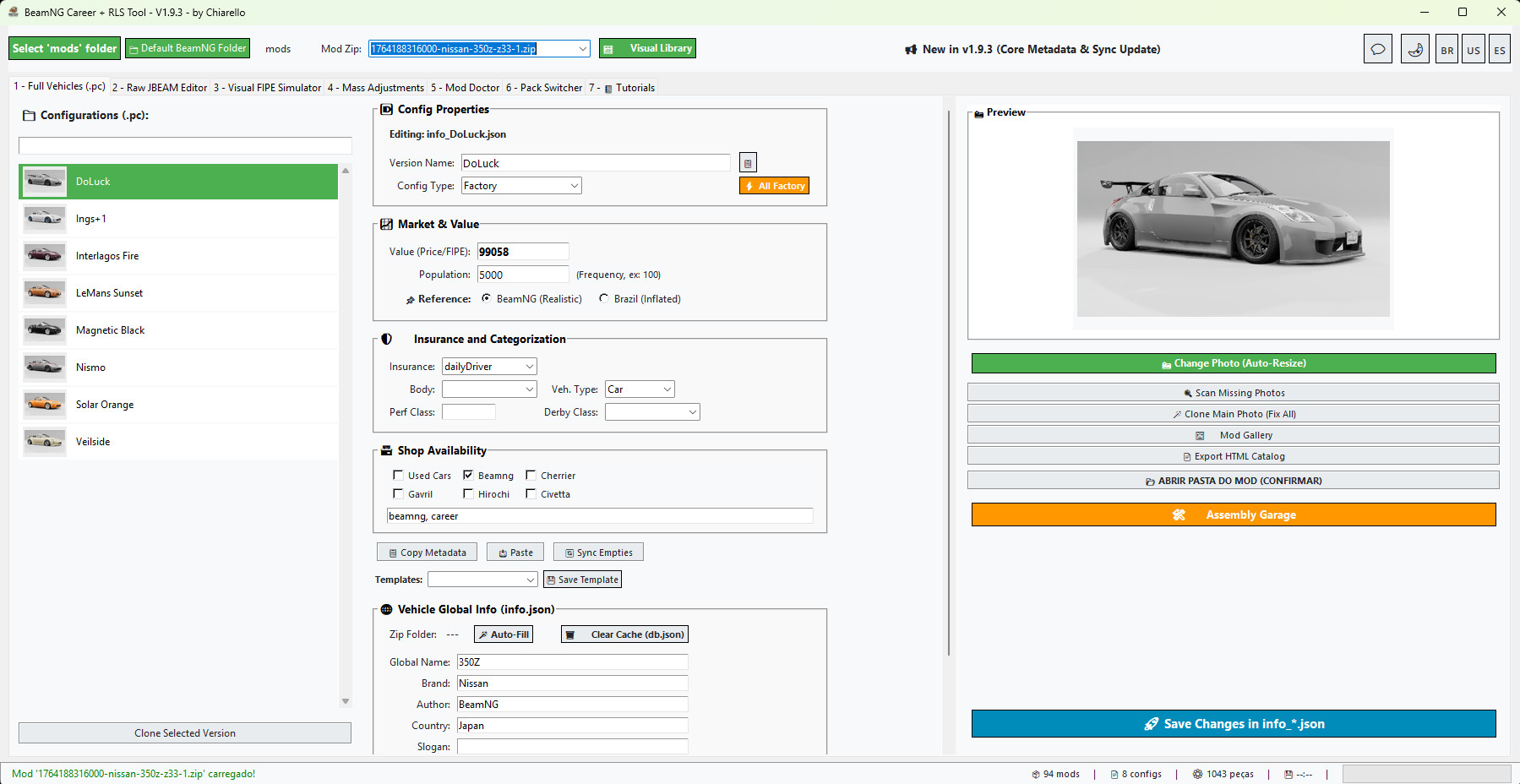
This update brings critical internal optimizations and improved stability for the smoothest modding experience yet.
What's New in v1.9.2:
- 🚀 Core Performance Overhaul: Significant internal optimizations to the tool's engine. The software is now much lighter and faster than ever before.
- 📉 Optimized Footprint: We’ve managed to reduce the file size to 71MB (compressed), making it more efficient for your system.
- ⚙️ Management Improvements: Several under-the-horizon tweaks to how the tool handles data and account stability.
- 🔄 Version Synchronization: Improved version checking to ensure all users are correctly synced with the latest performance fixes.
- 🩹 General Bug Fixes: Multiple minor fixes and layout adjustments based on community feedback.
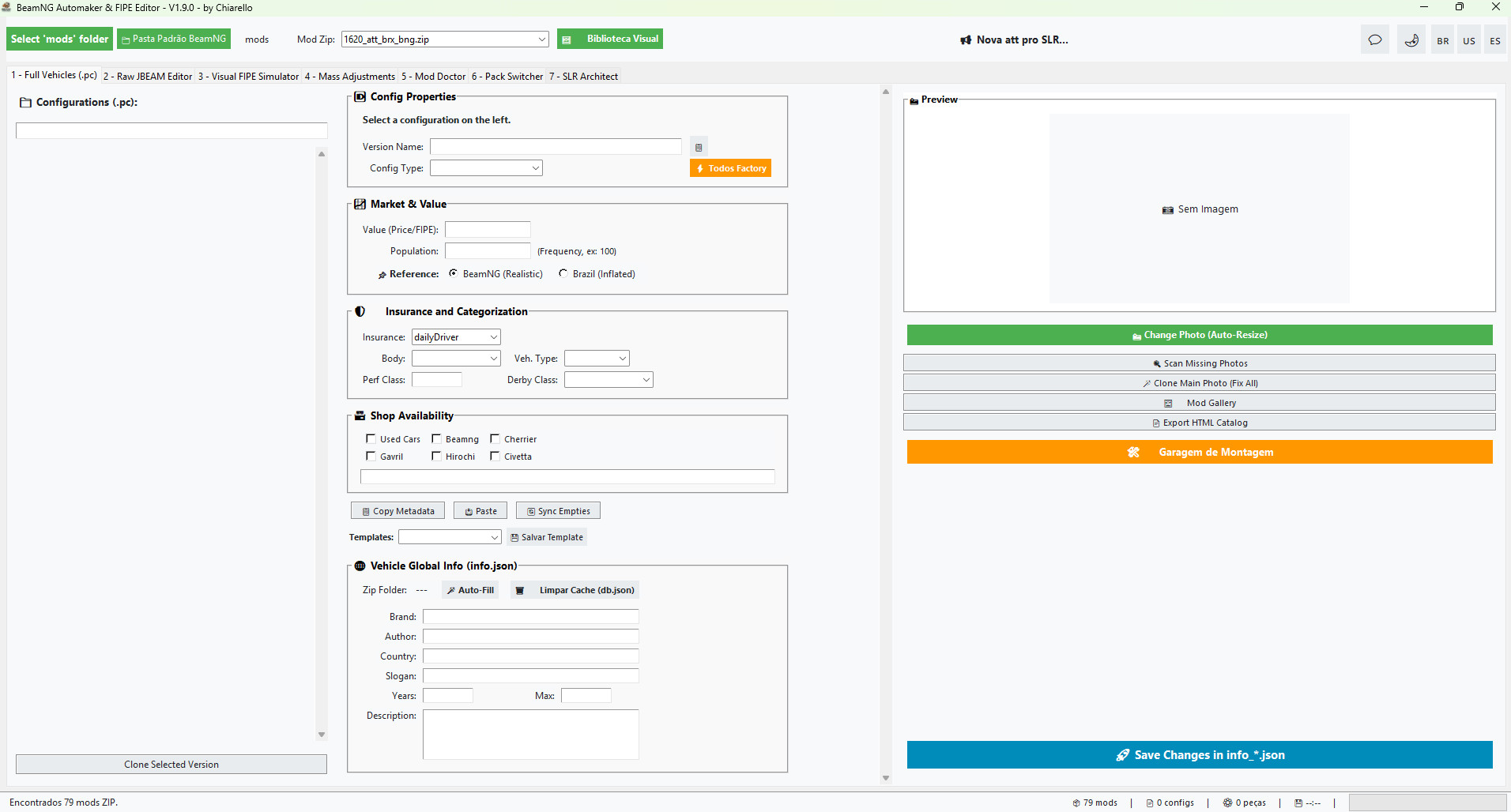
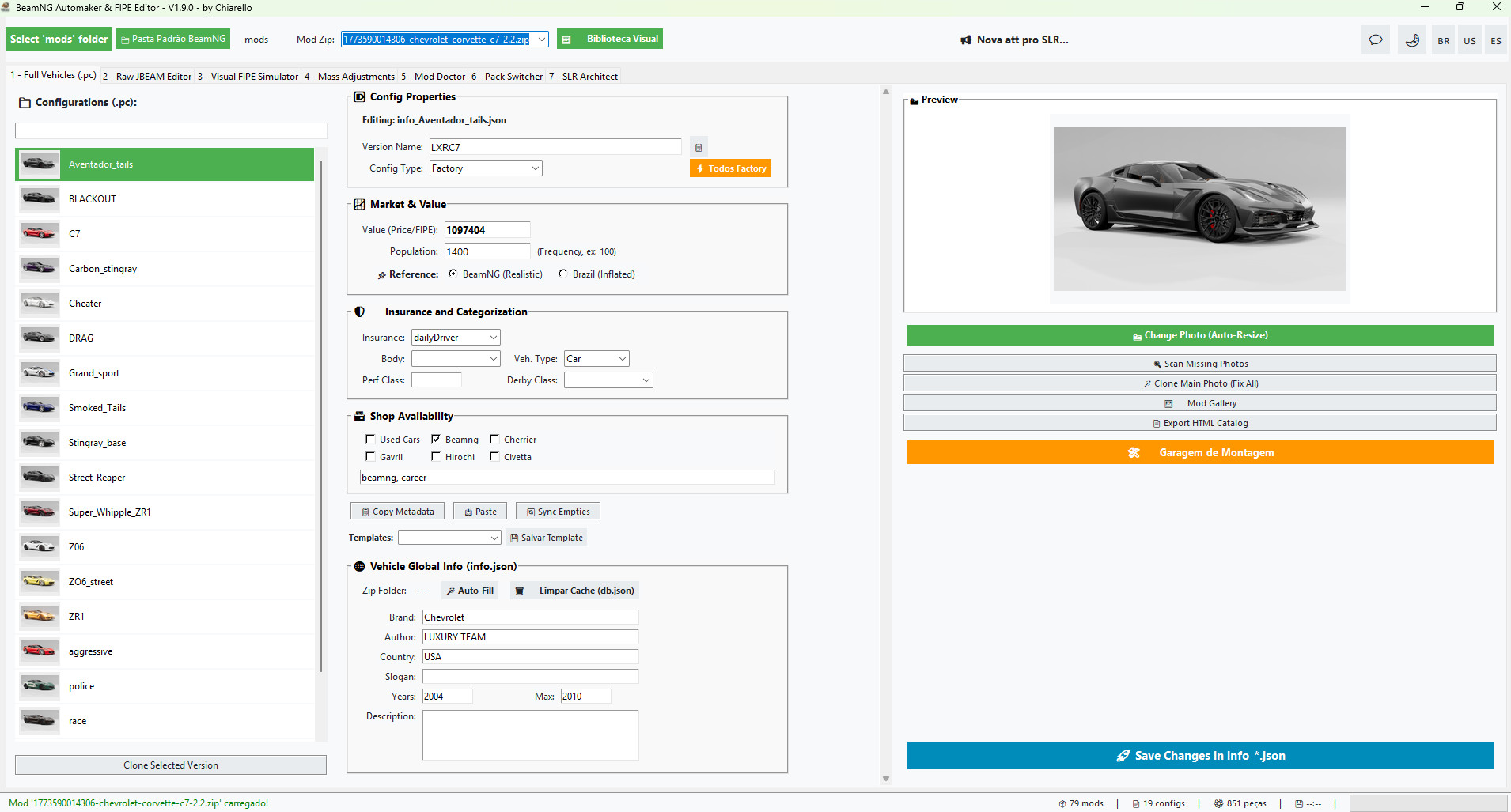
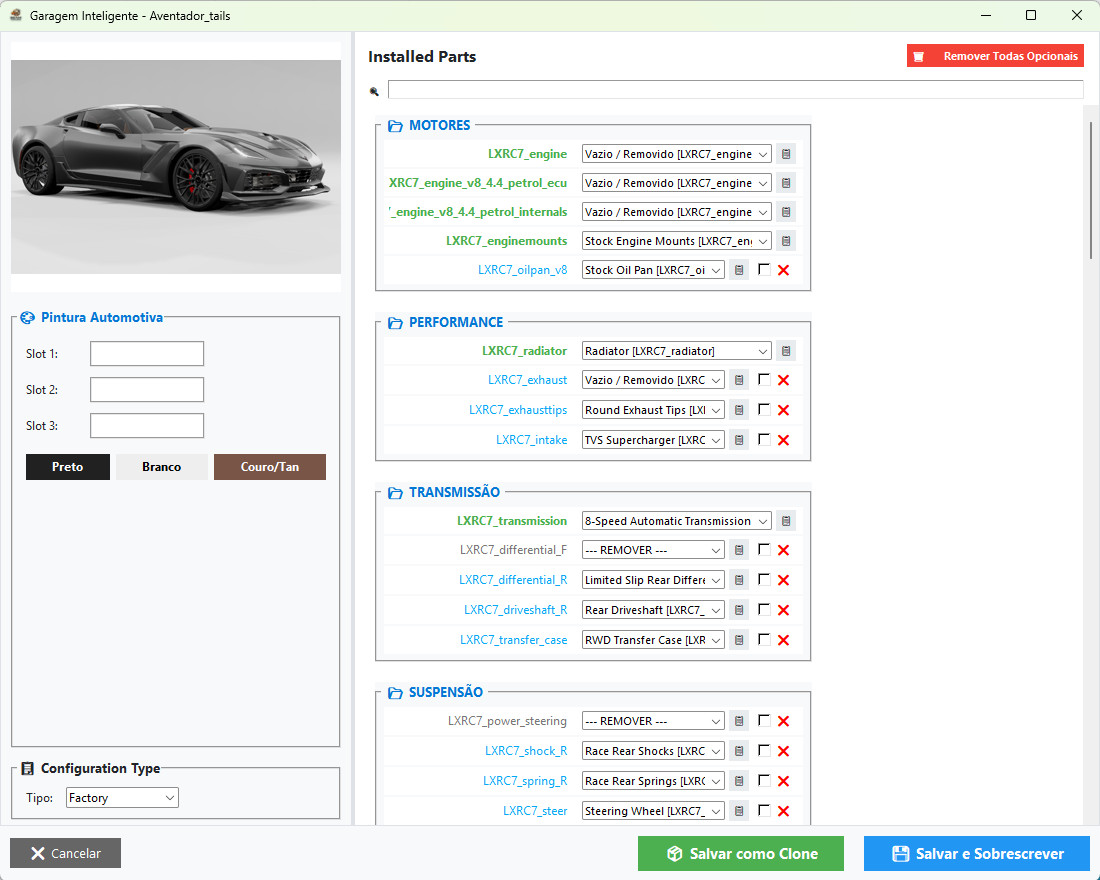
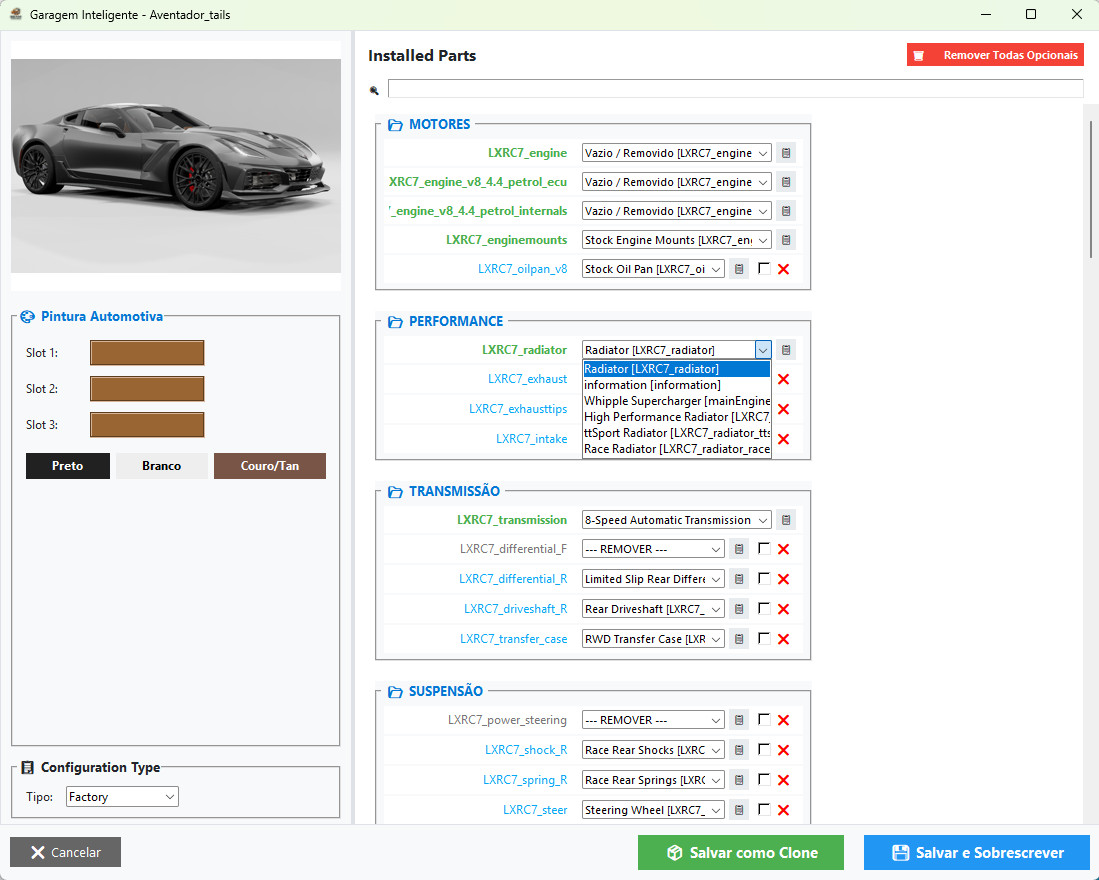
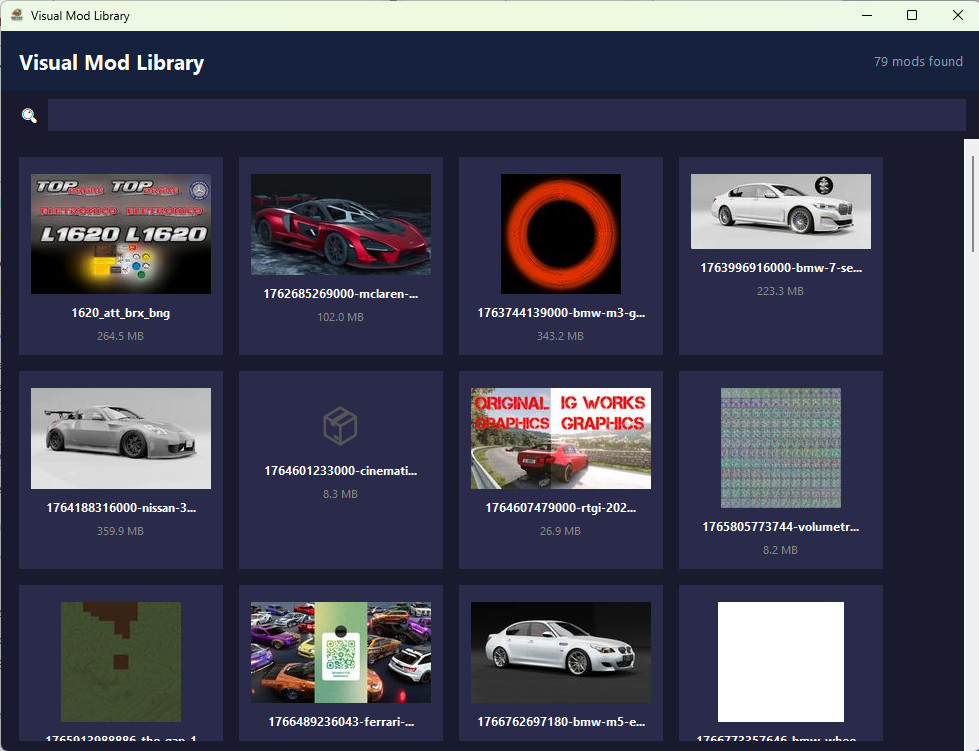
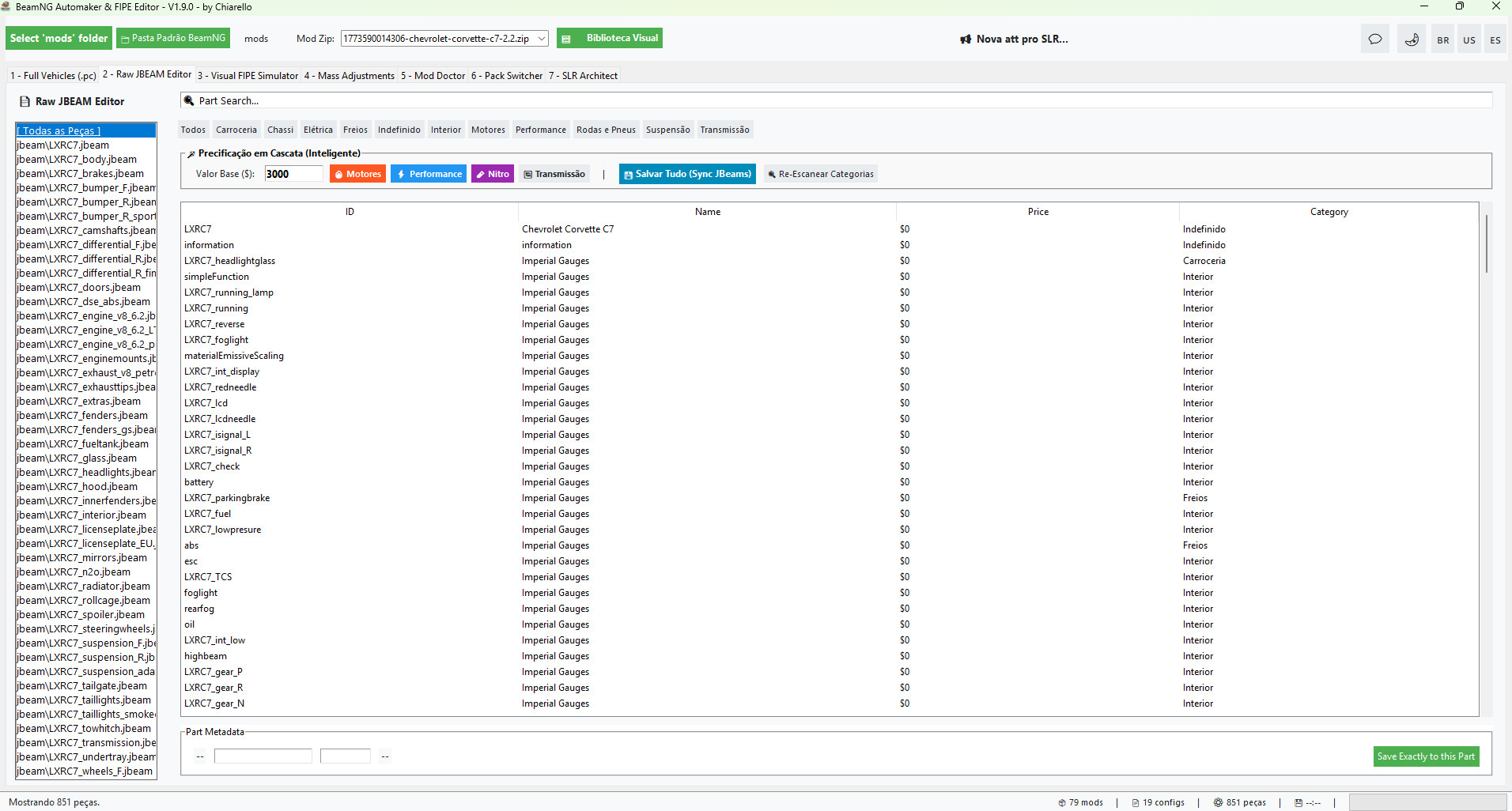
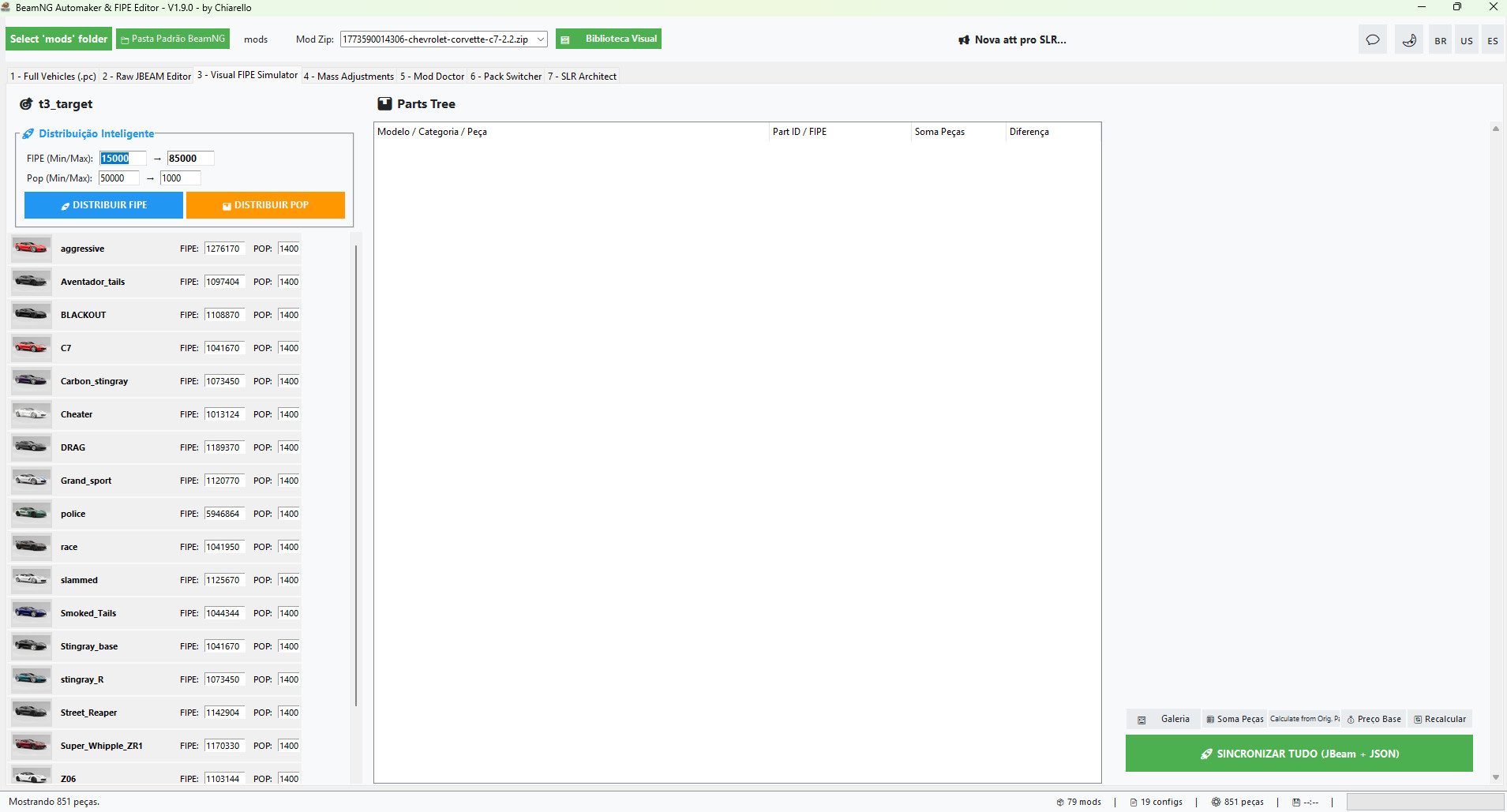
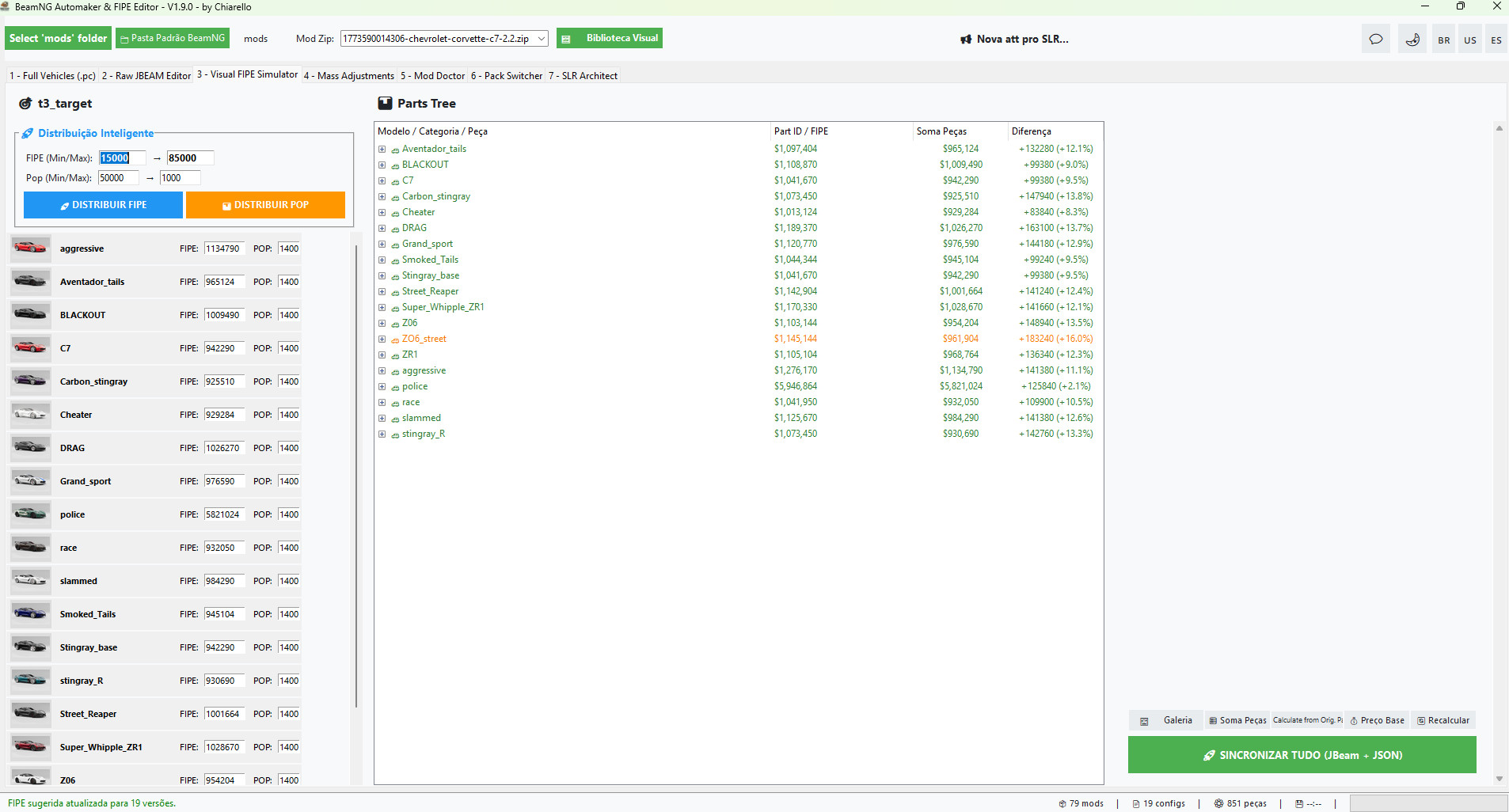
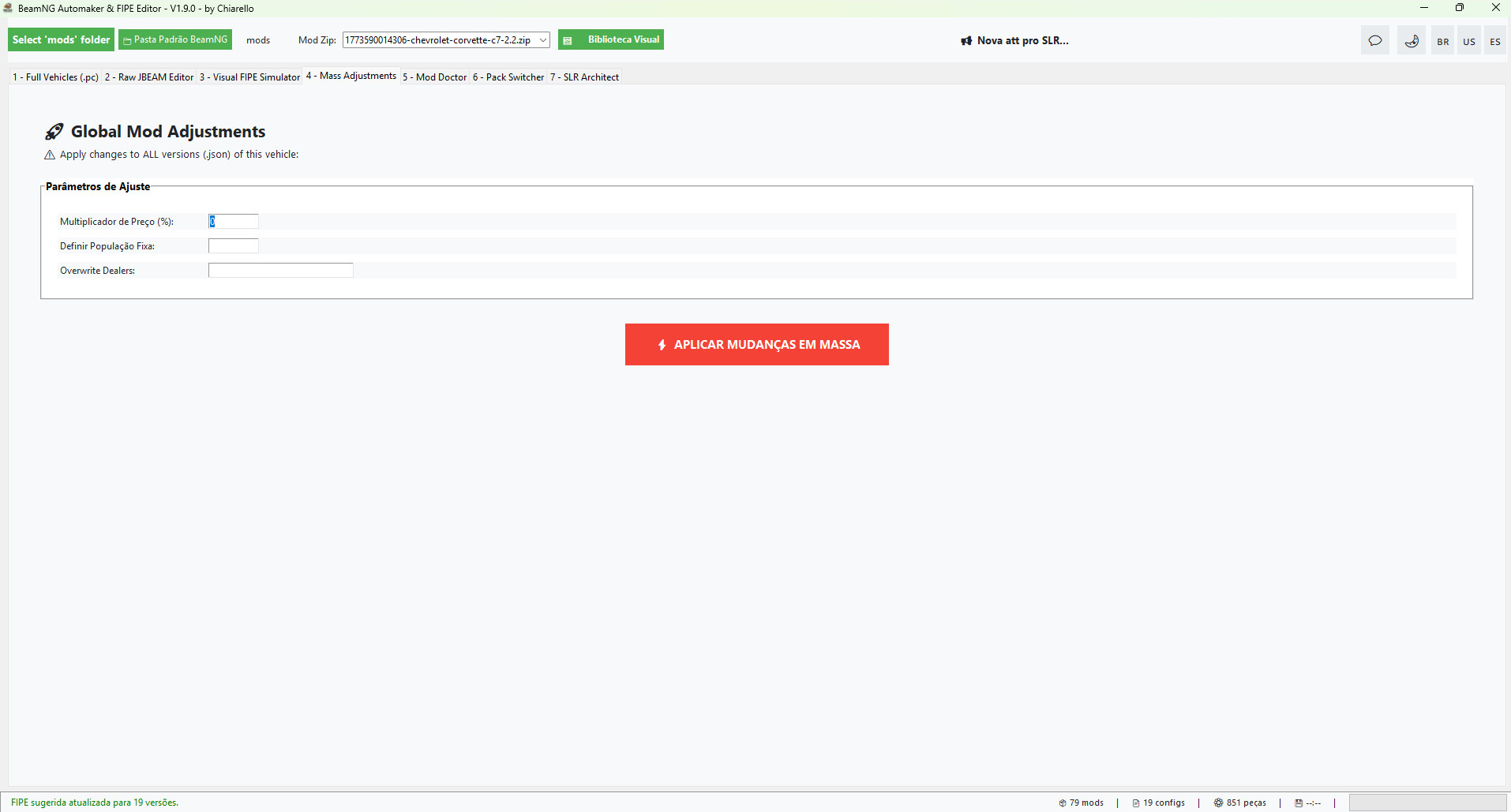
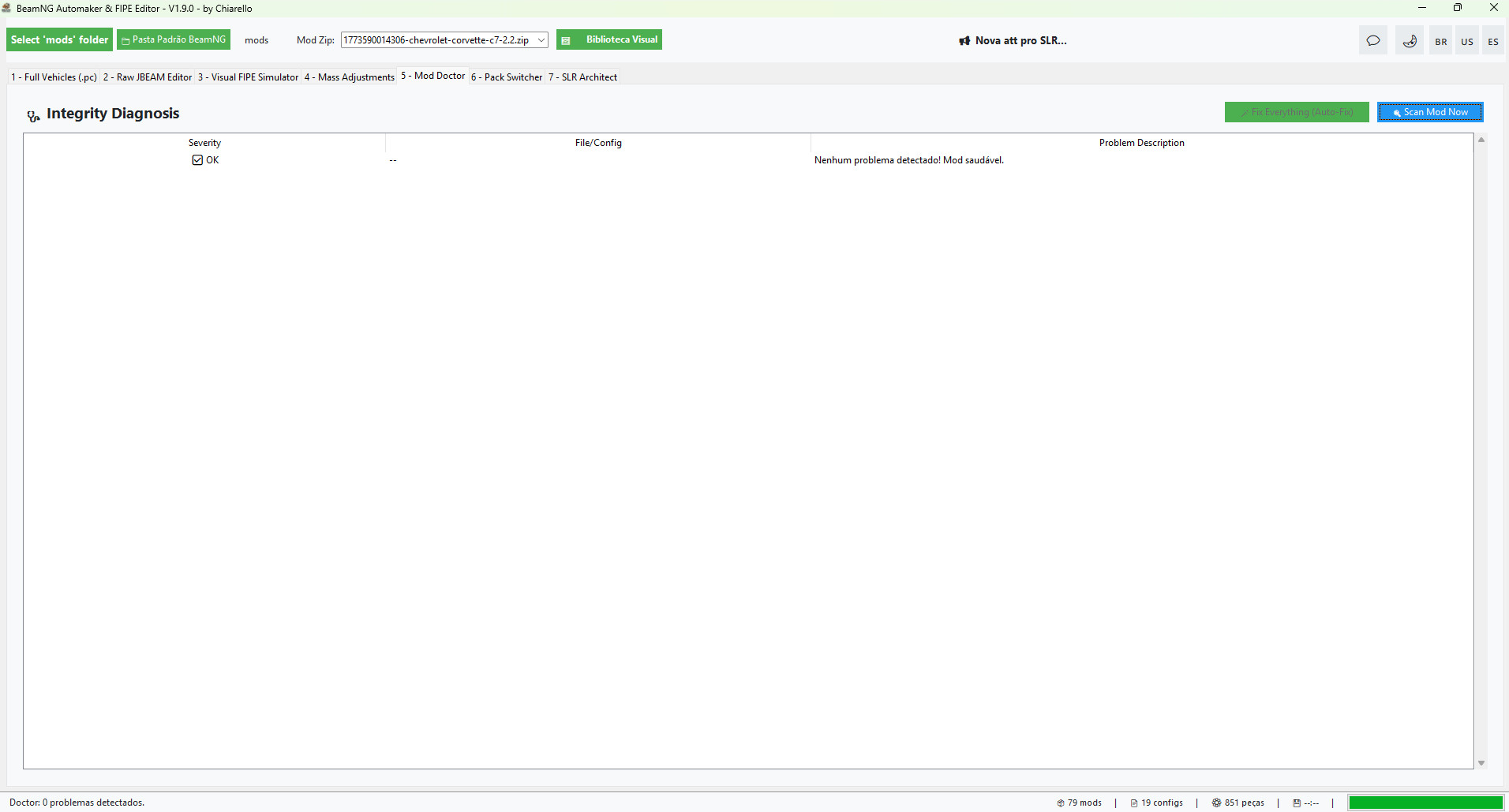
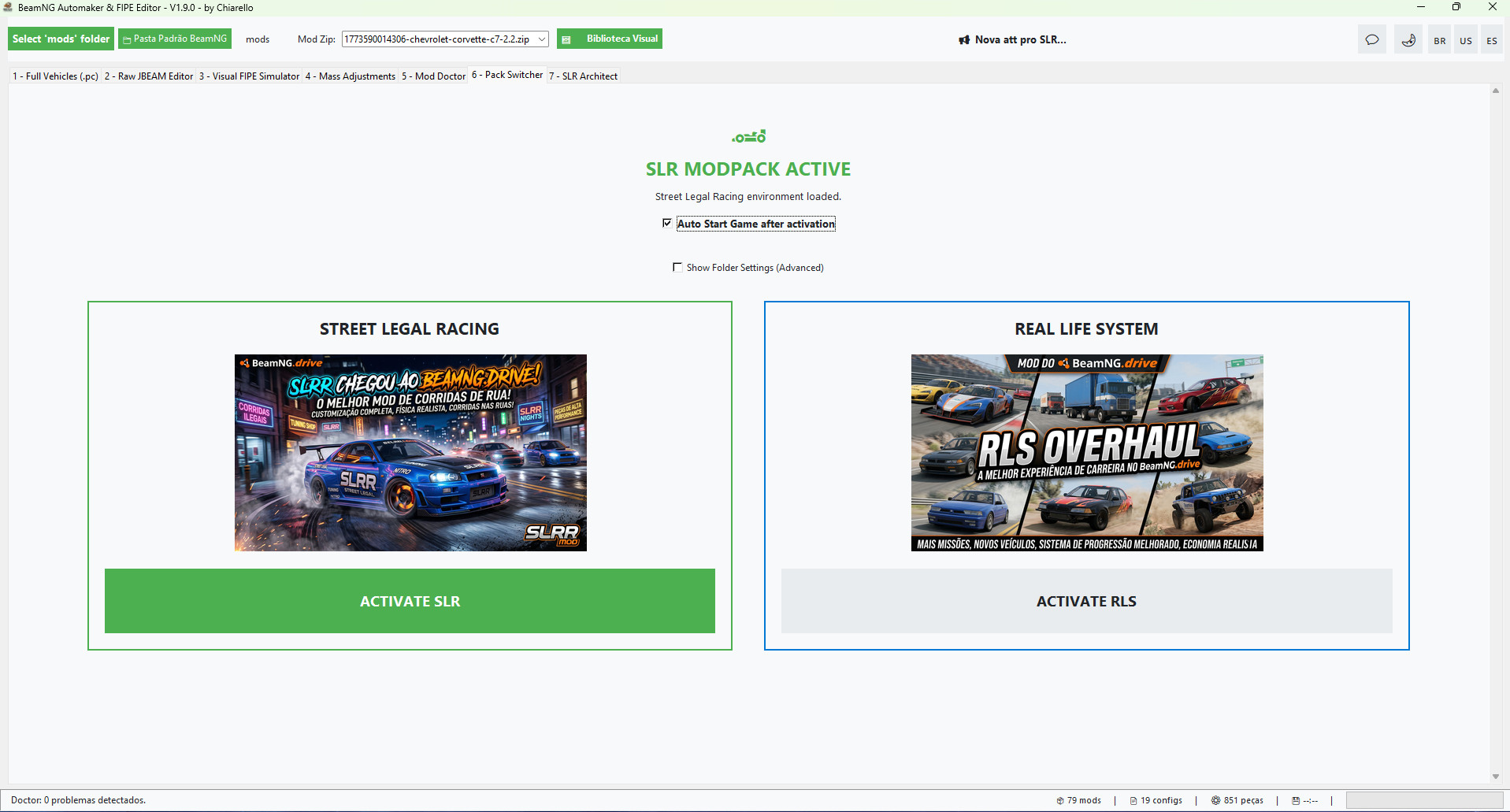
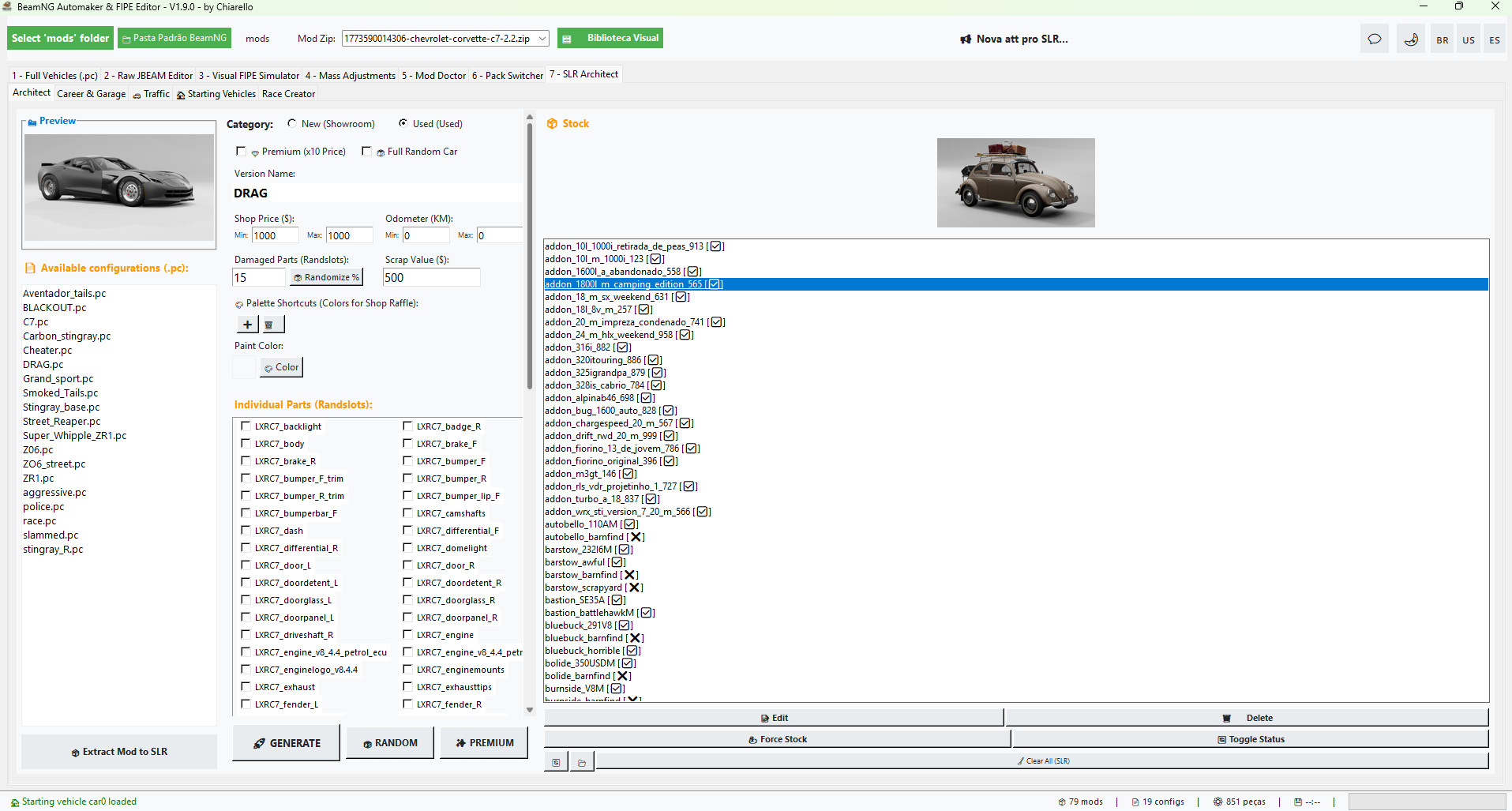
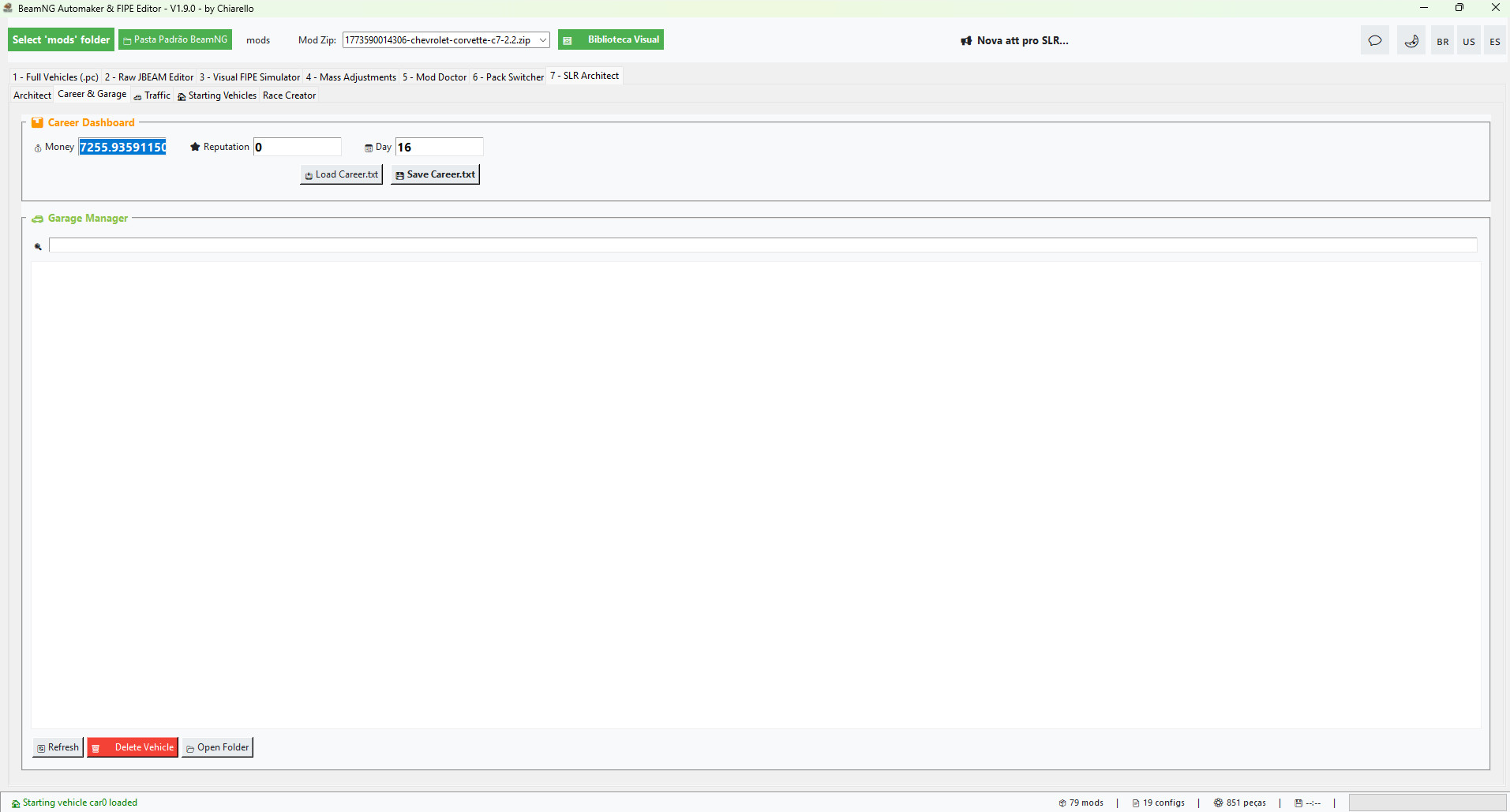
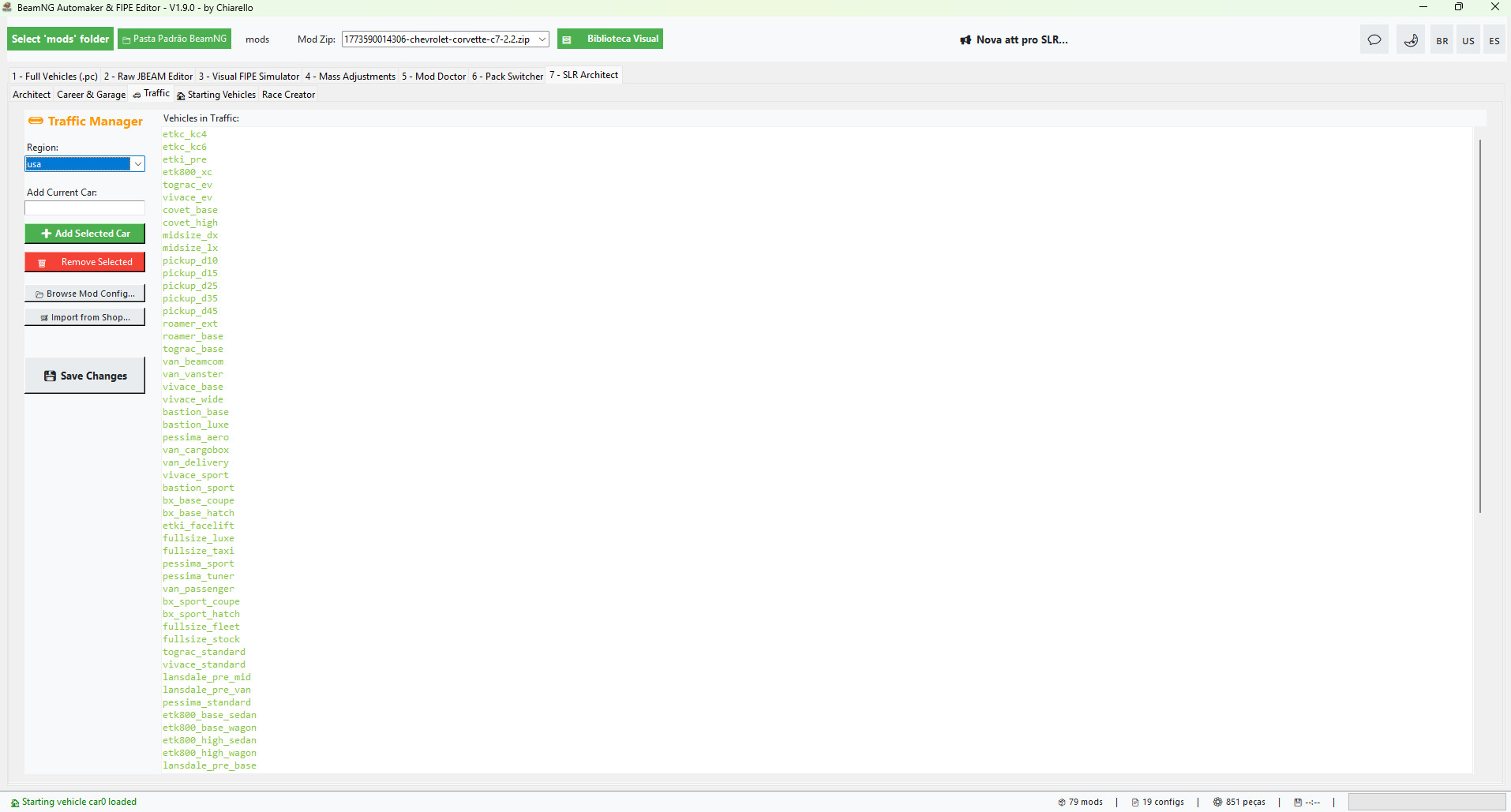
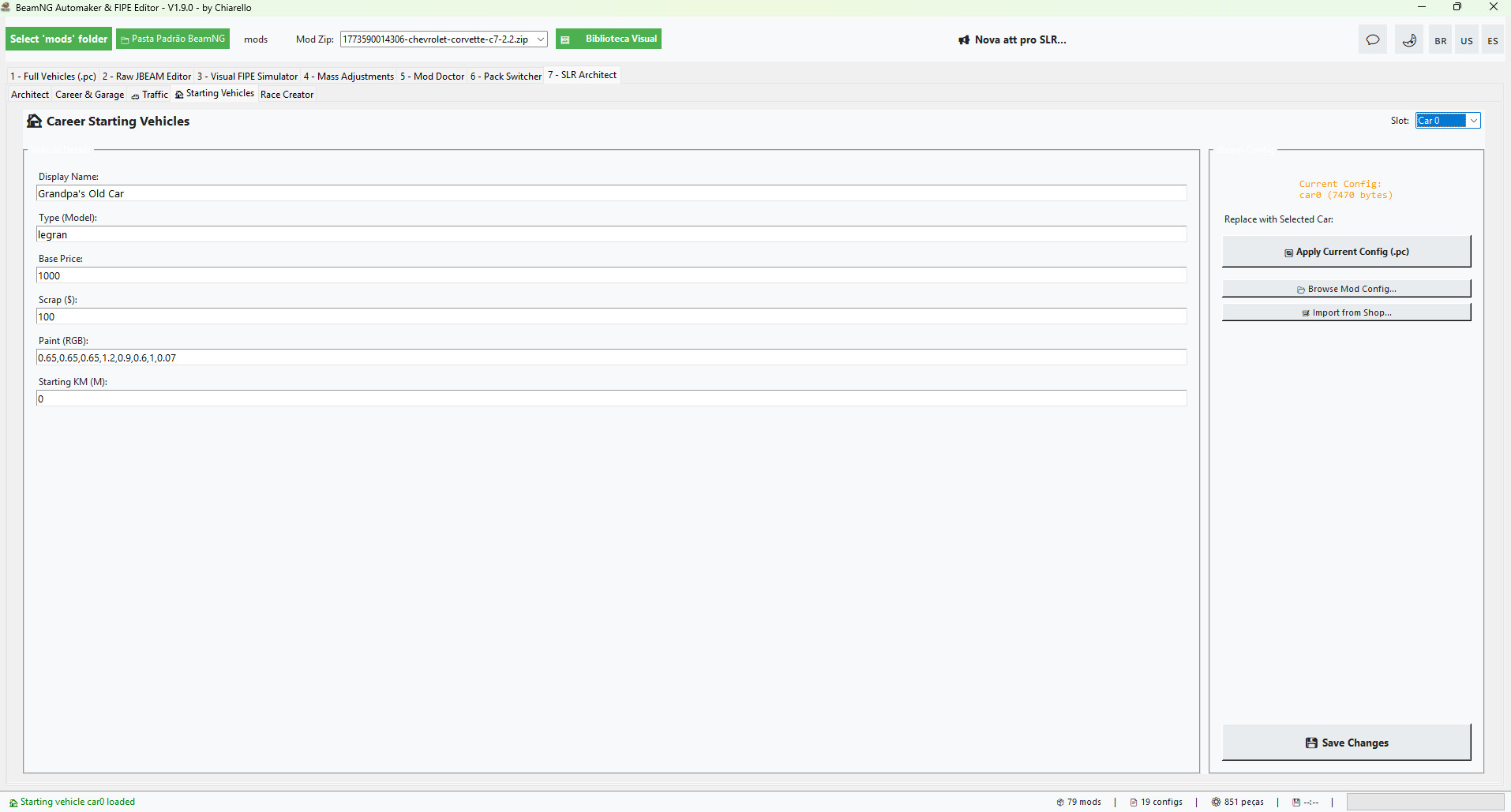
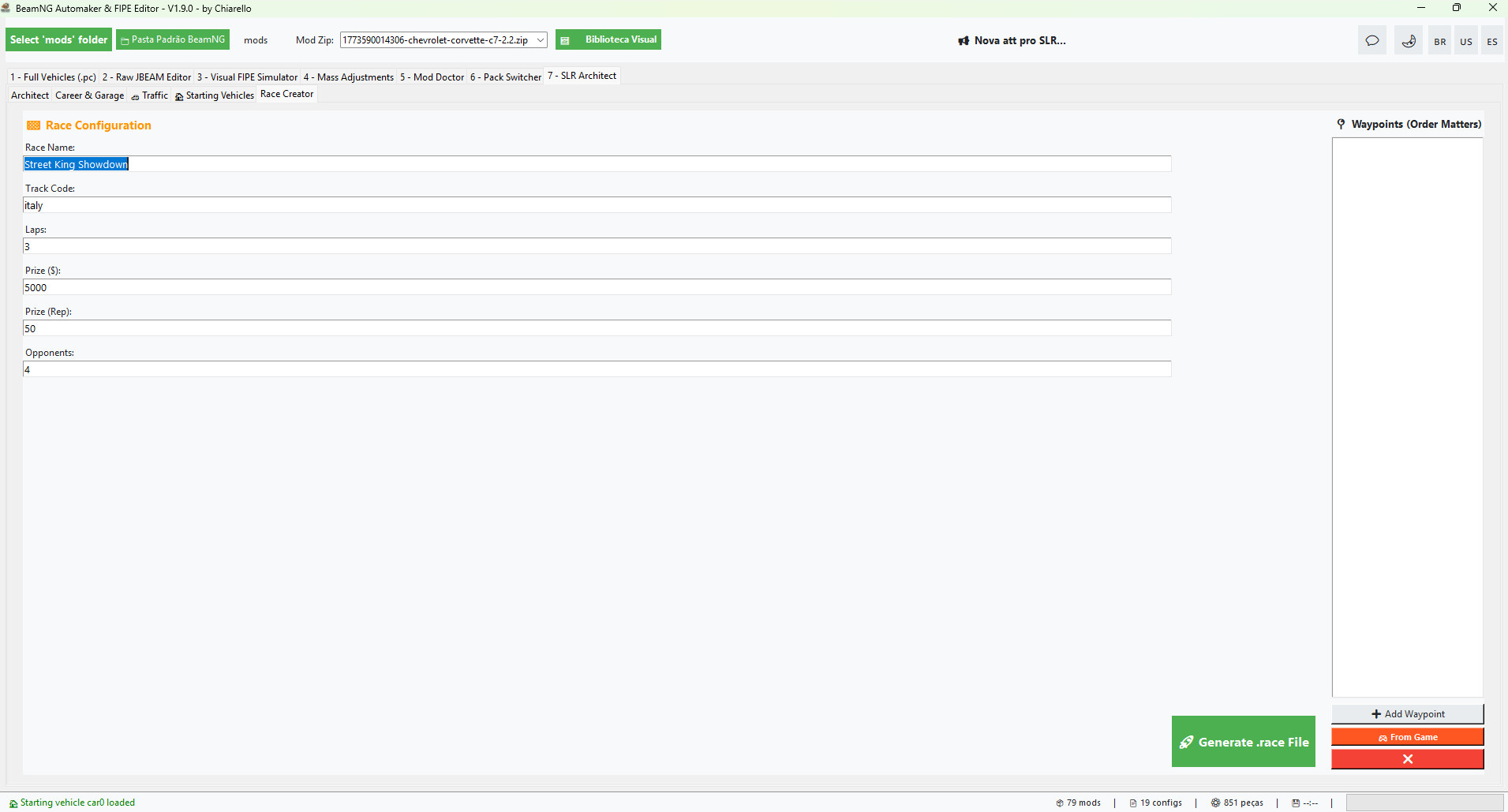
Stop editing text files and start creating experiences. The definitive tool to transform any vehicle mod into a professional career-ready asset has reached its most powerful version yet. Become the master of a realistic economy or the king of the underground streets. With AI-powered suggestions and automated diagnostics, developer-level power is now in your hands.
🚀 What's New in v1.9.0?
- Recursive Deep Scan: Full support for complex mods with multiple vehicles. The tool now crawls through infinite subfolders, ensuring no .pc or .jbeam file is left behind.
- Metadata Sync 2.0: Synchronize brands, authors, and tags across hundreds of files simultaneously with a single click.
- Enhanced Mod Doctor: Now featuring orphaned part detection and deep syntax error checks, ensuring your mod never causes a game crash.
🌐 Understanding the Ecosystems: RLS vs. SLR
To ensure your BeamNG feels like a brand-new game, the tool offers two exclusive operating modes:
- RLS (Real Life System): Focused on Absolute Realism. Configure your game economy based on Market Value (FIPE), define insurance classes, spawn frequency (Population), and performance metadata. It’s for those who want every dollar in career mode to feel earned.
- SLR (Street Legal Racing): The engine for the Street Racing Underground. Integrated with the BeamLR ecosystem, the SLR Architect allows you to convert mods for Used Car dealerships, define "junk" conditions (broken parts), create custom races with waypoints, and manage your street cred.
🛠️ All High-End Functions at Your Fingertips:
- 🩺 Mod Doctor: Automatically detects and fixes missing thumbnails, JSON errors, and non-existent parts. Keep your mods 100% healthy.
- ⚖️ Visual FIPE Simulator: Automated price injection for every JBEAM part. Set the car's total target value and let the tool handle the complex math for you.
- 🪄 AI Suggestions (Powered by Groq): Not sure how much a car should cost? Our integrated AI analyzes the model and suggests realistic values based on the current market.
- 🏎️ Full SLR Architect: Create shop addons (Showroom/Used), manage BeamLR traffic, and use the Race Creator to generate competitive .race files.
- 🛠️ Assembly Garage & Part Stripper: Build vehicles part-by-part and use the "Stripper" mode to remove optional components, creating the perfect "starter" junker for your career.
- 🖼️ Visual Gallery: Browse your mod library with a sleek interface, viewing covers and integrity status for each vehicle at a glance.
- 🚀 Mass Adjustments: Apply price multipliers or overwrite "Dealers" (shops) for every version of a car simultaneously.
💎 Why Purchase the BeamNG Career Tool?
This isn't just an editing tool; it’s your passport to a career mode without limits.
- Time Saver: What used to take 2 hours of manual file editing now takes 30 seconds.
- Exclusivity: Access AI functions and Race Management features that don't exist anywhere else.
- Security: Protect your progress with automatic backups and built-in integrity diagnostics.
Transform your game. Master the Market. Rule the Streets.
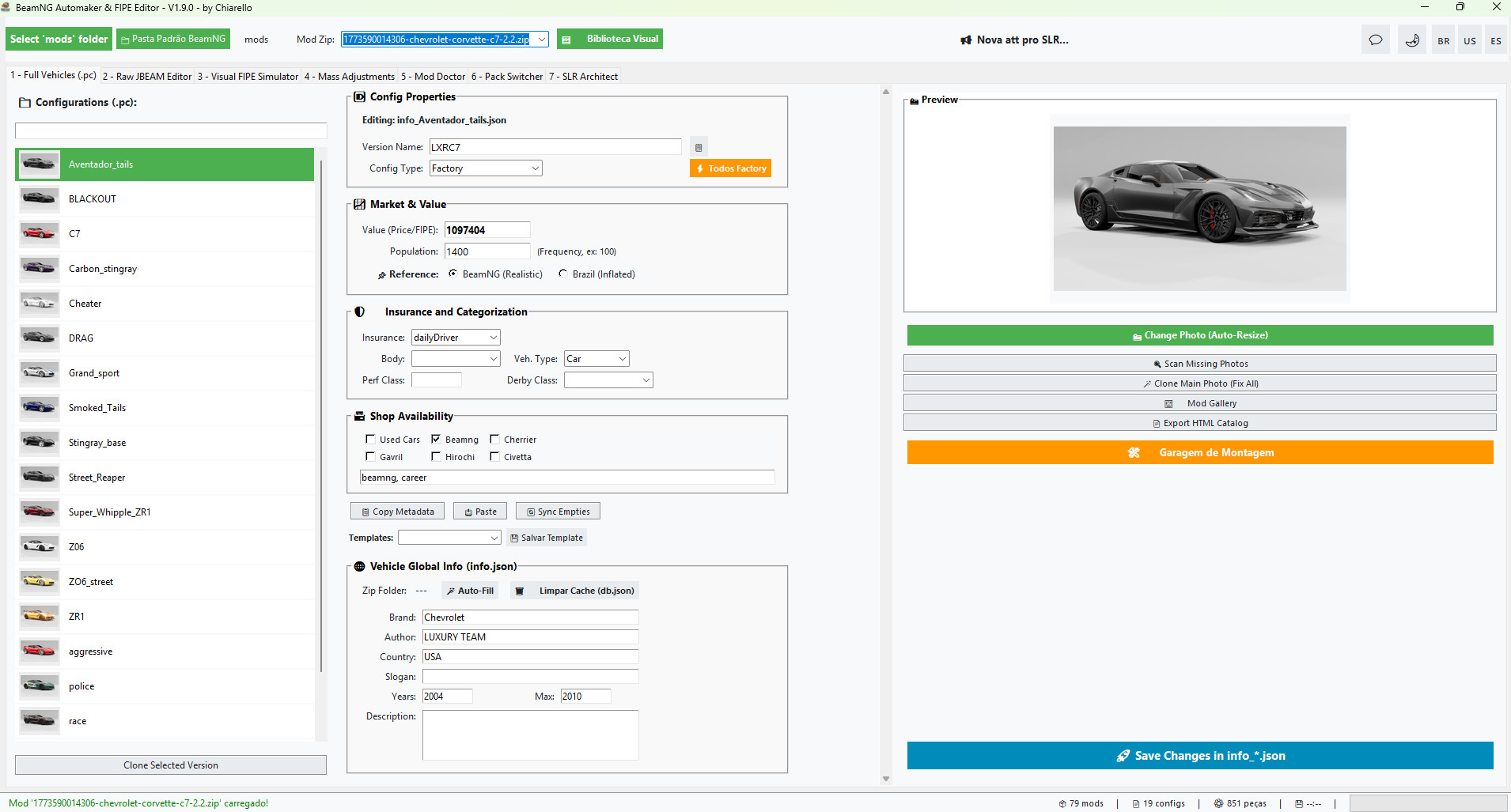
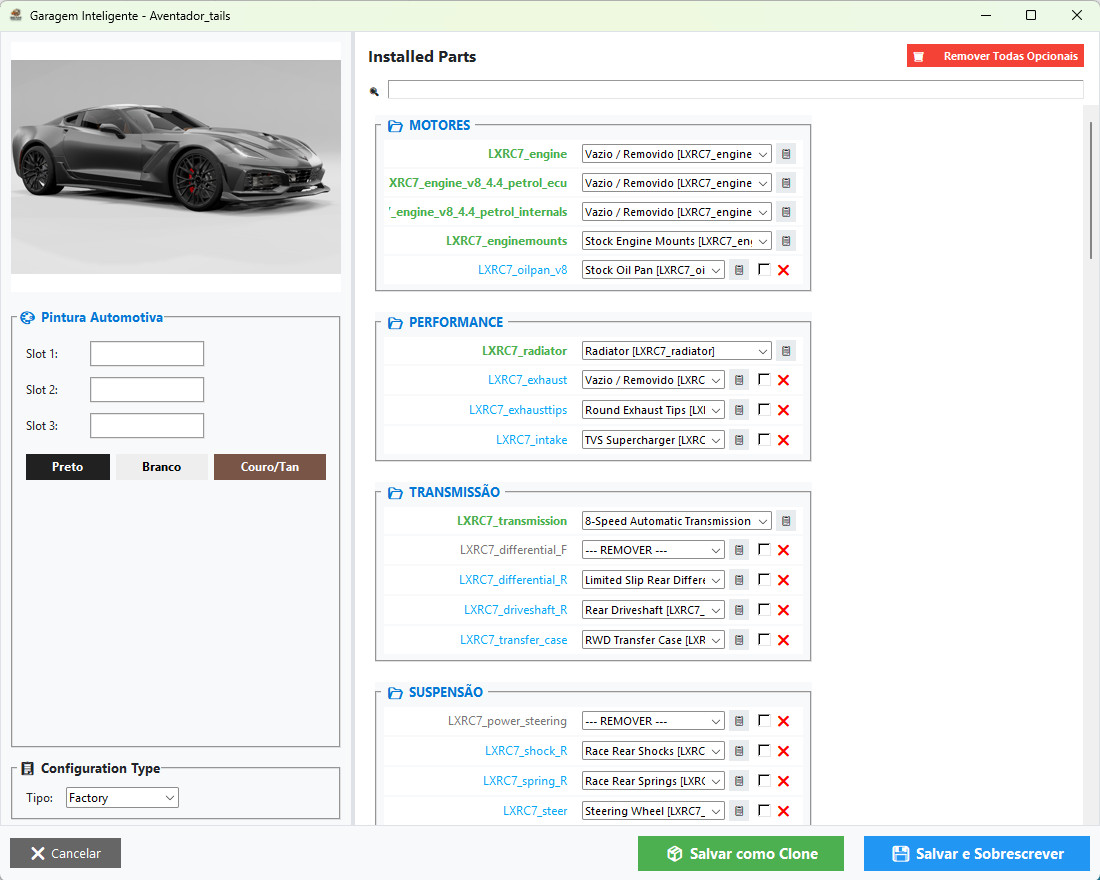
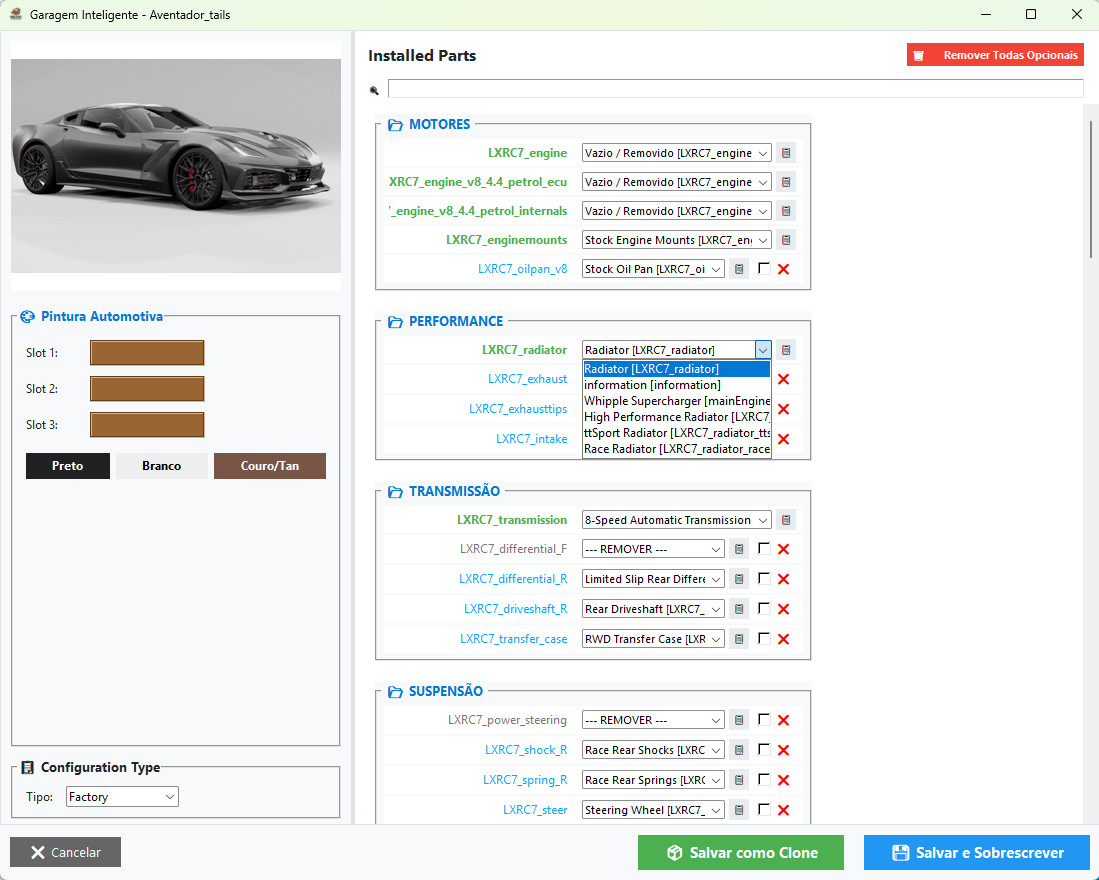
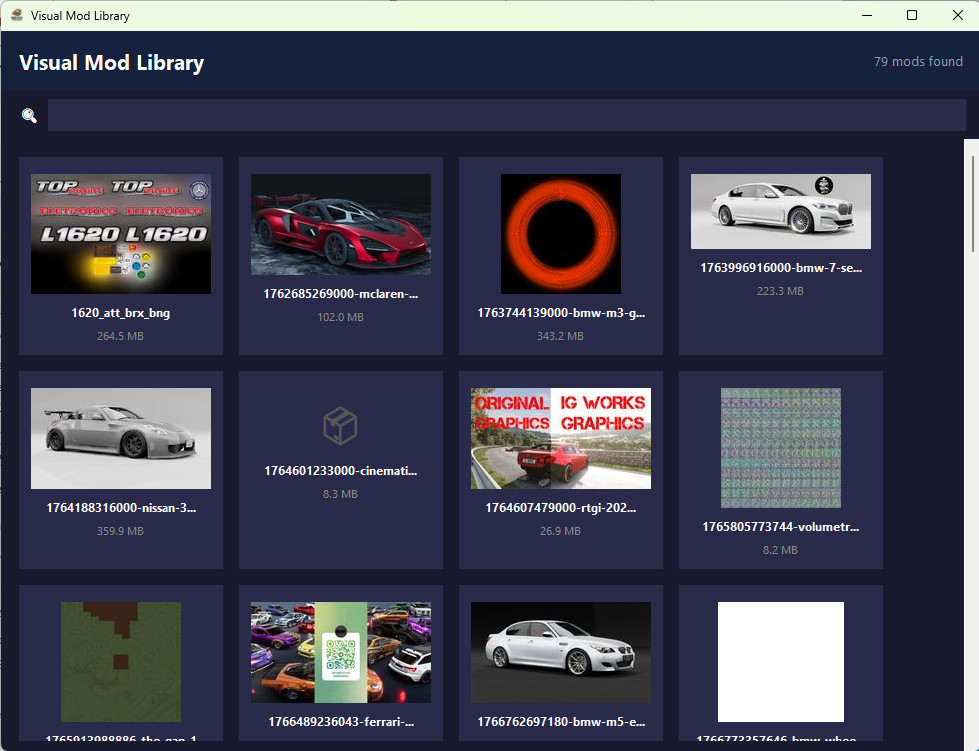
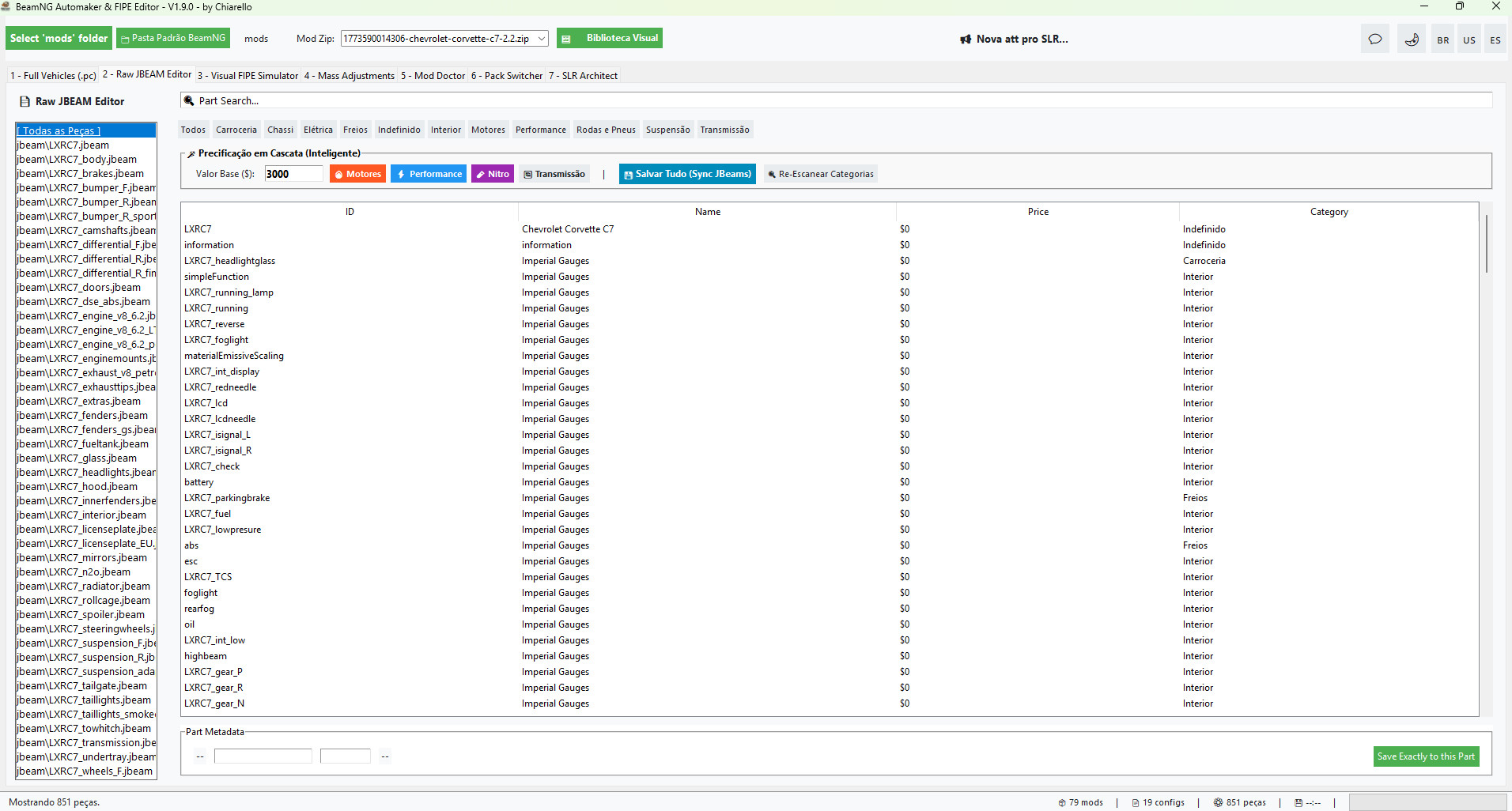
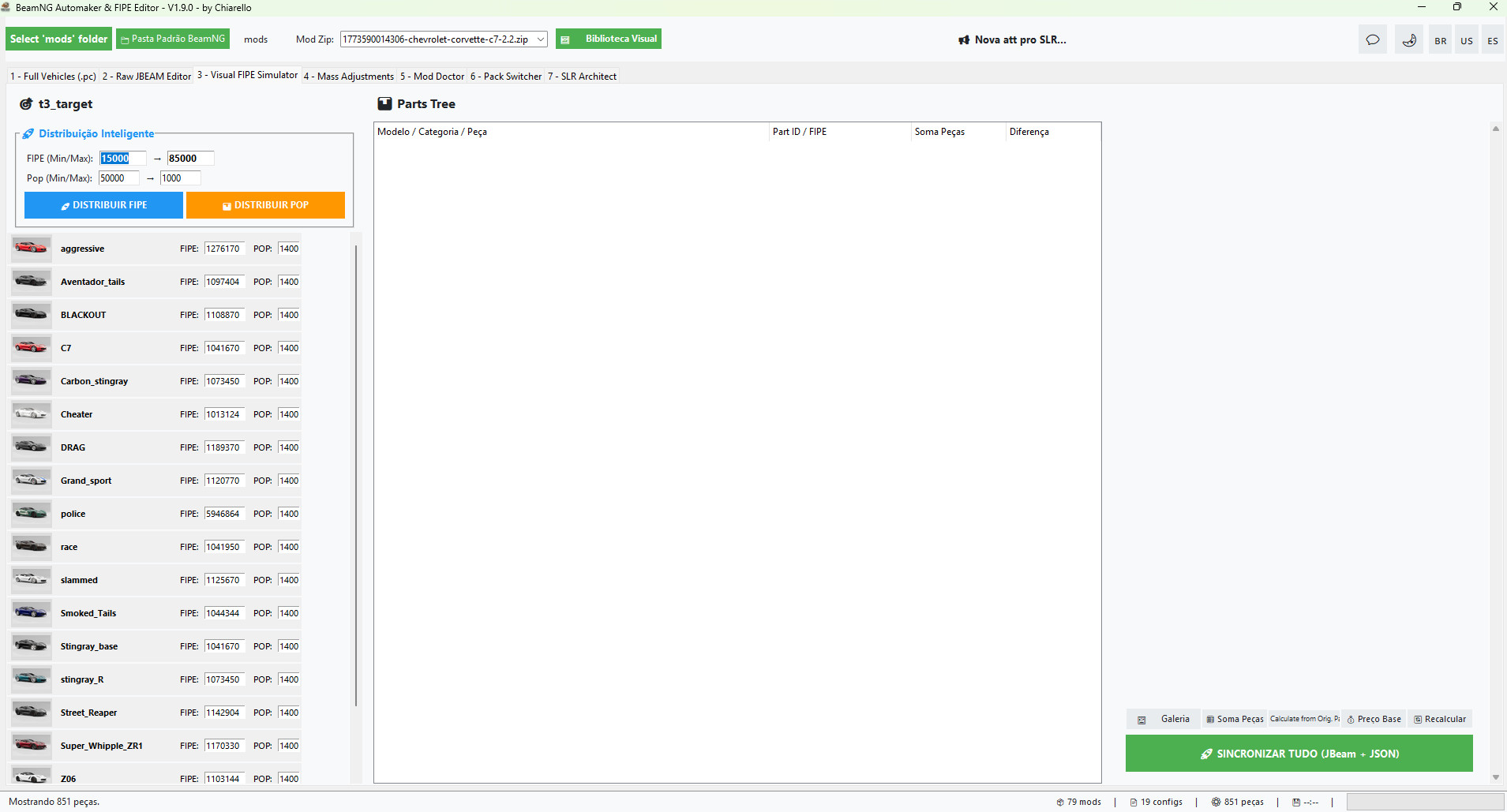
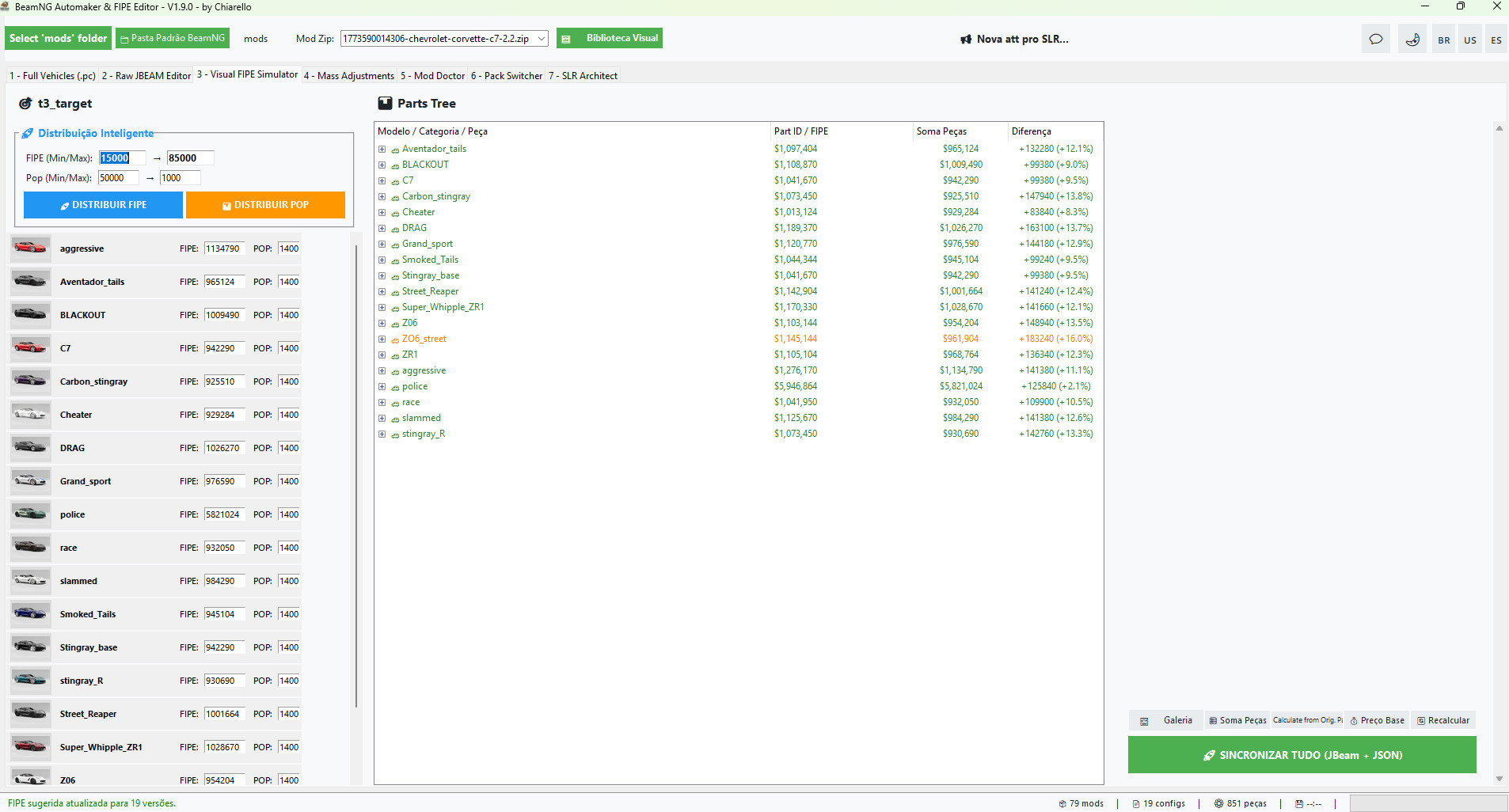
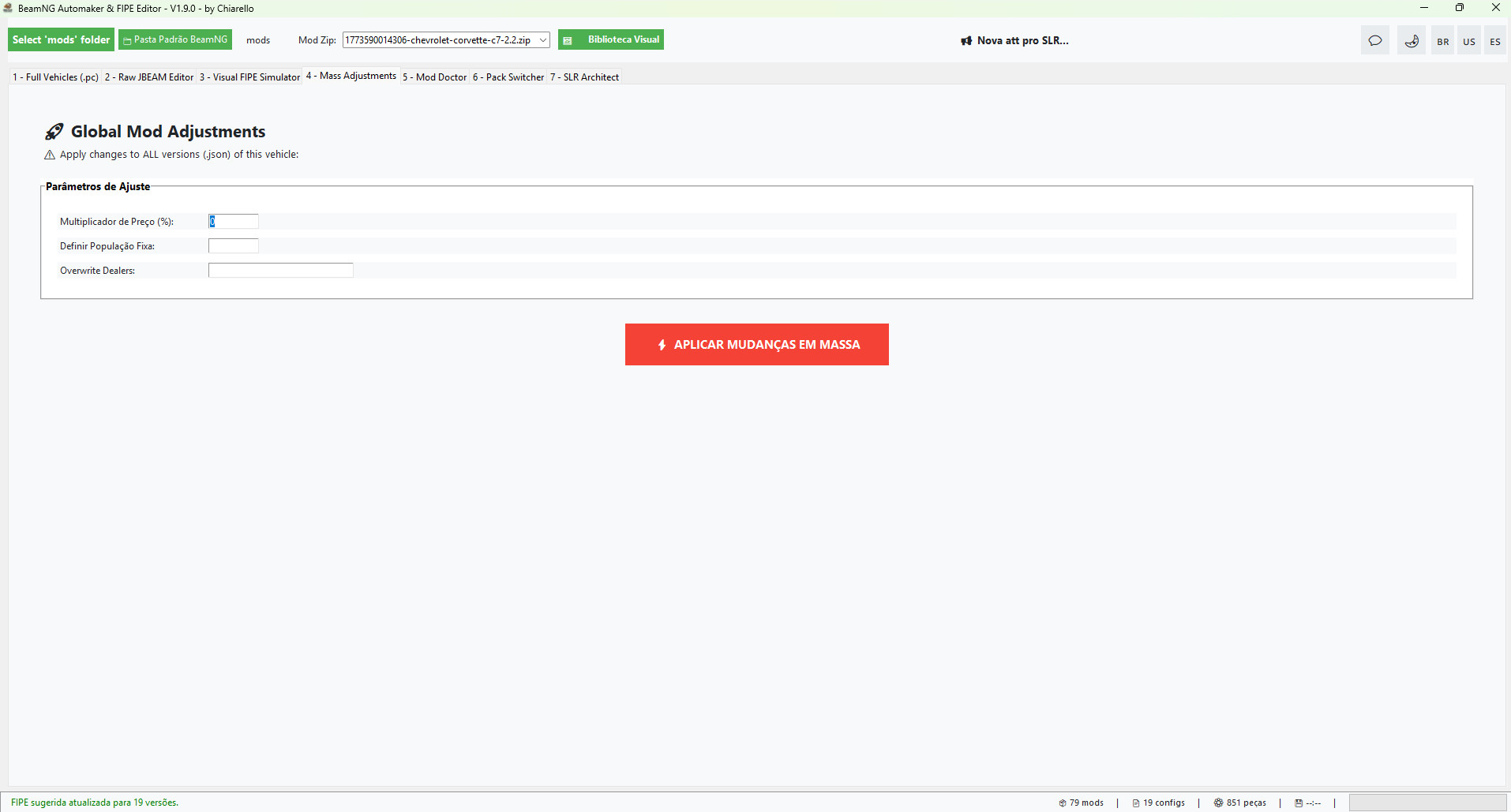
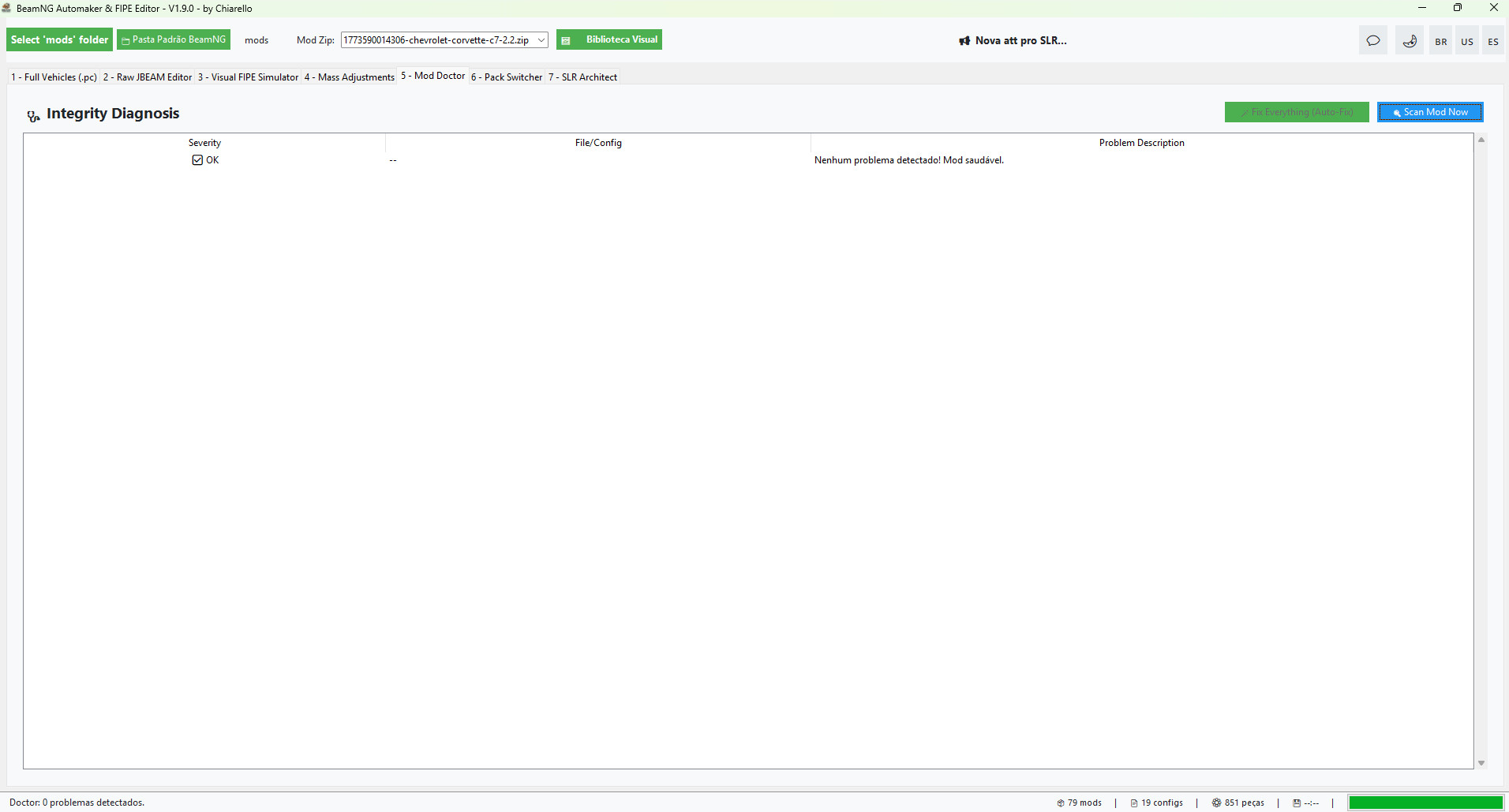
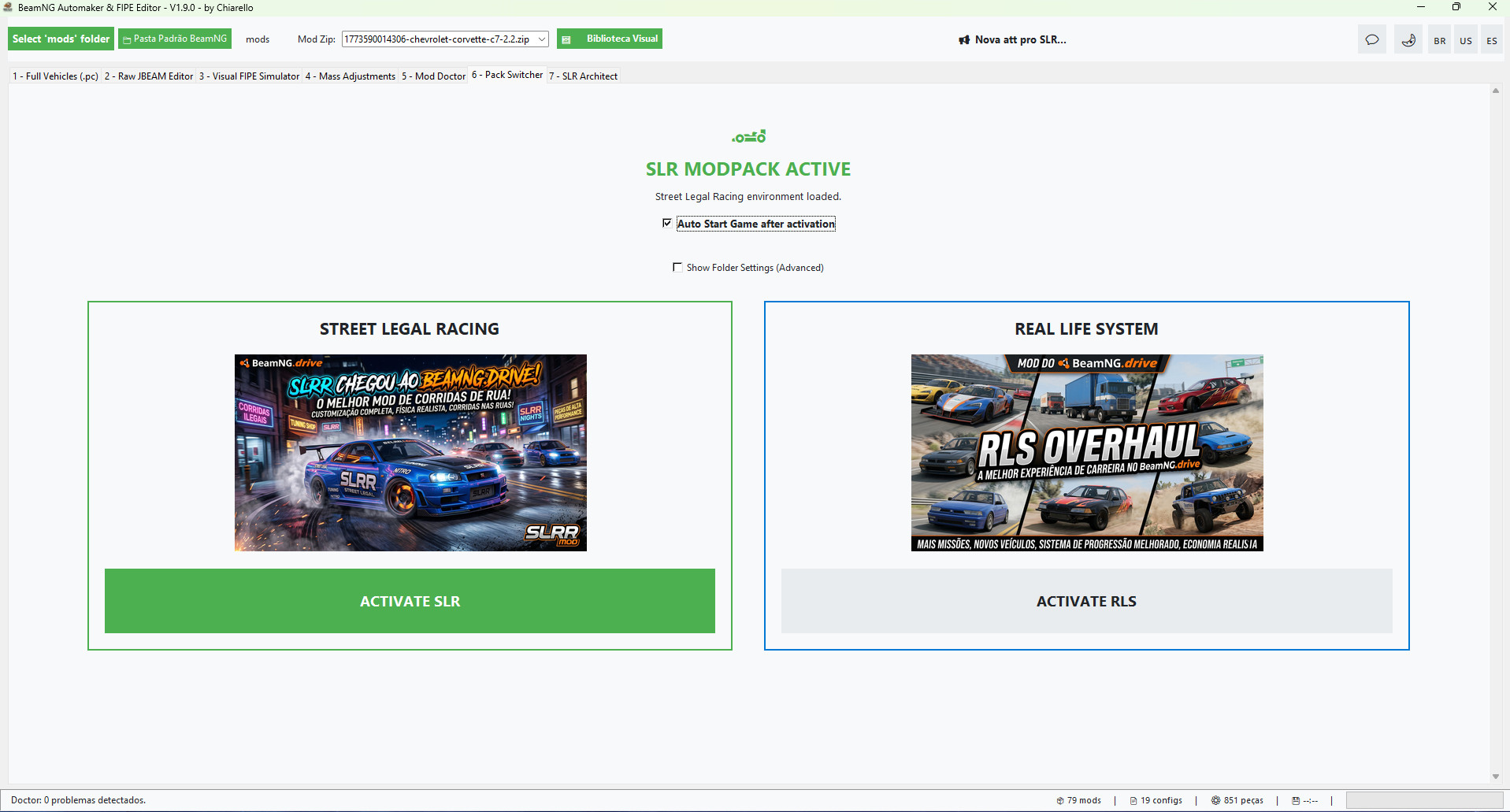
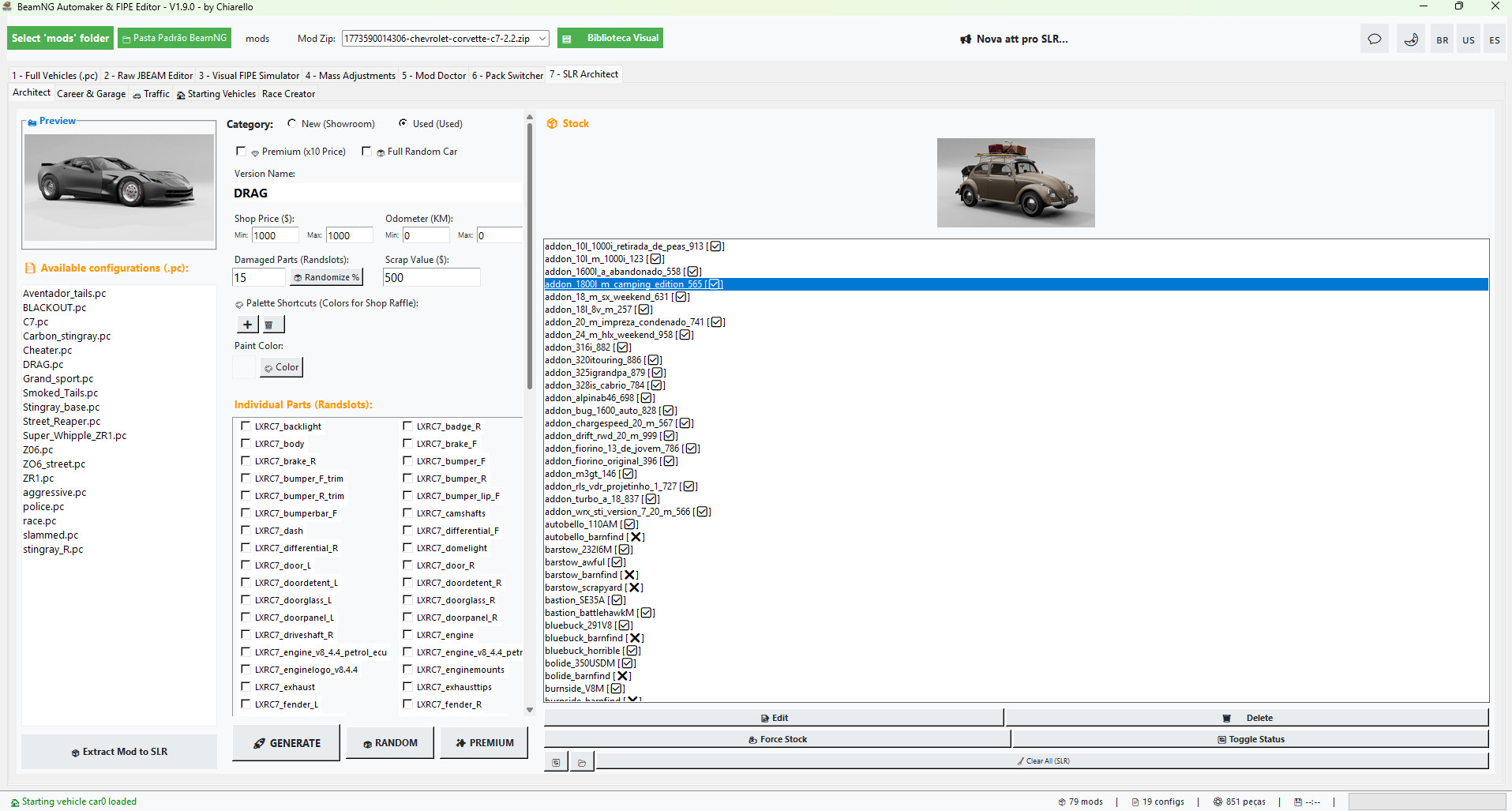
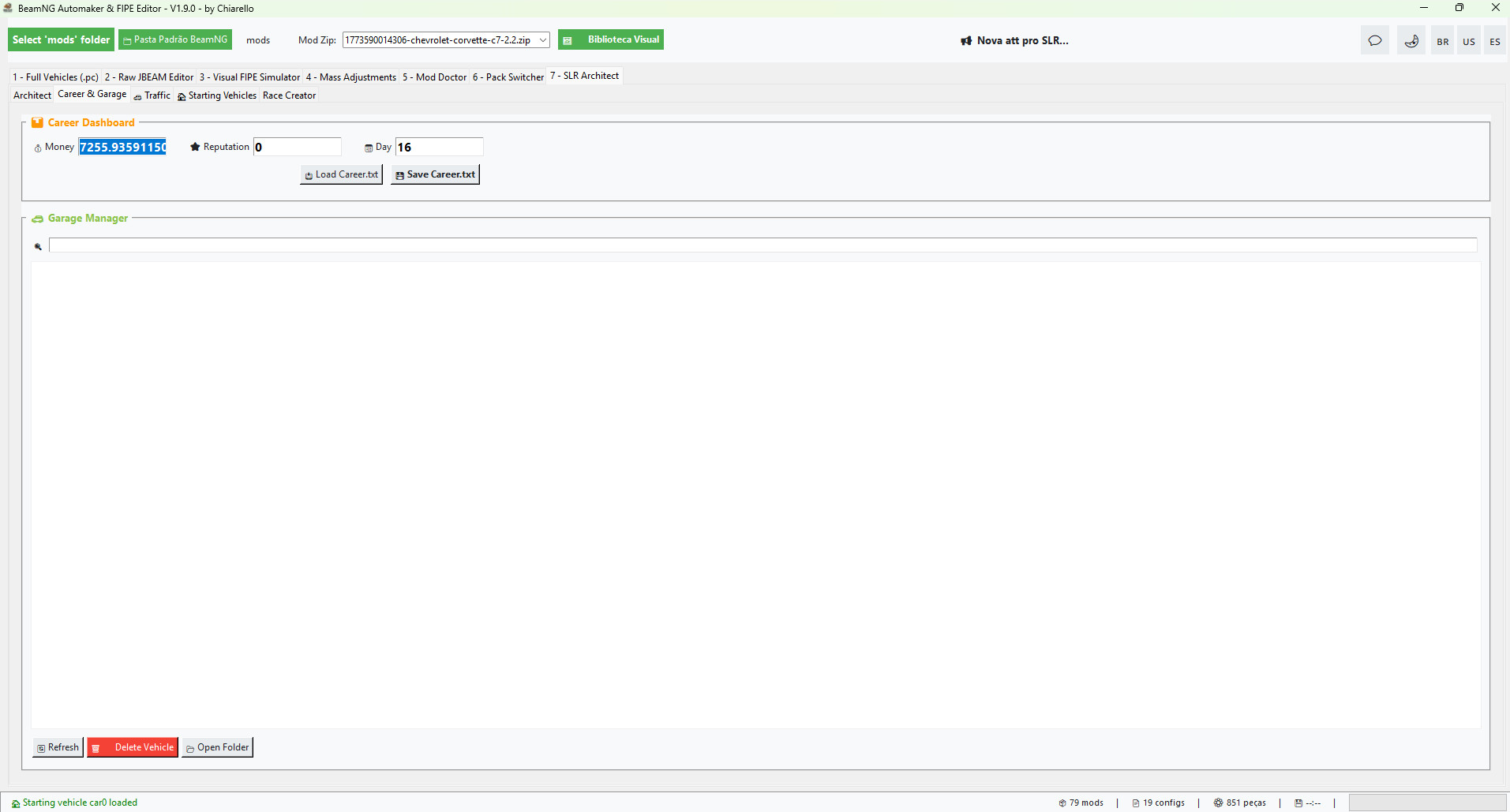
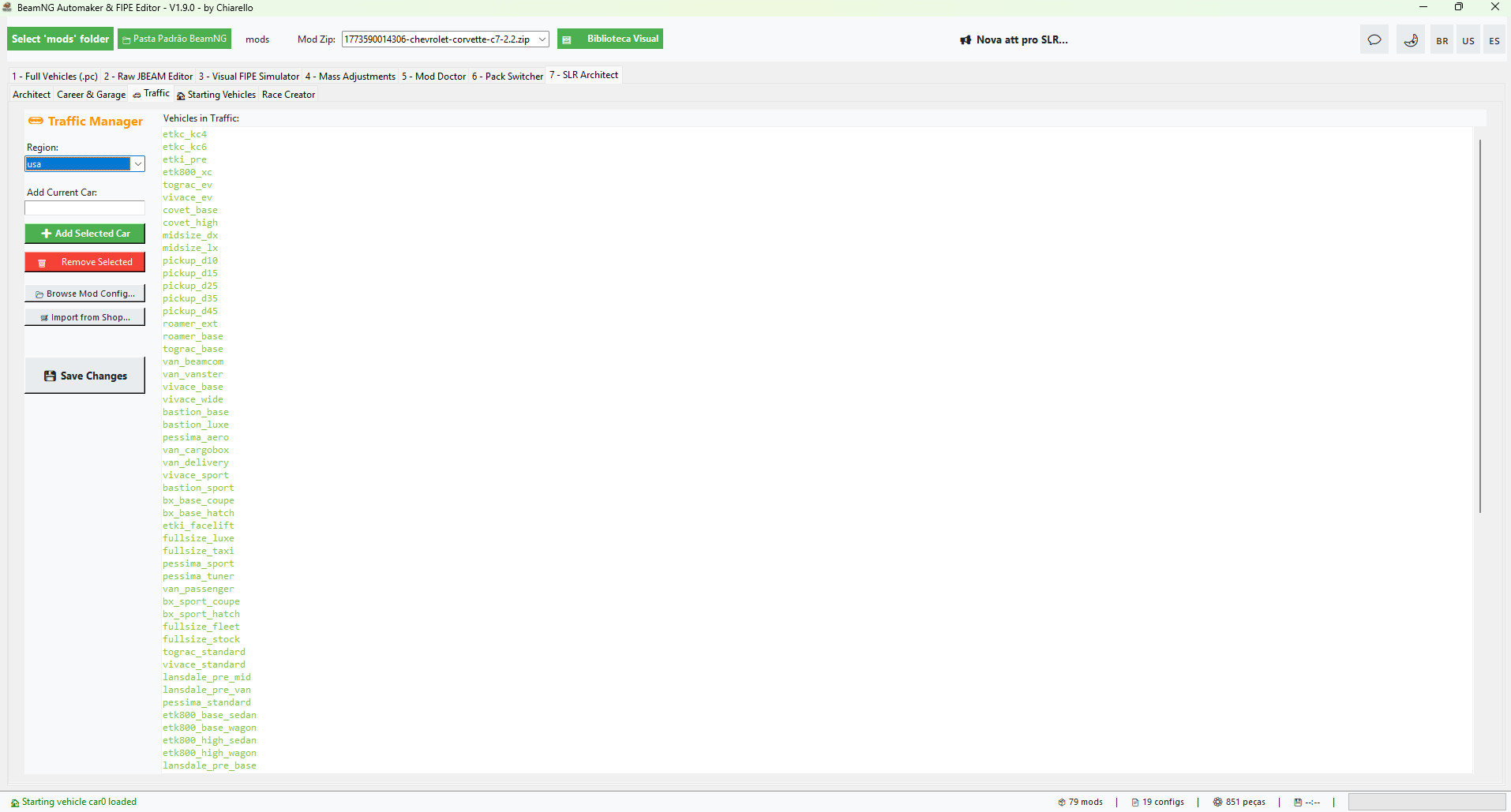
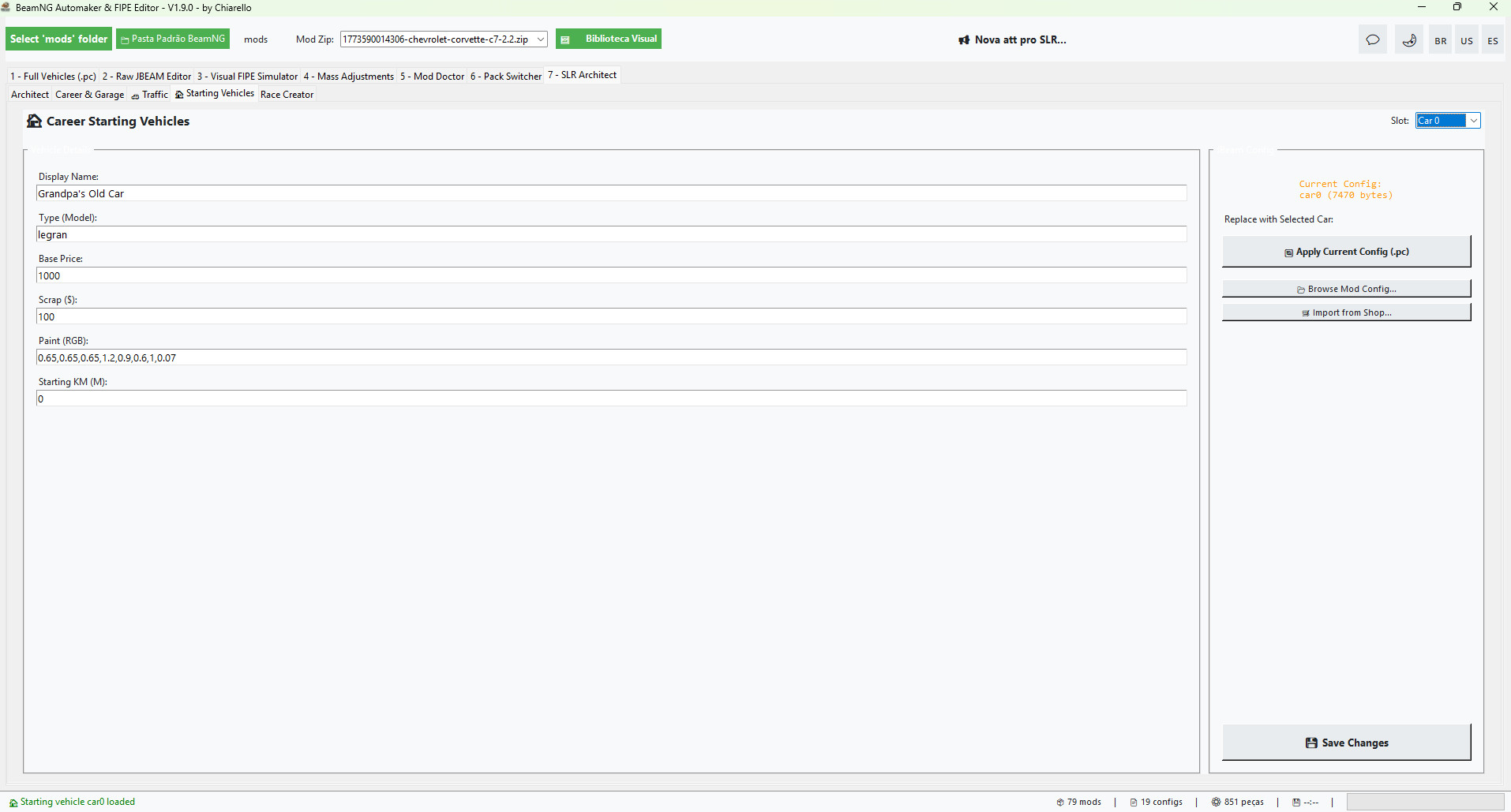
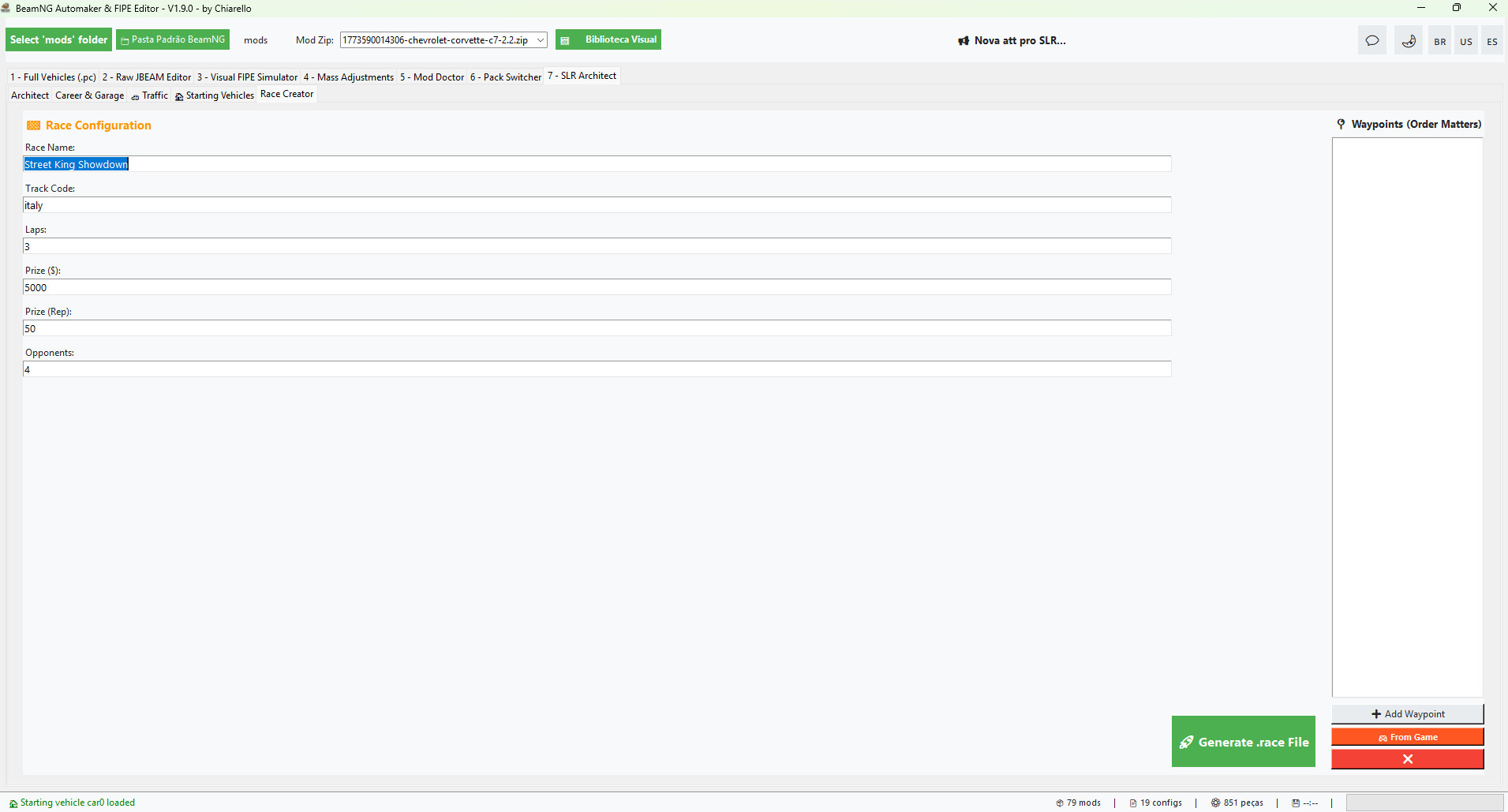
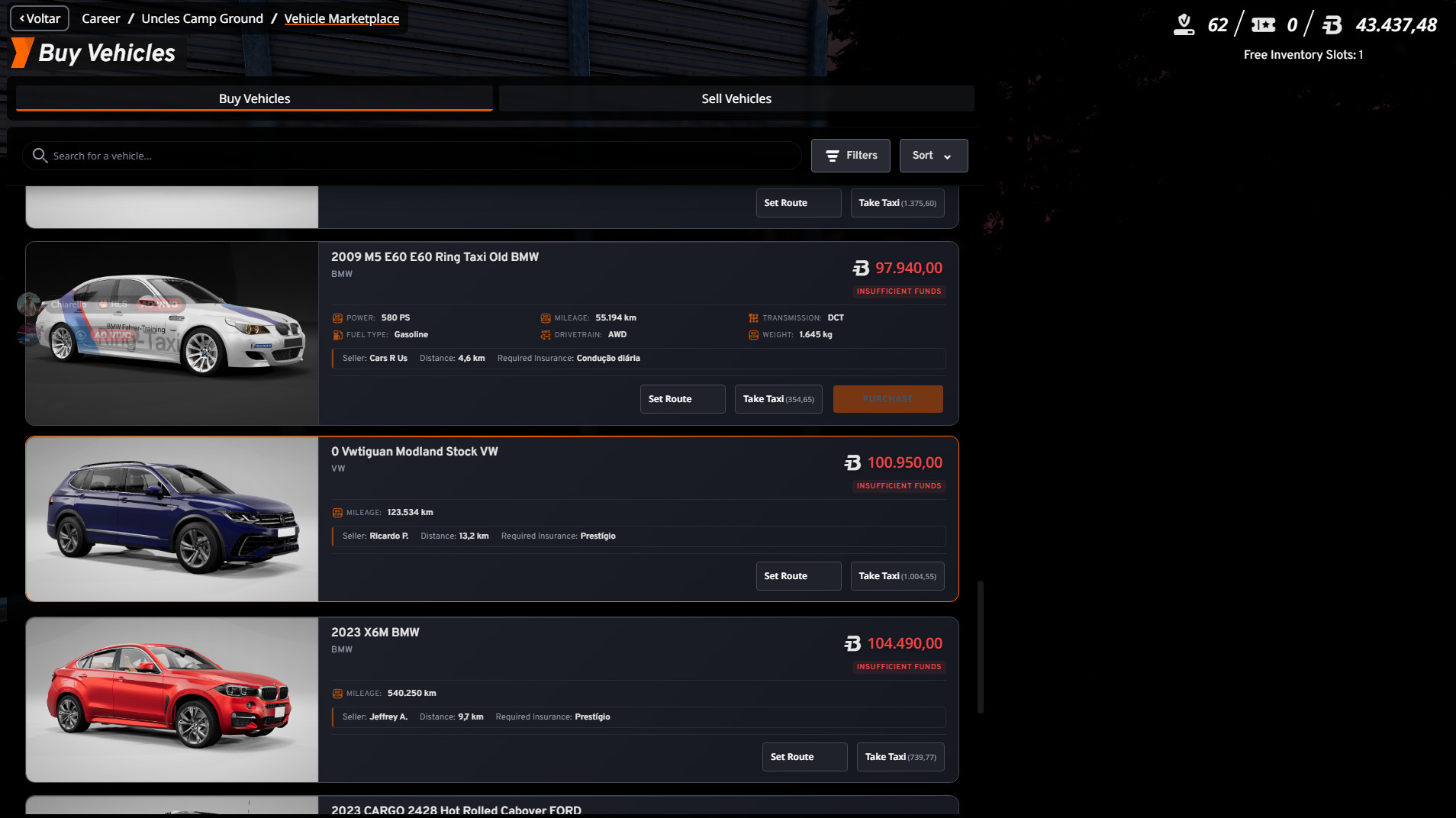
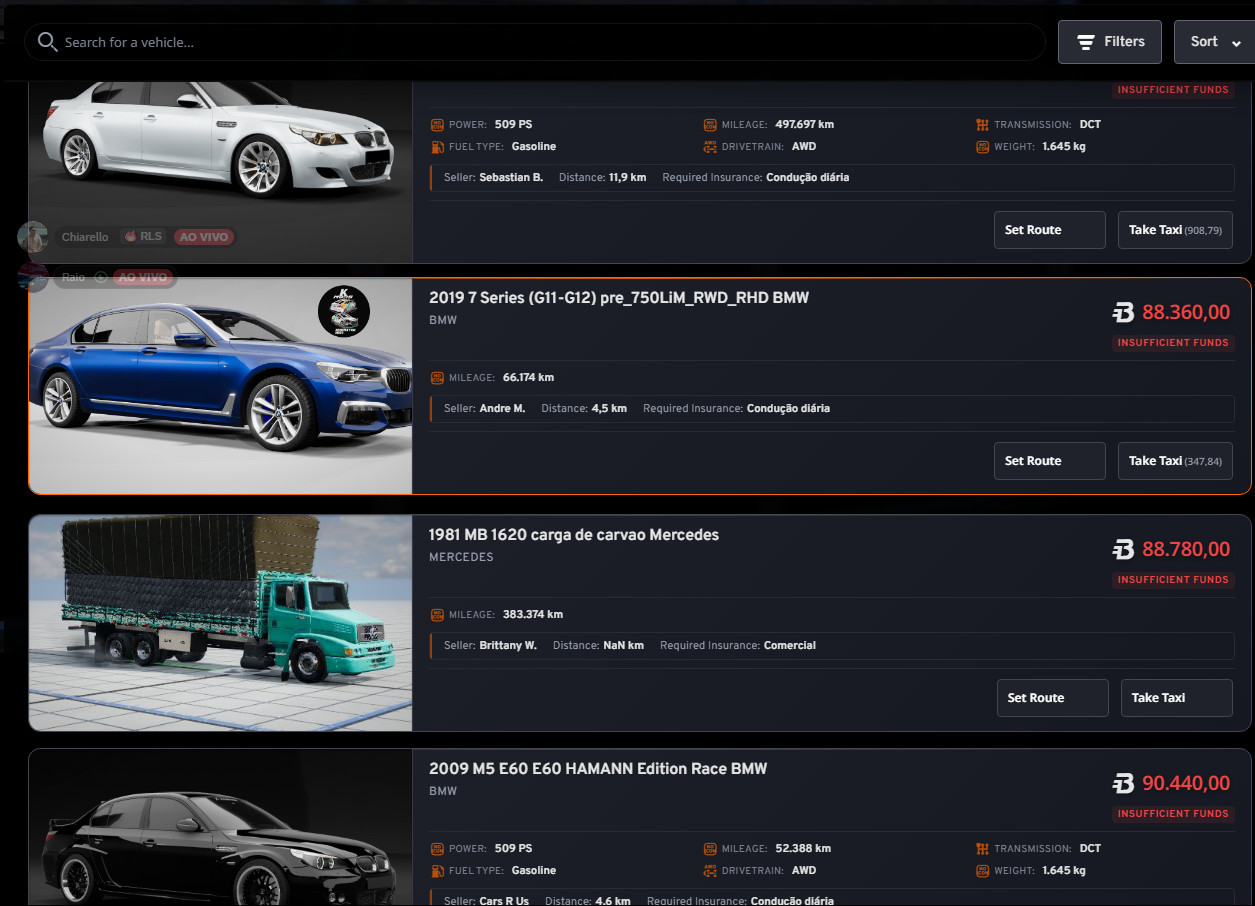
About Mod
| Latest Version | 8.2 |
| Game | BeamNG.drive |
| Category | Other |
| Game Version | 0.39.x |
| Tags | Tuning UI |
| Downloads | 2257 |
| Created | 6 months ago |
| Last Updated | 2 weeks ago |