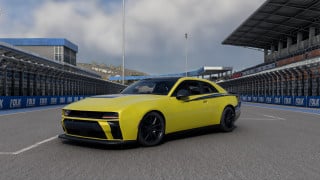
![Ford Mustang Mach-E [PACK]](https://temp2.modland.net/i/6aa50a7184eaa/0_modland.jpg)
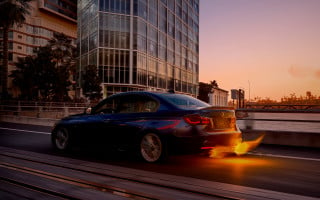
![BMW X6 G06/F96 [PACK]](https://temp2.modland.net/i/6a8ff76445a04/0_modland.jpg)
0/5,
0
votes
DO NOT RE-UPLOAD OR UPLOAD TO ANOTHER SITE
What’s included
How to paint
Use Pause painting to stop the brush and Resume painting to continue your existing design. Opening the Designs tab also pauses painting.
Keyboard shortcuts
Saving your designs
Designs are saved locally in your BeamNG user folder:
settings/handpaint/designs/
Each saved design contains editable paint data, with a thumbnail alongside it. Save each revision under a new name—existing designs are not overwritten.
These are HandPaint designs, not standalone BeamNG paint skins. HandPaint is required to load and apply them. Exporting a standalone skin ZIP is not included in this alpha.
Applying a design to another vehicle
Different vehicles have different body shapes, so transfers may need adjustment or touch-ups. Designs are fitted to the vehicle’s dimensions; individual body panels are not automatically matched. Your original saved design stays unchanged.
Autosave and recovery
HandPaint periodically saves recovery checkpoints while you work, including at the end of brush strokes.
To recover unfinished work, open:
Designs → Recover unfinished designs → Recover
Inspect the recovered preview, apply it, then save it with a name. Recovery files are stored separately under:
settings/handpaint/recovery/
Autosave helps protect unfinished work, but an abrupt exit can still lose changes made since the last successful checkpoint.
BeamMP installation:Get server plugin here - ashmaker000/BeamMP-HandPaint: Make your vehicle your own with HandPaint—a painting tool for BeamNG.drive with BeamMP support. Paint directly onto supported vehicles, save your designs, and preview them on other supported vanilla vehicles.
Server owners must install both parts:
Installing only the client ZIP does not let other players see your designs. Keep the client and server plugin versions matched.
The HandPaint header shows whether it is connecting, syncing, synchronized with the server or unavailable. Wait for synchronization before saving or changing a design.
Any problems/issues/suggestions head over to my Discord server.
https://discord.gg/bPqRhQa7sg
If you encounter a problem, please include the vehicle and configuration, whether you were playing single-player or BeamMP, what you were doing, and any screenshots or relevant log messages.
Thanks for supporting development - show me what you paint!
DO NOT RE-UPLOAD OR UPLOAD TO ANOTHER SITE
What’s included
- Round, soft and square brushes.
- Adjustable colour, size, opacity, width and rotation.
- Live brush previews so you can see your placement before painting.
- Mirrored painting, eraser and fill tools.
- Whole-stroke undo and redo.
- Saved designs with thumbnail previews and name search.
- Autosave and recovery for unfinished designs.
- Design transfers with adjustable scale and placement.
- BeamMP synchronization and a connection status indicator.
- Open your active BeamNG user folder through the BeamNG launcher.
- Place BeamNGHandPaint.zip in the mods folder.
- Spawn a supported vehicle and open HandPaint with Alt+H.
How to paint
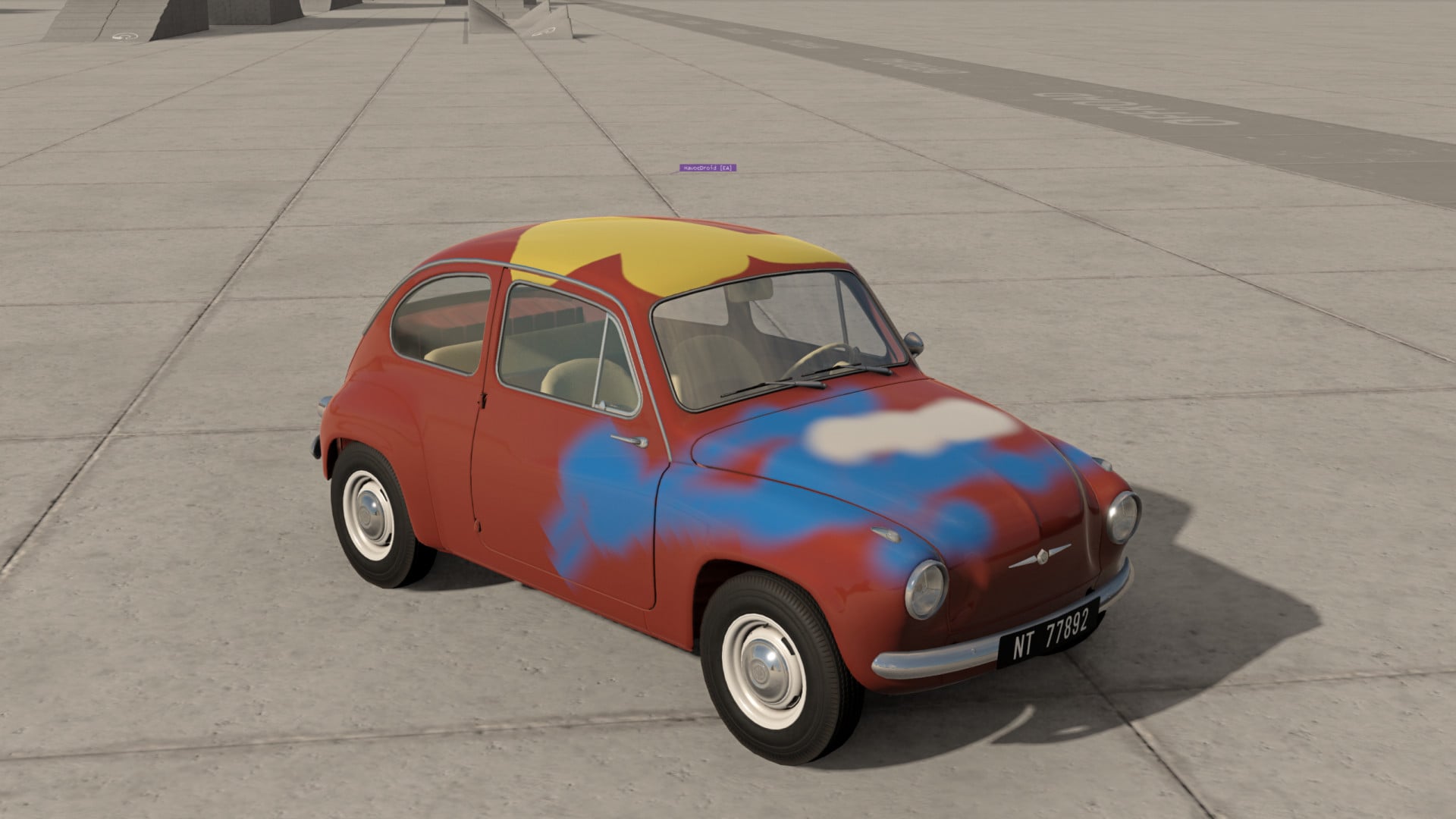
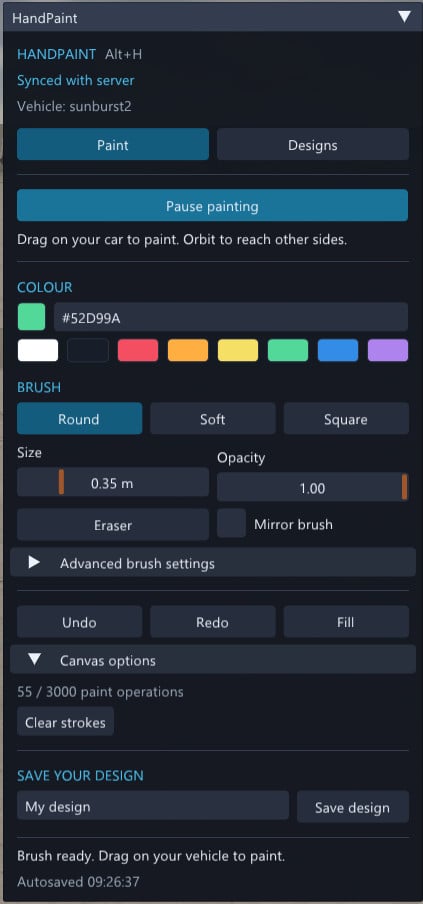
- Open the Paint tab and click Start painting.
- Choose your colour and brush settings.
- Hover over your car to preview the brush, then hold the left mouse button and drag to paint.
- Move the camera around the vehicle to reach other sides.
- Enter a name and click Save design.
Use Pause painting to stop the brush and Resume painting to continue your existing design. Opening the Designs tab also pauses painting.
Keyboard shortcuts
- Alt+H: Open or close HandPaint.
- Ctrl+Z: Undo a complete brush stroke.
- Ctrl+Y: Redo a brush stroke.
Saving your designs
Designs are saved locally in your BeamNG user folder:
settings/handpaint/designs/
Each saved design contains editable paint data, with a thumbnail alongside it. Save each revision under a new name—existing designs are not overwritten.
These are HandPaint designs, not standalone BeamNG paint skins. HandPaint is required to load and apply them. Exporting a standalone skin ZIP is not included in this alpha.
Applying a design to another vehicle
- Switch to a supported vehicle you own.
- Open Designs and select a saved design.
- Click Preview on this vehicle.
- Open Adjust fit and placement to change the scale and position. The preview updates after your adjustments.
- Click Apply design, or Apply and synchronize in BeamMP.
Different vehicles have different body shapes, so transfers may need adjustment or touch-ups. Designs are fitted to the vehicle’s dimensions; individual body panels are not automatically matched. Your original saved design stays unchanged.
Autosave and recovery
HandPaint periodically saves recovery checkpoints while you work, including at the end of brush strokes.
To recover unfinished work, open:
Designs → Recover unfinished designs → Recover
Inspect the recovered preview, apply it, then save it with a name. Recovery files are stored separately under:
settings/handpaint/recovery/
Autosave helps protect unfinished work, but an abrupt exit can still lose changes made since the last successful checkpoint.
BeamMP installation:Get server plugin here - ashmaker000/BeamMP-HandPaint: Make your vehicle your own with HandPaint—a painting tool for BeamNG.drive with BeamMP support. Paint directly onto supported vehicles, save your designs, and preview them on other supported vanilla vehicles.
Server owners must install both parts:
- BeamNGHandPaint.zip in Resources/Client/
- Then create a BeamNGHandPaint folder and unpack BeamNGHandPaintServer.zip within Resources/Server/BeamNGHandPaint/
Installing only the client ZIP does not let other players see your designs. Keep the client and server plugin versions matched.
The HandPaint header shows whether it is connecting, syncing, synchronized with the server or unavailable. Wait for synchronization before saving or changing a design.
Any problems/issues/suggestions head over to my Discord server.
https://discord.gg/bPqRhQa7sg
If you encounter a problem, please include the vehicle and configuration, whether you were playing single-player or BeamMP, what you were doing, and any screenshots or relevant log messages.
Thanks for supporting development - show me what you paint!
DO NOT RE-UPLOAD OR UPLOAD TO ANOTHER SITE
External Download Links:
Direct Download Links
About Mod
| Latest Version | 0.1 |
| Game | BeamNG.drive |
| Category | Other |
| Game Version | 0.39.x |
| Downloads | 147 |
| Created | 1 day ago |
![Ford Mustang Mach-E [PACK]](https://temp2.modland.net/i/6aa50a7184eaa/0_modland.webp)
![BMW X6 G06/F96 [PACK]](https://temp2.modland.net/i/6a8ff76445a04/0_modland.webp)
does not work
does not work fatal lua error