BeastZ Gauges 1.4
5/5,
2
votes
Latest Update
latest
Version
1.4
· Sync Color, Smarter Grid Sizing & Snap Guides
· BeamNG.drive
0.39.x
2 months ago
- New: Sync Color setting hue/transparency/saturation/text hue changes broadcast live to every other open BeastZ app with Sync Color also on.
- New: Grid Size now auto-sizes both panel dimensions to a tight fit (not just one axis) based on gauge count and Columns/Rows.
- New: "Reset to Auto" button for Grid Size.
- New: Visual snap guide line + pixel-distance label while snap-dragging, plus screen-center snapping. A big thank-you to 311time.
- New: The gauge tiles now slide smoothly into their new slot on drag-reorder. A big thank-you to 311time.
Description
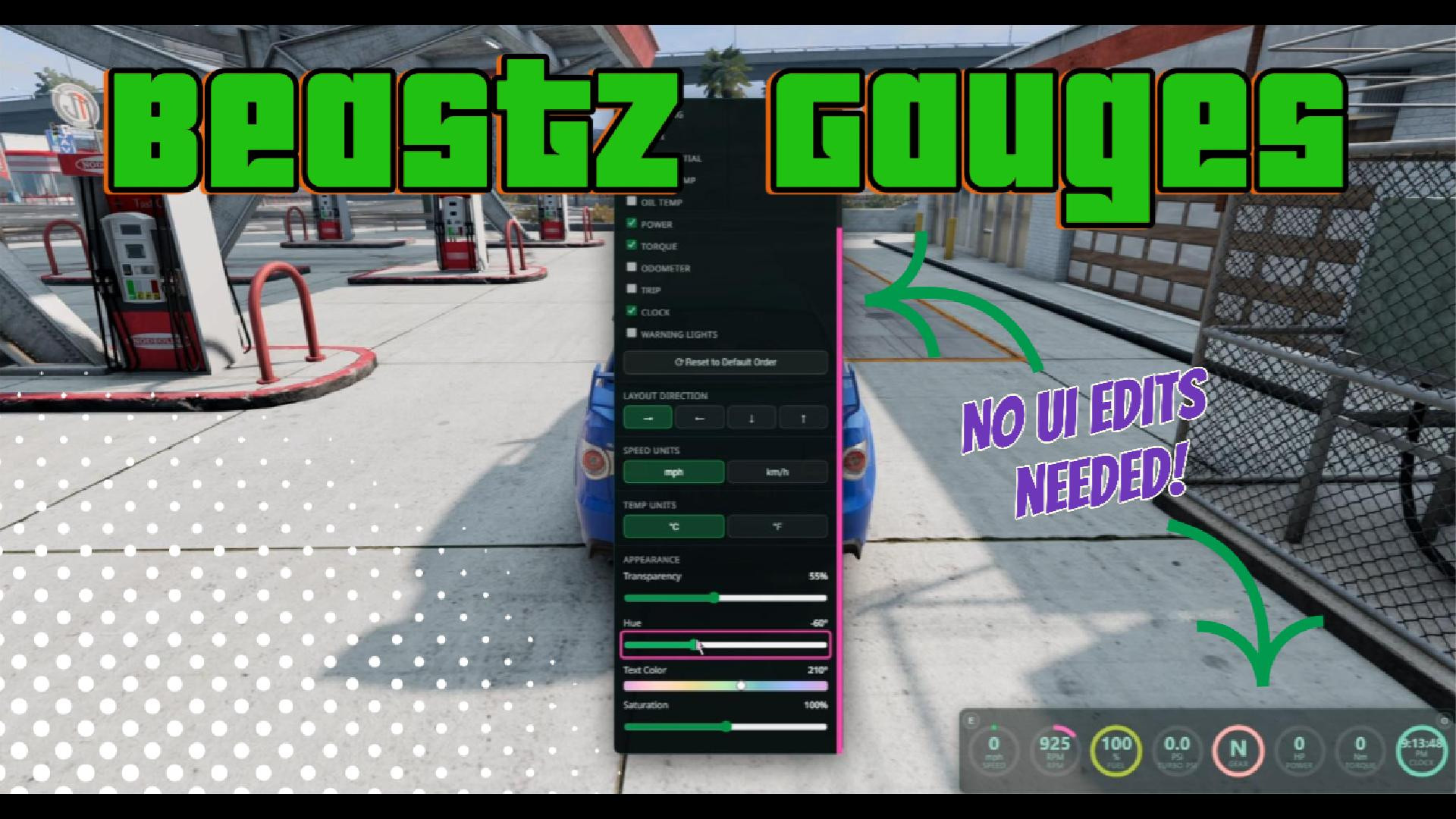
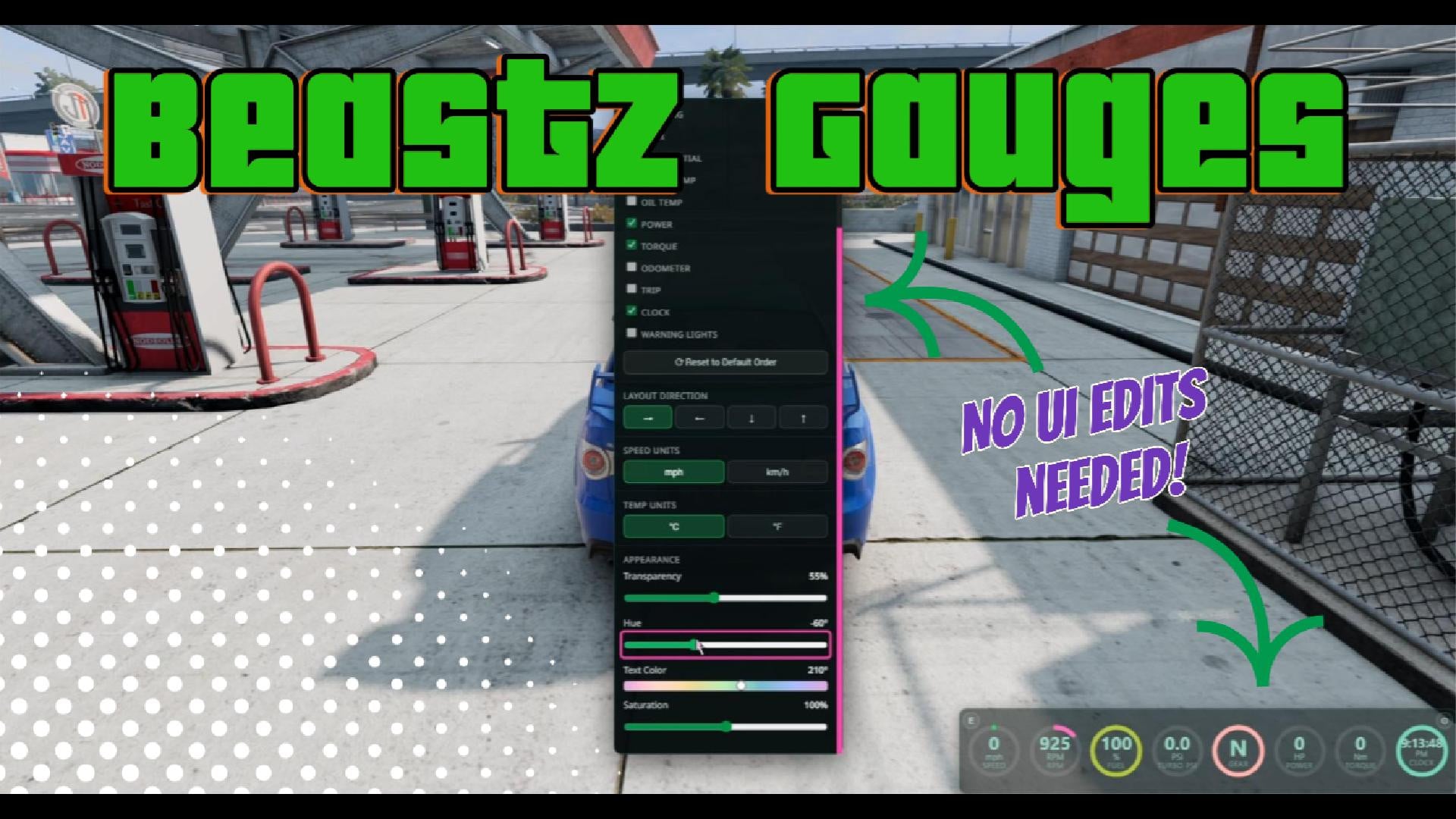
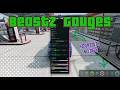
BeastZ Gauges is a configurable digital gauge cluster that combines multiple vehicle readouts into a single movable, resizable panel.
Features
- Displays up to 16 selectable gauges.
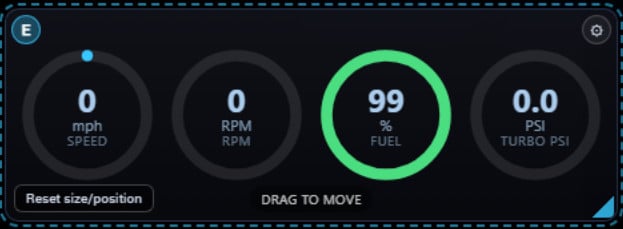
- Shows Speed, RPM, Fuel, and Turbo PSI by default.
- Adds gauges in the exact order you select them.
- Removes gauges without changing the order of the remaining gauges.
- Supports horizontal and vertical layouts in either direction.
- Move and resize the panel directly on the screen without opening BeamNG’s UI Apps menu.
- Offers imperial and metric units.
- Saves your settings, panel position, and size between sessions.
- Displays "--" when the current vehicle does not provide a selected reading.
Available gauges
Speed, RPM, Fuel, Turbo PSI, Air Speed, Steering, Gear, Differential, Water Temperature, Oil Temperature, Power, Torque, Odometer, Trip Distance, Clock, and Warning Lights.
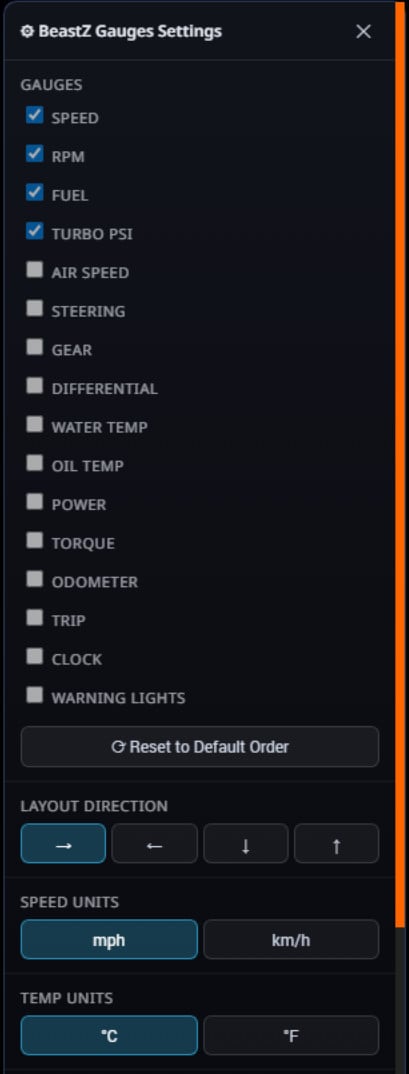
Customization
Open the gear button in the upper-right corner to select gauges and adjust:
- Layout direction
- Speed, distance, and temperature units
- Panel transparency
- Hue and saturation
- Gauge text colors
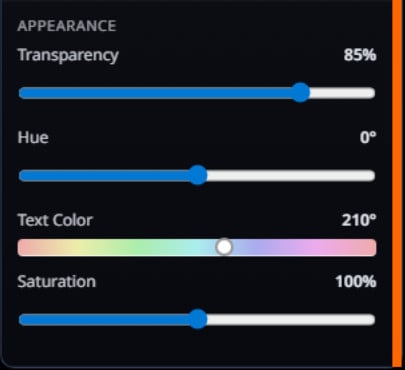
Moving and resizing the panel
- Select the E button in the upper-left corner to enter edit mode.
- Drag the panel to move it.
- Drag the lower-right handle to resize it.
- Select E again to exit edit mode.
- Use the reset option to return the panel to BeamNG’s normal UI-app grid.
- If the gauges look too squished together after adding more, resize the panel to give them additional space.

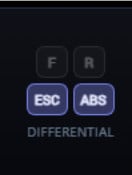
Drivetrain and driver-assist controls
The Differential gauge provides interactive controls for supported differentials, transfer cases, ESC/TCS modes, and ABS. The available buttons depend on what the current vehicle supports.
Videos

Direct Download Links
Version: 1.4Updated: 2 months ago
Total Size: 38.03 KB BeastZGauges_modland.zip direct download · 38.03 KB · added 2 months ago
About Mod
| Latest Version | 1.4 |
| Game | BeamNG.drive |
| Category | Other |
| Game Version | 0.39.x |
| Tags | UI |
| Downloads | 999 |
| Created | 2 months ago |
| Last Updated | 2 months ago |
You Might Also Like »

![Ford Bronco [PACK]](https://temp2.modland.net/i/6abb8bc6ce51c/0_modland.webp)


0 Comments
There are no comments. Be first to comment!