HiStakes - 60+FPS silky-smooth tacho, speedo, gauges and MFD for ground/air vehicles 0.1.7d

5/5,
5
votes
Latest Update
latest
Version
0.1.7d
· 0.40 compatibility
· BeamNG.drive
0.40.x
5 days ago
Beta v0.1.7d (20/10/26)
- Upgrading from v0.1.7x
- My Files now keeps fonts in settings/HiStakes/files/fonts and chimes in settings/HiStakes/files/chimes. Fonts and chimes the game can still see are moved over automatically, and files already in the new folders are not overwritten.
- If the 0.40 update already moved your old fonts or chimes into an update archive, copy them into the new folders by hand. Settings backups save which fonts and chimes you picked, not the files themselves.
- Expanded: Stock app replacement settings
- Replacement gauges now keep their settings across layouts, support layout presets, and include their settings in Backup, Restore, and Reset.
- Optimized/Fixed:
- 0.40 Compatibility - The HUD apps and the pause-menu settings work again after BeamNG’s UI changes in 0.40
- Drive-mode colours - Drive-mode text and icons show their colours again, including colours set by the game.
- Faster app loading - Fewer stalls when apps start up or refresh. Widget and global settings pages now load only when you open them.
- Compact minimap rim markers - Fixed wrong marker colours and rotation. The Classic minimap does less work around its edge.
- Navigation roads - Flat navigation maps draw roads with BeamNG 0.40’s new road drawing. Other map views keep the old method.
- My Files - Imported fonts and chimes now live in your settings folder, so they survive future game updates.
- Gauge units: Power and Torque needles/readouts now follow the selected units. Solo and Combo analog speed dials follow the widget’s Speed unit too.
- Gauge behaviour: Automatic scales stay automatic after reloading; rounded-zero readings no longer show “-0.0”; Most Wanted now draws its Peak Witness Mark.
- Vehicle changes: UG2 fuel/N2O bars no longer retain the previous vehicle’s reading. Background traffic spawns no longer reset your peaks, warnings or trackers.
- Battery and fuel telemetry: Duplicate engine entries no longer interrupt battery-power readings or restart range learning. Fuel and battery sampling create less temporary data.
- Settings and sharing: Blank scale values no longer block saving or backups. Fixed “library changed” errors during imports and deletion; palette Save as now asks before replacing another palette.
- Chimes: Prevented duplicate playback with Combo and standalone MFD together. Outgoing chimes stop during ownership changes, and volume changes affect sounds already playing.
- Pause-menu recovery: Standing warnings and dismissed popups no longer replay after returning. Radar contacts and navigation information return immediately.
- MFD and maps: Fixed displays shifting when dragged partly off screen, compass north-marker alignment, and delayed updates after changing Offer flight page.
- Controls: Engine START releases correctly when letting go outside the button. Cruise engages from your current speed, and the lightbar chip only appears on equipped vehicles.
- Drag timing: Elapsed and split times now use simulation time, correcting slow-motion and paused runs. Trap speed follows your selected speed unit.
- Flight displays: Corrected wind direction, terrain-peak altitude and clipped labels. Fixed unwanted reset callouts, slow-motion SINK RATE detection and stale parked-aircraft angle of attack.
- Localization: Translated backup-preview details and remaining gauge-setting labels.
- Terrain preparation can still take time on large, imported, or complex maps.
- Rear View and 3D/Hybrid map features remain experimental. Texture warp correction currently covers terrain; detailed tiles may briefly use ordinary rendering while loading.
- Forest-placed buildings can retain rock colouring on ray-scanned maps.
- Translucent interface elements can show fringes over bright backgrounds in HDR.
- Imported Snazzy Maps styles are approximations and won't reproduce every detail of the original.
- Compatibility issues may arise when used with RLS.
HiStakes, a self-contained SDF/CEF hybrid gauges and MFD system for BeamNG.Build one gauge, a complete cluster, or a standalone vehicle display.
Key Features:




LLMs/AI Use disclosure: Generative Agentic Coding tools were used in debugging, optimization, and translation process of this project.
KNOWN ISSUES
• Unfinished level of work quality:
Many apps and widgets are still in their early phase and may contain placeholders; this also includes the settings interface (placement/flow/UX), which may appear clunky and hard to use. These do not represent final quality. Please bear with me as I develop it; your feedback will be valuable in helping improve and shape the mod!
• New-widget settings persistence:
The first configuration applied to a newly placed widget may be lost after opening and closing the pause menu. A replacement widget can also inherit settings from a previously deleted widget.
Workaround: After placing a widget, configure it, perform one pause-menu round trip, and verify or reapply its settings before making further layout changes.(I recommend making changes to one gauge at a time and toggling open the Radial meu/Pause menu in between to ensure the settings get written)
• Repeated flight callouts:
An aural flight warning can occasionally repeat immediately instead of respecting the expected repeat interval.
Workaround: Individual GPWS warning families can be disabled from the global settings card.
• Flight-mode settings access:
The Combo settings button is unavailable while Flight mode is active.
Workaround: Switch to another MFD page before opening widget settings.
• Vehicle switching in Flight:
Alert or capability state from the previous vehicle can briefly survive a vehicle switch.
Workaround: Leave the Flight page before switching vehicles, or leave and re-enter it afterward.
• UI loading artifacts;
Native-rendered gauges or MFD surfaces may appear briefly while BeamNG’s UI is loading. They can also remain visible momentarily after an F5 UI reload.
• Font coverage:
Navigation and Radar use BeamNG’s native ImGui font and do not currently follow the selected HiStakes UI font.
• Minor zoomed-gauge overlap:
At some sizes and zoom levels, the gauge face can overlap the frame by a small amount. This is cosmetic.
Key Features:
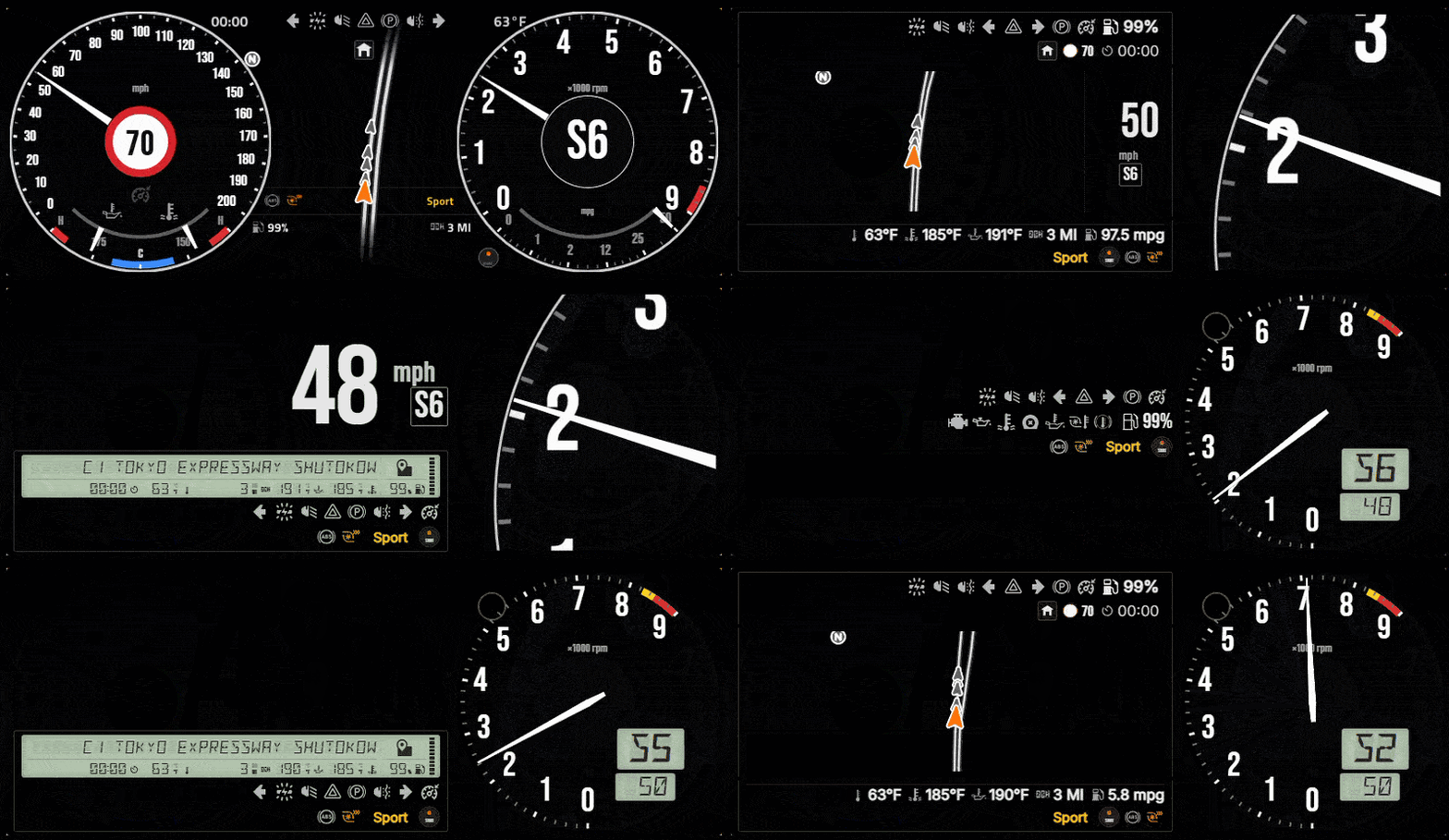
- Solo Gauges: One deeply configurable gauge. Add several instances to build a dashboard around the information you care about. Supports RPM, speed, boost, power, torque, temperatures, and more, with configurable sweeps, start angles, and presentation modes
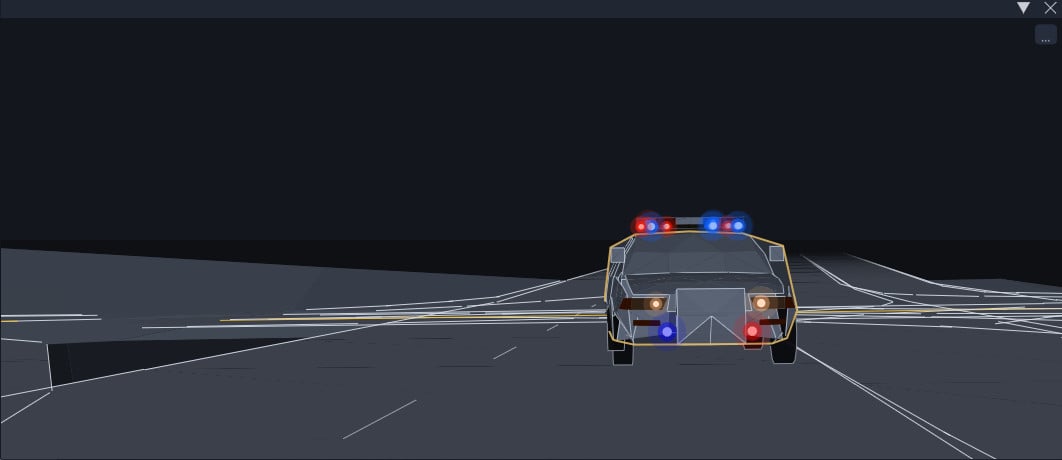
- Integrated Combo HUD: Combines gauges with drivetrain controls, speed limit display, police pursuit support, a warning strip, and a multi-function display (MFD) and many more!
- HiStakes MFD: The same multi-function display placeable as a standalone app without the surrounding cluster.(Optional Companion mode). Companion mode is automatically triggered when using LCD Strip MFD(in combo or standalone); in this mode, the MFD Chromes are hidden, as it is already shown in the MFD Strip
- Standalone MFD:
- Square Mini MFD
- MFD Apps included in Beta: Vehicle-health dashboard, bCDDL-1.1 compliant fork of vanilla Navigation app adapted for my MFD framework, a proximity radar that renders vehicles as OOBB rectangles(with reversing mode and hitch support), and a drag timer app (more to come). Including sound/chime support for warnings/shift hint/speed limit.
- Flight Mode: Provides a suite of high-fidelity glass-cockpit features which include Primary Flight Display, terrain-aware Navigation Display, and capability-adaptive engine monitoring. (including support for aviator331's Aircraft Autopilot mod
- To access Flight Mode - In the MFD, press the Home button and you'll see the Flight app, you may need to also scroll down to see it (You will need either a Standalone MFD or a Combo layout with an MFD)
- Global Settings/Data Management Utility:
- Per-widget settings can be reached by hovering above the place widget and clicking on the Gear/Cog icon that pops up - this will open up the settings for the specific widget.
- Global Settings can be reached via the Pause menu, the tab on the top bar under 'Mods' category.
- Data Management Utility accessible via the Main menu and also accessible via the button on top of the Global settings:
- This utility allows you to back up/restore mod data. You can also export/import specific presets/palettes. It also allows you to add your own Fonts.
LLMs/AI Use disclosure: Generative Agentic Coding tools were used in debugging, optimization, and translation process of this project.
KNOWN ISSUES
• Unfinished level of work quality:
Many apps and widgets are still in their early phase and may contain placeholders; this also includes the settings interface (placement/flow/UX), which may appear clunky and hard to use. These do not represent final quality. Please bear with me as I develop it; your feedback will be valuable in helping improve and shape the mod!
• New-widget settings persistence:
The first configuration applied to a newly placed widget may be lost after opening and closing the pause menu. A replacement widget can also inherit settings from a previously deleted widget.
Workaround: After placing a widget, configure it, perform one pause-menu round trip, and verify or reapply its settings before making further layout changes.(I recommend making changes to one gauge at a time and toggling open the Radial meu/Pause menu in between to ensure the settings get written)
• Repeated flight callouts:
An aural flight warning can occasionally repeat immediately instead of respecting the expected repeat interval.
Workaround: Individual GPWS warning families can be disabled from the global settings card.
• Flight-mode settings access:
The Combo settings button is unavailable while Flight mode is active.
Workaround: Switch to another MFD page before opening widget settings.
• Vehicle switching in Flight:
Alert or capability state from the previous vehicle can briefly survive a vehicle switch.
Workaround: Leave the Flight page before switching vehicles, or leave and re-enter it afterward.
• UI loading artifacts;
Native-rendered gauges or MFD surfaces may appear briefly while BeamNG’s UI is loading. They can also remain visible momentarily after an F5 UI reload.
• Font coverage:
Navigation and Radar use BeamNG’s native ImGui font and do not currently follow the selected HiStakes UI font.
• Minor zoomed-gauge overlap:
At some sizes and zoom levels, the gauge face can overlap the frame by a small amount. This is cosmetic.
External Download Links:
Videos
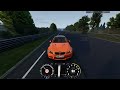
Frequently Asked Questions
How to use the Flight Mode?
To access Flight Mode - In the MFD, press the Home button and you'll see the Flight app, you may need to also scroll down to see it (You will need either a Standalone MFD or a Combo layout with an MFD)
How Can I get started?
Quickest way to start: upgrade the stock apps you already use
No new widgets and no layout changes needed. HiStakes can take over three of BeamNG's own UI apps right where they sit in your layout.
How: Pause menu > Mods > HiStakes > Display tab > Stock app replacements, then switch on the ones you want. Each switch is reversible: turn it off and the stock app comes straight back.
No new widgets and no layout changes needed. HiStakes can take over three of BeamNG's own UI apps right where they sit in your layout.
How: Pause menu > Mods > HiStakes > Display tab > Stock app replacements, then switch on the ones you want. Each switch is reversible: turn it off and the stock app comes straight back.
- Advanced Tachometer becomes a fully customizable HiStakes Solo gauge.
- Forced Induction becomes a HiStakes boost gauge (Boost, automatic range).
- Minimap keeps the original Navigation app but draws it with the HiStakes map renderer, including the world map prepared from the level.
Direct Download Links
Version: 0.1.7dUpdated: 5 days ago
Total Size: 2.85 MB histakes_dassheep_modland.zip direct download · 2.85 MB · added 5 days ago
About Mod
| Latest Version | 0.1.7d |
| Game | BeamNG.drive |
| Category | Other |
| Game Version | 0.40.x |
| Tags | UI |
| Downloads | 1152 |
| Forum Thread | Visit forum thread |
| Created | 1 month ago |
| Last Updated | 5 days ago |
![Ford Bronco [PACK]](https://temp2.modland.net/i/6abb8bc6ce51c/0_modland.jpg)



looks sick !
how should i make my fps better? gtx 1650 looks bad
@DasSheep Can i steal yourr rtx 5090
@Kadir.ali382 So, what can I do about it? Your comment here is completely unrelated to the mod. My mod is never advertised to help boost your game's FPS. It only helps with the UI, and only if your game already runs well. GTX 1650 is a low-to-mid-end card from 2019, you can't expect miracles.
@DasSheep look gtx 1650 doesnt run perfect
@Kadir.ali382 huh? I don't know what you are talking about?
@DasSheep here we go again
@Kadir.ali382 This is not a mod to help low end hardware run better. I can’t help you with this.
hello , i don't understand what is the mod for ? its custom ui apps ? looks cool
@HUH A system of UI apps and stock app replacements. Basically, very customizable gauges(you can pick from a wide variety of data sources and customize the look of it to your liking), and a map/dashboard system. It also includes layouts that combine them into one unit.
great mod!
@xpaucek Thank you!