HiStakes - 60+FPS silky-smooth tacho, speedo, gauges and MFD for ground/air vehicles 0.1.7d

5/5,
5
votes
Changelog
latest
Version
0.1.7d
· 0.40 compatibility
· BeamNG.drive
0.40.x
5 days ago
Beta v0.1.7d (20/10/26)
- Upgrading from v0.1.7x
- My Files now keeps fonts in settings/HiStakes/files/fonts and chimes in settings/HiStakes/files/chimes. Fonts and chimes the game can still see are moved over automatically, and files already in the new folders are not overwritten.
- If the 0.40 update already moved your old fonts or chimes into an update archive, copy them into the new folders by hand. Settings backups save which fonts and chimes you picked, not the files themselves.
- Expanded: Stock app replacement settings
- Replacement gauges now keep their settings across layouts, support layout presets, and include their settings in Backup, Restore, and Reset.
- Optimized/Fixed:
- 0.40 Compatibility - The HUD apps and the pause-menu settings work again after BeamNG’s UI changes in 0.40
- Drive-mode colours - Drive-mode text and icons show their colours again, including colours set by the game.
- Faster app loading - Fewer stalls when apps start up or refresh. Widget and global settings pages now load only when you open them.
- Compact minimap rim markers - Fixed wrong marker colours and rotation. The Classic minimap does less work around its edge.
- Navigation roads - Flat navigation maps draw roads with BeamNG 0.40’s new road drawing. Other map views keep the old method.
- My Files - Imported fonts and chimes now live in your settings folder, so they survive future game updates.
- Gauge units: Power and Torque needles/readouts now follow the selected units. Solo and Combo analog speed dials follow the widget’s Speed unit too.
- Gauge behaviour: Automatic scales stay automatic after reloading; rounded-zero readings no longer show “-0.0”; Most Wanted now draws its Peak Witness Mark.
- Vehicle changes: UG2 fuel/N2O bars no longer retain the previous vehicle’s reading. Background traffic spawns no longer reset your peaks, warnings or trackers.
- Battery and fuel telemetry: Duplicate engine entries no longer interrupt battery-power readings or restart range learning. Fuel and battery sampling create less temporary data.
- Settings and sharing: Blank scale values no longer block saving or backups. Fixed “library changed” errors during imports and deletion; palette Save as now asks before replacing another palette.
- Chimes: Prevented duplicate playback with Combo and standalone MFD together. Outgoing chimes stop during ownership changes, and volume changes affect sounds already playing.
- Pause-menu recovery: Standing warnings and dismissed popups no longer replay after returning. Radar contacts and navigation information return immediately.
- MFD and maps: Fixed displays shifting when dragged partly off screen, compass north-marker alignment, and delayed updates after changing Offer flight page.
- Controls: Engine START releases correctly when letting go outside the button. Cruise engages from your current speed, and the lightbar chip only appears on equipped vehicles.
- Drag timing: Elapsed and split times now use simulation time, correcting slow-motion and paused runs. Trap speed follows your selected speed unit.
- Flight displays: Corrected wind direction, terrain-peak altitude and clipped labels. Fixed unwanted reset callouts, slow-motion SINK RATE detection and stale parked-aircraft angle of attack.
- Localization: Translated backup-preview details and remaining gauge-setting labels.
- Terrain preparation can still take time on large, imported, or complex maps.
- Rear View and 3D/Hybrid map features remain experimental. Texture warp correction currently covers terrain; detailed tiles may briefly use ordinary rendering while loading.
- Forest-placed buildings can retain rock colouring on ray-scanned maps.
- Translucent interface elements can show fringes over bright backgrounds in HDR.
- Imported Snazzy Maps styles are approximations and won't reproduce every detail of the original.
- Compatibility issues may arise when used with RLS.
Version
0.1.7b
· More stock apps replacements, Additional Minimap Marker modes Bug fixes, optimizations
· BeamNG.drive
0.39.x
1 week ago
Beta v0.1.7b (16/10/26)
- Expanded: Additional Stock Apps replacements
- Indicated Airspeed and Speedometer/Tachometer bar can now be replaced by HiStakes gauges
- Expanded: Gauge customization options
- Additional Peak witness mark shape options and animated decay.
- Bar options - Readouts inside bar/Outline
- Hide zero label / Hide zero tick now work on any dial, including the Combo tachometer.
- Added: Compact layouts switch (Display > Visibility and alerts)
- Small widgets keep their full layout unless you turn this on
- Added: Compact rim map markers
- Small dots on the round map’s rim instead of badges; the focused location keeps its badge. Rim badges are now drawn whole.
- Optimized/Fixed:
- Smoother filled arcs - Vanilla+, Vanilla Mini+, and other filled-arc dials draw their arc as one smooth stroke, and the fill, ticks, and needle line up exactly with the face.
- Better font handling - Malformed metadata recovery and more permissive font admission. Fixed the ability to remove unused fonts.
- Better cached data handling and clearing to free up more space.
- Moved HiStakes to bespoke data tables, so that it will not leak to BeamMP streams.
- Much faster map preparation on large maps
- More optimization work on the minimap/radar renderer
- Vanilla+ palette fixes
- Terrain preparation can still take time on large, imported, or complex maps.
- Rear View and 3D/Hybrid map features remain experimental. Texture warp correction currently covers terrain; detailed tiles may briefly use ordinary rendering while loading.
- Forest-placed buildings can retain rock colouring on ray-scanned maps.
- Translucent interface elements can show fringes over bright backgrounds in HDR.
- Imported Snazzy Maps styles are approximations and won't reproduce every detail of the original.
- Compatibility issues may arise when used with RLS.
Version
0.1.7
· UG2/MW, Optimization, Bug fix
· BeamNG.drive
0.39.x
2 weeks ago
Beta v0.1.7 (9/10/26)
- Expanded: Themed Gauges
- Most Wanted [MW] eleven themes for Solo and Basic Combo, with digital speed, gear and boost readouts.
- Underground 2 [UG2] redrawn vector faces and needles, original-game colours, twelve quick paints and glow controls.
- Expanded: MFD Displays
- Information adapts to the available space. Vehicle Health now has paged readings, a power/torque trace and additional brake, turbo, clutch and damage information where supported by the vehicle.
- Added:
- Texture warp correction (Beta): optional terrain-texture correction for 3D and Hybrid Navigation maps, off by default.
- Gauges: Individual dial minimum, maximum and interval controls, a zero-tick option, and additional needle shaping and counterweight halo controls.
- New Settings shortcuts to Data Management, global settings and the palette workbench.
- Optimized/Fixed:
- Further improvements on life cycle and setting persistence
- Some improvements to settings UX
- Better cross-version saved settings handling, providing a framework for back/forward compatibility.
- Better custom font handling.
- Initialization fixes
- Gauges partly outside the screen keep their correct geometry.
- Artwork and map preparation reduce repeated work and temporary allocations. Imported-map scanning avoids unnecessary collision queries.
- Experimental projected terrain images remain available when different map modes or placements are used together.
- Terrain preparation can still take time on large, imported or complex maps.
- Rear View and 3D/Hybrid map features remain experimental. Texture warp correction currently covers terrain; detailed tiles may briefly use ordinary rendering while loading.
- Forest-placed buildings can retain rock colouring on ray-scanned maps.
- Translucent interface elements can show fringes over bright backgrounds in HDR.
- Rear view and the 3D/Hybrid map features are still experimental.
- Imported Snazzy Maps styles are approximations and won't reproduce every detail of the original.
- Compatibility issues may arise when used with RLS.
Version
0.1.6a
· Optimizations, Bug Fixes
· BeamNG.drive
0.39.x
2 weeks ago
Beta v0.1.6a (2/10/26)
Known issue:
- Expanded: Gauge options
- Arc and needle options expansion; various options added
- Tick marks shape options
- Art-based needles
- Background up-res - additional UG2 backgrounds
- Expanded: Palette options
- Additional palette slots for Arc options
- Added:
- Digital - LCD option (originally made for CJK-based languages - now selectable for most surfaces that apply)
- Raw telemetry option - Removes in-game default value smoothing, the fastest, most responsive option. However, you will see a lot more jitter due to the lack of smoothing.
- Night mode (Time of Day) - follows the in-game clock instead of the current headlight toggle.
- Repeat switch for the speed-limit chime (Audio). Off = one chime per crossing.
- Tuner/X-Series layout options to Stock Apps replacement (Tacho/Forced Induction)
- More UX changes to the Data Management Utility
- Optimized/Fixed:
- Faster map prep/edge cases handling
- CSS for Solo can sometimes be lost.
- Various per-frame optimizations.
Known issue:
- A wide dot or wedge tick that reaches into the next arc segment keeps its own colour where the arc covers it. Wedge ticks on very small dials draw as dots.
- Artwork needles: the widest outline glow can look stepped on small dials.
- A custom palette made from a built-in one on v0.1.6 keeps its own arc colour; reset Arc Fill if you want the arc to follow the needle again.
- A wide dot or wedge tick that reaches into the next arc segment keeps its own colour where the arc covers it. Wedge ticks on very small dials draw as dots.
- The first visit to a large map prepares the terrain in the background, which can take a while, especially on imported or complex maps. (a coarse map appears after about two, and pausing the game finishes it sooner). Prepared maps are stored under settings/HiStakes/map-cache in your user folder, up to 2 GB, and can be deleted or excluded from Data Management > Terrain.
- Rear view and the 3D/Hybrid map features are still experimental.
- Imported Snazzy Maps styles are approximations and won't reproduce every detail of the original.
- Compatibility issues may arise when used with RLS.
Version
0.1.6
· Palette expansion, Map optimization, Bug fixes
· BeamNG.drive
0.39.x
3 weeks ago
Beta v0.1.6 (22/9/26)
Known issue:
- Expanded: Palette system - Now includes MFD/Pre-rendered maps/navigation
- The Palette workbench has been moved to the Data Management Utility.
- Snazzy Maps styles JSON import support.
- Added: Performance monitor - a floating window showing game and HiStakes drawing costs, to help compare settings.
- Terrain and road tiles are now stored compressed, and the Flight navigation display shares the same road rendering.
- Map preparation is lighter: fewer repeated reads and less repeated palette work, and saved scans take less space.
- Prepared terrain stays visible while it is being checked or updated.
- Imported and mesh-terrain maps, the area around the map, forests, and elevated surfaces are scanned and drawn more reliably.
- Virtual Mirror: detached parts and vehicle outlines are handled correctly, and gaps in the ground and tunnels are fixed.
- MFD memo text updates when you change language. Translation loading, plurals, and LCD character fallback are fixed across the interface languages.
- Interrupted callouts no longer leave their queued tones playing, and multiplayer proximity alerts no longer re-chime straight away.
Known issue:
- The first visit to a large map prepares the terrain in the background, which can take a while, especially on imported or complex maps. (a coarse map appears after about two, and pausing the game finishes it sooner). Prepared maps are stored under settings/HiStakes/map-cache in your user folder, up to 2 GB, and can be deleted or excluded from Data Management > Terrain.
- Rear view and the 3D/Hybrid map features are still experimental.
- Imported Snazzy Maps styles are approximations and won't reproduce every detail of the original.
- Compatibility issues may arise when used with RLS.
Version
0.1.5
· Minimap, Vanilla replacement, Gauge options expansion, (EXP)Rear view mirror, Terrain prep optimization, Bug fixes, CJK Localization
· BeamNG.drive
0.39.x
1 month ago
Beta v0.1.5 (22/9/26)
- Minimap/Radar overhaul
- Added: World map terrain background - The Navigation apps now draw a map prepared from the level itself: terrain relief and ground colours, water, forests, rocks and cliffs, buildings, and optional contour lines. A map is prepared once in the background and reused on every later visit; a coarse version shows within a couple of minutes and detail fills in tile by tile. Pausing the game makes it go faster (the readout tells you why the frame rate is limited while paused).
- Added: Trailer reversing guide - with a trailer hitched, reversing shows the projected trailer path, which way the tail will swing, whether the hitch is engaged, and a jackknife warning.
- Added: Breadcrumb trail on the map, with toggles and a Clear button under the Locations filters.
- Added: Tilted, attitude-aware navigation camera; radar boxes that follow each vehicle's attitude at close range; parked cars drawn correctly; police activity and pursuit markers; freeroam activities and nested event filters;
- Added: US Regional speed-limit signs - joining the EU theme with a shared overspeed warning, the style change based on the map location (can be overridden)
- Added: Multiplayer - BeamMP
- Unloaded and unsynced vehicles are marked;
- Player paint colours on markers.
- Added: Stock app replacements (Mods > HiStakes > Display) - keep the game's own HUD apps in your layout and let HiStakes draw them.
- Replace "Advanced Tachometer" puts a customizable Vanilla+ Solo gauge in the stock tachometer's place;
- Replace "Forced Induction" puts a Vanilla Mini+ boost gauge in the stock boost gauge's place;
- Replace "Minimap" runs the HiStakes map renderer inside the original Navigation app, so the terrain background, roads, markers, and radar layers work there too.
- All three are reversible: no game files are modified, the stock app's own placement and settings are kept, and turning a switch off (or removing the mod) restores the original app.
- Added: Terrain detail: a setting (Automatic, Balanced, High or Maximum) on the map card controls how finely a map is scanned. The Terrain tab in Data Management can upgrade a prepared map to a finer scan in the background; the levels you already have are kept and the map stays usable while it upgrades.
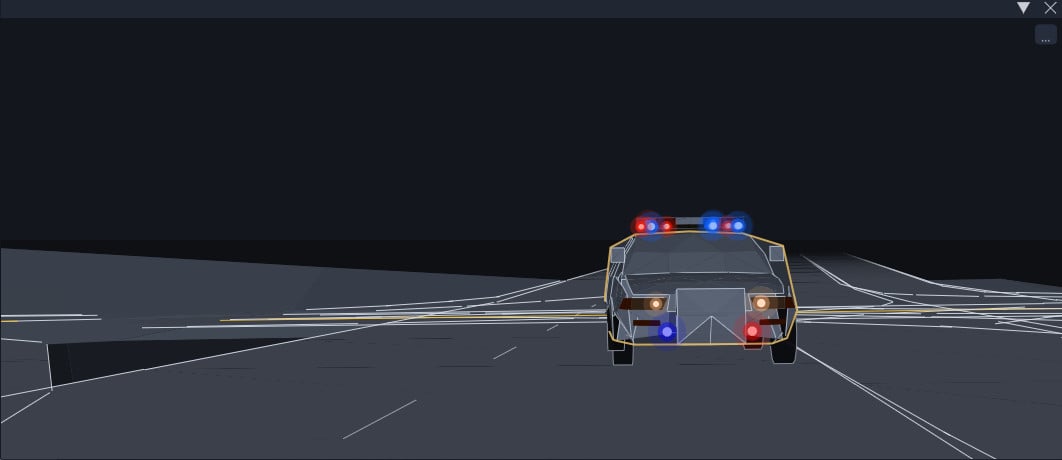
- Added: Virtual Mirror (experimental): a floating, resizable rear-view window. Toggle it from the MFD app
picker (the tile with the BETA ribbon) or bind Toggle rear view in Controls. It opens
centred on first use each session, then stays where you put it and remembers its size; the …
button in its corner opens its settings.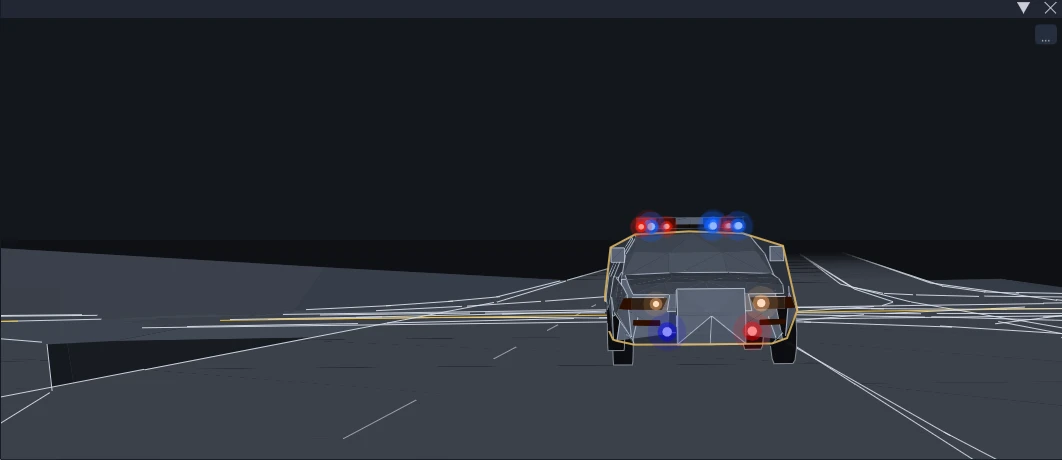
- Added: Expanded Gauges customization options and functions
- Automatic HDR lighting mitigation
- More needle styles and circular hubs.
- Two-Step launch control indicator
- Minor tick subdivision override, scale-number toggle, and tick spine
- Per-channel glow controls in the palette pickers.
- Larger readout sizing.
- Vanilla+ in Combo Basic
- Added: Vehicle Health revamp - a layer rail with a severity dot per system so nothing is hidden in a dropdown, measurements folded into the page instead of an overlay,
- Added: Metrics - exhaust, turbo, and clutch temperatures, estimated mixture, estimated remaining range.
- Added: BYOC (Bring-Your-Own-Chimes) - your own chime library with editable names, sharing one interface with your fonts. Installed content providers are listed under Data Management > Content.
- Added: Many more interface languages: Polish, Portuguese (Brazil and Portugal), Ukrainian, Russian, Japanese, Korean, Simplified Chinese and Traditional Chinese,
across the whole interface.
- Optimized map generation speed and storage size.
- One broken forest asset reference in a level no longer stops that map's whole world map from
being prepared. - Far vehicles on the tilted minimap no longer draw as bands across the map.
- Vehicle Health no longer switches the reader away from their chosen page while driving unless an
alert exists, and its row budget no longer alternates when a concern has no readings. - Filled arcs and shared dividers are sized in screen pixels, so they stay consistent across UI
scales. - The pause-menu settings card and the Data page now load one shared copy of their common code
instead of each carrying its own. - Solo gauges no longer draw before their presentation is ready.
- Arc glow no longer shows segment seams; Vanilla+ inset styling and scale captions line up.
- Economy insets use even spacing with calibrated labels.
- Panel MFD speed limits and scalable readouts are back.
- Home stays reachable when companion rows are hidden.
- Map markers stay inside the active map; minimap icons survive an atlas refresh.
- The first visit to a large map prepares the terrain in the background; at full detail this can take around 20 minutes (a coarse map appears after about two, and pausing the game finishes it sooner). Prepared maps are stored under settings/HiStakes/map-cache in your user folder, up to 2 GB, and can be deleted or excluded from Data Management > Terrain. This will be optimized in the future.
- Minimap can have some performance impact with higher zoom settings. This will be optimized in the future.
- The trailer guide and the Vehicle Health page are still being checked across placements, sizes and vehicles; the structural damage thresholds are calibrated on two vehicle bodies so far.
- Compatibility issues may arise when used with RLS.
Version
0.1.4
· Vanilla Mini+, Localization, Bug fixes
· BeamNG.drive
0.39.x
1 month ago
Beta v0.1.4 (11/9/26)


- Added: Vanilla Mini + - Vanilla Forced Inducted-inspired single-value gauge to complement the full Vanilla+ cluster.
- Added: Localization - German, Spanish, French and Italian translations for settings, the Data Management Utility and supported MFD text. Flight/EICAS callouts remain English.
- Added: Ability to disable Companion mode. Find it under Global Settings → Display → Automatic companion mode. Turn it off to keep your standalone Panel MFD’s status and control bars visible alongside an LCD MFD.
- Added: Content management/pluggable interface. (more info to come)
- Fixed: Improved EV/pHEVs support [Arcanox]
- Fixed: Additional drivetrain support
- Fixed: Hiding other cars setting toggle in minimap now works.
- Fixes: Various issues reported by users; some to highlight:
- Economy readings could show mismatched values and units after menu transitions or delayed settings updates.
- Global settings changes now reach active widgets without overwriting unfinished widget edits.
- Several LCD/readout sizing issues, including clipped unit suffixes, misplaced text backgrounds and long Matrix/DSEG values overflowing their space.
- Coolant caution indication on compact gauges.
- Brake-fade indicators now recognize wheel names on multi-axle vehicles.
- Pursuit labels interfering with each other when multiple Combo widgets are present.
- Widgets may become unresponsive after long sessions.
- Compatibility issues may arise when used with RLS.
About Mod
| Latest Version | 0.1.7d |
| Game | BeamNG.drive |
| Category | Other |
| Game Version | 0.40.x |
| Tags | UI |
| Downloads | 1152 |
| Forum Thread | Visit forum thread |
| Created | 1 month ago |
| Last Updated | 5 days ago |