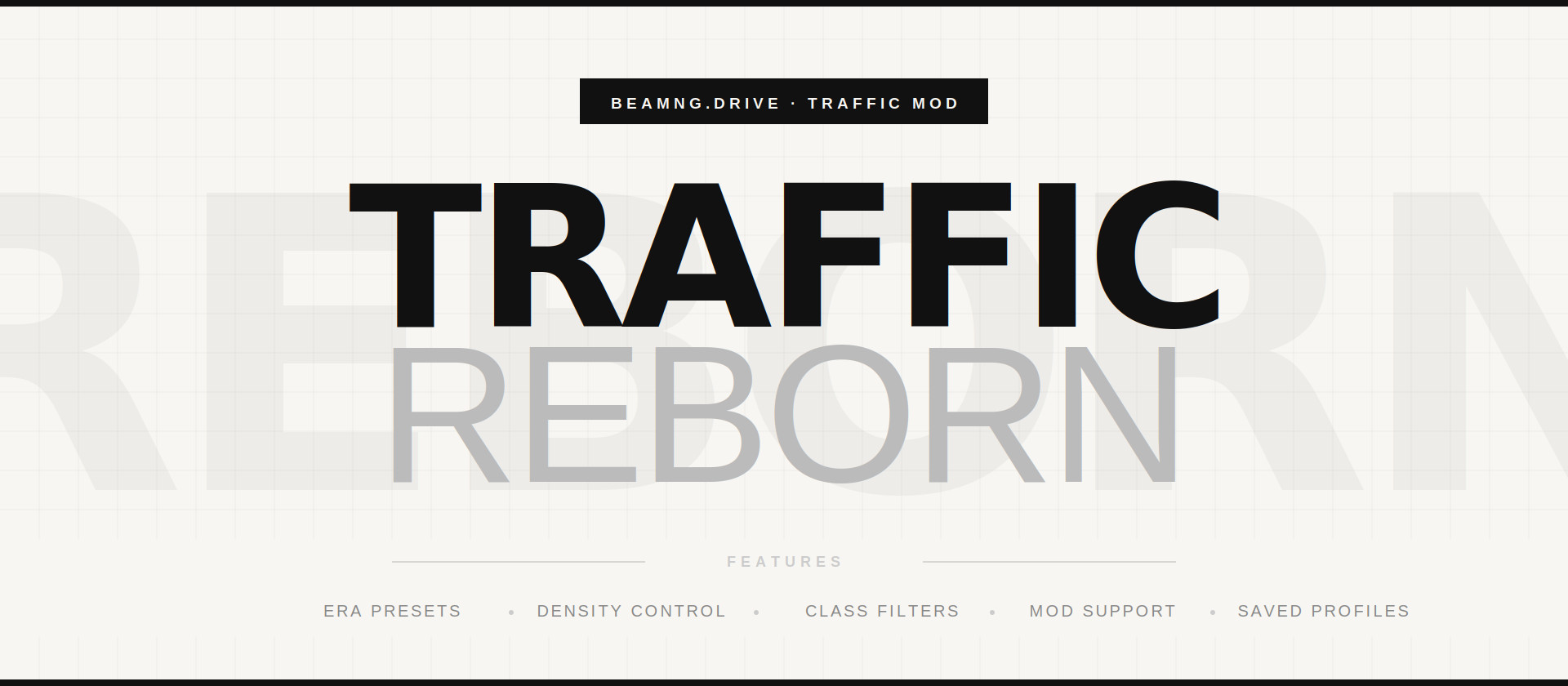
Traffic Reborn [Free Edition] 1.6 [Free Edition]

Latest Update
If you are coming from 1.5 on BeamNG 0.39, read the Fixes section first. This release contains every fix that was planned for the 1.5.1 hotfix.
FREE EDITION
Performance Suite (new)
Traffic is the heaviest thing this mod adds, so now it can shrink itself instead of making you guess numbers. Radial: Pool > Performance.
-
Auto Density - measures your frame rate and thins out active traffic when it drops, then restores it once the frame budget allows. Only the active count moves and nothing is respawned, so there is no hitching, and your chosen density comes back on its own.
-
Target FPS - pick the frame rate it should hold: 30, 45 or 60.
-
Simple Vehicles - spawns the engine's lightweight traffic models. Much cheaper.
-
Apply Low-End Preset - one click for a weak PC: simplified models, low density, slow respawn and auto scaling, all at once.
-
Live readout in the menu, plus a new "Traffic Reborn Performance" app showing FPS, how many vehicles are active, and how many are pooled.
Police helicopter
The main rotor is a separate part now and actually spins. The airframe has a new two-tone police finish.
Everything that was Pro in 1.5 is now free
Police Mode (play as the cop, with the arrest system and auto next suspect), the dispatch radio, the one-click scenarios, the route arrows and notoriety are all in the free edition from this release on.
PRO EDITION
Everything above, plus:
Parked cars (new)
Fill a map's parking spots with parked cars so the streets are not empty between moving traffic. Radial: Pool > Parked Cars, cycling Off / Light / Normal / Heavy / Auto. They use the game's own lightweight parked models, so the cost is small, and they are cleared when you stop traffic. This needs a map with parking spots defined. Maps without them are skipped quietly.
Police tactics (new)
Police stop trailing you in a line. Radial: Sandbox > Pursuit > Police Tactics.
-
Intercept - a unit too far back to matter leaves the chase and drives to a point ahead of you, so you meet it head on. It rejoins the chase once you are near.
-
Box in - once you are nearly stopped, two or more units stop avoiding and pin you.
-
Press - collision avoidance is dropped and aggression scales with your wanted level, so high heat really does get you rammed.
-
Spikes - an intercepting unit that beat you to the spot lays a strip across the road.
Honest note: BeamNG gives no steering-level control over another car's AI, so a true PIT manoeuvre is not possible from a mod. This changes where units go and how hard they press, which is what actually reads as tactics from the driver's seat.
FIXES (both editions)
-
Fixed a crash loop that could stop maps from loading. An error was thrown on every single frame and written to the log with a full stack trace, which flooded the disk and could stall level loading entirely.
-
Fixed wrong-region police cars. The mod was picking police purely by how common a vehicle is, ignoring the police list each map ships with, which is why West Coast USA could hand you European or modded cop cars. It now loads the map's own list first, exactly like the game does. This applies to custom vehicle pools too.
-
Fixed the mod adding its police cars to traffic spawned from the game's own traffic menu. Vanilla traffic is now left completely alone.
-
Fixed the Hand-Pick Selector doing nothing on Alt+P or from the radial menu. It is a UI app and the button only toggles it, so nothing happened when the app was not on screen. Updating to 0.39 migrates UI app layouts, which is how working setups lost it. The mod now detects that, tries to add the app for you, and otherwise tells you on screen exactly where to add it. It also refreshes its vehicle list on open.
-
Fixed the AI taking over your own car after you stepped out on foot while traffic was running.
SETUP NOTES
The Hand-Pick Selector and the two HUD apps are UI apps. Add them once through the in-game UI Apps editor: "Traffic Reborn Pool", "Traffic Reborn Pursuit" and "Traffic Reborn Performance".
Works on BeamNG 0.39 and 0.38.
FEATURES
- Traffic intensity: scale density from light street traffic all the way up to extreme.
- Era & class presets: spawn vehicles from a specific decade or category - 70s, 80s, 90s, 2000s, sports cars, luxury vehicles, police-only, and more.
- Custom vehicle pool: hand-pick exactly which vehicles appear in traffic via the dedicated Traffic Reborn UI app.
- Pool filters: build the pool with quick toggles - mods only, vanilla only, cars, trucks, by decade, or by brand.
- Mod support: auto-detects installed mods and lets you include them in traffic pools.
- Driving behavior: set how the traffic drives - realistic, calm, aggressive, racers, slow, rush hour, or Mix, where every car gets its own personality for controlled chaos.
- Vehicle takeover: take control of any traffic car - the nearest one (Alt + E), the one you are looking at, or start a convoy that follows you. Pick what happens to a car when you leave it: rejoin traffic, despawn, or abandon.
- Live traffic controls: freeze all traffic on the spot, scatter it around you, or pull it in close.
- Police pursuits: put a wanted level on yourself and let the police chase you, control how many police ride in traffic, and clear or evade the pursuit at any time.
- Police enforcement: switch on automatic enforcement and the police chase real offenders on their own, including speeders that pass too close to a patrol car. Adjustable frequency.
- Pursuit drones: at high heat a fleet of police drones takes to the sky above the target, circling with red and blue strobe beacons and a searchlight. They track whoever is most wanted, you or an AI offender.
- Pursuit HUD: a live on-screen readout of the current chase - wanted level, heat, and the list of offenses.
- Saved profiles: create, save, and load traffic configurations for different scenarios.
Most wanted (PRO) (will be added in new patch 1.4):
- Escalation profiles: Mild, Aggressive, or Relentless, each dialing up how fast the heat builds, how often roadblocks appear, and how hard the police push.
- Wanted levels 4 and 5: go beyond the standard three for a full most-wanted chase.
- Roadblocks & spike strips: police set up roadblocks on the road ahead and lay spike strips that blow your tires when you cross them.
- Reinforcements & heat 5: more police join in at higher heat, and at maximum heat the drone fleet grows and a second spike strip goes down.
- Pursuit summary: a recap when a chase ends - busted or escaped, level reached, and offenses committed.
HOW TO ACCESS
Hold E to open the spawn menu and find the Traffic Reborn entry alongside the default traffic options. The interaction tools (takeover, pursuits, live controls) live under the Sandbox tab inside it.
HOTKEYS
- Alt + T: spawn or despawn traffic using your current settings
- Alt + E: take control of the nearest traffic vehicle
- Alt + P: open the custom vehicle pool app
Standalone, works on every map. Have fun, and send me your best chase clips.
External Download Links:
About Mod
| Latest Version | 1.6 [Free Edition] |
| Game | BeamNG.drive |
| Category | Other |
| Game Version | 0.39.x |
| Tags | Gameplay |
| Downloads | 6009 |
| Created | 3 months ago |
| Last Updated | 2 hours ago |
![Ford Mustang Mach-E [PACK]](https://temp2.modland.net/i/6aa50a7184eaa/0_modland.jpg)
![BMW X6 G06/F96 [PACK]](https://temp2.modland.net/i/6a8ff76445a04/0_modland.jpg)
Major issue:the handpicker menu alt P and the one in radial menu do not work as of 1.5 and beamng .39 and for some reason i see european cop cars in west coast usa even when i clicked spawn traffic in both vanilla and the mods traffic menu in the radial menu.
i downloaded this mod yesterday, yesterday it worked just fine- even till today and i was using medium traffic with no problem whatsoever, after a lil i logged in, wanting to spawn traffic (same map same everything) i couldnt, it keeps crashing my game, even low one, i dont understand why i even cleared cache
@modslab IS IT PUBLISHED NOW?
@ss the mod is not updated for the 0.39, probably that's the problem. I've already uploaded a new version with adaptation to the current patch, waiting for modland team to publish it, so most likely the new version will work fine for you.
whats the keybind?
Is it only me, but when I choose my mods for traffic it becomes really lagy
@modslab ok thks
@Goldom the mods are very heavy, so cars for traffic need to be chosen carefully. Detailed cars are very laggy, and that's exactly why even the base traffic uses not high-poly cars but the lowest-quality ones, so there's no lag. That's just how the game works.
bro how to get it for free it is saying to pay 1.5 dollars i got 0
@noobieeee_71827 "all you do is go to the link, scroll down, click the become patron, then go back to the page you first opened, then wait a couple seconds and click the unlock link button. its not hard to do that."
You could've added a traffic pool adjuster just like Agent's. How to get the police cars to spawn with just 1 config and not too many? And how do we use this with simple traffic?
@fizzic the mod has UI, where you can change traffic cars. It's not only radial menu.
does it work in career mode?
@thequeensempire can't say for sure, it's created for sandbox/freeroam
does it work for servers for beammp
@gasgasga now thats an example of someone missing their frontal lobe
@modslab beammp is a trojan virus anyway so don't bother
@itsschristianity can't say for sure, never used beammp
all you do is go to the link, scroll down, click the become patron, then go back to the page you first opened, then wait a couple seconds and click the unlock link button. its not hard to do that.
@snoopyy thanks dude
Yall are so dumb. just click link, open the patreon then close the tab. wait 30 secs. and boom.
@velvrynofficial thank you... I really can't bealive so many people faced the problem with simple link unlocking...
when i pressed the boostylink and it says unlock this link idk what else to do, i checked the comments also, edit: just checked yeah i still need to pay for it wtf.
@drivaaa let's do it together). You'r my free patreon, right? Click on boostylink button. In boostylink, press "Become Patron" (or whatever it is) button, wait 3-4 seconds in patreon page and go back to boostylink. Wait 15 seconds for confirmation. Done, now click "Unlock link" button.
@modslab it still doesn't work for me i did what you said too and the unlock lonk button isnt showing,also it doesnt say free patron either
@rodlovescars_ sorry for reaction like that, but I really got too much hate just because some people can't just click "unlock link" button.
@modslab okay okay my apologies dude atleast i didnt throw hate i needed some help thats all and thank you
@rodlovescars_ sir, THE MOD IS FREE... lets try again) go to boostylink, click the Patreon button, become FREE patron, return to the same Boostylink page, wait 15 seconds, click the Unlock Link (green, beautiful) button. I honestly can't believe this is so difficult.
naah bro its free but i need to pay for subscription
@soya stfu up bro are we deadass
@soya this guy
@modslab Sorry
@soya you couldn't figure out clicking two buttons, but I'm the one lying? Sure, go ahead and leave your one star) If a person can't manage to click two buttons and accuses someone of lying because of it - that's a whole other level, I can't even comment on that. Look at the comments below - there are people there who downloaded for free and are asking questions. Funny how that worked out, isn't it?
@modslab stop lying me. 1 star
@soya who said you have to pay? There's a HUGE Download button there, and even simpler - through Boostylink you just need to click Unlock Link and you'll be taken to the download page. Please don't accuse someone of lying if you simply haven't figured out how to download it yourself. It literally takes two clicks.
where do i put the file?
@MrZani18pc I'll contact you tomorrow to help, okay? Please dm me if I'll not contact, I can forget)
@modslab yeah beamng.18
@MrZani18pc lets try unpacked version of the mod. Do you have discord?
@modslab i HIGHLY recommend you to make the mod avalible in official repository ;)
@modslab i have it in ui apps. but it doesnt pop up in the radial menu
@MrZani18pc take a look at the screenshots - there's a separate tab in the radial menu, this mod has no connection whatsoever to the standard traffic. You don't have this tab after installing? Does the mod show up in the mod selector (in the repository)?
@modslab i did it, now i gave another problem.... the traffic Reborn entry alongside the default traffic wont apperar
@MrZani18pc the Mods folder - installation is the same as for all other mods. If you know how to unpack mods, I recommend unpacked version, but archive version should also work correctly
Does this fix the bug where cars randomly pull over despite no police cars
@modslab i recommend u post this to official forum cuz this seems legit and also has lots of potential and ppl there know better and can help u out
@Bruh Momentum it needs testing - I don't remember exactly how it was in version 1.0, but in version 1.1 there are traffic behavior presets, and there's definitely nothing like that there) If the bug does exist, I'll fix it in future updates, but I'm on my own, so I can't test everything by myself - there are bound to be some things I miss. That's why I need feedback from the community to make the mods better!)
Thank you for the mod — thanks to your mod, you’ve breathed new life into the game.
@Grazer thanks!