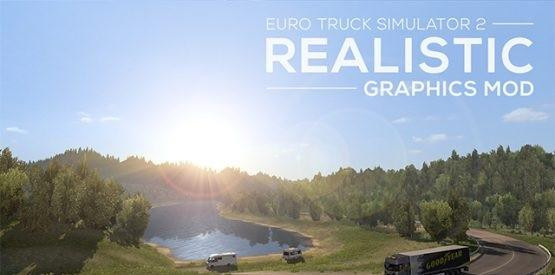
Realistic Graphics Mod v1.6.0a

Latest Update
latest
Version
v1.6.0a
· ETS 2
1.61.x
2 months ago
Changes:
– Added compatibility for 1.60, 1.61
Warning
All five parts are required for operation, otherwise you won't be able to unpack it.
Features:
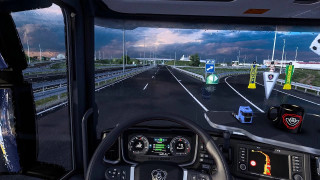
New Realistic Skyboxes
Realistic Rain Intensity
Realistic Rain Textures
Realistic Tree Textures
Realistic Road Textures
Realistic Mountain Textures
Full Weather System
Realistic Rain
Realistic Rain Intensity
Over 10 Types Of Rain Intensity
Several Fog Intensities
Realistic Foggy Weather
Realistic Rain Effects
Realistic Rain Sounds
Realistic Thunder Sounds (Over 40 HQ Sounds)
Realistic Thunder Sounds Inside Cabin & Outside Cabin Of The Truck
Realistic Water (Sea, Rivers, Lakes, Ponds, Beach, Dam, Waves etc)
Realistic Water Effects
Several Types Of Lightning Intensity
Thunder Dry/Wet Climate
Light Cloudy Rain
Better Wet Road Reflections
Slightly Increased Saturation of Trees
Slightly Increased Saturation Of Mountains
Realistic Rain/Thunder Sounds
Realistic Water Spray From Tires When Raining
Realistic Sun Rays
Improved Rain/Dirt Particles
Improved Road Reflections
Rain Particles/Spray Wheels (Own Truck & AI Traffic)
Several Different Types Of Weather
Several Different Types Of Sunset / Evenings
Several Different Types Of Nights / Day
Several Different Types Of Dawn / Sun Rises
UI Improvements
Compatible With Convoy
No Bloom
External Download Links:
- Modsfire.com - Realistic_Graphics_Mod_1.6.0a.part1.rar [Part 1] [3 GB]
- Modsfire.com - Realistic_Graphics_Mod_1.6.0a.part2.rar [Part 2] [3 GB]
- Modsfire.com - Realistic_Graphics_Mod_1.6.0a.part3.rar [Part 3] [3 GB]
- Modsfire.com - Realistic_Graphics_Mod_1.6.0a.part4.rar [Part 4] [3 GB]
- Modsfire.com - Realistic_Graphics_Mod_1.6.0a.part5.rar [Part 5] [1.48 GB]

I want to ask: Do I have to download everything, and if so, do I need to unzip them or can I just put them in the mod folder?
chci se zeptat , musim stahnout vse, a jestli je nemusim tedy rozbalovat a jen vlozit do modu
What is the password of this zip file
@mods82 So whats the mod order ? Part 5 on top or Part 1 on top ? Cheers :)
@cryptorgen Part 5 up on top 4-3-2-1
will this work with 1.53
bonjour, j' utilise snowymoon; realistic weather system 1.6 et real life and night duration, je voudrais savoir si cela est compatible
Hi, friend, I have a question. I want to install your Realistic Graphics Mod. When I unzip the rar, I don't see any scs documents. All that appears in the rar are folders, an image, notepad, and a document ending in sii. How do I install and activate it in-game? Sorry for my limited English so I can communicate with you. Your mods are incredible. Congratulations. Greetings from Argentina.
@sergo1570 No need to unzip the downloaded zip file, move it to the mod folder and connect it in the game
Is ts compatible with realistic brutal weather and realistic rain and thunder ?
Oh, then please explain what would happen to this mod after unpacking? I just stopped downloading!
@John S. Folders with models and textures are in the archive, just like in the scs file, you can rename the zip to scs yourself.
@mods82 You probably think there is a virus in it, or why don't you explain to me in more detail what is in this zip?
@John S. It does not need to be unpacked, downloaded and put in the mod folder.