CarPlay for DAF 2021 (XD, XG & XG+) v1.0

CARPLAY FOR DAF 2021 (XD, XG & XG+)
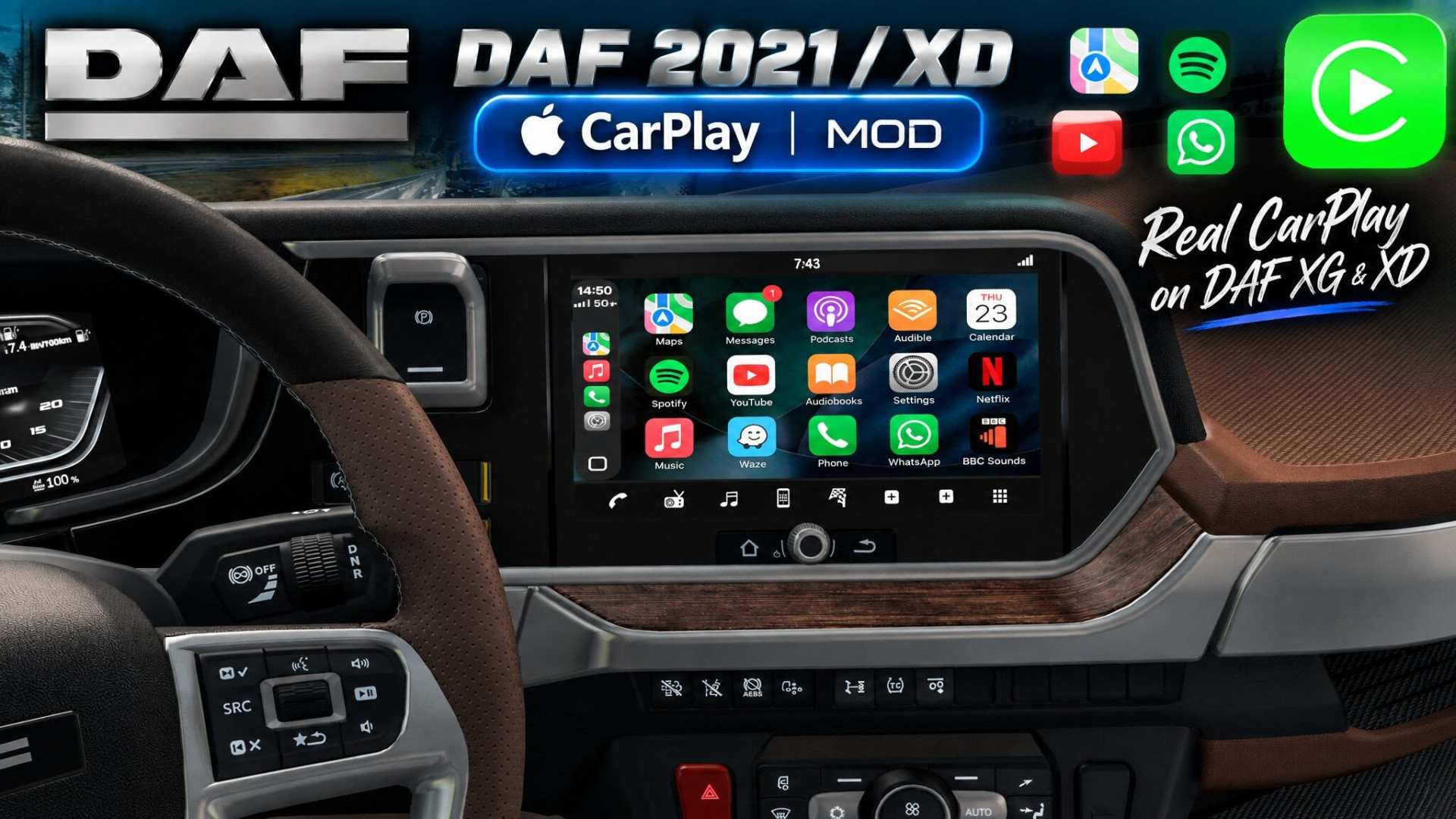
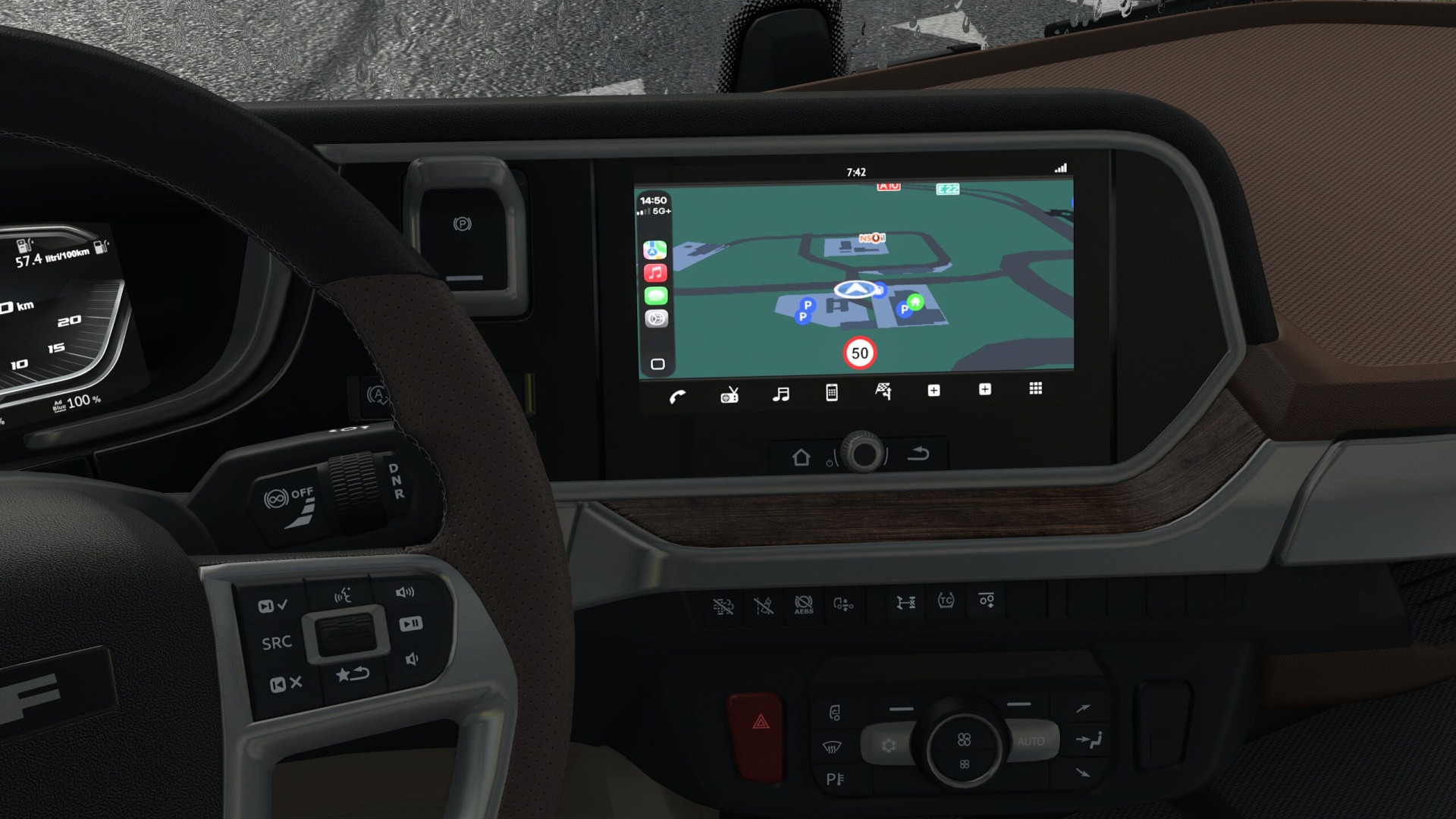
Custom CarPlay-style infotainment interface layout designed for the DAF 2021 series (XG, XG+, and XD) dashboard in Euro Truck Simulator 2.
This mod replaces the stock display graphics with a clean, high-resolution media layout while maintaining native game functionality.
WHAT THIS MOD DOES
• Changelog v1.0: Initial release for the DAF 2021 range. Features full edge-to-edge CarPlay layout support across XG, XG+, and the separate DAF XD DLC with integrated navigation, media screens, and custom route colors natively included.
• Clean UI Design: Introducing a streamlined CarPlay aesthetic that replaces cluttered stock elements with a crisp, minimal layout.
• Custom High-Res Textures: Adding handcrafted and AI, high-resolution graphics for custom media, settings, and radio screens that are entirely absent in the base game.
• Full DAF Family Support & Native Integration: Seamlessly covers both the main DAF 2021 series (XG/XG+) and the separate DAF XD DLC while fitting perfectly into the standard interior display setup.
IMPORTANT NOTICE: DYNAMIC CLOCK BEHAVIOR
Please read carefully regarding how the clock works in this mod:
Unlike previous truck versions where sub-category limitations restricted the clock, in this DAF version—thanks to the continuous main screen layout across all views—the live dynamic clock is successfully displayed across all screens seamlessly!
MOD STATUS & FUTURE UPDATES
While I initially stated that I wouldn’t expand my mods to other trucks, I’ve changed my mind! Over time, I will be adding support for other modern truck models—maybe not all of them, but definitely focusing on the most modern ones.
The mod is released as-is starting with the DAF 2021 & XD range and expanding across brands. You are free to edit the definition files locally for your own personal use.
COMPATIBILITY & SETUP
• Game Version: Compatible with ETS2 1.61+.
• Supported Trucks & Mods:
– DAF XD
– DAF XG / XG+ (2021)
– Apple Maps Navigation (Base) (Optional)
• Controls Setup: Make sure to map your Infotainment screen key/button in your game’s Keyboard & Buttons options to properly interact with and switch the CarPlay display modes.
Custom CarPlay-style infotainment interface layout designed for the DAF 2021 series (XG, XG+, and XD) dashboard in Euro Truck Simulator 2.
This mod replaces the stock display graphics with a clean, high-resolution media layout while maintaining native game functionality.
WHAT THIS MOD DOES
• Changelog v1.0: Initial release for the DAF 2021 range. Features full edge-to-edge CarPlay layout support across XG, XG+, and the separate DAF XD DLC with integrated navigation, media screens, and custom route colors natively included.
• Clean UI Design: Introducing a streamlined CarPlay aesthetic that replaces cluttered stock elements with a crisp, minimal layout.
• Custom High-Res Textures: Adding handcrafted and AI, high-resolution graphics for custom media, settings, and radio screens that are entirely absent in the base game.
• Full DAF Family Support & Native Integration: Seamlessly covers both the main DAF 2021 series (XG/XG+) and the separate DAF XD DLC while fitting perfectly into the standard interior display setup.
IMPORTANT NOTICE: DYNAMIC CLOCK BEHAVIOR
Please read carefully regarding how the clock works in this mod:
Unlike previous truck versions where sub-category limitations restricted the clock, in this DAF version—thanks to the continuous main screen layout across all views—the live dynamic clock is successfully displayed across all screens seamlessly!
MOD STATUS & FUTURE UPDATES
While I initially stated that I wouldn’t expand my mods to other trucks, I’ve changed my mind! Over time, I will be adding support for other modern truck models—maybe not all of them, but definitely focusing on the most modern ones.
The mod is released as-is starting with the DAF 2021 & XD range and expanding across brands. You are free to edit the definition files locally for your own personal use.
COMPATIBILITY & SETUP
• Game Version: Compatible with ETS2 1.61+.
• Supported Trucks & Mods:
– DAF XD
– DAF XG / XG+ (2021)
– Apple Maps Navigation (Base) (Optional)
• Controls Setup: Make sure to map your Infotainment screen key/button in your game’s Keyboard & Buttons options to properly interact with and switch the CarPlay display modes.
External Download Links:
About Mod
| Latest Version | v1.0 |
| Game | ETS 2 |
| Category | Parts & Tuning |
| Game Version | 1.61.x |
| Downloads | 216 |
| Created | 1 week ago |


can i do touch screen on this?